The Complexities of Festival Project Management
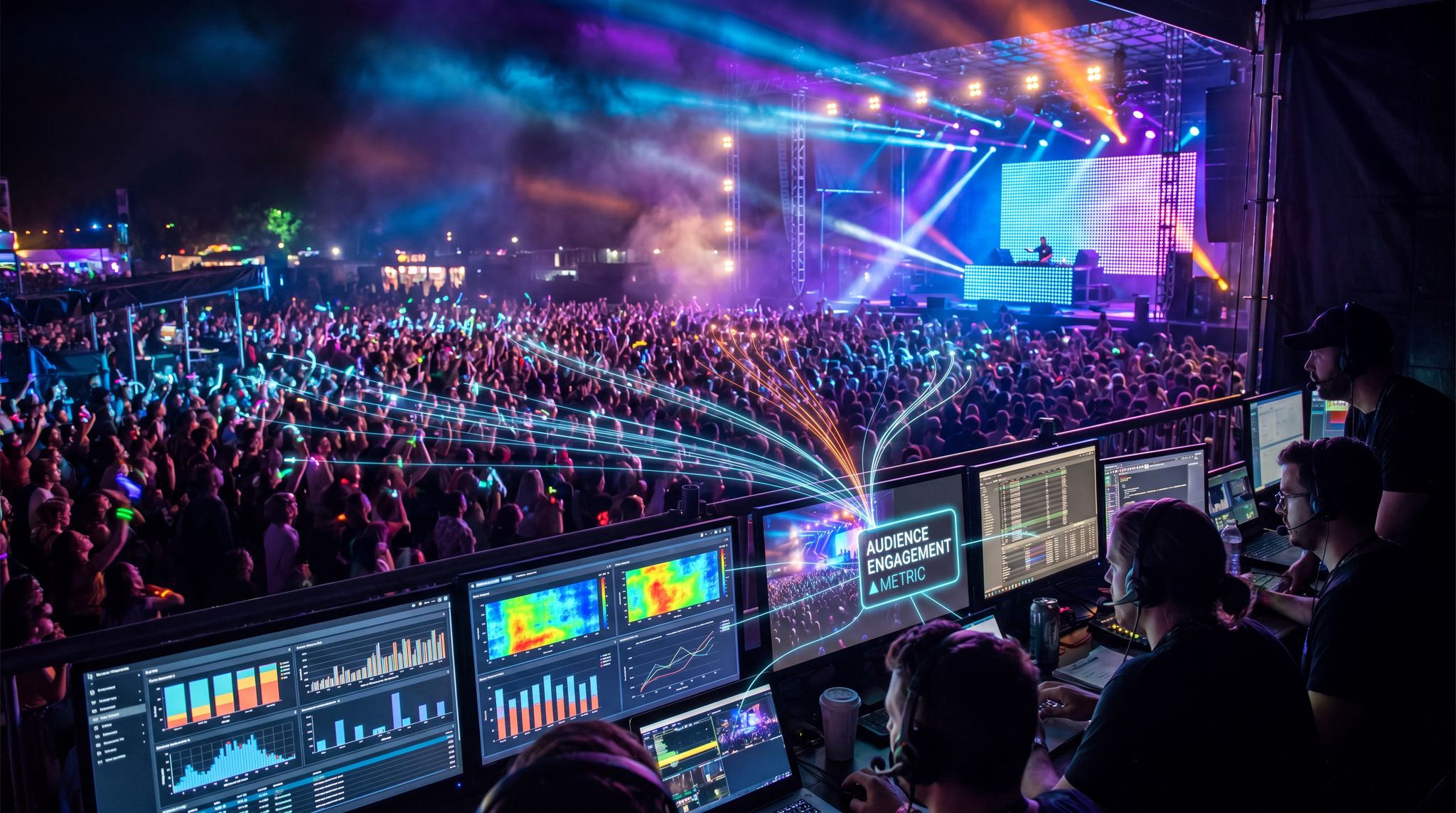
Planning and executing a festival is an enormous project with countless moving parts. From booking artists and vendors to coordinating stage schedules, permits, and emergency plans, festival operations involve a web of tasks and stakeholders. Successful festivals are not thrown together on spreadsheets and hope – they require structured project management. Modern tools offer ways to break a massive festival plan into manageable pieces. Producing a large event means carefully managing people and resources over time, and breaking down hundreds of tasks into manageable chunks of work. Leveraging technology helps organizers keep this complexity under control.
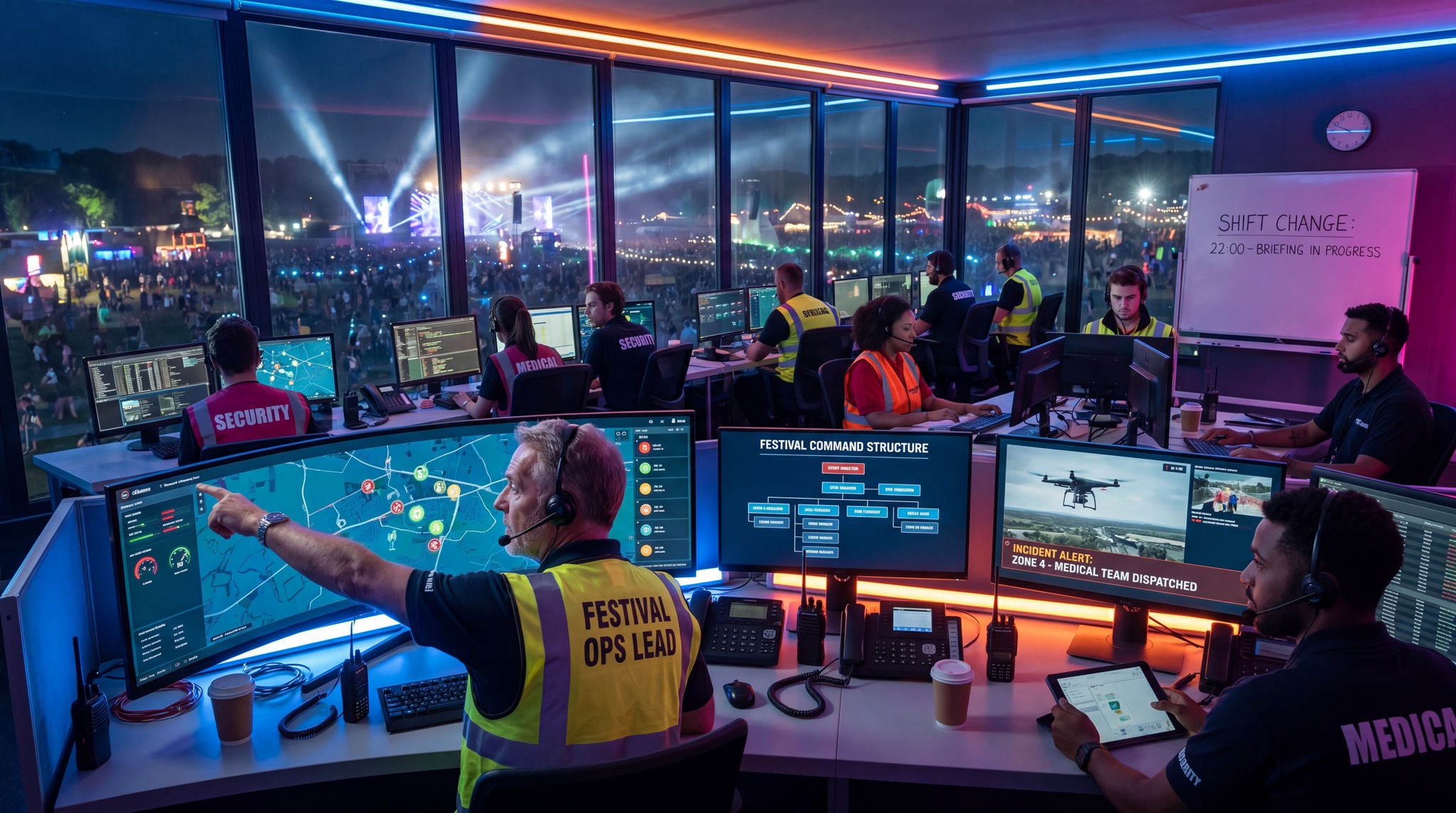
Structuring a dedicated festival operations department is often the first step in scaling an event. Effective festival operations management goes beyond simple logistics; it encompasses site builds, health and safety compliance, crowd control, and vendor coordination. For large-scale music festival operations, this team acts as the central nervous system, ensuring that every other division—from talent buying to marketing—can execute their plans without logistical bottlenecks. Equipping these professionals with the right digital infrastructure is what separates a chaotic build week from a smooth, on-time gate opening.
Task and Project Management Software
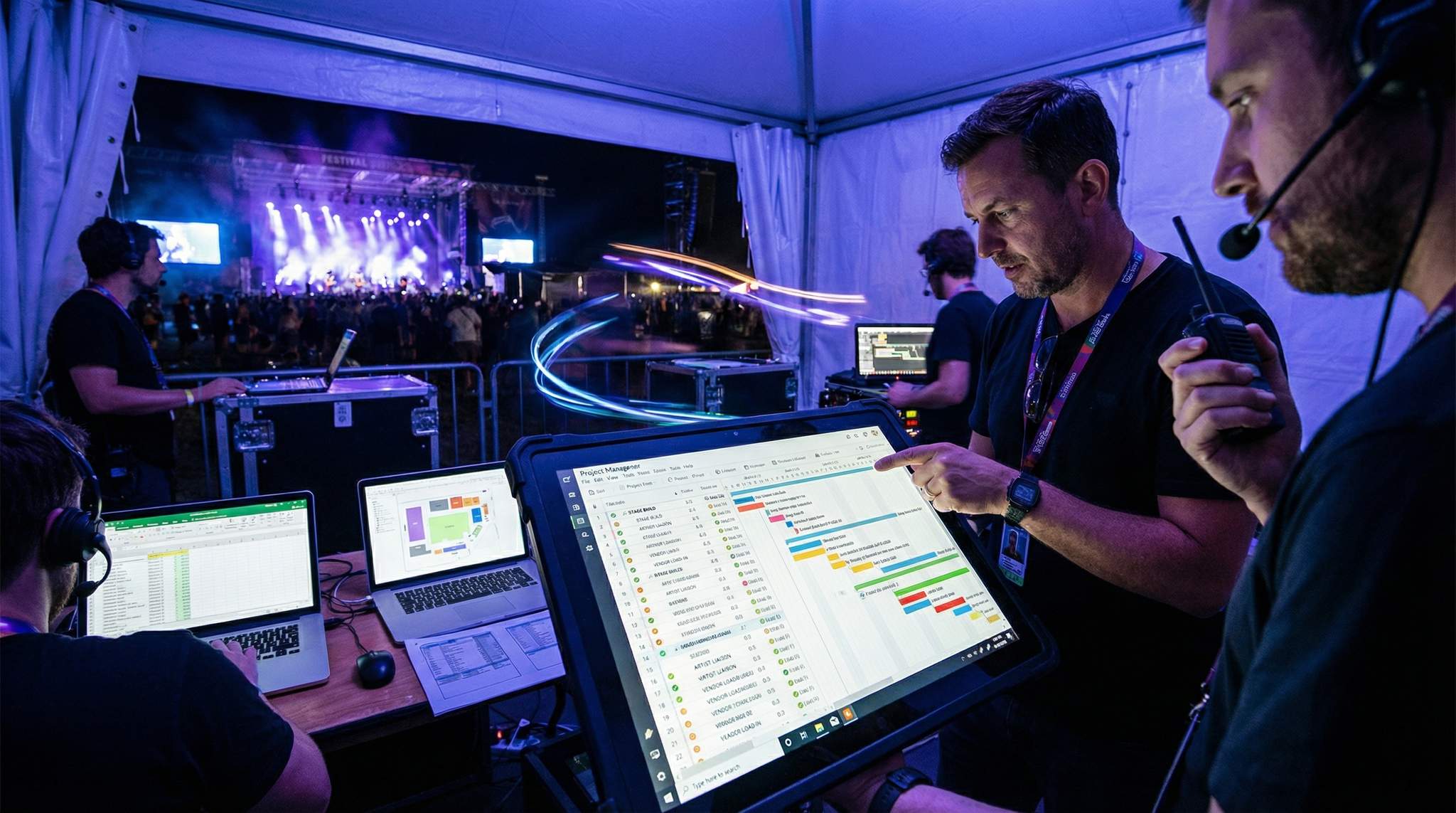
One of the foundations of efficient festival ops is a robust project management platform. Tools like Asana, Monday.com, Trello, or Smartsheet enable organizers to map out every task, deadline, and dependency in the festival planning timeline. Instead of juggling 20 Excel sheets or endless email threads, all tasks can live in one dashboard. For example, a music festival’s production schedule might be broken into categories like Permits, Site Infrastructure, Talent Booking, Marketing, and Vendors, each containing dozens of tasks. Team members can be assigned to each task with due dates and priority levels. When a task is completed or updated, everyone relevant gets notified instantly – preventing miscommunication such as the stage crew thinking power arrangements were handled when they weren’t.
To stay on top of every moving part, modern organizers often seek out platforms with a built-in project manager—an all-in-one task tracking system for event production and planning. Deploying these advanced festival planning tools allows production directors to monitor real-time progress across multiple departments simultaneously. By utilizing specialized festival software, promoters can transition away from fragmented spreadsheets and ensure that every logistical detail is captured in a centralized, easily accessible dashboard.
Free Tool: Size Your Festival Site
Zoned capacity planning for arena, campsite, parking and entry lanes — against UK Purple Guide and NFPA density standards. Finds your bottleneck zone.
These platforms shine in keeping the team aligned and accountable. A head of operations can get a bird’s-eye view of progress: which tasks are on track, which are overdue, and who might be overextended. Many tools provide Gantt chart timelines or calendar views to visualize the festival countdown. This way, nothing falls through the cracks – from ordering wristbands to confirming the pyrotechnics permit. In practice, teams have found that such software dramatically improves efficiency. One event organizer reported they were able to double the number of events they ran after adopting a project management tool, while reducing planning time by 80% and saving dozens of hours in meetings, according to Asana’s case study on event management efficiency. The lesson: investing time to set up a clear project plan in a tool like Asana or Monday can pay back tenfold in preventing last-minute scrambles.
For small festivals or community events with tight budgets, even free tiers of Trello or Asana can do the job. The key is to use them consistently – input all your tasks, routinely update progress, and use tags or categories to keep things organized. As the event grows in complexity, these tools scale up. A local food fair might get by with a simple task list, but a multi-stage music festival with artists flying in internationally will demand the advanced features (task dependencies, integrated calendars, etc.) that pro project management software offers.
Planning a Festival?
Ticket Fairy's festival ticketing platform handles multi-day passes, RFID wristbands, and complex festival operations.
When evaluating festival planning software, organizers should prioritize platforms that offer customizable templates. A dedicated festival planner software setup allows production teams to duplicate successful workflows year over year, saving weeks of pre-production time. Whether coordinating a boutique indie gathering or a massive electronic dance music event, having a centralized digital workspace ensures that every vendor contract, artist rider, and site operations checklist is tracked meticulously.
Dedicated Festival Management Software
While general task trackers are excellent for baseline organization, scaling operations often requires purpose-built festival management software. A dedicated music festival management platform goes beyond basic to-do lists by integrating artist advancing, vendor contracting, credentialing, and guest list management into a single ecosystem. Using specialized festival software ensures that complex, industry-specific workflows—like routing hospitality riders directly to the catering team or issuing RFID wristbands based on precise access levels—are handled seamlessly. These end-to-end solutions consolidate data so that promoters and production directors aren’t forcing generic apps to fit highly specific live event needs.
The landscape of festivals software has evolved rapidly, moving away from fragmented apps toward holistic ecosystems. Today’s top-tier platforms allow the operations crew to oversee everything from heavy equipment rentals to volunteer shift scheduling in one unified dashboard. When production teams leverage comprehensive event management solutions, they reduce the risk of data silos that often plague complex live music productions.
Transitioning to a purpose-built festival planner platform is often the turning point for growing event brands. Unlike standard corporate task managers, a specialized festival planner platform is designed around the lifecycle of a live event. It allows production directors to manage multi-stage lineups, track vendor compliance, and oversee site builds within a single interface. By adopting this type of festival management software, organizers eliminate the friction of transferring data between disparate apps, ensuring that every department—from talent buying to site operations—is working from the same real-time blueprint.
Go Cashless With RFID Technology
Enable contactless payments, faster entry, and real-time spending analytics with RFID wristbands and NFC-enabled ticketing for your events.
When evaluating a comprehensive music festival management platform, promoters should look for native integrations with their primary revenue drivers. Top-tier festival management software often connects directly to ticketing systems, cashless payment gateways, and sponsor activation dashboards. This allows the core organizing team to monitor real-time ticket sales against production budgets or track on-site food and beverage revenue without switching between disparate applications. By centralizing these critical data streams, festival management software empowers operators to make rapid, informed decisions—such as adjusting staffing levels at a busy bar or releasing a final tier of VIP tickets—directly from their command center.
Beyond financial and ticketing integrations, deploying specialized music festival software is crucial for managing the sheer volume of moving parts on stage. Advanced music festival scheduling software allows production managers to build intricate run-of-show timelines, coordinating everything from artist load-ins and soundchecks to set times and changeovers. Instead of relying on static spreadsheets that become obsolete the moment a flight is delayed, these dynamic scheduling tools automatically ripple updates across all department dashboards, ensuring the stage manager, broadcast crew, and artist liaison are always operating from the exact same minute-by-minute plan.
Need Festival Funding?
Get the capital you need to book headliners, secure venues, and scale your festival production.
Beyond basic timelines, elite music festival scheduling software includes clash management features that automatically flag overlapping set times or double-booked technical crew. When a promoter utilizes comprehensive music festival software, they can visualize the entire weekend’s flow, ensuring that high-capacity crowd movements between stages are safely staggered. This level of granular control prevents logistical bottlenecks and keeps the event running smoothly.
While music events require heavy talent coordination, culinary events have their own unique logistical hurdles. Dedicated food fairs software focuses heavily on vendor management, health department compliance, and power distribution for mobile kitchens. Organizers of large-scale food and beverage festivals rely on these specialized platforms to track health permits, manage equipment load-in schedules, and map out complex electrical grids for dozens of food trucks and pop-up restaurants. By using a centralized system tailored to culinary events, promoters can ensure that every vendor meets local municipal codes before they even arrive on site.
Shared Documents and Calendars
Alongside task-specific tools, festival teams need shared access to critical information at all times. Cloud-based document and calendar tools are a lifesaver for this. Google Drive/Docs, Dropbox, or project management suites with document sharing ensure that the latest versions of schedules, contact lists, contracts, and manuals are accessible to everyone. By maintaining a centralized folder or wiki for the festival, you avoid the nightmare of someone accidentally using an outdated site map or an old vendor contact sheet. When every department from staging to catering is updating information in one place, it keeps the whole organization synchronized.
Calendaring is equally vital. A shared master calendar (for example, a Google Calendar that all team members subscribe to) can track key milestones and deadlines: city inspections, ticket on-sale dates, vendor load-in days, rehearsals, and show dates. Integrating this with your project management app means that if a task deadline shifts, the calendar updates too – everyone sees the change. Some project tools have built-in calendars, or you can sync with external calendars to make sure meetings and deadlines appear for all. Color-coding by category (e.g., production vs. marketing vs. artist relations) can help people quickly identify what’s relevant to them.
Free Tool: Project Your Bar Revenue
Per-head spend benchmarks by event type turned into projected bar and food revenue, with a stock-mix estimate and gross-margin line. Free calculator.
One practical tip is to create templates for common documents and schedules. For instance, a production run sheet template can be reused for each festival day, or a vendor coordination checklist can be standardized. Storing these in a shared drive allows the team to collaboratively edit in real-time, so the version in the cloud is always the single source of truth. During the festival planning, if the talent team updates the artist hospitality requirements document, the operations team instantly has access to the new info – no need to email attachments back and forth. This reduces confusion and ensures decisions are based on the latest data.
Implementing a dedicated resource calendar in project management systems takes this a step further by tracking not just deadlines, but physical assets and personnel availability. For complex festival operations, knowing exactly when a forklift is free or which stage manager is off-shift is just as critical as knowing when a permit is due. By mapping equipment and staff shifts onto a centralized timeline, production directors can maximize their resources and avoid costly last-minute rentals.
Site Mapping and CAD Tools
Designing the physical layout of a festival is a huge project in itself. This is where CAD (Computer-Aided Design) and mapping software become invaluable, especially for medium to large festivals. Instead of hand-drawn sketches or guesswork, organizers use tools like AutoCAD, Vectorworks Spotlight, or specialized event mapping platforms to create accurate site maps. A detailed digital site plan will include stage locations, sound and lighting towers, vendor booths, entrances and exits, emergency access routes, water and electricity lines, restroom facilities, and more – all to scale.
For teams that don’t have an in-house CAD draftsperson, utilizing a dedicated event site map creator can bridge the gap between rough sketches and professional schematics. These specialized layout tools allow the site operations department to drag and drop staging, fencing, and vendor tents onto satellite imagery. By using an intuitive map builder, site directors can quickly generate accurate, to-scale blueprints that satisfy local fire marshals and municipal permitting offices without needing advanced architectural software training.
Using CAD for a festival site map greatly improves the accuracy and efficiency of the planning process, leading to fewer on-site build issues. In other words, time spent perfecting the layout virtually can save huge headaches during the actual build. For example, mapping software can catch that two planned stages are only 50 feet apart (causing sound bleed) or that the food court is too far from available water sources. It’s far cheaper to move things around on a digital map than on the ground with trucks and forklifts. Moreover, most CAD plans can incorporate health and safety requirements from the start – capacity calculations for areas, fire lane dimensions, evacuation routes – so you ensure compliance as you design.
Another benefit is easier collaboration with external stakeholders. You can share the digital site map with vendors, local authorities, and security teams to gather feedback and approvals. Everyone works off the same map version, avoiding miscommunication. For instance, a staging vendor can look at the CAD file and see the exact dimensions and terrain of the stage plot they’ll build on. If the festival is smaller in scale, you might not need an advanced CAD drawing – a simple diagram might suffice – but even then, using tools like Google Earth or basic floor plan apps can provide correct measurements and a professional presentation. The general rule: once your festival hits a certain size or complexity, investing in a proper site mapping tool or hiring a CAD designer pays off in smoother operations on-site.
Accept Payments Across 13 Countries
Local currency processing via Stripe, Razorpay, Xendit, Paystack, and OXXO across 13 countries with region-specific payment methods.
Communication Platforms for Real-Time Updates
Effective communication is the backbone of festival operations. In the past, teams relied on walkie-talkies and frantic phone calls. Those are still critical on show day for instant coordination, but in the months of planning and the critical lead-up period, modern communication platforms shine. Slack, Microsoft Teams, or similar team communication tools have become go-to solutions for festival production crews. They allow real-time messaging, group channels segmented by topic or department, file sharing, and even voice/video calls – all in one place.
Using a platform like Slack keeps all those quick discussions and updates organized and searchable. Instead of digging through long email chains, a production manager can scroll through the #site-ops channel to see the latest on site build progress, or the #marketing channel for ticket sales updates. It’s common to set up channels for each major team (e.g., #ops, #talent, #volunteers, #security) and for specific focuses or emergencies (like #weather-updates or #COVID-protocols). Team members can tag each other, share photos (e.g., a site build photo to ask “is this the right fence placement?”), and respond from anywhere via their phones.
The immediacy of these tools can be a lifesaver. Imagine a sudden thunderstorm is rolling in on festival day: with a communication platform in place, a single message in the emergency channel can instantly notify all team leads to secure equipment and guide attendees to shelter. Or during planning, if a headliner artist suddenly changes their technical requirements, the production team can be alerted at once in real-time, rather than waiting for the next meeting or an email response. Open communication channels also foster a sense of teamwork and transparency – everyone sees what issues are popping up and how they’re being resolved.
These platforms integrate well with project management software too. Many festival teams link their task boards to Slack or Teams, so that for example, when a task like “Approve stage lighting design” is marked complete in Asana, a notification pops up in the #production channel. This keeps everyone in the loop without requiring constant manual status emails. The key is to establish norms for using these communication tools: designate what types of messages go in which channels, encourage team members to check them regularly (especially during the event week), and have moderators or managers ensure urgent messages are addressed. With discipline and smart use, Slack or Teams can reduce chaos and prevent the left hand from not knowing what the right hand is doing.
Integrating Tools for Efficiency
With so many software tools available, festival organizers should aim to integrate their systems as much as possible. The ideal scenario is an ecosystem where your project management, documents, and communications all talk to each other. This might mean connecting Google Drive or Dropbox to your task management app (so each task can have relevant files attached and up to date), or using Slack’s integrations to pull in calendar reminders and task deadlines. Many project management platforms offer built-in integrations or APIs to common services – take advantage of these to eliminate manual data entry and double-checking.
Using technology strategically can drastically increase a festival team’s productivity. When tools are well-integrated, an update in one place automatically reflects elsewhere. For example, if the event director updates the budget spreadsheet in the shared drive, that update can be instantly accessible to the finance manager and project manager without emailing files around. Or if a site map revision is made in the CAD software, exporting a PDF to the shared folder means everyone is now looking at the new layout. Some teams even integrate scheduling software for staff and volunteers, so that once the festival schedule is set in the planning docs, the shifts and volunteer assignments can be populated accordingly in their workforce management tool.
Data-Driven Event Marketing
Track ticket sales, demographics, marketing ROI, and social reach in real time. Exportable reports give you the insights to make smarter decisions.
Seasoned producers advise focusing on a few core tools and doing them well, rather than using dozens of apps poorly. It’s important to onboard your team onto the chosen platforms and ensure everyone understands how to use them. There can be a learning curve – not everyone on your crew may be familiar with Gantt charts or Slack threads – so training and gradual adoption help. But the payoff is a more efficient, connected operation. When the whole team can coordinate in real-time and access the information they need, problems get solved faster and opportunities (like a last-minute sponsorship or artist booking) can be seized without derailing the plan.
For many organizers, the ultimate goal is migrating toward all-in-one festival event platforms. Rather than piecing together separate task trackers, communication apps, and document drives, these unified systems offer a single digital environment tailored specifically for live events. By adopting comprehensive event platforms, promoters can manage ticketing, vendor logistics, and staff scheduling under one roof, drastically reducing the friction of jumping between different software suites.
Adapting to Festival Size and Type
Not every festival needs an enterprise-level software stack. The tools should scale to fit the event. For a small local festival (say a one-day food and wine fair), a basic setup of Google Sheets and a free Trello board might cover all the needs. The organizing team could be just a handful of people who sit in the same room often, so a simple shared checklist and occasional Slack messages might be sufficient. On the other hand, a massive multi-stage music festival or a large film festival with international submissions will absolutely require more robust systems.
Consider the nature of your festival when choosing tools:
- Music Festivals: Complex stage schedules, artist hospitality, technical production, and large crews benefit from detailed project plans and live communication. (As an example, a festival with multiple stages might use a project tool to coordinate stage setups in parallel, ensuring sound checks don’t overlap and power supplies are adequate across the site).
- Food or Beer Festivals: Many vendors and health/safety compliance checkpoints. Shared docs can manage vendor requirements (power, booth size, menu) and deadlines for permits. A calendar can ensure health inspections, deliveries, and waste management are timed correctly.
- Film Festivals: Scheduling screenings across venues, handling film prints or files, jury and panel schedules, plus hospitality for filmmakers. A tool like Asana can track film traffic (when each film copy arrives, tested, queued), and communication channels help volunteers manage each screening’s logistics.
- Conferences and Fan Conventions: Similar to multi-track festivals – project software helps coordinate content across multiple stages or halls, and communication apps keep everyone updated on attendee flow or any venue changes.
The size of the team also matters. With a larger team, clear assignment of roles in project software becomes more important (to avoid duplication or confusion about who’s handling what). Large festivals might even have a dedicated project manager or operations director whose job is to maintain the project timeline and keep the software up to date – acting as the conductor of all these tools. Smaller festivals might have one person wearing multiple hats, in which case simpler tools that don’t require heavy maintenance are preferable.
Budget is a consideration too. Many of these tools have subscription costs for full features or larger teams. It’s wise to start with free trials or entry-level plans to find what really provides value for your festival. Sometimes, non-profit or community events can get discounts on software, or a city-sponsored festival might have budget to invest in a proven platform. Remember that the cost of a tool should be weighed against the potential costs of mistakes or inefficiencies it prevents (missing a deadline that delays permits could literally shut down an event; in that light, a few hundred dollars on good software is well worth it).
Free Tool: Will the Room Actually Be Full?
Forecasts expected attendance from ticket type, event type and day of week. Calculates safe over-book count for free-RSVP events. Free estimator.
Lessons from the Field: Successes and Failures
Real-world festival experiences underscore why these project management tools are so important. On the success side, many festivals have avoided disasters thanks to careful planning and rapid communication. For example, when a major festival had to relocate sections of its site overnight due to unexpected flooding, the team’s communication platform and shared task list allowed them to reassign crews, update the site map, and notify vendors and artists within hours. Because they had a central hub for information, everyone knew their role in the change and the festival opened on time the next day. Such flexibility is only possible when the groundwork of information-sharing and clear task management has been laid.
On the other side, failures in organization can be catastrophic. The infamous Fyre Festival in 2017 is a case study in what can go wrong without proper project management. It became a “project manager’s nightmare” of poor planning, blown budgets, and lack of accountability or realistic timelines, resulting in critical project management lessons from the Fyre Festival fiasco. The organizers skipped many fundamental planning steps and didn’t heed their team’s warnings. Basic infrastructure was missing when guests arrived because tasks that should have been tracked and handled simply weren’t. Communication failures also played a big role – in fact, the organizers famously lost their originally intended venue partly due to a preventable miscommunication. Setting up clear approval channels and internal comms might have prevented some of these pitfalls. Instead, critical information fell through the cracks. The lesson is stark: no amount of hype or funding can compensate for a breakdown in operational planning. Using the right tools is not just about efficiency – it’s about ensuring the promises made to ticket buyers can actually be fulfilled on the ground.
Most festivals fall somewhere between those extremes. Things will go wrong – that’s inevitable with live events – but robust planning tools let you catch issues early and react faster when they happen. A well-managed task system might reveal that a deadline is about to slip in time for you to add resources or adjust plans. A clear site map might highlight a safety concern before it becomes a hazard. And an open communication channel might allow a staff member to raise a red flag about crowding or equipment malfunction so the team can address it immediately. Festival veterans will attest that preparedness and communication are everything. Technology is not a replacement for experienced judgment and leadership, but it is an amplifier – it amplifies the team’s ability to coordinate, adapt, and deliver an unforgettable festival experience.
Frequently Asked Questions
How does project management software improve festival planning efficiency?
Project management platforms like Asana and Monday.com centralize tasks, deadlines, and dependencies, replacing scattered spreadsheets. These tools significantly boost efficiency; one organizer reportedly doubled their event capacity while reducing planning time by 80%. They allow teams to visualize progress through Gantt charts and ensure critical tasks like permit confirmations never fall through the cracks.
Why is CAD software important for designing festival site maps?
CAD tools like AutoCAD and Vectorworks Spotlight enable organizers to create precise, scalable digital site maps. This technology prevents costly on-site errors by identifying issues virtually, such as sound bleed between stages or distant water sources. Accurate mapping also facilitates collaboration with vendors and ensures compliance with safety requirements like fire lanes and evacuation routes.
How do real-time communication platforms assist festival operations teams?
Platforms like Slack and Microsoft Teams organize festival communications into specific channels, such as #site-ops or #security, replacing chaotic email chains. These tools provide immediate connectivity for urgent updates, allowing teams to instantly coordinate responses to emergencies like weather changes or sudden technical requirement shifts, ensuring the entire crew remains synchronized during production.
Why are shared cloud documents essential for festival team coordination?
Cloud-based tools like Google Drive and Dropbox provide a single source of truth for critical festival documents, preventing the use of outdated schedules or site maps. By maintaining a centralized repository, teams ensure that updates to vendor lists, contracts, or run sheets are instantly accessible to all departments, eliminating confusion caused by emailing file attachments.
How should organizers choose the right software for their festival size?
Organizers must select tools that scale to their event’s complexity. Small community fairs may only require free versions of Trello or Google Sheets, while massive multi-stage music festivals demand robust software with advanced features like task dependencies. Matching the technology stack to the specific needs of the event prevents overburdening small teams or under-supporting large operations.
What are the benefits of integrating different festival management tools?
Integrating systems creates an ecosystem where project management, documents, and communications synchronize automatically. Connecting platforms like Google Drive to task apps or linking calendars with Slack ensures that updates in one location reflect everywhere instantly. This connectivity reduces manual data entry, minimizes errors, and accelerates information sharing across the entire festival production team.
What type of software prevents last-minute event changes from derailing coordination?
Cloud-based project management tools paired with real-time communication platforms are the best defense against sudden operational shifts. When these systems utilize a dynamic resource calendar in project management, any schedule adjustment—such as a delayed artist arrival or a sudden weather evacuation—instantly updates across all department dashboards. This immediate synchronization ensures that site ops, security, and talent relations teams can pivot their logistics without relying on outdated printed run sheets.
What are the core features of a dedicated music festival management platform?
A robust music festival management platform typically includes specialized modules for artist advancing, vendor contracting, credentialing, and guest list management. Unlike generic task trackers, purpose-built festival software integrates these live event workflows with ticketing data, cashless RFID systems, and real-time budget tracking, giving promoters a comprehensive overview of their entire operation.
What features should organizers look for in festival planning software?
When selecting festival planning software, organizers should prioritize customizable task templates, real-time collaboration, and mobile accessibility for on-site crew. The best festival planner software also includes robust permission settings, allowing promoters to share specific schedules with external vendors or artists without exposing sensitive budget data.
What features are essential in food fairs software?
Software designed for food fairs and culinary festivals must prioritize vendor management, health and safety compliance tracking, and site infrastructure mapping. Organizers need tools that can seamlessly collect health department permits, track power and water requirements for individual food stalls, and schedule staggered load-in times for mobile kitchens to prevent site congestion.
How does music festival scheduling software improve stage management?
Music festival scheduling software replaces static spreadsheets with dynamic, real-time run-of-show timelines. By centralizing set times, soundchecks, and changeovers into a single platform, production managers can instantly ripple schedule adjustments across all departments. This ensures that stage crews, artist liaisons, and broadcast teams remain perfectly synchronized even when unexpected delays occur.
What are the main advantages of using all-in-one festival event platforms?
All-in-one festival event platforms streamline operations by combining task tracking, vendor management, and team communication into a single unified system. For organizers, these comprehensive solutions eliminate the need to juggle multiple generic apps, ensuring that ticketing data, site maps, and production schedules are seamlessly connected and accessible from one central dashboard.
What makes a dedicated festival planner platform different from standard project management tools?
A dedicated festival planner platform is specifically engineered for the live events industry, offering features that standard corporate tools lack. While generic project management software is great for basic task tracking, a specialized platform integrates event-critical workflows like artist advancing, vendor permitting, and site mapping. This ensures that promoters and production managers can oversee the entire festival lifecycle from a single, unified dashboard.
What is the role of a festival operations department?
A festival operations department oversees the physical execution and logistical framework of an event. This team manages site design, infrastructure builds, heavy equipment deployment, health and safety compliance, and vendor coordination, ensuring the physical grounds are ready and secure for attendees and artists.
How does an event site map creator benefit production teams?
An event site map creator provides an intuitive, drag-and-drop interface for designing to-scale festival layouts. It allows operations managers to plot stages, emergency exits, and vendor booths accurately over satellite imagery, streamlining the municipal permitting process without requiring advanced CAD expertise.
What are the key components of festival operations management?
Effective festival operations management involves coordinating site infrastructure, crowd control protocols, emergency preparedness, and resource allocation. It requires synchronizing multiple moving parts—from power distribution to waste management—using specialized software to ensure a safe, seamless live event experience.
How does a resource calendar in project management benefit festival operations?
A resource calendar in project management tracks the real-time availability of physical assets, equipment, and personnel across the event site. For festival operations, this means production directors can efficiently allocate forklifts, golf carts, and specialized crew members without double-booking, ultimately reducing equipment rental costs and preventing logistical delays during the build week.
What are the most effective festival planning tools for large-scale events?
The most effective festival planning tools combine task delegation, real-time communication, and resource scheduling into a single dashboard. By utilizing an all-in-one task tracking system for event production and planning, organizers can stay on top of every moving part, ensuring that site builds, artist advancing, and vendor coordination remain perfectly synchronized.