One cashless wristband to get in and pay

Link each RFID wristband to its ticket. Fans use one band to get in and to pay at your bars and traders, and get their unused credit back.

  • One wristband for getting in and paying
  • Fans arrive with credit already loaded
  • Each bar's and trader's takings in your settlement

Give fans one band for the gate and the bars

Ticket Fairy works with an established cashless partner, and each RFID wristband is linked to the ticket it was issued for. Fans pay at your bars and traders with the same band that got them through the gate. They carry one band for getting in and for paying.

Individual Tickets on Check-In shows the wristband or tag linked to each ticket. As your door team scans each ticket, the scanning app shows them which band design it gets. A VIP ticket holder who also bought camping is shown both bands, so they leave the gate with everything they paid for.

  • Wristband linked to ticket: one band to get in and to pay
  • Credential ID: the linked band on Individual Tickets
  • Bands by ticket type: the right design for each ticket
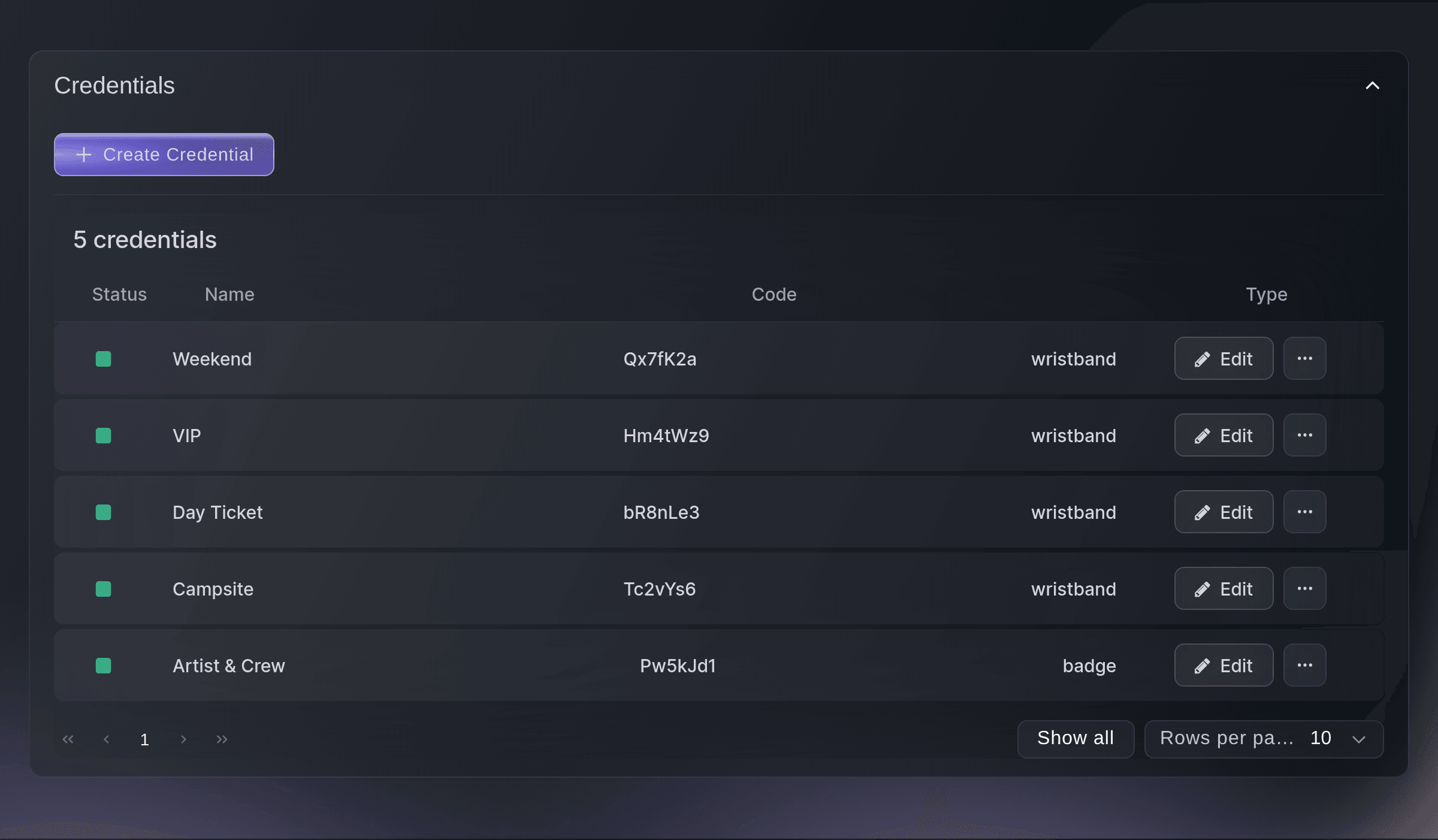
Ticket Fairy Credentials list with weekend, VIP, day ticket and campsite wristbands and a crew badge

Let fans load credit early and get the rest back

Fans add credit when they buy their ticket, and later on your event page, so they arrive ready to buy and pay at your bars with a tap of the wrist. Each tap comes off their balance, and fans get their unused credit back after the event.

Fans know whatever is left comes back, so topping up feels safe. They load enough for the weekend and use it at your bars and traders. Your bars take a tap of the wrist instead of cash, and the queue for drinks moves faster.

  • Top-up at checkout: credit added with the ticket
  • Top-up on your event page: more credit whenever a fan needs it
  • Unused credit refunded: what is left goes back to the fan

Know which bars and traders earned their place

Each tap counts towards the bar or trader that took it, and the totals go into your settlement. You see each one's cashless takings beside the takings your traders report to you, so next year's pitch plan starts from what people actually bought.

Your traders enter their takings with their till and card reports on their own trader page. Fai checks the reports and tells you whether they match the figure the trader entered. You accept the figure or ask the trader about it. The share-of-sales invoice is then raised from the pitch fee you agreed, with your minimum and maximum applied.

  • Takings by bar: each bar's cashless takings
  • Takings by trader: what each trader took on wristbands
  • Share-of-sales invoice: raised from the pitch fee you agreed
Ticket Fairy Takings view with two traders' takings to review, one accepted, and Fai's reading of each trader's reports

Give fans a timetable that matches your running order

Your timetable comes from the line-up and set times your team publishes. When you move a set, fans see it on your event page and your own website as soon as you next publish. Fans filter by day and stage, and each kind of event gets its own name for it, such as a conference agenda or a match schedule.

Changes wait until you publish them, so your team can rework the running order over a long afternoon without fans seeing each draft. The Line-up section tells you how many changes are waiting to go public. Fai reminds you on the event's Today page when set times changed after your last publish.

After you publish new set times, tell ticket holders by email too, starting from a draft that lists what changed. You check the draft and send it, so the people who planned around a set hear that it moved.

Copy the code for the set-times timetable or the line-up and paste it into any page of your own website. Fans who never visit your event page see the same times. Fees, contacts and notes are never public.

  • Timetable by day and stage: filtered the way fans plan their day
  • One publish: event page and website together
  • On your own website: the timetable or line-up on any page
  • Set-time email: a draft listing the changes, ready for you to send
Ticket Fairy Line-up section listing acts with their set times, which are shown on the public line-up and a change waiting to go public

Let fans plan their own day around your sets

Fans star the sets they want to see, and those sets join their own schedule, which they add to their calendar in one step. On the day, their schedule shows each set they chose with its stage and time, so they pass the day watching rather than searching.

At a conference, the sessions a delegate picks make their personal agenda, with any clash shown before they pick. Starred sets are kept on the fan's phone, so fans can plan without creating an account.

  • My schedule: the sets each fan stars
  • Add to calendar: the fan's picks in their own calendar app
  • Personal agenda: the sessions a delegate picks, with clashes shown

Help fans find their way around your site

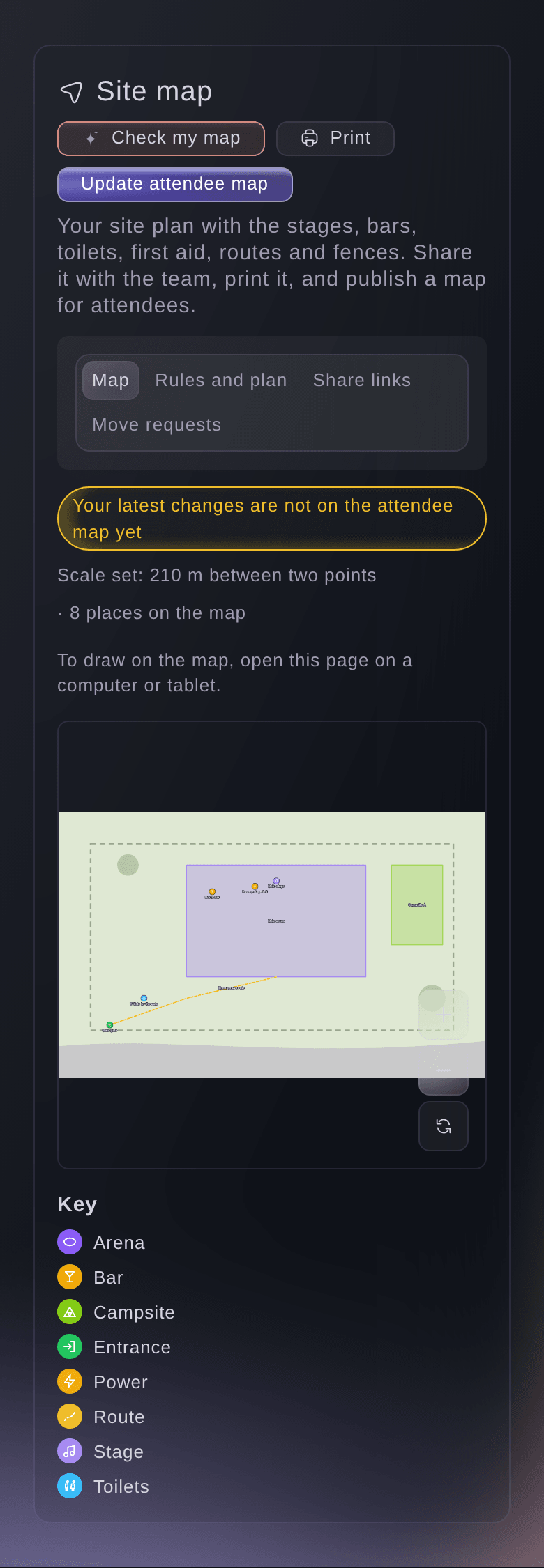
The attendee map you publish from your site map shows only the places fans need, such as stages, bars, toilets, water points and first aid. Your team's notes stay private. The map sits beside the timetable, so the next set and the way to it are one tap apart.

You choose which places fans see, one by one, and update the attendee map when your site changes. Fans see a moved bar or a closed gate as soon as you update it. The same site map gives your fire service and suppliers their own private map links.

  • Attendee map: the places fans need, on their phone
  • Your notes stay private: fans see only the places you choose
Ticket Fairy dialog to update the attendee map, listing the places attendees will see

Help fans get their lost property back

A fan who loses something reports it from their phone on the same page, without signing in. The report goes straight into the lost property log your team already keeps. Fai suggests matches with the items found on site, and your team checks who collects each one.

Share the public report page from your event page, your emails or a QR code at the information point. When Fai finds a likely match and the fan left an email address, she drafts the email telling them, and you approve it before it goes.

  • Lost-property form: a lost item reported from the fan's phone
  • Fai's matches: found items that could be theirs
Ticket Fairy lost property settings with how long to keep found items and the public report page turned on with its link

How organisers go cashless and guide fans through the day

  • A three-day camping festival

    Fans star their sets and see the map beside the timetable. When high winds delay the second stage, the team publishes the new times and sends the set-time email to ticket holders from the draft that lists the changes.

  • A cashless weekend

    Fans top up with their ticket and again on the event page during the weekend. Each band works at all the bars and food traders, and fans get their unused credit back after the event.

  • A conference with parallel tracks

    Delegates build their own agenda from the sessions they pick, with clashes shown before they pick. The venue map shows the rooms, and the agenda shows the new room for a session once the team publishes the change.

  • A city festival across several venues

    The timetable sits on the festival's own website as well as the event page. The attendee map shows each venue, and fans report lost items from their phone.

  • A food festival with many traders

    Each trader's cashless takings go into the settlement beside the takings the traders report. Fai flags a trader whose card export does not match, and the share-of-sales invoices go out with the agreed minimum applied.

Questions About Cashless Wristbands

Cashless & wristbands

No. The timetable, map and their schedule are on your event page.

On their phone. They can add their starred sets to their own calendar.

Not until you publish again. The Line-up section says how many changes are waiting, and Fai reminds you on the event's Today page when set times changed after your last publish.

Sets with public acts, and sessions open to the public that are not cancelled or postponed. On the map, only the places you turn on with Show on the attendee map. After later changes, select Update attendee map.

No. Top-ups and payments go through an established cashless partner, connected to your tickets and your settlement in Ticket Fairy.

The ID of the physical wristband or tag linked to that ticket, or Not Linked where there is none. The credentials on the Credentials page decide which band design a ticket gets.

Yes. Fans get their unused credit refunded after the event.

No. Fai checks the reports and tells you whether they match the figure the trader entered. You accept the figure or ask the trader about it.

You need an owner, admin or producer login on the event. Other roles on the event do not see the Takings and Invoices views.

Ready to Build a Stronger Event Business?

Book a live demo, and we will set up your first event on the Event Operating System with your team.

Start Selling Tickets Online

Sign up without a credit card and build a test event before you commit. Go on sale in minutes when you are ready.

No monthly subscription required for ticketing
Start selling tickets immediately
Ticketing tools included in the service fee
Get Started for Free Talk to Fai Now

Ask Fai, our AI assistant, about Ticket Fairy’s features, pricing and how it could work for your event.

No credit card required

Book a demo call

See the referral model that drives 20% more ticket sales on average, learn which campaigns sell tickets, answer buyers faster and keep queues moving.

45-Minute Video Call
Pick a Time That Works for You

The Ticket Fairy, Inc. is a fintech company and technology platform. The Ticket Fairy, Inc. is not a bank, financial institution, or regulated financial services provider. Vault banking services are provided through regulated banking partners. Ticket Fairy Capital financing is provided by third-party private credit partners. The Ticket Fairy, Inc. does not make credit decisions, and all funding terms, approvals and conditions are determined by those lending partners.