1. Event Operating System
  2. Site services
  3. Site services & camping

Keep Your Site Clean, Your Runners Moving and Your Campers Welcomed

Nothing shapes how a crowd remembers your event like a clean toilet, an empty bin, a full water point and a quick welcome at the campsite. With Ticket Fairy, every toilet block, bin and water point gets its own recurring round, your team proves each one by scanning a QR code at the spot, and you hear straight away when a round is missed. Anyone working a desk asks for a runner or a cart from the phone they already use, the nearest free person takes the job, and you see how quickly every job was answered. Your camping and campervan plots sit on the same site plan as everything else, buyers add camping to their ticket at checkout, and your campsite team checks campers in from a desk link on any phone.

  • Every toilet, bin and water point looked after on time
  • A runner or a cart wherever your team needs one
  • A campsite planned, sold and checked in from one plan

Give Every Toilet Block, Bin and Water Point Its Own Round

Set a recurring check for each place on your site: toilets cleaned, bins emptied, water refilled, a grounds check on the main field. Each team sees what is due where and when, so the busiest toilet block gets the attention it needs on the hottest afternoon, and nobody on the team keeps a clipboard.

Cleaning, waste, water and grounds all run on the same simple routine, so a supervisor who moves between teams never learns a second system, and you plan every site services team the same way. Your crew get a private My shifts page for every shift at every one of your events, with no account. Each person sees every desk, round, job and document their roles give them on that one page, so a steward who also cleans between sets never juggles two links.

  • Recurring rounds: a check that comes round again for each place
  • Toilets, bins and water: cleaned, emptied and refilled
  • Grounds too: one routine for every site services team
Prove Each Round Was Done Where It Was Due

Every place has its own QR code. Your team scans it at the spot to mark the round done, so you know the toilets were cleaned because someone stood there and scanned, and you can answer a complaint with what your team actually did.

Proof at the spot changes the conversation with a cleaning contractor. Instead of arguing about whether a block was serviced, you know which rounds were marked done at the place they were due.

  • Scan at the spot: a QR code marks the round done
  • Done where it was due: no clipboard and no guesswork

Hear About a Missed Round Before Your Audience Does

When a round is not done on time, you get an alert, so someone goes straight there before a queue forms or a bin overflows. You deal with the problem while it is one late round, long before it turns into a social media post about the toilets.

  • Missed-round alerts: when a round is not done on time
  • Straight there: someone goes before the problem grows

Get a Runner or a Cart From the Desk You Are Working

A bar runs out of ice, the production office needs a cable at the far stage, an artist needs a lift to the green room. Anyone working a desk link, at a bar, a gate, a meal desk or the production office, asks for a runner or a cart from the page they already have open. Nobody needs to find the right radio channel or a phone number to get help.

The nearest free person accepts the job and sets off, so nobody walks across the whole site for a job someone else was standing next to. When the ice is at the bar, the runner marks the job done in one tap and is ready for the next one. A runner who also works a shift or a round sees their cart jobs on the same page as everything else their roles give them, so there is one link to open on show day.

  • Ask from any desk link: a runner or a cart in a few taps
  • Nearest free person: accepts the job and sets off
  • Done in one tap: the job closes when it is delivered

See How Fast Every Job Was Answered

Response times are reported for every runner and cart job, so you see how long each request waited to be accepted and how long it took to be done. You find out which part of the site waits longest and which hours need more people.

Use the figures to decide how many runners and carts to put on next year, and on which days, so you staff to what your site really needed and not to a guess from the last debrief.

  • Response times: how quickly each job was answered
  • Accepted and done: how long each job waited at each step

Lay Out Every Camping and Campervan Plot on Your Site Plan

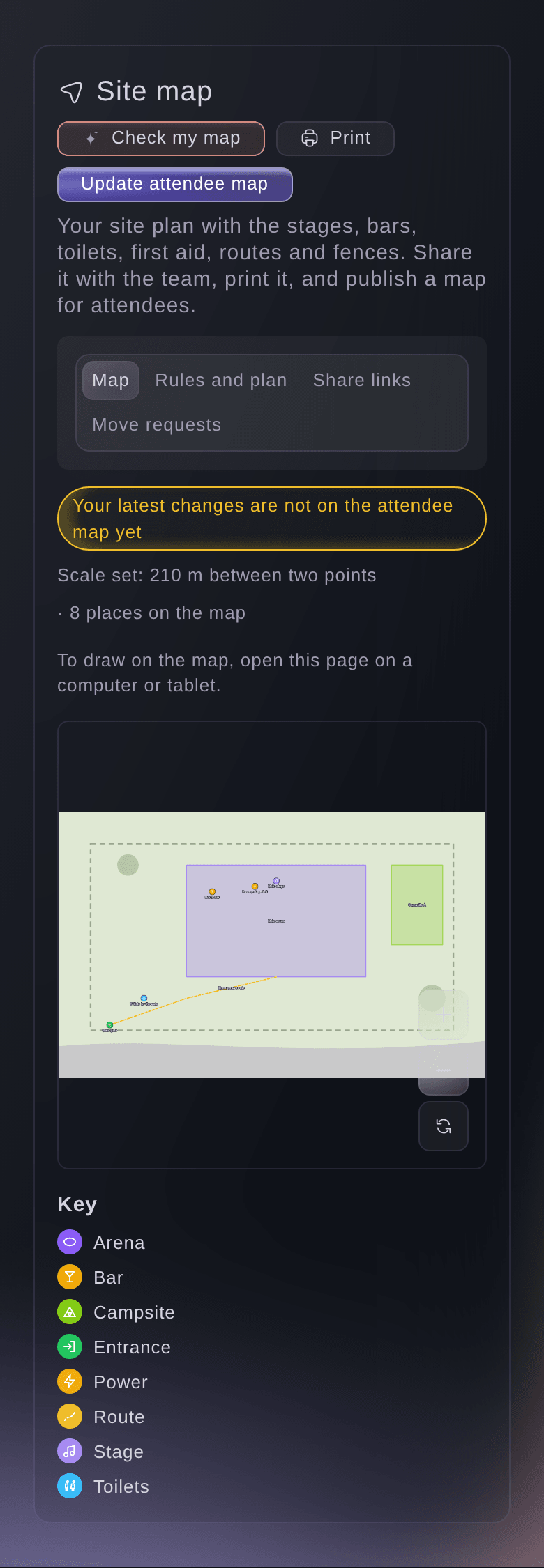
Draw your campsites on the site map you already keep, then lay out the camping and campervan plots inside them. With the scale set, each area shows its real size, so you plan the field you actually have and your campsite team knows where every plot is.

Your campsites sit on the same plan as your toilets, water points and first aid, and Fai checks that plan for the toilets, drinking water and first aid your crowd needs. Publish the campsites on the attendee map, and campers find their field before they arrive.

  • Camping plots: on your own site plan
  • Campervan plots: laid out beside the tents
  • To scale: each area shows its real size
Ticket Fairy site map of a festival with the arena, a campsite, the main stage, a bar, toilets, the main gate and an emergency route drawn on the plan

Sell Camping With the Ticket and the Right Wristband

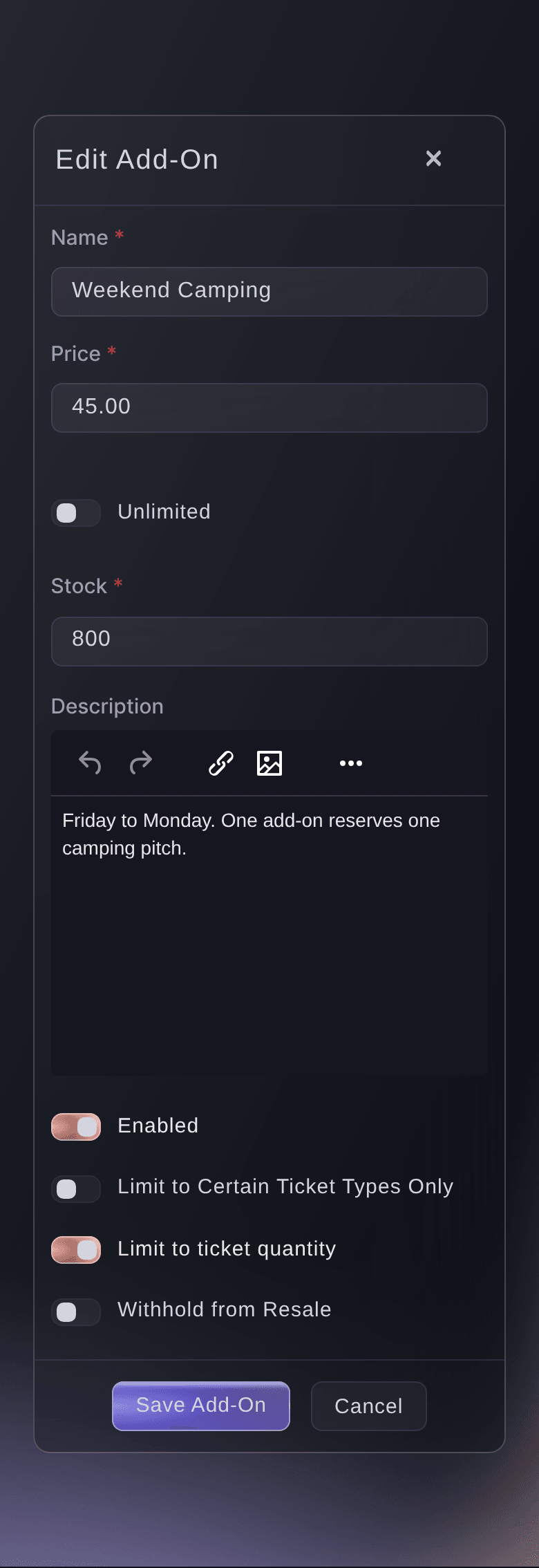
Buyers add camping or a campervan permit to their ticket at checkout, as an add-on with its own price and stock, and you offer it only with the tickets it suits, such as camping with a weekend ticket. The plots on your plan show the campsite you are selling.

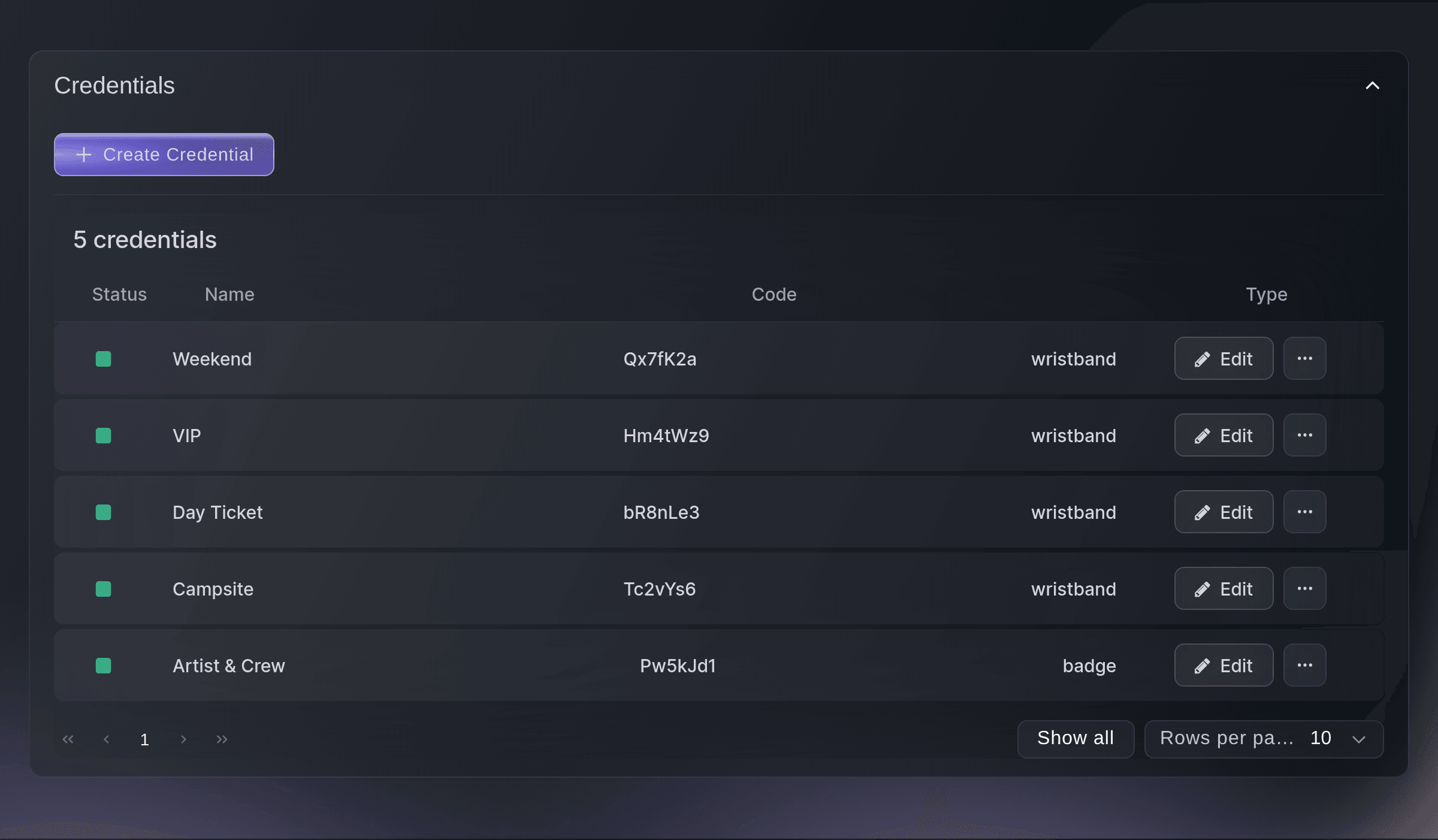
Match a campsite wristband to your camping add-ons, and the scanning app shows your door team the campsite band for every ticket that carries camping. A VIP who also bought camping gets both bands. Keep a campervan permit with the person who bought it when their ticket is resold, and print where to collect camping wristbands on the ticket itself. Each plot is linked to the upgrade sold for it, so the campsite you sell matches the campsite you built.

  • Camping upgrades: added to a ticket at checkout
  • With the right tickets: such as camping with a weekend ticket
  • Campsite band: shown on the scan for every camper
Ticket Fairy add-on form filled in for a weekend camping pitch

Check Campers In From Any Phone

Your campsite team opens a desk link on their own phone, with no dashboard login, and checks each camper in at the campsite. The welcome is quick, and you know who has arrived to sleep on site.

Every desk runs the same way: a volunteer or a steward opens the link, the page does only that desk's work, and everything done through it is recorded under its name. Make a link in seconds, open it with its QR code on the phone at the desk, and stop it the moment a phone goes missing. Fai can make, change or stop a desk link for you after you confirm.

  • Campsite desk link: check-in on any phone
  • Recorded under its name: every check-in says where it happened
  • Stop at any time: a lost phone stops working straight away
Ticket Fairy Desks section with every desk of a festival and its desk links, each with where it works, when it was last used and when it stops

How Organisers Run Site Services With Ticket Fairy

  • A Weekend Camping Festival

    Every toilet block in the arena and the campsites has its own recurring round. On Saturday afternoon a block by the second stage misses its round, the site services lead gets the alert, and a cleaner is there before a queue forms.

  • A Multi-Stage Festival With Runners

    Bar managers ask for a runner from their bar's desk link when ice or cups run low. Response times show that the far bars waited longest on Saturday night, so next year two more runners work that side of the site.

  • A Festival With Campervan Fields

    Campervan plots are drawn on the plan and sold as an add-on that stays with the buyer if their ticket is resold. The campsite team checks each van in from a desk link at the field gate.

  • A Sports Event Across a Large Site

    Water points along the course each get a refill round, scanned at the spot. The event lead sees every water point done on time without sending a steward to check.

  • A Venue Running Back-to-Back Shows

    The venue gives its toilets and bins rounds between shows, and the production office asks for a cart to move kit between rooms. Every request is answered and timed.

Questions About Site Services and Camping

Site services & camping

They scan the QR code at the spot. A round that is not done on time sends an alert.

Any recurring check at a place, such as toilets cleaned, bins emptied, water refilled or a grounds check. Cleaning, waste, water and grounds all work the same way.

Anyone working a desk link at your event, such as a bar, a gate or a meal desk, can ask. The nearest free person accepts the job and marks it done in one tap.

No. A desk link opens on their own phone with no account or password, and it does only that desk's work.

Stop its link in Desks, then make a new link for the replacement phone. Everything done before you stopped it stays recorded under the link's name.

Up to 200, stopped ones included. Two phones can share one link, but give each desk phone its own link when you want to tell them apart.

Use an add-on when camping is optional alongside admission. Use a ticket type when the camping ticket lets the holder into the event or needs its own entry.

On the campsite credential, choose the camping add-ons and leave the ticket types empty.

Draw on a computer or tablet. On a phone the map is for looking at.

The event's owners, admins and producers, from the event's Operations page.

Ready to Build a Stronger Event Business?

Book a live demo, and we will set up your first event on the Event Operating System with your team.

Start Selling Tickets Online

Sign up without a credit card and build a test event before you commit. Go on sale in minutes when you are ready.

No monthly subscription required for ticketing
Start selling tickets immediately
Ticketing tools included in the service fee
Get Started for Free Talk to Fai Now

Ask Fai, our AI assistant, about Ticket Fairy’s features, pricing and how it could work for your event.

No credit card required

Book a demo call

See the referral model that drives 20% more ticket sales on average, learn which campaigns sell tickets, answer buyers faster and keep queues moving.

45-Minute Video Call
Pick a Time That Works for You

The Ticket Fairy, Inc. is a fintech company and technology platform. The Ticket Fairy, Inc. is not a bank, financial institution, or regulated financial services provider. Vault banking services are provided through regulated banking partners. Ticket Fairy Capital financing is provided by third-party private credit partners. The Ticket Fairy, Inc. does not make credit decisions, and all funding terms, approvals and conditions are determined by those lending partners.