1. Event OS
  2. Venue operations

Hold Dates, Make Offers and Settle Shows Across Every Room You Run

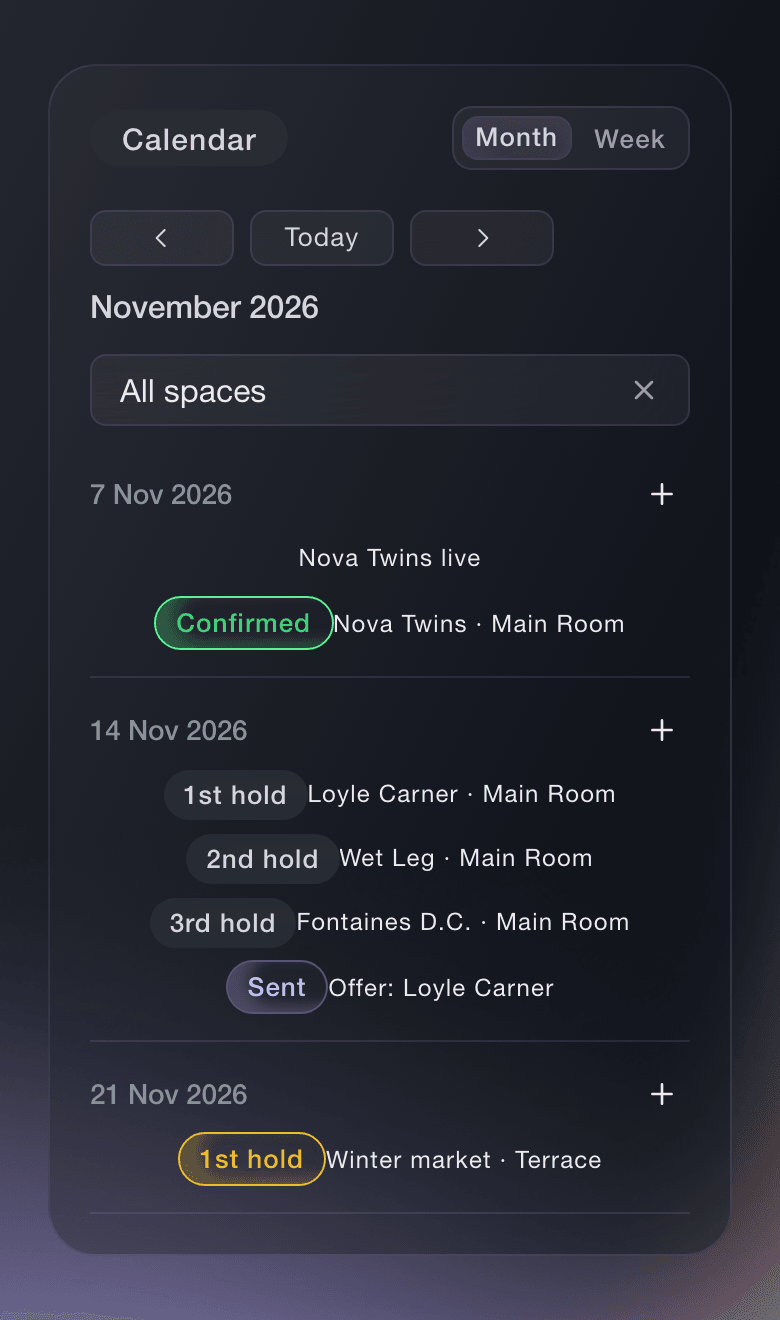
See every hold and show on each of your rooms and stages. Hold a date, challenge or confirm a hold, send offers to agents and settle each show when it is over.

  • Every hold and show on one calendar
  • Past fees beside every offer
  • A settlement for every show
Ticket Fairy Event OS: Venue operations

Hold Dates and See Where Each Hold Sits in the Queue

Hold a date and see every hold on it in queue order. Challenge the first hold, confirm it or release it. If the first hold does not answer the challenge in time, the challenger can take the date.

  • Calendar: every hold and show on each room and stage
  • Holds and challenges: hold, challenge, confirm, release and take the date
  • Needs attention: the holds and deals someone needs to act on now
Ticket Fairy Event OS: Hold Dates and See Where Each Hold Sits in the Queue

Make Offers With Past Fees and a Suggested Range Beside You

Start an offer from a template or reuse your last one. See what you paid this act before and the fee range Fai suggests, email the offer to the agent and note their answer. When the agent accepts, the act is booked onto your event, and you can undo it.

  • What you paid before: past fees for the act beside the offer
  • Suggested fee range: a range from Fai to check your offer against
  • Counter-offers: each answer from the agent kept with the offer
Ticket Fairy Event OS: Make Offers With Past Fees and a Suggested Range Beside You

Calendar, Holds, Spaces, Offers and Settlements

  • Calendar

    See holds and shows across every room and stage you run.

  • Holds

    Hold dates in queue order, challenge, confirm, release and take the date.

  • Spaces

    Add your rooms and stages, each with its own colour on the calendar.

  • Offers

    Use templates, see past fees and a suggested range, and keep counter-offers with each offer.

  • Settlements

    Fai drafts each one from ticket sales, costs and the deal, then you share it and mark it agreed.

  • Contracts and payments across events

    See every contract and payment due for all your events, and manage your contract templates.

Questions About Venue Operations

Venue operations questions

Open Event Operations for your brand. One calendar covers every event and every room and stage you run.

The act is booked onto your event. If you booked the wrong event, Undo takes the booking back.

Ready to Build a Stronger Event Business?

Book a live demo and we will switch Event OS on for your events and set up the first one with your team.

Start Selling Tickets Online

Sign up without a credit card and build a test event before you commit. Go on sale in minutes when you are ready.

No monthly subscription required for ticketing
Start selling tickets immediately
Ticketing tools included in the service fee
Get Started for Free Talk to Fai Now

Ask Fai, our AI assistant, about Ticket Fairy’s features, pricing and how it could work for your event.

No credit card required

Book a demo call

See the referral model that drives 20% more ticket sales on average, learn which campaigns sell tickets, answer buyers faster and keep queues moving.

45-Minute Video Call
Pick a Time That Works for You

The Ticket Fairy, Inc. is a fintech company and technology platform. The Ticket Fairy, Inc. is not a bank, financial institution, or regulated financial services provider. Vault banking services are provided through regulated banking partners. Ticket Fairy Capital financing is provided by third-party private credit partners. The Ticket Fairy, Inc. does not make credit decisions, and all funding terms, approvals and conditions are determined by those lending partners.