Add-ons & upsells

Earn more per buyer with extras they want

Buyers add parking, camping or a t-shirt in the same checkout as their ticket. Party hosts book a VIP table with a deposit and pay the rest at the door.

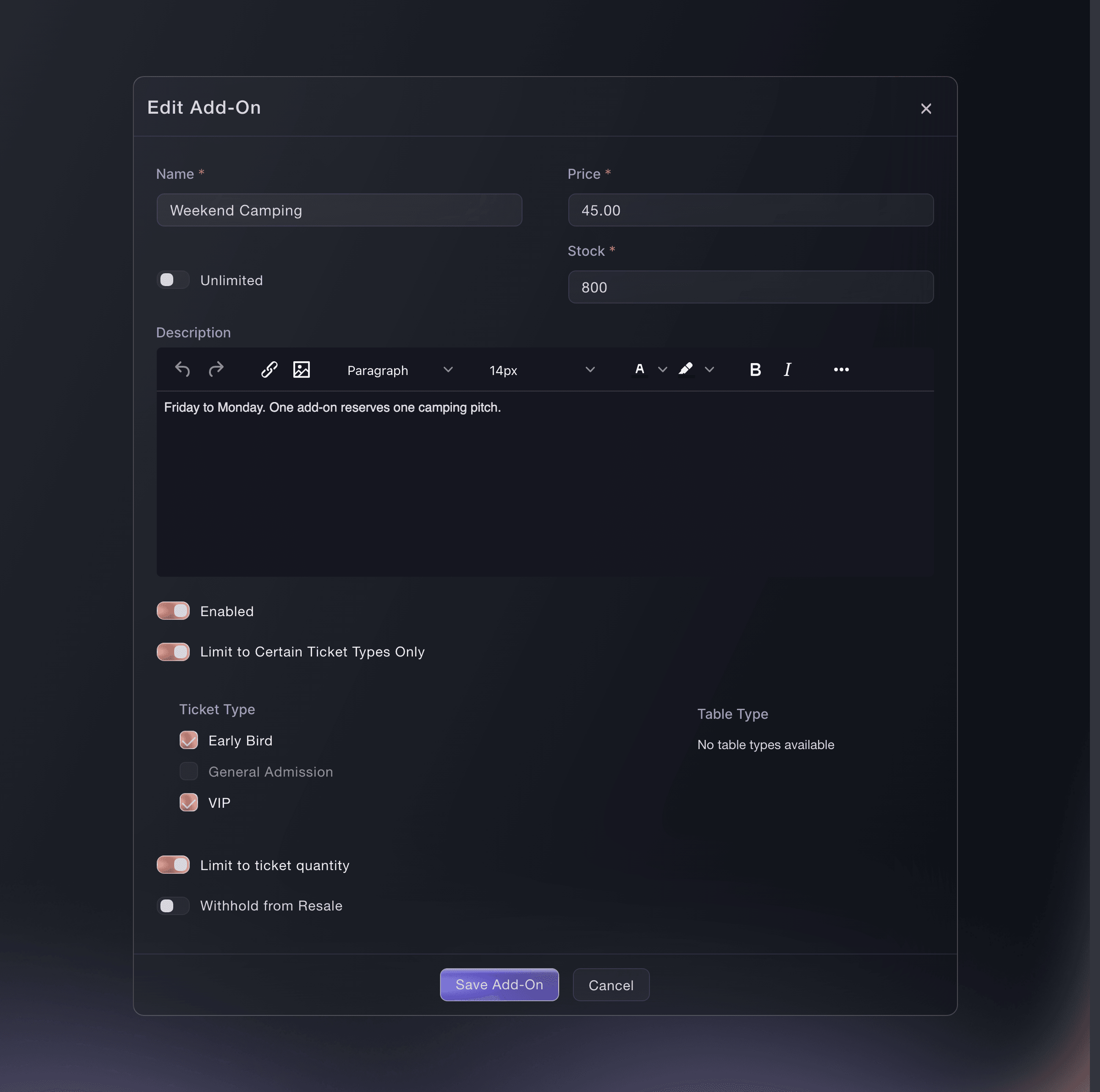
Ticket Fairy add-on form filled in for a weekend camping pitch
  • Bigger orders from extras sold with tickets
  • Tables booked with a deposit before the night
  • A whole season's money taken up front
  • 25,000+events powered
  • 10M+tickets issued
  • 10+countries
  • 20%more tickets from referral rewards

Add parking, camping and merchandise to each ticket

You can create an add-on for anything that is not admission, such as a car park space, a camping pitch, a meal package, a program, a t-shirt or a return shuttle.

How it works

Each one has a price and the stock you can supply, or no limit for something like a digital program. Buyers pick it under the tickets in the same checkout, so a festival weekend is one order and one confirmation email. An add-on can sell out while your tickets stay on sale, and raising the stock puts it back on sale at once, so a second run of t-shirts needs no new add-on.

  • Add-ons: a name, price, stock and description for each extra
  • Unlimited stock: for extras with no limit
  • Sizes and colors: each size or color with its own stock
Ticket Fairy Create Add-On form with name, price, stock, a description editor and four switches

Offer each extra to the buyers it suits

You can limit an add-on to the ticket types it goes with, such as camping with a weekend ticket or a drinks package with VIP, and allow one per ticket in the order, so four friends on one order get four shuttle seats.

How it works

When a ticket is resold, its add-on can stay with the person who bought it, which suits a campervan permit for a registered vehicle. If you take an add-on off sale, buyers who already have it keep it.

  • Limit to ticket types: buyers see the add-on once a matching ticket is in the basket
  • One per ticket: as many add-ons as tickets in the order
  • Withhold from resale: the add-on stays with the original buyer
Ticket Fairy add-on form with Limit to Certain Ticket Types Only turned on and selected ticket types visible

Take VIP table and bottle service bookings online

You can create a table type for each booth, position or bottle-service package, with its price and how many you can sell, and set the smallest and largest party one booking can hold and what each guest above the minimum adds.

How it works

Buyers choose a table and their party size in the Reserve Tables section of your event page and see the price change as they choose. A pricier booth can go on sale once the first one sells out. Online bookings can close before doors, so your floor team has the final list.

  • Table types: one booking for the whole party
  • Party size: a minimum and maximum, with a price for each extra guest
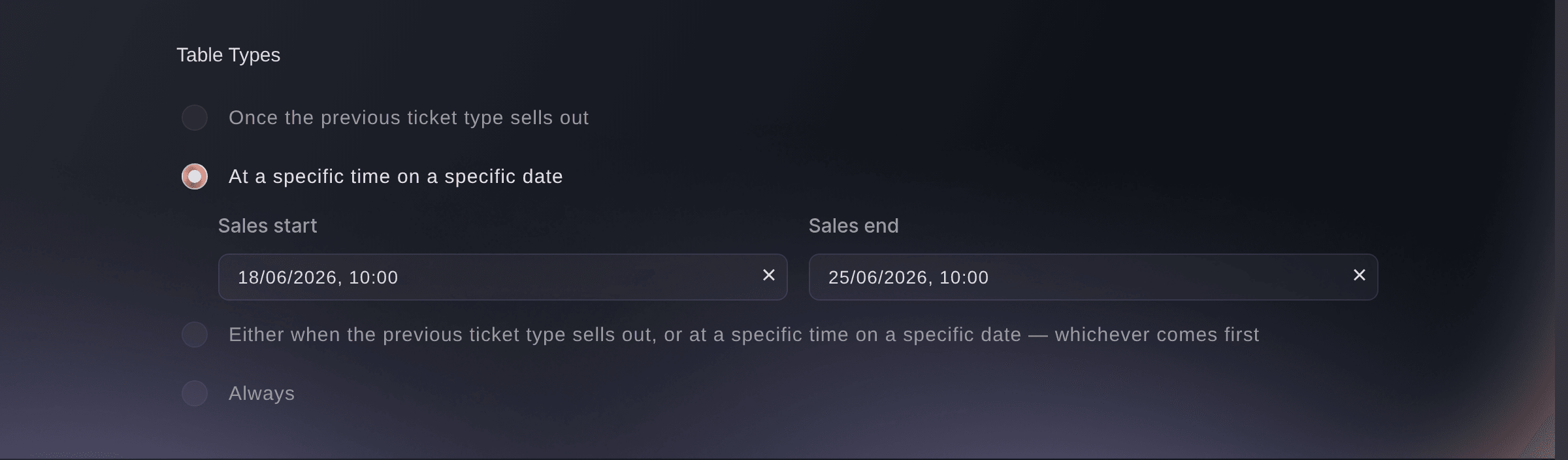
  • Table sale dates: from a date, or once the previous table sells out
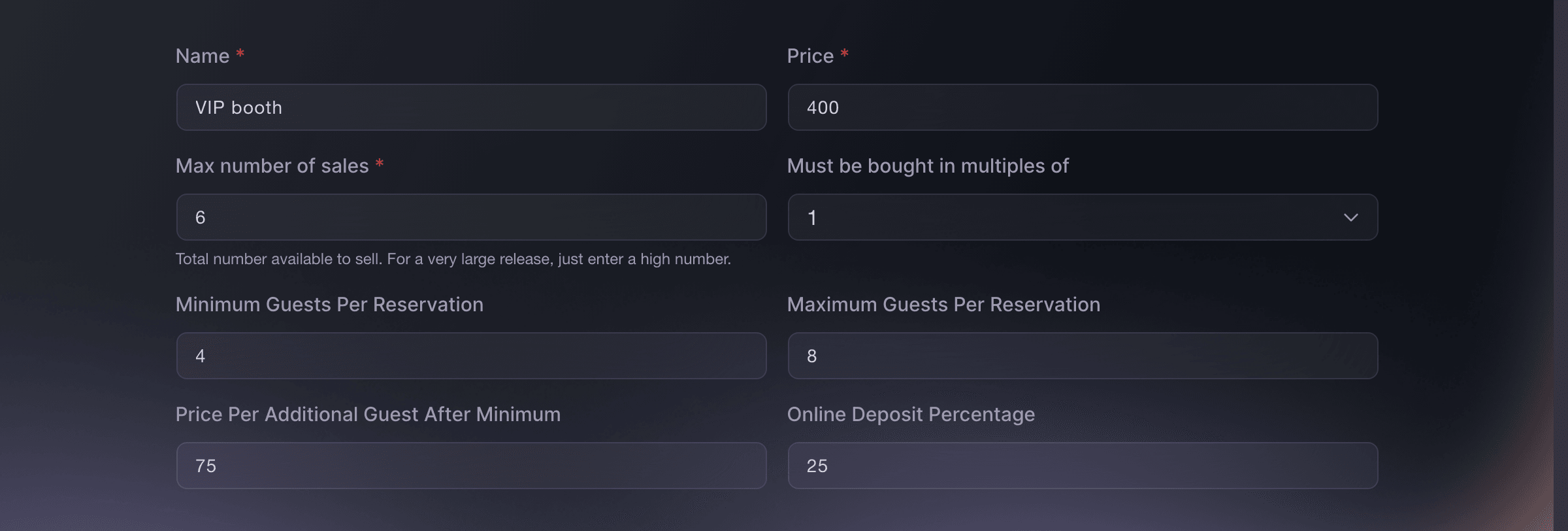
Ticket Fairy Create Table Type form with the name, price, stock, guest limits and online deposit for a VIP booth

Take a deposit online and the balance at the door

You choose how much of each booking the buyer pays online, from a deposit to the whole price, and collect the rest at the venue.

How it works

Each table booking includes an identity check, so you know who booked before you charge the card and the buyer gets their ticket. When your door team scans the booking, they see the balance still to pay and mark it paid once they collect it. The booking is one ticket for the whole party, so the host shows one code at the door.

  • Online deposit: the share of the booking the buyer pays at checkout
  • Identity check: an ID photo and a selfie before you confirm the booking
  • Balance at the door: your door team sees it at the scan and marks it paid
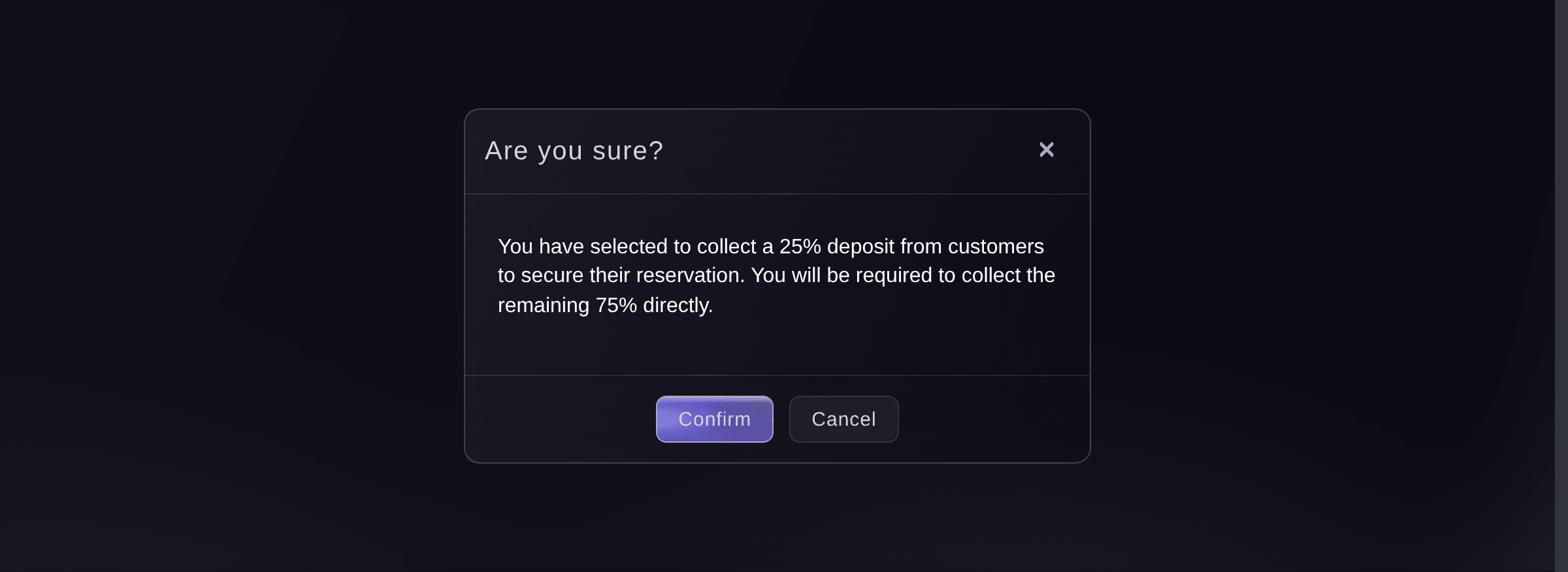
Ticket Fairy confirmation asking you to approve a 25% online deposit on a table type

Sell season passes before you announce the season

You can sell one pass that covers several of your events, such as a winter season or four nights for the price of three.

How it works

Buyers pay once and book the nights they want as you announce them. With an event series attached, each event in it counts, including the ones you have not created yet. A pass can expire on a set date, a number of months after each purchase or never. When the season closes, you can archive the pass, and each pass already bought still works.

  • Event passes: one purchase that books several events
  • Expiry: a set date, months after purchase or never
  • Ticket each pass books: the lowest priced ticket, or the one you pick for each event
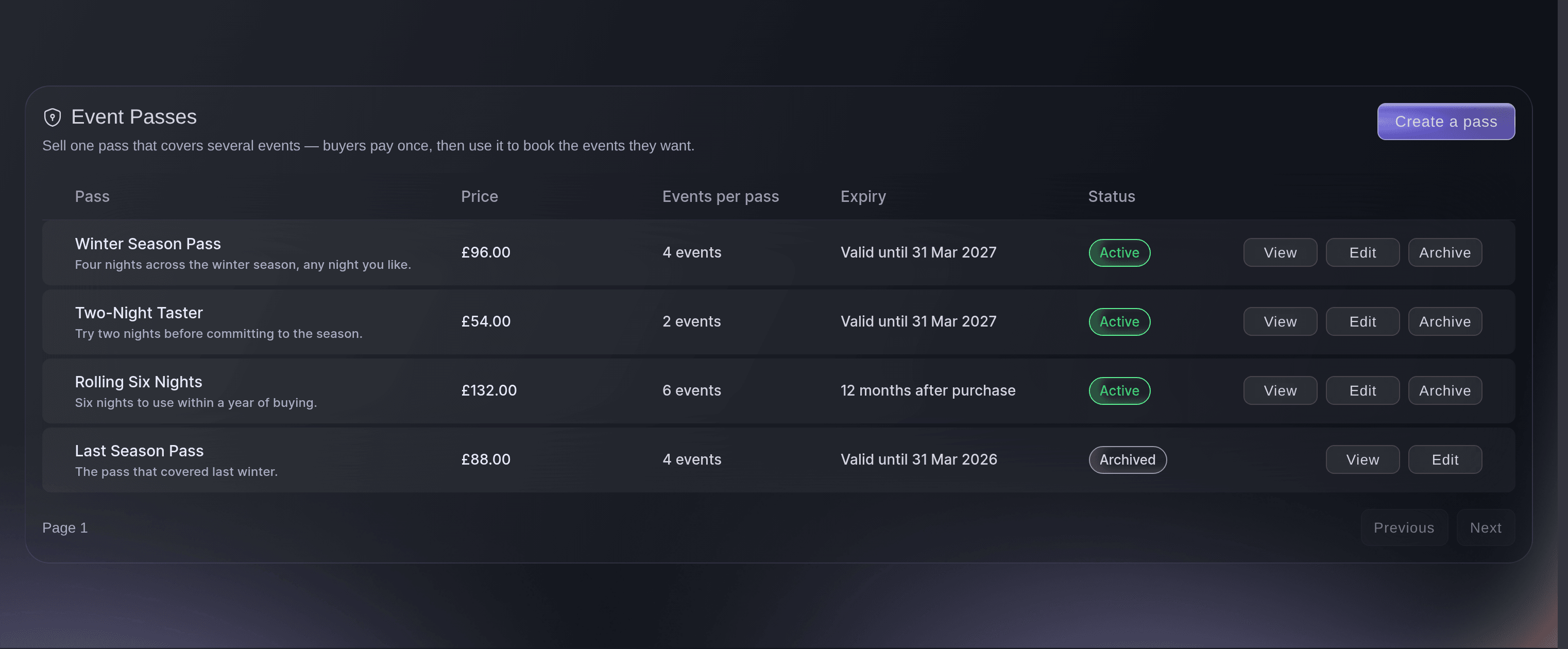
Ticket Fairy Event Passes list showing each pass with the events it covers, its expiry, its price and whether it is active or archived
Get this page as a PDF Read it later or share it with your team. We email you a link to the PDF.
What to put in your PDF

We will email you this deck. We may also email you now and then about Ticket Fairy features that can help your events. You can unsubscribe at any time with one click.

Go Deeper Into Add-ons & Upsells

  • Extras & upsells

    You can sell parking, camping, merchandise, upgrades and places to stay with your tickets. Buyers can add extras to their order later, and passes can cover several of your events.

  • VIP tables & auctions

    You can sell VIP tables and bottle service with a party size, an online deposit and an identity check, credit each booking to the promoter who sold it, and run auctions where only winners pay.

Add the extras your buyers want to every order

  • Add-ons

    Parking, camping, meals, merchandise and shuttles sell with the ticket, each with its own price and stock

  • VIP upgrades

    An upgrade can sell as an add-on for the tickets it upgrades, such as VIP area access for general admission buyers

  • Add-ons for chosen tickets

    You can offer an add-on only with the ticket types it belongs to, with one allowed per ticket in the order

  • Prices in each currency

    An add-on can have a price in each currency your event takes payments in

  • Add-ons at the gate

    Your door team checks in the add-ons when they scan the ticket. A collection point can scan the add-on's own code instead, and the ticket stays ready for entry

  • VIP tables and bottle service

    One party can book a booth or package, with a party size, a price for extra guests and an online deposit

Show all 13 features
  • Bookings to check

    You can see the table bookings still waiting for an identity check, resend the link, confirm one yourself or cancel it

  • Tables sold by your promoters

    Each promoter gets their own link, and you see the table bookings each one brings in

    Learn more

  • Event passes

    Buyers can use a season pass or a multi-night bundle on the events you include, future events in a series too

  • Passes sold and nights booked

    You see how many passes you have sold and how many events holders have booked with them

  • Agreed upgrades

    When you agree an upgrade, you can move a buyer to a better ticket type on their existing order

    Learn more

  • Upgrades as prizes

    Fans who refer the most buyers can earn a ticket upgrade, merchandise or a VIP table

    Learn more

  • Memberships

    Give your regulars perks at your events, a wallet card that gets them in and reasons to stay close all year

    Learn more

Artists, Crew and Show Day, Beside Your Ticket Sales

You can plan, staff and run the production side of your event, from artists and crew to accreditation and show day.

Questions About Add-ons & Upsells

Add-ons & upsells

Not on your event page. There, buyers get add-ons with a ticket in the same order. To sell an add-on on its own, create a QR Quick-Buy link for it, and buyers pay in a few taps with no account.

Create one add-on and turn on Enable Variants (Size, Color, Etc). Then add each size or color as a variant with its own stock. Each variant sells out on its own, and buyers pick the one they want in the checkout. Once an add-on has a variant, you cannot switch its variants off again.

Use an add-on when camping is an optional extra on top of admission. Use a ticket type when the camping product admits the holder or needs its own entry.

You choose a share from 1 to 100 percent, so each table takes some payment online. We charge our ticketing fee on the amount paid online, not on the balance you collect at the venue. We hold the online share on the buyer's card and charge it once the buyer passes the identity check.

They see a prompt on your event page and get a reminder email after 12 hours. The card hold lapses after about 7 days on most cards and about 30 on some. We then cancel the booking, put the table back on sale and email the buyer.

Yes. Collect each guest's details when the host books the table, or let the host add guests after booking. Added guests pay the price you set for each extra guest.

From one to a hundred. Each booking uses one event of the pass, so a holder can bring a guest by booking twice for the same night. If you save a pass with no price, it stays a draft with no buy page. Leave the total blank to sell as many passes as buyers want.

A season pass is one payment for a set number of events. A membership renews every month or year, and its perks run for as long as the subscriber stays.

Sell more tickets. Build the crowd that comes back.

Start Selling Tickets Online

Create a free account and build a test event before you commit. Set up your tickets, explore referral rewards and go on sale when you are ready.

Unlimited events with no monthly fee

Start selling tickets immediately

Tickets, door and website tools on every plan, Free included

Get Started Talk to Fai Now

Ask Fai, our AI teammate, about Ticket Fairy’s features, pricing and how it could work for your event.

No credit card required

Book a demo call

You can explore referrals, guest lists and ticket scanning with our team. If you are moving platforms, we help with event setup, branding and team training around your on-sale date.

45-Minute Video Call
Pick a Time That Works for You