1. Features
  2. Audience insights
  3. Customer list

Grow the Audience That Comes Back to Every Event

Club nights, festival series, venues and touring promoters live on the people who come back. Customers keeps everyone who buys from your brand on one list, with the events they bought for, what they spent and the sales their friends made through their referral link. Find the regulars who come back again and again, spot the ones who stopped, keep notes on your best customers and take the people who opted in into your next campaign.

  • Every buyer's history across your events
  • Your regulars found in one sort
  • Your best customers first to hear from you
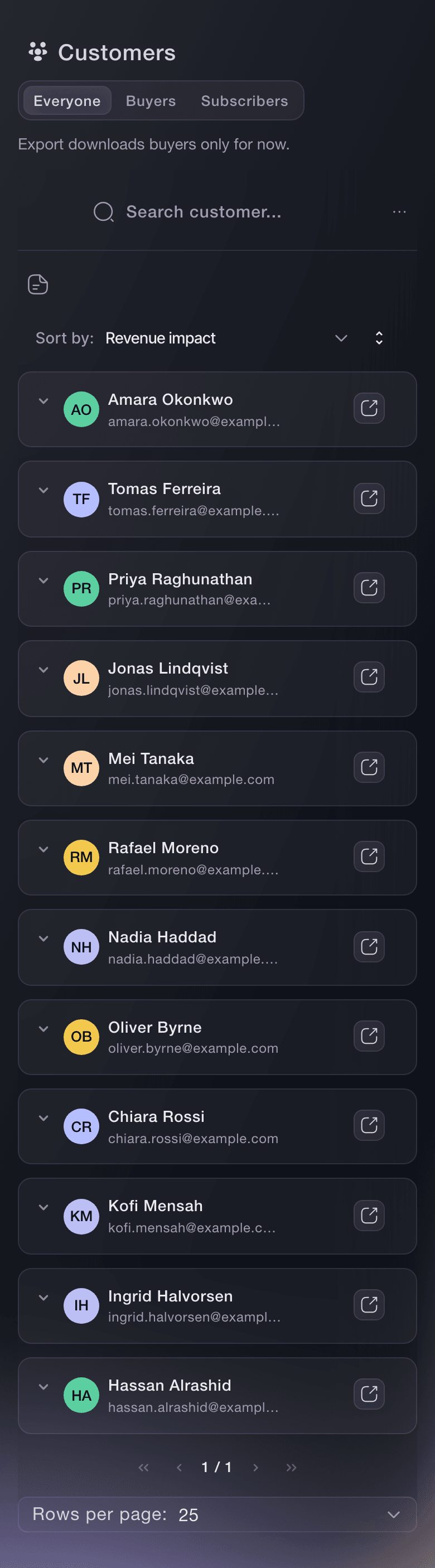
Ticket Fairy Customers list, one row per person with the events they ordered from, their tickets and what they spent

Keep Everyone Who Buys From You on One List

Customers on your brand lists everybody who has bought a ticket to any of your events, one row per person, with the total number of customers above the table. Each row shows how many of your events they bought for, their tickets and what they spent. The list opens with the customers who brought you the most at the top, so your most valuable buyers are the first names you see.

Every buyer stays on the list for as long as you run events, so the record grows with your audience. A promoter who has run a club night for five years sees the people who were there at the first one and are still buying, and a venue sees the regulars who follow one promoter from room to room. Nothing depends on a spreadsheet someone keeps by hand, and nobody has to merge lists from each event before a campaign.

Search by name, email or phone finds one buyer before you answer their message. Sorting works across the whole list, not only the page in front of you, by name, events, tickets, revenue, referred tickets, referral visits or revenue impact. When your events sell in more than one currency, a currency selector shows every money column in the currency you pick.

  • Customers: every buyer across your brand's events
  • Sort the whole list: by events, tickets, revenue or referrals
  • Search: by name, email or phone
  • Every currency: figures for each currency you sell in

Find Your Regulars and the Buyers Who Stopped Coming

Sorted by # of events, Customers puts the people who buy for show after show at the top. Those regulars are the cheapest audience to sell to next time, so they are the people to message first, give the first chance at your next on-sale or put on your guest list. The same sort the other way shows the buyers who came once and have not been back, ready for an offer that wins them over.

You see the same thing order by order. Each order on your event's Orders page carries a New or Returning badge, and an order's contact details show how many of your events that buyer has attended, so your box office and support team know at a glance when they are speaking to a regular. The Customer Type filter on the Orders page lists only the returning buyers of one event.

Fai, the assistant inside your dashboard, tells you how many of your buyers came back for more than one event. She counts one person across every purchase made with the same account, email or phone, and gives you your new and returning buyers, your repeat rate, how many events each group bought for and the events with the highest share of returning buyers.

  • New or Returning: on every order on your Orders page
  • Customer Type filter: only the returning buyers of one event
  • Repeat rate: ask Fai how many buyers came back

Open Any Buyer's Contact Details, Orders and Notes

Customer Details shows each buyer's contact details and location beside every order they placed with you, and each order opens to the tickets in it. Arrows beside the name step through the buyers in the order you sorted them, so you can work down the list without closing the window.

Keep a Customer Note on anyone your team should know about, such as a promoter's plus-one, a regular who always books a table or a buyer who needs step-free access. The note stays on their record for your brand, and anyone on your team who opens it sees it. Their social media links help your marketing team find them, and a buyer's customer record opens straight from any of their orders.

  • Customer Details: contact details, location and every order
  • Customer Note: what your team should know about this buyer
  • Social Media: the buyer's profiles, added by your team
  • Step through buyers: move along the list without closing the window
Ticket Fairy Customer Details window, with contact details and social links beside the list of that buyer's orders

Find the Buyers Who Bring Their Friends

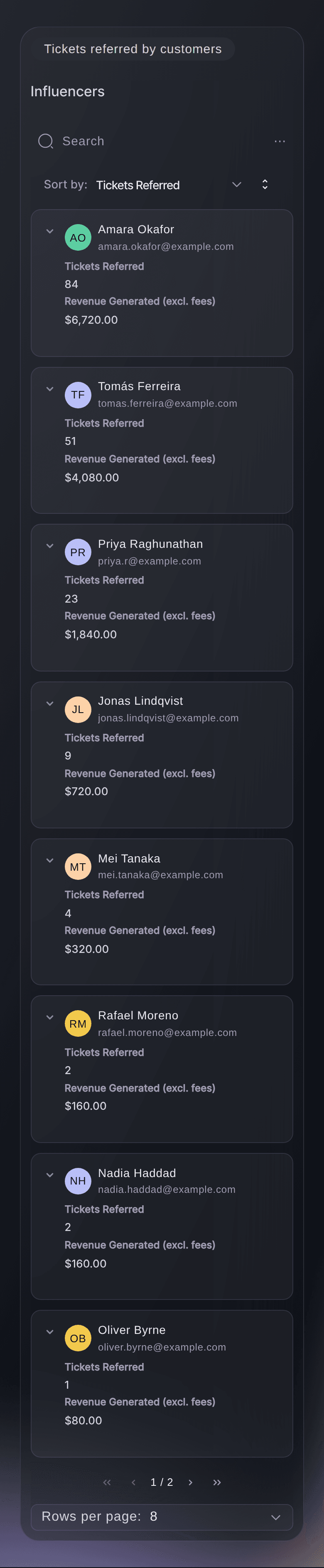
Each row also shows what a buyer brought you: the tickets their friends bought through their referral link, how many visits the link brought to your event pages and the revenue those sales made. Revenue impact adds their own spend and their referred revenue together, so your best ambassadors rise to the top even when they buy only one ticket themselves.

Set the visits beside the referred tickets. A link with many visits and few sales is reaching people who are not buying, and a link that turns most of its visitors into buyers belongs to somebody worth rewarding. Thank your top referrers, give them a bigger referral reward or put them on your guest list for the next show.

  • Referred tickets and revenue: the sales each buyer's link brought in
  • Referral clicks: how often people arrived through their link
  • Revenue impact: what they spent plus what they brought in
Ticket Fairy Tickets referred by customers table for an event, with each buyer's clicks, referred ticket sales, revenue and reward

Take Your Buyer List Into Your Next Campaign

Export downloads every buyer on your brand as a CSV file, with names, email addresses, spend, the number of events they bought for, the referral figures, city, country and their marketing opt-ins. Search and sort change what you see on the page and never shrink the file, so the export always holds your whole list.

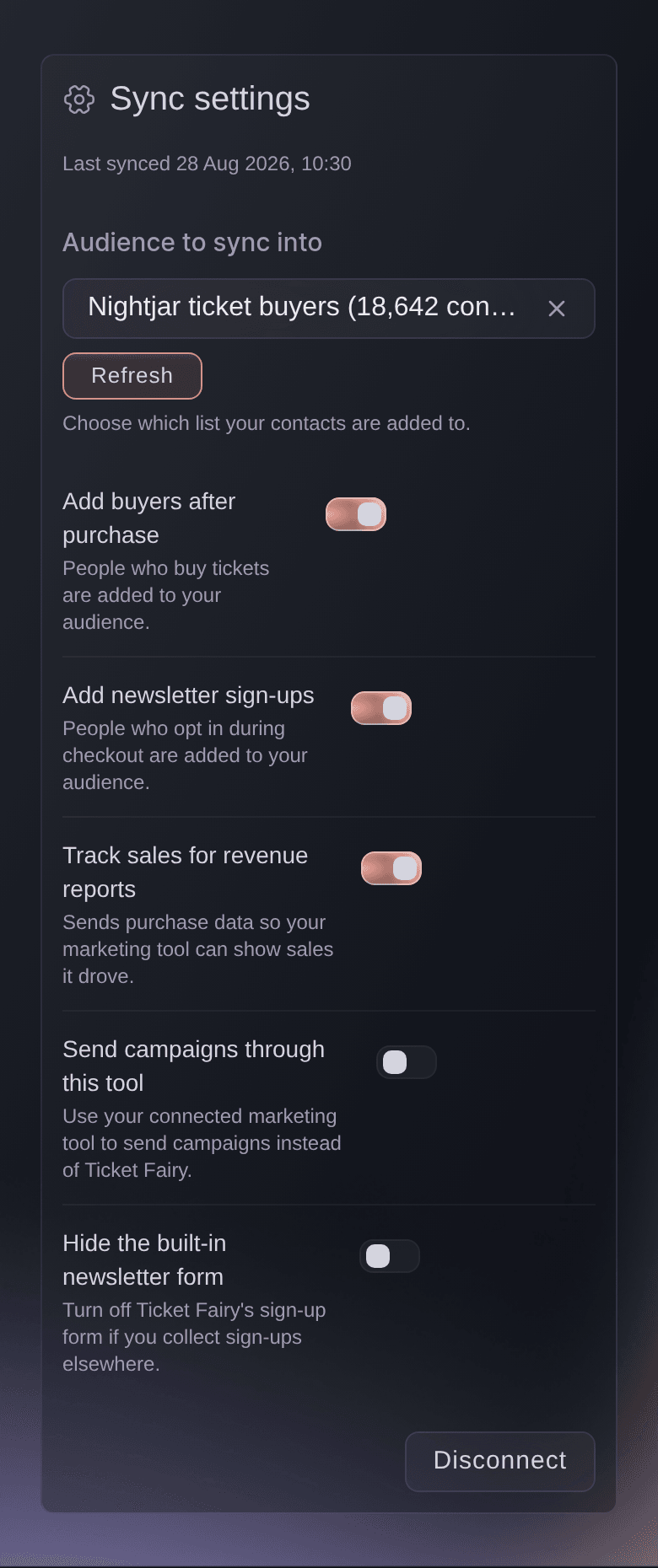
With Mailchimp or Klaviyo connected to your brand, every buyer who opts in at checkout joins the audience you choose, with no list to export, and a buyer who opts out in Ticket Fairy comes off it too. You can also email and text your buyers from Ticket Fairy itself, to the people who bought for an event, a ticket type or several events.

  • Export: your whole buyer list with their opt-ins
  • Email platform sync: opted-in buyers join your Mailchimp or Klaviyo audience
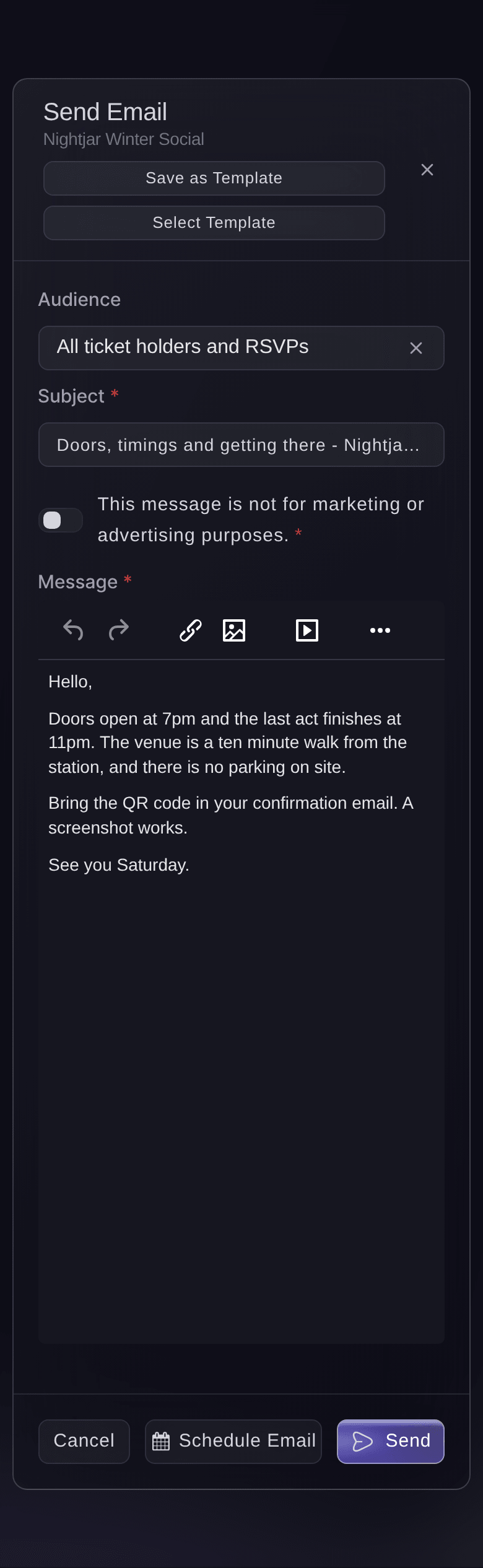
  • Messages from Ticket Fairy: email and text the buyers you choose
Ticket Fairy Sync settings for a connected Mailchimp account, with the audience picker and the sync switches

Ask Fai to Rank Your Best Customers

Fai answers, in your own words, who your top spenders are, who buys most often, who keeps coming back and whose referral links sold the most tickets, for your whole brand or one event. She ranks them from the same records your team sees in Customers, so you can plan who to thank, reward or invite before you open the dashboard yourself.

Her rankings are the starting point for the work that grows a loyal audience: a thank-you email to your top spenders, a referral reward for the buyers whose friends follow them, a presale for the regulars and a win-back offer for the people who stopped coming. Each of those lists comes from your own buyers, not a bought-in audience, so the people you contact already know your events.

Fai finds a buyer by name, email or phone and reads their record when a message comes in. When you ask her to save a Customer Note or add a social link, she shows you the change and asks you to approve it before anything is saved.

  • Top spenders and regulars: ranked in a sentence
  • Referral champions: the buyers whose links sold the most
  • Asks before changes: notes and links saved only after you approve

How Organisers Use Their Customer List

  • A Weekly Club Night

    A club sorts Customers by # of events and finds the forty regulars who came to most nights last season. It sends them a presale code a day before the public on-sale, and the first release sells to the people who fill the room every week.

  • A Festival Series

    A festival brand asks Fai how many of last year's buyers came back and which edition brought the most of them back. It moves its loyalty offer to the edition that keeps its crowd and plans a win-back email for the one-time buyers.

  • A Venue Box Office

    A venue's support team sees the Returning badge on an order, opens the buyer's record and reads the Customer Note about their wheelchair space. The buyer gets the right seat without explaining it all again.

  • A Promoter With Ambassadors

    A promoter sorts by Revenue impact and finds three buyers whose referral links sold more than they spent themselves. All three join the guest list for the next show and get a bigger referral reward.

  • An Agency Moving to Klaviyo

    An agency connects Klaviyo for each brand it runs. Every buyer who opts in at checkout joins the brand's audience, and the team stops exporting lists before each campaign.

Get this page as a PDF Read it later or share it with your team. We email you a link to the PDF.
What to put in your PDF

We will email you this deck. We may also email you now and then about Ticket Fairy features that can help your events. You can unsubscribe at any time with one click.

Questions About Your Customer List

Customer list

A person who placed a paid, payment-plan or resale order on one of your brand's events, and a buyer refunded because an event was cancelled. A payment-plan buyer joins from their first payment. It is the buyer, not each person on their tickets, so a buyer who ordered five and gave four away is one row with five tickets.

On that event's ticket list. Complimentary tickets do not add the person to Customers.

How many of your brand's events that person has bought a ticket to. It is not attendance: an unscanned ticket counts the same as one scanned at the door, and a ticket bought for somebody else counts for the buyer.

Names, email addresses, the money columns, how many of your events each person bought for, tickets bought, the referral figures, city, country and the two opt-in columns. A phone number is included only for buyers who agreed to receive texts from you. The file holds personal data, so store and share it with care.

For repeat buyers, Fai counts orders with the same customer account, the same billing email or the same billing phone number as one person. She reports counts and revenue, never names, when you ask how many buyers came back.

Mailchimp and Klaviyo, from Integrations on your brand. Only buyers who opt in at checkout join your audience, and an opt-out made in Ticket Fairy is sent to your email platform.

Yes. A payment-plan buyer joins the list from their first payment, so your team can recognise and support them while they pay the remaining instalments.

You can open Customers with an owner, admin or Stats login for the brand.

The money columns show one currency at a time. When your events sell in more than one currency, the currency selector at the top right shows the buyer's figures in their currency.

Customers lists orders on events under the brand you have open and the brands beneath it. An event that belongs to a different brand shows on that brand's list, so check which brand you have open.

Sell more tickets. Build the crowd that comes back.

Start Selling Tickets Online

Sign up without a credit card and build a test event before you commit. Go on sale in minutes when you are ready.

No monthly subscription required for ticketing
Start selling tickets immediately
Ticketing tools included in the service fee
Get Started Talk to Fai Now

Ask Fai, our AI assistant, about Ticket Fairy’s features, pricing and how it could work for your event.

No credit card required

Book a demo call

See the referral model that drives 20% more ticket sales on average, learn which campaigns sell tickets, answer buyers faster and keep queues moving.

45-Minute Video Call
Pick a Time That Works for You