1. Features
  2. Many events & brands
  3. Brands & brand kit

Run All Your Brands From One Login, Each Looking Like Itself

Agencies, promoter groups and venue operators often sell under several names, each with its own team, its own money and its own look. Create a brand for each name with the login you already have, and each one keeps its events, team, customers and payouts across everything it runs, set up once rather than for every event. Give each brand a kit with its tone of voice, colours, fonts and logos, and its emails, websites, posts and buyer chat look and sound like that brand.

  • Every brand you run behind one login
  • Each brand's team, money and customers kept apart
  • Every event in its brand's look and voice
Ticket Fairy Brand Guidelines editor with Identity, Colours, Typography, and Logos & assets cards

Run Every Brand You Sell Under From One Login

Create a brand for each name you sell under, such as a promoter, a venue, a festival or a club night, with the login you already use. Brands lists every brand you work on, with your sub-brands on their own tab, and the search finds any of them by name however many you run.

Open a brand and its events are grouped as Active, Upcoming, Past and Archived, with a Pinned tab for the ones you return to most and a search across every event it has run. An event you create on a brand belongs to that brand from the start, which decides who can work on it and where its sales and customer details appear.

Related brands sit under a parent brand as sub-brands, such as the rooms of a venue group or the nights of a promoter. The parent brand's team reaches each sub-brand too, so a group's management team never needs a second invitation.

  • Brands: every brand you work on, behind one login
  • Search by name: any brand or event in a long list
  • Sub-brands: related brands under a parent and its team
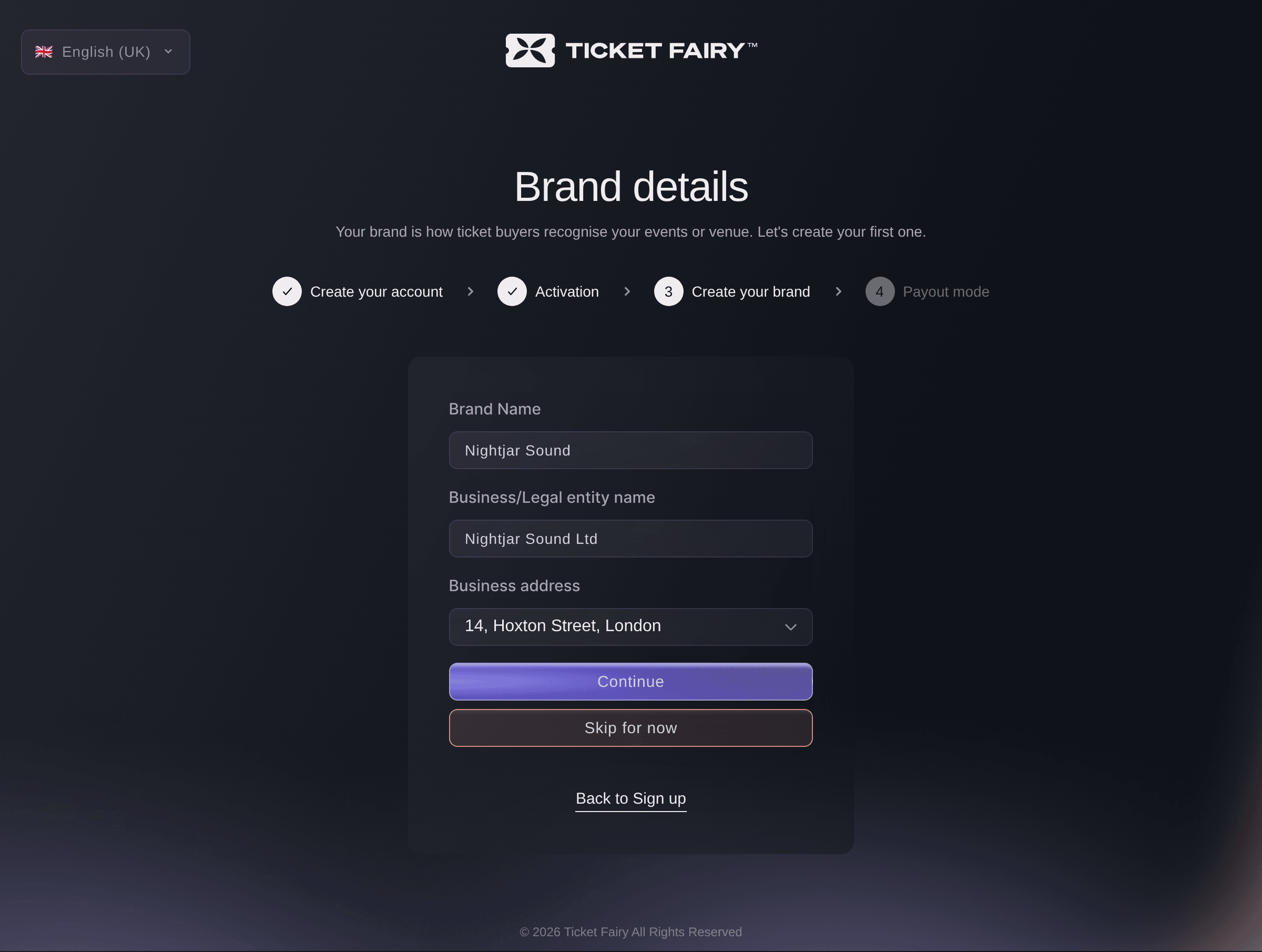
Ticket Fairy Brand details page with the brand name, the business name and the business address of a new brand

Keep Each Brand's Events and Money Apart

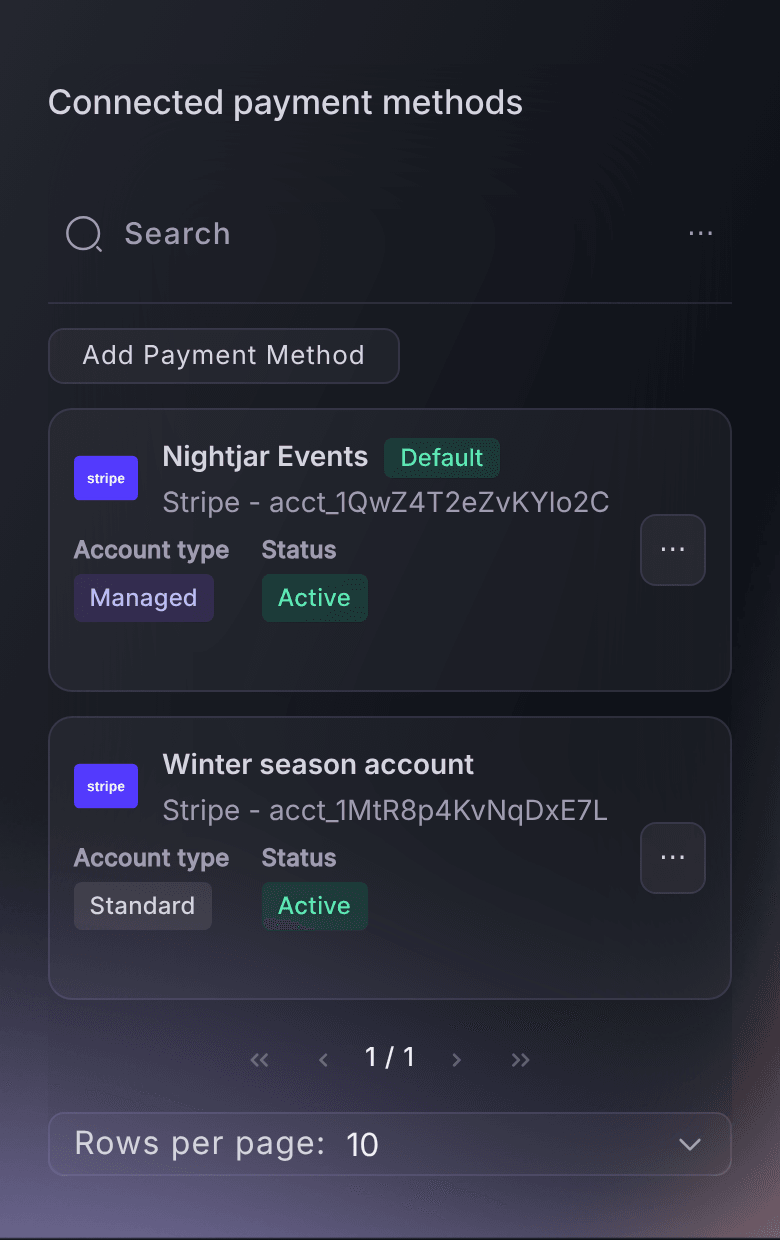
Each brand keeps its own events, team and payout details. The payment processing account you connect on a brand becomes the default for the events you create under it, so each brand's ticket money goes to its own account and a festival's revenue never mixes with a club night's.

That separation runs through everything the brand touches. Its customers, its reports, its promoters and its messages stay with it, and a teammate who works on one brand sees only that brand's events. Agencies selling for clients and venue groups with separate companies behind each room keep clean books without separate logins.

  • Payouts for each brand: its own payment processing account by default
  • Separate teams: each brand's people see that brand's events
Ticket Fairy Connected payment methods table on a brand, with a managed account marked Default and a second account from an earlier season

Give Your Team Access Once for Every Event Under a Brand

Invite your permanent people to a brand with the role that matches what they do, and they reach every event under it, now and later. Nobody waits for an invitation to next week's show, and nobody keeps access they should not have when you remove them from the brand.

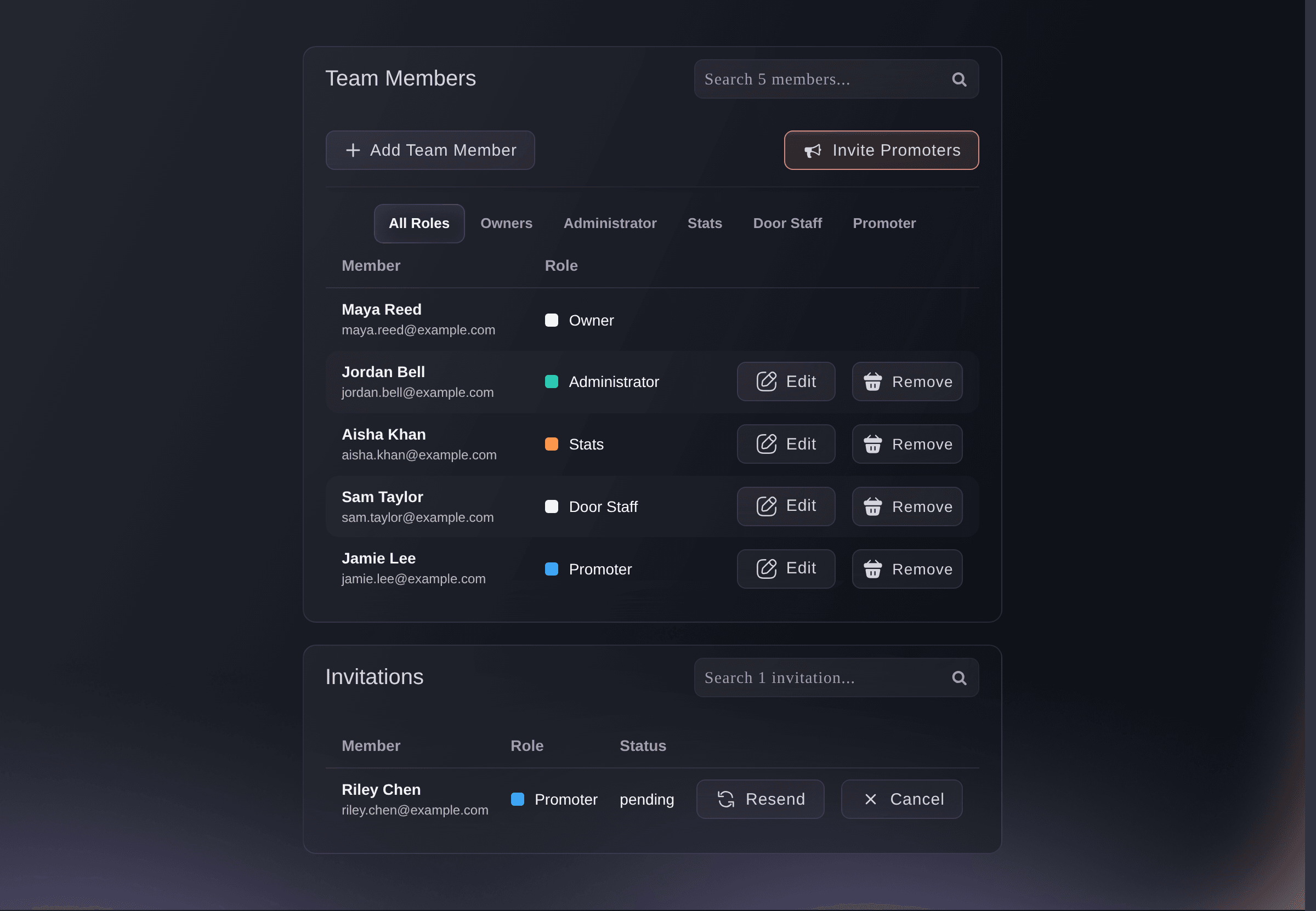
Brand roles cover the way event teams really divide the work: Owner and Administrator for the people who run the brand, Stats and Limited Stats for partners and managers who only need your reports, Customer Support and Limited Support for the people answering buyers, Door Staff for your scanning team, Promoter for your sellers, and Curator, Producer and Agent for programming and production. A stats login lets a partner follow the numbers without the power to change anything.

Invite one person to several brands with the role they need on each, and they sign in once and see every brand they work on. On a sub-brand, the parent brand's team appears marked From Parent Brand beside the people you invite to the sub-brand itself.

  • Brand roles: one invitation for every event under the brand
  • Stats roles: reports without the power to change anything
  • One person, several brands: the right role on each, one sign-in
Ticket Fairy Brand Team page with members, roles and a pending invitation

See Your Customers and Results Across a Brand's Events

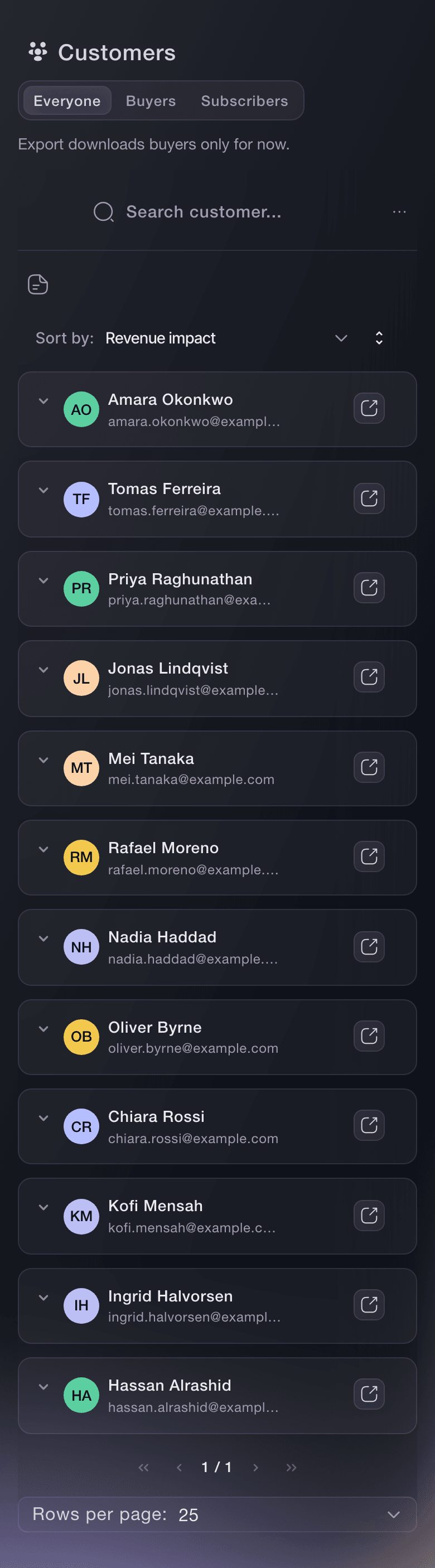
Customers on your brand gives each person one row, with the events and tickets they ordered and what those orders came to, so you see your regulars without opening each event. Brand reports compare results across your events, and you open any one event for its detailed statistics.

A brand's Promoters report ranks the team members whose links brought in tickets and revenue across its events, so you see who sells for which name. Every one of these views belongs to the brand, so one brand's buyers and figures never appear in another's.

  • Customers: every buyer of the brand, with the events they ordered
  • Brand reports: results compared across your events
  • Promoters: who sold the most across the brand
Ticket Fairy Customers list, one row per person with the events they ordered from and what they spent

Deploy One Promoter Team to Any of Your Brands

Build one roster of promoters as a collective and deploy it to any of your events and brands, with the commission you set for each deployment. Your best street team then sells for every name you run, without building a new team for each brand.

A collective belongs to you rather than to one brand, so the same promoters sell for your techno nights and your family festival, and their sales and commission for each event deployment are listed on the collective. Your brand teams stay exactly as they are.

  • Collectives: one promoter roster for all your brands
  • Your commission: a percentage or a flat amount per deployment
Ticket Fairy Deploy this collective dialog with where to deploy, who deploys, the commission and what the host can see

Describe How Each Brand Looks and Sounds, Once

Each email, social post and event website your team puts out can drift a little further from the last one. A brand kit holds the answer in Brand Guidelines: your Tagline, About your brand for your audience and what your events are about, Tone of voice for the words and attitude people should hear, and Usage guidelines for your do's and don'ts.

Add each colour with what it is for, such as primary, accent, background or text, and each font with its purpose, such as headings or body text. Keep a logo for each version, from your primary logo to the light background, dark background, icon and single colour versions, with your other images, documents and font files beside them. Anyone on your team, from a new promoter to your designer, finds the exact file and colour value in the kit.

The kit belongs to the brand, so every event under it uses the same kit, and each of your brands has a kit of its own. Your techno nights and your family festival keep their own look and voice everywhere they appear.

  • Tone of voice: the words and attitude people should hear
  • Colours and fonts: each value with what it is used for
  • Logos & assets: every logo version and your other brand files

Put Your Brand on Every Email, Website and Draft

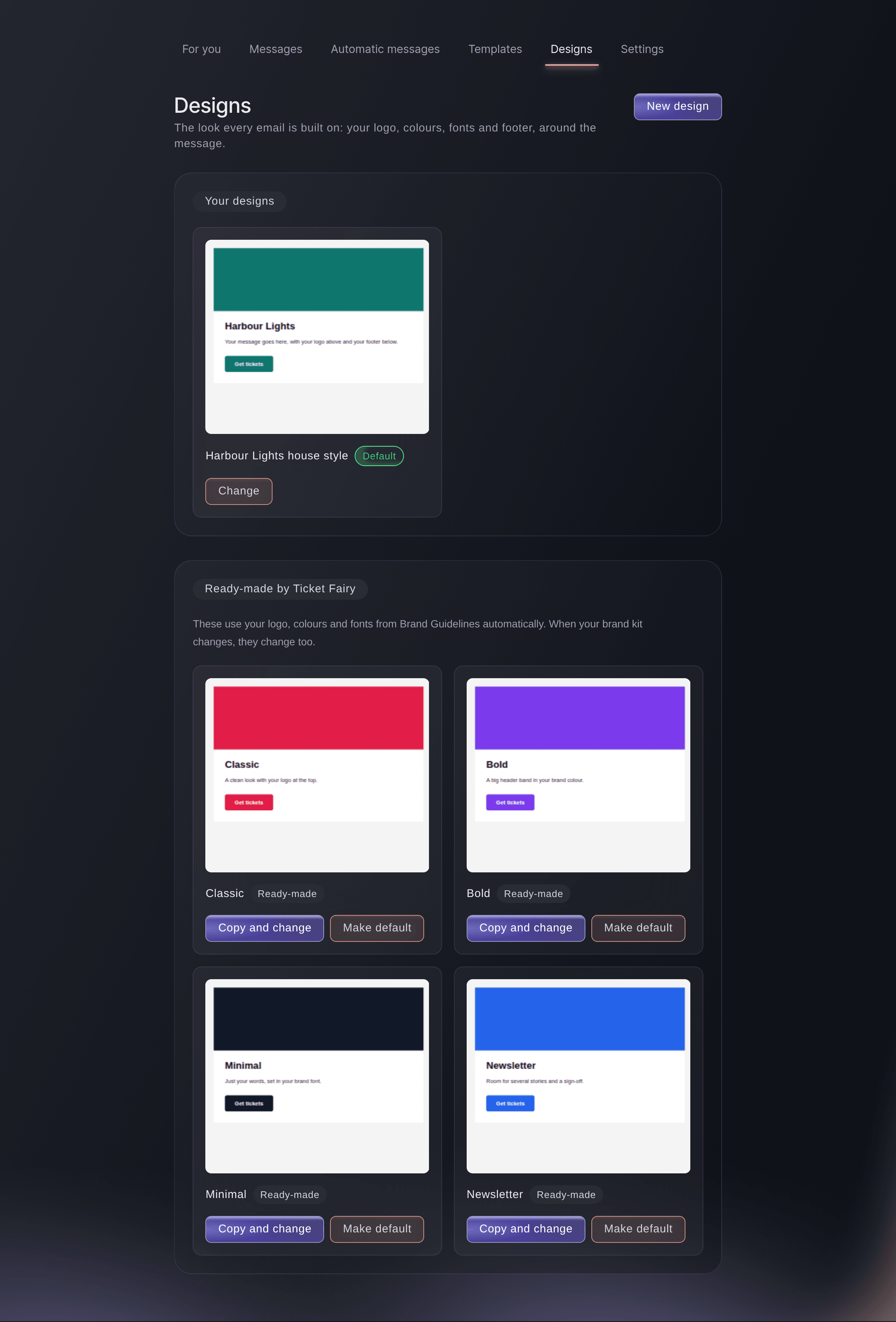
The ready-made email designs use your logo, colours and fonts from the kit, and fields marked From your brand kit follow it, so a new logo reaches every email that has not gone out yet. A new site from the website builder starts in your colours, fonts and logo, and Apply brand kit restyles a site you already have.

Your tone of voice travels with your words too. Fai and the drafting assistants for your social posts and ads use it, so captions, ad copy, share cards and buyer messages sound like your brand before you edit a word. Your concierge answers buyers' questions in the same voice, unless you give it a tone of its own.

White-label partners go further and sell under their own name, with their logo where Ticket Fairy's would be on their event pages and product pages, and their logo on the emails Ticket Fairy sends their buyers, either co-branded or on its own.

  • Emails on brand: designs that follow your kit
  • Websites on brand: new sites and Apply brand kit
  • Drafts in your voice: Fai, posts, ads, share cards and concierge
  • White-label partners: your logo in place of Ticket Fairy's
Ticket Fairy Messaging Designs with the brand's own design marked Default above the four ready-made designs that use the brand kit

Let Fai Keep Your Brands and Kits Current

Ask Fai, the assistant inside your dashboard, to read a brand's kit back to you or update its tagline, tone of voice, colours, fonts, logos and files. She reads the current kit first, keeps everything you did not ask to remove, shows you the change and asks you to confirm before she saves.

Fai also lists the brands you work on, invites each brand's team with the role they need, creates your promoter collective and deploys it with its commission, and reports how each brand's promoters are selling. Every change waits for your approval, and she works only on the brands your own role lets you change.

  • Kit updates: read back and changed once you confirm
  • Team invitations: the right role on each brand
  • You approve first: nothing changes until you say so

How Organisers Run Several Brands

  • An Agency Selling for Clients

    The agency creates a brand for each client, each with the client's own payment processing account and a stats login for the client's manager. Every client sees their own sales, and the agency team works across all of them from one sign-in.

  • A Venue Group With Several Rooms

    The group runs each room as a sub-brand under the parent brand. The management team on the parent reaches every room, and each room's own bar and door teams see only their room's events.

  • A Promoter With Two Very Different Nights

    A techno night and a family festival each get their own brand kit, with their own logo, colours and tone of voice. Fai's drafts, the email designs and the websites for each night sound and look like that night.

  • A Promoter Group Sharing One Street Team

    The group builds one collective of promoters and deploys it to each brand's headline shows with a percentage of sales. The same promoters sell for every name, and each event's commission is listed on the collective.

  • A Festival Briefing Its Designer

    The marketing lead keeps every logo version, the colour values and the brand book in the kit. The freelance designer joining for the season finds the right files on day one, without an email chain.

Get this page as a PDF Read it later or share it with your team. We email you a link to the PDF.
What to put in your PDF

We will email you this deck. We may also email you now and then about Ticket Fairy features that can help your events. You can unsubscribe at any time with one click.

Questions About Brands and Brand Kits

Brands & brand kit

Yes. Invite them from each brand's Team page with the role they need there. They sign in once, and Brands lists every brand they work on.

You need an owner or admin role on the brand itself for its brand-level pages, such as Customers and Brand Guidelines. A role on one of its events opens that event only.

The brand you choose when you create it. You can change it while you enter the event details.

The people on the parent brand's team appear on the sub-brand's Team page, marked From Parent Brand, beside the people you invite to the sub-brand itself.

No. The kit belongs to the brand, so every event under it uses the same kit. Each brand you run has a kit of its own.

One for each version: Primary, Light background, Dark background, Icon and Single colour. Remove a version to upload a new one in its place.

Brand Guidelines keeps only finished rows. A colour needs a value, a font needs a name, and a logo or other asset needs an uploaded file. Add the missing value or file and save again.

No. Emails that follow your brand kit pick up the new logo and colours the next time they go out. Emails that have already gone out stay as they were.

Upload logos and other files in the dashboard first. Fai then keeps or updates those entries, and changes the text, colours and fonts for you once you confirm.

Book a demo, and our team sets up white-label branding on your brand with you. Your logo replaces Ticket Fairy's on your event pages and product pages, and buyer emails can carry your logo co-branded or on its own.

Sell more tickets. Build the crowd that comes back.

Start Selling Tickets Online

Sign up without a credit card and build a test event before you commit. Go on sale in minutes when you are ready.

No monthly subscription required for ticketing
Start selling tickets immediately
Ticketing tools included in the service fee
Get Started Talk to Fai Now

Ask Fai, our AI assistant, about Ticket Fairy’s features, pricing and how it could work for your event.

No credit card required

Book a demo call

See the referral model that drives 20% more ticket sales on average, learn which campaigns sell tickets, answer buyers faster and keep queues moving.

45-Minute Video Call
Pick a Time That Works for You