Find Any Order From One Detail the Buyer Gives You
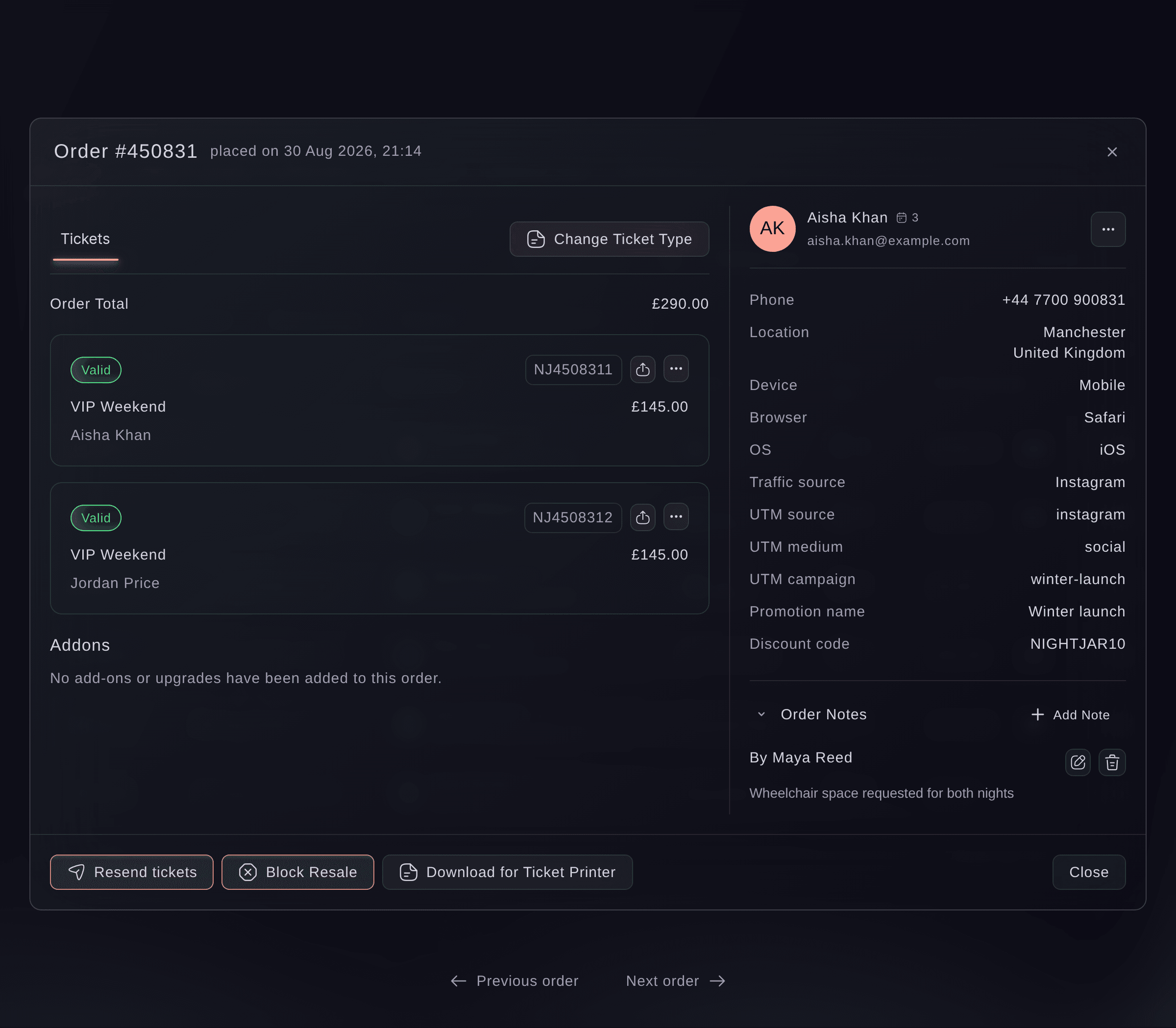
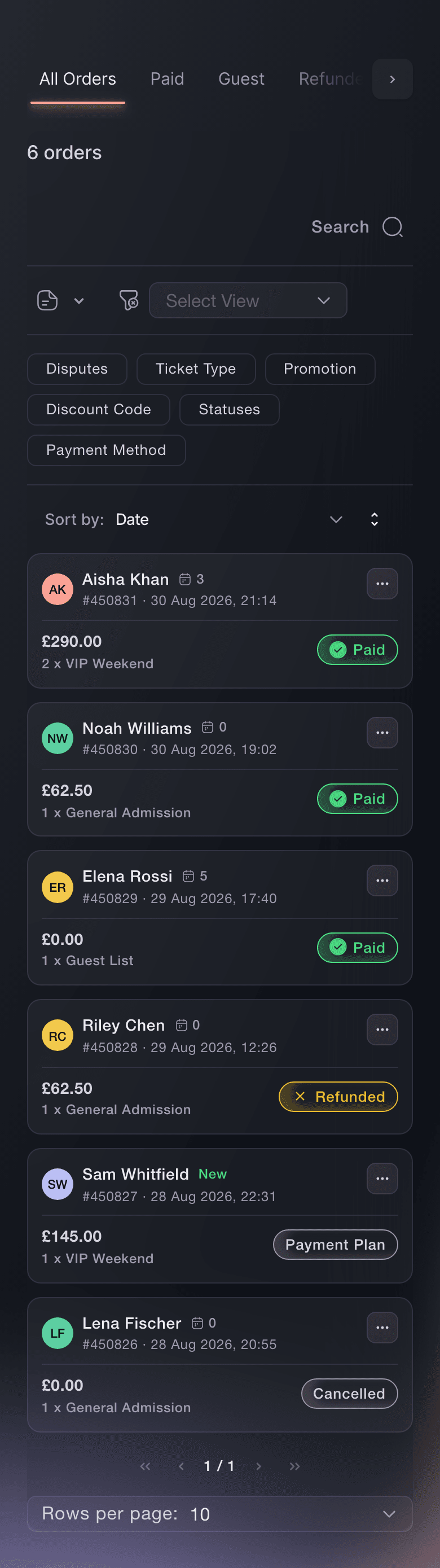
A buyer rarely knows their order number. Search by their name, email address, phone number or order number, and the Orders page narrows to the order you need. Search also finds orders by ticket type, promotion or the words in your team's notes, so "the man who called about the wheelchair space" is one search away when a teammate noted it.
Every order sits in a tab for what happened to it: Paid, Guest, Sold, Refunded, Pending, Payment Plan or Cancelled, with Abandoned Carts for buyers who entered their details and never paid. You see an order's state before you open it, which tells you straight away whether a buyer who says they paid is on a payment plan, was refunded, or left checkout before paying.
When you work through a queue of questions, move to the previous or next order without closing the one you have open. Where you approve orders before tickets go out, the Pending tab becomes Needs Approval with the number waiting, and where you check buyer identity, the Needs Verification tab holds the orders waiting on that check.
- Order search: name, email, phone, order number, ticket type, promotion or note
- Tabs by order state: Paid, Guest, Sold, Refunded, Payment Plan, Cancelled and more
- Previous and next order: move through a tab without closing the order