1. Features
  2. Sell tickets
  3. Private sales & presales

Sell Tickets to Exactly the People You Choose

At a private launch, a members' night, a sponsor allocation or a fan club presale, only the right people should be able to buy. Put the event page behind a password, send each guest their own link with their own limits, share one link with a whole group or reveal hidden tickets with a code. Take registrations before you announce a price and give the people who registered first access.

  • Only the people you choose can buy
  • Each guest or group held to the tickets you allow
  • Your keenest fans buy before everyone else
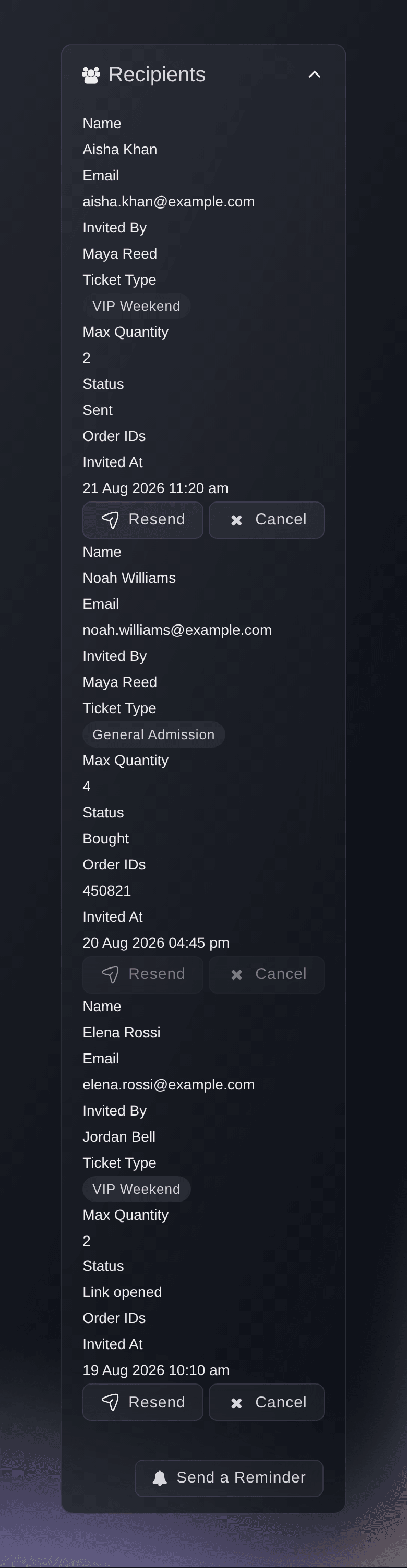
Ticket Fairy Invitations table with each recipient's status and actions

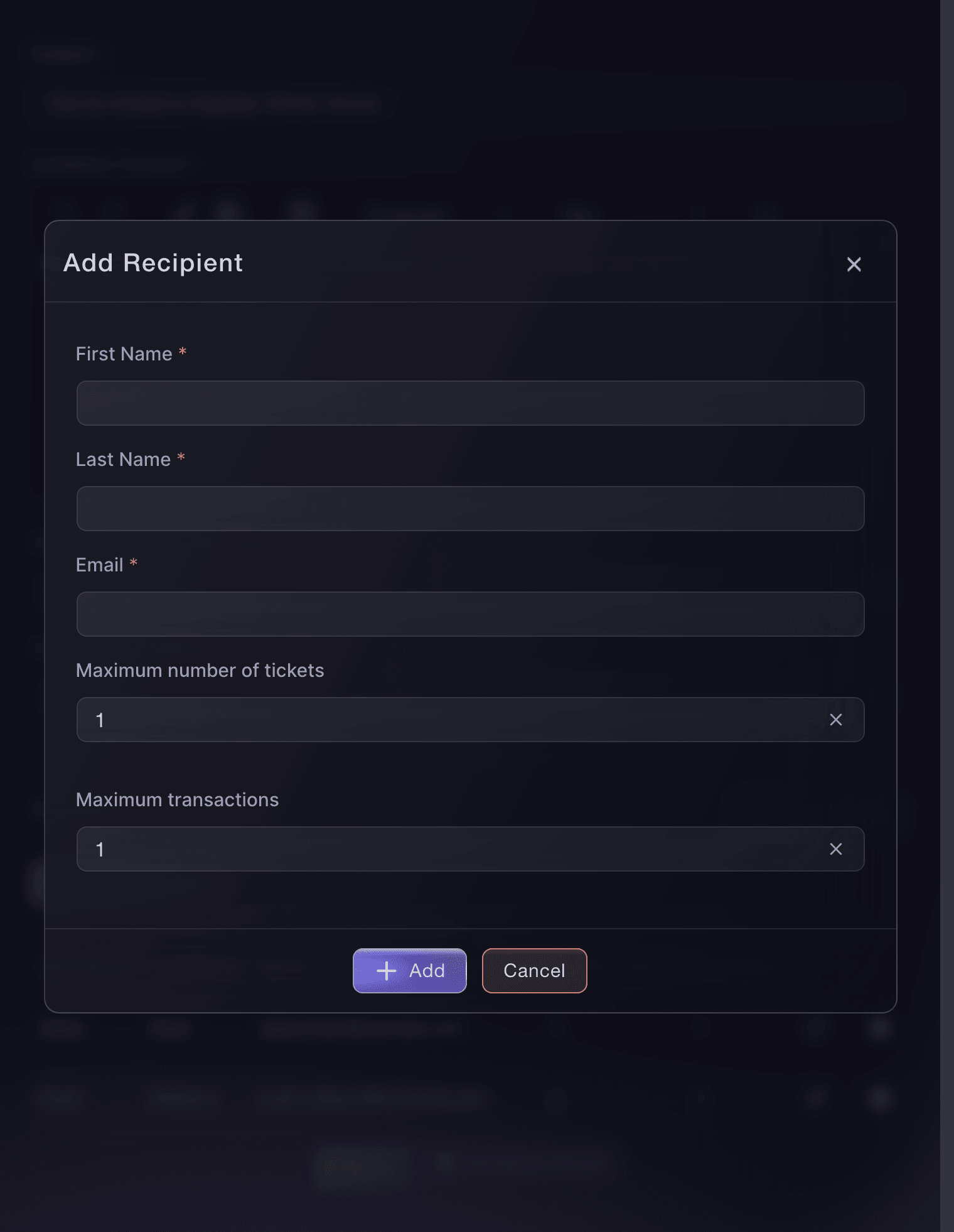
Give Each Guest Their Own Ticket Link and Limit

Turn on Invitation required to attend, and only people with a personal invitation can add a ticket. Add guests one at a time or import a spreadsheet, and set how many tickets and how many orders each person can buy. Send the invitations now or schedule them for later. The invitations table shows who opened their link and who bought, and you can resend, cancel or remind anyone who has not bought.

  • Personal invitations: a link for each guest, with their own limits
  • Import a spreadsheet: with each rejected row opened for you to correct
  • Scheduled invitations: sent at the time you choose, in your event's time zone
  • Reminders: to everyone who has not bought yet
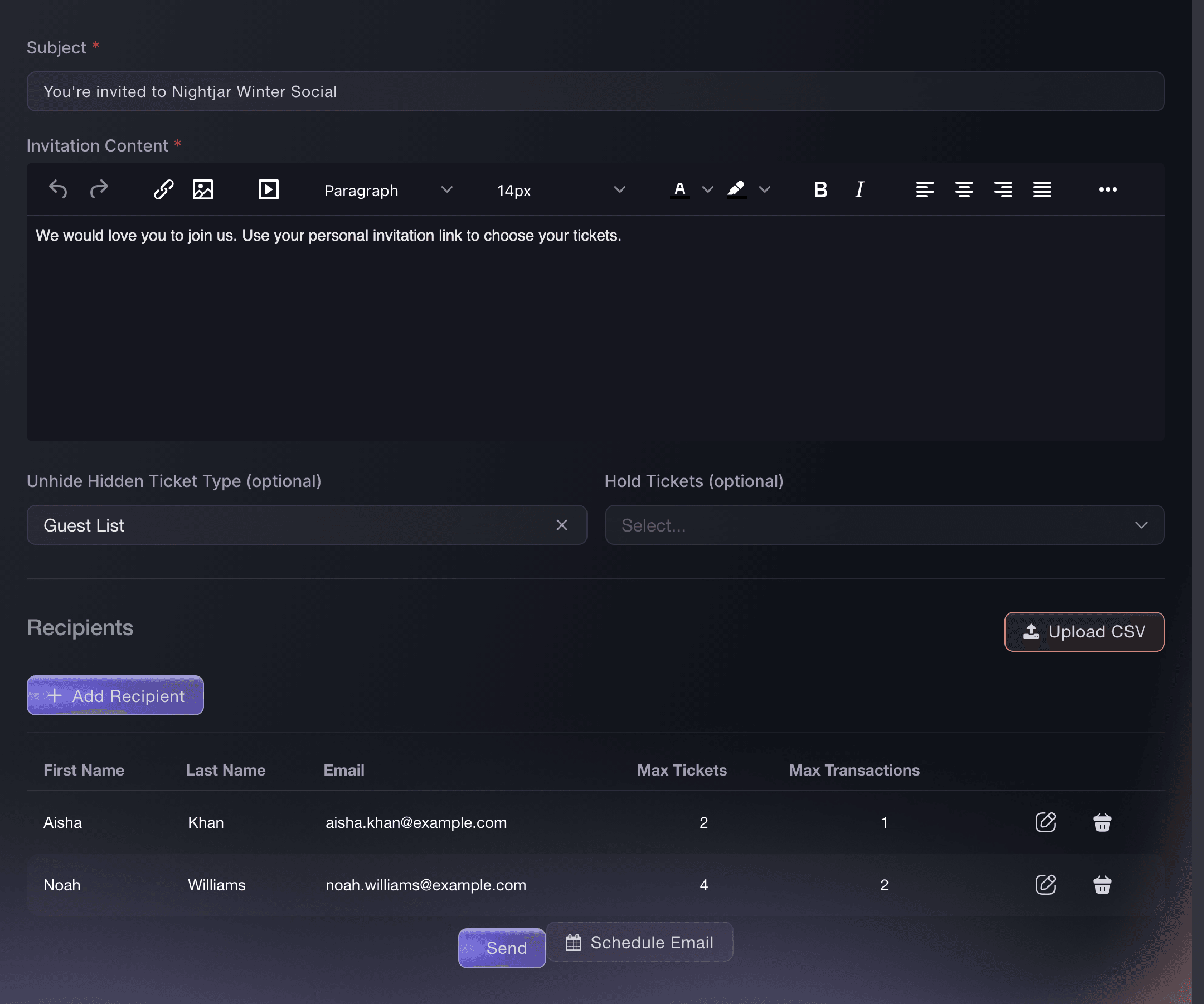
Ticket Fairy invitation form with Subject, Invitation Content, hidden-ticket access and two recipients from a spreadsheet

Share One Link With a Sponsor's Staff or a Members' Chat

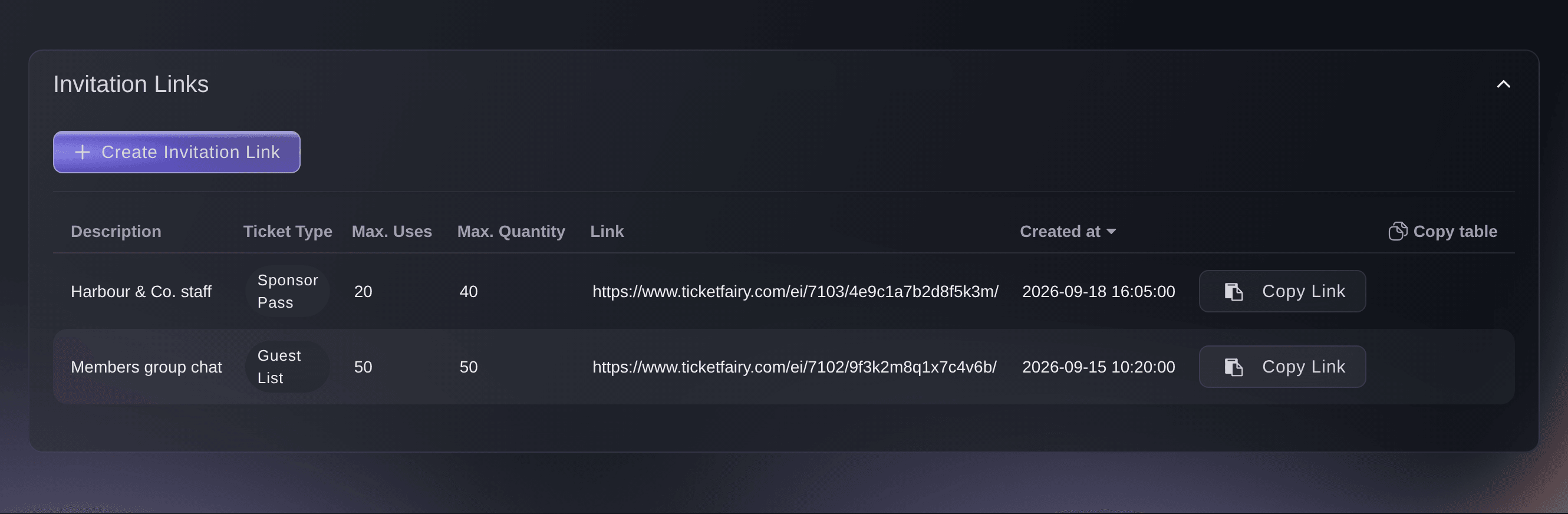
When you have no list of names, create one invitation link for the whole group, such as a sponsor's staff, a members' group chat or a partner's newsletter. Choose the hidden tickets it unlocks and the tickets you held for that group. Cap the tickets and orders the whole group can buy through it to match the group's share. Give each group its own link, so each group's allowance stays separate.

  • Invitation links: one link for everyone in a group
  • Group limits: tickets and orders across the whole group
  • Held tickets: the group buys from the reserve you kept for it
Ticket Fairy Create Invitation Link dialog with description, hidden ticket, hold and limit fields

Keep Your Event Page Private With a Password

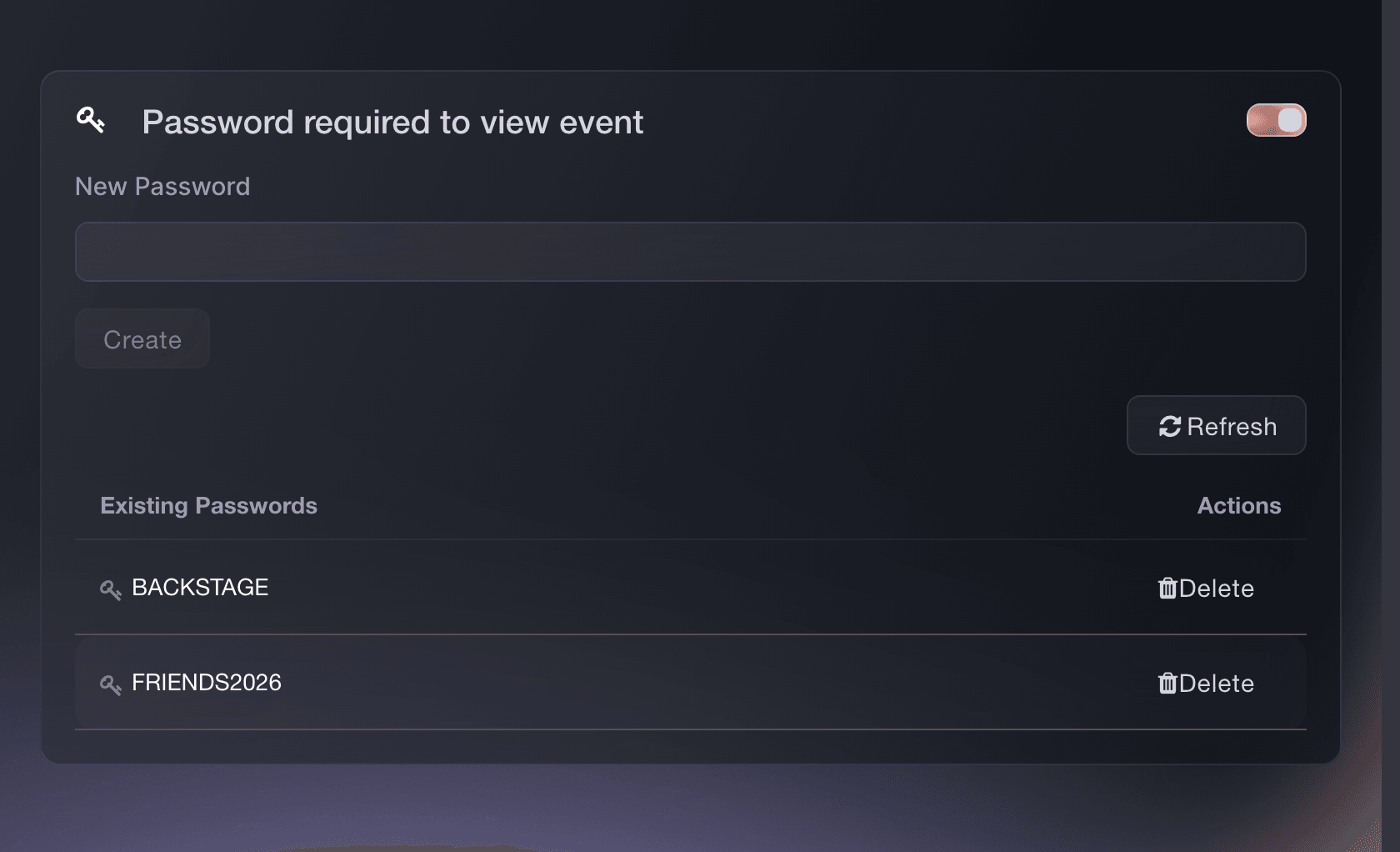
Hide the whole event page from everyone who does not have the password. Give each group its own password, so you can replace one without locking out the others. The checkout on your own website asks for the password too. Sales by Password shows the tickets and revenue each password brought in.

  • Event passwords: one for each group you share the event with
  • Sales by Password: tickets and revenue for each password
Ticket Fairy event settings with Password required to view event enabled and two existing passwords

Open Hidden Tickets to Anyone With Your Access Code

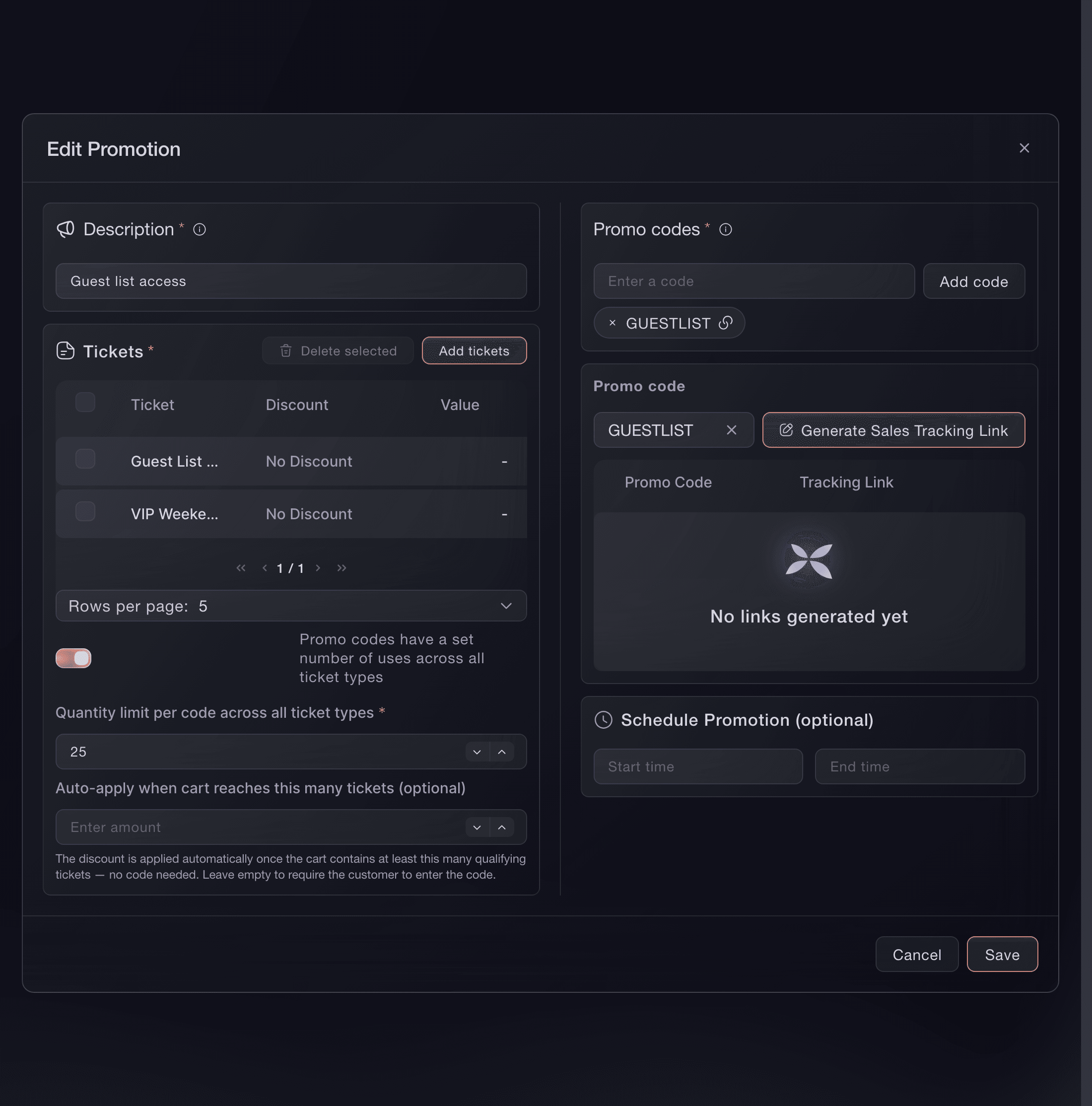
Keep your event page public and the private tickets out of sight until a buyer enters your code. Hide the ticket types, attach them to a promotion with no discount, and the code reveals them at their normal price. Set the dates the code works and how many tickets it can open. Give each group its own code, or one promotion several codes, and replace a code without closing the sale.

  • Access codes: reveal hidden tickets at full price
  • Code dates: the window the code works in
  • Code limits: for each ticket type or one total
Ticket Fairy promotion editor with a Guest List access code, No Discount and two hidden ticket types attached

Reward Your Keenest Fans With First Access

Take registrations as soon as you announce, before you have tickets to sell. Fans earn points for sharing your event, and you add prizes worth competing for. When registration closes, open a presale window with its own release, so registered fans buy before the public on-sale and you still have tickets left to announce. The Pre-Registration report shows how many people registered and how many tickets they asked for.

  • Pre-registration: fans register before the on-sale
  • Points and prizes: for fans who share your event
  • Presale window: registered fans buy before the public
Ticket Fairy pre-registration dates with the pre-registration and pre-sale windows and their switches

Sell Tickets Only to Your NFT Holders

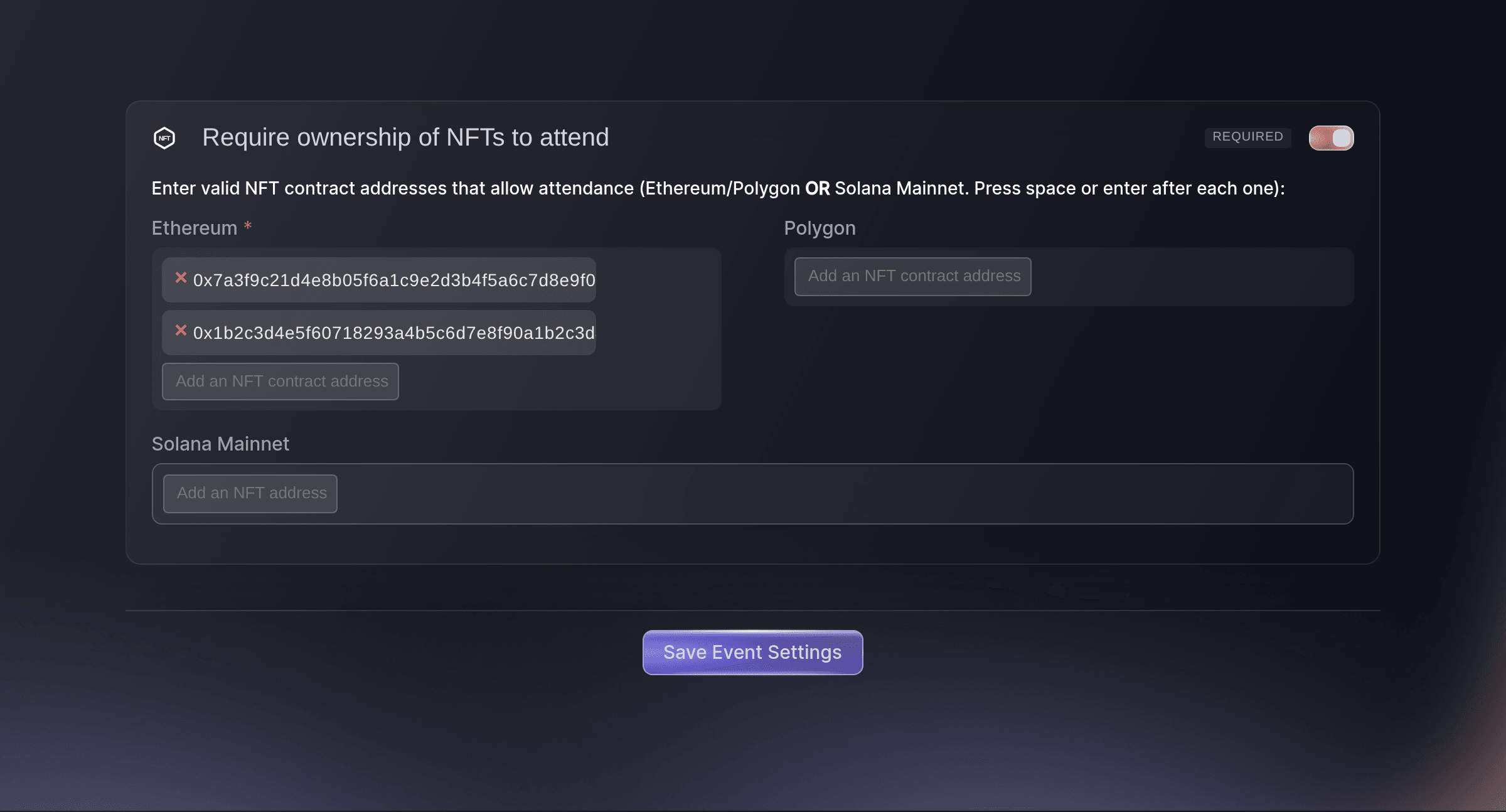
List your NFT collections on the event, and a buyer connects a wallet holding one of them before the tickets open. Require an NFT for the whole event, or for one ticket type so holders get their own tier and everyone else buys the rest. Your door team's scan checks the same wallet again, so a ticket bought with an NFT that has since left the wallet does not get in.

  • Wallet check: tickets open once a holder's wallet is connected
  • Holder-only tickets: one ticket type for holders, the rest for everyone
  • Checked at the door: the wallet is checked again at entry
Ticket Fairy Require ownership of NFTs to attend settings, turned on with two Ethereum contract addresses
Get this page as a PDF Read it later or share it with your team. We email you a link to the PDF.
What to put in your PDF

We will email you this deck. We may also email you now and then about Ticket Fairy features that can help your events. You can unsubscribe at any time with one click.

Decide Who Can Buy and When

  • Personal invitations

    Send each guest their own ticket link with a limit on tickets and orders, and see who opened it and who bought.

  • Invitation links

    Share one link with a group and cap what the whole group can buy through it.

  • Hidden tickets for invited guests

    An invitation or invitation link can reveal a ticket type that everyone else cannot see.

  • Event passwords

    Put the event page behind a password for each group, and see the sales each password made.

  • Access codes

    Keep the event page public and reveal hidden tickets at full price to buyers with your code.

  • Pre-registration

    Take registrations before the on-sale, with points and prizes for fans who share your event.

  • Presales

    Give registered fans a presale window with its own release before the public on-sale.

  • NFT-holder sales

    Sell the whole event or one ticket type only to buyers whose wallet holds one of your NFTs.

  • Sales by application

    Collect applications with a form, accept the people you want, and send each one a ticket or an invitation to buy.

  • Order approval

    Accept or decline each order after checkout before the buyer gets their tickets.

    Learn more

  • Tickets held for your guests

    Keep part of a ticket type out of the public on-sale for the people you invite.

    Learn more

  • Emails to registered fans

    Email everyone who registered when the presale opens, and the ones who did not buy before the public on-sale.

    Learn more

Questions About Private sales & presales

Private sales & presales

Personal invitations. Each guest gets their own link with their own ticket and order limits. Anyone who knows a password, an access code or an invitation link can use it, so treat those as shared.

From 1 to 50 tickets and from 1 to 50 orders for each personal invitation or invitation link. The order limit cannot be higher than the ticket limit.

No. A link works until its ticket or order limit is used up, so choose limits that match the group before you create it. Buyers who are already checking out when the limit is reached can still finish, so set the limits a little below the most the group can have. A personal invitation can be cancelled at any time.

A password hides the whole event page. An access code leaves the page public and reveals the hidden ticket types attached to its promotion.

Not while rewards are running on it. Finish or remove the rewards first. The presale window must start after registration closes, and it needs both an opening and a closing time.

A referral link from an existing buyer and the presale limited code can also let a buyer in during the window. Turn both off when registration should be the only way in, and keep the public release hidden until the public on-sale.

Ethereum and Polygon collections through MetaMask, and Solana NFTs through Phantom. One requirement takes Ethereum and Polygon together, or Solana on its own. Guest tickets you send need no NFT, and the checkout on your own website hands buyers over to your Ticket Fairy event page to connect their wallet.

Sell more tickets. Build the crowd that comes back.

Start Selling Tickets Online

Sign up without a credit card and build a test event before you commit. Go on sale in minutes when you are ready.

No monthly subscription required for ticketing
Start selling tickets immediately
Ticketing tools included in the service fee
Get Started Talk to Fai Now

Ask Fai, our AI assistant, about Ticket Fairy’s features, pricing and how it could work for your event.

No credit card required

Book a demo call

See the referral model that drives 20% more ticket sales on average, learn which campaigns sell tickets, answer buyers faster and keep queues moving.

45-Minute Video Call
Pick a Time That Works for You