Seating & timed entry

Fill every time slot and seat, and never overfill

Visitors book the date and time they want, and each time slot has its own capacity, so your space never overfills. At seated shows, buyers choose their seat or area.

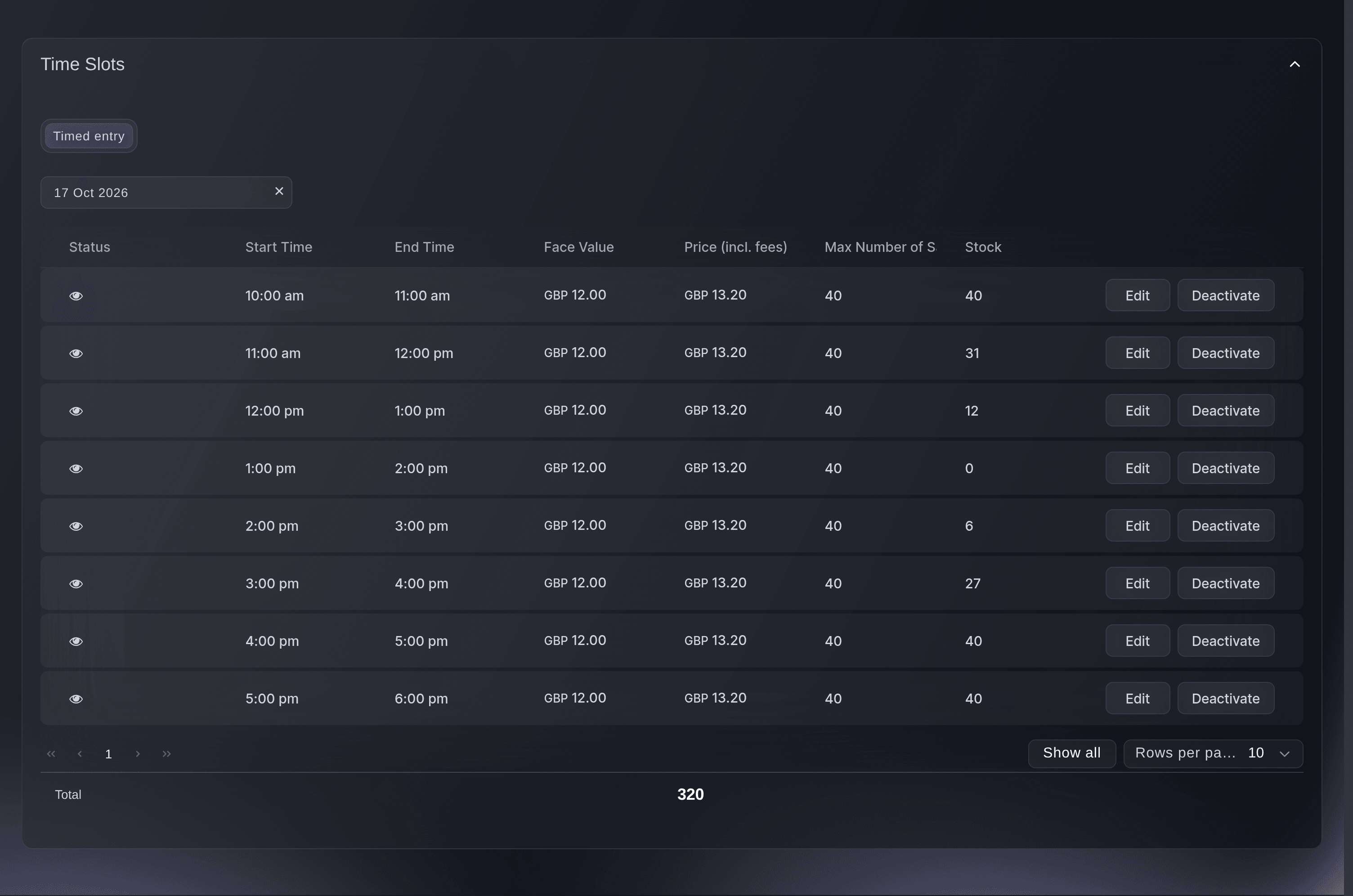
Ticket Fairy Time Slots card for one group and date, listing each slot with its price, maximum sales and stock
  • Visitors book the date and time they want
  • No entry time sold over capacity
  • Seats and areas that match your venue
  • 25,000+events powered
  • 10M+tickets issued
  • 10+countries
  • 20%more tickets from referral rewards

Let visitors book the date and time they want

You can sell entry by the hour for a museum, an exhibition, an immersive attraction or a food festival, so the queue outside stays short.

How it works

You choose your dates, the weekdays you open, your first and last entry times and how long each slot lasts, and Ticket Fairy lays out the slots for you. Days you are closed stay out, and a late slot can run past midnight. Each slot takes the price and capacity you entered, and a single slot can have its own price or capacity when one time needs it. When you add a new run of dates later, it joins the same calendar.

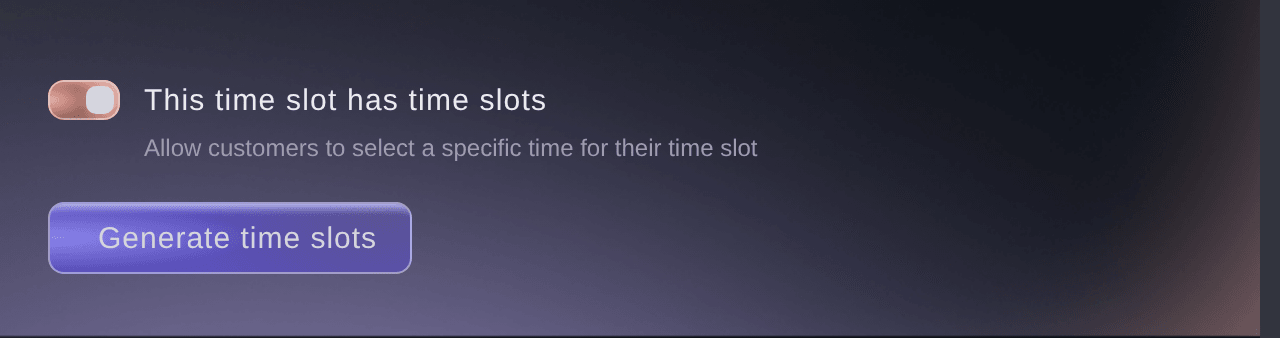
  • Generate time slots: dates, weekdays, opening hours and slot length
  • Closed days: left out before the slots are made
  • Edit one slot: its own price or capacity
Ticket Fairy Time Slots dialog with a two-week date range, weekdays, opening hours, a thirty-minute slot duration, price and maximum sales per slot

See sales and arrivals for each entry time

Your event page shows buyers a calendar of the dates that still have a slot on sale. A full time stays on the list, greyed out, so buyers pick another, and one full hour never blocks the next.

How it works

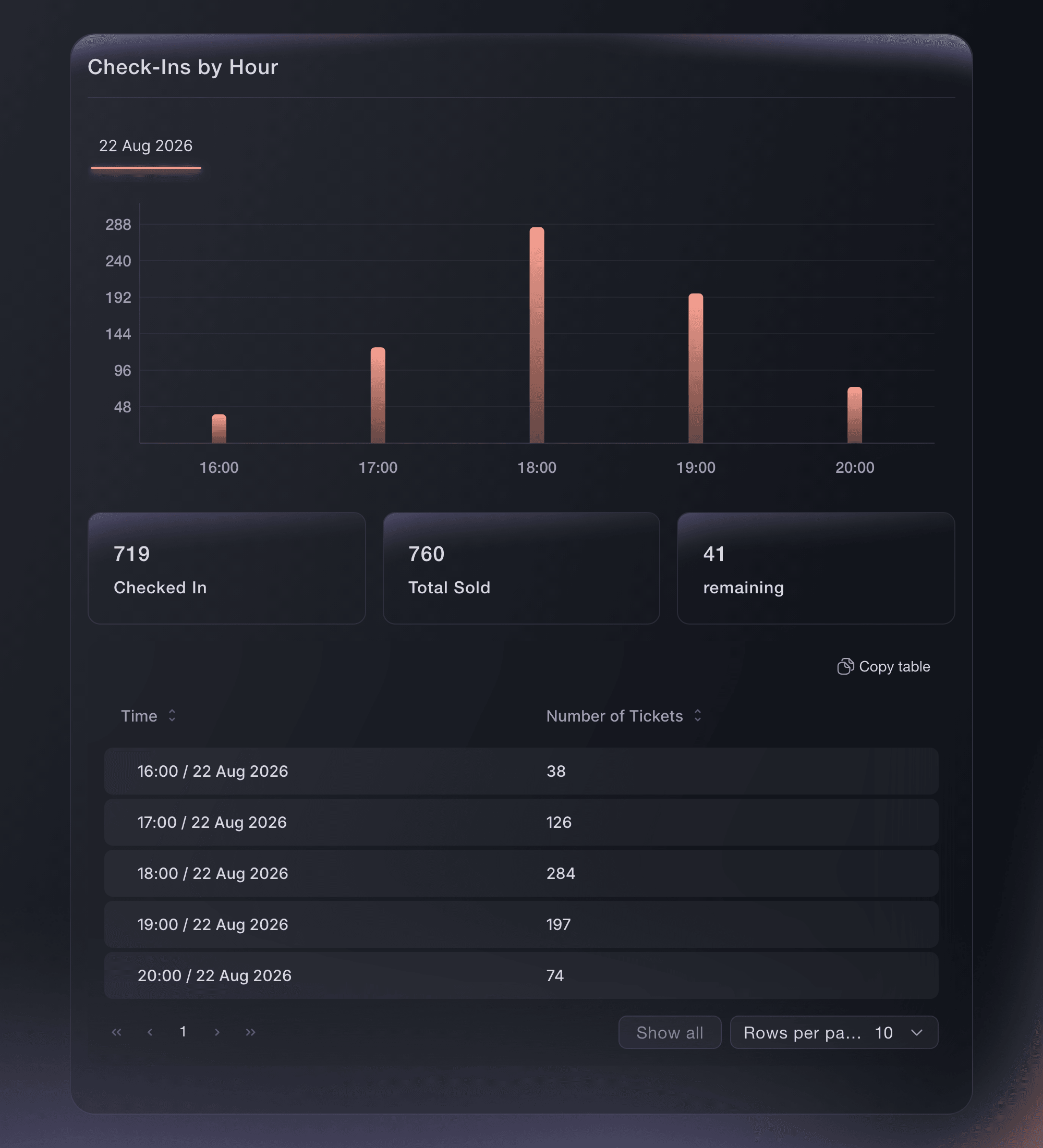
Sales by Time Slot lists sales and revenue for each slot start. On the day, your check-in page groups arrivals by date, then time, then ticket type. You can take a single slot off sale whenever you need to, without removing it.

  • Buyer calendar: dates with slots on sale, and each date's times
  • Sales by Time Slot: sales and revenue for each slot start
  • Arrivals by slot: check-ins grouped by date and time
Ticket Fairy hourly check-in report with arrivals by hour on event day

Let buyers pick numbered seats from your seat map

Buyers pick their exact seat on your venue's own map, with each part of the house at its own price and accessible seats marked.

How it works

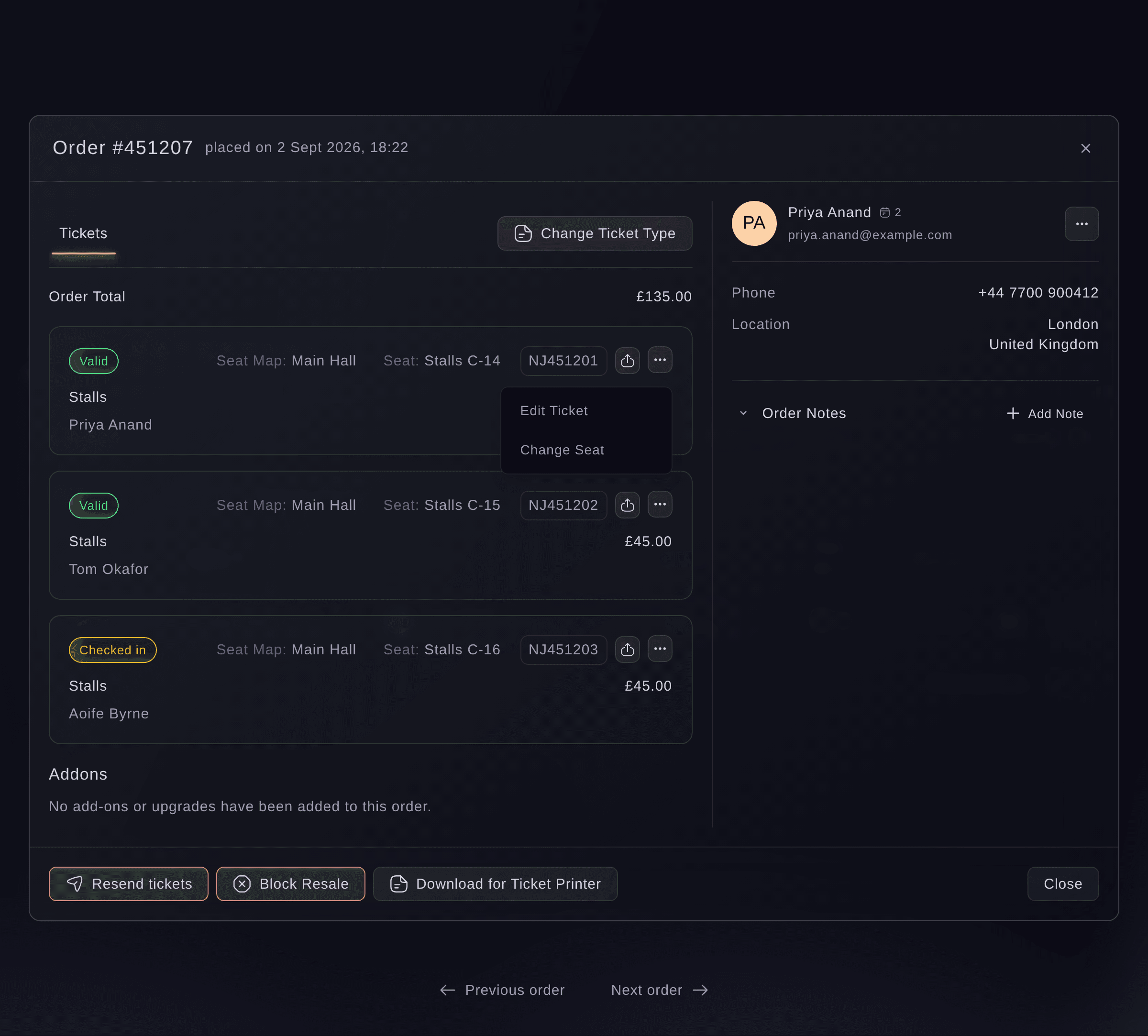
You can block house seats, seat your guests yourself and move a ticket holder to another seat on their existing order. Tables can go on the map too, so a group picks the table they want.

  • Seat maps: numbered seats, price zones and accessible seats
  • Tables on the map: groups choose the table they want
  • Seats for guests: choose a seat when you send a guest ticket
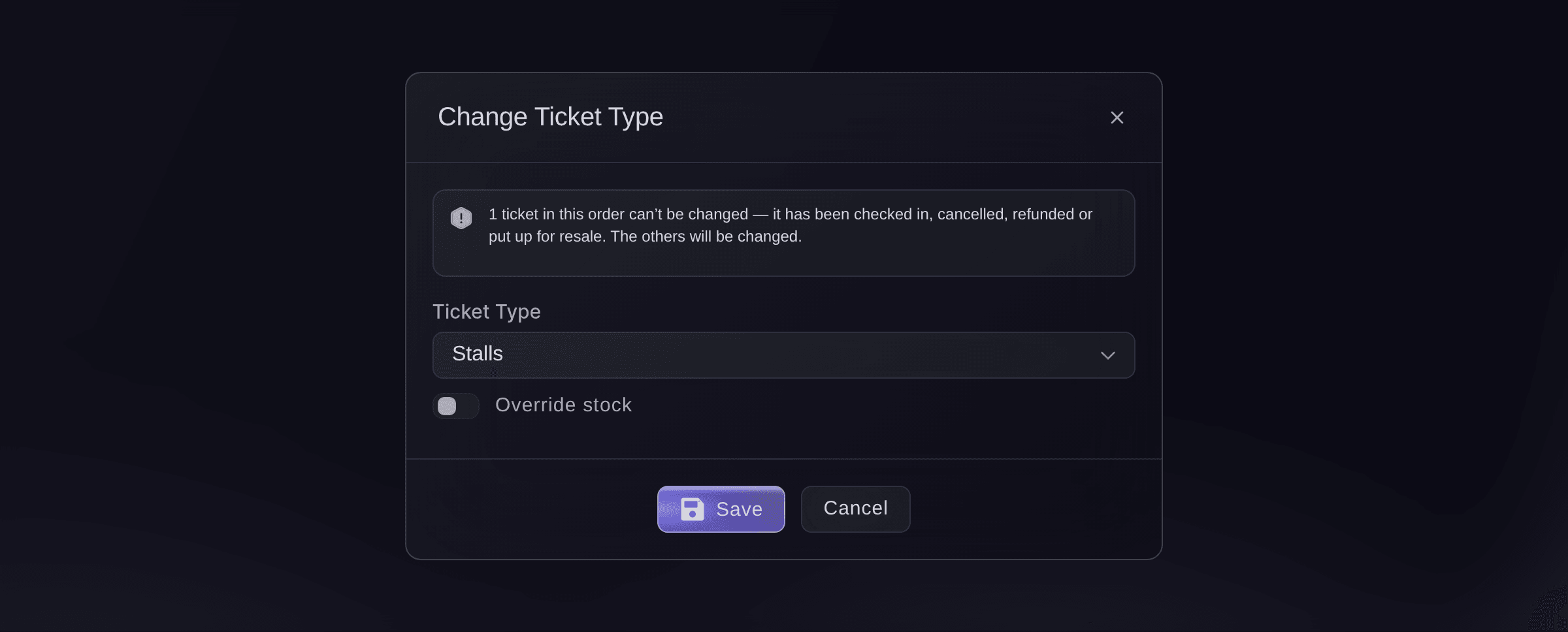
Ticket Fairy order window with three Stalls tickets and their seats, and a ticket menu open on Edit Ticket and Change Seat

Price each area of your house on its own

You can sell a place in each area of your venue without drawing a map. A ticket category for each area, such as Stalls, Circle and Balcony, holds a ticket type for each price inside it, so buyers choose where they sit first and the price second.

How it works

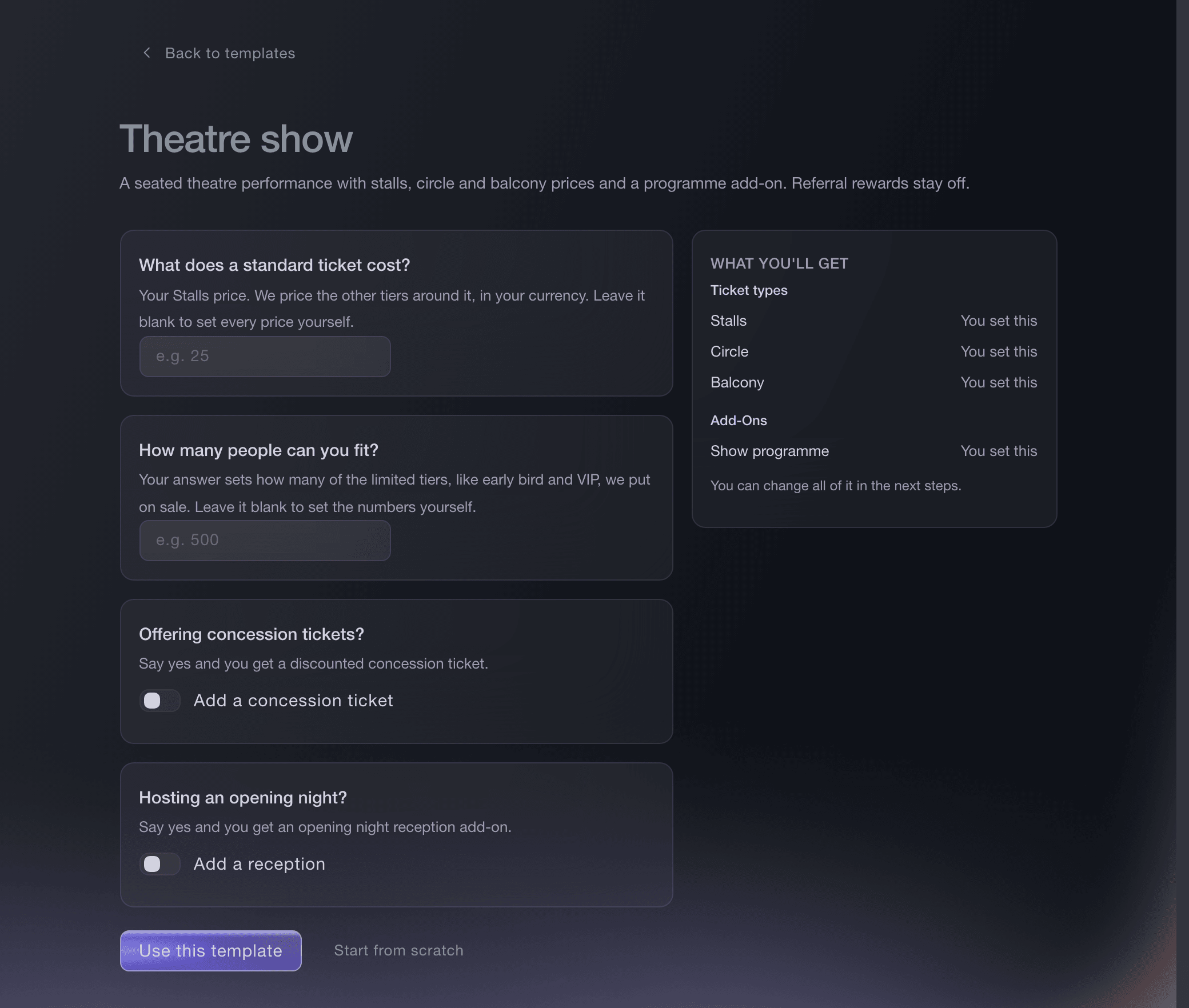
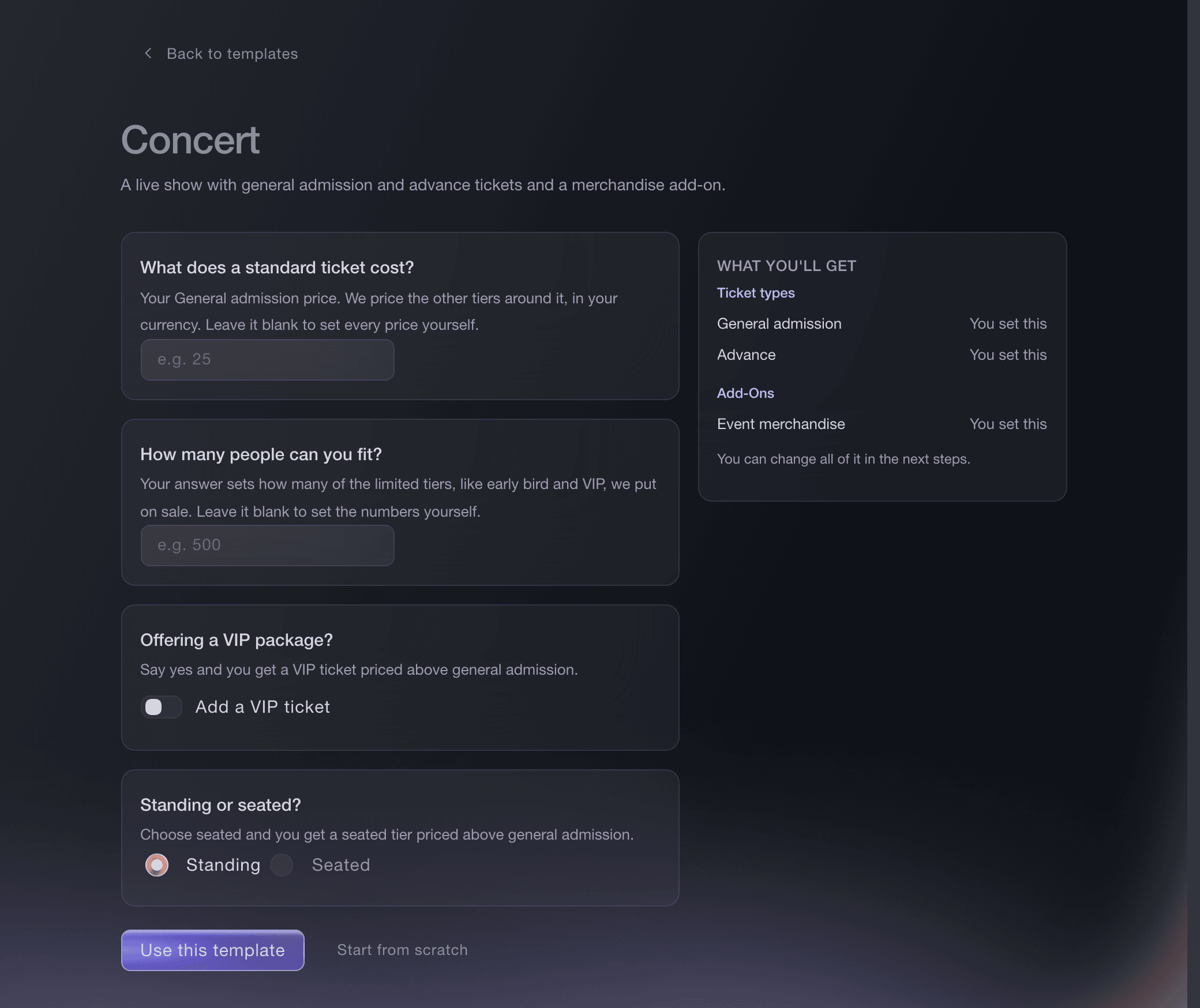
A concession is a ticket type at its own price. The Theater show template sets up the areas, a program add-on and door times for you, and the Concert template adds a seated ticket for a room with seats as well as a floor.

  • Areas of the house: a category for each area, with its own prices
  • Concessions: a ticket type at its own price
  • Show templates: areas, add-ons and door times set up for you
Ticket Fairy Theater show template questions before the event is built
Get this page as a PDF Read it later or share it with your team. We email you a link to the PDF.
What to put in your PDF

We will email you this deck. We may also email you now and then about Ticket Fairy features that can help your events. You can unsubscribe at any time with one click.

Go Deeper Into Seating & Timed Entry

  • Reserved seating

    You can sell numbered seats at the right price for each part of the house, keep seats back for guests, invite people to chosen seats and move a ticket holder to another seat later.

  • Timed entry

    You can create entry times across your dates with their own capacity and price, let visitors book a day and time, and see sales and arrivals by slot.

Control how many come in and where they sit

  • Time slots

    A ticket type can have its own entry times, so buyers choose a date and a time on your event page.

  • Capacity for each slot

    Each slot has its own capacity and sells out on its own count.

  • Price for each slot

    A single slot can carry a different price, or you can generate a run of weekend or evening slots at their own rate.

  • Slots taken off sale

    You can deactivate a slot, or every slot on a date you no longer open, without removing it.

  • Sales by Time Slot

    You see sales and revenue for each slot start, and which promoter sold each slot.

  • Arrivals by slot

    You can follow check-ins on the day grouped by date, time and ticket type.

Show all 12 features
  • Promo codes for chosen slots

    A promotion can apply to just the days and slots you pick.

    Learn more

  • Add-ons for a slot group

    You can limit an add-on to the entry you sell it with.

    Learn more

  • Reserved seating

    You can sell numbered seats from a seat map with price zones and accessible seats.

  • Seated areas

    Each area of the house can sell its places through a ticket category of its own.

  • Moving a buyer to another slot or seat

    You can give a buyer a different entry time or seat on their existing order.

    Learn more

  • Season tickets for a run

    One pass can book any performance in the run, including ones you add later.

    Learn more

Questions About Seating & Timed Entry

Seating & timed entry

Open a ticket type on your event, and use the time-slot controls on the form to lay out your dates and entry times.

Ticket Fairy creates the slots in the background, and they appear on your Tickets page within a minute or two. A season with hundreds of slots takes a little longer.

Not within a single run, which places slots end to end. Generate the morning and the afternoon as two runs, or deactivate the slot you need clear.

Yes. You can ask Ticket Fairy to delete a slot, a date or a whole group, as long as none of its slots has sold. You can deactivate a slot yourself at any time, which takes it off sale and keeps it on your event.

Only to someone they know. When resale is on for your event, a buyer can pass a time-slot ticket to a friend through resale, and the ticket is not offered to the public. You can also move a buyer to another slot from their order.

You do, in the seat-map editor, from your venue's layout. A comedy club or a room with unreserved seating can sell by area or by table with no map.

No. The Seated choice in the Concert template sells a place in the seated area. Numbered seats need a seat map.

Sell more tickets. Build the crowd that comes back.

Start Selling Tickets Online

Create a free account and build a test event before you commit. Set up your tickets, explore referral rewards and go on sale when you are ready.

Unlimited events with no monthly fee

Start selling tickets immediately

Tickets, door and website tools on every plan, Free included

Get Started Talk to Fai Now

Ask Fai, our AI teammate, about Ticket Fairy’s features, pricing and how it could work for your event.

No credit card required

Book a demo call

You can explore referrals, guest lists and ticket scanning with our team. If you are moving platforms, we help with event setup, branding and team training around your on-sale date.

45-Minute Video Call
Pick a Time That Works for You