
Running the production
Build a dressing-room shopping list from your event's artist riders
Artist liaison and hospitality teams at festivals and venues buy water, towels, fruit and the odd bottle of oat milk for every act on every day of the show. The shopping list adds up the riders and your standard packages for you, so the runner buys the right amounts for the right day and nothing is forgotten.
Turn every act's hospitality rider and your standard dressing-room packages into one shopping list for your event, with how much to buy for each day and which dressing room it goes to. Set up what every dressing room gets once, add it to acts in one step, and print a shopping sheet for each day.
- For
- Buying hospitality for the acts on your event
- Takes
- 6 minutes
Before you start
- You are an owner, admin or producer on the event. The event's Operations page opens for those roles only.
- Your acts have set times, and their hospitality riders are in Advancing, so each item lands on the right day.
-
Open the shopping list
Open the event, select Operations, select Hire and shopping, then choose Shopping list.
Note: Items from the riders and your packages are already there, each with how many to buy and which acts it is for. The standard packages are under the list.
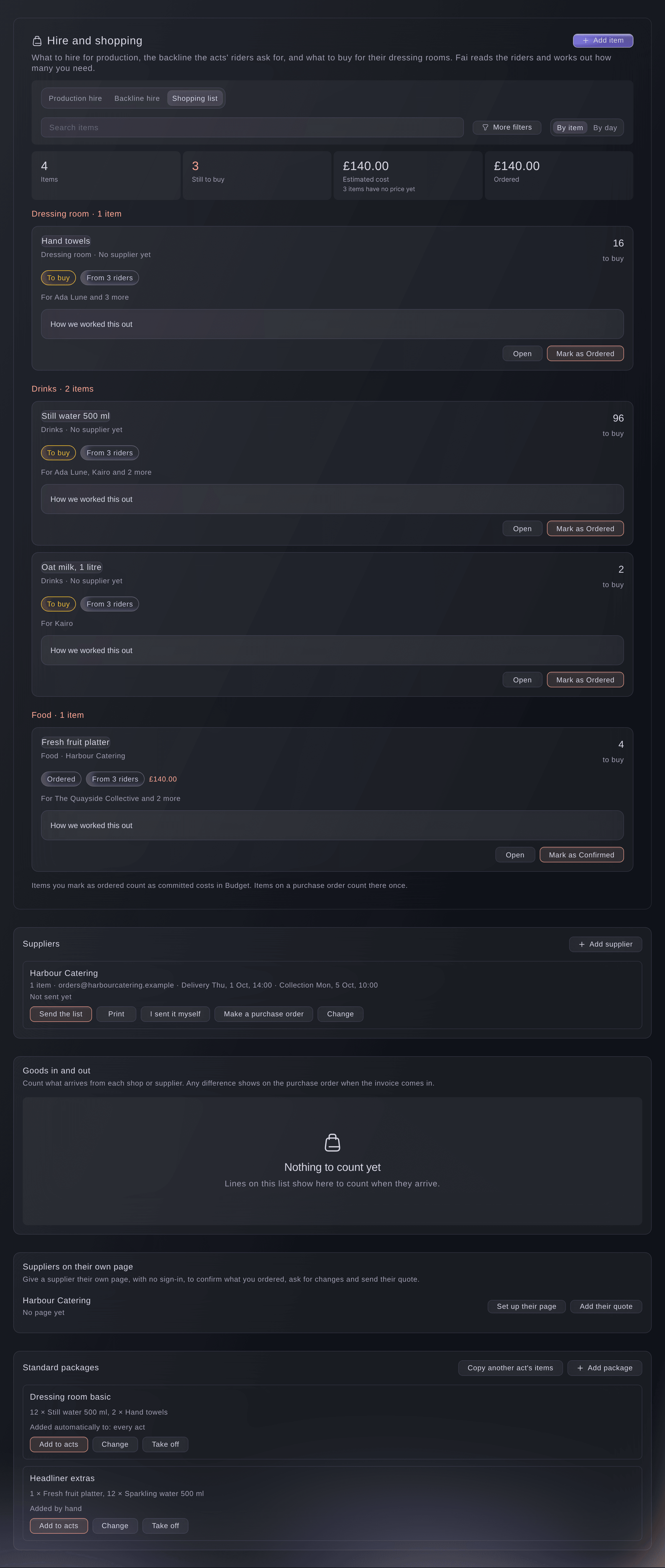
The shopping list, from riders and packages. -
Add a standard package
Under Standard packages, select Add package, enter the Package name and each item with how many under Items for each act, each day, then select Save.
Note: To add it by itself, enter kinds of act in Add it automatically to these kinds of act, such as DJ set or every act, and turn on Add it automatically.
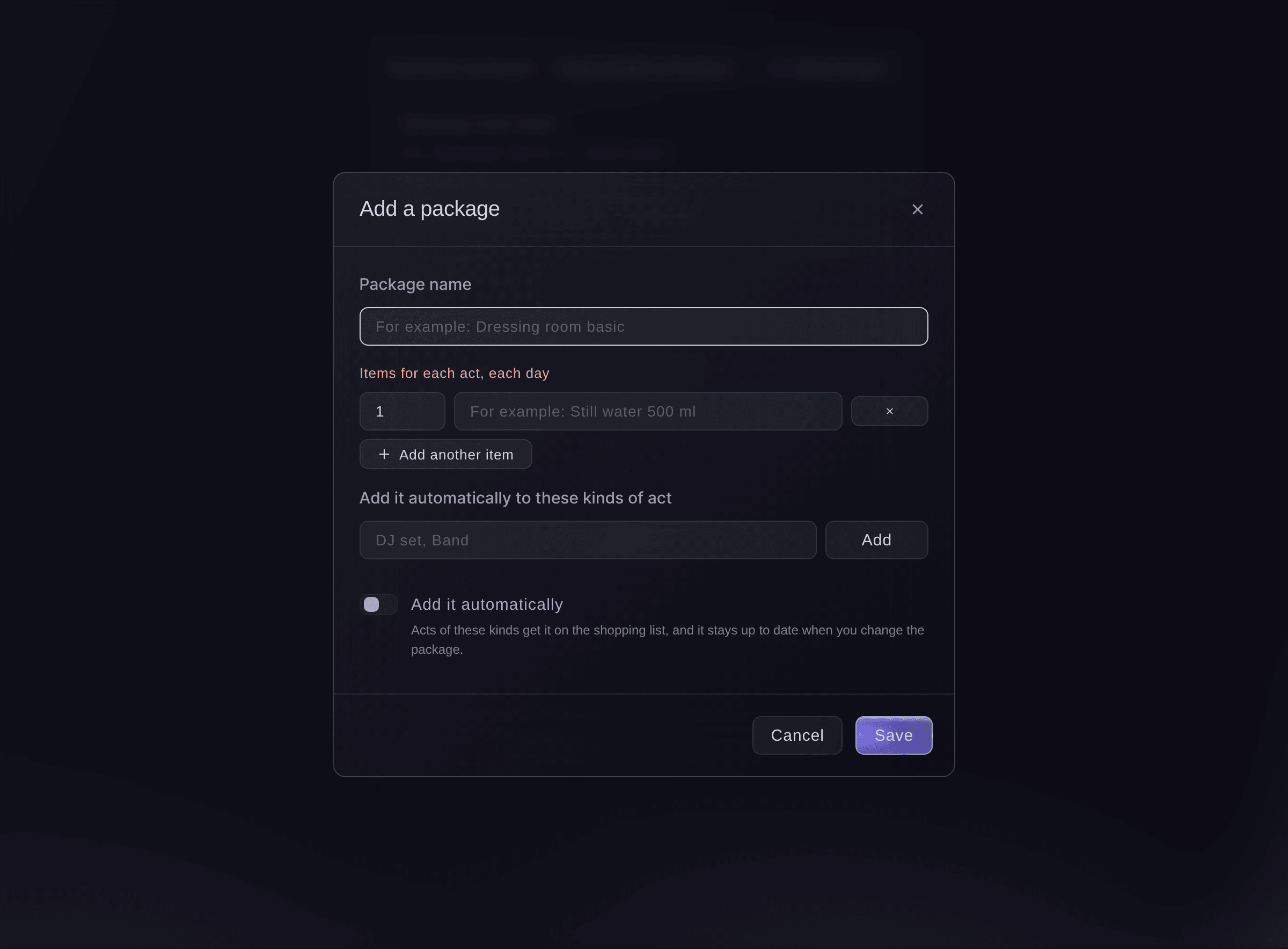
A standard dressing-room package. -
Add a package to acts by hand
Optional: select Add to acts on a package, tick the acts, then select the add button, which counts the acts.
Note: Each act gets the package's items for every day it plays, and changing the package later updates those items.
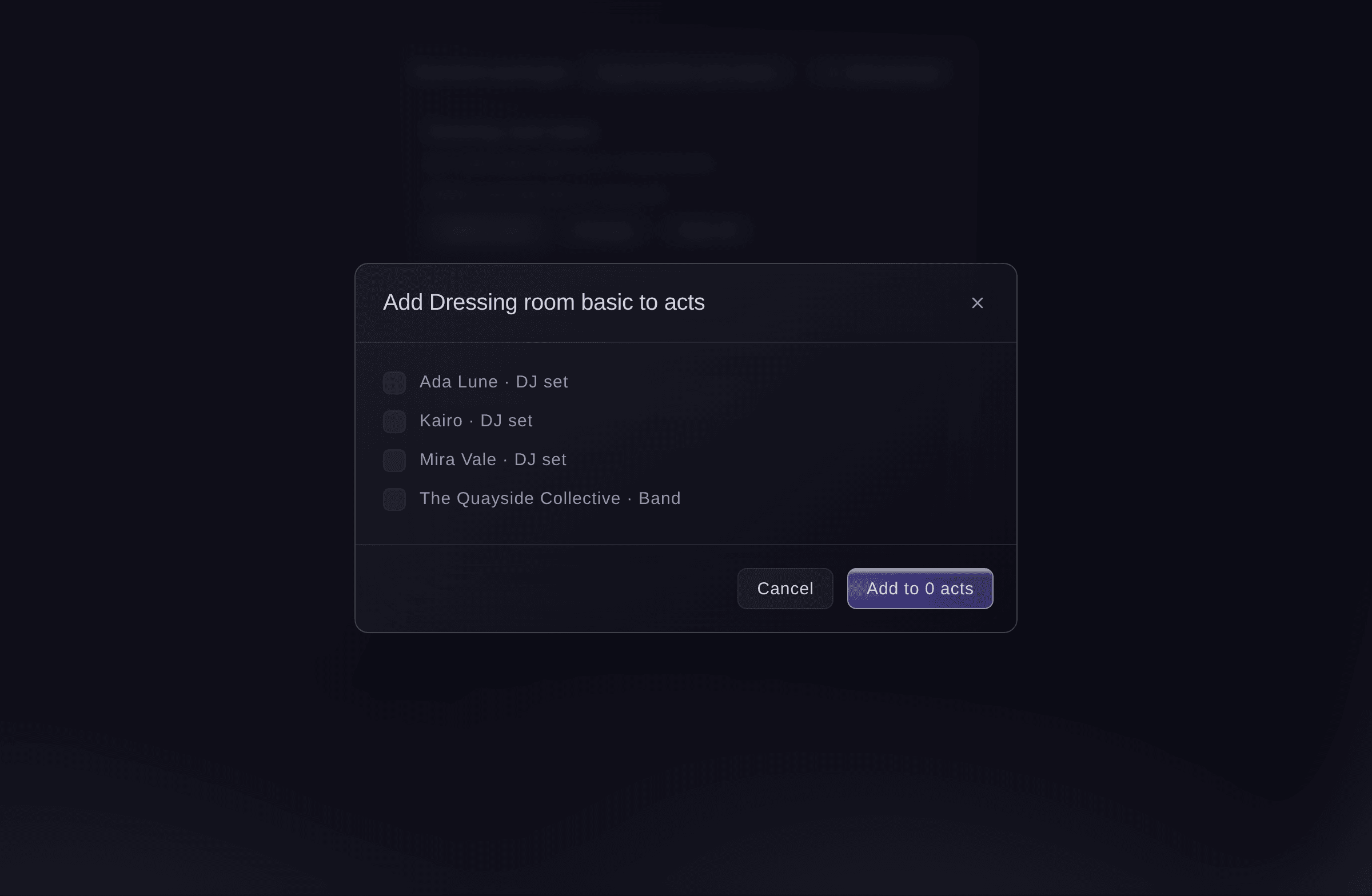
Add a package to acts. -
Copy another act's items
Optional: select Copy another act's items, choose Copy from and Copy to, then select Copy.
Note: Use it for an act that asks for the same as another, such as the second DJ of a back-to-back set.
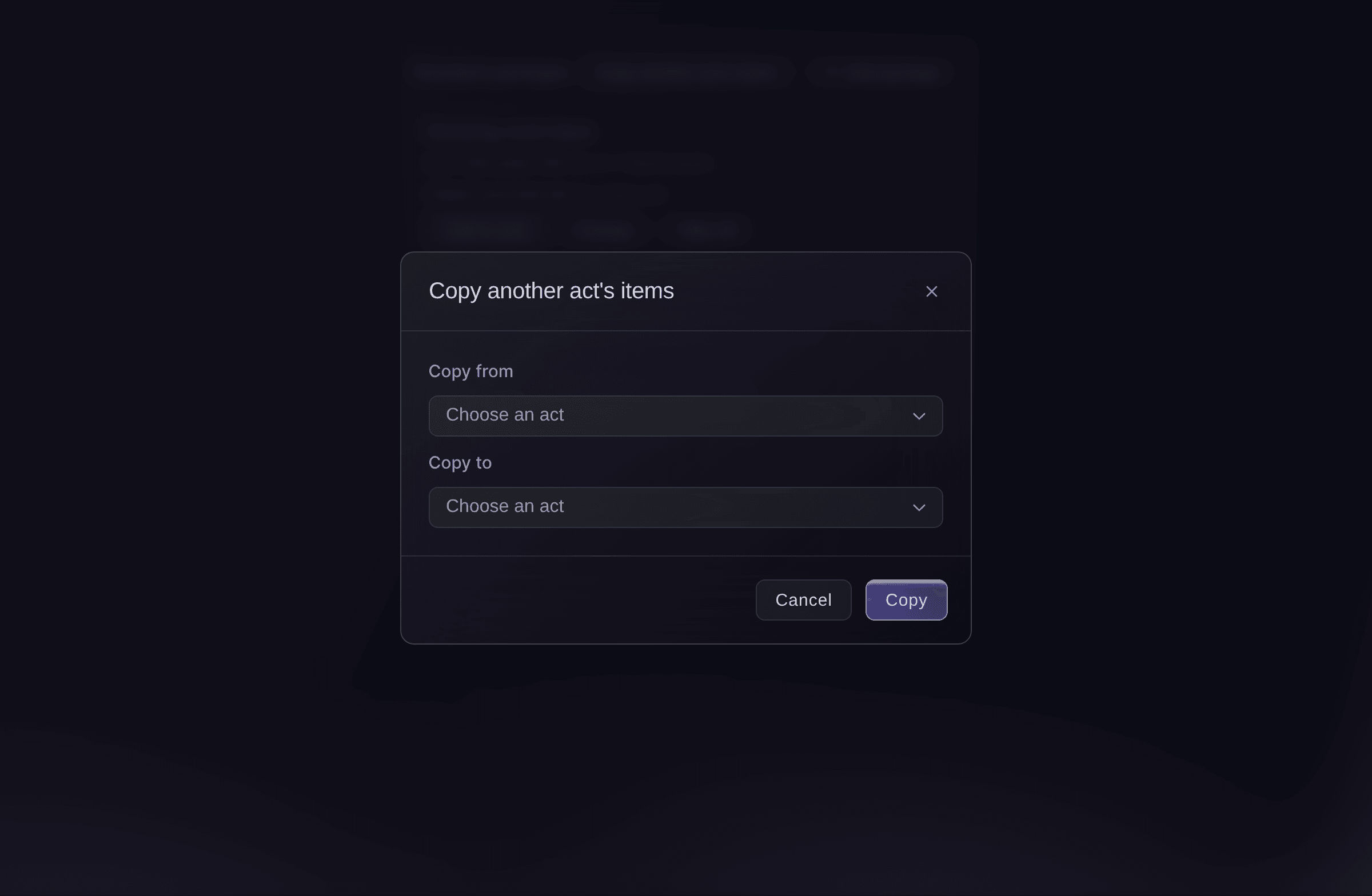
Copy another act's items. -
See what to buy each day
Choose By day above the list.
Note: Each day lists what to buy and which dressing room or stage it goes to. Select Print on a day for the runner's shopping sheet.
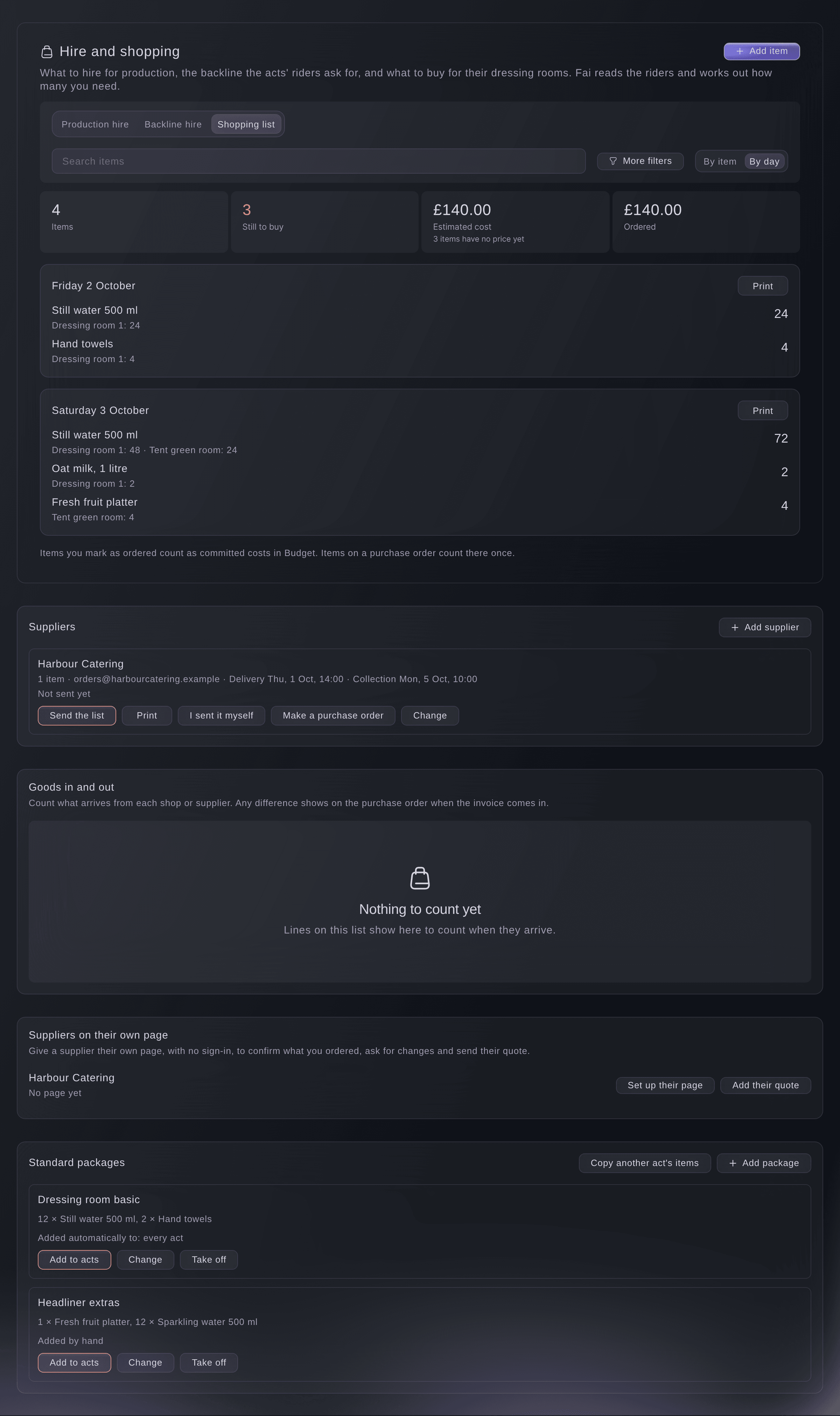
What to buy, day by day. -
Mark what you have bought
Open an item, then select the next step under Where the order stands, such as Mark as Ordered.
Note: An item goes from To buy to Ordered, Confirmed and Delivered. Items with a price count as committed costs in Budget once you mark them ordered.


Try these steps on your own event
Create a free account, build your event and follow the steps above in your own dashboard. It takes a few minutes and you do not need to book a sales call.
No setup fees. No required monthly ticketing fee. No credit card required.
Or have it done for you
Fai reads the shopping list by item or by day, and adds, changes or takes off an item when you ask. She shows you each change and waits for your yes first. Packages and copying another act's items are set up in the dashboard.
In your dashboard, with Fai
What do we need to buy for the dressing rooms at <EVENT NAME> on Saturday?
Let Fai do it for you
Fai works inside your Ticket Fairy dashboard. Create your account, open Fai and paste the prompt above.
No setup fees. No required monthly ticketing fee. No credit card required.
Questions you might have
- An act's rider changed. Do I update the list?
- No. Fai reads the rider again and updates the list, and says when it is reading. An item your team changed by hand keeps your version and is marked for you to review.
- Why is an item for every day an act plays?
- Things on a shopping list get used up, so every day's amount is added together rather than reused.
- Can I send the shopping list to a caterer?
- Yes. Choose the caterer as the supplier on the items, then send them the list from Suppliers under the items.
- What happens when I remove a package?
- Acts that got it automatically lose its items, unless your team changed them. Items you added to acts by hand stay.
Still have a question?
Book a demo and we will answer it on a call, on your kind of event. Or create your account and see it for yourself.
No setup fees. No required monthly ticketing fee. No credit card required.
Related guides
Do this on your own event
Create your account, build your event and follow the steps in your own dashboard. You do not need to book a sales call.