
Playbooks by event type
Run ticketing for events at your bar or small venue
Bars, lounges, rooftops, restaurants and small rooms put on quiz nights, live music and DJ sets beside their everyday trade. You can set a night up once, copy it for the next date and let a bartender scan tickets at the door from their own phone. The guests who come end up on a list you can invite back to your next event.
Start each event from a template, keep free RSVPs honest with a refundable deposit, take table bookings, sell tickets on your own website, give your bar staff a door login and turn the people who come into a list you can invite back.
- For
- Bars, lounges, rooftops, restaurants and small rooms that put on events beside their everyday trade
- Takes
- 14 minutes
Before you start
- You're a brand owner or admin. You can create events, change tickets and tables, and invite your team.
- You know your room's capacity and whether each night is free with a deposit or has a ticket price.
- You have a Mailchimp account if you want the people who buy tickets added to your mailing list.
-
Start the night from a template
Select Create Event and choose the template that matches the night.
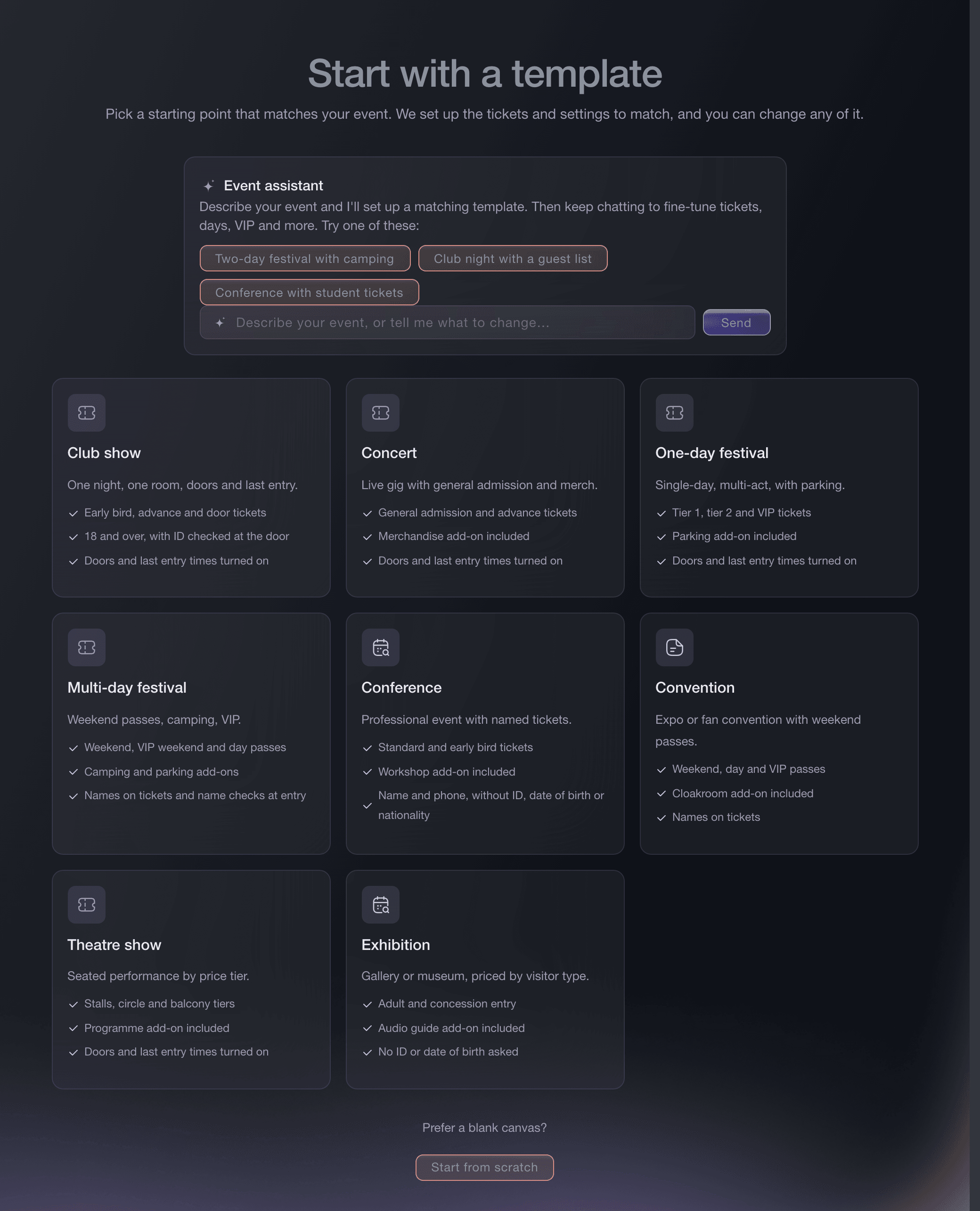
Create Event, template gallery. -
Keep a deposit on every free RSVP
If the night is free, open Tickets and turn on I confirm that tickets not scanned in time are charged beside the Freefund setting, then save.
Note: Each admission ticket's price is its deposit. A guest whose ticket is scanned by the cutoff you choose gets it back, and a ticket nobody scans in time is charged.
Use Freefund to reduce no-shows at free and RSVP events
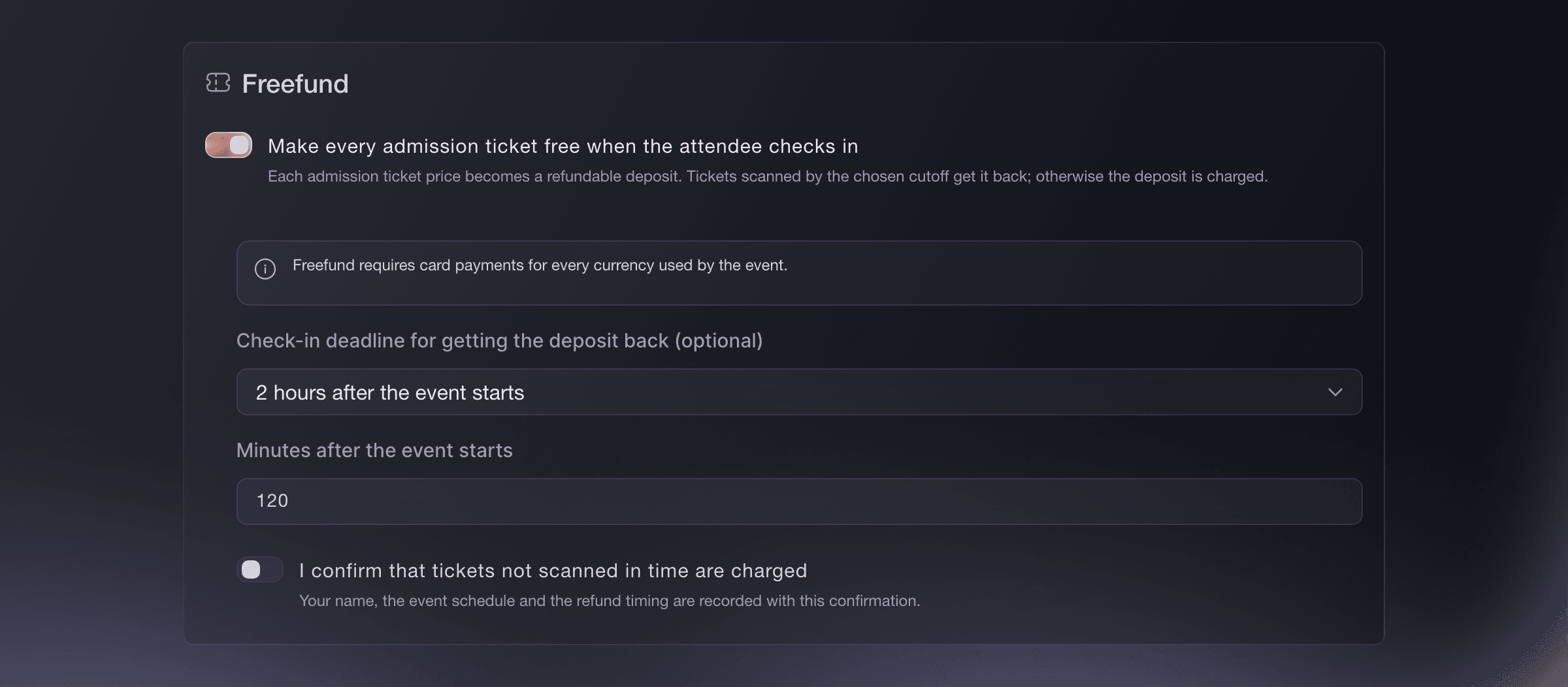
Tickets, Freefund. -
Take bookings for your tables
Optional: On Tickets, select Create under Table Types for each table or booth, with its price, party size and the deposit taken online.
Note: Every table booking asks the buyer for an identity check, and we charge the online share once they pass it. You collect the rest at the venue.
Sell VIP tables and bottle service through your promoters
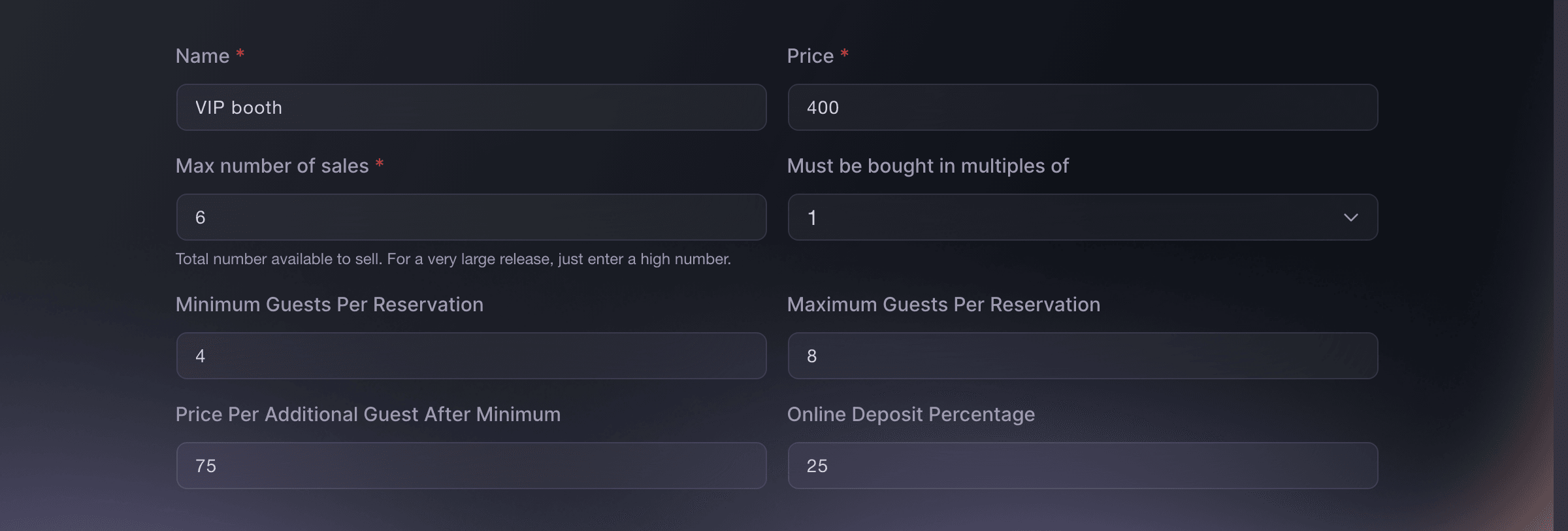
Tickets, Table Types, Create. -
Sell tickets on your own website
Optional: Open the event, choose Embed and copy the snippet for a buy button, the full checkout or a list of your upcoming events.
Note: Buyers then choose tickets, pay and receive their confirmation without leaving your website.
Can you sell tickets directly from your own website?
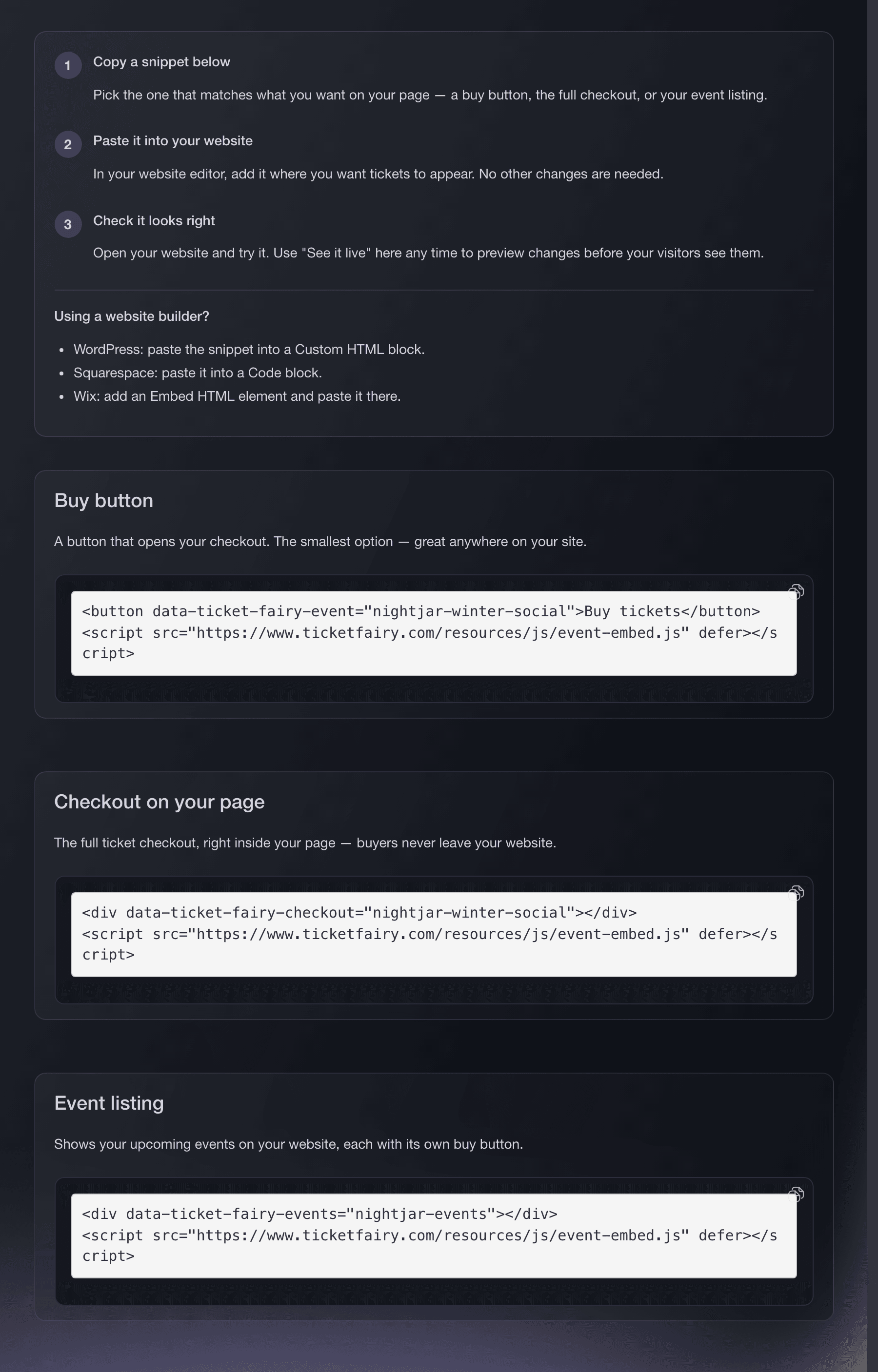
Website Embeds, Install. -
Give your bar staff a door login
Open Team on your brand, select Add Team Member and invite whoever works the door as Door Staff.
Note: A Door Staff login reaches the scanning app and nothing else in your dashboard, so a bartender can scan tickets from their own phone.
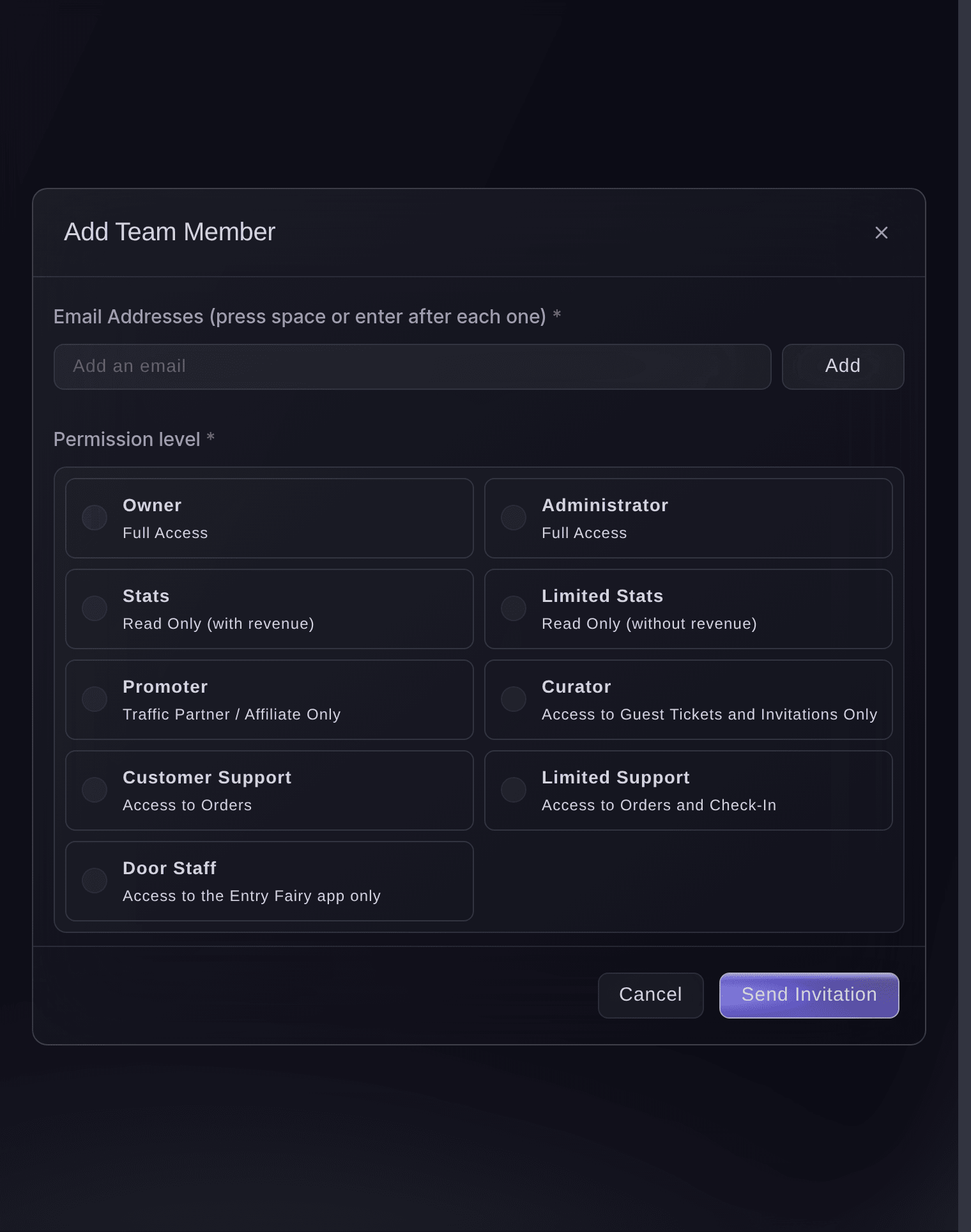
Brand, Team, Add Team Member. -
Copy the night for its next date
In Events, open the menu on the night and choose Duplicate Event, then enter the new name, date and web address.
Note: The copy keeps the ticket types, table types and settings, and stays a draft until you publish it.
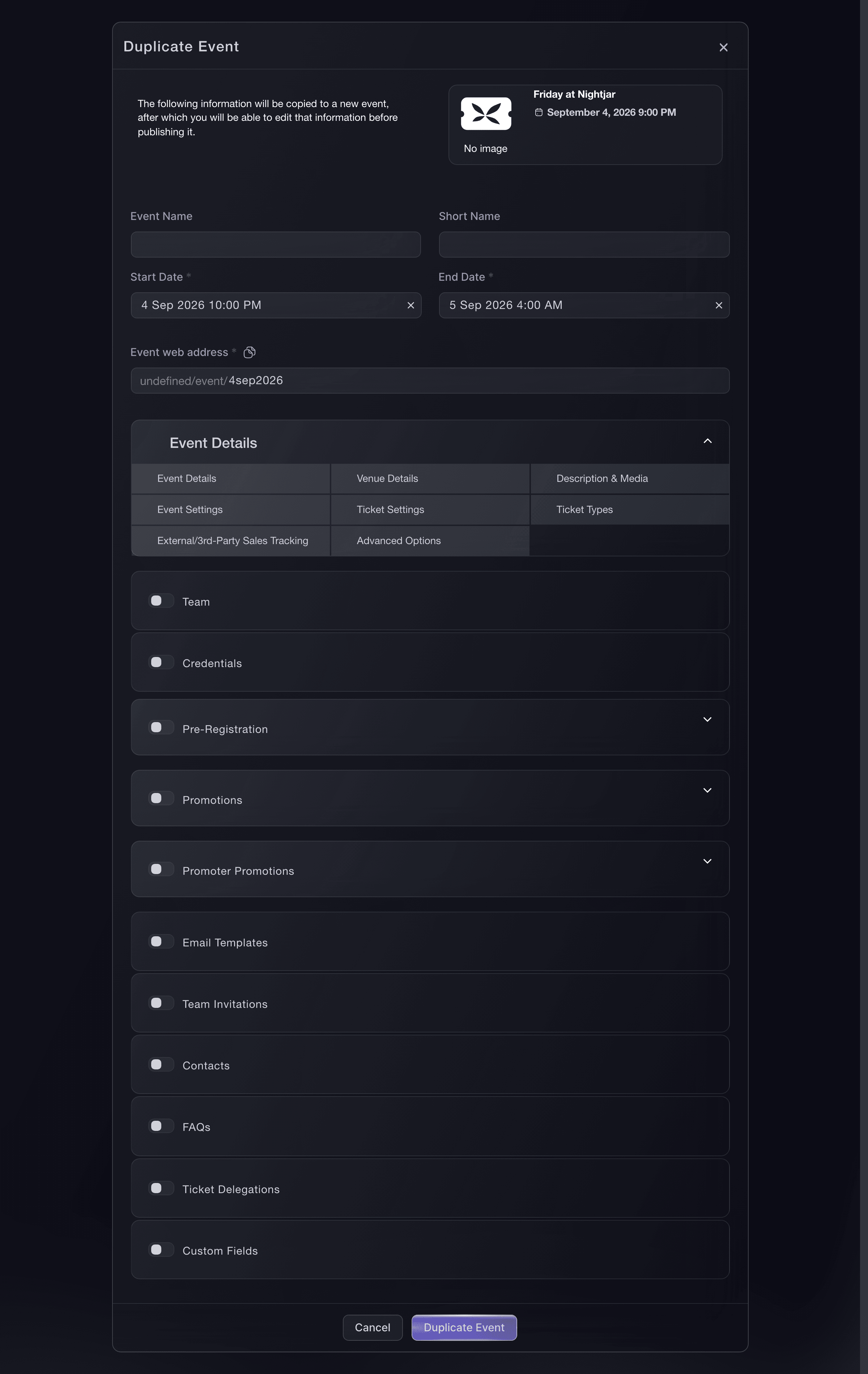
Events, Duplicate Event. -
Add your guests to your mailing list
Open Integrations on your brand, select Connect on the Mailchimp card, then choose the audience buyers join. Buyers who agree at checkout to hear from you are then added to it.
Sync your ticket buyers to Mailchimp
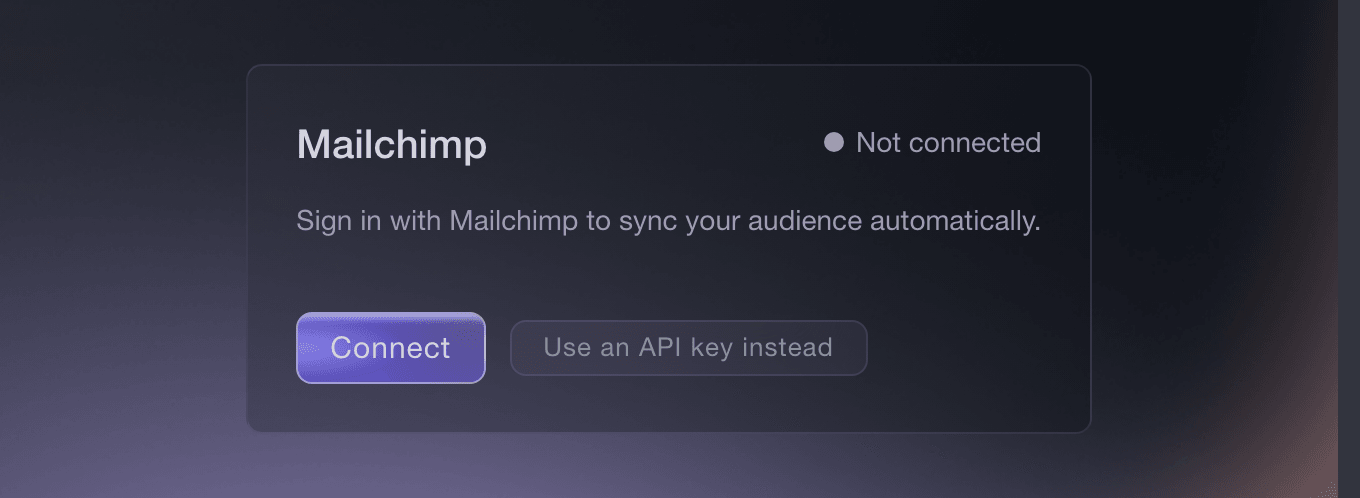
Brand, Integrations. -
See who keeps coming back
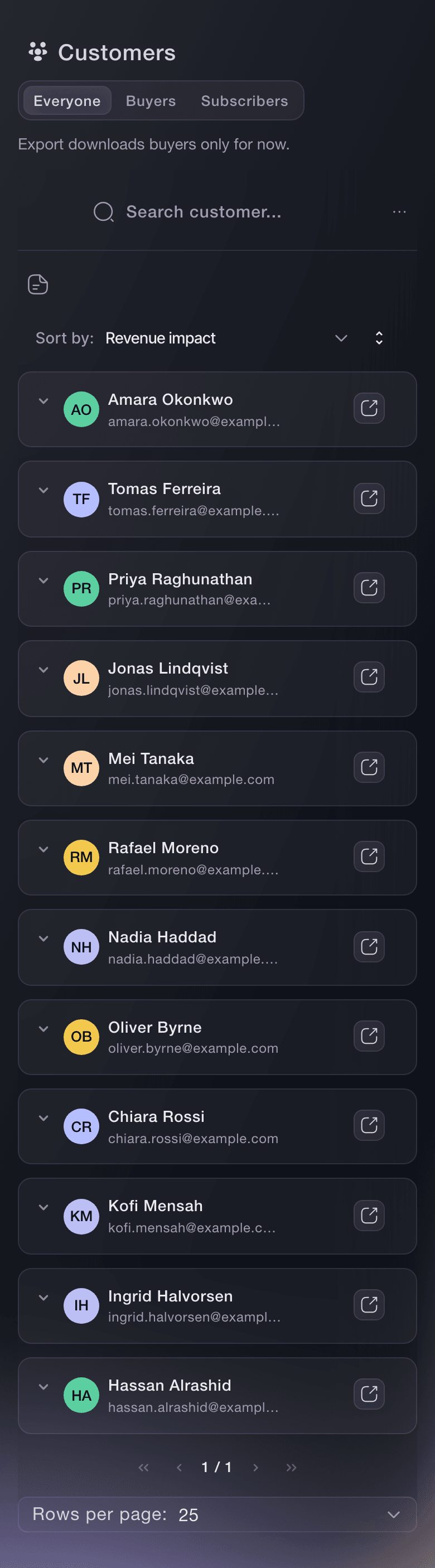
Open Customers on your brand. Each row is one person, with # of events showing how many of your events they have bought for and what they spent.
Note: Complimentary tickets do not add the recipient to Customers.
Understand who buys tickets across your events
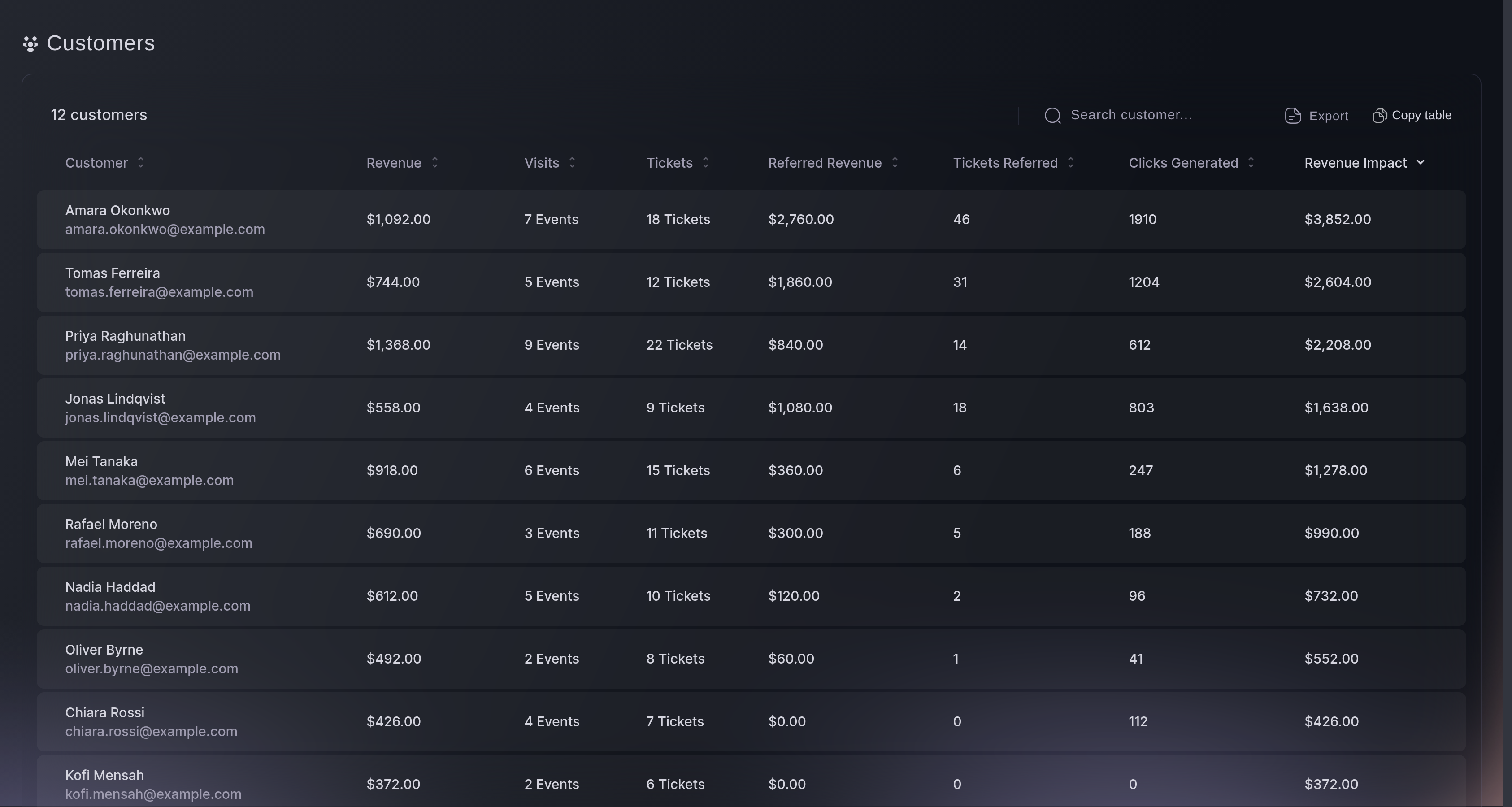
Customers, the list.



Try these steps on your own event
Create a free account, build your event and follow the steps above in your own dashboard. It takes a few minutes and you do not need to book a sales call.
No setup fees. No required monthly ticketing fee. No credit card required.
Or have it done for you
Fai, the assistant inside your dashboard, can start a night from a template, turn on the refundable deposit for free RSVPs, create your table types, copy a night to a new date, invite your door staff and find the people who keep coming back. She shows you each change and asks you to approve it first.
In your dashboard, with Fai
Set up a free quiz night at <VENUE> on <DATE> for <CAPACITY> people with a <DEPOSIT> refundable deposit on each rsvp, and show me the setup before you create it
From your terminal
Install the CLI from our CLI page, sign in with ticketfairy auth login, and choose the brand you are working on with ticketfairy brand use <BRAND_ID>. ticketfairy brand list and ticketfairy event list show the IDs the other commands use.
Use the command line to copy a night for its next date, add a table type, publish it and list the people who buy from you. The refundable deposit, your website checkout, the door logins and the Mailchimp connection are set up in the dashboard.
Copy last week's night as a draft with its ticket and table types, team, promotions, emails, contacts and FAQs. Enter the start and end as local date and time, such as 2026-10-10T22:00:00; sale windows and door times move by the same number of whole days.
ticketfairy event clone <EVENT_ID> --body '{"data": {"displayName": "<NEW EVENT NAME>", "slug": "", "shortName": "", "startDate": "<NEW START>", "endDate": "<NEW END>", "ticketTypes": true, "team": true, "credentials": false, "preRegistration": false, "promotions": true, "delegations": false, "emailTemplates": true, "contacts": true, "faqs": true}}'
Add a booth that takes a 25% deposit online.
ticketfairy table create <EVENT_ID> --body '{"displayName": "Booth", "price": 20000, "maxInventory": 4, "minGuests": 4, "maxGuests": 6, "guestPrice": 4000, "depositPercent": 25}'
Publish the night.
ticketfairy event publish <EVENT_ID>
List the people who have bought tickets from your brand.
ticketfairy customer list
Let Fai do it for you
Fai works inside your Ticket Fairy dashboard. Create your account, open Fai and paste the prompt above.
No setup fees. No required monthly ticketing fee. No credit card required.
Questions you might have
- What happens to a guest's deposit if they don't turn up?
- We charge it. A ticket that is not scanned by the cutoff you chose keeps its deposit, and a guest who arrives after the cutoff still gets in without the deposit coming back.
- Can a group book a table online and pay the rest at the bar?
- Yes. Set the online deposit below 100%, and we charge that share online once the buyer passes the identity check, while you collect the balance at the venue. Our booking fee is charged on the amount paid online, not on the balance.
- Do I need a separate door team?
- No. Anyone on your staff can scan tickets from their own phone with a Door Staff login, which reaches the scanning app and nothing else. Each login puts a name against every admission.
- Do I have to set up the same night again every week?
- No. Duplicate last week's night and change the name, date and web address. The ticket types, table types and settings come with it, and the copy waits as a draft until you publish it.
- Can people who bought a ticket hear about my next event?
- Yes, when they agreed at checkout to hear from you and your brand is connected to Mailchimp. They join your audience there, and your campaigns reach them.
Still have a question?
Book a demo and we will answer it on a call, on your kind of event. Or create your account and see it for yourself.
No setup fees. No required monthly ticketing fee. No credit card required.
Related guides
Do this on your own event
Create your account, build your event and follow the steps in your own dashboard. You do not need to book a sales call.