
Playbooks by event type
Run ticketing for a county, state or renaissance fair
County, state and renaissance fairs sell family admission for several days, with rides, parking and grandstand shows on top, and hundreds of exhibitors and vendors to bring in each morning. You can price the gate for families, sell the extras in the same order, and let clubs and schools hand out their own exhibitor tickets.
Sell adult, concession and family admission to a county, state or renaissance fair, let a season pass in once a day, sell rides, parking and grandstand seats with the ticket, and get exhibitors, vendors and crew in on every day of the fair.
- For
- Selling admission to a county, state, agricultural or renaissance fair
- Takes
- 20 minutes
- Build the fair from the Exhibition template
- Let the season pass in once a day
- Sell ride wristbands, parking and grandstand seats with admission
- Spread arrivals with timed entry
- Take exhibitor and vendor applications
- Give exhibitors, vendors and crew a pass for every day
- Create a hidden Exhibitor ticket type
- Let a club or school hand out its own exhibitor tickets
- Open the on-sale at the minute you announced
- Put the scanning app on the entrance team's phones
- Follow arrivals on each day of the fair
Before you start
- You're a brand owner or admin. You can create events, change tickets and add-ons, set up delegations and publish.
- You know your opening days and hours, your adult, concession and family prices, and the rides, parking and shows you sell.
- You have the list of exhibitors, vendors, clubs, schools and crew who come in without buying admission.
-
Build the fair from the Exhibition template
Select Create Event, choose Exhibition and turn on Add a family ticket, which gives you Adult, Concession and Family admission with no ID or date of birth asked. Season pass on top adds a pass for visitors who come back on several days.
Note: Rename Concession to the rate you offer, such as Child or Senior, and remove the Audio guide add-on. A fair you ran last year is quicker to duplicate than to rebuild.
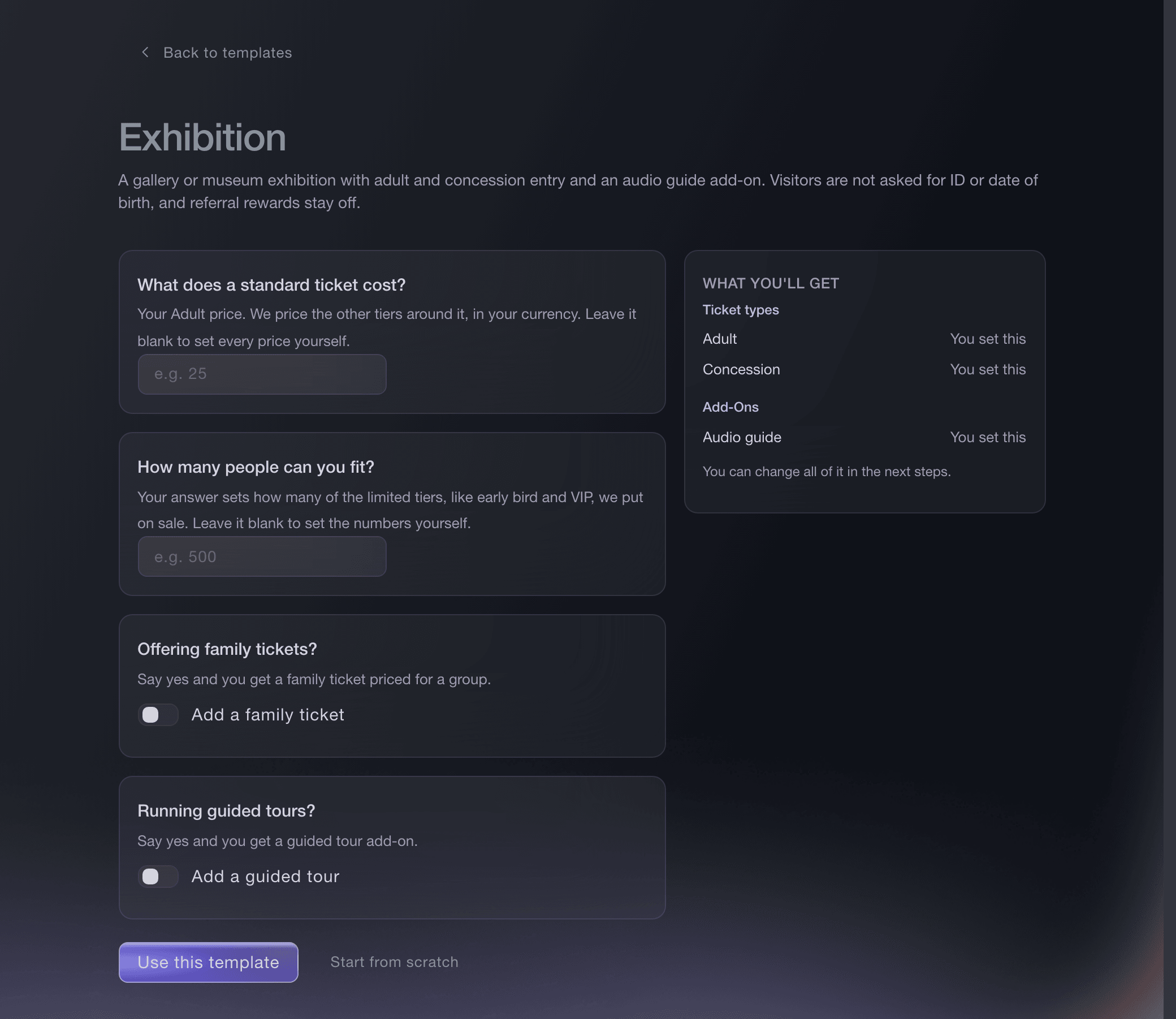
Create Event, Exhibition template. -
Let the season pass in once a day
On the Season pass, turn on Tickets can be scanned multiple times per event, choose Day and enter 1 in Max Scans. The pass then admits its holder once in each 24 hours, on every day the fair is open.
Note: A day ticket keeps the standard rule of one entry per event. Enter a higher number when visitors may leave the grounds and come back on the same day.
Set ticket entry and repeat-scan rules
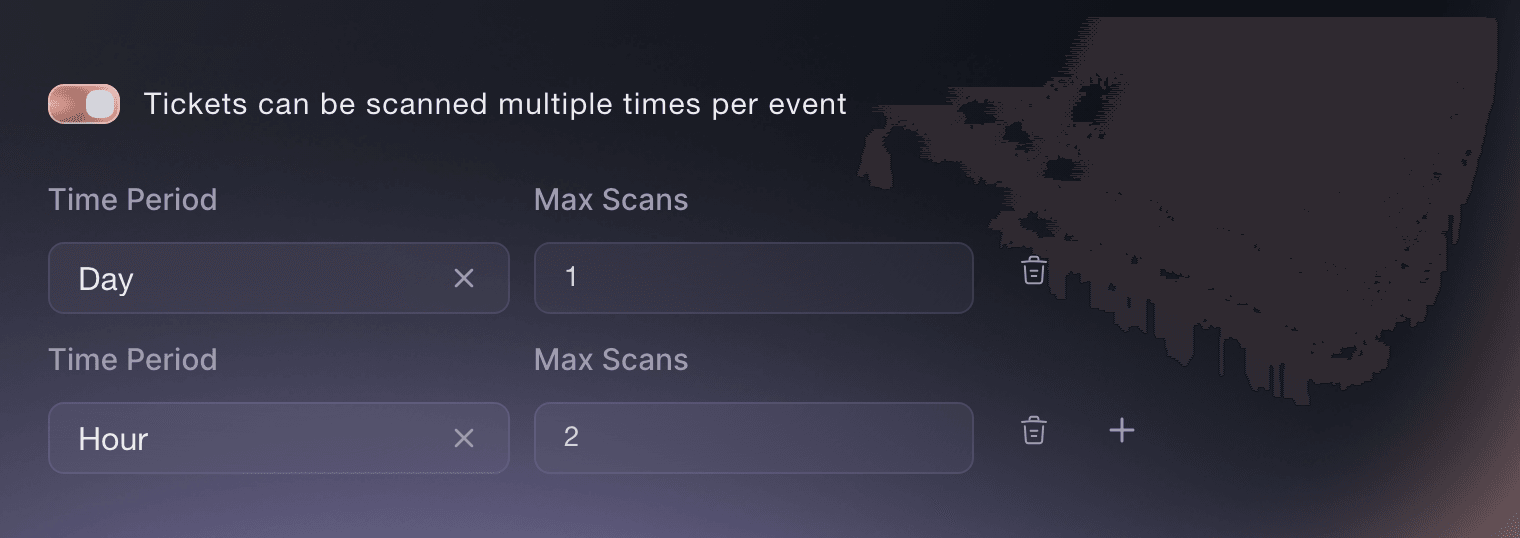
Tickets, ticket type, Ticket Rules. -
Sell ride wristbands, parking and grandstand seats with admission
Under Add-Ons, select Create Add-On for each extra, such as an unlimited ride wristband, a parking pass or a grandstand show seat, with its own price and stock. Visitors add them in the same checkout as their admission.
Note: Set a grandstand seat's stock to the seats you have, so it closes to buyers when the show is full.
Sell parking, camping and merchandise with your tickets
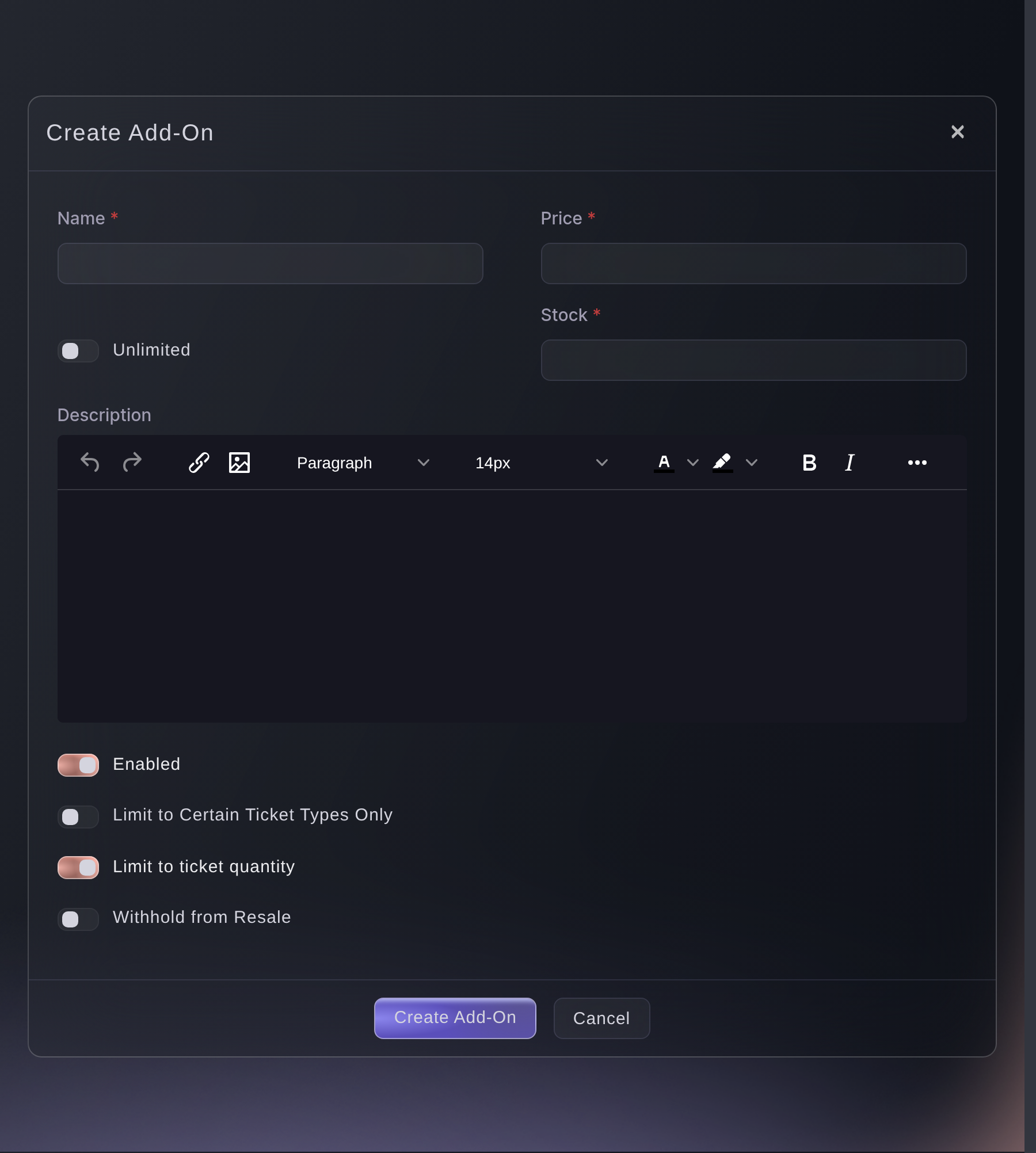
Tickets, Add-Ons, Create Add-On. -
Spread arrivals with timed entry
Optional: If you cap how many visitors arrive in each part of the day, give the admission ticket type time slots and set Max sales per slot to that number. Visitors then pick a date and an arrival time, and a full slot closes while the others stay on sale.
Note: Time slots are turned on for an event by Ticket Fairy, so ask us before you plan around them.
Sell timed-entry tickets for an attraction, exhibition or food event
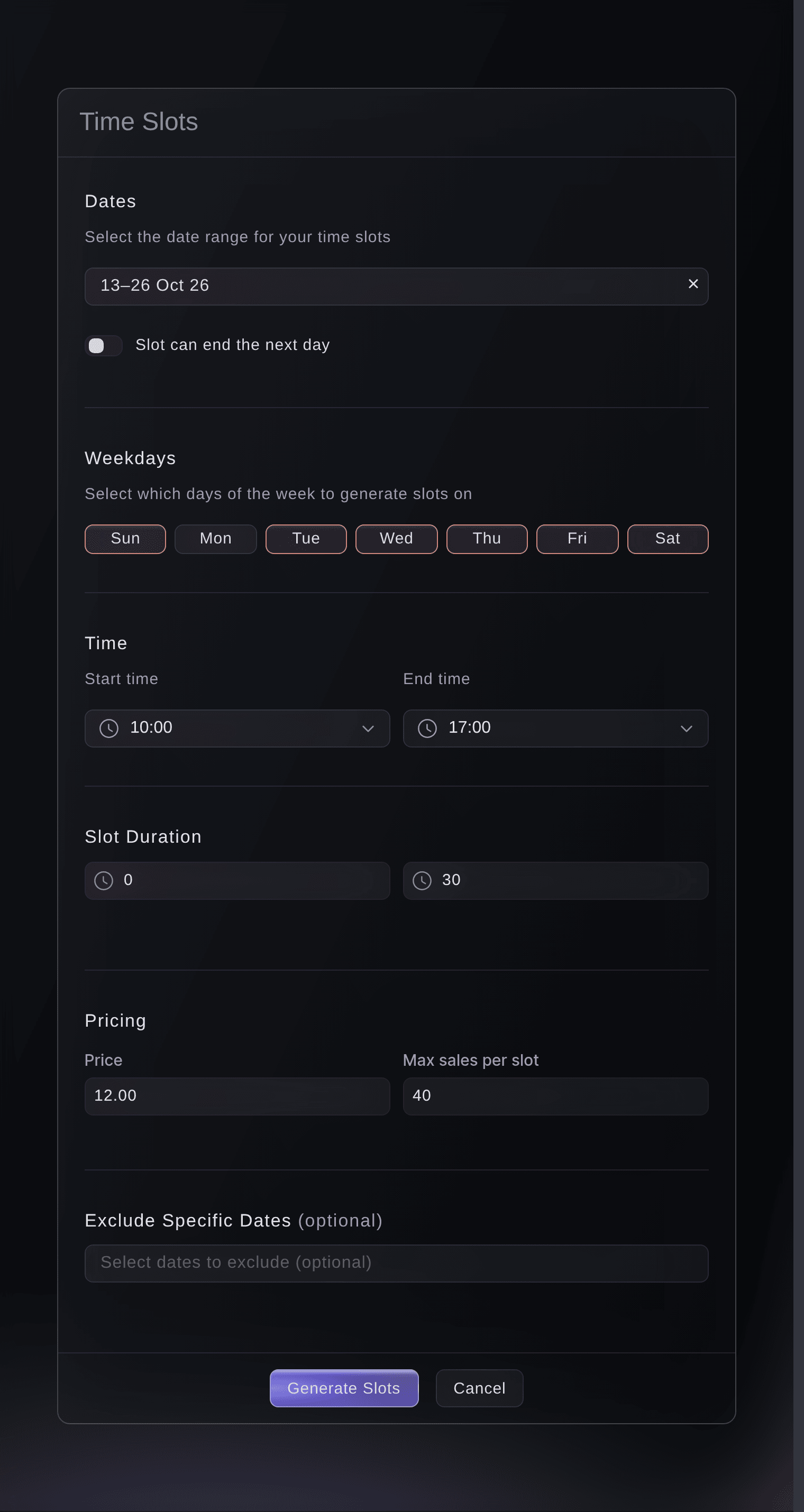
Tickets, Create Ticket Type, Generate time slots. -
Take exhibitor and vendor applications
Open Forms on the event and select Create Form for exhibitors and a second one for vendors. Every application arrives in one list with the same questions answered, ready for you to accept or decline.
Note: Once you accept an applicant, their row offers you a guest ticket or an invitation to buy for them.
Take act and trader applications for your event
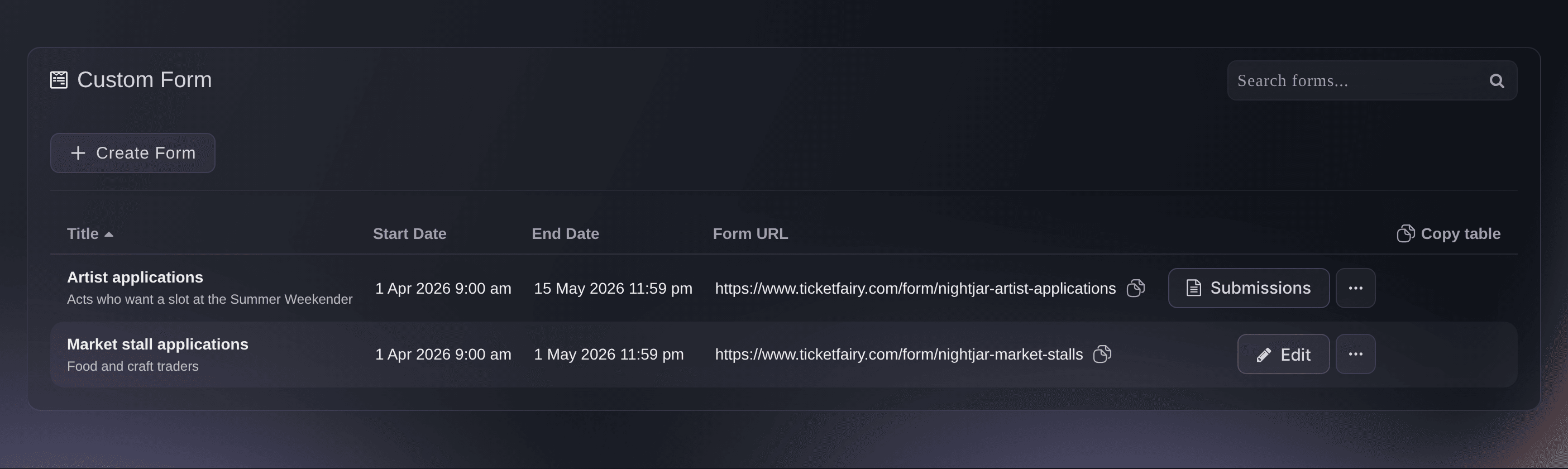
Event, Forms. -
Give exhibitors, vendors and crew a pass for every day
Open Multi-Entry Passes on your brand, create a pass type for exhibitors, vendors and crew, then add the people under Upload Recipients and send the passes. One pass carries its holder through every day of the fair and does not take a ticket out of your allocation.
Note: The maximum number of uses covers the whole fair rather than one day, so set it high enough for every trip in and out. We turn passes on for a brand, so ask us if the page is not in your menu.
Issue reusable event passes to crew and artists

Multi-Entry Passes, Create New Pass. -
Create a hidden Exhibitor ticket type
On the event's Tickets page, create a free ticket type named Exhibitor, then turn on Hidden and choose Always hidden. Exhibitor tickets then never appear on your public event page, so visitors cannot take one.
Note: Give it a daily scan rule, one entry per day, so one ticket works on every day of the fair.
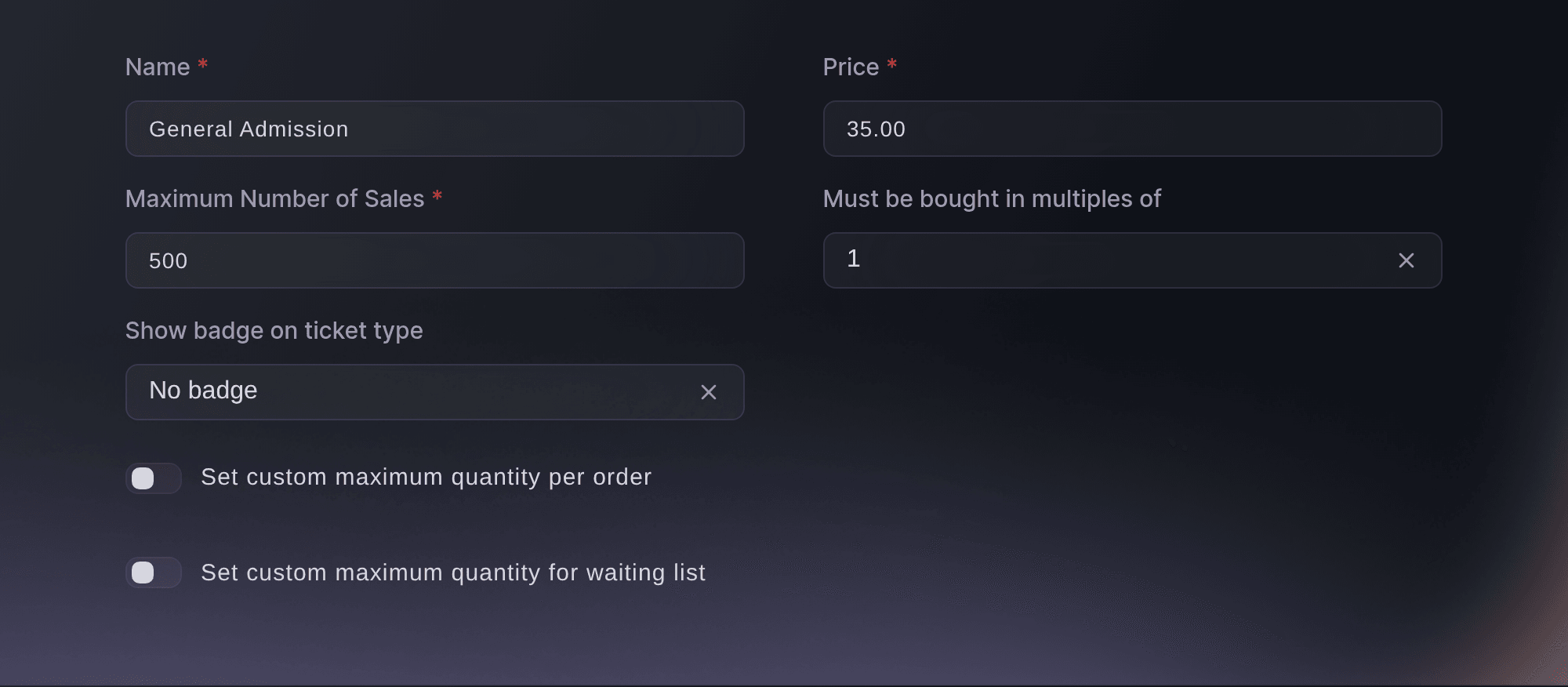
Tickets, Create Ticket Type. -
Let a club or school hand out its own exhibitor tickets
Open Delegations on the event and select Create Delegation for each club, school or association that shows at the fair, adding the Exhibitor ticket type as a Guest Ticket with the number it may hand out. The person you name on it adds their own exhibitors through one link, without a login to your event, and cannot go past the number you set.
Let a partner hand out their own tickets for your event

Event, Delegations. -
Open the on-sale at the minute you announced
Select Publish, then Schedule Publish, and choose the date and time your announcement promised. The fair page goes public at that minute in the event's own timezone.
Schedule when your event goes live
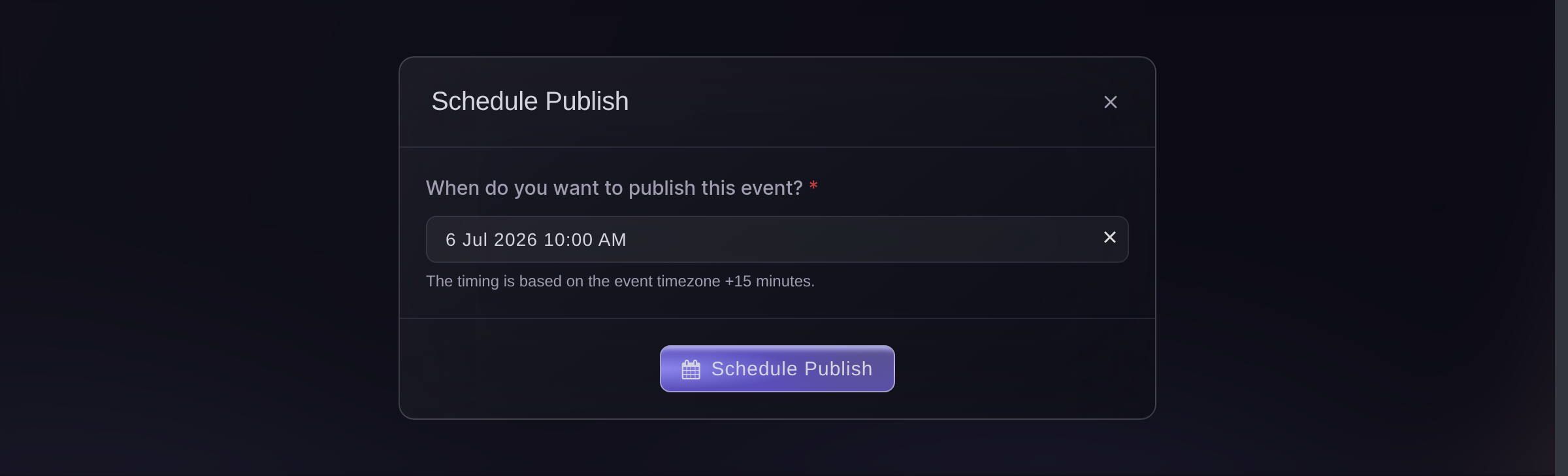
Publish, Schedule Publish. -
Put the scanning app on the entrance team's phones
Open Check-In and select Download App for the Entry Fairy links on both app stores. Each person scanning signs in with their own Door Staff login, so every admission carries a name.
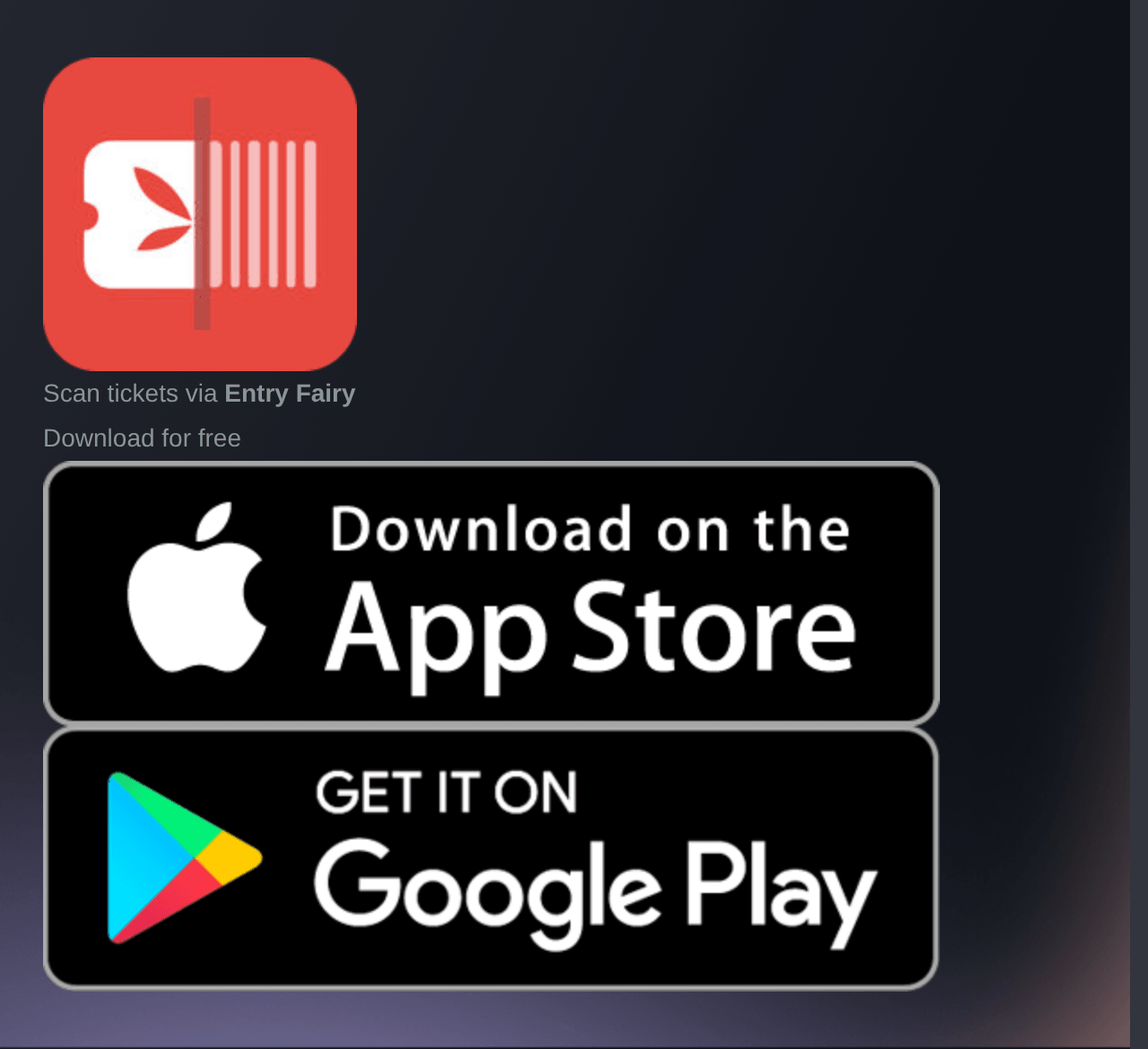
Event, Check-In, Download App. -
Follow arrivals on each day of the fair
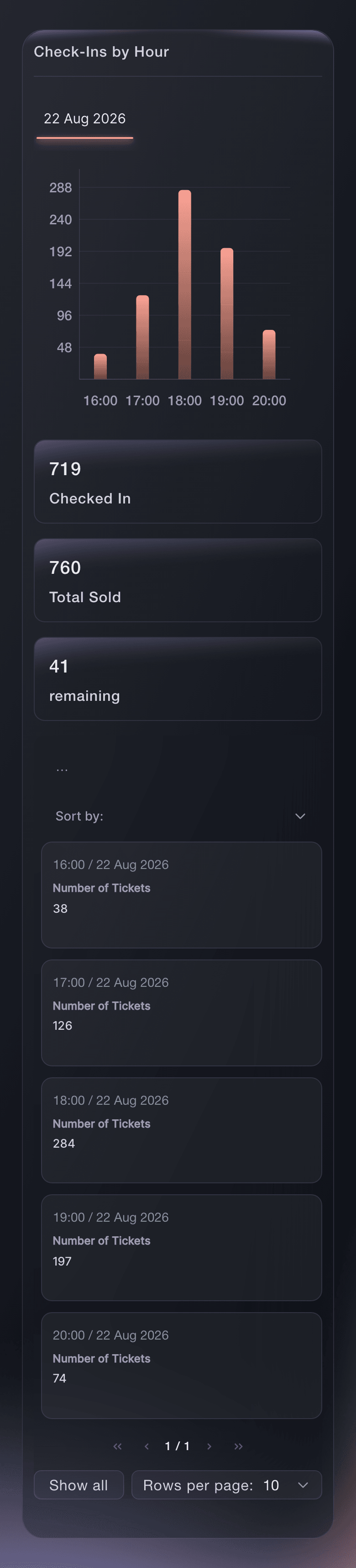
Open Check-In, select Hourly and pick the day. Arrivals by hour show you when the morning rush comes and when it has passed.
Note: The figures cover the whole fair rather than one entrance, so read them for when to add staff rather than where.
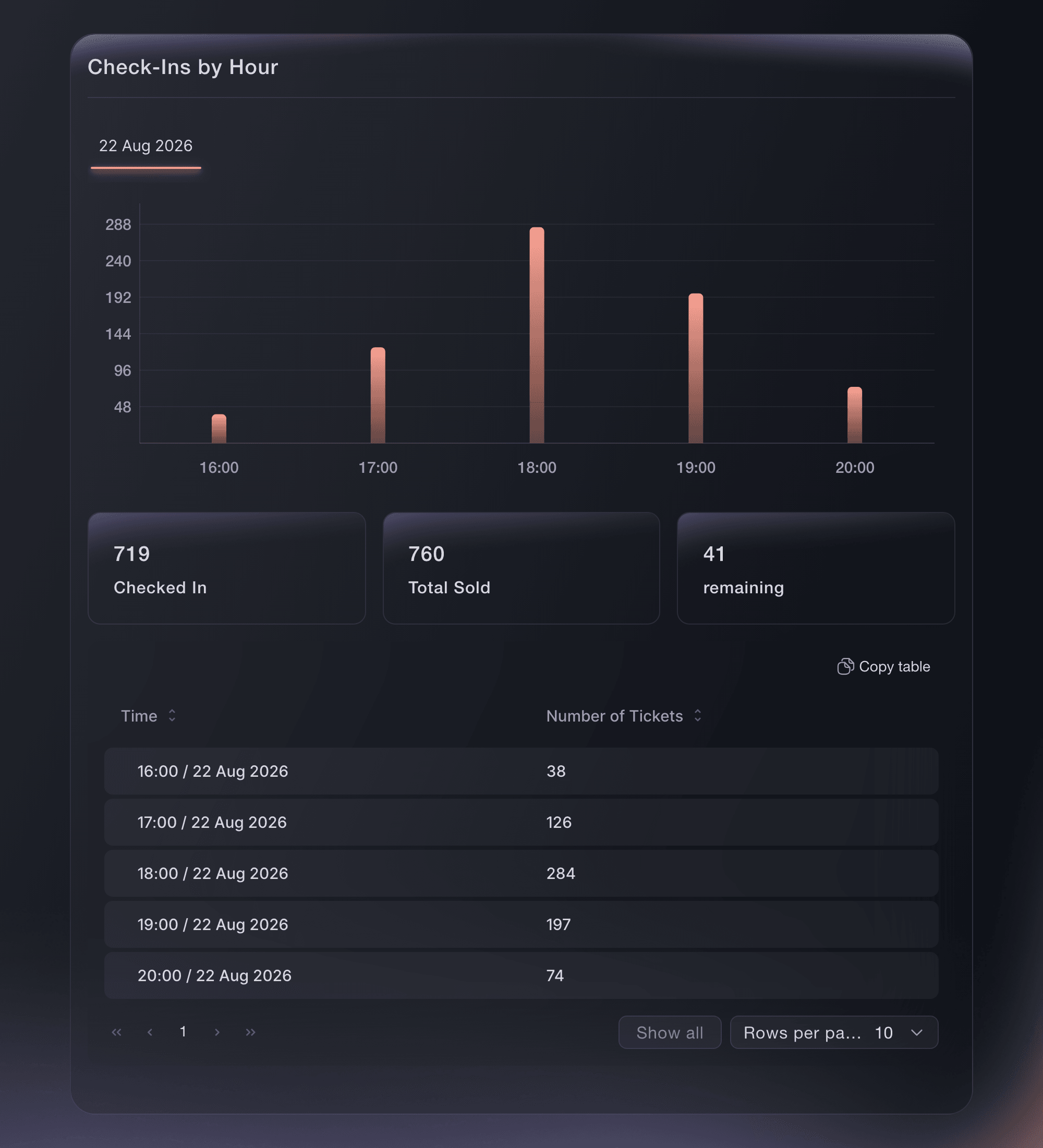
Event, Check-In.


Try these steps on your own event
Create a free account, build your event and follow the steps above in your own dashboard. It takes a few minutes and you do not need to book a sales call.
No setup fees. No required monthly ticketing fee. No credit card required.
Or have it done for you
Fai can build the fair from the Exhibition template, set the season pass to one entry a day, add rides, parking and grandstand seats, issue and send exhibitor passes, create the hidden Exhibitor ticket type and a delegation for a club or school, schedule the on-sale and report arrivals. She shows you each change and asks you to approve it before she makes it. Time slots and exhibitor applications are set up in the dashboard.
In your dashboard, with Fai
Help me set up ticketing for our fair <EVENT NAME>; ask about our opening days, adult, concession and family prices, a season pass, rides, parking and grandstand shows, exhibitors and vendors, and our on-sale date, then show me the proposed setup before changing anything
From your terminal
Install the CLI from our CLI page, sign in with ticketfairy auth login, and choose the brand you are working on with ticketfairy brand use <BRAND_ID>. ticketfairy brand list and ticketfairy event list show the IDs the other commands use.
Use the CLI to create the season pass with its once-a-day rule, the hidden Exhibitor ticket type and the ride and parking add-ons, publish the fair and read arrivals by day. Time slots, applications, passes and delegations are set up in the dashboard.
Create a season pass that admits its holder once in each 24 hours.
ticketfairy ticket create <EVENT_ID> --name "Season pass" --price 45 --max-inventory 2000 --scan-rule "day:1"
Create a free Exhibitor ticket type that never shows on your public event page and admits its holder once in each 24 hours.
ticketfairy ticket create <EVENT_ID> --name "Exhibitor" --price 0 --max-inventory 1000 --hidden --hiding-option always_hidden --scan-rule "day:1"
Create the ride wristband add-on.
ticketfairy addon create <EVENT_ID> --name "Unlimited ride wristband" --price 30 --quantity 5000
Publish the fair.
ticketfairy event publish <EVENT_ID>
Read arrivals for each day of the fair.
ticketfairy checkin status <EVENT_ID> --breakdown dates --output json
Let Fai do it for you
Fai works inside your Ticket Fairy dashboard. Create your account, open Fai and paste the prompt above.
No setup fees. No required monthly ticketing fee. No credit card required.
Questions you might have
- How does a family ticket work at the entrance?
- A family ticket is one ticket priced for a group, so it carries one barcode and is scanned once. Say in its description how many adults and children it admits, so buyers and your entrance team read the same rule.
- Can I sell a pass for the whole run of the fair?
- Yes. Add the season pass from the Exhibition template, or a ticket type of your own, and give it a daily scan rule. It then admits its holder once a day for as long as the fair is open.
- Is a grandstand show a separate event or an add-on?
- An add-on works when the show is part of a day at the fair: visitors buy their seat in the same checkout as admission, and the stock closes when the seats are gone. A show you sell to people who do not visit the fair suits an event of its own.
- How do I get hundreds of exhibitors in without a ticket each?
- Upload them as a CSV of first name, last name and email address under Upload Recipients, and each one receives a multi-entry pass. Where a club or school manages its own members, give it a delegation and let it hand out the tickets itself.
- Can visitors book an arrival time?
- Yes, once Ticket Fairy has turned on time slots for your fair. The admission ticket type then offers a calendar of dates and arrival times, each with its own capacity.
Still have a question?
Book a demo and we will answer it on a call, on your kind of event. Or create your account and see it for yourself.
No setup fees. No required monthly ticketing fee. No credit card required.
Related guides
Do this on your own event
Create your account, build your event and follow the steps in your own dashboard. You do not need to book a sales call.