
Playbooks by event type
Run ticketing for a fan convention
Comic, anime and gaming conventions sell weekend and day passes to fans, rent booths to traders and artists, and bring guests, press and volunteers through the same doors. Once the passes are set up, each one lets its holder in on the days it covers, and your door team scans fans, traders and crew with one app.
Build a comic, anime or gaming convention from the Convention template, group weekend and day passes, let a weekend pass in once a day, sell extras and exhibitor booths, take artist alley applications, and get guests, press and crew through the door.
- For
- Selling a comic, anime, gaming or fan convention from announcement to the doors
- Takes
- 20 minutes
- Build the convention from the Convention template
- Group the passes by the days they cover
- Let a weekend pass in once a day
- Sell merchandise, parking and extras with the pass
- Take artist alley and trader applications
- Price the exhibitor booth
- Send guest tickets to your guests and press
- Give crew, volunteers and traders a multi-entry pass
- Open the on-sale at the minute you announced
- Put the scanning app on the door team's phones
- Follow arrivals while the doors are open
Before you start
- You're a brand owner or admin. You can create events, change tickets, add-ons and table types, and publish.
- You know the days you run, what a weekend, day and VIP pass cost, and which extras and exhibitor booths you sell.
- You have the list of guests, press, crew and volunteers who come in without buying a ticket.
-
Build the convention from the Convention template
Select Create Event, choose Convention and turn on Add an exhibitor booth if you rent booths. The template builds a Weekend pass, a Day pass and a VIP pass with a name on every ticket, and Add a child ticket adds a discounted Child ticket.
Note: Each pass, the Cloakroom add-on and the booth are yours to rename, reprice or remove before you create the event. A convention you ran last year is quicker to duplicate than to rebuild.
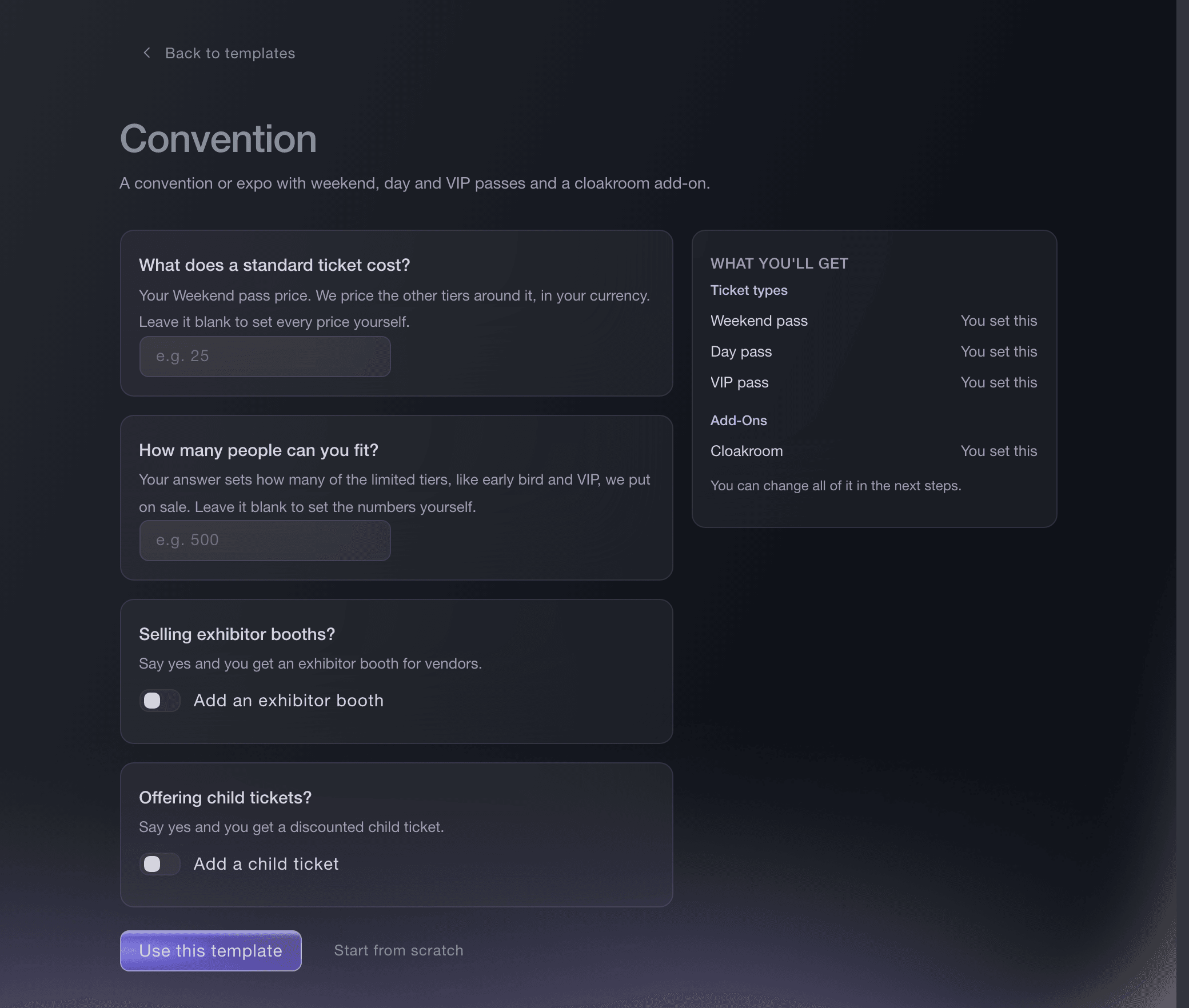
Create Event, Convention template. -
Group the passes by the days they cover
On the event's Tickets page, create a ticket category for Weekend and one for each single day, then put every pass and price release in its category. Fans then choose the days first and the price second.
Group your tickets into categories
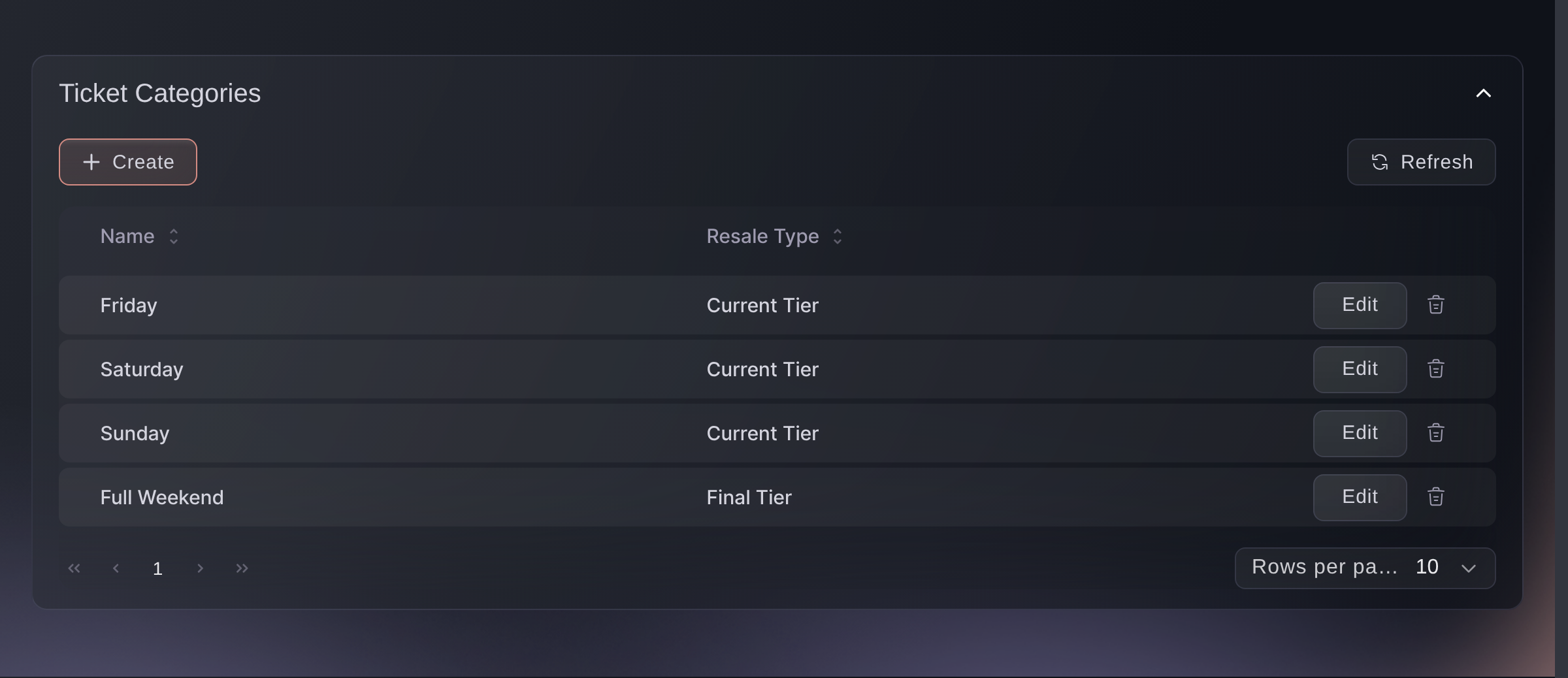
Tickets, Ticket Categories. -
Let a weekend pass in once a day
On the Weekend pass, turn on Tickets can be scanned multiple times per event, choose Day and enter 1 in Max Scans. The scanner then admits the pass once in each 24 hours, so one fan cannot pass it back over the barrier for a friend.
Note: A Day pass keeps the standard rule of one entry per event. Enter a higher number when fans may leave and come back during the day.
Set ticket entry and repeat-scan rules
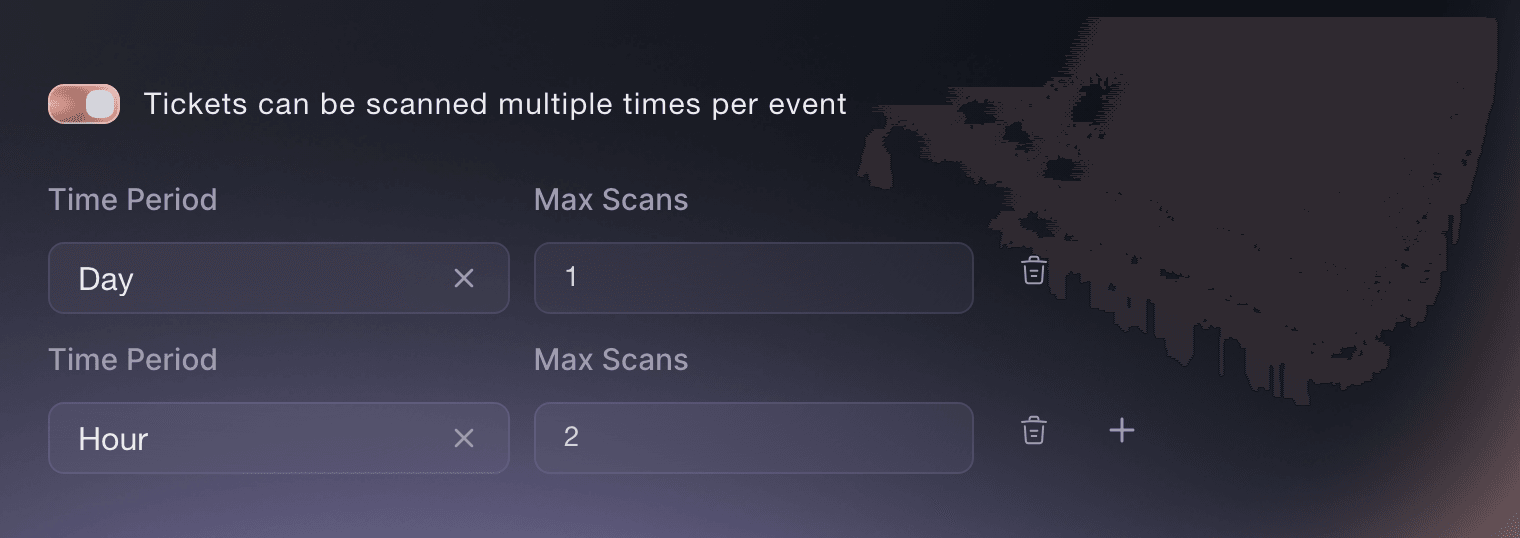
Tickets, ticket type, Ticket Rules. -
Sell merchandise, parking and extras with the pass
Under Add-Ons, select Create Add-On for each extra, such as a convention tote, a parking pass or the cloakroom, with its own price and stock. Fans add them in the same checkout as their pass.
Note: Limit an add-on to the passes it belongs with, so a Sunday-only fan is not offered weekend parking.
Sell parking, camping and merchandise with your tickets
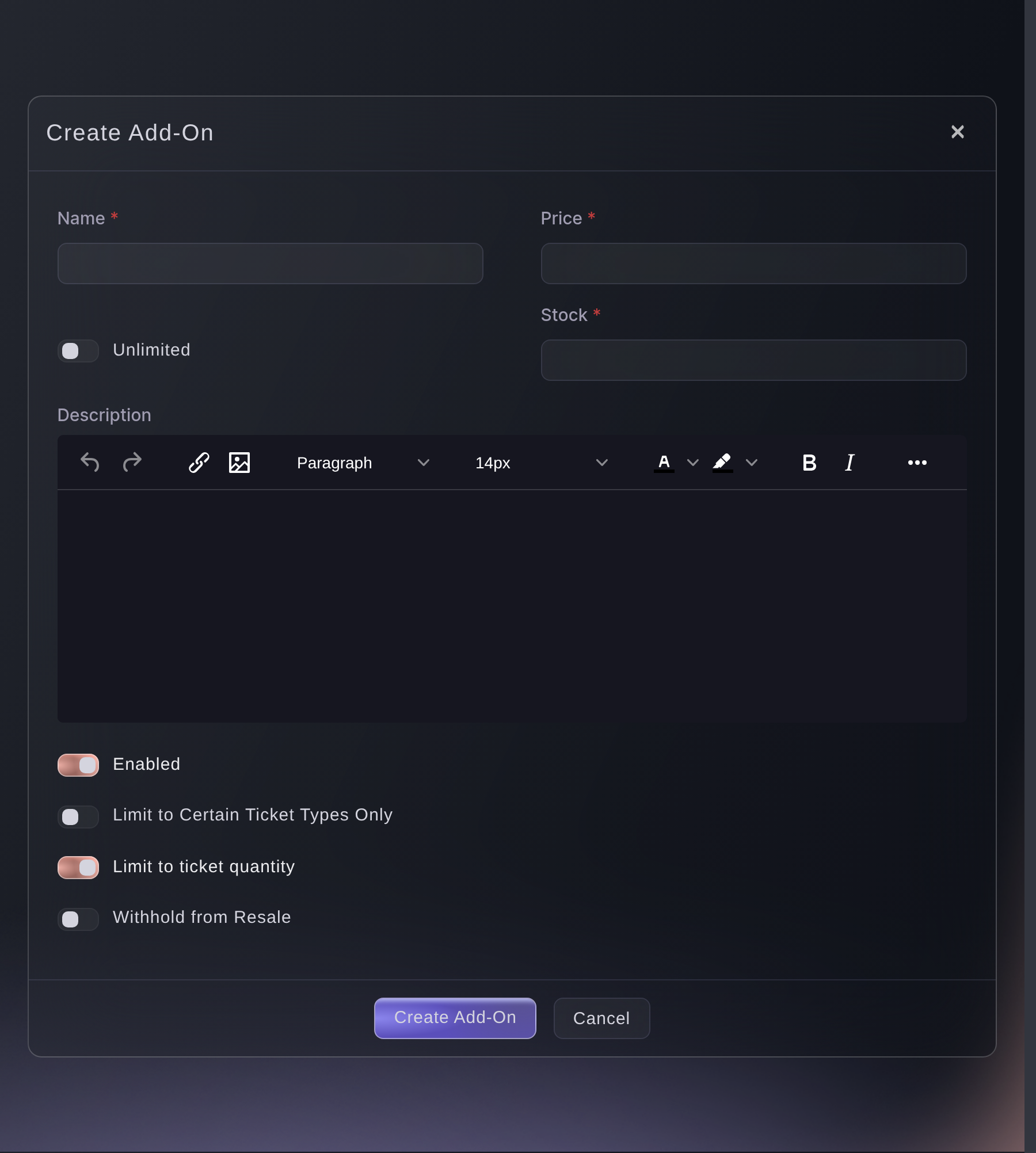
Tickets, Add-Ons, Create Add-On. -
Take artist alley and trader applications
Open Forms on the event and select Create Form for artist alley and a second one for traders. Every application arrives in one list with the same questions answered, ready for you to accept or decline.
Note: Once you accept an applicant, their row offers you a guest ticket or an invitation to buy for them.
Take act and trader applications for your event
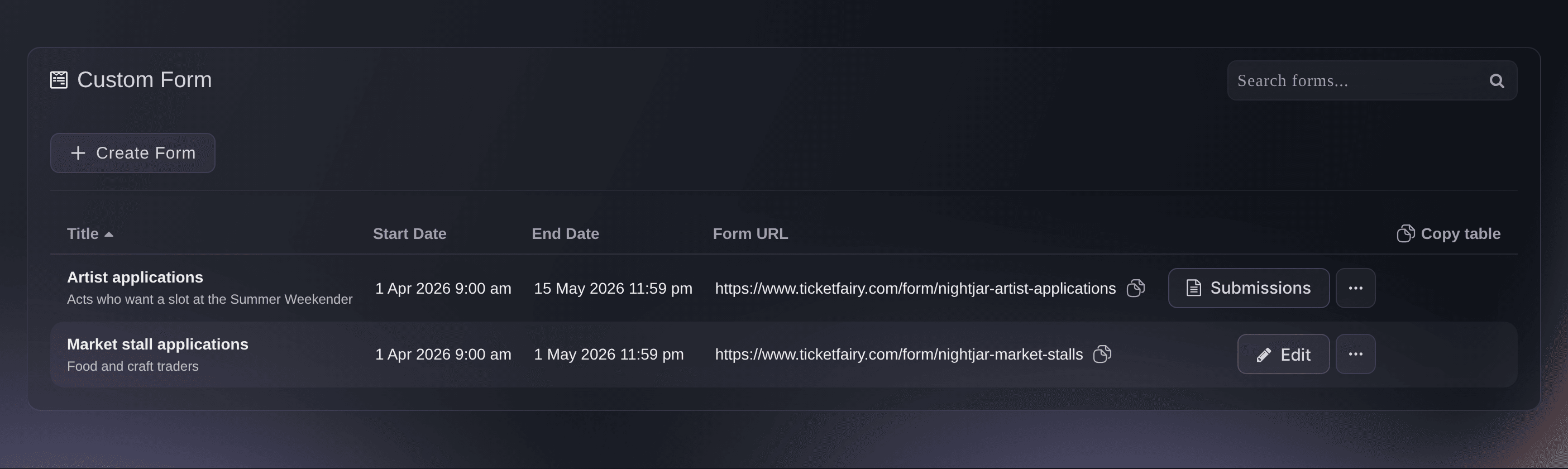
Event, Forms. -
Price the exhibitor booth
Open the Exhibitor booth under Table Types and enter its price, how many booths you have, the smallest and largest team one booking admits, and 100 in Online Deposit Percentage. With 100 there, we hold the whole booth price on the trader's card and charge it once they pass the identity check.
Note: After paying, each trader photographs an ID document and takes a selfie before their booking is confirmed. A trader who has passed the check before skips it.
Tip: Create a separate table type for each booth size or position with its own price, such as a corner booth or an artist alley table.
Sell VIP tables and bottle service through your promoters
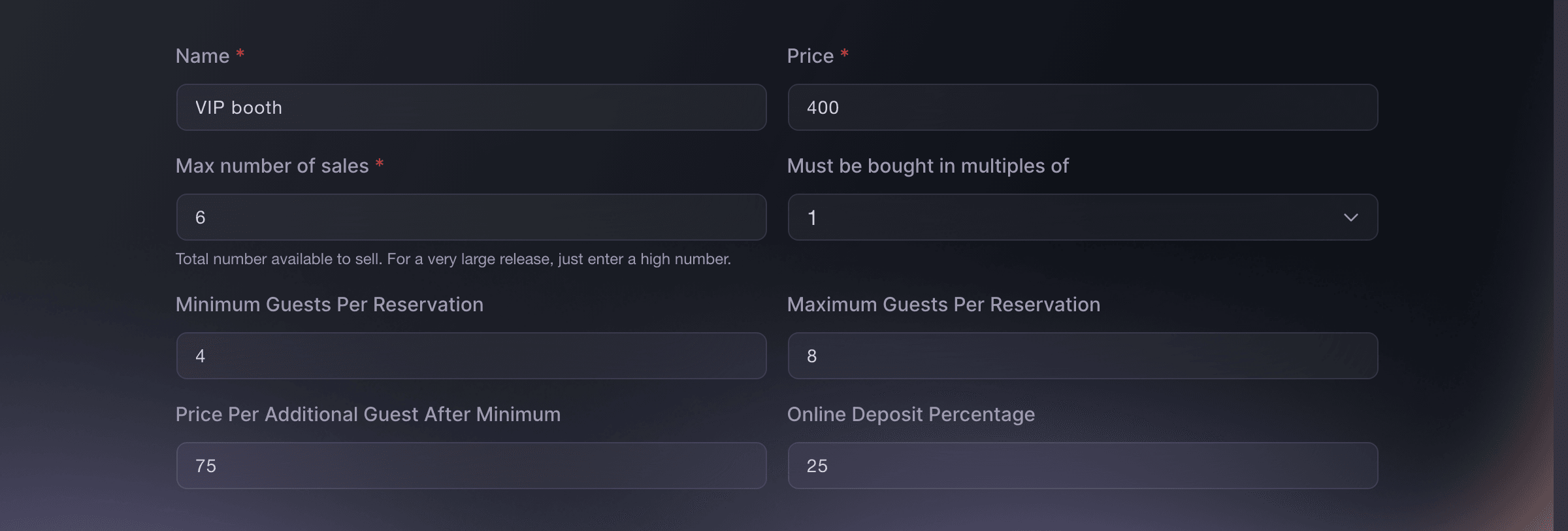
Tickets, Table Types. -
Send guest tickets to your guests and press
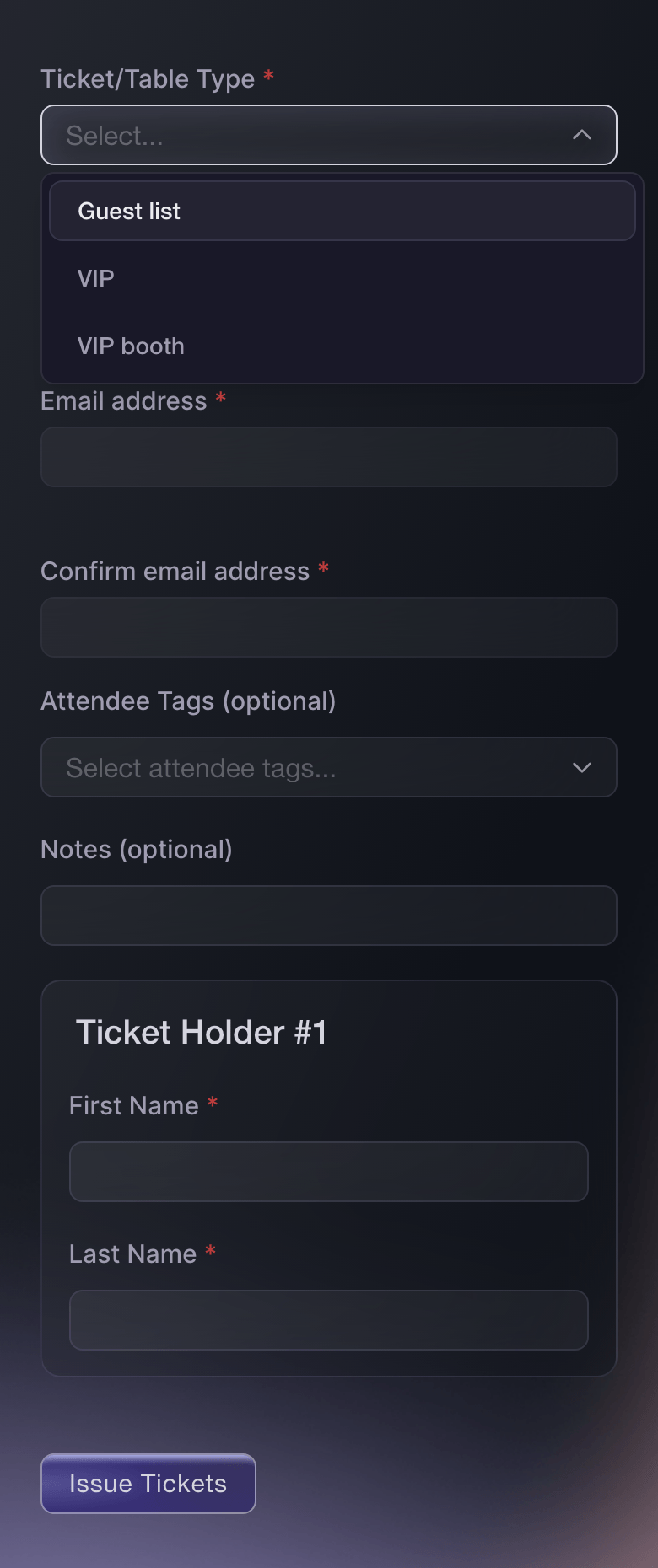
Open Guest Tickets, select Send Guest Tickets and send each guest, cosplay judge and journalist a ticket on the pass they should hold. They scan in like a paying fan, and the issued list records who sent each one.
Note: A guest ticket comes out of that pass's stock, so leave room in the allocation for the guests you invite.
Send free tickets to your guest list
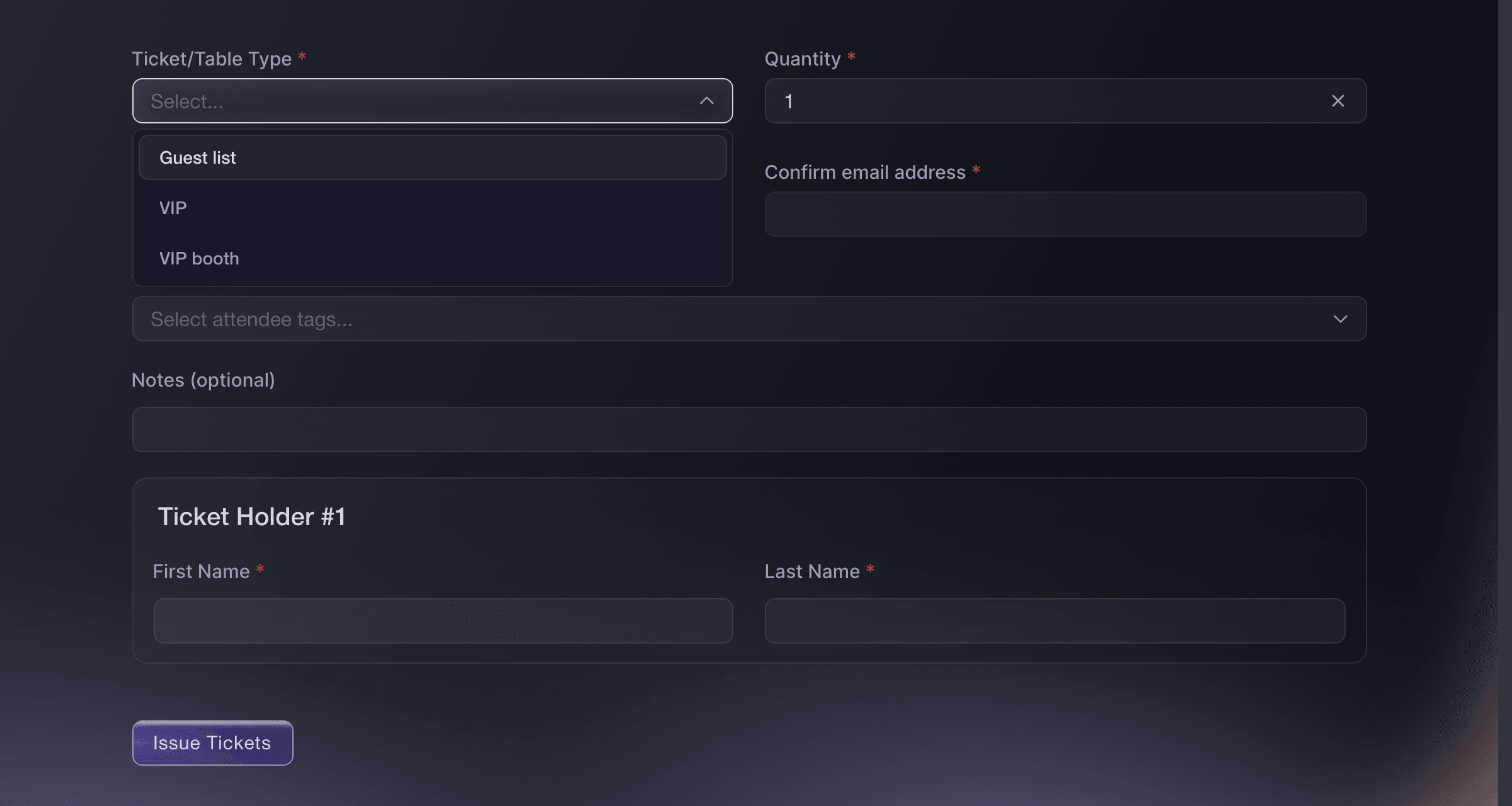
Event, Guest Tickets, Send Guest Tickets. -
Give crew, volunteers and traders a multi-entry pass
Open Multi-Entry Passes on your brand, create a pass type for crew, volunteers and booth staff, then add each person under Enter Recipient and send the passes. The same app scans passes and tickets, and a pass does not take a ticket out of your allocation.
Note: The maximum number of uses covers the whole convention rather than one day, so set it high enough for every trip in and out across all your days. We turn passes on for a brand, so ask us if the page is not in your menu.
Issue reusable event passes to crew and artists

Multi-Entry Passes, Create New Pass. -
Open the on-sale at the minute you announced
Select Publish, then Schedule Publish, and choose the date and time your announcement promised. The convention page goes public at that minute in the event's own timezone.
Schedule when your event goes live
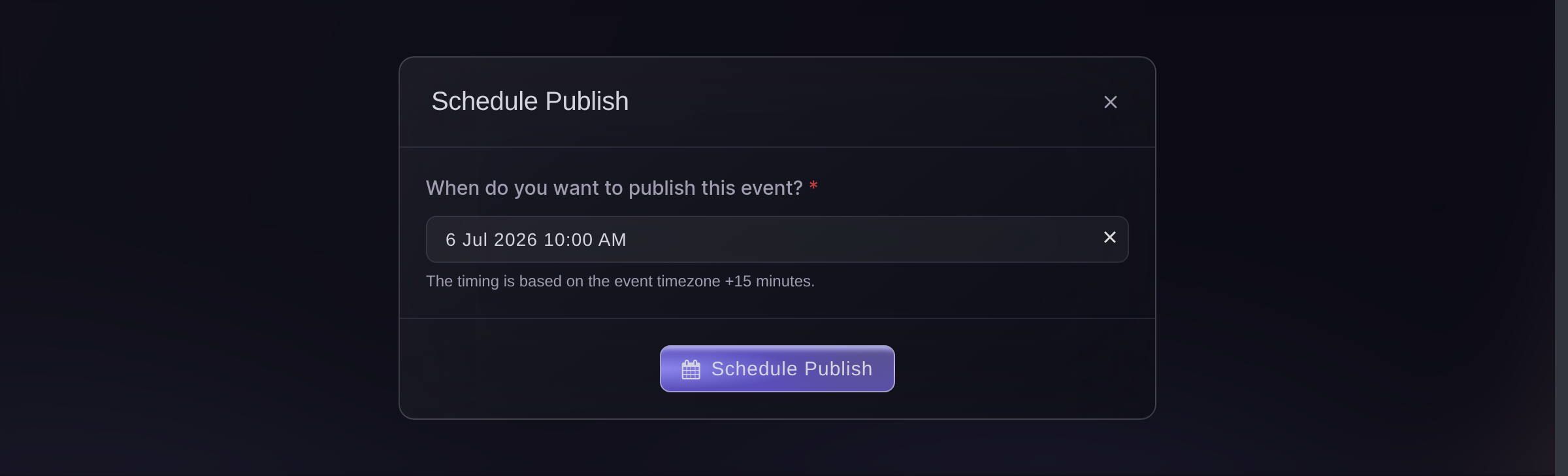
Publish, Schedule Publish. -
Put the scanning app on the door team's phones
Open Check-In and select Download App for the Entry Fairy links on both app stores. Each person scanning signs in with their own Door Staff login, so every admission carries a name.

Event, Check-In, Download App. -
Follow arrivals while the doors are open
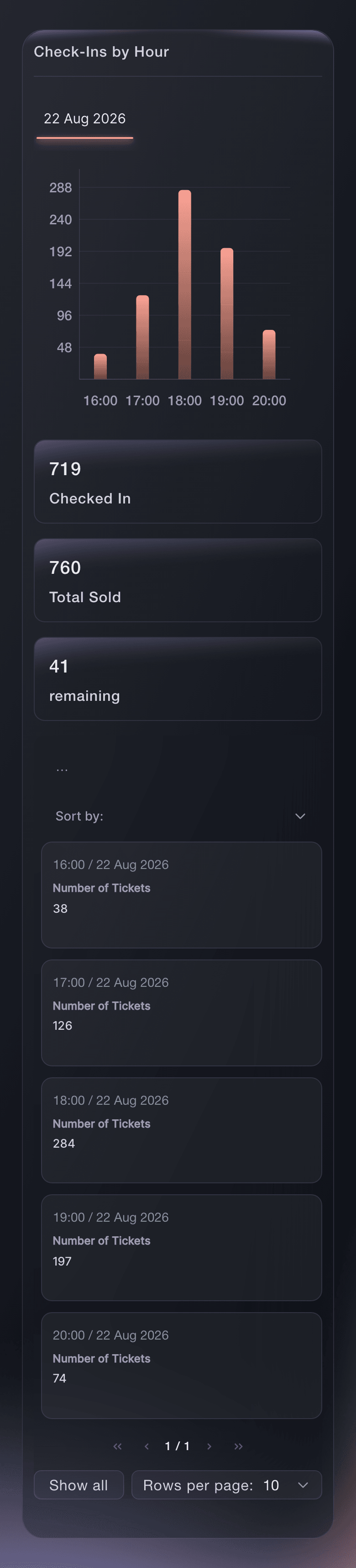
Open Check-In and select Hourly on each day of the convention. Arrivals by hour against passes sold show you when the queue peaks and when to move volunteers from the doors to the hall.
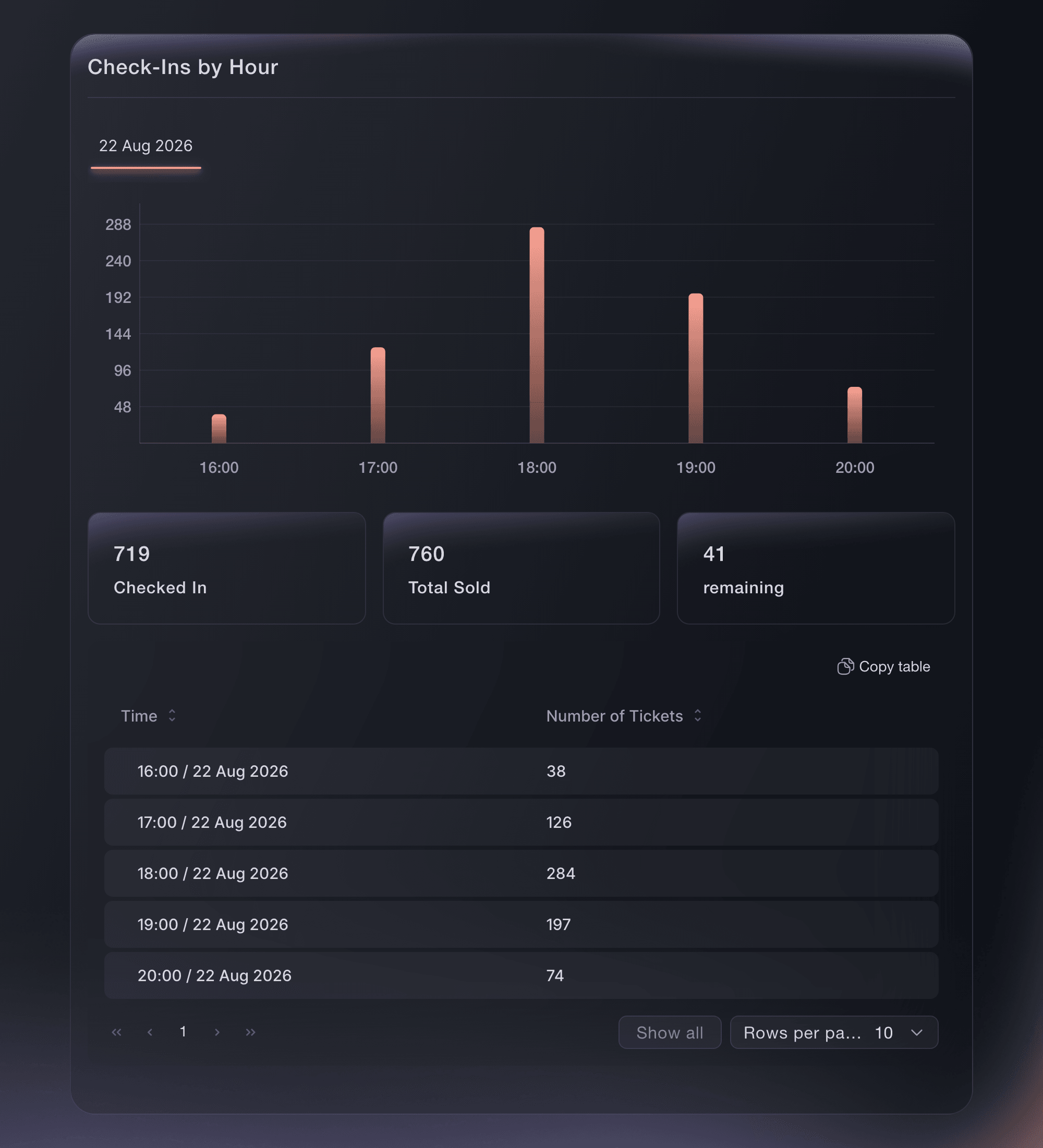
Event, Check-In.




Try these steps on your own event
Create a free account, build your event and follow the steps above in your own dashboard. It takes a few minutes and you do not need to book a sales call.
No setup fees. No required monthly ticketing fee. No credit card required.
Or have it done for you
Fai can build the convention from the Convention template, group the passes, set the once-a-day entry rule, add the extras and the exhibitor booth, send guest tickets, issue and send crew passes, schedule the on-sale and report arrivals. She shows you each change and asks you to approve it before she makes it. Artist alley applications are set up on the Forms page in the dashboard.
In your dashboard, with Fai
Help me set up ticketing for our fan convention <EVENT NAME>; ask about our days, weekend, day and VIP prices, child tickets, extras, exhibitor booths, guests, press and crew, and our on-sale date, then show me the proposed setup before changing anything
From your terminal
Install the CLI from our CLI page, sign in with ticketfairy auth login, and choose the brand you are working on with ticketfairy brand use <BRAND_ID>. ticketfairy brand list and ticketfairy event list show the IDs the other commands use.
Use the CLI to create a weekend pass with its once-a-day rule, an extra and an exhibitor booth, publish the convention and read arrivals. Categories, applications, guest tickets and passes are set up in the dashboard.
Create a weekend pass that admits its holder once in each 24 hours.
ticketfairy ticket create <EVENT_ID> --name "Weekend pass" --price 90 --max-inventory 3000 --scan-rule "day:1"
Create an extra sold with the pass.
ticketfairy addon create <EVENT_ID> --name "Convention tote" --price 15 --quantity 500
Create the exhibitor booth for up to 4 traders, paid in full online. Prices are in the smallest unit of your event currency, so 40000 is 400.00.
ticketfairy table create <EVENT_ID> --body '{"displayName": "Exhibitor booth", "price": 40000, "maxInventory": 60, "minGuests": 1, "maxGuests": 4, "guestPrice": 0, "depositPercent": 100}'
Publish the convention.
ticketfairy event publish <EVENT_ID>
Read arrivals while the doors are open.
ticketfairy checkin status <EVENT_ID> --output json
Let Fai do it for you
Fai works inside your Ticket Fairy dashboard. Create your account, open Fai and paste the prompt above.
No setup fees. No required monthly ticketing fee. No credit card required.
Questions you might have
- Can fans book a photo op or an autograph with a guest?
- Include them in the VIP pass and list what it covers in the pass description, then arrange the photo and signing times with VIP holders at the convention. Fans cannot book a set time for a photo op or an autograph at checkout yet.
- Can a weekend pass holder leave and come back on the same day?
- Yes. Enter the number of entries a fan may make in 24 hours in the pass's daily rule, such as 3. The scanner admits them up to that number and refuses the next scan until the 24 hours move on.
- Should Saturday and Sunday be separate ticket types or categories?
- Both. Each day is a category, and the price releases for that day are the ticket types inside it. Fans see one choice per day, and your reports still show every release.
- Do traders need a ticket as well as their booth?
- The booth booking covers the stand. Give each trader who works the stand a multi-entry pass, so they come and go across the weekend without a ticket per day.
- How do I sell cheaper tickets for children?
- Turn on the child ticket question in the Convention template, or add a Child ticket type later with its own price. Name the age limit in the ticket description so parents and your door team read the same rule.
- Do guest tickets and crew passes count against my passes?
- Guest tickets do, because each one comes out of the stock of the pass it is on. Multi-entry passes do not reduce your ticket stock or appear in your ticket orders.
Still have a question?
Book a demo and we will answer it on a call, on your kind of event. Or create your account and see it for yourself.
No setup fees. No required monthly ticketing fee. No credit card required.
Related guides
Do this on your own event
Create your account, build your event and follow the steps in your own dashboard. You do not need to book a sales call.