
Vault and Capital
See what your event earned and when you get paid
Promoters and finance leads settling up after a show want one number they can plan with and a date the money arrives. Vault puts every event's money on one page, from what buyers paid to what reaches you, so you can answer "what did this show make?" without building a spreadsheet.
See what each event took in ticket sales and add-ons, what came off for refunds, fees, partner shares, Capital and lost disputes, the estimate of what reaches you, and when the payout for the event is expected.
- For
- Settling up the money from each event you run
- Takes
- 7 minutes
Your Events page
Before you start
- You're an owner or an admin on the brand. Those are the two roles that reach Vault.
- Vault is switched on for your brand. Ask Ticket Fairy support to switch it on if Vault isn't in your brand's menu. You don't need an active Vault account to read your events' money.
-
Events
Pick the brand, open Vault, then select Events. Each row is one of the brand's events with its dates, Where the money goes, the Payout and any Capital to repay. Show events narrows the list to Upcoming, Ended, Payout due or On hold, and the search box finds an event by name.
Note: Payout due is the list to follow up: events that have ended, that Ticket Fairy pays you for, and that are not paid, held or paid in advance. Select View money on a row to open that event's money.
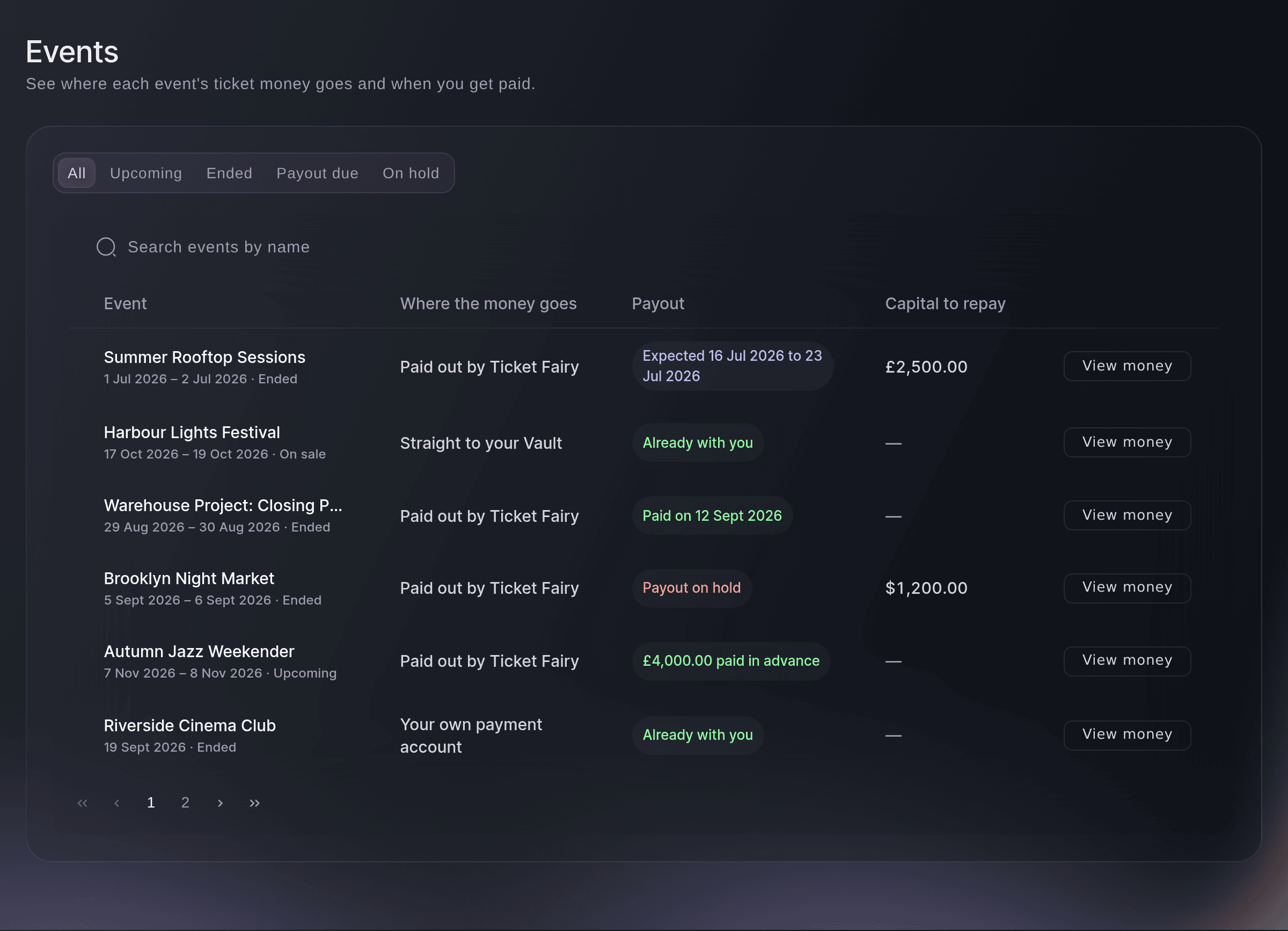
Brand, Vault, Events. -
Money from this event
The top section of an event's money counts what buyers paid and what came off it, one block per currency the event sold in. Money in is Ticket sales, with the number of orders and tickets beneath it, and Add-ons; Of which tax is the tax already inside those figures. Taken off lists Refunds, Ticket Fairy fees, Card processing fees, Partner shares, Capital repaid and Lost disputes, and Estimated to you is money in minus everything taken off.
Note: Estimated to you always carries Estimate, because the final figure is your payout, or what lands in your Vault balance for an event paid straight to Vault. Open disputes are listed beneath it but not taken off yet, and the notes under the figures say when a dispute or a card fee may still lower the payout.
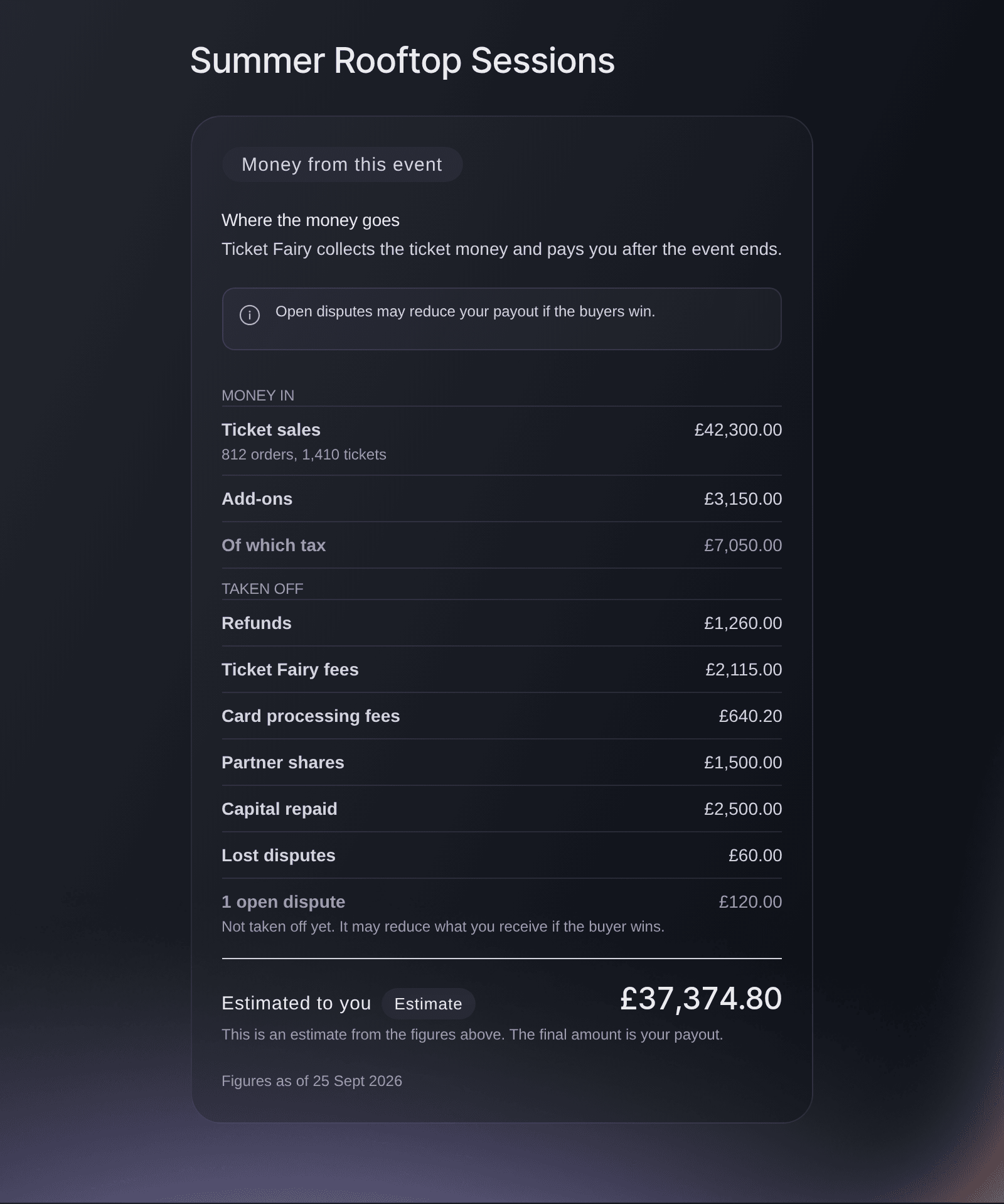
Vault, Events, one event's money. -
When you get paid
Beside the figures, a timeline runs from the event ending to the money reaching you. For an event Ticket Fairy pays you for, Payout expected gives the window 10 to 15 working days after the event ends, then Paid to you turns into Paid with the date once we send it.
Note: Payout on hold means we are holding the payout, for example while buyers are refunded for a cancelled event; our team contacts you if they need anything. Advance paid shows money we paid you before the event.
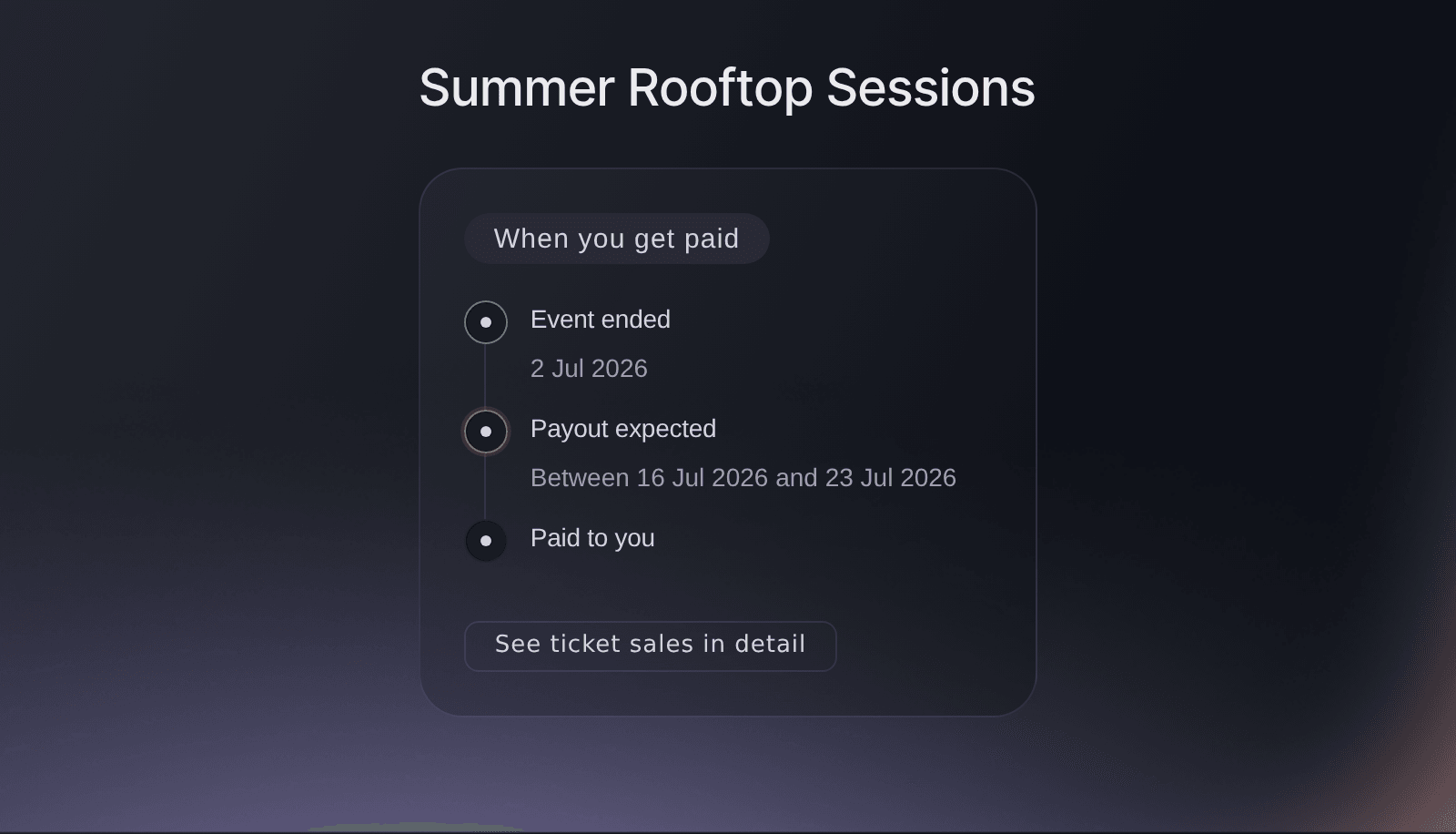
Vault, Events, one event's payout timeline.
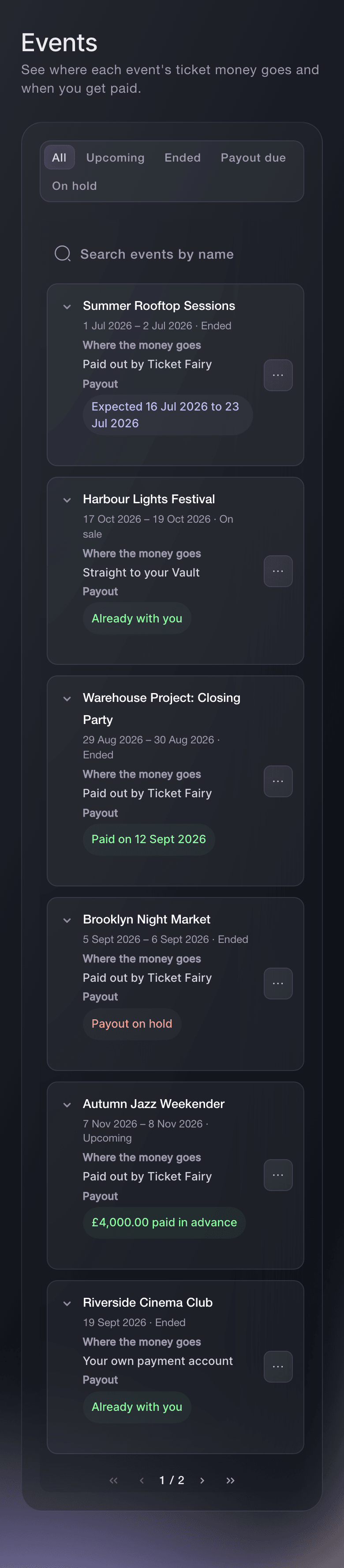


If ticket money lands in Vault
An event paid Straight to your Vault has no payout to wait for, so its timeline reads Money arrives as buyers pay. Its estimate is a guide to what the event added to your Vault balance, and the balance on the Vault Overview is the figure you spend from.

See these figures for your own event
Create a free account and this report fills as your tickets sell. You see the same figures for your own event from the first sale.
No setup fees. No required monthly ticketing fee. No credit card required.
Or have it done for you
Fai, the assistant inside your dashboard, reads the same figures back to you: every event with where its money goes and when it pays out, and one event's full statement with the estimate marked as an estimate. She changes nothing to answer. MCP and the command line have no event money commands.
In your dashboard, with Fai
What did <EVENT NAME> make, what came off it, and when does the payout reach us?
Let Fai do it for you
Fai works inside your Ticket Fairy dashboard. Create your account, open Fai and paste the prompt above.
No setup fees. No required monthly ticketing fee. No credit card required.
Questions you might have
- What does Where the money goes mean?
- It says how the event takes its ticket money. Straight to your Vault means ticket money lands in your Vault as buyers pay; Paid out by Ticket Fairy means we collect it and pay you after the event ends; Your own payment account means your own connected account collects it; and Another arrangement covers anything else. Only an event Ticket Fairy pays you for has a payout to wait for, so the others read Already with you or No payout for this event.
- Why does Estimated to you differ from the money I received?
- The estimate is worked out from your order records, and your payout is the final figure. Refunds and disputes after the figures were read, card fees recorded later and anything we paid you in advance all change what arrives. The date and time under the statement, after Figures as of, says when the figures were read.
- Why are card processing fees not shown?
Card processing fees for this event are shown on your statement from Vault, not here.
appears when the event's card payments went straight to Vault, whose statement lists those fees. On other events a missing fee means some payments have not recorded their fee yet, so the estimate may go down slightly.- Why is Ticket Fairy fees marked Estimate?
- On an event Ticket Fairy collects the payments for, the fee is worked out from what each buyer paid above your ticket price and tax, less the card fee. On your own payment account the fee is the exact figure recorded on each order.
- Are refunded tickets counted in Ticket sales?
- Yes. Ticket sales is what buyers paid, including tickets refunded later, and the money that went back to them is taken off under Refunds. Only refunds that went through count.
- Why are all the figures zero?
- An event that has not sold a ticket yet shows No sales yet, and figures appear after the first ticket sells. An event in another currency shows its figures in that currency rather than converted.
- How up to date are the figures?
- We read them again at least every 5 minutes, and straight away when a refund, a dispute or a payout changes. The time after Figures as of, under the statement, is the last reading.
- Where do I see ticket sales by ticket type or by day?
- Select See ticket sales in detail under the payout timeline. It opens the event's own sales reports.
- My event says Payout on hold. What do I do?
- Nothing yet. We hold a payout while something needs settling, such as refunds for a cancelled event or a dispute, and our team contacts you if they need anything from you. The event also appears under On hold on the Events page.
Still have a question?
Book a demo and we will answer it on a call, on your kind of event. Or create your account and see it for yourself.
No setup fees. No required monthly ticketing fee. No credit card required.
Related guides
Do this on your own event
Create your account, build your event and follow the steps in your own dashboard. You do not need to book a sales call.