
Running the production
Send your event contracts and get them signed online
Promoters, venue bookers and festival teams send dozens of agreements for every event: performers, speakers, traders and suppliers. Contracts start from what you already agreed, point out where the wording differs from your usual terms, and keep a signed copy and its full history beside the event.
Turn an accepted offer, a booked performer or speaker, an approved trader or a supplier's quote into a contract for your event, send it for signature by email, and sign it yourself once they have. The other party reads the agreement and signs by entering their name, with no account, and you both get the signed copy.
- For
- Getting performer, speaker, trader and supplier agreements signed
- Takes
- 10 minutes
Before you start
- You are an owner, admin or producer on the event. The event's Management page opens for those roles only.
- You have the other party's email address, or an advancing contact with an email for a performer.
-
Open Contracts
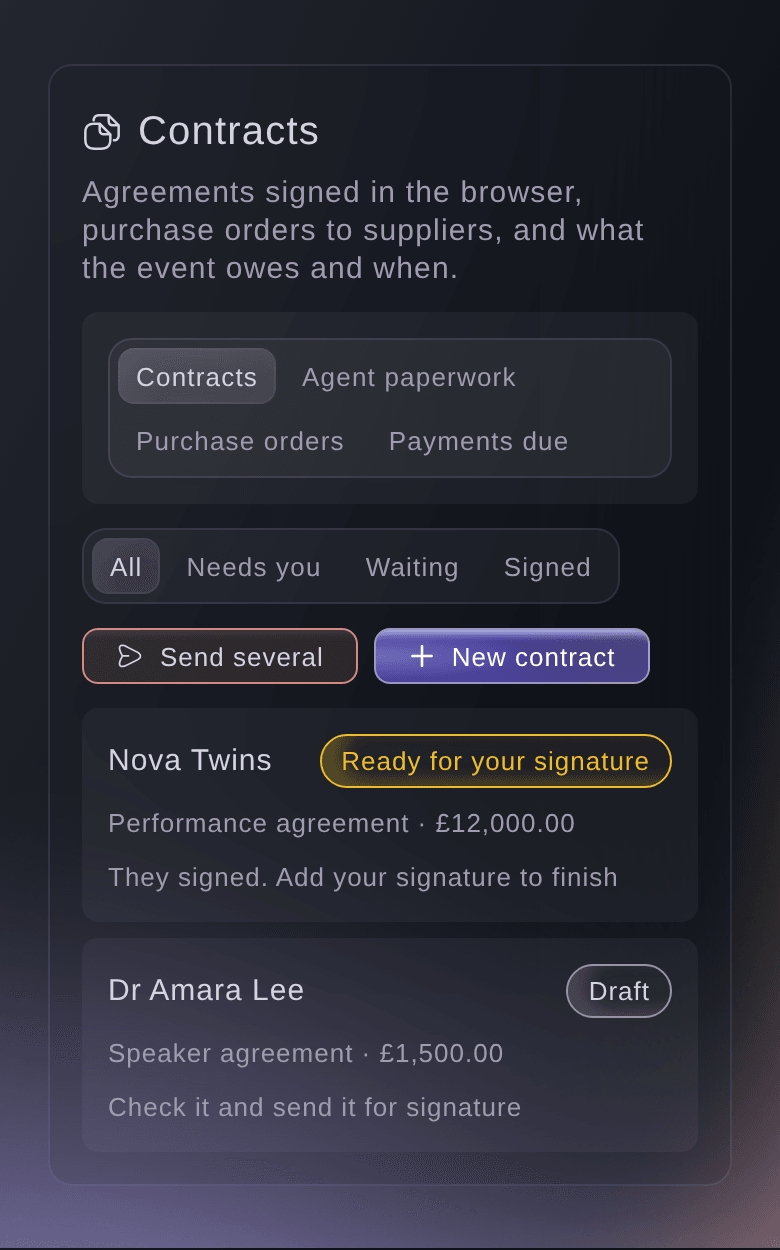
Open the event, select Management, then select Contracts in the list of sections.
Note: If Contracts is not in the list, select More sections and open it there. Each contract shows its status and what it needs next.
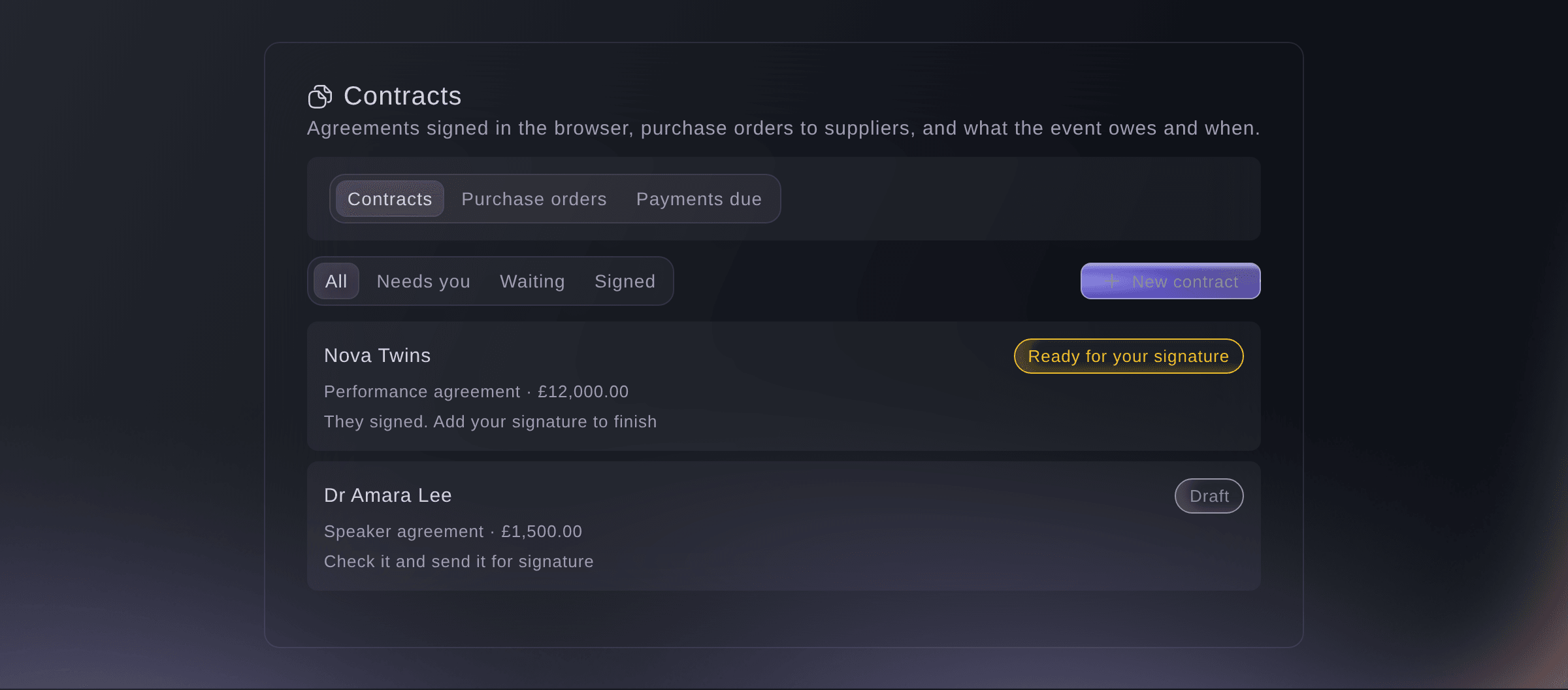
Contracts for one event. -
Start a new contract
Select New contract, choose who it is with under Who is it with?, pick the record, then select Make the draft.
Note: Choose An accepted offer, A performer or speaker, An approved trader, A supplier or Someone else. Fai fills in the fee, dates, venue and terms from the record you pick.
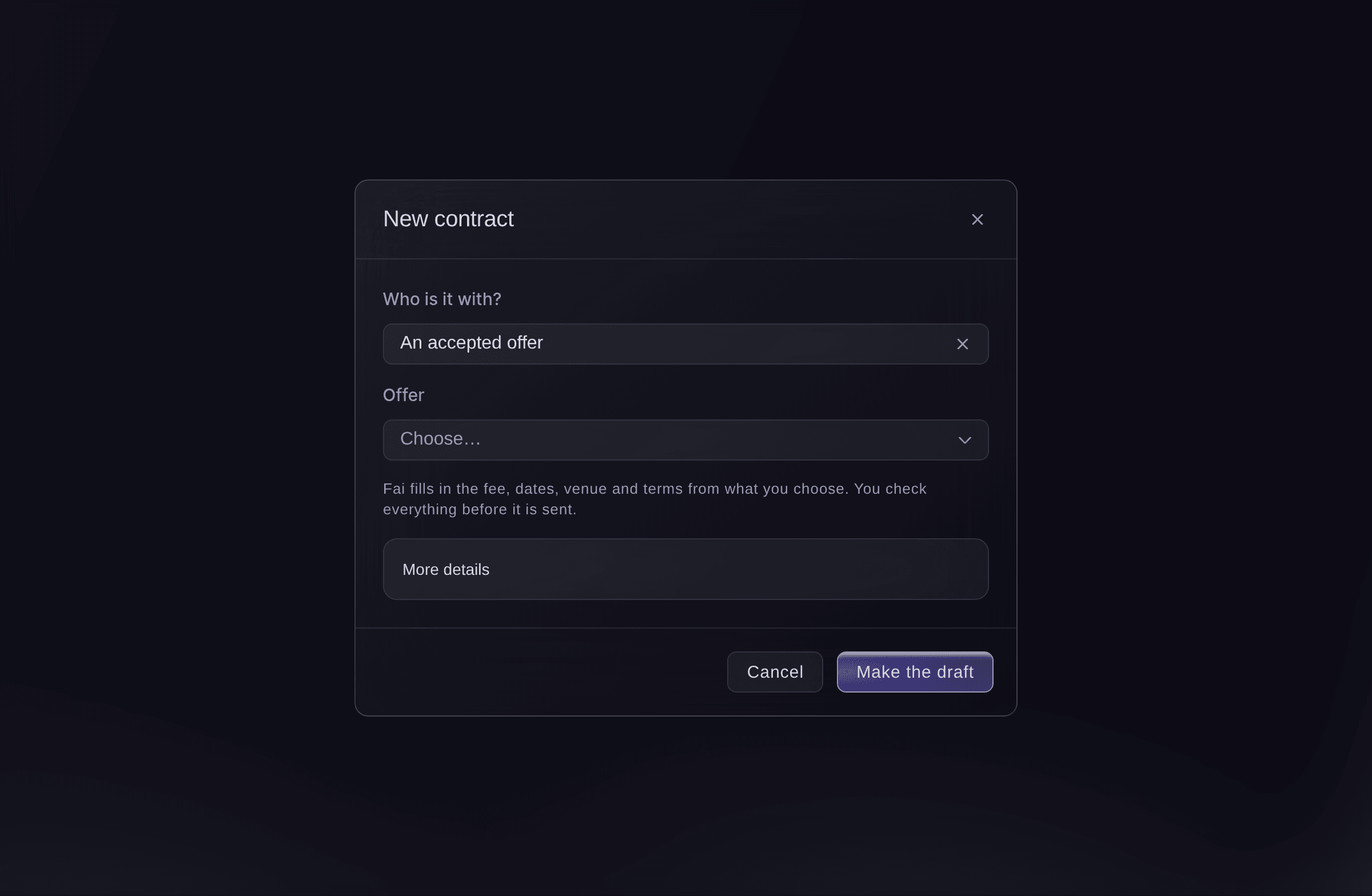
New contract. -
Check the draft
Enter anything listed under Fill in before sending, check Who the contract is with and Their email, then select Save changes.
Note: Under Fai compared this with your usual terms, Fai lists each clause that is new, worded differently or missing. Change a clause's wording only where this deal is different, and select See it as they will to read the finished agreement.
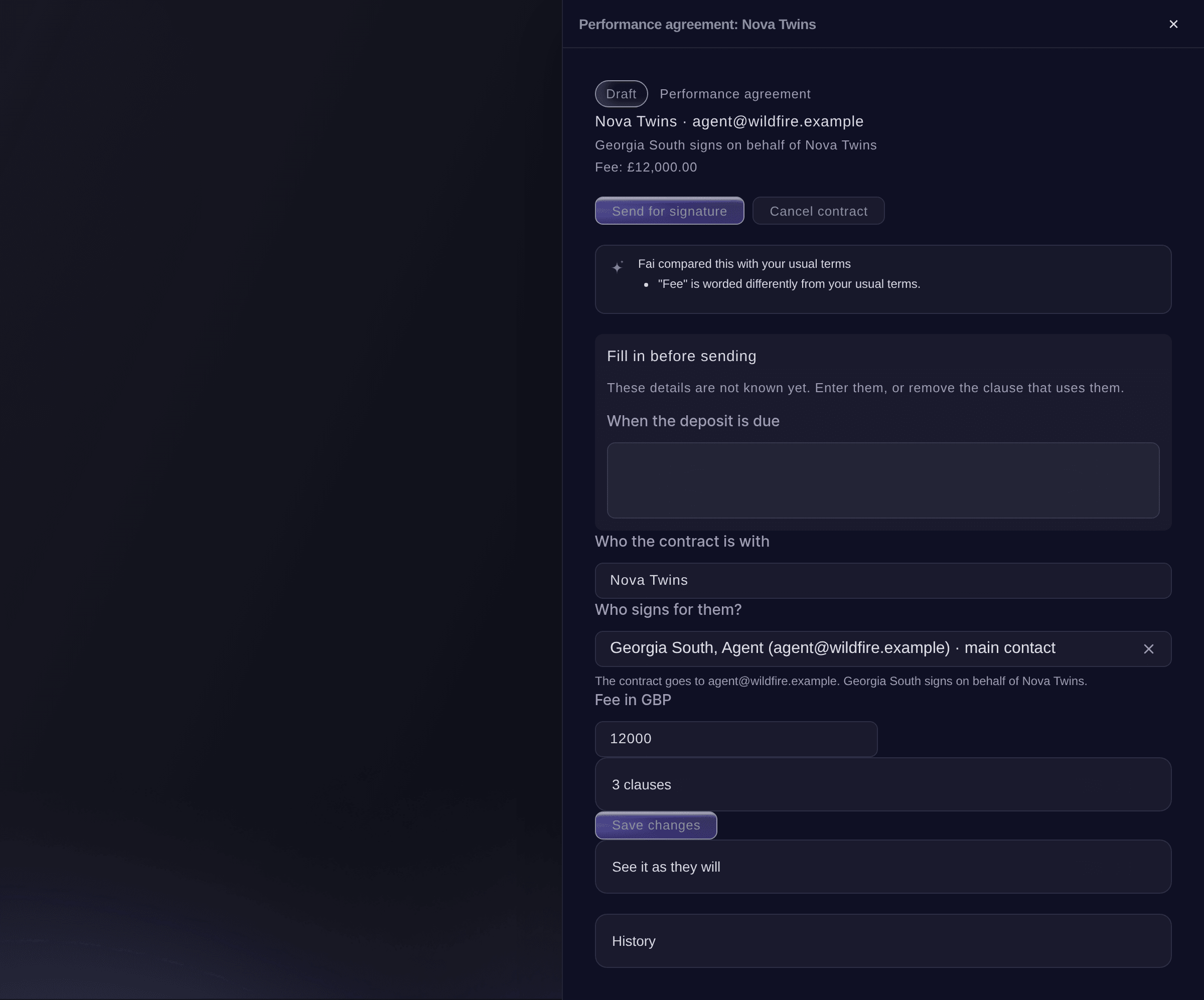
A draft contract. -
Send it for signature
Select Send for signature, optionally enter A note above the link, then select Send it.
Note: The agreement is locked once it is sent. To change it later, you make a new version.
Warning: The email goes as soon as you select Send it.
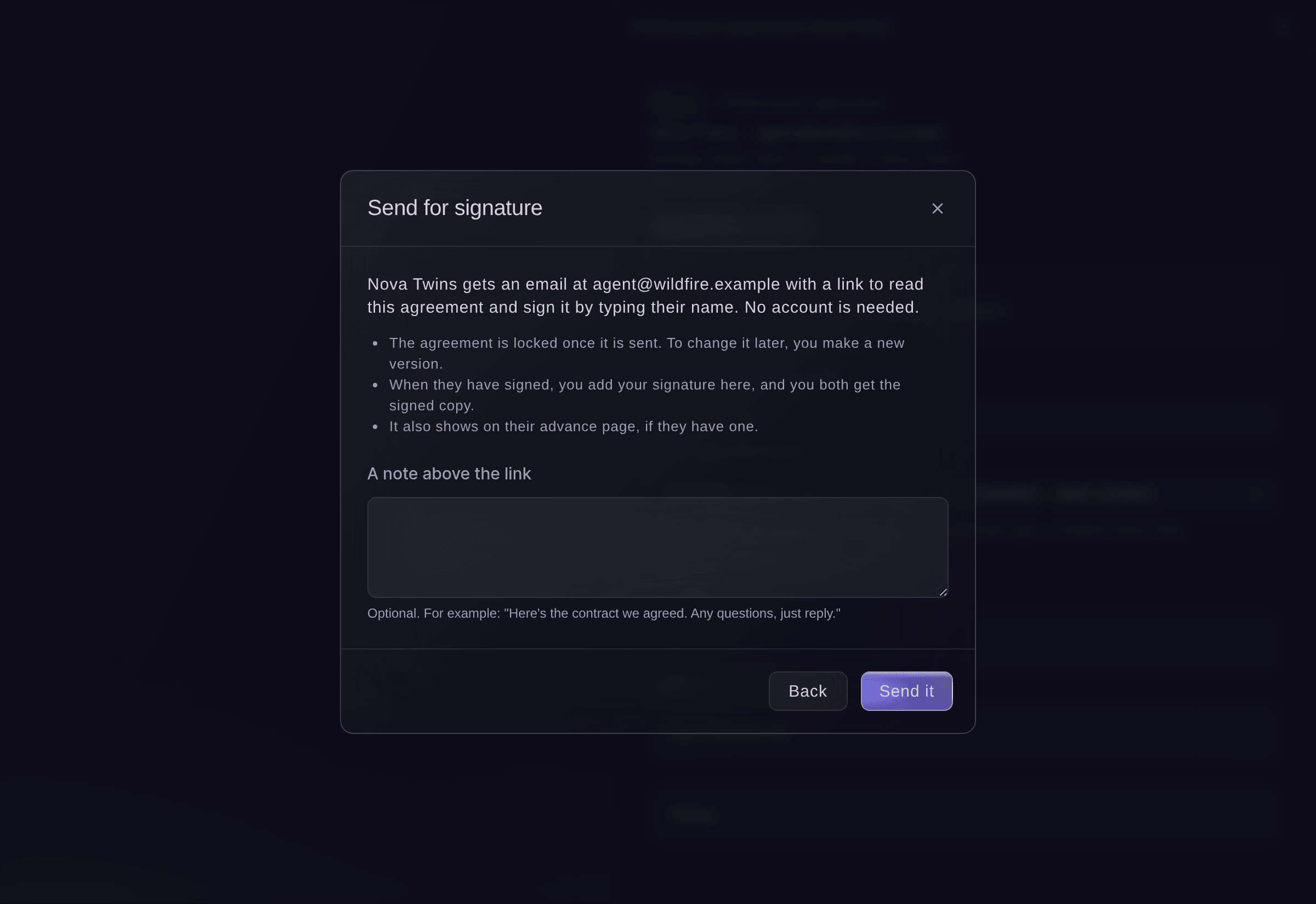
Send for signature.


The other party's signature
They open the link in the email, read the agreement, tick to agree, enter their full name and select Sign. No account is needed, and the link works for 30 days. Their name, the time, their IP address and browser are recorded with the signature. A performer also sees the contract on their advance page. If something is not right, they tell you what to change instead, and the contract shows as Declined.

-
Add your signature
When the contract says Ready for your signature, open it, select Sign it, read it, tick to agree, enter your name, then select Sign.
Note: The contract is then Signed by both, and both of you get the signed copy by email. Select Download the signed copy to keep a copy.
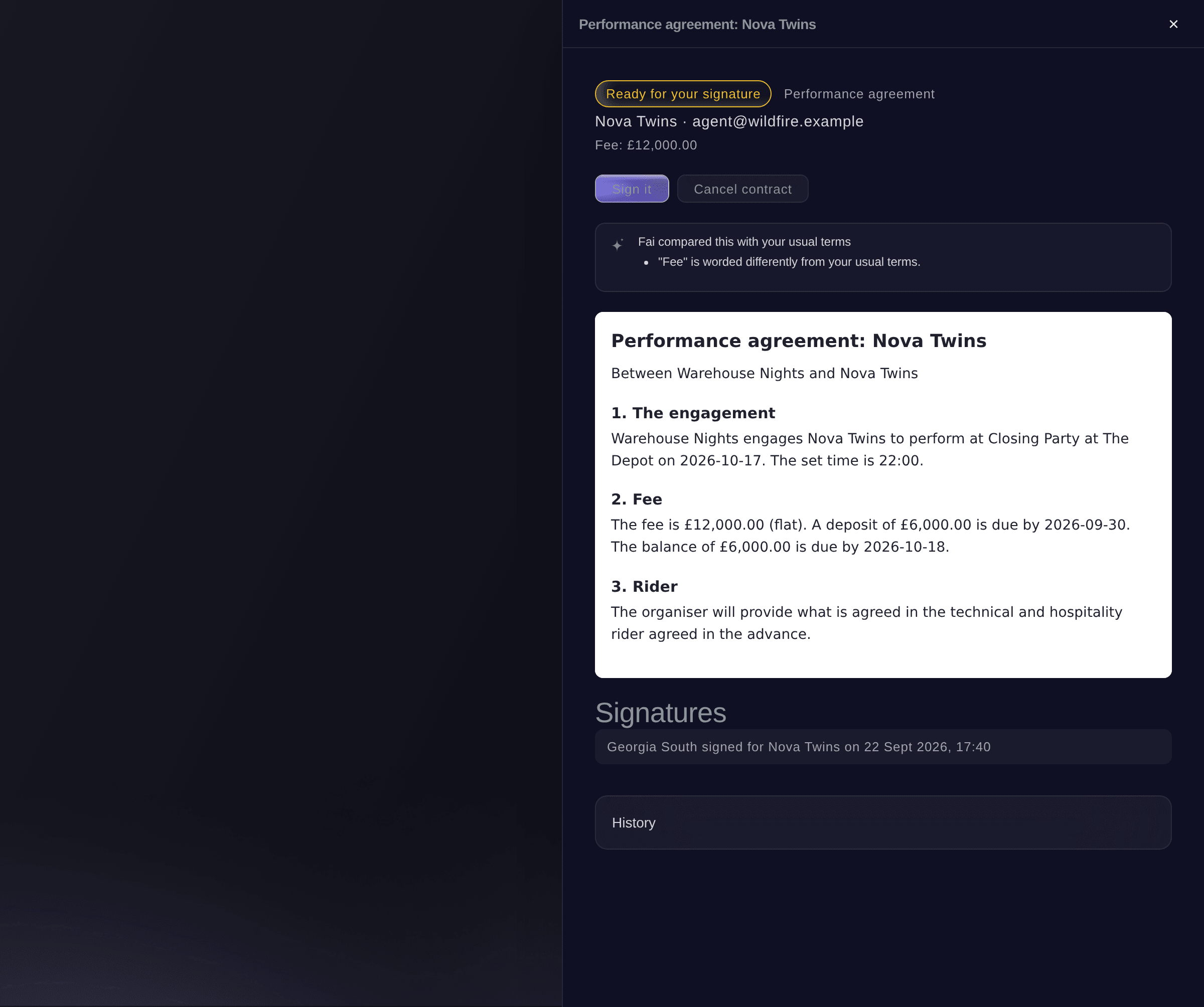
Ready for your signature.

Try these steps on your own event
Create a free account, build your event and follow the steps above in your own dashboard. It takes a few minutes and you do not need to book a sales call.
No setup fees. No required monthly ticketing fee. No credit card required.
Or have it done for you
Fai reads your contracts, drafts one from an offer, a booking, a trader, a supplier quote or a template, changes a draft, sends it for signature or sends a reminder, signs it for you once the other party has, starts a new version or an amendment, cancels an unsigned one and manages your contract templates. She shows you each change and waits for your yes first, and nothing is emailed until you agree. When a contract has waited 5 days for a signature, Fai suggests a reminder on Today.
In your dashboard, with Fai
Draft the contract for Nova Twins at <EVENT NAME> from their accepted offer and tell me what is missing before I send it
Let Fai do it for you
Fai works inside your Ticket Fairy dashboard. Create your account, open Fai and paste the prompt above.
No setup fees. No required monthly ticketing fee. No credit card required.
Send a reminder
-
Remind them
Open a contract that is Waiting for signature, select Send a reminder, then select Send reminder.
Note: They get a new link to the same agreement.
Fai sends a reminder with a new link when you ask, after you confirm.
In your dashboard, with Fai
Remind Nova Twins to sign their contract for <EVENT NAME>
Change a contract that is already sent
-
Make a new version
Open the contract, select Make changes, then select Cancel it and make a new draft.
Note: The version they have can no longer be signed. You get a new draft with the same terms to change and send again.
Fai starts a new version of a sent or declined contract when you ask, after you confirm.
In your dashboard, with Fai
Nova Twins asked for a later set time at <EVENT NAME>, start a new version of their contract
Amend a signed contract
-
Start the amendment
Open the signed contract, select Make an amendment, then select Start the amendment.
Note: The signed contract stays exactly as it is. The new draft is sent and signed like any other contract; give it a termination title and clauses to end an agreement early.
Fai starts an amendment or a termination agreement to a signed contract when you ask, after you confirm.
In your dashboard, with Fai
Start an amendment to the signed Nova Twins contract at <EVENT NAME> for an extra 15 minutes
Cancel a contract
-
Cancel it
Open the contract, select Cancel contract, enter why, then confirm.
Note: They can no longer sign it, and it stays on record with your reason.
Fai cancels an unsigned contract with your reason when you ask, after you confirm.
In your dashboard, with Fai
Cancel the draft speaker contract for Dr Amara Lee at <EVENT NAME>, the session was dropped
Questions you might have
- Where do I set my usual contract terms?
- Open Event Operations, then Contracts, and use Your contract templates. Add a starter template for a performance, speaker, trader or supplier agreement and change the wording to match how you work. New contracts start from your templates, and Fai compares each draft with them.
- Can someone sign on the performer's behalf?
- Yes. Under Who signs for them?, choose their agent or manager from the performer's advancing contacts, or choose Someone else, then enter their email under Their email and their name under Who signs for them (optional). The signed copy says who signed on whose behalf.
- Can I cancel a contract after both sides signed?
- A signed contract stays as it is. Make an amendment to change it, or give the amendment a termination title and clauses to end it early.
- Why can I not select Send for signature?
- Something under Fill in before sending is still empty. Enter it, or remove the clause that uses it, and save the draft.
- Are the starter templates legal advice?
- No. Starters are a plain-English starting point. Check them with your own lawyer before you rely on them.
Still have a question?
Book a demo and we will answer it on a call, on your kind of event. Or create your account and see it for yourself.
No setup fees. No required monthly ticketing fee. No credit card required.
Related guides
Do this on your own event
Create your account, build your event and follow the steps in your own dashboard. You do not need to book a sales call.