
Styr produksjonen
Give your event volunteers their own page and track their hours
Volunteer coordinators spend show week answering "what time am I on?" and "can I swap Sunday?" by text. A private page for every volunteer answers those questions without you, and the hours they work decide who has earned their free ticket.
Send each volunteer you accepted for your event a private page where they pick shifts, ask to swap or drop one, read their day sheet and the induction and add documents, then see hours given against hours worked, give the rewards people earned and download the list with every download recorded.
- For
- Looking after accepted volunteers from their first shift to their reward
- Tar
- 9 minutter
Før du starter
- You need an owner, admin or producer role on the event, and an owner or admin login to give rewards, download the hours file or open a volunteer's documents.
- The volunteers are accepted, and their shifts are on the event's rota.
-
Send accepted volunteers their page
In Volunteers, select Send page links, check the email, then select Send the links.
Merk: Everyone you accepted who has no working link gets one email with a private link. Nobody gets a second link while their first still works.
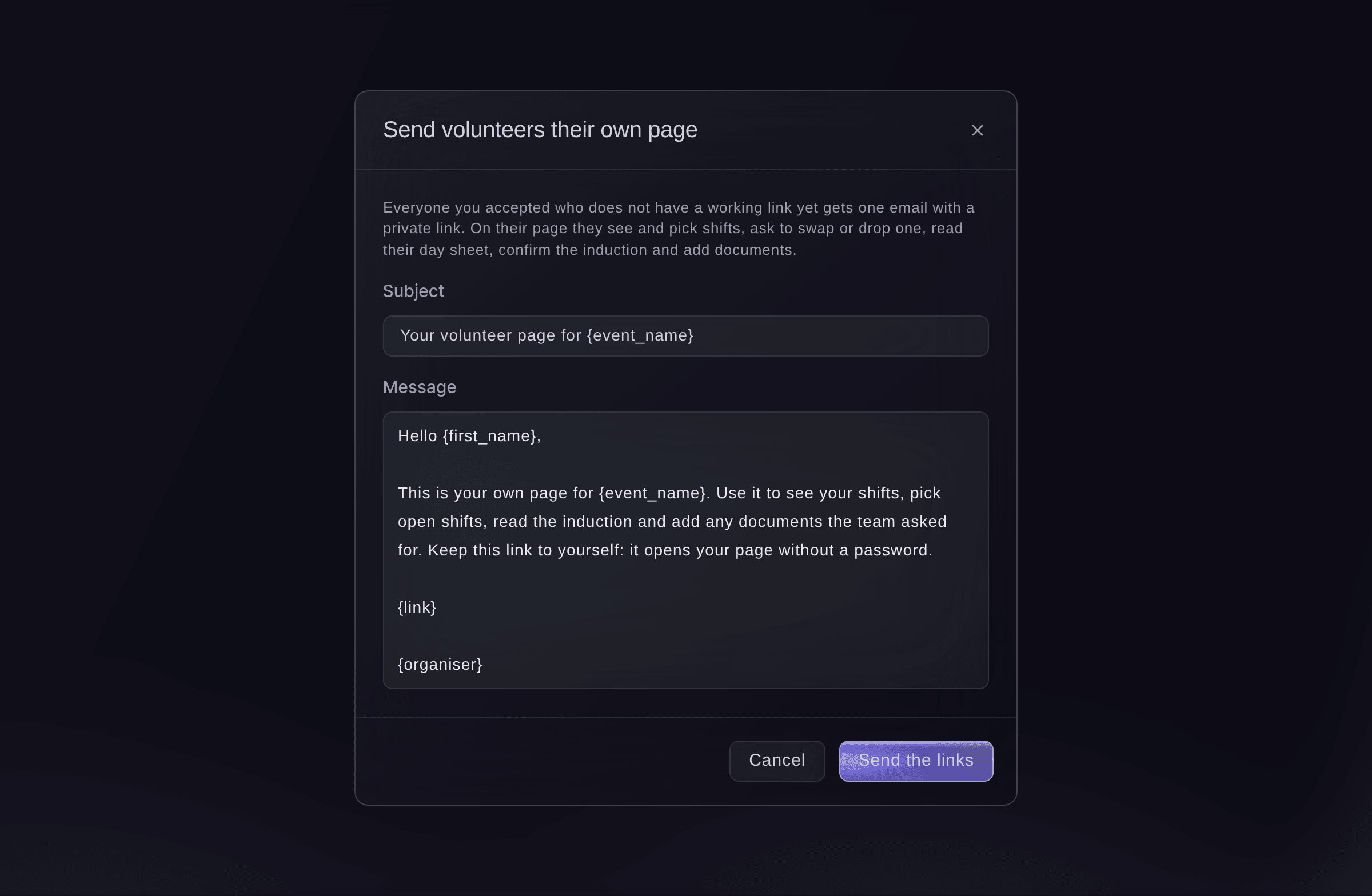
Send volunteers their own page.

The volunteer's own page
The page shows their shifts to confirm, the open shifts they can pick, the shifts you offer them, the still coming question, the days they can work with a button to add each shift to their calendar, their day sheet with key times and team leads, the induction to confirm and a place to add documents. They can only pick a shift that keeps your rota rules on rest and hours, including the hours allowed in 7 days, and that matches its minimum age, skill and documents. Everything on it is for this one event.

-
Answer shift requests
When the section says a volunteer asked to change a shift, select Review, then Approve or Decline each request.
Merk: Approving a swap moves them to the new shift only if it has room and keeps your rota rules. If it does not, you see why and can decline it or change the rota yourself.
-
Open Hours
Select Hours. Each volunteer shows the hours given on the rota, the hours worked from check-in and check-out, their shifts and no-shows.
Merk: Someone who checked in and never checked out shows No check-out and is counted to the end of the shift, for you to check.
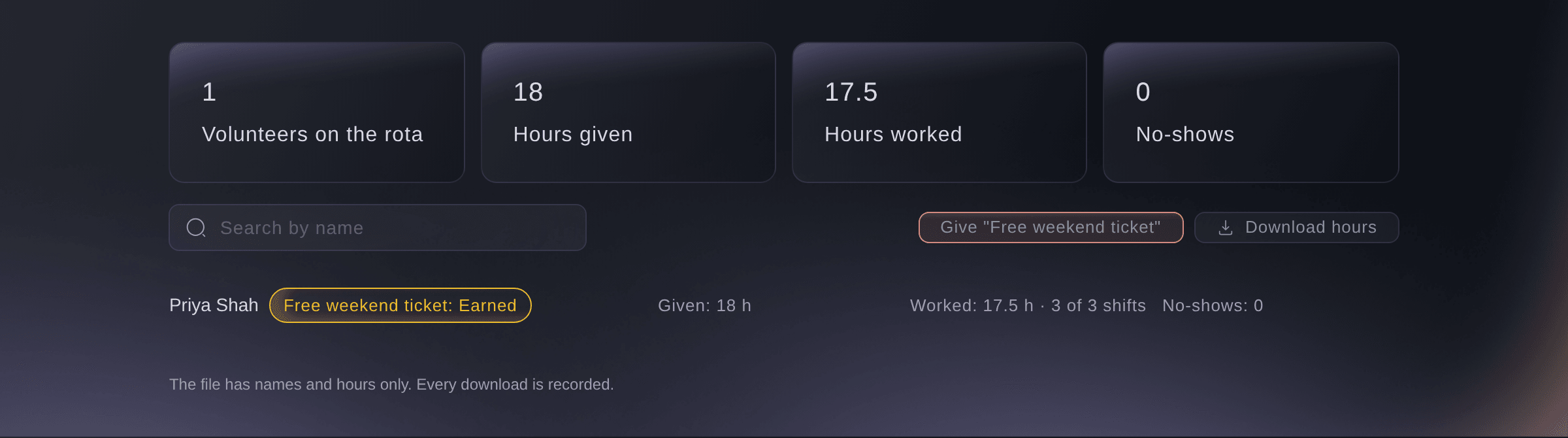
Volunteers, Hours. -
Give the rewards people earned
Select the button named after the reward, such as Give "Free weekend ticket", check who earned it, then select the button that gives the tickets.
Merk: Each person gets one free ticket by email as a guest ticket, and nobody gets the same reward twice. Set rewards up under Rewards in the settings.
-
Download the hours
Optional: Select Download hours. The file has names and hours only.
Merk: Every download is recorded with your name.

Prøv disse trinnene på ditt eget arrangement
Opprett en gratis konto, bygg arrangementet ditt og følg trinnene over i ditt eget dashbord. Det tar noen minutter, og du trenger ikke å booke en salgssamtale.
Ingen oppstartsgebyr. Ingen obligatorisk månedsavgift. Ingen kredittkort nødvendig.
Eller få det gjort for deg
Fai sends volunteers their page links, answers shift requests, reads hours given and worked and gives the rewards people earned. She asks you before anything is sent, and only an owner or admin can approve rewards.
I dashbordet ditt, med Fai
Send every accepted volunteer on <EVENT NAME> their page link, and tell me who has earned the free weekend ticket
Fra terminalen din
Installer CLI-en fra CLI-siden vår, logg inn med ticketfairy auth login, og velg merkevaren du jobber med ved hjelp av ticketfairy brand use <BRAND_ID>. ticketfairy brand list og ticketfairy event list viser ID-ene de andre kommandoene bruker.
The CLI lists hours given and worked for each volunteer. Page links, shift requests and rewards are in the dashboard or through Fai.
List each volunteer's hours given and worked.
ticketfairy event-os volunteers list <EVENT_ID> --hours
La Fai gjøre det for deg
Fai jobber inne i Ticket Fairy-dashbordet ditt. Opprett kontoen din, åpne Fai og lim inn instruksjonen over.
Ingen oppstartsgebyr. Ingen obligatorisk månedsavgift. Ingen kredittkort nødvendig.
Download the volunteer list
-
Download the rows the list shows
On the volunteer list, select Download CSV, choose whether to tick Include contact details and emergency contacts, then select Download.
Merk: The file has the rows the list shows, up to 5,000, and the download is recorded with your name. Filter the list and download it in parts if it is longer.
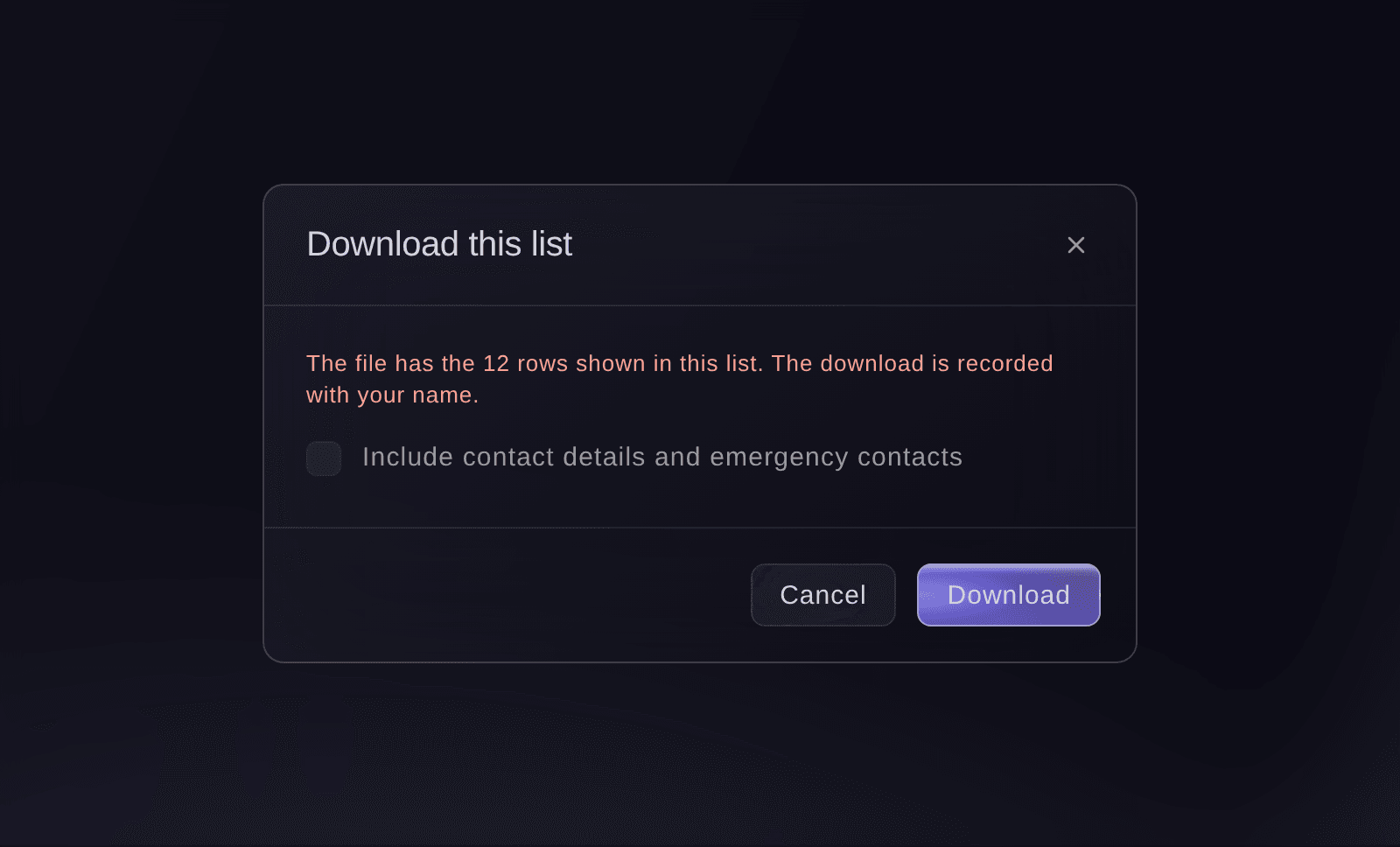
Download this list.

Download the list from the Volunteers section in the dashboard, where the download is recorded with your name.
Turn off a volunteer's link
-
Turn the link off
Open the volunteer's application and select Turn link off.
Merk: To give them a fresh link later, select Make a new link and copy it straight away, as it is shown once.
Turn a volunteer's link off or make a new one from their application in the dashboard.
Spørsmål du kanskje har
- Can I stop volunteers picking their own shifts?
- Yes. Turn off Volunteers pick their own shifts in the settings. Their page then says the team has closed shift picking.
- What happens if a shift fills while a volunteer is picking it?
- They are told the shift has been filled and asked to choose another, and nobody is added over the number the shift needs.
- Who can open a volunteer's documents?
- Only the event's owners and admins, and every download is recorded.
- How long does a volunteer's link work?
- The page footer tells the volunteer the date their link works until. When it ends, their page asks them to ask you for a new one.
- Why can't a volunteer pick an open shift?
- The shift would break your rota rules on rest or hours, is for older volunteers or has a minimum age nobody has confirmed for them, needs a skill the team has not noted for them, or needs a document they have not added. Their page says which one, and a teammate can confirm their age or add a skill on the People tab of your brand's Event Operations.
- Can a volunteer see their shifts at my other events?
- Not on this page, which covers this event only. Email them their My shifts link from the People tab of your brand's Event Operations for every event in one place.
Har du fortsatt et spørsmål?
Book en demo, så svarer vi på det i en samtale, tilpasset din type arrangement. Eller opprett kontoen din og se selv.
Ingen oppstartsgebyr. Ingen obligatorisk månedsavgift. Ingen kredittkort nødvendig.
Relaterte guider
Gjør dette på ditt eget arrangement
Opprett kontoen din, bygg arrangementet og følg trinnene i ditt eget dashbord. Du trenger ikke bestille en salgssamtale.