
Sette opp et arrangement
Make your event invitation-only
Compare a shared password, personal invitations and a ticket access code for private access, or review each order after checkout before tickets are issued.
- For
- Controlling who can buy tickets before or after checkout
- Tar
- 5 minutter
Dette trenger du før du starter
- You can edit the event and its ticket types.
- You know whether you want to share one password, invite named guests, share an access code or approve each order after checkout.
-
Use a password when one shared secret is enough
A password hides the event page behind a password field. It suits a private sale where you trust everyone who receives the password, and it lets you give different groups different passwords without creating a guest list first.
A password controls access to the page. It does not prove which person typed it, so anyone who receives it can pass it on.
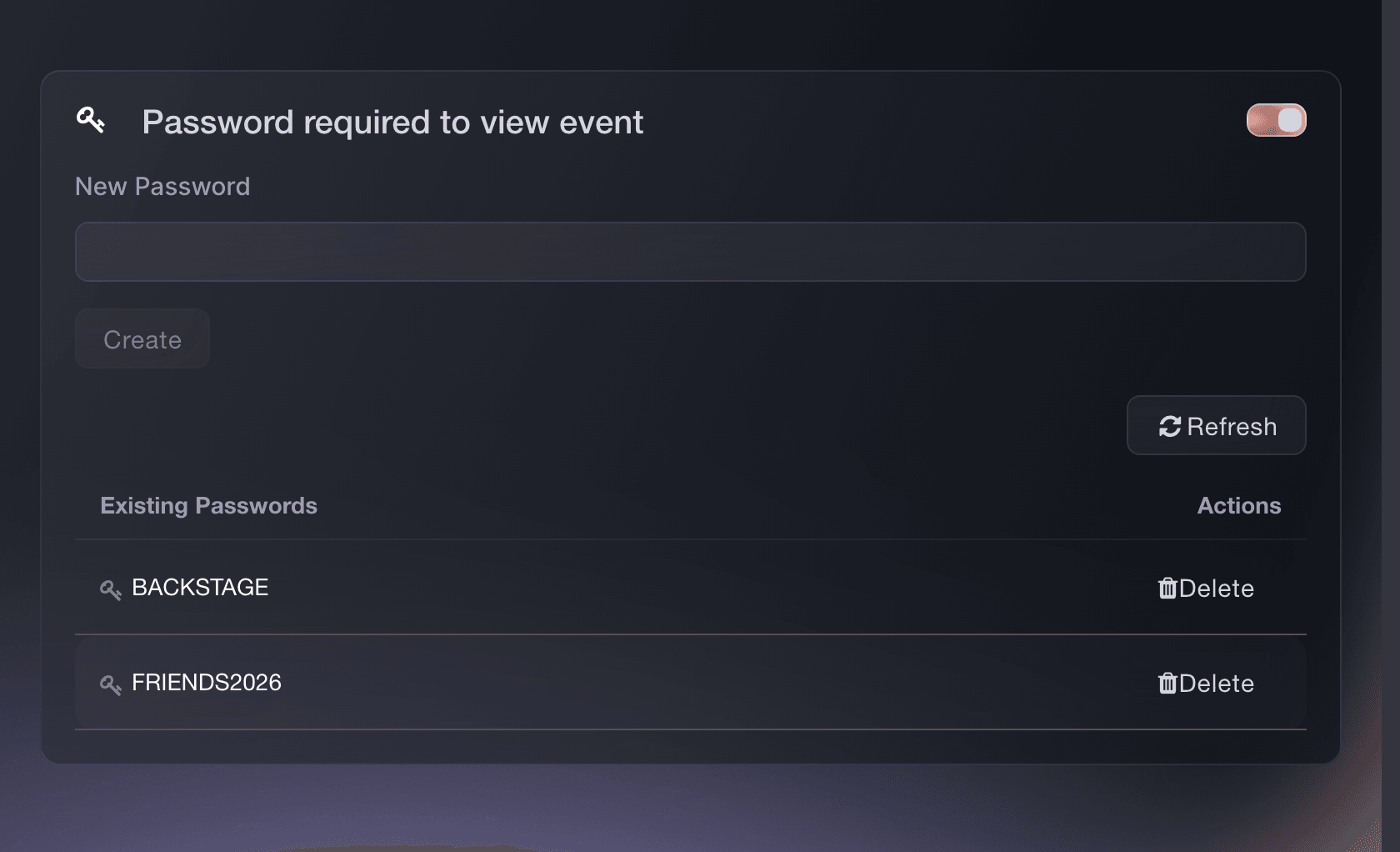
Event Settings, Password required to view event. -
Send personal invitations when you have an approved list
The invitation-required setting gives each person a personal link. You can draft the email, add people one at a time or import a CSV, and set separate ticket and transaction limits for each recipient.
The link is the key. Send it to the intended person and treat a forwarded link as shared access within that invitation's limits. If your event already lets buyers purchase through referral links without an invitation, those links still work.
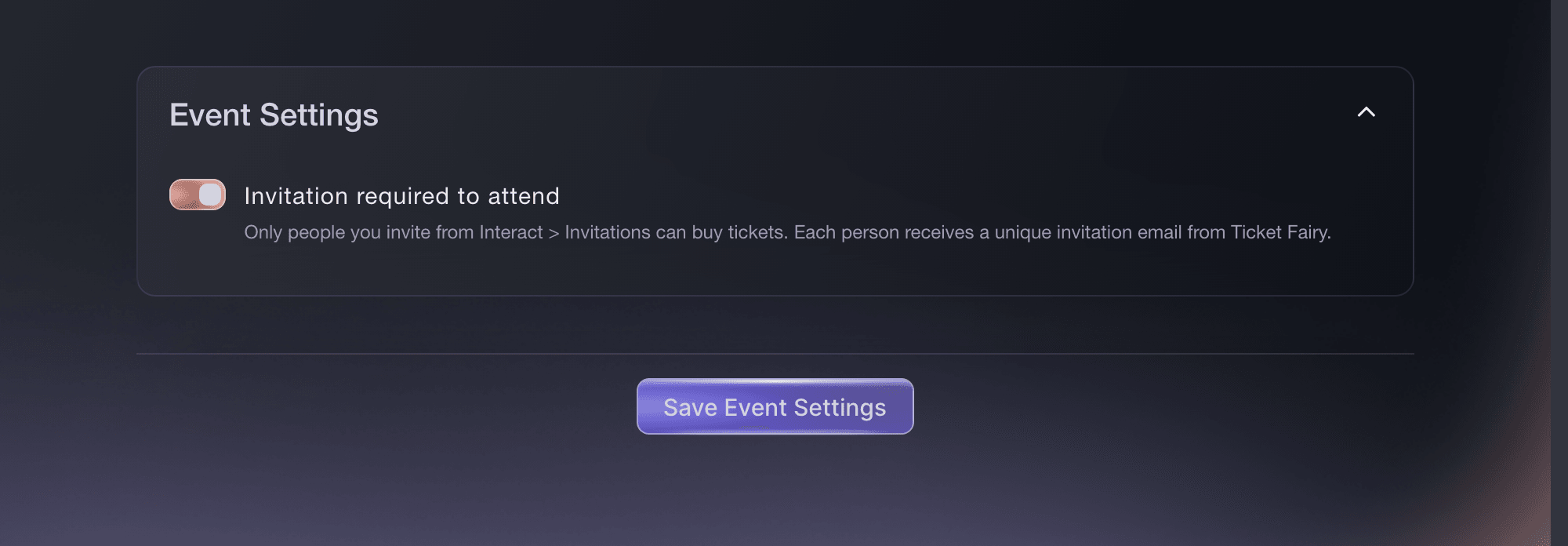
Event Settings, Invitation required to attend. -
Use an access code when the event page can stay visible
Keep the event page public, hide every ticket type, then attach those tickets to a promotion with No Discount. The code reveals the tickets without changing their prices.
An access code is shared access, like a password, but it protects the tickets rather than the event page. People can still read the event details before they enter it.
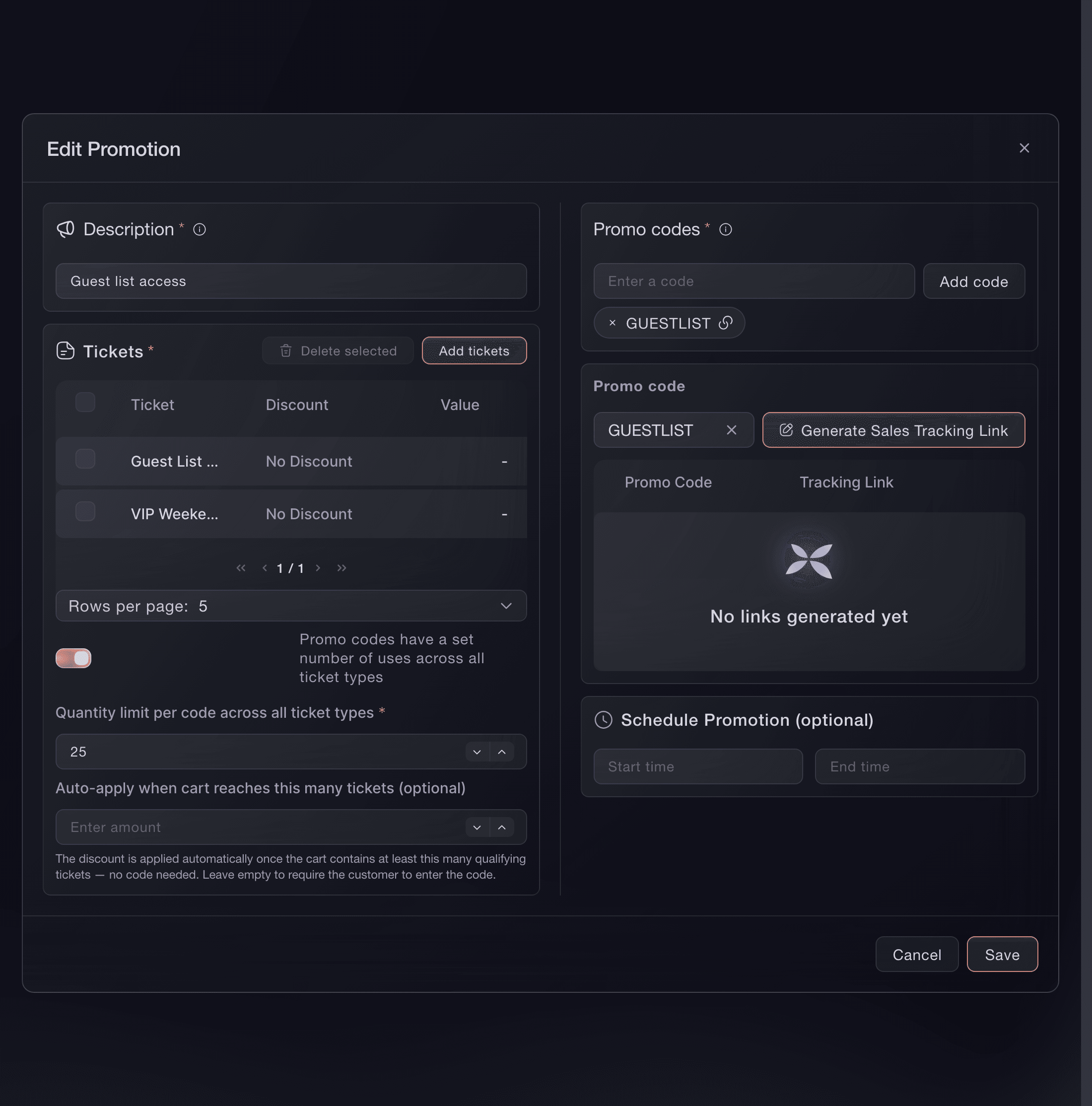
Marketing, Promotions, Edit Promotion. -
Review each order when admission depends on your decision
Order approval lets someone place an order before you accept or decline it. Use it across the event or only on selected ticket types when you need to check each request after checkout.
Order approval does not restrict who can request tickets. Anyone who can reach the ticket can place an order, and you decide whether to accept it.
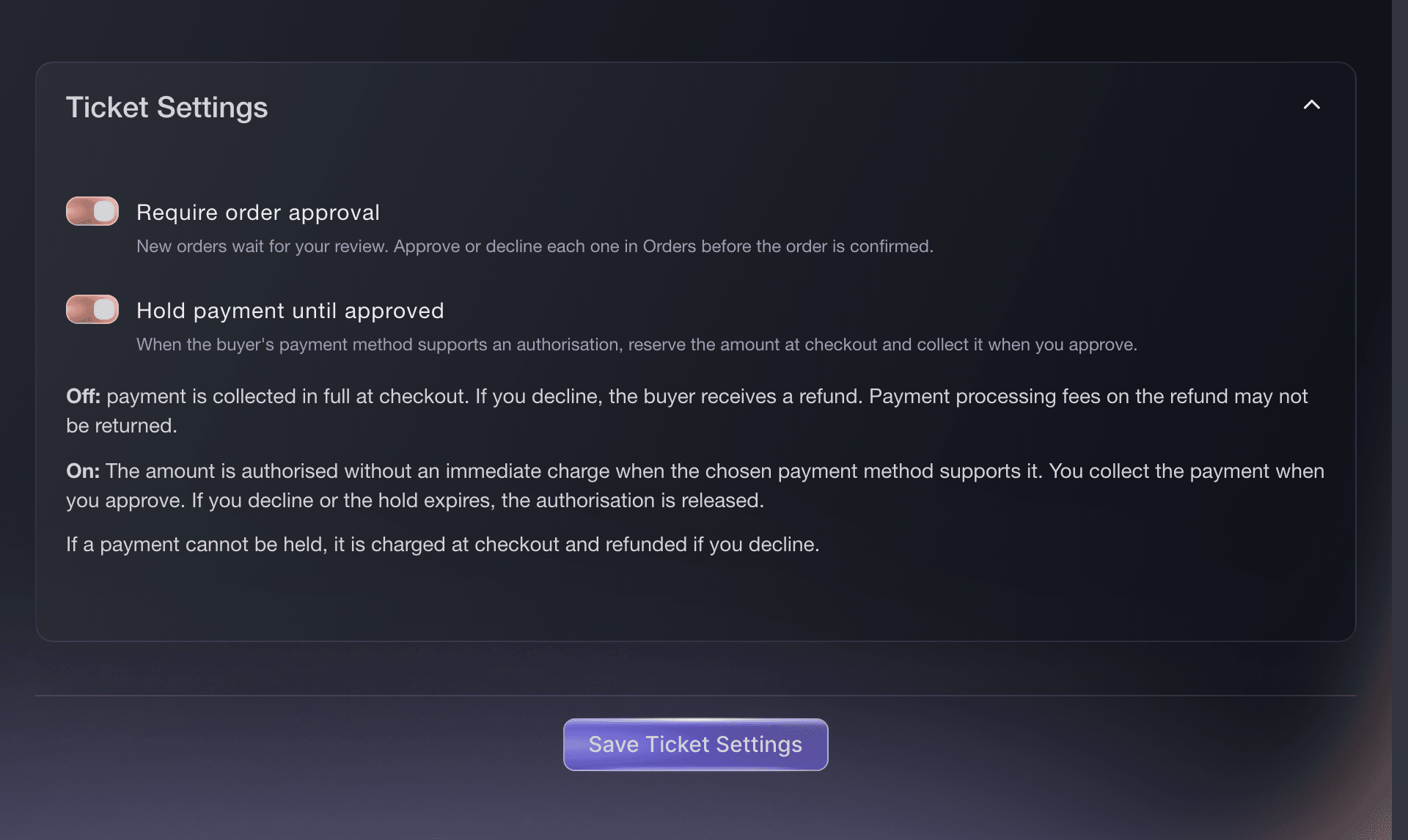
Tickets, Settings, Ticket Settings. -
Test your chosen access method before sharing it
Open the event in a private browser window and follow the same steps your guests will use. Test once without the password, invitation or code, then test again with it. For invitations, try to add a visible ticket without the invitation and confirm the purchase is refused; the ticket choices may still be visible. For approval, place your own order and check that it waits for your decision.

Eller få det gjort for deg
Fai, the assistant inside your dashboard, can compare the four approaches, check how your event is currently configured and set up the option you choose. She explains who gets access and when, then asks you to approve each change separately. You can also make every change in the dashboard.
I dashbordet ditt, med Fai
Find my event by name. Ask me whether access should use shared passwords, personal invitations, a shared access code, or a decision after checkout. Recommend the best fit from my answer, explain who can get through and when access is decided, then show me every setting, ticket, promotion or invitation message you would change and ask me to approve each change separately
Spørsmål du kanskje har
- Which option gives each person their own access?
- Use invitation-required access. Each recipient gets a personal link and their own Max Tickets and Max Transactions limits. A password or access code can be used by anyone who knows it.
- Which option keeps my event page public?
- Use hidden ticket types with a no-discount access code. The event details remain visible, while the tickets appear only after the code is entered.
- Is order approval the same as an invitation-only event?
- No. Invitation-required access checks for a personal invitation when someone adds a ticket, apart from any valid referral-link access your event already allows. With order approval, anyone who can see the ticket can place a request. You decide after checkout.
- Can I combine two private-access methods?
- Yes. You can protect the page with a password and also require personal invitations, or use invitations to reveal selected hidden tickets. Every extra gate adds another action for the buyer, so test the complete path before sending it.
- How do I stop access after I have shared it?
- Remove or replace a password, cancel a personal invitation, or delete the access-code promotion. To close a pending request, approve or decline it.
Veien videre
Gjør dette på ditt eget arrangement
Opprett kontoen din, bygg arrangementet og følg trinnene i ditt eget dashbord. Du trenger ikke bestille en salgssamtale.