
Spørsmål fra arrangører
How do you manage many events on one ticketing platform?
One customer list across every event, one team with roles, and a setup you build once and reuse -- so the tenth event costs what the second one did.
- For
- Anyone running more than a handful of events a year
- Tar
- 6 minutter
Running fifty events a year is mostly one event's work, repeated. What grows is setting each one up, pulling the reporting together, and keeping track of who has bought from you. So ask a platform what it makes you do again for every event, and what it remembers for you.
Your brand is where that memory sits. Your events go under it, and so do one customer list covering all of them, one team with roles that apply across them, one set of colours and logos, and the templates you build an event from. Your next event starts from what the last one taught you rather than from an empty form.
Slik håndterer Ticket Fairy det
-
Event templates
Build your ticket types, releases and add-ons once, save the event as a template, and start the next one from it. Nobody has to remember the setup you got right last time.
-
One customer list across every event
Your brand's customer list holds everybody who bought a live ticket at any of your events, with what they spent and how many of your events they bought at. Keep a list per event and you never see the person who has bought for six of them.
-
A team with roles, once
Give somebody a role on the brand and it applies to the events under it. A promoter, a door lead and somebody who only reads the numbers each get what they need without you setting them up per event.
-
Your look, held centrally
Set your colours, logos and fonts once on the brand, and nobody re-uploads a logo per event. Ask us to turn your branding on, and your event pages and emails carry your look instead of ours.
-
Series and passes for a run
Group a run of dates as a series, and sell a pass that admits somebody to several events on one purchase, rather than making them buy each one.
Slik setter du det opp
Dette trenger du før du starter
- You're an owner or an admin on the brand itself. A role on one of its events won't open these screens.
- You have run at least one event, so there is something to build a template and a customer list from.
-
Put your look on the brand
Set your colours, logos and fonts once on the brand rather than on an event. Every event you create under it then starts out looking like you.
-
Save your best event as a template
Take the event whose ticket types, releases and add-ons you would run again, and save it as a template. Your next event starts from it rather than from an empty form.
-
Give your team roles on the brand
Add people once, at brand level, with the role that matches what they do. Somebody who only reads numbers gets a stats login rather than an admin one.
-
Read your customers across events, not per event
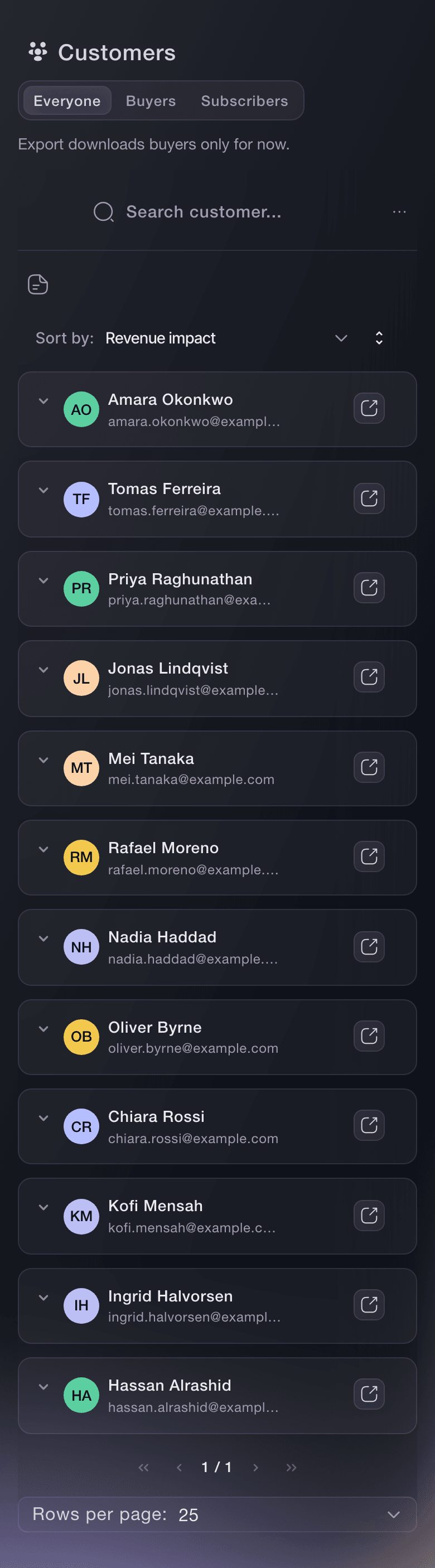
Open Customers on your brand. You are looking at everybody with a paid order that still stands, so you can see who bought again for the second event and who has bought for all six.
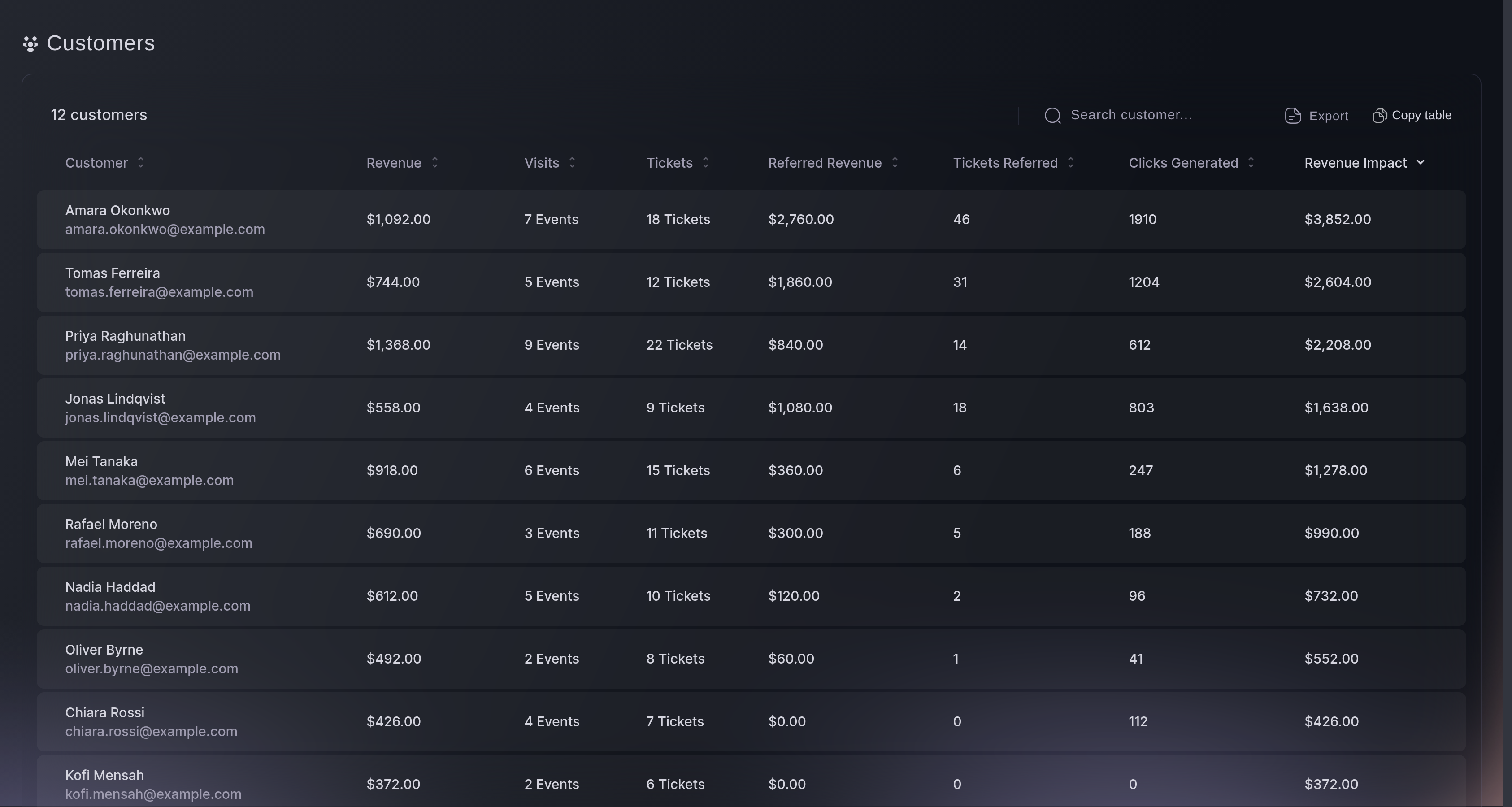
Customers, the list. -
Group a run as a series
Where your dates belong together, such as a tour, a season or a weekly night, put them in a series. You then manage them together, and once you give the series a public page a buyer finds them together too.
Spørsmål du kanskje har
- Do my customers follow me from event to event?
- Yes. Customers belong to your brand rather than to one event, so the list is everybody who has bought from you, with what they spent and how many of your events they bought at.
- Do I have to set up every event from scratch?
- No. Save an event as a template and start the next from it, with the ticket types, releases and add-ons already in place.
- Can somebody have access to every event without being an admin?
- Yes. Brand roles apply across the events under the brand, and the stats roles let somebody read the numbers without being able to change anything.
- Can one ticket cover several events?
- A pass can. A buyer pays once for a set of credits and redeems them against the events you have made eligible, which is how a season ticket or a multi-event pass works.
- Where do I see how a whole season did rather than one night?
- Your brand carries its own audience reporting across events, and each event keeps its own statistics underneath it. Start at the brand for the pattern and open an event for the detail.
Veien videre
Gjør dette på ditt eget arrangement
Opprett kontoen din, bygg arrangementet ditt, og følg disse trinnene i ditt eget dashbord. Uten salgssamtale først.