
Lös problem med biljettförsäljning till evenemang
How do you answer a custom ticket sales question?
Start with the event report that matches your question, filter the Orders table when you need a narrower view, then export those rows for further analysis.
- För
- Answering a ticket sales question with the orders and tickets behind it
- Tar
- 6 minuter
Start with the dashboard report closest to your question. Event statistics cover sales over time, traffic, buyer demographics, referrals and check-ins. If you need the transactions behind a total, filter Orders and export those rows.
For questions that need a different view, work from the orders table: filter it to the orders you need and export those rows to CSV, or export every ticket rather than every order when you need ticket-level detail. Remove duplicate people before using that file to count attendees. The export is what goes into a spreadsheet, a BI tool or a finance system.
You can also ask in words. Fai in the dashboard, your own assistant over MCP and the command line can all get your dashboard figures. Ask "which age band bought the most, and how does that compare with last time" instead of building a spreadsheet.
Så hanterar Ticket Fairy det
-
The statistics your event already has
You get Performance, Orders, Traffic, Demographics, Psychographics, Geographics, Influencers, Check-In and Devices. Each answers a different question about your event.
-
The orders table, filtered
Filter Orders by ticket type, status, add-on, discount code or search. The table and export then contain the matching orders.
-
Export to CSV, orders or tickets
Export to CSV takes the rows as you have filtered them. Export all Tickets and Export Filtered Tickets give you one row per ticket instead. Use those exports for ticket-level analysis, and remove duplicate people before counting attendees.
-
Ask for the same figures in plain language
Fai gets these figures inside the dashboard, your own AI assistant gets the same figures over our MCP server, and the command line prints them as JSON for a script that runs every morning.
Så ställer du in det
Det här behöver du innan du börjar
- You need an owner or admin login to open Orders and export its rows. Stats and Limited Stats logins can use the event reports but cannot open the orders table.
- Your event has at least one completed ticket sale that has not been cancelled or refunded. Unpaid and abandoned checkouts do not fill the sales or buyer reports.
-
Check whether a report already answers it
Open Statistics on your event and start with Analytics for ticket sales and sales over time. Separate reports cover traffic sources, buyer ages and locations, referrals and check-ins.
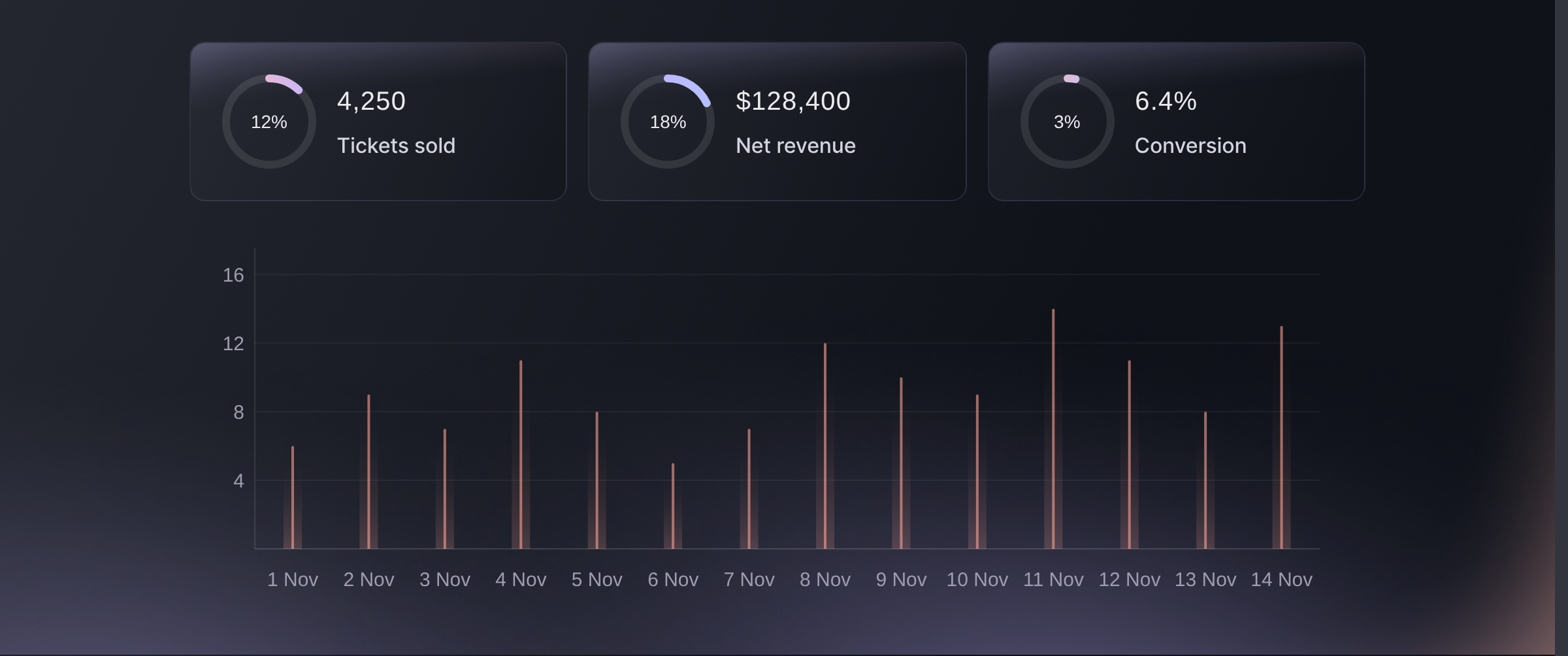
Statistics, Analytics. -
Filter the orders table to the orders you need
Open Orders and narrow it to one ticket type, one add-on, one order status, one discount code, or a search. The rows left in the table are the orders your question is about, one row per order rather than one per person.
Use the event's sales-over-time report when the question is about a particular date range, and use Orders when you need the transactions behind the total.
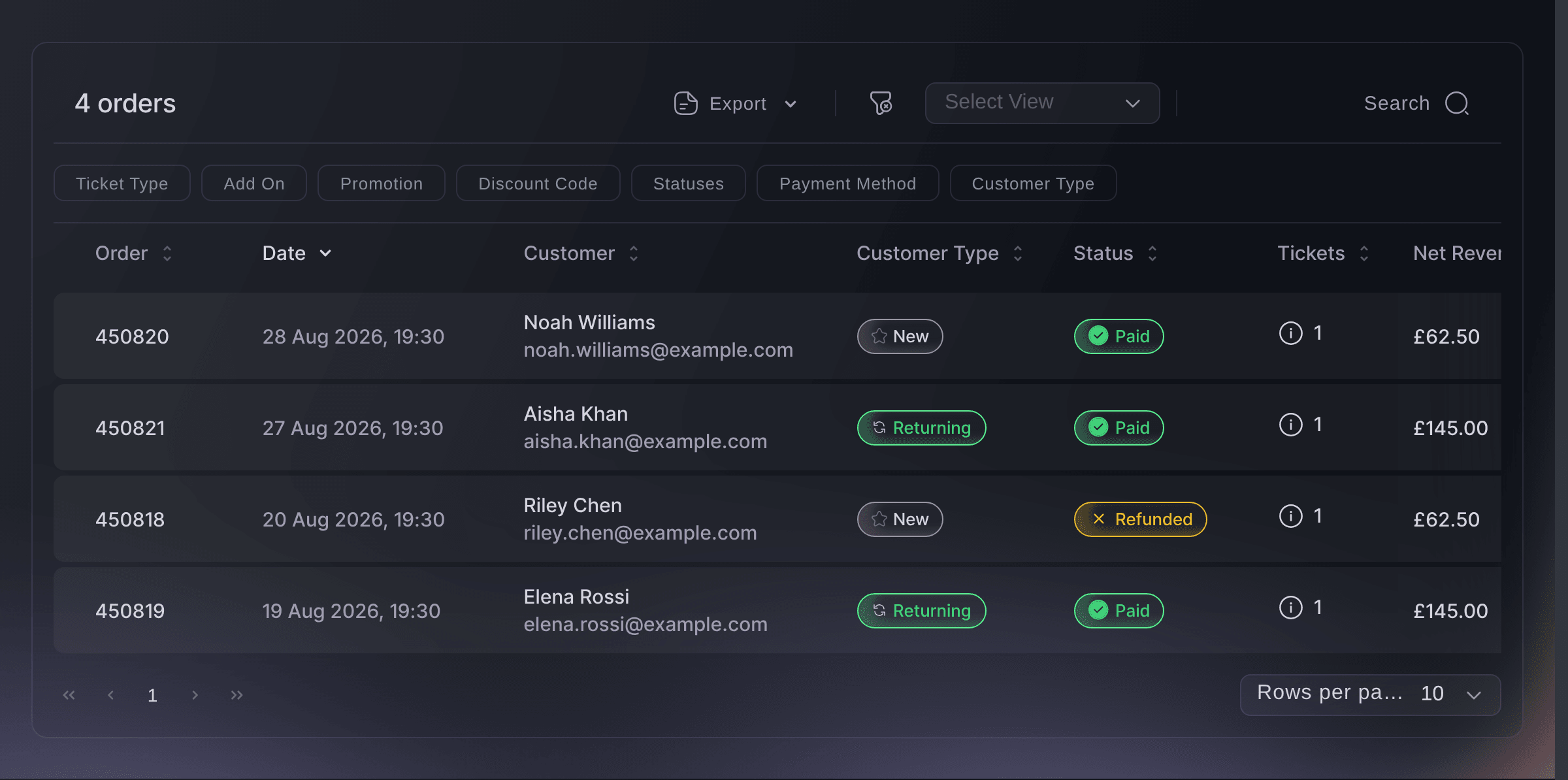
Event, Orders. -
Export the rows you need
Choose Export to CSV for the filtered orders, or Export Filtered Tickets when you need one row per ticket.
One order can include several tickets, so order and ticket exports answer different questions. Export orders to count transactions. Export tickets for ticket-level analysis, and remove duplicate people before using it to count attendees.
-
Schedule a recurring report
Where the same question comes back every week, ask it from the command line with JSON output and let a script run it. You get the same figures the dashboard shows, so you never have to reconcile two answers.

Eller låt det göras åt dig
Ask Fai or your own assistant for event statistics, or use the command line to return them as JSON for a scheduled report.
I din instrumentpanel, med Fai
Compare this event with the last one I ran and tell me what sold, where the buyers came from, and which age band bought the most
Från din egen assistent, via MCP
Anslut assistenten till vår MCP-server och be den:
Behåll --read-only i MCP-konfigurationen. Den här uppgiften läser bara data, så assistenten behöver inga verktyg som gör ändringar.
Find my event and compare its sales, traffic, age groups and top referring sites over the same dates
Från din terminal
Installera CLI:t från vår CLI-sida, logga in med ticketfairy auth login och välj varumärket du arbetar med via ticketfairy brand use <BRAND_ID>. ticketfairy brand list och ticketfairy event list visar de ID:n som de andra kommandona använder.
Sign in with the same account you use in the dashboard. The commands below return a sales summary without downloading individual orders, so they work well in scheduled reports.
What has sold, as the summary at the top of Analytics
ticketfairy event stats <EVENT_ID> --metric sales
The same numbers per ticket type
ticketfairy event stats <EVENT_ID> --metric performance --output json
Frågor du kanske har
- How do I answer a question that spans several reports?
- Start with the relevant report, filter Orders to inspect the transactions behind it, and export the result when you want to combine it with other data. You can also ask Fai, your own assistant over MCP, or the command line to get the same figures.
- What is the difference between an orders export and a tickets export?
- An order export has one row per transaction; a ticket export has one row per ticket. One order can include four tickets for three attendees, and one attendee can hold more than one ticket. Remove duplicate people before using either export to count attendees.
- Can I get ticket sales into our BI tool?
- Yes. Export the matching rows as CSV for a one-off, and for something that runs on a schedule use the command line with JSON output, which returns the same figures shown in the dashboard.
- Who can see these reports?
- You can open the reports on an owner, admin, Stats or Limited Stats login, so a team member can view the reports without letting them change the event. You need an owner or admin login to open the orders table and export filtered results.
- Do the reports include refunded orders?
- You choose. Filter the orders table to include or exclude refunded and cancelled orders, and decide which of the two your question means before you export.
Vart du går härifrån
Gör det på ditt eget evenemang
Skapa ditt konto, bygg evenemanget och följ stegen i din egen kontrollpanel. Du behöver inte boka ett säljsamtal.