
Vault och Capital
Convert currencies and follow every movement of your event money in Vault
Touring promoters and festivals booking international acts earn in one currency and pay artists and suppliers in another. Vault lists every movement of your event money with the balance after it, and converts between your balances at a rate you check first, so you pay a European headliner in euros without a bank transfer abroad.
See every movement in and out of your Vault balances for your events, from ticket money in to artist payments, card spending and fees, with the balance after each one, and convert money between currencies at a rate you see and agree to first.
- För
- Holding and converting the currencies your events earn and spend
- Tar
- 7 minuter
Innan du börjar
- You're an owner or an admin on the brand. Those are the two roles that reach Vault, and both can convert money.
- Your brand has an active Vault account.
- You have your second factor to hand. Vault may ask you to confirm it's you before it converts money.
-
Open Activity
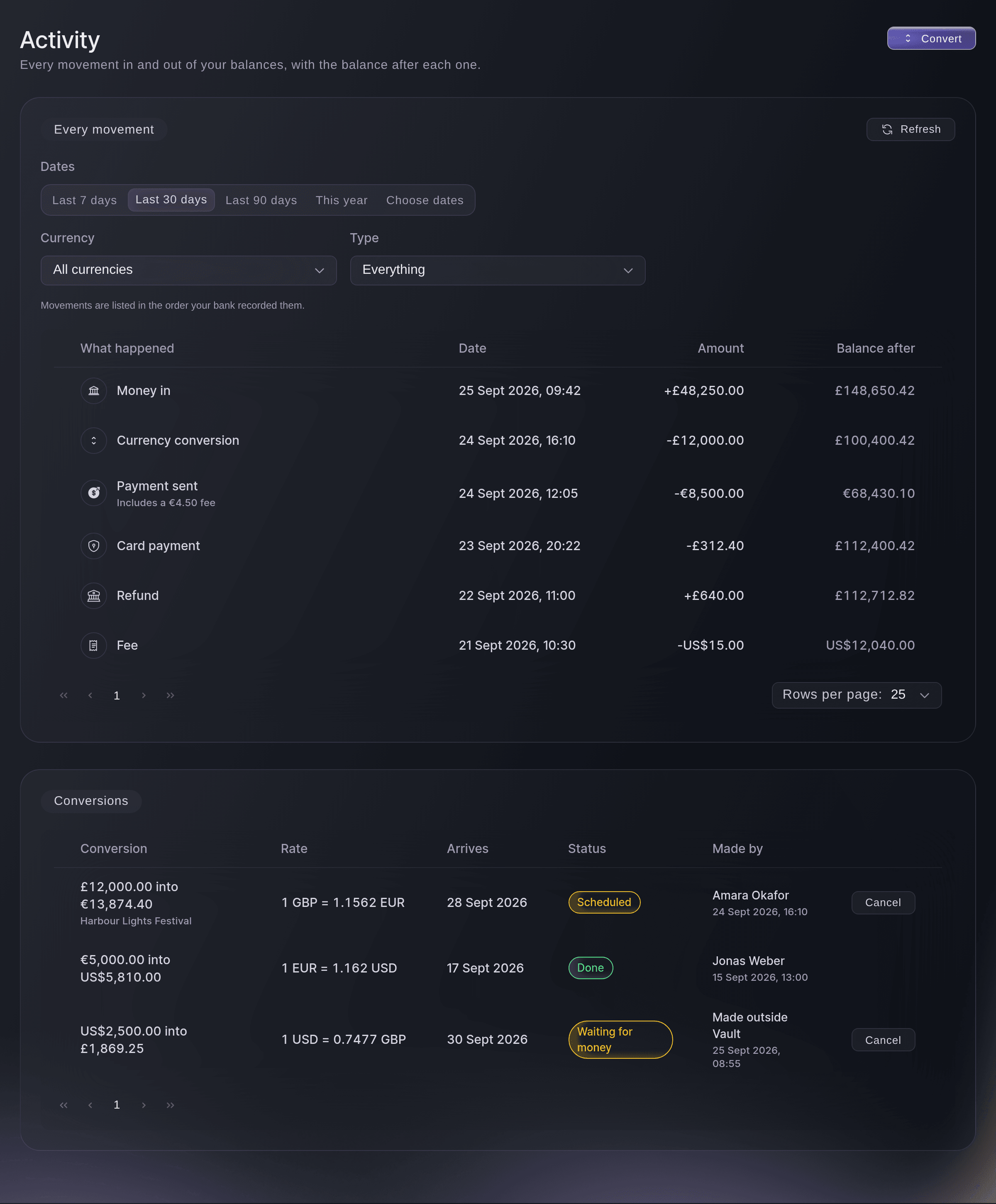
Open Vault, then select Activity. Every movement lists money in, payments, conversions, card payments, refunds and fees, newest first, with the Balance after each one.
Obs: Movements are in the order your bank recorded them, and a payment that carried a fee says so under its description.
Vault, Activity. -
Choose the dates, currency and type
Optional: Choose Last 7 days, Last 90 days, This year or Choose dates in Dates, then narrow the list with Currency and Type.
Obs: The list starts on the last 30 days. Choose dates to look back as far as you need.
-
Select Convert
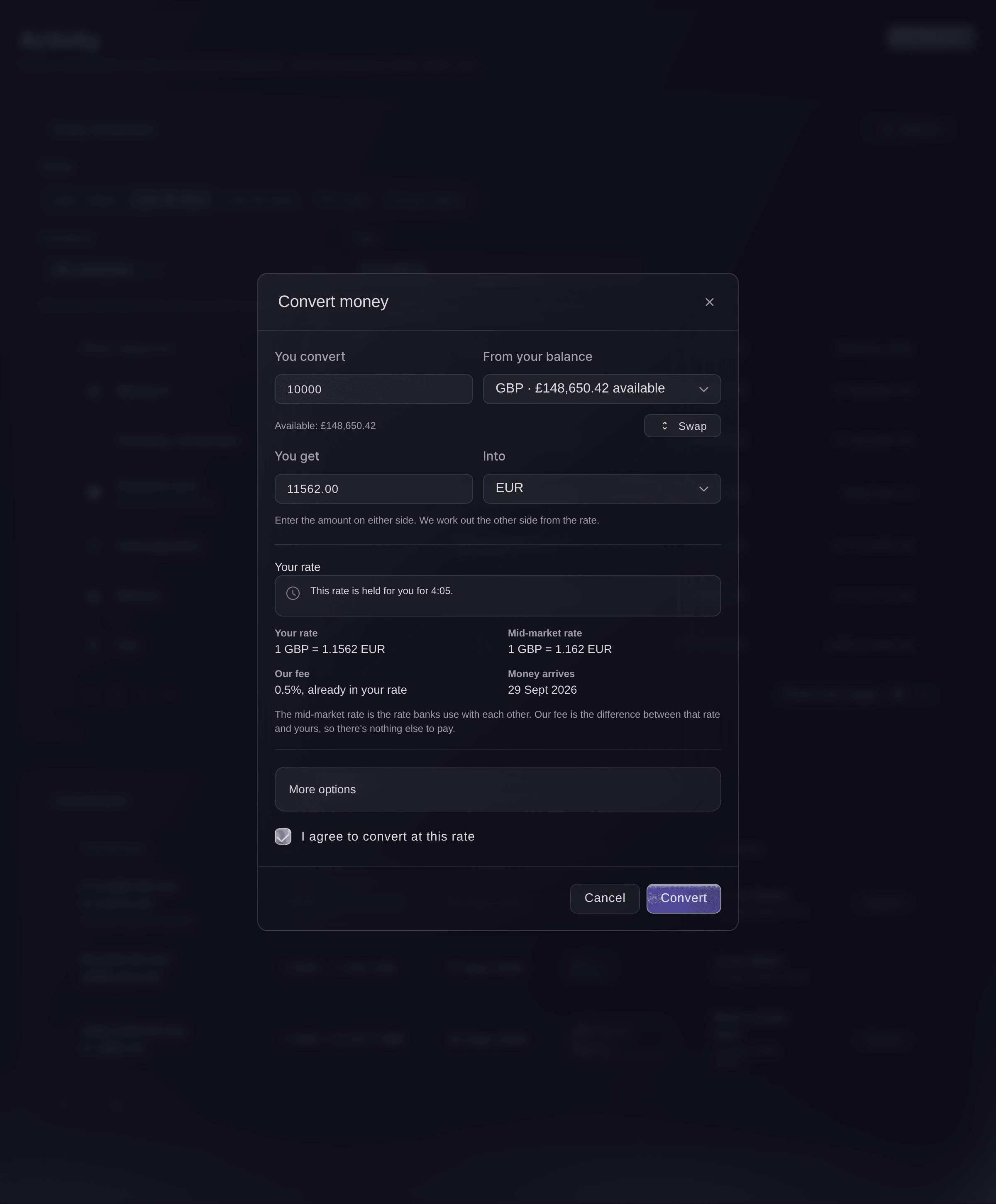
Select Convert at the top of the page. Convert money opens.
Obs: Convert beside Your money on the Vault Overview opens the same dialog.
Vault, Activity, Convert money. -
Choose the currencies
Choose the balance to take the money from in From your balance, then the currency you want in Into.
-
Enter the amount
Enter the amount to convert in You convert, or the amount you need in You get. We work out the other side from the rate.
Obs: If you enter more than the balance holds now, the conversion waits until enough money arrives.
-
Check the rate
Read Your rate: your rate, the Mid-market rate, Our fee and when the Money arrives.
Obs: The mid-market rate is the rate banks use with each other, and our fee is already inside your rate, so there's nothing else to pay. When the rate is held for you, a timer says for how long.
-
Link the event
Optional: Select More options, choose the Event the money is for, and enter What is it for? so your team knows why you converted.
-
Agree to the rate
Tick I agree to convert at this rate.
Obs: If the rate runs out before you convert, we get a new one and you agree again.
-
Select Convert
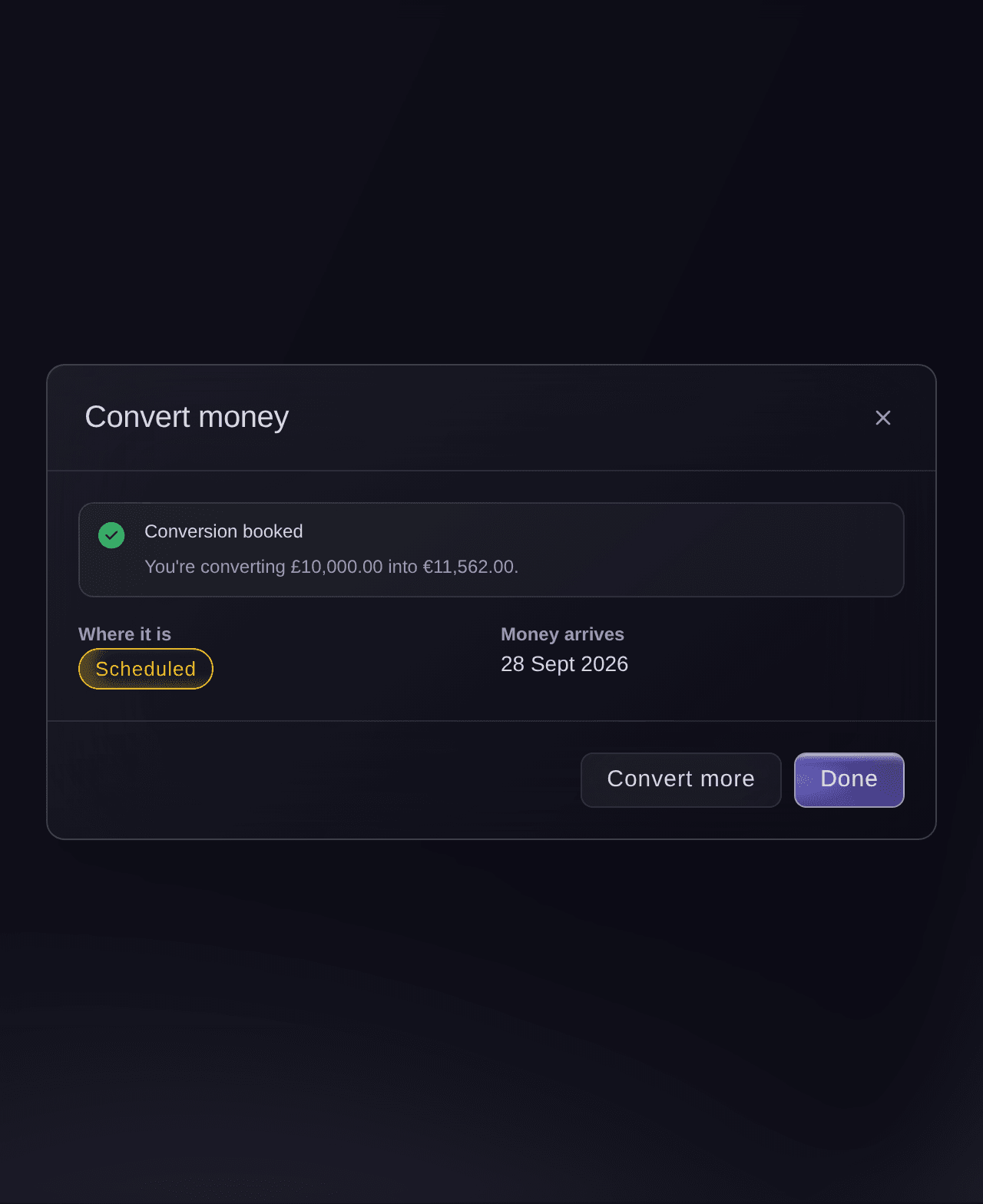
Select Convert at the foot of the dialog, and confirm it's you if Vault asks. Conversion booked shows what you are converting and when the money arrives.
Convert money, Conversion booked. -
Check it under Conversions
Select Done, then find the conversion under Conversions on the Activity page. Scheduled changes to Done when the money reaches your balance.
Obs: Waiting for money means the balance you convert from doesn't hold enough yet. The conversion goes ahead when the money arrives.
Prova de här stegen på ditt eget evenemang
Skapa ett gratis konto, bygg ditt evenemang och följ stegen ovan i din egen instrumentpanel. Det tar några minuter och du behöver inte boka något säljsamtal.
Inga startavgifter. Ingen obligatorisk månadsavgift. Inget kreditkort krävs.
Eller låt det göras åt dig
Fai, the assistant inside your dashboard, can list the movements in your balances for any dates, currency and type, get a rate, and convert money between your balances after she shows you the rate, the mid-market rate and the fee and you agree. You may still need to confirm it's you in Vault. MCP and the command line have no commands for this.
I din instrumentpanel, med Fai
Show me every Vault movement in <CURRENCY> for <BRAND NAME> last month, then get me a rate to convert <AMOUNT> <CURRENCY> into <CURRENCY> for <EVENT NAME>
Låt Fai göra det åt dig
Fai arbetar inuti din Ticket Fairy-instrumentpanel. Skapa ditt konto, öppna Fai och klistra in instruktionen ovan.
Inga startavgifter. Ingen obligatorisk månadsavgift. Inget kreditkort krävs.
Cancel a conversion
-
Select Cancel
Under Conversions, select Cancel on the conversion.
Cancel this conversion?
shows what cancelling costs.Obs: Cancel appears only while the bank still allows it. The bank can charge to cancel, and that cost comes out of your balance.

Activity, Conversions, cancelling a conversion. -
Confirm the cancellation
Tick I understand this can't be undone, then select Cancel conversion. The conversion shows as Cancelled.
Varning: A cancelled conversion can't be restored. To convert again, start a new conversion at the rate of the day.
Fai can tell you what cancelling a conversion costs and cancel it after you agree.
I din instrumentpanel, med Fai
What would it cost to cancel the Vault conversion of <AMOUNT> <CURRENCY> into <CURRENCY>? Cancel it if it's under <AMOUNT>
Frågor du kanske har
- Why does Balance after show a dash on some rows?
- The bank didn't give a balance for that movement. The amount is still right, and the next row that has a balance shows where the balance stands.
- Can I pay an artist in euros without converting first?
- Yes. A payment or a batch can take the money from another balance with Pay from, and we convert it when the payment is sent, as Pay your event's artists, suppliers and crew at once from Vault shows.
- Why can't I select Convert?
Only a brand owner or admin can convert money. You can still see the rate.
appears when your login is not an owner or admin of the brand. Ask one of them to convert it.- What if the conversion didn't go through?
We're checking whether your conversion went through
means we didn't get a clear answer from the bank. Don't start a new conversion: select Check again, or close the dialog and look for it under Conversions.- What does Made outside Vault mean?
- The conversion was made directly with the bank rather than in Vault, so there is no teammate to name. It is still in your balances and in the list.
- Can I get this list as a file for my accountant?
- Yes. Ask for All activity (spreadsheet) on the Statements page, as Get a Vault statement of your event money for your accountant shows.
- What do I check when Vault asks me to confirm it's me?
- You are approving at the top of the check names what you are doing, such as Convert money, with the exact amount and the currency it is converted to. Continue only if they match what you want to do.
Har du fortfarande en fråga?
Boka en demo så svarar vi på den i ett samtal, utifrån din typ av evenemang. Eller skapa ditt konto och se själv.
Inga startavgifter. Ingen obligatorisk månadsavgift. Inget kreditkort krävs.
Relaterade guider
Gör det på ditt eget evenemang
Skapa ditt konto, bygg evenemanget och följ stegen i din egen kontrollpanel. Du behöver inte boka ett säljsamtal.