
Driv produktionen
Fill in each performer's advance for your event from tour books, riders and emails
Artist liaison and production teams retype flight times, input lists and hospitality riders from tour books and long email threads into every advance for a festival or tour. Fai reads those documents and replies for you and lays out what she found beside where it came from, so advancing an act becomes checking answers rather than copying them.
Let Fai read an act's tour book, rider, their team's email replies and last year's advance, and suggest each answer for their advance for your event, with the words she found it in. You accept, replace or reject each answer, and nothing a person entered is overwritten without you saying so.
You are checking the answers Fai found for a performer's advance, which you open from Advancing. Advance your performers before the show
- För
- Filling in performer advances from what their team sends you
- Tar
- 7 minuter
Innan du börjar
- You are an owner, admin or producer on the event. The event's Operations page opens for those roles only.
- The performer is on the event's line-up and has an advance in Advancing.
- Optional: your mailbox is connected to the event's Inbox, so Fai can read the act's replies to your emails.
-
Open the performer's advance
Open the event, select Operations, select Advancing in the list of sections, then select a performer whose row says they have answers to check.
Obs: Answers to check is at the top of the advance, above the sections.
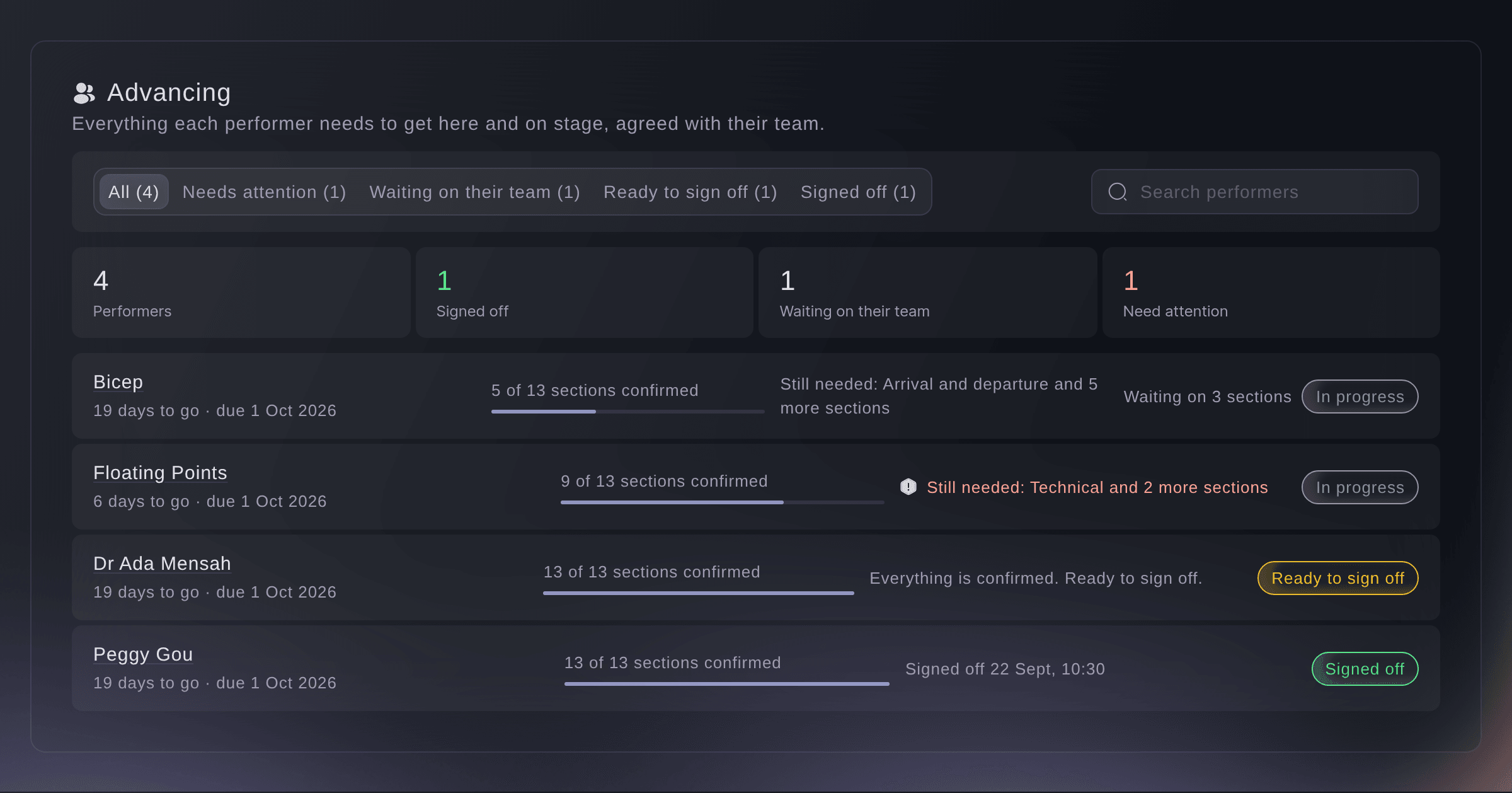
Every performer's advance. -
Add a tour book or rider
Optional: under What Fai read, choose a file in Add a tour book or rider.
Obs: Fai reads PDF, Word, Excel, text and image files of up to 25 MB, and her answers appear when she finishes. Replies from the act's contacts to your emails, and riders their agent sends back, are read without you adding anything.
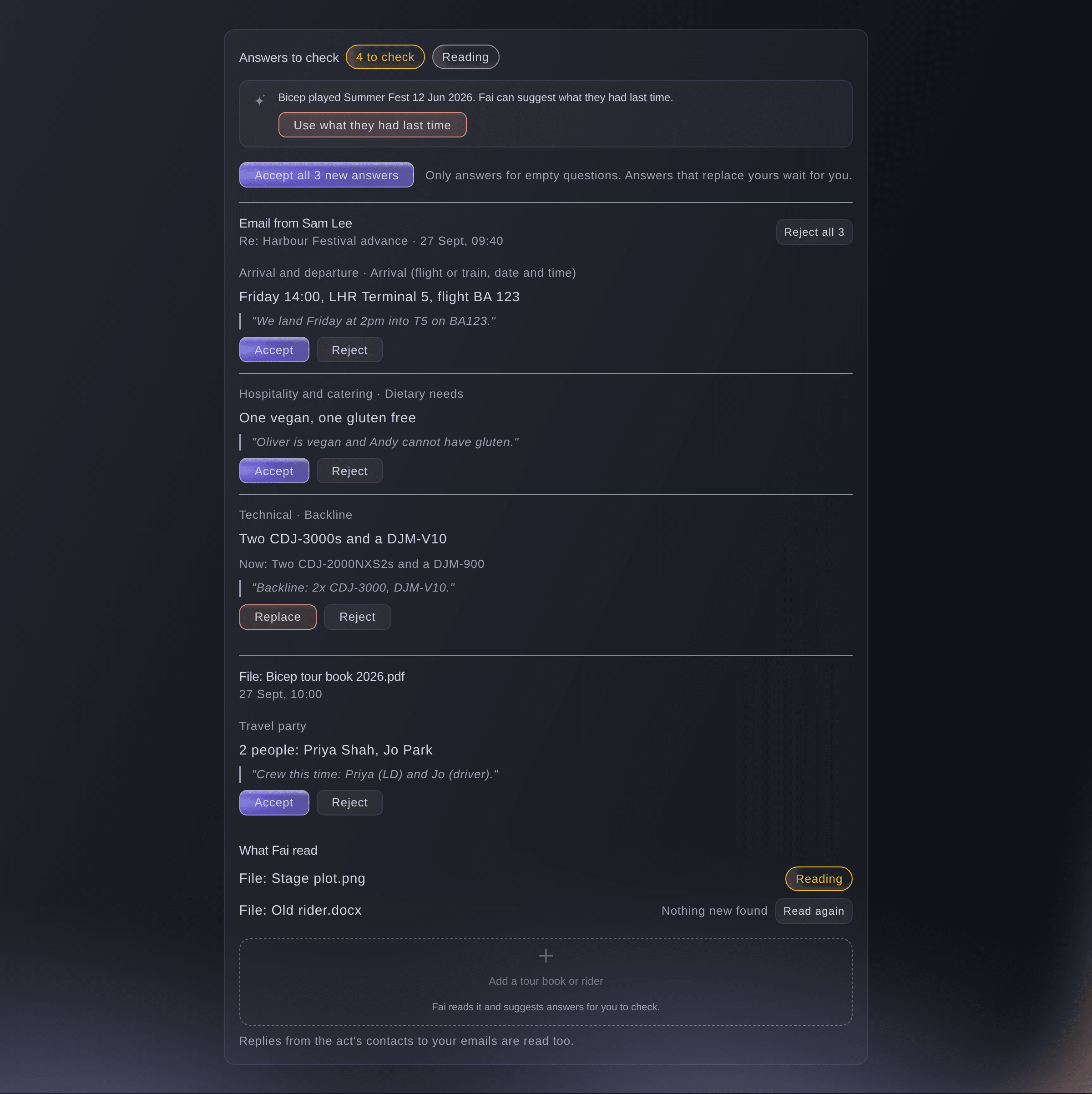
Answers to check, and what Fai read. -
Use what they had last time
Optional: if the act played one of your earlier events, select Use what they had last time.
Obs: Fai suggests the answers from their last advance, and each one waits here for you like any other.
-
Check each answer
Read the answer and the quote under it, then choose what to do with it.
-
Accept the new answers together
Optional: select the Accept all button, which shows how many new answers there are, to take every answer that fills an empty question.
Obs: Answers that would replace one already there are left for you to check one by one.


Files from the tour manager
On the advance link, under Send your tour book or rider, the act's team can add their own files for Fai to read. Their answers wait under Answers to check the same way, and the team is told that the event team checks every answer.

-
Check the answers went in
Open the sections Fai filled.
Obs: Each accepted answer is in its section, and an accepted technical or hospitality answer also updates your hire and shopping lists. The Advancing list stops counting answers to check once none are waiting.
Prova de här stegen på ditt eget evenemang
Skapa ett gratis konto, bygg ditt evenemang och följ stegen ovan i din egen instrumentpanel. Det tar några minuter och du behöver inte boka något säljsamtal.
Inga startavgifter. Ingen obligatorisk månadsavgift. Inget kreditkort krävs.
Eller låt det göras åt dig
Fai lists the answers waiting on an act's advance with where each came from, and accepts, replaces or rejects them when you tell her which, after you confirm. She never replaces a person's answer unless you ask for that answer by name. She cannot add a file for you; select Add a tour book or rider in the dashboard for that.
I din instrumentpanel, med Fai
Which answers did you find for Bicep's advance at <EVENT NAME>, and accept the ones that fill empty questions
Låt Fai göra det åt dig
Fai arbetar inuti din Ticket Fairy-instrumentpanel. Skapa ditt konto, öppna Fai och klistra in instruktionen ovan.
Inga startavgifter. Ingen obligatorisk månadsavgift. Inget kreditkort krävs.
Frågor du kanske har
- Does Fai change the advance on her own?
- No. Everything she finds waits under Answers to check until you accept it, and she never replaces an answer a person gave unless you choose Replace.
- Why does an answer say it changed while I was checking?
- Someone changed that question after Fai read it. Look at it again, and replace the answer only if Fai's is right.
- What if Fai could not read a file?
- The file shows Could not read it under What Fai read. Select Read again, or check the file and enter the answers yourself.
- Which emails does Fai read?
- Replies from the act's contacts on the advance, in mailboxes connected to your event's Inbox. Anything in an email or file is read as information only, never as instructions to Fai.
- Is there an address I can forward a tour book to?
- No. Add the file under What Fai read, or ask the tour manager to add it on their advance link.
Har du fortfarande en fråga?
Boka en demo så svarar vi på den i ett samtal, utifrån din typ av evenemang. Eller skapa ditt konto och se själv.
Inga startavgifter. Ingen obligatorisk månadsavgift. Inget kreditkort krävs.
Relaterade guider
Gör det på ditt eget evenemang
Skapa ditt konto, bygg evenemanget och följ stegen i din egen kontrollpanel. Du behöver inte boka ett säljsamtal.