
Driv produktionen
Keep a risk register for your event
Event managers and safety officers keep a risk register for licensing, insurers and their own peace of mind, usually as a spreadsheet nobody updates after the safety advisory group meeting. The register keeps each risk scored, owned and dated beside the incidents your team logs, with nothing ever deleted.
List what could go wrong at your event, how likely and how bad each risk is and what you are doing about it, start from a draft Fai builds from your event and past incidents, and keep every risk's owner, review date and status current.
- För
- Keeping your event's risk assessment current
- Tar
- 6 minuter
Innan du börjar
- You are an owner, admin or producer on the event. The event's Operations page opens for those roles only.
-
Open the risk register
Open the event, select Operations, then select Risks in the list of sections.
Obs: Each risk shows its score, owner, review date and status, highest score first; Still open leaves out closed risks. If Risks is not in the list, select More sections and open it there.
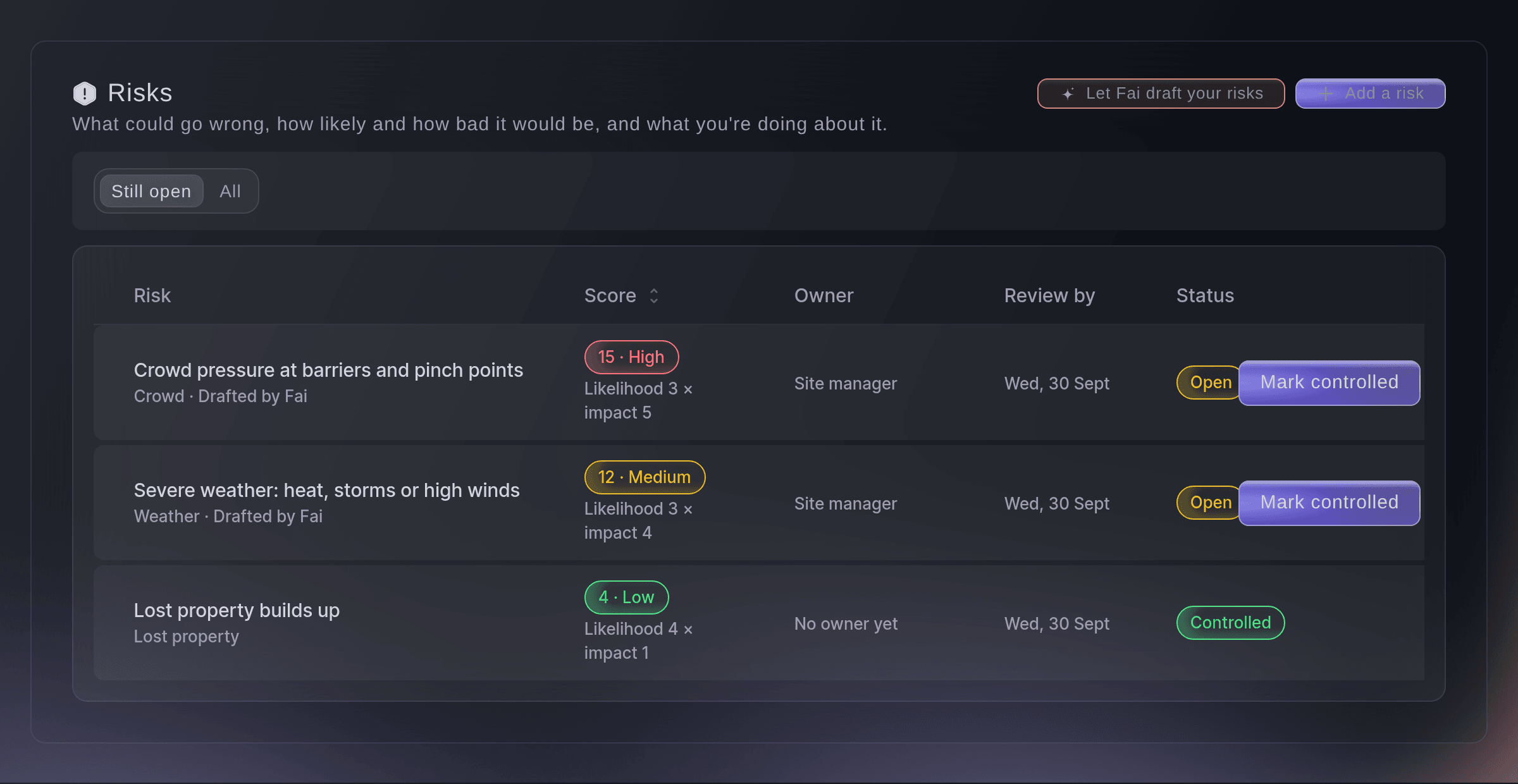
The risk register. -
Let Fai draft your risks
Select Let Fai draft your risks, check People at the busiest time and Indoors or outdoors?, then select Draft again if you changed them.
Obs: Fai drafts from your event type, size, dates and finish time, and from incidents at your earlier events, and says why each risk is on the list. Risks your register already covers are left out.
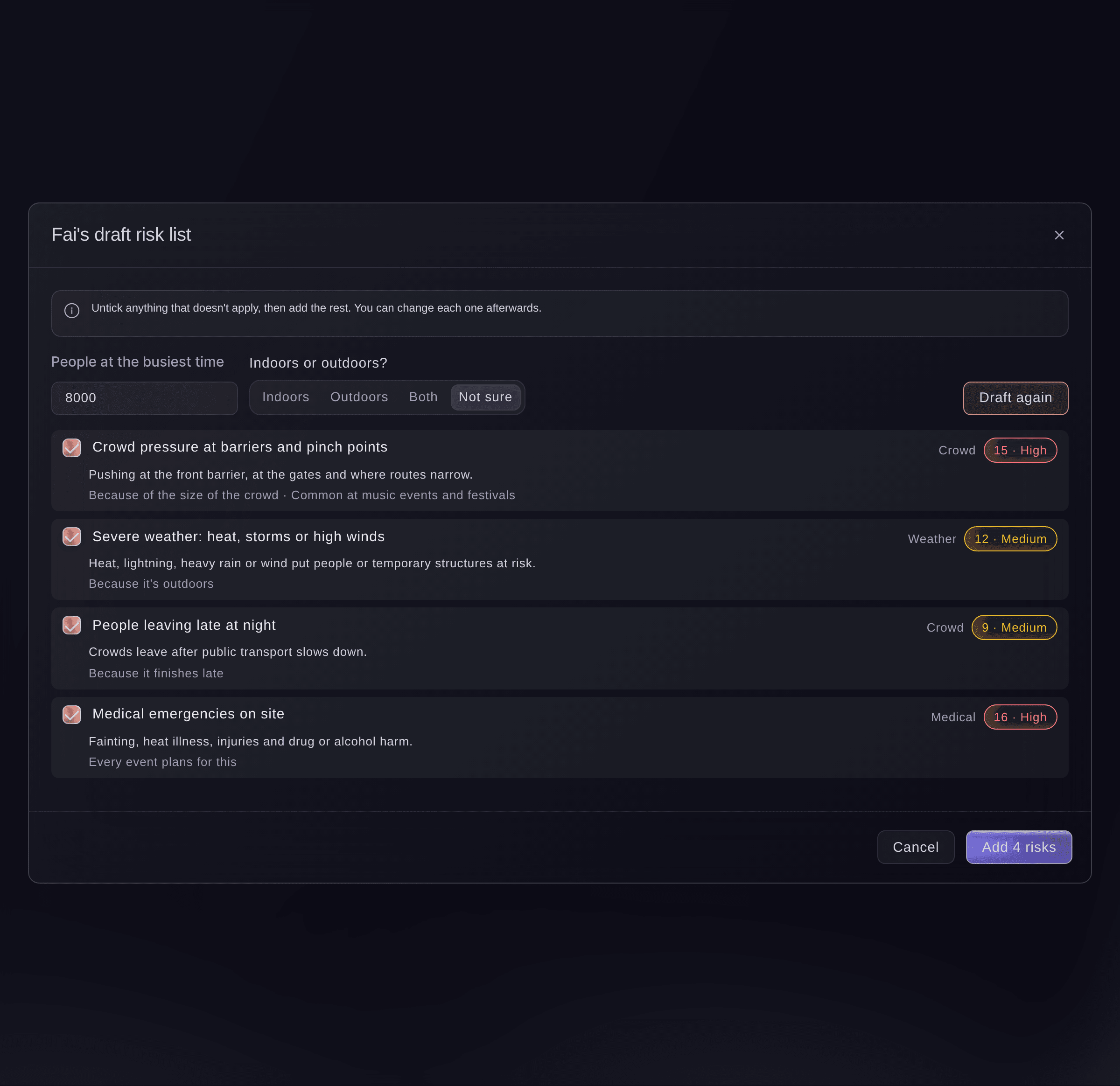
Fai's draft risk list. -
Add the risks you keep
Untick anything that does not apply, then select the add button, for example "Add 4 risks".
Obs: Nothing is saved until you add them, and each one shows Drafted by Fai on the register. You can change each one afterwards.
-
Add a risk of your own
Select Add a risk, enter What could go wrong?, choose How likely? and How bad would it be?, then select Add risk.
Obs: The score is how likely times how bad, from 1 to 25: 15 or more is High, 8 to 14 Medium and 7 or less Low. It is worked out for you and never entered.
-
Record what you are doing and who owns it
Select a risk, enter What you're doing about it one action per line, then set Who owns it and Review by and select Save.
Obs: Change how likely or how bad as your plans take effect, and the score follows. A teammate's save in the meantime is never overwritten; the form reloads their version for you to check.
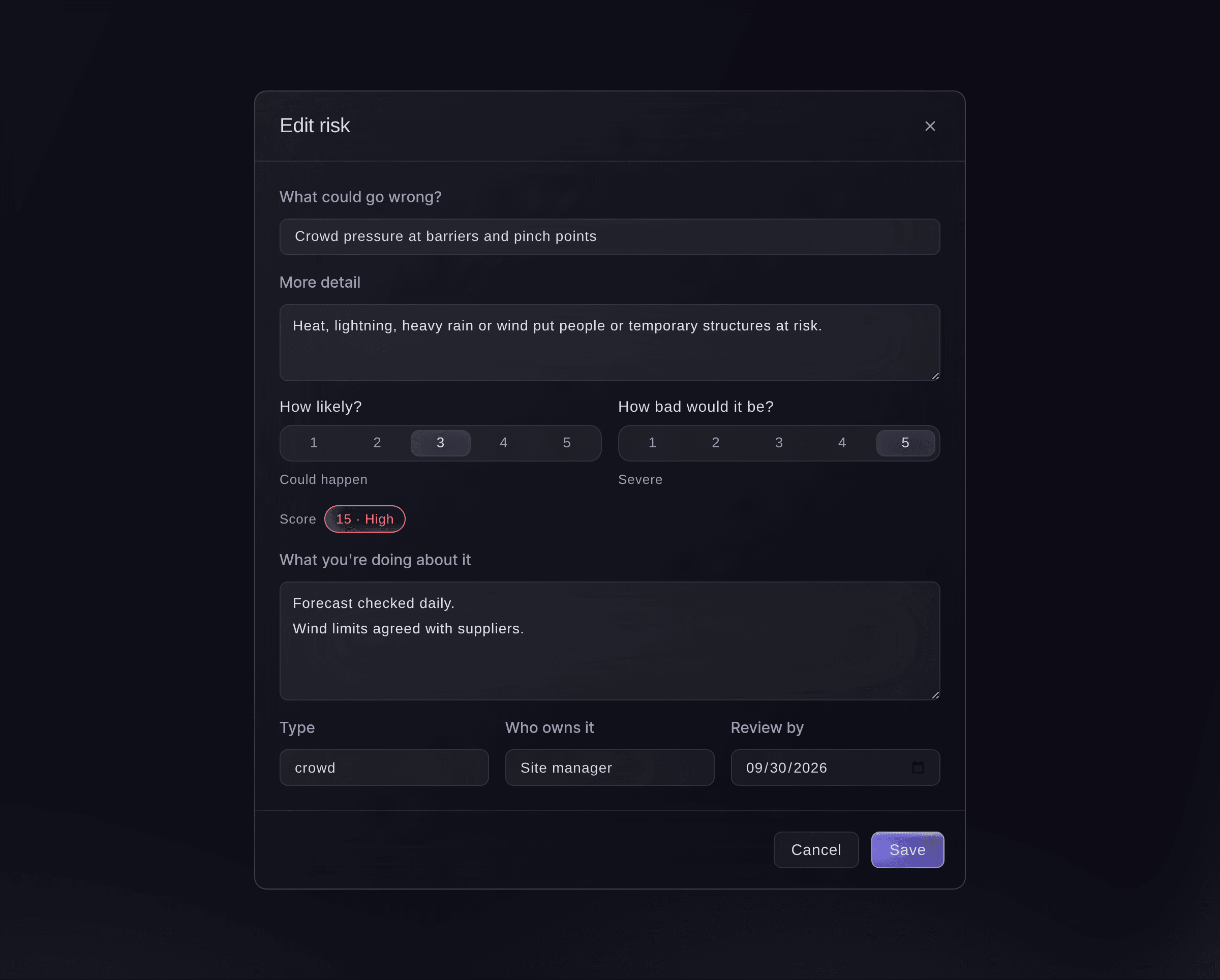
Edit a risk. -
Mark a risk controlled, accepted or closed
Select Mark controlled, Accept or Close on the risk's row.
Obs: Controlled means your actions are in place, and Accepted means you have decided to live with it. A closed risk can be brought back with Reopen, and every change is kept in its history.


Prova de här stegen på ditt eget evenemang
Skapa ett gratis konto, bygg ditt evenemang och följ stegen ovan i din egen instrumentpanel. Det tar några minuter och du behöver inte boka något säljsamtal.
Inga startavgifter. Ingen obligatorisk månadsavgift. Inget kreditkort krävs.
Eller låt det göras åt dig
Fai reads the register, builds a draft from your event without saving it, adds risks one at a time or many at once, edits them and marks them controlled, accepted, closed or open again. She shows you each change and waits for your yes first; risks are never deleted.
I din instrumentpanel, med Fai
Draft a risk register for <EVENT NAME>, an outdoor festival for 8,000 people, and show me before you add anything
Låt Fai göra det åt dig
Fai arbetar inuti din Ticket Fairy-instrumentpanel. Skapa ditt konto, öppna Fai och klistra in instruktionen ovan.
Inga startavgifter. Ingen obligatorisk månadsavgift. Inget kreditkort krävs.
Frågor du kanske har
- Can I delete a risk?
- No. Risks are never deleted, so your register keeps its history for licensing and insurers. Close a risk that no longer applies.
- Is Fai's draft a risk assessment?
- It is a starting list for you to check. Follow your own risk assessment and the advice of your security and medical providers.
- Why did Fai add a risk about a past incident?
- Incidents like it were logged at your earlier events, and the draft says how many beside the risk.
Har du fortfarande en fråga?
Boka en demo så svarar vi på den i ett samtal, utifrån din typ av evenemang. Eller skapa ditt konto och se själv.
Inga startavgifter. Ingen obligatorisk månadsavgift. Inget kreditkort krävs.
Relaterade guider
Gör det på ditt eget evenemang
Skapa ditt konto, bygg evenemanget och följ stegen i din egen kontrollpanel. Du behöver inte boka ett säljsamtal.