
Annonsera ditt evenemang
Set up a Pinterest pixel to track your ticket sales
Put your Pinterest tag on your Ticket Fairy event pages and checkout, so Pinterest can see which ticket sales came from which campaign.
- För
- Anyone running Pinterest ads for an event
- Tar
- 5 minuter
Det här behöver du innan du börjar
- You're an owner, an admin or on the marketing team for this brand. If you can't open Integrations, ask an owner or an admin to do this part or to give you access.
- You have your Pinterest pixel ID, or the tracking snippet Pinterest gave you.
-
Copy your Pinterest pixel ID
Get it from your Pinterest ads account.
Either the ID on its own or the whole snippet works, so take whichever Pinterest puts in front of you.
-
Add it in your brand settings
Open the Pinterest tab in Network Conversion Tracking Pixels and paste the pixel ID.
You can add more than one, so an agency running two Pinterest accounts against the same event can add both.
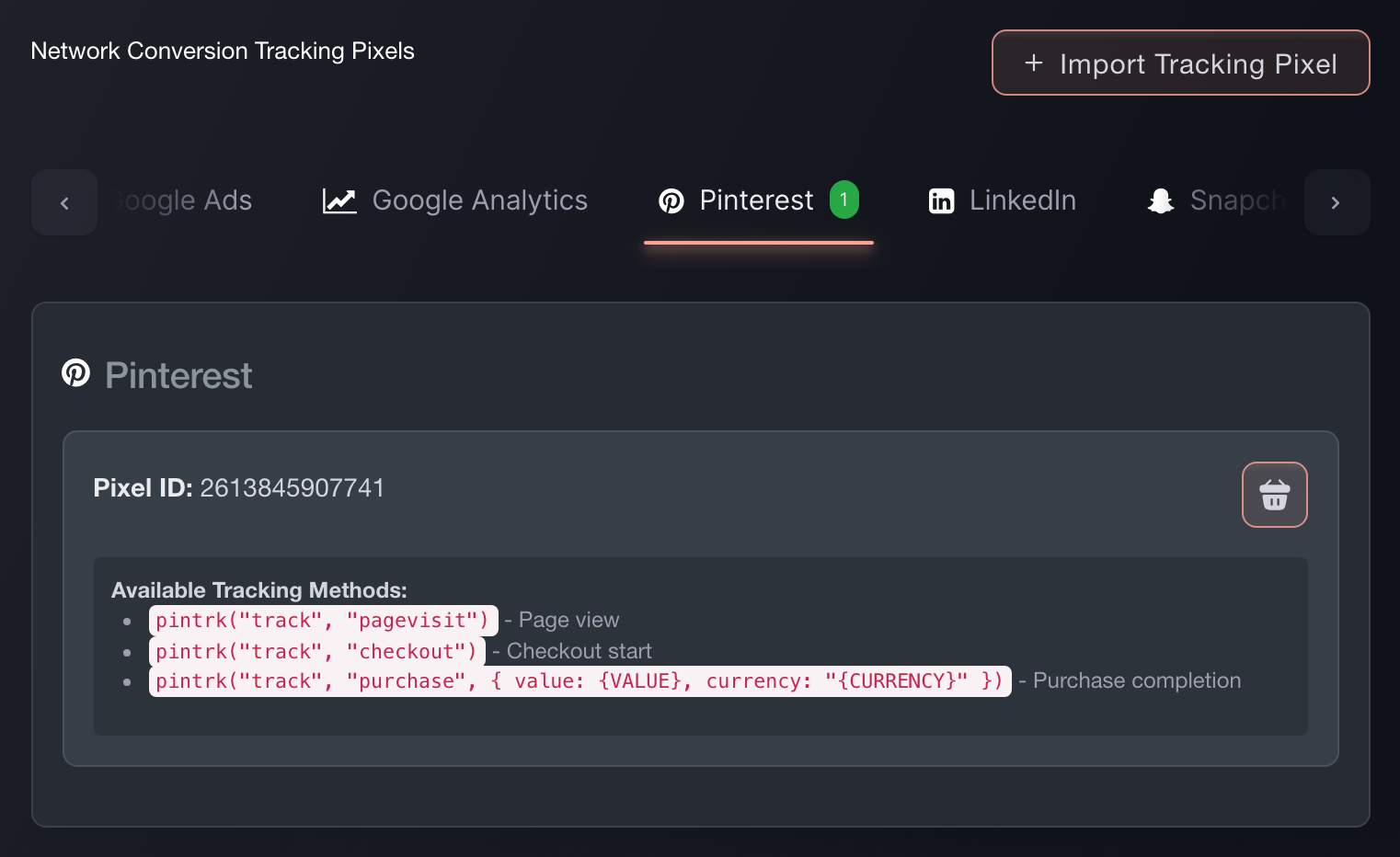
Brand settings, Integrations, Tracking pixels. -
Paste the snippet instead, if that's what you have
(Optional) Import Tracking Pixel takes the snippet exactly as Pinterest gave it to you, recognises the network, and pulls the ID out. It's the faster route when you have the code in front of you rather than the number.
-
Check a sale reports back
Buy a ticket on your own event, or use a test order. Look for the purchase event in Pinterest.
If it arrives with the order value on it, the pixel is wired correctly and your campaign reporting will match your ticket sales.

Eller låt det göras åt dig
Fai, the assistant inside your dashboard, can add this pixel for you, and asks you to approve the change before it makes it. You still need the pixel ID from Pinterest. Your own AI assistant over our MCP server cannot add one: that server has no pixel tool, so this is Fai's work or your own on this screen.
I din instrumentpanel, med Fai
Add a Pinterest tracking pixel to this brand. The ID is <your Pinterest pixel ID>.
Frågor du kanske har
- How do I add a Pinterest pixel to my event page?
- Open the Pinterest tab in Network Conversion Tracking Pixels and paste the pixel ID. It then fires on every event page under that brand and through checkout, so you set it up once rather than per event.
- Which Pinterest events does Ticket Fairy fire?
- Your Pinterest tag runs pintrk('page') when it loads. Ticket Fairy then sends ViewContent when someone opens your event page, InitiateCheckout when they begin buying, and Purchase when the sale completes. That last one carries the order value and currency, so your Pinterest reporting matches your ticket sales.
- Can I paste the whole Pinterest snippet instead of finding the ID?
- Yes. Use Import Tracking Pixel and paste the snippet as Pinterest gave it to you. Ticket Fairy works out which network it belongs to and pulls the ID out.
- Will my Pinterest pixel fire if buyers check out on my own website?
- Yes. The embedded checkout fires the same events at the same points as the hosted checkout, so Pinterest attributes a sale on your own site the same way.
Vart du går härifrån
Gör det på ditt eget evenemang
Skapa ditt konto, bygg ditt evenemang och följ de här stegen i din egen instrumentpanel. Utan säljsamtal först.