
Driv produktionen
Share a power sheet with your event electrician
Electricians and site crews plan cable runs and water points at your event from the traders' power needs, and a spreadsheet emailed a week early is out of date by build day. A power sheet link shows each zone's pitches, amps and water as they stand now, with no trader's contact details on it.
Send your electrician a link to a sheet of every trader's pitch, the power they need in amps and whether they need water, for one zone of your event site map or the whole site. The sheet needs no sign-in, always shows the latest pitches, and you can stop the link at any time.
- För
- Giving your electrician and site crew the traders' power and water needs
- Tar
- 4 minuter
Innan du börjar
- You need an owner, admin or producer role on the event.
- Each trader has their power and water needs in their panel, and a pitch. For a sheet of one zone, the traders are placed on pitches on the site map, inside an area you drew for the zone.
-
Open Pitches
Open the event, select Operations, select Traders in the list of sections, then select Pitches.
Obs: Power sheets is at the top, above every trading trader's pitch, amps and water. If Traders is not in the list, select More sections and open it there.
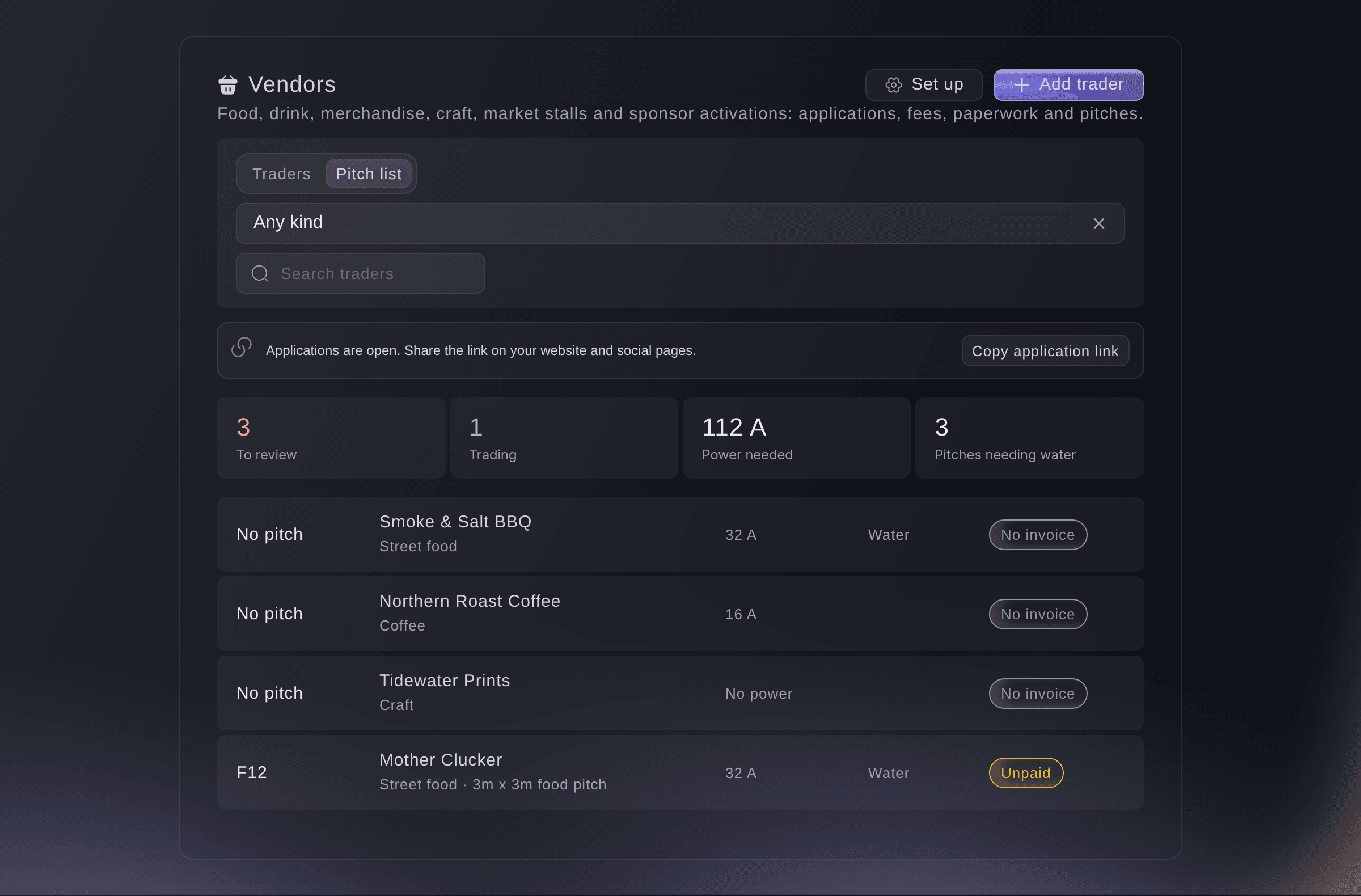
Traders, Pitches, with Power sheets. -
Choose the zone and how long the link works
Choose the Zone, or Every zone for the whole site, then choose how many days the Link works for.
Obs: Each zone shows how many traders are in it. A link works for 3, 7, 14, 30 or 60 days, and 14 days is chosen first.
-
Make the link and copy it
Select Make link, then select Copy link and send it to your electrician.
Varning: The address shows only once. If you did not copy it, stop the link and make a new one.

What your electrician sees
The power sheet lists each pitch with its trader, the amps they need and whether they need water, grouped by zone with the totals at the top. It needs no sign-in and never shows a trader's contact details.
Obs: The sheet always shows the pitches and power needs as they are now, so a trader you move or add shows the next time it opens.

-
Check the link was opened
Look at the link under Power sheets. It shows Working until its end date, and how many times it was opened.
Prova de här stegen på ditt eget evenemang
Skapa ett gratis konto, bygg ditt evenemang och följ stegen ovan i din egen instrumentpanel. Det tar några minuter och du behöver inte boka något säljsamtal.
Inga startavgifter. Ingen obligatorisk månadsavgift. Inget kreditkort krävs.
Eller låt det göras åt dig
Fai makes a power sheet link for one zone or the whole site, lists the links you have made and stops one. She waits for your yes before she makes or stops a link. The address of a new link shows once, in the dashboard.
I din instrumentpanel, med Fai
Make a power sheet link for the food court at <EVENT NAME> that works for 14 days
Låt Fai göra det åt dig
Fai arbetar inuti din Ticket Fairy-instrumentpanel. Skapa ditt konto, öppna Fai och klistra in instruktionen ovan.
Inga startavgifter. Ingen obligatorisk månadsavgift. Inget kreditkort krävs.
Stop a power sheet link
-
Stop the link
Select Stop link beside the link, then select Stop link again to confirm.
Obs: Anyone with the link can no longer open the sheet. Make a new link for your electrician if they still need one.
Fai stops a power sheet link after you confirm.
I din instrumentpanel, med Fai
Stop the power sheet link for the food court at <EVENT NAME>
Frågor du kanske har
- Why is there no zone to choose?
- Your site map has no areas around your pitches yet. Draw an area around each group of pitches on the site map, such as the food court, then place the traders on their pitches.
- Why is a trader missing from a zone's sheet?
- The trader is not placed on a pitch inside that zone on the site map. Place them on the map, or make a sheet for Every zone, which lists them as not on the site map.
- What does my electrician see when the link has ended?
- A page saying the link no longer works and to ask you for a new one. Make a new link and send it to them.
Har du fortfarande en fråga?
Boka en demo så svarar vi på den i ett samtal, utifrån din typ av evenemang. Eller skapa ditt konto och se själv.
Inga startavgifter. Ingen obligatorisk månadsavgift. Inget kreditkort krävs.
Relaterade guider
Gör det på ditt eget evenemang
Skapa ditt konto, bygg evenemanget och följ stegen i din egen kontrollpanel. Du behöver inte boka ett säljsamtal.