
E-post, sms och marknadsföring
Translate your event website
Festivals that draw an international crowd and venues in tourist cities sell more tickets when visitors read the event website in their own language. Fai does the translating, and your team checks each text before ticket buyers see it.
Fai translates your event website into the languages your ticket buyers read, you check her texts, and you put each language live when it is ready, with a language menu for visitors.
- För
- Offering your website in more languages
- Tar
- 8 minuter
Innan du börjar
- You are an owner or an admin of the brand, and you have a website in the dashboard, as in the guide to building a website for your events.
- Translating with Fai is part of some plans. Without it, Add languages is unavailable and Languages says your plan does not include it yet; contact us to add it.
-
Open Languages
Open the website in the editor, then select Languages. Each language you added shows how many texts wait for review and whether it is Live.
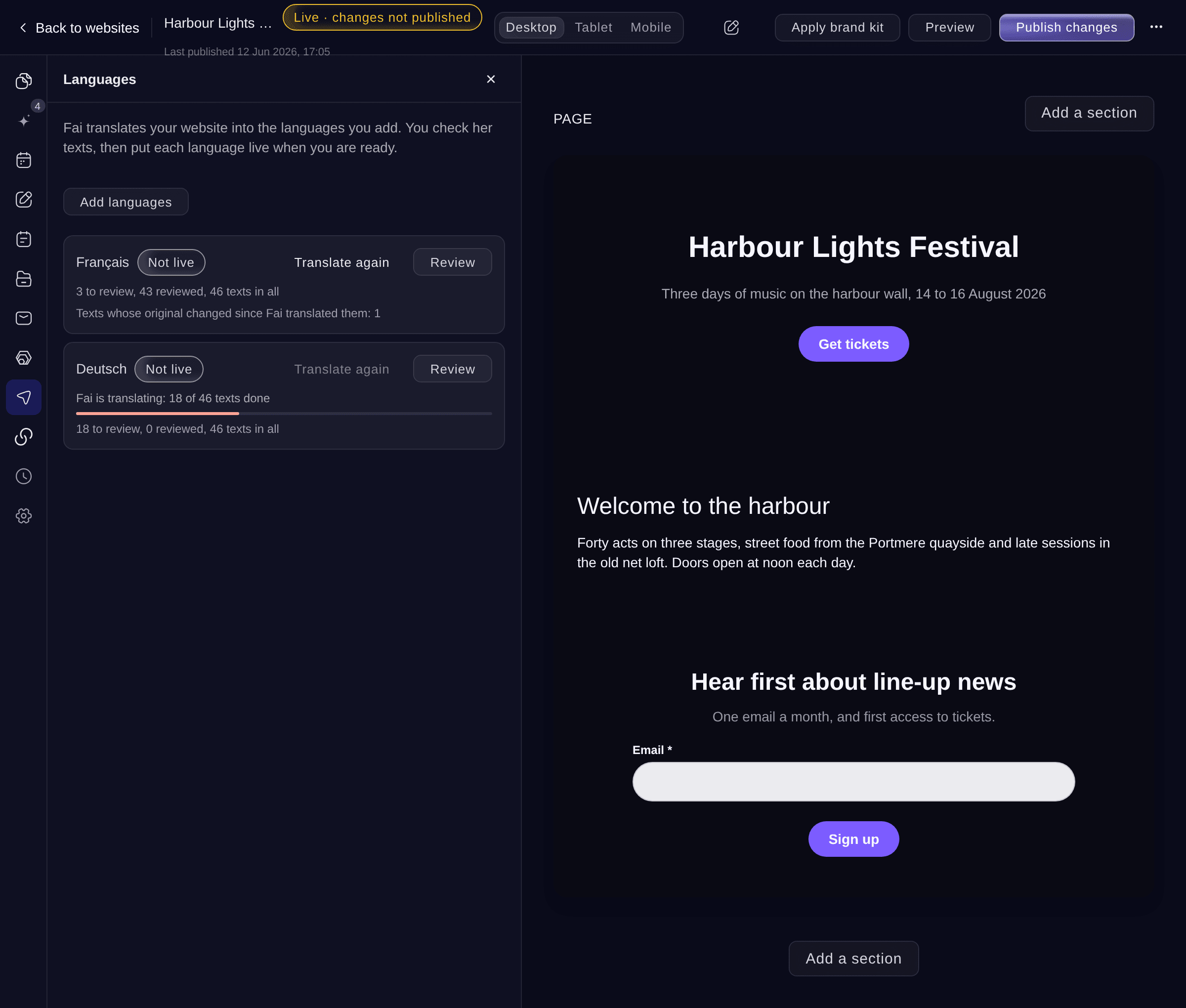
Languages. -
Add the languages
Select Add languages, tick each language under Choose the languages to add, then select Translate.
Obs: Fai can translate into Spanish, French, German, Indonesian, Russian, Danish, Norwegian, Swedish and Finnish, and English when your website is in another language.
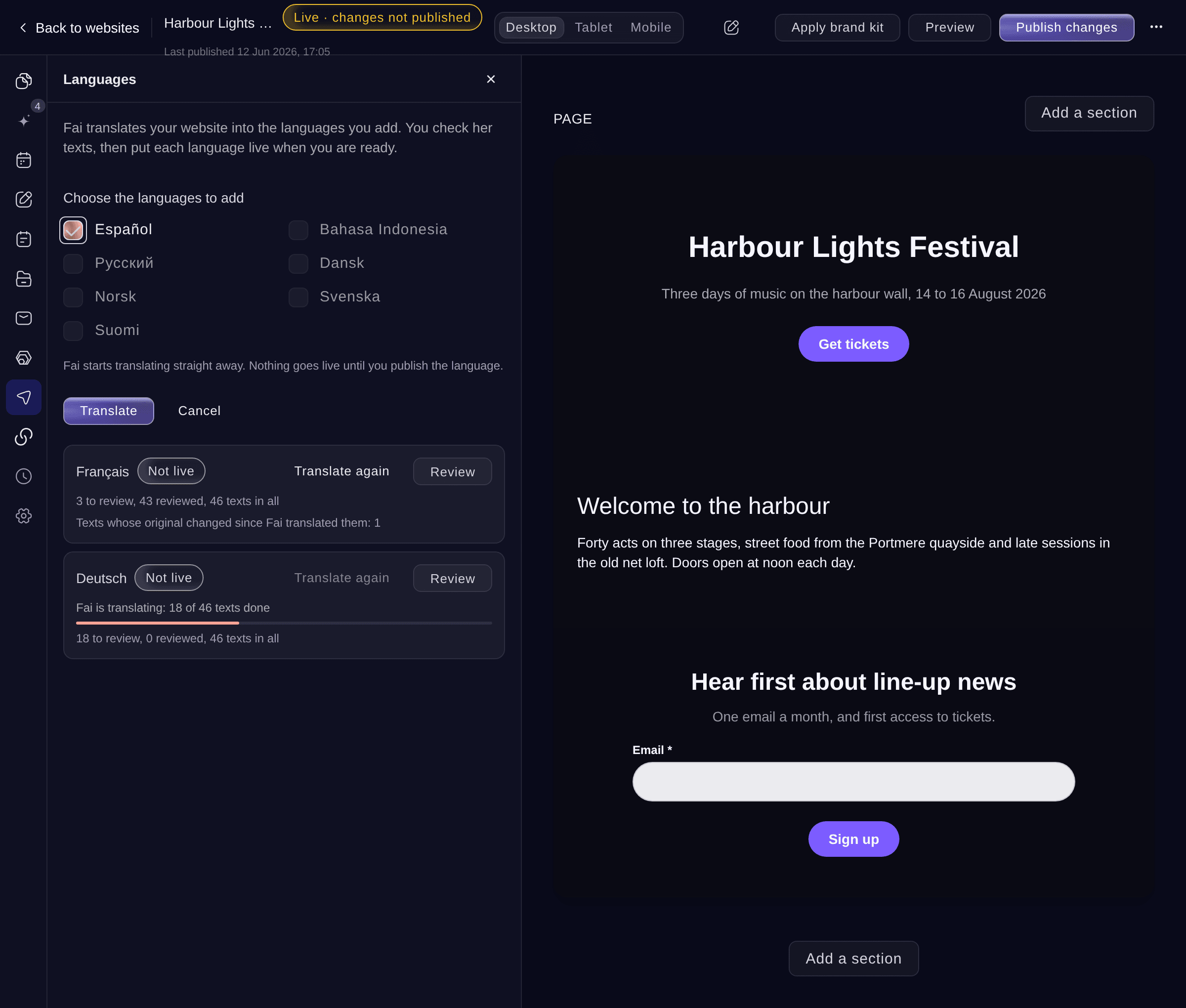
Add languages. -
Wait for Fai to translate
Fai translates your pages, sections and lists in the background and shows how many texts she has done. You can keep editing, or leave the editor, while she works.
-
Review Fai’s texts
Select Review on the language. Each text shows where it is on your website, the Original and Fai's Translation.
Tips: Accept all accepts every text waiting for review at once.
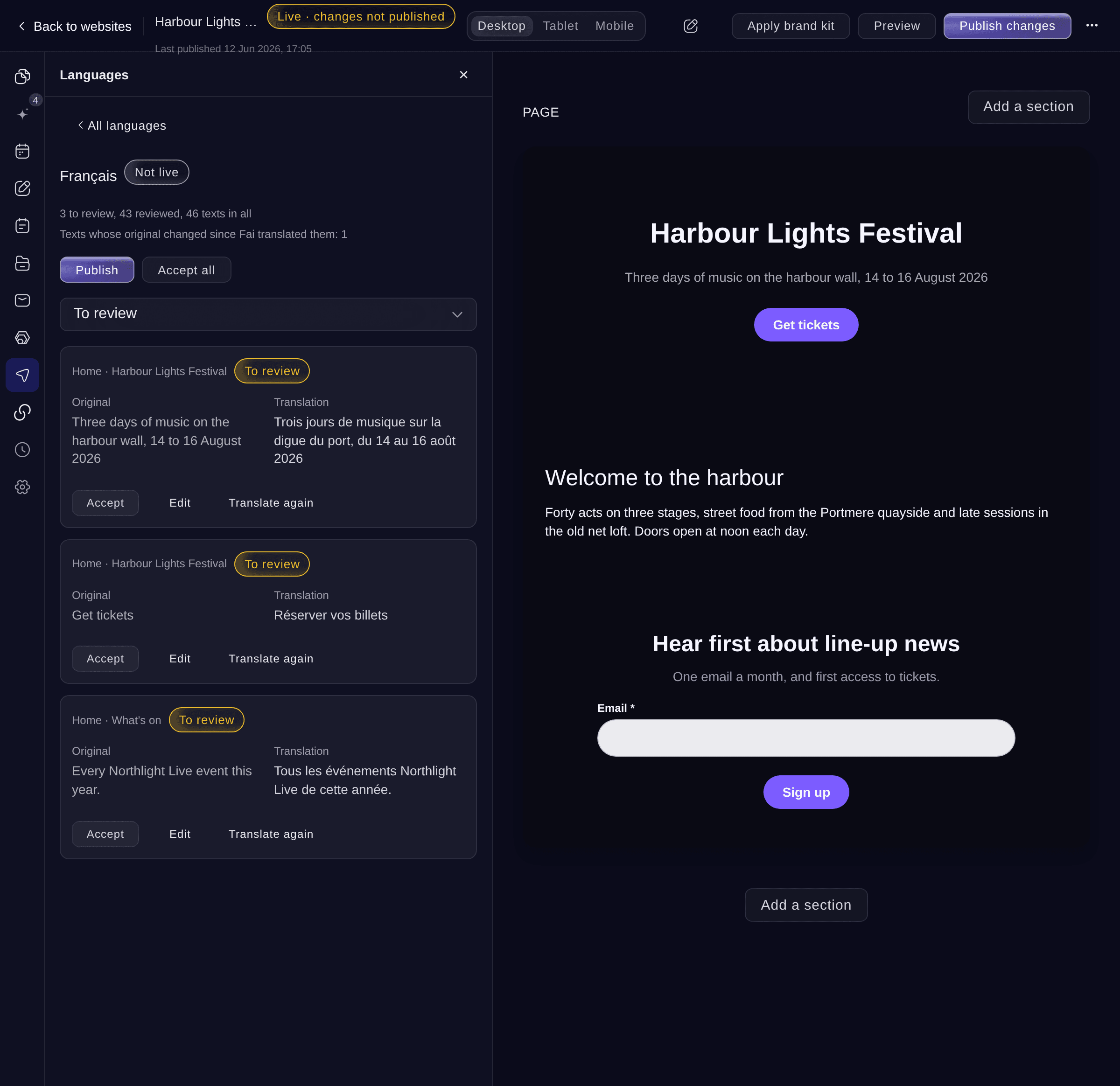
Review a language. -
Put the language live
Select Publish, read the confirmation, then select Publish again.
Obs: The confirmation says how many of Fai's texts nobody has reviewed yet; they go live too. A text Fai has not translated yet shows in your website's own language.
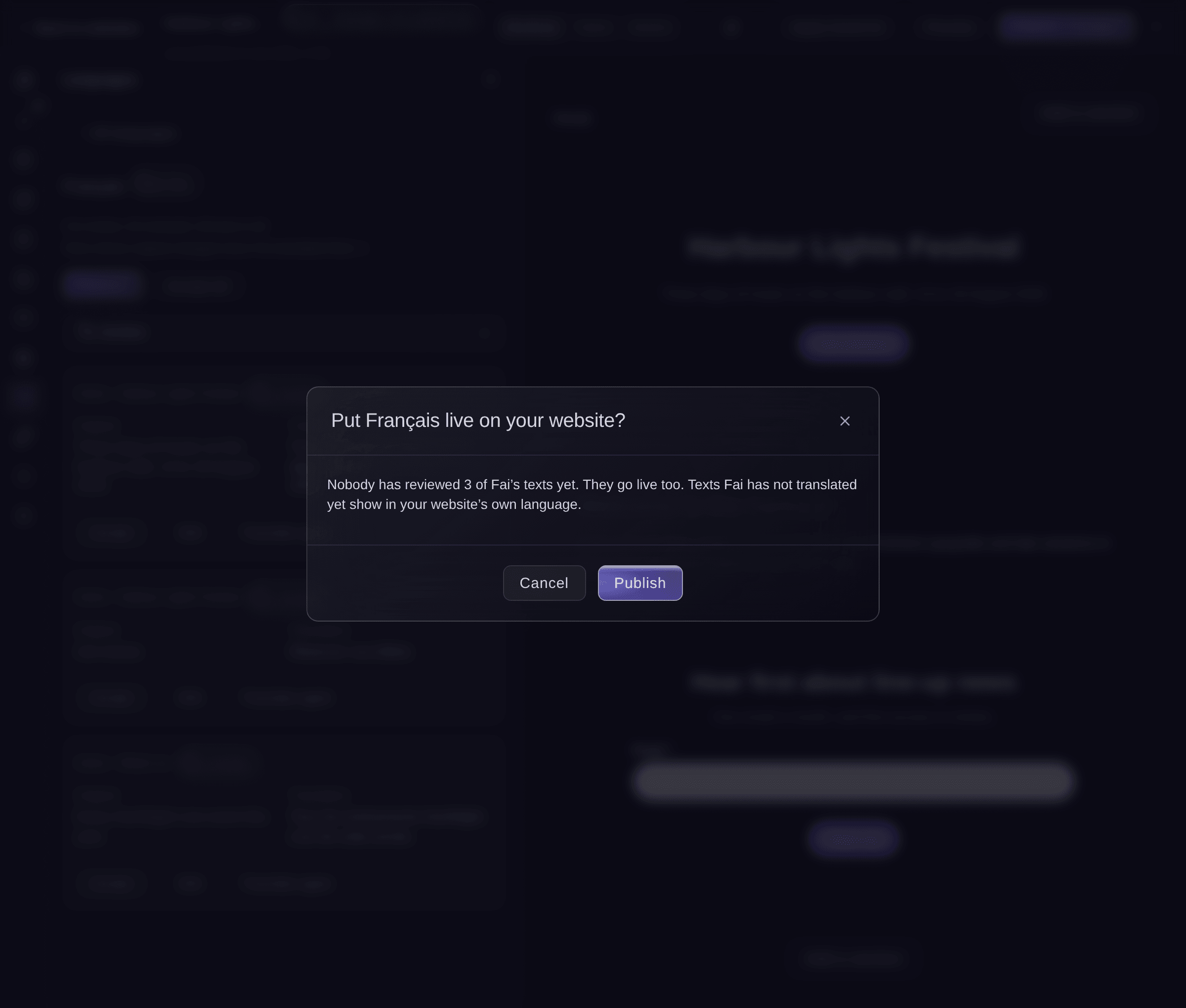
Put a language live. -
Check the language on your website
Open your live website and choose the language in the language menu at the top. Each page, menu and footer shows in that language.


Prova de här stegen på ditt eget evenemang
Skapa ett gratis konto, bygg ditt evenemang och följ stegen ovan i din egen instrumentpanel. Det tar några minuter och du behöver inte boka något säljsamtal.
Inga startavgifter. Ingen obligatorisk månadsavgift. Inget kreditkort krävs.
Eller låt det göras åt dig
Fai can translate your website into the languages you name, show how far she has got, accept, edit or translate a text again, and publish or take off a language. She asks before each change.
I din instrumentpanel, med Fai
Translate my <WEBSITE NAME> website into French and German and tell me when the texts are ready to check
Låt Fai göra det åt dig
Fai arbetar inuti din Ticket Fairy-instrumentpanel. Skapa ditt konto, öppna Fai och klistra in instruktionen ovan.
Inga startavgifter. Ingen obligatorisk månadsavgift. Inget kreditkort krävs.
Take a language off your website
-
Take it off
In the language's review, select Take off the website, then confirm.
Obs: Visitors no longer see the language. Your translations are kept, so you can publish it again at any time.
Fai takes a language off your website after you confirm.
I din instrumentpanel, med Fai
Take German off my <WEBSITE NAME> website
Frågor du kanske har
- What happens when I change a text after Fai translated it?
- The translated text is marked The original changed, and visitors see your new text in your website's own language until the translation is updated. Choose Original changed under Show texts to find them, then select Translate again or edit them.
- Why does a language say Fai couldn't finish?
- Fai stopped before translating every text. Select Translate again on the language, and she carries on with the texts that are left.
- Do I need to publish my website again after a language goes live?
- No. Publishing the language puts it live on its own.
- What if a teammate edits the same translation?
- The dashboard shows their text and asks whether to Use their text or Save mine instead, so neither of you loses work.
Har du fortfarande en fråga?
Boka en demo så svarar vi på den i ett samtal, utifrån din typ av evenemang. Eller skapa ditt konto och se själv.
Inga startavgifter. Ingen obligatorisk månadsavgift. Inget kreditkort krävs.
Relaterade guider
Gör det på ditt eget evenemang
Skapa ditt konto, bygg evenemanget och följ stegen i din egen kontrollpanel. Du behöver inte boka ett säljsamtal.