EVENT TICKETING + STRIPE

Vende entradas para eventos y cobra a diario con Stripe cuando esté disponible

Cobra a diario con Stripe cuando esté disponible, vende más entradas, descubre qué impulsa las ventas y escanea a los asistentes rápidamente.

TU
CUENTA DE STRIPE
DIARIOS
PAGOS AL BANCO
UN
PEDIDO LISTO PARA EL ACCESO
Flujo de caja pre‑evento
Múltiples métodos de pago
Precios dinámicos de boletos
Ventas en puerta con Stripe Terminal
Soporte de moneda internacional

Sin costos de configuración ni suscripción. Crea tu cuenta gratis hoy

Event Ticketing Platform with Stripe Integration
Depósitos bancarios directos
Sell More Tickets
Your Stripe Account
Your Revenue, Your Account

Why Connect Your Own Stripe Account?

Keep your Stripe relationship and get daily payouts, while Ticket Fairy helps you sell more tickets and run the event.

Feature
Ticket Fairy + Your Stripe
Traditional Ticketing Platforms
Payout Timeline
Daily deposits to your bank account
Ticketing provider's settlement schedule
Pre-Event Cashflow
Ticket revenue paid to your bank daily
Access depends on the provider's terms
Financial Visibility
Complete details in Stripe dashboard
Limited transaction data
Payment Methods
All major cards, Apple Pay, BNPL
Payment methods depend on the provider
On-site Sales
Integrated Stripe Terminal readers
Separate systems or limited options
Financial Independence
Your direct relationship with Stripe
Reliant on platform for payouts
Explora cada función en detalle

Grow Ticket Sales Without Giving Up Your Stripe Account

Sell more tickets, get paid daily and move the crowd through entry faster.

Daily Payouts

Get paid daily with Stripe.

Put sales income towards event costs while tickets are still on sale
Pay vendors, venues, and artists before your event
Keep the payout relationship in your own Stripe account

Flexible Payments

Give buyers familiar ways to pay without sending them away from the event checkout.

All major credit and debit cards accepted
Digital wallets (Apple Pay)
Buy-now-pay-later options (Afterpay, Clearpay)

Global Reach

Sell in several checkout currencies and show buyers the payment methods available in their country.

Multi-currency event checkout
Region-specific payment methods
Automatic currency conversion

Door Sales

Take card payments at the box office with Stripe Terminal readers or Tap to Pay where enabled.

Integrated box office solution
See online and box office orders in Ticket Fairy reports
Issue a ticket door staff can scan quickly

Stripe Payment Processing

Stripe processes the card payment while Ticket Fairy keeps it with the buyer's order and ticket.

Payment processing through Stripe
Payment activity available in your Stripe account
Buyer, payment and ticket details ready when your team needs them

Financial Insights

Follow ticket sales in Ticket Fairy and payment activity in your own Stripe account.

Real-time sales and revenue tracking
Transparent fee breakdown
Exportable financial reports

Make Every Ticket Sale Grow Your Event

Reward buyer referrals, see which campaigns sell tickets and keep entry moving while Stripe handles payments.

Mobile Ticket Scanning

Keep the queue moving with a dedicated scanning app that gives door staff the buyer and ticket details they need when a guest needs help.

Custom Registration

Collect exactly the attendee information you need with customizable registration fields for each ticket type or add-on.

Dynamic Pricing

Turn early demand into ticket sales with early-bird prices, scheduled ticket releases and promotional codes, all through the same Stripe checkout.

Group Management

Sell VIP packages and group orders while keeping each attendee and paid item with the same order for support and entry.

Marketing Suite

Bring past buyers back with event emails, reward successful buyer referrals and see which campaign links sell tickets.

Box Office System

Sell at the door through Stripe and keep box office and online orders in the same event reports, so the team can see the complete result.

Get Paid Daily With Stripe

Keep ticket revenue moving while you are still selling, then use Ticket Fairy to grow sales and run faster entry.

Daily payouts to your bank

Use your Stripe payment processing account

Get paid daily while tickets are selling.
Daily
Payouts
Direct
To your bank
Your
To your account

Keep Your Stripe Account and Add Ticket Fairy

Choose Stripe Express or Stripe Standard

Keep direct access to Stripe while Ticket Fairy keeps payment, ticket, attendee, campaign and entry details together. Standard accounts also retain full access to Stripe settings and reporting.
Express
Simpler setup
Standard
Full Stripe access
One
Sale details ready

Turn Every Stripe Payment Into a Ticket Ready for Entry

Run the sale through entry

Use ticket releases, buyer referrals, attendee questions, payment plans, box office sales and ticket scanning to sell more and give guests a smoother journey from checkout to entry.
Online
Ticket checkout
Door
Box office sales
Entry
Fast guest scans

Start Selling in 3 Simple Steps

Keep your Stripe account and add the Ticket Fairy tools that help your event sell and run better.

1

Create Your Free Account

Sign up for Ticket Fairy in minutes - no credit card required, no setup fees, no monthly charges required.

2

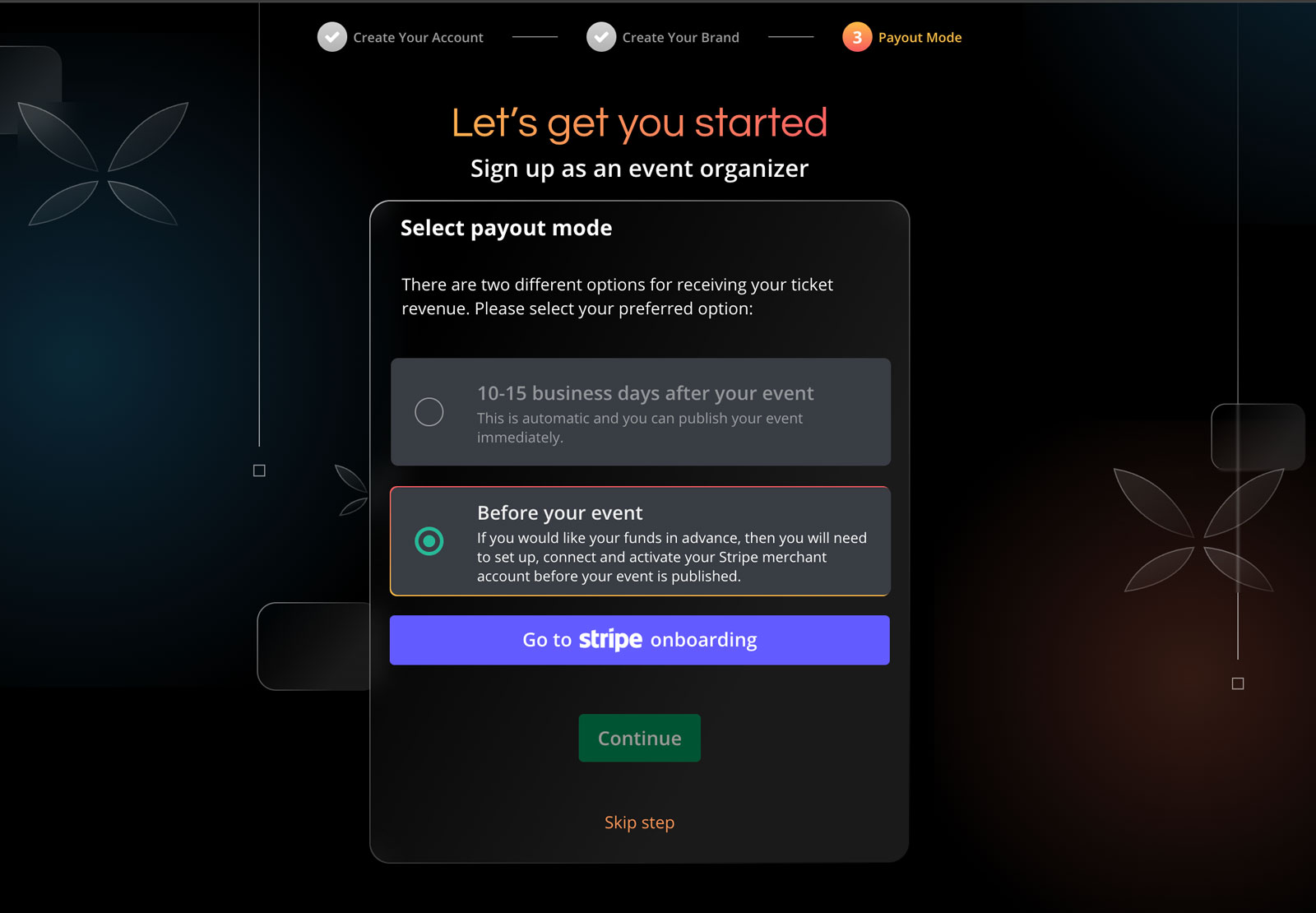
Connect Your Stripe Account

Connect your Stripe payment processing account to Ticket Fairy.

3

Create & Start Selling

Set up your event, customise your tickets and get paid daily.

Connect Stripe & Start Selling Today

Start without setup fees or a required subscription.

Frequently Asked Questions About Selling Tickets with Stripe

Integración y configuración de Stripe

¿Qué tan rápido puedo empezar a vender con Stripe?
En minutos: crea tu cuenta de Ticket Fairy, conecta (o crea) tu cuenta de Stripe y configura tu evento para empezar a vender de inmediato.
¿Puedo usar Stripe para cobrar entradas en mi país?
La disponibilidad de Stripe, los métodos de pago y las divisas varían según el país. Dinos dónde está establecido tu negocio de eventos y confirmaremos las opciones disponibles para ti.

Pagos y desembolsos

¿Con qué rapidez recibo ingresos con Stripe?
Tu panel de Stripe muestra el calendario de pagos de tu evento. Los pagos diarios aparecen cuando están disponibles.
¿Qué métodos de pago pueden usar mis clientes con Stripe?
A través de Stripe puedes aceptar tarjetas principales (Visa, Mastercard, American Express), billeteras digitales (Apple Pay) y BNPL como Afterpay/Clearpay (según país).

Cargos y precios de Stripe

¿Quién paga la comisión del procesador en pagos con Stripe?
Con el precio estándar en el que paga el comprador, el comprador paga por defecto la tarifa de reserva. Puedes asumirla si lo prefieres. Mostramos el precio exacto antes de que lances el evento.
¿Hay cargos de configuración o mensuales por usar Stripe?
El ticketing principal no tiene cuota de configuración ni cuota mensual obligatoria. Los planes de pago son opcionales. Con el precio estándar en el que paga el comprador, el comprador paga por defecto la tarifa de reserva.

Pagos del evento e ingresos

¿Cómo funcionan los pagos del evento con Stripe?
Stripe procesa el pago y envía los ingresos de las entradas a tu banco. Ticket Fairy gestiona la página del evento, el checkout, los referidos de compradores, el soporte y el acceso.
¿Puedo usar Stripe para ventas en puerta?
Sí. Vende entradas en puerta y acepta pagos con lectores Stripe Terminal o Tap to Pay cuando esté habilitado. Consulta juntas las ventas en puerta y online en Ticket Fairy.

Pagos y monedas internacionales

¿Puedo aceptar múltiples monedas con Stripe?
Sí, Stripe admite procesamiento multi‑moneda: acepta pagos en varias monedas y recibe desembolsos en tu moneda preferida.

Seguridad y prevención de fraude

¿Qué tan seguros son los pagos con Stripe?
Stripe cuenta con certificación PCI‑DSS Nivel 1. Todas las transacciones están cifradas y se procesan por canales seguros.
¿Cómo ayuda Stripe a prevenir fraude?
Stripe incluye Radar (ML) para detectar y bloquear transacciones fraudulentas, reduciendo contracargos y compras no autorizadas.

Configuración y gestión de cuentas

¿Necesito crear una cuenta de Stripe primero?
No: puedes crear una cuenta de Stripe durante el proceso de integración dentro de nuestra plataforma.
¿Qué información necesito para conectar mi cuenta de Stripe?
Necesitarás razón social, dirección, sitio web (si aplica) y datos bancarios para desembolsos; también identificación para verificación.

Reportes y analítica

¿Cómo rastrearé ventas e ingresos a través de Stripe?
Verás datos en tu panel de Ticket Fairy y en el de Stripe. Ticket Fairy ofrece analítica por evento; Stripe brinda reportes financieros, conciliación e historial de transacciones.
¿Puedo exportar datos de transacciones para contabilidad?
Sí; tanto Ticket Fairy como Stripe permiten exportar transacciones, reportes de ventas y pagos en CSV o Excel para tu contabilidad.

Uso de Stripe para tipos específicos de eventos

¿Stripe es adecuado para eventos pequeños y grandes?
Sí: Stripe escala para eventos de todos los tamaños, con seguridad empresarial, alta capacidad de transacciones y reportes completos.
¿Stripe puede manejar planes de pago para boletos de alto valor?
Sí. Nuestra integración con Stripe admite planes de pago en cuotas para boletos de alto valor. Puedes ofrecer a tus clientes pagar en múltiples cuotas mientras recibes tus ingresos conforme al cronograma establecido.

Reembolsos y atención al cliente

¿Cómo se manejan los reembolsos con Stripe?
Puedes procesar reembolsos directamente desde tu panel de Ticket Fairy con pocos clics. El dinero se devuelve al método de pago original a través de Stripe y el boleto queda invalidado automáticamente. Puedes emitir reembolsos totales o parciales según tu política.
¿Qué pasa con las comisiones de Stripe cuando emito un reembolso?
Dentro de la ventana estándar de reembolsos (típicamente 60 días), Stripe reembolsa sus comisiones. Fuera de ella, puede que no. El manejo del cargo de servicio de Ticket Fairy depende de tu acuerdo y políticas.

Integración técnica

¿Puedo personalizar el Pago para mi marca?
Sí. Nuestra integración con Stripe permite una amplia personalización de marca (logo, colores, mensajes) manteniendo la seguridad de Stripe.
¿La integración con Stripe es apta para móviles?
Totalmente: el Pago es responsive y optimizado para dispositivos móviles, con métodos como Apple Pay que mejoran la conversión.

Cumplimiento y manejo de impuestos

¿Cómo maneja Stripe el cálculo e informe de impuestos?
Stripe puede calcular, cobrar y reportar impuestos aplicables según la ubicación del evento y tus ajustes. Puedes configurar tasas por región y obtener reportes fiscales detallados para tu contabilidad, simplificando el cumplimiento normativo.
¿Cumple Stripe con estándares internacionales de protección de datos?
Sí. Stripe cumple con regulaciones clave como GDPR en Europa, CCPA en California y otros estándares internacionales. Los datos de pago de tus clientes se manejan con estrictos protocolos de privacidad y seguridad, reduciendo tu carga de cumplimiento.

Primeros pasos

¿Cuánto tarda la aprobación de mi cuenta de Stripe?
Stripe decide cuánto tarda la verificación de la cuenta después de revisar los datos de tu negocio. Inicia la conexión desde Ticket Fairy y Stripe te mostrará qué más necesita.
¿Puedo probar la plataforma antes de salir a producción?
Sí. Puedes crear eventos de prueba y procesar pagos de prueba usando el modo de pruebas de Stripe. Así te familiarizas con la plataforma, personalizas tu evento y pruebas todo el flujo de Pago sin transacciones reales. Cambiar a modo en vivo es tan simple como alternar un ajuste.

Ticket Fees & Free Events

Who pays for your ticket fee?
The ticket buyer usually pays the service fee, or you can choose to absorb it. The fee shown for the ticket includes Stripe payment processing, so the buyer does not see a separate Stripe charge later.
Do you charge for free events?
There is no ticketing fee for a free event when every ticket is complimentary. Ticketing fees apply when you sell paid tickets.
Do you charge for issuing guest tickets?
There is no ticket fee for complimentary guest tickets. You can issue them for staff, VIPs and other invited attendees, then keep them on the same guest and entry lists as paid tickets.

Additional Payment Options

I need cashflow for my festival. Can I get regular payouts?
Yes. Get paid daily when your Stripe payment processing account and country qualify. Put ticket revenue toward deposits, production and marketing while sales are still live.
What makes the payment gateway within your event ticketing software reliable?
Stripe processes the payment while Ticket Fairy handles ticket delivery and entry. Offer cards, Apple Pay, Google Pay and payment plans where they are available in your country.

Customisation & Branding

What level of customization do you provide?
Add your event artwork, colours and header, then collect the attendee details your event needs with custom checkout questions. Stripe processes the payment while Ticket Fairy keeps the buyer, order and ticket together.
Can I sell tickets on my own website or mobile apps?
Yes. Add the Ticket Fairy checkout to your website with a buy button or inline embed, including promo codes, add-ons, custom questions and eligible payment plans. Use the React SDK for a fully unbranded buying experience, while Stripe processes the payment through your Stripe payment processing account.

Advanced Features

Do you support add-ons?
Yes. Offer merchandise, parking, meal packages, camping or VIP upgrades after the buyer chooses a ticket. You decide which tickets each add-on belongs with, and Stripe processes the payment.
Do you support virtual events?
Yes. Sell access to online or hybrid events, use the Zoom integration or bring your own stream, and give ticket holders an online event watch page. Stripe processes payments in the countries it serves.

Ticket Types & Management

What types of tickets can I sell?
Sell general admission, VIP, table or booth bookings, timed entry and reserved seats. Set capacity, sale dates, prices and entry rules, then take the Stripe payment methods available in your country.
Can I limit how many tickets one person can buy?
Yes. Set a purchase limit for each ticket type and control its total capacity. These limits help more buyers get a fair chance when demand is high.
Do you support reserved seating?
Yes. Buyers can choose available seats from an interactive map, while the same event can also include standing or general-admission areas. Your team can create a seating chart in the dashboard and take the payment through Stripe.

Ticket Distribution & Check-in

How do attendees receive their tickets?
After purchase, attendees receive digital tickets by email with unique QR codes. They can also open them in their Ticket Fairy account, print them or show the QR code on their phone at entry.
What options do you have for access control? Do you have an event check-in app?
Use Entry Fairy on most iOS or Android phones and tablets to scan tickets, give door staff their own logins and keep every entrance moving. Connect your existing RFID or cashless partner when you need wristband access or on-site spending.
Can tickets be transferred or resold?
Yes. Ticket Fairy keeps resale at face value, not a markup. Waiting-list members hear first when a ticket is listed, the new buyer gets the ticket and the old code stops working.

Promotions & Marketing

How do discount codes work? I'd like to give discounts to certain people or offer group discounts.
Create a promotion with a fixed or percentage discount, then add codes in bulk. Limit codes by use count, time, ticket type, email address or email domain, and give different ticket types different discounts within the same promotion.
Do you offer tools to help me sell more tickets?
Yes. Give every buyer a referral link and a reason to share, see which promoter and campaign links sell tickets, recover abandoned carts and send campaigns to your audience. Ticket Fairy shows which activity produced sales, while Stripe processes the payment.
Do you have a waiting list feature for sold-out events?
Yes. When an event or ticket type sells out, buyers can join the waiting list. Ticket Fairy notifies them when tickets return through resale, released holds or cancellations, so proven demand gets another chance to buy.

Datos y reportes

¿Puedo recopilar datos personalizados de mis asistentes?
Sí. Además de la información estándar (nombre, correo, teléfono), la plataforma permite crear campos de captura personalizados para recopilar información específica de tu evento: preferencias de comida, tallas de playera, selección de talleres, requisitos de accesibilidad, contactos de emergencia, u otros. Estos campos pueden ser obligatorios u opcionales y asociarse a tipos de boleto o a Extras. Todos los datos quedan accesibles en tu panel junto a la información de pago de Stripe.
¿Qué reportes de ventas están disponibles?
Reportes integrales de ventas, ingresos, demografía, conversión y rendimiento de marketing; paneles en tiempo real y exportación en varios formatos.
¿Puedo acceder a datos de ventas en tiempo real?
Sí, con paneles de ventas en tiempo real (compras, ingresos, conversión, etc.) para decisiones basadas en datos; complementa la info financiera de Stripe.

Powered by Stripe

Keep your Stripe account and add Ticket Fairy sales, marketing and entry tools

No setup fees or monthly subscriptions
Start selling tickets immediately
Full access to all features
Get Started

No credit card required

Book a demo call

See the referral model that drives 20% more ticket sales on average, learn which campaigns sell tickets, answer buyers faster and keep queues moving.

45-Minute Video Call
Pick a Time That Works for You

Ticket Fairy in full: event ticketing system, with the features, pricing and support behind this page.

// Add staggered animations to feature bubbles $('.feature-bubble').each(function(index) { $(this).css({ 'animation-delay': (index * 0.1) + 's' }); }); // Initialize floating animations for specific elements $('.hero-mockup, .comparison-grid, .primary-cta').addClass('floating-animation'); } // FAQ accordion functionality - Copied from eventbrite_alternative.php $('.faq-question').click(function() { var $entity = $(this).parent(); if ($entity.hasClass('active')) { $entity.removeClass('active'); } else { $('.faq-entity').removeClass('active'); $entity.addClass('active'); } }); // Show the first FAQ in each section by default for better UX const faqSections = document.querySelectorAll('.content-margin-top'); faqSections.forEach(function(section) { const firstQuestion = section.querySelector('.faq-entity'); if (firstQuestion) { firstQuestion.classList.add('active'); } }); // Add hover state interactions for feature cards $('.feature-card').on({ mouseenter: function() { $(this).find('.feature-icon i').addClass('fa-spin-pulse'); $(this).css('transform', 'translateY(-12px)'); $(this).css('box-shadow', '0 20px 40px rgba(103, 114, 229, 0.15)'); }, mouseleave: function() { $(this).find('.feature-icon i').removeClass('fa-spin-pulse'); $(this).css('transform', ''); $(this).css('box-shadow', ''); } }); // Add hover state interactions for step cards $('.step-card').on({ mouseenter: function() { $(this).find('.step-icon').addClass('animated-gradient'); $(this).css('transform', 'translateY(-15px)'); $(this).css('background', 'rgba(255, 255, 255, 0.1)'); $(this).css('box-shadow', '0 15px 30px rgba(0, 0, 0, 0.2)'); $(this).css('border-color', 'rgba(36, 180, 126, 0.3)'); }, mouseleave: function() { $(this).find('.step-icon').removeClass('animated-gradient'); $(this).css('transform', ''); $(this).css('background', ''); $(this).css('box-shadow', ''); $(this).css('border-color', ''); } }); });