EVENT TICKETING + STRIPE

Jual Tiket Acara dan Dapatkan Pencairan Harian dengan Stripe jika tersedia

Terima pencairan harian dengan Stripe jika tersedia, jual lebih banyak tiket, lihat apa yang mendorong penjualan, dan pindai tamu dengan cepat.

MILIK ANDA
AKUN STRIPE
HARIAN
PEMBAYARAN BANK
SATU
PESANAN SIAP UNTUK MASUK
Arus kas pra-event
Berbagai metode pembayaran
Penetapan Harga Tiket Dinamis
Penjualan di Pintu dengan Stripe Terminal
Dukungan Mata Uang Internasional

Tidak ada biaya penyiapan atau langganan. Buat akun gratis Anda hari ini

Event Ticketing Platform with Stripe Integration
Setoran Bank Langsung
Sell More Tickets
Your Stripe Account
Your Revenue, Your Account

Why Connect Your Own Stripe Account?

Keep your Stripe relationship and get daily payouts, while Ticket Fairy helps you sell more tickets and run the event.

Feature
Ticket Fairy + Your Stripe
Traditional Ticketing Platforms
Payout Timeline
Daily deposits to your bank account
Ticketing provider's settlement schedule
Pre-Event Cashflow
Ticket revenue paid to your bank daily
Access depends on the provider's terms
Financial Visibility
Complete details in Stripe dashboard
Limited transaction data
Payment Methods
All major cards, Apple Pay, BNPL
Payment methods depend on the provider
On-site Sales
Integrated Stripe Terminal readers
Separate systems or limited options
Financial Independence
Your direct relationship with Stripe
Reliant on platform for payouts
Jelajahi setiap fitur secara mendalam

Grow Ticket Sales Without Giving Up Your Stripe Account

Sell more tickets, get paid daily and move the crowd through entry faster.

Daily Payouts

Get paid daily with Stripe.

Put sales income towards event costs while tickets are still on sale
Pay vendors, venues, and artists before your event
Keep the payout relationship in your own Stripe account

Flexible Payments

Give buyers familiar ways to pay without sending them away from the event checkout.

All major credit and debit cards accepted
Digital wallets (Apple Pay)
Buy-now-pay-later options (Afterpay, Clearpay)

Global Reach

Sell in several checkout currencies and show buyers the payment methods available in their country.

Multi-currency event checkout
Region-specific payment methods
Automatic currency conversion

Door Sales

Take card payments at the box office with Stripe Terminal readers or Tap to Pay where enabled.

Integrated box office solution
See online and box office orders in Ticket Fairy reports
Issue a ticket door staff can scan quickly

Stripe Payment Processing

Stripe processes the card payment while Ticket Fairy keeps it with the buyer's order and ticket.

Payment processing through Stripe
Payment activity available in your Stripe account
Buyer, payment and ticket details ready when your team needs them

Financial Insights

Follow ticket sales in Ticket Fairy and payment activity in your own Stripe account.

Real-time sales and revenue tracking
Transparent fee breakdown
Exportable financial reports

Make Every Ticket Sale Grow Your Event

Reward buyer referrals, see which campaigns sell tickets and keep entry moving while Stripe handles payments.

Mobile Ticket Scanning

Keep the queue moving with a dedicated scanning app that gives door staff the buyer and ticket details they need when a guest needs help.

Custom Registration

Collect exactly the attendee information you need with customizable registration fields for each ticket type or add-on.

Dynamic Pricing

Turn early demand into ticket sales with early-bird prices, scheduled ticket releases and promotional codes, all through the same Stripe checkout.

Group Management

Sell VIP packages and group orders while keeping each attendee and paid item with the same order for support and entry.

Marketing Suite

Bring past buyers back with event emails, reward successful buyer referrals and see which campaign links sell tickets.

Box Office System

Sell at the door through Stripe and keep box office and online orders in the same event reports, so the team can see the complete result.

Get Paid Daily With Stripe

Keep ticket revenue moving while you are still selling, then use Ticket Fairy to grow sales and run faster entry.

Daily payouts to your bank

Use your Stripe payment processing account

Get paid daily while tickets are selling.
Daily
Payouts
Direct
To your bank
Your
To your account

Keep Your Stripe Account and Add Ticket Fairy

Choose Stripe Express or Stripe Standard

Keep direct access to Stripe while Ticket Fairy keeps payment, ticket, attendee, campaign and entry details together. Standard accounts also retain full access to Stripe settings and reporting.
Express
Simpler setup
Standard
Full Stripe access
One
Sale details ready

Turn Every Stripe Payment Into a Ticket Ready for Entry

Run the sale through entry

Use ticket releases, buyer referrals, attendee questions, payment plans, box office sales and ticket scanning to sell more and give guests a smoother journey from checkout to entry.
Online
Ticket checkout
Door
Box office sales
Entry
Fast guest scans

Start Selling in 3 Simple Steps

Keep your Stripe account and add the Ticket Fairy tools that help your event sell and run better.

1

Create Your Free Account

Sign up for Ticket Fairy in minutes - no credit card required, no setup fees, no monthly charges required.

2

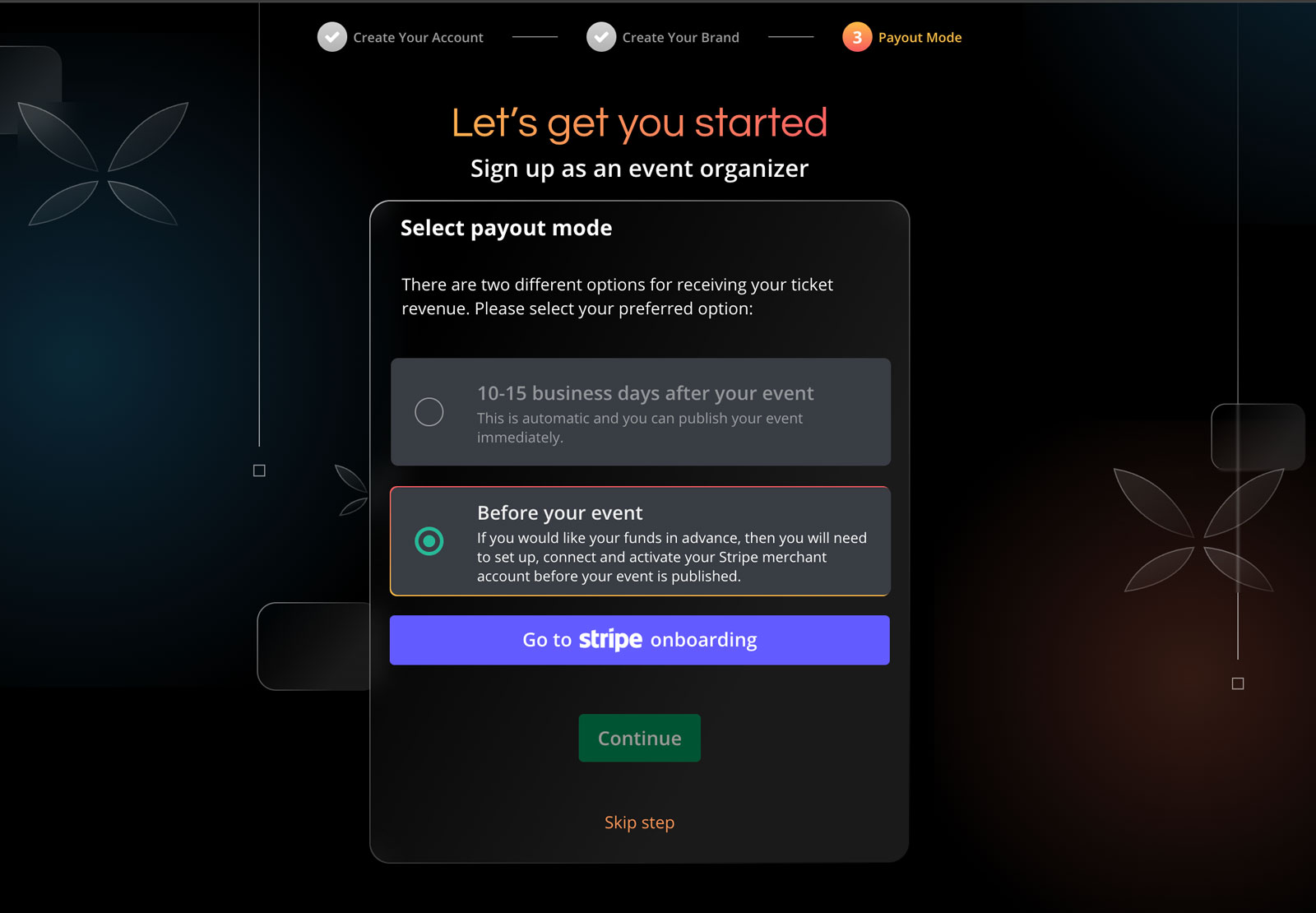
Connect Your Stripe Account

Connect your Stripe payment processing account to Ticket Fairy.

3

Create & Start Selling

Set up your event, customise your tickets and get paid daily.

Connect Stripe & Start Selling Today

Start without setup fees or a required subscription.

Frequently Asked Questions About Selling Tickets with Stripe

Integrasi & Penyiapan Stripe

Seberapa cepat saya bisa mulai menjual tiket dengan Stripe?
Anda bisa mulai menjual dalam hitungan menit. Cukup buat akun Ticket Fairy Anda, hubungkan akun Stripe (atau buat baru), dan atur detail event Anda.
Bisakah saya menggunakan Stripe untuk pembayaran tiket di negara saya?
Ketersediaan Stripe, metode pembayaran, dan mata uang berbeda-beda menurut negara. Beri tahu kami lokasi bisnis acara Anda dan kami akan mengonfirmasi opsi yang tersedia.

Pembayaran & Pencairan

Seberapa cepat saya menerima pendapatan penjualan tiket dengan Stripe?
Dasbor Stripe Anda menampilkan jadwal pencairan untuk acara Anda. Pencairan harian akan muncul jika tersedia.
Metode pembayaran apa yang dapat digunakan pelanggan saya?
Melalui Stripe, Anda dapat menerima semua kartu utama (Visa, Mastercard, American Express), dompet digital (Apple Pay), dan opsi bayar nanti seperti Afterpay/Clearpay. Metode yang tersedia dapat bervariasi menurut negara.

Biaya Stripe dan Harga

Siapa yang membayar biaya pemroses pembayaran untuk Stripe?
Dengan harga standar saat pembeli membayar, pembeli secara default membayar biaya pemesanan. Anda dapat memilih untuk menanggungnya. Kami menampilkan harga yang tepat sebelum Anda meluncurkan acara.
Apakah ada biaya penyiapan atau bulanan untuk menggunakan Stripe?
Ticketing inti tidak memiliki biaya penyiapan atau biaya bulanan ticketing wajib. Paket berbayar bersifat opsional. Dengan harga standar saat pembeli membayar, pembeli secara default membayar biaya pemesanan.

Pembayaran Event dan Pendapatan

Bagaimana pembayaran event bekerja dengan Stripe?
Stripe memproses pembayaran dan mengirim pendapatan tiket ke rekening bank Anda. Ticket Fairy menangani halaman acara, checkout, referral pembeli, dukungan, dan akses masuk.
Bisakah saya menggunakan Stripe untuk penjualan di pintu?
Ya. Jual tiket walk-up dan terima pembayaran kartu dengan card reader Stripe Terminal atau Tap to Pay jika diaktifkan. Lihat penjualan di pintu dan online bersama-sama di Ticket Fairy.

Pembayaran Internasional dan Mata Uang

Bisakah saya menerima banyak mata uang melalui Stripe?
Ya, Stripe mendukung pemrosesan multi-mata uang. Anda dapat menerima pembayaran dalam berbagai mata uang sambil menerima pencairan dalam mata uang pilihan Anda.

Keamanan dan Pencegahan Penipuan

Seberapa aman pembayaran Stripe?
Stripe tersertifikasi PCI-DSS Level 1, tingkat tertinggi sertifikasi keamanan pembayaran. Semua transaksi dienkripsi dan diproses melalui kanal aman.
Bagaimana Stripe membantu mencegah penipuan?
Stripe menyertakan alat pencegahan penipuan canggih seperti Radar yang menggunakan machine learning untuk mendeteksi dan memblokir transaksi penipuan.

Penyiapan & Manajemen Akun

Apakah saya perlu membuat akun Stripe terlebih dahulu?
Tidak, Anda bisa membuat akun Stripe langsung melalui proses integrasi kami. Saat menyiapkan event, Anda akan dipandu untuk membuat dan menghubungkan akun Stripe.
Informasi apa yang diperlukan untuk menghubungkan akun Stripe?
Anda memerlukan informasi dasar bisnis Anda, termasuk nama legal, alamat, URL situs (jika ada), dan detail perbankan untuk pencairan. Anda juga perlu memberikan identitas untuk verifikasi.

Pelaporan & Analitik

Bagaimana saya akan melacak penjualan dan pendapatan melalui Stripe?
Anda akan memiliki akses ke data penjualan baik di dasbor Ticket Fairy maupun Stripe. Dasbor Ticket Fairy memberikan analitik spesifik event, sementara dasbor Stripe menawarkan pelaporan keuangan mendetail, alat rekonsiliasi, dan riwayat transaksi.
Bisakah saya mengekspor data transaksi untuk tujuan akuntansi?
Ya, Ticket Fairy dan Stripe menyediakan kemampuan ekspor data. Anda dapat mengekspor data transaksi, laporan penjualan, dan informasi pencairan dalam berbagai format (CSV, Excel) untuk software akuntansi Anda.

Menggunakan Stripe untuk Jenis Event Tertentu

Apakah Stripe cocok untuk event kecil dan besar?
Tentu. Skalabilitas Stripe membuatnya cocok untuk semua ukuran event.
Bisakah Stripe menangani rencana pembayaran untuk tiket bernilai tinggi?
Ya, integrasi kami dengan Stripe mendukung rencana pembayaran cicilan.

Refund & Layanan Pelanggan

Bagaimana refund ditangani dengan Stripe?
Refund dapat diproses langsung melalui dasbor Ticket Fairy Anda. Uang dikembalikan ke metode pembayaran asli melalui Stripe, dan tiket otomatis dibatalkan. Anda dapat mengeluarkan refund penuh atau sebagian tergantung kebijakan Anda.
Apa yang terjadi dengan biaya Stripe saat saya melakukan refund?
Saat mengeluarkan refund dalam jendela refund standar Stripe (biasanya 60 hari), Stripe juga akan mengembalikan biaya pemrosesan mereka. Di luar jendela ini, biaya mungkin tidak dikembalikan.

Integrasi Teknis

Bisakah saya menyesuaikan pengalaman Checkout untuk merek saya?
Ya, integrasi Stripe kami memungkinkan kustomisasi branding yang luas. Tambahkan logo, warna, dan pesan khusus ke proses Checkout sambil mempertahankan infrastruktur pembayaran aman Stripe.
Apakah integrasi Stripe ramah seluler?
Tentu. Proses Checkout sepenuhnya responsif dan dioptimalkan untuk semua perangkat. Pengguna seluler mendapat manfaat dari metode seperti Apple Pay.

Kepatuhan & Penanganan Pajak

Bagaimana Stripe menangani perhitungan dan pelaporan pajak?
Stripe dapat secara otomatis menghitung, mengumpulkan, dan melaporkan pajak sesuai lokasi event dan pengaturan pajak Anda.
Apakah Stripe memenuhi standar perlindungan data internasional?
Ya, Stripe patuh pada regulasi perlindungan data utama termasuk GDPR di Eropa, CCPA di California, dan standar internasional lainnya.

Mulai

Berapa lama persetujuan akun Stripe saya?
Stripe menentukan waktu verifikasi akun setelah meninjau detail bisnis Anda. Mulai koneksi dari Ticket Fairy dan Stripe akan menunjukkan hal lain yang diperlukan.
Bisakah saya menguji platform sebelum live?
Ya, Anda dapat membuat event uji coba dan memproses pembayaran uji di mode test Stripe. Ini memungkinkan Anda membiasakan diri dengan platform dan menguji seluruh alur Checkout tanpa pembayaran nyata. Setelah siap, beralih ke mode live cukup dengan toggle.

Ticket Fees & Free Events

Who pays for your ticket fee?
The ticket buyer usually pays the service fee, or you can choose to absorb it. The fee shown for the ticket includes Stripe payment processing, so the buyer does not see a separate Stripe charge later.
Do you charge for free events?
There is no ticketing fee for a free event when every ticket is complimentary. Ticketing fees apply when you sell paid tickets.
Do you charge for issuing guest tickets?
There is no ticket fee for complimentary guest tickets. You can issue them for staff, VIPs and other invited attendees, then keep them on the same guest and entry lists as paid tickets.

Additional Payment Options

I need cashflow for my festival. Can I get regular payouts?
Yes. Get paid daily when your Stripe payment processing account and country qualify. Put ticket revenue toward deposits, production and marketing while sales are still live.
What makes the payment gateway within your event ticketing software reliable?
Stripe processes the payment while Ticket Fairy handles ticket delivery and entry. Offer cards, Apple Pay, Google Pay and payment plans where they are available in your country.

Customisation & Branding

What level of customization do you provide?
Add your event artwork, colours and header, then collect the attendee details your event needs with custom checkout questions. Stripe processes the payment while Ticket Fairy keeps the buyer, order and ticket together.
Can I sell tickets on my own website or mobile apps?
Yes. Add the Ticket Fairy checkout to your website with a buy button or inline embed, including promo codes, add-ons, custom questions and eligible payment plans. Use the React SDK for a fully unbranded buying experience, while Stripe processes the payment through your Stripe payment processing account.

Advanced Features

Do you support add-ons?
Yes. Offer merchandise, parking, meal packages, camping or VIP upgrades after the buyer chooses a ticket. You decide which tickets each add-on belongs with, and Stripe processes the payment.
Do you support virtual events?
Yes. Sell access to online or hybrid events, use the Zoom integration or bring your own stream, and give ticket holders an online event watch page. Stripe processes payments in the countries it serves.

Ticket Types & Management

What types of tickets can I sell?
Sell general admission, VIP, table or booth bookings, timed entry and reserved seats. Set capacity, sale dates, prices and entry rules, then take the Stripe payment methods available in your country.
Can I limit how many tickets one person can buy?
Yes. Set a purchase limit for each ticket type and control its total capacity. These limits help more buyers get a fair chance when demand is high.
Do you support reserved seating?
Yes. Buyers can choose available seats from an interactive map, while the same event can also include standing or general-admission areas. Your team can create a seating chart in the dashboard and take the payment through Stripe.

Ticket Distribution & Check-in

How do attendees receive their tickets?
After purchase, attendees receive digital tickets by email with unique QR codes. They can also open them in their Ticket Fairy account, print them or show the QR code on their phone at entry.
What options do you have for access control? Do you have an event check-in app?
Use Entry Fairy on most iOS or Android phones and tablets to scan tickets, give door staff their own logins and keep every entrance moving. Connect your existing RFID or cashless partner when you need wristband access or on-site spending.
Can tickets be transferred or resold?
Yes. Ticket Fairy keeps resale at face value, not a markup. Waiting-list members hear first when a ticket is listed, the new buyer gets the ticket and the old code stops working.

Promotions & Marketing

How do discount codes work? I'd like to give discounts to certain people or offer group discounts.
Create a promotion with a fixed or percentage discount, then add codes in bulk. Limit codes by use count, time, ticket type, email address or email domain, and give different ticket types different discounts within the same promotion.
Do you offer tools to help me sell more tickets?
Yes. Give every buyer a referral link and a reason to share, see which promoter and campaign links sell tickets, recover abandoned carts and send campaigns to your audience. Ticket Fairy shows which activity produced sales, while Stripe processes the payment.
Do you have a waiting list feature for sold-out events?
Yes. When an event or ticket type sells out, buyers can join the waiting list. Ticket Fairy notifies them when tickets return through resale, released holds or cancellations, so proven demand gets another chance to buy.

Data & Pelaporan

Bisakah saya mengumpulkan data kustom dari peserta?
Ya, selain informasi standar (nama, email, telepon), platform kami memungkinkan Anda membuat kolom data kustom untuk mengumpulkan informasi yang relevan. Kolom dapat diwajibkan atau opsional, dan dapat dikaitkan dengan jenis tiket atau Add-on tertentu. Semua data tersedia di dasbor Anda bersama informasi pembayaran dari Stripe.
Laporan penjualan apa yang tersedia?
Platform kami memberikan pelaporan komprehensif tentang penjualan tiket, pendapatan, demografi peserta, tingkat konversi, dan kinerja pemasaran. Anda dapat melihat data di dasbor real-time dan mengekspor laporan dalam berbagai format.
Bisakah saya mengakses data penjualan real-time?
Ya, Anda memiliki akses ke dasbor penjualan real-time yang menampilkan pembelian tiket, pendapatan, tingkat konversi, dan metrik kunci lainnya.

Powered by Stripe

Keep your Stripe account and add Ticket Fairy sales, marketing and entry tools

Tanpa biaya setup atau langganan bulanan
Mulai menjual tiket segera
Akses penuh ke semua fitur
Mulai

Tidak perlu kartu kredit

Pesan Panggilan Demo

Lihat model referral yang rata-rata mendorong 20% lebih banyak penjualan tiket, ketahui kampanye mana yang menjual tiket, jawab pembeli lebih cepat, dan jaga antrean tetap bergerak.

Panggilan Video 45 Menit
Pilih Waktu yang Cocok untuk Anda

Ticket Fairy selengkapnya: sistem tiket acara, dengan fitur, harga, dan dukungan di balik halaman ini.

// Add staggered animations to feature bubbles $('.feature-bubble').each(function(index) { $(this).css({ 'animation-delay': (index * 0.1) + 's' }); }); // Initialize floating animations for specific elements $('.hero-mockup, .comparison-grid, .primary-cta').addClass('floating-animation'); } // FAQ accordion functionality - Copied from eventbrite_alternative.php $('.faq-question').click(function() { var $entity = $(this).parent(); if ($entity.hasClass('active')) { $entity.removeClass('active'); } else { $('.faq-entity').removeClass('active'); $entity.addClass('active'); } }); // Show the first FAQ in each section by default for better UX const faqSections = document.querySelectorAll('.content-margin-top'); faqSections.forEach(function(section) { const firstQuestion = section.querySelector('.faq-entity'); if (firstQuestion) { firstQuestion.classList.add('active'); } }); // Add hover state interactions for feature cards $('.feature-card').on({ mouseenter: function() { $(this).find('.feature-icon i').addClass('fa-spin-pulse'); $(this).css('transform', 'translateY(-12px)'); $(this).css('box-shadow', '0 20px 40px rgba(103, 114, 229, 0.15)'); }, mouseleave: function() { $(this).find('.feature-icon i').removeClass('fa-spin-pulse'); $(this).css('transform', ''); $(this).css('box-shadow', ''); } }); // Add hover state interactions for step cards $('.step-card').on({ mouseenter: function() { $(this).find('.step-icon').addClass('animated-gradient'); $(this).css('transform', 'translateY(-15px)'); $(this).css('background', 'rgba(255, 255, 255, 0.1)'); $(this).css('box-shadow', '0 15px 30px rgba(0, 0, 0, 0.2)'); $(this).css('border-color', 'rgba(36, 180, 126, 0.3)'); }, mouseleave: function() { $(this).find('.step-icon').removeClass('animated-gradient'); $(this).css('transform', ''); $(this).css('background', ''); $(this).css('box-shadow', ''); $(this).css('border-color', ''); } }); });