Digital Twins for Event Planning in 2026: Predictive Simulations to Eliminate Surprises
Digital Twins: A New Era of No-Surprise Event Planning
From Guesswork to Virtual Precision
Event planning has always involved educated guesses – where will crowds bottleneck, which booth layout maximizes flow, what if bad weather strikes? In 2026, digital twin technology is taking the guesswork out. A digital twin is a hyper-realistic virtual replica of a venue or event space that planners can populate with simulated crowds, infrastructure, and even live data. As traditional event planning relies on guesswork, digital twins offer a solution where organizers can test every decision inside a lifelike 3D model of their event before a single attendee arrives. This means potential issues aren’t just predicted – they’re visualized and solved in advance. The result? Smoother operations, safer environments, and far fewer unwelcome surprises on event day.
- What exactly is a digital twin? It’s more than a 3D map. It’s a living simulation that updates with real-world data and human behavior models, defining what a digital twin actually is. Imagine inputting your venue’s CAD drawings, overlaying crowd movement algorithms, and then “pressing play” to watch how your event would unfold. Every element – from attendee flow at entry gates to traffic in the parking lot – can be mimicked virtually.
- Why 2026? Advances in cloud computing, AI-driven simulation, and IoT sensors have converged to make digital twins practical for events. What used to require supercomputers and bespoke software is now accessible via cloud platforms and modern event management tools. In fact, industry analysts note that digital twin tech is now crossing the adoption chasm, with the market projected to grow exponentially this decade, as Gartner analyzes emerging technology revenue opportunities and Hexagon reports on industry adoption rates. The technology’s rapid maturation means even mid-sized conferences can afford simulation solutions that were once limited to smart city projects and Fortune 500 factories.
- Real results speak volumes: Early adopters report dramatic improvements after implementing digital twins. According to one industry analysis, precise simulations led to a 43% reduction in operational issues, 67% faster attendee flow, and 89% higher sponsor ROI due to optimized layouts. The results are transforming event operations, with early adopters reporting these real-world metrics. When nearly half of IT decision-makers are already planning to integrate digital twins by 2028, noting that more than 42% of executives recognize the benefits and few remain unfamiliar with the concept, it’s clear this approach is becoming a must-have in the event planner’s toolkit.
The Power of “What-If” in a Risk-Free Sandbox
Traditional planning is static – once the floor plan is drawn and schedules set, you won’t know if they truly work until showtime. Digital twins flip that paradigm by providing a risk-free sandbox to ask “what if…?” and get immediate answers. For example, a major tech conference used a digital twin to test three different registration area layouts virtually before the event. The ability to test everything before you commit is a game changer. The simulations predicted vastly different outcomes:
- Layout A: ~47-minute peak check-in wait (likely causing frustration and delays)
- Layout B: ~23-minute wait but with irregular crowd flow patterns
- Layout C: ~11-minute peak wait with smooth, steady flow
They wisely chose Layout C, and the actual max wait time turned out to be 12 minutes – nearly five times shorter than what Layout A would have caused. One major technology conference used simulations to predict these outcomes. Attendee satisfaction with registration jumped to 94%, up from 67% the previous year. Comparing Layout A’s 47-minute wait to the optimized result shows the value of this approach. In other words, a few hours of virtual testing prevented a potential on-site bottleneck that would have poisoned the entire attendee experience. This kind of data-driven decision-making – trying scenarios in a twin until you find the optimal solution – is revolutionizing how events are planned.
Crucially, these simulations aren’t just number-crunching exercises; they produce rich visual feedback. Planners can literally watch a crowd form and move in the virtual venue. Heatmaps might reveal congestion around the coffee station, or an overhead 3D view could show attendees clustering uncomfortably at a narrow hallway. By visualizing crowd dynamics, digital twins allow organizers to spot issues that a spreadsheet or 2D map would likely overlook. As discussed in The Event Tech Talk Show, this is “solving problems before they arise, ensuring a seamless experience for all.” In essence, the digital twin becomes a rehearsal – not just for the program content, but for the entire operational flow of the event.
Data-Driven Event Marketing
Track ticket sales, demographics, marketing ROI, and social reach in real time. Exportable reports give you the insights to make smarter decisions.
Proven in Other Industries, Now Tailored for Events
The concept of digital twins isn’t entirely new – industries like manufacturing, aerospace, and smart cities have used them for years to test complex systems. For instance, automotive engineers use digital twins to build virtual car prototypes and simulate performance under countless conditions before ever cutting metal. City planners use digital models to optimize traffic light timing and crowd movement on city streets. In Chattanooga, Tennessee, a city-wide digital twin improved traffic flow by up to 30% by experimenting with signal data and routing in simulation. Experiments with digital twins at Technological University in Singapore achieved similar results. These success stories have paved the way for the event industry. If a simulated city can prevent traffic jams, a simulated festival can certainly prevent crowd jams.
What’s different in 2026 is that digital twin technology is now purpose-built for events. Platforms like OnePlan’s Venue Twin (used for the Paris 2024 Olympics) combine geographic information system (GIS) mapping with event-specific features to map layouts, simulate crowd behavior, and optimize logistics for live events. This is accomplished through OnePlan’s high-performance digital twins which simulate crowd behavior. Likewise, specialized crowd simulation engines (such as those by uCrowds, used in the Netherlands’ Nijmegen city festivals) focus on pedestrian movements, helping planners design safer event environments. A great example of unified planning is seen in Nijmegen, where they utilize real-time command capabilities. Even general-purpose 3D engines (Unity, Unreal) are being harnessed to create immersive venue replicas for larger productions. The upshot: event organizers now have an array of tailored tools to create a digital mirror-world of their event and play out scenarios with realistic accuracy.
Ready to Sell Tickets?
Create professional event pages with built-in payment processing, marketing tools, and real-time analytics.
Building a Virtual Venue: How Digital Twins Are Created
Capturing Your Venue in 3D (The Base Model)
Every great simulation starts with a detailed model of the real world. To create a digital twin of an event, planners first build a 3D venue model as the foundation. This typically involves importing architectural plans, CAD drawings, or site maps of the venue into the digital twin platform. Modern event twin software can ingest everything from detailed blueprints of a convention center to an aerial CAD layout of an open field festival site. Imagine having a living, breathing map that helps you work smarter on show days. The result is a to-scale virtual map of the space – complete with walls, stages, entrances, exits, and key infrastructure – accurate often to within centimeters. Hyper-realistic digital twins are becoming the standard.
For existing venues like arenas and convention halls, planners might leverage laser scans or LIDAR data (if available) to capture the space’s exact dimensions and features. Many venues are beginning to maintain their own digital blueprint files for this purpose. For greenfield sites (e.g. converting an empty field into a festival ground), planners will digitize their site layout plans. Every element that’s known in advance – fences, entry gates, restroom locations, concession stands, stage locations, etc. – is placed into the virtual model. One outdoor festival created a precise digital replica of their grounds starting from a CAD drawing, which became the canvas for all further simulation. Think of this step as building a virtual stage on which all the action will happen.
Beyond the physical layout, infrastructure layers get added to this base model. Power drops, water lines, Wi-Fi coverage zones, road closures, emergency exits – these can all be marked in the digital twin. A unified model that includes infrastructure helps reveal interactions that paper plans might miss. For instance, by layering the traffic plan onto the site map, one festival’s digital twin exposed that an artist shuttle route crossed a newly planned pedestrian-only zone. From traffic police to festival organizers, everyone benefits from a complete picture of the infrastructure. That insight prompted a quick change in routing long before any vehicles arrived on site. In the city of Nijmegen, a consortium built a comprehensive digital twin of their event district integrating public transit routes, roadblocks, stage layouts and even permit requirements into one model. Unified systems create a complete picture that vastly reduces miscommunication. This single source of truth meant everyone from police to festival organizers could see the same plan and catch conflicts ahead of time. The outcome was better coordination and fewer last-minute errors because every stakeholder was literally on the same (digital) page. Using uCrowds for festival simulations creates a shared picture that vastly reduces miscommunication.
To capture the full venue context, planners also incorporate environmental factors into the model when relevant. Terrain topography can be important for outdoor events – a slight slope might affect crowd movement rates or sightlines. Indoor models might include columns or low-hanging structures that could impede line-of-sight or crowd flow. Advanced digital twin platforms even allow importing real-world textures and visuals to make the model feel lifelike – useful for visually spotting things like whether signage is visible or if décor might cause an obstruction. By the end of this stage, the digital twin looks like a detailed dollhouse of your event, empty but ready to be filled with simulated people and activities.
Smooth Entry With Mobile Check-In
Scan tickets and manage entry with our mobile check-in app. Supports photo ID verification, real-time capacity tracking, and multi-gate coordination.
Adding Crowd Dynamics and Behavioral Data
With the static venue model in place, the next step is breathing life into it by adding crowd dynamics. This is where decades of crowd science research and modern AI come together. Planners input key parameters about their expected audience and event schedule into the twin: How many attendees will there be? When do doors open and close? What is the schedule cadence (e.g. all 5,000 people exiting a keynote at once vs. staggered sessions)? Where are the attractions or points of interest that people will flock to?
Based on these inputs, the digital twin populates the virtual venue with agents – simulated people that move and behave according to defined rules. Each “agent” can be programmed with realistic behaviors: for example, an agent representing an attendee might arrive at 9:00 AM, go through security in 2 minutes, spend 5 minutes at the registration desk, then head to a specific stage, stopping at a coffee stand along the way. When you introduce thousands of these agents, you get emergent crowd behavior that can mirror reality surprisingly well. Many simulation engines use sophisticated algorithms (social force models, crowd density thresholds, etc.) to ensure the virtual crowd reacts naturally to stimuli – slowing down when it’s packed, avoiding collisions with obstacles and each other, clustering around interesting things. Essentially, you’ve created a digital crowd.
Grow Your Events
Leverage referral marketing, social sharing incentives, and audience insights to sell more tickets.
For accuracy, it’s common to calibrate these crowd models with real data. Planners might use historical attendance patterns (e.g. typical entrance rates per minute from past events) to fine-tune how agents arrive. If the event type is general admission, agents may roam more freely; if it’s a conference with sessions, agents will follow schedules. Advanced twins even incorporate demographic differences – e.g. simulating some attendees as VIPs who use a different entrance and move differently, or modeling accessibility needs by including agents in wheelchairs who require ramp routes. By simulating attendees with diverse needs and abilities, organizers can identify any design elements that might inadvertently cause barriers for disabled guests. This inclusive approach ensures the twin isn’t just modeling an “average” attendee, but accounts for variations so the event is welcoming to all.
The level of detail is adjustable. For a mega-festival of 100,000 people, you might aggregate agents into groups or flows to keep computation reasonable, focusing on macro patterns. For a 500-person corporate event, you could simulate individual movements quite granularly. Some simulations also include staff and vendor movements (e.g. catering replenishment routes, security patrols) to see how they intersect with attendee flows. The key is that the digital twin’s crowd behaves based on rules of human behavior, not just uniform math. For example, when one expo used a twin to analyze attendee movement, it discovered people tended to cluster near restroom areas longer than expected (taking breaks, meeting friends) – a human quirk that static models hadn’t accounted for. Armed with that knowledge, they added seating near restrooms to accommodate this natural behavior, turning a potential clog point into a planned rest area.
Integrating All the Moving Parts into One Model
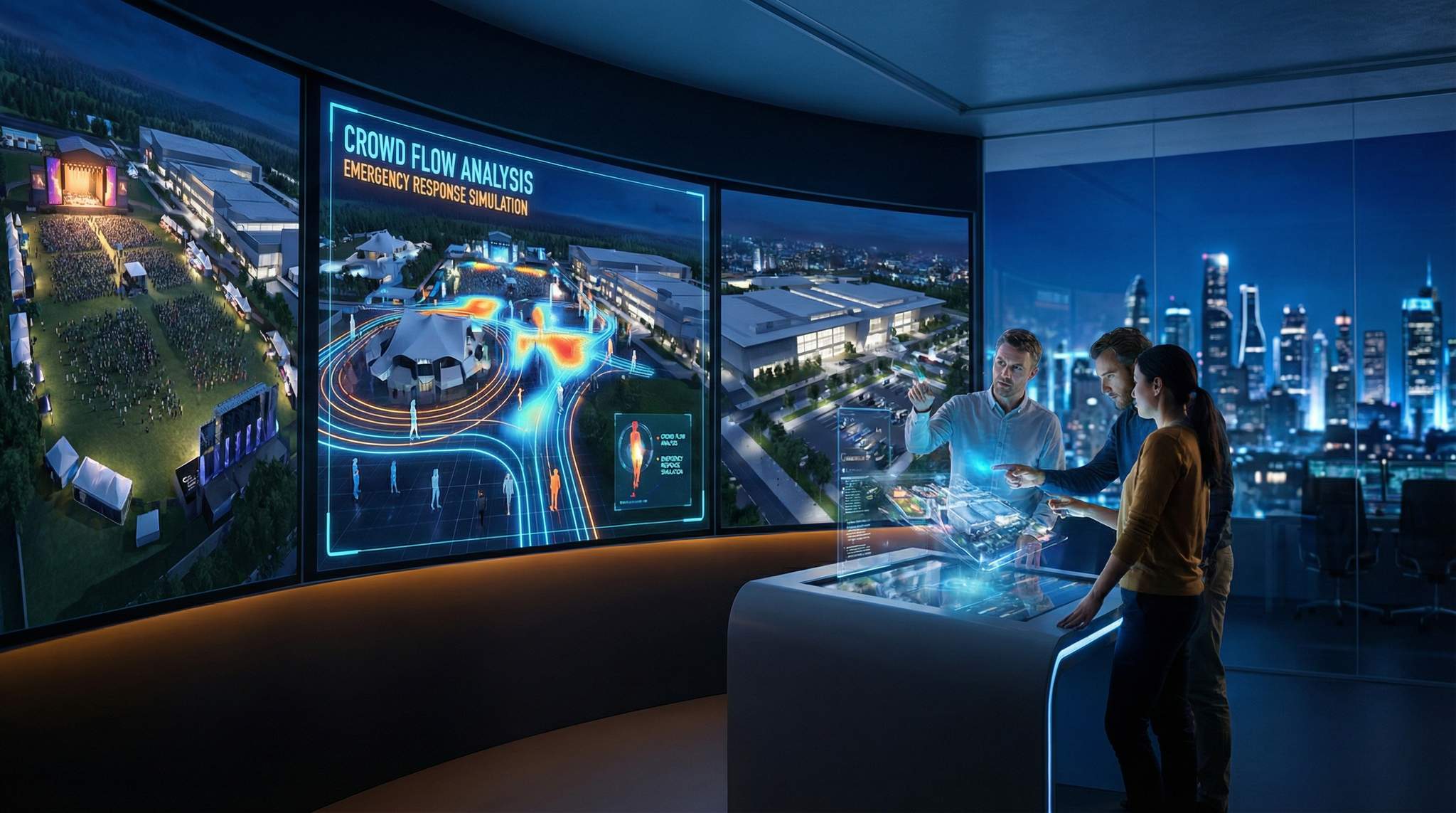
A standout benefit of digital twins is integrating every system into one holistic model. In complex live events, multiple plans usually coexist – the site map, the security plan, the traffic flow plan, the power diagram, the stage schedule, etc. Often these live in separate documents and are managed by different teams, which can lead to disconnects. A digital twin brings these layers together. When all data – from floor plans to crowd flows to ops schedules – lives in one interactive model, you achieve a common operating picture that was previously elusive.
Consider how this plays out for a large festival. The production team plots stage locations and viewing areas; the city traffic department plans road closures and transit schedules; the security team defines controlled entry points; the medical team identifies first-aid station zones; the power contractor lays out generator and cable runs. In silo, each plan might look fine. But the digital twin can instantly show interdependencies or conflicts: Does a road closure inadvertently block the vendor load-in route? Will the lighting tower placement impede an emergency vehicle path? Are two big stages scheduled to end simultaneously, potentially flooding one exit route at once? By overlaying these elements, the twin helps answer such questions early. In the Nijmegen “digital city” project mentioned earlier, having all city departments and the festival team referencing one 3D model led to far better coordination. Every stakeholder could literally see how their piece fit into the whole. Organizers reported significantly fewer onsite surprises because issues were caught during joint planning sessions with the twin, rather than during the live event.
This integration also helps with stakeholder buy-in and communication. Venue owners, public safety officials, and clients can all be invited “into” the digital twin for a virtual walkthrough. Instead of flipping through PDFs of various plans, they can explore the venue model and see, for example, where each safety exit leads or how the crowd is expected to disperse after the headline act. It’s much easier for non-technical stakeholders to grasp the plan when they can visualize it in 3D. One Formula 1 racetrack venue (Silverstone Circuit) found that moving to a cloud-based digital twin platform resolved version control problems and aligned thousands of contractors and staff on one coherent plan. Addressing the customer challenge of aligning 9,000 contractors to fully align with the events team was critical. The interactive model replaced dozens of scattered CAD files and documents, ensuring everyone had the latest information. This kind of single-source collaboration not only saves time but also builds trust – when authorities see a realistic evacuation simulation achieving a 8-minute clearance time, they gain confidence in the event’s preparedness. Simulations are part of getting permits by refining your emergency playbook. Likewise, sponsors or VIP clients can be impressed by a virtual tour of the event layout tailored to their needs (which can be a nice side benefit for event sales and marketing teams).
Table 1: Traditional Planning vs. Digital Twin Simulation
| Aspect | Traditional Event Planning | Planning with a Digital Twin Simulation |
|---|---|---|
| Designing Layouts | Create static floor plans based on experience and assumptions. Changes are hard to test without on-site trials. | Build a virtual 3D venue model and test multiple layout configurations in simulation. Visualize different setups instantly. |
| Crowd Flow Analysis | Rely on rules of thumb (e.g. X sq ft per person) and past experience to predict movement. Limited ability to foresee choke points accurately. | Run agent-based crowd simulations to see exactly where congestion occurs. Identify bottlenecks (e.g. narrow corridors) via heatmaps and metrics. Using a digital twin allows you to widen corridors or redirect people in specific ways. |
| Emergency Planning | Develop paper evacuation plans and conduct manual drills. Difficult to assess if plans meet clearance time targets without real crowd tests. | Conduct “what-if” emergency scenarios in the virtual model. Prioritizing simulations for narrow corridors helps optimize safety. Determine evacuation times, test different incident responses, and optimize safety plans with data. |
| Stakeholder Alignment | Share PDF plans, CAD drawings, and spreadsheets via email. Risk of version confusion and siloed information. | Provide a cloud-based interactive model that all teams (operations, security, city officials, etc.) can access. One living plan for all, enhancing coordination. Feeding requirements into one system reduces miscommunication. |
| Real-time Adjustments | Once event starts, rely on manual monitoring (walkie-talkies, site walks) to identify issues. Reactionary adjustments when problems become visible on-site. | If integrated with live data, the twin becomes a command center. Real-time sensor and ticket scan input allows proactive adjustments (redirecting crowds, deploying staff) before issues escalate. One of the most important features is spotting disparities, or using heatmaps to temporarily slow entry. |
As Table 1 highlights, the digital twin approach transforms planning from static to dynamic. It’s akin to moving from 2D photographs to a full movie of your event – you can play, pause, rewind, and experiment until you get the desired outcome. The ability to simulate and optimize in a risk-free environment is invaluable, especially as events grow in complexity. But what exactly can you test in a twin? Let’s explore the key use cases like layouts, crowd flows, and emergency drills where predictive simulation truly shines.
Simulating Layouts, Flow, and Design Choices Before the Event
Optimizing Floor Plans and Site Layouts
One of the first uses of a digital twin is to test different layout configurations to see which works best. This applies to everything from a conference expo floor to a music festival ground. In the past, planners might debate layout choices in meeting rooms with nothing but intuition (“Maybe move the food court further from the stage to reduce congestion?”) – now those ideas can be trialed virtually in minutes.
Consider expo floor planning: exhibitors always want prime booth locations, and organizers want to maximize traffic flow to all corners. By creating multiple layout versions in the twin and simulating attendee movement, organizers can identify which arrangement yields the best distribution of foot traffic. In one case, an expo assumed placing sponsor booths right by the main entrance was ideal – lots of eyeballs, right? The simulation, however, showed that while traffic was high at the entrance, attendees were laser-focused on getting inside and barely stopped to engage. Simulation reveals the truth about traffic patterns. A supposedly “poor” location near a restroom area turned out to have longer dwell times as people naturally paused there. Location assumptions versus reality can be surprising. Armed with this data, the organizers could place key sponsors in spots with higher engagement potential rather than just raw traffic, boosting sponsor satisfaction and ROI.
For conferences, layout simulation might focus on optimizing session room placement and capacities. If two popular breakouts are scheduled back-to-back, a twin can reveal if the corridor between those rooms will clog with people exiting one and entering the other. Perhaps swapping a couple of session locations could distribute crowds more evenly. One large multi-track conference simulated various session schedules and found that staggering start times by just 10 minutes for rooms on different floors drastically reduced elevator congestion between sessions. Digital twin analysis allows organizers to test multiple scenarios. A small tweak in the agenda, discovered through simulation, meant attendees weren’t stuck waiting on elevators and could get to sessions on time.
At festivals and outdoor events, site layout simulations focus on crowd geography: how people disperse across open grounds. Questions like “If we put the secondary stage near the food court, will that area be overwhelmed?” or “Is the family zone too far from restrooms?” can be evaluated. The twin might show, for example, that clustering too many attractions in one zone causes that area to hit capacity while another zone remains underused. By iterating layouts (perhaps moving one attraction to the quieter side of the venue), organizers achieve a more balanced distribution. The payoff is not just smoother crowd flow but also happier vendors and sponsors (nobody wants to be stuck in the “dead” zone of a festival). And importantly, safety improves – you avoid creating unexpectedly dense pockets of people that could pose risks.
Streamlining Entry, Check-In, and Queuing
Few things frustrate attendees more than long lines to get into an event. Digital twins are helping events virtually test their entry and registration setups to hit the sweet spot of minimal wait time with maximal throughput. By simulating the check-in process – whether it’s ticket scanning, badge printing, or security screening – planners can determine how many check-in stations or lanes are needed and where to place them.
For instance, imagine a concert venue expecting a peak ingress of 5,000 people arriving in the 30 minutes before showtime. A simulation can model attendees arriving in waves (perhaps based on transit schedules or parking lot timing) and each going through bag check and ticket scan. If 10 scanning lanes are planned, how long will queues get? If the simulation shows lines building up to 30 minutes wait, the organizer can experiment with adding 2 more lanes or opening doors 15 minutes earlier. Each scenario yields new wait time predictions. One festival simulation revealed that opening an extra gate on the opposite side of the grounds would cut peak wait times by more than half, by redistributing some attendees to that entrance. The team implemented it, and entry flowed smoothly with wait times under 10 minutes even at peak – a vastly better first impression for attendees.
Digital twins also allow queuing strategy simulations. A twin might test if switching to a serpentine queue (rather than multiple line queues) at registration speeds things up or if dedicated VIP fast-track lanes cause resentment or actually relieve pressure on general lines. In 2026, many events are experimenting with innovations like self-service kiosks and facial recognition check-in to speed up entry. A digital twin can simulate these technologies in practice: e.g. if 30% of attendees use the self-service kiosks, what is the remaining load on staffed counters? It might show that you can redeploy some staff elsewhere. Conversely, if simulations reveal only a small uptake of kiosks (perhaps due to demographics), you might decide they’re not worth the investment for your event.
Crucially, these entry simulations tie into access control planning as well. If your event has tiered access zones (VIP, General Admission, staff-only areas), the twin can model those separate streams. Organizers can ensure that VIP guests have a seamless dedicated entrance that truly improves their experience while verifying that it doesn’t inadvertently siphon resources from general admission. It’s all about optimizing throughput: the twin effectively lets you run a virtual dress rehearsal of the front-of-house operations, complete with virtual attendees arriving early, on time, or late, so you can staff up and design your check-in area with confidence. The outcome is shorter lines, happier attendees, and an entrance experience that kicks off the event on the right note.
Placement of Amenities, Stages, and Booths
Where you position key amenities and attractions can make or break the flow of an event. Digital twins help fine-tune these placement decisions by showing how attendees will likely navigate the space. Take food and beverage outlets: too few in one area and you get enormous queues; too many and you wasted budget on under-used booths. By simulating attendee movement and dwell times, you can predict demand at each F&B point and adjust numbers or locations accordingly. One large fair discovered through simulation that a food court at one end of the grounds led to everyone trekking there during lunch, overloading that zone. They decided to split food vendors into three clusters spread around the venue. The digital twin then showed attendees would naturally disperse to the nearest cluster, smoothing out lunch rush loads. Sure enough, on event day lines were manageable and no single area was overrun.
For stage and attraction placement at festivals, simulation is invaluable. If two stages are too close, their audiences might merge and create an unexpected super-crowd that’s hard to manage. If they’re too far, you might unintentionally split your audience and kill the energy. A festival digital twin can simulate crowd flow between stages based on schedule – for instance, if Stage 1 and Stage 2 both end shows at 9:00 PM, where will those thousands of people go next? A simulation could reveal a massive cross-flow as people swap sides of the field, possibly intersecting and causing jams especially near bridges or narrow paths. By finding that out, the festival could decide to stagger set times or add physical barriers to guide flows. In one real case, a festival learned that two popular stages ending simultaneously would flood a particular pathway, exceeding its safe capacity. They altered the schedule so one stage ended 15 minutes later and added signage to direct that crowd along a different route – averting a potential crowd crush scenario.
For expos and trade shows, booth placement and sponsor zones can also be optimized. As mentioned earlier, assumptions about “premium” locations don’t always hold true. A digital twin can generate a visibility and engagement map for each booth position: how many people pass by, and more importantly, how many slow down or stop in that vicinity. At a tech expo, this analysis helped the organizers justify higher pricing for certain booths that the sim showed had longer attendee dwell time (even though they weren’t at the main entrance). They could confidently back their sales pitch with data: “We placed you here because our model predicts 20% more engagement than the hall entrance spots.” Sponsors were impressed to see that level of thought. Indeed, one event reported an 89% increase in sponsor ROI when they used simulation to optimize booth layouts. The results are transforming event ROI – essentially because sponsors got more traffic and interactions than they would have under the old layout.
Virtual Walkthroughs for Accessibility and Experience Design
Another often overlooked use of a virtual venue model is to walk through the event from an attendee’s perspective – not just any attendee, but attendees with different needs and expectations. Experienced event technologists know that what looks great on a map might be confusing or inconvenient on the ground. With a digital twin, you can actually navigate the 3D space virtually, which is a boon for experience design. For example, you might do a “virtual attendee journey” from the parking lot to the main stage to see if signage is visible and if the route is straightforward. Is the path intuitive or do you spot places where people could take a wrong turn? Perhaps you notice the path from VIP parking goes through a general admission crowd area – a security no-no that you can now correct by adding a partition or rerouting the VIP path.
Critically, you can also simulate the journey for attendees with disabilities or special needs. Digital twin platforms can help event planners ensure accessibility is built into the design. By navigating the twin as if you were using a wheelchair, for instance, you can identify if there are sufficient ramps and if they’re located conveniently. One conference center simulation revealed that the only wheelchair-accessible restroom on a floor was tucked behind a staff-only corridor – technically accessible but practically easy to miss. They remedied this by improving signage and keeping that corridor open to all. Another event used the twin to check sightlines from various seating areas and discovered that the wheelchair section would have an obstructed view unless a video screen was repositioned. These kinds of adjustments, made early thanks to the twin, vastly improve the inclusive experience for attendees.
Even elements like lighting and audio-visual can be factored in. Some digital models allow basic light and sound propagation checks – e.g. will a spotlight rig create glare in an overflow seating area, or might a speaker tower placement cause a sound delay for people at the back? While full acoustical simulation might require specialized software, catching obvious AV layout issues in a 3D twin saves costly rework during on-site setup. The same goes for decor and branding: you can preview how banners, sponsor displays, or stage decor will look in situ. This has creative benefits (presenting to clients or internal teams for sign-off) but also practical ones (ensuring nothing blocks exit signs or sightlines). The digital twin essentially becomes a comprehensive dress rehearsal for the venue setup, attendee journey, and overall ambience, allowing the team to refine every detail for maximal impact and comfort.
Predicting and Preventing Crowd Bottlenecks
Identifying Hotspots and Choke Points
Crowd movement patterns can be counterintuitive. A space that seems large on paper might quickly jam up if a rush of people converges at once. Digital twins excel at revealing these hotspots and choke points before they become real problems. By simulating full-scale attendee flow, including peak surges, organizers can see exactly where densities start to exceed comfortable levels. The twin will show zones highlighted in red when crowd density (people per square meter) crosses a safety threshold, or when queue lengths exceed a certain distance. These visual flags are early warnings of trouble.
For example, a museum hosting a blockbuster exhibit used a digital twin to simulate visitor flow through its galleries. The model revealed a narrow doorway between two rooms would become a bottleneck at 1 PM when guided tours and free roamers intersected there. The density heatmap glowed red at that doorway during the simulated peak. In response, the museum adjusted the scheduling of tours to stagger entry into that room, and stationed a staff member to gently steer traffic at the pinch point. During the actual exhibit, that choke point never materialized – the twin had essentially given them a preemptive fix.
In larger venues, common culprits for choke points include tunnels, corridors, exits, or any transition between wide and narrow areas. An infamous real-world example was the Love Parade 2010 festival in Germany, where a tunnel exit bottleneck tragically led to a crowd crush incident. Real-time command simulations show the dangers of poor flow design. Today, planners can use digital crowd simulations to catch such deadly design flaws in advance. A simulation might have revealed that tunnel couldn’t handle the inflow/outflow under worst-case conditions and prompted a re-route or redesign. Learning from such events, many permitting authorities now mandate crowd flow analyses for big events. Planning by refining your emergency playbook is now standard. Simulating under emergency conditions provides critical data. With a digital twin, you can present data showing “if we have to evacuate Zone A, our model indicates it will clear in 8 minutes via these routes.” Simulations as part of getting permits reassure officials and ensure you have a sound plan. Modern tools can effectively stress-test your venue by simulating crowd behavior under extreme scenarios – and highlight exactly where capacity or design falls short.
Even in non-emergency scenarios, bottlenecks reduce attendee satisfaction. Long waits at bathroom areas, clogged merch stands after the show, shoulder-to-shoulder density during intermissions – these pain points can all be anticipated. The twin might show that all attendees flock to the bar nearest the exit right after the headline act, creating a 20-minute line, while a bar on the far side stays quiet. By catching that, you could reposition some bar staff or put up a sign like “Fastest drinks: this way” to balance the load. Or maybe you discover the corridor outside Hall B is jammed when two popular sessions break at once – you could solve it by opening a side door or adding signage directing Hall B attendees to an alternate route. These are small operational tweaks that make a huge difference on the ground, and they come directly from insights the simulation provides.
Using Simulation Data to Fix Bottlenecks
Once a potential hotspot is identified in the virtual model, planners can use the twin to experiment with mitigations. The digital twin acts like a virtual lab: you can add an extra exit, widen a passage, create a one-way flow, or deploy more staff in the simulation and see if it alleviates the congestion. For instance:
- If a simulation shows a narrow corridor near a food court would back up during a mass exit, you might plan to temporarily open adjacent service gates during egress to expand the throughput. In a worst-case scenario, you can redirect people. Running the sim again will confirm if the clearance time improves.
- If merch booth lines look too long, perhaps splitting the booth into two locations (each handling half the crowed) could be tested. Or implement a line management system – the sim can model whether that keeps walkways clear.
- If an intersection of pathways is chaotic, you might simulate a steward directing traffic there or physical barriers creating lanes. Amazingly, some crowd sims can even model the psychological effect of a staffer present, altering agent behavior (they tend to slow down and be more orderly). You’ll see in the sim if that intervention resolves the jam.
- For seated venues, if an aisle shows slow egress (maybe too many people funneling out), you can test enforcing exit-by-row (common in theatres) in the model to see if it improves overall exit time.
One of the most powerful aspects is that simulations yield quantitative data on these fixes. They might show “original setup = 30 min to evacuate zone, after adding exits = 18 min.” Using a digital twin allows you to widen corridors or redirect people in specific ways. Or “with 4 turnstiles, entry line peaks at 25 min wait, with 6 turnstiles, it never exceeds 5 min”. This makes decision-making extremely objective. Instead of hunches, you have numbers to justify, say, the cost of renting additional barricades or hiring more ushers. It also prevents over-correction – you deploy exactly what you need, where you need it, rather than blindly throwing resources at a perceived problem. In lean times, that’s a big budget saver.
It’s important to note the twin might occasionally suggest counter-intuitive solutions. Perhaps slowing people down in one spot actually improves overall flow (because it meters a downstream bottleneck). A simulation for a stadium found that staggering exit gates – briefly pausing some sections from exiting immediately at final whistle – cleared the venue faster than letting everyone rush out at once. It was a situation where a bit of controlled delay prevented a massive hallway crush later. The ground staff implemented a “hold and release” pattern as the model recommended, and egress was indeed smoother and safer than in past events. Without the twin, who would have guessed that telling people to wait could make exiting faster!
Capacity Planning and “What-If” Stress Tests
Capacity planning is another area transformed by predictive simulation. Every venue has a safe capacity, but within that number lie many micro-capacities (per section, per exit route, per transport hub). Digital twins allow stress-testing the event at full tilt to see if each component can handle the load. It’s like a virtual pressure test: you can push your model to the limits (even beyond real expected numbers, as a contingency test) and see where cracks would appear first.
Want to know if your shuttle bus system can handle peak departure? Simulate all attendees leaving at once at end of night and heading to the shuttles. The twin will show shuttle queues forming and how long loading might take versus how many buses you have. If virtual attendees are waiting an hour for a ride, you might schedule more buses or encourage staggering departures (like post-event entertainment to spread exit times). What about the parking lot exit? You can simulate 5,000 cars trying to leave a parking area – if gridlock ensues in the model, traffic control plans can be bolstered (more exit lanes or phased release by lot section).
Emergency “what-if” drills are a particularly crucial stress test. By simulating scenarios like “What if we have to evacuate Stage 2 due to a sudden storm?”, you get an honesty check on your emergency action plans. A festival using a twin learned that evacuating two large stages simultaneously would overwhelm the shared exits serving that area. Beyond evacuations, you can drill specific pathways. The simulation suggested staggering the evacuation or routing one crowd differently. They updated their emergency playbook accordingly – a step that could avoid a disaster if a real storm hit. Many festivals and city events now routinely run such computer simulations as part of their permit process. Planning by refining your emergency playbook is now standard. Authorities in Europe, for example, often expect to see data on crowd movement under emergency conditions, not just hear assurances. A digital twin provides that hard evidence. Event producers have found that coming to the table with simulation results (e.g. “In case of fire at Main Stage, model shows area clears in 8 minutes via Exits A/B/C”) not only impresses regulators but genuinely helps save lives by refining the plans. Simulations as part of getting permits reassure officials.
Another “what-if” example: load-in and load-out logistics. It’s not just the attendees; simulating vendor and production traffic can be revealing. Perhaps you model what happens if a major delivery truck arrives late and overlaps with guest arrival time – does it create a jam at the back gate that spills into attendee parking? By testing these edge cases, you can adjust schedules (hold that truck or create a separate route) to ensure the public side remains unaffected. Similarly, if an important performer were to attract a much larger crowd than expected, the twin can explore the outcome (at what point do overflow measures kick in?). Having a prepared response for even unlikely surges is part of being truly event-ready.
In summary, predictive simulations empower you to probe the limits of your event design safely. You learn the answers to “How bad would it be if…?” without ever putting people in danger. And armed with that knowledge, you can bolster your event’s weak points, add contingencies, and rest easier knowing you’ve preemptively addressed the worst that could happen. Event planners often talk about “eliminating surprises” – digital twins are making that more possible than ever by removing the blindspots in crowd dynamics and capacity planning.
Emergency Scenario Simulations and Safety Drills
Rehearsing Critical Incidents in the Virtual World
Ask any experienced event operations manager and they’ll tell you: dealing with emergencies is about preparation and speed. Digital twins are becoming an indispensable tool for rehearsing emergency scenarios so that events are as prepared as possible for crises we all hope never happen. Just like a fire drill in a building, an event can run a fire drill in its virtual venue. The scenario could be a fire breakout at a concert stage, a security threat, a weather emergency, or even something as specific as “a section of grandstand collapses” – whatever major incident you want to test, the twin can simulate it.
In the simulation, you’ll trigger the incident and watch how the virtual crowd reacts. Where do people naturally try to flee? How long until critical areas are clear? Do any exits or routes get overloaded? These are life-and-death questions that the twin can help answer in advance. For example, one stadium ran a bomb threat scenario in their digital twin. The model showed that if the entire crowd tried to exit through the main gates at once, the process would bog down, leaving many people still inside after 15 minutes (too slow for that threat level). But when they simulated an alternative plan – directing some sections to exit via service tunnels and others to hold briefly, then go – the clearance time dropped to under 8 minutes. The stadium incorporated this into their official emergency procedure. They quite literally found a safer solution by trial and error in a fake world, rather than risking figuring it out on the fly in the real one.
Some scenarios tested include: evacuation due to fire, active shooter/attack, severe weather evacuation or shelter-in-place, medical emergency requiring ambulance access, structural failure, crowd crush at entry (e.g. gates stormed by early arrivals), and mass panic control. Each of these can be uniquely simulated. The evacuation ones often get the spotlight – for instance, a festival might simulate clearing the main stage area if an urgent evacuation was needed mid-show. Using a digital twin allows you to widen exits if needed. By inputting assumptions like how fast people will move and where they’ll go, the sim identifies any pain points: perhaps a certain exit route is too narrow, or the far side of the stage doesn’t hear the announcement well and reacts slower. These insights are gold. They let you refine the plan – add exits, plan for staff to guide at key points, beef up the announcement system – so that if you ever need to execute it, you’re doing something that’s been virtually war-gamed and optimized.
Emergency simulations also highlight communication gaps. The twin might assume everyone starts moving immediately upon an alarm, but what if half the crowd never hears it? In real events like Glastonbury, weather emergencies taught organizers to have redundant communication (audio, screens, staff with bullhorns) for evacuations. Drilling specific pathways ensures readiness. A twin can incorporate these: you could simulate what happens if only 70% of people initially comply (some don’t understand the message, etc.), then see how much delay that adds. It’s a sobering exercise, but better to learn it in silicon than live. Modern digital twins even allow multi-agency drills in the virtual model: police, fire, medical teams and event staff can log in and practice their coordinated response. The Nijmegen digital twin project simulated lost child scenarios in the model, letting all agencies walk through who does what in a lifelike environment. Such drills build muscle memory and point out coordination issues to fix (e.g. did security and medics have different rally points? Fix it now).
Enhancing Safety Protocols and Infrastructure
Sometimes, simulations reveal that your event infrastructure itself needs an upgrade to handle emergencies. Perhaps you realize additional emergency exits are needed in a certain high-traffic zone. Or that the first aid tents are too tucked away to be reached quickly when crowds are dense. The beauty of the twin is you can try out an infrastructure change virtually – add another exit gate in the model and see the difference in evacuation time, or relocate first aid stations and see if incident response times improve. It’s far cheaper and easier to adjust plans (or even physical build plans) in the digital phase than on-site mid-event.
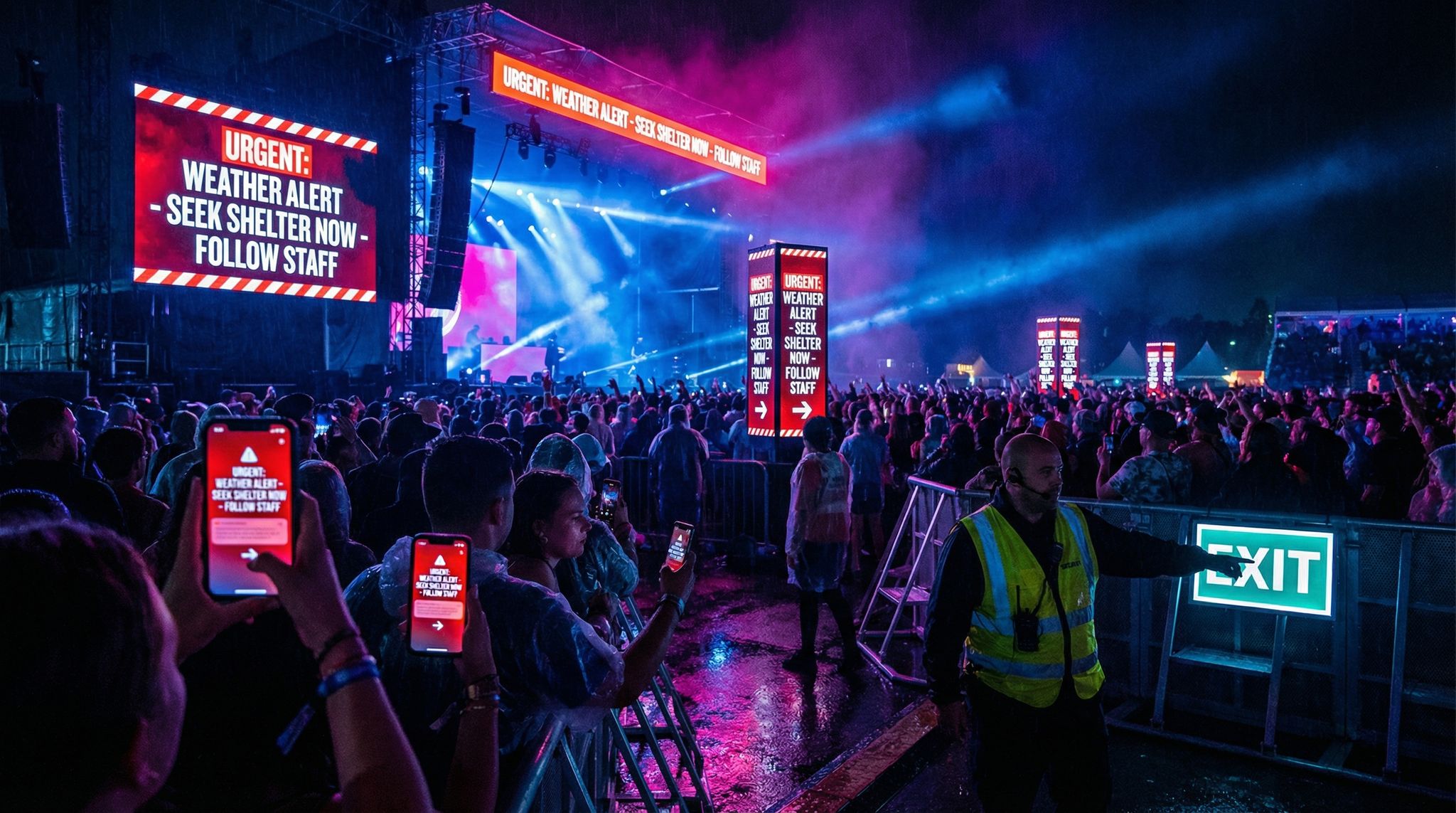
One real example: after simulating a severe thunderstorm scenario, a large outdoor music festival recognized that their two main covered shelters (for weather emergencies) were both on one side of the venue. If everyone ran for shelter, half the crowd would have to traverse a large field to reach them – a risky proposition with lightning. This was something their original plan hadn’t fully accounted for. Thanks to the virtual drill, they decided to rent an additional large tent to serve as a third shelter on the opposite side, and updated the emergency instruction maps accordingly. Sure enough, when a weather alert popped up during the actual festival, attendees had nearer options and the shelter-in-place went smoothly with no dangerous stampedes. Simulation directly informed a critical safety investment.
Another insight might be about staffing and training. A digital twin can estimate, for instance, that it would take 40 staff acting as fire marshals to effectively clear and sweep a 50,000-person venue in an evacuation within X minutes. If you only planned 20 staff for that, you now have data to justify assigning more personnel (and pinpointing exactly where to deploy them). Or maybe the sim shows that a particular exit isn’t being utilized because people gravitate to the familiar way they came in. That tells you to put extra bright “Emergency Exit” signage and staff waving people toward that lesser-used gate during an evacuation. It’s all about anticipating human behavior under stress and guiding it to ensure everyone’s safety.
The twin can also influence equipment and technology choices for safety. Suppose an arena’s sim indicates that simply announcing a message might not move people fast enough (maybe those in concourses don’t hear it). The venue might invest in a dedicated emergency PA or text alert system after seeing that data. Or if egress simulations show that emergency lighting is critical (people exit at night), the event ensures backup generators are ready to keep lights on. These may seem obvious in hindsight, but in the flurry of planning dozens of details, it’s easy to underprepare something. The simulation is like a rigorous safety audit – it will expose any weak links in your chain by actually running a pseudo-incident. Many venues have upgraded their safety protocols and infrastructure as a direct result of insights gleaned from digital twin drills. Real-time simulations showing crowd sensors help upgrade protocols. Planning by refining your emergency playbook is essential.
Finally, by including emergency services in your simulation planning, you build stronger relationships with them. When local fire and police see that you’ve modeled crowd evacuations and even brought them into virtual exercises, it significantly boosts their confidence in the event. It shows a level of professionalism and proactivity that can make all the difference in gaining approvals and support. In some regions, showing off your digital twin’s emergency scenarios has even sped up the permitting process because regulators get a tangible sense that “this organizer has thought of everything.” That trust is priceless – and it’s earned through the detailed prep that digital twins enable.
Real Case Studies: Simulation Saves the Day
It’s worth highlighting a few real-world cases where simulation either averted disaster or vastly improved emergency outcomes:
– Las Vegas New Year’s Eve (2025): The city used a digital twin to simulate the movement of hundreds of thousands of people on the Strip during New Year’s Eve celebrations. The simulation predicted potential crowd crushes at certain pedestrian pinch points just after midnight. Authorities re-routed foot traffic and staged officers differently as a result. The night went off without a serious incident, and officials credited the “city twin” for helping them re-engineer the flow in advance.
– Paris 2024 Olympics: With 10 million+ tickets sold across 49 venues, the Olympic organizers leaned heavily on digital twin planning. Paris 2024 Olympics digital twins covered 49 venues. Powered by innovation, the system managed logistics. They simulated everything from transportation loads on the Paris Metro after events to queuing at security checkpoints. In one instance, simulations of opening ceremony crowd egress from Stade de France identified that a particular exit boulevard would saturate. Organizers added more crowd controllers and temporary barriers to channel people into alternative streets, preventing the nightmare scenario of 80,000 people all pushing through one route. Post-Games, the committee reported that using the twin and GIS planning software saved an estimated 80% of planning time on crowd management and helped avoid major bottlenecks. Saving 80% of planning time was a key outcome.
– Convention Center Fire Drill: A major convention center in California ran a digital twin fire evacuation of a 15,000-person tech convention. The sim showed a problematic delay in the expo hall because many attendees initially ignored the alarm or looked for confirmation. Based on this, the organizers implemented a more attention-grabbing alarm (audio plus flashing lights and an in-app alert) and trained staff to aggressively guide people out. A month later, an actual small fire triggered an evacuation. Attendees later remarked how orderly and swift it was – the halls cleared in about 6 minutes with no panic, an outcome the venue attributed to lessons from the simulation drill.
– Music Festival Weather Evacuation: A 30,000-person music festival in the Midwest U.S. simulated a sudden tornado warning scenario. The twin revealed their plan to evacuate everyone to their cars (open field site) would take too long; many would still be exposed when the storm hit. So they instead planned a shelter-in-place in certain sturdy structures and buses, distributing people to the safest available spots. When a real fast-moving storm hit that festival, they followed the updated plan. While some infrastructure was damaged by wind, attendees had been moved to protected areas and there were no serious injuries – a vastly better outcome than if they’d tried to evacuate outward. Organizers thanked their digital contingency planning for guiding the decision that likely prevented chaos or casualties.
These cases illustrate a common theme: predictive simulations turn insight into action. The digital twin doesn’t stop bad things from happening in the world, but it gives organizers the foresight and preloaded solutions to handle them effectively. As the saying goes, “Plan for the worst, hope for the best.” Digital twins make that first part much easier to do comprehensively.
Live Event Operations: Real-Time Data Feeds into the Twin
Turning the Twin into a Live Command Center
Up to now, we’ve focused on pre-event simulations. But one of the most revolutionary aspects of event digital twins in 2026 is their ability to go live during the event. When the doors open and attendees flood in, the digital twin doesn’t get shelved – it transforms into a real-time operations dashboard, ingesting data from on-site systems. Essentially, your static plan becomes a live mirror of the event as it unfolds.
To achieve this, various data feeds are integrated into the twin’s platform:
– Ticket scanning and entry data: Modern ticketing platforms like Ticket Fairy provide real-time analytics on entry scans. One of the most important features is spotting disparities. As each attendee’s ticket is scanned, the twin can update the count of people inside and even their distribution if gates are mapped. For instance, if Gate A has admitted 5,000 people in the last 15 minutes while Gate B only 1,000, the twin’s live view might flag Gate A’s area as getting crowded. Using heatmaps to temporarily slow entry prevents overcrowding. Organizers can respond by reassigning staff or directing incoming attendees to less busy entrances via signage or app notifications. Real-time entry data also ensures you never accidentally exceed venue capacity – you see the ticker approach your cap and can temporarily hold entry if needed.
– Crowd density sensors and cameras: Many venues now deploy IoT sensors (like thermal cameras or Wi-Fi device trackers) to gauge crowd density in different zones. These can feed into the twin to display a live heatmap of crowd concentrations. If one area starts getting too dense, the operations team sees it on the twin and can take action (e.g. temporarily stop admission to that zone, open additional space, announce for people to spread out). Some advanced systems use AI on CCTV feeds to count people or identify crowd motion anomalies. CCTV cameras and crowd sensors feed this data. All that analysis can reflect in the twin’s dashboard. For example, an overhead camera might detect that the back of Hall C is filling fast, prompting you to divert newcomers to an overflow area before Hall C hits a risky density. Essentially, the twin becomes an early warning system for crowd management.
– Environmental and safety sensors: Data like weather updates, wind speeds, or structural sensor readings can tie in too. If wind sensors on your stage towers exceed a threshold, the twin can flash an alert so you know to pause the show and secure equipment. If a fire alarm triggers in one part of the venue, the twin might highlight that area and even show the nearest emergency exits and staff, helping direct the response. By consolidating safety alerts onto the venue map, response teams waste less time figuring out what’s happening and where.
– Social and sentiment data: This is cutting-edge, but some events monitor social media or app feedback in real-time for complaints like “too crowded at Stage 2” or “line at food truck by Gate C is crazy”. This qualitative data can be overlayed on the twin (perhaps as icons or notes on the map). It provides ground-truth corroboration – if attendees are tweeting about a packed area, and your sensors agree, you have high confidence to act. Some AI systems also analyze camera feeds for signs of distress in crowds (like a fight or someone fainting), and such alerts could be piped into the twin.
All these live feeds require a robust connectivity backbone, of course. Events must have reliable on-site networking and Wi-Fi infrastructure to stream data from devices to the cloud-based twin. Many organizers set up dedicated networks just for operational data. But when done right, the pay-off is huge: the digital twin evolves into an intelligent command center that gives you eyes on the entire event in real time, with context.
Proactive Adjustments and Dynamic Crowd Management
With a live digital twin, event organizers can shift from reactive to proactive operations management. Instead of waiting for a staff radio call saying “Hallway 3 is getting packed!”, the team in the command center already sees it coming via the twin and can initiate interventions immediately. This agility can make the difference between a minor issue and a major incident.
For example, let’s say the twin’s live heatmap flags an overcrowding trend at a popular booth in an expo hall. You could proactively send a roaming MC or push a notification encouraging people to also visit other nearby booths offering something interesting, effectively dispersing the crowd. If an exit after a keynote looks overwhelmed, the twin might visualize a long egress time – so you decide to delay the next session start by 10 minutes and announce it to take pressure off the exits. Or perhaps you see the beer garden is jam-packed while a soda vendor around the corner has no line; you can put up a quick sign or send an app alert about “Short line for drinks by Zone B!” to redistribute thirsty attendees.
One festival that used a live twin noticed that one of its entrances was still seeing large queues 45 minutes after gates opened, while other entrances were clear. In response, they dynamically reallocated security staff and ticket scanners to the busy gate (guided by the real-time twin data) and also posted staff with signs further back in the queue directing people to an alternate gate that was underutilized. Within 10 minutes, the queue equalized and wait times dropped across all gates. Without the twin, the imbalance might have been noticed much later, leaving one group of attendees frustrated far too long. It’s situational awareness at scale – no team of humans on the ground could have so quickly spotted and solved that without the bird’s-eye digital view.
Another scenario: the twin live data shows unusual behavior in one area – maybe people are rapidly leaving a zone en masse (which could indicate something’s wrong like a spill, a scare, or an unpleasant incident). This was actually observed at a theme park using a live crowd dashboard: a spike of people suddenly exiting a section alerted managers to check it out, and they discovered a false smoke alarm had panicked guests there. They were able to quickly address it and calm everyone. In an event context, if your twin shows an anomaly, you can dispatch security or staff to investigate within moments, potentially nipping issues in the bud.
Crucially, any on-the-fly reconfigurations can be tried in the twin before executing. Suppose a concert’s twin indicates one side of the bowl is nearing capacity. You might consider opening an overflow section. Before moving people, you could quickly simulate (with current numbers) what happens if that section is opened – do people actually go there? Does it effectively relieve the other side or do they all try to still cram in the front? A fast-forward sim using real-time data gives insight, then you act. Or if a main exit becomes unavailable (say an incident blocks it), you can simulate how best to reroute people through other exits and even use the twin to guide announcements (“Please proceed to Exits B and C”). It’s like having a real-time strategy assistant, running scenarios in parallel as conditions change.
Events with large screens or event apps can even communicate to attendees based on twin data. If the twin sees that the south concession stands are overwhelmed, a message could be flashed on screens: “Shorter lines at North Concessions near Stage 2.” During egress, if one exit is congested, an announcement might direct crowds to other exits that the twin shows are clear. Attendees themselves become part of the solution when given actionable info, and the twin is the source of truth for what info to send.
Of course, using a live digital twin requires a trained ops team that trusts and understands the data. In 2026, many large events have a “digital event ops” role – someone (or a small team) dedicated to monitoring the twin and coordinating responses with traditional radio communications. It’s a new skill set, blending data analysis with event control. But as more events adopt it, best practices are emerging on how to effectively integrate live twin monitoring into the command center workflow. The outcome, when done well, is a dramatically enhanced ability to keep the event experience smooth and safe in real time. In a sense, the plan keeps evolving intelligently as the event happens, guided by the twin.
Post-Event Analysis for Continuous Improvement
After the event, the value of a digital twin doesn’t end. All that simulated and real data becomes a treasure trove for post-event analysis. Planners can replay the event within the twin, seeing how things actually flowed versus how they were intended. Did the predictions hold up? Where were there discrepancies? The twin effectively logs what happened – how crowd densities ebbed and flowed, how fast entry really was, what routes people took, etc. – given it was tied into live feeds.
Analyzing this, event teams can identify opportunities to improve for next time. Maybe the sim predicted 10-minute exit times but in reality one exit took 15 – time to investigate why (was a gate slow to open? Was there an unmodeled behavior?). Or perhaps the twin shows that the new bar you added was barely used; you might decide to relocate it in the future. On a more strategic level, you might compare multiple events in your twin data to find patterns – e.g. “We consistently see bottlenecks at merch when sales start at show end; let’s open merch sales earlier or online”. It’s analogous to game day coaches watching post-game footage to adjust their playbook. Here, your playbook is the event layout and operations, and the twin provides incredibly detailed replay footage.
Some digital twin platforms will even produce automatic reports: heatmaps of peak crowd locations, graphs of entry rate over time, timelines of any alerts or interventions made. These can be shared with stakeholders – demonstrating value to sponsors (“Look, the twin shows 3,000 people passed by your activation, with an average dwell of 30 seconds”) or reassuring safety officials (“Here’s data on how quickly we cleared each zone during that weather hold”). It adds a level of transparency and accountability to events. Instead of anecdotes, you have data visualizations: this is how we managed the crowd, here is proof our plan worked (or what we’ll fine-tune because it didn’t).
And of course, all of this makes the next event’s planning better. Your next iteration of the digital twin will be informed by real measurements, making the simulations even more accurate. Over multiple cycles, an event can hone its model to the point where the predictions and reality align very closely. At that stage, you have a highly optimized operation – few industries get to rehearse and refine like this! It’s an evolving digital playbook that carries over year to year, even if staff changes. New team members can review last year’s twin data to quickly get up to speed on what works and what doesn’t at that venue.
In summary, a live-integrated digital twin closes the loop of plan > execute > learn in a continuous improvement cycle. You plan using simulation, execute with real-time adaptation, then learn from the outcomes to plan even better next time. For event organizers committed to excellence, it’s a dream scenario of constant learning and refinement grounded in reality. The days of tearing down an event with no clear idea of what went wrong (or right) beyond gut feeling are fading – now you have a detailed digital diary of the event to inform every future decision.
Implementing Digital Twins: Practical Steps, Tools, and Skills
Step-by-Step: How to Create a Digital Twin for Your Event
Getting started with digital twins can sound daunting, but it’s become far more approachable. Here is a step-by-step roadmap event professionals can follow to implement a digital twin for their own event:
- Consolidate Venue Data: Gather all available maps, blueprints, CAD files, and capacity info for your venue or site. If none exist, consider surveying or using tools like laser measures to create a basic floor plan. Also collect data on attendee numbers, schedules, and any past event flow info – this will all feed the model.
- Choose the Right Platform: Select a digital twin solution that fits your event’s scale and your team’s expertise. For large-scale needs, an all-in-one event twin platform (e.g. OnePlan’s Venue Twin used by major venues) offers extensive features. For smaller events, even tools like online mapping (Google My Maps or open-source GIS) combined with a simple simulation program might do the trick. For smaller festivals or community events, simple mapping works. Live data can be managed manually if needed. Some will prefer a dedicated crowd simulation software (MassMotion, LEGION, AnyLogic) if they have specific technical aims. Ensure the tool can model what you need – be it crowd flow, 3D visualization, or live data integration.
- Build the Virtual Venue: Import or draw your venue layout into the platform. Recreate the event setup in detail – stages, booths, seating sections, barriers, entrances, exits, amenities, etc. Double-check dimensions and capacities (e.g. width of exits, max people in a hall) to have an accurate model. This is also where you layer in things like your planned placement of services (F&B, toilets, first aid) and any infrastructure elements (like routes for vehicles).
- Define Crowd & Event Parameters: Input the key numbers and schedules – total expected attendance (and breakdown by ticket type if applicable), arrival rate assumptions (when people will show up and depart), timetable of sessions or performances, and any known crowd behavior patterns (e.g. “most people will rush to main stage at 9PM”). Configure attendee profiles as needed (general attendees, VIPs who use different entries, families who move slower, etc.). Essentially, set the stage for how your virtual attendees will behave.
- Run Simulations for Key Scenarios: Start by simulating normal operations: full event day from doors open to close. Observe the flows and identify any issues. Then run specific what-if scenarios: peak entry hour, concurrent session breaks, main stage finale, etc. Introduce faux problems like “one gate closed” or “rain delays entry” to see impacts. And definitely simulate emergency evacuations or other critical incidents to validate those plans. For each run, note bottlenecks, wait times, high-density spots, and any deviations from your expectations.
- Analyze and Refine: Based on the simulation outputs, make adjustments in the model. If entry lines were too long, maybe increase staff or doors and simulate again. If an exit route was overwhelmed, tweak the plan (add exit or split the crowd in plan) and test the change. Iterate until you reach satisfactory performance metrics (e.g. no predicted wait over 10 minutes, evacuation within 8 minutes, etc.). Also engage your team and stakeholders to review simulations – often their insights and local knowledge can help refine assumptions or suggest creative solutions in the model.
- Integrate Live Data Feeds (Optional but Powerful): If your event is large/complex enough, set up the integrations for real-time use. Coordinate with your ticketing provider (to get API access for live scan counts), your IT team for sensor data (crowd counters, Wi-Fi tracking), and any other data sources (weather API, social media monitoring). Test these connections in advance. Many platforms will let you do a dry run by feeding dummy data to ensure the twin updates correctly.
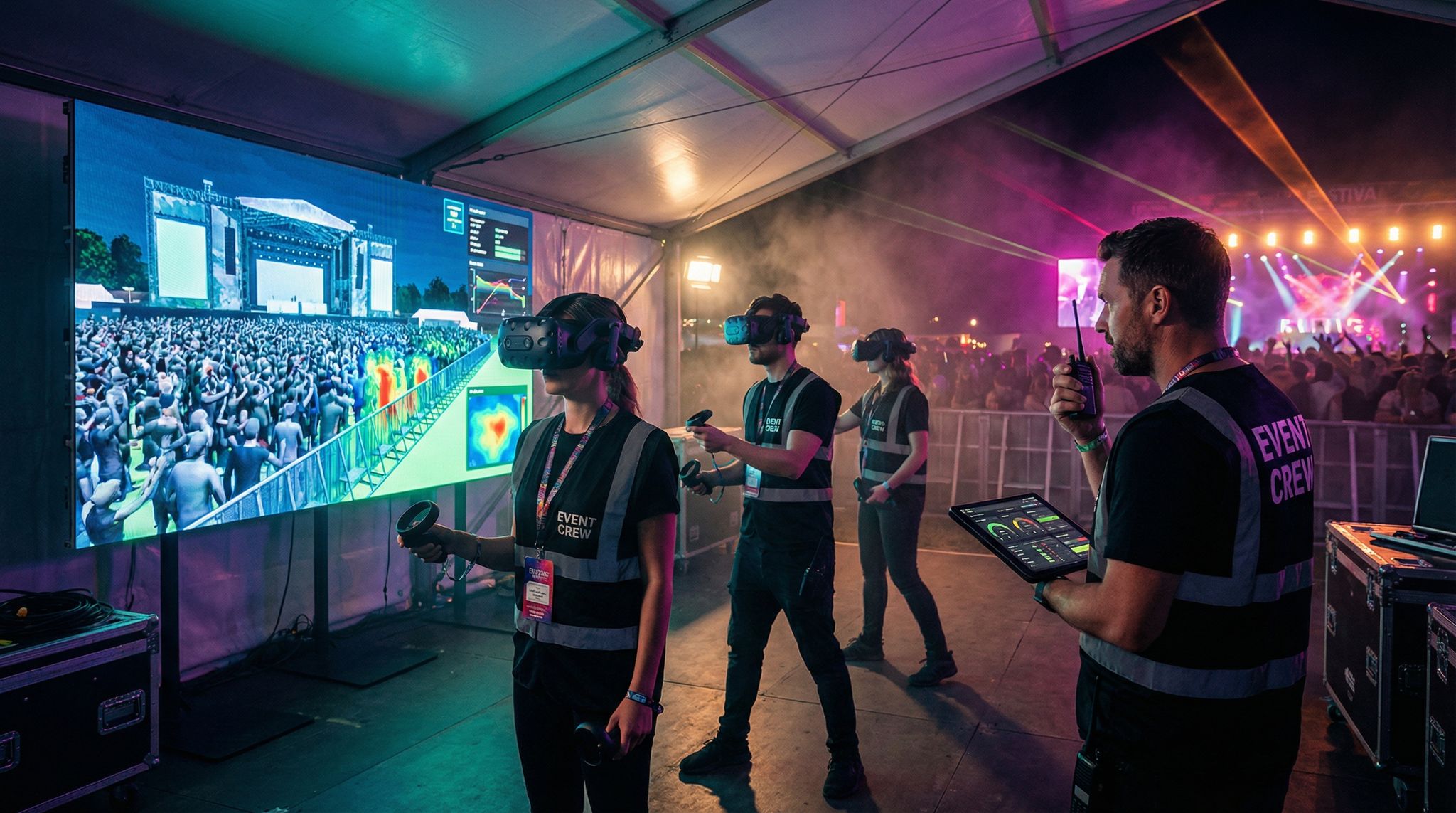
- Train the Ops Team and Rehearse: Ensure the relevant staff know how to interpret and use the digital twin on event day. Run a tabletop exercise using the twin – e.g. simulate a minor incident and walk through who would watch the dashboard and who would act, to establish protocols. Essentially, practice using the tool so it’s second nature during the live event. Incorporate it into your event control room setup, with clear roles (e.g. one person is the “twin operator” calling out insights).
- Execute and Adjust During Event: Come event day, use the twin as planned – monitor live inputs, and don’t hesitate to act on its insights. Keep communication open between the digital twin station and on-ground staff leads (often via radio or a messaging app) to coordinate any needed adjustments. Remember, the twin is an aid, not a replacement for human judgment. Merge its insights with reports from staff on the ground for a full picture.
- Post-Event Review: After the event, pull logs and reports from the twin. Debrief with the team on what the simulations predicted accurately and what was different in reality. Capture these lessons to improve next time. If something went wrong that the twin didn’t predict, figure out why – do you need better data or did an unplanned factor occur? Use all this to continually calibrate and justify the value of the digital twin approach.
Following these steps, even teams new to simulation can gradually build up their digital twin capabilities. Start with a smaller pilot (maybe simulate one aspect like entry flow) and expand as you gain confidence. Many organizers are surprised that after the initial learning curve, using a twin becomes just another integral part of their planning workflow – one that they wonder how they ever lived without.
Tools and Platforms: Finding the Right Fit
The digital twin ecosystem for events includes a range of tools, platforms, and services. Here’s a look at some categories and examples, so you can identify what suits your needs:
- All-in-One Event Twin Platforms: These cloud-based solutions are tailored for event planning and often require minimal coding. For example, OnePlan VenueTwin is a leading platform that lets you create detailed 3D venue models, place and move objects (stages, fences, etc.), and simulate crowd flows with built-in tools. OnePlan transforms venue planning with high performance twins. It’s designed so both technical and non-technical users (planners, security officials) can collaborate. VenueTwin was the official software for planning Paris 2024, used across 49 venues and dozens of functional areas. Powered by innovation, it managed complex logistics. Another emerging player is Prismm, which offers interactive 3D space planning integrated with everything from ticketing to sponsorship layouts. 3D virtual event planning is making this vision a reality. These platforms shine for large events that want a comprehensive digital planning hub – they often include real-time data integration, multi-user collaboration, and VR walkthrough capabilities out-of-the-box.
- Specialized Crowd Simulation Software: If your main focus is the science of crowd movement, there are tools originally used by architects and transit planners that now help event teams. Oasys’s MassMotion or Bentley’s LEGION are robust crowd simulators known for detailed pedestrian modeling (including 3D flows on stairs, escalators, etc.). Platforms like AnyLogic (an advanced simulation software) have modules or example models for crowd dynamics. An example of a digital twin for a metro shows improved efficiency. These require more expertise – often a simulation specialist – but allow fine-tuned control of agent behaviors and can simulate complex environments like multi-story buildings or metro stations handling event crowds. They’re great for venues worried about very specific flow issues (e.g., metro station egress after a game) or wanting to validate designs to engineering-level accuracy.
- 3D Design Engines (Custom Builds): Some events, especially high-end or experimental ones, build custom digital twins using game engines like Unity or Unreal Engine. This path offers ultimate flexibility and hyper-realistic visuals – imagine a video-game-like replica of your venue with crowd AI. For instance, The Imagination Group (as mentioned by event technologists) has leveraged such bespoke solutions for immersive event previews. Revolutionizing event planning involves immersive tech. The trade-off is you need software developers or 3D artists to create and maintain it. It can be costly and time-consuming, so it’s typically justifiable for large-scale recurring events or venue operators who will reuse the model many times. The benefit is a tailor-made experience (you could even gamify it or use it for attendee VR previews), and integration with exotic tech (like AR overlays on-site for staff). But most normal events won’t need to go this route unless existing platforms truly don’t meet their niche requirements.
- DIY Approaches for Small Events: Not every event has the budget or necessity for a sophisticated sim. If you’re dealing with, say, a local 5,000-person festival or a conference in a hotel, you can start simpler. Using a basic CAD program or even Google SketchUp, you could create a floor plan. A tool like AnyLogic or open-source simulators (there are some crowd dynamics Python libraries and NetLogo models) could then import that and let you run agent simulations. Alternatively, some organizers use 2D tools: e.g., an online map where they manually animate flows or run step-by-step scenarios in planning meetings (“If Room A empties here, people go this way…”). Even spreadsheets can approximate flow rates to an extent. The key is to adopt the mindset of simulation – systematically testing assumptions – even if using rudimentary tools. Interestingly, some GIS tools cities use for marathons or parades are now accessible; you might collaborate with city engineers who have software like PTV Viswalk or GIS-based crowd tools to simulate your event as a courtesy. For small events, cost is a concern, so utilize free trials, educational versions of simulation software, or local university partnerships. Remember, a simple digital twin can still deliver value by highlighting major issues. For smaller festivals or community events, simple mapping works. Even if you’re organizing a smaller event, simple tools help.
Below is a comparison of some tools and their features:
Table 2: Examples of Digital Twin Solutions and Their Use Cases
| Solution / Tool | Key Features | Ideal For | Notable Use Cases |
|---|---|---|---|
| OnePlan VenueTwin | Cloud-based 2D/3D venue mapping; multi-user; integrates GIS data; crowd sim and ops dashboards built-in. OnePlan transforms venue planning. | Large venues, multi-venue events, festivals needing end-to-end planning + live ops. | Paris 2024 Olympics planning (49 venues, saved ~80% planning time) (www.oneplan.io); Silverstone F1 circuit (aligning 9,000 staff) (thinkwithwp.com). |
| MassMotion / LEGION | Advanced agent-based crowd simulation; detailed egress/ingress analysis; 3D geometry import. | Complex indoor spaces, transit hubs, stadiums focused on crowd flow analytics. | Transit station crowd optimizations, stadium evacuation studies (often used by architects, now sometimes by venue ops). |
| Custom Unity/Unreal Build | Fully custom 3D environment; can achieve photo-realism and custom logic; possible VR integration. | Flagship or recurring events with budget for bespoke tech, venues creating digital twins for marketing too. | Imagination’s experiential event demos; high-end venue marketing (virtual venue tours with physics); experimental interactive conferences. |
| DIY Simplified Twin | Basic CAD or even 2D maps + manual simulations; shared online maps for team coordination. Even if you’re organizing a smaller event, simple tools help. | Small-scale events or first-timers looking to dip toes into simulation at low cost. | Local festival mapping out stalls and exits on Google My Maps; small expo simulating registration via simple spreadsheet and adjusting plans. |
The good news is that there’s no one-size-fits-all – you can scale your approach to your event. What’s essential is understanding the capabilities and limitations of whichever toolset you choose. An all-in-one platform will simplify many tasks but might come with a learning curve and subscription cost. A DIY approach might save money but consume more staff time and be less precise. Some organizers start DIY, see the value, and then convince leadership to invest in a professional platform the next year using results as evidence.
For any tool, make sure you have technical support and training. Many vendors offer tutorials, and some even have consultants who will help set up your first project (sometimes for an extra fee, but it can be worth it). Also consider data compatibility – for instance, will the platform easily take your venue’s CAD files or integrate with your ticketing system’s API? These practical integration points can make or break smooth implementation.
Skill Sets and Team: Who Runs the Twin?
Implementing a digital twin requires bringing together a few skill sets. In a small organization, one person might wear multiple hats; in a larger one, you might form a cross-functional team. Key roles include:
- Simulation Specialist / Analyst: Someone who knows how to operate the chosen simulation software, set parameters, and interpret results. They don’t necessarily need to be a PhD, but should be comfortable with tech and ideally have some background in data analysis or modeling. This could be an external consultant if you’re doing a one-off complex sim. Over time, many event teams train an internal staffer (or an enthusiastic hire) to become the “digital twin guru.”
- Event Operations Expert: A person with deep practical knowledge of event logistics (crowd management, security, guest experience) is needed to validate the model and suggest scenarios. They ensure the simulation assumptions match real-world behavior. For instance, they might inform the model that “if the beer stand is 200m away, a lot of people won’t bother walking there in a 15min break.” Their intuition complements the data.
- Data Integrator / IT Support: If you’re doing live data feeds, an IT person or developer might be needed to set up API connections (e.g., hooking the ticket scan data into the twin) and maintain any hardware (sensors, networks). They ensure the plumbing is in place so that when the event goes live, data flows reliably. They also handle technical troubleshooting of the twin platform if needed.
- Visualization/Design (Optional): If creating a very compelling visual twin (with branding, etc.), a design-minded person can make the model look great and be easy to understand for stakeholders. They might take care to label things clearly in the twin, use color-coding for different zones, etc. This is less critical for the simulation itself, but very helpful when presenting the twin outputs to others (executives, clients, officials). Clean visuals build trust in the model.
- Project Manager: Especially for larger events, someone needs to drive the digital twin project timeline – gathering data, ensuring simulations are done by certain deadlines (e.g., in time for a safety review meeting), coordinating between the ops team and the simulation analyst. This could be the event manager themselves or a specific tech project lead. Without clear ownership and timeline, it’s easy for simulation work to lag or be treated as an experiment rather than integrated planning.
The size of your event will dictate how many people are involved. A regional festival might just have one tech-savvy coordinator who takes it on. A massive event like the Olympics had an entire Digital Twin team with different functional leads (transport, security, venues) all feeding into the model. Powered by innovation, it managed complex logistics. For most, something in between makes sense – perhaps a core of two or three people actively working on it but involving many in reviewing and brainstorming over the results.
One important factor is training the broader team to trust and use the digital twin. Experienced staff may be initially skeptical of “computer simulations” if they’ve planned by gut for decades. It helps to involve them early, maybe by asking for their input on scenario setups (“hey security chief, what incidents worry you most? Let’s simulate those”). When they see the twin confirm a hunch or reveal something new, buy-in grows. It’s akin to when events started using data dashboards for ticket sales – at first some may doubt it, but once it aids a success, it becomes indispensable. Leadership support is crucial too: when event directors champion the twin as a decision tool, everyone takes it seriously and integrates it into their workflows.
Also, consider knowledge transfer. If you hire outside help (like a simulation consultancy) to set up your twin the first time, make sure part of their deliverable is training your team. The goal is building in-house capability if this will be a recurring part of your planning. The combination of seasoned event ops know-how and analytical sim skills is powerful. Some organizations are even creating new roles like “Event Simulation Coordinator” or upskilling their production managers with simulation software training, knowing this will be a core competence in the coming years.
Budgeting, ROI, and Justifying the Investment
The obvious question: What does it cost, and is it worth it? The answer will vary widely by scale. Using a high-end digital twin platform could run from a few thousand dollars for a single event license to tens of thousands for an annual subscription covering multiple events (the latter often negotiable for enterprise deals). There might also be costs for any sensors or hardware if you add those (though many venues already have some infrastructure that can be tapped). And there’s the hidden cost of staff time – building and running simulations does take hours, especially first time around.
To justify this, consider the value of problems avoided and efficiencies gained. Some points to include when making a case to stakeholders:
– Risk Mitigation = Priceless: Avoiding one major incident (like a dangerous crowd crush or a failed evacuation in a crisis) not only prevents potential injury or worse, it saves massive financial and reputational damage. This is “soft” ROI but arguably the most critical. As one safety officer put it, “If a $10k simulation exercise would have prevented that tragedy, would you pay it? Absolutely.” Many organizations now view simulation as part of due diligence – a form of insurance.
– Operational Savings: Simulations often reveal where you can optimize resources. Maybe you realize you don’t need as many staff at a certain entrance except during peak, so you can reassign them, saving on idle labor. Or you avoid over-ordering equipment (e.g., renting 10 metal detectors when sim data shows 6 suffice for your crowd with no delay). At a large scale, these savings can easily recoup the software cost. For example, if a festival saved 500 labor hours by streamlining entry and exit staffing thanks to sim insights, that could be tens of thousands of dollars saved in one go.
– Improved Revenue Opportunities: Smoother flows and better layouts can lead to more spending and happier sponsors. If a digital twin helps reduce queueing, attendees have more time to visit concession stands (thus potentially boosting sales). Or by optimizing booth placement you increase sponsor renewals and sales (the earlier stat of 89% sponsor ROI increase is compelling). The results are transforming event ROI. Better crowd distribution might mean attendees discover more attractions and stay longer, again affecting revenue. These uplifts can be modeled or at least estimated – even a 5% increase in F&B sales at a huge event could justify the costs.
– Time Savings in Planning: Many users report that once the digital twin framework is in place, planning cycles speed up. Paris 2024’s ~80% time savings claim came from how quickly they could adjust plans in the software and instantly share updates. Saving 80% of planning time was a key outcome. No more redrafting endless maps by hand or holding repeated site visits to verify things – the answers are in the model. If your team can execute planning tasks in fewer hours, that’s direct cost savings or capacity to handle more projects. It also reduces last-minute changes on-site (which are often expensive). Quantifying time saved might involve tracking how many design iterations you avoided or how many coordination meetings were streamlined by using the twin. Those efficiency gains add up.
– Stakeholder Confidence and Approvals: While harder to quantify, a digital twin can smooth conversations with authorities, venues, and clients. Faster permit approvals or less friction might not have a line item value, but they certainly reduce the risk of costly delays or imposed restrictions. If an investment of a few thousand in sim tech prevents a city from capping your attendance lower than you want (because you proved you can handle more), that directly preserves revenue.
When pitching the budget, it helps to share success stories. Show that other similar events are doing this – perhaps mention how Tomorrowland festival or Coachella use simulations in their planning (these big events famously invest in tech). Highlight case studies like we’ve discussed – Olympics, conferences, etc. Decision-makers often feel more comfortable if they see it as an industry best practice rather than an experimental wish-list item. In 2026, digital twins are indeed trending towards mainstream in event planning, especially after the pandemic accelerated digital transformation in live events.
One strategy: start small with a pilot simulation on a tight area (maybe just simulate one session changeover at a conference) using a trial or a consultant. Use that tangible outcome (say, “we reduced wait by 50% at lunch by implementing the simulation suggestion”) as internal evidence to support a larger rollout. Over time, as the benefits become clear, it will shift from “do we have to spend on this?” to “we must budget for our simulation program” as a standard line item, much like we do now for event apps or high-speed internet.
Finally, it’s worth noting that costs are coming down as competition and tech improves. There are even free or low-cost academic tools if one is resourceful, and many vendors offer scaled pricing for smaller events. The investment today is likely to become more affordable year by year. But the earlier you climb the learning curve, the more of a head start you have in mastering this powerful approach to event planning.
Case Studies: Events Saved by Simulation
Let’s recap a few illustrative scenarios that demonstrate how digital twins have made a concrete difference. These cases span different event types and challenges, showcasing the versatility of the technology.
Table 3: Simulation Success Stories in Event Planning
| Event (Size) & Challenge | Simulation Insight & Action | Outcome / Benefits |
|---|---|---|
| Tech Conference (5,000 attendees) – Registration bottlenecks risked long waits and poor first impressions. | Tested 3 different registration layouts in the digital twin. Simulation predicted peak wait times: Layout A 47 min, B 23 min, C 11 min. One major technology conference used simulations. Chose Layout C and optimized queue design. | Actual peak wait was ~12 min, hugely improved over past year. Registration satisfaction jumped to 94% (vs 67% prior). Comparing Layout A’s 47-minute wait. Chaos averted – the event started on a positive note instead of frustration. |
| Multi-Track Convention (5,000 attendees across 3 floors) – Elevators causing session delays. | Simulated crowd flow between keynote and breakouts with existing 6 elevators (30-min break). Found 37% of attendees would arrive late to sessions due to wait times. Simulations show that with 6 elevators, delays are inevitable. Tested solutions: added directional signage for escalators (up only) and elevators (down only) as the chosen fix. | Late arrivals dropped to ~9% (predicted 8%). Late arrivals dropped to 9%. Attendee logistics satisfaction rose to 89% (from 62%). Attendee satisfaction rose to 89%. No-cost solution (just signage changes) eliminated a major pain point and improved the educational value of sessions. |
| Outdoor Music Festival (50,000 attendees) – Potential egress safety issue (multiple stages ending simultaneously). | Modeled full-site evacuation and egress in worst-case scenarios. Discovered a narrow corridor near food court would bottleneck, taking ~30 min to clear a zone planned for 20 min. Using a digital twin allows you to widen corridors or redirect people in specific ways. Also revealed two big stages dumping crowds at once overtaxed shared exits. Adjusted the site plan: widened that choke point with temporary fencing changes and staggered the end times of two stages by 10 minutes. | Achieved safer egress: all areas could clear within target times in a test evacuation. During the event, exit flows were smooth each night; no crowd safety incidents. Local authorities praised the festival for its thorough safety planning (and the permit process was smoother with simulation data backing plans). |
| City-Wide Festival (Nijmegen Vierdaagsefeesten, 1+ million over a week) – Many stakeholders, complex urban environment. | Built a city digital twin combining transit, road closures, venue maps, and crowd models. A great example of unified planning. Unified all departments on one model, enabling joint scenario planning (e.g. concert crowd exiting into city streets). Ran drills for incidents like lost child, finding coordination improvements between police and event staff. The Nijmegen digital twin project simulated lost child scenarios. | Improved coordination and reduced errors: Stakeholders reported far fewer miscommunications. One incident during the event (minor fire in a food stall) was handled swiftly with pre-planned route management, avoiding panic. The success has led the city to require digital twin planning for all major events moving forward, seeing it as key to urban event safety. |
| Global Sports Event (Olympics) – Unprecedented scale of planning across venues. | Employed a comprehensive twin (GIS-based) for 49 venues. Paris 2024 Olympics digital twins covered 49 venues. Simulated crowd flows for ceremonies, sporting events, and inter-venue transport. Optimized security checkpoints via simulation (reallocating equipment to venues and times of high demand). | Delivered a logistically smooth Olympics: minimal queueing issues despite record crowds. Planners credited the twin with 80% time saved in planning coordination. Saving 80% of planning time was a key outcome. The event saw no major crowd-related incidents, and post-Games analysis found the simulations very closely matched actual crowd patterns, validating the approach for future Games. |
These case studies underscore that digital twins aren’t just tech for tech’s sake – they solve real problems. They prevented registration meltdowns, kept conference schedules on track, averted potential festival safety disasters, harmonized city operations, and tamed the complexity of the Olympics. Not every event is the Olympics, but even modest-scale events can reap proportional benefits.
A crucial commonality in all these examples is that success came from acting on the simulation insights. Simply running a sim isn’t enough; it’s the organizer’s willingness to trust the data and adapt their plan that yields results. In each case, planners adjusted layouts, timing, or operations based on what the twin told them, and those changes paid off in practice. It demonstrates a mature mentality: one that values evidence-based planning over ego or tradition.
Embracing the Future: Digital Twins as Standard Practice
Digital twin technology is rapidly moving from novel experiment to standard operating procedure in the event world. As with any innovation, the leaders who adopt early glean the biggest learnings and advantages, but laggards may find themselves playing catch-up. Looking ahead:
– We anticipate digital twins becoming a common requirement for large event permits and venue rental agreements, especially for events over a certain size. Just as fire codes demand evacuation plans on paper, regulatory bodies may soon expect to see simulation data for crowd management. It’s simply a better proof of safety planning.
– AI-driven twins are on the horizon. In the near future, AI could automatically optimize your event layout within the twin – essentially suggesting the best configuration after trying thousands of micro-variations behind the scenes. Already, some tools can iterate layouts or schedules to find an optimal solution under given constraints. Imagine feeding in “here’s our venue and goals, make the crowds flow ideally” and getting a plan back.
– Integration with VR/AR will grow. We might see event staff training in VR using the digital twin, so their first time directing an evacuation or managing a crowd flow feels familiar. Attendees might even get AR overlays on their phones guided by twin data (e.g., an AR arrow guiding them to the nearest exit in an emergency, drawn from the twin’s live insights). Some venues are exploring AR glasses for security that highlight crowd density or identify if a section is over capacity – all derived from the twin’s processing.
– Sustainability and cost optimization are new frontiers for twins. By simulating not just crowd flow but energy usage, waste management, and staff deployment, planners can also minimize the environmental footprint and cost of events. For instance, the twin might show that turning off certain lighting during lulls has no crowd impact but saves power; or sim that fewer shuttle runs suffice, cutting emissions. Efficiency and sustainability often go hand in hand, and a twin can reveal those sweet spots (some corporate events are already using this to hit sustainability targets – it’s easier when you can test and measure changes virtually first).
– Wider accessibility: As interfaces improve and pricing lowers, even community event organizers could tap into simpler digital twin tools. Five years ago, few thought a local fair would use sophisticated tech, but now one could argue, why not if it’s easy and ensures a great event? The democratization of event tech means what the big players do today, smaller events will do tomorrow. We might soon hear about high school sporting events using a mini digital twin to manage parking and entry flows – it could become that commonplace.
The core tenet driving this future is an old project management truism: “Measure twice, cut once.” Digital twins let us measure (and re-measure, and simulate) virtually so that when we “cut” in the real world – i.e., execute the event – it fits perfectly. As event professionals, our ultimate goal is to deliver unforgettable experiences that are safe, smooth, and satisfying. Embracing digital twins is about equipping ourselves with the best possible foresight to do just that. The technology is here, it’s proven, and it’s easier than ever to start using – making now the time to adopt it and stay ahead of the curve.