The 2026 Trade Show Tech Landscape: ROI Meets Engagement
Trade shows are big business – the global trade show market is valued around $50 billion annually, according to recent trade show statistics and lead generation trends – yet exhibitors often struggle to see proportional returns on their massive investments. Booth space, travel, and staffing can cost hundreds of thousands, but far too often those efforts don’t translate into measurable sales. In fact, industry reports have found that 80% of trade show leads aren’t followed up on after the event, and over 70% of exhibitors struggle to quantify ROI. These eye-opening stats underscore a lingering problem: without the right technology and strategy, valuable prospects slip through the cracks and potential revenue evaporates.
2026 is changing the game. A wave of cutting-edge trade show technologies promises to bridge the gap between exhibitor investment and tangible returns. From smart badges that track every move on the expo floor to interactive displays that captivate crowds, these tools focus on two critical outcomes:
- Maximizing Exhibitor ROI: Helping brands capture more high-quality leads, reduce follow-up time, and ultimately convert more sales from an event.
- Boosting Attendee Engagement: Creating immersive, memorable experiences that keep visitors at booths longer and more involved, increasing their likelihood to become customers.
Experienced event technologists know that when trade show tech is implemented thoughtfully, it can transform an expo from a shot in the dark into a data-driven, engaging marketplace. Below, we explore the essential tools defining trade show success in 2026 – and how to deploy them effectively. We’ll look at real examples (successes and failures) and extract lessons learned so you can turn your next exhibition into a high-ROI, high-engagement success story.
Before diving into each tool, let’s glance at how widespread these technologies have become. As of 2025, adoption of digital solutions was already high and rising:
Data-Driven Event Marketing
Track ticket sales, demographics, marketing ROI, and social reach in real time. Exportable reports give you the insights to make smarter decisions.
| Technology | Adoption Among Exhibitors (2025) | Key Benefit |
|---|---|---|
| Lead retrieval apps | 62% using mobile lead capture | Instantly capture and digitize lead info |
| Mobile event apps | 46% leveraging event apps | Connect with attendees; live updates; offline access |
| Interactive booth tech | ~60% of large exhibitors | Boost visitor dwell time & engagement |
| CRM integration for leads | 81% integrating follow-ups | No manual data entry; prompt outreach |
| Real-time analytics | “Growing rapidly” per AI adoption trends | Measure performance; enable on-site tweaks |
As these numbers show, the promise of technology is catching on. But simply deploying tech doesn’t guarantee success – it has to be the right tech, implemented the right way. In the sections that follow, we break down each major tool category and how to harness it for maximum ROI and engagement on the expo floor.
Digital Lead Capture Apps: No Prospect Left Behind
One of the most immediate wins for exhibitor ROI comes from ditching the old fishbowl of business cards and embracing digital lead capture apps. These mobile or tablet-based tools empower booth staff to scan badges, capture attendee info, and qualify leads on the spot – all in a seamless, contactless way.
Ready to Sell Tickets?
Create professional event pages with built-in payment processing, marketing tools, and real-time analytics.
Contactless Badge Scanning & Instant Info Exchange
In 2026, lead retrieval is all about speed and simplicity. Instead of collecting paper forms or swiping credit-card-like badges of the past, exhibitors now use smartphone apps or dedicated scanners to instantly pull up an attendee’s profile with a quick QR code scan or NFC tap. The attendee’s name, company, title, and contact details are automatically imported – no fumbling with business cards. This not only saves time, it eliminates data entry errors and ensures every prospect gets captured.
Modern systems also enable two-way information exchange. For example, an exhibitor can scan a visitor’s badge and immediately email them a digital brochure or product info. Attendees appreciate this convenience – they can tap their smart badge at a booth kiosk to request info or join a mailing list without filling out forms. At leading trade shows, it’s common to see kiosks or tablets where visitors tap their NFC badges to get content and in return share their contact info with the exhibitor. This frictionless exchange means higher lead volume; you’re no longer relying on visitors to drop a card or manually sign up. It’s no surprise adoption is high – around 62% of exhibitors now use dedicated lead capture apps to collect prospect data, according to lead generation trends and data.
Qualifying Leads in Real Time
Quantity of leads is important, but quality is king. Top exhibitors use lead capture apps not just to grab contact info, but also to qualify and categorize leads in real time. Right after scanning a badge, staff can quickly add notes or tag the lead’s level of interest (“Hot prospect for Product A”, “Media contact”, etc.). Many apps let you customize a short survey or multiple-choice questions that booth reps can ask when talking to a visitor – for instance, “What timeline are you looking to purchase?” or “What product features are you most interested in?”. By capturing these insights immediately, sales teams back at the office can prioritize the hottest prospects.
Advanced lead systems in 2026 even leverage AI to enrich and score leads on the fly. Experienced implementation specialists recommend structuring a few key questions in the app to gauge lead quality, then using automated scoring to rank prospects. For example, if an attendee indicates they have budget and a near-term need, they might be tagged as an A-level lead. Some platforms integrate with third-party data to pull in the attendee’s company size or industry automatically. The result is that by the end of the expo day, your team knows which leads are high priority. This real-time qualification was practically impossible with paper lead forms – it’s a game changer for ROI because it focuses your follow-up efforts where they’re most likely to yield sales.
Smooth Entry With Mobile Check-In
Scan tickets and manage entry with our mobile check-in app. Supports photo ID verification, real-time capacity tracking, and multi-gate coordination.
Seamless CRM Integration for Immediate Follow-Up
Perhaps the biggest reason digital lead capture drives ROI is what happens after the show. With traditional methods, companies often took weeks to type in business cards or decipher handwritten forms – if they ever did at all. Now, modern lead capture apps integrate directly into exhibitors’ CRM or marketing automation systems. Over 80% of exhibitors link their lead collection to an email follow-up system, as noted in lead generation statistics, eliminating the tedious manual data entry that often delayed outreach.
Consider this scenario: It’s day 2 of a trade show, and an attendee who visited your booth yesterday already has a thank-you email and a PDF of the product specs in their inbox – all triggered automatically because their badge scan synced to your CRM in real time. Being first to follow up is proven to increase conversions; one study found 50% of buyers choose the vendor who responds first with relevant info. With integrated lead apps, exhibitors can even set tasks for sales reps while the event is ongoing – for example, scheduling a post-show demo call right from the app when interest is high.
Grow Your Events
Leverage referral marketing, social sharing incentives, and audience insights to sell more tickets.
Crucially, these systems work even if connectivity is spotty. The best lead capture apps are offline-capable, storing scan data locally if Wi-Fi drops so no leads are lost. Experienced event technologists stress the importance of building offline-capable event apps to keep attendees and exhibitors engaged even when networks are congested. When connection resumes, the data syncs automatically. This guarantees 100% of scans make it into your database. With such tools, top exhibitors report follow-up rates climbing from middling numbers to nearly 100% of captured leads getting timely action – directly attacking that 80% follow-up failure rate that used to plague trade shows.
Real-world example: At a recent manufacturing expo, a mid-sized supplier deployed a mobile lead app for the first time. They captured 40% more leads than the previous year (simply because scanning was faster than collecting cards) and back at the office their sales team marveled that every lead was already in Salesforce with notes. The marketing director noted that “We usually spend a week just deciphering notes and inputting data. This time, our reps were following up within 24 hours.” The result was a 35% boost in lead conversion post-event, attributed largely to speed and quality of follow-up. This kind of success showcases why digital lead capture is step one in maximizing ROI.
Smart Badges & RFID: Data-Driven Attendee Tracking
At modern trade shows, the paper badge with a simple barcode is being replaced by smart badges embedded with RFID or NFC technology. These next-generation badges, often combined with a network of readers or sensors, allow organizers and exhibitors to track attendee activity across the expo floor in unprecedented detail. For exhibitors focused on ROI, smart badges unlock a treasure trove of data: exactly how many people visited your booth, how long they stayed, and even what interactions they had.
Real-Time Foot Traffic Monitoring and Heat Maps
By deploying RFID readers at strategic points (entry/exit doors, aisle intersections, booth entrances), organizers can generate real-time heat maps of crowd flow. Each attendee’s badge pings as they move about, enabling a live view of which areas are busiest. From an organizer perspective, this is gold for operations – you can see if a certain hall is getting congested and redirect attendees or adjust air conditioning, etc. But it’s also valuable for exhibitors and sponsors: you can quantify foot traffic in ways never possible before.
For instance, instead of guessing, an exhibitor can get a report like “2,150 attendees entered your booth area today, and average dwell time was 2 minutes 30 seconds.” This kind of data helps measure booth appeal and engagement. If only 500 people came by and stayed 10 seconds, perhaps the booth design or location needs improvement. If thousands passed through but few stayed to talk, maybe the engagement tactics need work. Live monitoring also allows on-the-fly adjustments. If an exhibitor notices via a dashboard that traffic in their area is low on Day 1, they can work with organizers to perhaps send a push notification to attendees (“Visit Booth 88 at 2pm for a demo and giveaway!”) or adjust their booth promo to draw more people. Real-time data means no more waiting until after the event to discover you had a traffic problem.
Organizers have used these insights to optimize floor layouts too. At one large expo, heat map data on Day 1 revealed an unintended “dead zone” in one corner where few attendees wandered. Overnight, they added better signage and a coffee station nearby; on Day 2 that area saw a 50% uptick in visits. The ability to visualize crowd movement in real time is like having an aerial view of an ant colony – immensely useful for improving the experience. For further reading on designing venues with data, see how venue operators leverage data to personalize fan experiences – the same principles apply on the show floor.
NFC Taps and Contactless Info Exchange
Smart badges often contain NFC chips that enable a simple tap-to-interact model. Instead of handing out brochures, exhibitors can use NFC touchpoints: small readers on their booth table or products. When an interested attendee taps their badge or event wristband to the reader, a few things happen simultaneously:
- The attendee’s interest is logged (so the exhibitor knows “Attendee #1234 from ACME Corp requested info on Product X at 2:15pm”),
- The attendee might automatically receive digital content (e.g. a link to Product X specs emailed to them or delivered in the event app), and
- The attendee’s contact info is sent to the exhibitor’s lead list for follow-up.
It’s a win-win interaction – fast and contactless. Attendees don’t have to carry tons of paper, and exhibitors get a record of exactly who showed interest in what. Smart badge provider Konduko famously uses this model (“digital handshake” readers), and events that implement it see huge engagement. For example, at a recent hardware trade show, over 60,000 product info touch interactions were recorded via NFC badge taps across all booths, each one representing a lead captured for an exhibitor. That volume of data capture simply wouldn’t be feasible with manual methods.
Beyond info exchange, NFC badges are also used for access control and premium experiences. A VIP attendee’s badge might grant them entry to a hosted buyer lounge or unlock a special AR experience at a sponsor’s booth. We’ve seen festivals and conferences use similar tech for tiered access control – from GA to VIP areas – and now trade shows are leveraging it to segment attendee experiences on the show floor. For ROI, this means you can actually deliver on promised sponsorship extras or track how often VIPs engaged with a sponsor’s activation.
Analyzing Dwell Time and Engagement Patterns
Another powerful metric from RFID/NFC badge systems is dwell time – how long attendees linger at a given booth or activation. Why is this important? Because engagement time often correlates with interest level. If the average dwell time at your booth is 15 seconds, that suggests people walk by, glance, and leave – likely indicating the booth isn’t hooking them. But if your interactive demo or welcoming staff can get people to stay for 2-3 minutes, you have a far better chance to start a conversation and collect a lead.
Data from smart badge systems can reveal fascinating patterns: perhaps technical product booths see fewer total visitors but much longer dwell times (since those who are interested spend time in deep discussion), whereas a booth with a flashy attraction (say, a VR game) might draw a big crowd with moderate dwell time. Both scenarios have implications for ROI – the former might yield fewer but highly qualified leads, the latter more top-of-funnel leads. With dwell analytics, exhibitors can quantify these trade-offs and adjust strategies. For instance, an exhibitor might realize that their 20’x20’ booth had great traffic but visitors only stayed ~20 seconds on average. To fix that, they could add a seating area or a longer demo to encourage more time on site. It’s all about converting drive-by traffic into engaged prospects.
Moreover, by combining dwell data with lead capture data, you can calculate conversion rates: “Of 500 people who spent >1 minute at our booth, we scanned 120 leads – a 24% conversion.” This helps identify if your staff might be missing opportunities (if conversion is low) or if your booth team is effectively engaging those interested (high conversion). Top exhibitors set benchmarks for these metrics. For example, one company aimed for at least 30% of booth visitors to become leads; if midday data showed only 15% conversion, they’d huddle and tweak their pitch or engagement approach on the fly.
Overall, smart badges turn the chaotic expo floor into a rich source of behavioral data. Exhibitors benefit by getting concrete numbers to justify ROI – e.g., “We had 1,200 interested visitors and captured 300 leads, which is a 25% capture rate,” — and by getting insights to improve performance year over year. Organizers benefit too, since they can demonstrate to exhibitors how much exposure they truly got (great for rebooking booths). It’s classic data-driven decision making applied to trade shows. And as the tech becomes more affordable, even mid-sized events are implementing it. (Just be sure to communicate clearly to attendees about data collection, for transparency and privacy compliance – more on that in the implementation section.)
Case in point: A large international expo in 2025 introduced RFID smart badges for all 30,000 attendees. Across the three-day event, they logged over 250,000 booth visits and provided each exhibitor with a report of exactly how many people came by, peak times, and average engagement minutes. One exhibitor discovered that while 900 people entered their booth, only 110 actually engaged with staff – prompting them to redesign their booth layout to better funnel visitors. Another sponsor was able to prove that 45% of all attendees interacted with their showcase, validating a major sponsorship investment. These kinds of insights were unheard of a few years ago, illustrating how smart badge data can directly inform ROI and strategic decisions.
Interactive Displays & Immersive Booth Experiences
It’s no longer enough to show up at a trade show with a stack of flyers and a smile. To truly engage today’s attendees – and convert that engagement into leads – exhibitors are turning their booths into interactive, immersive experiences. From giant touchscreens to augmented reality demos, interactive tech not only attracts a crowd but also keeps attendees around long enough for meaningful conversations. And the longer visitors stay, the higher the chances they’ll remember your brand (and perhaps give you their business card or badge to scan). Let’s explore some of the interactive technologies making waves on expo floors in 2026.
Touchscreen Kiosks and Digital Product Catalogs
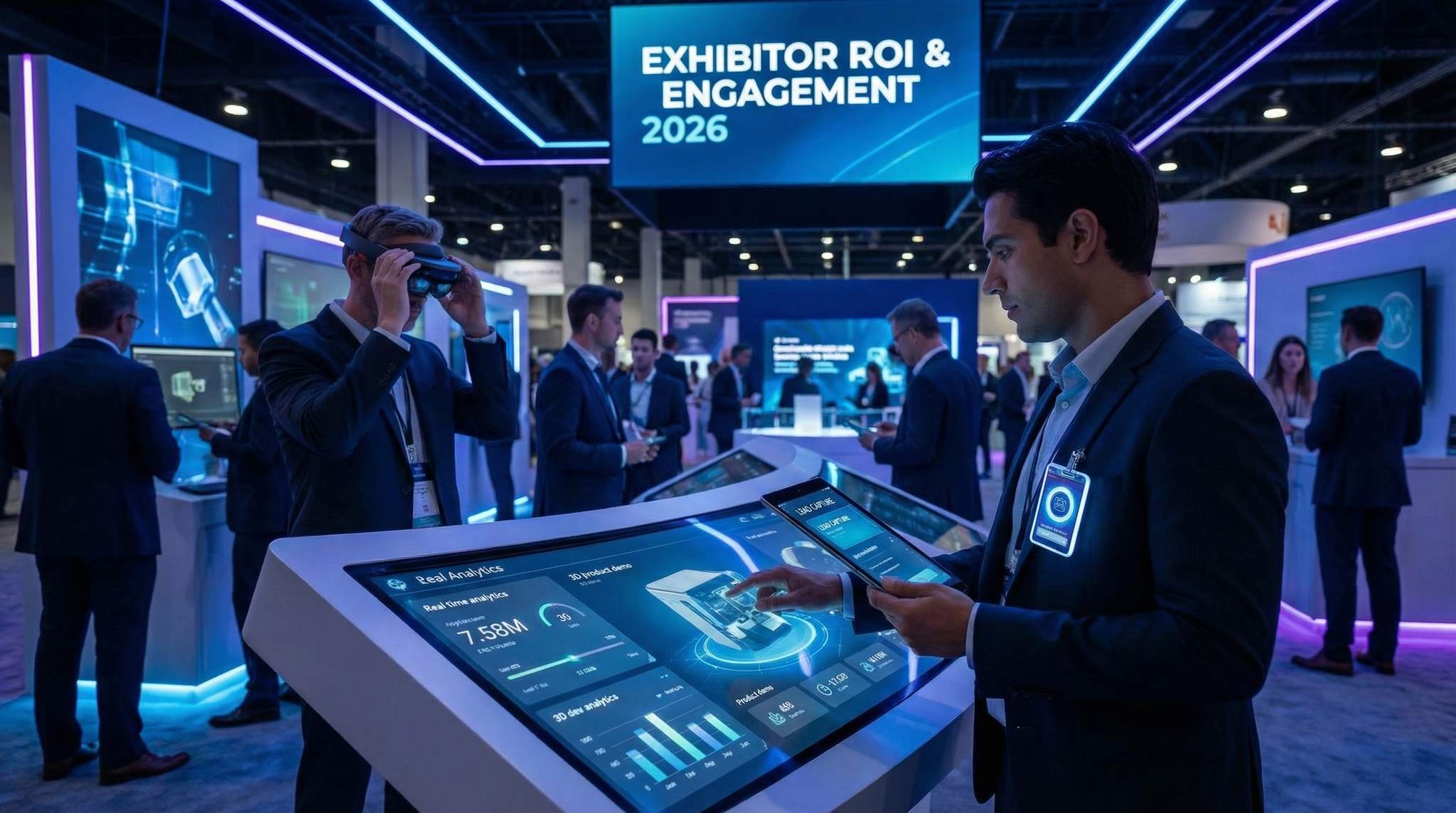
Flat screens and tablets have evolved into dynamic engagement hubs. It’s common now to see booths featuring touchscreen kiosks, large interactive tables, or video walls where attendees can explore products and content on their own. For example, a machinery manufacturer might have a touchscreen catalog – attendees can tap through 3D models of equipment, zoom into specs, and even configure a product to their needs. This turns a traditionally static brochure into a self-guided, rich media experience.
These digital displays serve multiple ROI-boosting purposes:
- They attract passersby with eye-catching visuals and the simple curiosity of “What’s that? Can I touch it?”
- They educate visitors at their own pace – freeing up booth staff to focus on deeper inquiries. (Imagine one staffer can only talk to one person at a time, but a touchscreen can engage several people simultaneously.)
- They can capture data too. When someone interacts with a kiosk, the system can record what they looked at. If an attendee spends 5 minutes exploring a particular product on the screen, that’s valuable interest data. Many interactive kiosk apps will prompt a visitor at the end, “Interested in learning more? Enter your email to receive the info.” – effectively turning the kiosk into a lead generator.
Interactive displays also solve a practical issue: limited booth space. Exhibitors can’t always bring every product or demo physically. But via touchscreens they can showcase their full portfolio virtually. One event technologist described it as “having an entire showroom in a 10×10 booth”. This enriches the attendee experience and ensures potential buyers find what they’re looking for. And because the content is digital, it’s easy to update and tailor – even on the fly. If an exhibitor notices certain content is popular, they can highlight it more. If something isn’t getting attention, swap it out for day two.
Augmented Reality (AR) and Virtual Reality (VR) Demos
Just a few years ago, AR/VR at trade shows were novelty gimmicks. In 2026, they are powerful engagement tools when used with purpose. Augmented reality can overlay digital information on physical objects – for instance, pointing a tablet at a machine to see an exploded 3D view with part names. Virtual reality can transport attendees anywhere – to a factory tour, a design studio, or a 360° product experience – all from the middle of a busy expo hall.
These technologies shine in industries where products are complex, large, or remote. At an architecture expo, a firm used VR headsets to let attendees “walk through” a virtual building they designed, turning a passive slideshow into an active tour. A construction equipment vendor used AR tablets so visitors could point at a scaled model of a crane and see animated operational data hovering above it. The result? Crowds of curious attendees and much deeper engagement. People were lining up to try these experiences, giving exhibitors more opportunities to start conversations.
Crucially, AR/VR activations have been shown to increase dwell time significantly. When something is cool and immersive, visitors stick around. According to industry research, exhibitors who incorporate interactive tech like AR and VR report 30–40% higher visitor dwell times compared to static booths. That extra time is invaluable – it’s in those minutes that booth staff can build rapport and capture lead info. Moreover, attendees tend to remember these experiences. If 92% of trade show visitors are there to see what’s new, according to attendee motivation surveys, offering a cutting-edge AR/VR demo positions your brand as an innovator.
From an ROI perspective, not only do AR/VR experiences help collect more leads (because more people come and stay), they often result in higher-quality interactions. Someone who spends 10 minutes immersed in your VR demo is likely a warmer lead than someone who grabbed a free pen and walked on. Those truly interested will self-select by engaging deeply. Exhibitors can further capitalize on this by incorporating a call-to-action in the experience – e.g., after an AR demo, prompt the visitor to input their email for a chance to get a personalized follow-up or some related digital takeaway.
Gamification and Interactive Attractions
Everyone loves a good game or challenge, and savvy exhibitors use gamification to break the ice and drive engagement. In 2026, we’re seeing everything from digital trivia contests and scavenger hunt apps to large touchscreens with game wheels or leaderboards in booths. The psychology is simple: make it fun, and people will come.
For example, a SaaS company at a tech conference set up a leaderboard quiz – attendees could answer 5 questions about industry trends on a touch tablet, get their score, and see how they ranked against others. This sparked friendly competition and repeat visits (“I’m coming back tomorrow to beat that top score!”). Meanwhile, the company collected each participant’s contact info and quiz responses (which doubled as valuable data on prospects’ knowledge gaps or needs). In another case, a health products expo organized a digital scavenger hunt through their event app: attendees earned points for visiting certain booths and checking in via QR code, with prizes for those who completed the journey. This kind of game increased footfall to participating exhibitors by thousands as attendees enthusiastically made the rounds.
The impact of gamification on ROI is concrete. Fun activities draw crowds, and more crowd means more potential leads. But more importantly, games create a memorable experience associated with your brand. Attendees are likely to recall “Oh, that’s the booth where I did the VR challenge or won a prize” – cutting through the expo noise. It also gives your booth staff an easy conversation starter (“How about that quiz – some tough questions, right?”). According to data compiled by industry analysts, adding gamified elements like contests or interactive quizzes can increase lead collection by 20–35% on average. Those are significant gains for something that also delights your audience.
Even simple attractions can work wonders: a digital photo booth with AR props (where attendees email themselves the picture – and opt-in to your newsletter in the process), or a touchscreen puzzle related to your product. The key is to ensure the game aligns subtly with your brand or message (so it’s not pure gimmick) and to have a plan for converting that engagement into leads (e.g., require badge scan or card drop to play, or offer a prize drawing for those who participate, which collects their contact). Done right, gamification is a true win-win: attendees have fun and remember you, while you dramatically boost booth engagement metrics.
Pro tip: If you implement interactive tech or games, make sure they’re accessible and inclusive. For instance, have captions on video content for those who are deaf or hard of hearing (many events are adopting tech solutions for inclusive attendee experiences), and ensure touchscreens are at a height usable by wheelchair users. Thoughtful design of interactive experiences means all attendees can engage, widening your reach and demonstrating your brand’s commitment to inclusion.
Mobile Event Apps: Connecting and Engaging on the Go
Almost every major trade show now offers a mobile event app – a handy digital companion that attendees download to navigate the expo. But in 2026, these apps do far more than just show the schedule. A well-designed event app becomes a platform for attendee engagement, networking, and even lead generation right from each person’s smartphone. For exhibitors and organizers, the app is a direct channel to influence the attendee journey on the show floor and gather valuable data. Let’s break down how maximizing the mobile app can pay dividends for everyone’s ROI.
Interactive Floor Maps and Booth Discovery
Trade show floors can be overwhelming, especially large exhibitions with hundreds of booths. Mobile apps now feature interactive floor maps that not only show where each booth is, but let attendees search and filter by category, bookmark favorites, and even get GPS-like navigation in venues with indoor positioning. This is hugely beneficial for exhibitors: it ensures the people who want to find your booth actually can. Attendees can type “ACME Corp” into the app and see your location, rather than wandering aimlessly or missing you entirely.
Some apps go further and use personalization (like based on an attendee’s interests selected at registration) to recommend booths to visit. For example, an attendee who indicated interest in “sustainability” might get a list in the app: “Green Tech Exhibitors to Check Out.” Being on such a recommended list can drive a surge of relevant traffic to an exhibitor. Organizers can sell sponsored listings or push notifications as well – e.g., a notification: “Visit Booth 300 at 1pm for a live drone demo!” – which can significantly boost traffic. In fact, integrating a data-driven approach to target the right attendees is an extension of the AI-powered personalization strategies many events are adopting.
From an attendee perspective, a good floor map means less frustration and more floor time. If you spend less time lost, you spend more time engaging with exhibitors. And if an app works reliably offline (which it should – networks get overloaded with thousands of people, so offline maps and schedules are a must-have feature), attendees can depend on it anytime. The result: happier attendees who see more of what interests them, and exhibitors who get found by the right people. Truly a win-win for ROI and satisfaction. Event organizers should ensure their app’s mapping and search functions are top-notch and consider designing the app with offline functionality so it remains useful even when Wi-Fi or cell signal lags.
Networking, Matchmaking, and Meeting Schedulers
A trade show isn’t just about exhibitors selling to attendees – it’s often about attendees connecting with other attendees (networking) and buyers connecting with sellers in more formal meetings. Mobile event apps have become essential for facilitating these connections through matchmaking algorithms and scheduling tools.
Attendees can usually create a profile in the app, listing their interests or business needs. The app then suggests people or exhibitors to meet. For example, a retailer looking for new suppliers might get a list of “Recommended Exhibitors” to visit, and vice versa, an exhibitor might see a list of opt-in attendees who indicated interest in their product category. Some apps provide a built-in messaging system so an attendee can say “Hi, I saw your profile – shall we meet at the networking lounge at 3pm?”
For exhibitors, these networking features are another avenue to generate leads. Smart exhibitors proactively use the app to reach out to target attendees (many apps allow exhibitors a limited number of direct messages to people who have agreed to be contacted). It’s akin to a dating app for business: matching needs with solutions. There are even AI matchmaking platforms integrated in event apps now, which analyze interests and behavior to suggest high-value connections that might not be obvious.
Additionally, apps often have a built-in meeting scheduler. At large expos, exhibitors will set aside meeting space in their booth. Through the app, an attendee can request a meeting slot, and the exhibitor can manage their calendar of appointments efficiently. This is a huge improvement over the old “stop by and hope someone is free” approach. It increases the likelihood that key buyers and decision-makers actually have quality face-time with exhibitors. One organizer of a tech expo noted that after introducing an app with matchmaking and meeting scheduling, the number of on-site meetings increased by 30%, and several exhibitors closed deals during the show – a clear, immediate ROI win.
In-App Engagement: Polls, Q&A, and Gamification
The event app is also a direct conduit for interactive content and games that drive engagement beyond the booth. For instance, live polling or Q&A through the app can be tied to seminars and exhibitor workshops. When attendees use the app to submit questions during an exhibitor’s on-booth presentation or product theater session, it not only makes the session more engaging, but the exhibitor can see who asked the question (capturing a lead) and follow up later. Some apps even allow real-time audience polling with results displayed on a screen – a great way to draw a crowd (“Download the app and vote on our poll to see results live!”) and collect participant info.
Event organizers often integrate gamification into the app as well, such as a digital passport or points system (e.g., “Visit 10 booths and scan the QR codes in the app to win a prize”). This is similar to the earlier example of a scavenger hunt – it just lives in the attendee’s phone. The app keeps track of achievements, shows leaderboards for who’s most active, and so on. Exhibitors love these programs because they drive foot traffic and give another reason for attendees to interact with them (beyond pure interest). A 2025 expo reported that their app-based exhibitor passport game led to 25% more booth visits on average for participating exhibitors, demonstrating how a little friendly competition and reward can boost engagement.
Finally, push notifications via the app are a powerful tool – but they must be used wisely. Organizers can send alerts about featured demos, speaker sessions starting, or flash discounts on the expo floor (“Visit Booth X in next 30 minutes for a giveaway”). These can surge traffic to specific areas. Exhibitors can sponsor push notifications as well. The key is to ensure notifications are relevant and timed well (nothing will annoy attendees more than spammy or irrelevant buzzes during a busy day). When done right, those timely nudges can tip an attendee’s decision on what to do next – possibly sending them straight into your booth. It’s part of aligning with the overall attendee journey; as covered in our event marketing guides, mapping touchpoints is crucial to maximize engagement, as immediate follow-up statistics show, and sales conversion data suggests – the app is a central touchpoint during the live event.
To sum up, the mobile event app is an ecosystem of engagement at modern trade shows. It helps attendees navigate, discover, connect, and play – all of which keeps them more active and invested in the event. For exhibitors and organizers, the app yields data (clicks, searches, messages sent) that reveal attendee interests, and it provides channels (notifications, maps, profiles) to influence and capture those interests. Ensuring your event app is robust and user-friendly – and promoting its features to attendees before and during the show – will decidedly improve both the attendee experience and exhibitor outcomes. It’s no surprise that nearly half of exhibitors are now leveraging event apps as part of their show strategy, per current trade show technology landscape reports.
Real-Time Analytics Dashboards: Measuring Success Live
One of the most exciting developments in event tech is the rise of real-time analytics dashboards that collect and visualize data from all these tech tools as the event unfolds. For organizers, it’s like having a mission control for the expo; for exhibitors, it means instant feedback on performance. Gone are the days of waiting weeks for a post-show report – in 2026, you can watch your trade show ROI take shape in real time and react to maximize it.
Live Booth Traffic and Engagement Metrics
Imagine being able to glance at a screen and see exactly how your booth is doing this hour. That’s what real-time exhibitor dashboards offer. They pull in data from sources we discussed: badge scans, lead captures, app interactions, and more, updating continuously. Key metrics available at a tap might include:
- Booth visits: e.g. “312 people entered your booth today (up 10% from yesterday).”
- Leads captured: e.g. “47 badges scanned so far; 15 qualified as hot leads.”
- Dwell time: e.g. “Avg. dwell time at your booth is 1m 45s, which is 20% higher than hall average.”
- Content engagements: e.g. “Touchscreen kiosk used 85 times; most viewed product: Model X.”
- App interactions: e.g. “120 people bookmarked your company in the app; 30 appointments scheduled.”
This live view is immensely valuable. If you notice by midday that lead capture is lagging relative to traffic, you can rally your booth staff or adjust your pitch to convert more visitors. If dwell time is low, maybe your team tries a different demo approach to keep people engaged. It essentially closes the feedback loop instantly – enabling a level of agility that can significantly improve outcomes during the event, not just the next time around.
Organizers often provide an exhibitor portal to access these stats, which may be part of the event’s larger management software. For instance, when evaluating event management platforms, it’s wise to look for integrated real-time analytics and ROI reporting features that tie together registration, lead capture, and engagement data. Some even display aggregate stats on public screens – like a live count of total leads captured event-wide, fostering a sense of competition and excitement.
From the organizer side, their command center dashboard will show macro trends: registration check-ins, current venue occupancy, session attendance counts, etc. If they see an important session is half-empty while the expo floor is full, they might send a push notification or announcement to redirect some traffic. Or if one expo hall is consistently jam-packed, they know to spread out attractions or open more entrances. In essence, real-time data allows the event to breathe and adapt organically rather than sticking to a rigid plan in the face of unforeseen attendee behavior.
Instant Feedback and Mid-Course Corrections
The ability to make data-driven adjustments on the fly is a hallmark of tech-forward events. Let’s say you are the marketing lead for an exhibitor and by early afternoon of Day 1, the analytics show your booth has lower traffic than comparable booths in your zone. Armed with this intel, you could take action for the next day: maybe negotiate with the organizer to get a shout-out on the main stage or a feature in the daily event email. Or perhaps you realize attendees just aren’t noticing your booth – so you send someone to pick up a few extra eye-catching banners or lights overnight.
Another scenario: the data reveals that a particular product demo at your booth (e.g., the AR station) is drawing way more interest than the rest. You might allocate more space or staff to that activity, or schedule additional demo times and promote them (“Due to high demand, we’re doing extra demos of the AR tool every hour – come by booth!”). Essentially, you’re amplifying what works once you see it in the numbers.
On the flip side, instant feedback can prevent wasted effort. If nobody is using the selfie photo booth you set up, and the data confirms near-zero interactions, you could repurpose that space or try a different lure. One exhibitor at a consumer electronics show noticed hardly anyone was trying their product quiz (visible through their engagement dashboard). They quickly simplified the quiz and added a bigger prize incentive for completion; by the next day engagement picked up significantly. Without real-time tracking, they might have written off the activation as a loss, but data empowered them to tweak and salvage its effectiveness.
Audience feedback tools are also valuable here. Many events prompt attendees to rate sessions or experiences in real time via the app (“Rate this demo”, “How was your booth visit at XYZ?”). If an exhibitor sees lukewarm feedback piling up, they can intervene – maybe the presentation is too long or the messaging unclear, so they adjust talking points. This kind of agile response keeps the attendee experience high, which in turn correlates with better lead outcomes (an engaged, happy visitor is more likely to turn into a customer than a bored, frustrated one).
From an ROI perspective, mid-course corrections ensure you’re not leaving opportunities on the table during those precious show days. Trade shows are short, intense bursts – you have maybe 6-8 hours a day of floor time. Real-time analytics help you maximize every hour, squeezing more value and fixing issues before it’s too late. It’s the difference between a “debrief afterwards about what we should have done” versus actively doing it on Day 2 when it can still make a difference.
Post-Event Data: Proving ROI and Informing the Future
When the show wraps up and the last crate is packed, the impact of these technologies continues. All the data captured feeds into comprehensive post-event reports that provide hard evidence of ROI – crucial for justifying the expense and for planning next year’s strategy.
Here’s the kind of post-show metrics that wow stakeholders:
- Total leads captured: e.g. 580 (vs 400 last year – a 45% increase after implementing new tech and training).
- Lead quality breakdown: e.g. 200 high-priority leads, 250 medium, 130 low (based on real-time qualification data). Perhaps compare conversion projections for each tier.
- Engagement stats: e.g. average dwell time at our booth was 2.3 minutes (industry benchmark was 1.5 minutes; our interactive displays kept people 50% longer than average). If you had multiple activations, see which had the highest engagement counts.
- Touchpoints: e.g. 320 brochure downloads via our QR codes, 150 AR demo launches, 90 app bookmark mentions. These indicate interest beyond face-to-face conversations.
- Follow-up efficiency: e.g. 98% of leads were exported to CRM by end of show Day 1; initial follow-up emails were sent to all leads within 24 hours post-show (this is a process metric that correlates with higher conversion, as studies show following up within a week yields significantly better results).
- Social/media reach if any: e.g. “Our live booth livestream had 500 virtual viewers” or “Our event hashtag mentions doubled on Day 2 when we ran the on-site contest” (blending physical and digital reach data, especially in hybrid scenarios).
For organizers, overall event analytics demonstrate value to all exhibitors and sponsors: total footfalls, engagement rates, lead averages per exhibitor, etc. They can identify which exhibits had the most traction (useful for case studies or floor plan rebooking strategy) and detect patterns (e.g. booths near the entrance got 20% more traffic on average – maybe pricing those spaces at a premium is justified, or rotating layouts for fairness).
The post-event analysis is where you truly prove the ROI. You can take the revenue or pipeline generated from those leads and compare it to cost. Say you spent $50,000 on the trade show and ended up with $500,000 in pipeline, of which you expect to close $150,000 – that’s a 3x ROI in booked revenue, or potentially 10x in pipeline. Showing this in concrete terms often determines next year’s budget approvals. And if the results weren’t great, the data will pinpoint why (e.g. low lead count or low quality) so you know what to improve.
Increasingly, companies and events are using dashboard tools that remain live after the show, updating as leads progress in the sales funnel. For instance, if your CRM is integrated, you can track how many of those scanned leads turned into actual sales and the dollar value, even months later. This pipeline attribution closes the loop, which historically was hard to do. As a result, marketing teams can firmly claim, “Yes, that expo was worth it, it brought in $X revenue” or adjust their strategy if not.
In summary, real-time analytics and robust data collection transform trade shows from a blurry whirlwind into a measurable, optimizable marketing channel. Both during the event and long after, the insights gained enable better decisions. Exhibitors can justify and improve their approach (keeping what works, fixing what doesn’t), and organizers can enhance the event’s design and demonstrate value to participants. In 2026, data is the new currency on the trade show floor – those who leverage it gain a clear competitive edge in ROI.
Implementing Expo Tech Successfully: Best Practices
All these high-tech tools sound fantastic, but success hinges on implementation. As an event technology consultant with decades of projects under my belt, I’ve seen great ideas falter due to sloppy rollout – and relatively simple tech yield amazing results because it was executed brilliantly. This section covers how to approach implementing trade show technology the right way. From choosing vendors to training staff and having backup plans, following these best practices will ensure your investment in tech actually delivers the value and engagement you’re aiming for.
Defining Goals and Selecting the Right Tools
Every technology choice should tie back to a clear goal. Before jumping on the latest gadget, identify what you want to achieve. Is your priority to capture more leads (quantity), or better leads (quality)? To increase brand awareness and foot traffic? To improve attendee satisfaction and experience? Different goals may prioritize different solutions. For instance, if you mainly need more leads, focus on lead capture apps and badge scanning. If you want deeper engagement, invest in interactive displays or AR experiences. Being goal-oriented prevents tech overload – you don’t need every shiny toy, just the ones that move the needle for your objectives.
Once goals are set, do thorough research and vet your vendors. Not all platforms are created equal. It’s wise to evaluate multiple options and consider integration capabilities. Will the lead capture app you like integrate with your CRM? Does the smart badge system use open standards so it can talk to the analytics dashboard? Think about your overall event tech stack as an ecosystem – tools should connect and share data. Developing a cohesive technology stack that connects ticketing, registration, lead capture, and analytics ensures you’re not stuck with data silos (a common pitfall when mixing systems). Many event managers use a vendor evaluation matrix, scoring solutions on criteria like ease of use, integration APIs, security compliance, and cost. Remember to factor in the total cost of ownership: a cheap tool can become costly if it requires tons of manual work to make sense of the data later.
Don’t forget to involve key stakeholders (sales team, IT department, etc.) in the selection process. For example, your sales folks will be the ones working with the leads – get their input on what info they need captured. If they need, say, a lead’s product interest tagged, ensure the chosen app can do that. Likewise, loop in IT to verify that any new hardware (badge scanners, routers, etc.) doesn’t conflict with venue networks or security policies. Implementation specialists recommend running a small pilot or demo if possible – maybe test the lead app at a smaller event first, or try the interactive kiosk at your office demo room – to uncover any issues before the big show.
Finally, set success metrics for the tech. This is part of goal setting but worth stating explicitly. Know how you will measure if the new tool “worked.” It could be numeric (e.g., “increase leads by 30% over last year” or “achieve 100% check-in compliance with smart badges”) or qualitative (“improve attendee satisfaction scores for the registration process”). Having these benchmarks will guide configuration and give you a target to rally the team around.
Ensuring Infrastructure: Wi-Fi, Power, and Devices
High-tech experiences demand a solid foundation. Nothing will torpedo your fancy new system faster than a weak Wi-Fi network or a power outage at your booth. Thus, a critical step in implementation is working closely with event organizers (or your own IT team, if you’re the organizer) to build a robust network and power infrastructure for the show.
Start with internet connectivity. All your connected tools – cloud-based lead databases, badge scanners syncing data, event apps pulling content – rely on stable, high-bandwidth internet. If you’re the organizer, invest in professional-grade event Wi-Fi and network equipment that can handle thousands of concurrent devices. Set up separate networks or VLANs for different uses (perhaps one dedicated for exhibitor devices scanning leads, another for general attendee use) to manage load. Use tools to monitor network health during the event, as recommended in guides on building reliable event Wi-Fi for seamless connectivity. If you’re an exhibitor, find out what the organizer provides: Will the booth have a hardline Ethernet drop? Is the Wi-Fi coverage guaranteed at your location? Don’t hesitate to bring a backup connectivity solution – like a 5G hotspot – especially if your lead capture or demos absolutely require internet. It’s better to have redundancy than to be dead in the water because “the Wi-Fi is down.”
Next, power. Those giant LED walls, touchscreen tables, charging stations, etc., eat electricity. Overload one circuit and you might blow a fuse for your entire booth. Work with the venue’s electrical team to map out your power needs. Use multiple circuits if necessary, and have uninterruptible power supplies (UPS) for critical components (e.g., the server running your local badge scanning network). In one case I recall, a booth’s VR demo kept tripping power because they underestimated the draw of the high-end PCs and motion platform. After the first outage, they had to scramble to get an additional power line run overnight – an avoidable stress with better planning.
Devices and hardware should also be prepped. This means charging all tablets, scanners, and backup batteries fully each day (assign someone this duty). If you’re using rented iPads or handheld scanners from a vendor, test every single one upon arrival. Download all the necessary software updates before the event (the show floor is not the place for sudden OS updates). If your tech uses Bluetooth (like beacons or printers), check for interference issues on site – sometimes the jungle of wireless signals can cause pairing headaches, which you want to sort out in advance.
A pro tip we give to exhibitors: label and inventory all your tech gear. Trade shows are chaotic, and things can get misplaced or mixed up. Knowing you have 5 tablets labeled 1–5 and being able to quickly notice #3 is missing can save you from lost equipment or last-minute panic.
Finally, consider capacity and scalability. If you expect 500 people to interact with your tech but only set up 1 kiosk, you might end up with frustrating queues (and some people giving up). Scale the quantity of devices or stations to the expected audience. We often use a rule of thumb like “one check-in kiosk per 100 expected arrivals per hour” for registration, which can be adapted to, say, “one demo station per X visitors” depending on complexity. If unsure, lean on the side of having an extra unit – it can be the difference between smooth operations and bottlenecks that hurt engagement.
Training Staff and Driving Exhibitor Buy-In
The best tech in the world won’t help if people don’t use it correctly (or at all). That’s why training and change management are arguably the most important aspects of implementation. You need your staff – and in many cases the exhibitors or attendees – to understand the technology, trust it, and incorporate it into their behavior.
For event organizers rolling out show-wide tech (like smart badges or a new event app), educating exhibitors and attendees well in advance is key. Don’t just hand everyone new NFC badges and assume they know what to do. Provide clear instructions and benefits: e.g. send exhibitors a guide on “How to use the new lead retrieval system” including screenshots, and maybe host a live webinar demo a couple of weeks before the show. Emphasize why it’s beneficial (“Scan badges to get attendee info – no more manual lead forms! – and access your leads in real time through the portal”). The goal is to generate buy-in and even excitement, so that by the time they arrive on site, they’re eager to use the tools, not dreading them.
Similarly for attendees: promote the event app or smart badge features in pre-show communications. Provide incentives to engage (perhaps “Download the app and log in before Day 1 to receive a free drink ticket” or simply highlight cool features: “Plan your schedule and get personalized exhibitor recommendations via our app”). When people see personal value, they’re more likely to adopt the tech readily. On site, have plenty of signage and roving “tech helpers” who can assist anyone confused by scanning or app usage.
Staff training is paramount. If you’re an exhibitor deploying new lead capture apps, train every booth staff on it before the show opens. Do a role-play: one person as attendee, one as staff scanning, adding notes, etc. Make sure they all can operate the app fluently and understand the workflow (for example, if the app can rate lead quality, agree on what constitutes “Hot” vs “Cold” so tagging is consistent). Encourage them to practice the qualifying questions so it feels natural. A common pitfall is uneven usage – one rep might scan diligently, another chats up prospects but forgets to scan badges in the rush. Stress that every prospect must be scanned or you lose them – make it part of the staff’s performance goals. When the team is confident the tech won’t trip them up, they can focus on engaging attendees rather than fumbling with devices.
For interactive demos or AR/VR, have dedicated staff who know the ins and outs of the system. There’s nothing worse for an attendee than a rep saying “Hmm, I’m not sure why it’s not working.” Your tech should enhance your professionalism, not undermine it. I’ve seen companies bring a specific “technologist” team member solely to run the complicated demos and troubleshoot on the fly – a wise move if your core sales reps aren’t super techy. Even simpler tech like a touchscreen needs an attendant nearby to reset it if it freezes or to guide less tech-savvy visitors.
Another aspect of buy-in is setting expectations and backup plans. Let staff know what to do if something fails (e.g., “If the scanner app doesn’t work, here are printed lead cards as backup, and here’s how to later input them”). This ensures they won’t just give up if a glitch occurs. When people are prepared, they stay calm and solution-oriented rather than panicking, which keeps the attendee experience smooth despite hiccups.
Organizers should also train their on-site support crew or hire a tech support team that’s well-versed in all deployed systems. A quick response to any exhibitor’s issue (like “my lead scanner isn’t connecting”) can save the day. Many events now have a “Tech Help Desk” in the exhibitor services area for exactly this reason.
In essence, human factors determine tech success more than the tech itself. By investing time in training, documentation, and support, you turn your staff and participants into allies of the technology rather than skeptics. And once everyone sees the benefits (more leads, less hassle), they become advocates, making future implementations even easier.
Backup Plans and Fail-Safes
Despite best-laid plans, technology can and will go wrong at times – often at the worst time. A power surge, an overloaded server, a software bug, or just human error can throw a wrench in the works. That’s why seasoned event pros always prepare backup plans for critical tech functions. It’s not pessimism, it’s risk management. The goal is to ensure the show goes on and data isn’t lost, even if Plan A fails.
Identify your mission-critical systems – the ones that, if they fail, have a serious impact on ROI or attendee experience. For trade shows, that usually includes registration/check-in systems, lead capture, and badge access control. If you’re an organizer, also consider things like the Wi-Fi network or the event app servers. For each critical component, have a Plan B (and maybe C). Here are some examples:
- Lead capture backup: If the mobile app scanners go down, have a stack of paper lead cards or a simple Google Form link as a fallback to collect contact info. It’s clunkier, yes, but you won’t lose the lead entirely. I advise exhibitors to keep a small notebook or cards in their booth – it has saved the day when an iPad decided to reboot and update itself mid-show!
- Badge printing/check-in backup: If you’re using on-demand badge printers or kiosks at registration, keep a few pre-printed generic badges or hand-written badge kits available in case printers fail or lines back up. Similarly, if the network to scan QR codes at check-in is acting up, have a manual lookup option. Many events have contingency plans like returning to a paper guest list or offline scanner mode – see fast-tracking event check-in with backup options.
- Power backup: For critical demos, use UPS battery backups. If power blips for a second, your screens and devices won’t outright die. At a minimum, I’ve seen booths keep spare power strips, extension cords, and even a portable generator for outdoor exhibits. Overkill? Maybe – until the one time the venue power goes out and your booth is the only one still running a laptop off a battery.
- Connectivity backup: As mentioned, a couple of cellular hotspots can be lifesavers if the venue internet goes down. Some lead systems even allow phone tethering – instruct staff how to switch if needed. Also, ensure any cloud-based system has an offline mode (most decent ones do). Test that offline mode actually works before you need it.
- Staffing backup: Tech issues often need human intervention. Make sure someone on your team is tasked (and empowered) to liaise with the event tech support immediately if something breaks. Know the phone number or radio channel for the organizer’s tech help. If your key “tech guru” on the team gets sick, have another person at least minimally familiar with the systems.
Moreover, consider failover procedures. For instance, if your real-time analytics dashboard crashes, do you have a direct way to access raw data or an export? If the fancy AR experience stops working, can your team quickly pivot to a video demo of the product instead, so interested attendees still get info? Think through the guest experience: a failure shouldn’t result in a dead end. Provide an alternative path. It might be as straightforward as training staff to smoothly fall back to a verbal pitch and collecting a business card if the scanning app fails – without making the attendee feel awkward or inconvenienced.
An insight from crisis-proofing experts is to also run pre-mortems – imagine worst-case tech failures and simulate or talk through the response. This exercise often reveals simple steps to mitigate problems. For example, “What if the badge printing system goes offline?” – answer: have a few dozens of each badge type pre-printed, just in case. By preparing, you ensure that a tech hiccup doesn’t become a show-stopping disaster. For further reading on robust contingency planning, see our guide on crisis-proofing your event tech with backup plans.
Ultimately, when backups are in place, you can confidently use cutting-edge systems because you’ve reduced the risks. And funny enough, when you’re fully prepared… that’s often when nothing goes wrong at all! But if it does, you and your team will handle it with poise and keep the expo running smoothly – protecting that precious ROI and attendee experience.
Designing for Inclusivity and Global Audiences
As a final note on implementation best practices, it’s important to ensure your high-tech solutions are inclusive and accessible to all attendees, and effective for an international audience. Trade shows often attract a diverse crowd – different physical abilities, languages, and cultures. Technology can either bridge gaps or inadvertently widen them, depending on design.
First, accessibility. We touched on this in the interactive tech section, but let’s expand. When deploying event tech, confirm it adheres to basic accessibility standards. Are your kiosks usable by someone in a wheelchair or of short stature? If not, consider adding an adjustable mount or a staff assistant to help. Is your mobile app compliant with accessibility features (screen reader compatibility, high-contrast mode for the visually impaired)? Ensure your app vendor follows WCAG guidelines for accessible design. Caption any videos playing in your booth (not only for deaf attendees but also because expo halls are noisy – captions help everyone). If you use AR or VR, think about those who might not be able to don a headset – can you provide a 2D version of the experience on a monitor for them? These steps ensure no attendee is left out of engaging with you due to a disability. Plus, demonstrating inclusivity can bolster your brand reputation – people notice when you’ve made an effort to welcome them. There’s a growing movement towards truly inclusive event experiences in 2026, and tech is a big part of that story.
Second, multilingual support. If your trade show has a global mix of attendees (which many do), language barriers can limit engagement. Consider tech solutions that offer translation or multi-language content. For example, some event apps allow attendees to switch languages for the schedule and maps. If you have interactive screens, perhaps offer an option to select a language at the start. Live translation devices or apps can help at information counters or for guided booth tours. There have been incredible advances in AI translators and captioning tools – in 2026, it’s entirely feasible to provide, say, real-time translated subtitles on a screen during a demo. Even simple steps help – like ensuring your printed QR codes or brochures link to content available in major languages of your attendee base. One conference we worked with implemented an “Ask me” button in their app: attendees could type a question in their native language, and staff using a translator dashboard would respond in kind, breaking the language barrier for common inquiries. By leveraging tech solutions for multilingual events, you make sure you capture leads and interest from people regardless of language differences. This directly affects ROI if you can open doors to new markets and clients.
Finally, be culturally mindful with tech-driven content. Games, symbols, or interactions that are fun in one culture might fall flat or offend in another. For example, a VR game theme or prize might need tweaking for different regions. If you’re organizing an expo with international exhibitors, brief them on the attendee demographics so they can adjust if needed (both in personal approach and tech content). When technology is used to personalize experiences, ensure the data or AI doesn’t inadvertently exclude or misidentify people (for instance, facial recognition struggles with certain demographics – better not to rely on it as the only entry method, to avoid frustration or bias).
In summary, making your event tech universal in usability expands its effectiveness. Inclusive, multilingual design isn’t just a nice-to-have; it can directly increase engagement by allowing more attendees to comfortably interact with your booths and content. Plus, it’s part of future-proofing your event – as expectations rise for accessible and globally friendly experiences, being ahead on this front sets you apart as a leader in the trade show space.
By integrating these implementation best practices – clear goals, solid infrastructure, thorough training, backup plans, and inclusive design – you set the stage for your technology to shine. This is how you turn buzzwords into real results. Now, let’s look at some real-world examples of all this tech in action and the lessons learned.
Case Studies: Tech-Boosted Trade Show Successes
Nothing drives home the impact of trade show tech better than seeing real examples. In this section, we highlight a few scenarios (drawn from actual events and composite experiences) that illustrate how the tools we discussed deliver value – or, in some cases, how poor implementation can undermine them. These mini case studies offer practical insights and lessons for event organizers and exhibitors aiming to maximize ROI and engagement in 2026.
Case Study 1: Smart Badge System Supercharges an Expo
Background: A large B2B trade show in Europe (approximately 20,000 attendees) introduced an end-to-end smart badge solution for the first time in 2025. Every attendee wore an NFC-enabled badge, and every exhibitor booth was equipped with at least one badge reader device provided by the organizer. The goal was to boost lead collection and provide better analytics to exhibitors about booth traffic.
What Happened: Attendees were instructed to “tap your badge” at any booth where they wanted more information or to exchange contact details. The organizer branded it as a “Smart Scan for Info” program, with signage and announcements educating attendees. All taps were logged in a central system. Exhibitors could access a live dashboard of who tapped (and view profiles if the attendee opted in) and export leads instantly. Additionally, the badges tracked general foot traffic via readers at hall entrances and exits for crowd flow data.
Over the three-day expo, over 55,000 badge taps were recorded across 300 exhibitor booths – averaging about 183 taps per booth. Small exhibitors saw a significant uptick in leads because passive visitors who wouldn’t normally chat felt comfortable just tapping to get info. One niche supplier got 200 leads via taps, compared to the ~50 business cards they collected the year prior – a 4x increase in lead volume. Attendees appreciated the ease; surveys showed 88% found the tap-to-exchange feature useful and more engaging than just grabbing paper brochures.
The organizer compiled comprehensive reports for each exhibitor: number of taps (leads), % of total attendees that interacted, busiest times of day, etc. They also used foot traffic data to show heat maps; for example, Hall B saw 30% more traffic than Hall C, which will inform next year’s booth pricing and layout. Crucially, they could demonstrate to exhibitors the ROI: one exhibitor saw that 120 of the people who tapped at their booth also attended their sponsored session (data cross-referenced via badge ID) – showing the value of their session sponsorship in driving booth interest.
Lessons Learned: This case validated that smart badges can dramatically increase lead acquisition, especially for exhibitors who might not have had the manpower to engage every passerby. It also highlighted the importance of attendee education and opt-in. Initially, some attendees didn’t tap because they weren’t sure what would happen with their info. The organizer responded by sending a push notification via the app on Day 1 clarifying: “Tap your badge at booths to receive info digitally – your contact details are shared only with that exhibitor.” Transparency helped usage climb on Days 2 and 3. Another lesson was logistics: a few popular booths ran out of their allocated NFC reader devices (they had only one, and it got overwhelmed with lines of people waiting to tap). By next event, those exhibitors planned to request extra readers to spread around their booth, avoiding bottlenecks.
This success story shows that when implemented thoughtfully, a smart badge system can be a win-win – attendees get a neat, easy way to connect, and exhibitors collect far more leads with rich data attached. It reinforced the need to align tech rollouts with clear communication and adequate resources on the show floor.
Case Study 2: Interactive Exhibit Engages Attendees (and the ROI that followed)
Background: At a U.S. consumer auto show, a mid-sized electric vehicle startup company wanted to stand out among larger brands. They invested in an interactive booth experience centered around a VR test drive and a gamified quiz. The aim was to draw crowds and educate attendees about their new car model, ultimately generating quality leads (interested buyers) for follow-up.
What Happened: The startup’s booth featured a VR driving simulator – attendees could put on a VR headset and virtually “drive” the new electric car through a city, experiencing its features. This was complemented by large LED screens showing what the person in VR was seeing (attracting onlookers). After the VR drive, attendees were prompted to take a short quiz on a touchscreen about the car’s benefits (with questions like “What’s the range on a single charge?” – the answers of which were conveyed during the VR experience). Completing the quiz with a passing score entered them into a prize drawing for a high-end electric scooter.
The result was one of the busiest booths at the show. Over the 5-day public event, roughly 2,300 people went through the VR demo and quiz. There was often a line, but the company managed it by having a sign-up list and alerting people via text/App when it was their turn – so attendees could wander and come back, a very customer-friendly move. Of those participants, the startup collected around 1,800 qualified leads (they required a badge scan or business card to participate, and quiz responses helped gauge interest level). This lead count was significantly higher than the ~500 leads typical for a similar-sized booth at that show.
The engagement metrics were stellar: dwell time at the booth averaged 8-10 minutes (as people stuck around to watch others do VR, then do it themselves). Social media buzz was noteworthy too – attendees were posting videos of their friends in the VR simulator with reactions, tagging the company. The event’s official social channels even highlighted that booth as a “must-see.” In terms of ROI: within one month post-show, the startup’s sales team reported that out of the 1,800 leads, about 200 turned into serious sales inquiries (test drive requests at dealerships, etc.), and ultimately 50+ vehicle sales were directly traced back to contacts from the show (considering the price of a car, that alone paid for the booth many times over).
Lessons Learned: An interactive, immersive experience can dramatically amplify attendee interest and lead generation, even for a lesser-known brand. The key was that the experience was not just a gimmick; it was relevant to the product (test driving the car virtually) and educational (the quiz reinforced key selling points). This made the leads more qualified – participants essentially self-selected as interested (spending that much time and engaging meant they had genuine curiosity about EVs).
However, the case also highlighted the importance of operational planning. The popularity of the booth could have backfired if not handled well. The startup smartly implemented the virtual queue via text/app so people weren’t frustrated waiting in a long line. They also had multiple VR setups until hardware limits (they ran 3 VR stations in parallel to increase throughput). For anyone considering a similar tactic, think about capacity and crowd flow—too small an activation and you’ll anger more people than you engage.
Another lesson: always capture the lead info before or during the fun. This startup had attendees scan their badge on a tablet to register for the VR experience and quiz. That meant even if someone left before the quiz, they still got that person’s contact. If they had waited until after the VR ride, some might’ve walked away. It’s a reminder that you should integrate lead capture into the experience instead of treating it as an afterthought.
All in all, this example shows that immersive tech + gamification can yield huge ROI in terms of leads and brand awareness, especially when you make the experience meaningful and manage it smoothly. Post-event, the company used the quiz responses to personalize their follow-ups (“We noticed you answered safety is most important to you – here’s more info on our safety features…”), reflecting how data from engagement tools can enrich marketing effectiveness.
Case Study 3: Lessons from a Tech Glitch – Pitfalls to Avoid
Background: Not every implementation goes perfectly. A major medical conference in 2026 attempted to deploy a new all-in-one event technology system that included on-site facial recognition check-in, a digital networking app, and RFID session tracking for continuing education credits. This was ambitious and intended to showcase innovation, but several missteps occurred. It’s worth examining what went wrong to extract lessons.
What Happened: The conference decided to use facial recognition for attendee check-in to eliminate badge printing queues. Attendees were asked to upload a photo in advance. On Day 1, the system failed spectacularly – the network of cameras and the cloud-based recognition software were not in sync, causing huge delays. Many attendees ended up having to be manually checked in, defeating the purpose. It turned out the Wi-Fi network was overloaded and the check-in devices couldn’t reliably communicate with the server, plus some attendees’ photos weren’t high-quality enough for matches. This was a case of the tech being cool but not fully tested under real conditions.
Simultaneously, they rolled out an event app with integrated networking and session tracking. Attendees could earn education credits by attending certain talks – the plan was that RFID readers at session doors would log attendance via their smart badge. However, a number of readers weren’t installed properly, and some sessions didn’t capture any attendance data. Several healthcare professionals later complained that they didn’t get credits because the system missed them, forcing the organizers to scramble with manual verification – a logistical nightmare after the fact.
On the app side, the idea was to use AI to suggest networking matches (similar to what we discussed earlier). But the adoption was low: less than 30% of attendees downloaded the app, and even fewer created profiles. Those who did also reported glitches – messages not sending, the app crashing during busy times (possibly due to the same network issues). The promised high-tech engagement never fully materialized, and some attendees expressed frustration at the tech distractions. Organizers had to apologize publicly for the check-in fiasco and offered a paper sign-in sheet backup for sessions by Day 2.
Lessons Learned: This case underscores the motto “don’t let shiny tech overshadow reliability.” The organizers pushed multiple new systems without sufficient testing at scale or backup plans, and it bit them hard. Here are key takeaways:
- Test in a live environment: Lab tests aren’t enough. They should have done a trial run with facial recognition and RFID tracking in a smaller setting or at least tested with a subset of users on site before full deployment. Also, load-testing the app and network with the expected number of concurrent users might have flagged the capacity issues.
- Have a parallel backup ready: Facial recognition was a nice add-on, but they should have still had on-site badge printers or codes as Plan B from the start. When it failed, staff were caught off-guard. After this, many events learned to always keep a traditional check-in option on standby, no matter how fancy the new system.
- Attendee communication and consent: Some attendees were wary of the facial recognition on privacy grounds (biometric data concerns). The organizers hadn’t clearly communicated how it would be used and secured, leading to pushback. Transparency and opt-out options are vital when using such sensitive tech. (Interestingly, after the failure, they reverted to scanning QR codes on phones – which is less futuristic but very reliable.)
- Ensure critical systems’ robustness: The session tracking affected people’s professional credits – a high-stakes outcome. If attempting something like RFID for verification, it must be bulletproof or have manual check-in sheets as redundancy. In this case, credibility was lost; some attendees said they’d skip any future tech features and just do things the old way because trust was broken.
- User adoption is not automatic: The fancy app features flopped partly because the organizer assumed everyone would jump on board. In reality, it required more promotion, better explanation of benefits, and perhaps simplifying features. Pushing too many new elements at once (the tech was overwhelming) likely reduced adoption of each. It’s often better to introduce one or two innovations at a time and do them well, rather than a bundle of half-baked ones.
The positive spin is that the organizers learned and for their next event scaled back to proven tech (QR code check-in, simpler reliable scanning for sessions) and got those right. The experience highlights why thoughtful implementation and backup planning (as we detailed in the previous section) are so crucial. High-tech trade show ideas can enhance ROI and engagement greatly – but if done poorly, they can conversely hurt attendee satisfaction and create fire drills that distract from the event’s goals. In short: innovate, but implement with care.
These case studies demonstrate how trade show technology, when executed properly, can lead to outstanding results – and how ignoring fundamentals can cause problems. Whether it’s a resounding success like the smart badge rollout or a cautionary tale like the over-ambitious conference, each scenario teaches us something. As we head to the conclusion, the overarching theme is clear: it’s not technology for technology’s sake, but technology in service of better outcomes.