All-in-One vs Best-of-Breed: The Event Tech Dilemma in 2026
Why This Decision Matters
Event organizers in 2026 face a pivotal technology decision: rely on a single all-in-one event platform or assemble a best-of-breed tech stack of specialized tools. This choice defines how your event operates, from ticket sales and entry to engagement and data tracking. With tech now central to event success (over 90% of professionals say technology drives better outcomes), the stakes are high, and staying abreast of the best event technology options is critical. Choosing the right approach can mean the difference between a seamless production and a logistical nightmare. The all-in-one vs best-of-breed debate isn’t just an IT question – it’s a strategic decision impacting budget, attendee experience, and long-term growth.
Evolution of Event Tech Ecosystems
Over the past decade, event technology has exploded in scope and complexity. In the early 2010s, many organizers got by with a single ticketing system and perhaps a basic event app. Fast forward to 2026, and even mid-sized conferences might deploy over a dozen different tech tools – one for ticketing, another for RFID access control, separate platforms for cashless payments, a mobile event app, live streaming services, CRM systems, and more, creating a landscape of diverse tech vendors at modern events. This complexity introduces challenges in managing multiple vendors. This constellation of specialized providers is often adopted to deliver cutting-edge experiences in every domain. At the same time, a new wave of all-in-one event platforms promises to cover all these needs under one umbrella, reducing the moving parts. Event tech ecosystems have evolved into either integrated single-vendor suites or patchworks of niche solutions. Understanding this evolution helps frame why the all-in-one vs multi-tool decision has become so prominent for modern events.
Defining All-in-One vs Best-of-Breed
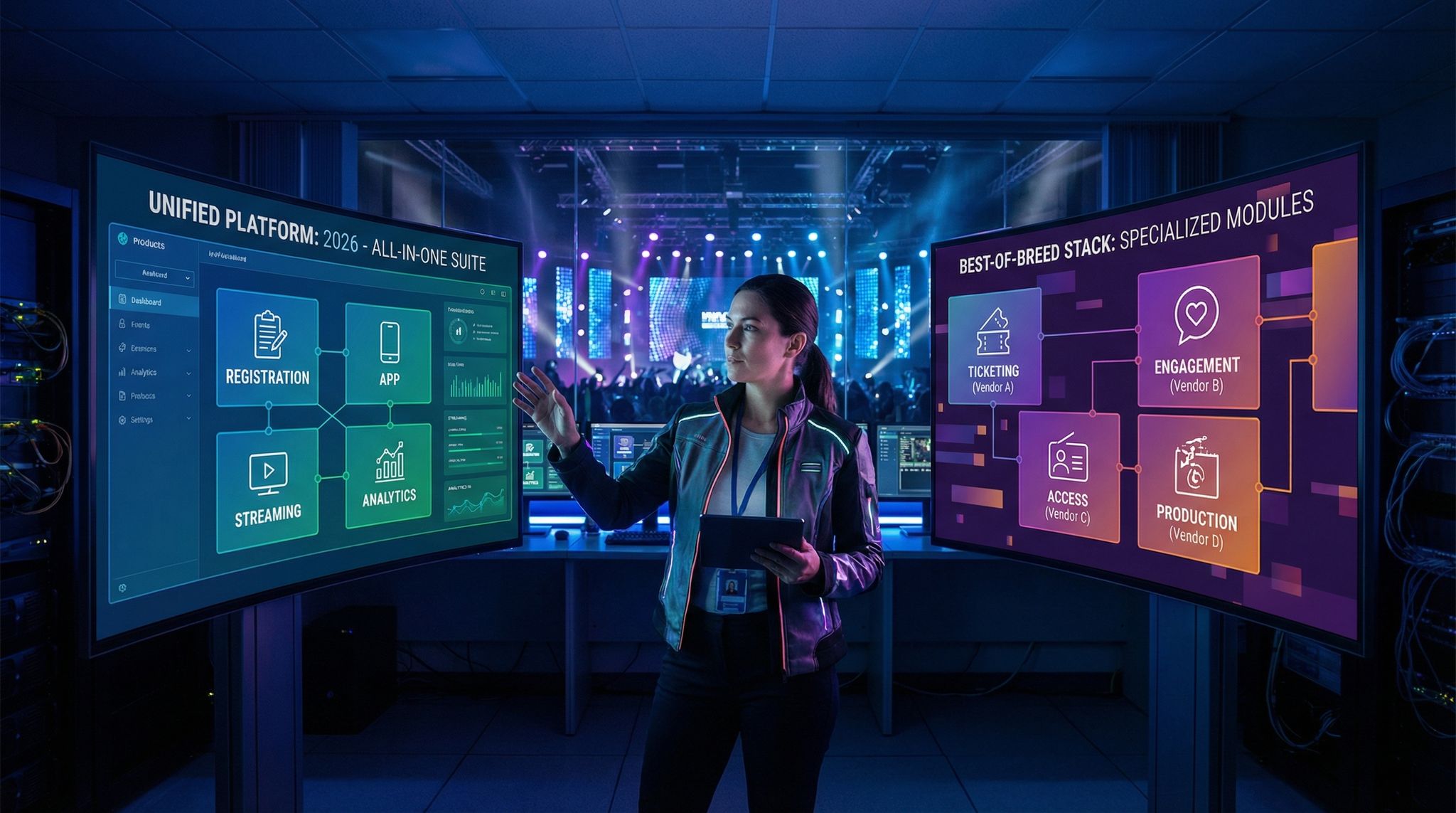
It’s important to define our terms. All-in-one event platforms are comprehensive systems that offer multiple event tech functions in one package – ticketing, registration, attendee apps, access control, marketing, live streaming, analytics, and more in a unified interface. The idea is a one-stop shop for all your tech needs. In contrast, a best-of-breed event tech stack means picking the top specialized solution for each function and integrating them. Instead of one vendor for everything, you might use a leading ticketing platform, a separate mobile app provider, a dedicated RFID access system, and so on. Each tool is the best in its niche. Many events end up somewhere in between: using a core platform plus a few add-ons. But fundamentally, organizers must decide whether to consolidate with one provider or diversify across many. In the sections below, we’ll dive into how each approach affects key aspects of your event – from cost and complexity to attendee experience and future flexibility.
All-in-One vs Best-of-Breed: The Event Tech Dilemma in 2026
Why This Decision Matters
Event organizers in 2026 face a pivotal technology decision: rely on a single all-in-one event platform or assemble a best-of-breed tech stack of specialized tools. This choice defines how your event operates, from ticket sales and entry to engagement and data tracking. With tech now central to event success (over 90% of professionals say technology drives better outcomes), the stakes are high, and staying abreast of the best event technology options is critical. Choosing the right approach can mean the difference between a seamless production and a logistical nightmare. The all-in-one vs best-of-breed debate isn’t just an IT question – it’s a strategic decision impacting budget, attendee experience, and long-term growth.
Go Cashless With RFID Technology
Enable contactless payments, faster entry, and real-time spending analytics with RFID wristbands and NFC-enabled ticketing for your events.
Evolution of Event Tech Ecosystems
Over the past decade, event technology has exploded in scope and complexity. In the early 2010s, many organizers got by with a single ticketing system and perhaps a basic event app. Fast forward to 2026, and even mid-sized conferences might deploy over a dozen different tech tools – one for ticketing, another for RFID access control, separate platforms for cashless payments, a mobile event app, live streaming services, CRM systems, and more, creating a landscape of diverse tech vendors at modern events. This complexity introduces challenges in managing multiple vendors. This constellation of specialized providers is often adopted to deliver cutting-edge experiences in every domain. At the same time, a new wave of all-in-one event platforms promises to cover all these needs under one umbrella, reducing the moving parts. Event tech ecosystems have evolved into either integrated single-vendor suites or patchworks of niche solutions. Understanding this evolution helps frame why the all-in-one vs multi-tool decision has become so prominent for modern events.
Defining All-in-One vs Best-of-Breed
It’s important to define our terms. All-in-one event platforms are comprehensive systems that offer multiple event tech functions in one package – ticketing, registration, attendee apps, access control, marketing, live streaming, analytics, and more in a unified interface. The idea is a one-stop shop for all your tech needs. In contrast, a best-of-breed event tech stack means picking the top specialized solution for each function and integrating them. Instead of one vendor for everything, you might use a leading ticketing platform, a separate mobile app provider, a dedicated RFID access system, and so on. Each tool is the best in its niche. Many events end up somewhere in between: using a core platform plus a few add-ons. But fundamentally, organizers must decide whether to consolidate with one provider or diversify across many. In the sections below, we’ll dive into how each approach affects key aspects of your event – from cost and complexity to attendee experience and future flexibility.
When organizers decide to build the best event tech stack platform for their specific needs, they typically anchor it around a central hub. Selecting the best event tech stack core product—often a powerful ticketing engine or CRM—is the most critical first step. This core product acts as the foundational database, allowing peripheral best-of-breed tools (like specialized marketing apps or RFID scanners) to plug in seamlessly and share data without creating isolated silos.
Cost and ROI Considerations
Upfront Costs and Pricing Models
Budget is often the first factor in this decision. All-in-one platforms typically bundle many features into a single licensing fee or commission structure. This can be convenient – you pay one bill to one vendor for an entire suite. Some all-in-one providers charge per attendee or per event; for example, a comprehensive virtual event platform might quote £2–4 per attendee to cover registration, streaming, engagement tools, and support, simplifying the budgeting process for large events. For large events, that flat per-head pricing can simplify budgeting. On the other hand, a best-of-breed stack means multiple pricing models: one system might charge a percentage of ticket sales, another a monthly subscription, another a one-time hardware cost. You pay for each tool individually, which can sometimes mean you only pay for what you need (avoiding spending on bundled features you won’t use). However, those costs can add up. A specialized live polling app, an advanced RFID system, and a custom event app license each bring their own fees. It’s not unusual for the combined cost of best-of-breed tools to rival or exceed an all-in-one package if you’re not careful.
Ongoing Operational Costs
Beyond upfront fees, consider the operational costs over the event lifecycle. An all-in-one solution can reduce administrative overhead – with one contract, one support line, and often a volume discount for using more of the suite. There’s also potential savings in training (your team learns one system) and in integration effort (since the components are already unified). A consolidated platform might even come with inclusive benefits like integrated payment processing rates or built-in marketing tools, saving you from subscribing to external services. In contrast, a multi-tool approach incurs integration and maintenance costs that aren’t always obvious on day one. Each additional system might require technical work to connect it to the others (we’ll discuss integration in depth shortly). Whether it’s paying developers to link your ticketing system with your CRM or subscribing to middleware like Zapier for data syncs, these are real costs. Additionally, managing multiple vendor relationships can mean extra staff time in meetings, coordinating updates, and troubleshooting across companies. It’s crucial to do a total cost of ownership (TCO) analysis: sometimes the license fees for individual best-of-breed tools seem lower, but once you include the personnel time and integration spending, the all-in-one package might prove more cost-efficient (or vice versa). Savvy event CFOs compare the 1-year and 3-year costs of both models, including all hidden expenses, to inform their choice.
ROI and Value Measurement
Return on investment is not just about cutting costs – it’s about the value the technology delivers. An all-in-one platform might boost ROI by streamlining operations and reducing errors (for example, no lost sales due to a poor integration, and faster go-live thanks to a unified setup). There is also value in having all your data in one place when calculating ROI on the event – you can easily pull holistic reports on ticket revenue, onsite spend, and engagement in one dashboard. On the flip side, best-of-breed stacks can drive higher ROI if each specialized tool significantly outperforms an all-in-one’s equivalent feature. For instance, if your separate networking app leads to better attendee engagement and sponsor deals than a basic all-in-one networking module, the extra cost may pay for itself in attendee satisfaction and sponsor renewals. The key is to measure impact. Whichever route you choose, set clear KPIs (like ticket conversion rate, entry wait times, app engagement, revenue per attendee, etc.) and track them. This ensures you’re getting returns. Some organizers find that an all-in-one’s convenience yields indirect ROI by freeing staff to focus on attendee experience, while others find that a custom stack’s superior features yield direct ROI (e.g. higher spend per attendee due to a better cashless payment system). Ultimately, ROI comes from aligning tech capabilities with event goals. Be wary of overpaying for underused features in an all-in-one, and equally wary of overspending on too many niche tools that drive minimal incremental value. As one guide on avoiding event tech overload notes, more tech isn’t always better – it’s about choosing high-impact tools that justify their cost.
Data-Driven Event Marketing
Track ticket sales, demographics, marketing ROI, and social reach in real time. Exportable reports give you the insights to make smarter decisions.
Integration and Technical Complexity
Data Flow and System Integration
One of the biggest challenges with a best-of-breed approach is making all the pieces work together. In an ideal world, your ticketing system would seamlessly feed purchaser data into your event app, your RFID access control would update attendee records in real time, and your streaming platform would share engagement analytics with your central dashboard. Achieving this free flow of data requires integration effort. If you go the multi-tool route, integration planning is absolutely critical. Many events create a technology integration blueprint mapping every point where systems need to exchange information, a crucial step in operational planning for event technology integration. This helps in eliminating data silos and duplicate work. Integration can be done via open APIs, webhooks, or using third-party integration platforms. It’s encouraging that many 2026 event tech vendors embrace openness: when evaluating any vendor, ask “How well does this system play with others?” as vendor interoperability is a key selection criteria. Look for robust APIs and pre-built connectors. For example, if your ticketing platform natively syncs with popular CRM and email tools (or offers an app marketplace of plugins), you’ll save a lot of custom work, a benefit of choosing reputable vendors with established ecosystems. All-in-one platforms reduce the need for external integrations by design – their modules are already internally connected, so the ticketing module automatically links to the built-in email blaster and analytics, for instance. However, remember that no one platform does absolutely everything. Even all-in-ones often need to plug into at least a couple external systems (perhaps your finance software for accounting, or a specific social media streaming channel). So integration questions still matter when choosing an all-in-one: ensure it has flexible data import/export if not full APIs, so you won’t be trapped if you need to connect something later, ensuring flexibility in your payment and data systems.
Mapping a Multi-Tool Stack (Example)
To illustrate the complexity of a best-of-breed stack, consider a hypothetical large festival with a mix of tech solutions. The table below shows what an integrated tech stack might look like compared to a single-platform approach:
Ready to Sell Tickets?
Create professional event pages with built-in payment processing, marketing tools, and real-time analytics.
| Event Function | All-in-One Platform Module | Specialized Tool (Best-of-Breed) |
|---|---|---|
| Ticket Sales & Registration | Unified ticketing & reg module in one platform | Dedicated ticketing system (e.g. Ticket Fairy) |
| Marketing & Communications | Built-in email marketing and SMS tools | Email automation software (e.g. Mailchimp) + CRM integration |
| Mobile Attendee App | Native all-in-one event app (basic features) | Third-party event app provider (feature-rich networking, personalization) |
| Access Control (Entry & RFID) | Integrated QR code scanning, basic RFID support | Specialized RFID system (e.g. Intellitix for wristbands) integrated via API |
| Cashless Payments | Payments add-on (if offered by platform) | Dedicated cashless payment system (bespoke or vendor like Billfold), linked to ticket database |
| Live Streaming | Built-in streaming module (limited to platform) | External streaming service (e.g. Vimeo OTT or custom RTMP feed) embedded in event app |
| Audience Engagement | Basic Q&A and polls in app | Specialized interaction tool (e.g. Slido for live Q&A, polls) integrated via widget |
| Analytics & Reporting | Single dashboard for all metrics | Aggregated reports from each tool combined in a BI tool (extra data work) |
In this example, the all-in-one platform covers many bases but might lack depth in certain areas (perhaps its app has only simple features, or its streaming quality is limited). The best-of-breed column picks the top tool for each job – offering potentially superior functionality in each category – but requires tying them together. For the festival, using separate best-in-class providers means coordinating multiple APIs and data flows. A middleware layer or custom development might be needed so that, say, the RFID scans from Intellitix update in the main attendee database in real time. The more tools you add, the more spaghetti the integrations can become if not managed well. This is why technical architecture planning is crucial with best-of-breed. Some events hire integration specialists or use iPaaS (Integration-Platform-as-a-Service) solutions to manage this complexity, though finding the right integrations can take time. The upside is maximum flexibility and feature quality; the downside is the heavy lifting to make it seamless.
Reliability and Single Points of Failure
Complexity directly ties into reliability. With an all-in-one platform, there’s an appealing simplicity: if the platform is up, all your functions are working. Fewer moving parts can mean fewer things to break… but it also means a single point of failure. If that one platform suffers an outage at the wrong time, it can bring your entire event to a standstill. Imagine your all-in-one system’s server goes down on day 1 of a festival – ticket scanners, cashless payments, event app, even stage schedules might all go dark together. You’re wholly at the mercy of that vendor to fix it quickly, highlighting the risk of relying on a single point of failure. By contrast, a multi-tool stack has a bit of inherent redundancy: if one system fails, others may continue running. For instance, if your polling app crashes during a conference, it’s embarrassing but your core ticketing and check-in still function. You might even swap in a backup tool for live questions if needed. However, multiple tools also mean multiple potential failure points – a poorly implemented integration can crash a connected system or incorrect data can propagate across platforms. Ensuring reliability in a best-of-breed setup means thoroughly testing all integrations and having backup plans. Some experienced tech architects create manual fallback processes (like a backup offline check-in method if either the all-in-one or the combined system fails). In practice, many big events use a hybrid reliability strategy: for example, even if using an all-in-one, they might still prepare an export of the attendee list to spreadsheets or have printed QR codes, just in case. Meanwhile, those using multiple vendors coordinate a support plan where each provider has on-call technicians and clear responsibilities. Ultimately, neither approach is immune to tech glitches – what separates successful events is resilience planning. Having contingency workflows and support escalation paths is vital whether you centralize or diversify your tech stack, as critical issues can arise with any platform. As veteran production teams will tell you, learning from real-life event tech disasters helps you prepare for the worst even while expecting the best.
When evaluating reliability, organizers must pay special attention to their on-ground event tech. This encompasses the physical hardware and localized software deployed at the venue—such as box office point-of-sale terminals, RFID entry portals, handheld ticket scanners, and local command center dashboards. In an all-in-one ecosystem, these on-site tools are natively synced, meaning a single local server or offline mode can often keep the gates flowing even if the venue loses internet. Conversely, a diversified event tech stack requires each specialized on-site vendor to maintain their own offline capabilities and local network resilience. If your cashless payment provider goes offline but your access control stays up, the disruption is contained, but troubleshooting requires coordinating with multiple field technicians. Ensuring that your physical, on-site technology is robust enough to handle harsh festival environments or dense conference Wi-Fi is just as critical as your cloud infrastructure.
Staff Training and Vendor Support
Another often overlooked aspect of technical complexity is the human factor: training your staff and volunteers to use the tech. All-in-one platforms can simplify training significantly. Your team has one interface and system to master, and the vendor usually provides a unified training program. This can be a lifesaver, especially for events with limited tech-savvy staff or high volunteer turnover. If everyone from the ticketing manager to the on-site crew is using the same system, you can run one comprehensive training session (and the vendor might supply on-site support personnel who know the whole system end-to-end). In a best-of-breed scenario, training becomes more fragmented. Each tool may require its own expertise: your registration team needs to learn the ticketing software, your production team must learn the streaming platform dashboard, your entry staff must learn the RFID scanners, etc. Ensuring smooth adoption of multiple new tools is non-trivial – it requires more planning and possibly creating internal guides for each system. Some events designate a tech champion for each platform (e.g. one team member becomes the in-house super-user for the mobile app, another for the payments system) and then those champions cross-train others. As noted in guides on strategies for smooth staff technology adoption, staggering the introduction of tools and using sandbox environments can help staff get comfortable without pressure. Also, consider vendor support: with one vendor, you have one throat to choke (or one hand to shake). Accountability is clear – if something breaks, they are responsible to help. With multiple vendors, support can become a game of telephone (“It’s likely an issue on the other system’s end…”). During an event, you don’t have time for finger-pointing between providers. To mitigate this, you might arrange joint support calls ahead of the event or ensure each vendor is aware of the full stack and has a collaboration plan. Some organizers even station vendor reps from key providers on-site (or on-call) during live days to ensure quick resolution. Collaboration among vendors is essential, treating your multi-vendor stack as a unified team – make sure they’ve integrated before or at least tested together. If you manage it well, you can harness the full power of each specialized tool without the headaches, creating state-of-the-art experiences, but it takes effort to get there.
Attendee Experience and User Journey
Seamless End-to-End Experience
The ultimate judge of your tech stack is often the attendee. A primary promise of all-in-one systems is a seamless attendee journey. Since all modules are unified, attendees ideally have one account/login and a consistent user interface throughout. For example, an attendee might buy a ticket on your event’s branded all-in-one platform, receive a confirmation email from the same system, and use the integrated mobile app (with the same login) to check the schedule and enter the venue with a QR code. The look-and-feel remains consistent, and data like their profile or preferences travels with them across touchpoints. This continuity can significantly reduce friction. There are fewer “Where do I go now?” moments for attendees because everything is in one ecosystem (often under your event’s branding). It also means less repetitive data entry – a single sign-on covers ticket purchase, session sign-ups, networking, etc. In industries like conferences or B2B events, a smooth end-to-end digital experience reflects well on the event’s professionalism. All-in-one providers often emphasize their white-label branding capabilities, allowing you to maintain your event’s brand across the entire user journey, which builds trust and comfort. Moreover, having all data in one place means personalized touches are easier – the platform can recommend sessions or send reminders based on an attendee’s history, since it “knows” everything they’ve done in one profile. These advantages show why many attendee experience experts lean towards all-in-one when a uniform journey is a top priority.
Multi-Platform User Friction
Conversely, a best-of-breed approach can introduce friction if not carefully managed. Imagine an attendee’s experience in a poorly integrated stack: They buy a ticket on Platform A, then are told to download App B for event information (and must create a new login there because A and B aren’t synced). Later, to watch a live streamed keynote they’re directed to Platform C, perhaps needing yet another login or to input a code. If each component has a different interface or requires the attendee to re-authenticate, the experience can feel disjointed and frustrating. Every additional step or inconsistency is a chance to lose engagement – or worse, confuse the attendee to the point they give up on using your tech. One big concern is the transfer of credentials: best-of-breed setups should implement single sign-on (SSO) or at least shared login links where possible, to avoid multiple passwords for one event. Another concern is consistency in communication. If your platforms don’t talk to each other, an attendee might get redundant or mismatched emails (e.g., the ticketing system emails them a barcode while the app separately emails a welcome message that doesn’t reference the barcode). Ensuring a coherent messaging strategy across tools is key. User experience design across multiple platforms requires meticulous planning – you almost have to walk through the attendee journey step by step and see where handoffs occur. Are they seamless (e.g., an email with a magic link that logs them into the app with one click ) or do they require the user to manually jump? The best events using multi-tool stacks invest in custom integration to smooth these edges – for instance, embedding the streaming video directly inside the event app or website, so attendees aren’t actually aware a different provider is delivering it. With enough effort, you can mimic a unified experience using diverse tools, but it’s an additional layer of work on top of implementing the tools themselves. Attendee expectations in 2026 are high; we’re all used to polished digital experiences. So if you go best-of-breed, be prepared to put as much thought into UX integration as into technical integration.
Many organizers wonder if a diversified tech stack can truly match the fluidity of a single system. The answer is a resounding yes—a best-of-breed approach can still deliver a seamless experience for attendees, provided you prioritize data synchronization and unified design. By utilizing headless architecture or deep API integrations, you can mask the transitions between different software providers. When the underlying data flows instantly from your ticketing engine to your mobile app and access control gates, the attendee simply experiences a frictionless, highly personalized event journey without ever realizing they are interacting with multiple vendors.
Branding and Personalisation
Branding is another part of attendee experience to weigh. All-in-one systems often allow comprehensive branding across the entire platform – your logo, colours, and style carry through registration pages, event app, emails, and even RFID wristbands if the provider handles fulfillment. When dealing with one vendor, you can often achieve a consistent brand presence relatively easily. If you’re working with multiple specialist tools, each tool may have its own branding limitations. For example, your ticketing page might be fully white-labeled under your URL, but the separate networking app might only allow a logo and banner change while the rest of its interface retains the vendor’s look. Or a polling tool might not let you remove their logo. As a result, attendees might notice when they transition (“Why does this part of the event look different?”). That said, many specialized tools catering to enterprise events do offer white-label or extensive branding options; you just have to implement them in each system. It’s important to audit each tool’s branding flexibility if a unified look is important to you. Personalisation capabilities can also differ. An all-in-one platform can leverage data from one part of the system in another – for instance, knowing an attendee’s ticket type and preferences to personalize content in the app. In a multi-tool stack, achieving that level of personalization requires data to be passed between systems (e.g. sending ticket type info from the ticketing platform into the mobile app’s profile records). It’s doable with integration, but again, not automatic. On the flip side, a best-of-breed approach may unlock more advanced personalization in specific areas. For example, a dedicated email marketing tool might use AI to send highly tailored recommendations to each attendee, far beyond the capability of an all-in-one’s basic email function. Or a specialized networking platform might use matchmaking algorithms to suggest who to meet at the event. These can greatly enhance the attendee experience if utilized. In short, an all-in-one can ensure consistency and basic personalization easily, whereas a custom stack might deliver deeper personalization in siloed areas if you integrate the outputs. When considering attendee experience, ask yourself: is a uniform, branded journey most critical, or do I need standout experiences in specific domains (even if it means a few design quirks across platforms)? The answer will guide you toward one approach or the other.
Avoiding Technology Overload
No discussion of attendee experience is complete without noting the risk of technology overload on your audience. Just because you can deploy a dozen cool tools doesn’t mean you should bombard attendees with all of them. Attendees can tire of having to download multiple apps or navigate too many interactive features. A streamlined approach – often more achievable with an all-in-one – can sometimes lead to higher satisfaction. As covered in the cautionary piece on avoiding event tech overload in 2026, more gadgets and apps can backfire if they don’t clearly add value, cluttering the experience instead of enhancing it. Each layer of tech should serve a purpose that’s evident to attendees. If using an all-in-one, you might still choose to disable or hide modules that aren’t relevant, keeping the experience focused. If using best-of-breed, ensure each tool’s attendee-facing component is truly necessary and well-explained. For example, if you introduce a separate AR gaming app for fun engagement, make sure it ties into your event theme and you’ve communicated why attendees should care (and how to use it). Sometimes less is more when it comes to what you ask your audience to adopt. The best approach – whether single platform or multi – is one that deploys just the right amount of tech to enhance the experience and no more. Remember, technology is a means to an end: creating an unforgettable event. Don’t let an over-complicated stack (or even an overstuffed all-in-one) overshadow the fundamental experience your event is delivering.
Feature Depth, Innovation and Customization
One-Size-Fits-All vs Best-in-Class Features
A core trade-off between all-in-one and best-of-breed is depth vs breadth of features. All-in-one platforms are the ultimate generalists – they offer a broad range of features, but each feature may not be as deep or advanced as a dedicated solution would be. For example, an all-in-one might include an audience Q&A module, but it could be limited to text questions with basic upvoting. Meanwhile, a specialized Q&A platform (as part of a best-of-breed stack) might support rich features like question filtering, analytics on engagement, word clouds of discussed topics, etc. With all-in-one, you’re effectively accepting the “80% capability” in many areas for the convenience of one package. For many events, that is perfectly fine – not everyone needs the absolute cutting-edge in every domain. However, if a particular feature is mission-critical to your event’s success, a best-in-class tool might be worth the integration. For instance, if your event’s appeal hinges on its mobile app community and live interaction, you might lean toward dedicated apps and engagement tools that transform sessions rather than a vanilla app module. Best-of-breed empowers you to cherry-pick the very best features on the market for each need. The downside: those features might not all align perfectly or come with the convenience of a unified interface. When evaluating all-in-one solutions, scrutinize the depth of each included feature and identify any weak links that might not meet your requirements. Conversely, when going multi-tool, ensure each specialized tool indeed excels enough to justify the added complexity. Sometimes event teams discover that an all-in-one’s “good enough” features are sufficient – other times, they realize that a key area (like advanced ticketing options, or sophisticated sponsor activation features) demands the best-of-breed approach.
Integrating Emerging Technologies
In 2026, innovation in event tech is rapid – from AR/VR experiences to AI-powered personalization and biometric interfaces. How do these play into all-in-one vs best-of-breed? Generally, all-in-one platforms are slower to adopt cutting-edge niche features. They have to serve a wide client base and often emphasize stability over being first with a trend. If you want to experiment with a hot new technology like an AR game scavenger hunt or facial-recognition-based check-in, you might need to bring in a specialist vendor. Best-of-breed stacks shine here: you can plug in an innovative tool for a specific activation without overhauling everything. For instance, if you read about a festival using biometric payments (fingerprint or face scan) for cashless purchases, you could integrate a biometric payment provider just for that aspect, similar to how Intellitix completed a massive RFID rollout or how Tomorrowland implemented cashless bracelets. All-in-one suites likely won’t have built-in biometric payments (or if they add it later, you’re waiting on their timeline). Likewise, for VR experiences, you’d involve an AR/VR studio or platform as a separate piece. Therefore, events that prioritize being on the cutting edge often find a best-of-breed approach more flexible. It’s easier to slot in an additional tool or two for new tech than to wait for a monolithic platform to support it. However, note that some all-in-one vendors address this by creating ecosystems – for example, they might allow third-party plugins or have an open API so you can develop custom modules on top of the platform. If choosing an all-in-one and you know you’ll want to incorporate emerging tech, favor one that’s known for innovation or that actively partners with new tech providers. Some have developer marketplaces or Zapier connectors that enable integrating cutting-edge tools as they arise, though finding the right integrations can take time. The ability to embrace new technology quickly can be a competitive advantage for your event. Best-of-breed is inherently good for that, but a forward-thinking all-in-one can also provide hooks to extend its capabilities. The key is assessing how important experimental or advanced features are to your event DNA. A tech-forward esports tournament will have different needs than a traditional B2B conference in this regard, a sentiment echoed in discussions about hotel technology landscapes and driving best-in-class tech strategies.
Customization and Flexibility
All-in-one solutions often tout their customizability, but there are limits. Usually you can configure many settings and perhaps add custom branding or minor tweaks, but you can’t fundamentally change how a module works. You’re one client among many, so the platform’s features are what they are (aside from requesting new features and hoping the vendor adds them eventually). Best-of-breed gives you more flexibility in a few ways. First, you can choose exactly which components to include. If the all-in-one’s networking feature is weak, you can drop it and integrate one you prefer – whereas with a single platform you’re stuck with whatever networking feature is provided, even if it’s mediocre. Second, if you have in-house developers or hire contractors, you can build glue code or even custom applications to fulfill very specific needs when you have a diversified stack. For example, maybe you want a custom leader-board that pulls data from several systems (ticket purchases, session check-ins, gamification app) and displays it on a screen in real-time – with a best-of-breed approach you have direct access to each system’s API to get the data and create that custom feature. With an all-in-one, you could only do that if the platform exposes those data via API (and many do, but some might not in the way you need). In worst cases, a closed all-in-one might leave you exporting CSVs as the only way to get data out, which is not timely for real-time customization. On the other hand, all-in-ones can surprise you with how far their built-in customization goes. Many allow custom fields, custom workflows, and integrations through webhooks. They know they must be broadly flexible to cater to different events. Make sure to assess how well an all-in-one can adapt to your processes. If you have a unique ticket approval workflow or a special access permissions scheme for VIPs, can the platform handle it? If not, you might end up doing awkward workarounds, whereas a bespoke combination of tools (or a bit of custom dev in a best-of-breed stack) could accommodate it elegantly. Another flexibility consideration is switching out components. With a multi-tool stack, if one vendor underperforms, you can swap them out after the event for another without disrupting other systems too much. For example, if your streaming provider was unreliable, next time you choose a different one while keeping the rest of the stack. With an all-in-one, swapping out means replacing the entire system, which is a much bigger ordeal. You’re effectively more locked-in. This doesn’t mean you shouldn’t commit to one if it’s the right fit – but be aware of the opportunity cost of switching later. You might negotiate shorter contracts or ensure there’s an exit plan if you outgrow the platform. In summary, best-of-breed often gives more granular control and adaptability, while all-in-one trades some flexibility for simplicity and predictability.
Grow Your Events
Leverage referral marketing, social sharing incentives, and audience insights to sell more tickets.
Scalability and Future-Proofing
Scaling Up with Event Growth
If your event is on a growth trajectory, you need a tech approach that can scale with you. All-in-one platforms are usually designed to handle a range of sizes, but each has its limits. Some platforms that work great for a 500-person corporate retreat might strain at a 50,000-person festival. It’s crucial to verify the capacity of an all-in-one solution – how many concurrent users can it support on the app or streaming? How many ticket transactions per second can it handle during an onsale? Reputable all-in-one vendors will have case studies of big events they’ve served. If you plan to grow attendance significantly or expand to multiple events, check the pricing model too. An all-in-one might become disproportionately expensive at scale (e.g., per attendee pricing that’s affordable at 1,000 people could break the bank at 100,000 people unless there’s a price cap or custom deal). On the plus side, if the platform can handle it, scaling is straightforward: you just add more attendees into the existing system. With best-of-breed stacks, scaling can be more modular. Perhaps your ticketing provider is built for mass scale (millions of tickets), but your chosen event app struggles beyond 5,000 users – you could replace just that component as you grow. Many large festivals and conventions actually evolve this way: they start with an all-in-one when small, and as they grow, they peel off functions to specialized providers that handle scale better. For instance, a music festival might start on an all-in-one in year 1, but by year 3 move to a dedicated ticketing system that offers better fraud control and high-volume sales capacity, and by year 4 add an RFID entry system for 50k attendees because the old QR code check-in became too slow. The multi-vendor route can therefore be a natural result of scaling. One thing to consider is performance at peak loads: integrated systems might have advantages in optimizing end-to-end performance (e.g., data caches are shared across modules), whereas a chain of separate tools introduces potential bottlenecks at each integration point. Load testing your stack becomes important – ensure your data synchronization or API calls won’t lag when thousands of users hit the systems simultaneously.
Adapting to Industry Trends
Future-proofing isn’t just about size, it’s about new industry trends and requirements. Regulations can change (think data privacy laws, or accessibility requirements for digital content), and audience expectations evolve (for example, mainstream adoption of AR glasses in a few years could make AR features a standard expectation for events). All-in-one vendors will handle some of this for you – e.g., if new privacy regulations come, a good platform will update their compliance and maybe provide tools to help you with GDPR or CCPA settings across all modules . If hybrid events become more the norm, the platform might roll out better streaming and remote engagement features over time. The catch is, you’re on their timeline. If there’s a trend you want to ride early (say, ticket NFTs or the next-gen holographic presentations), a monolithic platform might not support it until a year after competitors. Best-of-breed gives you the agility to adopt new tech by simply adding a new tool or integrating a new service when you’re ready. The trade-off, of course, is it’s on you to identify and implement those. Some organizers adopt what you might call a hybrid strategy: keep an all-in-one for core needs, but be ready to extend it with new tech as plugins. For example, if your all-in-one lacks a feature, see if you can custom-build it or integrate an external service via API. This way you get stability plus innovation. In the fast-evolving event landscape, it’s wise to ask any vendor (single or specialized): “How are you innovating and keeping up with trends?” A strong all-in-one provider should be able to demonstrate a roadmap of upcoming features that align with where events are headed (be it AI matchmaking, better on-demand content monetization, etc.). Meanwhile, if you run a multi-tool stack, you should plan periodic audits of your tools – are there new players in the market that do it better? Don’t be afraid to swap out components to stay current. The year 2026 is seeing technology like AI-driven personalization and immersive gamification become differentiators for leading events, as discussed on the Event Tech Live podcast and in comparisons of best-of-breed versus all-in-one solutions. Whichever approach you use, ensure it won’t lock you out of integrating these innovations when the time comes.
For large-scale organizers evaluating single platform vs best-of-breed enterprise software in 2025 or 2026, the decision often hinges on how quickly these systems adapt to global compliance and security standards. Staying informed is essential; many technical directors monitor industry portals and eventtech-services.com news throughout 2026 to track which enterprise software vendors are releasing the most robust API updates or acquiring niche startups.
Long-Term Sustainability
A final note on future-proofing is sustainability of your approach from an operational perspective. All-in-one might seem less work year over year – fewer contracts to renew, fewer systems to update. If the vendor is stable and your needs don’t outpace their development, you could happily use the same platform for many years (some events stick with a good all-in-one partner for a decade or more, growing alongside the platform’s capabilities). With best-of-breed, you have more moving parts to maintain: each vendor relationship might have renewal cycles, and any custom integrations you built will need upkeep as APIs change or as you update components. Think about the staff and skills you’ll need long-term. If you have a tech-savvy team or an agency partner, managing a complex stack is feasible; but if you’re a small organization with limited IT support, the simplicity of one platform could reduce burnout and errors over the long haul. Another aspect is community and ecosystem. Some all-in-one platforms have user communities, knowledge bases, and multiple clients who share best practices – being part of that ecosystem can be valuable (you benefit from what the vendor learns working with other events too). On the multi-tool side, you might plug into multiple communities (one for your ticketing system, another for your event app, etc.). That can actually broaden your perspective, but it’s more to keep track of. Financially, consider the long-term cost trajectories: many SaaS tools increase prices over time or introduce new tiers. If you’re with one vendor, you might face bigger jumps (because all your eggs are there) but you can negotiate as a major client. With multiple smaller tools, each might creep up and aggregate cost could escalate unless you periodically re-evaluate vendors. Sustainability is also about your tolerance for change: a best-of-breed stack almost invites you to keep tweaking and optimizing (which can lead to fantastic improvements, but also churn), whereas an all-in-one encourages you to invest deeply in one solution and stick with it. Neither is inherently right or wrong – it depends on your event strategy and capacity. The goal is to have a tech foundation that you feel confident using not just for your next event, but two, three, five years down the line, adapting as needed without causing disruption each time.
Vendor Management and Support
Single Vendor Accountability
Working with a single all-in-one provider has clear advantages in vendor management. You have one point of contact for all support issues, one account manager who understands your event’s entire tech setup, and one contract to negotiate. This simplifies communication immensely. If something isn’t working – be it ticket scanning or the mobile app – you know exactly who to call, and it’s on them to figure it out internally. There’s no ambiguity about who is responsible for a problem; the all-in-one vendor is accountable for the performance of the whole system end-to-end. This can be a lifesaver when you’re on-site and time is of the essence. Many all-in-one providers will embed support staff with your team during key moments (for example, a representative on the ground for a major festival’s opening day) because they own the whole stack. Contractually, you might find all-in-ones have comprehensive SLAs (Service Level Agreements) covering everything – and if they fail to meet them, you have recourse in one place. Building a strong relationship with a single vendor can also pay dividends: they get to know your event’s quirks and can often configure their system to suit you better over time, or even develop new features for you if you’re a significant client. Negotiating power might be higher too, since you’re investing a lot with one company (you might get volume discounts or custom development thrown in as incentives). However, the flip side is vendor lock-in and dependency. You are trusting this one company with a huge chunk of your operation. If their company gets acquired or changes direction, you might have limited alternatives without major upheaval. All-in-one vendors sometimes get acquired by larger firms (it’s happened in the industry) which can lead to changes in pricing or focus. So do your due diligence on the vendor’s stability and strategy. Nonetheless, the simplicity of “one throat to choke” is appealing – especially for lean teams that don’t want to spend time vendor wrangling. You can focus on the event while the vendor focuses on the tech.
Multi-Vendor Coordination
If you opt for a multi-tool stack, be prepared to become a project manager of vendors. You’ll have multiple contracts – one for each provider – each with their own terms, support processes, and personalities. Coordination among vendors is one of the trickier aspects of best-of-breed. Ideally, you want all your tech partners to play nice together. In practice, that means you might have to facilitate introductions between them, share integration docs, and possibly schedule joint test sessions well before the event. Think of it like conducting an orchestra: each vendor has their instrument to play in your event, and you ensure they stay in sync. One tip is to clearly define integration points and responsibilities in each vendor’s scope. For example, ensure your mobile app provider is aware that you’ll be feeding it data from the ticketing system, and confirm who will support that data feed if issues arise. Some vendors will step up and coordinate directly with others (especially if they have a history of working together in the industry). Others may expect you to handle the in-between (or blame the other party if something goes wrong). As the event lead, you should set the tone that all vendors are part of one team delivering one solution. This might involve group kickoff calls or regular check-ins with all vendors on the line, so everyone hears the overall plan. Also, plan for staggered onboarding – you don’t want all vendors arriving with their needs the week of the event. Bring each onboard in phases: e.g., ticketing and registration far in advance, then as attendees start enrolling you introduce the event app vendor to prepare, and closer to the event the on-site tech like RFID gets looped in for final data integrations. By phasing, you reduce chaos and allow each to integrate into your operations progressively. A multi-vendor approach also means you’ll be juggling different support channels during the live event. You might have one vendor on WhatsApp, another on Slack, another on phone – prepare a central directory or war-room chat where you can pull in the right support instantly. Some events create an on-site command center for tech where representatives or liaisons from each provider sit together during critical periods. If you can’t do that physically, a virtual equivalent (a shared Slack channel with all vendors’ support reps available) can be set up. Yes, it’s extra legwork, but many hands make light work when coordinated. When it works, a multi-vendor setup can actually be very resilient – you have a multifaceted team of experts, each deeply knowledgeable about their part of the system, all ensuring your event succeeds. The caveat: clear communication is your best tool to prevent anything from falling through the cracks.
Contracts, Negotiations and Control
Working with different vendors also means navigating different contracts and business models. An all-in-one contract might be extensive, but at least it’s one document to review for terms on data ownership, security, payment processing, etc. With several vendors, scrutinize each contract for clauses that might conflict or create risks. For instance, you want to ensure data ownership is preserved – your attendee data is yours, even if it flows through multiple systems. (Many event organizers insist on clauses granting them full access and rights to their data. As discussed in a ticketing platform showdown guide for venues, retaining ownership of attendee data is critical when evaluating platforms.) Make sure no vendor’s terms would prevent you from integrating with others (it’s rare, but occasionally a contract might limit use of their API or something – which you obviously need to freely use). You’ll also encounter different fee structures: one vendor might take a % of sales, another a flat fee – coordinate how those align with your budget and perhaps negotiate volume discounts across the board. There’s also the matter of renewal alignment: if you plan multiple events, you may want to align contract periods so that all vendors come up for renewal at around the same time, allowing you to do a holistic review of the stack periodically. Otherwise, you might be locked into one for two years while another’s contract ends sooner, limiting your flexibility to shift strategy. With all-in-one, leverage the fact that you’re a bigger client to negotiate favorable terms – no setup fees, flexible payment timing, perhaps inclusion of new features when they launch. With smaller specialized vendors, you might have less negotiating power individually, but you can still push for things like month-to-month terms until they prove themselves, or bundling of services if some vendor offers multiple related tools. One more point: exit strategy. With any vendor (single or multiple), plan what happens if you need to switch. For an all-in-one, ensure you can export all your data easily (tickets, attendee info, engagement metrics, etc.) in a usable format, and know the timeline for transition. For multi-vendor, this is granular – if one tool is failing, can you pull it out mid-event if needed? Unlikely, so plan for next event. But having multiple vendors does mean if one drops the ball long-term, you can replace that piece without redoing everything. Some organizers actually like the control that best-of-breed gives them over vendors: no one vendor becomes “too critical” to negotiate with. If your all-in-one provider raises prices 30%, you’re stuck if they run everything. In a multi-tool world, you could threaten to or genuinely replace the ticketing part or the app part with a competitor to keep pricing in check. So from a negotiation standpoint, best-of-breed can provide competitive pressure, while all-in-one is more about partnership. Weigh what dynamic you prefer to manage.
Security, Compliance and Data
Data Centralization vs. Siloes
Data is the lifeblood of modern events – personal attendee info, ticket purchase records, scan times, engagement metrics and more. How this data is stored and managed differs between approaches. All-in-one platforms centralize data by nature: you effectively get a unified database where most, if not all, event data resides. This is a boon for generating insights (no need to merge spreadsheets from five systems) and can be beneficial for data security as well – there’s one system to secure and monitor. When data is unified, you avoid issues of inconsistent records (like one system showing an attendee checked in while another doesn’t have that update). It also simplifies compliance: if an attendee asks to have their data removed (exercising privacy rights), you may have one place to do it. On the downside, if that one database is compromised, all your data is at risk in one go. Best-of-breed stacks naturally create data siloes – each tool has its own datastore. This can be mitigated by integration, but even in the best integration setup, usually copies of data reside in each system. For example, an attendee’s name and email might live in the ticketing system, the mobile app DB, and the email marketing tool. That’s three places to protect and update. The onus is on you to ensure data is consistent and to reconcile it for analysis. However, siloed data can also act as a form of containment for risk: a breach in one system might expose one set of data (say just the streaming platform’s user list) and not automatically everything. Still, from a compliance viewpoint, multiple siloes mean multiple points where something could go wrong. Think about data retention policies – if you say you’ll delete personal data after so many days, you need to do it in every system. In an all-in-one, you do it once. In a multi, you need standard operating procedures to do it across all. Some events solve the silo issue by implementing a master data hub – perhaps their CRM or a custom database – which receives all data from each tool and acts as the source of truth. That can work but is yet another piece to manage. When deciding, consider how data-driven your event strategy is. If real-time unified data is crucial (for example, you’re doing personalized content on the fly or detailed cross-data analytics), the more integrated or singular the data store, the better. If your data needs are more basic, you might tolerate a bit of manual merging from various exports in exchange for using top separate systems. Just be cautious: data tasks that seem easy at thousands of records can become nightmares at hundreds of thousands.
Privacy and Compliance Management
Regulatory compliance in areas like data privacy (GDPR in Europe, CCPA in California, etc.) and accessibility is a must in today’s events. Using an all-in-one platform can simplify compliance because major providers invest heavily in these areas. A well-established all-in-one will likely be GDPR-compliant, with features like attendee consent tracking, easy data export for subject access requests, and settings for data minimization. They may also handle PCI compliance for payment processing centrally, which is one less thing for you to worry about if they are processing all ticket payments through their vetted system. Event organizers still carry responsibility, but a strong vendor should serve as a partner in compliance. They might provide a Data Processing Addendum (DPA) for GDPR and have certifications like ISO 27001 for security. When you have multiple vendors, you need to ensure each one meets the necessary compliance standards. One weak link (say a smaller engagement app that isn’t GDPR compliant) can jeopardize your overall compliance stance. You’ll need DPAs from each, confirmation of their security measures, etc. It’s certainly manageable – many specialized vendors are very used to these requirements – but it’s extra paperwork and diligence. Also, consider geographical data hosting: an all-in-one might give you an option to host data in your region (EU, US, etc.), whereas with five separate tools, you’d have to check where each stores its data. For attendee communications, all-in-one systems might have built-in compliance for anti-spam (like automatic unsubscribe handling for event emails), while with separate tools you ensure all are configured properly. Accessibility compliance (for digital tools) is another factor: if you’re using one platform, you have one accessibility standard to verify (does their app meet WCAG guidelines for example?). With multiple, you check each one’s accessibility features. The good news is event tech providers in 2026 are generally aware of these needs, and if you ask, they’ll provide documentation. But you have to ask. With a multi-stack, you become something of a compliance officer making sure all ducks are in a row. Don’t let that scare you, but do budget time for it. It’s wise to create a compliance checklist for all vendors (“Are you GDPR compliant? Provide DPA. Where is data stored? Are you SOC2 certified?” etc.). Security is intertwined with this – things like SSO mentioned earlier aren’t just convenience, they also can enhance security by not having attendees’ credentials spread across systems. Another point: if you have a privacy policy or terms of service for attendees, it might need to mention all the platforms in use (since data might pass through them). With one platform, it’s simpler to communicate. Ultimately, compliance is about trust – trust that attendee data is handled properly. Whether one system or many, you must ensure that trust isn’t broken.
Security and Risk Mitigation
Security of event tech involves protecting against hacking, fraud, and data breaches. Large all-in-one platforms typically have dedicated security teams, formal protocols, and frequent audits – in many cases they are safer than a patchwork of smaller tools. For instance, a big platform will have measures like two-factor authentication options, encryption of data at rest, regular penetration testing, and rapid patching of vulnerabilities. If most of your operations run through them, you benefit from those robust investments in security. However, as noted, it concentrates risk: a single breach could expose everything from payment info to personal addresses all at once. Best-of-breed spreads that risk but introduces more points to secure. You’ll want to evaluate the security track record of each vendor: have they had breaches? How do they handle credentials (do they hash passwords properly)? If one tool has weaker security (maybe a smaller startup without full-time security staff), that could be your Achilles’ heel. Integration can also open security holes if done sloppily – e.g., if you use an intermediary database to pass data and it’s not secured, or if you keep unnecessary sensitive data in a system that doesn’t need it. One practical approach is minimization: with multi-tools, only send each system the data it absolutely requires. For example, your check-in system might not need full addresses or payment details, so don’t put them there. All-in-one systems by default have everything internally, but they usually segregate functions under the hood (still, an admin in one platform might access a lot). Another angle is fraud and abuse: Ticketing and payment systems need anti-fraud measures (like bot protection, cap on tickets per person, etc.). If your all-in-one specializes in ticketing, they likely have these covered. If you’re combining a separate ticketing with separate marketing and so on, ensure each piece doesn’t introduce fraud vectors. An example: if using a separate referral tracking system (maybe to credit affiliate sales), that system should be secured against fake sign-ups or you could get spam. In terms of risk mitigation, diversify where sensible – even events on single platforms often use separate payment gateways (an all-in-one might integrate with known payment processors like Stripe or Adyen rather than running its own, which is good for reducing risk). If you do use an all-in-one that handles payments, confirm their PCI DSS compliance level. For multi, confirm it for each payment-related vendor. Also, backup plans are a part of security. Have data backups for critical info (if multiple systems, maybe one system’s data can be backup of another’s in certain parts). Some organizers periodically export a snapshot of their attendee list from an all-in-one just to have a local backup (the platform should secure it, but you might want one extra copy offline). For multi, since data is fragmented, you may assemble a master backup dataset combining all key info – but keep that safe and encrypted. In summary, whether one or many, diligence is key: vet vendors for security rigor, use strong admin credentials, enable any extra security features they offer, and monitor activity during the event. If you lack an IT security specialist in-house, it might be wise to consult one when making this strategic choice – they might spot risks or advantages that aren’t obvious.
Making the Decision: Which Approach Suits Your Event
Assessing Your Event’s Needs
After breaking down all these factors – cost, complexity, experience, features, scalability, support, and security – the final step is mapping them to your event’s unique needs. There is no one-size-fits-all answer; the ideal tech approach depends on your event’s characteristics and priorities. Start with your core objectives and pain points. Are you primarily concerned with delivering a frictionless attendee experience with minimal hassle? Then an all-in-one might align well. Is your event defined by a couple of standout features (e.g. a festival known for its cutting-edge interactive exhibits or a conference prized for networking)? Then investing in best-in-class tools for those aspects could outweigh the inconvenience of extra integration. Consider the size and format of your event too. A small community event or a one-day seminar with limited budget might lean all-in-one for sheer simplicity – the cost of multiple tools and integrations wouldn’t make sense. Conversely, a massive multi-day festival or trade show with six-figure attendance might require robust specialized systems (ticketing, access control, engagement) to handle volume and complexity, making best-of-breed more attractive despite the overhead. Also evaluate your team’s capacity and expertise. Do you have tech-savvy staff or partners who can manage a multi-vendor project? If not, a managed all-in-one solution reduces the burden. Or can you afford a consultant or systems integrator to glue together your dream stack? Sometimes the choice is influenced by what internal resources you have – experienced event technologists can pull off a complex stack more readily. In contrast, if you’re a lean operation, buying a turnkey platform that “just works” may be worth any trade-offs in features.
For emerging event brands and lean organizations, a common question arises: how do you deploy a martech platform that won’t require a dedicated team to maintain, and what are other startups using successfully? In these scenarios, early-stage promoters typically evaluate all-in-one vs best-of-breed software with a strict focus on automation. Successful startups often adopt a unified marketing and ticketing hub that natively handles email campaigns, affiliate tracking, and ad retargeting without needing a full-time marketing operations manager. As the business scales, they can gradually introduce specialized tools into their stack.
Weighing Pros and Cons Side by Side
When evaluating an all-in-one platform vs best-of-breed tools, the pros and cons for 2025 and 2026 implementations often come down to your internal resources. A platform-first technology strategy emphasizes operational simplicity and rapid deployment, making it ideal for teams with limited IT bandwidth. Conversely, best practices for a best-of-breed technology strategy dictate that you must have a dedicated technical lead or agency partner to manage the complex API handoffs and vendor relationships. Understanding these strategic trade-offs is essential before committing your budget.
It can be helpful to see the two approaches directly compared on key criteria. The table below summarizes some of the major pros and cons we’ve discussed:
| Factor | All-in-One Approach | Best-of-Breed Approach |
|---|---|---|
| Budget & Pricing | Single vendor, consolidated cost (may be a higher upfront package). Could save on integration and multiple subscriptions. | Multiple vendors, pay only for needed tools (more granular control of cost). But integration & management costs add overhead. |
| Implementation | Turnkey setup, faster to deploy initially. One training for staff. Minimal technical integration needed. | Longer setup, need to integrate systems. Steeper learning curve with different UIs. Requires more project management. |
| Attendee Experience | Consistent, unified journey. One login, cohesive branding. Lower risk of user confusion. | Potentially richer experiences in each area (best tool for each task). But risk of a fragmented user journey if not well integrated. |
| Features & Innovation | Wide breadth of features, but each may be basic. Feature updates depend on vendor’s roadmap. May lag in niche innovations. | Top-notch features in each category, easily add new tech tools. Can adopt innovations faster by swapping/adding solutions. |
| Flexibility | Vendor provides what they provide – limited customization beyond configurable settings. Locked into vendor’s capabilities. | Highly flexible – choose tools à la carte, customize integrations. Can replace components without uprooting entire stack. |
| Scalability | Scales as a whole – if vendor supports your size, it’s straightforward. But hitting a platform’s upper limit is a big issue. | Scales piecewise – swap in more powerful tools for areas that need it. More complexity in ensuring all parts scale together. |
| Vendor Management | Simple, one contract, clear responsibility. Relationship is strategic partnership. Risk of lock-in if vendor issues arise. | Many contracts, require coordination. Can foster competition and backup options among vendors. More effort to manage relationships. |
| Data & Reporting | Unified data source – easy holistic reporting and insights. Simpler compliance (one system). Single point of data failure if breached. | Data in siloes – need aggregation for full insights. Must ensure consistency manually or via integration. More points to secure but isolates some risks. |
| Support & Reliability | One support team covers all. Single point of failure in outages, but no finger-pointing. Vendor often provides strong on-site support if critical. | Multiple support teams – need clear issue ownership. Partial failures possible (one system down, others up). Requires robust contingency planning across vendors. |
This comparison table reinforces that neither approach is categorically “better” – it’s about trade-offs. You might add your own criteria as well, such as community and vendor ecosystem or user feedback. For instance, maybe you value a platform’s user community for learning best practices, or you prefer best-of-breed because you can hand-pick vendors known for excellent customer service. List out what matters most to your event, and see which column checks more boxes for those priorities. Sometimes it’s a weighted decision – e.g., attendee experience might be non-negotiable, tipping you to whichever option maximizes that, whereas a bit of extra cost or effort might be acceptable.
Hybrid Approaches in Practice
It’s worth noting that many events end up with a hybrid approach almost by necessity. You might use an all-in-one plus a couple of specialist add-ons. This can be a sweet spot: you get the efficiency of a single platform for core functions and carefully integrate a best-in-class tool for a specific gap. A practical example in 2026: an organizer uses a robust all-in-one for ticketing, entry, and basic event app features, but they integrate a specialized referral marketing and audience engagement tool to boost ticket sales via fan referrals (perhaps the all-in-one didn’t have that marketing virality built-in). Or a conference might use an all-in-one for everything except swap out the streaming module in favor of a professional-grade broadcast platform to achieve ultra-low latency and TV-quality production. These hybrids are common. The key is ensuring the main platform allows those integrations – e.g., Ticket Fairy’s ticketing platform provides open API access and native integrations (to CRM, email, cashless systems, etc.), so organizers can treat it as the central hub while still plugging in other tech as needed. If you lean toward all-in-one but worry about its weaker areas, ask the vendor explicitly: “Can we use a different solution for X and connect it in?” Many will have encountered this request and have methods to accommodate it. On the flip side, if you’re building a best-of-breed stack and find it overwhelming, consider if one of your chosen tools could take on multiple roles. For instance, some ticketing platforms (especially newer ones) have expanded features that cover things like marketing or on-site sales that you might not realize – leveraging more of one tool can reduce the total number of vendors. The boundary between all-in-one and best-of-breed is not black and white. It’s a spectrum. You might start at one end and evolve towards the middle. The right approach today might shift next year after lessons learned. And that’s okay – adaptability is part of event tech strategy. The goal isn’t to pick one approach and stick rigidly no matter what; it’s to serve your event’s needs in the best way possible with the resources available. In fact, regularly reviewing your tech stack (annual or biannual) is a good practice. Some years, consolidating might save money and sanity; in other years, adding a new specialist tool might give you the competitive edge.
Smooth Entry With Mobile Check-In
Scan tickets and manage entry with our mobile check-in app. Supports photo ID verification, real-time capacity tracking, and multi-gate coordination.
Real-World Scenario Examples
To ground this in reality, let’s briefly look at two contrasting scenarios:
– Corporate Summit (500 attendees): This is a one-day international summit with a small team of organizers. Their priority is a smooth registration and a polished attendee app for networking among high-profile delegates, but they have limited tech staff. They opt for an all-in-one platform that handles online registration, a mobile app, badge printing, and a simple live polling feature for Q&A. The team benefits from the vendor’s training and on-site support package. They skip a few fancy features to keep the experience straightforward. The result: the event runs without a hitch tech-wise, and while the networking feature was basic, it sufficed. The organizers valued having one expert vendor guiding them and will likely use the same system next year.
– Music Festival (50,000 attendees over 3 days): This festival focuses on cutting-edge fan experiences and expects tech to be part of the attraction. They assemble a best-of-breed stack: a specialized ticketing and access control system proven for festivals (with RFID wristbands for entry and cashless payments), a festival mobile app from another provider known for interactive maps and personalized schedules, and separate platforms for volunteer management and live stream of the main stage. They hire an integration consultant to ensure the ticketing data syncs with the app and payment systems. During the festival, one component – the live polling app for stage shoutouts – crashes due to overload. However, because it’s not tied to critical functions, the team switches to a backup method (social media hashtags). The rest of the systems operate well, and attendees love the fast RFID payments and rich app features. Post-event, organizers analyze performance: most went well, but they found managing four different vendors hectic, so next year they might drop one or see if any vendor can cover multiple needs. Still, the bespoke approach let them deliver the advanced experience they wanted, at the cost of more moving parts.
These scenarios illustrate how different priorities lead to different choices. Neither event “failed” – each found success on its own terms. The corporate summit kept things simple and safe; the festival pushed the envelope but accepted more complexity. Your event may fall somewhere between these extremes.
Consider another scenario: a best of breed conference (5,000 attendees). A B2B conference organizer might use a specialized registration platform as their core product, integrate a dedicated AI matchmaking app for networking, and use a separate enterprise-grade lead retrieval system for sponsors. While this requires more upfront configuration than an all-in-one suite, the resulting high-value sponsor connections and personalized attendee schedules directly drive higher ticket renewals for the following year.
Frequently Asked Questions
What is the difference between all-in-one and best-of-breed event tech?
All-in-one event platforms provide comprehensive functions like ticketing, streaming, and apps in a single unified interface, offering simplicity and centralized data. A best-of-breed tech stack involves selecting specialized, top-tier tools for each specific function and integrating them via APIs to create a custom ecosystem with superior features in every domain.
Is an all-in-one event platform cheaper than a best-of-breed stack?
All-in-one platforms typically offer bundled pricing or per-attendee fees (e.g., £2–4), simplifying budgeting and reducing administrative overhead. Best-of-breed stacks often incur higher total costs due to multiple subscription fees, integration expenses, and maintenance, though they allow paying only for specific tools needed rather than financing unused bundled features.
How do you manage data integration in a best-of-breed event tech stack?
Managing data integration requires creating a technology blueprint that maps data flow between systems using open APIs, webhooks, or middleware like Zapier. Successful integration ensures real-time synchronization between ticketing, access control, and apps to eliminate data silos, though it demands technical architecture planning to prevent fragmented user experiences.
What are the risks of using a single all-in-one event platform?
The primary risk of an all-in-one platform is a single point of failure; if the system goes down, critical functions like check-in and payments fail simultaneously. Additionally, these platforms may lack feature depth compared to specialized tools and can create vendor lock-in, making it difficult to switch providers without disrupting operations.
How does event technology scalability differ between single platforms and multi-tool stacks?
All-in-one platforms scale by adding attendees to an existing system, though performance may strain at very high volumes or peak loads. Best-of-breed stacks offer modular scalability, allowing organizers to swap out specific components—like upgrading a ticketing engine for millions of transactions—without replacing the entire ecosystem, providing greater flexibility for growth.
How does a multi-vendor tech stack impact the attendee experience?
Multi-vendor stacks can create friction if users must manage multiple logins or navigate inconsistent interfaces across different apps. To ensure a seamless experience, organizers must implement single sign-on (SSO) and invest in UX integration, whereas all-in-one platforms naturally provide a unified journey with consistent branding and a single user profile.
How do I choose between an all-in-one platform and specialized event tools?
Choose an all-in-one platform if your priority is operational simplicity, unified data, and a seamless attendee journey with minimal technical overhead. Opt for a best-of-breed stack if your event requires cutting-edge features in specific areas, high-volume scalability, or the flexibility to integrate emerging technologies like biometric payments or AR.
Can a best-of-breed approach still deliver a seamless experience for attendees?
Yes, a multi-tool approach can deliver a highly seamless experience, provided the organizer invests in robust API integrations and single sign-on (SSO) capabilities. By ensuring data flows instantly between the core ticketing product and peripheral apps, attendees can enjoy top-tier specialized features without noticing the transitions between different software providers.
What are the pros and cons of all-in-one versus best-of-breed for event technology?
The primary advantage of an all-in-one platform is operational simplicity, offering a single contract, unified data, and cohesive branding, though it may lack advanced niche features. Conversely, a best-of-breed tech stack provides cutting-edge, specialized tools for every function, but requires significantly more effort to integrate, manage multiple vendor relationships, and synchronize data across systems.
How does on-ground event tech factor into the all-in-one vs best-of-breed decision?
On-ground event tech—such as physical ticket scanners, RFID portals, and point-of-sale hardware—requires high reliability and offline capabilities. An all-in-one platform often provides natively synced hardware that can operate on a single local network, simplifying on-site deployment. A best-of-breed approach allows organizers to deploy specialized, high-performance hardware for specific tasks, but requires ensuring that each vendor’s physical equipment can operate reliably and sync data seamlessly in challenging live environments.