The Rise of Digital Twins in Event Planning
From Static Plans to Living Virtual Events
Event planners have long relied on static floor plans, checklists, and educated guesses to prepare for live events. In 2026, a new paradigm has taken hold: digital twins – dynamic virtual replicas of event venues and crowds that update in real time. Unlike a traditional plan on paper, a digital twin is a living model that mirrors the actual event space, attendee movements, and even infrastructure conditions. By ingesting data from sensors and event systems, these virtual events evolve live, allowing organisers to see the impact of every decision before it’s too late. The result is a shift from reactive problem-solving to proactive predictive planning, where potential issues are identified and resolved virtually before they can disrupt the real event.
Why 2026 Marks a Turning Point
Several converging factors make 2026 the tipping point for digital twins in events. First, the technology from industries like aerospace and smart cities has matured and become accessible to the events world. Powerful simulation engines and 3D mapping tools are now user-friendly and affordable for venues and producers. Second, the stakes are higher – events are larger and more complex, with hybrid components and heightened safety expectations post-pandemic. Organisers face pressure to deliver flawless experiences, and tolerance for mistakes is low. Finally, the availability of real-time data (from RFID badges, smartphones, cameras, IoT sensors) means an event’s digital twin can be fed live information continuously. Experienced event technologists know that having real-time visibility and “what-if” scenario capabilities can be the difference between an event that runs like clockwork and one that descends into chaos. As adoption spreads, 2026 is seeing digital twins move from experimental pilots to must-have tools for forward-thinking event teams who build and use a festival digital twin to enhance the overall attendee experience.
What Exactly Is an Event Digital Twin?
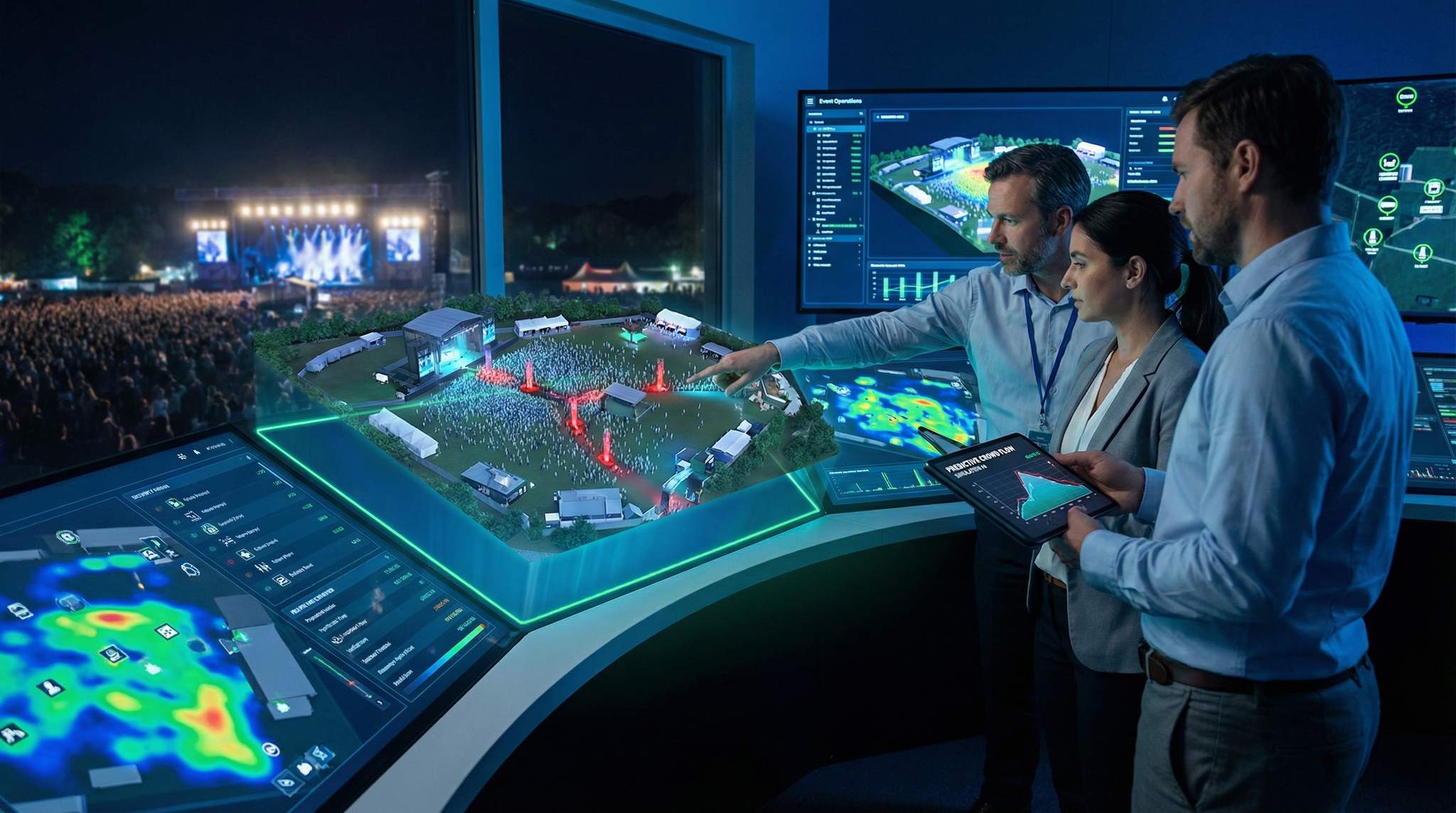
A digital twin in the event context is a virtual 3D model of the entire event environment – the venue layout, infrastructure, crowd, and even operational processes – that is kept in sync with reality through data streams. Think of it as a highly detailed “SimCity” version of your event, populated by intelligent avatars (software agents) that mimic attendee behavior. The twin incorporates:
- Venue geometry: A precise 3D map of the space (from CAD drawings, BIM models, or laser scans), including stages, rooms, entrances, exits, corridors, seating, booths, and any structures.
- Crowd dynamics: Agent-based simulations of people moving through the space, following rules of behavior. These virtual attendees make decisions (which session to attend, when to take a break) based on likely real-world behavior patterns.
- Infrastructure and devices: Locations of fences, restrooms, concession stands, first aid, plus tech like Wi-Fi routers, CCTV cameras, access control gates, and more. The twin knows where everything is.
- Live data integration: Feeds from real sensors and systems. For example, ticket scans update the count of people in each zone; Wi-Fi or Bluetooth tracking shows crowd density; thermostat readings give temperature; and social media or mobile app data might reveal attendee sentiment or attention areas.
- Analytics and AI: Layers of algorithms that analyze the data. Machine learning forecasts crowd flows minutes into the future. AI pattern recognition flags anomalies (like an overcrowding in one corner) and can even suggest solutions (e.g. open an extra exit).
To fully grasp the virtual twin meaning within live entertainment, it helps to look beyond the raw data. While engineers focus on backend metrics, producers often leverage these models to create immersive virtual twin experiences. This allows stakeholders, sponsors, and VIP coordinators to “walk through” the festival grounds or convention floor months before the physical build begins. Understanding what are virtual twins in this context means recognizing them as both a rigorous analytical tool and a highly visual communication platform that aligns the entire production team.
To fully leverage this technology, organizers must understand the distinction between a basic visual representation and a comprehensive digital twin data model. While a standard digital twin 3D model provides the spatial geometry of a venue, true digital twin modelling incorporates behavioral algorithms, historical attendance metrics, and live sensor inputs. This creates a model based digital twin that doesn’t just show what a space looks like, but accurately predicts how crowds will interact within it under varying conditions.
All these components make the digital twin a comprehensive, context-rich replica of the event that can be used for planning, testing, and operational decision-making. It’s not just a fancy map – it’s a predictive, interactive environment where you can query “what’s happening now?” or “what if we change this?” and get informed answers.
Ready to Sell Tickets?
Create professional event pages with built-in payment processing, marketing tools, and real-time analytics.
At its core, digital twin technology represents a massive leap from traditional architectural rendering. While a standard 3D rendering is static, a true real time digital twin continuously ingests operational data to reflect the current state of the venue. This bidirectional flow of information means that when a gate opens in the physical world, the virtual counterpart updates instantly. For festival producers and venue operators, adopting this level of spatial computing transforms a basic floor plan into an interactive, predictive command center.
When evaluating a digital twin for stadiums and convention centers, operators must account for the massive scale and multi-use nature of these facilities. Implementing a digital twin for large venues in the US often requires integrating the virtual model with existing smart building systems, HVAC controls, and complex security perimeters. This deep integration elevates a standard digital twin venue map into a comprehensive facility management ecosystem capable of handling back-to-back mega-events.
A Game-Changer for Eliminating Surprises
Why are digital twins generating so much buzz among event professionals? Because they directly tackle the biggest source of event failure: uncertainty. Traditional planning is plagued by unknowns – Will attendees go where we expect? Can the venue handle a rush at the exits? Are our plans for registration or concessions sufficient? Too often, organisers only discover the answers when it’s already game day and thousands of people are on-site. By contrast, a digital twin lets you rehearse the event virtually and see problems ahead of time. For example, rather than crossing fingers that a creative stage layout won’t create bottlenecks, planners can run a simulation days or months in advance to see how 10,000 people will flow out after the headliner. If the simulation shows a jam, you tweak the design or timing and test again – all long before anyone sets foot on site. This helps answer questions like will attendees naturally flow toward specific areas or if traditional event planning relies too heavily on guesswork. The ability to iterate in a no-risk virtual sandbox means the real event arrives with far fewer “surprises.” In essence, digital twins turn guesswork into data-driven confidence.
Building Your Event’s Virtual Venue Twin
Laying the Foundation: Accurate Venue Mapping
Every effective event twin begins with a rock-solid digital map of the venue. This means translating your venue or site into a detailed 3D model with precision down to the metre. Event pros often start with CAD blueprints or BIM files from the venue, or create new ones by scanning the space. Techniques like LiDAR scanning or photogrammetry (converting photos to 3D) can capture existing buildings or open fields in high detail for venue digitization and modeling. The process begins by creating a precise model of the venue. The goal is a spatially accurate model – if a conference hall is 50m long in real life, it must be exactly 50m in the virtual model. Experienced technologists recommend investing time here: a twin is only as good as its base map.
Free Tool: Size Your Festival Site
Zoned capacity planning for arena, campsite, parking and entry lanes — against UK Purple Guide and NFPA density standards. Finds your bottleneck zone.
In practice, this step entails mapping all key elements: walls, doors, stages, seating areas, hallways, and outdoor terrain features. For a festival on a greenfield, organisers will chart every stage, tent, fence, and gate to ensure the entire festival grounds are mapped to scale. For example, the team behind Glastonbury Festival (sprawling over 900 acres of English countryside) spends months pre-event creating detailed maps of the empty site, so their digital model reflects the exact positions of stages, campsites, pathways, and emergency lanes, ensuring sightlines are as expected. This granular mapping prevents nasty surprises like discovering a stage sightline is blocked or a walkway is too narrow after everything is built. In a venue context, say you’re hosting a 5,000-person conference at a convention center – you’d obtain the floor plans and then augment them with details like pillar locations, ceiling heights, and utility placements to ensure your twin has no blind spots.
Pro Tip: Don’t neglect vertical and environmental details. A true twin isn’t just a flat map – it’s a 3D space. Include elevation changes, stairs/ramps, and any acoustical or lighting info. Modern event mapping tools can incorporate these factors, which is crucial for simulations (e.g. to test sound propagation or sightlines).
The foundation of any predictive simulation relies heavily on the fidelity of the initial digital twin model. For complex festival sites or multi-level convention centers, operators often employ advanced digital twin modelling techniques to capture structural nuances. By integrating architectural blueprints with live spatial data, production teams transition from static floor plans to a dynamic model based digital twin, ensuring every virtual simulation accurately reflects the physical constraints of the venue.
To make the virtual venue truly useful, identify and tag key assets within the model. This means labeling every stage, gate, generator, first-aid tent, etc., with a unique ID linked to information about that asset. If a technician must fix “Generator G5,” the twin highlights exactly where it is on the virtual map. Many festival teams already do this in static plans – for instance, Australia’s Splendour in the Grass festival catalogs every power distribution box and water station on digital maps so they can coordinate maintenance by referencing those IDs, effectively saving precious minutes during troubleshooting. A digital twin takes it further by linking those assets to real-time status data (more on that soon). The takeaway: build your twin on accurate data – measure twice (or thrice!), model once. It’s tedious in pre-production but pays off with a seamless virtual command center later on.
For organizers wondering how to digitally map an event space for crowd control, the process requires layering behavioral data over your spatial framework. Once the physical boundaries are scanned using LiDAR or drones, operators must define navigable meshes—essentially telling the software where attendees can and cannot walk. By assigning flow rates to gates and density limits to specific zones, the static geometry becomes a functional digital twin model capable of simulating high-pressure crowd movements and identifying potential crush points before a single ticket is sold.
A critical best practice when establishing this spatial framework is to segment the venue into distinct crowd management zones. By assigning specific density thresholds to each zone—such as a maximum of two people per square meter in a concourse versus four near a main stage—operators can program the simulation to trigger automated alerts. This granular approach to digitizing the environment ensures that the resulting model doesn’t just reflect the physical architecture, but actively calculates safe occupancy limits in real time.
Smooth Entry With Mobile Check-In
Scan tickets and manage entry with our mobile check-in app. Supports photo ID verification, real-time capacity tracking, and multi-gate coordination.
Effective digital mapping for event space crowd control planning goes beyond just drawing walls; it requires integrating anticipated attendee schedules and historical flow rates. By establishing these parameters early in the pre-production phase, venue operators can transition from reactive security deployments to a proactive crowd management strategy. This level of spatial intelligence ensures that every barrier, signage placement, and security checkpoint is optimized for maximum throughput and safety.
One Model to Rule Them All: Integrating All Layouts
In traditional planning, different teams often have separate diagrams – the fire marshal has an evacuation map, the AV team has stage plots, ops has a site plan, and so on. A digital twin forces a single unified model. Event planners should pull in all those layers: routes, signage, electrical lines, plumbing, staging, and even decor placements – into a single cohesive virtual environment that acts as a single source of truth. Why? Because the power of the twin is seeing interdependencies. For instance, overlaying the wayfinding and signage plan onto the crowd pathways in the twin could reveal that a planned banner structure might accidentally block a major exit route sightline. Or by incorporating the power cable runs and generator locations, you can simulate what happens if one generator fails – the twin will show which parts of the site go dark and where technicians can navigate to the exact problem.
Grow Your Events
Leverage referral marketing, social sharing incentives, and audience insights to sell more tickets.
Take Tomorrowland in Belgium as an example: this massive festival maps every walkway and signpost digitally and even does virtual “walk-throughs” from an attendee’s perspective to ensure someone can identify if there are any obstructions or if a path across the massive grounds and themed areas is clear. With a unified twin model, the Tomorrowland team identified potential confusing junctions and added extra signage before the festival, avoiding attendee disorientation on the ground. In another case, a convention center might integrate its booth layout and crowd flow plan into the twin. By doing a virtual walkthrough, organisers might notice that two popular exhibitor booths placed too closely create a choke point in the aisle – a fix can be made in the floor plan prior to printing any signage or moving heavy booths.
All critical infrastructure should be layered in as well. Electrical and water plans go into the twin so that operations can see how systems overlap. As a practical example, Coachella’s electricians use detailed digital maps of every cable and generator on their grounds; during the live show, if something goes wrong, they consult tablets with that map to find the exact cable run without weaving through crowds blindly, ensuring problems can be addressed with minimal disruption. By having the electrical, plumbing, and communications networks mapped in the twin, you not only plan better (e.g. avoiding running a power cable across an intended footpath), but you also empower quick troubleshooting. In short, the digital twin becomes your single source of truth for the venue – a composite of all layouts that ensures nothing is planned in isolation.
This level of operational integration is where virtual twins field service applications truly shine. When a site manager or maintenance crew receives an alert about a malfunctioning water station, they don’t need to decipher a static paper map. Instead, they access the virtual twin on a mobile tablet, which provides precise GPS-style routing directly to the faulty asset. Equipping on-ground teams with these interactive virtual twins drastically reduces response times and keeps the physical event running smoothly.
For operators managing a high-capacity digital twin venue, the ability to simulate rapid changeovers is invaluable. Large venues in the US, such as multi-purpose arenas that host a basketball game one night and a major touring concert the next, rely on these virtual models to coordinate complex logistical transitions. By mapping out the exact placement of staging, seating reconfigurations, and temporary rigging in the virtual space, production teams can shave hours off their load-in and load-out times, maximizing the facility’s booking calendar.
Go Cashless With RFID Technology
Enable contactless payments, faster entry, and real-time spending analytics with RFID wristbands and NFC-enabled ticketing for your events.
Incorporating Environmental and Accessibility Details
A sophisticated event twin doesn’t stop at walls and wires – it also includes environmental factors and accessibility considerations. This is where the digital model goes from a basic schematic to a rich simulation of real-world conditions. For example, you can model lighting conditions at different times of day in an outdoor venue. The twin allows you to simulate daylight vs. nighttime or various weather conditions. The Paris 2024 Olympic planners famously used digital twins to see how venue modifications would affect lighting and even audio quality for broadcasts using OnePlan’s virtual twin and geographic tools. This allowed them to visualize the site in any weather condition. They could position virtual TV cameras in the stadium twin to find the best angles without physical walk-throughs to boost the quality of TV coverage. Similarly, event organisers can drop in a simulated stage lighting rig and verify if any audience sections will have obstructed views or glare.
Sound and acoustics can be approximated in some advanced twins as well. In a concert hall model, you might simulate how sound travels or where echo might be an issue. This helps in speaker placement and acoustic treatment plans beforehand. For outdoor concerts or festivals, a twin can estimate how far noise will carry – crucial for complying with local regulations or avoiding disturbing nearby residents.
Crucially, accessibility should be designed into the twin from the start. By visualising the experience of attendees with disabilities in the virtual model, planners can identify and eliminate barriers. For instance, you can simulate the path of a wheelchair user from parking lot to seat to restroom. If the twin shows a steep grade or a choke point on the accessible route, adjustments can be made (like adding a ramp or widening a pathway). In a conference scenario, you might notice via simulation that the only elevator likely will cause delays when hundreds of attendees move between floors – prompting you to adjust scheduling or add staff to assist. The digital twin approach aligns with making events inclusive by proactively highlighting areas that would impede anyone with mobility, hearing, or visual impairments. One major sports venue used twin simulations to ensure all disabled seating sections had smooth evacuation routes and clear signage, improving safety compliance and boosting the quality of TV coverage. By baking in these details, you not only follow best practices for inclusive and accessible event design but also avoid last-minute scrambles to accommodate needs that a simple floor plan review might miss.
In summary, building a digital twin means digitising every relevant aspect of your event environment – physical, logistical, and even environmental. The reward is a virtual venue where you can step into any user’s shoes, see how all systems interconnect, and ensure the design works for everyone under real-world conditions. It’s the ultimate preparation tool, giving you a high-fidelity canvas to paint (and repaint) your event plans until they’re just right.
Pre-Event Simulations: Testing Layouts and Crowd Flows
Rehearsing Attendee Movements with Agent-Based Models
One of the most powerful features of digital twins is the ability to simulate crowd movement through your venue before the actual event. This is done with agent-based modelling, where thousands (or even hundreds of thousands) of virtual “agents” (simulated people) move and behave according to rules that mirror real human behavior. Each agent in the model can have attributes – for example, some are eager to get front-row at a stage, others wander more, some move in groups, etc. By calibrating these behaviors with real-world data (like how people moved at past events or general studies on crowd dynamics), the simulation becomes surprisingly realistic.
What does this mean for event planners? It means you can watch a virtual replay of your event before it happens. For instance, if you’re planning a large multi-stage music festival, you can simulate the end of the headline act on the main stage when 50,000 people surge toward the exits or the late-night DJ tent. The digital twin’s agents will move out and you’ll see where congestion happens first – maybe a particular pathway from the main field to the camping area gets clogged. If the simulation reveals a bottleneck, you can redesign that area (add more exit lanes, remove a barrier, or stagger schedule times) and run the simulation again, verifying that the problem is resolved. Savvy festival organisers now routinely run these kinds of crowd flow simulations as part of their licensing and safety planning, utilizing a digital twin simulation showing crowd movement. This helps prevent issues that might be attributed to poor crowd management. Some city authorities in Europe require a crowd movement analysis for big events; coming armed to meetings with simulation data showing “we can empty Area A in 8 minutes in an emergency” not only impresses regulators but can save lives by identifying those dangers ahead of time and refining your emergency playbook.
Data-Driven Event Marketing
Track ticket sales, demographics, marketing ROI, and social reach in real time. Exportable reports give you the insights to make smarter decisions.
For conferences or expos, agent-based simulations are equally valuable. Consider a 5,000-person tech conference during a 30-minute coffee break: the twin can simulate how attendees disperse into the foyer, where queues form at coffee stations, and how long it takes them to get back to the next session. Planners can test different layouts – what if we add a third coffee bar? What if we open an outdoor patio as extra space? – and see the impact on crowd flow before hiring a single barista. In one use case, a major product launch event expected 2,000 attendees and had scheduled a 90-minute networking session before a keynote. The organisers created a digital twin to test if the allocated space and time would handle the crowd’s patterns. The simulation identified that having only three bar stations would result in 30-minute queues, asking will attendees naturally flow toward specific areas and will three elevators handle the load. They responded by increasing to six smaller stations spread across the room, and adjusting furniture placement to improve circulation. As a result, the real event saw minimal wait times and more evenly distributed networking without choke points. The data-driven foresight from agent modeling turned a potential operational headache into a smooth experience.
Optimising Layout and Design Choices
Digital twins empower planners to try out “virtual renovations” and optimisations with just a few clicks. You can move a wall, widen an entrance, relocate a booth cluster, or change a session schedule in the simulation and immediately see how it alters crowd behavior and space usage. This is incredibly useful for making evidence-based layout decisions. For example, exhibition organisers often debate how to arrange booths to maximise traffic to all exhibitors. In the past it was educated guesswork. Now, using a twin, you can model different booth layout configurations and see which one yields a more uniform flow of attendees rather than everyone crowding the centre aisle. If one layout leads to a dead zone in a corner where few virtual attendees wander, you know to rearrange content or attractions to draw people there (or perhaps remove that area entirely).
One concrete scenario: A convention planned to put its registration area in an open atrium with a creative maze-like queue to entertain guests during the wait. It looked great on paper, but by simulating check-in flow with thousands of attendees, the team discovered the maze layout would start spilling out of the atrium doors within 20 minutes of opening – a major fire code concern and a bad first impression. They pivoted to a simpler, more direct queuing system and added self-service check-in kiosks and badge printers to increase throughput. The twin predicted these changes would cut maximum wait times from ~25 minutes down to under 10, and indeed on event day the lines moved swiftly. This kind of A/B testing of layouts in a risk-free virtual environment lets you refine everything from seating arrangements (for optimal views and flow) to food court layouts (to minimise congested lunch rush).
Even small design elements can be fine-tuned. Want to know if that trendy circular stage will cause people to bunch up awkwardly? Simulate it. Wondering if adding an extra set of doors between two halls will meaningfully improve flow? Simulate it. Essentially, the twin allows “seeing is believing” – any time a stakeholder is unsure about an operational plan, you can run a quick sim and show them the projected outcome. This data-driven approach often uncovers hidden issues that wouldn’t be obvious until the event is live. Planners who have adopted digital simulations report markedly better layouts: one large trade show credited their twin with a 67% improvement in attendee flow efficiency after they optimised floor plan design based on simulation results regarding physical execution and booth placement and traffic patterns. In practical terms, that meant aisles were less crowded, people could visit more booths in the same amount of time, and overall satisfaction scores rose. The bottom line – virtual testing leads to real-world success by eliminating the design flaws that cause frustration.
Spotting Bottlenecks and “What-If” Scenarios
Perhaps the greatest value a digital twin provides to event strategists is the ability to ask “What if…?” and get answers. What if the turnout is 20% higher than expected? Run the simulation with 20% more agents and see if any part of your plan breaks under the strain (better to find out now than when an extra thousand people are crowding your gates). What if I close this entrance? The twin will show how the crowd redistributes to other entrances and whether queues at those balloon. What if a popular session ends early and dumps attendees out 10 minutes before we planned? You can simulate an unscheduled crowd surge and watch how it interacts with ongoing activities.
Savvy planners use these simulations like a stress test for their event. For example, a large indoor arena concert might simulate intermission when everyone hits the concourse for bathrooms and beer at once. If the twin reveals that concessions on the east side can’t handle the sudden load (long virtual queues form) while the west side is relatively free, they might redistribute vendor carts or encourage people via signage to use all concession areas. Another scenario: a festival organiser might wonder “what if one of our two main exits is unexpectedly blocked?” Using the twin, they can “disable” that exit and see if the remaining routes can still evacuate everyone swiftly, using live tracking at the L388 match as a reference point, though you can simulate these scenarios during planning. If not, it’s a clear sign that they need contingency plans like a pop-up gate or trained staff to divert crowds in such an emergency.
Run Your Events From Your AI Assistant
Ticket Fairy exposes a Model Context Protocol server, so the assistant you already work in can read your events, orders and check-in numbers and act on them. By default a refund or a deletion stops and asks you to approve it first.
This shift toward predictive planning fundamentally changes how production teams allocate resources. Instead of holding contingency budgets and standby staff in reserve for unknown emergencies, organizers can use forecasting models to deploy assets exactly where and when they will be needed. By relying on data-driven foresight rather than historical guesswork, venue operators can optimize staffing schedules, reduce unnecessary overhead, and ensure that critical infrastructure is positioned to handle anticipated crowd surges before they materialize.
A key focus area is bottleneck detection. These are points in the event where too many people might converge for the space to handle. The digital twin’s simulation will typically highlight these as zones of high density (often visualised as heat maps turning red). Common culprits are narrow corridors, stairwells, portals between stages, or an area where multiple streams of people intersect (like the crossroads of two main pathways). By identifying these in advance, you can implement mitigations: widen that choke point with additional lanes, add crowd barriers to channel flows more evenly, schedule program breaks so not everyone moves at once, or station staff to actively direct and distribute crowds. It’s essentially like running a dress rehearsal with a full house, something previous generations of event planners could only dream of, asking what happens if a major exit is blocked before your event even opens its doors. As one veteran said, using a twin to play out these what-ifs is like having a time machine to preview and prevent your event’s potential headaches.
For operators of massive complexes, such as those utilizing a digital twin for large venues in the US, these what-if scenarios extend beyond the immediate event footprint. Stadiums and convention centers often simulate how external factors—like a sudden transit strike or a delayed highway closure—will impact arrival rates at specific gates. By mapping the broader perimeter and integrating external transit data, facility managers can dynamically reallocate security personnel to handle unexpected surges before they reach the primary checkpoints.
Incorporating comprehensive digital mapping of the event space into your crowd control planning also allows for dynamic scenario testing. If a sudden VIP arrival or a localized emergency forces a temporary closure of a main concourse, the virtual model can instantly calculate alternative routing. This ensures that your crowd management protocols remain resilient, adapting seamlessly to unexpected spatial constraints without compromising attendee safety.
Not all scenarios are negative. You can also simulate best-case or promo scenarios: for instance, if we shoot t-shirt cannons into the crowd at the end, where do people move? If we open a surprise second merch booth after the headliner, will it meaningfully reduce main merch line waits? These experiments in the twin cost nothing and can yield ideas to enhance the attendee experience (or confirm that an idea would have flopped). In all cases, the twin’s ability to handle “what-if” drills makes your planning resilient and flexible. You’re not locked into one plan and praying it works—you’ve pressure-tested your event from multiple angles. By the time doors open, you and your team have essentially already “lived through” the toughest situations virtually, which means you’re fully prepared to handle them in reality.
Stress-Testing Safety and Emergency Plans
Virtual Emergency Drills and Evacuation Simulations
When it comes to safety, digital twins are becoming the secret weapon for event risk management. Planners can now run full-scale emergency drills in a virtual venue, something that’s impractical (or impossible) to do in real life with thousands of attendees. Using the twin, you can simulate disasters – a fire outbreak, a stage structure collapse, an active threat, or severe weather – and observe how an evacuation or emergency response would play out. This is done by programming the agent behaviors for emergency conditions (e.g. people tend to head to the nearest exit, maybe 10% freeze or panic, etc., based on crowd science research). The simulation clock is sped up to see how long an evacuation takes and where problems occur.
Interactive Seating for Every Venue
Let fans pick their perfect seat with interactive venue maps. Supports reserved seating, section-based pricing, and real-time availability.
For large events, egress time and exit capacity are critical metrics. You might discover via the simulation that emptying the main stage area takes 30 minutes when your plan assumed 20 – a sign that you either need more exit paths or to rethink crowd distribution using a digital twin for evacuation planning to determine whether that means widening a specific pathway. The twin could reveal, for instance, that a narrow corridor by the food court becomes a nightmare bottleneck during a mass exodus by inputting some assumptions about how to move people in a specific way. With that insight, organisers can take corrective action before showtime: widen that corridor if possible, or if not, position security to manage flow and perhaps create a one-way routing system to prevent gridlock. Many festival tragedies in the past have been linked to poor flow design under duress – for example, the Love Parade 2010 disaster in Germany (where 21 people died in a crowd crush in a tunnel exit) was later attributed to flawed route and capacity planning, which could have been visualized with a digital twin simulation showing risks. Tools like digital twins and crowd simulations can flag those kinds of dangers ahead of time by effectively stress-testing the layout under emergency conditions to genuinely save lives by refining plans. It’s no surprise that regulators and safety officials are keen on these simulations; in some regions, authorities explicitly ask to see evacuation simulation data as part of granting event permits for large-scale events to identify those dangers ahead of time and refine your emergency playbook.
For indoor facilities, conducting an egress simulation for arena seating is particularly critical. Tiered seating bowls present unique evacuation challenges, including steep stairways, narrow vomitories, and converging concourse traffic. By modeling these specific architectural constraints, venue operators can accurately predict how quickly a sold-out lower bowl will empty compared to the upper decks, allowing them to adjust usher placements and stagger exit routing to prevent dangerous crushes on the concourse.
When deploying a digital twin for large venues across the US, operators must also factor in strict regional compliance standards. Facilities ranging from massive sports stadiums to sprawling multi-hall convention centers use these virtual models to ensure their egress plans meet stringent National Fire Protection Association (NFPA) life safety codes and Americans with Disabilities Act (ADA) requirements. By simulating emergency scenarios that account for these specific regulatory frameworks, American venue managers can proactively demonstrate compliance to local fire marshals and city inspectors long before an event permit is issued.
Beyond verifying your exit routes, the twin’s emergency drills can inform improvements to the emergency plan itself. Perhaps the simulation shows that if everyone from Stage 2 and Stage 3 exits simultaneously (say due to a weather shutdown), they intersect and slow each other down. That might lead you to stagger evacuations by area or to designate separate assembly points for different zones to avoid convergence. You might also simulate partial evacuations – e.g., clearing just a section of the venue for a minor incident – to ensure you’re not accidentally routing those people into another hazard. Modern simulations even allow factoring in communication delays: e.g., if it takes 2 minutes for a public announcement to be made, how does that affect crowd behavior? By tweaking these variables, you can find the fastest, safest way to get everyone out and make sure your on-paper emergency plan truly works in practice.
Crucially, these simulations are not only for the benefit of planners and engineers, but also for training the on-site teams. Running virtual drills with staff is now a realistic possibility. Security personnel, medical teams, and volunteers can ‘walk through’ an emergency scenario using the digital twin visuals. For instance, the city of Nijmegen in the Netherlands conducted a project where police, fire brigade, and event organisers all logged into a shared virtual festival twin to practice various incident responses, allowing festival teams to run simulations to test protocols or reposition a response. They navigated the 3D venue, tested communication protocols for a lost child scenario, and role-played a coordinated response to a fight breaking out, clarifying who would be responsible for specific actions and exposing any communication gaps in the Nijmegen digital twin project. This kind of exercise is immensely valuable – it exposes any gaps in coordination or confusion about roles before the real event. By the time the festival went live, those teams had essentially rehearsed their emergency partnership, making the actual event safer and more controlled. Think of it as a flight simulator for event emergencies: pilots train on simulators to handle mid-air crises calmly, and now event staff can do the equivalent for crowd management crises.
Preparing for Bad Weather and Unexpected Interruptions
Not every emergency is about crowds; sometimes it’s environmental or technical. Digital twins help here too by allowing planners to simulate contingency scenarios like severe weather or power outages. Festivals and outdoor events, for instance, often have to anticipate storms. Using weather data models, a twin can simulate the approach of a storm and its impact: high winds might force stage closures or tent evacuations, lightning might pause performances. By simulating a sudden stage shutdown (say Stage A goes dark due to weather), you can see where that crowd will disperse – perhaps many will rush to Stage B which is still open, causing an unsafe crush there. Armed with that knowledge, you might plan to stagger shutdowns (don’t have two big stages stop at exactly the same time) or have a communication ready like “Stage B is also pausing, please seek shelter at designated areas” to prevent convergence. Beyond evacuations, you can drill how to reroute attendee traffic and see where the crowd will go. Real events have faced this: Glastonbury in the UK has had to pause shows for thunderstorms, and festivals in hurricane-prone regions have detailed weather contingency plans to determine if grounds or a particular pathway can cope with the extra load. Digital twins let you rehearse those plans. You can virtually try out relocating people from an outdoor stage to an indoor hall, or see if your parking lots can serve as emergency shelters without gridlock.
Power or technology failures are another angle. What if the main generator feeding your concert stage fails mid-show? The twin, linked with power distribution data, would show which sections go dark and how the crowd might react (e.g., if lighting and sound cut out, do people start leaving en masse? Do they panic or stay put?). You can simulate triggering backup generators in the model and see how quickly things restore. This kind of “tech failure drill” is an important part of crisis-proofing your event technology. For example, you might learn that even with backups, there’s a 30-second gap of darkness that could cause alarm – so you plan for an MC announcement or safety lights to engage in that window to keep attendees calm. Similarly, if the twin indicates that a Wi-Fi outage would cripple your cashless payment system queues, you ensure offline payment modes are ready and staff know when to switch to them. By simulating these failure modes, nothing catches the team off guard.
Another common surprise is logistical hiccups like transportation delays. You can integrate external systems into the twin as well, such as a model of your parking and traffic flow. If a major road to your venue closes unexpectedly, a simulation can predict how that backlog will affect entry times (perhaps half your audience arrives late). Knowing that, you could delay show start times or send notifications to attendees to stagger their arrival. Or imagine your shuttle bus provider runs behind schedule after the event – a twin could show thousands of people stuck waiting at shuttle pickup, alerting you in advance to arrange additional shuttles or encourage alternate transport. In essence, any scenario that would cause operational disruption can be trialed in the digital domain first. Event professionals often say “Expect the unexpected” – digital twins finally give us a tool to practice the unexpected.
Learning from Past Tragedies to Avoid Future Ones
Sadly, the events industry has no shortage of cautionary tales – from stampedes and structural failures to weather-related catastrophes. The silver lining is that each incident pushes the industry to adopt better practices. Digital twins are increasingly recognized as a way to prevent repeating history. After the Astroworld Festival tragedy in 2021 (where crowd surge planning failed, leading to fatalities), many festival organisers started taking crowd simulation and real-time monitoring far more seriously, as large crowd management has become paramount and safety management is critical. When you simulate a scenario like the conditions that led to Astroworld’s crowd crush – high-density population at a stage with inadequate flow channels – the twin can vividly show how dangerous pressure builds up. This can compel planners to implement mitigations like additional emergency exits, capacity limits for certain zones, or real-time density alerts to stop a show if needed. In other words, by virtually recreating scenarios analogous to past disasters, you gain a systemic understanding of why they occur and how to prevent them through proactive risk assessment and real-time monitoring, which is significant for crowd density at music festivals.
For instance, the Love Parade analysis suggests if they had simulated the crowd’s approach to that fateful tunnel, they would have seen the buildup and been able to add entry routes or timed waves of entry. Now, many city officials and event companies run such simulations as a matter of course. Large marathons simulate runners and spectator flows to avoid bottlenecks that have caused crushes at finish lines in earlier decades. Stadiums simulate mass evacuations post-game, learning from incidents where evacuations have failed.
The adoption of digital twins for safety is also driven by insurance and liability concerns. Insurers of major events have begun to see value in requiring or incentivising organisers to use advanced tools for risk mitigation. An event that can show it ran an evacuation simulation for 50,000 people and fixed identified issues is a better risk than one that just assumes their plan works. Similarly, law enforcement and emergency services appreciate events that offer them a digital twin to plan joint responses – it means fewer nasty surprises for first responders too. We’re essentially witnessing the rise of an evidence-based safety culture in events: rather than relying purely on theoretical crowd management guidelines, planners are testing and demonstrating their safety measures in a virtual environment. This not only saves lives and injuries but also protects the event’s reputation and financial viability by avoiding catastrophic failures. The lesson is clear: when we know better (through simulations and data), we do better.
This evidence-based approach is heavily influenced by broader urban planning digital twin applications in 2026. Just as city planners use virtual models to test traffic grids and emergency response routes across entire metropolitan areas, festival producers are applying these same macro-level simulations to temporary event cities. Furthermore, venue managers are increasingly asking what are the top digital twin platforms for documentation in facilities safety planning within public services facility management. Solutions like OnePlan, MassMotion, and specialized GIS integrations are bridging this gap, allowing operators to maintain rigorous, compliance-ready safety documentation that satisfies both local municipalities and emergency services.
Real-Time Event Operations with Digital Twins
A Live Dashboard for Your Event’s “Heartbeat”
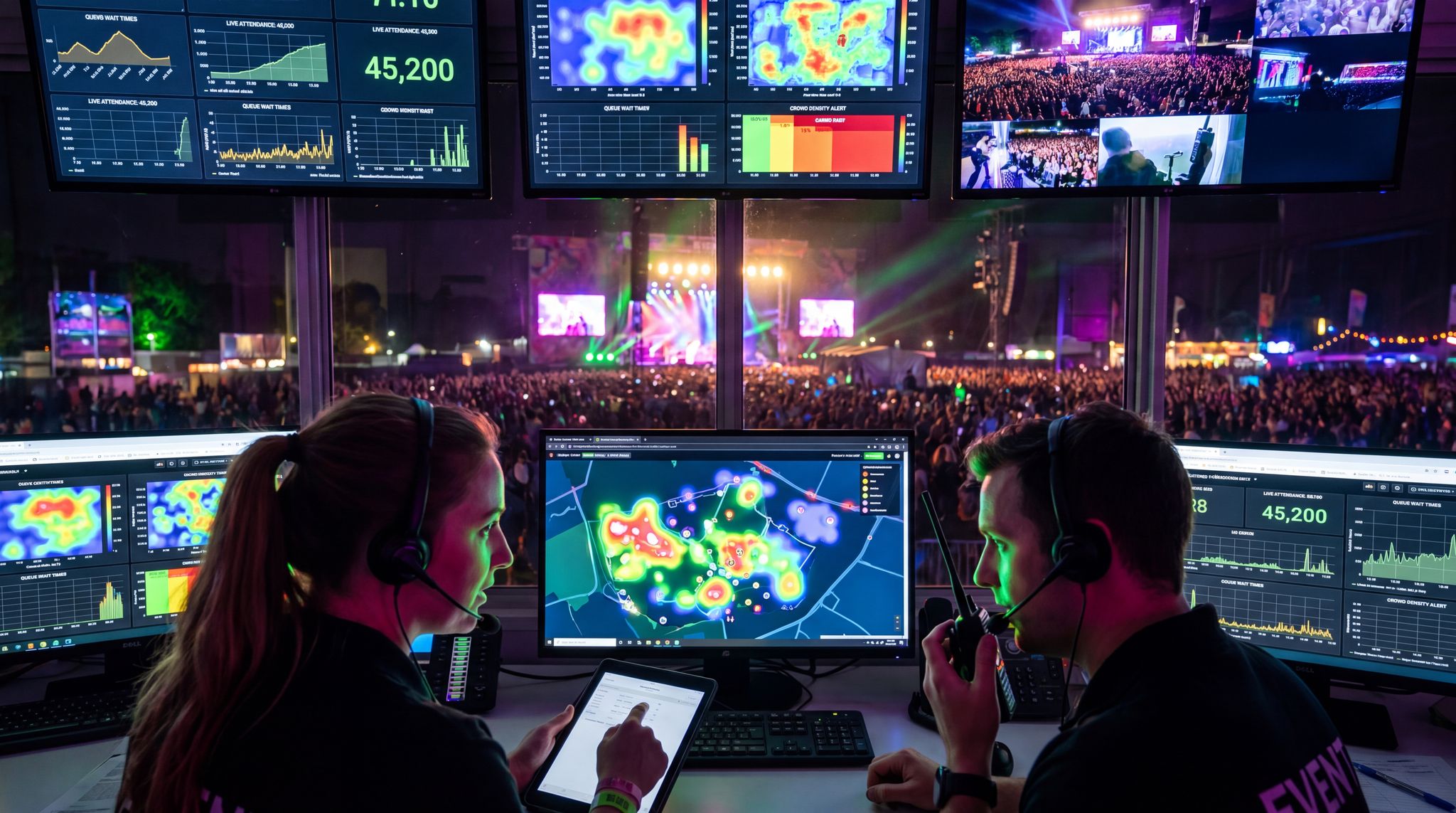
Building and testing a digital twin ahead of time is immensely valuable – but what truly sets this technology apart is that the twin doesn’t stop at the planning stage. It continues to serve as a real-time command centre once the event is live. Picture your event control room with a wall of screens not just showing CCTV feeds, but a dynamic 3D model of the venue with moving dots for attendees, live readouts of crowd density, and alerts popping up exactly where issues are emerging. That’s what a live-updated digital twin provides: situational awareness at a glance, explaining why digital twins are a game changer for events and offering real-time operational visibility.
The twin pulls in data from a myriad of sources instantly. Access control systems feed in each ticket scan, updating count of people in each zone. Wi-Fi or Bluetooth sensors track the movement of crowds as anonymised pings, creating live heatmaps of foot traffic. Smart cameras (using computer vision) might feed occupancy numbers or detect if a line is getting long at concessions. Environmental sensors give live temperature, noise levels, or air quality. Even social media or app engagement could be layered in – for instance, if many attendees mark on the app that they’re at Stage X, the twin’s AI can cross-verify that with entry counts. All these streams flow into the twin and it pulses with real-time data about your event, utilizing satellite backup to guarantee connectivity so teams can act quickly and confidently.
The result is that your operations team can literally see the current status of things that used to be invisible. If an exit gate is getting overwhelmed, you’ll see a red blob of high density forming there on the twin map, possibly before the on-ground security even radios it in. If one session room in a conference is over capacity while a bigger room next door is half-empty, the twin can flag that based on people counts at door sensors. It might alert you, “Room B has reached safe capacity.” Venue managers can then take immediate action, like sending staff to redirect newcomers to an overflow space. This level of oversight is like having an all-seeing eye – some organizers liken it to a smart city control system, but scaled to an event. In fact, large events have as many moving parts as small cities, so it’s fitting that we manage them with city-like intelligence.
Many early adopters of live digital twins describe them as the operational heartbeat of their event, ensuring satellite backup guarantees uptime so that teams act quickly and confidently. All departments – security, guest services, technical – refer to it. Daily briefing meetings revolve around twin data (“Heat map shows the art exhibit area was under-used yesterday, let’s put a roving performer there today to draw crowds”). During the event, it becomes the focal point for decision-making, often with one person (a “Twin officer” if you will) dedicated to monitoring it and communicating insights to the rest of the team. And after the event (as we’ll touch on later), that captured data is gold for analysis.
Real-Time Alerts and AI-Powered Predictions
Having live data is great, but even better is having the system make sense of it and warn you of developing issues. This is where artificial intelligence and predictive analytics come into play within a digital twin during the event. The twin’s AI can continuously analyze patterns – and because it has a virtual model, it can even simulate a bit into the future. For example, if foot traffic to the main stage is rising rapidly 10 minutes before a popular act, the AI might predict “in 5 minutes, the main entry corridor will exceed safe capacity.” It can then alert operators with a recommendation: open an additional side gate now to spread the load, allowing organizers to see the entire event ecosystem and make predictive decisions. These predictive congestion alerts have been used at theme parks and some big stadiums, and now festival and conference organizers are getting access to similar capabilities. It’s essentially an early warning system driven by patterns the computer has learned from past data and simulations. In 2026, such AI models have become far more accurate as they’ve been trained on huge datasets of crowd movements.
Other examples of real-time intelligence:
– The twin notices a growing queue at the merch booth and projects that if current rates continue, wait time will hit 30 minutes. It pings the vendor manager to deploy an extra staffer or open another register.
– A sudden change in crowd flow – say people leaving one area unusually fast – might trigger an alert to check for why (did something happen there? Is a session underwhelming or was there a noise disturbance?). In one conference, the twin flagged that an exhibition zone emptied out faster than expected; it turned out the air conditioning failed in that area, and the ops team was able to respond and fix it before attendees even lodged complaints.
– Security alerts are key: if the twin integrates with, say, CCTV analytics that detect an unauthorized entry into a restricted zone, it will pop up on the map with a highlight on that area for security to respond, ensuring problems are identified and resolved proactively and maintaining improved safety and compliance. Some advanced systems even track individual high-profile VIPs (with their consent and special badges) and can alert if they deviate from schedule or enter the wrong area, ensuring VIP safety and smooth movements.
The evolution toward real-time AI digital twins means that venue operators are no longer just looking at a static dashboard. By continuously processing live inputs, this advanced digital twin technology creates an autonomous feedback loop. For example, if a sudden weather shift forces an outdoor stage closure, the dynamic digital twin model instantly recalculates safe capacity limits for indoor spaces and automatically updates digital signage to redirect the crowd. This seamless integration of artificial intelligence with live operational data transforms reactive crowd management into a fully predictive science.
The intersection of AI and digital twins is rapidly evolving from simple predictive alerts to autonomous operational adjustments. By continuously learning from crowd behavior across multiple events, artificial intelligence enhances the virtual model’s ability to forecast complex, multi-variable scenarios—such as how a sudden local transit delay might impact arrival rates at a specific gate.
The AI layer can also handle routine optimizations automatically. For instance, if one restroom area is slammed and another is under-used, a smart twin might direct the digital signage system to push notifications or arrows guiding people to the less busy facility – balancing the load without human intervention. Similarly, dynamic wayfinding updates can be triggered – at large expos, screens might change to say “Crowd alert: East Hall busy, try West Hall for faster access” if the twin deems it necessary. This kind of closed-loop response (detect -> decide -> act) is where digital twins transcend being just monitors, and become an active co-pilot in event operations.
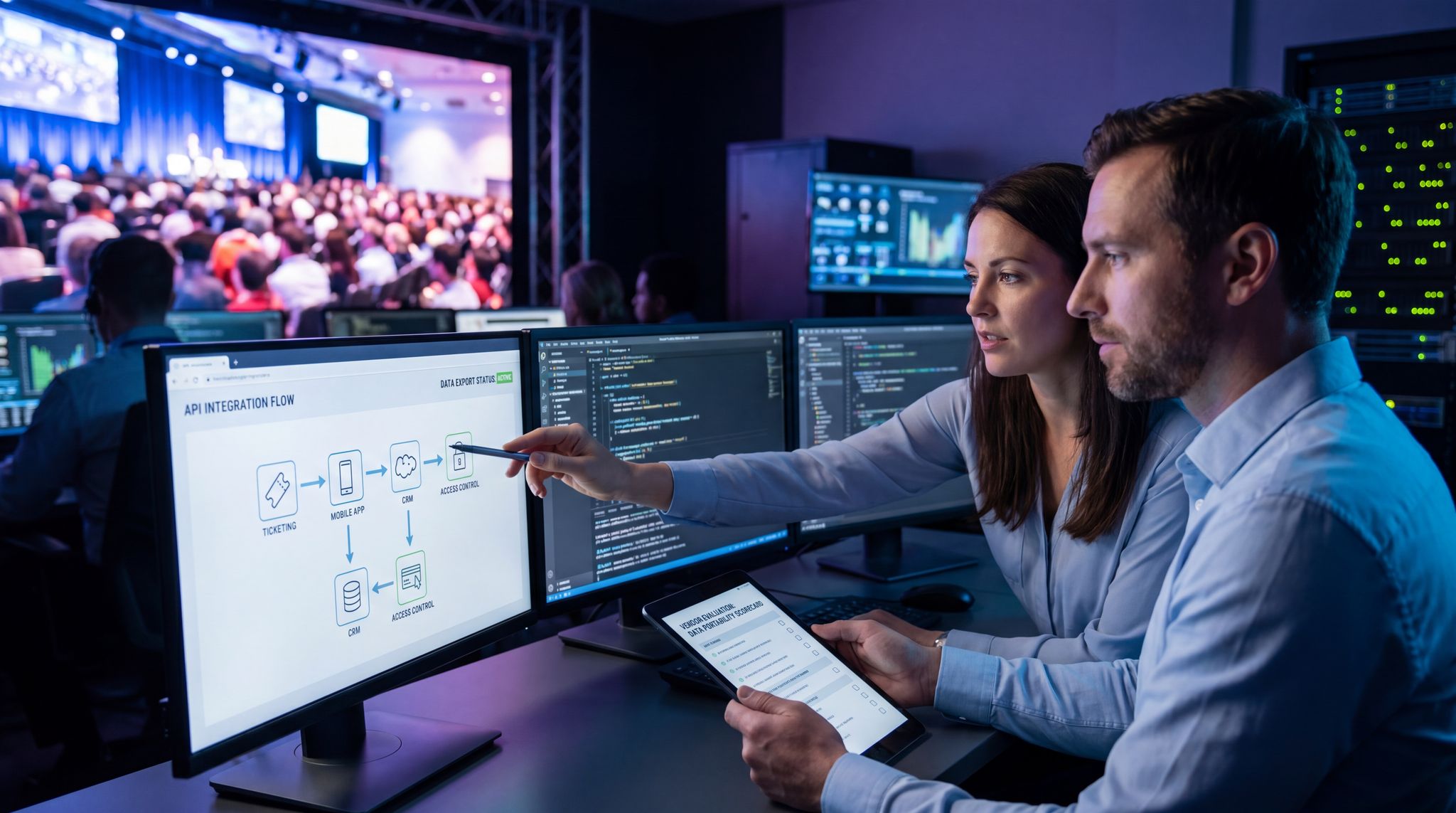
In terms of tools, this requires integrations: the twin platform ties into your event Wi-Fi and network infrastructure so it can pull location pings; it hooks into your ticketing and access control API for scan counts; it might use computer vision on CCTV feeds to estimate densities (with privacy safeguards); and it ingests any IoT sensor data available (temperatures, noise, etc.). This underscores why having robust networking at events is vital – a twin is only as live as the data it can receive. Forward-thinking planners ensure they have resilient connectivity (including backups) so the twin’s real-time features never go dark when they’re most needed.
Adapting on the Fly – When the Twin Becomes a GPS
An apt analogy for a real-time digital twin is that it acts like a GPS navigation system for event managers. Just as your car’s GPS re-routes you when there’s traffic ahead, the twin helps re-route and adapt event operations in response to live conditions. Let’s say mid-event, you see that one meet-and-greet session is drawing way more people than expected, to the point the room might overflow. With twin insights, you could make a snap decision to move that session to a larger room (because your virtual model tells you one is free at that time) or to create a spillover space with a video feed. You’re using the twin to find alternative routes for the event narrative on the fly. Without it, you might only realise the problem once people are already crammed and upset.
Another scenario: A food vendor in Zone C unexpectedly closed early due to a staff issue, and now Zones A and B vendors are swamped. The twin reflects this (showing perhaps a drop to zero at vendor C’s spot and spikes at others). Seeing this, the operations lead can proactively dispatch a couple of roaming food cart vendors to Zone C to serve the hungry crowd, effectively balancing the demand again. Or the event app team can send a push notification: “Food truck X now serving near Zone C” to draw attendees over, thanks to the twin revealing the gap.
In crowd management, real-time adjustments are crucial. If a particular entry gate has a long queue and others are clear, the twin can help by visualising these queues and densities to commanders, who can then physically redirect arriving attendees via on-ground staff or signage. At some tech-savvy venues, they even used a twin to adjust digital sign messaging in real time (e.g., parking lot guidance signs turned green or red depending on lot occupancy, as fed by the twin). In essence, micro-optimisations pile up to create a much smoother experience overall.
And when emergencies or incidents do occur, the twin supports coordinated response. For example, if a medical emergency happens, staff can input that into the system and the twin will display the fastest route for medics to get to the patient through the crowd, because it knows where congestion is. It might even suggest which exit to use to evacuate the person without delay. If an area needs to be cleared, the twin can guide exactly which nearby zones to use as refuge and verify those zones have capacity. This was demonstrated in one major simulated exercise where an arena’s twin helped funnel attendees away from a hypothetical fire by calculating, in real time, the optimal egress paths given which exits were viable and how the crowd was currently distributed.
All these dynamic actions are part of an emerging practice: live event optimization. Instead of a fixed plan that you try to enforce on the day, you have a flexible plan that evolves with conditions. The digital twin is the tool enabling that, by providing continuous insight and coordination. Event day becomes less of a frantic firefight and more of an interactive management game – albeit a high-stakes one – where you can make data-backed decisions in minutes. This agility can be the difference between a minor hiccup and a major issue. For instance, detecting crowd density building 10 minutes earlier and spreading a crowd out proactively could avoid anything from uncomfortable congestion to a life-threatening crush. It’s no exaggeration to say that in live events, minutes matter for both attendee experience and safety, and digital twins are giving those minutes back to organisers by forewarning them of needs and allowing instant course corrections.
Post-Event Goldmine: Plan vs. Reality Analysis
After the lights go down and attendees head home, the digital twin still has one more job: to serve as a rich archive of what actually happened, and to let you compare it against what you planned to happen. By saving the state of the twin throughout the event, you have a time machine of data. This is incredibly useful for post-event analysis and continuous improvement.
Start with a basic example: You planned for an average 5-minute wait at each bar. Did that hold true? The twin has data (from either sensors or manual inputs) on actual wait times or queue lengths over time. You might discover that Bar A consistently had 10-minute waits at 7 PM while Bar B was under-used – indicating maybe Bar A’s location was too popular or Bar B was hidden. Next event, you could reposition or better signpost Bar B, or add capacity to Bar A. Without a twin, you might have anecdotal evidence (“attendees tweeted about long lines at one bar”) but now you have hard data and even visual playback.
Another example is entry vs. exit patterns. Your plan might assume most crowds leave via Gate 1, but the twin logs could show Gate 3 unexpectedly had more traffic (perhaps because a parking lot near Gate 3 emptied last, or rideshares congregated there). This insight might lead you to allocate security or lighting differently next time. If you run a series of events, analysing these patterns helps refine crowd management for each subsequent show at that venue.
The twin also helps validate (or invalidate) your pre-event simulations. You can overlay the predicted heatmaps with the actual heatmaps. Did people flow as expected? If not, why? Perhaps the model didn’t account for a certain human behavior (“we didn’t expect so many people to take the side shortcut through the expo hall instead of the main corridor”). By identifying where reality deviated, planners can calibrate their models to be more accurate for the future. Over multiple events, this process makes your simulations smarter and more trustworthy.
Operationally, having a digital record of every critical metric is excellent for debriefs. Instead of going on gut feelings, teams look at twin visualisations: “Here is where we lost 10 minutes due to a schedule delay – see how that impacted dinner rush crowding.” It takes emotion and conjecture out of the equation, focusing everyone on facts. It’s also a boon for demonstrating ROI to stakeholders. If you optimized something via the twin, you can often quantify the benefit after the fact. For instance, maybe your sponsor booths were rearranged per simulation to get better traffic. Post-event, you can show sponsor X got 500 more visits than the previous layout at a similar event – directly tying simulation-driven planning to sponsor ROI (in one reported case, optimising booth placements with a twin led to an 89% increase in sponsor interactions compared to prior events without that execution strategy, proving the value of transforming event booth placement and traffic patterns). That’s a powerful statistic to justify the investment in the technology.
Finally, consider safety and compliance. You now have a log that you can review or even share with authorities to show exactly how the crowd behaved and how you responded. If there were any incidents or near-misses, the twin allows a thorough after-action review. Maybe during the event you narrowly avoided a crush at one exit by opening an extra gate. With the twin data, you can see how close it was and refine plans to increase that safety margin next time. This iterative improvement loop – plan, simulate, execute, analyse – is a hallmark of high-reliability industries (like aviation or manufacturing) and is now available to events. In short, the digital twin doesn’t clock out when the event ends; it becomes a teaching tool, helping make the next event even better.
To summarise the impact: events that use digital twin technology have begun to report concrete improvements in key metrics versus their old ways of working. The table below highlights some before-and-after examples that illustrate how predictive simulations eliminate surprises and drive better outcomes:
| Aspect | Traditional Planning | With Digital Twin Simulation |
|---|---|---|
| Entry wait times | Peaks of 15–20 minute queues at gate rush hour; often uncertain until event day. | Optimised staffing & added extra e-gates per simulation; waits under 5 minutes even at peak times. |
| Crowd bottlenecks | Discovered live when attendees got stuck in narrow hallways or tunnels. | Identified in pre-event model (e.g. narrow corridor to Stage 2); mitigated by widening routes and adding signage, resulting in free-flowing foot traffic. |
| Session overflow | Some sessions overfilled while others half-empty; adjustments made last-minute with mixed success. | Simulated attendee interest and walk-ins; proactively swapped session rooms and added an overflow space for hot-topic panels. All sessions ran at comfortable capacity. |
| Concession lines | Guesswork on number of food stalls; long lines caused complaints and lost sales when underestimated. | Twin tested various layouts and counts; implemented optimal plan. Average food queue time dropped from ~10 min to 4 min, boosting sales and satisfaction. |
| Emergency egress | Paper plan estimated 20 min to evacuate; never fully tested until a real alarm. | Virtual drills showed 30+ min; added two temporary exits and trained staff. Actual full-crowd drill cleared area in 18 min. |
| Sponsor ROI | Some booths in low-traffic areas saw few visits (hard to predict flow patterns). | Simulated traffic flow and rearranged booth layout; high-visibility placement for all sponsors. Average leads per sponsor up ~80%, pleasing exhibitors. |
These results highlight how a data-driven approach can transform event outcomes. Planners who once crossed fingers now have empirical confidence. As one event director put it, using sims is like “rehearsing the event 100 times, so by the real day we’ve seen it all and nothing fazes us.”
Case Studies: Digital Twins in Action
When evaluating the ROI of this technology, organizers often look for concrete digital twin examples to understand its practical applications. The most compelling examples of digital twins in the live events sector range from single-venue optimizations to massive, multi-site integrations that mirror digital twin city examples used in urban planning. By examining these real-world deployments, production teams can see exactly how predictive modeling translates into safer, more efficient operations.
Mega-Festival Prevents a Crowd Disaster
One of the early adopters of digital twin tech was a major multi-day festival in Europe (imagine something like Glastonbury or Tomorrowland). Hosting over 100,000 attendees across a huge site, the organisers had a pressing concern about crowd safety after a headliner performance. In prior years, they’d seen dangerous congestion as everyone tried to leave the main stage area at once. So for the 2026 edition, they built a detailed digital twin of the festival grounds months in advance. The team ran an evacuation simulation for the main stage area, packing it with a virtual crowd equal to their maximum capacity. The twin quickly highlighted a red zone: a particular pathway leading from the main stage towards the camping village was far too narrow and intersected with another path near a tunnel – a recipe for a choke point. The simulation estimated it would take over 40 minutes to clear that area and showed the virtual crowd density reaching critical levels under those conditions.
Armed with this insight, festival management did two things. First, they worked with local authorities to add a temporary pedestrian bridge that bypassed the tunnel choke point, creating an additional exit route from the main stage field. Second, they adjusted the schedule so that immediately after the headliner’s encore, a popular DJ began a surprise set on a secondary stage in the opposite direction – encouraging a portion of the crowd to exit away from the congested route, effectively splitting the egress load. These changes were plugged back into the simulation: the twin now showed the main stage could be cleared in about 20 minutes with density never exceeding safe limits.
During the actual festival, the difference was dramatic. Thanks to on-site signage and announcements (prepped according to the twin’s plan), a huge chunk of attendees took the new bridge route or stayed for the DJ, alleviating pressure. The event’s safety officer reported zero critical crowd incidents that night, whereas in past years they had multiple collapse and injury cases in that exit area. The festival’s proactive simulation and redesign likely averted a serious crowd disaster. This case underscores how digital twins enable festivals to handle “human flood” moments with smart engineering and programming, rather than hoping people just disperse nicely on their own. The confidence from seeing it work in the twin meant everyone – security, medics, volunteers – knew exactly what to do and where to be when the time came. It set a new standard internally, and now that same team uses digital twin planning for every large crowd scenario, from fireworks finales to emergency evacuations.
Convention Center Conference – Smoother Traffic and Happier Exhibitors
Digital twins aren’t just for huge outdoor events; they’re proving their value at indoor conventions and trade shows too. Consider a 2025 tech conference in a major US convention center, with about 8,000 attendees and hundreds of exhibitor booths. In the year prior, the conference had issues: long registration lines on day one, uneven foot traffic that left one end of the hall packed and the other nearly empty, and a lunchtime seating crunch. Determined to improve, the organisers turned to a digital twin simulation for their 2026 planning. They created a virtual model of the convention center’s expo hall, meeting rooms, and corridors, and simulated the crowd’s movement over the course of a typical day – from morning check-in through session transitions, lunch break, expo browsing, and end-of-day exit.
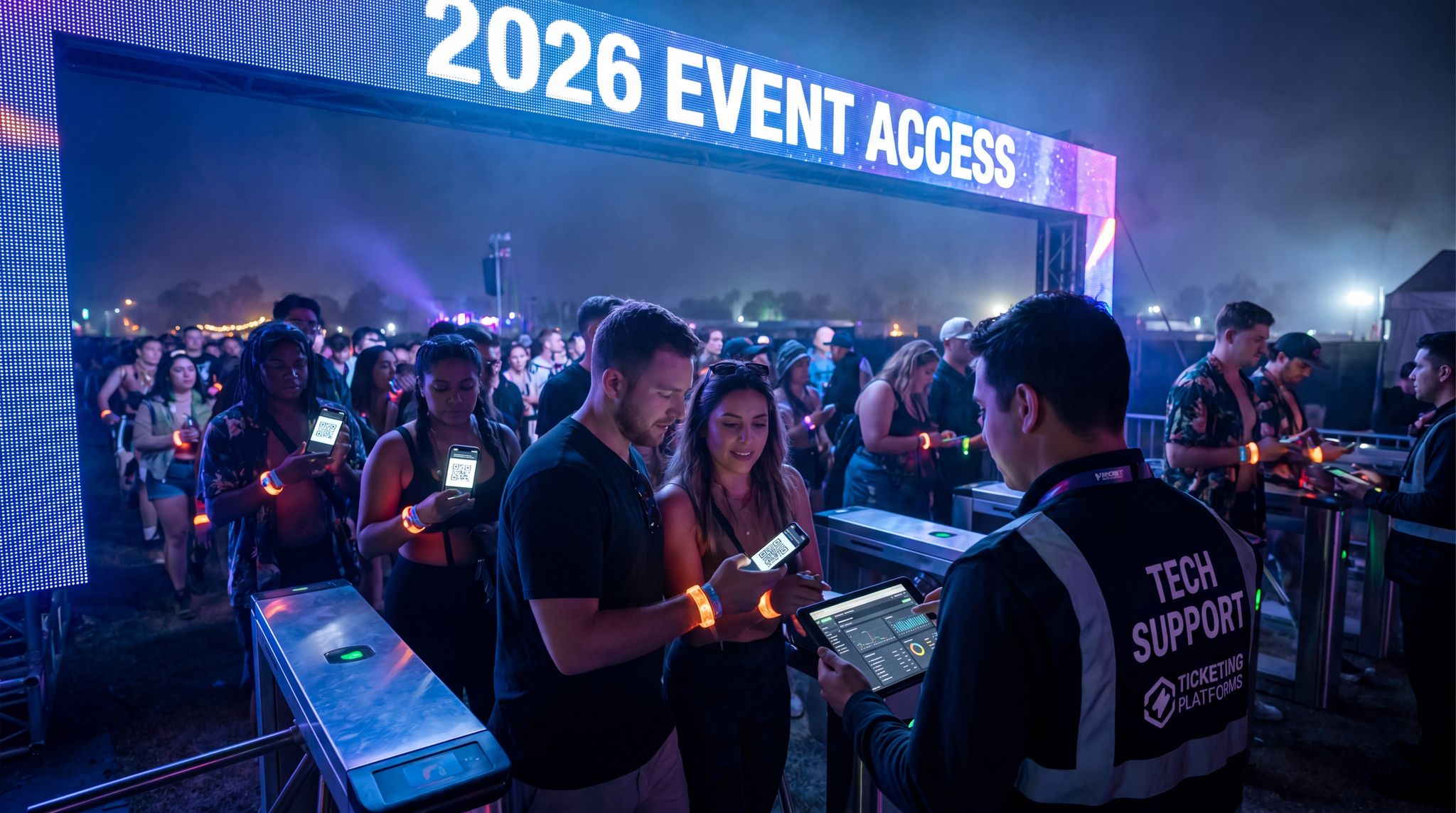
The simulation immediately identified the registration area as a bottleneck risk. The previous layout had registration desks in the lobby, where queues easily backed up out the doors. The twin allowed them to test alternatives: one idea was to use more of the hall space with switchback queues. Another was to implement a self-service scan-and-go check-in system with kiosks to augment staff. The sim showed that adding 6 kiosks could reduce the peak queue length by over 60%, essentially eliminating the doorway blockages. They made that change – in 2026, attendees walked up to kiosks to scan QR codes for badges, and only a handful needed staff help, meaning check-in moved rapidly and no one waited more than a few minutes.
Inside the expo, the twin simulation of attendee movement highlighted that a cluster of popular startup booths and a big-name sponsor stage were all placed in the west side of the hall, which drew a huge concentration of people. The east side, containing smaller or lesser-known exhibitors, saw far less traffic in the virtual model. To remedy this, the organisers rebalanced the floor – they interspersed some big draws (like a VR demo area and the coffee lounge) into the east section. The twin was re-run and showed a much more even heatmap of crowd distribution. They also widened a couple of aisles based on the sim’s suggestion to improve flow. The results? Over the first day, exhibitors on the east side remarked that they were seeing much higher footfall than last year. In fact, overall expo engagement time per attendee increased (people visited more booths on average because the floor was easier to navigate and not overly congested on one side). Sponsors were thrilled – one sponsor’s booth at a corner (formerly a “dead” zone) got so much traffic that they ran out of brochures, a good problem to have.
The twin also saved the day when it came to the lunch rush. The model had shown that if everyone hit the limited food court at once, lines would snake into the hallway. They proactively instituted staggered lunch break suggestions (communicated via the event app and schedule – e.g. some tracks took lunch 15 minutes earlier than others). They also arranged a second pop-up food station in the far end of the hall after seeing in the simulation that it would help shorten travel distance for many attendees. During the event, lunch went smoothly – no massive lines, and plenty of seating since people flowed in two waves. One organiser noted that it was the first year they didn’t receive a single complaint about “chaos at lunch” or “couldn’t find a place to sit.” The digital twin’s predictive insight had effectively engineered out those recurring pain points.
This example shows that even for medium-scale events, simulations can reveal opportunities to improve logistics and attendee experience. The conference’s leadership was so impressed by the clear improvements (and by hard numbers like faster check-ins and higher expo ROI) that they declared digital twin planning a standard practice for all their events moving forward. They also used the twin retrospectively to generate marketing data – such as “we delivered X thousand leads to exhibitors, verified by our digital tracking” – which helped in selling booths for the next year. In essence, the twin not only prevented disappointments but also became a selling point and a tool for continuous optimisation.
Beyond standard crowd flow, a digital twin for stadiums and convention centers serves as a critical asset for ongoing facility management. When evaluating the top digital twin platforms for travel and hospitality facility management emergency planning, operators look for systems that integrate seamlessly with local first responder networks. For instance, several large venues in the US have linked their virtual models directly to municipal emergency services, allowing police and fire departments to conduct virtual walkthroughs of the facility before arriving on site during a crisis.
Olympic-Scale Planning: Paris 2024 and the Digital Twin Legacy
For a glimpse at how far digital twin technology can go, look at the planning of the Paris 2024 Olympic and Paralympic Games. Organising an Olympics is like orchestrating dozens of huge events simultaneously – multiple venues, millions of spectators, and global scrutiny. The Paris organisers partnered with a tech firm to create high-fidelity digital twins of all major competition venues to make the planning process more efficient and sustainable by utilizing build data. This was groundbreaking in scope. They built out virtual replicas of stadiums, swimming centres, athletic tracks, fan zones, and more. Each twin model allowed planners to view the venue from any angle or even weather condition for a specific venue. They could simulate how adding a grandstand affects sightlines, how crowd noise might reflect, or where infrastructure such as barriers, fencing, and broadcast cameras should be placed so the organising committee can see where volunteers should be placed.
Critically, these Olympic twins enabled unprecedented collaboration and scenario testing. Instead of endless physical site visits, stakeholders from around the world – broadcasters, security officials, accessibility experts – could log into the digital twins and explore virtually to assist people with disabilities and reduce the need for site visits, lowering emissions. They planned camera placements for TV broadcasts by virtually “flying” around venues to find optimal angles so the organising committee can see placements and boost the quality of TV coverage. They tested how barrier placements and checkpoint locations would work for crowd control and adjusted them to avoid pinch points in a specific venue and ensure volunteers are correctly placed. The accessibility teams used the twin to check routes for wheelchair users and decide where to place ramps or lifts to make historic sites (like temporary archery ranges near monuments) fully accessible, boosting the quality of TV coverage. By simulating different attendance scenarios, they fine-tuned each venue’s ingress and egress plans, including evacuation procedures, to ensure athlete and spectator safety. The head of Paris 2024 remarked that this innovation would “leave a new way of organising events” as part of the Games’ legacy according to Tony Estanguet, president of Paris 2024, who envisions Paralympic Games powered by innovation – highlighting that future large-scale events can build on these digital methods.
During test events and eventually the Games, the digital twin platform continued to serve in real time – giving organisers a clear operational picture and reducing the need for huge teams physically scouting every corner of every venue. It also supported the sustainability goals: by coordinating virtually, they cut down on travel and on-site visits, saving costs and carbon emissions since the digital twin is used for site visits, thereby lowering emissions. For instance, international sports federations could approve venue layouts via the twin rather than flying in multiple times. The success in Paris is likely to influence upcoming world events – from World Cups to expos – to adopt digital twins at scale. It’s a powerful validation that if digital twins can handle the complexity of an Olympics spread across a metropolis, they can certainly handle the challenges of a single-site festival or a touring concert production.
Small Events Making Big Wins with Simulations
It’s easy to assume this tech is only for the mega-events, but even smaller-scale events are benefiting when they embrace a data-driven mindset. Take a chain of music venues (500–1000 capacity clubs) that started using simplified digital twins to improve safety and crowd comfort. At this scale, they didn’t have IoT sensors everywhere or AI analytics running – but they did use 3D models of their venues to simulate different crowd setups and sightlines. By doing so, they discovered in one venue that a particular structural pillar created a sightline block that actually led to unexpected crowding patterns (people avoided standing near the pillar, pushing others closer together elsewhere). Once they spotted this in a simulation, the venue reconfigured its general admission entrance flow and adjusted where security directed people to stand. The result was more even distribution and better line-of-sight for patrons. In essence, a modest use of a digital twin (just a model + some straightforward crowd sim) solved a problem that had been causing discomfort and complaints, and which was previously blamed on just “rowdy crowds.” It turned out to be a fixable layout issue.
Another example: a mid-sized community festival (around 5,000 attendees) without the budget for high-end twin software still applied the principles by using available tools. They used a combination of a simple 3D design app and an online crowd sim service to model their street fair. Through this, they realised the placement of a popular food truck near the kids’ play area was likely to cause congestion and even raise some safety concerns (lots of foot traffic mixing with kids running around). They moved the food truck area to a more open spot and relocated a family seating area by the kids’ zone. They also tested an emergency drill scenario using the model – literally having team members do a tabletop exercise with the map – which helped them refine their emergency messaging and marshal positions. Even without fancy tech, thinking in terms of a “digital twin” (plan, simulate, adjust) made a tangible difference. The festival ran noticeably smoother, and organisers felt more at ease because they had mentally walked through the entire event and its challenges beforehand.
These cases show that predictive simulation mindset scales down as well as up. You don’t need an Olympic budget to implement it. The tools range from enterprise-level platforms to entry-level apps – even smaller events can adopt elements of digital twin planning on a limited scale. The key is the approach: using data and modelling to inform decisions, rather than winging it. As more success stories emerge across event types – from niche fan conventions to charity runs – the common theme is that eliminating surprises is universally valuable. Any organiser who has had to say “we didn’t see that coming” in the past can appreciate the appeal of technology that helps ensure you do see it coming next time.
Implementing Digital Twin Tech: A Step-by-Step Roadmap
Step 1: Secure Buy-In with Vision and ROI
Adopting digital twin simulations at your event isn’t as simple as flipping a switch – it’s a project that requires resources, both monetary and human. So the first step is to get stakeholder buy-in by clearly articulating the vision and return on investment (ROI). Paint a picture for your team and executives of what a digital twin will do: reduce costly on-site surprises, improve safety (potentially avoiding lawsuits or fines), boost attendee satisfaction (leading to loyalty and sales), and even attract sponsors with better data. Use examples and data where possible – for instance, point out that industry leaders have seen significant reductions in operational issues and crowd incidents after implementing simulations. Quantify how much a major failure could cost (e.g. “if registration chaos causes 500 attendees to demand refunds, that’s tens of thousands in losses – a simulation can prevent that”). Often, the cost of the digital twin tools and experts will pale in comparison to the potential losses from one serious mishap or the upside of improved ticket sales due to a smoothly-run reputation.
To strengthen your case, reference real success stories: mention that the Paris 2024 Olympics planners used digital twins to make the planning process more efficient and sustainable, or that major festivals are adopting twins to master crowd flows and safety in events exceeding 100,000 attendees. Emphasise that this technology is becoming the new standard for professional event management, and adopting it will put your event on the cutting edge (which can be a competitive advantage in attracting partners and attendees). You might also identify internal champions – for example, your Head of Security might be eager about the safety improvements, or your Operations Director might see value in smoother logistics.
Lastly, set clear objectives that the digital twin will help achieve. For instance: “Reduce average entry wait times by 50%,” or “Ensure the main hall can be evacuated in under 10 minutes,” or “Improve attendee flow so all expo zones get balanced traffic.” Tying the digital twin project to concrete outcomes makes it easier for stakeholders to say yes and later evaluate success. It also aligns the team on what to focus on when using the twin (e.g., if your goal is queue reduction, you’ll pay special attention to simulating and solving queues).
Step 2: Assemble the Right Team and Tools
Implementing a digital twin is a team effort. Once you have the green light, gather the mix of skills and tools needed. Key roles typically include:
– Event Operations Lead: Provides knowledge of event logistics and will use twin insights to make planning decisions.
– 3D Modeler / CAD Specialist: To build the venue model or convert existing maps into the twin. This could be an in-house designer or an external consultant who can handle CAD, BIM, or mapping software.
– Data Integration Engineer: Handles connecting live data feeds (ticketing systems, sensors, etc.) into the twin platform. This person ensures APIs and devices talk to the twin correctly.
– Crowd Simulation Expert (optional): If your platform requires advanced setup, a specialist who understands agent-based modeling can calibrate realistic crowd behaviors. Some teams bring in a crowd science consultant for this phase.
– Safety Officer / Security Planner: Involved to input emergency scenarios and interpret the simulation results for crowd safety and compliance.
– Digital Twin Operator/Analyst: During the project (and the event), someone needs to run the twin software, execute simulations, and analyze results. This could be a dedicated new role or an existing team member trained for it.
Next, choose your platform or software. There are all-in-one event twin solutions and more specialised tools, so consider your needs and budget. For user-friendly 3D mapping and collab, a platform like OnePlan (with its VenueTwin system) is used by events from stadium concerts to the Olympics to make the planning process more efficient. For deep crowd analytics, simulation engines like Oasys MassMotion or Bentley Legion are popular – though they require expertise to use effectively. Some events even use game engines (Unity/Unreal) to custom-build rich 3D worlds for their twins, especially if visual realism is desired for stakeholder demos. The table below compares a few types of solutions:
| Platform | Strengths | Example Uses |
|---|---|---|
| OnePlan (VenueTwin) | Cloud-based 3D venue planning; easy multi-user collaboration; GIS-accurate and integrates live data; no coding needed. | Paris 2024 Olympics planning (all venues) to make the process more efficient and sustainable; festivals & sports events to map sites and test layouts with stakeholders remotely. |
| MassMotion by Oasys | Advanced crowd flow and evacuation simulation; detailed agent behaviors and analytics. | Designing transit hubs and large arenas; used by engineers to simulate event egress and optimise concourses for stadiums. |
| Bentley Legion | Pedestrian simulation focused on safety; built-in standards for evacuation modeling; integrates with architectural plans. | Used for city marathons and Olympic park crowd planning to ensure routes meet safety standards; helps satisfy regulators with egress simulations. |
| UCrowds / GABM Tools | AI-enhanced crowd sims (Generative Agent-Based Models); user-friendly scenario setup; can simulate unusual behaviors. | Deployed for European city festivals and training exercises where festival teams run simulations; great for practicing incident responses with realistic crowd reactions using AI. |
| Custom 3D + Sim (Unity) | High-fidelity visualisation; tailor-made simulation logic; can integrate VR for immersive planning reviews. | Large convention centres building “digital twin control rooms” with VR walkthroughs; tech expos demonstrating future event concepts interactively. |
When deciding which crowd-flow simulation tests to buy before a major expo, organizers must evaluate their specific operational needs. If your primary concern is validating emergency egress and satisfying local fire marshals, investing in compliance-focused testing software like Bentley Legion or MassMotion is essential. However, if your goal is to optimize exhibitor booth placements, test registration queue throughput, and balance foot traffic across multiple halls, you should prioritize platforms that offer generative agent-based modeling (GABM) or user-friendly spatial analytics. Rather than purchasing a single standalone test, modern convention planners typically subscribe to comprehensive digital twin platforms that allow for continuous, multi-scenario testing throughout the pre-production lifecycle.
Pick a solution that matches your team’s expertise and the complexity you need. If you’re new to this, starting with a service that offers support or a trial project is wise. Many vendors will help model one venue or event as a pilot. Be sure to factor in hardware or cloud computing needs – detailed simulations can be computing-intensive. (As an example, the Olympic twin team used powerful workstations with Intel® Xeon® processors to build their models, then hosted them on cloud servers so planning stakeholders can work simultaneously.) Ensure your computers and internet connection are up to the task.
Beyond standard event production, operators often seek the top digital twin platforms for travel and hospitality facility management emergency planning. These enterprise-grade systems bridge the gap between temporary event logistics and permanent building operations, allowing hotel-casino complexes and resort convention centers to run unified evacuation drills that account for both event attendees and regular hospitality guests.
By assembling your “A-team” and equipping them with the right platform, you set the stage for success. Host a kickoff meeting so everyone understands the vision and their role. Plan out a timeline for the twin project that runs parallel to your normal event planning timeline, with milestones for model completion, simulation runs, and testing. This brings us to the execution phase of building and using the twin.
Step 3: Model, Simulate, and Iterate
Now it’s time to build the digital twin model and put it through its paces. Begin with constructing the virtual venue: import the CAD files or map data into your twin software and create the 3D environment. Add all structures, rooms, stages, and key objects as discussed earlier. Once the static model looks right, set up the dynamic elements for simulation. This means defining crowd entry points (e.g. where agents spawn, such as parking lots, transit drop-offs, venue entrances), and areas of interest (stages, booths, restrooms, exit gates) so agents have places to go. Input your event schedule: when do doors open, when do main sessions or performances start and end, when is intermission, etc. This gives the agents a timetable to follow (they’ll “know” to head to the stage at 8pm for example).
Calibrate the crowd profiles for realism. This may involve setting different attendee types – perhaps 70% of your crowd are general admission who roam freely, 20% VIPs who have access to lounges (and thus different movement patterns), 10% staff who might move against the flow or stay at fixed points. Assign walking speeds that reflect your audience (younger crowds move faster, families with kids slower, etc.) and behaviors (some people will always go to the closest beer tent, others will wander further – these probabilities can often be adjusted). If you have past data, use it – e.g., if last year 60% of attendees showed up in the first hour and 40% trickled in later, set your simulation’s arrival curve accordingly.
With the model ready, run your simulations. Start with a nominal scenario (your expected attendance and schedule with no incidents). Observe where any congestion or delays occur. Typically, the simulation software will output metrics like average wait times, zone densities over time, and evacuation times. If you spot an issue – say, the sim shows an overcrowding at one exit – make a note and adjust the plan in the model (like add an extra exit or widen the existing one) and then simulate again. This iterative tweaking is where the twin proves its worth. Don’t be discouraged if your first runs show a lot of red flags; that’s normal. It’s better to find and fix them now than later. Keep iterating until the simulation results align with your goals (e.g., all queues reasonable, no unsafe crowd densities).
Remember to simulate the peak stress moments separately as needed. For example, run a simulation just for post-event egress when everyone leaves at once. Then one for mid-event when people are dispersed. Also try a slightly bigger crowd than you expect – it will give confidence that you have some buffer if more people show up or linger. And as discussed, run some “what-if” variants: what if one gate is closed, what if it rains at 3pm and everyone moves indoors, etc. You don’t have to do endless scenarios, but covering a few important contingencies will make your plan robust. Each time, incorporate any viable improvements the sim suggests.
As you get refined outputs, document the changes and decisions made. It’s useful to compile a brief report or slides with key findings from the simulation phase: e.g. “Simulation showed Session Hall A would overflow by 200 people, so we assigned overflow seating in Hall B.” These can later be shared with the wider team or with authorities as evidence of thorough planning. It’s also helpful for training – you can show staff these sim visuals to explain, “Here’s where we expect high traffic, and here’s what we’ve done about it.”
By the end of this step, you’ll have a well-tuned event plan vetted by simulation. Your digital twin is now like a full dress rehearsal recorded on your computer – all set for the real performance. The next step is connecting this rehearsal to real life by integrating live data and prepping operations.
Step 4: Integrate Live Data and Train the Team
With a solid plan in hand, configure the digital twin for real-time operation and get your team ready to use it on event day. Work with your tech and venue teams to set up the data feeds:
– Link the twin to your ticketing or access control system so that as attendees check in, the live count populates in the twin (e.g. via an API connection). Test this with dummy scans to ensure Zone capacities update correctly.
– Deploy crowd counters or sensors if you plan to use them. This could be Wi-Fi trackers, BLE beacons, infrared people counters at gates, or CCTV-based counting software. Validate each sensor’s output by comparing against manual counts or known benchmarks. For instance, have 50 staff walk through an entrance and see if the sensor reports ~50.
– Connect environmental and logistics data streams as needed – like weather forecasts, public transit updates, etc. If a rain alert comes, will the twin display it or trigger a scenario? Set those up if supported.
– Ensure there’s a reliable network (Wi-Fi, ethernet, or a private 4G/5G network) to carry data from on-site sensors to the twin system. Put backup communication in place (perhaps a secondary internet line or a local server that can cache data) so that a network hiccup doesn’t sever your view. A redundant networking plan is a smart idea anytime you depend on live tech.
In parallel, train your team on the twin. Conduct a run-through session in the command centre: show the interface to all key operators (event director, security chief, logistics manager, etc.). Explain what various alerts or visuals mean. Decide who will be actively watching the twin – often one person is assigned as the “digital twin officer” monitoring the screens, with others tuning in at intervals or when alerted. Clarify decision-making protocols based on twin data: for example, who has authority to open an extra exit if the twin shows overcrowding? Who will communicate to front-line staff if a re-route is needed? Essentially, integrate the twin into your existing chain of command and communication plans.
It’s wise to do a tabletop drill using the twin before the event. Simulate an hour of the event (you can fast-forward time in some systems or just role-play). For example: It’s 10am, doors have been open for 30 minutes, twin shows 5,000 people inside and an emerging queue at Ticket Gate B. Ask the team, what do we do? Perhaps the ops manager says “I’d send more staff to Gate B and tweet that gates A and C are clear.” Make sure those actions are noted and assigned. Then push the drill forward: Now it’s noon, weather is changing, a quick rain shower hits — twin shows people leaving outdoor areas for indoor halls. The plan might be “announce over PA that outdoor stage will resume shortly; deploy ushers to guide people to covered areas.” Run through a few scenarios (both normal and emergency) to let everyone practice reading and reacting to twin information. This exercise often builds confidence and catches any misunderstandings. For instance, you might discover two different people thought the other would respond to a given alert – better to sort that out now.
Finally, prepare to capture data and feedback during the event. Set up the twin to log everything (most systems will automatically). And encourage staff to give feedback on using it – maybe have quick check-ins each event day to see if the twin is displaying anything unexpected or if the team needs a different view or metric to be added on the fly. Some tweaks, like adjusting an alert threshold, can often be done in real time if needed.
By completing integration and training, you’ve effectively merged the digital twin into your event operations. Your team enters the live event knowing how to leverage this new superpower. The stage is set for a smooth, well-informed execution.
Step 5: Deploy, Monitor, and Refine in Real Time
When the event goes live, put the digital twin at the heart of your monitoring. Start the day with all systems on: screens up in the command center, data flows confirmed, and the designated twin operator at their post. As attendees arrive and move about, keep an eye on whether the twin’s picture matches on-the-ground reality. If the twin’s heatmap suggests Entry Gate 2 is jammed, verify via camera or a runner and then act (e.g., announce that other gates have no wait). Early in the event, do a quick calibration check: ensure the counts and crowd locations in the twin align with what security staff report. If something’s off – perhaps a sensor undercounting an area – note that and compensate for it in decision-making.
Use the twin’s alerts proactively. If you get a warning about rising crowd density or an emerging queue, respond promptly. Treat the digital twin like a trusted advisor giving you a heads-up. It might mean opening an extra bar before people get too thirsty waiting, or pausing entry at one gate for a couple of minutes to ease pressure. Because you’ve rehearsed, the team will know these moves. Also, continue scanning for any unanticipated patterns – sometimes the real crowd still surprises you (maybe they all flock to a new attraction that wasn’t a big deal in the sim). The twin will help you spot that more quickly than gut feel alone, so you can adapt schedule or staffing on the fly.
Keep communications tight. If the twin operator sees something concerning, they should immediately relay it to the relevant team (via radio, a message, etc.): e.g., “Twin shows Hall C nearing capacity – ushers, please redirect newcomers to Hall D overflow now.” Many events find it useful to have regular short briefings (even 5-minute stand-ups every few hours) where the twin data is reviewed: “Alright, per the twin our peak entry was 9:30am with 5,200 people in the building, all went well. Next expected pinch point is lunch at 1pm; twin suggests staggering it could cut peak crowd by 30%. Let’s implement the stagger plan now.” These micro-adjustments guided by data help prevent problems ahead of time, which is the whole goal.
Of course, remain flexible. If the twin were to go offline or a sensor fails, fall back on traditional monitoring while the tech team fixes it. Also, if staff on the ground report something contrary to the twin, investigate and trust your eyes – sometimes a situation might not trigger a data alert but humans sense an issue (or vice versa). The twin is a tool, albeit a powerful one, but it works best in tandem with experienced humans, not as a complete autopilot.
As the event progresses, collect anecdotes and outcomes. Did the digital twin help avoid a crisis or significantly improve something? For instance, maybe you diverted a potential crowd crush at the merch tent by catching it early – that’s directly attributable to using the twin. Logging these wins will be great for the post-event review and for maintaining stakeholder support.
When the event is over, make sure to save all the twin data and any notes on actions taken. This will feed into your final analysis. You’ve successfully navigated a live event with a digital twin – likely with fewer surprises and a calmer command centre than ever before. The final step is to turn this experience into lessons for continuous improvement.
Step 6: Post-Event Review and Continuous Improvement
After the dust settles, schedule a thorough debrief leveraging the digital twin’s records. Compare the predicted scenarios to what actually happened. Generate reports from the twin: heatmaps over time, zone occupancy charts, and any alert logs. Sit down with your team and discuss: Where did things go as expected, and where were there deviations? For example, maybe the twin predicted a moderate crowd at a secondary stage, but in reality that stage was packed – why was there a difference? Perhaps an artist got a last-minute popularity surge. Knowing this, you might adjust your modeling assumptions next time (e.g., account for social media buzz affecting crowd distribution).
Review any incidents or near-misses. If a certain area still experienced more congestion than you’d like, go back to the twin and simulate alternative remedies, then note those for next time. It’s essentially performing a “lessons learned” drill in the sim – you can even rerun a part of the event in the twin, inserting the emergency response you did to see if it was the best option or if a different approach would have cleared people faster. Also check the effectiveness of your interventions: when you opened that extra exit, did the twin show the crowd dispersing as hoped? How quickly did an alert condition subside after action? These validate your response tactics or suggest tweaks.
Collect feedback from staff and stakeholders on using the twin. Maybe security loved it and want even more features (like individual wristband tracking), while the entertainment team found the interface confusing – this feedback is gold for refining your processes and possibly choosing add-ons or training for the next round. If you have analytics folks, they can dive deep into twin data to find patterns – perhaps discovering that one particular pinch point consistently happened at a certain time even though it didn’t become a major issue. That insight might lead you to proactively address it next time.
Finally, consolidate the success metrics attributable to the digital twin approach. Did you hit the goals set in Step 1? For instance, if your aim was to cut wait times by 50%, and the twin data shows you achieved 60%, that’s a headline for your post-event report. If safety was a concern and you had zero incidents, note how simulations and live monitoring contributed to that (maybe mention how you avoided a scenario like past events’ issues). Demonstrating ROI and improvements is key to securing continued support for the digital twin program. It turns the twin from a one-time experiment into an integral part of your event strategy.
At this point, you’ve come full circle: the digital twin helped plan and execute a better event, and now its output will help you plan even smarter for the next one. Each cycle will get easier and more effective as your models, team, and intuitions sharpen. Implementing this cutting-edge approach is indeed a significant effort, but as your event grows and succeeds with fewer surprises and happier attendees, it’s clear that the juice is worth the squeeze.
Frequently Asked Questions About Event Digital Twins
How do you digitally map an event space for crowd control?
Digitally mapping a space for crowd management involves capturing the physical venue using LiDAR, photogrammetry, or existing CAD files, and then importing that geometry into a simulation engine. From there, operators define navigable areas, set capacity limits for specific zones, and program virtual agents to mimic attendee behaviors, allowing the system to predict bottlenecks and test evacuation routes.
What defines a real time digital twin compared to a standard 3D model?
A standard 3D model is a static visual representation of a venue. In contrast, a real-time digital twin is connected to live data feeds—such as RFID ticket scans, IoT environmental sensors, and CCTV crowd analytics. This continuous data integration allows the virtual model to mirror the exact current state of the live event, enabling proactive operational decisions.
How do real-time AI digital twins improve festival operations?
Real-time AI digital twins enhance festival operations by continuously analyzing live data streams—such as ticketing scans, crowd density sensors, and weather updates—to predict potential bottlenecks before they occur. This dynamic digital twin model allows organizers to proactively adjust staffing, redirect foot traffic, and optimize emergency response protocols on the fly, ensuring a safer and more efficient event environment.
What is the difference between a digital twin 3D model and a digital twin data model?
A digital twin 3D model primarily focuses on the visual and spatial geometry of an event space, such as the dimensions of stages, exits, and seating areas. In contrast, a digital twin data model integrates this spatial framework with live operational inputs—like ticketing scans, crowd density sensors, and weather feeds. This combination forms a model-based digital twin capable of running predictive simulations and real-time analytics for event organizers.
What are some real-world digital twin examples in event management?
Prominent digital twin examples include the Paris 2024 Olympics, which used comprehensive virtual models to test accessibility and broadcast camera placements across multiple venues. Other examples of digital twins in action involve major music festivals simulating crowd egress to prevent bottlenecks, and convention centers optimizing exhibitor floor plans to balance foot traffic. These use cases often parallel digital twin city examples, where urban planners simulate traffic and emergency response across entire metropolitan grids.
What is predictive planning in event management?
Predictive planning is a proactive operational strategy that uses data models, historical metrics, and digital twin simulations to forecast how an event will unfold. For festival producers and venue operators, this means anticipating crowd flows, identifying potential bottlenecks, and testing emergency scenarios in a virtual environment before the physical build begins, ultimately reducing on-site risks and optimizing resource allocation.
What are virtual twins in the context of event production?
In event production, a virtual twin is a highly accurate, data-rich 3D replica of a venue or festival site. While often used interchangeably with “digital twin,” the term frequently emphasizes the visual and interactive aspects of the model. These virtual twin experiences allow organizers, sponsors, and field service teams to navigate the site digitally, test layouts, and coordinate logistics long before the physical infrastructure is built.
How does a digital twin for stadiums and convention centers differ from festival models?
A digital twin for stadiums and convention centers typically integrates deeply with permanent smart building infrastructure, such as HVAC systems, fixed access control gates, and permanent security networks. While festival models focus heavily on temporary greenfield builds and outdoor crowd dynamics, large indoor venue twins must account for multi-level egress, permanent facility management protocols, and rapid turnaround times between different types of events.
How do large venues in the US utilize digital twin technology for rapid event changeovers?
A digital twin venue model allows operators of massive multi-purpose facilities, such as stadiums and convention centers, to virtually rehearse complex logistical transitions. By simulating the shift from a sports configuration to a concert layout, production teams can optimize load-in schedules, identify spatial conflicts for temporary staging, and ensure safety compliance without interrupting the facility’s ongoing operations.
Why is egress simulation for arena seating important?
Conducting an egress simulation for arena seating allows venue operators to model the complex evacuation dynamics of tiered bowls, steep stairways, and narrow vomitories. This predictive modeling helps identify potential crush points on concourses and enables organizers to optimize usher placements and staggered exit strategies for safe, efficient crowd dispersal.
What are the best practices for mapping a large venue for crowd simulations?
When digitizing a massive facility, operators should prioritize defining clear navigable meshes and segmenting the space into distinct density zones. Integrating historical attendance data and assigning specific flow rates to all ingress and egress points ensures the resulting simulation accurately reflects real-world crowd dynamics under peak stress.
How are digital twins used for large venues in the US?
Operators of massive American facilities—such as major league stadiums, mega-convention centers, and sprawling resort complexes—rely on digital twin technology to manage complex logistics and strict regulatory compliance. These virtual models integrate with permanent smart building systems to simulate rapid event changeovers, test ADA-compliant accessibility routes, and validate emergency egress plans against local fire codes, ensuring seamless operations for back-to-back mega-events.
Why is digital mapping critical for event space crowd control planning?
Digital mapping is essential for event space crowd control planning because it transforms static floor plans into dynamic, predictive models. By simulating attendee flow, identifying potential bottlenecks, and testing emergency egress routes in a virtual environment, organizers can proactively design safer layouts and optimize security deployments before the physical event begins.
Which crowd-flow simulation tests should I buy before a major expo?
When evaluating which crowd-flow simulation software to invest in before a large trade show or expo, prioritize tools based on your primary objectives. For optimizing exhibitor booth traffic and registration queues, platforms offering generative agent-based modeling or spatial planning are ideal. If your main requirement is validating emergency evacuation routes to satisfy fire marshals, compliance-focused testing engines like MassMotion or Bentley Legion are the industry standard.