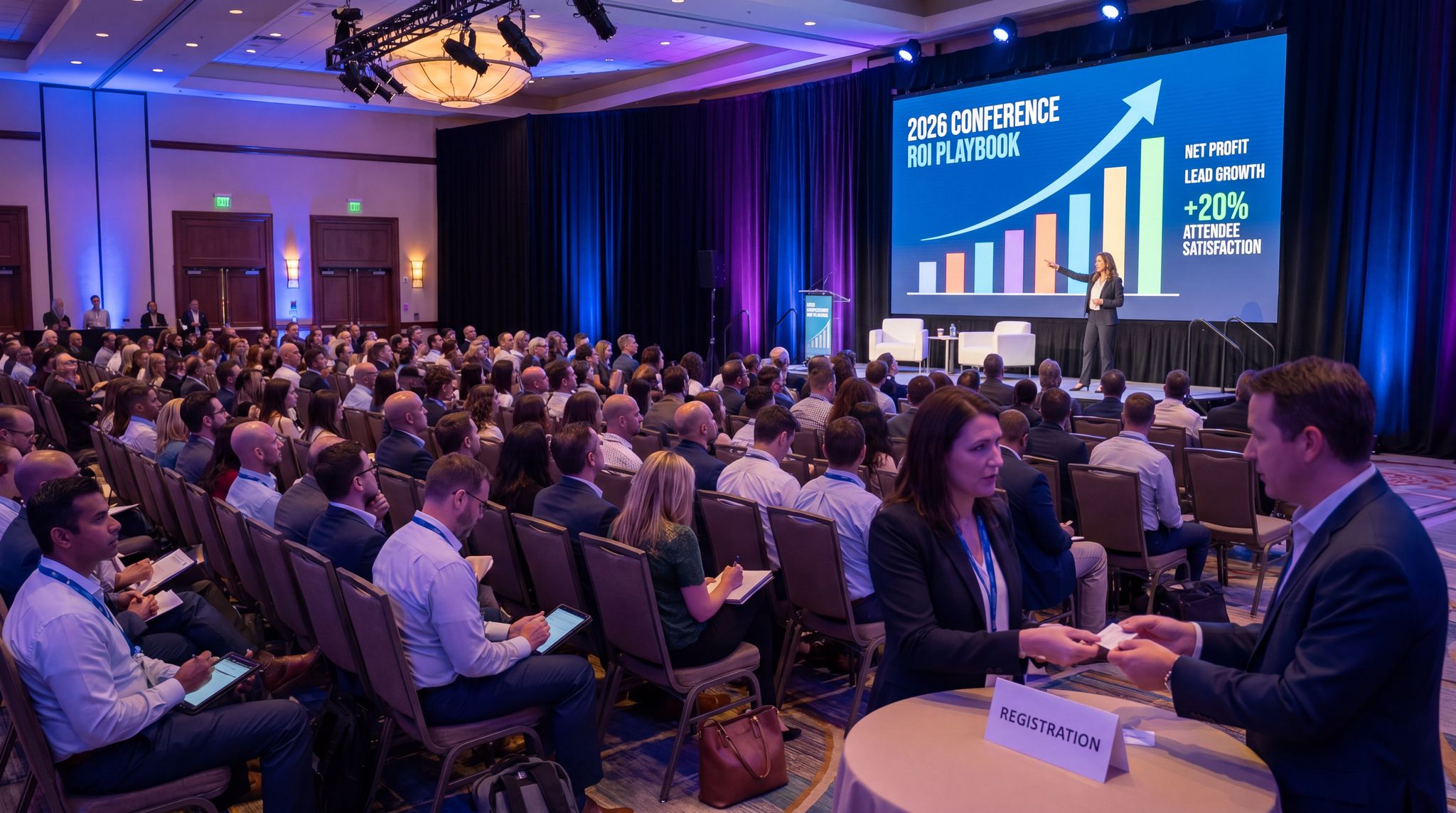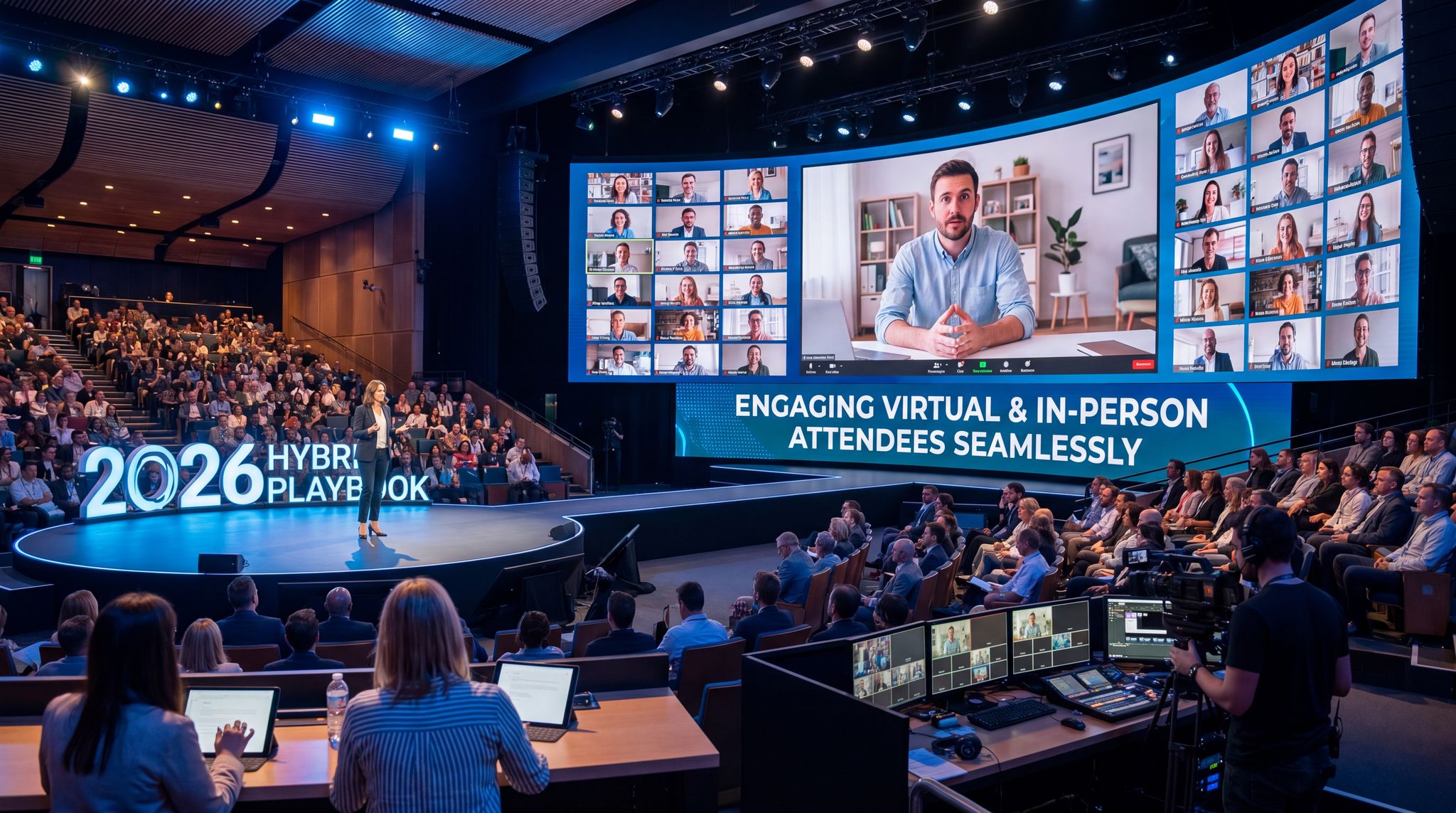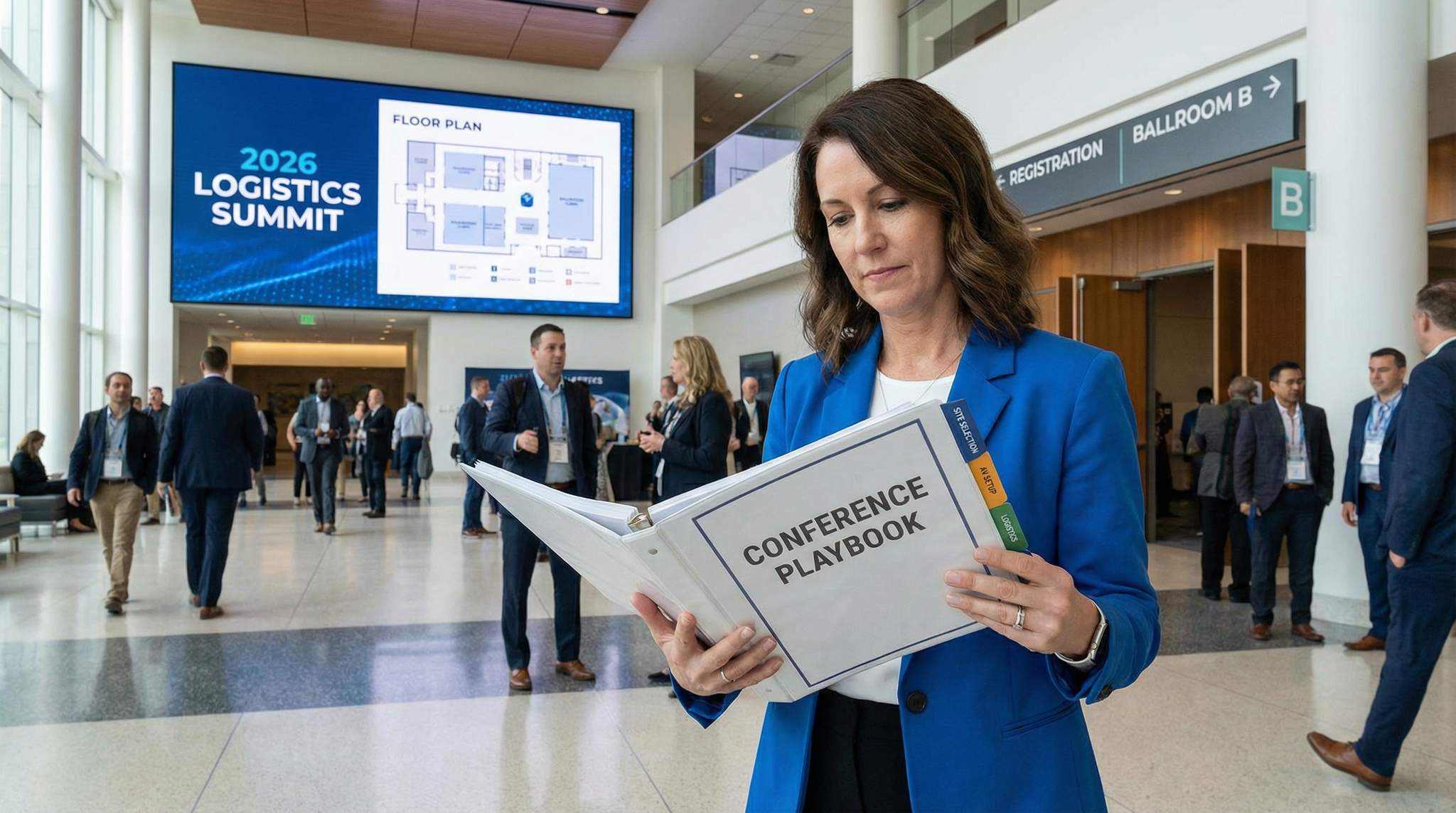
Planning a successful conference in 2026 requires juggling countless details – but it all starts with choosing the right venue and mastering logistics. A well-chosen venue sets the stage for everything that follows, from room layouts to on-site services. Conversely, a poor venue choice or overlooked logistic detail can derail attendee experience and sponsor satisfaction. This playbook walks through each step of the venue and logistics process, sharing hard-won lessons from veteran organizers of global summits. By applying these strategies, conference planners can avoid common pitfalls and deliver seamless experiences for attendees, speakers, and sponsors.
Before diving into specifics, it’s important to frame your planning timeline. Large conferences are planned many months (even years) in advance, with critical venue decisions made early and on-site logistics fine-tuned closer to event day. The table below provides a high-level overview of key planning milestones and tasks:
| Timeline Milestone | Key Venue & Logistics Tasks |
|---|---|
| 12–18 months out | Define event requirements and budget; shortlist cities and venues; send RFPs to venues and begin site visits. |
| 9–12 months out | Finalize venue selection and negotiate contracts; reserve event dates; secure hotel room blocks. |
| 6–9 months out | Plan room layouts and session formats; hire AV and production vendors; design signage and branding plan. |
| 3–6 months out | Confirm room setups with venue; finalize catering menus and breaks; arrange transportation logistics (shuttles, parking). |
| 1–2 months out | Conduct final site walkthrough; test internet and AV; print signage, badges, and seating plans; brief venue staff on schedule. |
| Event week | Oversee venue load-in; supervise setup of stages, booths, and registration area; run technical rehearsals with AV team and speakers. |
| During event | Manage daily operations (registration, sessions, catering); monitor attendee flow; quickly address any technical or logistical issues. |
| Post-event | Execute load-out and venue cleanup; debrief with venue and vendors; review invoices and lessons learned for next time. |
With this roadmap in mind, let’s break down each phase – from initial site selection to on-site execution – and explore proven tactics for success at every step.
Defining Conference Venue Requirements and Objectives
Choosing a venue begins long before you tour properties. Successful organizers start by clearly defining the conference’s requirements and goals. This crucial first step ensures you only consider venues that truly fit your event’s needs. From audience size to event format and budget targets, knowing your requirements upfront will save time and prevent costly mismatches later. Below we delve into how to clarify these fundamentals.
Interactive Seating for Every Venue
Let fans pick their perfect seat with interactive venue maps. Supports reserved seating, section-based pricing, and real-time availability.
When determining what to consider when selecting a conference venue in 2025 or 2026, planners must look beyond traditional metrics like square footage and catering menus. The modern event landscape demands a holistic evaluation of technological readiness—such as multi-gigabit bandwidth for hybrid streaming—alongside modular space flexibility to accommodate shifting attendee numbers. Balancing these contemporary demands with foundational elements like location, budget, and accessibility forms the core of a successful site selection strategy.
If you are outlining exactly what you should consider for a successful conference venue, the answer lies in balancing these modern technical requirements with attendee comfort. A top-tier facility must not only house your expected capacity but also actively enhance the delegate experience through intuitive wayfinding, ample networking lounges, and reliable on-site support teams.
Ready to Sell Tickets?
Create professional event pages with built-in payment processing, marketing tools, and real-time analytics.
Clarify Event Objectives and Format
Your venue must serve your event’s purpose. Begin by clarifying what type of conference you’re organizing and the experience you want attendees to have. Is this a single-day corporate summit with one main stage, or a multi-track, multi-day industry convention with keynotes, breakouts, and an expo? The format will dictate what venue features are non-negotiable. For example:
– A tech developer conference might require an open expo hall for product demos and space for hackathon rooms.
– An academic symposium may need numerous small breakout rooms for paper presentations and quiet networking areas.
– A corporate sales kickoff could prioritise a grand ballroom for high-impact keynotes and smaller rooms for team meetings.
Each format comes with specific spatial and technical needs. Defining the event structure and tone (formal vs. informal, networking-heavy vs. content-heavy) ensures you target venues that align with those characteristics. Experienced organizers also revisit the conference’s core objectives – whether it’s education, networking, lead generation, or community-building – so the venue can facilitate those outcomes. Aiming for strong networking? You’ll need ample mingling space and lounges. Launching a product? A venue with dramatic presentation capabilities (lighting, sound) might top the list.
Estimate Audience Size and Space Needs
Accurately estimating your attendance size is essential before choosing a venue. Veteran organizers know to plan for slightly more capacity than current registrations to allow room for growth or last-minute attendees. In 2026, many conferences are rebounding to pre-pandemic attendance levels, evidenced by Web Summit’s technology startup conference trends and San Francisco Dreamforce 2025 traffic projections, so consider trends in your sector and build in a buffer. Once you have a ballpark attendee count, determine the types of spaces required:
– Main plenary room – for keynotes or all-hands sessions. Ensure it can seat everyone (in theater style or your chosen setup) comfortably, with good sightlines.
– Breakout rooms – number and size depend on how many concurrent sessions/tracks you plan. More tracks require more rooms; consider capacities for workshop-style vs. lecture-style breakouts.
– Expo or sponsor showcase area – if you have exhibitors or sponsors displaying booths, you’ll need an exhibit hall or adjacent space. Estimate how many booths or demo stations you’ll host.
– Catering and networking areas – plan space for coffee breaks, lunches, and any evening receptions. This might be foyer space or a separate hall, ideally allowing smooth flow and not too far from session rooms.
– Auxiliary spaces – think about speaker ready rooms, staff offices, storage for materials, and VIP green rooms. Top conferences allocate private prep spaces so speakers can test presentations and organizers have an on-site HQ.
It can be helpful to sketch a rough space allocation plan as you define needs. For example, if expecting 500 attendees with 4 breakouts, you might target a main hall for 500, four breakout rooms for 125 each, a banquet area for 500 (if a seated meal is planned), and an expo area for 20 booths. These numbers drive your venue search criteria. Keep in mind that venues have different capacities for different setups – a room that seats 300 theater-style may only hold 150 classroom-style. We’ll examine setup styles later, but ensure your expected count fits even in the least efficient layout you might use. Nothing is worse than discovering too late that half your audience can’t fit into a popular session room!
No Hidden Fees, Just Honest Pricing
One all-inclusive fee covers the platform, payment processing, support, and every feature. Free events are always free. No setup costs, no surprises.
Location, Timing, and Accessibility Considerations
It can be helpful to sketch a rough space allocation plan as you define needs. For example, if expecting 500 attendees with 4 breakouts, you might target a main hall for 500, four breakout rooms for 125 each, a banquet area for 500 (if a seated meal is planned), and an expo area for 20 booths. These numbers drive your venue search criteria. Keep in mind that venues have different capacities for different setups – a room that seats 300 theater-style may only hold 150 classroom-style. We’ll examine setup styles later, but ensure your expected count fits even in the least efficient layout you might use. Nothing is worse than discovering too late that half your audience can’t fit into a popular session room!
Grow Your Events
Leverage referral marketing, social sharing incentives, and audience insights to sell more tickets.
Location, Timing, and Accessibility Considerations
Deciding where to hold your conference often goes hand-in-hand with venue selection. Consider the geographic location and timing in tandem, as they impact venue availability and appeal. Key factors include:
– City and proximity – Choose a host city or region that is convenient for your target attendees. Consider where most delegates will travel from. Major conferences like Salesforce’s Dreamforce intentionally remain in hubs (San Francisco) to leverage airport access and hotel inventory, whereas a regional corporate retreat might pick a quieter resort town for focus. Also factor in local attractions or business significance – attendees often treat conferences as a “bleisure“ (business + leisure) trip if the destination is appealing.
– Date and season – Lock in an event date range and note any local holidays, major events, or climate issues. For example, avoid scheduling in a city’s monsoon season or during a big citywide festival unless you’ve accounted for those challenges. If you target peak conference season (e.g., September–November in many industries), venues book quickly. Starting early is crucial: many large conventions book venues 1–2 years out. If you have flexibility, off-peak dates can save cost – some venues offer discounts for winter months or weekdays vs. weekends.
– Transportation and accessibility – Ensure the city/area has adequate transportation for attendees. Is there an international airport nearby? Good public transit or highways? Also consider local accessibility: venues in dense urban centers might have limited parking but good transit, whereas remote resorts might require shuttles from the airport. Make sure to accommodate any attendees with disabilities – from airport assistance to venue entrances (more on venue ADA compliance later). Accessible location isn’t just about wheelchair access, but also overall ease of travel.
– Safety and well-being – In 2026, considerations like health protocols and security remain important. Check local COVID-19 guidelines or other health requirements if any (some countries still have event restrictions). Also research the city’s safety for large gatherings. Conference organizers in major cities collaborate with local authorities on crowd management plans when attendance soars.
With objectives defined, audience size estimated, and location parameters set, you’re armed with the must-have criteria for your venue search. This clarity prevents the all-too-common mistake of falling in love with a venue’s aesthetics or reputation without verifying it truly meets your needs. Keep these requirements front and center as you explore options – and communicate them clearly when engaging venues or Convention Bureaus (CVBs) for recommendations. Planning with clear goals from the start also supports your budget strategy; for instance, knowing whether your conference aims to turn a profit or is a cost-center event will influence how much you can spend on the venue. (For deeper budget planning strategies, explore insights on budgeting for profitable conferences that help balance costs and revenue.)
Venue Scouting and Shortlisting Options
Once your requirements are set, it’s time to scout potential venues. This phase is about casting a wide net based on your criteria, then narrowing down to a shortlist of serious contenders. In 2026, planners have more tools than ever – from virtual site tours to data from past events – to aid the search. The goal is to identify venues that check your critical boxes (capacity, location, amenities) and warrant a deeper evaluation. Here’s how to efficiently find and compare venues for your conference.
Exploring Venue Types and Sources
Conferences can take place in a variety of venue types, each with pros and cons. Common categories include:
– Convention Centers: These are built for scale – offering massive exhibit halls, dozens of meeting rooms, and robust infrastructure. Ideal for large trade conferences or multi-track events. They often allow great flexibility but may feel less personal or have higher ancillary costs (union labour, etc.).
– Hotels and Resorts: Hotels with conference facilities (ballrooms, meeting room floors) are popular for small to mid-size conferences (from 100 up to a few thousand attendees). They combine venue and accommodation, which is convenient, and frequently include in-house catering and AV services. However, space might be fragmented across ballrooms and breakout rooms on multiple floors.
– University Campuses and Auditoriums: Universities often rent out auditoriums, classrooms, and halls during academic breaks at competitive rates. These can work well for academic or non-profit conferences. Be mindful of academic venues’ tech capabilities (some have advanced lecture halls, others may need external AV) and whether the campus location works for your attendees.
– Unique or Unconventional Venues: In recent years, planning a conference in unconventional spaces – like art centers, theaters, museums, or even industrial lofts – has become a trend to create a memorable atmosphere. These can wow attendees but come with logistic challenges (limited seating, needing to bring in equipment, etc.). If you go unique, ensure the basics (seating, climate control, restrooms, accessibility) can be adequately managed.
– Dedicated Conference Centers: Some facilities specialize in conferences and training seminars, offering all-inclusive packages (meeting rooms, dining, accommodations). They might be outside city centers, focusing on distraction-free environments. These often excel in service and simplicity, though perhaps lack the excitement of a downtown location.
Smooth Entry With Mobile Check-In
Scan tickets and manage entry with our mobile check-in app. Supports photo ID verification, real-time capacity tracking, and multi-gate coordination.
As you explore venue options, use multiple sources to build your list:
– Convention & Visitors Bureaus (CVBs): Nearly every major city has a CVB or tourism board that assists meeting planners for free. Provide your requirements, and they can suggest venues and help gather proposals. Many planners leverage local CVB expertise – in fact, around 55% use CVB help in site selection, according to PCMA Convene research, to ensure no good option is overlooked.
– Online venue directories and RFP platforms: Websites like Cvent, MeetingPackage, or VenueReport allow you to filter venues by location, capacity, and amenities, and sometimes send a single RFP to multiple venues. In 2026, these platforms often include 360° virtual tours, floor plans, and even reviews from other event planners. Use them to quickly gauge a venue’s suitability on paper.
– Professional networks and past events: Tap into your network of fellow organizers or industry associations. If you know similar conferences (size/industry) that took place in a region, find out where they were held and how it went. Many venues proudly list notable events they’ve hosted – you can reach out to those event teams for candid feedback. Peer recommendations can surface gems or warn you of issues not obvious in brochures.
– Site visits (in-person or virtual): Once you have a list of promising venues, arrange site visits (or virtual tours if travel is difficult). We will cover site inspections in detail later, but even at this scouting stage, an initial walkthrough (even via video call) can eliminate options that looked good on paper but don’t feel right in person.
When evaluating venue sourcing platform options in 2026, planners are increasingly turning to AI-enhanced tools that go beyond basic directories. Platforms now offer predictive pricing, real-time availability, and automated RFP tracking, making it easier to filter down to exact specifications. This is particularly helpful if you are wondering, “are small conference venues available for intimate executive retreats?” The answer is a resounding yes. While mega-centers dominate the headlines, boutique hotels, dedicated micro-conference centers, and specialized corporate retreat spaces are highly accessible through these modern sourcing platforms, allowing you to find the perfect fit for a 50- to 200-person event.
As you explore venue options, use multiple sources to build your list:
– Convention & Visitors Bureaus (CVBs): Nearly every major city has a CVB or tourism board that assists meeting planners for free. Provide your requirements, and they can suggest venues and help gather proposals. Many planners leverage local CVB expertise – in fact, around 55% use CVB help in site selection, according to PCMA Convene research, to ensure no good option is overlooked.
– Online venue directories and RFP platforms: Websites like Cvent, MeetingPackage, or VenueReport allow you to filter venues by location, capacity, and amenities, and sometimes send a single RFP to multiple venues. In 2026, these platforms often include 360° virtual tours, floor plans, and even reviews from other event planners. Use them to quickly gauge a venue’s suitability on paper.
– Professional networks and past events: Tap into your network of fellow organizers or industry associations. If you know similar conferences (size/industry) that took place in a region, find out where they were held and how it went. Many venues proudly list notable events they’ve hosted – you can reach out to those event teams for candid feedback. Peer recommendations can surface gems or warn you of issues not obvious in brochures.
– Site visits (in-person or virtual): Once you have a list of promising venues, arrange site visits (or virtual tours if travel is difficult). We will cover site inspections in detail later, but even at this scouting stage, an initial walkthrough (even via video call) can eliminate options that looked good on paper but don’t feel right in person.
When evaluating venue sourcing platform options in 2026, planners are increasingly turning to AI-enhanced tools that go beyond basic directories. Platforms now offer predictive pricing, real-time availability, and automated RFP tracking, making it easier to filter down to exact specifications. This is particularly helpful if you are wondering, “are small conference venues available for intimate executive retreats?” The answer is a resounding yes. While mega-centers dominate the headlines, boutique hotels, dedicated micro-conference centers, and specialized corporate retreat spaces are highly accessible through these modern sourcing platforms, allowing you to find the perfect fit for a 50- to 200-person event.
For larger multi-track events, organizers frequently ask how to find a conference venue with plenary sessions and breakout rooms that are properly proportioned. The most effective strategy is to filter your search through specialized RFP platforms using a “contiguous space” requirement. You need a property where the main keynote hall is centrally located, with a sufficient number of smaller, acoustically isolated meeting spaces immediately adjacent. Relying on local CVBs to identify these specific architectural layouts can save weeks of manual scouting, as they know exactly which local convention centers or large hotels feature this dual-purpose design.
Best Practices for Managing Venue RFPs
Once you have identified potential properties, the next critical step is mastering the Request for Proposal process. Implementing best practices for managing RFPs for event venues in 2025 and 2026 requires a strategic approach rather than simply blasting generic requests to dozens of properties. Start by crafting a highly detailed, customized RFP document that clearly outlines your non-negotiables—such as specific dates, required multi-gigabit internet bandwidth, and exact breakout room capacities. Vague requests yield vague proposals, which waste time during the evaluation phase. Furthermore, utilize modern sourcing platforms to track submissions centrally, but always follow up with a personalized email or call to the venue’s sales manager. This human touch helps your event stand out in a competitive seller’s market. Finally, establish a strict timeline for responses and stick to it; give properties a clear deadline (typically two to three weeks) and schedule your review period immediately afterward to maintain momentum in the contracting phase.
Data-Driven Event Marketing
Track ticket sales, demographics, marketing ROI, and social reach in real time. Exportable reports give you the insights to make smarter decisions.
Initial Screening: Key Criteria to Compare
At the shortlist stage, you’re likely considering 3–5 venues that meet your basic needs. Now it’s time to compare them systematically. Create a venue comparison checklist or matrix listing all the factors that matter to your event. This ensures an apples-to-apples evaluation. Key criteria include:
– Capacity & Space: Does each venue comfortably fit your plenary session and breakouts? Check not just total capacity, but configurations (a room’s max capacity can vary by setup style). Verify ceiling heights and floor load capacity if you have special production (e.g., heavy exhibits). Also, consider whether the venue has extra space if your event grows – can they add an overflow room or expand seating if needed?
– Layout & Flow: Examine the floor plan. Is everything on one floor or spread out? Ideally, venues with contiguous space (e.g., all meeting rooms around one foyer) are easier for attendees to navigate. Note distances: will attendees have to walk five minutes between farthest rooms? And identify potential bottlenecks (narrow hallways, too few elevators). A well-laid-out venue prevents congestion between sessions.
– Technical Amenities: Compare built-in AV capabilities (stage, sound system, projectors, LED walls) and production infrastructure (rigging points, backstage areas). If one venue has a state-of-the-art lighting grid and another is a bare hall requiring full AV rental, that’s a cost and complexity difference. Internet bandwidth is another crucial factor – does the venue offer dedicated high-speed internet lines or only shared WiFi? In an era where conferences rely on live demos, streaming, and attendee devices, connectivity can make or break the event. (We’ll discuss connectivity more in a moment.)
– Cost Factors: Look at the pricing model for each venue. Some charge a flat rental fee, others waive rental if a food & beverage minimum is met (common with hotels), and some convention centers charge per hall or per room per day. Include any mandatory costs like cleaning fees, security, or union labor. Also note differences in catering pricing if venues require using their in-house catering – a venue with higher catering costs could blow your budget even if the space rental is cheap.
– Location & Hotels: Consider each venue’s immediate surroundings. Are there sufficient hotels within walking distance or a short drive? If one venue requires a 30-minute shuttle from the city center, you’ll need transport budget and attendees might be less happy. Also, is the venue in a safe, accessible area? If comparing cities, factor travel convenience and appeal for attendees too.
– Dates & Flexibility: Naturally, availability is key. A perfect venue that isn’t free on your dates won’t work. Check if any venue holds a soft booking or if your dates can shift slightly. Also ask about flexibility – for example, could you adjust the room block if attendance is higher/lower than expected? A venue that offers more flexibility in contract terms might win out over one with strict conditions.
Ultimately, the key factors for selecting a conference center in 2025 or 2026 revolve around adaptability and technological readiness. A venue that looked great five years ago might struggle with today’s high-bandwidth hybrid streaming demands or lack the modular spaces required for modern, interactive breakout sessions.
One effective tool is to create a comparison table. Here’s an example snippet of how you might compare three venue options side by side:
| Criteria | City Convention Center | Grand Hotel Ballroom | Historic Offsite Venue |
|---|---|---|---|
| Capacity (theater) | 5,000 in main hall; 20 breakout rooms | 800 in ballroom; 5 breakout rooms | 300 max (can add outdoor tent for 200) |
| Exhibit Space | 100,000 sq ft hall + outdoor plaza | 20,000 sq ft (trade hall) | 5,000 sq ft (lobby areas for booths) |
| Built-in AV | Modern stage, pro sound & lights | Basic PA, projector (external AV for big shows) | Minimal – must bring all AV gear |
| Internet Bandwidth | Dedicated 10 Gbps line available | 1 Gbps shared WiFi (upgradable) | Limited WiFi; would need rental APs |
| Accessibility | Fully ADA compliant (ramps, elevators, ADA seating) | ADA compliant (all one level) | Partially accessible (historic building with some stairs) |
| Nearby Hotels | 3 hotels (1000+ rooms) within 1 km | On-site 300-room hotel; others nearby | None on-site; 2 hotels (~200 rooms) a 5-km shuttle away |
| Rental Cost (per day) | $50,000 (full center) + labor fees | $15,000 + food/bev minimum $30k | $12,000 (space only, external catering extra) |
| Notable Pros | Huge space for growth; turnkey setup | Beautiful ambiance; convenient lodging on-site | Unique atmosphere; brand impact |
| Notable Cons | Expensive; union labour rules | Capacity is tight if event grows | Logistically complex (everything external) |
This kind of comparison makes differences clear. For instance, the City Convention Center might be the only one that fits a 3,000-person growth scenario, but it’s costliest. The Historic Venue is unique but poses accessibility and logistics challenges. Weigh these trade-offs against your event priorities.
Applying this comparison matrix to specific regional markets often reveals unique local variables. For example, when organizers ask how to evaluate event venues in Phoenix based on price, layout, and tech, the approach requires factoring in the destination’s specific climate and seasonal demand. In major sunbelt convention hubs, pricing fluctuates drastically between peak winter months and the off-season. Layout evaluations must prioritize contiguous, climate-controlled indoor spaces to keep attendees comfortable, while tech assessments should ensure the facility’s HVAC and power grids can handle heavy AV loads without failing during extreme heat. Using a localized lens ensures your baseline criteria hold up against regional realities.
Leveraging Local Insights and Virtual Tours
In building your shortlist, local insights can be invaluable. If possible, contact the local tourism board or destination management companies (DMCs) that specialize in your conference’s location. They often know the inside scoop on venues – upcoming renovations, management changes, or which venues handle events of your scale well. Organizers with 25+ years of experience often have a mental rolodex of venues around the world, but even they consult local experts for current details. For example, a veteran planner might know that “Venue X has a great layout, but last year the WiFi was problematic, however the CVB confirms they’ve since upgraded their network by installing WiFi 6E.” Such details can sway a decision.
Let Fans Pay Over Time
Offer flexible payment plans that split ticket costs into manageable installments, making higher-priced events accessible and boosting conversions.
Modern technology also helps at the scouting stage. Virtual site visits became popular during 2020–2021 and remain a useful tool. Many venues offer 3D virtual walkthroughs on their websites or can conduct a live video tour for you. While nothing replaces an in-person visit for critical choices, a virtual tour can help you eliminate obvious mismatches without flying across the country. Use these tools to inspect sightlines, décor, and even to visualize branding opportunities on walls.
Finally, as you hone in on top choices, don’t forget to ask each venue for references – other conferences of similar size that have used the space. A quick call or email to a fellow organizer can confirm if the venue lives up to its promises (e.g., “Was the staff responsive during the event? Any unexpected charges or issues?”). Such peer feedback is gold for trustworthiness. This due diligence sets you up for the next phase: visiting your shortlisted venues and verifying details in person.
Evaluating Venue Facilities and Layout in Detail
With a shortlist of promising venues, the next step is a thorough evaluation of each venue’s facilities, layout, and capabilities. This goes beyond brochure specs – it means understanding how the venue will actually work for your conference. In this section, we drill down into evaluating capacity in practice, technical infrastructure, accessibility, and other on-site amenities. By the end, you should know exactly which venue can deliver the best experience and what adjustments or external support might be needed for each option.
Confirming Capacity and Layout Flexibility
A venue’s stated capacities are a starting point, but scrutinize how those numbers hold up for your specific needs. For each room you plan to use, confirm its capacity for your intended setup style. For example, a ballroom might hold 1,000 in theater seating but only 600 with banquet rounds for a luncheon. If you plan to use round tables during parts of the day, will you need to re-set the room quickly, or can you use an adjacent space? Some tips:
– Ask for floor plans with dimensions: Measure out potential layouts. Can you fit a stage, projector screens, and still have 15’ (4.5m) from the back wall to last row for fire codes? Verify there is sufficient clearance around exhibits and aisles at an expo.
– Check pillar placement and sightlines: Many hotel ballrooms have columns that can block views. If using multiple projectors or a wide stage, ensure nothing obstructs the line of sight. If the venue has multiple levels or strange angles, consider whether all participants will feel included (e.g., not putting an overflow in a separate room unless you plan video relay).
– Consider growth and contingency: If attendance might grow, can the walls be pushed back or airwalls opened? Some convention centers have movable walls to expand room size; know those options. On the flip side, if a room is far too large for an intimate workshop, can it be subdivided or will you need pipe-and-drape to mask empty space? Flexibility matters, especially when registrations often fluctuate.
– Flow between sessions: Map the routes from session rooms to restrooms, to the expo hall, to dining areas. A compact layout keeps attendees from running marathon distances between sessions. If your short break has everyone heading to one foyer for coffee, is it wide enough or will you need to stagger schedules or signage directing to multiple coffee stations? Identifying potential choke points now lets you plan mitigations.
One veteran conference producer recalls a lesson from a 3,000-person event: Two breakout rooms were at opposite ends of a convention center, causing late arrivals as people hiked across the building. After day one’s chaos, they adjusted by adding a 5-minute buffer and deploying directional aides – but with better foresight in layout planning, that could have been avoided. The takeaway: ensure your venue’s layout supports the agenda you have planned, or be ready to tweak the agenda/flow to suit the venue.
Assessing AV, Lighting, and Sound Capabilities
Modern conferences are high-tech productions. A venue’s audio-visual (AV) infrastructure can significantly impact both the attendee experience and your budget. Key points to evaluate:
– Built-In AV Systems: Does the venue come equipped with quality speakers, projectors, LED screens, stage lighting, etc., or will you need to bring everything in? Many large convention centers are essentially blank canvases (you must rent all AV gear), while some hotel ballrooms have decent built-in sound and basic stage lighting. If the venue has an in-house AV provider, get details on what equipment is included in-house packages versus extra. In-house systems might suffice for a simple one-track conference, but big production keynotes often need supplemental gear regardless.
– Power and Rigging: Check the availability of electrical power – are there enough outlets and high-voltage connections for stage lighting, soundboards, charging stations, etc.? Also, venues with rigging points in the ceiling make it easier and safer to hang truss for lights or signage. High ceilings and rigging grids are a plus for elaborate stage designs. If a venue lacks rigging capacity, floor-supported trusses will be needed (taking floor space and budget).
– Acoustics: Some spaces handle sound better than others. For instance, convention exhibit halls may echo terribly for speeches, whereas a purpose-built theatre has excellent acoustics. During site visits, test the acoustics (clap or speak and see how sound carries). Poor acoustics might require extra draping or sound engineering to avoid an unintelligible session.
– On-Site Technical Support: Inquire about the venue’s tech staff. Do they have AV technicians who will be dedicated to your event? For example, many venues include a basic AV tech to ensure house systems run smoothly, but they may not assist with external equipment or complex needs. Knowing the support level is vital. If the venue’s team is limited, you’ll want your own AV crew or an event technology partner on call.
A real-world example underscores this: A large healthcare conference in a hotel assumed the in-house projector was sufficient for a 1,000-person plenary. Come event day, the projector’s bulb was too dim, washing out slides under bright stage lights. The lesson learned was to double-check all AV specs and plan backups – now they always bring an extra high-lumen projector just in case. It’s wise to budget for a few critical backup items (like spare microphones, projector bulbs, etc.). Technical failures can grind a conference to a halt, so an ounce of prevention is worth a pound of cure.
Prioritizing Connectivity: Internet and Bandwidth
In 2026, reliable internet connectivity is as essential as chairs and tables for most conferences. Attendees expect to be connected, event apps need to sync in real time, and hybrid or streaming components require solid upload/download speeds. Thus, evaluating a venue’s internet infrastructure is non-negotiable. Consider the following:
– Bandwidth and Capacity: Ask the venue what dedicated bandwidth they can provide for your event. It’s often worth paying for a dedicated network (separate from the public WiFi) for mission-critical uses (like live streams or conference operations). For attendee WiFi, estimate the number of concurrent connections. A general rule is to plan for at least 2-3 devices per attendee (phone, laptop, tablet) if you expect heavy usage. If you have 1,000 attendees and each with two devices, can the venue’s network handle ~2,000 simultaneous connections at decent speed? Many top tech conferences now demand venues with multi-gigabit capabilities and WiFi 6/6E infrastructure to handle dense crowds.
– Wired Connections: Determine areas that will need hardwired internet. Registration desks, streaming stations, and speaker presentation laptops often fare better on wired Ethernet for stability. Ensure the venue can run cables or has floor ports in those locations. If a venue lacks sufficient drops, you might need to bring in an IT contractor to set up a temporary network and switches.
– Dead Zones and Backup: Check if there are any WiFi dead spots in the venue (older venues may have patchy coverage in certain rooms). Also plan for internet redundancy. For critical functions, consider having a backup like a 5G hotspot or a secondary line. There have been instances of conferences where the primary internet went down due to a provider issue, but a secondary line (or even cell-network backup for streaming) saved the day.
– Costs and Restrictions: Venues vary widely – some include basic WiFi for free, others charge per user or impose hefty fees for dedicated bandwidth. Negotiate this in your contract if possible (we’ll cover negotiating later). It might be more economical to bring in an external event WiFi provider in some cases, especially outdoors or in challenging venues. But coordinate this with the venue to avoid interference with their networks.
One thing veteran planners agree on: “No WiFi, no event” in today’s world, as emphasized by BSN’s 2025 event WiFi trends. Even at events where WiFi once was a luxury, it’s now expected that attendees can use the conference app, engage on social media, and not be frustrated by connectivity issues. There have been infamous cases – such as a major tech summit years ago – where WiFi failures angered attendees and overshadowed the conference content. The organizers responded by massively upgrading infrastructure and even playfully apologizing in follow-up communications, but the damage to that year’s reputation was done. The moral is clear: invest in robust internet solutions up front. According to event tech specialists, powerful, reliable WiFi is a non-negotiable component of modern event planning according to connectivity experts, so ensure your venue either provides it or that you can supplement it effectively.
Checking Accessibility, Safety, and Amenities
A great venue isn’t just big and tech-friendly – it must also be welcoming and safe for all participants. Accessibility and general attendee amenities are key parts of evaluation:
– ADA Compliance and Inclusive Design: Confirm that the venue meets all accessibility standards (ADA in the U.S., similar regulations elsewhere). This includes step-free access to all areas (ramps or elevators where needed), accessible restrooms, and options for attendees with disabilities. Check the path from entrance to registration to main hall – is it navigable by someone using a wheelchair or with visual impairments? What about on-stage accessibility if you have speakers with disabilities? An inclusive venue goes beyond minimum compliance. For instance, ensure there are some seating areas with extra space for service animals or equipment, and that signage is clear (with braille or large print where appropriate). As highlighted in MPI’s event accessibility guide for inclusive events, choosing an accessible venue with features like ramps, elevators, reserved parking, and proximity to public transit is crucial for attendee inclusion based on MPI’s accessibility checklist.
– Safety and Security: Investigate the venue’s safety measures. Do they have adequate emergency exits and clearly marked evacuation routes? During site tours, note the number and location of exits in each room. No one likes to think about worst-case scenarios, but part of logistics is having an evacuation and emergency plan. Ask about on-site medical services or first aid rooms, especially for large conferences. Some big venues have a clinic or medics on standby. Additionally, check if the venue has its own security staff and CCTV coverage. For high-profile events or those with VIP guests, you may need to supplement with additional security, but it’s good to know the baseline.
– Climate Control and Comfort: A frequently overlooked factor is the venue’s HVAC (heating, ventilation, air conditioning). A room packed with people and AV gear can get hot quickly if aircon is weak. Conversely, cavernous convention halls can be chilly when half-full. During your evaluation, inquire if the venue can adjust temperatures per your needs and if they have backup power for climate systems. It’s a small detail that greatly affects attendee comfort. The same goes for lighting – see if the rooms have adjustable lighting scenes (dim for presentations, bright for notes, etc.). If a venue has only “all on or all off” fluorescent lighting, you might need to bring in stage lighting for ambiance.
– Amenities and Services: Take note of bonus amenities. Is there a comfortable speaker lounge or VIP room? A business center for attendees who need to print or work quietly? What about mother’s rooms for nursing mothers, or prayer/meditation rooms for those who might need them? Many conferences now consider these amenities part of being inclusive and attendee-friendly. If the venue doesn’t have dedicated rooms, you might allocate one of your smaller rooms for these purposes. Also, consider basic hospitality: are the restrooms modern and clean? Is there ample restroom capacity to avoid long lines during breaks (especially women’s restrooms, which are often under-provisioned in older venues)? You don’t want 200 people waiting desperately for a stall during a 15-minute coffee break – that definitely dampens the mood.
– Sustainability Features: Finally, in 2026 sustainability is a significant concern for events. Check if the venue has green initiatives – like recycling and composting facilities, solar power, or LEED certification. Venues with robust sustainability programs can help you execute an eco-friendly conference more easily (e.g., providing recycling bins, energy-efficient lighting). If sustainability is a priority for your event, include these factors in your evaluation. Opting for a venue aligned with sustainable practices can reinforce your own event’s commitment to going beyond basic recycling bins, as described in guides to implementing sustainable practices at conventions that minimize waste and carbon footprint.
By meticulously evaluating these aspects – capacity, layout, AV, connectivity, accessibility, safety, and amenities – you’ll gain a 360° understanding of each venue on your shortlist. Often, one venue will emerge as the best overall fit. However, it’s wise to keep a backup option in case negotiations falter or something unexpected arises (e.g., a venue goes under renovation). Venue evaluation is about eliminating surprises later. The time invested here pays off when you know exactly what to expect from the facility you choose, and you can move forward to contract stage with confidence.
Conducting Site Visits and Due Diligence
Once you have one or two top venue candidates, the site visit becomes your make-or-break evaluation. This in-person (or final virtual) inspection allows you to verify details, envision the event setup, and build relationships with venue staff. As a veteran organizer will tell you, never confirm a venue for a major conference without seeing it in person if possible – photos and floor plans only go so far. In this section, we’ll cover how to prepare for site visits, what to look for and ask on-site, and additional due diligence to ensure there are no hidden surprises. This step often solidifies your decision and sets the foundation for negotiation and planning ahead.
Free Tool: Will the Room Actually Be Full?
Forecasts expected attendance from ticket type, event type and day of week. Calculates safe over-book count for free-RSVP events. Free estimator.
Preparing a Comprehensive Site Inspection Checklist
Walking into a venue for a site tour can be overwhelming – shiny ballrooms, busy managers, lots of ground to cover. Go in with a plan and a checklist to stay focused. Key preparations and items to bring:
– Your requirements list: Have your critical criteria (capacity numbers, room needs, etc.) on hand to cross-check. For example, carry the floor plan and mark where you envision stage, screens, etc., and verify it fits.
– List of questions: Prepare specific questions in advance so you don’t forget them. These might include: “Can the airwalls between Ballroom A and B be removed for a combined space?”, “What is the process for loading in exhibition materials – is there a freight elevator and can we reserve it?”, “What are quiet hours or noise restrictions if our program goes into the evening?”, “Does the venue allow us to bring in our own AV vendor or are we tied to in-house?”, and “Is there a backup power generator on-site?”
– Tools: Bring a phone or camera for photos (take pictures of key areas for later reference – such as the lobby for registration layout, or the main hall from various angles to plan stage placement). A measuring tape or laser distance measurer can be helpful to double-check any critical dimensions that seem tight. Also consider a notebook or tablet to jot notes as you go.
– Event team members or stakeholders: If possible, bring along key team members – perhaps your production manager or a logistics lead. Different eyes catch different details. A tech person might notice power outlet placements; a sponsorship manager might spot spots for sponsor booths or banners. If the venue is local to your client or company, bring a representative to gain their buy-in or catch any concerns they have.
Before the visit, coordinate with the venue coordinator about what you need to see. Ensure that during your tour you will have access to all spaces you might use – not just the shiny ballroom but also those back-of-house corridors, storage closets, loading docks, etc. Sometimes, busy venues might have areas in use (e.g., another event in one room) – try to schedule when you can see everything or arrange a second visit if needed. It’s worth the extra effort; you want the full picture.
To streamline this process, many veteran planners rely on a standardized conference venue selection checklist for 2025 and 2026. This updated framework goes beyond traditional square footage and catering minimums to include modern necessities: verifying multi-gigabit WiFi 6E infrastructure, confirming hybrid streaming capabilities, assessing advanced HVAC systems for health compliance, and ensuring modular space flexibility. Having these contemporary requirements codified in your site inspection documents prevents critical oversights when touring properties.
Evaluating Flow and Function On Site
During the site visit, put yourself in the shoes of each type of attendee: a first-time attendee arriving, a VIP/speaker, a exhibitor, etc. Trace the journey they will take:
– Arrival experience: Is there adequate signage (or place for your signs) from the street or parking area to the venue entrance? How far will people walk from the parking lot or drop-off? If arrival is confusing or tedious, you might request the venue to allow additional signage or staff to direct traffic on event days. For multi-day conferences, note if the venue has a designated drop-off loop or enough curb space for shuttles or rideshares during peak times.
– Registration area: Identify where you would set up the check-in desks or kiosks. The foyer or lobby should have enough space so that registration lines don’t block doorways or spill into other areas. Check for power outlets and internet access at registration – you’ll likely have badge printers, laptops, or RFID scanners that need connectivity. A thoughtful tip: some venues have a side room near the entrance that can serve as a registration materials storage or even a satellite office; see if that’s available to stash badges, swag bags, etc., for quick replenishment.
– Main traffic flow: Walk from registration to the main plenary room, then to breakout rooms, restrooms, and expo space. Are the routes intuitive? Notice if there are any confusing turns where you’ll need extra directional signage or staff guidance. Look for nearby restrooms – are they sufficient in size and clearly visible? A common mistake is not checking restroom capacity; if there are only two stalls outside your largest hall, expect huge lines at break (in which case, plan an extended break or arrange for temporary restrooms if feasible, or work with venue to open other restrooms and clearly direct people to them).
– Neighbouring events: Observe what else is happening at the venue. If another event is adjacent, can noise be heard through airwalls? Shared venues often have multiple events – inquire how soundproof the partitions are and whether your attendees might mingle with others in common areas. If you require privacy or exclusivity (say it’s a sensitive industry meeting), this is the time to negotiate sole occupancy of a section of the venue or at least ensure separate entrances.
– Loading and backstage: Ask to see the loading dock or delivery entrance. Ensure trucks can access easily, note any height restrictions, and the distance from dock to event space. Long pushes (hauling equipment over long distances or up freight elevators) can add time and cost during setup. Also check back-of-house corridors: can equipment or catering move behind the scenes without going through attendee areas? If the main ballroom has a backstage area or green room, inspect those: will they serve as a comfortable prep space for speakers or storage for equipment cases? At one large summit in Asia, organizers were caught off guard when the “backstage” behind the plenary was extremely tight, leading to clutter and difficulty moving speakers in and out. A quick measure during the site visit could have flagged that issue and allowed rethinking the stage layout.
Conversely, if you are looking at how large resorts manage logistics for conferences with hundreds of thousands of square feet of meeting space, the challenge shifts from tight constraints to vast distances. Mega-resorts often utilize dedicated logistics teams equipped with golf carts and internal radio networks just to move catering and AV gear between distant ballrooms. For organizers, this means building significantly longer transition times into the run-of-show and deploying robust, scalable event management software. A system designed for conferences, exhibitions, summits, and trade shows that adapts to events of all sizes—from intimate specialist gatherings to large-scale multi-venue programmes—is essential to keep staff synchronized across a sprawling resort footprint.
When analyzing how do resorts with hundreds of thousands of square feet of meeting space manage logistics for large conferences, the strategy must scale proportionally. Operating across such a massive footprint requires organizers to implement zoned management systems. Instead of a single central command, veteran planners establish satellite logistics hubs in different wings of the property. This decentralized approach ensures that catering replenishments, AV troubleshooting, and crowd control can be handled locally without requiring staff to traverse a quarter-mile of corridors. Furthermore, utilizing digital wayfinding beacons and interactive app maps becomes critical to prevent attendees from getting lost between distant breakout sessions.
Engaging with Venue Staff and Asking Tough Questions
A site visit isn’t just about the physical space – it’s a chance to gauge the venue staff’s competence and attitude. Pay attention to how they host the tour. Are they knowledgeable about your event’s needs or just reciting a script? Good venue managers will proactively address how their space can be configured for you (“We can combine these two rooms for your breakout if one needs extra capacity,” etc.). Use this time to probe on important policies and support:
– Vendor policies: Confirm what the venue’s rules are on external vendors. Many conference venues allow outside AV, decorators, or caterers, but may charge fees (e.g., a corkage fee for outside F&B or an AV vendor fee if not using in-house AV). If the venue has exclusive contractors for certain services, get details on costs. For instance, if you must use the in-house electrician for all power tie-ins, that’s an extra cost to budget.
– Catering details: If your event includes food (most do – at least coffee breaks), ask where catering setups typically go. See the kitchen or prep areas if possible to ensure they’re close enough to serve food on time and at the right temperature. Discuss menu flexibility and dietary accommodations (vegan, gluten-free, allergy considerations). A pro tip from experience: verify if the venue can handle simultaneous service of coffee or lunch to large numbers. If there’s only one narrow door out of the kitchen, 500 people might wait too long for buffet replenishment. You might need to stagger or have multiple buffet points – check the logistics now.
– Timing and overtime: Discuss the typical event day schedule and when the venue will allow access. For example, can you get in early in the morning (or the night before) for setup? Is there an extra charge for late-night teardown beyond a certain hour? Many venues have an “access window” in their contract (e.g., 6am-midnight). If your conference schedule has evening networking events or very early breakfasts, ensure the venue can accommodate without huge overtime fees.
– House rules and restrictions: Every venue has its quirks. Ask about things like: Can we hang signage or banners on the walls (and how)? Are open flames allowed (for any stage effects or simply for banquet candles)? Are there noise curfews (this is important if you have outdoor evening receptions or loud music planned)? Some city-center venues have noise ordinances after 10pm, for example. Also, can we tape down cables on the floors (gaffer tape) or do they require specific cable covers? Knowing these in advance will save headaches later.
– Contingency support: This might feel pessimistic, but ask “What’s your backup plan if something goes wrong?” For instance, if a power outage hits the neighbourhood, does the venue have a generator that can at least power emergency lighting or minimal functions? If the main freight elevator breaks, is there an alternate way to load in gear? Their answers will give insight into how prepared and professional the venue team is. A top-notch venue will have ready answers (“Yes, we have a full-building generator that kicks in within 30 seconds of an outage…”). A shaky pause might indicate they’ve never thought about it – a red flag for you to perhaps prepare your own contingencies or reconsider the venue if critical.
Throughout the visit, take notes on everything: atmosphere, cleanliness, staff demeanor, any damage or wear (you don’t want to be blamed for pre-existing wall damage later). After visiting, debrief with your team immediately while impressions are fresh. If you visited multiple venues, score them on your key criteria and discuss any gut feelings. Often the site visit solidifies which venue is the front-runner.
Lastly, prior to making a final commitment, perform one more piece of due diligence: review the venue’s reviews or ask past clients directly about their experiences. Look for testimonials or ask the venue for references (some will connect you with another conference organizer who used the space recently). If that organizer had major issues (e.g., “the venue’s promised WiFi upgrades weren’t done on time”), you’d want to know. Conversely, hearing “the venue staff went above and beyond during our event” can give you confidence. Cross-checking like this ensures you’re not walking into any nasty surprises hidden behind a beautiful facade.
By the end of your site visits and due diligence, you should feel 100% informed about what each potential venue offers and lacks. This sets the stage for the next phase: turning your chosen venue into a signed, sealed deal with favorable terms.
Negotiating Venue Contracts and Agreements
Selecting the perfect venue is only half the battle – now you need to secure it under a contract that protects your interests and fits your budget. Negotiating with venues can be complex, as contracts cover everything from costs and payment schedules to liability and cancellation terms. In 2026’s environment of rising event costs, it’s more important than ever to negotiate smartly and read the fine print. This section guides you through the key elements of venue contracts and strategies to nail down fair terms. With the right approach, you can avoid unpleasant surprises (like hidden fees or inflexible clauses) and build a positive partnership with the venue from the outset.
Understanding All Costs and Fees
Venue proposals can be detailed and sometimes confusing. Start by breaking down all costs involved so you have a clear picture of the financial commitment. Common components include:
– Space rental fee: This may be a flat fee for the entire venue or itemized per room per day. Verify exactly which spaces you have access to (e.g., does the rental include pre-function lobby areas, outdoor terraces, etc.?). If multi-day, note if move-in/out days are charged at a lower rate.
– Food and beverage (F&B) minimum: Hotels and some conference centers often require a minimum spend on catering. If your event will provide meals or coffee breaks, this can often be met easily; if not, you might negotiate this down or pay a rental premium instead. Ensure you’re comfortable with the F&B pricing – a high minimum could force you to overspend on catering just to meet the threshold.
– Service charge and taxes: Catering and services usually have a service charge (gratuity) and local taxes. For example, a $30,000 catering order might actually cost $30k + 24% service charge + 8% tax. That’s an extra ~$9,600 in this example – significant for your budget. Always calculate out-the-door costs.
– Staffing or labor fees: Some venues charge separately for setup/teardown labor, security personnel, cleaning crews, or tech staff. Clarify what’s included. If the venue will have staff setting up tables, is that included or an extra hourly charge? Are basic cleaning services each day included? These details may be buried in contract appendices.
– Equipment rentals: If the venue is providing AV equipment, stages, specialty furniture, or anything beyond standard tables and banquet chairs, those might be extra line items. Get a list of what standard furniture is included. Often, venues include banquet chairs and basic tables in the rental, but perhaps nice lounge furniture for a networking area is extra.
– Miscellaneous fees: Look out for things like power drops fees (charging you for high-voltage access per drop), refrigeration/storage fees if you bring in outside food, fees for outside vendor access (e.g., a $500 fee if you use an outside AV company instead of in-house). These can sometimes be negotiated out or reduced, but only if you spot them. Also note any charges for extending event hours or early move-in.
A good approach is to create a simple spreadsheet of Venue Costs comparing your final contenders. Ensure everything is accounted for. You might find, for instance, that Venue A’s rental is higher but they include more (like AV or a reception), while Venue B looked cheaper but once you add AV rentals and extra fees, it’s costlier. Presenting this breakdown can also be helpful when negotiating – e.g., “We love your venue, but after factoring AV and WiFi fees, it exceeds our budget by 15%. Is there flexibility on those costs?”
Seasoned planners also know to negotiate value-adds: If a venue is firm on price, see if they will throw in extras such as an upgraded coffee break, waived WiFi fees, or additional breakout rooms at no charge. Venues want to close the deal, and sometimes non-cash concessions are easier for them to approve.
Key Contract Clauses: Attrition, Cancellation, Force Majeure
Beyond price, the contract terms can significantly affect your risk and obligations. Pay particular attention to these clauses:
– Attrition Clause: This pertains to any commitment on guest rooms or F&B minimums. For example, if you reserved 200 hotel room nights and only 150 are booked by your attendees, you might owe damages for the shortfall. Look for what percentage of the block you’re required to fill (typical hotel contracts allow 80-90% attrition without penalty; try to negotiate to the lower end). Also, ensure that if the hotel resells unused rooms you released, you get credit so you’re not double-penalized. Attrition can often be negotiated down if you have a good relationship or if you book more rooms next time. Understand the timeline: usually you can adjust the block without penalty up to a certain cut-off date before the event.
– Cancellation Clause: Life is unpredictable – if you have to cancel the event or the venue cancels on you, what happens? The contract should spell out a schedule of penalties if you cancel (e.g., cancel 6 months out = lose deposit; cancel 30 days out = owe 80% of anticipated fees, etc.). Ensure this is reasonable and scaled by time – you don’t want to owe full fee if you cancel far in advance and the venue can rebook those dates. Moreover, clarify conditions under which the venue might cancel on you (often they won’t except for breach of contract or force majeure) and what remedies you have (e.g., refund of deposit plus perhaps a penalty, or the venue helping find a replacement space). Given the last few years of pandemic disruptions, also scrutinize the force majeure clause – this covers unforeseen events like natural disasters, government shutdowns, or pandemics that make the event impossible. Make sure it’s not too narrowly defined. Ideally, it should allow termination without liability for events beyond either party’s control (including things like government travel bans or states of emergency). The years 2020–2022 taught us all that a well-crafted force majeure clause can save an event organization from financial ruin, as detailed in Vendelux’s analysis of event attrition and cancellation clause negotiation strategies. There are resources and guides on crafting force majeure clauses to protect your event which are worth reviewing.
– Liability and Insurance: Most venues require you to carry event liability insurance (with the venue named as additional insured). Confirm the amount required (common is $1–5 million coverage depending on event size) and factor that into your planning if you don’t already have an annual policy. Also check indemnification clauses – typically each party agrees to be liable for negligence or willful harm, etc. If you’re uncomfortable with any clause that overly shifts blame to you, negotiate it. For instance, you shouldn’t be responsible for injuries caused by venue structural problems, etc.
– Performance or Make-Good Clauses: If you are promised certain things (like a newly renovated hall, or specific staff support), you might add a clause that those are material to the contract. For example, “Venue will provide newly installed lighting system in Ballroom per specifications by Event Date, or equivalent alternative acceptable to Client.” It’s rare to get such specifics, but if something is a deal-breaker, put it in writing. One organizer recounts negotiating a clause that the venue would not book any noisy events adjacent to their conference – because they once had their sessions disturbed by loud music from a wedding next door. The contract included that stipulation for future years.
– COVID or Health-related Terms: As of 2026, many contracts have special provisions leftover from pandemic precautions. Ensure you understand any requirements about health measures (e.g., “Organizer will comply with local health mandates” is fine as it’s law anyway). Some venues had COVID clauses allowing termination if social distancing mandates would reduce capacity, etc. Evaluate if those are relevant or need updating in your context.
It’s wise to have a legal counsel or contract specialist review the agreement, especially for large conferences. If that’s not available, take the time to read every clause and don’t hesitate to ask the venue to clarify ambiguous language. The negotiation period is your chance to clarify and tweak; after signing, your flexibility vanishes.
Negotiating Like a Pro: Tips and Strategies
Approach venue negotiation as a partnership discussion, not a confrontation. Here are proven strategies from seasoned event negotiators:
– Leverage your event’s value: If your conference will fill the venue’s space and bring revenue (especially to their catering or hotel rooms), emphasize that. Venues are more willing to negotiate if they see long-term partnership potential or ancillary spend. For example, mention if this might be an annual event that could return in future years – venues might offer a multi-year discount or at least be more flexible to win your repeat business.
– Get multiple quotes: Even if you have a favorite, get quotes from at least two venues. Having options gives you leverage. You can (tactfully) let Venue A know that while you prefer them, Venue B offered a better AV package or lower room rates – and ask if they can match or improve. Be honest and specific; outright bluffing can backfire in this tight-knit industry. But venues expect you to compare offers, and many will sharpen their pencils if they know there’s competition.
– Prioritize your asks: Know what matters most (e.g., free WiFi, lower rental, more flexible attrition) and what you can concede. Perhaps paying a bit more in rental is fine if they give you a lenient cancellation policy. Or you might accept a higher F&B minimum if they throw in a complimentary welcome reception. Bundle negotiations – don’t approach each item separately. Instead, propose a package: “If we commit to a $50k F&B spend, can you waive the room rental and include rental of the main stage lighting at no cost?” This way both sides give and gain.
– Timeline and deposits: Negotiate a reasonable payment schedule. Typically a deposit (20-30%) is due on signing, with further installments closer to the event. Try to push larger payments as late as possible to protect cash flow. And seek clarity on refunds if the event cancels early – often deposits become non-refundable at certain points. See if you can make deposit installments rather than one big sum.
– Document all promises: If during negotiation the venue verbally agrees to something – say, providing an extra breakout room if needed, or allowing you to bring in an outside food vendor for a cultural element – ensure it’s written into the contract or at least email confirmation from them appended. People can change jobs; you want the agreement on paper so the venue is obligated regardless of who your contact is later.
– Review hotel block terms (if applicable): If your conference involves booking a hotel block (often in same venue if it’s a hotel, or nearby hotels), negotiate those contracts alongside. Many items like attrition have been discussed above. Also negotiate room rates and concessions: typically if you book a block, you get some perks like free rooms for staff (a comp room per 40 paid room nights is common), upgrades for VIPs, or perhaps free use of a hospitality suite. Ensure the cutoff date for attendees to book rooms at group rate is reasonable (not too early). If you expect a lot of international or late registrants, push that cutoff as late as possible.
Remember, negotiation is about finding a win-win. Aim to build a relationship where the venue sees your event as a valued client, not a squeeze. Maintaining professionalism and honesty goes a long way. Many veteran organizers have developed trust with venue managers such that they get the first right of refusal on dates or special considerations. That relationship can start during negotiation if handled well.
Finally, once all terms are agreed and the contract is drafted, double-check every detail against your understanding. Ensure all spaces you intend to use are listed, all rates are correct, and no “TBD” remains on important items. Sign it, get a countersignature from the venue, and you have officially secured your venue! That’s a milestone worth celebrating – briefly, because now the real detailed planning for the event execution begins.
Designing Effective Space Layouts and Room Setups
With the venue contract in hand, you can turn your attention to how to best use the space. The layout and setup of rooms will directly impact attendee experience – affecting sightlines, acoustics, comfort, and networking opportunities. Good layout design can also reinforce the event’s objectives (for example, a lounge area to foster networking or an immersive stage design to wow the audience). In this section, we’ll look at mapping out your event’s floor plan, choosing room setup styles, and ensuring smooth traffic flow. We’ll also discuss accommodating sponsors or exhibitors in the layout, and any special considerations for backstage or staff spaces.
Creating the Master Floor Plan
Start by sketching a master floor plan of your conference within the venue. This is essentially assigning purposes to every usable space and planning their configuration. Key elements:
– Zoning the venue: Decide which area is the main stage/plenary, which rooms are breakouts (and which sessions go where), where the expo or sponsor booths will reside, where registration happens, and where food & beverage stations or lounges will be. Mark these on a scaled floor plan if possible. Pay attention to adjacencies: for instance, if you expect heavy foot traffic between two popular breakout rooms, having them near each other or with a wide corridor is ideal. Place noisy elements (like an expo stage or entertainment) away from quiet zones (like a workshop room or prayer space) to avoid sound bleed.
– Sponsor and Exhibitor placement: If you have sponsor booths or an exhibit hall, design this carefully. Typically, having the expo area in a spot attendees naturally pass (e.g., the foyer where coffee breaks take place) boosts foot traffic. Aim for a logical flow among booths with clear aisles. Avoid any dead-end aisles that could be missed. An island or hub layout can work for larger expos, while linear rows might suffice for smaller showcases. Also consider premium booth spots (near entrances or food stations) which can be sold to top sponsors. Managing the exhibitor layout is an art in itself – for deeper guidance, resources on designing and managing exhibitor halls efficiently can provide tips on balancing traffic flow and vendor satisfaction.
– Registration and info desk: Plan a prominent location at the entrance for registration/check-in. Ensure it doesn’t create a bottleneck; if space is tight, perhaps an L-shaped desk or multiple check-in stations spread out can help. Also plan for an information desk or help booth easily found by attendees with questions – sometimes co-located with registration or near the main lobby throughout the event.
– Networking and quiet areas: Conferences often benefit from designated networking nooks or quiet work areas. Consider where you can place a few cocktail tables or lounge furniture where people can have side discussions. A foyer outside session rooms is prime for this – if space permits, create a small seating cluster or even a phone charging station area. Conversely, a quiet corner room could be assigned as a “quiet room” for attendees who need a break from the bustle (this is increasingly appreciated for neurodiverse inclusion and general attendee comfort).
– Staff and storage areas: Don’t forget to allocate space for your team’s operations. You might mark one small meeting room as the staff HQ (where radios, schedules, and supplies are kept and staff can take breaks). Similarly, identify storage areas for conference materials (extra programs, swag, session handouts, etc.). Venues might offer a locked storage room or you may need to rent one. Also plan where catering will stage food (usually in the kitchen or back corridor) and where trash will go – logistical, but important to keep front of house tidy.
As you create the floor plan, loop in your key stakeholders like the production/AV team and the decorator or rental company (if you’re bringing extra furniture or structures). They will have input such as “We need at least 8m x 4m backstage for the tech table and crew” or “If we put the coffee break in this foyer, we’ll need 6 banquet tables and power for coffee urns here, here, and here.” These details ensure your plan is grounded in practical needs.
Many planners use event design software or CAD layouts provided by venues to fine-tune floor plans. If available, take advantage of those for precision. During an on-site planning meeting (often held a couple months out), walk through the layout with the venue team to validate everything fits as intended. Adjust as needed early on – moving a stage or expo after things are set can be very costly.
Selecting Room Setup Styles for Sessions
The way you set up seating in each room can dramatically influence interaction, comfort, and capacity. Let’s overview common room setup styles and when to use them:
| Setup Style | Description | Best For | Capacity per 1000 sq. ft. (approx.) |
|---|---|---|---|
| Theater Style | Chairs in rows facing the front (no tables). | Keynotes, large presentations, ceremonies. Maximizes seating density. | ~100 people (tight), 80 (comfortable) |
| Classroom Style | Rows of tables with chairs facing front (usually 2 per 6-ft table). | Workshops, seminars where attendees need to take notes or use laptops. | ~50–60 people (with tables) |
| Banquet Rounds | Round tables (usually 8–10 people per table). | Meal functions, collaborative sessions, gala dinners. Encourages interaction at tables. | ~40–50 people (10 tables of 10 = 100 per 2000 sq. ft.) |
| Cabaret/Half-Rounds | Round tables but with seats only around half to 3/4 of the table facing the front (no seating with back to stage). | Hybrid setups where you want table seating but also orientation to a stage (common for awards shows or luncheon keynotes). | ~30–40 people per 1000 sq. ft. (due to half seating) |
| U-Shape | Tables arranged in a U formation with open end toward presenter; chairs on the outside of the U. | Small interactive sessions, board meetings where discussion among all is desired. | ~25 people (depends on room length) |
| Boardroom | One large table (or several tables combined) with chairs around. | Board meetings, committee meetings, or speaker ready room. Very intimate, everyone can see each other. | 15–20 people (limited by table size) |
| Reception (Standing) | High cocktail tables, few or no chairs, open space for mingling. | Networking events, cocktail receptions where people circulate. | 150+ (very high capacity as people stand and move) |
Choose a style that fits each session’s purpose. For example, you might do theater style for a keynote in the morning, then set the same room to classroom style for an afternoon training session if fewer people attend those. Keep in mind transitions: if you need to flip a room layout during breaks, calculate the time and labor required. Sometimes it’s better to arrange parallel sessions in different rooms rather than re-set one room multiple times in a day.
Also consider hybrids or creative setups. In 2026, many conferences experiment with comfortable seating zones (like adding some lounge chairs or floor cushions up front for a more casual feel), or in-the-round setups (stage in middle, audience 360 around). These can invigorate the experience but require careful planning for sightlines and AV (microphones in audience, multiple screens, etc.). Only do non-traditional setups if your production team is experienced with them, since they add complexity.
A tip from experience: always do a capacity check after deciding on a setup. Use the venue’s specifications and perhaps do a test arrangement (or at least calculate from the table above or similar guides). If you find your expected 500 people won’t fit classroom style in the ballroom, you may opt for theater style with spillover video in another room, or cap the session attendance. Better to know and adjust months in advance than to literally be removing chairs on the morning of because the fire marshal says the room is too crowded.
Ensuring Smooth Traffic Flow and Comfort
Beyond seating, consider how people will move and congregate in the space throughout the event:
– Aisles and circulation: Lay out adequate aisles in all seating arrangements. For theater style in large halls, a center and two side aisles are common. Ensure exits are visible from all seating sections. For exhibit areas, align booth rows with at least 10-foot (3m) wide aisles for comfort (wider if large crowds are expected). Nothing frustrates attendees more than jam-packed aisles where they can barely move, or having to squeeze past knees to find a seat in a packed room.
– Entry and exit points: Each session room should have a clear entry path for latecomers and an exit plan to avoid bottlenecks. If a big keynote ends and 2,000 people flood out one set of doors, you need door managers or a staggered release. Some conferences play music or host a very short transition activity to slow down the exodus for safety. If you notice at site visit that a room’s doors are narrow or in a corner, plan accordingly – maybe keep adjacent hallways clear and use stanchions to guide lines.
– Signage placement: As you design layout, think where signage will be needed (we will cover signage in the next section in depth). For flow, directional signs at intersections, and clear labels of room names help greatly. Also floor stickers or overhead signs can direct people to key areas (like arrows saying “Keynote Hall this way”). Mark these on your plan so you have a signage plan aligned with layout.
– Seating comfort and spacing: Resist the temptation to cram every last chair if not needed. Giving a bit of extra space between chairs or tables improves comfort, especially still mindful of personal space in a post-pandemic world. If your event likely won’t hit max capacity, it’s better to set fewer chairs with room than to have an overstuffed room with empty chairs making it harder to navigate. You can always stack some spare chairs at the back if needed.
– Accessible routes and seating: Ensure your layout accounts for those with mobility issues. Leave gaps for wheelchairs in seating plans (many venues have ADA seating charts to follow). If using risers or stages, have a ramp for wheelchair access to stage if any panelist or award winner might need it (and even if not anticipated, it’s inclusive to have it). Also, consider offering a few seats in each room with extra space for service animals or for an interpreter if needed in front.
– Crowd management for popular areas: If you anticipate a star speaker that will overflow a room or an expo booth with long lines (e.g., a celebrity signing autographs at a tech conference exhibit), incorporate queue space into the layout. Use stanchions or markings for orderly lines where needed. It’s much easier to handle if you planned a queuing area than if people line up randomly and block aisles.
When mapping out your floor plan, it is critical to identify and mitigate common physical and operational choke points. For instance, the following are prime examples of a bottleneck at a venue: narrowing corridors, steep stairs, slow ticket processing desks, and limited-capacity escalators. If your chosen convention center relies heavily on a single bank of escalators to move thousands of attendees between the keynote hall and breakout rooms, you must stagger session end times or deploy crowd-control staff to prevent dangerous overcrowding.
An example of proactive flow planning is how large fan conventions manage autograph lines: they often set up snaking queues in an adjacent hall so that the main expo floor isn’t clogged . While conferences may not have that exact scenario, the principle stands – plan for any place people might converge to avoid chaos. If things do get unexpectedly crowded, don’t be afraid to adjust on the fly (e.g., open an empty room as a secondary viewing lounge for an overflow session, broadcast video there). Quick thinking on-site can relieve pressure, but the less you rely on reactive measures, the better.
By thoughtfully designing your space layout and setups, you create an environment that facilitates learning, networking, and comfort. A well-laid venue means attendees can focus on content and connections, rather than getting lost or feeling cramped. Next, we’ll delve into how to guide those attendees around with effective signage and to add branding that enhances the venue without overwhelming it.
Signage, Branding, and Wayfinding Strategies
In a unfamiliar venue, good signage and wayfinding are the silent heroes of a smooth attendee experience. From the moment a delegate arrives, signage should guide them seamlessly to registration, sessions, restrooms, and every important spot. Additionally, signage and decor carry your conference’s branding and sponsor messages – it’s an opportunity to create a visually cohesive experience. In this section, we discuss planning out signage, balancing branding with clarity, and tips for execution (including new digital options). Effective signage prevents confusion, minimizes the number of times attendees have to ask staff for directions, and amplifies your event’s professional image.
Developing a Comprehensive Signage Plan
Approach signage methodically: create a signage plan by location and purpose. Key sign types include:
– External and arrival signage: Ensure there are signs (with event name/logo) at the venue’s entrances, especially if the venue hosts multiple events. Banners or A-frames at the main door saying “Welcome to [Conference Name] – Registration This Way” immediately signal attendees they’re in the right place. If parking is tricky or there are multiple entrances, have signs or staff outside directing people where to go.
– Registration and info signs: Clearly label your registration area. Overhead banners or wall signs reading “Registration” or “Check-In” help form order. If you have separate lines (e.g., VIPs, on-site registration, speakers), use signs to label each queue. Also, an “Information” desk sign stands out so anyone with a question knows where to head.
– Directional wayfinding: These are arrows and pointers around the venue. Create directional signs that list major areas with arrows (e.g., “Keynote Hall ?, Breakouts A-D ?, Expo Hall ?”). Place them at junctions, elevators, and any decision-point in the corridors. Don’t assume common sense will guide everyone; some people get turned around easily, and venues can be mazes if not explicitly marked. If the venue is large or multi-floor, consider a simple floor plan map sign in the lobby or printed in the program/app that you also post on signage stands.
– Room signs: Each session room or area should have a sign. Typically, you’d have a sign outside each breakout room with the session schedule or at least the room name. Digital signage panels (if venue has) are great for this, as you can update by the hour. If using printed signs, some organizers use one per room that list each day’s sessions and times in that room. Consistency helps – use the same room names on signs as in your program to avoid any confusion.
– Stage and backdrop branding: Signage isn’t just directional; it’s also branding on stage and around the venue. A backdrop behind the keynote stage with the conference logo (and possibly sponsor logos if appropriate) is common. Step-and-repeat banners for photo ops, signage at media interview areas, and banners hanging in the expo hall are examples. These reinforce the event identity. Just make sure they don’t obscure or distract from functional signs. (Attendees might be wowed by a giant hanging banner, but they also need the arrow to find breakout B.)
– Safety and compliance signs: Don’t neglect safety signage. If you have areas that are off-limits (staff only, or an exhibit construction zone during setup), put signage/tape accordingly. Also, if any hazards exist (low ceiling, step down, etc.), ensure proper signs or markings. Venues often handle these basics, but confirm during planning.
One best practice is to create a signage schedule and inventory. Know which signs need to be set up where and when (some might go up Day 0 during setup, others possibly only displayed during a specific day or moved as needed). Keep an inventory list of all physical signs, banners, easels, etc., so nothing goes missing. Assign staff to periodically check that signs remain in place – things can fall or get moved.
Balancing Branding and Clarity
Conference signage usually carries branding elements – colours, logos, fonts that match your event’s theme. That’s great for professional appearance, but always prioritize clarity over creativity for wayfinding text. A few tips:
– Keep text simple and large: A directional sign must be readable from a distance. Use high-contrast colours (dark text on light background or vice versa) and clear fonts. For example, white arrows on an event-branded dark background can be striking and visible. Include arrows that are large enough to be seen clearly. If you have international attendees, consider universal symbols (like the fork/knife icon for dining, bathroom symbols) alongside text.
– Consistent naming: Ensure the names of rooms or areas on signs match exactly what you use in schedules and what staff use verbally. If the official venue name is “Ballroom ABC” but your agenda calls it “Main Hall”, consider printing both or sticking to one naming convention across all communications. Consistency avoids the “Is Ballroom ABC the same as the Main Hall?” confusion.
– Sponsor logos placement: Sponsors often love seeing their logos around the venue, but be strategic so as not to clutter crucial wayfinding signs. A good approach is to have separate sponsor recognition signage (like a sponsor thank-you banner or a video wall looping sponsor logos in the expo). For functional signs (like session signage, directional arrows), a small event logo is fine; you might include a line like “Sponsored by [Company]” subtly if it’s a sponsored session room, for instance, but don’t let it overshadow the purpose of the sign. Also check with the venue on rules: some convention centers require pre-approval for hanging banners or covering venue signage. Get those approvals early if needed.
– Branded decor vs. signage: In addition to formal signs, you may have branded decor like window clings, floor stickers, or projection gobos. These add atmosphere but must be placed thoughtfully. For example, floor stickers with arrows can reinforce directions (like a trail of footprints leading to a certain hall). But be careful not to create visual overload. One event plastered so many decals and ads on the floor that attendees missed the actual directional arrows – truly a case of too much branding backfiring. Space things out and maintain visual hierarchy (arrows and room names should catch the eye before a sponsor ad does).
– Include useful info: Some signage can double as information. For instance, a large schedule board in the lobby lets attendees see “What’s on now/next”. You might also post “House Rules” signage (like reminding to wear badges at all times, or health and safety guidelines). These show you care about communication. In 2026, many events still mention basic health precautions, code of conduct reminders (“This is a harassment-free event…”), or social media hashtags on signs around networking areas. It’s a soft way to reinforce those messages.
Embracing Digital Signage and Event Apps
Technology offers dynamic ways to guide attendees that complement physical signs:
– Digital signage: If your venue has digital screens, make full use of them. These might be outside meeting rooms or larger LED screens in common areas. Feed them with your content – session names, announcements, even live updates (“Lunch extended by 15 minutes – sessions will begin at 1:45 PM”). Digital signs can rotate through multiple messages in one spot, which is efficient. Just ensure they’re updated in sync with any schedule changes. If the venue doesn’t provide screens, you can rent them. Many organizers place large TV screens in high-traffic areas streaming the schedule or event social media feeds.
– Conference mobile app: By 2026, most conferences have an app or at least a mobile-friendly schedule. Encourage attendees to use it for navigation. Interactive maps in the app can show where rooms are (some advanced conference apps use beacons for indoor positioning, but even a simple PDF map in the app helps). The app can also send push notifications like “Session X has moved to Room 105” or “Shuttles departing from main entrance every 15 minutes”. This reduces reliance solely on physical signage for updates.
– QR codes on signs: A modern twist – include a QR code on major signage that, when scanned, opens the event map or schedule on the attendee’s phone. For example, a “Scan for Floor Plan” code on the lobby info board. This bridges physical and digital guidance.
– Announcements and staff guides: While not exactly signage, remember to utilize emcees or announcements to guide people (“Now please proceed to the breakout sessions located upstairs…”). And train your staff/volunteers to be human signposts – a well-placed usher who can answer “Where is Room 204?” is invaluable. Equip them with a quick reference guide or radio to help attendees find their way. This personal touch, combined with good signage, covers all bases.
Case in point: A large international convention centre in Europe uses a combination of overhead digital signs and floor stickers with color-coded trails for each zone. Attendees simply followed the colored stripe on the carpet to their session area and confirmed the room on digital door displays. The feedback was excellent – even first-timers found their sessions without asking anyone. Take inspiration from such systems: color-coding tracks or zones can reduce cognitive load (e.g., “Breakout Track A = Blue Room signs, Track B = Green signs”).
In implementing your signage and wayfinding, double-check everything: spelling of room names, directions (it’s embarrassingly easy to get an arrow wrong), and placement. Do a walk-through from the perspective of an attendee after setup to see if anything is missing or confusing. Have a few spare blank signs or whiteboards on hand for any last-minute needs (“Lunch moved to Ballroom C” scribbled in marker if printer signs can’t be made in time, for example). Flexibility and clarity are key – the investment in a good signage plan pays off by minimizing confusion and keeping your conference attendees happy and on schedule.
Managing AV, Technology, and On-Site Technical Support
The technical production of a conference underpins every attendee experience, from hearing the keynote clearly to a smooth virtual stream for remote attendees. AV (audio-visual) and tech logistics require close coordination with venues and vendors to ensure everything runs without a hitch. In this section, we’ll examine how to plan for robust AV setups, coordinate technical teams, and integrate technology like event apps or streaming platforms. We’ll also discuss contingency plans for tech failures, because even the best systems can hiccup. With proper planning and support, you can greatly reduce the risk of embarrassing mic silence, projector issues, or connectivity blackouts during your event.
Designing the AV Setup for Each Space
Review each room’s needs and design an AV plan tailored to it. Consider:
– Sound system: For large rooms, you’ll likely need a PA system with multiple speakers to cover the space. Does the venue provide this, or are you bringing in your own? Ensure adequate microphones (wired, wireless handhelds, and lavalier mics for presenters). Plan for panel discussions needing multiple mics. Don’t forget a Q&A mic (or audience mic runners) if you intend to take audience questions. For smaller breakouts, sometimes built-in speakers or just a portable speaker might suffice, but always test for projection power – a speaker straining to be heard at the back of a room is a big no-no.
– Projectors & Screens or LED walls: Determine the visual setup for presentations. Traditional projector and screen setups work for many rooms; make sure lumens (brightness) are sufficient for the room size and lighting conditions. If budget allows, LED video walls for the main stage provide bright, high-contrast visuals even in lit rooms (common for larger productions now). Screen size should be such that even people at the back can read slides. A general guideline: screen width should be at least 1/6 the distance of the farthest viewer. So if the back row is 60m away, the screen should be 10m wide to ensure visibility of detail. Consider confidence monitors (small screens) on stage facing speakers to see their slides or notes without turning around.
– Lighting: Many venues have basic lighting, but for a polished look, especially on a keynote stage, bring in stage lighting. This includes front lights (to illuminate speakers), perhaps colored lights or gobos for ambiance, and backlighting to separate speakers from the background. Don’t make the stage too dark or too stark. If recording or live-streaming, proper lighting is crucial for video quality. Also think about lighting in breakout rooms; usually, fluorescent lights are on, but you may want the front area brighter. Some conferences will dim lights for video playback or demos – ensure you have controllable lighting or floor lamps if needed.
– Presentation equipment and switchers: Plan how presenters will advance slides – a remote clicker is standard. Also, a confidence monitor as mentioned, and a tech table either at front or back with a show laptop (with all presentations loaded or a backup copy). Have a proper switcher if you have multiple input sources (e.g., a laptop, a live demo feed, a video roll). A skilled AV tech can operate this to seamlessly switch between slides, videos, and other media. If doing hybrid, include encoders and the streaming setup in this plan as well.
– Recording and streaming gear: If you plan to record sessions or live-stream to a virtual audience, add cameras, tripods, and streaming encoders to the AV list. Multi-camera setups (wide shot, close-up) make for a more professional recording. Allocate a tech area for streaming with wired internet for stable upload. Sound from the mixers should feed into the stream directly. For hybrid conferences, treat the virtual audience’s experience with equal care – assign someone to monitor the stream, audio levels, and slides being fed to online viewers.
– Computers and connectivity: Beyond just presentations, consider any other tech: perhaps an on-site social media wall (needs a screen and a computer feed), interactive kiosks, or AR/VR demo stations in expo (need space and power). Document all these so you can ensure enough power outlets and internet connections in those areas. Work with the venue to understand power distribution – for instance, a big LED wall draws significant power, so plan dedicated circuits.
When finalizing your visual production, consider the physical mechanics of your stage design. For instance, utilizing smooth LED screen lifts for events in 2026 allows production teams to dynamically reveal speakers or change stage backdrops without clunky transitions. These automated rigging solutions add a high-end, polished feel to keynote presentations and keep the audience engaged during complex run-of-show changes.
The AV needs can be complex, which is why many organizers bring on an experienced AV production company or director to handle this aspect. If you do, involve them early with site visits and planning meetings. Share detailed run-of-show scripts so they can prepare cues (lighting changes, mic swaps, video rolls). In 2026, with many hybrid elements, you might also have an “online platform tech” who ensures integration between the stage and the virtual platform (managing live Q&A from remote attendees, etc.). Coordinate roles clearly: know who is managing what (slides operator vs sound engineer vs streaming tech) so nothing falls through the cracks.
Coordinating Technical Teams and Vendors
Chances are, multiple parties will be involved in on-site tech: the venue’s in-house AV, your external AV vendor, maybe an IT/network provider, and the event’s own tech staff for things like the registration system. Smooth execution demands that all these players work in sync:
– Pre-event technical meeting: Arrange a meeting (or call) with representatives from each tech team well before the conference. Go over requirements and who provides what. For example, if the venue provides the sound console and an operator, but your external vendor brings projectors and cameras, ensure the patching between systems is planned. Who brings cables? Are connectors compatible? Decide on load-in times and who needs access when (the IT team might need to set up WiFi boosters a day before, AV might need overnight to rig lights). A unified production schedule helps here.
– Showcaller or stage manager: For larger events, designate a showcaller – the person who cues everything during live sessions (“Lights dim, video play, mic 1 on”). This role bridges content and tech. They need to have the script and be in communication with AV crew via headset. Often the external production team provides this, but if not, appoint someone detail-oriented on your side to direct the show flow. It prevents confusion like video starting while house lights still up, etc.
– Comms and radios: Equip your tech leads with a communication system. Walkie-talkies or headsets on a clear channel for AV/production ensures quick problem solving (e.g., speaker’s mic battery died in breakout room 2 – notify the roaming AV tech immediately via radio). If the venue has an internal system, get integrated or use your own. Also ensure any IT or networking personnel can be reached instantly if an issue arises (like the registration computers losing connection – you need the IT fix fast). Some events establish a Whatsapp or Slack group as back-up comms, but on-site radio is typically fastest for urgent issues.
– Speaker-ready process: Part of technical coordination is managing speaker presentations. Set up a speaker ready room if possible – a quiet space with a computer where speakers can test their slides and the AV team can ensure compatibility. Have tech staff assigned to collect presentations in advance (days before ideally, but also accommodate last-minute changes). A common practice is to load all presentations onto one master laptop per room, to avoid delay in switching laptops on stage. If a speaker insists on using their own, test it thoroughly (and have adapters for HDMI/USB-C, etc.). The speaker-ready team should communicate any special needs to AV (like a speaker who needs audio playback from their slides or will play a video with sound – AV must know to route that audio).
– Rehearsals: If you have complex general sessions or high-profile speakers, do rehearsals. A quick run-through the night before or early morning of with the keynote speakers can catch issues (the clicker doesn’t work, the lighting washes out the presentation, etc.). This also helps the showcaller and camera operators to plan their cues (like when to switch to audience camera if there’s Q&A). Even a 30-minute tech rehearsal can save an on-stage embarrassment. Of course, manage this diplomatically with busy speakers – frame it as a tech check to ensure their session goes perfectly. Many professional speakers will appreciate a soundcheck or stage familiarity tour.
When determining what are the key factors to consider when coordinating on-site A/V support for a high-end conference at a luxury hotel in downtown Miami—or any major metropolitan luxury market—planners must navigate unique constraints. High-end properties often enforce strict aesthetic guidelines, requiring all cabling to be hidden and trussing to be draped to match the decor. Additionally, downtown luxury hotels frequently have complex loading dock schedules, limited freight elevator access, and exclusive in-house AV contracts that charge hefty liaison fees if you bring in an external production company. Coordinating these elements requires early negotiation to ensure your external tech team can operate seamlessly alongside the hotel’s union labor or in-house staff without blowing the budget.
Ensuring On-Site IT and Connectivity Support
We touched on internet earlier; here the focus is having live support: on-site IT personnel to monitor and troubleshoot technology during the event. This might include:
– Network engineers: If you’ve arranged a dedicated network or have substantial WiFi setups, have a network engineer on call or present. They can monitor bandwidth usage, adjust access point configurations, and respond if a router fails. Some conferences actually set up a Network Operations Center (NOC) when WiFi is a huge element (like developer conferences where thousands of devices connect). Even if smaller, ask the venue’s IT what monitoring they do and get a direct line to them if attendees start tweeting “WiFi is down”. They should be able to quickly reboot or fix issues.
– Registration tech support: Your registration platform (e.g., Ticket Fairy or others) should have a support plan for on-site incidents. Make sure your team knows how to contact them if scanners stop syncing or the system has hiccups. Ideally, have an offline backup for check-ins (like an Excel list of registrants or offline QR scanning mode) so that a network outage doesn’t stop you from checking people in. Modern systems like Ticket Fairy’s platform often have robust offline modes and fast check-in features to prevent bottlenecks, but it’s good to have a trained hand to troubleshoot printers, etc. quickly.
– Presentation or Speaker tech: Assign a tech-savvy volunteer or staff to each major room, if possible, to assist speakers. They can help mic them up (if no dedicated AV tech in that room), click through slides if needed, and call for help if something fails. This person might also be responsible for starting/stopping session recordings. Basically, each room has a “guardian” to ensure the tech in that room runs smoothly and to liaise with central AV if problems (like calling the sound engineer if a mic battery is low). This is especially needed if you have concurrent sessions in different rooms where the main AV team can’t be everywhere at once.
– Technical contingency plans: Despite best efforts, things can go wrong. Prepare some backup measures. For instance, have spare equipment on hand: extra microphones, spare projector bulb (or an entire backup projector for the main room if you can manage). If the main projector fails mid-talk, having a second one ready to swap can save the day in minutes versus an hour scramble to find one. Similarly, keep plenty of fresh batteries for mics, extra laptops (with necessary software) in case a presenter’s machine is incompatible. Print a few key slides on paper as absolute backup if a critical presentation file corrupts – at least the speaker can continue in some form.
One anecdote from a global summit: The keynote’s wireless clicker stopped working due to frequency interference (too many devices). The speaker was unfazed because a crew member quietly stepped on stage and handed them a wired remote as backup, and the show continued with barely a blip. The audience might not even notice these quick fixes if you have them ready. The goal is to keep the event running on schedule, even if behind the scenes the tech teams are heroically troubleshooting.
To tie it together, having a reliable technical setup and support team means attendees and speakers almost don’t notice the technology – it just works. That’s a hallmark of great logistics. When tech fails publicly, it’s what everyone remembers (“that mic that kept cutting out!”). So invest time and resources to get it right. And if problems occur, handle them with transparency and humor if appropriate – audiences can be forgiving if they see you’re on top of it and the issue is solved in short order. As the saying goes, plan for the worst, hope for the best, and you’ll be ready for anything.
Transportation, Accommodation, and Accessibility Logistics
A conference experience extends beyond the venue walls – it begins when attendees travel to the event and continues through their stay. That’s why transportation and accommodation logistics are integral to planning, especially for large or international conferences. In this section, we’ll cover arranging attendee transportation (from airports to daily shuttles), managing hotel room blocks and working with hotels, and ensuring that all these elements are accessible and convenient for everyone. Overlooking these “outside the venue” details can result in attendees arriving late, frustrated by parking or shuttle mishaps, or having a poor stay. On the flip side, smooth transport and lodging coordination earns high marks from attendees and can set a positive tone before they even step into the conference hall.
Attendee Transportation: Getting Everyone There
Depending on your event’s location, you may need to provide or coordinate various transport solutions:
– Airport transfers: For conferences with many out-of-town or international attendees, consider arranging transport from the nearest airport on peak arrival days. Options include shuttles, charter buses, or even discounted rideshare codes. If budget doesn’t allow free shuttles, at least provide clear info on how to get to the venue/hotels (train routes, taxi costs, rideshare pickup points). Some events have a welcome kiosk at the airport or train station if expecting hundreds of arrivals around the same time – this can greet attendees and direct them to the right transport.
– Daily shuttles: If the main hotels are not within walking distance of the venue, schedule shuttle buses in the morning and evening. Publish a timetable so attendees know when and where to catch shuttles. Ensure buses are clearly marked with the conference name. Also plan for peak times – e.g., just before the opening keynote, you may need more frequent service to handle the rush. If the venue has limited drop-off space, coordinate with shuttle drivers to avoid clogging up the street (staging them in a nearby lot until ready, perhaps). For example, a big summit in Singapore arranged continuous loop shuttles every 10 minutes from hotels during morning rush and prevented long queues by having staff at hotel lobbies updating attendees and managing boarding.
– Parking and local transit: If many attendees are local or driving, work with the venue and city on parking arrangements. Reserve parking lots or negotiate a discounted daily rate at a nearby garage. Communicate this clearly (include parking maps in pre-event emails). For venues downtown where parking is scarce, highlight public transportation options – perhaps partner with the transit authority for free or discounted transit passes. At minimum, provide guidance: “The Metro Blue Line stops 2 blocks from the convention center; trains run every 5 minutes during peak.” Accessibility note: if recommending public transit, ensure it’s accessible (stations with elevators, etc.) and mention that in instructions for those who need it.
– On-site traffic flow: If your venue is a large campus or has multiple entrances, decide where to funnel all arrivals. Ideally, all shuttles/taxis drop at one main entrance where you have signage and maybe staff to greet. For huge events, traffic management becomes important – you might need police or marshals directing cars. Work with local authorities if expecting significant road traffic impact. Some conferences assign colored hangtags to cars to route VIPs vs attendees to different drop-offs (so VIPs get a smoother arrival at a separate door with less crowd, for example). This level of detail shows in attendee feedback (“parking was easy vs. I circled for 30 minutes”). If in doubt, do a test drive – literally, have a team member approach the venue at peak time to foresee any snags.
– Evening social events transport: If you’re planning off-site networking events or parties, arrange transport for those too. Shuttle people to a party venue if it’s not within walking distance, and definitely have return transport especially if alcohol is served (safety first: provide that bus back to the main hotel zone). Communicate clearly the pickup times and locations so people know when the last bus leaves the party, for instance.
Always communicate transportation plans multiple times (website, emails close to event, and printed/onsite info). Murphy’s Law often strikes here: a bus might break down or a traffic jam might occur. Have contingency like backup vans or a rideshare partner that can step in. Also designate a point person on your team for transport who stays in contact with bus drivers or logistics companies during operations. They should have a radio or phone updates (“Bus 3 is running 15 min late due to traffic”) and adjust accordingly (maybe send Bus 4 early if possible). Communicate to attendees if something major like a route change happens – push notifications or announcements at the venue.
For highly specialized B2B events, such as supply chain summits, integrating logistics industry audience solutions in 2026 can streamline the entire attendee journey. This means utilizing advanced routing software for shuttle fleets, real-time GPS tracking for VIP transfers, and automated crowd-flow analytics to ensure that even the transportation experience reflects the cutting-edge nature of your conference.
Coordinating Hotels and Room Blocks
For multi-day conferences, attendees need a place to stay. Managing hotel room blocks and partnerships is both a service to attendees and a negotiation exercise with hotels:
– Selecting partner hotels: Choose hotels that are convenient – either adjacent to the venue or, if none on-site, as close as possible. Consider a range of price points if possible (a five-star for VIPs or those who want luxury, and a mid-range or budget option for those on tighter budgets). Many cities have an official housing bureau or the CVB that can help coordinate multiple hotels. When negotiating blocks, aim for perks like free WiFi for your guests, included breakfast, etc., which add value.
– Negotiating the block: As discussed in contracts, negotiate the attrition and cut-off dates favorably. Also ask for some complimentary rooms based on pickup (commonly 1 free room night per 40 paid room nights – you can use these for staff or VIPs). Ensure the rate is competitive vs. online prices – otherwise attendees might book outside the block, undermining your count. Hotels might agree to match the lowest advertised rate or offer incentives to book inside block (like guests in the block get a welcome gift or shuttle priority). Clarify if rates include taxes or not to properly communicate final cost.
– Managing reservations: Provide an easy way for attendees to book within the block – usually a custom booking link or code. Some events use a centralized housing system or have an official travel page. Keep track of how the block is filling. Hotels can usually give pickup reports. If one hotel is full and you have time, you might negotiate overflow at another. Conversely, if pickup is slow, hotels may release unsold rooms after cut-off; if you foresee this, discuss extension or releasing part of block earlier to avoid attrition fees. Communication with the hotel sales manager is key in the months and weeks prior.
– During the conference: Coordinate with hotels on guest welcome experience. Provide them a schedule so their staff know when big groups will check in (so they can staff appropriately). Many conferences deliver welcome letters or have a registration desk at main hotels for early badge pickup – if you plan that, work with hotel to set up a small station in lobby. Also, remind hotels of any special guests (say you have a VIP needing a suite upgrade or specific amenities – double-check those are arranged). And ensure shuttle info or walking directions from hotel to venue are readily available at the hotel concierge/ front desk.
– Room drops and hospitality: Some conferences do “room drops” (placing sponsor gifts or event materials in guest rooms). If you plan this, schedule it with the hotel and know any fees (they often charge per room for distribution). Make sure you have correct count and names for those receiving – e.g., maybe only VIP attendees. Also, if you have an early start, coordinate hotels providing grab-and-go breakfast or opening their cafe earlier if hundreds need coffee at 7AM. It might not be under your contract, but a friendly ask can improve attendee happiness (“the hotel opened extra baristas for us”).
One thing to prepare for: issues at hotels. Inevitably, someone’s reservation is misplaced or they want to extend stay and it’s sold out. Have a contact of a hotel manager you can call to sort emergencies. While you can’t manage every individual’s stay, showing a bit of assistance for those who have trouble goes a long way. For instance, if a late-arriving speaker got bumped from their room due to overbooking, help find them a suitable alternative and ensure the hotel waives charges etc. It’s these crises that test an organizer’s hospitality skills.
Ensuring Accessibility and Convenience for All Travelers
Travel and lodging should be planned with accessibility and inclusion in mind, just like the on-site experience:
– Accessible transport: If you are running shuttles, make sure at least some are wheelchair accessible (with lifts). Advertise how attendees with mobility needs can get assistance – e.g., “Accessible van service is available upon request – contact our team at [number]30 minutes before needed” or have a sign-up for those who need it so you can schedule appropriately. If public transit is promoted, note which stations have elevators and any necessary tips (transit authorities often have accessibility guides you can link to). Don’t forget about participants with other needs – e.g., if someone is blind, can they easily navigate from the hotel to venue? Perhaps a volunteer or staff could be assigned to guide if needed.
– Hotel accessibility: In your block, ensure some rooms are accessible type (roll-in shower, etc.). Hotels usually have limited inventory of these, so block them early for those who require. When asking attendees for special accommodations (usually on the registration form, give an option to say if they need accessible room or other assistance), coordinate those requests with the hotel confidentially. Additionally, pick hotels with accessible amenities – e.g., step-free entrance, elevators. Most modern ones do, but in historic towns you might run into charming but inaccessible hotels – not ideal for a conference block.
– Location convenience: Consider international attendees’ perspective – do they need visas or letters? (That’s more registration, but relates to them reaching the venue.) Provide guidance for those unfamiliar with the area: maybe a brief guide in the attendee info on local SIM cards, or where to find food after hours near the hotel. For example, if the venue is far from restaurants, maybe arrange food trucks or shuttles to a dining area in the evening, or at least warn attendees so they can plan.
– Timing and jetlag: If many are flying in from far away, scheduling and logistics should accommodate that. Don’t plan an intensive workshop at 8AM day one if half your attendees just arrived at midnight jet-lagged. Perhaps have a later start or an informal welcome reception the evening before to let people ease in. Logistics-wise, have early check-in options or luggage storage at venue if hotel check-in isn’t until afternoon. At one global conference, organizers partnered with hotels to allow early check-in for conference attendees arriving on morning flights, which scored big points for thoughtfulness. They also had a “red-eye recovery lounge” with coffee and showers available at the venue for those who came straight from overnight flights – that’s an extreme level of hospitality but memorable!
– Emergency and health services: People traveling might face health issues or need assistance. Know the locations of nearest urgent care or have medical personnel on-site at the venue (common for big events). Communicate any health protocols in place (e.g., if COVID testing or vaccination proof is still a thing in some regions). Being proactive here ensures attendees feel you’ve got their well-being covered throughout their journey.
In summary, treat the journey to and from your conference as part of the event experience. Attendees might not consciously praise “the airport transportation was well organized,” but they will certainly remember if it was a mess (“the bus never showed up and I had to find a taxi last-minute!”). And those impressions color their overall view of the event. So invest effort into these outward logistics – they bookend the conference and can enhance or diminish the positive impact of all your on-site work.
On-Site Execution: Delivering a Smooth Conference Experience
All the planning comes to fruition during the on-site execution phase. This is where your meticulous preparation meets reality. Executing the event involves coordinating staff and volunteers, sticking to the schedule, managing attendees, speakers, and sponsors in real time, and swiftly resolving any issues that pop up. In this final section, we’ll explore best practices for running the show on the ground: from efficient registration and crowd management to communications protocols and handling those inevitable on-site surprises. A smoothly run conference looks almost effortless to attendees – which is a sign that behind the scenes, you’ve orchestrated a complex operation with skill and adaptability.
Staff and Volunteer Coordination on the Ground
Your on-site team, whether paid staff or volunteers (or a mix), are the lifeblood of event operations. Ensure they are well-prepared and managed:
– Roles and training: By event day, every team member should know their role, supervisor, and how to communicate. Common functional teams include registration, speaker assistance, room managers, expo management, VIP hospitality, runners for errands, etc. In the days prior, hold an all-hands briefing or orientation walk-through of the venue. Show each person where they’ll be stationed and explain emergency procedures. Provide staff manuals or quick reference sheets – these can include the event schedule, key contacts, FAQs (“where are the bathrooms?” is the most asked question – equip everyone to answer it!). Volunteers especially benefit from clear instructions and knowing the chain of command. A dedicated volunteer coordinator or team leader for volunteers helps monitor and support them. For more insight on building and managing a volunteer team, see guides on organizing dedicated event volunteers, which offer tips to keep them motivated and accountable.
– Communication tools: Arm your team with the right tools. Typically, key personnel get two-way radios – ensure everyone is comfortable using radio protocol (speak clearly, use code names for locations if needed, and keep chatter brief). Decide on channels: e.g., Channel 1 for overall ops, Channel 2 for security/medical, Channel 3 for tech, etc., so not everyone hears everything unless needed. Those without radios can have a messaging app group or phone tree to escalate issues. Also, consider giving conspicuous markers – matching staff T-shirts or badges – so attendees can easily identify helpers. And instruct staff to proactively approach anyone who looks lost or concerned; great staff don’t just react, they anticipate attendee needs.
– Schedule and breaks: Create a staffing schedule that includes rotations and breaks. Tired staffers can become less friendly or miss details, so make sure everyone eats and rests appropriately (yes, even if it’s chaotic!). If lunch is provided to attendees, coordinate separate quick meals for staff who can’t leave their post long. Maintain a check-in system – say, brief huddles every morning and evening to debrief and catch any issues among staff. These check-ins can surface small problems (“We ran out of lanyards at door 3, need to restock tomorrow”) to fix before they escalate.
– Empowerment: Empower your team to solve small problems on the spot. Give them authority to make certain calls without chasing managers for every little decision. For example, if an attendee lost their badge, volunteers should have a defined process (like verify ID and reprint or escort to registration for re-issue) rather than saying “I need to find my boss”. Empowered staff create smoother experiences. Of course, define what should be escalated (medical issues, VIP complaints, press inquiries, etc. to specific leads). Trust in your team goes a long way – as a conference organizer with decades of experience, you know you can’t be everywhere at once, so your crew is your eyes, ears, and hands.
Streamlined Registration and Entry
The first impression for attendees on-site is often the registration process. A speedy, hassle-free check-in sets a positive tone. Achieve this by:
– Pre-event preparation: Use your registration platform to its fullest. Print badges in advance if possible, alphabetize or group them by last name or company for easy retrieval. If printing on-demand on-site (due to late additions/name changes), have high-speed printers and tested software. Modern systems like Ticket Fairy can handle large on-site volumes with QR code e-tickets and instant badge printing, avoiding long queues. Encourage attendees to download any QR code or confirmation beforehand. Also, have a separate help desk line for any registration issues so they don’t hold up the main lines.
– Queue design: Use stanchions or floor markings to organize lines. Clear signage as discussed – e.g., “A-L Last Names” here, “M-Z” there, “Onsite Registration” separate. Ensure ample staff or self-check kiosks so that waiting time is minimal. One volunteer can greet people in line to answer questions or check they have their confirmation ready, which speeds things up at the counter. For big events, some use entertainment or engagement in queues (like event info on a screen, or staff tossing swag to people in line) to keep energy up, but the real goal is to make the line move fast.
– Technology at check-in: Use technology to prevent bottlenecks. RFID badges or QR scanning dramatically speeds the process. If you have RFID badges pre-mailed or distributed, you can have entry gantries that scan badges as people walk in – truly “no-line” registration, similar to the Salesforce Dreamforce return strategy. Not every conference invests in that, but think about scale: 30,000-person conventions use such tech to avoid day-one chaos. Even at smaller scale, a well-thought layout (multiple entry points, decentralized check-in) can avoid clumping. Another tip: open registration early (the day before, or early morning with coffee available) so not everyone shows up 5 minutes before kickoff. Promote early badge pickup with perhaps a small incentive (like “avoid the rush, get a free tote bag when you check in the evening before”).
– Crowd flow into venue: After check-in, ensure there’s no second bottleneck at the doors to main stage. If you scan badges at session doors too (to track attendance), have plenty of scanners. Keep doors open if possible to avoid choke points. In pandemic times, we got used to spacing people, but even now, people appreciate not being crammed. If an area gets crowded, redirect folks (open an alternative route or hold them briefly until space clears – e.g., if the keynote hall is still exiting the previous session, hold new entrants in the foyer a minute). Good MCs or announcements help orchestrate this (“We will begin seating for the keynote in 5 minutes; please continue to enjoy the expo until then”). It’s a dance of crowd control that experienced organizers manage invisibly.
Despite best efforts, sometimes lines happen – maybe a printer fails or an unexpected surge of people at one time. If you see lines growing beyond, say, a 5-10 minute wait, jump in immediately with mitigation. Open another check-in station (even if it’s a temporary solution like paper check-off), or send staff down the line to triage (maybe half the line just needs lanyards or has questions that can be answered separately). Attendees notice and appreciate when you react quickly to alleviate their wait. The goal: nobody should spend their valuable time standing in unnecessary queues, whether for entry, coffee, or restrooms. Efficient logistics means more time for attendees to engage with the conference content and networking – the reasons they came.
(On a related note, plan for those other potential queues too: ensure plenty of coffee stations and lunch serving points to avoid huge lines at breaks. If you see a coffee station line backing up, quickly redistribute or ask catering to open another urn elsewhere. Handling lines at concessions or restrooms is also part of on-site vigilance. For further strategies on this, tips on reducing wait times for venue amenities can be insightful, as many principles apply to conferences as well.)
Real-Time Schedule Management and Communication
No matter how perfect the agenda looks on paper, once the event is live, timing can shift. Effective real-time management is key:
– Keep sessions on schedule: Assign room monitors or stage managers to discreetly signal speakers when their time is nearly up. Many conferences use cue cards (5 minutes left, 1 minute, etc.) or timer clocks visible to speakers. If a speaker or panel is running over, a chairperson should politely intervene. Attendees get frustrated when one delay cascades and they miss part of the next session. Build a small buffer between sessions if possible to allow resets and slight overruns. If something does go significantly off track (a keynote started 15 minutes late), coordinate an adjustment – maybe shorten the coffee break by 10 minutes and announce it clearly so everyone knows the new plan.
– Announcements and messaging: Have a mechanism to communicate changes or important notices to attendees swiftly. Push notifications via the event app are excellent (“Room change: Session B now in Ballroom 2”), but also use physical means: update digital signage, have staff inform people at the original room, possibly make an overhead PA announcement if urgent. Make sure all your team members are informed of any change so they relay consistent information. For example, if lunch time shifted, everyone from the MC on stage to the volunteers in the hall should be aware to advise attendees correctly.
– Handle no-shows or changes: If a speaker cancels last-minute (it does happen), be ready to shuffle things. Perhaps have a backup session (some events prepare a “standby” speaker or extended break activity). If you have to cancel a session, apologize and direct attendees to alternative content (“We regret that Session X is cancelled due to speaker illness. We invite you to join [other session]or visit the expo in this time slot.”). Transparency and offering options soften the blow. For sponsors expecting a certain session, offer them alternative exposure to make up for it. Quick thinking and resilience matter – in the veteran organizer world, we often have a mental playbook of “plan B’s” for common disruptions.
– Crisis response plan: Have a plan for serious issues, and hope you never need it. For example, if there’s a fire alarm or security threat, your team should know evacuation routes and where to regroup. If a major power outage occurs, have emergency lights (venues usually do) and possibly megaphones to guide attendees calmly. Work with venue security on these plans in advance. Also, consider PR communications: designate a spokesperson if media are present and something newsworthy (but negative) happens. Being prepared for crises is vital – some conventions even run drills for staff . For typical conferences, a briefing on emergency roles suffices, but don’t skip it.
– Feedback loops: Set up ways to get on-site feedback. Encourage staff to report any attendee complaints immediately up the chain. Sometimes you catch a small problem (e.g., “room A is too cold”) that can be fixed (tell venue to adjust AC) before it becomes a common gripe in post-event surveys. If you have a staff WhatsApp, someone can post “Multiple people saying sound is low in Ballroom 1” – then AV can act. Real-time feedback can also come from social media if you monitor a hashtag. Have someone keeping an eye on mentions of the event who can alert the team if needed (“Attendees on Twitter are saying lunch lines are long – let’s open another buffet”). This responsiveness is noticed and appreciated.
Handling On-Site Issues Gracefully
No event is 100% glitch-free. What distinguishes great organizers is how issues are handled in the moment:
– Common issues: Duplicate or missing registrations, last-minute dietary requests, a speaker going missing, an attendee lost or an injury, equipment malfunction, WiFi going down – these are typical things to brace for. For each, try to have a standard response procedure. E.g., missing badge: verify ID and print a new one (keep a printer at info desk). Medical issue: call on-site medic or 112/911 if serious, and have someone accompany the person. Speaker no-show: if can’t reach them, have a filler (maybe a discussion or networking exercise) rather than leaving people idle, and apologize sincerely. Tech failure: have the AV team switch to backup gear or switch formats (once at a conference the projector died, so the speaker pivoted to a “discussion/Q&A format” for 10 minutes while tech swapped it – the audience rolled with it because it was addressed head-on). Hiding or ignoring an issue is worst; open acknowledgment and a solution is far better.
– VIPs and special care: On-site, keep an extra eye on VIP attendees or speakers’ needs. Assign a handler if necessary. Ensure their transportation, seating, and schedule flow without hiccups. A happy keynote speaker who is well taken care of (picked up on time, given their cues, no tech issues) will reflect that positivity on stage. Conversely, if a keynote is annoyed by disorganization (waiting too long, no one to greet them), it can seep into their presentation or how they speak of your event. Smooth VIP logistics – special check-in lane, personal greeting, ready tech setup – is worth the white-glove treatment.
– Conflict resolution: Occasionally conflicts arise – an attendee argument, a sponsor unhappy about foot traffic, someone being disruptive. Train your team in conflict de-escalation. Stay calm, listen, and provide solutions or involve higher-ups as needed. If a session gets heated or off-topic (especially in open Q&A), the moderator should step in respectfully to keep things on track. For instance, if an attendee monopolizes a Q&A mic, have a strategy (like moderator says “We need to allow others a chance, let’s talk after”). Security or professional crowd managers should be ready if someone truly crosses a line (harassment, etc.) – hopefully never needed, but prepared. Knowing you have a plan to handle a troublesome attendee or protest (if applicable) allows your staff to act confidently rather than freeze.
– Flexibility and backup plan: Embrace the mantra: “Stay flexible.” Despite months of planning, when live, you might swap room assignments due to a broken AC, extend a break because coffee ran late, or pivot an outdoor reception indoors if weather turns. Quick adjustments are part of the game. Have a basic backup for critical elements (as covered: extra gear, spare supplies, etc.). And maintain a can-do attitude that filters to your whole team – if leadership stays composed and solution-focused, the team will too, and attendees will barely sense any disturbance.
– Post-event wrap-up: As the event concludes, there’s still work. Orchestrate a load-out plan: exhibitors break down booths, AV loads out equipment, signage comes down. Supervise that the venue is left in good condition to avoid damage charges. Usually you’ll do a final venue walkthrough with the venue manager to note any issues. Also ensure sponsors and attendees can retrieve any materials (like if someone left a banner, or an attendee lost & found item – set up a spot for lost & found and communicate a contact for it post-event). Finally, thank your on-site team profusely – perhaps a small celebration after closing, or at least a heartfelt debrief where you acknowledge their hard work. They are likely as exhausted as you, and recognition keeps them enthusiastic for the next event.
Through deft on-site execution, you turn plans on paper into a living, breathing successful conference. Delegates will remember the engaging sessions and connections made, not the machinery behind it – unless something went wrong. By minimizing issues and handling those that occur with grace and efficiency, you ensure that the logistics never detract from the event’s value. In fact, flawless logistics enhance it by providing a frictionless environment for learning and networking. It’s often said that great events are in the details; after this playbook, you’re equipped to manage those details like a pro and deliver an outstanding conference experience.
Frequently Asked Questions
When should I start the venue selection process for a large conference?
Large conferences require starting the venue selection process 12 to 18 months in advance. During this phase, organizers must define event requirements, shortlist cities, and send RFPs to potential venues. By the 9 to 12-month mark, final venue selection and contract negotiations should be completed to secure dates and hotel blocks.
What should I check during a conference venue site visit?
Evaluate the venue’s flow to ensure intuitive routes between registration, sessions, and restrooms. Verify actual room capacities for your specific setup styles and inspect technical infrastructure, including built-in AV and internet bandwidth. Additionally, assess accessibility compliance, loading dock access, and back-of-house areas to ensure they meet logistical needs.
What is an attrition clause in a venue contract?
An attrition clause outlines financial penalties if an event fails to meet committed minimums for hotel room blocks or food and beverage spending. Contracts typically require filling 80-90% of the reserved block to avoid damages. Organizers should negotiate these terms to allow for block adjustments without penalty before specific cutoff dates.
How do I choose the best room setup style for conference sessions?
Select a setup style based on the session’s format and interaction goals. Theater style maximizes capacity for keynotes, while classroom style supports note-taking during workshops. Use banquet rounds for collaborative meals or U-shape setups for interactive discussions. Always confirm the room’s capacity specifically for the chosen configuration to ensure comfort.
How much internet bandwidth is needed for a conference?
Planners should estimate bandwidth based on at least 2 to 3 devices per attendee to handle heavy usage. Venues should ideally offer multi-gigabit capabilities and WiFi 6/6E infrastructure to support dense crowds. It is crucial to secure a dedicated network for mission-critical operations like live streaming and registration systems separate from public WiFi.
How can I prevent long lines at conference registration?
Prevent bottlenecks by utilizing technology such as RFID badges, QR code scanning, and self-check kiosks to speed up entry. Open registration early, potentially the day before the event, and design the layout with multiple decentralized entry points. If lines form, immediately deploy staff to triage issues or open temporary check-in stations.
What are the best venue sourcing platform options for 2026?
In 2026, top venue sourcing platform options include AI-driven RFP systems and comprehensive directories like Cvent, MeetingPackage, and VenueReport. These platforms offer 360-degree virtual tours, real-time availability, and predictive pricing, making it easier to secure both massive convention centers and small, boutique conference venues.
What are the key factors for selecting a conference center in 2025 or 2026?
When evaluating facilities for upcoming years, the primary considerations revolve around technological infrastructure (such as multi-gigabit WiFi 6E and hybrid streaming capabilities), modular space flexibility, and advanced sustainability practices. Planners must also prioritize inclusive design, robust HVAC systems for health and comfort, and proximity to accessible transit hubs to ensure a seamless attendee experience.
What should be included in a conference venue selection checklist for 2025 and 2026?
A modern conference venue selection checklist for 2025 and 2026 should cover traditional elements like capacity, layout, and catering, alongside updated requirements. Crucial additions include verifying high-speed WiFi 6E or dedicated bandwidth for hybrid streaming, assessing advanced HVAC and health safety protocols, confirming modular room flexibility, and checking for comprehensive sustainability practices and inclusive design features.
How do I evaluate event venues in a major hub like Phoenix based on price, layout, and tech?
Evaluating venues in major regional hubs requires balancing standard criteria with local factors. For price, analyze seasonal rate fluctuations, as sunbelt cities often have steep peak-season premiums. For layout, prioritize contiguous indoor spaces that minimize outdoor transit during extreme weather. For tech, verify that the venue’s power infrastructure and HVAC systems can reliably support heavy AV and production demands without interruption.
What are the best practices for managing RFPs for event venues?
To effectively manage the Request for Proposal process in 2025 and 2026, organizers should create highly detailed, customized documents that clearly state non-negotiable requirements like specific dates, AV needs, and room capacities. Use centralized sourcing platforms to track submissions, set strict deadlines for venue responses, and follow up personally with sales managers to ensure your event receives priority attention in competitive markets.
What are the best practices for booking a hotel for a business conference in 2025 or 2026?
The most effective strategies involve negotiating flexible attrition clauses, securing dynamic room rates that remain competitive with public booking sites, and ensuring the property provides modern digital amenities. Additionally, integrating your event’s registration software with the hotel’s reservation system creates a seamless experience for attendees and helps organizers accurately track room block pickup.
What should I consider for a successful conference venue?
When determining what to consider for a successful conference venue, prioritize alignment with your event’s core objectives. Beyond basic capacity and budget, evaluate the facility’s technological infrastructure (like dedicated multi-gigabit internet), modular layout flexibility, and accessibility. A truly effective space will also offer seamless logistics for load-in, robust on-site support staff, and an environment that naturally fosters networking and attendee engagement.
Are small conference venues available for intimate corporate events?
Yes, small conference venues are widely available and highly sought after for intimate executive retreats, specialized workshops, and boutique B2B summits. Beyond massive convention centers, organizers can utilize dedicated micro-conference facilities, upscale hotel boardrooms, and unique off-site spaces that provide high-end AV capabilities and privacy tailored for groups of 50 to 200 attendees.
What are the key factors to consider when coordinating on-site A/V support for a high-end conference at a luxury hotel in downtown Miami?
Coordinating AV at luxury downtown properties requires navigating strict aesthetic guidelines, complex loading dock schedules, and limited freight elevator access. Planners must also negotiate early regarding exclusive in-house AV contracts, as bringing in an external production company often incurs liaison fees. Ensuring seamless collaboration between your tech team and the hotel’s staff is critical for a flawless high-end production.
How do large resorts manage logistics for conferences with hundreds of thousands of square feet of meeting space?
Mega-resorts manage massive footprints by deploying dedicated internal logistics teams, utilizing motorized transport like golf carts for equipment, and relying on robust radio communication networks. Organizers hosting events at these sprawling properties must build longer transition times into their schedules and utilize scalable event management software to keep staff and attendees synchronized across multiple distant venues.
How do I find a conference venue with both plenary sessions and breakout rooms?
To locate a property that accommodates both large keynotes and smaller concurrent tracks, utilize specialized venue sourcing platforms and filter for “contiguous meeting space.” Additionally, consult local Convention & Visitors Bureaus (CVBs), as they can quickly identify convention centers and large hotels designed with a central main hall surrounded by acoustically sound, appropriately sized breakout spaces.
What are the biggest logistical challenges when booking a massive resort for a conference?
The primary hurdles involve managing transition times and decentralized operations. When dealing with expansive properties featuring hundreds of thousands of square feet of meeting space, attendees require significantly more time to move between keynotes and breakouts. Organizers must implement zoned management, establishing satellite help desks and AV hubs across the property to ensure rapid response times without forcing staff to cross vast distances.