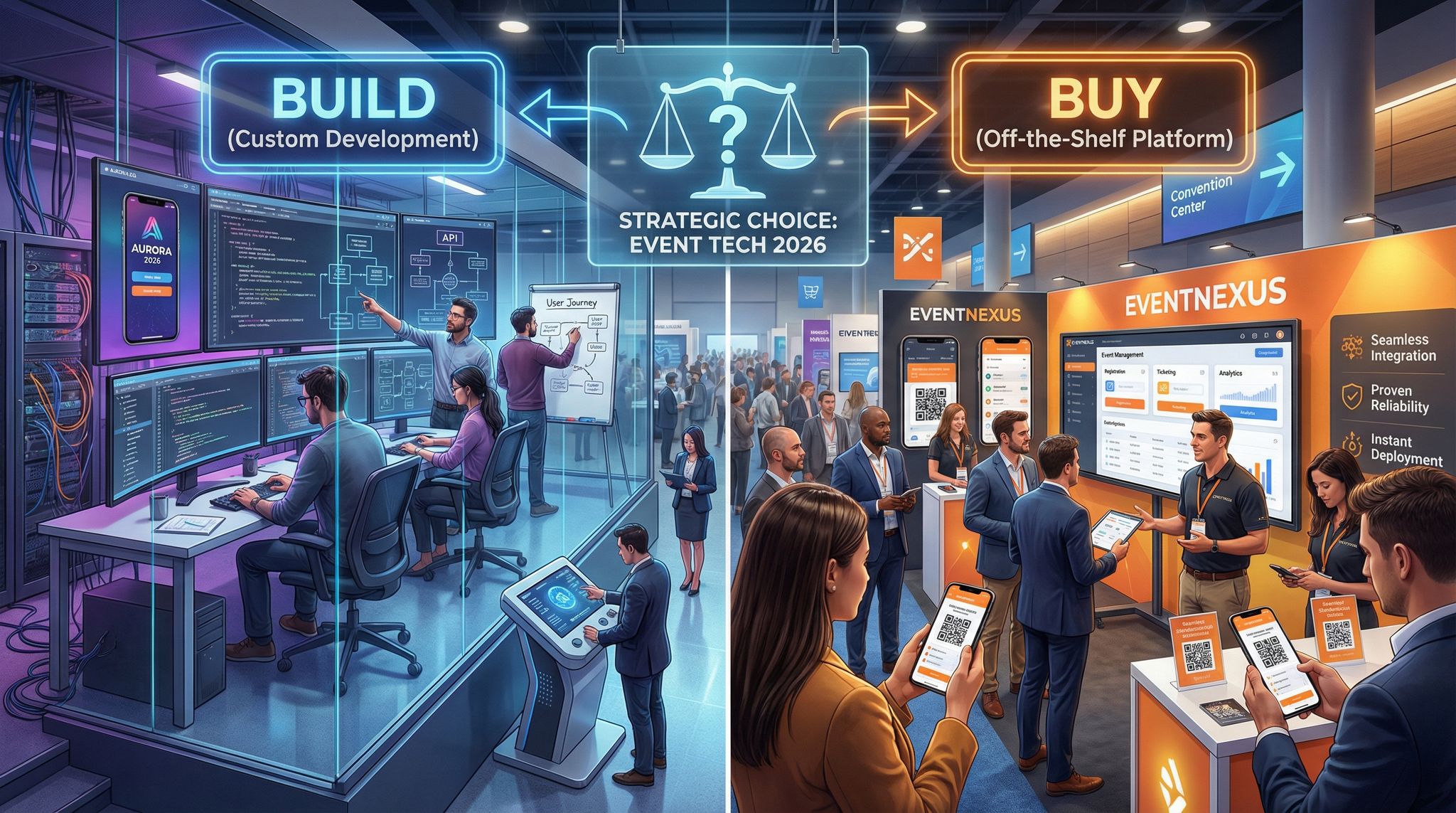
Build vs Buy in 2026: What’s at Stake
The Drive for Custom Solutions
In 2026, event organizers are tempted to create custom technology tailored exactly to their needs. The allure of building in-house is strong: you can design features and workflows specific to your event, maintain full control over the user experience, and potentially gain a competitive edge through unique tech. Many large events now deploy their own branded mobile apps and bespoke systems – by 2026 it’s common for festivals and conferences to have dedicated apps for schedules, maps, and engagement, though organizers must be wary of the hidden costs of event technology. Some iconic events have even built custom solutions to solve challenges that off-the-shelf tools couldn’t address. For example, Glastonbury Festival implemented a bespoke photo-ID ticket registration system to curb scalping, a move that virtually ended ticket resale and ensured loyal fans got access. This kind of in-house innovation shows why some teams lean toward building: when no vendor offers the exact capability or flexibility required, developing a solution from scratch promises to fill the gap.
However, pursuing custom tech isn’t just about features – it’s also about independence. Organizations often consider building their own ticketing or event app to avoid high ticket fees or vendor commissions, and to own their attendee data outright. If an event has the technical talent, building internally can mean freedom from vendor contracts and the ability to iterate on the technology whenever they want. In an era when digital experiences define so much of an event’s brand, some see a DIY approach as the ultimate way to differentiate. A custom solution can be branded exactly to your event, include niche functionalities (like a bespoke matchmaking algorithm for a networking event or a tailor-made loyalty rewards system for a festival), and integrate deeply with your internal systems. The drive for custom builds often comes from a vision of delivering something truly unique that off-the-shelf platforms can’t match.
The Appeal of Off-the-Shelf Platforms
On the other side, established event technology platforms offer proven solutions that are hard to ignore. Purchasing a reputable platform means you’re standing on the shoulders of a company that’s refined their tech through countless real-world events. The software has been battle-tested by other organizers, so you benefit from reliability and stability that might take years to achieve in a DIY build. As one industry analysis points out, leading providers bring battle-tested reliability and crisis management experience from supporting many large-scale events. In short, buying off-the-shelf lets you leverage a vendor’s expertise and infrastructure – everything from scalable cloud servers to built-in compliance and support teams – rather than reinventing the wheel.
Speed is another major appeal. Off-the-shelf event tech can often be deployed in days or weeks, not the months (or years) a custom development can take. If your conference or festival is approaching fast, using a ready-made ticketing system or event app means you can start selling tickets or engaging attendees immediately, with minimal setup. These platforms come with rich feature sets out of the box – ticket sales workflows, seating charts, attendee mobile apps, RFID integration, analytics dashboards, and more, depending on the product. For example, Ticket Fairy’s event ticketing platform provides integrated ticketing, marketing tools, cashless payments, and real-time analytics in one solution, features that would require significant time and money to build from scratch. What’s more, top vendors continuously improve their products. When you “buy,” you typically get automatic updates and new features over time (often informed by feedback from thousands of events, not just your own).
No Hidden Fees, Just Honest Pricing
One all-inclusive fee covers the platform, payment processing, support, and every feature. Free events are always free. No setup costs, no surprises.
There’s also reassurance in numbers: if hundreds of other similar events successfully use a platform, it boosts confidence that it will work for you. Major festivals and conventions routinely rely on well-known platforms to handle critical functions. This outside validation can put stakeholders at ease – for instance, a venue owner or sponsor may feel more comfortable knowing you’re using a trusted, widely-used system instead of an unproven in-house tool. In an era of cybersecurity threats and complex data regulations, many organizers also prefer vendors who offer certified compliance and support. Using a platform that’s PCI-DSS compliant and GDPR-ready out of the box, as Ticket Fairy’s system is, means you automatically meet high security and privacy standards without internal development. Finally, buying doesn’t mean zero customization: most platforms allow branding and configuration, and some even support custom modules or API integrations – giving you a balance of convenience and flexibility.
High Stakes in the 2026 Tech Landscape
Choosing to build or buy event tech is a strategic decision with high stakes. In 2026, technology underpins virtually every aspect of events – ticketing, entry, engagement, payments, streaming – so the path you choose can make or break the attendee experience. A tech failure at a critical moment can lead to public relations nightmares, lost revenue, and safety issues. We’ve seen cautionary tales in recent years: for instance, when an unprecedented surge of millions of fans overwhelmed a major ticketing system during a presale, it resulted in frustration and government scrutiny. If a global ticketing giant can suffer a meltdown from high demand, a home-grown system that isn’t engineered to the same level could be even more vulnerable under pressure. The risk of downtime or glitches isn’t just theoretical – it’s a direct threat to an event’s reputation. Attendees today have zero patience for technical issues like crashing ticket sites or malfunctioning event apps; a single failure can flood social media with complaints.
Ready to Sell Tickets?
Create professional event pages with built-in payment processing, marketing tools, and real-time analytics.
At the same time, 2026’s event stakeholders are more demanding about outcomes. Technology decisions are now business decisions, scrutinized by executives and partners. According to one analysis of event tech ROI trends in 2026, every dollar invested in event technology must be justified. Budgets are tight, and organizers must prove ROI for any system – whether it’s showing that a new access control system will reduce staffing costs, or that a mobile app will boost sponsorship revenue. This means the pressure is on to choose a solution that not only works technically, but delivers a return (in efficiency, revenue, or attendee satisfaction) that clearly outweighs its cost. Stakeholders remember past tech investments that flopped. Indeed, there are well-known cases where organizers sank money into fancy new platforms that went largely unused by attendees or, worse, caused event-day chaos due to bugs, emphasizing why building a bulletproof business case is essential. Those failures underscore how critical it is to make the right build-vs-buy call. The goal is to learn from such lessons and ensure your tech approach is an asset on event day – not a liability.
It’s also worth noting that “build vs buy” isn’t unique to technology – it’s a dilemma event professionals face in other domains too. For example, promoters often debate keeping event marketing in-house versus hiring an agency for campaigns, weighing control against expertise. Festival producers similarly weigh renting venues versus investing in a permanent festival site, balancing upfront cost against long-term flexibility. Technology has now become another arena for these strategic decisions. With so much on the line, the build-or-buy choice demands the same careful analysis as any major event investment. Below, we’ll break down the key criteria to consider, from budget and timeline to integration and maintenance, and then dive into real-world examples of each approach in action.
Key Criteria for the Build vs Buy Decision
Making an informed build-vs-buy decision starts with examining several key criteria. Every event is different, but nearly all should evaluate their budget, timeline, in-house expertise, integration needs, and long-term maintenance implications before choosing a path. Here’s a closer look at each factor:
Budget and Total Cost of Ownership
Cost is often the first question on everyone’s mind. At first glance, building your own event tech can seem cost-effective – for example, you’re not paying per-ticket fees to an outside vendor. Likewise, buying a ready-made platform might look expensive if there are hefty licensing fees or revenue share. But a superficial comparison can be very misleading. It’s critical to calculate the total cost of ownership (TCO) for each option, including all the hidden costs of event technology investments that might not be obvious upfront. As seasoned event technologists caution, budgeting beyond initial vendor quotes is necessary, and similarly, the budget for a custom build rarely ends at the initial development contract.
Smooth Entry With Mobile Check-In
Scan tickets and manage entry with our mobile check-in app. Supports photo ID verification, real-time capacity tracking, and multi-gate coordination.
When evaluating budget, consider upfront vs. ongoing costs. Building in-house typically involves a large upfront expense (paying developers or an agency, purchasing equipment, etc.), whereas buying a platform usually spreads costs out (monthly/annual software subscriptions, per-ticket fees, support contracts). Don’t forget to factor in hardware and infrastructure: if you build a ticketing system, will you also need to buy ticket scanners, servers, or other equipment? With a vendor, those might be included or available for rental. Support and training are another cost – an off-the-shelf system might include customer support and documentation for your staff, while a custom system means you need to create manuals and potentially hire/train support personnel internally.
Crucially, maintenance and upgrades add substantial costs on both sides. If you go custom, any time an update is needed – whether it’s adding a new feature or simply keeping up with iOS/Android updates for your event app – you’ll spend additional money. For example, an event that built a custom mobile app for $20,000 found that without an ongoing maintenance budget, the app became outdated within a year, a classic example of hidden costs in event technology. They hadn’t budgeted for continuous developer time, so the next year’s attendees complained as the app lagged behind modern OS features. On the flip side, using a subscription-based event app might seem cheaper initially, but you must watch for module fees and usage charges. It’s common for a base license to include a certain number of users or features, with costs climbing if you exceed those limits, as noted in a recent event tech budgeting guide. You might start paying extra for things like polling modules, additional push notifications, or simply more attendee downloads. A white-label event app could charge a base fee for up to 1,000 users, then sharply higher rates once you go beyond that, requiring organizers to scrutinize what triggers extra charges. The lesson: whether building or buying, scrutinize what’s included and what triggers extra charges.
Grow Your Events
Leverage referral marketing, social sharing incentives, and audience insights to sell more tickets.
To truly compare costs, build a multi-year financial projection. Include initial costs, plus yearly expenses like support contracts, developer salaries, server fees, license renewals, payment processing fees, etc. A custom solution might have a higher upfront cost but lower incremental costs in years 2, 3, and beyond (assuming your team handles maintenance). A vendor solution might have a moderate upfront setup fee and then steady annual or per-ticket costs that grow with your attendance. Also consider the opportunity cost of each route: building in-house ties up capital and staff that could be working on other projects, while buying might free your team to focus on event planning and marketing instead of software development. In some cases, events decide the internal time saved by going with a ready platform is worth more than the money saved by custom-building.
One more budgeting nuance: revenue opportunities. Sometimes a vendor platform can unlock new revenue streams (for example, a ticketing platform with an integrated upsell feature might increase merch or parking pass sales, boosting your income). Or conversely, a custom solution could be monetized (e.g., if you build a great app, you could license it to other events – though this is rare and essentially means you’ve become a software vendor). Weigh these factors in the financial equation.
To illustrate how costs can stack up, here’s a simplified 5-year cost comparison for a hypothetical event app build vs. buy scenario:
| Scenario | Custom Build – App | Off-the-Shelf – App Platform |
|---|---|---|
| Upfront Year 1 | ~$20,000 development for v1.0 | ~$5,000 subscription/license fee |
| Annual Maintenance | ~$5,000/year (updates, bug fixes, support) | Included in subscription (ongoing license) |
| Additional Features (5 yrs) | ~$10,000 (two rounds of new features over 5 years) | ~$5,000 (premium modules or user overages) |
| 5-Year Cumulative Cost | ? $40,000 | ? $30,000 |
| Cost Trend | High initial cost, then smaller yearly spend. Total can exceed buy if scope expands. | Lower initial cost, but recurring fees accumulate. May increase with event growth. |
Table: Hypothetical cost breakdown of building a custom event app vs. licensing a platform over 5 years. (Actual costs will vary by project and platform.)
This example shows how a custom build front-loads the expense (big Year 1 cost), whereas an off-the-shelf solution spreads costs over time. In this scenario, buying appears cheaper over five years – but if the event continued for 10 years, or if the custom app required fewer new features than anticipated, the calculus could change. The key is to run the numbers for your specific situation, considering best- and worst-case assumptions. Always include a buffer for unexpected costs – experienced tech managers advise adding a contingency (e.g. 10-20%) for those “unknown unknowns” that inevitably arise, helping you avoid nasty surprises in the budget.
Timeline and Urgency
How soon do you need the solution? Timeline can be a make-or-break factor in deciding build vs buy. Developing custom event technology is not a fast process. Even a relatively simple tool can take months of development, testing, and iteration before it’s event-ready – and that’s assuming everything goes smoothly. If your event dates are fixed and close at hand, an in-house build might simply not be feasible. For instance, if you’re six months out from a 10,000-person festival and you haven’t started on a ticketing system yet, trying to code one from scratch would be extremely high-risk. Any delay could mean you miss your on-sale date or, worse, launch with a half-baked product.
Off-the-shelf solutions, on the other hand, can often be implemented relatively quickly. Many cloud-based ticketing or registration platforms allow you to set up an event in a matter of days (or even hours, for basic setups). Mobile event app providers might take a few weeks to customize and populate an app for you, which is still far faster than developing one anew. If you have tight deadlines or a need to start selling tickets ASAP to generate cash flow, buying is usually the safer bet. It lets you hit the ground running with a proven system while your promotional campaign and other event preparations continue in parallel.
It’s also important to consider time-to-market opportunities. Perhaps you have an event concept that’s new or capitalizing on a trend – the sooner you launch, the better your competitive position. Using an existing tech platform could be the difference between being first-to-market versus late. On the flip side, if you have a long runway (say your next event cycle is 18-24 months away) and substantial tech resources, you might be able to afford building and thoroughly testing a custom solution in time.
Remember that development timelines are notoriously unpredictable. Studies of software projects have found that a large percentage miss their deadlines and take longer than planned. In practice, a project you thought would take 3 months can easily take 6 or more once you encounter unforeseen challenges. If you go the build route, build in plenty of buffer before any hard event deadlines. A common strategy among experienced tech project managers is to set an internal deadline for the custom system well ahead of the event. That way there’s time for a beta test or even a small pilot event to iron out bugs. If you’re cutting it close on timing, the prudent choice is typically to buy or use existing tools now, and perhaps plan to develop custom tech after the event for next time (when you’re not under the gun).
Internal Technical Expertise and Resources
Evaluate your in-house expertise honestly. Do you have a tech team (or individual developers) with the right skill sets to build and maintain the solution you’re considering? If the answer is no, are you prepared to hire new staff or contract a development firm? Building event technology isn’t like tweaking a website – it often involves complex, mission-critical systems (e.g., real-time databases of ticket scans, secure payment processing, mobile app connectivity, etc.). If your organization is primarily an events company and not a software company, taking on a major development project can be a culture shift.
Consider the human resources required for a custom build:
– Developers/Engineers: You’ll need specialists appropriate to the project (web developers for a ticketing site, mobile developers for an app, perhaps database admins or network engineers for backend systems). These people need to be highly competent, because event tech must be robust under pressure. If you wouldn’t know how to interview or manage such technical talent, that’s a red flag for building yourself.
– Project Management: Custom development requires active project management – gathering requirements, tracking progress, testing, etc. Without a dedicated project manager or tech lead, it’s easy for a development project to drift off schedule or for critical details to be missed. Do you have someone on the team who can bridge the events world and the software world? Miscommunication between event staff and developers can lead to a system that doesn’t do exactly what is needed.
– Support and Operations: Who will run the system during the event and handle issues? With a vendor, you generally have support contracts or even on-site tech support for big events. With an in-house system, your team is the support. Imagine it’s the day of your conference and something isn’t working – do you have a developer on-call 24/7 to immediately debug database errors or push a quick fix update? If not, you need to arrange that coverage internally.
– Security & Compliance: Building a tool also means you’re responsible for its security (more on that later) and compliance with regulations. Do you have access to security experts who can review the system? For example, if you build your own ticketing platform, someone needs to ensure the payment process is PCI compliant and that personal data is stored according to GDPR or other applicable laws. Established vendors typically have dedicated teams for these aspects.
If your organization is fortunate to have a strong IT department or has tech-savvy leadership (say, a CTO who came from a software background), you might have the necessary know-how to develop something great. There are events, especially in the tech industry, that have essentially become software developers themselves – Web Summit, for instance, built a lot of custom software to manage its massive tech conference, because they had the venture funding and talent to do so. But this is the exception, not the norm. Most event organizers lean on external technology because their core competency is creating event experiences, not coding.
When you buy from a vendor, you’re effectively outsourcing a lot of technical heavy lifting to that company. The platform’s developers (whom you’ll never meet) have done the coding, and the vendor’s support team is there to help if something goes wrong. Your staff’s job shifts to configuration and operation: entering event details, setting up branding in the app, learning how to use the admin dashboard, etc. These tasks are generally far easier to train for than building software from scratch. Also, consider staff turnover – if you build something in-house and your lone developer who knows the system leaves the company, you’re in a tough spot. Vendors mitigate that risk, because they handle staffing on their end to keep the service running.
There is a middle path here too: some organizers choose to outsource development to an agency or freelance developers. This is essentially building custom, but using external expertise. It can work if you have the budget – you get a tailor-made solution without hiring full-time staff. But be cautious: you’ll need very clear contracts about deliverables and timelines, and ideally a maintenance agreement or ability to hire the agency for future updates. Treat outsourced builds almost like a vendor product in terms of risk – ensure you get the source code and documentation, and perhaps have an in-house tech advisor oversee the work. We’ve seen events spend six figures on a beautiful custom app from an agency, only to discover a year later that nobody on the current team knows how to update the content or fix a glitch because the agency has moved on.
Bottom line: If you don’t have strong technical resources, the scale tilts heavily toward buying. If you do have a capable tech team in place (or the means to assemble one), then building becomes more realistic, but you still need to weigh whether that team’s time is best spent creating event software versus focusing on other unique aspects of your event.
Integration and Ecosystem Fit
Modern events use a constellation of tech tools – registration systems, ticketing platforms, CRM databases, mobile apps, cashless payment systems, audience engagement tools, etc. One critical consideration is how well any solution (built or bought) will integrate with the rest of your technology stack. Data silos hurt events: if your systems can’t talk to each other, you’ll end up with duplicate data entry, reporting headaches, and a fragmented view of your attendees, which is why building a connected event tech ecosystem is so vital. So, when deciding on build vs buy, ask: How will this solution plug into everything else we use?
If you build a custom solution, you have the advantage of designing it to fit your ecosystem from the ground up. Need your ticketing system to send purchaser info to your CRM? You can code that directly. Want your custom event app to pull session data from your content management system? Build the API integration as part of the project. In theory, a bespoke system can be made to fit like a glove with your other in-house tools or any unique workflows you have. However, integration development is its own project. Each external system you connect to your custom platform requires using APIs or data feeds, handling authentication, testing data flows, etc. Custom-building one piece of software might balloon into three or four builds if you need to integrate it with several other systems. And if some of those other systems don’t have friendly APIs, you might hit walls even with a custom approach.
Off-the-shelf platforms vary widely in their integration friendliness. The good news is that many of today’s event tech vendors recognize the importance of openness. When evaluating vendors, one criterion stands out: how well does this vendor “play well with others”? Does it offer a robust API, Webhooks, or out-of-the-box integrations with popular software? You should dig into this from the start by evaluating integration capabilities early. For example, if you’re buying a ticketing system, check if it natively connects to CRM tools like Salesforce or marketing platforms like MailChimp. If not, does it have an open API so your developers can sync data themselves? If a vendor’s answer to integration is murky or “we don’t really support that,” consider it a strike against buying.
In some cases, using an all-in-one platform can reduce the need for multiple integrations. If one product handles ticketing, access control, and cashless payments all together, you won’t have to integrate those functions because they’re already unified internally. However, no one platform does everything, and you’ll almost always have to connect to at least a couple of external systems (even if only your finance system for reconciliation, or a marketing tool for attendee outreach). Therefore, whether you build or buy, insist on solutions that won’t trap your data. If building custom, adhere to industry standards and make your own APIs RESTful and well-documented for future use. If buying, ask the vendor for API docs and success stories of integrations they’ve done for other clients.
One benefit of reputable vendors is they often have pre-built integrations or middleware for common needs. For instance, a ticketing platform might already integrate with a popular RFID wristband system, meaning you can deploy cashless payments or fast-track entry without custom development. Some vendors even have app marketplaces or plugin systems where you can add functionality developed by third parties. By buying into an ecosystem, you might save significant integration effort. On the other hand, a less common or niche requirement could tilt you toward building. If your event has to integrate with a very specific legacy system (say a government database or a proprietary loyalty program) that no vendor supports out-of-the-box, building a custom solution that ties those together might be the only viable path.
Let’s not forget the operational aspect of integration too: ease of use for your team. With multiple systems, your staff might have to juggle different interfaces and manually reconcile information if the tools aren’t integrated. For example, without integration, your ticketing team might export a CSV of ticket buyers and email it to the marketing team to import into the newsletter system – a time-consuming and error-prone process. Proper integration (whether you achieved it by selecting a well-integrated vendor or by coding your own connectors) means data flows seamlessly. Staff can trust that the attendee list in the event app is always up-to-date with the latest ticket purchases, or that session check-in data instantly updates an attendee’s profile. Integration planning should be part of your build vs buy deliberation from the outset, not an afterthought.
In sum, consider your ecosystem:
– If opting to build: Map out which systems your custom solution needs to talk to. Allocate time/budget to build those interfaces. Use APIs and standard formats (JSON, XML, etc.) for flexibility. Know that you’re committing to maintaining those integrations as systems change.
– If opting to buy: Prioritize platforms known for integration capabilities. Ask for demos of how data moves in and out. Verify support for any must-have connections (e.g., “Does your system automatically send attendee check-ins to our CRM in real time?”). If not, can you utilize their API to do so? The more integrated your tech stack, the more efficient and data-rich your event operations will be, eliminating silos and duplicate work.
Maintenance and Long-Term Overhead
A common mistake in the build vs buy decision is focusing too much on the launch and not enough on the long-term maintenance. Implementing the technology is just step one – events are annual or repeat endeavors, and your tech will need to serve you not just on day one, but for years (and new requirements) to come. So ask: Which option will be less burdensome to maintain in the long run? This involves everything from technical upkeep and upgrades to ongoing support and costs.
If you build custom, you’re signing up to be the software owner indefinitely. This means:
– Fixing bugs – No matter how well it’s built, any software will have issues or need adjustments once it’s in use. With a custom system, your team must diagnose and fix those bugs (ideally before they affect attendees, but certainly as they arise each event cycle).
– Updating for compatibility – Platforms like iOS, Android, web browsers, and security standards are constantly evolving. A custom mobile app might work fine this year, but if Apple changes a policy or releases a new device size next year, you’ll need to update your app. Similarly, if you built a custom integration to Facebook or another third-party API, and that API changes, you’ll have to update your code. These maintenance cycles can be costly. It’s common for custom event apps to require a round of updates and re-testing before each annual event, which might be an unplanned expense if not budgeted, often requiring you to hire a developer for updates.
– Feature enhancements – Your needs will evolve. Maybe the first year you just needed basic ticket scanning, but next year you want to add offline scanning capability or multi-lingual support. With a custom solution, adding features means going back into development mode (cost, time, risk all over again). One hidden cost of custom builds is the opportunity cost of features you don’t implement because you lack resources, potentially leaving value on the table.
– Scaling and performance tuning – If your event grows or usage patterns change, your in-house system has to scale accordingly. After a certain point, you may need to refactor parts of your code or move to more powerful infrastructure – essentially re-investing in engineering to keep up with your event’s success. Veteran developers know to architect for scale from the start, but real-world usage often uncovers performance bottlenecks only when you hit peak loads.
– Support & training – Each year, you’ll have new staff or volunteers who need to be trained on the system. You might be one of only a handful of events using that custom tool (might be the only one in fact), so you must develop your own training materials and SOPs. And when staff have questions or problems, your organization is the Tier-1 support. This can be especially challenging on event days when stress is high – if a ticket scanner unit isn’t working and it was custom software, your team has to troubleshoot on the fly.
When you buy from a vendor, much of this burden is handled for you (that’s a big part of what you’re paying for). Vendors handle maintenance: they issue regular updates, patch security vulnerabilities, ensure compatibility with new operating systems, and roll out new features to stay competitive. For example, if you’re using a reputable ticketing platform and Apple makes a change to Apple Pay, you can expect the platform will update their app to support it without you needing to intervene. Vendors also typically operate scalable cloud infrastructure – if you suddenly sell out in minutes and spike traffic, a well-designed platform will auto-scale resources to handle the load, whereas with a custom system you might have been caught off guard. Additionally, support contracts mean you have someone to call at 2 AM if the system has an issue during your festival night or if a configuration is misbehaving on event day.
That said, relying on a vendor doesn’t eliminate all ongoing work on your side. You will still need to manage the vendor relationship: staying informed on product updates, scheduling training sessions for new features, and budgeting for renewals or any usage-based cost increases as your event grows. Sometimes vendors make changes that you have to adapt to – e.g., they deprecate a feature you were using or roll out a new user interface that your staff must learn. There’s also the risk of vendor instability long-term: vendors can get acquired, change business focus, or go out of business. If a platform you rely on sunsets a product, you might be forced to migrate on short notice (which is an expensive and stressful scenario). That’s why it’s wise to choose well-established vendors or at least have exit clauses in contracts and data export plans so you’re not completely caught out.
Security and compliance are a huge part of long-term overhead. Building a secure system requires continuous effort – you must apply security patches for any libraries you used, monitor for new vulnerabilities, and possibly undergo periodic security audits (especially if handling credit card data). For example, achieving and maintaining PCI-DSS compliance (the payment card industry security standard) as an event organizer running your own ticketing/payment system is non-trivial – it involves strict controls, network scans, and annual assessments. Many event organizers reasonably prefer not to touch credit card data at all, instead handing that off to a ticketing vendor who takes on the PCI burden. The same goes for privacy regulations like GDPR or CCPA: a good vendor will have compliance built-in (standard user consent flows, data deletion mechanisms, etc.). If you build, you must ensure your system has all those compliance measures and keep them updated as laws evolve (for instance, you might need to add features for attendees to download or delete their data to stay compliant with new regulations), because being responsible with data builds trust. It’s not just a one-time build, but an ongoing responsibility.
Finally, consider longevity: Will the solution remain fit-for-purpose in the future? If you build something very tailored to your current event configuration, think about whether it can adapt if your event changes format or size. Perhaps today you run a single-day convention, but next year it becomes a two-day event with multiple ticket tiers – will your custom system handle that, or will it require significant redevelopment? Vendors often design for flexibility to serve many clients, so their systems might handle that scenario with a few settings changes. A narrowly built custom system might break under a changed assumption (e.g., it never considered that one person might buy multiple ticket types, etc.). Building with an eye towards the future is possible but requires foresight and discipline in development.
In summary, maintenance is a major factor that tilts many organizations in one direction or the other. If you don’t want to be in the software upkeep business, leaning on a vendor’s ongoing development and support can be extremely valuable. If you do build, be sure to budget not just money but time and people for the life of the system – potentially years of updates and support. One pro tip from implementation specialists: if you build, arrange a long-term service agreement with your developer or have an in-house person who “owns” the system; don’t treat a custom build as a one-and-done project. And if you buy, keep an eye on the vendor’s product roadmap and reliability over time – you are entrusting a piece of your event’s future to them, so it pays to maintain a good partnership.
Pros and Cons of Building In-House
So what are the concrete advantages and disadvantages of taking the plunge and developing your own event tech solution? Let’s break down the pros and cons of the build-it-yourself route, and identify when going custom truly shines – and when it tends to flop.
Pros of Custom-Built Event Tech
Choosing to build in-house can offer several compelling benefits:
– Tailored Fit & Custom Features: A custom solution can be made to do exactly what you need, no compromises. You’re not constrained by a generic feature set. If you want a ticketing flow that includes a built-in lottery system for high-demand sales, or an event app with a quirky game that fits your theme, you can design it into your software. This tailored fit can enhance the attendee experience in ways off-the-shelf products might not. Your tech can be a reflection of your event’s unique character and requirements, rather than a one-size-fits-all tool. For niche or innovative event concepts, this is often the primary motivator to build.
– Control Over the User Experience: With in-house development, every detail of the user interface and journey is under your control. You can make the purchase path as simple as you like, ensure the branding is 100% consistent with your event, and create workflows that match your operational needs perfectly. There’s no need to submit feature requests or wait on a vendor’s development queue – you set the roadmap. This control can benefit your attendees (a smoother, more integrated experience) and your staff (internal tools built around your processes). For example, a convention organizer could design a custom exhibitor management portal that ties into registration and is exactly aligned with how their team manages booth assignments – something very bespoke that no off-the-shelf system would do.
– Data Ownership & Insights: When you build your own system, you typically have full access to all the data it generates, in whatever format you want. There are no questions about who owns the data – it’s your system, so you do. This can be important for sensitive events (say, a government summit or an exclusive VIP event) where you don’t want a third-party having access to attendee lists or behavioral data. With a custom solution, you can also decide how data is stored, where it’s stored (on your own servers for instance), and how it’s analyzed. You might integrate directly with your data warehouse or analytics tools to get deeper insights. Some organizers feel this gives them a competitive edge – the ability to mine their event data without external restrictions. Keep in mind, good vendors often let you export your data too, but in a custom build it’s inherently under your control from the start.
– Potential Long-Term Cost Savings at Scale: While building is usually more expensive upfront, for very large or long-running events it can pay off over time. If you’re running a series of high-revenue events and paying a significant percentage in service fees to a ticketing provider each time, those fees can add up to millions. In such cases, developing an in-house ticketing system might have a positive ROI after a few years because you’re avoiding revenue share. Essentially, you’re making a capital investment (building software) to eliminate a recurring operational expense (vendor fees). This was one rationale behind some mega-festivals and concert promoters developing their own ticketing platforms. They calculated that after a certain number of ticket sales, the custom system would become cheaper than the cumulative fees to third parties. The caveat is you need scale and duration – a one-time festival won’t recoup development costs, but a series of dozens of events might.
– Flexibility and Agility: When you own the system, you can adapt quickly (assuming you have the developers on hand). Want to change the refund policy flow overnight? In-house, you can deploy a code update on your schedule. With a vendor, you might be stuck with the way their system handles refunds or have to wait weeks for a feature request to be considered. This agility can be crucial if your event format is experimental or frequently changing. In the volatile times of 2020-2021, for example, some event companies with in-house tech were able to pivot more quickly to new models (like virtual events or hybrid features) because they could immediately start building the needed capabilities, rather than waiting for a vendor’s roadmap.
– Competitive Differentiator: A custom tech platform can actually become part of your event’s brand and value proposition. Attendees and partners may notice and appreciate novel features that they haven’t seen elsewhere. For instance, a festival could develop its own interactive map and friend-finder app that becomes a beloved part of the attendee experience – something competitors can’t easily replicate because it’s not available for purchase. Likewise, if your ticketing or registration system is internal, you can implement customer-friendly policies (like flexible ticket transfers, personalized ticketing experiences, etc.) that some big vendors might not allow or support. This kind of differentiation can set you apart in a crowded market.
Overall, the pros of building come down to creating a bespoke tool that gives you maximum control and potentially better economics for your specific situation. When technology is central to delivering your event’s value (for example, a tech conference might view its networking platform as core to attendee satisfaction), there’s a strong case to be made for owning that technology to ensure it meets your high standards.
Cons and Risks of Building Yourself
Against those benefits, one must weigh the significant downsides and risks of custom development:
– High Upfront Cost and Risk of Budget Overrun: Developing software is expensive and notoriously prone to going over budget. You need to be prepared to spend significant money before you ever get a usable product. It’s not just developer salaries or contractor fees; you may also need to invest in hardware, development tools, testing devices, etc. Plus, things rarely go exactly to plan. Research has shown that many software projects exceed their budgets – one analysis notes the true cost of custom development can end up 5 to 10 times the initial budget. There’s also the chance of complete failure: if the project runs out of money or time, you could end up with nothing usable and still have spent your budget. This risk is akin to an act cancellation for a festival – you invest in a headline act (your software), and if it doesn’t show up on time, the whole event is in jeopardy.
– Long Development Timeline & Missing Features: As discussed, building takes time, often more than anticipated. If your custom system isn’t ready when you need it, you might have to scramble for a backup solution at the last minute (incurring unplanned costs or compromises). Even if it is delivered on time, it might not have every feature you hoped for by launch. Internal builds often have to cut features to meet deadlines, meaning you might end up launching with a “minimum viable product” that lacks some conveniences or minor features you’d get standard with a third-party platform. For example, your custom ticketing system might initially lack something small-but-important like automated reminder emails or a resale marketplace, simply because you didn’t have time to build them for version 1.0. These missing pieces can still affect attendee satisfaction or your bottom line.
– Quality and Reliability Concerns: Unless you have a top-tier development team, a custom solution is likely to have more bugs and edge-case failures than a mature commercial product. Event tech operates in high-pressure environments – imagine your app crashing during keynote check-in, or your access control system glitching with a long entry line in front of you. Established vendors have had years to iron out bugs (often learning painful lessons from past failures so you don’t have to). A new system that hasn’t gone through those trial by fire scenarios is at greater risk of unforeseen breakdowns. It’s not just about “if it works” but “will it work under stress?” – high volumes, patchy network, user errors, etc. We’ve seen custom systems that worked fine in testing fall over when 5,000 people hit it at once. Reliability is critical, and it’s hard to guarantee in a first outing of software.
– Lack of External Support & Backup: When you rely on your own tool, you also carry the burden of supporting it. If something goes wrong during the event, there’s no vendor support line to call. Your team must diagnose and fix issues in real time. That is a serious responsibility – your event staff already have a million things to manage during the show, and fixing software might be a huge distraction (or beyond their expertise). Some events mitigate this by having their developers on-site or on standby throughout, but coordinating that is an overhead. And if a key developer is sick or unavailable during a crisis, there’s no backup. With a vendor, you typically have an SLA (service-level agreement) and 24/7 support to lean on – they have to help you fix it; with an in-house tool, the buck stops with you.
– Technical Debt and Maintenance Drag: As covered earlier, once you build, you’re taking on the long-term maintenance. This can become a drag on your organization. Instead of spending time innovating new event ideas or improving content, some of your resources will inevitably be tied up with maintaining the software – issuing patches, updating for next year’s event specifics, etc. Over years, if not well-managed, the code can become “technical debt” – essentially, outdated or fragile parts of the system that become harder and harder to change without breaking something else. If you don’t continuously invest in refactoring and improving the system, it can actually deteriorate over time. We’ve seen events use a custom registration system for a few years that initially was great, but by year 3 it had so many patches and workarounds (instead of proper updates) that it became unstable and they had to scrap it and return to a vendor anyway. Building is not a one-time cost; it’s an ongoing commitment, and if you fail to keep up, you might lose the benefits you initially gained.
– Opportunity Cost & Distraction: Running an event is a major endeavor in itself. Diverting significant effort into technology development can be a big distraction from your core mission: producing a great event. For many promoters and organizers, managing marketing, talent, sponsors, logistics, and customer service is already more than a full plate. Taking on software development means you’re effectively starting a second business (a tech business) alongside your event business. There’s a saying: “If you’re a bank, don’t build your own email system,” meaning companies should focus on their core domain and buy commoditized infrastructure. One could adapt that to: “If you’re an event organizer, do you really want to be a software company too?” Some organizations can handle both, but many struggle. You might find that while you’re busy debugging code or planning app feature roadmaps, you’ve lost focus on curating the event experience itself. And if the tech doesn’t deliver a clear win, that distraction wouldn’t be worth it.
– Implementation Failure: There is always the looming possibility that despite best efforts, the custom project fails outright. Maybe the developer you hired couldn’t deliver and quit, or the end product had such severe issues you had to abandon it. This is not unheard of – surveys indicate a large portion of IT projects are challenged or fail to meet business objectives. The consequence for an event could be dire: last-minute pivot to a vendor solution (if time allows) or operating without tech if time and options run out. Such scenarios can cause financial loss and reputational damage.
In sum, the cons of building revolve around higher cost and risk – financially, temporally, and operationally. It’s like constructing a building versus renting one: ownership can be great but comes with all the headaches of being the landlord. For many events, these cons will outweigh the pros, especially if the technology in question isn’t core to their unique value.
When Building Shines: Ideal Scenarios for DIY
Understanding the pros and cons, when does the build-it-yourself approach truly make sense? There are a few scenarios where building custom event tech is particularly advantageous:
– Unique Requirements with No Good Off-the-Shelf Option: This is the classic case – you have a critical event requirement that no vendor adequately supports. Perhaps your festival wants a cutting-edge AR scavenger hunt app that integrates with ticket scanning, but no one offers that yet. Or your conference has a highly specific scheduling and attendee matchmaking format that existing platforms can’t handle. If the feature or workflow is both essential to your event’s success and unavailable in existing products, it’s a strong argument for building. You essentially become a pioneer, implementing an innovation that later vendors might copy. Glastonbury’s photo-ID registration system is a good example – when they introduced it, no standard ticketing platform came with that capability, so they had to engineer a solution themselves, as seen in Glastonbury Festival’s ticket registration system. It paid off by solving their scalping problem, and only much later did similar events adopt comparable measures.
– Large Scale Events with Repetitive Volume (Economies of Scale): If you run very large events (or a large number of events each year), the economics of building can flip. A global ticketing fee of, say, 5% on tens of millions of dollars of ticket sales means you’re paying a vendor a huge sum annually. For example, a promoter moving 500,000 tickets a year might be paying hundreds of thousands in service fees – enough to fund an internal development team. If you have confidence in that team, investing in your own system could reduce marginal costs in the long run. This tends to apply only to the top tier of event organizers (major festival companies, concert promoters, big convention circuits). These organizations also often have the capital and timeline to invest in a multi-year development that eventually yields savings. Additionally, at massive scale, an in-house system can be tuned to your specific operations (for instance, custom rules for high-demand on-sales, or direct integration to your bulk email systems) which might increase efficiency or revenue in ways a generic platform wouldn’t.
– Organizations with Strong Tech Talent or Partners: If your event is backed by a tech-savvy organization – say a software company hosting a user conference, or a university with a robust IT department – you might have a ready pool of talent to draw on. In these cases, the opportunity cost of using that talent might be lower, since they’re already on staff and perhaps even eager to work on an event-related project. When you have skilled engineers in-house (or as close partners) who understand your domain well, custom development becomes far more viable. They can communicate directly with event stakeholders, iterate quickly, and produce something that precisely fits needs. Some tech conferences, for instance, leverage their own company developers to build the event app or networking platform – it doubles as a showcase of their technology. If done well, this can be a win-win: the developers create a product they’re proud of, and the event gets a high-quality custom solution without the typical high outsourcing cost.
– Need for Maximum Data Security or Privacy: Events involving sensitive data (e.g., invite-only VIP gatherings, high-profile government events, or anything dealing with medical/personal data) might determine that no third-party can be trusted with their attendee information. In such cases, building an internal tool that keeps all data on the organization’s own servers, behind its firewalls, with strict access control, could be mandatory. For example, a national security conference might opt for an in-house registration system because they cannot risk attendee info being hosted on a multi-tenant cloud platform. While reputable vendors do offer very strong security, the perception and policy in some organizations may still favor internal solutions. Custom building allows you to implement specific security protocols (encryption standards, on-premise storage, etc.) exactly as required by your security team. However, note that you then also carry the responsibility to execute those measures flawlessly.
– Strategic Innovation and Competitive Advantage: In some cases, the technology is the product, or a key differentiator of it. If part of your event’s strategy is to be seen as an innovator in event tech, building in-house can actually generate IP (intellectual property) and know-how that give you an edge. You might even spin off the tech as a product in its own right. While not common in the event industry, it’s not unheard of – certain event organizations have developed software internally and later started offering it to other events. For example, a major film festival could create a custom ticketing and seat reservation system that works so well, they package it for other festivals. Or a trade show might develop a superior exhibitor lead capture app and then license it out. These are advanced plays, but they illustrate that building can sometimes create new business opportunities. At the very least, it can reinforce your brand’s image as cutting-edge. Attendees might say, “Wow, this event’s app or system is so much better than what we see elsewhere,” thus enhancing your reputation.
In essence, building custom shines when it enables something that otherwise couldn’t happen, or when the scale/strategic payoff is large enough to justify the effort. It’s the right path for trailblazers and those with substantial resources who view technology not just as a utility, but as a core part of their competitive strategy.
When Building Flops: Common Pitfalls to Avoid
If you decide to pursue a custom solution, beware of the common pitfalls that have tripped up many event tech projects. Knowing these can help you plan mitigation strategies or at least go in with eyes open about the risks:
– Underestimating Development Scope: A classic mistake is thinking a project is “smaller” or easier than it actually is. Perhaps a non-technical manager says, “We just need a simple ticket page with a payment button – how hard can that be?” only to discover that “simple page” needs user accounts, password recovery, discount code handling, analytics tracking, confirmation emails, PDF ticket generation, a way for staff to scan the tickets, etc. The scope can explode once all necessary functionality is considered. Under-scoping leads to projects running over time and budget, or delivering an incomplete product. Seasoned implementation specialists recommend doing a thorough requirements gathering (write down every use case) and possibly building a prototype or wireframes first to flesh out what’s needed. Even then, assume there will be more to do than initially thought. In the event world, where your launch date is immovable (the show will go on that day, whether tech is ready or not), underestimating scope is especially dangerous.
– Insufficient Testing (Especially Load Testing): We cannot overstress the importance of testing a custom system in conditions that simulate the real event. One of the biggest ways building flops is when the system works in light usage but fails under real-world load. For example, a custom registration site might handle a few hundred test sign-ups fine, but when registration opens and 5,000 people flood it in the first minute, it crashes or slows to a crawl. This happened to a mid-sized festival a few years ago: they built their own ticketing page to avoid fees, but didn’t properly load test. During the on-sale, the site became unresponsive due to high traffic, causing major frustration and forcing them to postpone ticket sales. Ultimately they had to switch to a vendor on short notice, incurring public embarrassment and financial loss. To avoid this, rigorous load testing and scalability planning is a must for any custom system that will be hit by large volumes (ticket launches, entry scans, live streams, etc.). Use tools to simulate user load, and test key scenarios (e.g., hundreds of people submitting orders simultaneously). It’s also wise to have a “plan B” if your custom solution does falter at a critical moment – for instance, a contingency to move sales to a backup platform or a manual process if all else fails.
– Poor User Adoption/UI Issues: Sometimes the technology itself might function, but attendees or staff don’t use it as expected. This is often down to user experience design. Established platforms invest heavily in UI/UX and have refined their interfaces through feedback from many events. A custom-built tool might not get the UX quite right on the first try. For instance, an in-house event app might have confusing navigation, leading to low attendee engagement (we’ve seen custom apps where only 10% of attendees ended up using it because it wasn’t intuitive or valuable enough). Or a custom exhibitor lead system might be too complex, so exhibitors revert to pen and paper. If people don’t use the system, all that development is effectively wasted. So, if you build, allocate resources to UX design and beta testing with real users. Collect feedback and iterate on usability well before the event. Ensure the custom tech is truly solving problems, not creating new ones. Also, invest in user onboarding and education: even a well-designed custom system might have novel features that require explanation. Clear tutorials, FAQs, and on-site support can mitigate adoption issues.
– Inadequate Maintenance Plan: Another pitfall is treating the custom build as “done” after launch and not planning for ongoing support. Without a maintained team or contract, you may find nobody is available to fix issues or make necessary tweaks as the event approaches. This often happens when events use a one-off contractor to build the system and then that contractor moves on. Six months later, you discover a critical bug or need a change, and the original developer isn’t around, leaving you scrambling to find help. The solution is to bake in a maintenance phase in your project plan. If you hired an agency, consider retaining them (or at least someone) for a maintenance period through the event dates. Ensure you have access to the source code, documentation, and preferably some level of warranty or support agreement. You don’t want to be hunting for a new developer a week before the event because something broke and the original dev is unreachable.
– Lack of Backup or Rollback Options: Murphy’s law often applies on event day – if something can go wrong, it might. A smart custom implementation will include manual backups or fail-safes. If you build your own RFID entry system, for example, prepare a Plan B for verifying tickets if the system goes down (like having printed lists or the ability to switch to visual QR code scanning on smartphones). If you create a custom event app that delivers session content, have a way to distribute that info if the app fails (like a mobile-friendly web page or paper schedules on-site). We’ve observed events that went all-in on their new tech and eliminated all traditional methods, only to regret it when a glitch occurred. Don’t let the excitement of new tech blind you to contingency planning. Vendors often have offline modes or fallbacks built-in (because they’ve learned from other clients); if you build, you need to incorporate those yourself. One festival that built a custom access control system made a wise choice to include an offline mode (scanners could switch to offline and still validate entries against a locally cached list if Wi-Fi dropped). Sure enough, Wi-Fi did drop at one gate on day 1, but they continued scanning and synced later – averting a major entry backup, proving the value of solid networking and offline capabilities. That kind of foresight separates successful custom implementations from disastrous ones.
– Scope Creep and Second-System Syndrome: There’s a phenomenon where once you start building a custom system, people keep coming up with more features to add (scope creep), or you get it working and someone says “this is great, but now let’s also build X and Y module!” (second-system syndrome). It’s easy to over-extend and end up with a bloated project that tries to do too much at once. Trying to replicate every feature of a top vendor solution in your first build is usually a bad idea – you’ll spread yourself too thin. A more successful approach is to nail the core functionality first (the mission-critical parts that justified building in the first place), and roll out additional features over time. Don’t let ancillary “nice to haves” jeopardize the core deliverable. It can help to have a strong project manager or product manager who can say no to off-track feature requests and keep the team focused. You can always iterate in future versions if the base system proves solid.
The above pitfalls underscore that building custom tech is a high-stakes endeavor. Many failures can be traced back to overconfidence or under-preparation – thinking it will be easy, not rigorously testing, or not preparing for the worst. If you do choose to build, approach it with a healthy paranoia: plan for things to go wrong, and you’ll be in a much better position to respond when they do. And remember, the goal is not the tech itself, but what it does for your event. Keep the outcome (better attendee experience, smoother operations) as the North Star, and be willing to adjust course if the custom project stops serving that outcome.
Pros and Cons of Buying Off-the-Shelf
Now let’s examine the flip side: the advantages and disadvantages of choosing an existing third-party platform for your event technology needs. Many of these mirror the inverse of building’s pros and cons, but it’s important to articulate them in context and consider the nuances. We’ll also identify scenarios where buying is especially wise, and where it might fall short.
Pros of Off-the-Shelf Event Tech Solutions
Going with a commercial event tech platform offers a host of benefits that have made this the default choice for most events:
– Quick Deployment & Proven Reliability: Purchasing or licensing a platform means you can get up and running very quickly. Vendors often provide guided onboarding, templates, and best practices drawn from hundreds of prior events. Rather than spending months developing software, you might spend just a few days configuring the system to your event. This speed to implementation is invaluable if timelines are short. Moreover, reliability is a major selling point – a well-established platform has been used under real event conditions repeatedly. They’ve scaled to large crowds, handled network outages, and patched past bugs. In other words, the product is event-proven. For instance, the team behind a top registration software can boast that it successfully processed over 100,000 registrations for a major trade show without downtime. By buying, you inherit that battle-tested robustness. As one industry article notes, big events like Mobile World Congress achieved smooth operations by leaning on mature tech platforms rather than untested tools, proving that smooth operations for 100k+ attendees wasn’t achieved through novice solutions.
– Vendor Support and Expertise: When you use a reputable vendor, you’re not just getting software, you’re getting a partner. Good vendors have support teams, customer success managers, and technical staff whose job is to make sure their product works well for you. This can include training sessions for your team, 24/7 hotline support during critical event hours, and on-site assistance for things like access control or cashless payment setup. This safety net can significantly reduce stress on your team. Instead of troubleshooting software issues, your staff can focus on running the event, knowing that if a technical glitch occurs, the vendor’s experts will help fix it. Additionally, vendors bring expertise from working with many events: they can advise on optimal configurations, share what settings worked for similar clients, and warn you of pitfalls to avoid. This consultative value – essentially free advice packaged with the product – can be as valuable as the tech itself.
– Rich Feature Set Out-of-the-Box: Most off-the-shelf platforms come loaded with features that would be costly and time-consuming to build yourself. Even if you don’t need all the bells and whistles on day one, it’s nice to know they’re available as your event grows or your needs become more sophisticated. For example, a standard event management platform might include attendee registration, badge printing, session scheduling, a mobile app, audience engagement tools (polls, Q&A), networking matchmaking, lead retrieval for exhibitors, and robust analytics – all integrated. You might initially only use the registration and badge printing, but down the line you have the option to activate the rest without having to invest in new systems. With a custom build, each new feature is a new project; with a vendor, it might be a toggle or an upgrade away. This scalability of functionality is a big pro for buying. It allows smaller events to start with core features and larger events to leverage an expansive toolkit, all within the same platform.
– Continuous Improvement & Innovation: Event tech is an evolving space – new ideas like hybrid event integrations, advanced data analytics, AI-driven personalization, etc., are emerging. When you use a leading platform, you benefit from the vendor’s ongoing R&D. They have teams dedicated to improving the product, often releasing new features or enhancements on a regular cycle. For example, a ticketing platform might roll out a new anti-fraud ticket transfer system one year, or a conference app might add a novel AR wayfinding feature – you get those updates as part of your subscription. Essentially, the product keeps getting better without you having to do anything (except maybe pay for an upgraded tier if it’s a major add-on). This means your event can stay on the cutting edge of tech trends with minimal effort on your part. It also helps with future-proofing: as attendee expectations evolve (say, the rise of digital wallets for tickets, or new social media integrations), your vendor is likely tracking that and building appropriate capabilities. You’re not left behind because your in-house system stopped evolving – the vendor is motivated to stay competitive and thus keeps innovating.
– Cost Predictability & Lower Initial Cost: Buying usually turns what could be a large capital expense (building software) into a more predictable operational expense. You know the licensing fee or per-ticket fee structure and can budget for it. There’s typically little surprise in cost unless you have unexpected attendee surges (in which case, more fees, but also more revenue from those attendees) or optional add-ons you choose. Many events, especially those with tight budgets, prefer this model because it’s pay-as-you-go. You don’t spend a fortune before the event happens; you pay as revenue comes in (ticketing fees, for example, are deducted from sales). The lower upfront cost reduces financial risk. If the event gets canceled or underperforms, you’re not stuck having dumped a ton of money into a software project – you simply stop paying for the service. Additionally, vendors often offer flexible pricing models (annual subscriptions, per-event pricing, revenue share) so you can choose what aligns best with your cash flow. Some even have free tiers for small events, meaning you can start at very low cost and only pay more as you grow – an attractive proposition if you’re unsure about your event’s trajectory.
– Broad User Community & Integrations: Popular platforms have the advantage of many users. This can foster a community where organizers share tips, best practices, or even third-party extensions. You might find online forums or user groups for your chosen platform, providing a wealth of crowdsourced knowledge. Moreover, other vendors tend to integrate with well-known platforms. For instance, a major event app might readily integrate with the top badge printing systems or CRMs because many clients demand it. By choosing a widely adopted solution, you ensure compatibility with other services and hardware. For example, you could find that the venue’s access control hardware already has a native integration with your ticketing provider – making setup a plug-and-play affair. Or a marketing automation software has a built-in connector to your registration platform, simplifying your data workflows. This ecosystem compatibility can save time and open up opportunities that a homegrown or lesser-known solution might not have.
In summary, the pros of buying off-the-shelf boil down to leveraging expert-crafted, ready-to-use technology that removes a lot of burden from your shoulders. It’s about speed, reliability, support, and continuous enhancement – all for a fee that is often modest compared to the value delivered, especially for small to mid-sized events.
Cons and Limitations of Off-the-Shelf Platforms
While buying is often the safer choice, it’s not without its drawbacks. Here are the potential downsides to be mindful of when going with third-party event tech:
– Limited Customization & One-Size-Fits-All: By definition, off-the-shelf tools are built to serve many events, not just yours. This means the feature set and workflows are generalized. You may have to adapt your processes to the software, rather than the software bending to perfectly fit your process. If you have a unique format or requirement, you might find the platform can’t accommodate it, or only with an awkward workaround. For example, maybe you want to allow attendees to build completely custom multi-track schedules with specific rules – the platform might only support a simpler schedule builder. Or your festival might want to sell package bundles that include merchandise, but the ticketing system doesn’t support bundling tickets with merch in one transaction. With a custom build you could do exactly that; with a vendor, you either lobby them to add the feature, use a manual workaround, or accept not doing it. The lack of ultra-specific features is something you trade off when buying. For most standard needs, this isn’t an issue, but if differentiation is crucial, it can feel stifling.
– Feature Bloat or Unused Complexity: Ironically, while you might miss some features, you’ll likely also get a lot of features you don’t need. Large platforms can be complex, with modules and settings that aren’t relevant to your event. This can make the system feel bloated or complicated to navigate. Your staff might have to train on a system that does 100 things, even though you plan to use only 20 of those features. Sometimes the user interface can be overwhelming for this reason. There’s also the psychological effect of “we’re paying for all these features, shouldn’t we be using them?” which could distract focus. For instance, a conference platform might include gamification tools that aren’t really appropriate for your audience, but the mere presence of them might lead someone on the team to try using it and waste effort. Staying focused on the parts of the platform that matter to you is key; however, the expansive nature of some products can be a downside if it complicates your workflow or confuses end-users. Simpler, targeted tools can sometimes be better if they match your needs more closely.
– Ongoing Costs & Revenue Share: Over time, the fees paid to vendors can become significant. While the upfront cost is low, the cumulative cost of a SaaS solution, especially one that charges per ticket or attendee, might rival or exceed a build after many years. It’s like leasing a car versus buying – leasing is cheaper to start, but if you lease forever, you might pay more than the car’s value. For a recurring event, look at the 5- or 10-year spend with a vendor. Some platforms also have revenue-sharing models that can bite as you scale; for example, ticketing platforms might take a percentage of ticket sales. If your event’s ticket volume skyrockets, that’s a good problem to have, but you’ll also be writing ever larger checks to the platform. At that point, you may reconsider if those fees are worth it, or if an enterprise license (flat fee) or building in-house could save money. Vendors also have the liberty to raise prices or change terms over time (though usually with notice). If they’re critical to your operations, you might feel compelled to accept price hikes because switching is too painful – a classic vendor lock-in scenario.
– Vendor Lock-In and Dependency: When you rely on a third-party, you’re inherently dependent on their stability and policies. If the vendor’s service experiences an outage, your event could be dead in the water for that period. If the vendor decides to discontinue a feature you use, you might be out of luck or forced to find an alternative solution. You are also tied to their update schedule; for example, if there’s something you dislike about the software, you can request a change but you’re one voice among many clients. There’s no guarantee it will happen, or happen in time for your event. Some event organizers have faced situations where a vendor was acquired by a larger company that then neglected or changed the product in ways that made it worse for them. Another example: a ticketing company might introduce new fees or a new payout schedule that impacts your cash flow – you have no control except to try migrating to another system, which can be disruptive (and you’ll likely incur costs in doing so). This loss of control and potential for “surprises” is an inherent risk of the buy route. Mitigation includes choosing reputable vendors with good track records, and having exit plans, such as ensuring your system is modular so you can replace components if needed.
– Integration Limitations: Despite earlier noting that vendors often integrate well, there can be cases where an off-the-shelf tool doesn’t play nice with something you use. Maybe your event uses a niche CRM or a custom website, and the vendor doesn’t support seamless integration. You might be stuck with manual data transfers or have to pay the vendor (or a third-party developer) extra to build a connector. Some vendors also walled off parts of their system historically (though this is less common now) – for instance, not providing an API to pull out certain data because they want to keep you in their interface. If you have a complex existing tech stack, there’s a chance a new platform won’t slot in perfectly. That said, many organizers find ways to make it work, even if it’s via intermediate steps or using generic formats (like exporting CSV files). Still, integration flexibility varies by vendor, and if you hit a limitation, there’s not much you can do aside from request the feature and wait.
– User Experience Consistency: Using an external platform means parts of the attendee experience might carry that platform’s branding or conventions, which could be slightly off from your own branding. For example, an attendee might have to navigate a ticket purchase on a site that, while skinned with your colors, still clearly looks like TicketingPlatformXYZ’s interface. Or an event app might have a standard layout that doesn’t fully align with your event’s aesthetic. White-label options can mitigate this but often at extra cost. There’s also the need for attendees to create accounts or download apps that belong to the vendor’s ecosystem, not yours, which some view as a downside in terms of owning the customer relationship. This usually isn’t a deal-breaker (people are accustomed to it), but it’s a different vibe than a fully custom-branded, integrated experience. A picky marketing team might chafe at not being able to tweak every element of the UX.
Overall, the cons of buying revolve around potential mismatch or loss of control: you might not get everything you ideally want, you’ll have ongoing costs, and you have to live with the vendor’s approach and fate. Many events decide these are acceptable trade-offs given the significant upsides, but it’s wise to keep these limitations in mind. Choosing to buy is about finding the best-fit platform and then working within its ecosystem, so doing due diligence on vendors and knowing your “must-haves” and “deal-breakers” is key before you commit.
Ideal Scenarios for Buying Technology
Buying off-the-shelf is generally the default recommendation for a wide range of events, but it’s especially well-suited to scenarios like these:
– Smaller Events or New Events: If you’re running a relatively small event (say a conference with a few hundred attendees, or a local festival) or launching an event for the first time, buying is almost always the smarter choice. You likely don’t have the budget or time to invest in custom tech, and you don’t yet know exactly what features you’ll need in the long run. Using a flexible existing platform lets you cover your bases with minimal investment, and you can focus on other critical tasks like marketing and content. For example, a new 500-person convention can use a affordable ticketing platform and a basic event app template to get going – there’s no need to build anything custom until the event proves itself and grows.
– Tight Timelines: As discussed earlier, if your event date is near (within a year, or even 18 months for a complex system), off-the-shelf is practically the only viable route. It would be an extremely rare case to justify starting a development project if you’re only a few months out – the risk is just too high. In these cases, leverage existing solutions. Many vendors can onboard you in a matter of weeks. We’ve seen scenarios where an organizer switched ticketing providers just 1-2 months before an event and still had a successful on-sale, which underscores how quickly vendor solutions can be deployed when necessary (not that such last-minute changes are ideal!). If you ever find yourself asking “Can we build this in time?”, that’s a strong sign to buy instead.
– Limited Tech Staff or Domain Knowledge: If your team does not include experienced developers or IT personnel who have built similar systems before, buying is wise. You avoid the steep learning curve and potential missteps of trying to manage a software project without the right background. Instead, you lean on the expertise of a vendor whose core business is technology. For many event organizers, even those in large companies, the events team itself doesn’t have deep software development skills – and recruiting those skills just for one project is hard. By buying, you essentially “hire” the vendor’s whole development team via your subscription dollars. Experienced event pros often say, “focus on what you do best, outsource the rest.” If tech isn’t in your wheelhouse, outsource it by purchasing a solution.
– Standard Event Formats and Needs: If your event’s format and needs are fairly standard (which is not a bad thing – most events have a lot in common), a third-party platform will likely meet them nicely. For example, a music festival that needs online ticket sales, access control, and cashless payments – all of that is well-covered by multiple providers who specialize in festivals. Or a corporate conference that needs registration, a mobile app, and a badge-printing solution – again, numerous products serve that exact scenario. When nothing is exceptionally unique about your requirements, it’s very cost-effective to use an existing product. You’re essentially benefiting from the shared investment of many events like yours. Also, standard platforms tend to be well-optimized for best practices. A common saying is “use standard software for standard processes.” Most attendee registration flows, for instance, follow a proven pattern that off-the-shelf tools have refined for conversion and ease-of-use. By using them, you inherit those best practices.
– Desire for Multi-Channel Integration: If you want your event tech to seamlessly integrate with popular external systems (like social media, CRMs, marketing tools, payment gateways), you’ll often find off-the-shelf products already have those integrations ready. For example, many ticketing platforms directly integrate with Facebook Events (to sell tickets on Facebook) or have partnerships with discovery sites. Many event apps integrate with LinkedIn or other social platforms for attendee sign-on. If leveraging these wider ecosystems is important, buying can open those doors easily. As a case, an event that buys a well-known badging and check-in system discovered it directly supports common ID scanners for driver’s licenses/passports – making onsite check-in for international attendees much faster. A custom system likely wouldn’t have pre-built support for something so specific without extra development.
– Need for Guaranteed Performance and Support: If an event simply cannot tolerate tech failures (which is basically every event, but particularly high-profile ones where a failure would be front-page news), then opting for a vendor with a strong reputation and SLA is a way to mitigate that risk. For instance, a major awards ceremony or a World Expo might choose a leading ticketing/access provider because they require near-100% uptime and expert engineers on standby. The risk of an unproven custom solution would be unjustifiable in such cases. By buying, they also often negotiate dedicated support: for critical events, vendors might assign extra tech staff or even have engineers on-site in a war room to ensure everything runs smoothly. That level of service is pricey, but far cheaper than dealing with a disaster caused by a system failure.
In short, buying is ideal for the vast majority of typical scenarios, as well as for atypical scenarios where time, budget, or stakes make a custom project impractical. It allows event organizers to focus on event content and operations rather than the nitty-gritty of software development. Most events that have succeeded technologically have done so on the back of well-chosen vendor solutions.
When Off-the-Shelf Falls Short
Even with its many advantages, there are times when off-the-shelf solutions might not perfectly satisfy an event’s needs. Understanding these limitations can help you plan mitigations or identify when a mixed approach is needed:
– Unique Format or Rules: If your event has a truly unique format, you might find off-the-shelf software bending under the strain of something it wasn’t designed to do. For example, a multi-venue urban festival where attendees can hop between 50+ independent venues with one pass – most ticketing systems aren’t set up to handle that scenario elegantly (they’re usually geared to single-site festivals or single concerts). You might need to jury-rig a solution by combining features or using the system in unintended ways, which can be fragile. Another example: an expo that runs 24 hours a day across time zones – a scheduling or registration system might make assumptions (like daily resets) that don’t hold true. In these cases, the platform may fall short or require an uncomfortable amount of manual intervention by your team to make up for what it can’t do. Sometimes the solution is convincing the vendor to add a feature or provide a workaround, but that’s not always possible in time.
– Lack of Differentiation: When everyone uses the same few platforms, there’s a certain homogenization in the attendee experience. If you’re looking to wow attendees with something novel, a standard app or system might feel cookie-cutter. Attendees might even explicitly notice – “oh, this event is using the same app as that other conference I went to.” In competitive event markets, organizers are always looking for an edge to stand out. Off-the-shelf tech, by design, offers a common experience. While you can customize branding and content, the underlying interactions are similar. For some, this is perfectly fine – consistency can be good. But for others, especially creative festivals or cutting-edge industry events, there may be a desire to offer a custom-branded digital journey that aligns tightly with event theme. Off-the-shelf can limit how far you can push that envelope, potentially falling short of a visionary organizer’s dreams for a unique experience.
– Vendor Limitations or Misalignment: Not all vendors are equal, and not all will execute flawlessly. You might encounter scenarios where the vendor’s performance is lacking – perhaps their support isn’t as responsive as promised, or their system has occasional bugs that they’re slow to fix, impacting your event. Or the vendor might implement changes that don’t align with your needs (for example, removing a feature you were using, or changing the UI in a way that confuses your older attendees). In worst cases, the vendor might suffer an outage or security breach, which is out of your control but directly affects you. Essentially, you’re tied to their fortunes. Additionally, if you are a smaller client for a large vendor, you might not get much influence or attention. Some niche requirements or requests you have could be deprioritized because you’re one of thousands of customers. This can be frustrating if you feel unheard or if a missing feature is impairing your event but the vendor isn’t prioritizing it since their broader user base isn’t affected.
– Transition Pain: If you invest heavily in an off-the-shelf platform and later decide to switch (or they force a switch by shutting down), it can be painful to migrate. Data migration, retraining staff, getting attendees to adapt to a new system – all are non-trivial tasks. We mentioned vendor lock-in: this is where it comes to roost. Some events have stuck with suboptimal providers longer than they wanted simply to avoid the upheaval of changing systems. That’s not exactly the platform falling short initially, but it becomes a handcuff. Being prepared with data export and an understanding of how you’d transition if needed is wise, but still, any change is a project in itself. We’ve seen instances like a conference series that used a certain mobile app platform; when that vendor went out of business, the organizers had to rush to implement a new app solution in a matter of weeks mid-season, causing confusion with attendees having to download a new app and some data not carrying over. Thus, a shortfall of relying on any external solution is the potential disruption if circumstances force a switch.
– Specific Cost Structures: Sometimes the cost model of a platform doesn’t align well with an event’s economics. For example, an event that has a very high volume of low-priced tickets (maybe $5 community event tickets) could find that ticketing fees per ticket are proportionally too high (e.g., a $1 fee on a $5 ticket is 20% overhead, whereas a $1 fee on a $50 ticket is 2%). Or a platform might charge by the number of admin users, which could be a problem if you have a large team needing access. These are scenarios where a vendor’s pricing falls short of being fair or sustainable for your use case. In such cases, some organizers explore custom solutions not because the vendor lacked features, but because the pricing model didn’t suit their event’s structure. Negotiating with vendors can sometimes resolve this (enterprise contracts can be tailored), but smaller events might not have much negotiating leverage.
In situations like the above, organizers sometimes end up using hybrid approaches: sticking mostly with off-the-shelf but building small custom auxiliary tools or workarounds to cover gaps. For instance, if a platform doesn’t support a needed feature, one might export data and run a custom script or service to augment that feature externally. It’s a band-aid approach but can be effective without throwing the baby out with the bathwater.
The key is to be aware of these potential shortcomings. If you know where an off-the-shelf solution might not meet 100% of your needs, you can proactively plan to mitigate that – whether through adjusting your process, asking the vendor for help, or building a minor add-on. In many cases, these limitations are not deal-breakers but factors to manage.
Real-World Examples: Custom vs Vendor Solutions in Action
To ground this discussion, let’s look at a few real-world (or inspired-by-real) examples of events that chose one path or the other – and what we can learn from their outcomes. Seeing how theory translates to practice will help illustrate the stakes and considerations of build vs buy.
Success Story: Custom Tech Powers a Mega-Festival
One of the world’s largest music festivals, let’s call it Magnifica Fest, decided to build a significant part of its tech infrastructure in-house – with a mixed approach. They had unique needs: a global ticket lottery system (due to demand far exceeding supply, tickets were allocated via random draw), deeply integrated RFID payment and access control across a huge site, and a rich attendee mobile app with AR-enhanced maps and personalized schedules. Back when Magnifica started these initiatives, no single vendor offered all of this off-the-shelf. So the festival’s parent company invested heavily in a tech team and commenced building.
The result after a couple of years was a custom ticketing & registration platform tailored to their lottery process and anti-scalping measures. Fans worldwide created profiles with photo ID verification – the system would only issue tickets to verified individuals and implemented smart algorithms to weed out duplicate entries. This dramatically reduced scalping; Magnifica’s organizers reported that unauthorized resale dropped to negligible levels, and genuine fans had a fair shot at tickets. (This mirrors the real-world example of Glastonbury Festival’s photo ID registration system, which virtually ended ticket touting for them, similar to Glastonbury Festival’s innovative approach.) The success here was due to building something very specific that no vendor had at the time – and it worked brilliantly, solving a major business problem for the festival.
Magnifica Fest also developed a bespoke RFID platform in partnership with an RFID hardware provider. They issued themed RFID wristbands to all attendees, linking each wristband to the attendee’s festival account. Weeks before the event, wristbands were mailed out and attendees activated them online (tying the band to their profile/ticket). This meant when festival gates opened, check-in was insanely fast – people just tapped their wristband at the entrance and walked through, with no need to stop at will-call or scan a QR code on a phone, thanks to a unified festival tech stack. The year they launched this integrated solution, the festival saw entry wait times drop sharply even though attendance grew. They could process “hundreds of attendees per minute” at each gate, peaking at thousands per hour, which allowed them to process hundreds of attendees per minute because attendees activate wristbands online before the event. The custom integration of ticketing data with RFID access control paid off in an exceptional front-gate experience and smoother operations. Staff monitored a live dashboard of entries and could see crowd flow in real-time. When minor hiccups occurred (like a few wristbands not activating properly), the unified system allowed customer service to instantly issue replacements and invalidate the old ones on the spot, a strategy used effectively by Lollapalooza in previous years, ensuring the festival saw noticeably shorter wait times.
However, it wasn’t all easy. Magnifica’s tech team faced a learning curve and some early stumbles. Year one of their app launch, for example, they overpacked it with experimental features (like a live augmented reality game) that ended up glitching due to cellular network overload. Attendees loved the concept, but the execution faltered and caused some complaints. The festival learned and in year two scaled back the AR features to match connectivity capabilities, focusing instead on rock-solid schedule, map, and messaging functions – which got much better adoption. Over time, having control meant they could iterate quickly: each year, they tweaked and improved their systems based on attendee feedback and new ideas. The festival’s commitment to tech became part of its brand – fans knew to expect the latest digital innovations at Magnifica. In fact, Magnifica’s organizers considered their custom tech such a success that they’ve begun offering parts of it (like the ticketing/lottery system) as a service to other events in their region, turning a cost center into a potential revenue source.
Key takeaways from Magnifica Fest: Building custom tech can yield incredible results (anti-scalping, super-fast entry, signature attendee experiences) when it’s aligned with clear, pressing needs and backed by sufficient resources. Their story shows the payoff of an in-house system tailored to an event’s scale and complexity. But it also highlights that it’s a multi-year journey – they invested early, learned from mistakes, and evolved the platform. Critically, Magnifica had the scale (hundreds of thousands of attendees) and financial backing to justify this endeavor. For events at that tier, the ROI of building can indeed surpass buying – they saved on fees, solved problems no vendor could, and even created new business opportunities. It’s a build-path success, but one enabled by very specific conditions that not every event has.
Success Story: Off-the-Shelf Platform for a Global Conference Series
On the other side, consider GlobalTech Summit, a series of tech conferences held in multiple countries each year, with about 5,000-10,000 attendees per event. The organizers of GlobalTech Summit opted to use off-the-shelf solutions for end-to-end management – and found tremendous success in doing so. They chose a well-known event management SaaS platform that offered a unified solution: online registration, a conference networking app, on-site badge printing, and integration with their CRM and marketing tools. By going with a market-leading platform, they essentially rented a world-class tech backbone without building any of it themselves.
The results were impressive: Within a matter of weeks, they launched registration for four events on three continents using the platform’s multilingual support and multi-currency payment processing. Attendees praised the smooth registration process – one click from an email invite to a personalized registration form, with automatic email confirmations and calendar invites. The platform’s scalability was tested when one of the events landed a surprise keynote speaker which drove a huge registration spike in a short window; the system handled tens of thousands of concurrent registrations without a hitch, something the organizers were relieved to see. They later learned this platform had been used by events much larger than theirs, which reassured them that they had made a safe choice.
At the events, GlobalTech Summit used the vendor’s mobile app which came standard. Attendees downloaded the Summit app (a white-labeled version of the vendor’s app container) and enjoyed features like personal agenda building, attendee messaging, live Q&A, and session feedback surveys. Since this was a tech-savvy crowd, adoption of the app was high – about 70% of attendees actively used it, which is above industry average. The organizers didn’t have to code a thing to enable this; they simply configured the app via the platform’s CMS, loaded in speaker info and schedules, and toggled on the engagement features they wanted (like a “networking matchmaking” module that paired up attendees with similar interests for meetings). The richness of features out-of-the-box meant even a lean event team could deliver an interactive experience on par with much larger conferences. Many attendees noted that the Summit’s app and digital integration felt as good as (if not better than) some marquee tech events, even though GlobalTech Summit was relatively smaller – a testament to the power of using a good off-the-shelf product.
From an operations perspective, the platform’s integration capabilities proved invaluable. The event team synced registration data to their CRM in real-time through a built-in connector, so their sales department could see which customers were attending and set up meetings. They also used an API to pull session attendance data into their master dashboard, which helped them measure popularity of topics across different cities. Because all tools came from one vendor, data flowed smoothly: the attendee’s registration info, their check-in scans, their session selections, and their post-event survey were all tied to the same profile. GlobalTech Summit’s organizers could easily compile comprehensive engagement scores for each attendee and generate reports showing ROI for sponsors (like how many booth scans or app clicks each sponsor got). Doing this kind of analysis would have been exponentially harder if they had disparate systems or manual data merges.
Financially, buying made perfect sense for the Summit. They paid an annual subscription fee to the platform which, while significant, was far less than hiring even one full-time developer in Silicon Valley (one of the event locations). And that fee covered all four events they ran that year. They estimated that developing a custom app and registration system of comparable quality would have cost at least 5-6 times as much, not including ongoing maintenance. Moreover, they didn’t have to worry about technical support – the vendor had staff on standby during each event. When a minor glitch occurred (a handful of attendees had trouble logging into the Wi-Fi through the app on day one), the vendor’s support identified it as a known bug with a quick workaround via an update, which they pushed within hours. If that had been a custom app, such a rapid fix would have been unlikely.
Key takeaways from GlobalTech Summit: For a multi-event series with fairly standard needs, leveraging a robust vendor platform delivered a seamless experience both for attendees and the organizers. The Summit benefited from enterprise-level features (networking tools, analytics, integrations) without needing a big IT department. Buying not only saved money and time, it arguably provided a better product than the team could have built themselves, given the vendor’s years of specialized development. This example underscores that if your requirements map well to what reputable vendors offer, buying is a clear win. It allowed GlobalTech’s team to focus on content and growth rather than reinventing technology. They also avoided the risk of tech missteps in front of their audience – by using proven software, they had very few technical issues to worry about.
When Custom Development Failed Under Pressure
Not every attempt at building custom ends in glory. Let’s look at an anonymized example of an event that learned this the hard way. MidCity Music & Arts Fest, a regional festival with ambitions to grow, decided to build its own ticketing and festival app solution to save costs. They were selling around 30,000 tickets and figured cutting out ticketing fees would free up a lot of budget, plus they wanted a branded app to engage fans. They hired a small development shop to create a ticket sales website with a custom queue system (to handle on-sale rush) and an integrated mobile app for scanning tickets and providing lineup info.
On paper, the plan seemed solid and even forward-thinking for a festival of their size. But when tickets went on sale, the custom ticketing site immediately ran into problems. The queue system didn’t function correctly under heavy load – thousands of eager buyers overwhelmed the servers. Some got through and bought tickets, but many got errors or timeouts. Social media lit up with frustrated fans who couldn’t purchase. The festival organizers had to pause the on-sale after about 20 minutes of chaos. It was an embarrassing situation; the very thing they hoped to avoid (angry customers and bad PR) happened, ironically, because they tried to handle it themselves without enough expertise. In a post-mortem, it became clear the development team had under-scoped the infrastructure and not done realistic load testing. One might say they re-invented the wheel, and it came out square. Had they used a known ticketing platform with virtual waiting room capabilities and scalable cloud infrastructure, this meltdown likely wouldn’t have occurred.
Realizing the severity, MidCity Fest’s organizers swiftly switched course. They halted their custom project and struck an urgent deal with a well-known ticketing vendor to take over sales starting the next day. They communicated to fans that they’d be using a new ticket link (essentially admitting their system failed, but promising a fix). Thankfully, once they moved to the professional platform, tickets sold smoothly and all remaining inventory got sold. However, the damage was done in terms of some customer trust and extra work: issuing new tickets to those who bought in the first 20 minutes via the old system was a headache (they had to make sure no duplicate tickets existed and that everyone who got charged in the first attempt was properly taken care of). It also cost them financially – the emergency contract with the vendor had less favorable terms than if they’d gone with them from the start, and they wasted a good chunk of money on the failed development.
Their custom mobile app similarly faced issues. It wasn’t as high stakes, but at the festival, the app (which included schedule, map, and a camera filter feature) was buggy on many attendees’ phones. It crashed frequently and the promised cool features (like AR filters on photos) barely worked. Attendees largely abandoned the app and just used the printed schedules or the festival’s mobile-friendly website for info. The festival staff ended up using the vendor’s scanning app (from the emergency ticketing provider) to handle admissions anyway, bypassing the custom app entirely for that critical function. In short, almost none of the intended benefits of the custom solution materialized during the actual event; instead, they fell back on vendor solutions in the eleventh hour.
The post-event analysis for MidCity Fest highlighted where they went wrong. They underestimated the complexity of building something as robust as mainstream ticketing platforms. They didn’t allocate enough time for QA and load testing. And they chose cost savings over reliability on a core revenue-generating process (ticket sales), which was a mistake. They also realized they tried to do too much at once – launching a new ticket system and a new festival app simultaneously was overly ambitious for their small team and tight timeline. The fiasco served as a cautionary tale in their region; other events that heard the story decided to stick with known platforms rather than venture out on their own prematurely.
After this, MidCity Fest went back to basics: the next year they fully used a reputable ticketing vendor from the start (quietly shelving any custom build ideas) and used a white-label festival app platform for their mobile app. Everything ran smoothly, albeit with the standard service fees and costs that they initially hoped to avoid. In their case, buying turned out to be the wiser path, and they learned that by experiencing a failed build. It was a painful lesson in the importance of robust infrastructure for key event tech and the challenges of doing it yourself without ample expertise and testing.
When an Off-the-Shelf Tool Fell Short
Finally, consider an example where an off-the-shelf solution wasn’t a panacea either. FutureCon, a forward-looking science fiction fan convention, chose a popular registration and badge system to handle their 15,000 attendees. Overall it worked fine for sales and basic on-site badging, but some limitations became evident that impacted the experience they wanted to create.
FutureCon highly values community building and wanted to implement an online forum for attendees to chat and plan meetups in the months leading up to the event. Their registration vendor didn’t offer any kind of community forum or social space; it was strictly for ticket purchasing and perhaps a basic event schedule page. Attendees were asking for a place to connect, but the off-the-shelf tool had no feature for this, and no integration with existing fan forums (which are often used in fan conventions). The organizers ended up setting up a separate Discord server for the community chats. Discord did the job, but it was totally disconnected from the ticketing/registration system – meaning attendees had to sign up separately and the con staff had to manually verify people (“post your badge confirmation in this channel to get access”) which was tedious. This was a case where the vendor’s scope of features fell short of FutureCon’s community-centric vision. A custom integrated portal might have done it, but that wasn’t available in the product and building one from scratch wasn’t feasible in mid-stream.
During the convention, FutureCon also ran into a snag with their off-the-shelf badge printing kiosks. The system relied on stable internet connectivity to fetch registration info for on-demand badge printing. Unfortunately, the venue’s network was spotty that morning (due to a misconfigured router). The kiosks slowed to a crawl, and lines started building up for badge pickup. Attendees grew antsy. Here, the vendor solution itself wasn’t exactly faulty – it was a network issue – but the lack of an offline mode meant the system couldn’t function when connectivity failed, highlighting the need for robust networking and backup plans. The convention staff hadn’t prepared a Plan B like pre-printed backup lists or offline check-in methods. So they experienced about 45 minutes of check-in delays solely because they were fully dependent on the cloud system at that moment, proving that live updates require solid networking. If they had a more hybrid approach (like local copies of data, or an offline-capable mode), they could have switched to that until internet was restored. Eventually, the venue IT fixed the network and everything sped up, but some attendees missed part of the first session due to the wait. The organizers took note: even a top vendor’s system can have points of failure (often connectivity), and one should have contingencies.
Another limitation was customization of the registration flow. FutureCon wanted to ask some fun survey questions during sign-up (like “Who’s your favorite sci-fi author?”) to tailor some at-con experiences. The vendor’s registration form was not very flexible – adding extra custom questions was possible but they all got lumped in a generic “survey” that many users skipped, and the data export was clunky. The organizers managed with a workaround (they sent a follow-up email survey through another tool), but it wasn’t the integrated solution they hoped for. The vendor prioritized a quick checkout process and not much else; whereas FutureCon wouldn’t have minded a slightly longer, more interactive sign-up if it meant collecting interesting data for personalization. This highlighted a trade-off: the vendor optimizes for general best practices (short forms, minimal friction), which is fine, but a niche event might have different priorities that aren’t met.
In summary, FutureCon’s experience with off-the-shelf was not disastrous by any means – ticket sales and basic operations went well – but it did expose how a generic tool sometimes can’t fulfill specific event goals. The community engagement piece and on-site network dependency were areas where the off-the-shelf approach fell short. The next year, FutureCon addressed these by augmenting their strategy: they kept the registration vendor for its strengths but also invested in a custom community forum on their own website (integrated with their registration database to auto-verify ticket holders). They also arranged for a backup 4G hotspot dedicated to badge kiosks in case of network failure, and pre-printed some badges for top VIPs to reduce impact if kiosks went down. Essentially, they learned to layer some custom or backup solutions on top of the purchased platform to get the best of both worlds.
This example teaches that buying doesn’t automatically solve every event need. Organizers should identify any purpose-specific requirements they have and see if the vendor can meet them; if not, plan supplementary solutions. It’s often not “throw out the vendor” but rather “combine vendor + small custom workaround” to achieve the full vision.
The Hybrid Approach: Getting the Best of Both Worlds
Between the black-and-white choices of build vs buy lies a vast gray area – the hybrid approach. In practice, many events adopt a mix of custom and off-the-shelf components. This strategy can deliver a tailored experience without reinventing the wheel entirely. Let’s explore how to effectively blend both approaches.
Extending Off-the-Shelf Platforms via APIs and Integrations
One powerful hybrid strategy is to use vendor platforms as a base and extend them with custom integrations or add-ons. Most modern event tech vendors provide APIs (Application Programming Interfaces) or webhooks that allow you to pull data from the system or push data into it. This means you can connect your own custom-built tools or website to the vendor’s system behind the scenes.
For example, suppose you use a ticketing platform but want a completely custom-branded front end for ticket buyers. You can leverage the vendor’s ticketing API to sell tickets through your own website interface. From the attendee’s perspective, they never leave your site; behind the scenes, when they purchase, your site calls the vendor’s API to actually execute the transaction. This way you get full control of the look-and-feel without having to build a PCI-compliant payment backend or ticket database – the vendor handles those heavy lifts. Many major ticketing providers support this kind of integration (often called “API selling” or embedded checkout). It’s a true hybrid: custom UX on top of a proven engine.
Another example: you might have a custom event matchmaking service you’ve built for networking. Rather than building a whole registration system around it, you can take the data from your off-the-shelf registration (via API) and feed it into your matchmaking algorithm. Some forward-thinking events do exactly this – they use a stable registration platform to gather attendee info, then their own code runs specialized matchmaking or scheduling logic and, via integration, sends personalized session suggestions or meeting schedules back to attendees (maybe through the event app or email). The attendee enjoys a personalized experience courtesy of custom integration, while the core attendee data and transactions were handled by a standard system. This approach was mentioned in an integration guide: building a middleware or abstraction layer can allow swapping components and adding custom logic without altering the vendor systems.
APIs also let you unify data across systems in real-time. If you buy multiple off-the-shelf tools (say a ticketing system and a separate mobile app platform), you can often connect them with a bit of custom code. For instance, when someone checks in via the ticketing system, you could use a webhook to instantly tell your mobile app’s backend that this person is on-site, unlocking app features for them. Or use APIs to sync your attendee lists with a marketing automation system so that behavior (like visiting certain booths, captured via an RFID vendor) triggers immediate personalized emails from your CRM. These kinds of custom integrations are increasingly common as events strive for a connected event tech ecosystem, and they don’t require building the entire ecosystem from scratch – just the glue between established parts. This ensures info doesn’t fall through the cracks.
In essence, by harnessing vendor APIs, you can treat off-the-shelf platforms as building blocks. You then write the connective tissue to make them work together exactly as you need, and possibly add your own unique functionality in between. It’s a way to get tailor-made outcomes with much less effort than building each component yourself. Technical knowledge is required to do this (you might need a developer or an integration specialist), but it’s often far less work than a full custom build. Many experienced event technologists recommend evaluating integration capabilities from the start when choosing a vendor, precisely to enable this flexibility.
White-Label Solutions and Modular Platforms
Another hybrid avenue is to use white-label solutions or modular platforms that allow a high degree of customization without starting from zero. A white-label product is essentially an off-the-shelf solution that can be branded and modified to appear as if it’s your own. This might involve changing logos, colors, and domain names, and sometimes toggling on/off certain features. It sits between building and buying: you’re buying the core but making it look and feel custom.
A classic case is white-label mobile event apps. There are vendors who offer container apps that they can publish under your event’s name in the app stores. The foundational code is theirs (used by dozens of events), but to the attendee it looks like your exclusive app. You typically can customize sections, possibly even add a custom page or two (say, a web-view of a unique feature on your website), while the heavy lifting (schedule, speaker list, notifications, etc.) is handled by the base product. This approach gives you a polished mobile app with relatively little lead time. The compromise is that you won’t have unlimited freedom to change how it works – you work within the modules the vendor provides – but for many events that’s sufficient. If you do need something unique, some white-label providers allow inserting custom code or plugins; for example, an app provider might let you embed a custom map or game as one of the app sections. That’s a great way to include a bespoke element (maybe an AR scavenger hunt) inside an otherwise standard app framework.
There are also modular event management platforms emerging. These are systems built with integration in mind, sometimes offering an à la carte menu of services. For instance, an “event tech stack” might have separate modules for ticketing, for mobile app, for on-site engagement, etc., all under one ecosystem. You could choose to use some modules and replace others with custom or third-party tools. Because the platform is designed modularly, swapping is often supported. This gives you flexibility to build parts of the solution in-house if desired and use vendor modules for the rest. Say you love everything about a platform’s capabilities except their analytics dashboard – you could export the data and feed it into your own custom analytics system, effectively replacing that module. Some innovative events do this by using their own business intelligence tools on data extracted from vendor systems, achieving a custom reporting suite without having to develop the underlying data capture themselves.
White-label and modular solutions often come with enterprise pricing, but they can save a ton of time. Also, the fact that they can be branded as yours means the attendee or user doesn’t necessarily know you didn’t build it. For brand-conscious organizations, this is important. For example, a major convention might not want the EventCo App branding visible; a white-label app becomes “Official FutureCon App” entirely in appearance. It strengthens the brand continuity while still leveraging a proven product.
The key with these approaches is to thoroughly understand the vendor’s customization limits. One must work with the grain of the platform. If you try to force a white-label product to do something way outside its intended use, you might hit a wall. But if you align your custom elements to the extension points the product allows (be it custom pages, API hooks, or theming options), you can create something that feels bespoke with minimal custom development – mostly configuration. It’s a smart way to get a “semi-custom” solution.
Outsourcing Development vs In-House Team
A different kind of hybrid decision is who builds your custom components if you have any. Building in-house doesn’t necessarily mean the coding is done by your employees – some events outsource custom development to specialized agencies or freelancers. Likewise, using off-the-shelf doesn’t preclude involving your internal tech team – they might handle complex configurations or integrations. So a strategic choice is between outsourcing vs in-house development for any custom portions.
Outsourcing development (to a software agency, for instance) can be wise if you yourself are not a software organization. Many event teams choose a trusted contractor to build a custom website, an interactive installation, or even a full bespoke registration system if needed. The advantage is you get expertise on demand without long-term payroll. You can also shop for firms that have event technology experience so you’re not starting from scratch on industry knowledge. However, if you outsource, ensure you have solid agreements on deliverables, timelines, and post-event support. As mentioned earlier, it’s critical to get the source code and documentation and possibly maintain a relationship for future updates. Outsourcing can feel like “buying a custom solution” – it’s your IP in the end (ideally), but you didn’t have to employ the developers year-round. It’s a middle ground some medium-large events use: they act as product managers for a custom build but contract the actual build out.
On the other hand, if your organization does have a tech team, involving them is valuable even when buying off-the-shelf. They can evaluate vendor APIs, ensure integration with your databases, and possibly build small tools or scripts to automate processes. For instance, an internal developer could create a script to automatically export data from the ticketing system every night and update your company’s central customer data platform – a simple task for a dev, impossible for a non-dev. This kind of internal tech ownership of the integration layer ensures you’re not handcuffed to the vendor’s interface for everything; you can get data in/out as needed. It also means if you later transition systems, you have knowledgeable people in-house who understand how the pieces connect.
Sometimes the best approach is a blend: use internal resources for critical quick-turnaround needs (like on-site troubleshooting or last-minute adjustments to how two systems talk) and outsource larger projects that require sustained development (like building a custom mobile game for your event). That way your internal team isn’t overburdened and your outsourced projects are handled by people who do that kind of work as their core business.
Communication between internal and external tech resources is crucial in hybrids. If you have an outsourced dev team building an app and an internal IT team managing data, make sure they are in sync about data formats, timelines, and responsibilities. Miscommunication can cause integration failures. But when done right, this collaboration yields a robust system: internal staff maintain the holistic view while external experts develop specialized components.
In short, hybrid build vs buy isn’t just about tools, but also about talent. Use the right people for the right jobs. As an event organizer, you essentially become a system integrator or project manager, assembling pieces (some bought, some built externally, some built internally) into a working whole.
Long-Term Implications: Maintenance, Scaling, and Future-Proofing
Whether you build, buy, or mix both, it’s vital to consider the long-term implications of your tech decisions. Events aren’t one-off moments (even if the event is one-time, you have pre-event and post-event periods). You need solutions that can scale with your growth, adapt to changing requirements, and remain secure over time. Let’s explore a few key areas: maintenance overhead, scalability/performance, and keeping your tech future-proof.
Maintenance and Support Overheads
Every technology solution comes with maintenance needs – the difference is who handles them. If you’ve built a custom system (in-house or via contractors), you own the ongoing maintenance. This means scheduling regular updates, bug fixes, and improvements. You should plan maintenance in your budget and timeline. For instance, if you have a custom event app, expect that each year before the event you’ll need to update it (to support new OS versions, refresh content, tweak features based on last year’s feedback) and test it thoroughly again. Ensure you have developers allocated for this “off-season” maintenance; many events have stumbled by forgetting that v1.0 of a software will need a v1.1 before it’s reused.
If you’re relying on off-the-shelf software, maintenance is mostly the vendor’s responsibility – but you still have tasks on your side. Update cycles might require retraining staff on new features or adapting your workflows if the software UI changes. You’ll also need to monitor the service: for example, keeping track of when the vendor schedules downtime (so you don’t plan critical sales then), or when your contract renewal is due. Furthermore, you may want to maintain redundancy plans: if a particular system goes down, what’s your fallback? For example, if you rely on a cloud-based badge printing service, maintain a couple of pre-printed backup badges or an offline list just in case. That’s part of your operational maintenance – thinking through contingencies and keeping them updated.
In hybrid cases, maintenance can be a bit more complex. Suppose you built custom integrations – you’ll need to maintain those connectors whenever either side of the integration changes. If your mobile app vendor updates their API version, you might need to adjust your custom code that feeds data into it. Or if you switch one component (say, a new registration system), you’ll have to update any custom links to other systems. Document your architecture so that a year or two down the line, you or your successors know how things are wired together. Many times, events have staff turnover and the new team inherits tech they don’t fully understand. Good documentation and possibly transitional meetings (where outgoing tech managers brief incoming ones) are essential to maintain continuity.
Don’t forget customer support in maintenance. For example, if you have a custom element, who handles attendee inquiries about it? If you built an event app in-house, when attendees email “I can’t log into the app,” your team has to provide support. With a vendor, often they provide some user support or at least have a knowledge base you can direct users to. Plan for the support load: maybe allocate staff or even train volunteers to help attendees with tech issues on-site (e.g., difficulty downloading tickets or using an app feature). Ignoring support means a potentially great tool can get a bad rap because users couldn’t get help using it.
Scalability and Performance Considerations
Events often aspire to grow – more attendees, larger venues, additional tracks or activities. Your tech needs to scale accordingly. Scalability is twofold: handling larger volumes (of users, data, transactions) and expanding functionality.
From a pure volume perspective, if you had 1,000 attendees and plan for 5,000 next time, can your systems handle 5x the load? This is where using cloud-based vendor solutions often shines; they are built to scale horizontally (adding more server capacity seamlessly). If you custom-built, ensure your infrastructure can scale or is easily upgradeable. It might mean moving from a single server to a load-balanced setup, optimizing database queries, etc. When planning a custom system, it’s wise to forecast peak loads (e.g., simultaneous logins, ticket purchases at peak rate, scans per minute at entry gates) and design with some headroom (maybe 2x what you expect, to be safe). As mentioned previously, neglecting load testing and scalability was the downfall of some custom attempts. Plan for success: assume your marketing will pay off and suddenly everyone will hit your systems at once – can they cope?
Performance isn’t just about not crashing – it’s about speed. An attendee check-in that takes 2 seconds vs 10 seconds makes a huge difference at scale of thousands of people (and to user satisfaction). A mobile app that loads schedule data in 1 second vs 5 seconds can change whether people actively use it. When integrating systems, watch out for any latency introduced. For example, if scanning a badge calls out to three different APIs (ticketing, CRM, and lead retrieval) before green-lighting, that could slow down the scan. You might need to streamline or allow some asynchronous processing to keep the front-end snappy. Users (especially younger, digitally native attendees) have high expectations for performance – they compare your event tech to the best apps and sites out there. Using top-tier vendors often leverages their performance tuning. If building, you’ll need to allocate effort to optimize critical paths. Monitor performance during the event (some systems provide real-time dashboards) so you can react if things slow down. Sometimes it can be environmental (e.g., overloaded venue Wi-Fi making everything appear slow) – you might mitigate that by having offline-capable modes and solid networking.
Scalability also applies to adding new features or modules. Perhaps this year you didn’t have live streaming, but next year you will for a hybrid event format. Will your current platforms accommodate that, or will it require an entirely separate system? It might be fine to add a separate component (like a streaming provider), but you’ll then think about integrating it (for example, linking streaming access to ticket purchases). When choosing tech, consider not just what it does now, but the vendor’s roadmap and the general extensibility. An anecdote: a conference used a registration system that didn’t originally support complex multi-session sign-ups. They knew in 2 years they might launch a program where attendees pre-select workshops. They chose a system that had an API and a community of partners – indeed, when the time came, they found a plugin from a third-party that added workshop selection to that platform, saving them a migration. This was possible because the platform was designed to be extended. So, aligning tech choices with your future plans can save headaches. If you foresee scaling up in certain ways (attendee numbers, new ticket types, internationalization, etc.), verify that your tech can scale in those dimensions.
Security, Compliance, and Risk Management
Long-term trust in your event technology also hinges on security and compliance. Regulations like GDPR (in the EU) and CCPA (California) aren’t going away – in fact, data privacy laws are increasing worldwide, making affordable solutions for data responsibility essential. Any system you use should enable compliance, whether that’s built or bought. If you build, you’ll need to incorporate features like data consent checkboxes, the ability to delete a user’s data on request, and strong data protection measures. If you buy, ensure the vendor is compliant and offers data processing agreements and tools for you to fulfill your obligations (for example, a way to export all data on a user if they request it). Check if the vendor’s servers are in appropriate regions if that matters (some events with EU attendees want data hosted in EU, for example). PCI-DSS compliance for payment handling is critical if you process payments – it’s usually easier to rely on a vendor or payment gateway that is certified, rather than building your own payment process (which would then require you to certify compliance). Ticket Fairy, for example, highlights that its system is PCI-DSS Level 1 compliant, which is a reassurance to organizers that they aren’t taking on that risk directly.
Security is a moving target; threats evolve. If you go custom, plan for periodic security audits. Something that was secure in 2024 might not be in 2026 if new vulnerabilities are discovered. Vendors typically update their security (they’d get hammered in the market if they didn’t), so by using up-to-date versions you inherit those patches. But with your own code, you must be vigilant. Even if your event isn’t high profile, don’t assume it’s safe – sometimes hackers target smaller events precisely because they think security might be lax, as a way to access personal data or do fraud via ticket resales. There have been cases of smaller ticketing systems being exploited to create fake tickets or steal credit card info. Take security seriously by design: use encryption wherever possible, enforce strong admin passwords and 2-factor auth for your internal dashboards, and never expose more attendee info publicly than necessary (for example, avoid putting personal attendee details in QR codes or URLs that might be shared).
Risk management also includes contingency plans. We talked about having backup processes for tech failures, but also consider insurance aspects and contractual recourses. If a vendor’s failure causes you loss, does your contract allow any remedy? Often it doesn’t beyond maybe a service credit, so your main mitigation is operational (have backups). If you build and something fails, that’s on you – but if it caused significant harm, having event cancellation insurance or similar might cover certain tech failure scenarios (though not all policies do – one would have to check specifics). It might cover lost revenue if a ticketing outage stopped sales, for instance. Hopefully you never need that, but big events sometimes explore these options, especially post-2020 when event risk awareness grew.
Finally, future-proofing: technology lifecycles can be short. Avoid building on any technology that’s rapidly aging or likely to be unsupported in a few years. For example, if you custom-build a mobile app, use modern frameworks that get updates. If you buy a product, get a sense of the vendor’s health and activity – are they continuously releasing updates? Do they have a plan for new tech like AR, VR, AI integrations, if that’s something that might matter to you? The last thing you want is to adopt a platform that becomes obsolete or can’t interoperate with emerging tech by 2026 and beyond. Keep an eye on industry trends (like the increasing role of AI in personalization, or blockchain for ticketing in some instances) – you don’t have to chase every trend, but be aware if not adopting something might make you fall behind attendee expectations in the long run.
Overall, thinking long-term means being proactive, not just reactive. It’s about setting yourself up to easily handle another “double in size” or to adapt when the next big change (like the sudden need for virtual event pivot, as happened in 2020) comes along. Those who laid flexible tech groundwork fared far better in that pivot than those locked into one approach. So even when you choose to buy or build now, maintain flexibility for later changes. Modular, well-integrated systems and good data practices (own and back up your data from vendors regularly, for example) will ensure you’re in control of your tech destiny, rather than cornered by it.
A Practical Framework for Decision-Making
We’ve covered a lot of ground – now let’s distill it into a practical framework you can use to guide your build vs buy decision. This isn’t a one-size-fits-all checklist, but a structured approach to evaluate the choice in light of your event’s unique context. By moving through these steps and considerations, you’ll be equipped to make a confident, well-reasoned decision.
Assess Your Event’s Needs and Goals
Start with a clear-eyed assessment of what you actually need the technology to do. Catalog the core requirements of your event (e.g., sell tickets online, manage attendee check-in, facilitate networking, collect feedback, etc.). Identify any unique workflows or experiences that are must-haves. This is where you highlight if anything about your event is out of the ordinary. For instance, “We need to run a pre-sale lottery” or “Attendees must schedule one-on-one mentor sessions in advance” or “We want a gamified scavenger hunt across the venue.” Separate these into must-haves and nice-to-haves.
Also align this with your event’s strategic goals. Is tech a central part of your event’s brand and value? Or is it mostly a behind-the-scenes enabler? If your event advertises itself as high-tech or cutting-edge, you might lean towards more custom or advanced solutions to fulfill that promise. If your event’s appeal is more about content or community and tech just needs to “work quietly,” reliability and simplicity take priority. Knowing where tech stands in your value proposition helps shape how much risk or innovation you should entertain.
At this stage, also consider stakeholder expectations. List who the stakeholders are (attendees, sponsors, exhibitors, venue, staff, etc.) and what each expects from the technology. For example, attendees might expect fast entry and a useful event app; sponsors might expect lead capture tools and data analytics; staff might need an easy way to communicate on-site or a dashboard of attendee metrics. This perspective ensures you don’t pursue a build path that satisfies one group but fails another. For instance, a custom solution that delights attendees but doesn’t give sponsors the reporting they expect could hurt sponsorship retention.
By the end of this assessment, you should have a prioritized list of requirements and a sense of how critical technology is to your event’s identity. This will be your yardstick for evaluating options. Any solution – built or bought – should be measured against how well it can meet these needs and goals.
Evaluate All Options (Buy, Build, Hybrid)
With your requirements in hand, systematically evaluate the available options:
– Survey Off-the-Shelf Solutions: Research the major vendors in the space of your needs. List their features relative to your requirement list. Many will align on basics (e.g., any decent registration system will handle online ticket sales), but pay attention to the unique or advanced features vis-à-vis your unique needs. Do they have an API for that special integration you want? Do they support the kind of ticket or attendee type you have? Make note of any requirement they cannot meet or meet only partially. Also note their pricing models and any notable contract terms (like multi-year commitments, revenue share percentages, etc.). Sometimes eliminating or selecting a vendor can hinge on these business terms as much as functionality.
– Explore Hybrid Possibilities: Identify if a combination of tools might serve you better. For example, maybe no single platform does everything, but you can use one for ticketing and another for an event app. Or use a general platform for core functions and plug a niche tool or custom module for the unique parts. Think creatively here: if requirement #10 is the only one not met by vendors, could you address #10 with a small custom add-on while using a vendor for 1-9? This step is about constructing potential “tech stacks” that together fulfill all your needs. Sometimes, for instance, an event might use a specialized matchmaking app in conjunction with a main event management system, effectively doing hybrid by function.
– Consider Full Custom Build: Evaluate what it would take to build everything (or the majority) in-house. This is a useful exercise even if you lean toward buy, because it clarifies the scope and cost of building, which you can then compare against buying. How many developers would you need and for how long? What kind of budget and timeframe? What ongoing support structure? If you have an internal tech team, get their input on feasibility. If not, you could even approach an agency for a rough quote/feasibility check. Sometimes you might find building one component is feasible but building the whole suite is not. This also surfaces any hidden benefits of building specific to you – for example, building your own might allow a unique integration with your company’s existing systems very smoothly, whereas a vendor integration might be clunky. Note those potential pros too.
During this evaluation, reach out to peers or look up case studies (like some referenced in this article). If another event similar in size/industry faced a similar decision, what did they choose and how did it work out? This can provide insight beyond sales pitches – an experienced event technologist’s advice is gold. For instance, if many similar festivals tried custom apps and saw low adoption, that’s worth factoring in (maybe the issue wasn’t build vs buy but whether attendees wanted an app at all). Conversely, if a few conferences built custom networking platforms and reported huge engagement lifts, that suggests maybe an off-the-shelf option was lacking and custom filled a real gap.
Weigh Costs vs. Benefits (TCO and ROI)
Next, perform a cost-benefit analysis for each viable option (including hybrid scenarios). This means looking at both TCO (Total Cost of Ownership) and expected ROI (Return on Investment) or qualitative benefits.
For costs, include:
– Upfront costs: development or license fees, any hardware or infrastructure needed, implementation services, etc.
– Ongoing costs: subscription fees, support contracts, server hosting for custom solutions, maintenance hours (if you need to pay staff or contractors for upkeep), etc.
– Opportunity costs: e.g., if building takes your team 6 months, what other projects are they not doing in that time? Or if buying consumes a chunk of budget, what else could that money have done for the event experience if tech wasn’t as costly?
– Risk costs: This is harder to quantify but try: what’s the potential cost if this option fails? For a vendor, maybe it’s smaller (some lost sales during an outage, maybe refunded tickets if a scanning fails). For a build, the failure might mean entire system replacement at last minute (like MidCity Fest had to do, incurring emergency fees). Attaching at least a conceptual cost or probability to risks can help in decision-making.
For benefits, include:
– Revenue gains: Will this option lead to more ticket sales, higher sponsorship, secondary spend, etc.? (e.g., a well-integrated cashless payment might boost concession sales). If so, estimate how much.
– Cost savings: Does it save manpower or other expenses? (e.g., an efficient ticketing solution might require fewer staff at the door, saving labor cost; a custom system avoids vendor fees – calculate those savings as we did in earlier tables).
– Intangible benefits: better attendee satisfaction, brand enhancement, data insights, etc. These you might rate on a scale or at least note qualitatively. For example, building custom might give you a differentiating feature that could boost attendee satisfaction, even if it’s not directly monetized. Or buying a certain platform might come with a prestige factor (“We use the same system as MajorTechEventX”) that impresses sponsors. These are soft benefits but worth noting.
Make a comparison table if that helps, scoring each option on factors like cost, risk, user experience, scalability, etc. You could use a simple 1-5 scoring and weight factors by importance. For instance, if budget control is extremely important, weight cost higher. If delivering a unique experience is the main goal, weight that accordingly.
One key outcome here is to see if any option clearly dominates or any option clearly fails the viability check. Sometimes this exercise makes it obvious: “Option A has lower cost, fewer risks, and meets 9/10 requirements, while Option B is double the price just to get that 1 extra feature.” That points to Option A. Or vice versa, maybe Option B unlocks huge sponsor revenue which dwarfs its cost. Seeing things side by side helps clarify the trade-offs.
Consider Future Trajectory and Flexibility
As hinted earlier, make sure to factor in not just the immediate event but the roadmap. Ask yourself:
– How long do I plan/hope to use this solution? (Just for one event, or as the event series grows for years? If long-term, considerations like vendor stability or ease of bringing development in-house later become more important.)
– What growth or changes are expected in the next 1-3 years? (New event formats, higher volume, franchise expansions, etc.) Will the option scale to those? If you plan new revenue streams (e.g., selling content year-round via an event app), maybe a custom platform for that makes sense, or maybe the vendor has a module for community engagement you can add.
– If the initial choice doesn’t work out, how stuck would I be? (This is about exit strategy – e.g., if you try custom and it fails, do you have time to pivot to a vendor? If you go with a vendor and hate it after a year, can you export data and move easily?) Some choices keep your flexibility (an open platform with API gives you more future choices; a very proprietary closed system, or a heavily customized solution might lock you in or be hard to change direction from). Generally, lean toward options that keep doors open unless you’re very certain of the path.
Think about technology trends too. For example, are attendees expecting mobile ticket wallets instead of PDFs? If so, ensure the option supports Apple/Google Wallet, etc. Are cashless payments becoming standard at similar events? If building, consider including that; if buying, ensure the vendor has that capability or a partner integration. Softjourn’s insights on ticketing challenges point out how tickets impact many operations, so imagine if a new trend arises (like NFT tickets or biometric entry) – is your approach agile enough to adopt that if it becomes mainstream and expected by 2026? (Not that you must chase trends, but don’t pick an approach that fundamentally can’t evolve. E.g., a very legacy software might not adapt to new expectations as quickly as a modern SaaS might.)
In short, play a bit of “future scenario” with each option. If everything goes as planned, where will you be in 3 years with Option A vs Option B? Which sets you up better for success, or which might create headaches down the line? This can reveal differences that aren’t obvious when just looking at present-day features.
Make an Informed Decision (and Plan Execution)
By now, you should have gathered:
– Requirements & priorities defined
– Options (buy/build/hybrid) delineated with pros, cons, costs, benefits
– Future considerations for each
Now it’s decision time. Synthesize the analysis: often a clear frontrunner emerges, but if not, convene your team or stakeholders and discuss the findings. Sometimes a weighted scoring or simply a gut check on which aligns best with your strategic priorities is needed if it’s close.
If the decision is to buy, ensure you choose the right vendor (or combination of vendors). Negotiate the contract if possible (everything from price to data ownership clauses). Plan the implementation timeline – buying is quicker than building, but still requires configuration, testing, and possibly training of staff. Assign an implementation owner (maybe an internal project manager or the vendor’s onboarding specialist). Also plan personnel responsibilities: who will maintain the relationship with the vendor, who monitors the system during the event, etc. Don’t assume “buy and forget” – assign someone to keep an eye on it.
If the decision is to build (whether internally or outsourced), create a detailed project plan. Incorporate generous testing phases. Set milestones (e.g., prototype ready by X date, beta tested by Y date, final dry-run 1 month before event, etc.). It’s critical to involve actual end-users in testing – for example, have a few staff run through a full simulation with the new system, or a group of loyal attendees try the new app in advance – their feedback can catch usability or reliability issues early. Also, put in place a support plan as part of the build: e.g., ensure developers are available on-call during event days to address any urgent bugs. If outsourcing, maintain continuous communication and progress demos – don’t wait until the end to see the product, do iterative reviews. A common recommended practice is a “soft launch” of custom tech if possible (like opening registration quietly a day early to a small group to see how it handles before the big rush, or using the new scanning system at a smaller side event before the main festival). This might not always be possible but if it is, it’s golden for confidence.
If hybrid, you’ll need to coordinate multiple work streams: one for the parts you’re buying, one for the parts you’re building, and the integration between them. Sometimes the integration itself is a mini project. Treat it with the same seriousness – test the data flow, simulate failure of one component to see how the integration reacts, etc. It might also involve multiple vendors working together (for example, your registration vendor and your custom developer might need to tweak things to talk smoothly). Make sure roles are clear and perhaps facilitate a joint meeting to align everyone on making the systems mesh. A surprising number of issues in hybrid setups come from assumptions misaligning (like your custom system expecting an API response in a certain format but the vendor changed it slightly in an update). Vigilant testing and good communication mitigate that.
Finally, prepare a backup plan no matter what route. Hope for the best, plan for the worst. If building, have a vendor you can call if it fails, or a manual process. If buying, have an offline or less tech-dependent backup in case their service has an outage. This doesn’t mean you’ll need it, but having those contingencies is a hallmark of building a connected event tech ecosystem.
By making an informed decision and thoroughly planning execution, you shift from analysis to action with confidence. At this point, it’s about implementation and making whichever choice you made a success.
Frequently Asked Questions
When is developing custom event solutions the right strategic choice?
Developing custom solutions is advantageous when an event has unique requirements that off-the-shelf vendors cannot meet, such as specific anti-scalping workflows. It also suits large-scale organizers who can amortize development costs to avoid high cumulative ticketing fees or those seeking a competitive edge through proprietary digital experiences and total data ownership.
How do costs compare between building and buying event technology?
Building custom event technology typically requires high upfront investment, often exceeding $20,000 for development, plus ongoing maintenance costs for updates and bug fixes. Conversely, buying off-the-shelf platforms usually involves lower initial setup fees, around $5,000, but accumulates recurring subscription or per-ticket costs over time. Total cost of ownership analysis is essential for accurate budgeting.
What are the main risks of building in-house event technology?
Building in-house technology carries significant risks, including budget overruns that can reach 5 to 10 times initial estimates and missed deadlines. Organizers also face the burden of long-term maintenance, security compliance like PCI-DSS, and the lack of external support, which can lead to system failures during critical high-traffic moments without vendor backup.
What are the benefits of using off-the-shelf event technology platforms?
Purchasing established event platforms offers immediate deployment capabilities, often allowing setup in days rather than the months required for custom builds. These solutions provide battle-tested reliability, built-in security compliance, and dedicated support teams, significantly reducing the risk of technical failures while offering rich feature sets like integrated ticketing and analytics out of the box.
How does a hybrid approach to event technology work?
A hybrid strategy combines the reliability of off-the-shelf platforms with the flexibility of custom tools. Organizers use vendor APIs to connect core systems, like registration or ticketing, with bespoke add-ons or custom interfaces. This approach leverages existing infrastructure for heavy lifting while allowing for unique, branded attendee experiences where differentiation matters most.
Why is integration capability critical when selecting event technology?
Seamless integration prevents data silos and ensures real-time synchronization between ticketing, CRMs, and mobile apps. A connected ecosystem eliminates manual data entry errors and provides a unified view of attendee behavior. Whether building or buying, prioritizing open APIs and robust connectors is vital for operational efficiency and accurate ROI analysis.