No Power, No Wi-Fi, No Problem: Backup Plans to Keep Venues Running in 2026
Introduction – When the Lights Go Out
High Stakes of Sudden Outages
When the lights go out at showtime, a venue can descend into chaos within seconds. Power failures or network crashes don’t just inconvenience guests – they threaten safety, revenue, and reputation. In one famous example, a Manhattan blackout in 2019 knocked out Broadway theaters and arena concerts. Resourceful performers from shows like Hadestown even sang on the sidewalk to appease crowds when their venues went dark. While the “show must go on” spirit led to creative improvisation, it underscored a hard truth: without proper backups, even world-class venues can be brought to a standstill. No venue operator wants to be forced into last-minute show cancellations or abrupt postponements due to preventable technical failures – the fallout from refunds, unhappy fans, and public backlash can be devastating. The stakes are incredibly high: a single 30-minute outage during a major event could cost hundreds of thousands in lost sales and refunds, not to mention lasting damage to your venue’s brand.
Modern Venues Depend on Tech for Everything
It’s easy to take electricity and connectivity for granted – until they’re gone. Modern venues in 2026 run on a highly integrated web of technologies. Ticket scanning at the door, POS systems at the bars, digital sound boards and intelligent lighting, HVAC and security systems, streaming and digital signage – nearly every operational aspect depends on power and internet. If any of these critical systems falter, the effects ripple instantly through the venue. For instance, a network outage can halt all entry if scanners can’t verify tickets, or freeze cashless bars and merch stands, leading to massive queues and lost sales. In fact, long lines caused by tech delays can cripple revenue (guests stuck waiting buy fewer drinks), and excessive wait times directly corrode the fan experience and spending. Beyond dollars, safety is on the line too – imagine emergency announcements failing because the PA system lost power, or security teams unable to communicate due to Wi-Fi phones going down. Experienced venue operators know that in today’s tech-driven venues, even a brief outage can snowball into a full-blown crisis if you aren’t prepared with backups at every turn.
Lessons from Failures and Successes
The good news is that with proper planning, most tech disasters are avoidable – or at least manageable. The live events industry is replete with lessons learned the hard way. In 2015, a major UK music festival rolled out a new RFID cashless payment system only to have it crash on day one, leaving thousands of fans unable to buy food or water and stuck in hours-long queues. That fiasco became a textbook example of why offline payment backups are essential. Similarly, at a beer festival in Malta, underestimating electrical load led to multiple blackouts on opening night – attendees wandered with phone flashlights as vendors’ tablets failed due to lost Wi-Fi. In contrast, the organizers had at least prepared a standby generator, which eventually kicked in to keep the event going. And consider the 2025 Cannes Film Festival: a regional grid outage struck the area on its final day, yet the main Palais venue barely missed a beat, seamlessly switching to an independent power supply. The closing ceremony proceeded as planned with hardly a flicker, thanks to robust contingency measures despite confusion in city centers. These real-world cases show both sides of the coin – on one side, chaos and revenue loss when backups were lacking or slow; on the other, salvation by way of solid backup systems that made a potentially show-stopping failure almost invisible to the audience.
Industry veterans recommend studying such scenarios to improve your own venue’s resilience. Ask yourself: if the grid power failed or the internet died at my venue during a sold-out show, would we scramble in panic, or calmly execute a plan that keeps the night on track? The rest of this guide will arm you with practical backup strategies for power, connectivity, and critical systems. Whether you run a 250-capacity indie club or a 20,000-seat arena, the fundamentals of fail-proofing remain the same (even if the scale differs). In fact, operators who have grown from small rooms to big halls attest that proactive risk management and redundancy are vital at every size – you simply layer on more advanced systems as you scale to maintain smooth operations through any hiccups. By learning from others’ failures and successes, and adopting a “plan for the worst” mindset, you can ensure your venue swims when others might sink.
Smooth Entry With Mobile Check-In
Scan tickets and manage entry with our mobile check-in app. Supports photo ID verification, real-time capacity tracking, and multi-gate coordination.
Power Backup and Electrical Continuity
Emergency Generators and Transfer Switches
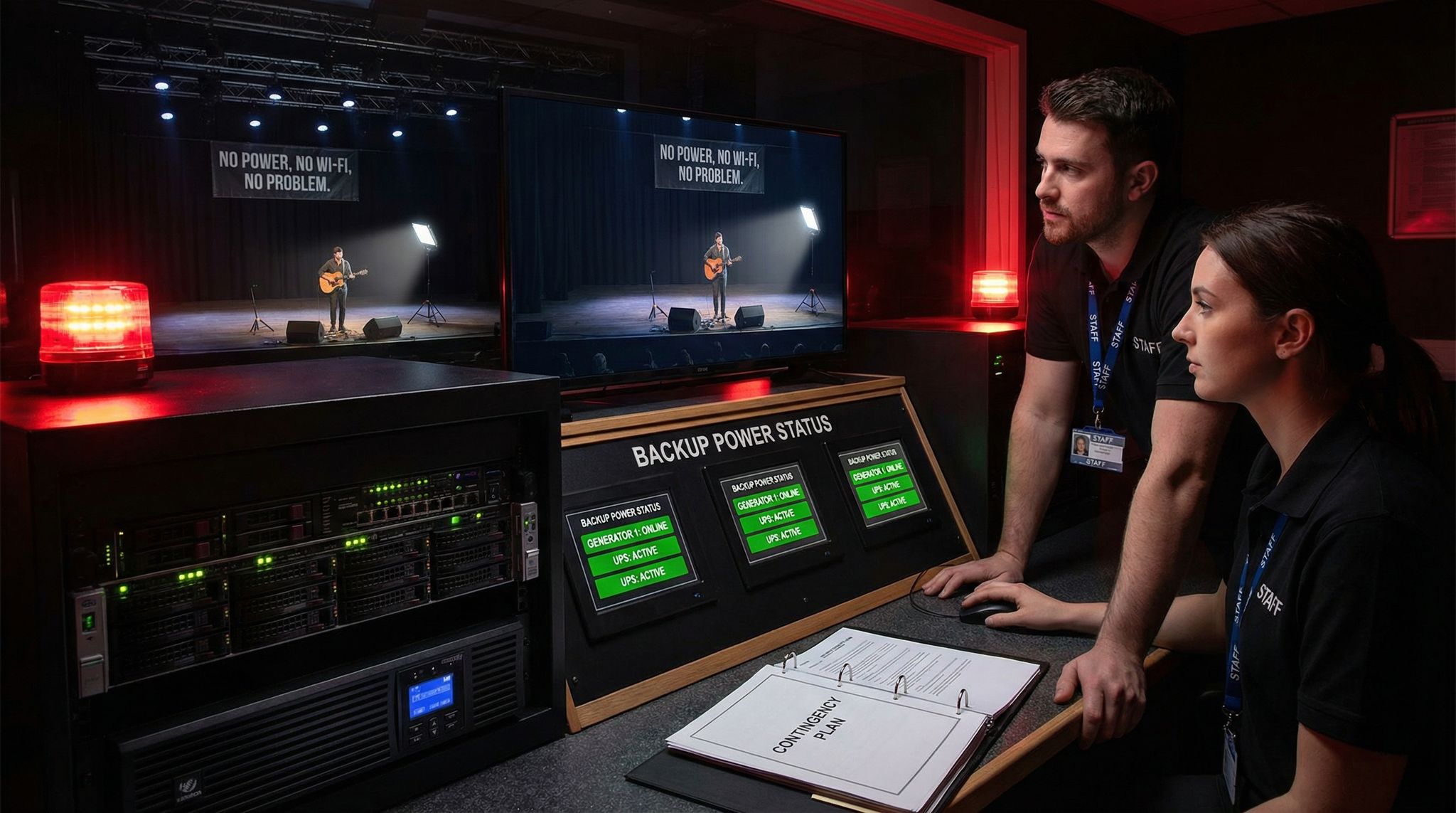
When it comes to venue operations, electricity is the foundation everything rests upon – no power, no show, period. Every venue should have a plan for immediate backup power if the grid supply fails. The most robust solution is an on-site emergency generator sized to at least keep critical systems alive (and ideally the entire show). For a small club, this might be a portable generator or inverter that can run the sound board, a few lights, and essential circuits. For a large theater or arena, it means industrial diesel generators on standby, often in an N+1 configuration (one more generator than needed for full load), where standard practice is to have redundancy. In practice, that might be two generator sets each capable of handling 100% of the venue’s critical load – one runs and the other is idle until needed. The instant the main power fails, an Automatic Transfer Switch (ATS) should kick in to shift the load to the backup unit within seconds. Properly configured ATS systems act so fast that lights may only flicker and sound equipment stays on, making the power loss virtually undetectable to the audience. This is exactly how many casinos, large theaters, and stadiums are able to ride through citywide outages without evacuating – their generators fire up and carry the show. If your venue doesn’t have a permanently installed generator, consider renting a standby unit for high-stakes events. Many savvy venue managers do this for sold-out shows or festivals: a generator truck is parked nearby, wired into a safety interlock on the main breaker panel. Should the mains fail, they can manually switch to generator power in a minute or two, rather than waiting hours for the utility to respond. Veteran arena operators often describe backup generators as a form of insurance – one that might cost a few thousand upfront but can save hundreds of thousands in lost revenue and damages by preventing an event cancellation.
Of course, backup generators themselves must be properly implemented. Installation and testing are key. Use a licensed electrician to set up the transfer switch or interlock so that when you engage the generator, it feeds only your venue’s circuits (and never backfeeds into the grid). Identify which circuits or equipment are “essential” – typically the stage lighting and audio power, emergency lighting, elevators, fire safety systems, and critical backend gear (like servers or refrigeration). Those should be on circuits that the generator will supply. Many large venues color-code or label these critical circuits in their electrical panels for clarity. It’s also wise to overspec the generator slightly (aim for ~20% extra capacity above your calculated emergency load). This ensures it isn’t running at redline and can handle inrush currents when large motors (HVAC, for example) kick back on. Also, coordinate with local authorities and get any needed permits or noise exemptions if you plan to use a generator – some cities have regulations on generator use and fuel storage, especially for indoor venues. In short, don’t skimp on backup power: even a small venue can rent a suitable generator for a few hundred dollars a night, and that investment can be the difference between “the show goes on” and an abrupt end if the grid goes dark.
Ready to Sell Tickets?
Create professional event pages with built-in payment processing, marketing tools, and real-time analytics.
Table: Backup Generator Setup Checklist
| Item | Best Practices for Venues |
|---|---|
| Sizing & Capacity | Calculate total critical load (kW) and add ~20% headroom. Ensure generator can handle surge currents of lights/amps. For large venues, use N+1 redundant units (e.g. two half-capacity gens). |
| Placement & Fuel | Position generator outdoors or in ventilated enclosure. Keep fuel on-site for at least 4–6 hours runtime (diesel is common; follow fire codes). Store fuel safely in approved containers away from attendees. |
| Transfer Switch | Install an ATS for instant switchover, or a manual interlock if budget is tight (assign trained staff to flip it during outage). Test the transfer switch under load in advance. |
| Circuit Connection | Tie generator into venue’s electrical panel via an isolated breaker or inlet. Only feed pre-designated essential circuits (lighting, sound, safety systems, etc.). Prevent backfeed into grid. |
| Maintenance & Testing | Run generator under load monthly. Check fuel, oil, batteries. Before major events, do a full test by cutting main power to ensure the generator kicks in and all vital systems stay on. |
Uninterruptible Power Supplies (UPS) for Critical Gear
Even the quickest generator switchover still has a brief gap – it typically takes a few seconds for an engine generator to spin up and stabilize power. In that short gap, sensitive electronics can power down unless you bridge it. This is where Uninterruptible Power Supply (UPS) units become a lifesaver. A UPS is essentially a battery backup that provides immediate, short-term power to connected devices when it senses an outage. Every venue should have UPS protection on its critical technical equipment. Sound consoles, servers, network switches, lighting control desks, wireless mic receivers – anything that would cause a show-stopping interruption if it abruptly rebooted should be on a UPS. For example, if the mains power blinks out, the UPS units on the audio rack and lighting console will hold those systems up for, say, 5–10 minutes, giving the generator time to come online. The audience might not even hear more than a brief hiccup in audio (many pro UPSes can keep amps and DSPs running without a pop). At minimum, UPS units keep your tech brain alive so that when power is restored, even after a few minutes, you don’t have to painfully reboot and reprogram everything.
Match UPS capacity to the need. Small venues might use a few 1500VA UPS battery packs (the kind used for office servers) to keep the mixer and Wi-Fi router alive. Larger theaters and arenas often have rack-mounted UPS systems or even whole-room UPS for their comms rooms. The goal is not to run your entire show on batteries for long – just to ride through transient outages or the generator start-up time. Usually 5-15 minutes of runtime is sufficient. When choosing UPS units, look for pure sine wave output (better for AV gear) and adequate wattage for the connected load. Remember that amplifiers and lighting may draw a lot of power; you probably can’t UPS your whole lighting rig, but you can UPS the lighting console and maybe a few crucial LED fixtures. Also consider UPS for point-of-sale terminals and ticket scanners if they’re not battery-powered – many modern devices like tablets have internal batteries, but if not, a UPS can keep the gate computer or box office system up through a flicker. Test your UPS units as well (they have batteries that degrade over 3-5 years). There’s nothing worse than assuming a UPS will work, only to have it fail immediately due to a dead battery. A week before your big event, do a trial: unplug each UPS from the wall and see how long it actually holds its load. If any die within seconds, replace the batteries or the unit altogether. UPS protection, combined with a generator, provides a one-two punch of resiliency – the UPS holds things steady for those critical seconds or minutes until backup power flows, ensuring truly uninterruptible operation for the most important systems.
Segmenting Circuits to Avoid Total Blackouts
Beyond having backup power sources, it’s important to design your venue’s electrical system so that a failure doesn’t take out everything at once. Electrical redundancy isn’t just about generators – it’s about smart distribution. One common mistake, especially in medium-sized venues upgrading their tech, is putting the entire venue on one feed or one transformer. If that single point fails, you’re 100% dark. Instead, aim to segment your power distribution by zone or system priority. For instance, a theatre might have one feeder for stage lighting, another for audio/AV, another for house lights and HVAC, etc. If one circuit or feeder trips, it doesn’t necessarily kill the others. In large arenas and stadiums, this is standard: they have multiple electrical zones and sometimes even redundant feeds from the utility grid. Think of it like watertight compartments on a ship – one leak shouldn’t sink the whole vessel. Having backup power generation is vital, but distribution matters.
For venues of any size, identify critical circuits that must stay live or be restored first. Emergency lighting is a prime example – these lights (usually along exit pathways) should have battery backups and be on a separate circuit so they automatically come on during an outage. Many building codes mandate this, but double-check that those batteries are fresh and those lights actually work. Similarly, sound system power for emergency announcements should be prioritized. If you can wire your PA amps separately from, say, the stage lighting rigs, do so – that way a lighting power surge popping a breaker doesn’t also silence your microphones. Some venues even install a static transfer switch or specialized relay that feeds certain circuits from two sources simultaneously and will instantly drop the failed source. This can be complex, but a common point of failure is often the distribution panel itself.
Boost Revenue With Smart Upsells
Sell merchandise, VIP upgrades, parking passes, and add-ons during checkout and via post-purchase emails. Increase average order value by up to 220%.
Another aspect of smart power design is avoiding overloads and phase imbalances. A surprisingly common cause of “outages” at shows is not a full grid failure, but an overloaded breaker or a tripped RCD (residual current device) due to one leg of power being overdrawn. Spread your load evenly across circuits and phases. Work with a professional electrician to map out your power distribution especially if you’ve added gear over the years. For example, ensure that all the subwoofers aren’t on the same phase leg or you might spike that leg and trip the main breaker when a big bass drop hits. By balancing sound, lighting, and HVAC loads, you reduce the chance of a localized blackout that can still stop the show. Keep spare electrical components on hand too – something as trivial as a blown fuse or a fried power conditioner can take down a section of your system. Venue techs often keep an emergency kit with spare fuses, power strips, extension cables, even a spare distro breaker, so they can bypass or replace a failed component quickly, especially across three phases for mechanical issues. The bottom line is redundancy at the circuit level: design your power layout such that no single point of failure (whether a piece of gear or a breaker) will black out the entire venue. This way, even if something fails despite your backups, the outage might only affect part of the venue and can be managed without stopping the show.
Network and Communications Redundancy
Multiple Internet Sources and Auto-Failover
In 2026, reliable internet connectivity is as mission-critical to venues as electricity. Between online ticket scanning, mobile POS systems, live streaming, artist Wi-Fi, and countless cloud-based tools, the network is the nervous system of a modern event. Just as you need backup power, you also need backup internet. The best practice is having at least two separate internet sources via different providers or technologies. For example, your primary might be a high-speed fiber line or cable line into the venue, and your secondary could be a 5G/LTE cellular router or even a satellite internet link. Using an enterprise-grade router with automatic failover, these two (or more) connections can be bonded into one seamless service. If the primary goes down – say a construction crew cuts the fiber outside – the router instantly switches all traffic to the 5G backup. From the perspective of your ticket scanners and laptops, maybe there’s a brief hiccup in speed, but operations continue. Major events have proven the value of this approach: Glastonbury Festival’s tech team in 2024 famously combined fiber, local 5G, and Starlink satellite into a meshed network with auto-failover, achieving continuous uptime even when one link had issues. For venues, a scaled-down version of this strategy can be lifesaving. Even a small club can install a cost-effective dual-WAN router that uses DSL/cable plus kicks over to a 4G hotspot when needed.
Diversity is key – using two services from the same provider isn’t true redundancy if that provider has an area outage. Mix different ISPs and different mediums. Fiber + Cellular is a common combo (one landline, one wireless). Some venues in remote areas use Satellite as a backup now that low-Earth orbit services are available (e.g., Starlink can deliver 100+ Mbps in many areas). And in certain cities, venues might arrange a point-to-point wireless link from a nearby building with internet – basically creating their own microwave backup link. The various options each have pros and cons, which we can summarize:
| Backup Internet Option | Typical Bandwidth | Latency | Best Use Case | Considerations |
|---|---|---|---|---|
| Secondary Fiber Line | 100–1000+ Mbps (high) | ~5–20 ms (low) | Venues in urban areas; a second wired line via a different route/provider. | Very high capacity and low latency. However, physical line cuts or area outages can still affect both if not truly diverse paths. Higher installation cost. |
| 4G/5G Cellular | 50–300 Mbps (variable) | ~20–50 ms (low) | Almost any venue as a quick backup; also great for portable or temporary setups. | Performance can fluctuate if cell towers get overloaded by attendees. Use dedicated SIMs or private APNs if possible. Requires good signal (may need rooftop or window antenna). Data costs per GB can add up. |
| Satellite Internet (LEO) | 50–150 Mbps (moderate) | ~20–50 ms (mod) | Remote or rural venues with poor terrestrial options; reliable fallback when ground networks fail. | New LEO satellites (e.g. Starlink) offer solid speed but need clear sky view; heavy rain or obstruction can disrupt service. Latency is low-moderate. Equipment requires setup (small dish) on-site. |
| Point-to-Point Wireless | 100–1000 Mbps (high) | ~5–15 ms (low) | Venues that can line-of-sight to another building or facility that has fiber. Good for festivals or parks near a city. | Can rival fiber speeds. Needs direct line-of-sight; susceptible to blockage or alignment issues (ensure secure mounting). Typically requires professional install and alignment. |
Any of these methods (or a combination of them) can ensure you’re not relying on a single lifeline for connectivity. If you have multiple links, decide if you’ll run them in hot standby or load-balanced. Hot standby means the second link is idle until needed – simpler and usually sufficient. Load-balanced (bonding) means you utilize both all the time, which boosts bandwidth and provides a smoother failover but can be more complex to configure. Whichever approach, test it thoroughly: simulate an outage by unplugging your primary line and verify the failover router shifts everyone to backup within seconds. With the right technology, you can use enterprise gear to minimize the chance of a complete outage. Also check that key systems (ticket scanners, payment tablets, etc.) handle the switch without needing manual reconnection. Some devices might need a static IP or a reconnect – it’s better to find that out in a controlled test than during a live event, where you can optimize in settings.
Local Network Resilience On-Site
Having a solid internet feed is one part; the other is your internal venue network – the Wi-Fi, switches, and cabling that distribute connectivity throughout the building. A robust LAN (Local Area Network) design prevents a glitch at one access point from knocking out your whole operation. Start with enterprise-grade networking gear. That old $50 home router in the back office won’t cut it on a show night with hundreds or thousands of devices. Invest in good quality switches (with Gigabit ports or higher) and business-class Wi-Fi access points that can handle heavy concurrent usage. For high-density venues, mesh networks or multiple APs spread out will provide better coverage and resilience. Redundancy here means: having spare switches and APs, and ideally a network design that isn’t completely dependent on a single switch. For example, connect your devices in a star topology (each vital device to a central switch) rather than daisy-chaining everything. If one cable or one switch fails, it should only affect that segment, not the entire chain.
Also consider backup power for your networking gear. It’s ironic how often venues have a generator for the lights but forget to put the network closet on a UPS or generator feed – so the power stays on but the Wi-Fi dies because the router lost power! Make sure your main network rack (routers, switches, modem) is on the generator-backed circuit or at least on a UPS that can hold it for the duration. For smaller events or venues, a UPS not only prevents outright failure but protects hardware. Physically, keep networking gear in a secure, ventilated area. Overheating switches or tripped circuit breakers in an IT closet can cause mysterious outages mid-event. If your switches have fans and are running hot, consider an upgrade or active cooling in that room.
One more tip: segment your networks and prioritize traffic. Many venues now broadcast multiple Wi-Fi networks (SSIDs) – e.g., one for operations (staff devices, ticket scanners, production laptops) and one for public/guests. Operations traffic should be on a protected, hidden SSID or a separate VLAN that has priority on the router. That way, a flood of guest selfies upload won’t clog the bandwidth needed for your POS transactions. Modern routers allow Quality of Service (QoS) rules – you can, for instance, reserve X Mbps for payment and ticketing systems so they always have breathing room. In critical scenarios, you could even shut down the public Wi-Fi to preserve all capacity for operations. The goal is to protect mission-critical data flows from any unnecessary strain. Your staff iPads processing credit cards should not be battling for signal with 500 attendees trying to stream video. By treating your internal network as core infrastructure (much like electrical distribution), you ensure that a failure in one part (like one Wi-Fi access point dying) doesn’t collapse the whole network. Multiple APs with overlapping coverage mean if one goes out, devices can roam to another. Multiple switches mean one failing can be bypassed. And having those spares configured and on standby means a hardware swap can be done in minutes if needed. This local resilience, combined with multiple internet uplinks, creates a connectivity safety net that is very hard to break completely.
Backup Communication Channels for Staff
Even if the public internet goes down entirely, you need your team to stay in communication. During a tech crisis, coordination behind the scenes is crucial – it’s how you prevent a minor outage from becoming a dangerous situation. Every venue should have an old-school, analog backup for staff comms. Two-way radios are the go-to: they don’t rely on Wi-Fi or cell networks at all. Make sure you’ve got enough radios for key personnel (security supervisors, floor managers, technical director, etc.), and keep them charged and tested. If you normally use fancy app-based communication (like messaging apps or VoIP over Wi-Fi for your team), decide on a fallback plan in advance for when that goes down. A lack of effective communication channels can lead to chaos. For example, “if the Wi-Fi comms fail, all staff tune to radio Channel 1 for emergency instructions.” Drill this so that staff are fluent in using radios, including etiquette and codes if you use them. Invest in spare radio batteries or a charging station on generator/UPS power, because a radio that dies mid-crisis is useless. At one large festival, the comms hub even kept a powered box with extra battery packs and a car-battery-style backup in case the main radio repeater lost power, as channels can get saturated or go down.
Grow Your Events
Leverage referral marketing, social sharing incentives, and audience insights to sell more tickets.
Don’t overlook analog phone lines if available. Many modern venues have ditched landlines entirely, but having one corded phone line (that doesn’t require external power) can be a lifesaver to call emergency services or utility companies if cell networks are jammed. Some venues maintain a rudimentary PA system or bullhorns that run on batteries, purely for emergency announcements to staff or crowd if all else fails. If generators fail at night, having headlamps accessible is vital. The principle is redundancy in communication: radios, wired intercoms, emergency hotlines – multiple layers so you’re never completely cut off. The 2021 Astroworld incident tragically highlighted how overloaded cell networks and failing comms can hamper emergency response, so our industry has taken notice. Many venue managers now implement the P.A.C.E. protocol borrowed from emergency management: Primary, Alternate, Contingency, Emergency. For comms, that might look like: Primary – secure Wi-Fi app, Alternate – radios, Contingency – cell phones/SMS, Emergency – runners (physical messengers) or bullhorn signals. Yes, it sounds archaic, but if everything electronic fails, you may need staff physically relaying messages or using whistles/airhorn signals to cue a show stop or evacuation. Plan these out and include them in your training. For instance, establish that three blasts of an airhorn from the stage means “audio outage – DJ go to backup generator,” or whatever fits your venue’s needs. Thankfully, with robust tech backups you shouldn’t get to that point, but having the plan is part of being truly fail-proof.
Ticketing and Entry Continuity
Offline Ticket Scanning Tools
Your front door sets the tone for the whole event – a meltdown at entry can sour guest moods before they even find their seats. That’s why it’s critical to have a bulletproof plan for ticket scanning if the network or ticketing system goes down. The best solution is using a ticketing platform that supports offline scanning from the start. In practice, this means your scanners (whether handheld devices, turnstiles, or mobile apps) download the ticket database or QR codes in advance and can continue to validate tickets without internet connectivity. If Wi-Fi drops out, the scanners simply queue the check-ins locally and later sync back to the master database when connection returns. This involves adopting a ticketing system that syncs up without conflicts. Modern, well-built systems like Ticket Fairy’s entry system are designed with this offline-first capability – each device can operate independently for hours, scanning and honoring tickets without phoning home. As a venue operator, make sure to enable and test this feature with your ticketing provider. Well before the show, download the full ticket list onto all devices. Many apps auto-sync when opened, but it’s good practice to have staff confirm “offline mode ready” before doors open. Train the door staff that a loss of Wi-Fi doesn’t mean they stop scanning – it means they switch to offline mode (which ideally is seamless and automatic). With offline scanning, fans keep flowing through the gates, blissfully unaware of any network issue in the background. Scanners store in tickets locally to avoid backstage tech issues.
Another consideration is how to avoid duplicate entries when multiple offline scanners are in use. If you have 4–5 devices all scanning tickets but none of them can talk to each other in real time, what’s to stop the same ticket QR code from being used at two different entrances simultaneously? The workaround used by experienced venue managers is to partition the entry workload. For example, assign certain ticket ranges or last names to specific gates or devices. If Scanner A is responsible for ticket numbers 1-1000 and Scanner B has 1001-2000, a duplicate attempt will likely hit the same scanner and be caught (since that device remembers it already scanned that code). Some venues split the alphabet by last name at different lines. Others use physical cues – e.g., colored wristbands or sections on tickets that correspond to specific entrances – to funnel each ticket to one checkpoint. Advanced systems even support device-to-device sync via a local network; for instance, the scanners might create a mini Wi-Fi or Bluetooth mesh just among themselves to share scanned ticket data. For larger events with multiple gates, it can be a lifesaver. But that’s high-end. For most, the simpler approach is to divide up the crowd logically and brief your gate staff clearly: “You’re scanning Floor GA tickets only; the balcony tickets go to that other door.” This way, even offline, you mitigate the risk of one ticket being cloned for two entries. The payoff to implementing offline scanning and these procedures is huge – you eliminate one of the most visible points of failure (a line of angry fans outside because scanners are down). Instead, your team keeps the throughput going and resolves any syncing later quietly.
Manual Check-In Protocols as Last Resort
Even with offline tech, always have an ultra-low-tech backup ready: the paper door list or manual check-in method. Technology can fail in strange ways – what if all your scanning devices malfunction, or the ticket app itself crashes? Old-school solutions can save the day. Have on hand a printed list of ticket purchasers or a printout of QR codes that can be scanned with a simple handheld scanner or phone camera. For a 200-capacity gig, a printed alphabetical list of names to check off can work fine. For larger events, printing every ticket code might be unwieldy, but you can at least print the list of VIPs, staff, and any crucial attendees, plus maybe a summary count of tickets per order (to reconcile later). Some venues print a “just in case” master guest list an hour before doors, in case their digital system goes completely dark – it’s not ideal for thousands of people, but it’s better than nothing.
Another manual fallback is issuing physical backup tickets or wristbands on the spot. For example, if you confirm someone has a valid purchase (perhaps by seeing their email confirmation on their phone) but your scanner won’t validate it right then, you can have a stash of pre-numbered wristbands to give them. Log the number or tear off a stub so you can later reconcile it. This approach was used at a European festival where the scanners went down – security leads authorized on-site wristbanding for guests who showed proof of purchase, then cross-checked those against the database once systems came back. Wristbands issued on the spot allow for action reconciliation later. The key is to pre-define the protocol: decide who on your team can approve letting someone in when systems fail (you don’t want an intern making that call arbitrarily), and what evidence is required (e.g., the purchase confirmation email and an ID that matches the name on the order). Have a form of record-keeping for any manually admitted patrons – even a simple clipboard noting their name or ticket number – so you can settle the accounts later and ensure no one slipped in illicitly.
Communication during a tech failure is critical here. If you switch to a manual process, radio all gate supervisors so they all do the same. You might announce: “All scanners down – proceed with manual list at 7:45PM.” This ensures consistency (and also prevents someone from trying to double-dip by entering one gate then another). Also, manage optics: it’s much better for staff to confidently say “Our scanners are momentarily offline, but don’t worry, we have a backup list and we’re still getting everyone in” rather than saying “Sorry, we can’t let people in right now.” With a bit of preparedness, a manual check-in can be slow but orderly rather than a clumsy free-for-all. Attendees will generally be patient if they see that things are still moving. Some venues keep megaphones or powered speakers at the entrance to make announcements if needed (since the house PA might not reach outside). You can explain the delay or instruct people to have IDs ready. Treat the manual protocol as something you hope never to use, but like a fire extinguisher, it needs to be there and your team should know how to operate it under pressure.
Redundant Equipment at Entry
One often overlooked aspect of gate preparedness is simply having backup hardware on hand. Tech fails aren’t always about software or connectivity – sometimes a tablet just dies, a barcode scanner gun breaks, or a battery drains unexpectedly. Seasoned venue operators always keep spare devices charged and within reach at the door. If you use dedicated scanning devices or mobile phones for e-tickets, have a couple of extras ready to swap in. Likewise, keep a charger or battery bank handy at the gate so you can plug in a unit that’s low on battery rather than it dying mid-scan. Technology fails often boil down to simple power issues, so keep gates and bars running. For larger shows, consider a small charging station in the ticket office or gate tent where half the scanners can be recharging while the others are in use, then swap them at intermission. Keep spare devices for all entry points, especially for longer events. It’s a simple safeguard against human error too (e.g., someone forgot to fully charge all units before the event – it happens!).
If your venue uses turnstiles or kiosks, have a manual override or hand scanner as backup. Turnstiles often can be left unlocked (so they freely spin) and staff can then scan tickets with a handheld unit if the turnstile’s network is down. Train your staff on these override procedures. A security supervisor should know how to “fail open” a turnstile or quickly unmount a tablet and switch to a spare. Time lost figuring these out is what causes lines to back up.
For very high-volume events with multiple entry points, advanced venues set up a local syncing solution to prevent double-scans even offline. This might mean a local server or peer-to-peer network at the gate that all scanners connect to within the venue. For larger events with multiple entries, it can be a lifesaver. Even if disconnected from the internet, they talk to each other on a local Wi-Fi, marking tickets as used in a shared local database. Implementing this requires IT expertise, but it can be worth it for an arena where thousands pour in each minute. If that’s beyond reach, at least coordinate between gate teams: have them periodically radio any issues or suspicious attempts. For example, if Gate A catches someone with a duplicate ticket QR, they can alert Gate B to be on the lookout. It’s not foolproof, but it adds a layer of awareness.
In summary, ensure redundancy in devices and power at the door. A backup scanner won’t help if its battery is dead, so maintain those charging routines. Many veteran gate managers create a simple checklist: “Spare scanners (with current ticket data downloaded) – check. Printouts of guest list – check. Battery banks – check. Contact list of ticketing support reps – check.” The entry is the first impression of your contingency planning in action – if you seamlessly handle a tech hiccup at the door, fans walk in smiling, totally unaware of any crisis. That sets the tone for a great night despite whatever else might be happening behind the scenes.
Payment and POS Fallbacks
Offline Card Processing and POS
Venue finance has gone largely cashless, which is great for speed and data – until the internet or payment system crashes. If your bars and merch stands can’t process credit cards, sales come to a screeching halt and frustrated fans start grumbling immediately. To prevent that scenario, equip your point-of-sale (POS) systems to work offline whenever necessary. Most modern payment providers (the Squares, Stripes, and bank systems of the world) offer an offline mode on their card readers or apps. This allows transactions to be accepted and stored locally without real-time authorization. Offline Payment Processing is essential. The cards get charged later once connectivity is restored. This allows authorization when connectivity resumes. There is a slight risk in doing this – a few charges might decline later – but eating a small loss is far better than not selling anything for an hour. Check with your payment processor on how to enable offline processing. Often, you have to turn it on in settings, and there may be limits (e.g. the device will only store up to $X or Y transactions offline to mitigate risk). Configure those limits to suit your comfort, and communicate them to staff: for instance, if a device can only store 50 offline swipes, staff should know to reconnect it to sync after roughly that many sales, before it stops accepting more.
Just like with ticketing, test your POS offline mode in advance. During a soundcheck or prep day, put a tablet in airplane mode and try doing a test transaction (on a dummy credit card or test mode) to see the flow. Train the bartenders or cashiers: show them the icon or message that indicates offline mode is active, so they don’t panic or tell customers “it’s not working.” In fact, part of your backup SOP should instruct staff that if the Wi-Fi drops, they should keep serving as normal – the devices will queue transactions. As events have gone increasingly cashless, the risk is slight but manageable. You don’t want staff refusing to take payment just because they see “offline” on the screen; they should continue and know it will process later. Also, plan some online syncing breaks if possible. For example, during a mid-show lull or right after doors close, you might have each POS device take a turn connecting to a backup hotspot or a restored network to upload its queued transactions. This prevents a huge backlog and will alert you if any cards were declined so staff can be informed. If you have dozens of terminals, stagger these syncs to avoid overwhelming the network at once. The goal is to cache transactions safely and push them through in manageable batches.
Because payment technology is so mission-critical, it’s also wise to diversify across your venue. Don’t have a single point of failure like one payment server for the whole building. If you can, use a couple of different payment systems in parallel. For instance, half your concession stands use System A and the other half use System B, or some use RFID wristbands while others use direct card taps. One more tip: spread out your systems similar to how multiple internet connections work. It sounds complicated, but if one system has a platform outage, the other might still work. Many large stadiums and festivals adopt this approach – it’s like having multi-provider internet but for payments. In a smaller venue, this might simply mean having one or two PayPal Here or SumUp readers in a drawer as a backup to your main POS. If your primary iPad POS app goes down, you could whip out the backup reader and a smartphone to process card payments through an alternate app. Keep those backup login credentials handy (perhaps in a sealed envelope or manager’s phone) so you’re not scrambling to remember a password in the middle of a show. In summary, design your payment setup so that “no internet” doesn’t mean “no sales.” If you implement the right cashless tech with offline capability and ensure staff know how to use it, you can keep the beer flowing and merch moving even during a network outage.
Cash and Low-Tech Alternatives
Despite the massive shift to cashless, smart venues keep emergency cash options in their back pocket – sometimes literally. Stashing a cash box at each bar or merch stand, with a float of small bills, can rescue sales if all electronic payments fail. Some venue managers quietly brief their bar staff that “if our systems are completely down for more than X minutes, we will start accepting cash – here’s the procedure.” That procedure might include using a simple log sheet to note cash sales so they can be reconciled later, or ripping tickets as drink vouchers to redeem later. Indeed, having some printed drink tickets or tokens on hand is another backup: if digital payments crash and might be down a while, you could sell these paper ticket booklets at one location (maybe the box office which might have one working terminal or just accept cash itself), then patrons use the tickets to get drinks from bars. These transactions can keep the concessions moving. It’s not ideal and feels a bit like a county fair, but it’s a lot better than closing the bars entirely. The key is to plan it before chaos strikes. Decide how much cash to keep and where (securely, with a manager or in a time-locked safe until needed). If you’ll use tickets or tokens, print some generic ones (no date, just a denomination or “good for 1 beer”) in advance and brief staff on how to honor them. A good strategy is to use physical drink tickets. And make sure, if you do pivot to cash, that you still follow basic controls – e.g., have two staff verify the starting cash amount and ending amount, so you don’t invite theft or miscounting in the confusion.
There’s also the trusty old credit card imprinter, a.k.a the “knuckle-buster,” for truly last-resort scenarios. Another ultimate backup is something archaic but effective. Believe it or not, some venues still keep one of those manual card swipe machines with carbon paper slips. If you have a major system outage, you could take physical impressions of customers’ credit cards and have them sign for the transaction, then process those slips later when you’re back online. This is obviously something to do only if absolutely necessary (and you should get clear approval from management to use it, since it involves liability if not handled carefully). But if it’s a choice between letting people have water/food now and dealing with charges later, versus denying service, you might do it for essentials. Should you go this route, train a few senior staff on how to use the imprinter (you’d be surprised how many younger staff have never seen one). Also, treat those signed slips as highly sensitive – lock them up and process them promptly, then shred the copies. The last thing you want is to survive a power outage but then suffer a data security breach. The imprinter (the knuckle-buster) is useful when fans are thirsty and the card system is dead.
Staff Training for Payment Glitches
Technology backup plans only work if your front-line staff execute them calmly and correctly. This is especially true for payments, where a panicked bartender might mistakenly tell the crowd “we can’t take cards right now” – causing people to walk away (and maybe not come back). Prevent this with proactive training. Include a section in your pre-show briefings or staff handbook about what to do if payment systems slow down or go offline. For example: “If the card reader shows ‘Offline Mode,’ continue transactions as normal – it will store the sale. Don’t tell guests to wait; serve them and we’ll reconcile later.” Also empower staff with messaging to keep guests at ease. Instead of “our system is down,” they can say “sorry, the Wi-Fi is spotty but we’re still able to process your card – it might just take a moment.” The difference in tone is huge.
Make sure every register has a quick-reference guide tucked nearby (even a laminated index card) with backup steps: e.g., how to enable offline on the POS, where the emergency cash stash is, phone numbers for tech support, etc. During larger events, designate a roaming manager or tech support person who can quickly attend to any POS terminal issues – sometimes just rebooting a frozen tablet or swapping out a malfunctioning card reader can fix the glitch, but only if someone is available to troubleshoot. And encourage your team to not be the heroes in isolation. If a bartender notices the card machine spinning, they should immediately alert the floor manager or trigger whatever alert system you have. Early communication can be the difference between a small hiccup and a 50-person queue meltdown. As one venue GM puts it, “Trust your tech, but train your people.” All the cutting-edge offline tech in the world won’t help if the humans using it aren’t prepared. So incorporate payment failure drills into your overall contingency planning – run a mock scenario where the internet is out and have the bar staff practice taking payments with the backup methods. This builds confidence that when the real thing happens, they’ll keep their cool and keep the revenue flowing despite the crisis.
Crowd Management and Safety During Outages
Emergency Lighting and Sound
The show can’t go on if the crowd is in danger. A sudden darkness in a packed venue is a major safety hazard – people can trip, panic, or worse. That’s why emergency lighting is both a legal requirement and a practical necessity. All venues should have battery-backed emergency lights and illuminated exit signs that automatically turn on if main power fails. Power failures create more than just darkness; they disrupt Wi-Fi communication too. These often come as built-in units in newer buildings, but older venues must retro-fit them. Do a walk-through of your venue and identify all key aisles, stairways, and exits – ensure there’s adequate lighting that will stay on or instantly turn on during an outage (for at least 90 minutes, which is a common code requirement). Test these lights regularly by using the test switch or killing the power in the building briefly. Many veteran venue operators schedule a quarterly “blackout test” where they simulate a full power loss to see exactly what lights up and what doesn’t. If any area is in pitch blackness during that test, address it immediately by installing additional emergency lights.
Similarly, consider an emergency backup for your sound system or at least a bullhorn for making announcements. In a small club, an acoustic shout might work to guide people, but in a large hall the crowd noise will drown out unamplified voices, especially if people are concerned. One strategy some theaters use is a battery-powered megaphone at the tech desk, or even a UPS powered small backup amp tied to a few strategic speakers, solely for emergency announcements. Even if the main PA is down, a minimal sound system can convey messages like “Please stay calm and remain in place, we have backup power coming on.” If you have a generator that will restore most systems shortly, communicating that to the audience can prevent panic. On the flip side, if you know an evacuation may be needed, a clear, calm announcement is vital. Venues that have pre-scripted emergency messages (and even have the MC or security practice delivering them) tend to fare much better in these scenarios.
Another tool is visual emergency cues – for instance, glow sticks or LED flashlights that staff can activate to direct people if all lights fail. Some event safety teams equip ushers with small LED wands. In the absolute worst case of a total blackout (generator fails + batteries fail), you want your staff to have flashlights on them. Make it part of the uniform for key staff: many venues require security and ushers to carry mini torches or have them within reach at their post. These might seem like small measures, but they can make a huge difference in safely guiding a crowd in darkness. And as mentioned earlier, ensure your two-way radios have battery backup too – during a power outage, your team might lose their Wi-Fi based comms, but radios and cell phones (on battery) should still work, assuming the cell network is up. If generators fail at night, headlamps must be accessible. Use those to coordinate the safety response. In summary, from exit lights to emergency PA, have layers of safety systems that don’t rely on the main power. They should automatically or manually activate to illuminate and inform the crowd, keeping everyone safe while you work to solve the underlying issues.
Preventing Panic and Keeping Guests Informed
One of the biggest challenges in any outage or technical failure is managing the crowd’s perception. If the audience doesn’t realize something is wrong, or believes it’s under control, they’re likely to stay calm and compliant. But if they sense chaos or danger, panic can spread. Transparency and tone are key. As soon as you identify a serious issue that will be noticeable to guests (like lights out for more than a few seconds, or sound off unexpectedly), make an announcement. Don’t leave people in the dark – literally or figuratively – wondering what’s happening. Craft a brief, reassuring message that suits the situation. For example: “Ladies and gentlemen, we are experiencing a temporary technical difficulty. Please stay where you are – our backup systems are starting up and the show will continue shortly.” If you have emergency lighting only, you might add, “For your safety, please remain seated for now. Our team is working to restore full power.” The tone should be confident and calm. If you sound panicked or uncertain on the mic, the crowd will pick up on that. Even if you’re internally freaking out about the generators not starting, project calmness and control.
It helps to delegate a spokesperson in advance. Decide who will address the crowd if something goes wrong – it could be the MC, the promoter, the venue manager, or even a band member (if the artists are game to help out). At one nightclub that had a power outage, the house DJ immediately got on a battery-powered speaker to crack jokes and keep the crowd upbeat for 10 minutes until the power came back. The patrons later said it was actually a fun, memorable moment instead of a negative one – all because of how it was handled. On the flip side, a poorly handled situation (no info given, or staff shouting conflicting instructions) can lead to anxiety or even dangerous behavior as people start moving erratically. If you must evacuate, try to do it orderly. Bring the house lights up if they’re on backup power; if not, use those flashlights and have staff at each exit. Announce clearly: “We need to temporarily evacuate to reset a system. Please move slowly to the nearest exit. Our staff in yellow shirts will guide you. Hang on to your tickets – we will readmit everyone shortly once we resolve the issue.” This tells them it’s not an emergency like a fire (reducing panic) and that they’ll be let back in (so they don’t get angry about losing their spot). Of course, if it is an emergency like fire, you’ll have a different script (focus on immediate evacuation without causing a stampede, if possible).
Another subtle point: keep the music going if you can. If only the lights went out but you have audio on a UPS or the band can still play, encourage them to continue in some fashion. People are much less likely to panic in the dark if the performance continues, even minimally – it signals that this might be just a “technical twist” in the show rather than a dangerous situation. There’s a legendary story of a jazz band in a theater continuing to play acoustically when the power failed, effectively serenading the audience until the lights came back. It kept everyone calm and even got a cheer when the lights returned. Every situation will differ, but the overarching goal is to maintain or quickly restore a sense of normalcy. If backup lights are on and someone is speaking on the mic calmly, that feels like an organized scenario. If it’s pitch black and silent, people will start to feel unsafe. Use all your tools – audio, partial lighting, and clear communication – to steer the crowd’s mood. This way, even if you’re fighting a crisis backstage, front-of-house the fans remain safe, informed, and as patient as possible.
Security and Crowd Control Adjustments
When technical systems fail, your security team needs to be ready to step up physically. For instance, if electronic door locks or turnstiles lose power, security staff should immediately move to cover those entry/exit points. Plan for a manual security posture. That means brief your security personnel that in an outage, they may have to serve as human doorstops, access control, and crowd directors. At a large arena, if the video surveillance goes out, you might deploy extra floor patrols to keep eyes on the crowd until it’s restored. If a fire alarm system glitches (false alarms can sometimes accompany power spikes or losses), train the team how to verify an all-clear and communicate to attendees. Many venues coordinate with local police or fire marshals on their blackout plans too – for example, some cities require that if emergency systems fail, you must evacuate as a precaution. Know those regulations and incorporate them into your protocols.
One scenario to prepare for is a partial outage: say the stage loses power but the concourse is lit (or vice versa). In a partial outage, some attendees may start moving (e.g., heading to the lobby for light), which can cause congestion. Security ushers should be proactive – if the show is paused, maybe encourage people to stay in place rather than all milling around, unless staying put is unsafe. Conversely, if a network outage knocks out your POS so concession lines are halted, security might need to help explain to restless folks or even assist with line management once things resume (long queues could surge suddenly when systems come back). Essentially, security’s role broadens from just enforcing rules to being crowd managers and communicators in these moments.
It’s also worth considering how to handle entry/re-entry during a tech failure. If your scanners are down and you choose to hold the doors temporarily, security should secure the entrances and communicate with the waiting crowd outside. Better yet, use the manual protocols discussed to keep them moving if possible – a controlled entry with paper lists and extra security checking IDs can prevent a dangerous build-up of people at the gates. If you had to evacuate, plan for the re-entry process: security needs a clear signal on when it’s safe to let people back, and how (e.g., honor stamps or scanned tickets again). All these actions should be detailed in your emergency action plan, and practice drills shouldn’t ignore tech failure scenarios. We often drill for fire or medical incidents, but not for “power out during show.” Consider running a simulated outage drill with your full team: lights off, comms down, see how security, ushers, and tech respond. Then refine your plan based on the gaps observed. By doing so, you ensure that when a real incident hits, your staff reacts swiftly and cohesively to keep the crowd safe and maintain as much order as possible. A well-handled technical crisis can even earn patron praise (“they kept us informed and safe the whole time!”), turning a potential reputation hit into a testament of your venue’s professionalism.
Training, Drills, and Continuous Improvement
Building a Culture of Preparedness
Backup plans on paper mean little if they’re not ingrained in your team’s mindset. The most resilient venues foster a culture where contingency planning is part of everyday operations. This starts from the top: venue managers should emphasize in meetings, “What’s our plan B (and C) for X?” Make it routine to consider backups whenever a new technology or process is introduced. For instance, if you’re rolling out a new digital signage system, discuss what happens if it goes blank – is there a manual whiteboard or audio announcement to cover that info? By normalizing these discussions, staff start to think that way too. Encourage your technical crew to maintain redundancy checklists for their domains (audio, lighting, IT, etc.). Simple example: the audio tech ensures there’s a spare cable run ready parallel to the main one, so if one fails he can switch over quickly. The IT manager keeps a backup of configurations for the router. The bar manager trains cashiers on pulling out the paper logs if needed. Experienced venue operators stress that everyone from the stagehand to the ticket taker should know there’s a fallback for their task, and what it is.
One effective framework is adapting the P.A.C.E. system (Primary, Alternate, Contingency, Emergency) to venue ops. In the world of emergency management, you need backups for everything. As an exercise, pick each critical operation and identify four layers of how it could be done: e.g., “Primary: barcode scan tickets; Alternate: use mobile app scanning offline; Contingency: manually check names against printed list; Emergency: waive folks in, record video of crowd for accountability (extreme case).” Do this for communications (“Primary: two-way radio, Alternate: cell group chat, Contingency: runners, Emergency: airhorn signals”) and so on. It sounds like overkill, but by spelling it out, you ensure no situation leaves you clueless. Emergency last resort plans ensure you’ll switch over under pressure. Share these plans in a concise guide or chart for your team. New hires especially should be briefed that, for example, “if you ever see the lights go out, and you don’t hear anything, use your radio to report your area and then wait for instructions – don’t abandon post.” This prevents well-meaning but uncoordinated actions.
Also, instill the idea that backup systems are there to be used. Sometimes junior staff hesitate to break out the emergency toolkit – they might think they’ll get in trouble for acting without manager approval. Make it clear: if the situation meets the criteria (which you’ve defined in advance), they should act. For instance, “if the scanner app has been down for 5 minutes and no manager is reachable, start using the paper list.” Empowering staff in this way, with trust and guidelines, can save precious minutes. To reinforce this culture, lead by example. Share stories in internal meetings of how backup plans saved past events (whether at your venue or industry anecdotes). When a small glitch happens that someone solved via a backup, recognize and praise it: “Kudos to Alex for swiftly switching to the backup mic when the main failed – the crowd didn’t even notice!” These things signal that preparedness is valued, not paranoid. Over time, you’ll notice staff responding to issues more autonomously and effectively, because they’re primed to think “OK, Plan B, go!” instead of freezing.
Regular Drills and Scenario Testing
Practice makes prepared. It’s not enough to tell people about backup plans – you need to rehearse them. Venues in 2026 are increasingly adopting the practice of tech failure drills much like fire drills. This can be as simple as a tabletop exercise (“what would we do if power failed right now during a show – talk it through”) or as involved as a full simulated outage with staff on-site. For instance, some venue managers have fun with it: after a staff meeting they’ll suddenly say “Boom – the power just died. Go!” and watch how each team member reacts, then discuss. More formally, you might plan a quarterly drill where you intentionally turn off the main power (maybe when the venue is empty but the staff is present) to test the generator and everyone’s response. This is the time to discover that, say, the generator didn’t start because a switch was in the wrong position, or that half the radios weren’t charged. Catch it in a drill, fix it, and you won’t be caught off guard in a real event. Even the best equipment and plans can fail at the peak of the event.
Drills should also include communications scenarios. Try a “comms blackout drill” – have the team operate as if Wi-Fi and cell service were offline. Can they relay a message across the venue using only radios or runners? Identify choke points: maybe you realize only managers have radios and the info isn’t reaching floor staff. Then you adjust (perhaps more radios, or a protocol for managers to physically check on each section). Consider cross-training drills too: does everyone know how to use the fire panel P.A. system or where the flashlight box is? You might rotate people through key emergency roles so there’s coverage if someone is absent when trouble hits. During the festival, assign staff to monitor where power can be switched to.
After each drill or real incident, hold a post-event debrief focused on the response. Analyze what went well and what can improve – this continuous improvement loop is how your backup plan stays sharp. Savvy operators treat these debriefs as gold mines for learning much like they do for any event’s operations review. Document any issues encountered: e.g., “Backup printer in box office failed to work – replace it and ensure drivers installed on laptop” or “Crowd control during the fake evacuation was messy near Exit 3 – assign an additional usher there next time.” These notes then feed into updating the written contingency plans and the next training session.
It can be challenging to get a busy staff to take drills seriously, but creativity helps. Some venues turn it into a game or competition (“which bar can fully set up their cash backup fastest?”). Others schedule drills at the most convenient times and frame them as essential safety training (which they are). The more realistic you can make the scenario, the better people will respond. One arena even did a surprise power cut during a soundcheck (with band’s permission) to test the tech crew – the band played acoustically for a few minutes while the crew reset the system, a useful mini-test that boosted everyone’s confidence. Ultimately, your team should feel like second nature with these backup procedures. When lights actually go out or screens freeze, instead of panicking they’ll say, “Alright, we practiced this – let’s execute Plan B.” Your audience will likely never realize how well-drilled your operation is, and that’s a good thing. They’ll just see a slight hiccup handled smoothly, not the scramble behind the scenes.
Continuous Tech Upgrades and Reviews
Contingency planning isn’t a one-off task; it’s an ongoing process of adaptation. Technology evolves, and so do the failure points. Make it a habit to periodically review and update your backup plans in light of new equipment or systems in your venue. If you upgrade to a new LED lighting system, for example, does it have any different power requirements or boot-up quirks after a power loss? (Some LED walls take several minutes to restart – you might then adjust what you keep powered during an outage, maybe keeping at least one follow-spot or a basic stage wash on a UPS so the stage isn’t pitch black while the wall reboots). If you introduce a venue mobile app for guests, consider what parts of that app need to work offline if your Wi-Fi fails – maybe having a local QR code for their tickets saved to their phone, etc. These little details can slip through the cracks unless you consciously audit your setup after changes.
Stay informed on industry best practices, as well. Venue management associations (like IAVM) and safety bodies often publish guidelines or host seminars on emergency preparedness. Tap into those resources to see how others are innovating in resilience. For instance, there’s a trend of using battery storage systems now as cleaner, instant backup power – essentially giant battery UPS for whole venues, sometimes paired with solar. A forward-looking venue might consider that in place of (or in addition to) generators for certain needs. Keep an eye on such developments and assess if they fit your situation. Similarly, make sure your backups keep pace with scaling: if your venue capacity doubles, that old generator might no longer handle the load, and your backup plan must be upgraded accordingly.
Another continuous improvement aspect is analyzing any near-misses. You might not have had a full outage, but maybe you noticed the network getting spotty when attendance hit capacity, or a generator that almost tripped during a heavy bass concert. Treat those as warning signs to act on. Bring in experts if needed – a network engineer to optimize your Wi-Fi, or an electrician to redistribute loads or service your generator. Budget for contingencies as part of your capital planning; the leading venues allocate funds every year for maintenance of backups and purchase of new fail-safe gear (something data-driven venue budgeting plans account for as a necessary expense). It’s much easier to defend the cost of a new transfer switch or additional hotspot to ownership when you compare it to the potential losses of a single disastrous event without it.
In summary, never get complacent. Just because you have a thick emergency binder on the shelf doesn’t mean you’re set forever. Rotate that mentality of review, test, train, update, and repeat. Tech will throw new curveballs – who would have thought 10 years ago we’d need plans for “what if our cloud ticketing service goes offline globally”? Now we do. By fostering a proactive, always-learning approach, you ensure that whatever 2026 (and beyond) brings – be it new tech or new risks – your venue will remain a shining example of reliability. Fans might never consciously appreciate the redundant Wi-Fi or the quick generator, but they will appreciate the uninterrupted, smooth experience. And ultimately, that experience is what keeps them coming back (and keeps your venue thriving) no matter what challenges arise.
Frequently Asked Questions
What power backup systems do venues need for live events?
Venues require on-site emergency generators, often in an N+1 configuration for redundancy, connected via an Automatic Transfer Switch (ATS) to restore power instantly. Additionally, Uninterruptible Power Supply (UPS) units are critical to bridge the gap during switchover, keeping sensitive electronics like sound consoles and servers running for 5-15 minutes until generators stabilize.
How can venues keep ticket scanners working without Wi-Fi?
Venues maintain entry flow by using ticketing platforms that support offline scanning. Devices download the full ticket database or QR codes locally before the event, allowing staff to validate tickets independently of the network. Scanners queue check-in data locally and automatically sync with the master database once internet connectivity is restored.
How does offline mode work for venue POS systems?
Offline mode allows Point-of-Sale (POS) terminals to accept and store credit card transactions locally when internet connectivity fails. The system encrypts and queues these payments on the device, processing the authorizations later when the network comes back online. This prevents revenue loss and long lines at bars during temporary internet outages.
What is the best way to ensure internet redundancy at a venue?
Venues ensure redundancy by utilizing enterprise-grade routers with automatic failover capabilities that connect to multiple distinct internet sources. This typically involves combining a primary fiber line with a secondary 5G/LTE cellular connection or satellite link. If the main line fails, the router instantly switches traffic to the backup source to maintain operations.
Why should venues implement the P.A.C.E. protocol for communications?
The P.A.C.E. protocol (Primary, Alternate, Contingency, Emergency) ensures staff remain connected when standard technology fails. By establishing layers of communication—such as moving from Wi-Fi apps to analog two-way radios, then to runners or bullhorns—venues prevent chaos during outages. This structured approach guarantees that security and operations teams can coordinate regardless of technical failures.
How do venues handle crowd safety during a power outage?
Venues protect attendees during outages by maintaining battery-backed emergency lighting and illuminated exit signs that activate instantly. Staff use flashlights and battery-powered megaphones to provide calm, clear instructions to the crowd. Keeping audio running via UPS or acoustic performances helps maintain normalcy and prevents panic while backup generators restore full power.