Introduction: The Wearable Revolution at Events
From Novelty to Necessity
In 2026, wearable technology has moved from a gimmick to a cornerstone of live events. A decade ago, RFID wristbands, LED gadgets, and smart glasses were experimental add-ons at select festivals or expos. Now they’re mainstream tools deployed at events of all sizes. Nearly every major festival and arena now issues RFID-enabled wristbands or badges for entry and cashless payments, and concert tours from pop to country light up crowds with synced LED wristbands. What started as a wow-factor has become expected; attendees arrive ready to wear tech that enhances their experience. Veteran event technologists note that wearables are no longer optional frills – they’re mission-critical for engagement, data, and safety.
Engagement and Safety as Twin Drivers
Why the surge in wearables? Organizers are pushing for both deeper attendee engagement and stronger safety measures at their events. The same wristband that creates a dazzling light show can also serve as an access-control pass and emergency alert tool. By blending fun and functionality, wearables address two top priorities: keep the crowd entertained, and keep the crowd safe. For example, an LED wristband can make a guest feel like part of the show, while its built-in RFID chip ensures only authorized fans enter VIP zones. Likewise, a smart badge might display a attendee’s name and connect them with new contacts, but it can also track venue capacity in real time for crowd management. The best event wearables elevate the attendee experience and provide organizers with live insights and controls – a powerful combination that is driving widespread adoption.
Types of Wearables Elevating Events
Event tech teams in 2026 work with a diverse toolbox of wearables. LED wristbands and accessories turn audiences into giant synchronized displays, blinking in unity with performances. RFID/NFC wristbands and smart badges serve as all-in-one tickets, payment wallets, and interactive tokens for things like scavenger hunts or networking exchanges. Augmented reality (AR) glasses and headsets overlay digital content onto the live event – from scavenger hunt clues floating in the air to real-time subtitles and translations for accessibility. There are even haptic wearables like vibrating vests that let attendees feel the music (used to help deaf concertgoers experience sound) and wearable beacons that monitor crowd flow or security staff locations. The table below gives an overview of key event wearables and their uses:
| Wearable Tech | Primary Uses at Events | Key Benefits |
|---|---|---|
| RFID/NFC Wristbands & Badges | Entry credential, cashless payments, attendee ID, gamification challenges, networking exchanges | Fast secure check-in; eliminates ticket fraud; enables cashless purchases; captures attendee data; triggers interactive experiences |
| LED Light-Up Wristbands | Synchronized light shows during concerts/festivals; crowd engagement effects; sponsor branding opportunities | Immersive visual spectacle that includes the audience; creates unity and excitement; highly shareable moments for social media; branding via custom colors/logos |
| AR Glasses & Headsets | Augmented overlays (directions, info, graphics) at conferences/expos; interactive AR games; real-time captions or translations at performances | Adds a digital layer to reality for richer experience; guides attendees with hands-free info; improves accessibility for multi-lingual audiences or those with hearing loss |
| Haptic Wearables (Vests, Bands) | Translating audio into vibrations for concerts; enhancing immersion in VR/AR activations; safety alerts via vibrations | Inclusive experience for hearing-impaired attendees to feel music; novel sensory layer for all attendees; discreet alert mechanism (e.g. vibrate for evacuation notice) |
| Smart Watches & Personal Devices | Integration of attendee’s own smartwatch for ticket access, notifications, fitness/health monitoring at endurance events | Convenience of using devices attendees already wear; health data (heart rate) for safety in races; personalized alerts on wrist without needing phones |
As shown, wearables come in many forms – but all share a common goal: to seamlessly connect the physical event with digital intelligence. In the sections below, we’ll dive into how these gadgets are being implemented, with real-world examples of successes (and a few instructive failures), plus practical tips for integrating wearables into events large and small.
Go Cashless With RFID Technology
Enable contactless payments, faster entry, and real-time spending analytics with cashless RFID wristbands for your events.
LED Wristbands: Lighting Up the Crowd
Turning Audiences into Part of the Show
One of the most spectacular uses of wearables is the LED wristband – a simple idea with transformative impact. By giving attendees wristbands that glow or flash in sync, events can turn the entire crowd into a light show. Instead of being passive spectators, the audience itself becomes part of the visual production. Major artists have proven the effect at scale: Coldplay famously pioneered stadium-wide LED wristband shows in the early 2010s, painting the arena in coordinated colors with their Xylobands. Today, that idea has exploded across concerts and festivals. In 2025, tens of millions of LED wristbands flashed at concerts and events worldwide – from Taylor Swift’s sold-out tours to EDM festivals – illustrating how ubiquitous the tech has become. When every fan’s wrist is a pixel in the show, the result is a breathtaking sense of unity and immersion. A drop in the music isn’t just heard – it’s seen as a wave of color rippling through thousands of lights in the crowd. Attendees go from watching the spectacle to being the spectacle.
Interactive light-up wearables aren’t limited to wrists, either. Some events distribute LED lanyards, badges, or even clothing accessories that can all be controlled centrally. The core idea is the same: empower the crowd to be an integrated part of the visual experience. Festival producers report these mass participation light displays send energy soaring – when 50,000 people burst into synchronized light, it’s a goosebump moment that performers and fans alike never forget. As one veteran producer put it, “We went from lighting around the audience to lighting the audience itself.” In an age where experience is everything, that participatory wow-factor is pure gold.
Ready to Sell Tickets?
Create professional event pages with built-in payment processing, marketing tools, and real-time analytics.
The Technology Behind the Magic
Making an entire crowd glow in unison is a massive technical undertaking that, when done right, feels like magic. So how does it work? LED wristband systems typically use a central control system that sends out wireless commands to every device. Earlier versions relied on infrared (IR) transmitters placed around the venue (much like TV remotes) to broadcast signals to the wristbands. Newer systems often use radio frequencies – similar to how wireless stage lighting is controlled – for greater range and reliability. At the 2024 Olympics closing ceremony in Paris, for example, the stadium was outfitted with RF transmitters so that each spectator’s wristband lit up in sync, creating images and patterns seen by over a billion viewers worldwide. Modern show control software can group wearables into zones or trigger them individually, allowing dynamic effects: one moment every light pulses together, the next moment a Mexican wave of colors can sweep through sections of the crowd.
Critically, these wearable lighting systems are timed to the music and stage cues. Lighting directors use time-coded tracks or real-time triggers from the audio mix to ensure the wristbands change color and blink exactly on the beat. The wearables essentially become an extension of the stage lighting rig – just spread across the entire venue. Many tours integrate wristband control into their existing intelligent lighting and show control software so that, for instance, when the moving lights and pyrotechnics go off at a chorus drop, thousands of wristbands flash white at that same split-second. This level of synchronization takes meticulous pre-programming and robust wireless infrastructure, often utilizing complex cue sequences to execute immersive effects. Experienced tech crews will test wristband signals in advance (an empty stadium vs. one full of human bodies can affect RF signal strength) and often assign a specific frequency band solely for the wearables to avoid interference with Wi-Fi or radios. Redundancy is key: multiple transmitters, backup laptops running the control software, and manual override capability (lighting up all bands in a solid color as a failsafe, for instance) are standard precautions to make sure the magic moment doesn’t glitch. When every device responds reliably, the effect is seamless – the crowd forgets the tech and just feels the spectacle.
Looking at the broader landscape, the market trends for 2026 show a massive shift toward integrated B2B stadium event lighting solutions. Venue operators are increasingly procuring LED wristbands not just as single-tour novelties, but as permanent, venue-owned infrastructure. This evolution means that arenas can offer synchronized crowd wearables as a turnkey package to incoming promoters or corporate clients. The latest industry data indicates that these B2B lighting packages are becoming a standard line item in venue rental agreements, driving down per-event costs while maximizing the visual impact for any act that books the space.
Impact on Social Media and Sponsorship
Beyond the on-site wow factor, LED wearables have significant side benefits for marketing and sponsorship. A sea of glowing fans is inherently photogenic and shareable – attendees eagerly pull out their phones to capture videos of the crowd lighting up, flooding social media with free promotion for the event. These moments often go viral as short clips, extending the event’s reach far beyond the venue. In fact, creating these kinds of Instagrammable crowd moments is now a deliberate strategy for many promoters, as they know a stunning unified visual can turn attendees into content creators. For example, a 2023 festival set a record for social media impressions when a synced wristband moment during the headliner’s set was posted by thousands of attendees and even caught mainstream media attention. As an organizer, orchestrating a buzzworthy moment like “the entire audience turned sky-blue and gold during the final song” can be more impactful than any traditional ad campaign. It’s authentic fan-driven content – and it costs nothing extra once you have the wristbands in play.
Smooth Entry With Mobile Check-In
Scan tickets and manage entry with our mobile check-in app. Supports photo ID verification, real-time capacity tracking, and multi-gate coordination.
Sponsors have also taken notice. Wearable tech provides new real estate for branding and interactive advertising. The LED devices themselves can be branded with a sponsor’s logo or colors, and sponsors can be written into the light show story (“[Brand] presents the X Festival Finale – watch for a special blue wave of light!”). Some events even coordinate sponsored moments, like a sports arena lighting all wristbands in the home team’s colors whenever a goal is scored, with the scoreboard thanking the sponsor by name. Because the impact on attendee excitement is proven – one festival reported a palpable 40% boost in crowd energy when the wearables lit up – sponsors are happy to be associated with those peak moments of joy. They also gain valuable exposure in all those photos and videos the fans are posting. It’s a win-win: the crowd gets a better show, and the event and sponsors get organic amplification.
Challenges and Lessons Learned
As dazzling as wearable light shows can be, they come with logistical and technical challenges that organizers must manage. One practical hurdle is deployment and collection: for a 50,000-person festival, how do you hand out tens of thousands of wristbands efficiently, and do you try to get them back? Strategies differ. Some events place wristbands on each seat or hand them out at entry with instructions to wear them. Others integrate the wristband with the attendee’s ticket (shipping RFID+LED bands to fans in advance as their festival bracelet). Getting wearables onto everyone before the show segment that uses them is critical – you don’t want 20% of your audience still fiddling with packaging when it’s time to light up. Collection is another issue. Many concerts simply let attendees keep the bands as souvenirs, which is popular but means the devices are single-use (and potentially e-waste). More sustainably, companies like PixMob now make reusable LED wristbands with rechargeable batteries; festivals might offer a merch discount to anyone who returns their wristband at the end, or staff will collect discarded ones to refurbish. Communication is key: attendees should know if the wristband is theirs to keep or if the event needs them back for recycling.
Grow Your Events
Leverage referral marketing, social sharing incentives, and audience insights to sell more tickets.
Technical hiccups can happen and provide cautionary tales. Interference or overloaded signals have caused patchy effects at some shows – e.g. one festival found that a few sections of the crowd didn’t light up because a transmitter was blocked, leading to odd dark gaps in the audience canvas. The lesson: always have multiple signal sources and test coverage in all areas (including upper decks, GA pits, etc.). Battery life is another concern – if devices are activated too early, they might die before the crescendo. Smart practice is to only trigger the wearables when needed and perhaps include a fresh battery check during setup. Additionally, not everyone loves a wearable; a few attendees might find wrist gadgets uncomfortable or distracting. Seasoned pros suggest offering an easy opt-out (like “if you don’t want it, feel free to hand your wristband to staff or simply stash it in your bag”). Finally, as with any major effect, have a backup plan. If the high-tech sync were to fail at a crucial moment, be ready to switch to plan B – maybe trigger a simple single-color glow or fall back to more traditional confetti/pyro so the audience still gets a climax. One famous concert had an instance where the automated light sync failed due to a software crash; the lighting director immediately flooded the stadium in the headliner’s signature color manually – different from the planned pattern, but the crowd still roared. The bottom line: wearable light shows are a proven hit, but they demand meticulous planning, testing, and contingency thinking. Get it right, and you deliver a truly elevating experience that attendees will rave about for years.
Smart Badges and RFID: Beyond Ticketing to Interaction
Fast-Track Entry and Cashless Convenience
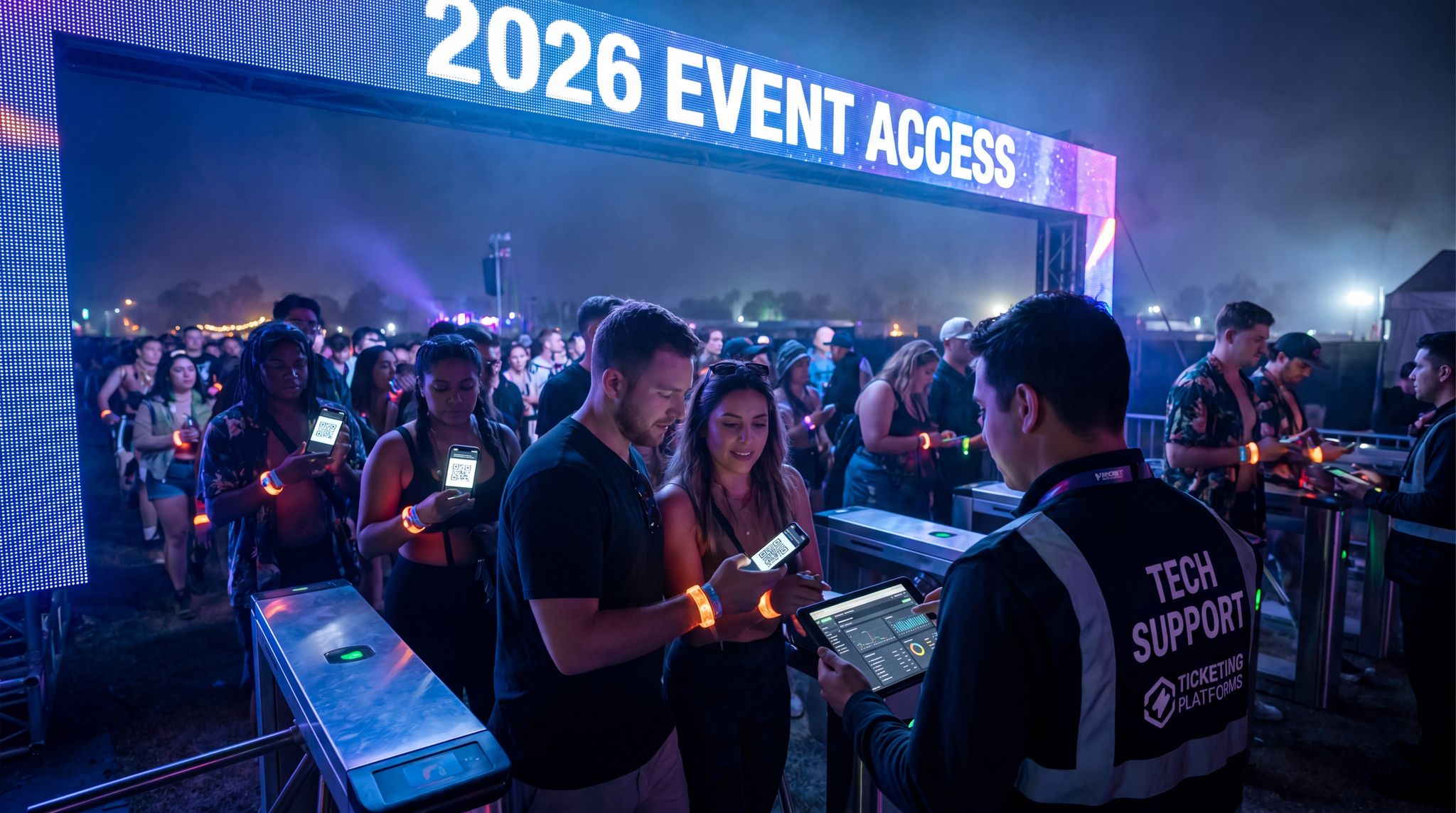
When it comes to operational efficiency and security, RFID/NFC wristbands and smart badges have been game-changers. These wearables carry a tiny radio chip that can be scanned in an instant – allowing the wearer’s identity or ticket to be verified with a tap. By 2026, most events have embraced this for fast, secure entry: instead of fumbling with paper tickets or QR codes on phones, attendees simply tap their RFID wristband or badge at the gate and breeze in. Huge festivals report that RFID entry has virtually eliminated ticket fraud (each chip is unique and hard to copy) and cut wait times dramatically. One organizer noted that moving from barcode tickets to RFID wristbands reduced entry queue times by over 40%, as scans take a split-second and can even be done while people walk through portals without stopping. For events dealing with 50,000+ attendees, that speed is invaluable for crowd safety (less congestion at gates) and attendee satisfaction.
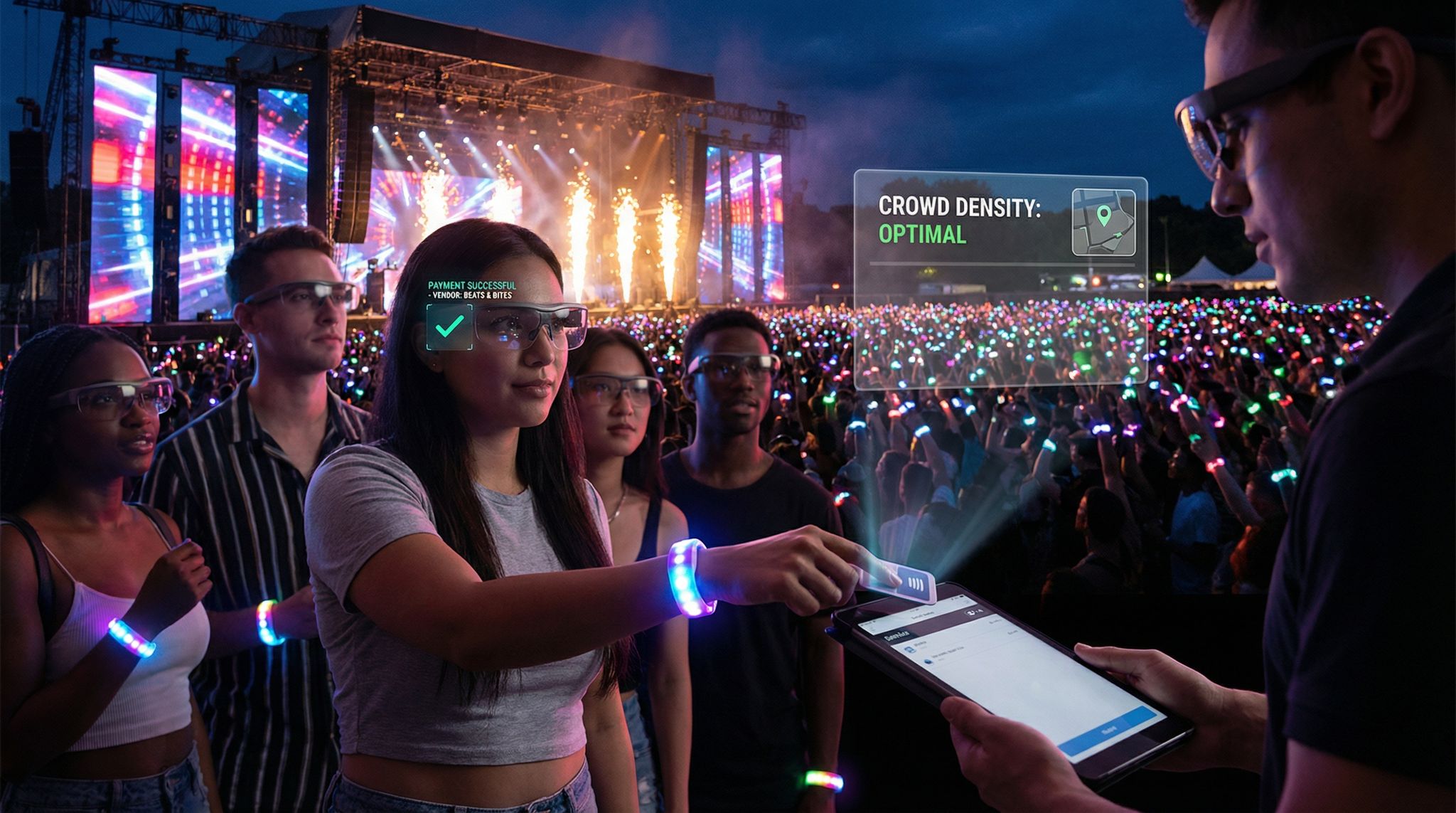
Payments have seen a similar upgrade. Cashless payment via wearables is now common at festivals, theme parks, and even conference venues. The attendee links a credit card or loads funds onto their wristband in advance; on-site, every food, drink, or merchandise purchase is a quick tap of the wrist. This not only shortens transaction times (no fumbling for cash or awaiting card authorizations) but also tends to increase spending per head – attendees are freed from worrying about carrying wallets and often feel it’s “play money” on their wrist, so they buy that extra drink or souvenir. In fact, events that introduced RFID cashless systems often report 15–30% higher average attendee spending in the first year. It also virtually eliminates employee theft and cash miscounts, since every sale is digitally recorded. For organizers, the real-time visibility into sales is a bonus; you can see live dashboards of revenue across all vendors during the event. Importantly, cashless wearables also enhance safety and inclusivity: attendees aren’t carrying cash wads (less theft risk), and those without credit cards can load cash onto a wristband at a top-up station and join the digital economy on-site.
Wearables That Swap Info and Social Connections
Beyond streamlining logistics, smart badges and wristbands are being used to spark human connection at events. In conferences and networking-focused gatherings especially, the humble name badge has become a high-tech facilitator. Many events now equip attendees with smart badges that use RFID or Bluetooth to enable “tap to exchange info” features. Instead of juggling business cards, two people can simply tap their badges or wristbands together to instantly exchange contact details – later, they’ll receive each other’s info via email or in the event app. This approach was a hit at tech conferences like Web Summit, where thousands of digital contacts were traded with a quick badge bump, massively lowering the barrier to follow-ups. It feels a bit like a real-life “friend request” and is especially popular with younger professionals who are used to frictionless tech. Crucially, it means no lost business cards or forgotten names; the system logs whom you met and when. Some platforms even gamify it, giving a prize to whoever makes the most connections or setting up a leaderboard to encourage mingling.
Data-Driven Event Marketing
Track ticket sales, demographics, marketing ROI, and social reach in real time. Exportable reports give you the insights to make smarter decisions.
Another innovative twist is smart badges that light up to find matches. A few pioneering conferences have distributed badges with small LED indicators and proximity sensors. Attendees fill out a brief interest or topic profile in the registration system, and the badge stores that data. When two people with similar interests are near each other, their badges might blink a certain color to nudge an introduction. For instance, your badge could glow green when you’re within a few feet of someone who marked the same niche topic or business goal. It’s a high-tech icebreaker that helps like-minded folks connect in a crowd. At a large trade show, these “matchmaking badges” created a buzz – attendees started actively seeking others who made their badge blink, leading to serendipitous meetings that might never have happened otherwise. Organizers caution that you should explain this feature clearly (so people know why their badge is blinking and how to act on it), but when done right it can be a fun way to take the awkwardness out of networking.
Even in purely social settings, RFID wearables enable on-site social networking. A famous example comes from an EDM festival where organizers introduced “friendship wristbands”: if two attendees danced together and wanted to stay in touch, they could press a button on their RFID wristbands at the same time to exchange social profiles. The system would register the connection and later email them with each other’s info (with consent). This kind of instant connection helps turn a crowd of strangers into a community. For the attendees, it’s a memorable experience (“we became friends with a tap of our wristbands!”), and for the event it fosters a year-round network of fans who met at their show. Whether for business or fun, wearables are acting as social facilitators, lowering barriers and capturing the moment of connection so it isn’t lost in the end-of-event shuffle, effectively gamifying networking and ensuring connections aren’t lost.
For organizers wondering exactly what technology allows for the “touchless” exchange of contact info, like smart badges or NFC wristbands, the answer usually lies in Near Field Communication (NFC) or Bluetooth Low Energy (BLE). NFC requires devices to be within a few centimeters, making it perfect for intentional, opt-in badge taps. BLE, on the other hand, can detect other devices within a wider radius, enabling passive discovery. By leveraging these tech-based protocols, event producers are essentially building localized, private friend-finder networks. Unlike public social platforms, these closed-loop networks protect attendee information while seamlessly logging every handshake and booth visit.
Personalization, Gamification and Real-Time Content
Perhaps the most exciting aspect of RFID/NFC wearables is how they can unlock interactive content and personalized experiences during events. Forward-thinking organizers treat each badge scan or wristband tap as a trigger for something cool. For example, at fan conventions and expos, tapping your smart badge at various stations can unlock a venue-wide scavenger hunt. Attendees roam to checkpoints, tap to collect clues or digital tokens, and compete for a prize – turning the whole event into a game via RFID-enabled interactive experiences. Festivals have tried similar approaches with NFC posters or hidden stations where fans using their wristbands to discover secret stages or easter eggs (like exclusive video content or free merch pickups). Because the RFID system knows who tapped and when, a mobile app can update each person’s progress in real time, display leaderboards, or send personalized hints (“only one more checkpoint to go!”). These gamified interactions boost engagement by giving attendees an active role beyond just watching performances or talks. One comic-con saw thousands of additional booth visits because attendees were chasing points in an RFID scavenger hunt – a clever way to drive traffic to sponsor areas while entertaining the fans.
Wearables can also deliver hyper-personalized content on the fly. Imagine walking up to an exhibit and tapping your badge, and the screen displays, “Welcome back, Sam! Here’s content tailored for you.” Conferences now use NFC badges to do things like automatically log attendees into session Q&A apps or to customize what’s shown at interactive kiosks. For instance, a tech expo had demo stations where tapping your badge would pull up a webpage with your company’s relevant product recommendations, rather than generic info. In sports venues, some have linked RFID wristbands with smartphone apps: as you approach a concession stand, your phone might ping with a discount on your favorite snack, or as you enter a VIP lounge, a tablet greets you by name and shows you a personalized message from the team. This level of integration requires tying the wearable into a robust backend – essentially connecting the ticketing/registration data, the content systems, and sensors around the venue. It’s complex, but platforms exist to make it smoother. Many events use APIs or middleware to integrate their ticketing, RFID, and event app systems for seamless data flow. (Choosing a ticketing provider that supports these integrations out-of-the-box, like one that natively syncs with RFID platforms, can significantly simplify the process.) When done securely, the payoff is a wow moment for attendees – they feel recognized and catered to individually, which can greatly enhance satisfaction.
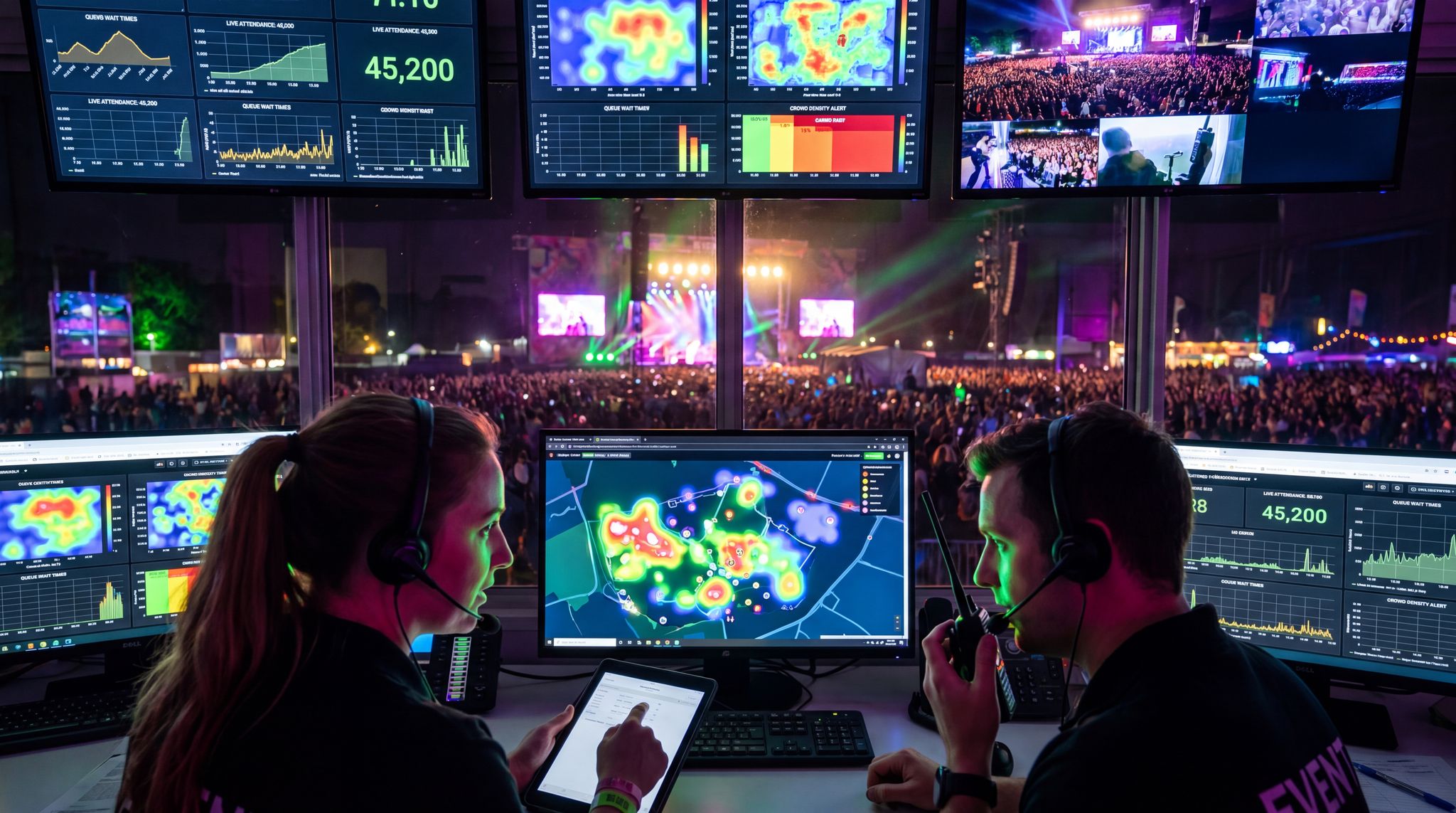
Events are also deploying RFID wearables to collect real-time analytics and feedback. Every tap or scan is a data point that can be aggregated. Experienced organizers set up live dashboards to watch metrics like entries per gate, session attendance counts via badge scans, or how many people have visited a sponsor’s booth. In 2026, it’s not uncommon for a festival mission control room to have a screen showing crowd distribution based on wristband check-ins and live RFID reader pings around the venue. If one area is getting too crowded, they’ll see the numbers and can proactively divert people or announcments to spread out. This real-time crowd insight is incredibly valuable for safety (we’ll discuss that more shortly) and for operations – you can balance lines, deploy staff where needed, and even trigger content adjustments (e.g. send a roaming performer to an area where data shows attendee dwell time is low). Some systems can send attendees instant feedback too: a conference might push a poll to the event app asking “Did you enjoy Session A?” as soon as your badge is scanned leaving the session room. This yields on-the-spot feedback rather than waiting for post-event surveys. The key is having all these wearable touchpoints integrated and connected to your analytics platform. It’s a big reason many events have moved to unified systems and “single sign-on” experiences where one wristband links to everything – it not only streamlines the attendee’s day, it feeds a coherent data set to the organizer.
Privacy, Security and Ethical Considerations
With great data comes great responsibility. As wearables have proliferated, so have questions about privacy and security. Attendees are essentially walking around with devices that can track their activity, so transparency and opt-in are critical. Reputable event organizers take several steps to build trust: clearly informing attendees what data the wristband or badge will collect, securing consent for features like contact-sharing, and allowing people to opt out of any tracking-heavy functionality (for example, someone might want to use their RFID band for entry and purchases, but disable any location-based tracking features – a good system design can accommodate that). All data exchanges should be secure and encrypted. Modern RFID badges often use encryption on the chip, and the back-end systems definitely should encrypt personal data. For instance, when two smart badges tap to exchange info, the actual transfer might just send unique IDs to the system, which then matches those IDs to user profiles server-side – meaning the badges aren’t directly revealing personal details to each other. This kind of privacy-by-design ensures that contact details are only shared when both parties consent and the system verifies the match.
When evaluating these systems, event architects often conduct an NFC and RFID comparison to determine the best fit for secure communications between smartphones and wearables in 2026. While both are radio-frequency technologies, standard RFID is typically preferred for high-volume, longer-range access control (like gate scanning), whereas NFC excels in close-proximity, highly secure data transfers. Because modern smartphones natively support NFC, organizers can deploy hybrid environments where an attendee’s phone securely communicates with their wearable or a vendor’s smart badge. This smartphone-to-wearable integration ensures that sensitive data—such as payment tokens or personal contact details—remains encrypted and localized, minimizing the risk of interception over broader venue networks.
Security of the systems is also paramount. Any database of attendee info or payment details attached to wearables has to be protected like the Fort Knox of data. Event tech teams enforce strict access controls, and if using a third-party platform, they ensure it’s compliant with standards like GDPR for data handling and PCI DSS for payments. There have been virtually no cases of someone maliciously “skimming” info off an event RFID wristband – the range is limited and data often tokenized – but as a precaution, some events advise attendees to treat the wearable like a credit card (don’t lose it or give it to someone else). On the organizer side, contingency planning is crucial: What if the system goes down? We’ve seen cautionary tales where an overreliance on wearables without a backup caused chaos. One infamous incident was a festival that went entirely cashless with RFID payments – when the network went down due to a storm, attendees suddenly couldn’t buy water or food for hours, as noted in an editorial review of TomorrowWorld. The lesson: always have a plan B (such as offline transaction mode or a reserve of printed drink vouchers) so basic needs can be met if tech fails. Similarly, if entry scanning fails, have a manual check-in list or a way to verify tickets visually so people aren’t stuck outside. A tech failure doesn’t have to mean an event failure if you’ve prepared fallback options and staffed your mission control to respond quickly.
Finally, there’s an etiquette aspect. Attendees should feel in control of their wearable. Encourage them to ask questions at registration (“What does this wristband do, exactly?”) and make sure staff are well-trained to answer. If someone is uncomfortable, maybe offer a non-RFID version of a badge (it could just have a printed QR code instead) so they can still participate without the chip. Being transparent and accommodating goes a long way to building trust – which in turn makes attendees more willing to engage with the tech. The vast majority will opt in when they see the value (quick entry, fun interactions, cashless ease), but respecting that minority who are tech-wary actually strengthens your overall approach. It shows your event is using wearables to enhance the experience, not to covertly surveil or hassle people. In 2026, most attendees are savvy enough to appreciate the benefits and expect the convenience – as long as organizers are keeping data secure and experiences opt-in, wearables can deliver their magic without crossing privacy lines.
AR Glasses: Adding a New Dimension to Live Events
Immersive Augmented Experiences for Attendees
Augmented reality has been a buzzword for years, but by 2026 it’s tangibly elevating live events through AR glasses and mobile AR apps. Rather than replacing reality (like VR does), AR adds digital overlays to the real world – and events are finding creative ways to use that “digital layer” to engage audiences. One emerging trend is AR-enhanced scavenger hunts and games on event grounds. For instance, a theme park’s Halloween event might hand out lightweight AR glasses that, when worn, reveal hidden clues or spooky virtual ghosts lurking around the venue for guests to “collect”. Music festivals have experimented with AR as well: Coachella made headlines back in 2019 with an AR-enabled stage where fans using their phones could see whimsical graphics over the performers. In 2026, with AR glasses becoming sleeker and more available, those kinds of experiences are even more immersive – because attendees don’t have to hold up a phone; they can see the effects hands-free as they move. Imagine a festival with an AR treasure hunt: festival-goers wearing AR eyewear might see virtual butterflies perched on art installations or stage structures, with each one containing a clue to a prize. This encourages exploration and adds a game-like secondary experience layered onto the music.
Conferences and expos are also leveraging AR for richer content. Think of walking the expo hall with AR glasses that display product information, videos, or statistics floating next to exhibitor booths. Instead of fighting through crowds to grab a brochure, an attendee can glance at a booth through their smart glasses and immediately see key info or even a 3D model of the product hovering above the physical display. Some trade shows tested this with smartphone AR in recent years, but providing actual AR glasses to attendees (even as a rental or for VIPs) is becoming feasible as devices get cheaper. The result is a futuristic “try before you buy” experience – at an auto show, you could look at a car on the floor and see its engine specs and pricing projected next to it, or change its color virtually. At tech conferences, AR demos are popular for showing things that are hard to bring physically. A cloud computing booth, for example, might use AR to let you point your glasses at a blank space and see a giant 3D diagram of a data center appear, which you can walk around and inspect as if it were there.
Free Tool: Size Your Festival Site
Zoned capacity planning for arena, campsite, parking and entry lanes — against UK Purple Guide and NFPA density standards. Finds your bottleneck zone.
Sports and live entertainment events are also dabbling in AR overlays to add context to the action. In 2025, a major basketball arena tested a system where VIP fans in certain seats were given prototype AR glasses; with them, they could see live player stats and instant replays appear in their field of view while watching the game live. It was like having a personal jumbotron, except you didn’t have to look away from the court. Early feedback was positive – dedicated fans loved the extra info – though the hardware still has to become lighter for extended use. Concerts have tried similar AR additions: some concert apps allow fans to hold up their phone and see special effects on stage (e.g. virtual dragons flying around the band); as AR wearables mature, we can expect promoters to offer augmented seat upgrades where, if you wear the glasses, you might see visual extras coordinated with the show. For instance, an artist could appear to unleash holographic rain over the crowd that only AR users can see, adding a layer of artistry without affecting the live show for others. While still niche, these experiments point to a future where attendees can opt into a custom AR-rich version of the event experience if they want that extra dimension.
Enhancing Information and Accessibility
One of the most powerful applications of AR glasses at events is improving accessibility and information delivery. A prime example is live translation and captioning. In June 2025, the Holland Festival (a performing arts festival in the Netherlands) debuted an AR glasses system called LiveText, which provided real-time multilingual subtitles for theater performances. Attendees who donned the glasses could see dialogue and lyrics transcribed and translated into their preferred language, floating just below their view of the stage. In that trial, the system supported an astounding 223 languages, instantly converting Dutch performances into English, Spanish, Chinese, you name it – whatever the viewer needed. It was a game-changer for accessibility: not only did it help international audience members, but it was a huge benefit to attendees who are deaf or hard-of-hearing. Instead of looking down at caption screens or being limited to certain seating, those guests could enjoy any seat with captions right in their line of sight. The technology used AI-driven speech recognition and a low-latency wireless link to the glasses so that the subtitles appeared virtually in sync with the actors speaking. By all accounts, it made the performances far more inclusive and immersive for those who might otherwise struggle to follow along. It’s easy to see this model extending to conferences (imagine being able to get captions for every keynote, or translate a foreign speaker in real time) and multi-lingual events like world expos or global summits. As AR glasses become more common, providing optional captioning AR streams could become a standard accommodation, much like offering headsets for audio translation is today.
AR wearables can also guide attendees in real time, almost like having a personal concierge. For instance, at a massive convention center, an attendee wearing AR glasses could see directional arrows on the floor guiding them to their next session or to the nearest coffee stand. In fact, AR wayfinding is already available via smartphones at some events, offering smart wayfinding and digital signage solutions where you hold up your phone and see big virtual arrows overlaid on the hallway in front of you. With glasses, this becomes even more seamless – no phone needed, just follow the glowing arrow in your vision. This can dramatically reduce confusion in large venues and improve traffic flow. We might also see AR glasses showing contextual info as you walk: e.g., as you approach a meeting room, an overlay could show the schedule for that room; or as you look at a long registration line, an AR prompt might pop up suggesting “Try the kiosk around the corner, only 2 people waiting there.” These real-time informational cues help attendees navigate and make decisions faster, which leads to a smoother experience for all.
Another practical use case is identification and profiles. At VIP events or industry mixers, an attendee with AR glasses could enable a mode where when they look at another person (who’s opted in), the glasses display that person’s name, title, and company – essentially digital name tags floating over everyone. This was actually attempted years ago with Google Glass in small settings, but privacy concerns and tech limitations made it rare. By 2026, attitudes have shifted a bit: if certain events allow it on an opt-in basis (perhaps by having attendees register their photo and agree to it), it could help a lot with networking (“Ah, I recall that face from LinkedIn – the AR tag confirms it’s the investor I wanted to talk to”). Still, organizers tread carefully here, as not everyone is comfortable with facial-recognition style features. A more accepted middle-ground is object recognition for VIP service: for instance, a venue might equip staff with AR glasses that recognize high-tier guests (by reading an RFID tag on their badge) and display notes like “Platinum Member – greet by name, escort to lounge”. The guest just sees a friendly, magically well-informed staffer, while the staff sees a helpful heads-up display. This kind of use of AR can seriously boost the personalized touch in hospitality.
AR for Operations and Safety
It’s not just attendees who benefit from AR glasses – staff and operations teams are using them to keep events safe and running smoothly. Security and medical personnel with AR visors can have critical info overlaid on their view as situations unfold. For example, a security team leader looking at a crowd might see a heat-map overlay (from thermal cameras or crowd density sensors) highlighting where the crowd is densest, which could inform decisions to temporarily halt entry or relieve pressure in that area. Or consider an evacuation scenario: AR glasses could highlight the nearest exits and even show an arrow for the best route, helping staff navigate through crowds efficiently to guide people out. For medics responding to an incident in a large festival field, AR navigation can shave minutes off response time by guiding them precisely to the reported location (“Incident 12E: 30m ahead, slightly to your left” hovering in their view). Additionally, once on scene, a medic’s AR display might pull up the patient’s reported info if the person’s RFID wristband or mobile device is detected – e.g., relevant medical history from the registration data (“Allergy: penicillin”) – which is immensely helpful if the patient can’t communicate.
Some events are testing face recognition through AR glasses for security scanning, though this remains controversial. In certain high-security conferences or invite-only parties, authorized staff at the entrance might wear AR glasses that, with each person they gaze at, quickly attempt to match the face to a pre-approved attendee list (or check for known banned individuals). If there’s a match or flag, the glasses can unobtrusively alert the staff member (e.g., a red outline on the person if not permitted). This kind of real-time vetting can supplement security, but it treads into privacy issues and is subject to accuracy limits. Most public events avoid facial recognition, but in 2026 the tech is undeniably out there and improving. When used, it’s usually in very controlled circumstances with clear notice (and often by government security at VIP events rather than the event organizers themselves). The more acceptable use of AR for security is showing sensor data and alerts: for instance, if a drone detection system picks up an un authorized drone, security with AR might see a blinking icon in the section of the sky the drone is in, even if it’s hard to spot with the naked eye. Or if an access door was forced open somewhere in a stadium, an AR overlay on the building schematic could flash at that location for operators.
Boost Revenue With Smart Upsells
Sell merchandise, VIP upgrades, parking passes, and add-ons during checkout and via post-purchase emails. Increase average order value by up to 220%.
From the operations perspective, AR can assist production crews and maintenance teams in real time. Stage technicians wearing AR headsets can see superimposed equipment labels, cable routes, or setup diagrams as they assemble complex stages and LED walls – reducing errors in the fast-paced load-in process. Venue maintenance staff might use AR glasses to see the status of various systems (electrical, HVAC) highlighted as they walk the facility; if a sensor detects a power overload on a generator, an AR alert can guide a tech to the exact unit and even display the troubleshooting checklist in their view while they work on it, keeping hands free. These applications of AR for crew are more behind-the-scenes, but they contribute to smoother events that attendees then experience as flawless. A concert that transitions between acts rapidly and perfectly might owe some thanks to AR-assisted stagehands and camera operators who had all the cues and markers in their line of sight.
Adoption Hurdles and Best Practices
While AR glasses offer exciting possibilities, they’re not yet as ubiquitous at events as, say, RFID wristbands. There are a few reasons for that, and event organizers are learning best practices as they experiment. Device availability and cost is one factor – handing out thousands of AR headsets is still impractical for most events in 2026. The devices are expensive and can be fragile, plus you’d need to manage distribution, cleaning, and return. So, many AR experiences are still designed around attendees’ smartphones (everyone already has one). However, we’re starting to see more personal AR wearables in the wild – companies like Snap are releasing consumer AR glasses by 2026 that are affordable, signaling an intensifying battle with larger rivals, and rumors suggest major tech firms pushing lighter, everyday AR eyewear soon. As attendees start bringing their own AR-capable glasses to events, the dynamic could shift to BYOAR (bring your own AR) and organizers simply providing the software/content. But until then, most events that use AR glasses will limit it to smaller scales: VIP tours, a specific activation, or loaner glasses at info kiosks rather than for every attendee.
Fortunately for event budgets, the landscape is shifting rapidly. The cutting-edge AR glasses technology competition and market trends in 2026 show major hardware manufacturers aggressively vying for enterprise and live-event market share. This fierce competition is driving down per-unit costs and improving battery life, making bulk rentals or venue-owned AR fleets much more viable for B2B organizers than they were even two years ago.
Another hurdle is ensuring the AR experience is intuitive and adds real value. If it’s too complicated to use (“hold this, calibrate that, follow these steps”) or if the payoff is underwhelming, attendees won’t bother more than once. One festival learned this the hard way: they built an elaborate AR mobile mini-game for attendees, but under 5% of the crowd ended up using it – an expensive lesson in focusing on immersive experiences through AR where it naturally adds value. The takeaway for AR is to start simple and make it complementary to the event. For example, an AR filter that works through the event’s app to add funny effects to photos is simple and widely used, whereas a complex AR treasure hunt might only appeal to a niche. Gauge your audience: a tech conference may have a high adoption rate for AR demos, while a music festival crowd might prefer simpler, more visual AR (like photo ops) over a detailed scavenger hunt. Always test the AR experience in real-world conditions – with different phone models or glasses, in the actual venue lighting and network environment – to iron out bugs. There’s nothing worse than hyping an AR feature that ends up laggy or crashing on-site because the venue Wi-Fi couldn’t handle it, leaving them with a buggy app. Pro tip: if using AR that depends on connectivity, consider pre-downloading as much content as possible to the devices and using local networks. If using attendees’ phones, encourage them to download the AR content in advance via the app so once on-site, minimal data transfer is needed.
Finally, focus on inclusivity when rolling out AR. Not everyone will use it, and that’s okay – any AR addition should be an enhancement, not a crutch for core info. For instance, if you have AR wayfinding, still have regular signage for those without glasses. If you do AR-only content, ensure it’s not something critical that non-users would totally miss out on (or provide alternatives). When AR glasses are offered, have a clear sanitation and ergonomics plan: people will ask “Are these cleaned between uses?” (especially in a post-pandemic mindset). Event teams now often have UV sanitizing cabinets for shared AR/VR gear, and they make that visible to assure users. Also, provide options like attachable straps or different nose bridge sizes if possible – comfort matters if you want someone to wear a device for more than a few minutes. And of course, communicate how to use it in simple terms. Signage or staff at AR stations should quickly get people going (“Put on glasses, press this to start, look for the glowing arrows…”). Smooth onboarding means more people will actually experience the AR rather than give up in confusion. As with any new tech, there’s a learning curve not just for attendees but for organizers too. Those who have succeeded with AR at events did so by aligning the tech with a clear attendee benefit, keeping the experience user-friendly, and thoroughly testing and supporting it on-site. As hardware keeps improving, expect AR to gradually move from a novelty to a expected feature for certain event types – much like event mobile apps did over the past decade.
Wearables Elevating Safety and Crowd Management
Live Crowd Monitoring and Capacity Control
For all the flash and fun, one of the most crucial roles of event wearables is making events safer. These devices can act as thousands of tiny sensors, giving organizers unprecedented real-time visibility into what the crowd is doing and where potential issues might be brewing. Take RFID wristbands: each time an attendee taps through a gate into a zone, that scan is logged. Large events aggregate this data to monitor crowd counts in different areas in real time. If a particular stage or room is nearing its safe capacity, the control center can see the numbers approaching the threshold and react – maybe by pausing entry, dispatching staff to redirect people, or sending a push notification to attendees suggesting another attraction until the area thins out. In the past, you’d rely on on-the-ground estimates or CCTV visuals to infer crowd density; now wearables provide hard data. Some festivals also use passive RFID or Bluetooth beacons that detect wristbands in a zone continuously (not just at entry points), which can create a live heat map of crowd distribution. This kind of technology was used at a 2022 mega-festival in Europe, where RFID receivers around the venue pinged wristbands to measure how many people were in each sector. It allowed the organizers to identify bottlenecks before they became dangerous – for instance, they noticed an accumulating crowd trying to get into a late-night DJ tent and temporarily opened additional entry points and pathways to relieve the pressure. Real-time crowd flow data, enabled by wearables, is helping prevent the kind of deadly crowd crushes that have made headlines in past years.
Free Tool: What Should Sponsors Pay?
Price sponsor tiers and exhibitor booths from your audience size and what each package includes, and see what is left after delivery costs.
Wearable tech also assists with access control for restricted areas, which is a safety matter as much as an operations one. Instead of relying on security guards to manually check credentials, an RFID wristband system can automatically validate if someone is allowed into VIP, backstage, or alcohol-serving zones (by encoding age info or access rights on the chip). This reduces human error – the system won’t accidentally let an unauthorized person through – and it frees up security staff to focus on monitoring behavior rather than checking badges. At some venues, staff themselves wear special RFID badges that constantly report their location to a central system, so organizers know exactly which security team member is in which zone. If a fight breaks out in Zone B, they can see which trained staff are nearest to respond. This kind of personnel tracking might sound like corporate oversight, but in emergency situations it’s invaluable to coordinate the nearest help. It can also ensure coverage: if the system shows a gap (no staff in a section for 5 minutes), the command center can dispatch someone to fill in, ensuring no area goes unwatched.
Another safety angle is identifying attendee patterns that could indicate issues. For example, if wearables show a sudden surge of people leaving one area much faster than normal, it could mean they’re fleeing a problem (like a disturbance or something as simple as sudden rain). Conversely, if an area empties out too slowly when it should be clearing (say a show ended but people aren’t dispersing), it might indicate an obstruction or confusion about exits. By setting up alert thresholds on the data – e.g., “if fewer than X wristband taps out of the arena in 10 minutes after show end” – organizers get a nudge to investigate. Smartphone-based wearables (like attendees using the event app) can supplement this with location services, though not everyone opts into GPS tracking. Still, many will opt into location sharing for safety if you explain the benefit (some events say in their app, “Enable location so we can send you important safety alerts based on where you are”). In any case, having any kind of automatic view of crowd movement beats relying solely on eyes in the sky. Experienced safety directors combine wearable data with CCTV and on-ground reports for a 360-degree view – the wearables give the quantitative side, while staff and cameras give qualitative insight. Together, it’s a far more robust monitoring system than we had in the past.
Emergency Alerts and Rapid Response
When an emergency or urgent situation does arise, wearables can become a direct communication channel to attendees. Alerting a crowd quickly is always challenging – people chat, music is loud, not everyone notices screens or stage announcements. But imagine everyone’s LED wristband suddenly starts blinking red and spelling “EVACUATE” in Morse code, synchronized across the venue. That would be hard to miss! Some modern LED wearables have simple displays or multicolor LEDs that can be used for emergency signals. During safety drills at one large arena, they’ve tested using wristbands to signal various alerts: e.g., a pulsing orange light means “severe weather approaching – seek shelter”, whereas a distinct red flash pattern means “evacuate now”. These are always accompanied by audio announcements and on-screen messages, of course – you don’t want to rely on one method – but the multi-sensory approach helps reach more people. The key is to train attendees on the meaning if you plan to use it. Some festivals include a note in the program or app like, “In case of emergency, information will be communicated via PA, video screens, and flashing wristbands. A rapidly flashing red wristband means proceed to exits.” It might seem like a small detail, but seconds count in a crisis, and an immediate visual cue on everyone’s wrist can prompt faster action than sound alone, especially in noisy environments.
Wearables also aid staff coordination during incidents. We already touched on AR glasses guiding staff, but even without AR, a connected wearable system helps. Many event staff and volunteers are now equipped with smart badges or push-to-talk devices that tie into the event network. For example, smart watches or wristbands for staff could vibrate with a text alert (“Medical emergency at Gate C”) and even show basic directions or camera stills on a small screen. This supplements radio comms – which can get chaotic if everyone is talking at once – with direct, targeted alerts to those who need them. One festival introduced vibrating alert bands for its security team so if centralized surveillance detected something (like an unauthorized drone or a fire alarm trigger), they could silently ping the nearest guards without broadcasting on open radios and stirring panic. These staff wearables often have panic buttons too: if a crew member is in trouble or sees something, one press sends an instant distress signal to command. At a 2026 stadium event, a staff member who suffered an accident backstage pressed her smart badge’s SOS button; within 30 seconds, the command center had her exact location and dispatched medics, who noted it was faster than any radio call would have been relayed.
For attendees, wearables can also facilitate two-way emergency communication. Some conference smart badges have a feature where attendees can send a quick alert if they need help – for example, a button that notifies the help desk or security if pressed a certain way. This has been used in situations from medical issues (“I’m feeling unwell” alert sent with location) to personal safety concerns. It’s akin to the emergency call boxes on campuses, but right on the badge. Privacy is respected (security sees “Badge ID 1234 sent an assist request at Booth 45” but not necessarily personal info unless needed). One expo reported a case where an attendee used their badge to quietly summon security when they noticed a child separated from their parent; staff were able to respond and resolve it before it became a larger incident or panic. The technology here isn’t magic – it needs a properly staffed monitoring team to answer these pings – but it’s a tool that augments human vigilance. Attendees feel safer knowing they have a “lifeline” if needed at their fingertips.
On the health front, biometric wearables are edging into events for safety as well. In endurance events like marathons or long music festivals, some organizers have tested offering (opt-in) fitness wristbands that track heart rate, temperature, and hydration indicators of attendees. If someone’s vitals indicate heat stress or a potential medical issue, the system could alert medics to check on them. For example, an experiment at a 2025 EDM festival gave volunteers smart fitness bands; during the event, a few cases of heat exhaustion were caught early because the system flagged extreme heart rates and high body temps, allowing staff to reach those people and get them hydrated and cooled down. While not widespread yet (due to cost and privacy of health data), it points to a future where some attendees, particularly those with known health risks, might wear a device that basically puts a guardian angel in the command center watching their well-being. Even without true medical monitoring, simpler implementations exist: a buddy system via wearables, where friends link their wristbands so if one presses a panic or doesn’t respond to a periodic check, the other is notified. Think of it as an evolution of “text me when you get home” – instead, your festival wristbands keep an eye out and can alert if one of you is in trouble.
Health Safety and Contact Tracing
The recent global pandemic pushed events to think about health safety in new ways, and wearables stepped up in that arena too. While we hope 2026 is well past COVID-19 lockdowns, the legacy is that events now often have infrastructure to handle contact tracing and social distancing monitoring via wearables. In 2021–22, some conferences gave attendees small Bluetooth Low Energy (BLE) lanyards that would beep or vibrate if you got too close to someone else for too long, enforcing distancing guidelines. Those same gadgets also logged proximity data (encrypted and anonymized) which could later identify if person A was within 6 feet of person B for more than 15 minutes, etc., to inform them of potential exposure. Today, those systems remain on standby – not active in most events, but ready to deploy if, say, there’s a localized outbreak of something and organizers need a quick way to trace contacts. Attendees have become more accustomed to the idea that, for the sake of public health, temporarily sharing proximity data might be necessary. Wearables make that easier since phones might not consistently capture everything (Bluetooth on phones can vary, and not everyone installs the app). A dedicated wearable sensor can be more reliable for capturing every close contact at, for example, a week-long business conference where one sick participant could meet dozens of others.
Even beyond communicable disease, wearables promote general health and safety hygiene at events. Cashless payments, as mentioned, mean fewer germy cash exchanges – a selling point in the COVID aftermath that accelerated many festivals’ RFID adoption. Some events now use touchless RFID for pretty much everything, from scanning into sessions to tapping for swag, reducing physical contact. And those vibrating distance alarms? They’ve found new use ensuring safe zones around hazardous equipment. One trade show had heavy machinery demos and gave out BLE wearables that would vibrate if you got too near the demo area without authorization – a clever reuse of “distancing” tech for a different safety purpose.
This evolution has led some safety directors to ask: does a wearable force field exist in 2026? While we don’t have sci-fi energy shields, modern ultra-wideband (UWB) and BLE wearables effectively create a digital “wearable force field” technology around staff or VIPs. If an unauthorized smart badge breaches this invisible perimeter—say, a general admission attendee wandering too close to a working heavy machinery zone or a high-profile keynote speaker—the system instantly triggers a silent alarm to security. It’s a proactive, tech-based approach to spatial safety that goes far beyond traditional stanchions.
Cautionary Tales and Contingencies
While wearable tech significantly improves safety when used well, it’s not a silver bullet, and there have been instances where over-reliance or poor implementation caused issues. We mentioned the festival where a cashless system outage left attendees high and dry – that’s a big one. In that case, both tech and planning failed: the RFID payment system wasn’t robust against a network failure, and organizers had removed all ATMs and cash options, so there was no backup. A balanced approach is to enjoy wearables’ efficiencies but always maintain a low-tech backup for critical needs. Many festivals now keep a small reserve of cash or token-based vendors as a last resort if needed, and they brief staff on reverting to manual check-in if scanners go down. One large convention explicitly added a line in their crisis plan: “If badge system fails, session monitors will do headcounts and use paper sign-in sheets for critical sessions,” which seems archaic until you’re glad you have it.
Another cautionary tale came from an early use of those matchmaking badges. At a certain conference, the badges that lit up for matches became a distraction – some attendees gamed the system, running around just trying to trigger lights rather than having meaningful talks, and others felt uncomfortable being effectively “scored” on compatibility in public. The organizer took the feedback and in the next year’s event made the match notifications private (e.g. through the app) rather than a giant blinking beacon. The lesson: be mindful of social dynamics. Technology that seems neat can impact behavior in unanticipated ways. Testing features with a pilot group or at a smaller event can reveal if something will be genuinely useful or potentially off-putting. Especially in areas like networking or social matchmaking, one must tread carefully – technology should facilitate, not make anyone feel awkward or exposed.
Privacy missteps can hurt trust too. Imagine if attendees thought their every movement was being secretly tracked without their consent – that could cause backlash. There was a case of an event where attendees discovered the fine print that their RFID badges were being used to track which booths they visited without an obvious opt-in. The PR fallout was not pretty. Now, the industry norm (and certainly the ethical approach) is clear disclosure: if you’re using wearables to collect data beyond operational basics, tell people and highlight the benefits. Most are fine with it if they see a benefit (“we track foot traffic to improve layout and you’ll spend less time in lines as a result”), but they don’t like feeling spied on. As a trust-building measure, some events even give attendees access to their own data post-event – “here’s a timeline of what you checked into, for your records” – which also reinforces the value they got from the wearable (like a list of sessions attended with links to slides, thanks to those session scans).
Ultimately, wearables have proven to vastly enhance event safety and management when integrated thoughtfully. The hiccups and failures have taught the industry to always have manual overrides and human judgment in the loop. As one security director put it, “Wearable tech gives us superpowers to see and communicate, but we still use our training and intuition to make the calls.” The marriage of tech data with on-the-ground expertise is the winning formula. When each complements the other, attendees may not even notice the safety net around them – they’ll just remember feeling safe, informed, and taken care of throughout the event, which is exactly the goal.
Integration and Infrastructure: Making Wearables Work
Network and Connectivity Requirements
Deploying thousands of wearable devices at an event is not as simple as handing them out – you need the infrastructure to support them. Different wearables have different connectivity needs, so a big part of planning is ensuring your venue’s tech backbone can handle the load. For RFID wristbands and badges, the backbone is the reader network: you’ll have scanners at entrances, POS terminals, checkpoints, etc., all feeding data to a central system. These typically use standard wired or Wi-Fi networks to send scans back to the servers. It’s crucial to have robust local networks and offline fallback for these systems. Many events set up a dedicated VLAN or closed network purely for ticketing and payment devices, isolated from public Wi-Fi. That way, even if attendee Wi-Fi is jammed by 50,000 people on Instagram, your scanners and payment taps remain rock-solid. A pro tip is to use Ethernet connections for fixed locations like gates and merch booths whenever possible, since wired is more reliable than wireless. For mobile handheld scanners, ensure you have a private 5 GHz Wi-Fi network with plenty of access points covering all operational areas. Plan for redundancy: battery backups on Wi-Fi nodes and even cellular router failovers at key points (some systems can automatically switch a gate scanner to 4G if the Wi-Fi drops). Testing the range and throughput with crowd presence is key; a hall that seems covered when empty might have dead spots when filled with bodies absorbing signals. This is where partnering closely with venue IT or bringing in a specialist pays off – don’t skimp on a site survey and spectrum analysis to detect any interference sources. A dedicated mission control for networks on-site can monitor all connections and quickly reset or troubleshoot if data stops flowing.
For LED wearables, connectivity is a different beast. These often use proprietary RF protocols (in the 900 MHz range or others) or infrared. You won’t be putting thousands of LED wristbands on the venue Wi-Fi; instead, you’ll set up the control system’s transmitters. Ensure line-of-sight coverage for IR systems – if your show uses infrared, you may need to mount transmitters on truss around the stage and midway out in the audience so everyone gets the signal. RF systems need frequency coordination, especially if you’re in a city or a venue with other wireless devices (other events, TV crews, etc.). Work with the vendor (like PixMob, Xyloband, etc.) to get any necessary radio licenses or to choose frequencies that won’t conflict with things like the venue’s two-way radios or in-house comms. One common practice is a quick RF sweep of the venue during rehearsal to identify any noise on the bands you plan to use. On show day, limit other wireless usage in that spectrum – for instance, if your wristbands use 868 MHz, make sure not to deploy any IoT sensors or comms gear in the same range.
AR glasses, if provided by the event, typically rely on high bandwidth connectivity (especially if streaming live video or cloud processing) unless all content is pre-loaded. If you’re doing something like live AR captions or real-time 3D rendering from the cloud, you need robust Wi-Fi or a private 5G network for those devices. This can be a big lift – imagine 100 AR glasses each streaming 10 Mbps of video data, that’s 1 Gbps right there. Edge computing can help (having a local server on-site to handle processing so the data doesn’t have to go out to the internet and back). Some events set up a local Wi-Fi network just for AR or other high-bandwidth wearables, separate from attendee internet. Whatever the solution, capacity planning is crucial: calculate the worst-case data load and build in headroom. Also consider the uplink – if your AR app needs to fetch new content during the show, make sure the internet pipe is fat and reliable, or better yet cache as much content locally at the venue as possible (CDNs or local servers). For more self-contained AR uses (like glasses that have preloaded info or connect via Bluetooth to a phone for data), the network needs are lighter but you still want rock-solid Bluetooth coverage. That might mean strategically placing some BLE beacons or using the glasses’ mesh networking if available, to ensure they stay synced with whatever they’re supposed to sync with.
Lastly, think power and charging. All these devices – scanners, transmitters, glasses, wearables – need juice. Have a charging plan for staff devices and any loaned wearables: charging stations backstage, enough spare batteries or power banks, etc. For multi-day festivals, if attendees keep the same wristbands throughout, ensure the battery life is sufficient (most LED wristbands last 4-6 hours actively, but RFID chips are passive so they’re fine). If doing multiple LED segments over a weekend, some events recollect and recharge wristbands daily or use ones with replaceable batteries. Plan the labor for that: collecting thousands of bands overnight and redistributing next day can be a logistical dance. Some newer LED wearables use very low power and can last days, but know your gear’s limits from the vendor specs and maybe test a few in real conditions (temperature, usage cycles) to confirm.
Integrating Systems Seamlessly
One of the biggest determinants of wearable tech success is how well your systems talk to each other. A wristband or badge is only as useful as the data ecosystem around it. Integration starts with registration: ideally, when someone signs up for the event, they’re assigned a unique ID that links to any wearable they get. Modern ticketing and registration platforms (like Ticket Fairy’s, for example) allow you to encode the attendee’s profile into the RFID wristband or badge seamlessly, so that scanning it pulls up their name, ticket type, permissions, etc., without a hitch. If you’re working with third-party wearable vendors (for cashless payments, etc.), you’ll want to use their APIs or exports to sync the attendee list and entitlements beforehand. Many events perform a one-time bulk upload of attendee data into the RFID system a day or so before the event, then have incremental updates for any late changes. It’s wise to freeze certain data (like who’s allowed in VIP) by a cutoff time each day, update the scanners, and then not rely entirely on last-second cloud lookups during the live event, to minimize dependence on internet connectivity.
For payments, integration means tying the RFID payment system to your financial processing. Some all-in-one platforms handle both ticketing and cashless, which is simplest. If not, you’ll integrate via APIs so that top-ups done online reflect on the wristband, or a refund of remaining balance can be processed after. Test every integration point in sandbox mode: buy a test ticket, issue a test wristband, go through a simulated entry and purchase, and see that the data flows correctly (ticket scans decrement inventory, payment deducts balance, etc.). Also test failure modes: what if the payment terminal goes offline – does it store transactions and sync later? How will you merge that data? Work with vendors to configure offline caching for scans and transactions. For example, many RFID systems let scanners function offline – they use locally cached list of valid IDs – and later sync back any scans. You should simulate that: disconnect a gate scanner from network, scan a band, reconnect later, and verify the system properly logged it once reconnection happened, following RFID implementation tips for seamless experiences.
Integration also extends to event apps and content platforms. Attendees love when everything is unified: their wearable works with the mobile app and vice versa. A common integration is linking the wristband to the user’s app account via a simple step (e.g., scanning a QR code on the app with the wristband at pickup, or entering a code). Once linked, this opens up cool possibilities: the attendee can view things like “my scans” in the app, or use the app to trigger a wristband feature. For instance, some events allow attendees to configure their LED wristband color via the app when at a certain activation (“pick your team color!”). This requires a backend that connects the app command to the lighting control system addressing that person’s band – not trivial, but doable with a good API-based architecture. On a simpler level, if an attendee favorites a schedule item in the app, you could have the system send a buzz or light-up signal on their smart badge 5 minutes before that session as a personal reminder – a clever integration of scheduling and wearables.
A must-have integration in 2026 is with your analytics and CRM tools. All that wearable data – entries, taps, dwell time – should flow into your data dashboards so you can analyze and act on it. Many ticketing systems (including Ticket Fairy’s platform) provide analytics modules or let you export data in real time. If you use external analytics or a business intelligence tool, set up connectors to feed it the live data stream. For example, a promoter might pipe the entry scan data into a BI tool to monitor peak entry rates and then correlate that with concession sales in another stream, giving a holistic picture of event operations in real time. Post-event, you’ll want to have all wearable-generated data merged with your attendee records so you can calculate things like: average time spent on site, % of attendees who visited each zone, how many networking connections were made via badge taps, etc. These insights are gold for measuring ROI and improving future events. Integration with marketing CRM can also personalize follow-ups: if you know an attendee visited the electric cars pavilion twice, you might send them a tailored email with more resources on that topic after the event (if permissions allow). Just be mindful to use such data respectfully – personalized outreach is great, but avoid the “we were watching you” creepiness by framing it as “thanks for visiting X, here’s more you might like” rather than explicitly “we saw you spent 30 minutes there.”
From an architecture standpoint, many events now operate with a “hub and spoke” model for tech: a central event database or hub (often the ticketing/registration system) that then connects out to all specialized systems (RFID platforms, mobile app, lead retrieval, etc.). Maintaining that single source of truth is vital – attendee information updates (like someone transferring their ticket) should update everywhere. In practice, this might involve nightly sync jobs or real-time webhooks. If a VIP upgrade happens in the registration system, a webhook can instantly flag the RFID system to mark that person’s wristband with VIP access. When evaluating vendors, favor those with open APIs and proven integrations. Closed systems that don’t play well with others will give you headaches or force manual data juggling. The industry is thankfully moving towards more interoperability. It’s common to see partnerships like ticketing companies teaming up with RFID cashless providers to offer a pre-built integration. Do your homework and leverage those partnerships – it can save endless custom dev work.
Testing and On-Site Troubleshooting
Even with great planning, you won’t know exactly how wearable systems behave until you’re on-site with real users – so a comprehensive testing plan is a must. First, test components individually: scan 100 sample badges through each entry gate in a row (simulate peak rush) and see if any readers choke or if the database lags. Do a full end-to-end test of a purchase: load $10 on a test wristband, buy an item at a test point-of-sale, refund the balance – ensure all steps work. If you have multiple brands of devices (say handheld scanners and pedestal gates), test them all. Then do an integrated simulation if possible: a week before the event, gather staff or volunteers to role-play an event for an hour. Have them walk through entry, attempt a few transactions, try out the scavenger hunt taps, etc. This not only tests the technology but also your staff procedures. You might discover, for example, that scanning at the entrance was fast but the way volunteers were affixing wristbands was slow – prompting you to pre-band attendees in the queue to speed it up. Or you might find that the AR caption app worked on most phones but not on a certain popular model – giving you a chance to fix or at least notify users with that device in advance.
On-site, a “wearables support squad” is highly recommended. This is a dedicated tech team (or multiple small teams) whose job is to monitor and quickly troubleshoot any wearable-related issues during the event. They usually camp out in the command center for monitoring and also roam key areas. Equip them with spare devices, diagnostic tools (like a handheld RFID reader, a Wi-Fi analyzer, etc.), and clear communication lines (radios or a Slack channel dedicated to tech issues). Typical issues to watch for include: a particular entry gate’s reader going offline (maybe a cable got unplugged by accident), a batch of wristbands that were not activated properly (maybe an encoding mistake – your support team might need to re-encode or swap those on the fly), or a payment terminal that lost connection. Having a systemic monitoring dashboard helps – many RFID systems show real-time status of readers and transaction flow. In the command center, you might have a screen with a heatmap of scans or at least a log; if you see zero scans in one gate for 5 minutes when thousands should be coming in, an alarm should go off to check that gate. Likewise for payments: no sales at a busy bar? Possibly the terminal froze – send help.
User support is another angle. Despite instructions, some attendees will inevitably have questions or issues with wearables. Maybe their wristband fell off or got wet and stopped working, or they just can’t figure out how to pair it with the app. Have clearly identified help points (a customer service tent or help desk) where staff can assist. Train those staff on common troubleshooting: how to quickly look up an attendee and verify their wristband ID, how to replace or reassign a wristband if needed, how to add funds to someone’s account in person if they had app troubles, etc. A pro tip is to use the “buddy system” for tech support – pair a techie from the wearables squad with a customer service person during peak times at the help desk. The customer service rep handles the attendee interaction while the techie handles the backend fixes – this keeps the line moving and ensures friendly service plus tech know-how on hand. Also consider a few roaming helpers: staff with “Ask me about your wristband” shirts or signs, who wander high-traffic areas. They can proactively assist attendees who look confused and address minor issues (often, just explaining how to put on the band correctly or showing how to tap it is enough).
No matter how much you test, stay agile and adaptive. Have daily debriefs with your tech team – what went wrong today? What nearly went wrong? For multi-day events, these insights are gold for preventing repeats. Perhaps on Day 1 you found that the scan data from one satellite parking lot was slow because of a weak wireless link; overnight, you might beef that up or have staff do offline verifications there until fixed. Or you learned that people weren’t tapping out when leaving (maybe you wanted them to for analytics) – maybe on Day 2 you add clear signage “Please tap out for re-entry” or have staff remind them. Continuous improvement even during the event can make a difference.
Finally, have a contingency for major failures. What’s your game plan if the entire wearable system fails? It could be as drastic as a network outage or server crash. You must be able to safely run the event regardless. That means keeping old-school tools handy: printed lists of valid ticket orders as of the morning (for worst-case entry checking), manual credit card imprinter or cash handling ability at vendors (to take payments if cashless is down), even paper wristbands in storage that you could deploy if the RFID ones all went kaput. These backups may never be used, but they’re your insurance policy. In 2026, top venues even have backup connectivity like satellite internet ready to fire up if the fiber line gets cut, knowing how dependent all these systems are on connectivity. It’s all about not putting all your eggs in the high-tech basket – have a few analog eggs just in case. If you can survive the worst 15 minutes of tech Armageddon, you can have confidence during the event that you won’t be caught flat-footed. Ironically, preparing for the worst makes it less likely to happen (Murphy’s Law loves to strike those who aren’t prepared). So test thoroughly, respond quickly, and keep that Plan B (and C) in your back pocket.
Working with Vendors and Partners
Unless you’ve built everything in-house, you’ll be coordinating with multiple technology vendors to pull off a wearable-enabled event. Managing those relationships and integration points is an art in itself. It starts with choosing the right partners: look for vendors who have proven experience in events of your scale and type. Grill them (nicely) about how they handle peak loads, what support they offer on-site, and ask for references or case studies of them succeeding in situations similar to yours. The vendor providing your RFID wristbands, for example, should be able to share which festivals or expos they’ve handled with how many attendees and what the scan speed was. If a vendor claims “Our system can handle 50 scans per second per gate”, maybe ask, “Do you have a client who actually did that volume? Can we chat with them?” The reputable vendors will understand and accommodate due diligence questions.
Once on board, get technical alignment early. Have your IT people talk directly with theirs – APIs, data formats, network configurations, all should be ironed out long before event week. Agree on who is responsible for what: if you’re using a cashless payment vendor, will they be on-site with support staff and spare hardware? (Ideally yes.) Do they handle all the payment processing compliance, or do you? Who manages lost wristband replacement at the event – your registration team or theirs? Some events opt for a full-service model (vendor handles almost everything about their tech on-site), others integrate vendor tech into their own operations. There’s no right or wrong, but clarify roles to avoid “I thought you were watching that!” scenarios.
Contracts and SLAs (Service Level Agreements) matter here. Because wearables touch mission-critical operations (ticket revenue, safety, etc.), you need to have clear uptime guarantees and support commitments from vendors. It’s not just about legal protection; an SLA sets expectations. For example, an entry scanning system vendor might in the SLA commit to having an engineer on-call 24/7 during your event and a maximum response time of 5 minutes for critical outages. Or the LED wristband provider might specify how many backup transmitters and wristbands they’ll have on-site and that they’ll immediately swap frequencies if interference occurs. When negotiating, consider including penalties or remedies for severe failures (e.g., if their system outage causes you to have to open gates without scanning, maybe a fee reduction). But more positively, use the negotiation to ensure they really have a robust support plan for you. Discuss “what-if” scenarios: What if many wristbands stop responding? What if the integration to our app isn’t working on Day 1? You want to hear that the vendor has thought of these and has mitigation steps, not “oh, that won’t happen.” Seasoned vendors will often bring up contingencies themselves – that’s a sign of experience.
During the event, keep close contact with vendor reps. Ideally, your key tech partners have someone on-site or embedded with your team. Daily check-ins (even brief) with them can surface any warning signs early. For instance, the payment vendor might say on Day 1 evening, “We noticed one of the routers had unstable connection but we failed over seamlessly – we’re replacing it overnight.” Good to know! That shows they’re on it. Have a clear escalation path – if a critical system fails, who’s the person with admin access at the vendor you call first? And who beyond them if they aren’t fixing it fast enough? Sometimes you might have to bypass normal support channels and call the CTO at midnight – make sure you have those contacts (and permission) if needed.
Also, coordinate between vendors when systems intersect. Your mobile app provider and your RFID provider, for example, might need to collaborate to fix an issue with linking profiles. Facilitate those introductions; maybe have a Slack or Teams group chat with all tech vendors together for the event runtime, so if something spans systems, everyone sees it. We’ve seen that approach break silos and speed up problem-solving, rather than you being the middleman relaying messages between company A and B while precious minutes tick by. Encourage a spirit of “one team” among all tech partners – if the ticketing system fails, it’s not just their problem, it affects everyone’s piece of the puzzle (and ultimately your event’s success). Many events hold a joint all-vendors briefing before gates open each day to quickly review any tech issues, updates or schedule changes that could affect systems. That might be overkill for smaller events, but for a giant festival with cashless, apps, AR activations, and more, a 15-minute morning huddle with all vendor leads can catch integration issues (“Oh, we changed set times, did the app update automatically? If not, push that now to avoid confusion when scanning at stages.”) – small but important details.
Finally, consider post-event debriefs with vendors. This is where you solidify lessons learned for next time. What worked flawlessly? What hiccups need addressing? Share your side of the story (maybe you noticed certain user behaviors the vendor didn’t anticipate) and hear theirs (they might have tips for you to prep differently or use more features you didn’t exploit). A good partner will also take your feedback to improve their product. Many event tech innovations in recent years – like more durable wristbands, offline modes, better analytics dashboards – came from organizers pushing vendors with real-world challenges. For instance, festival clients pushed RFID vendors to create offline scan caching after early failures; now it’s standard. By collaborating closely, you’re not just executing one event, you’re helping shape better solutions for the industry (and your own future events). As an experienced consultant would advise: treat your wearable tech vendors as extensions of your team, align goals, communicate relentlessly, and hold each other accountable. When everyone’s rowing together, you’re far more likely to navigate the wild ride of a live event with technology humming smoothly in the background.
ROI and Operational Impact of Wearables
Streamlining Operations and Reducing Costs
Introducing wearable tech into events isn’t just for show – it can have a profound impact on the efficiency of event operations and even the bottom line. One of the most immediately noticeable benefits is how much faster and smoother many processes become, which in turn can trim labor costs or allow your existing staff to handle larger crowds without more hires. Take entry, for example: the speed of RFID wristband scanning means you need fewer gate attendants to process the same number of people in a given time, or you can get a much bigger crowd through with the same staff before bottlenecks form. Some venues that switched to turnstiles or pedestals where attendees simply tap their ticket or wristband have been able to redeploy staff – instead of 10 people scanning barcodes, maybe 4 staff float to assist or troubleshoot while automated gates handle the bulk of the work. This doesn’t necessarily mean firing people; it often means those staff can now focus on improving guest experience rather than rote tasks. They can greet attendees, check security elements, or handle exceptions, rather than scanning every ticket. In one case, a stadium found that by using biometric and RFID entry, they could reduce average ingress time so much that they were able to start events closer to door open times (i.e., they didn’t have to open gates super early to get everyone in), which saved on staffing hours and security overhead for those extra idle times.
Similarly, cashless payments via wearables tend to shorten transaction times and lines at vendors. Faster service means attendees spend less time waiting and more time enjoying (and often more time purchasing overall). From an operations standpoint, shorter lines require fewer crowd control measures and less staff managing those queues. For instance, a festival food court might normally need volunteers directing people to shorter lines or holding up signs — if lines never get as long because each transaction is 5 seconds instead of 20, you can allocate those volunteers elsewhere (maybe now they are cleaning tables or helping with recycling, improving the experience and efficiency in other ways). Cash handling and reconciliation at the end of each day also virtually disappear. Vendors don’t have to count cash or reconcile tills; the system records it all, and payouts can be automated. This can save significant hours for your finance team and vendors post-event. One expo reported that by using a unified cashless payment system, they eliminated about 20 hours of manual settlement work and reduced errors in payouts (no more disputes about missing cash). That’s real cost saving when you consider staff hourly rates and also goodwill with vendors who appreciate getting accurate, quick payments.
Wearables can streamline staff and volunteer management as well. Issue your crew smart badges and suddenly things like check-in and time tracking become automatic – no more paper timesheets or manual headcounts at briefings. If integrated with scheduling software, when a volunteer taps in with their badge at the staff entrance, the system logs them as present and even notifies their team leader. This reduces administrative overhead and lets management focus on urgent tasks, not paperwork. It also helps identify if you’re under-staffed in an area on the fly – if only 8 of the 10 assigned staff tapped in at the gate to Zone A, you know early to send a couple floaters there to cover. These efficiencies can translate to smoother ops without hiring lots of backup staff “just in case.” Indeed, data-driven deployment enabled by wearables (both attendee data and staff data) means you can often do more with the same resources – or handle growth without a linear increase in costs.
That said, implementing wearables does have costs – devices, infrastructure, vendor fees – so part of ROI is seeing if these efficiencies outweigh those expenses. Often, they do when scaled appropriately. For a small 100-person event, RFID might not save money (the overhead might be too high), but for a 50,000-person festival, the prevention of fraud alone (no fake tickets sneaking in) might justify it, plus the labor savings. One should conduct a total cost of ownership (TCO) analysis: include device costs (and whether they’re one-time or per event), software fees, extra equipment rental (like scanners or transmitters), and compare that to estimated savings from faster processes and any headcount reduction or reallocation. Don’t forget “soft” savings like fewer errors (which have a cost to fix) and potentially shorter rental times for venues if quick entry/exit cuts down the time you need to rent a space. Some conferences found that speeding up badge scanning allowed them to start sessions earlier, which let them pack more into a day and avoid paying for an extra half-day of venue rental.
Increasing Revenue Opportunities
Beyond saving money, wearables can directly or indirectly boost revenue at events. The most straightforward way is by increasing attendee spending. As mentioned, cashless systems often lead to higher spend per person – figures of 15% or more increase are commonly cited after events go RFID, as wearable tech makes attendees part of the show. Why? Convenience and speed – people buy that second drink if the line is quick, and they aren’t as constrained by whatever cash they had on hand. Also, many events allow attendees to top up their wristband with funds ahead of time – once that money is “sunk” into the band, attendees psychologically treat it as dedicated event money and are likely to use it up (since refunds might require effort, or they just budgeted it for fun). It’s not about tricking people, it’s about removing friction so they can fully enjoy (and yes, buy things) without hassle. More spending = more revenue for you and your vendors. You can also use wearable data to spot opportunities: for example, if scans show a particular food stall is constantly overwhelmed while another is idle, you might redistribute inventory or encourage some vendors to relocate next year – improving sales distribution.
Wearables open up new product offerings too. For example, you can sell collectible or premium wearables. Some festivals introduced deluxe LED wristbands that double as keepsake merchandise – perhaps higher-quality bands with the event branding that fans can purchase. Others sell smart lanyards with additional perks (like a lanyard that lights up when your favorite artist is about to come on stage). There’s also room for sponsorship revenue: a sponsor might pay to brand the wearable devices (their logo on every wristband) or to sponsor the tech experience (“Powered by [Brand]”). If the tech provides a noticeable benefit (like free AR glasses rentals or the entire cashless system), sponsors like being associated with that smooth experience. One conference secured a sponsor for their smart badge system, which basically covered the cost of the badges in exchange for the sponsor’s name on them and a mention in the app when folks exchanged contacts. That’s a net win – the event got modern tech funded externally, and the sponsor got exposure as an innovator.
Another revenue angle is data and insights that wearables generate. Now, data itself is sensitive (you can’t just sell personal attendee data ethically or legally), but aggregated insights can support revenue strategies. For instance, knowing which sessions or attractions were most popular (via scans or dwell time) can help you pitch the right areas to sponsors next time (“200,000 visits were made to activation zones, we can guarantee footfall if you sponsor Zone X”). Or you might discover via RFID engagement stats that certain content or activities kept people on-site longer – meaning more opportunity to sell to them. Some events even tie loyalty programs to wearables – e.g., every tap at a sponsor booth gives you points that can be redeemed for merch. This drives more engagement with sponsors (who might pay more to be part of such a program). If you have repeat events or an annual series, linking attendance via an RFID profile allows you to build a customer lifetime value model: you can see that, say, a hardcore fan attended 3 festivals and spent $Y total, and target VIP upsells or memberships to them. That long-term revenue thinking is enabled when you have the data to identify and reward loyal attendees (which wearables facilitate by providing clear individual activity logs, tied to a profile with permission).
Wearables can help monetize hybrid audiences too. During the pandemic, events monetized virtual attendance, and now hybrids are common. If you have people at home, you can sell them an “experience pack” that might include a wearable device to feel connected – for example, a concert live stream that comes with an LED wristband mailed to the viewer, which lights up in sync at home. People might pay a premium for that interactive element (imagine a fan at home seeing their own wristband glow along with the crowd’s during a song). Similarly, AR glasses or VR components could be sold or rented for at-home use to experience the event virtually in a more immersive way. These are nascent ideas, but they point to future revenue streams. In short, wearables let you extend the event experience beyond the venue and possibly charge for those extensions.
Rich Data for Decision Making
The data harvested by wearable tech isn’t just for immediate ops – it’s a treasure trove for post-event analysis and future planning. Event organizers are increasingly acting like data scientists after the show ends, sifting through heat maps, engagement metrics, and throughput stats to figure out what to improve or invest in next time. For example, RFID entry data might reveal that a huge surge of attendees all arrived between 5:00 and 5:30 PM, causing a spike in wait times. Maybe next year you’ll add an early-arrival incentive or open doors earlier to spread that out. Or perhaps the data shows one entrance was under-utilized – meaning your signage or directions might need to change to balance traffic.
Engagement data from smart badges and apps can tell you which content resonated most. If you see that 80% of attendees who got their badge scanned at the expo’s tech showcase also attended the AI panel, you know there’s strong interest alignment – and you might emphasize that theme more. If certain activations saw low participation (maybe only 5% tapped into the AR game), you might replace that with something else or realize it wasn’t promoted well. The beauty of wearable data is it’s objective and granular. You’re not guessing what people did or relying solely on surveys; you have millions of real interactions to inform decisions. Experienced event directors combine this with qualitative feedback (surveys, social media sentiment) to get a 360° view. Often the data can help explain feedback: e.g., a common complaint about “long bar lines at Stage 2” can be quantified – perhaps Stage 2 bar had half the throughput of Stage 1’s, shown by payment tap counts, which validates the complaint and points to needing more bartenders or another bar at Stage 2.
From a security and safety standpoint, the logs can also highlight if there were any near-misses or issues. If at one point the crowd density in Zone A was 20% higher than any other time, you can investigate what was happening – was it a surprise guest causing a rush, or a blocked exit causing crowding? Then adjust protocols accordingly. The data might show “at 9PM, 5000 people tried to leave through the east gate in 10 minutes” – if you weren’t aware on-site, you are now, and can figure out signage or schedule tweaks to avoid that surge or handle it better.
All this data also helps you demonstrate ROI to stakeholders. Whether it’s sponsors, city officials, or your own finance department, being able to say, “We had 15,000 unique activations at sponsor booths, up 10% from last year, and our average attendee spent $85 on-site, up $10” is powerful. It justifies the investment in these technologies when you can clearly show growth in revenue or engagement metrics. More subtly, it can justify creative decisions: if you tried a new interactive art installation with NFC scanning, and you see 8,000 scans on it, you have evidence that it was a hit, which can support budgeting for more creative tech in the future.
One thing to watch out for is data overload. Events can generate billions of data points (literally). The goal is to distill actionable insights, not get lost in spreadsheets. Visualization tools and dashboards are your friends. Many platforms now offer real-time dashboards (e.g., live entry counts, live spend) which are great, but also ensure you have a good report or analytics solution for after the event that can merge data sources. Combining data sets often reveals the juiciest insights (like linking session attendance with satisfaction ratings, or spend with entry times, etc.). If you don’t have in-house data analyst capacity, it can be worth hiring one or using a consultancy for a post-event deep dive, especially for large events. They might uncover patterns you missed – “Did you know people who engaged with the wearable trivia game spent 20% more on merch? Perhaps gamification increased their overall enthusiasm and spending.” These sorts of findings can shape your strategy – maybe next time you lean even harder into gamified wearables as a result.
In summary, wearables provide knowledge, and knowledge is power for making better business decisions about events. They allow you to shift from gut-driven calls (“I think that stage was a success”) to evidence-driven ones (“The data shows that stage drew 5k more people and kept them 30 minutes longer on average, proving its value”). Over years, building these datasets can give you predictive power too: you might forecast attendance flow or concession demand more accurately, leading to cost savings (order just the right amount of supplies) and revenue gains (have enough merch ready at the popular times). When your event tech ecosystem is fully humming, you essentially have a real-time feedback loop and a historical memory for your events, enabling continuous improvement and smarter investment of resources.
Balancing Costs and Benefits
While the upside of wearables is big, any discussion of ROI must acknowledge the costs and potential trade-offs. Deploying wearable tech is an investment, and it doesn’t always produce immediate profit – sometimes the payoff is in the form of intangible benefits like improved experience or long-term data, which are harder to put in pure dollars. So, how do you ensure that the benefits justify the costs in your scenario? It starts with setting clear objectives for the technology. If your goal is to reduce entry times from an average of 10 minutes to under 2 minutes, you can quantify what that’s worth to you (happier attendees, maybe the ability to start shows sooner, etc.). If your goal is to increase per cap spending, set a target (like +$5/head) and see if your cashless system correlates with that jump. By aligning the tech deployment with specific outcomes, you can later measure if it “paid off.”
One smart approach is to phase in wearable tech rather than all at once, especially if budget is a concern. Maybe start with RFID ticketing and cashless payments (which tend to have clear ROI in fraud prevention and increased spend) before adding the fancy AR and matchmaking badges. Build the foundation, see returns, then reinvest part of those returns into the next layer of innovation. Each event, you might expand – Year 1: RFID entry/payment; Year 2: add interactive stations and gamification with those same wristbands; Year 3: roll out an event app with AR features tied to the wristbands; and so on. This phased approach not only spreads costs, but also lets your team and attendees adapt gradually. The worst scenario is spending a fortune on tech that staff aren’t trained on or attendees don’t use fully – that’s a failed ROI because of execution, not the tech’s fault per se. Step by step, you can prove ROI at each stage and justify the next investment.
It’s also worth exploring cost-sharing opportunities. Some events partner with sponsors or vendors to offset the cost of wearables, as touched on earlier. If a sponsor underwrites your LED wristbands in exchange for branding, the cost to you might drop to near zero and the ROI becomes immediate (all benefit, minimal cost). Or a cashless payment provider might offer a revenue-sharing model instead of a flat fee – they take a small cut of transactions. Depending on volumes, this can align incentives (they only make money if you make more money). Just be cautious that such models are fair and still allow you to reach your goals. For example, giving away too much of merch sales commission to a vendor might negate your profit increase – find a balance.
Total cost of ownership is another lens: some wearable investments are reusable. If you buy handheld RFID scanners or rent to own LED wristband systems, think of it amortized over many events. Perhaps Year 1 ROI is slim because you purchased equipment, but over 5 years that gear’s cost is spread out and you reap benefits each year. On the other hand, consumables like one-time wristbands are per-event costs. Consider using more durable hardware where possible. There’s a trend toward sustainability and reusability – for both ecological and cost reasons. Some conferences now collect smart badges, wipe them, and reuse next time (with new inserts or reprogramming). If you invest in a high-quality batch of badges once, you reduce future material costs. That improves ROI over the long run and looks good from an environmental perspective, which can even be a selling point to stakeholders or attendees (“we use eco-friendly reusable tech”). PixMob, for instance, now offers options to recollect and refurbish LED wristbands, which could potentially lower costs if you engage in that program rather than single-use orders every time, effectively turning crowds into light shows.
One must also weigh the opportunity cost of not using wearables. In highly competitive event markets, attendee expectations are rising – if your event has hour-long lines and no tech interactivity while a rival event uses wearables to create a seamless, fun experience, you might lose market share. So the ROI calculation isn’t just internal dollars, but also brand reputation and attendee loyalty. There’s value in being seen as an innovative, hassle-free event. Attendees might choose your conference over another because they heard check-in is a breeze and networking is easier with those smart badges. That translates to revenue indirectly (better ticket sales, repeat attendance). It’s harder to quantify but real. So sometimes the justification for a tech expense can be framed in terms of competitive advantage or brand value rather than immediate cash in vs. cash out. Of course, you need a healthy budget to think that way, but it’s a part of the picture.
In conclusion, the ROI of wearable tech in events is usually multi-faceted: direct financial gains (more sales, lower costs), efficiency gains (time saved, staff optimized), data value (informing better decisions and potentially attracting sponsors), and experience value (happier attendees, stronger brand). The most successful implementations track all these aspects. They might have a dashboard not just for operations, but for the post-event office: “We spent $X on wearable systems, but we generated $Y in additional revenue, saved $Z in costs, gathered 100k data points that improved our marketing, and increased our Net Promoter Score by 10 points.” That kind of holistic view shows the full ROI picture. And if something isn’t paying off – say the AR game cost $50k to develop but didn’t noticeably impact anything – then you know to reallocate those funds next time to a higher-performing initiative. Wearables, when done right, tend to justify themselves; but vigilance in measuring and adjusting ensures that they continue to deliver maximum value relative to their cost as technology and attendee behavior evolve.
Real-World Examples: Successes and Lessons
Festival Showcase: Synchronized Spectacle and Smooth Access
To see wearables in action, look at leading festivals that have embraced them. Tomorrowland (Belgium) provides a compelling case study. By the mid-2020s, Tomorrowland was issuing RFID-chipped wristbands to all 400,000+ attendees over its multi-weekend run. These bands acted as the festival ticket, wallet, and even a keepsake (they’re mailed to fans in a decorative box as part of the experience). The results have been impressive: entry is incredibly efficient – turnstiles scan wrists with minimal friction, virtually eliminating counterfeit tickets. Inside, Tomorrowland’s fully cashless system (dubbed “Pearls” as the digital currency) means vendors can serve more people faster; in fact, during its first cashless year, food and beverage spending reportedly jumped by double digits. The organizer, Michiel Beers, noted that fraud dropped to near zero and they gained invaluable insight into crowd flow and attendee preferences (e.g., they could see exactly how many people visited each stage and when) which helps in planning crowd control and lineup scheduling, utilizing ticketing, RFID, and apps for personalized experiences. Tomorrowland also leveraged the tech for engagement: they set up “Friendship Garden” kiosks where groups of friends could tap their wristbands together to register as Tomorrowland Friends, later receiving a group photo and goodies via their linked profiles – a sentimental value-add that cost little to implement but boosted fan delight, acting as multipurpose tools that can weave social media into the live experience.
On the spectacle side, consider Coldplay’s Music of the Spheres World Tour (2022-2023). At these concerts (often in the 50,000–60,000 attendee range in stadiums), every fan receives an LED wristband as they enter. Coldplay’s team worked with the provider (PixMob) to ensure sustainability – they actively collect wristbands after each show for reuse, a move that saved costs and was in line with the tour’s eco-friendly mission, turning crowds into light shows. The payoff? Night after night, social media exploded with videos of entire stadiums awash in coordinated color, arguably becoming a signature of the tour that drove extra ticket demand (who doesn’t want to be part of that beautiful scene?). Fans felt integral to the concert’s magic. Technically, it was a triumph: a central control system synchronized up to 100,000 wristbands across two nights in some cities, rarely missing a beat. On a tour level, Coldplay’s production team could program different patterns for each song, creating a dynamic light show that was adaptable (they even did tributes – like lighting wristbands in the colors of a national flag for international dates). This shows how, at scale, wearables can elevate the core product (the show) into something far more immersive and unique, arguably allowing Coldplay to justify premium pricing and record-breaking tour grosses. While not an “operational” ROI like faster entry, it’s a creative ROI – strengthening the artist’s brand and fan satisfaction in ways that translate indirectly into revenue (merch sales spiked too, perhaps because the overall concert experience was so compelling and shareable).
Conference and Expo: Smart Badges and AR Enhance Engagement
In the conference world, Web Summit (Portugal) often gets cited for its use of tech – and indeed, their smart badge implementation has been a model for many. With around 70,000 attendees, Web Summit issues NFC-enabled badges that handle everything from access control to contact sharing. Attendees can scan their badge at exhibitor booths to get information emailed to them (replacing the need to carry brochures) and tap together to exchange details with fellow delegates, which ties into the event app where they can continue chatting. Web Summit reports that in one year, over 2 million badge interactions took place – a mix of attendee-to-attendee and attendee-to-exhibitor scans – representing a vast network of connections that simply wouldn’t have been possible via analog means. This has boosted the conference’s value proposition: startups and investors boast about how many meaningful contacts they make there. The smart badges also feed Web Summit with analytics: they can tell which keynote had the highest attendance by counting badge scans, which country’s delegation made the most exhibitor contacts, etc., helping them tailor content and prove ROI to sponsors (e.g., “VitaminWater, your sponsored lounge had 5,000 visits via badge taps”). Operationally, check-in is a breeze; many delegates get their badge via mail and activate it online, so when they arrive, they just walk in or at most tap a kiosk – a lifesaver for a conference of that scale where a slow check-in would be chaos.
For augmented reality at expos, a standout example is CES (Consumer Electronics Show) 2025. CES has experimented with an AR navigation and information app. Attendees could point their phone (or an optional rented AR headset for VIPs) at the show floor and see floating arrows guiding them to a selected booth, or look at a booth and immediately see an overlay of that company’s latest product offerings and press contact info. They also had AR “activation zones” – for instance, a car company’s booth allowed attendees with AR glasses to see a concept vehicle that wasn’t physically there, superimposed on an empty stage. This drew crowds as people took turns seeing the “invisible car” through the glasses. The AR experiences generated significant buzz and press coverage, magnifying CES’s reputation as the cutting-edge place for tech. One cautionary tale from CES: their AR navigation relied heavily on the Las Vegas Convention Center’s wireless network, and day 1 saw some latency and dropouts due to the sheer load. They quickly added more local servers and optimized the app after feedback, and by day 3 it was smoother. This underlines the importance of network prep for AR. Despite the hiccups, CES’s use of AR got positive attendee feedback for adding utility (easier wayfinding) and wow factor. Other trade shows are taking note – it’s likely we’ll see more AR glasses providing live translations in conference keynote sessions (like the Holland Festival did for theater) and product demos at trade booths, following CES’s lead.
Sports and Stadiums: Wearables in the Stands
Sports events have also jumped on wearable tech for engagement and safety. For example, at the 2026 FIFA World Cup (set across North America), organizers are planning to utilize RFID-enabled tickets and wristbands extensively. A smaller-scale preview happened at the 2024 UEFA Euro championship, where select fan zones gave out NFC wristbands that fans could use to play interactive games (like voting for Man of the Match in real time) and to enter prize lotteries by tapping at sponsor booths. Fan participation was high, especially among younger attendees – tens of thousands of votes came in via those wristbands, far more than when they tried a SMS-based voting system in the past. This illustrated how making engagement frictionless (just tap your wrist, instead of texting a code) can dramatically increase uptake. On the safety side, Atlanta’s Mercedes-Benz Stadium (home of the NFL’s Falcons and MLS’s Atlanta United) has been using an integrated system where season ticket holders have optional RFID bracelets that not only speed up their entry through special lanes but also help create personalized experiences (like their name appearing on the jumbotron for birthdays, triggered when their bracelet is detected in the venue). Additionally, the stadium’s staff use wearable sensors as part of their emergency response system – during a 2022 college championship game, a system of crowd density sensors (some attached to staff uniforms) helped security identify and ease a bottleneck of fans trying to all exit through one corridor. The data was so granular they could literally watch a heat map of the stadium in real time. It proved its worth by preventing what could’ve been a dangerous crush, and the stadium has since mandated these practices for all large events there.
However, a cautionary tale comes from a different sports context: the 2016 Olympic Games in Rio had an ambitious plan for contactless payment bands for visitors and athletes, but due to supply chain and setup issues, many attendees never received or activated theirs, leading to low utilization. The lesson learned was that even with a global event, execution on distribution and user education is paramount. Simply offering the tech isn’t enough – you need to ensure people have it in hand and know how to use it. More successful was the 2012 London Olympics, which perhaps ahead of its time, gave VIPs and some media members a Samsung smartwatch that provided event updates and could pay at certain kiosks. That program was small scale but those who had them loved the convenience. Since then, personal smartwatches (Apple Watch, etc.) have become common, and we’re starting to see integration where your personal wearable can serve as your ticket (like scanning an Apple Watch at a stadium gate). By 2026, many events will likely accommodate that in addition to event-issued wearables, blending the two worlds.
Lesson: The Human Factor is Key
Across these examples, a common thread emerges: the importance of human-centric design and backup, even as we push the envelope with technology. The successes came when wearables were deployed with the end-user in mind – making participation easy, almost unconscious (like Coldplay fans just enjoying their flashing wrist, or attendees at Web Summit simply tapping to connect without breaking conversation). When wearables solve real problems or add genuine delight, adoption soars. The failures or hiccups often happened when either the tech wasn’t fully ready for the human reality (AR needing more bandwidth, systems not accounting for user behavior), or the people using it weren’t adequately accounted for (like Olympics guests not getting bands in time, or events not educating attendees on why to use the app feature). Experienced event technologists will tell you that 90% of the success is in implementation, not the tech itself. That means thorough training of staff (a great system can flop if volunteers at the gate don’t know how to troubleshoot a band), clear communication to attendees (signage, emails, and on-site demos for new tech features), and graceful degradation (backup plans) if people don’t do what you expect.
Another lesson is start small, then scale fast once proven. Many of the above successes were piloted at smaller events or smaller scales before rolling out event-wide. Tomorrowland, for instance, tested and refined their cashless wristbands at smaller sister festivals in 2014-2015 before going all-in at Tomorrowland. When they did, they had confidence and experience, and it paid off dramatically. Now it’s the standard for them, as events have widely adopted RFID. On the flip side, some cautionary tales like TomorrowWorld 2015’s cashless failure happened because they tried to do everything at once (100% cashless, first time, in a very challenging environment). Gradual rollout with hybrid options (e.g., have cash as a backup the first year of cashless until it’s stable) can avoid catastrophic failures.
Finally, privacy and trust need to be maintained throughout. None of these examples show misuse of data – attendees were happy to engage because they got something of value and felt in control. For instance, Web Summit’s app allows you to choose which info to share when tapping badges, and Tomorrowland explicitly asks if you want to link your Facebook to your wristband for the friend finder or not. Transparent opt-ins and the ability to not use the feature are important. Attendees will accept a lot of tech if it’s clearly for their benefit and under their control. But if they ever feel the wearables are spying or forcing them into something, you’ll get pushback that can kill an initiative. The real-world cases overwhelmingly show that when you respect the user and enhance their experience, the vast majority gladly participate and even come to depend on the tech as part of what makes the event great.
In summation, the world of events by 2026 is dotted with shining examples of wearables elevating the experience – and a few scars from when things didn’t go as planned. Both are invaluable. They demonstrate that with proper planning, integration, and user focus, wearable tech can deliver outstanding outcomes: faster lines, more engaged audiences, new revenue, happier sponsors, and safer shows. And when mistakes happen, the industry learns and adapts – as it always has. That’s the exciting part of being in event tech: it’s an ever-evolving quest to create the best possible live experience, blending the magic of the moment with the power of data and technology.
Below is a quick-reference table summarizing some real-world implementations and their outcomes:
| Event / Venue | Wearable Tech Used | Outcome / Key Results |
|---|---|---|
| Coldplay World Tour (2016–2023) | LED Wristbands (PixMob Xylobands) | Transformed concerts into interactive light spectacles; enhanced fan engagement and social media buzz; wristbands reused across shows to cut costs, turning crowds into light shows and illustrating what’s going on with LED wristbands. Fans consistently rated the shows higher due to the immersive atmosphere. |
| Tomorrowland Festival (annual, Belgium) | RFID Wristbands for entry & cashless payments | Near-elimination of ticket fraud; entry wait times drastically reduced; average attendee spend increased by double digits with cashless system; real-time crowd data enabled better crowd control, as events have widely adopted RFID and multipurpose tools that can weave social media. “Friend zone” features via wristband tapping boosted attendee community feel. |
| Web Summit (2022, Portugal) | NFC Smart Badges + Event App Integration | ~2 million interactions logged (contact exchanges, booth scans); facilitated networking and lead generation at an unprecedented scale; despite 70k+ attendees, registration and session check-ins were smooth and line-free. Exhibitors reported improved lead quality with digital badge scans vs. manual collection. |
| Holland Festival (2025, Netherlands) | AR Smart Glasses providing live subtitles (XRAI system) | Enabled real-time captions in 223 languages for theater audiences; significantly improved accessibility for deaf and non-native speakers; praised as a “game-changer” for inclusion in performing arts. Sparked interest in adopting AR accessibility tech in other international events. |
| Mercedes-Benz Stadium (Atlanta) | RFID Season Pass Bracelets for fans; Staff wearables for monitoring | Season ticket holders enjoyed exclusive fast-track entry and personalized in-game experiences via wristbands (yielding higher renewal rates); staff location badges improved incident response times and coordination during events, contributing to enhanced safety (e.g., faster medical assistance dispatch). |
| TomorrowWorld 2015 (USA) (cautionary tale) | 100% RFID Cashless system (initial rollout) | Payment system crashed when network failed amid bad weather – attendees unable to purchase food/drink for hours, as noted in an editorial review of TomorrowWorld. Major attendee frustration ensued. Lesson: have offline backups (e.g., some cash options, redundant connectivity) and test tech under pressure before relying on it entirely. The incident became a case study in risk planning for cashless systems. |
As these examples show, wearable tech at events has delivered powerful benefits but also taught hard lessons. In the next section, we distill these into takeaways that any event professional can use to navigate the wearable revolution wisely.
Frequently Asked Questions
How do LED wristbands synchronize with concert music?
LED wristbands synchronize with music using a central control system that transmits radio frequency or infrared signals to every device. Lighting directors use time-coded tracks or real-time audio triggers to ensure the wristbands change color and flash exactly on the beat, turning the audience into an integrated part of the visual production.
What are the benefits of RFID wristbands for event entry?
RFID wristbands streamline event entry by allowing attendees to scan in with a quick tap, reducing queue times by over 40% compared to traditional tickets. These unique chips virtually eliminate ticket fraud and provide organizers with real-time data on crowd counts, helping manage venue capacity and prevent dangerous overcrowding at gates.
How can AR glasses improve accessibility at live performances?
AR glasses improve accessibility by overlaying real-time captions and translations directly into the wearer’s line of sight. Technologies like LiveText use AI speech recognition to display synchronized subtitles in hundreds of languages, allowing deaf, hard-of-hearing, or international attendees to follow performances seamlessly without looking down at a separate screen.
How do smart badges facilitate networking at conferences?
Smart badges utilize NFC or Bluetooth technology to let attendees instantly exchange contact information by tapping devices together. Advanced versions feature proximity sensors and LED lights that glow when a person with matching professional interests is nearby, acting as an automated icebreaker to help like-minded participants connect in crowded venues.
Why do events use cashless payment systems with wearables?
Events adopt cashless wearable payments to speed up transaction times and increase revenue. Attendees spend 15–30% more on average when using wristbands because the process is frictionless and faster than using cash or cards. This system also eliminates theft risks and provides organizers with live visibility into sales performance across all vendors.
How does wearable technology enhance crowd safety monitoring?
Wearable technology enhances safety by providing real-time analytics on crowd density and movement through aggregated RFID scans. Command centers use this data to generate heat maps, identifying potential bottlenecks or overcrowding early. In emergencies, LED wristbands can also function as visual alert systems, flashing specific colors to signal evacuation routes to the crowd.
What technology allows for the touchless exchange of contact info at events?
The touchless exchange of contact info, such as through smart badges or NFC wristbands, is primarily powered by Near Field Communication (NFC) and Bluetooth Low Energy (BLE). NFC enables secure, intentional data swaps when two devices are tapped together, while BLE allows for proximity-based networking and passive lead retrieval over slightly longer distances.
What are the top B2B stadium event lighting solutions and LED wristband market trends for 2026?
In 2026, the leading market trend for B2B stadium event lighting solutions is the shift toward venue-owned LED wristband ecosystems. Instead of individual tours bringing their own disposable wearables, stadium operators are investing in reusable, integrated lighting packages that can be offered as turnkey solutions to promoters, reducing e-waste and lowering per-event production costs.