Complex Event Tech Stacks in 2026: A New Norm
Diverse Tech Vendors at Modern Events
Event organizers in 2026 often find themselves managing a constellation of specialized tech providers for a single event. Even mid-sized conferences might use over a dozen different tech tools – one for ticketing, another for RFID access control, separate platforms for cashless payments, a mobile event app, live streaming services, CRM systems, and more. This best-of-breed approach offers advanced features in each domain, but it also introduces complexity, making building a connected event tech ecosystem a priority. According to industry research, there is now 20 times more event data at planners’ fingertips than just a few years ago, highlighting why event technology integration is crucial. With so much data flowing from so many sources, ensuring these systems work in concert is both more challenging and more critical than ever.
Multiple vendors can deliver a world-class experience if they’re aligned – but without coordination, things fall apart. Juggling disconnected tools often leads to inefficiencies, higher costs, and a fragmented attendee journey. Organizers who oversubscribe to tech without integration face rising expenses for each platform’s fees and support, duplicate data entry, and difficulty pulling together basic reports. Worse, attendees and staff get overwhelmed managing different apps and systems, leading to increased complexity for staff and attendees and ultimately higher operational costs. The result? Silos of information that don’t match up, operational headaches, and unhappy attendees.
The Cost of Misalignment and Silos
When event tech vendors operate in isolation, small miscommunications can snowball into major problems. Critical attendee details might sit in the ticketing database but never reach the RFID provider’s system in time. It’s not uncommon for an event to accidentally issue duplicate credentials or invalid tickets because the access control system wasn’t updated with last-minute sales, forcing staff to scramble and manually verify entries. Attendees can end up stuck in long queues at entry because their purchase isn’t recognized by the gate scanner, forcing staff into time-consuming manual checks. Separate cashless payment systems can also falter if they aren’t synced with the main attendee database – imagine guests pre-loading funds onto an RFID wristband, only to find their credits missing on site due to a data sync error, creating issues like unexpected crowd density bottlenecks. These are real scenarios large festivals have faced when systems didn’t talk to each other.
On the business side, disconnected vendor systems mean lost opportunities and revenue leaks. If your ticketing platform doesn’t pass sales data to your marketing CRM, you can’t see which promotions drove ticket purchases. If your mobile app’s engagement data isn’t integrated, you’ll miss insight on attendee preferences. A fragmented tech stack makes it difficult to monitor event health in real time or respond quickly to issues. Worst of all, attendees will blame the event – not the individual vendors – for any hiccups. In 2026, expectations are sky-high. Attendees now demand technology to “just work” seamlessly together without them ever noticing the complex vendor puzzle behind the scenes. Failing to meet that expectation can damage your event’s reputation.
Go Cashless With RFID Technology
Enable contactless payments, faster entry, and real-time spending analytics with RFID wristbands and NFC-enabled ticketing for your events.
A Unified Experience as the Ultimate Goal
Despite the challenges, the goal remains clear: a smooth, unified experience where all tech components function as one. When multiple vendors collaborate successfully, the benefits are enormous. Attendees sail through entry with a quick tap of an RFID wristband or scan of a code, then use the same credential for everything from buying merchandise to accessing VIP areas. They can pull up the event’s mobile app and see their tickets, personalized schedules, and real-time updates, all reflecting data from the central systems. Meanwhile, organizers watch live dashboards showing ticket scans, crowd density, cashless spending and stream viewer counts in one place, enabling data-driven decisions on the fly rather than relying on separate, disconnected data silos. Achieving this harmony is not trivial – it requires deliberate planning, robust integrations, and constant communication among vendors – but it’s very much possible. As veteran event technologists will attest, the “magic” when everything clicks is well worth the effort.
The rest of this guide dives into proven strategies to coordinate a complex event tech stack with multiple vendors. From joint planning meetings and integration blueprints to end-to-end rehearsals and on-site command centers, we’ll explore how to get all your tech providers working in sync. These tactics, drawn from real-world successes (and some hard lessons from failures), will help ensure your attendees experience one seamless event, no matter how many vendors are behind the curtain.
Ready to Sell Tickets?
Create professional event pages with built-in payment processing, marketing tools, and real-time analytics.
Early Joint Planning and Alignment
Unified Kickoff with All Tech Providers
Successful multi-vendor coordination starts with planning early and inclusively. As soon as you’ve selected your roster of tech vendors, bring them together for a unified kickoff meeting. This is essentially a summit where your ticketing provider, RFID/NFC partner, app developer, streaming company, AV/production team – everyone – sits at the same table (or virtual conference) to kick off the project. The goal is to establish a shared understanding of the event’s vision, timeline, and tech requirements from day one. Seasoned event directors know that implementing new technology is a team sport. Getting all stakeholders aligned upfront prevents the “left hand doesn’t know what the right is doing” scenarios later, which is essential for aligning stakeholders and building your team. During the kickoff, outline the event’s objectives, scope, and success metrics so every vendor sees the big picture. For example, if a key goal is to reduce entry wait times to under 10 minutes, both your ticketing and RFID access teams need to hear that together and commit to the capacity and optimizations required to hit the target.
This group kickoff also sets the tone for collaboration. Encourage each vendor to introduce their system’s role and any critical dependencies they have (e.g. “our streaming platform will need a dedicated 100 Mbps upload connection” or “our RFID scanners require integration with the ticket database by X date”). Identifying these needs in a joint forum helps uncover potential conflicts early – perhaps two systems plan to use the same network bandwidth or a mobile app vendor needs data from ticketing that wasn’t initially planned. Capture these requirements and interdependencies openly. It can help to designate an overall technical project manager (from your team or an external consultant) to oversee the multi-vendor integration process. This person can act as the coordinator who keeps everyone on the same page after the kickoff.
Defining Roles, Responsibilities, and Data Ownership
Clarity of who does what is paramount when multiple parties are involved. In your early planning, define each vendor’s responsibilities in detail and document them. For instance, your ticketing provider might be responsible for ticket sales, barcodes/NFC provisioning, and providing a real-time API or data feed of valid tickets to other systems. The RFID access control vendor might handle all gate hardware and scanning software, but will rely on the ticketing data for validation. If you have a cashless payments vendor, decide whether they or the RFID vendor manage the payment system, and who is accountable for linking payment balances to attendee identities. The mobile app team may be tasked with displaying tickets and maps, and they’ll need to know where to pull that content and ticket info from. By spelling out these roles, you avoid dangerous assumptions (like two vendors each thinking the other would handle a key task). It’s wise to create a Responsibility Assignment Matrix (often called a RACI matrix) that lists each key integration task and marks which vendor is Responsible, Accountable, Consulted, and Informed.
Data ownership and access rights should also be discussed. Determine which system will serve as the source of truth for various data points. For example, will the ticketing system be the master record for all attendee profiles, with other systems pulling from it? Or will there be bi-directional updates? Decide how you’ll handle data updates – e.g. if an attendee updates their profile in the mobile app, does that change propagate back to the ticketing/CRM database? Ensuring everyone understands the data flow prevents conflicts like one system overwriting another’s data unintentionally. Make sure your contracts or agreements cover data sharing and compliance (GDPR, CCPA, etc.), since multiple vendors handling personal attendee info means each must follow privacy regulations. Experienced implementation specialists recommend including all vendors in these data discussions, so you can establish clear integration touchpoints for data exchange and avoid gaps or overlaps in coverage.
Smooth Entry With Mobile Check-In
Scan tickets and manage entry with our mobile check-in app. Supports photo ID verification, real-time capacity tracking, and multi-gate coordination.
Shared Goals and Success Metrics for Vendors
To foster true collaboration, get all vendor teams rallied around shared success metrics. Rather than each vendor only focusing on their individual deliverable, define event-level KPIs that everyone contributes to. For example, if your target is 95% of attendees in the venue within one hour of gates opening, that goal involves ticketing (fast scanning), RFID (reliable readers), and even the mobile app (sending notifications to encourage prompt arrival). Sharing this KPI with all three vendors aligns their efforts toward the same outcome and encourages cross-collaboration (“How can we collectively speed up entry?”). Other unified metrics could include zero unplanned downtime during the event, a maximum error rate on transactions or scans, mobile app adoption rates, or virtual audience engagement time. By communicating these to every vendor, you implicitly tell them that we win or lose together on these measures.
It’s also helpful to set up regular joint vendor meetings or reports during the planning phase. Consider holding a bi-weekly all-vendors call where each team reports progress and flags concerns in front of the others. This transparency builds trust and accountability. If one vendor is falling behind on a deliverable that could impact others (say the app team hasn’t finished the integration of the schedule API that the streaming team needs for programming), it will surface early and everyone can adjust plans if needed. Shared project management tools (like a Trello or Asana board accessible to all vendors) can also keep progress visible. Ultimately, aligning vendors to common goals and maintaining open communication channels turns what could be an adversarial relationship (each guarding their own turf) into a partnership where each provider is invested in the overall event success, not just their portion. Vendors are far more likely to go the extra mile for you on site if they’ve been treated as partners throughout planning.
Grow Your Events
Leverage referral marketing, social sharing incentives, and audience insights to sell more tickets.
Effective multi-vendor coordination and integration isn’t just about connecting APIs; it’s about aligning operational workflows. When venue operators and festival producers establish a unified framework, they reduce friction between disparate teams. This holistic approach to event technology integrations ensures that whether you are managing a massive outdoor festival or a specialized multi-vendor showcase event, every stakeholder operates from the same playbook.
Defining Integration Points and Data Flows
Mapping Out System Interactions
With the team assembled and roles defined, the next step is creating a technology integration blueprint. This means mapping out every point where one vendor’s system needs to connect with another. Start by listing all the systems in play (ticketing, access control, payments, mobile app, streaming, CRM, etc.), then draw lines or a chart of how data should flow between them. For instance, ticket purchase data needs to flow into the RFID system (so wristbands can be pre-linked to tickets). The ticketing platform may also need to send attendee info to the mobile app (for personalized schedules or social features), and to the streaming platform (to authenticate virtual attendees or pay-per-view buyers). Outline each interaction: who is the data provider, who is the consumer, what data fields are involved, and how often or in what trigger conditions data moves. It helps to create an Integration Requirements Matrix that captures these details in a structured way, serving as a guide for building a connected event tech ecosystem. This essentially acts as the blueprint for implementation.
Below is an example of what such an integration matrix might look like for a large event:
| Systems Connected | Data Shared | Integration Method | Frequency |
|---|---|---|---|
| Ticketing ? RFID Access Control | Ticket holder unique ID, access level (VIP, etc.), ticket status | Real-time API sync (plus offline backup file) | Continuous during event (offline mode if network down) |
| Ticketing ? Mobile Event App | Attendee profile info, ticket purchase details, schedule selections | REST API with OAuth + Webhooks for instant updates | Frequent sync (instantly on purchase; periodic refresh pre-event) |
| RFID Cashless ? Ticketing/CRM | Spent amounts, top-up balance, purchase history linked to attendee ID | Secure batch export or API push to CRM | Nightly batches and post-event consolidation |
| Streaming Platform ? Mobile App | Live stream access entitlements, viewing stats | OAuth token exchange and in-app content feed | On user login and end-of-session |
| Mobile App ? CRM/Analytics | Engagement data (favorites, clicks), feedback survey responses | Analytics SDK and API data export | Real-time for usage stats; one-time post-event dump |
This matrix ensures no integration point is overlooked. By reviewing it with each vendor, you can confirm technical feasibility and assign owners to each data exchange. For example, if the ticketing platform has a robust API, they might take on building the link to the RFID system. Or if not, the RFID vendor might have to pull from the ticketing API. Identifying these early will drive your project timeline (e.g. if a needed API is missing, you might need the vendor to develop one or find a workaround). Remember to also map out non-digital integrations – sometimes integration points are operational rather than via software. For instance, your radio communications (used by security or operations) may need to integrate with the tech command center team for immediate incident alerts. Listing all such touchpoints leaves nothing to chance.
Embracing Open APIs and Real-Time Sync
In the modern event tech ecosystem, integration is king – no tool should exist in isolation, and if a vendor lacks open APIs and webhooks, that’s a bad sign. The most seamless integrations happen when vendors offer open, well-documented APIs and webhook capabilities. An API (Application Programming Interface) allows different software to query or send data to each other systematically. When evaluating or working with vendors, scrutinize their integration friendliness. Do they provide a REST or GraphQL API for key functions (e.g. retrieving attendee lists, validating tickets, pushing check-in status)? Is there a developer portal or documentation available? If a sales rep gives you a blank look at the mention of APIs, consider it a red flag regarding API availability and documentation. Mature event tech vendors in 2026 understand that they need to play nice with others.
Beyond just having an API, look for support for webhooks – these are instant notifications a system sends when a particular event happens. For example, when someone buys a ticket, your ticketing system could fire a webhook to immediately notify the mobile app or CRM. This avoids delays and keeps data in sync across systems in real time, utilizing a developer portal for seamless integration. Without webhooks or real-time sync, you might fall back to periodic polling (e.g. the RFID system checks for new ticket uploads every 5 minutes) which isn’t as efficient and can leave slight delays or mismatches. During high-volume periods, real-time updates are vital – you wouldn’t want a fan who bought a ticket minutes ago to be denied at the gate because the sync hasn’t run yet.
When direct vendor APIs aren’t available or are limited, consider introducing a middleware layer or Integration-Platform-as-a-Service (iPaaS). Middleware solutions like Zapier, Mulesoft, or custom scripts can act as bridges between systems, leveraging middleware and integration platforms. For example, if your mobile app can’t easily pull from the ticketing API, you could set up a middleware that grabs new ticket data and posts it to the app’s database in the needed format. Be mindful of latency and error handling in these connectors – they should include logging and alerting if an integration fails so you can address it immediately.
Different integration methods come with trade-offs in cost, complexity, and speed. Here’s a quick comparison of common approaches:
| Integration Approach | Pros | Cons | Best For |
|---|---|---|---|
| Custom API Integration | Real-time data exchange; highly tailored to your workflow; no third-party dependency | Requires software development expertise; longer implementation time; needs maintenance | Core, mission-critical integrations that need speed and precision (e.g. ticketing ? access control) |
| Middleware / iPaaS | Little to no coding needed; quick to set up using pre-built connectors; can handle many common use cases | Ongoing subscription cost; may introduce slight delays; limited customization beyond provided connectors; adds another vendor to your stack | Moderate complexity needs where a full custom build is overkill (e.g. syncing registration data to email marketing lists) |
| Manual Data Import/Export | No technical setup required; very flexible (any system that can export/import files can work) | Labor-intensive and error-prone; not real-time (data delays); doesn’t scale for big events; risk of human error in handling data | Small events with low volume, one-off data transfers (like importing a guest list), or backup contingency when automated methods fail |
| Unified All-in-One Platform | Minimal integration required internally (multiple functions under one roof); single point of contact for support; consistent UI for attendees and staff | May sacrifice depth of features in some areas; potential vendor lock-in; if it fails, many functions are impacted at once | Events that prioritize simplicity and a seamless experience over having best-in-class component in every category; scenarios where one vendor (e.g. Ticket Fairy) can cover ticketing, marketing, and more with built-in integrations |
Each approach can play a role in your integration strategy. In practice, large events use a mix: maybe direct APIs for mission-critical real-time flows, an iPaaS for secondary syncs to a CRM, and manual imports as a last resort for niche needs or backups. The key is to deliberately choose the right method for each integration point identified in your matrix. Also, insist on integration testing support from your vendors – the onus shouldn’t be entirely on you to wire things together. Good vendors will assist or at least provide sandbox environments and API keys to facilitate your development. Don’t be afraid to hold vendors accountable if they advertised integrations that turn out to be “slideware” (promised in sales slides but not fully functional). It’s better to discover limitations in the lab than on event day.
Mastering event technology integrations is no longer optional; it is the backbone of modern multi-vendor coordination and integration. When you connect disparate platforms—like syncing your CRM with access control—you eliminate manual data entry and reduce the risk of human error. Following industry updates, such as eventtech-services.com news in 2026, helps your team stay ahead of emerging integration standards and discover which new platforms offer the most reliable API connections.
Ensuring Data Consistency and a Single Source of Truth
When connecting many systems, maintaining data consistency becomes a major concern. Without precautions, you might end up with duplicated or contradictory records – for example, a person registers once through ticketing and once through the app with slightly different names or emails. Suddenly your systems think it’s two different individuals. To prevent this, enforce a unique identifier (like a ticket number or email) that all systems use to refer to the same attendee. Plan processes for data reconciliation: if two systems have conflicting info for the same person, which one “wins”? Often the source of truth will be the ticketing/registration system for basic identity fields, while other systems contribute additional data (e.g. app usage, purchase history) back to a central repository or CRM.
Carry out a joint data review with your vendors. For example, run a small batch of test attendee data through the whole stack to see if all attributes come out correctly on the other side. Check that things like date formats, character encoding, and language characters (important for international attendees) remain intact through the integrations. Another best practice is to synchronize reference data ahead of time – if your access control system needs a list of valid ticket types or zones, load those in from the ticketing system well before going live, and again whenever updates occur. Consistency also means aligning settings like time zones or currency across platforms to avoid misinterpretation of data.
A central data dashboard or warehouse can be helpful if you have the resources. Some events funnel all key data into one analytics database (either in real time or via daily imports). This acts as the master repository for reporting and cross-validation. It’s not a replacement for direct integrations, but it provides a safety net – if you suspect one system missed some records, you can compare it against the central store. Additionally, prioritize data quality checks: for instance, ensure that RFID scans are logging against valid ticket IDs, or that streaming login attempts are being matched to registered emails. Catching any orphan or unmatched records early allows you to clean up data issues before they affect attendees. Remember, a smooth multi-vendor setup isn’t just about moving data around, it’s about moving clean, consistent data so that each system’s outputs reinforce the others rather than conflict.
Collaborative Timeline and Milestones
Building a Shared Project Timeline
Managing multiple vendors requires meticulous scheduling. Each provider may have their own development cycle and lead times, so consolidating these into a single master timeline is one of your first project-management tasks. Work with all vendors to establish key milestones: when will the ticketing system be ready to output test data? By what date will the mobile app be finalized to begin integrating the schedule and ticket login? When does the RFID vendor need the final attendee file? Lay these milestones out in chronological order, noting dependencies (e.g. the RFID system can’t be tested until the ticket data feed is live). Make sure to include internal tasks as well, like “network infrastructure set up at venue” if that impacts all tech.
A shared timeline not only keeps vendors accountable, it also highlights big crunch periods where multiple tasks converge. For example, the week before the event might include on-site setup, final data sync, and a full dress rehearsal – a heavy load that might strain your team if not planned. Avoid scheduling too many critical activities at the same time; where possible, stagger them to allow focus and troubleshooting. It’s wise to set milestones a bit earlier than absolutely needed (“soft deadlines”) to leave a buffer. Experienced project leads caution that rushing a complex implementation at the last minute is a recipe for disaster, emphasizing the need for building a realistic implementation timeline. If one vendor delivers late, it shouldn’t automatically derail others – pad your timeline so there’s wiggle room.
Here’s an example of a high-level multi-vendor timeline for a festival:
| Timeline (Before Event) | Milestone | Key Actions & Parties Involved |
|---|---|---|
| 6+ months out | Requirements finalized & vendor selection | All vendors confirmed; integration requirements workshop with all teams (ticketing, app, RFID, streaming, etc.) to validate needs. |
| 3 months out | Integration development in progress | Ticketing API configured; RFID system endpoints set; mobile app building integration hooks. Regular check-ins across vendors. |
| 6 weeks out | Initial end-to-end integration test (remote) | Test data pushed through all systems in a sandbox environment. Simulate ticket purchase -> RFID scan -> app update -> CRM log. Identify and fix integration bugs. |
| 2–3 weeks out | On-site preparation begins | Networking gear set up at venue; early vendor on-site setup for critical systems to allow for early vendor on-site testing (scanners, Wi-Fi, servers). Small-scale on-site test with local hardware. |
| 1 week out | Full system rehearsal (on-site) | All vendor systems deployed on location. Conduct a full dress rehearsal simulating event scenarios (entry gates open/close, payment transactions, live stream run-through). Involve staff in simulation. Fine-tune configurations. |
| Event day(s) | Live event execution | Tech command center active (with vendor liaisons present); real-time monitoring of all systems; daily briefings to coordinate any changes. |
| Post-event | Debrief and data reconciliation | All vendors provide logs/data for post-event analysis; joint meeting to discuss lessons learned and ensure all systems have exported necessary data (e.g. attendance numbers, sales). |
This timeline ensures that multi-vendor integration is not left to the eleventh hour. Notice the inclusion of a remote integration test and an on-site rehearsal – those are critical milestones we’ll discuss more in the next section. Also note the event-day coordination plans, indicating the need for a command center and vendor support on standby.
Milestones, Freezes, and Contingency Buffers
In multi-vendor projects, hitting deadlines is important, but so is knowing when to lock things down. Establish a feature freeze date well before the event – a point after which no new features or major changes are introduced, only bug fixes. For example, two weeks out you might decide that the mobile app’s functionality is final; from then on, the app team should resist any temptation to push a new update unless it’s for a critical fix. The same goes for other systems – you don’t want the RFID vendor suddenly updating their firmware or the streaming platform doing a version upgrade the night before the event. Clearly communicate the freeze deadlines to each vendor and bake it into contracts if possible. This isn’t to stifle improvement, but to ensure stability during the home stretch. Any last-minute change in one system could have ripple effects on integrations with others or introduce an unforeseen bug.
Despite best planning, delays can happen. That’s why building contingency buffers into your timeline is crucial. Aim to complete critical integrations and testing at least a week or two earlier than the absolute last moment. If the RFID system integration is proving tricky, having buffer time means your team isn’t panicking as gates are about to open. Additionally, have fallback plans for missed milestones. For instance, if the mobile app’s direct integration with the ticketing system isn’t ready in time, can you fall back to a manual import of attendee QR codes into the app database as a one-time measure? If the fancy single sign-on between systems isn’t working, perhaps issue separate login credentials as a temporary workaround. These workarounds might not offer the perfect seamless experience, but they can save the core of your event from tech failure.
Another key timeline element is scheduling regular integration checkpoints. Don’t wait until a final test to see if systems talk – schedule iterative integration tests. For example, at T-minus 6 weeks, you do a basic end-to-end test with a handful of records. At T-minus 3 weeks, a larger scale test. Each test milestone builds confidence and uncovers issues to fix. It also familiarizes the vendor teams with working together. By the time you reach the event week, all providers should be used to the rhythm of collaboration. Lastly, include time for training staff and volunteers on the integrated system well ahead of the event. Introducing three new systems to your crew on event day is a recipe for confusion. Instead, set a milestone (perhaps around 2–3 weeks out) to have all frontline staff trained on the ticket scanners, app usage, point-of-sale devices, etc. Running training sessions or at least providing hands-on practice opportunities will pay dividends during the live event. (Many events conduct training during the dress rehearsal so staff practice with the actual systems.) Overall, a realistic timeline with buffers and clearly defined phases is your best defense against the chaos of multi-vendor tech coordination.
Joint Accountability and Progress Tracking
To keep all vendors aligned with the timeline, implement a joint progress tracking system. This could be as simple as a shared Google Sheet with each milestone, target date, and a status updated by each responsible party. Or it can be a dedicated project management software where tasks are assigned to vendor teams. The important part is that everyone (including all vendors and your internal stakeholders) can see the overall progress at a glance. Transparency here creates gentle peer pressure – no vendor wants to be the one standing out as “at risk” in front of others. If a particular integration task is lagging, raising it in a group status meeting often prompts collaborative problem-solving (“Our API isn’t ready yet” might be met with “What can we provide to help or do in the meantime?” from another vendor).
For instance, if your team is preparing for a massive credential dump in 2026, using a project management tool like Asana to track the data export and import phases ensures no attendee records are lost in transit between the ticketing provider and the RFID vendor.
Consider establishing accountability checkpoints such as weekly “stand-up” calls especially in the final two months. In these quick meetings, each vendor representative gives a 2-minute update: what was completed, what’s on track, and any blockers. If, say, the streaming provider mentions they’re waiting on an API key from the ticketing provider, you as the organizer can facilitate that on the spot. This prevents silent delays where one team is stuck but hasn’t escalated the issue. It’s much easier (and less finger-pointing) to address integration holdups earlier than when you’re days away from showtime.
An often overlooked aspect is aligning on go/no-go criteria at various checkpoints. Decide in advance what “success” looks like by each test milestone. For example: “By the end of the remote integration test, 100% of test tickets must scan properly on RFID and appear in the app – if not, we extend testing or adjust scope.” If criteria aren’t met, have a plan (maybe increasing resources or having vendors dedicate extra dev hours) to course-correct. This way, vendors know you mean business about meeting quality benchmarks, not just deadlines. Keep a risk register as well, noting any concerns a vendor raises (like “hardware shipment could be delayed by customs” or “lead developer on vacation that week”) and mitigations for each.
Throughout the timeline, celebrate interim victories together. When the first full data sync succeeds or the first on-site test shows all systems talking, acknowledge it in the group. Shared wins build camaraderie among the vendor teams and reinforce that their collaborative effort is producing results. By the time you get to the live event, the vendors should almost feel like one extended team that’s been through a project together – not isolated contractors who only care about their piece. That mindset makes a huge difference when it’s game day.
End-to-End Testing and Rehearsals
Integration Testing: No Stone Unturned
With multiple vendors in play, testing isn’t one step – it’s a continuous process leading up to the event. Start with unit tests within each system (each vendor should test their own product thoroughly, of course), but then focus heavily on integration testing – where you validate that data flows correctly across all systems in real-world scenarios. Early on, conduct small-scale integration tests: for example, create 50 test ticket orders in your ticketing system (using dummy credit cards or free orders), then see if those 50 “attendees” are recognized by the RFID scanners in a test environment, appear in the mobile app’s attendee list, and have access to the streaming platform. This might reveal, say, that names with special characters aren’t displaying correctly on the app, or that the time zone conversion for event schedule data is off by a few hours in another system. Catching these in a low-stakes environment means they can be fixed well ahead of the event.
As the event nears, expand the scope of testing. Aim to simulate each major attendee interaction end-to-end. For instance, test the journey of a VIP attendee: they purchase a VIP ticket, receive a confirmation, download the app and see VIP content, arrive on site and use their RFID wristband for VIP entry and VIP lounge access, make a cashless purchase at a VIP bar, and later watch a replay via the streaming service. Does each step work and pass the right data to the next system? Then do the same for a general admission attendee. Also test edge cases – e.g. an attendee buys a ticket last-minute after online sales cut off and is added to a guest list manually; can the access control system handle that record and can staff easily find them? How about a refund or ticket transfer scenario if your event allows it – will the new barcode invalidate the old one across systems? These are the kinds of cross-system interactions where bugs like to hide.
It’s crucial to involve actual hardware in integration tests, not just software. If you’ll be using handheld scanners at entry, have them connected during tests, not just the back-end software. If you have RFID portals, set one up in your office or warehouse with a few wristbands. Test scanning at volume: run 100 test scans in a row to see if any are dropped. Likewise, test the mobile app in realistic conditions – load it on various devices (Android, iOS) and user accounts, and see if the data from other systems populates correctly. Testing “offline” scenarios is another must. For example, intentionally disconnect your test scanner from the internet and see if it still admits people using offline cached ticket data (if that’s a promised feature). Similarly, put a phone in airplane mode with the mobile app and simulate patchy connectivity to see how it behaves. These tests surface how resilient your integrations are to real-world conditions like network loss.
Tracking and communication during testing is key. When an issue is found, clearly log it and assign it to the appropriate vendor to fix. A shared bug tracker accessible by all vendors can streamline this – everyone can see, for instance, that “Issue #27: App not updating attendee status after check-in” is assigned to the app team and awaiting a fix. Encourage a blameless approach – the goal is collective success, not finger-pointing if something fails. Sometimes an integration bug might actually stem from a misunderstanding between systems rather than a single vendor’s “fault.” For example, maybe the ticketing API was returning a field named “ticket_status” but the RFID system expected “status” – that’s an easy mapping fix once discovered, but only if vendors work together openly. By methodically testing every likely scenario (and even unlikely ones), you drastically reduce the chance of a nasty surprise when real attendees show up.
Simulating Scale and Load
Beyond functionality, performance testing is critical in a multi-vendor setup. Each individual system might handle load fine on its own, but will the integrated whole hold up when thousands of people are hitting it? If your event is large or high-profile, invest time in load testing for peak scenarios. Work with your ticketing provider to simulate a burst of check-ins – for instance, have a script or a group of test users attempt to “check in” 500 or 1,000 people in a few minutes, mimicking the rush at event opening. Observe how the systems cope: does the scanning app slow down? Do the integrations (APIs, webhooks) start lagging or queueing data? It’s not just entry: simulate heavy cashless payment usage (e.g. 50 transactions per second across your vendors’ terminals if you expect that many). If you have a hybrid event element, consider a load test of the streaming platform (maybe a private test stream with hundreds or thousands of dummy viewers if possible) to ensure the CDN and player integration works with volume.
Often, one system’s load can indirectly affect another’s performance when integrated. For example, if the mobile app is constantly polling the ticketing system for updates on thousands of attendees, that could put strain on the ticketing API during the event. Your load tests might show that you need to adjust the polling frequency or switch to event-driven updates (webhooks) to reduce load. Similarly, ensure your network infrastructure (Wi-Fi, wired connections, cellular backup) can handle the combined traffic of all systems: scanning devices, POS terminals, staff communications apps, maybe thousands of attendee phones using the app, etc. We’ve seen events underestimate network needs, resulting in slow systems and a poor experience even though each vendor’s software was fine – it was the network bandwidth that became the bottleneck.
It’s advisable to perform a stress test under worst-case conditions too: for example, one week before the event, do a test where one of the key systems is intentionally slowed down or partially offline, and see if the rest of the ecosystem can still function or recover once it comes back. This might reveal, say, that if the CRM integration fails, it queues up thousands of transactions and then suddenly dumps them in, causing a spike. Knowing that, you could decide to disable non-critical integrations during peak event hours (like maybe don’t sync to the CRM live, only after the event, to save resources). The insights from load and stress testing allow you to tune configurations – like raising API rate limits, adding more server instances, or pre-warming caches – in advance. It’s far better to encounter a slowdown when you’re testing with simulated data than with real attendees waiting.
During load tests, involve all relevant vendors in monitoring. Each provider should watch their system’s performance metrics (CPU, memory, database writes, etc.) while the test runs. Afterward, hold a review to discuss any signs of strain and address them. For instance, your streaming partner might note that the authentication service response times increased at X load – they may scale up servers. Your ticketing provider might increase caching on their end to handle repetitive validation checks. This collaborative tuning ensures that come showtime, your multi-vendor stack can handle the worst you throw at it, with comfortable headroom to spare.
Dress Rehearsals: Don’t Skip the Full Run-Through
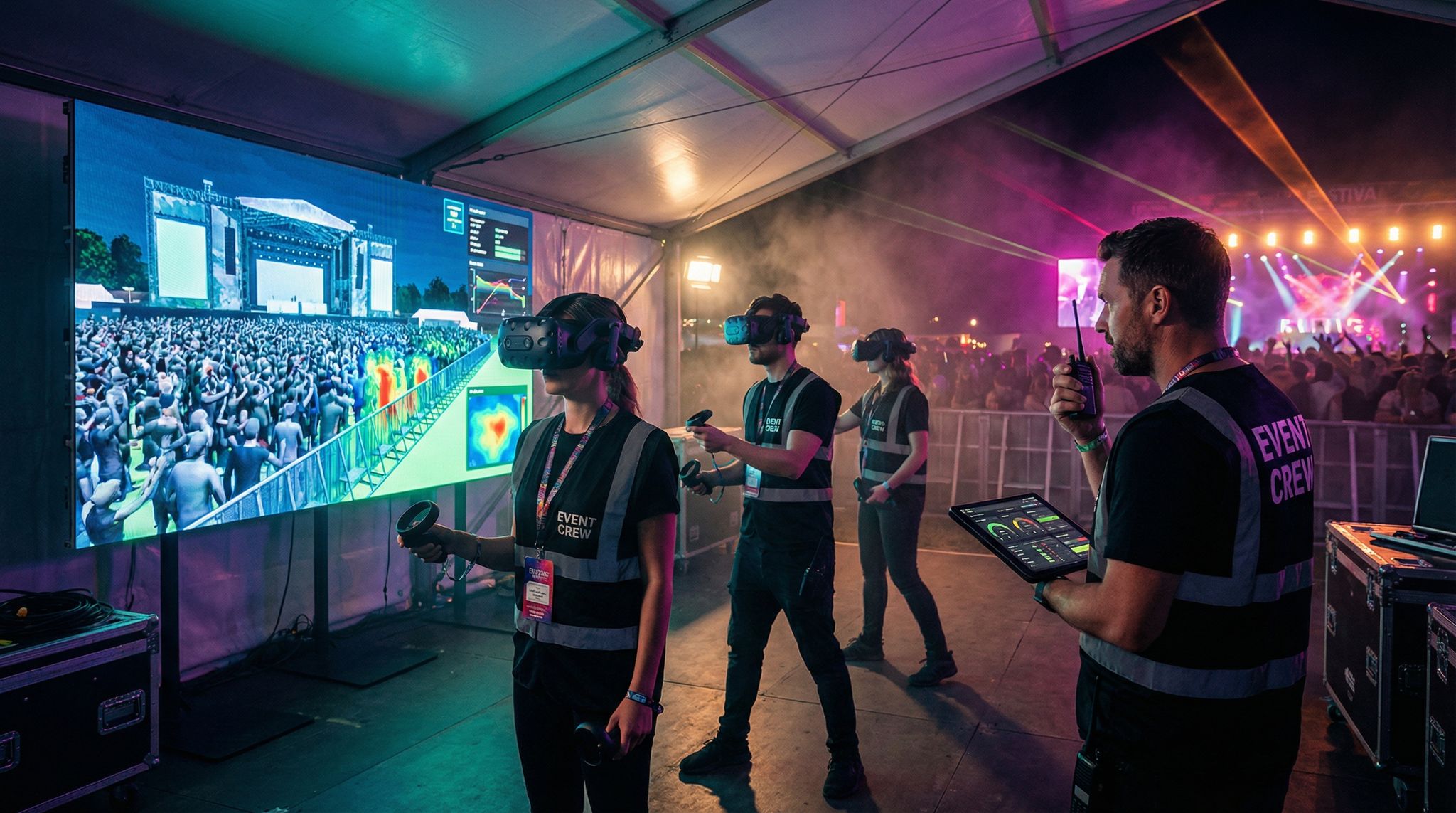
Perhaps the single most important preparation for a complex event is conducting a full end-to-end dress rehearsal on-site before the attendees arrive. This is non-negotiable for large events with multiple vendors. A dress rehearsal means setting up all tech systems at the venue (or a representative environment) as if it’s show day, and then walking through real-world scenarios from start to finish. It’s essentially a realistic simulation, often using staff or volunteers to play the role of attendees. For example, you might have 50 team members cycle through the entry gates with test wristbands at opening time to mimic that first big rush. At the same time, maybe another group is testing in-app functionality (posting messages, checking maps) and making pretend purchases at a merch stand using the cashless payment system. If your event has content, you could run a segment of the live stream on the event screens or to a test online audience. The goal is to put all systems under conditions that are as close as possible to the real event.
This exercise inevitably uncovers things you’d never think of in isolated tests. Maybe the placement of Wi-Fi access points at the venue is causing the scanning devices at one gate to have weak signal – leading to slower scans. Or you discover that the process for resolving a ticket that doesn’t scan isn’t clear to the entry staff, leading to bottlenecks (this might prompt on-the-spot training refreshers or adjustments in the scanning app workflow). You might find that when thousands of people arrive, the mobile app’s live map feature is extremely popular, flooding the network – which could mean you need to temporarily disable high-bandwidth app features if network usage peaks. We’ve seen events where a dress rehearsal exposed that a generator supplying power to the tech tent was insufficient when all systems (Wi-Fi, servers, LED walls, etc.) ran together – an issue thankfully fixed the day before the event, not during it.
Make sure every vendor has their support staff present (physically or virtually) during the rehearsal. Treat it as the real event: if a scanner fails, the RFID vendor’s tech is right there to swap it out; if the stream drops, the streaming team debugs on the spot. This not only tests the tech but also the communication protocols between teams. It validates that your on-site escalation paths work (more on that in the next section). After the dress rehearsal, hold a debrief with all vendors and key staff. Discuss what went well and what needs fixing before the actual event. It could lead to a punch list of actions – e.g., “increase scanner font size for error messages so staff can read them easily” or “add extra switch for the HQ tent because too many devices on one caused lag.” You might run a second mini-rehearsal if major changes were made, just to validate the fixes.
Ultimately, a full-scale rehearsal gives your team confidence. It’s much like a fire drill: everyone knows what to do and how systems behave, so if something goes awry during the real thing, it’s not the first time you’re dealing with it. Veteran organizers will tell you that these test runs are where 90% of surprises happen – and thus can be resolved – leaving only 10% (or less) to chance on event day. In the high-pressure environment of a live event, that is a huge relief. So allocate time and budget for it in your project plan. Rehearsals may require paying vendors for an extra on-site day or using test supplies (wristbands, test accounts), but the ROI is immeasurable when it prevents an attendee-facing meltdown. When the actual event kicks off, you want to feel like you’ve been there before with your multi-vendor tech – and a well-executed dress rehearsal delivers exactly that feeling.
On-Site Coordination and Command Center
Establishing a Central Tech “Mission Control”
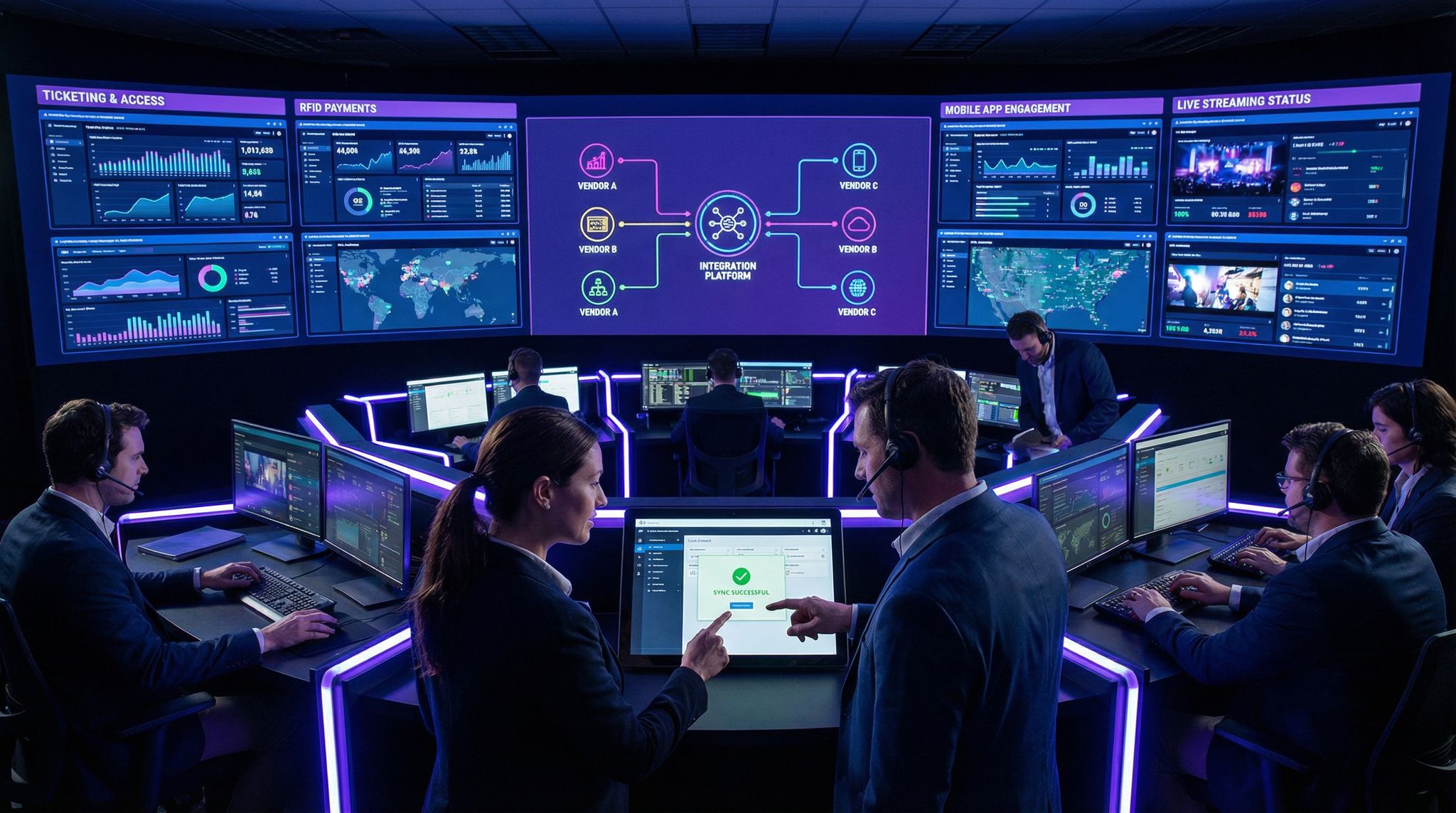
When the event is live, the best practice for managing multiple tech vendors is to have a central command center where all critical systems are monitored together. Think of it as your event’s NASA-style mission control, a concept central to setting up a tech command center. In large festivals, concerts, and sports events today, it’s common to dedicate a room or tent as the tech nerve center, equipped with screens showing various system dashboards: ticket scan counts, network status, live stream health, social media feeds, crowd density sensors, and more. Key tech personnel from each vendor (or at least the lead integrator from your team) should be present or on-call in this command center. The idea is to have a single place where information converges and decisions can be made quickly.
A unified command center is invaluable for early issue detection and response. For instance, the ticketing dashboard might show a sudden drop in scan throughput at Gate 3 while simultaneously an RFID monitoring screen shows reader errors spiking – the command center team can spot the correlation within seconds and dispatch a runner or technician to check Gate 3’s hardware or resolve whatever’s causing the slowdown. Without a central hub, each vendor might notice their piece (ticketing sees fewer scans, RFID vendor sees errors) but not realize it’s part of the same problem until much later. In mission control, all eyes are effectively on every system at once, ensuring that nothing slips through the cracks. It’s also a central point for communication: if the ops radio reports an issue (“Attendees having trouble with cashless top-ups at the east bar”), the command center can immediately check the cashless system’s status and involve the payment vendor’s specialist to troubleshoot live.
For a command center to work well, prep it with redundant connectivity and power. All those real-time dashboards and communications tools rely on a solid network – ideally you have multiple internet connections (e.g. a primary fiber line and a 4G/5G backup) and a generator or UPS in case of power dips. You don’t want mission control going dark at a critical moment. It’s wise to run a simulation from the command center during your rehearsal: have someone create a minor issue (like take one scanner offline) and see if the team in the center catches it and responds appropriately. This trains the personnel to trust their instruments and follow protocols.
At larger events, command center staffing might involve both vendor reps and internal event tech staff working in shifts to ensure fresh eyes throughout the day. If your event runs late or over multiple days, plan for rotation – a fatigued team can miss signals. Another tip: incorporate safety and security liaisons into the tech command center or have a direct line to them, as this can literally be a life saver. Sometimes a tech issue crosses over into safety (for example, if crowd movement data suggests a congestion, it ties into both realms). A unified command center with clear communication lines to all departments (tech, security, operations, venue management) has been highlighted in incident investigations like Astroworld 2021, which emphasized the need for coordinated decision-making hubs in real time. While that was a tragedy primarily of crowd safety, it underscores the bigger point: fragmented management is dangerous, and unified command is the solution, adopting a mission control approach akin to NASA.
Vendor Liaisons and Rapid Escalation Protocols
During the live event, each tech vendor should have an on-site liaison or a designated point of contact readily reachable. Ideally, for critical systems like ticketing or access control, a knowledgeable technician from the vendor is physically present at the venue. If that’s not possible (for example, some cloud service vendors might only offer remote support), ensure you have a direct line – like a dedicated support phone number or a Slack/Teams channel – to their engineers during the event hours. Before the event, establish a clear escalation protocol: if something breaks that your team cannot fix within, say, 2 minutes, how do you get help fast? Get names and numbers of vendor support leads and test those contacts. You don’t want to be scrambling for support contract info in the middle of a showstopper outage.
In the chaos of a live event, clarity in communication is gold. Set up a hierarchy: frontline staff report issues to the tech command center, where your internal tech lead triages it. If it’s a minor issue (low impact, known fix), they handle it or direct a runner to address it. If it’s beyond that – e.g. scanners across all gates suddenly fail to sync – the tech lead should immediately escalate to the vendor’s on-call team according to the protocol. Make sure all vendors know that during event hours they might be called upon and are expected to respond immediately. Many enterprise-level contracts include SLAs (Service Level Agreements) for support response times; try to negotiate a fast SLA for event duration (e.g. vendor will respond within 5 minutes to a critical issue during the event). In practice, when vendors have staff on-site, escalation can be as quick as shouting across the command tent or making a direct call on a walkie-talkie – whatever gets the ball rolling fastest.
Also determine who has decision authority for major calls that involve multiple systems. For example, if the mobile app’s live polling feature is overloading the network, someone might consider turning it off for a while – who makes that call? Usually the event’s head of technology or the command center lead would, after consulting with the relevant vendor lead. Document these contingencies: “If X happens, we will do Y, authorized by person Z.” That way, if a crisis hits, there’s no paralysis or infighting. Everyone should focus on resolving the issue, not debating process.
It’s beneficial to conduct a quick communication drill early in the event. For instance, intentionally trigger a low-stakes alert (like simulate a minor Wi-Fi outage or a test alert) and have the team practice notifying the right people and addressing it. This sounds trivial, but under real pressure, having run the drill makes the team more confident and coordinated. Encourage a culture of over-communication in the command center – it’s better that the streaming vendor announces “we’re seeing a spike in stream latency” even if the ticketing folks overhear something not directly relevant, than for them to keep quiet and assume someone else knows. A shared radio channel or chat group for all tech supervisors can help keep everyone informed of developing issues.
Finally, remember the human element: keep the command center calm and focused. Emotions can run high if, say, the network goes down and tens of thousands of attendees are affected. Having pre-established communication and escalation protocols instills a sense of order. Everyone knows their role: the network engineer works the network, the ticketing rep ensures offline mode is kicking in, the comms person prepares a message to staff or attendees if needed, and so on. This level of preparedness and teamwork with your vendor liaisons can turn a scary situation into a swiftly managed hiccup that most attendees never even notice.
Live Monitoring Dashboards and Issue Tracking
Real-time monitoring is your best friend during a live event. We touched on having dashboards in the command center – let’s expand on what those should include. Ideally, for each critical vendor system, you have some live metrics visible. For ticketing/entry, that could be the number of scans per minute at each gate, total attendees admitted vs expected, and any error rates (like how many invalid scans or secondary validations are happening). For RFID cashless, watch transaction counts, average transaction processing time, and device statuses (are any payment terminals offline?). For streaming, keep an eye on streaming bitrate, viewer count, and server health/CPU usage. Many vendors actually provide admin dashboards for events – request access to those for the duration of the event for your monitoring team. If not, perhaps they can set up a custom feed of key stats to a screen.
Consider also using a centralized event dashboard that aggregates data from multiple systems. Some organizations invest in custom software or use business intelligence tools to pull APIs from all vendors into one interface. For example, a Power BI or Tableau dashboard that shows ticket scans, spend, and app engagement side by side. While not strictly necessary, it can be very useful for high-level decision makers in the command center to see a holistic picture (“We’ve admitted 80% of attendees and concession sales are already $X – maybe open a few more food stalls”). It also simplifies spotting anomalies (like if one metric plunges unexpectedly). That said, always have the specific system dashboards as backup for granular info.
Use an issue tracking log during the event to document any tech problems that occur, even small ones. This could be a simple shared document or a channel where team members drop in notes: “2:15 PM – Scanner #4 at Gate A restarted due to connectivity issue, resolved in 3 mins.” Logging these not only helps in post-event analysis, but during the event it can help you see patterns. If you notice that you’ve had to restart scanners at three different gates, maybe there’s a systemic network hiccup repeating – you might proactively reboot the others during a lull or inform the RFID vendor to investigate. Or if multiple similar questions are coming from staff (“patrons can’t find their tickets in the app”), the command center can quickly push out clarification to all staff or a fix if it’s a technical glitch.
A shared communication tool among tech teams (like a Slack channel specifically for tech issues) can function as both real-time chat and an automatic log of events when saved. Just ensure critical alerts are not missed in chat – combine chat with an audio alert or a big-screen display for anything truly urgent (some teams set up alerts that flash on the dashboard if certain thresholds are crossed, like scanner failure count > 5 or network latency > X ms). Regularly rotate one person to actively watch all dashboards while others handle tasks, so there’s always a set of eyes on the instruments.
On top of technical monitoring, monitor attendee feedback in real time if possible. Keep an eye on social media, or have someone watch for trending complaints (“tickets not working at gate” on Twitter could tip you off to an entry problem even before the gate staff calls it in). Many events have a social media command team; coordinating with them can give clues to tech issues (attendees will often be vocal if something’s wrong). Integration of those channels completes the full circle of monitoring – from system data to user sentiment.
The combination of robust live dashboards and vigilant humans creates a safety net: it’s unlikely an issue will go unnoticed for long. The quicker you spot something, the quicker you can fix or mitigate it, which can be the difference between a minor blip and a headline-grabbing debacle. In multi-vendor environments, this prompt detection is even more important, because a failure in one system might cascade to others if not addressed (e.g., payment system slowdowns backing up queues which then overwhelms entry as people leave lines to complain, etc.). Effective monitoring and tracking keeps you ahead of issues, not chasing them.
Avoiding Interference and Technical Conflicts On Site
Running many technologies side by side in one venue isn’t just a software challenge – it’s a physical one too. Wireless interference is a prime example. Your various vendors may each rely on wireless communications: Wi-Fi networks for the ticket scanners and POS devices, RFID systems possibly using HF or UHF radio frequencies, Bluetooth devices, two-way radios for staff, wireless microphones for the stage production, and attendees’ cell phones blanketing the spectrum. If not carefully managed, these signals can step on each other. To prevent a tech traffic jam, coordinate with all vendors (and the venue) on a wireless spectrum plan. Determine which Wi-Fi channels will be used for your production networks and ensure they’re different from what the venue’s public Wi-Fi or neighboring businesses might use. If the RFID equipment uses a particular frequency band (e.g. ~13.56 MHz for HF or 900 MHz for UHF), check if any other device is emitting strongly in that range. Similarly, if using RFID or NFC wristbands, make sure the entry scanners are positioned away from large metal structures or other sources of electromagnetic interference that could reduce their read range.
Another consideration is bandwidth allocation. Many systems might be sharing the same internet pipe. If your streaming vendor is pushing HD video out, it could potentially consume tens of Mbps. Simultaneously, hundreds of payment transactions, ticket validations, and app API calls are also traveling. Work with a network engineer to set up QoS (Quality of Service) rules – for instance, giving priority to latency-sensitive data like ticket scans and payment authorizations, while maybe throttling less critical traffic like background app content updates if needed. Some events even set up separate networks: one dedicated to mission-critical operations (scanning, payments, production comms) and another for non-critical or public traffic. The “Taming the Airwaves” approach means methodically planning and testing the wireless environment, often aided by mobile and cloud technologies. During your on-site tests, measure signal strengths and possible interference. If you detect overlap – say, the cashless payment system’s wireless readers are causing noise on the staff Wi-Fi – adjust channels or frequencies. It’s much easier to do this in an empty venue than when 50,000 smartphone-toting attendees arrive.
Physical setup can also lead to conflicts if not coordinated. For example, your mobile app team might set up Bluetooth beacons around the venue for proximity alerts, but those could interfere with other Bluetooth devices if misconfigured. Or the streaming team might run cables that inadvertently cross power lines and cause signal degradation. Hold a walk-through with all vendor teams when setting up on site, to coordinate hardware placement and cabling. Ensure everyone labels their equipment and cables clearly, so one team doesn’t accidentally unplug another’s gear thinking it’s theirs (it happens more than you’d think in the hectic pre-show setup!).
Finally, have a unified plan for backup equipment and spares. Multiple vendors might have redundant hardware – ticket scanners, RFID readers, networking kit – on standby. Keep spares organized in one place if possible, or at least know where each vendor’s backups are. If an access point fails and it’s affecting multiple systems, ensure your network vendor can quickly swap it with a spare. If an LED wall controller in the production rig somehow interferes with the Wi-Fi (it’s rare but we’ve seen LED walls create RF noise), have filter equipment or alternatives ready. Essentially, smooth multi-vendor operation on site comes down to eliminating as many potential points of conflict in advance: spectrum, bandwidth, physical space, and hardware resources. When each vendor’s technology can run without tripping over another’s, you’re one big step closer to that seamless unified event experience.
Communication Protocols Among Vendors
Pre-Event Collaboration and Information Sharing
The groundwork for great on-site communication is laid long before the event. Establish clear communication channels among vendors during the planning phase and keep them active through event day. One effective approach is setting up a dedicated Slack or Microsoft Teams workspace that includes representatives from all vendor teams as well as your internal event staff. Create channels for specific purposes – for example, #integrations (for technical coordination discussions), #timeline (for schedule updates), and perhaps #support-live (for live issue reporting closer to the event). By having everyone in a shared digital space, you reduce lag time in getting answers. If your mobile app dev has a question about the RFID API, they can tag the RFID vendor’s tech lead in Slack and get a quick reply, rather than formal emails that waste days. Of course, sensitive topics or vendor-specific items can be handled in one-on-one messages, but having an inclusive forum builds a sense of team and transparency.
Also share documentation openly. Create a repository (Google Drive, Confluence, etc.) accessible to all vendors where you keep the integration blueprint, API docs, contact lists, network diagrams, and any other key reference. It’s much better for a vendor to be able to self-serve information at 2 AM when they’re working on integration, than to be stuck waiting for an email reply. Version control any important docs like the integration matrix or schedule – you don’t want outdated info causing confusion. Anytime a change is made (e.g. a new API endpoint, or a schedule shift for vendor load-in), communicate it in the group channel and update the central docs.
Language and cultural differences can sometimes come into play with international vendor teams, so be proactive in ensuring understanding. Simple things like confirming time zones for meetings or clarifying terminology (is “launch time” referring to gates open or show start?) can prevent miscommunications. Encourage an environment where no one is afraid to ask questions or request clarification. It’s better to have a silly question asked on Tuesday than a critical mistake made on Friday.
In the final week or days leading up, ramp up the communications frequency. Daily check-in calls or a short daily update post in Slack can keep everyone synchronized in the rapid-fire final tasks. This is when lots of moving pieces happen quickly: credentials are printed, last patches to software are deployed, equipment ships to venue, etc. If one vendor hits a snag (like shipping delay or a software bug discovered), prompt communication allows others to adjust their plans if needed. For example, if the streaming encoders arrive late, the networking team might rearrange their setup schedule to accommodate. These kinds of adjustments are only possible with timely information sharing. By the time you get on site, every vendor team member should know the faces/names of the others (at least the key points of contact) thanks to this pre-event collaboration. It’s much easier to approach someone for help in the heat of the event if you’ve already been working together (even virtually) for weeks.
On-Site Communication and Chain of Command
Once on site, communication tends to revert to more traditional means – voice and in-person. You should plan out a communication hierarchy that all teams understand. Typically, your event will have radio channels for various departments (security, operations, medical, etc.). It’s wise to allocate a dedicated “Tech” radio channel for tech coordination. Equip your core tech team and key vendor reps with radios on this channel to call out urgent issues (“POS system down at food court, need assistance”) or updates (“main internet failover to backup achieved, systems running on 4G now”). Radios provide instant, broad reach and don’t rely on internet (which, ironically, could be what’s down). Train everyone on radio etiquette and code words if needed (sometimes it’s better to use plain language like “scanner” rather than a code no one remembers). If the event is noisy or staff are dispersed, consider secondary methods like group SMS or a phone tree as backup if radio fails or isn’t practical. Some events also use push-to-talk apps on smartphones, but remember that relies on networks which might be congested.
Establish who reports to whom in a crisis. For example, if a frontline ticket scanner operator encounters a problem they can’t solve, they should know to radio their supervisor, who then escalates to the tech command center. The RFID vendor’s on-site lead might direct their own team of technicians, but the overall priority of issues might be set by the event’s tech director in the command center. Clarity here avoids duplication and gaps – you don’t want every scanner staff calling the command center directly (noise and chaos), nor do you want an issue stuck at a low level because people weren’t sure who could make a decision.
During show hours, consider short “stand-up” meetings or huddles among vendor leads at regular intervals (say, every few hours or at specific times like after the initial entry rush, or mid-event before a headliner set). These can be in-person in the command center or a quick conference call if the venue is large. The idea is to quickly share any concerns or upcoming changes (“In 10 minutes we’re switching generators, brief power flicker possible – be ready” or “We see weather approaching, possibility of holding entry – coordinate contingency”). Having these touchpoints ensures everyone’s mental model of the event’s status is up-to-date.
Keep communication with wider event staff and attendees in mind too. If a major tech issue occurs (e.g., the payment system goes down for an area), the command center should coordinate with the event operations team on messaging: instructing staff on what to tell attendees, maybe posting signs or sending an app push notification if appropriate. Unified messaging prevents rumor mills and frustration. Weave your tech vendors into that loop – they might help draft a clear message about what’s happening and ETA to fix. For instance, if the mobile app fails, the app vendor can help word a notification like “Our event app is experiencing issues and is being restarted – please bear with us.” Transparency and quick info can turn a potential PR issue into a minor inconvenience in attendees’ eyes, helping manage real disaster stories and recovery tips.
Post-Event Debrief and Continuous Improvement
When the dust has settled and the attendees are gone, take the time to debrief with all your tech vendors – together if possible. A cross-vendor post-event review can be incredibly enlightening. In this meeting, each vendor can share their perspective: what worked well from their side, what challenges they faced, and any suggestions for improvement. Because it’s cross-vendor, someone may bring up an issue others weren’t fully aware of (“Our system received some malformed data from the ticket feed at 4 PM which we corrected manually”). Another vendor might chime in, “Oh, that was around the time we did X – maybe that caused it.” These insights close the loop on mysteries and help refine processes. Keep the conversation constructive and focused on learning, not blame. The event is over, so it’s about improving for the next one (or the next collaboration). Identify action items – for instance, “Before next event, define a more robust process for last-minute ticket additions” or “Add a backup internet link dedicated to streaming.”
Also review the attendee experience data collectively. Did the seamless integration we aimed for materialize in attendee feedback? Look at metrics: entry wait times, app engagement rates, number of support tickets or complaints related to tech, etc. If you find, for example, that despite all systems working, some attendees were confused by having to use multiple apps or didn’t realize their wristband was also a payment method, that’s a cue to improve communication to attendees next time (not just the tech itself). Share these findings with vendors – the good ones will appreciate understanding how their piece contributed to (or detracted from) the overall experience. They might even use that info to improve their product. For instance, an app vendor learning that users got lost in the interface on-site might prompt a UI tweak.
From an ROI standpoint, gather financial and operational outcomes from the multi-vendor setup. Did the event achieve a higher spend per head due to the integrated cashless system? (If yes, that’s a win to celebrate and replicate.) Did the new mobile app + streaming combo drive thousands in additional virtual ticket revenue? Or conversely, did managing five vendors prove so resource-intensive that it eroded some of your team’s efficiency? These are strategic points to discuss internally and with trusted vendors as you plan the future tech stack. In some cases, an event might conclude that it’s worth consolidating vendors to reduce complexity; in others, that the multi-vendor approach delivered great results and just needs minor tweaks.
Take time to recognize and thank the vendor teams for their collaboration. If things went well, everyone likely went above and beyond to make it happen. A culture of appreciation goes a long way, and vendors who feel valued are more likely to invest themselves fully in your next project together. If there were failures or issues, address them honestly but fairly in the debrief. Focus on what will be done to prevent them going forward. Ensure any contractual follow-ups, like service credits for downtime or additional charges for extra support days, are handled in a professional manner separate from the collaborative “lessons learned” discussion.
Finally, update your standard operating procedures and documentation with everything you’ve learned. Each event teaches new lessons. Over time, you build a playbook that makes managing multiple tech vendors easier and more predictable. By 2026 standards, events are high-tech productions, and continuous improvement is the name of the game. The events that thrive are those that turn each experience – good or bad – into fuel for innovation and refinement. The next time you bring together a dozen vendors under one roof, you’ll be that much more prepared and confident, having fine-tuned the art of seamless collaboration and integration.
Real-World Lessons from Large-Scale Events
Case Study: A Festival’s Multi-Vendor Triumph
One of the world’s largest festivals, Tomorrowland in Belgium, offers a shining example of multi-vendor tech working in harmony. Tomorrowland brings together a ticketing platform, an RFID access control and payment provider, a mobile app, massive on-site AV infrastructure, and global live streaming – essentially every piece of the event tech ecosystem. They issue all attendees an NFC wristband that is integrated across ticketing, entry, and payments, illustrating the power of building a connected event tech ecosystem. Well before the event, Tomorrowland’s tech teams and vendors collaborate to preload each wristband’s chip with the attendee’s ticket credentials and any pre-purchased credits. At the gates, the ticketing database validates wristbands in real time, allowing tens of thousands of people to flow through efficiently. Those same wristbands are used by a cashless payment system linked to each attendee’s account. In a recent edition, Tomorrowland reportedly processed over 10 million cashless transactions via these integrated wristbands over the course of the event, ensuring attendees generate millions of scans – an astonishing feat that was possible only because the ticketing, payment, and RFID systems were tightly unified.
What’s notable is how Tomorrowland leverages integration for real-time intelligence. Organizers monitor queue times at each entrance via the integrated dashboards and can deploy extra staff if one gate shows backups, effectively managing how attendees generate millions of scans. They see live purchase data to manage inventory at bars and food stalls proactively. The mobile app ties into this ecosystem too: attendees can create personal schedules and see them in the app, and if a schedule changes or a stage is reaching capacity, push notifications (powered by data from operations and access control) alert fans instantly. Tomorrowland’s approach requires serious planning – they work with vendors many months in advance, often co-developing custom integrations and performing multiple test events. The payoff is a near-flawless tech execution that attendees often don’t even notice because it just works. The lesson for other events is that such seamless multi-vendor integration is achievable with the right commitment to partnership and testing. While not every event has Tomorrowland’s budget or scale, the principles of early integration design, one-team mentality among vendors, and rigorous rehearsal can scale down to smaller events too.
This level of synchronization is equally critical if you are hosting a multi-vendor showcase event, where various exhibitors, sponsors, and tech partners rely on your central infrastructure to capture leads, process transactions, and manage access seamlessly.
When Things Go Wrong: Integration Pitfalls to Avoid
Of course, not all multi-vendor stories are success stories. There have been high-profile mishaps that highlight what can happen if collaboration falters. One cautionary tale comes from a large sporting event a few years ago where the ticketing provider and the access control vendor failed to sync databases properly. Thousands of fans arrived at the stadium only to find their digital tickets weren’t recognized at the turnstiles due to a last-minute update glitch. Entry ground to a halt, leading to kickoff being delayed – and a lot of unhappy attendees and press coverage. The post-mortem revealed that a change in ticket barcodes was made just days before the event, but the access control software on the scanners wasn’t updated in time across all devices. This points to a lack of coordinated change management and testing. The fix was relatively simple (reverting to the old barcode format and updating scanners), but by then the damage in fan trust was done. The takeaway: any change that could affect integrations must be communicated and tested with all parties. Even seemingly minor tweaks can have wide ripple effects on event day.
Another example occurred at a multi-stage music festival that introduced a new cashless payment system from a different vendor while keeping their longtime RFID gate system from another. Individually, both technologies were proven, but they weren’t fully integrated – attendees had to link their wristband to a payment account separately, and many didn’t realize that. The result was huge lines at top-up stations as people struggled to activate payment on their wristbands, and some vendors in the food courts switched to cash as a backup, undermining the whole cashless plan. Festival organizers learned the hard way that integrations should be designed for simplicity and clarity to the end-user. In this case, having unified the access and payment under one system or at least a single onboarding step could have saved a lot of hassle. It’s a reminder to always consider the attendee’s perspective: if you require them to navigate multiple systems, make sure the hand-offs are seamless or the processes are well-communicated. Otherwise, the fanciest tech isn’t worth much.
There have also been instances where lack of on-site coordination caused duplicate effort and outages. Think of an event where the Wi-Fi went down: the network vendor started resetting the router, unaware that at the same time the ticketing vendor’s support person was also rebooting their system’s local server because they thought the issue was on their end. Both resets interrupted different parts of the workflow and prolonged the downtime. This emphasizes why central command and clear communication (as discussed earlier) are vital – without them, well-meaning individuals can actually make a problem worse by acting in silos. Every failure we’ve seen in multi-vendor events usually boils down to poor communication, insufficient testing, or unclear ownership. Those are manageable risks with the strategies outlined in this article.
The Power of Collaboration and Partnership
The overarching lesson from real-world events is that technology vendors must function as partners, not just contractors, when delivering a complex event. When you foster a collaborative environment, vendors often go above and beyond their contractual obligations to ensure success. We’ve seen access control companies lend extra scanners to a ticketing partner when unexpectedly high gate traffic hit, simply because they felt invested in the joint outcome. We’ve also seen mobile app teams pivot on the fly to enable an impromptu push notification from the event organizer about a schedule change – even though it wasn’t in the original scope – because everyone was working in “all hands on deck” mode.
Cultivating this spirit starts with how you select and treat vendors. Choose companies that have a track record of integrations and openness (not ones known for jealously guarding their system). During negotiation, emphasize that you expect close cooperation with other vendors – sometimes including that in contracts or kickoff meetings sets the tone. Then, throughout the project, as we discussed, involve them in joint sessions and give credit where due. If your RFID partner’s quick thinking solved a problem, let the other vendors (and your higher-ups) know that. People inherently want to repeat positive experiences. If vendors feel their collaboration is valued, they’re likely to lean in more. This can even lead to vendors building better integrations between their products as a result of working together at your event, which is a win-win for the industry.
It’s also important to be realistic and transparent with vendors about the challenges. If you foresee a difficult scenario (like a venue with patchy connectivity or a very tight setup window), let all teams know so they can prepare. Shared adversity often brings teams closer – the mentality of “we’re all in this together” can turn a tough situation into a bonding experience rather than a blame game. On the flip side, when things go well, celebrate collectively. Some events hold an after-party or at least a group photo and thank-you note that includes vendor teams – these gestures reinforce that they were part of something bigger and successful.
In the end, managing multiple event tech vendors is as much about people management as it is about technology management. Yes, the APIs and networks matter greatly, but the cooperation, trust, and joint problem-solving between human beings is the secret sauce that makes the tech truly sing. By treating vendors as integral parts of your team, aligning them under common goals, and rigorously working out the technical kinks, you set the stage for an event where all the technology fades into the background – and what shines is a phenomenal attendee experience.
Frequently Asked Questions
Why is event technology integration crucial for modern events?
Event technology integration is essential because organizers now manage diverse “best-of-breed” tools that generate significantly more data than in the past. Connecting these systems prevents data silos and operational inefficiencies while ensuring a seamless attendee journey. Integration allows critical details, such as ticket validity and cashless balances, to flow instantly between platforms.
How should organizers coordinate multiple event tech vendors during planning?
Successful coordination starts with a unified kickoff meeting involving all tech providers to establish shared goals and identify dependencies. Organizers should create a Responsibility Assignment Matrix (RACI) to define specific roles and data ownership. Establishing a shared project timeline with clear milestones and feature freezes ensures all vendors remain aligned throughout the process.
What are the best technical methods for integrating event systems?
The most effective integrations rely on open APIs and webhooks to facilitate real-time data synchronization between systems. When direct connections are unavailable, middleware or Integration-Platform-as-a-Service (iPaaS) tools can bridge gaps. These methods ensure immediate updates across platforms, such as syncing ticket purchases with RFID access control systems instantly.
Why is a full dress rehearsal important for event technology?
A full on-site dress rehearsal simulates real-world scenarios to uncover integration issues before attendees arrive. By testing end-to-end workflows—like scanning tickets, processing cashless payments, and using mobile apps simultaneously—organizers can identify hardware conflicts, network bottlenecks, or data sync errors that isolated software testing often misses.
What is the function of a tech command center at large events?
A centralized tech command center acts as “mission control” for monitoring all critical systems simultaneously via live dashboards. This hub allows key personnel to track metrics like scan rates and network health in real time, facilitating rapid issue detection and coordinated responses. It prevents communication silos and ensures faster resolution of technical problems.
How can event organizers prevent wireless interference between vendor equipment?
Preventing interference requires a coordinated spectrum plan that assigns specific Wi-Fi channels and radio frequencies to different vendors. Organizers should conduct on-site scans to detect signal overlap between RFID readers, microphones, and networks. Additionally, implementing Quality of Service (QoS) rules ensures mission-critical data, such as payment authorizations, receives bandwidth priority.
Can a best-of-breed approach still deliver a seamless experience for attendees?
Yes, a best-of-breed approach can absolutely deliver a seamless experience for attendees, provided that robust event technology integrations are in place. By utilizing open APIs and real-time data synchronization, organizers can connect specialized tools—like dedicated ticketing, RFID, and mobile apps—so that the end-user experiences one unified, frictionless journey without ever noticing the separate systems running behind the scenes.
How do I run a multi-vendor venue on one system?
To run a multi-vendor venue on one system, you need to deploy a centralized integration platform or middleware that acts as the single source of truth. This central hub aggregates data from your various specialized vendors—such as access control, point-of-sale, and CRM—into a unified dashboard, allowing venue operators to manage operations, track revenue, and monitor multi-vendor coordination from a single interface.
What are the biggest challenges in multi-vendor coordination and integration?
The primary challenges in multi-vendor coordination and integration involve data silos, conflicting technical timelines, and overlapping hardware requirements. Event organizers can overcome these hurdles by establishing a centralized tech command center, enforcing strict API standards, and conducting comprehensive end-to-end rehearsals before the event goes live.