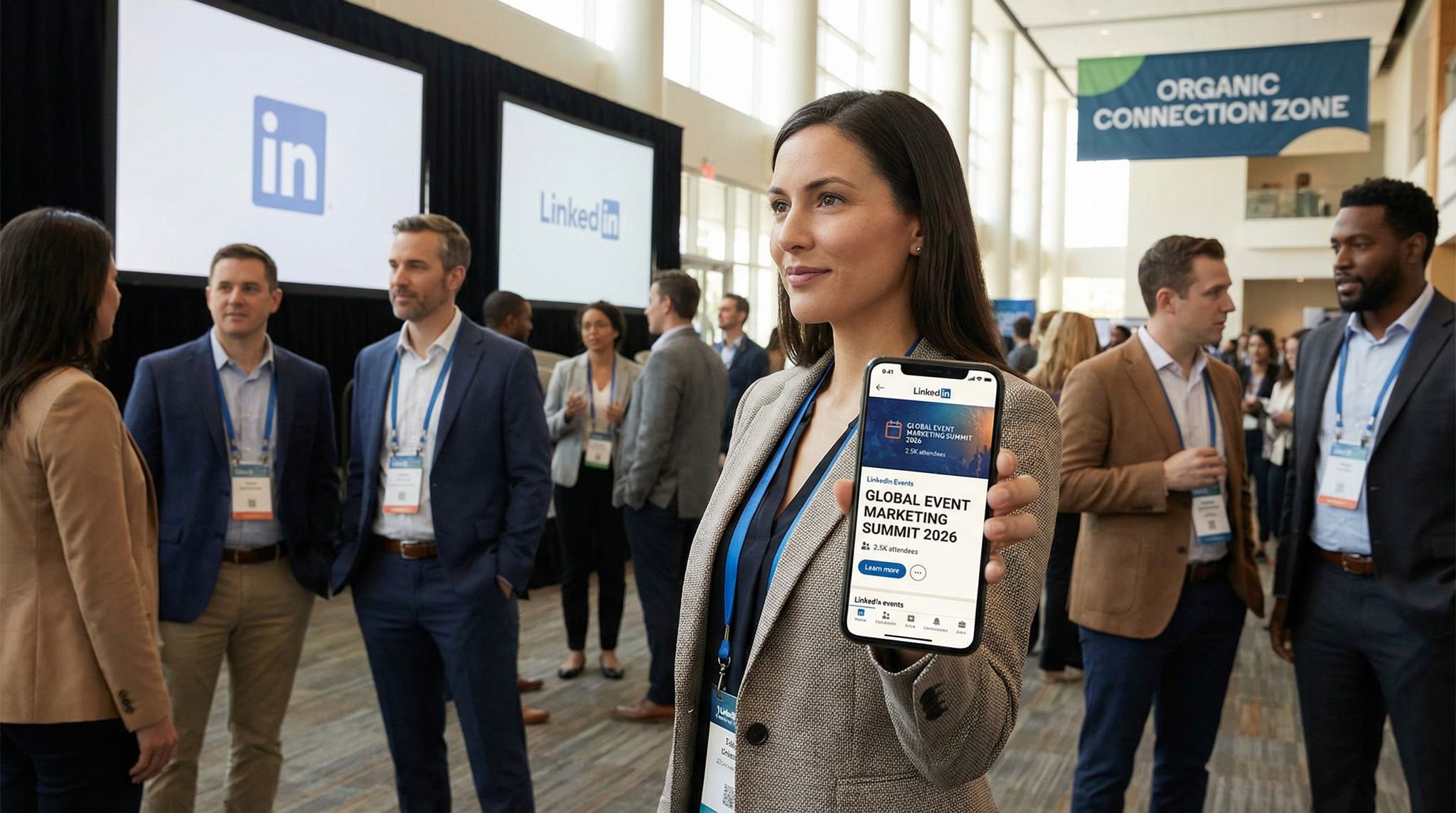
LinkedIn has evolved into a powerhouse for event marketers aiming to attract professional audiences without spending a fortune on ads. For B2B conferences, trade shows, and industry meetups, a strong organic LinkedIn strategy can drive substantial registrations. This guide explores how to leverage LinkedIn’s free tools – Company Pages, content posts, Groups, and the LinkedIn Events feature – to boost attendance. It shares actionable tactics to optimize your presence and turn your speakers, sponsors, and attendees into enthusiastic LinkedIn ambassadors for your event.
Why LinkedIn Is a Game-Changer for Event Promotion
The Professional Audience Advantage
Appealing to a professional demographic means going where they network and inform themselves. LinkedIn’s user base of 950+ million professionals worldwide makes it the premier B2B social platform. Decision-makers scroll LinkedIn for industry insights and opportunities daily. In fact, 74% of B2B buyers use LinkedIn to research purchasing decisions and a staggering 80% of B2B social media leads come directly from LinkedIn. For event marketers, this means your target attendees – executives, entrepreneurs, experts – are likely on LinkedIn looking for the next conference or training to advance their goals. Seasoned promoters know an organic LinkedIn presence lends credibility; seeing an event discussed on LinkedIn positions it as a serious, must-attend opportunity in the field. By contrast, blasting promotions on more casual social networks can miss the mark for professional audiences. LinkedIn offers both the reach and the context (business-focused mindset) needed to engage potential attendees who are evaluating how an event will deliver ROI.
Organic Reach Built on Trust and Relevance
Unlike pay-to-play advertising, organic LinkedIn content can travel through trust-based networks. When someone likes or comments on your event post, it may appear in their connections’ feeds as well – extending your reach through professional word-of-mouth. Content shared by individuals on LinkedIn often carries more weight than a brand broadcast because it’s perceived as peer advice rather than marketing. This creates a powerful social proof loop: if prospects see colleagues and industry peers interacting with your event content, they’re more inclined to pay attention. According to marketing industry research, LinkedIn visitor-to-lead conversion rates can be 3X higher than Facebook – 2.74% vs ~0.77% – reflecting the platform’s superior lead quality). Put simply, LinkedIn engages a motivated audience that is actively seeking relevant events and education. By consistently posting useful, credible content, you build familiarity and trust over time. When registration opens, those nurtured prospects are far more likely to convert because they recognize your event’s brand and value. Experienced event marketers often cite LinkedIn as their highest-converting social channel for B2B campaigns.
LinkedIn Features Tailored for Events
LinkedIn isn’t just a networking site – it offers an array of free tools that happen to align perfectly with event promotion needs. Company Pages provide a public hub for your brand and event information. LinkedIn Groups gather professionals around specific interests or industries, much like mini-communities. The LinkedIn Events feature creates a dedicated event listing where people can RSVP and get updates, functioning similarly to other event discovery platforms (akin to Facebook Events but in a business context). Notably, LinkedIn has been investing heavily in its events capabilities. In late 2025, LinkedIn announced new updates to its Events platform to help marketers “efficiently scale events of any size” and reach the right audience. This includes better integration with webinar tools and improved visibility for event posts. All of these features are available at no charge, meaning you can build robust event awareness on LinkedIn with only your time and creativity as currency. The following sections will dive into how to make the most of each of these tools and craft an organic LinkedIn strategy that fills seats (virtual or physical) without relying on paid ads. (For a broader comparison of marketing channels’ ROI, including organic vs paid social, see our analysis of 2026’s top event promotion tactics and their ticket-selling power.)
Ultimately, successfully promoting events on LinkedIn requires a mindset shift from traditional outbound marketing to community-centric engagement. Rather than simply broadcasting ticket links, event organizers must focus on building anticipation through thought leadership, strategic networking, and peer-to-peer advocacy. When you approach the platform as a space for professional development rather than just a billboard, your B2B event marketing efforts will yield significantly higher registration rates and attract a more qualified attendee base.
Optimizing Your LinkedIn Company Page for Events
Polish Your Page Profile and Branding
Your LinkedIn Company Page is often the first touchpoint for a potential attendee who discovers your event on the platform. Treat it like a storefront. Ensure your page is fully up to date and visually aligned with your event branding. Use your logo as the profile image (so it’s recognizable in every post). Update the banner image to reflect your upcoming event – for example, a banner with the conference name, date, and an exciting photo from a past event or a collage of keynote speakers. In the “About” section, write a concise, keyword-rich description of your organisation and mention the events you host. This can improve your visibility in LinkedIn searches for keywords like “cybersecurity summit” or “marketing conference 2026.” Also include a direct link to your event ticketing page or website in the About text or as a featured link. A well-optimized page with a professional appearance builds trust. When someone clicks through to your page and sees a cohesive brand (consistent logos, event imagery, and a clear description), it reassures them that your event is legitimate and high-quality. Experienced event promoters know that credibility is everything for B2B audiences, who might be evaluating whether attending is worth their time and budget. A polished LinkedIn page sends the message that your event is well-organized and valuable.
Ready to Sell Tickets?
Create professional event pages with built-in payment processing, marketing tools, and real-time analytics.
Highlight Events and Key Details Prominently
Make it effortless for page visitors to learn about your event. LinkedIn allows you to create an Event via your Company Page, which then appears in a dedicated “Events” tab on the page. Take advantage of this by creating a LinkedIn Event (more on that in a later section) through your page so it’s visible to anyone who checks your profile. Additionally, consider using the Featured Content section (if available on your page) to pin an update about the event. While LinkedIn doesn’t have an exact “pin post” feature like Twitter, you can feature a recent post – for instance, an announcement like “? Registration is now open for [Your Event Name] – join us on 25 June 2026!” with a striking image. Ensure your contact info is visible too. Some attendees might prefer to message your page or an admin with questions; monitor your page inbox for any inquiries as part of pre-event customer support. Remember that on LinkedIn, many people will casually stumble on your page via content, so each page element should funnel them toward event info. Use a custom button on your page (“Visit website” or “Register”) linking to your ticket page if possible. The goal is that a LinkedIn user who gets intrigued by one of your posts can, with one click, find out when/where your event is happening and how to sign up.
For organizers wondering exactly how to add conferences to LinkedIn, the process begins directly on your Company Page. Navigate to your page’s admin view, locate the “Events” tab, and click the “Create” button. This generates a formal event listing tied to your brand rather than a personal profile. Fill in the conference title, timezone, dates, and external registration link. Once published, this dedicated listing acts as your conference’s native landing page on the platform, allowing professionals to RSVP, share the listing with their network, and add the conference to their personal LinkedIn profiles under the “Events” section.
Grow Your Follower Base for Reach
Building up followers on your Company Page increases the organic reach of each post you make. Start by inviting your personal connections to follow the page – LinkedIn Page admins have an option to invite connections, with a monthly credit limit (usually a few hundred invites per month). Tap into your team as well: ask colleagues to invite their connections to follow the page, especially those in the target demographic. Since the invite comes from their personal profiles, it feels more like a professional recommendation than a marketing push. You can also promote your LinkedIn page on other channels: include “Follow us on LinkedIn” in email signatures, newsletters, and your website. Aim to attract a follower base that mirrors your desired audience (e.g., if you run an HR technology conference, you want HR managers, HR tech vendors, etc., following you). Quality matters more than quantity – 500 relevant followers who engage can create more buzz (and ticket sales) than 5,000 who ignore your posts. Over time, growing your following becomes a virtuous cycle: more followers lead to more post engagement, which makes LinkedIn’s algorithm show your content to even more people (including second-degree connections of followers). For example, if 50 people who follow your page each like a post, that activity can expose your post to thousands of their contacts. By investing early in follower growth, you set the stage for far greater organic visibility when you start actively promoting your event.
Leverage Analytics to Refine Your Page
Don’t treat your Company Page as a static brochure – use LinkedIn’s built-in analytics to strengthen your strategy. Under the Analytics tab, monitor your follower growth and visitor demographics. Are you attracting the types of professionals you expected? If not, adjust your content and keywords to appeal to the right niches (for instance, mention specific industries or job functions in your posts to draw those folks in). Check which posts get the most impressions and engagement; you might find that, say, posts about “leadership training sessions at the event” outperform posts about “event venue amenities.” These insights can guide what you emphasize going forward. Also, track page views – a spike in page visits often follows a particularly viral post or a speaker announcement. That’s a sign your content hit a nerve, and you should consider creating more of that style. Many veteran event marketers treat their LinkedIn page like a living campaign dashboard, watching metrics weekly. If certain content isn’t resonating (low likes, low click-through), they tweak the messaging or posting time. If a specific format (like short video clips) is booming, they reallocate effort to produce more of it. Over the months leading up to your event, this data-driven approach will ensure your page stays relevant and interesting, which in turn keeps followers engaged and converting into attendees.
Turn Fans Into Your Marketing Team
Ticket Fairy's built-in referral rewards system incentivizes attendees to share your event, delivering 15-25% sales boosts and 30x ROI vs paid ads.
Crafting Engaging LinkedIn Content to Inspire Attendance
Go Beyond “Register Now” – Provide Value First
On LinkedIn, blatantly promotional posts (“Buy tickets now!”) tend to underperform. Users scroll LinkedIn for insight, value, and professional growth – so your event promotion should tap into those motivations. Instead of constantly pushing sales, craft content that positions your event as a valuable learning and networking opportunity. For example, share a short interview clip with a keynote speaker where they give a sneak peek of a trend they’ll discuss, or post an article summarizing “3 industry challenges that will be addressed at [Event Name].” These kinds of value-driven posts spark interest in the event by showcasing the knowledge and benefits attendees can expect. They also encourage engagement: someone might comment their own perspective on a trend you highlighted, which amplifies your reach. Analytics back this approach: one campaign found that posts providing actionable industry insights generated 3.7× more engagement than purely promotional content. Likewise, “how-to” posts and thought leadership pieces earned nearly 3× more click-throughs than simple speaker announcements. Experienced promoters recommend a content mix of roughly 70% educational or entertaining content related to your event’s theme, 20% community engagement (shout-outs to speakers, answering questions), and only about 10% direct “register now” reminders. By the time you do post a direct call-to-action, your audience should already be warmed up and convinced of the event’s value, making them far more likely to hit that registration link.
Use Visuals, Videos, and Document Posts to Stand Out
A text-only post on LinkedIn can get lost in the sea of status updates. Visual content is key to catching eyes and conveying information quickly. For event promotion, some effective formats include:
– Photo posts – Share compelling images from past events: a packed audience, a speaker on stage, or networking moments. Accompany it with a short narrative (“Throwback to our 2025 summit – ready to create these moments again this year?”). Faces and real-life shots humanize your event.
– Infographics or charts – If you have interesting data (e.g., “85% of marketers plan to increase AI budget in 2026” if that’s relevant to your event), create a simple infographic. Professionals love data points they can quickly digest and share.
– PDF carousels – LinkedIn lets you upload PDFs that appear as swipeable carousels. You can make a “Top 5 Tips” or “Meet the Speakers” deck. For instance, a carousel could introduce five featured speakers with their headshots and one quote or insight from each. This format is highly engaging; each slide view counts as engagement, and users often spend more time on such posts scrolling through.
– Short videos – A 30-60 second video works great on LinkedIn. Ideas: a teaser trailer of the event (if you have footage), a personal invite from the event host (“Hi, I’m __, and I’d like to invite you to join us…”), or a clip of a panel discussion highlight from last year. Ensure to add captions since many people watch videos on mute during work. Video content tends to earn more comments and shares, as it showcases the energy and personality behind your event.
– Branded graphics – Even simple quote cards (e.g., with a speaker quote or an attendee testimonial overlaid on a graphic with your event branding) can be impactful. These are easy to consume and share, spreading awareness.
Grow Your Events
Leverage referral marketing, social sharing incentives, and audience insights to sell more tickets.
The goal is to make your posts thumb-stopping in the LinkedIn feed. Professionals are visual learners too, and an image or video that communicates the value or excitement of your event can entice someone to read more and eventually register. As a bonus, visual posts are more shareable – a user might repost your infographic to their network, saying “Interesting insights here from XYZ Conference,” giving you free exposure. For more ideas on scroll-stopping creative, check out our guide to designing event visuals that drive engagement, which, while focused on ads, contains principles equally useful for organic posts.
Engage Your Audience with Questions and Polls
LinkedIn’s algorithm rewards content that generates conversation. One of the simplest ways to spark discussion is to ask questions in your posts. In fact, an analysis of B2B posts found that about one out of every three high-performing LinkedIn updates included a question mark – indicating the post was explicitly asking something of the audience. You might ask, “What’s the biggest challenge your team faced this year?” or “Which of these topics would be most valuable to your work right now?” (related to themes your event will cover). These prompts invite comments, and when users comment, their network may see the activity, extending your reach.
LinkedIn Polls are another powerful tool. You can create a quick poll (e.g., “Which emerging tech will impact finance the most in 2026? ? AI ? Blockchain ? Quantum Computing ? IoT”) and let people vote. Polls tend to travel far because voting is low-effort and fun, and LinkedIn sometimes gives polls extra visibility. Importantly, polls also provide insights – you learn what your audience is thinking. Imagine discovering 60% of respondents vote “AI” – you now know to emphasize your AI-related agenda in promotions. Plus, you can share the poll results later (“Interesting result from our poll – most professionals picked AI. We’ll dive deep into this at the event.”). Polls and questions make your audience feel heard and involved. They might tag colleagues to weigh in, further expanding the discussion. One event marketer reported that interactive content like polls and Q&A posts generated 4.2× more comments than standard posts, which aligns with LinkedIn’s own encouragement of conversations. Just be sure to monitor and reply to comments your questions generate – when people take the time to respond, acknowledge them. That dialogue not only boosts the post in the algorithm but also builds relationships with potential attendees. They’ll remember that your event brand is one that listens and engages.
Post Consistently and Time It Right
Consistency is crucial for organic social success. Establish a posting cadence on LinkedIn that keeps your event in the feed without overwhelming people. A common approach is to post 1-2 times per week in the early months of promotion, then ramp up to 3-4 times per week in the final month or two before the event. This gradual increase mirrors the growing urgency of the event date. Each post should offer something new – variety keeps your audience interested (as discussed, use different formats and topics). Avoid long gaps in posting, which can cause you to lose momentum and be forgotten. It’s also wise to vary posting days and times to catch different segments of your audience.
Smart Promo Codes & Presale Access
Create percentage or flat-rate discount codes with usage limits, date ranges, and ticket type restrictions. Plus unlock codes for private presales.
Timing can impact engagement. Generally, mid-week mornings tend to be peak times for LinkedIn activity; think Tuesday, Wednesday, or Thursday around 8–11 AM, when professionals might be taking a break or seeking inspiration to start their day. Early afternoons (lunchtime scrolling) can also perform well. In one study, B2B social leads were most likely to convert in the 1 PM – 4 PM window, suggesting that posting just before or during early afternoon could maximize action. Of course, optimal times can vary by region and audience – if you target a global audience, stagger posts to reach various time zones (e.g., one post timed for Europe morning, another for U.S. morning). LinkedIn’s analytics can show you when your followers are most active. Use that data to fine-tune your schedule. And remember to factor in your content type: a thought-provoking article might do well in the morning when people have time to read, whereas a light poll could get quick votes during lunch hour.
Below is an example schedule of LinkedIn organic activity for a hypothetical event, demonstrating how your focus might shift as the event draws closer:
| Timeframe | LinkedIn Promotion Focus & Tactics |
|---|---|
| 3–6 months out | Announce the event with a compelling post or article. Begin posting valuable content related to event topics (industry trends, tips) to build interest. Create the LinkedIn Event page via your Company Page for early RSVPs. Invite core team and partners to follow your page. |
| 1–3 months out | Share speaker spotlights and agenda highlights weekly. Post behind-the-scenes peeks (venue setup, staff preparations) to humanize the event. Engage with LinkedIn Groups in your niche by contributing to discussions. Encourage speakers and sponsors to start posting about their involvement now. |
| Final 4 weeks | Increase post frequency (2–3 posts per week). Emphasize urgency: “last chance” announcements, early-bird deadlines, or limited seating alerts. Share attendee testimonials or excitement (e.g., “Can’t wait for XYZ event!” from registrants) as social proof. Have company leaders publish thought leadership posts tied to the event’s theme. Personally invite target contacts via LinkedIn. Continue responding to comments and inquiries quickly. |
| Post-event | Post a thank-you message tagging speakers and highlighting key outcomes (e.g., “500+ attendees, 20 sessions – thank you for making it a success!”). Share photos or a highlight reel video. If you have on-demand recordings or slides, announce where they can be accessed. Keep the community engaged by asking follow-up questions like “What was your biggest takeaway from the event?” This sets the stage for promoting future events by keeping the LinkedIn audience warm. |
Consistency doesn’t mean you can’t experiment. Try posting at slightly different times or formats and see how your audience reacts. Over a multi-month campaign, these optimizations can significantly boost your overall engagement. The key is to stay present in your followers’ feeds with useful content so that your event remains top-of-mind in the professional circles you care about.
Advanced Organic LinkedIn Post Growth Tips for 2026
As the platform’s algorithm continues to evolve, event marketers must adapt their content strategies to maintain high visibility. Some of the most effective organic LinkedIn post growth tips for 2026 revolve around maximizing “dwell time” and fostering meaningful dialogue rather than just chasing likes. First, structure your updates with compelling hooks—the first two lines before the “see more” prompt are critical for stopping the scroll. When users click to expand your text, the algorithm registers this as high engagement. Second, prioritize native document formats, such as multi-page PDF carousels detailing your festival’s lineup or conference agenda, which naturally keep users on your post longer. Finally, encourage your event production team to reply to comments with follow-up questions rather than simple “thank you” messages. This tactic creates threaded conversations, signaling to the platform that your content is a valuable community resource, thereby pushing it into the feeds of second- and third-degree connections.
Leveraging the LinkedIn Events Tool for Maximum Exposure
Creating an Event Page on LinkedIn
LinkedIn’s Events feature allows you to set up a dedicated page for your event, which functions as a central hub for information and attendee activity on the platform. To create one, go to the LinkedIn Events section (via your LinkedIn homepage left menu or your Company Page) and click “+ Create event.” It’s usually best to create it from your Company Page so that the page is listed as the organizer (this looks official and also links back to your page). Fill in all the details: event name, date and time, location (for virtual events you can select “LinkedIn Live” or an external link for the webinar, for physical events input the venue address), description, and an image/banner. Be sure your event description is compelling and keyword-optimized – mention key speakers, the target audience, and benefits of attending, so that anyone who discovers the event page instantly grasps why it’s worthwhile. You can also add speakers or companies as co-hosts (they have to accept the co-host request). For example, if you have a partner organization or a headline sponsor, making them co-hosts can encourage them to promote the event page as well.
One crucial setting is whether to make the event public or private. For marketing purposes, public is usually the way to go – this allows any LinkedIn user to find and RSVP to your event. Private events are hidden and require an invite or link, which is more appropriate for closed, invite-only gatherings. Since our goal here is organic promotion and reach, public events enable viral discovery. Also, take advantage of custom registration questions if appropriate: LinkedIn Events allow you to ask registrants questions when they RSVP (for instance, “What do you hope to learn?” or “Would you like to receive updates via email?”). This can give you helpful insight or leads. Finally, include the ticketing link or external registration URL in the event page (there’s a field for a ticketing website). This way, if someone clicks “Attend” on LinkedIn, they also see how to officially buy a ticket if your event is paid. Many event marketers treat the LinkedIn Event as a top-of-funnel lead capture – you can gather RSVPs there (especially for free events where an RSVP might be all you need) or use it to nudge people toward your ticket site for full registration.
Grow Your Social Following With Every Sale
Require social media follows, shares, or playlist adds to unlock presale access or special pricing. Turn every ticket purchase into audience growth.
Inviting Your Network and Enabling Viral RSVPs
Once your LinkedIn Event page is live, it’s time to get attendees on it. LinkedIn lets organizers, hosts, and even attendees invite their connections to a LinkedIn event. This is a powerful viral mechanic. Begin by having all your team members (and any speakers who are willing) RSVP “Attend” on the event page. When they do, their networks might see a feed update like “Jane Smith is attending X Event.” That alone is free exposure. Next, as the organizer or host, you can directly invite your 1st-degree connections. LinkedIn imposes some limits (often a few hundred invites per week from a profile, and a cap per event that can be in the low thousands), but those limits reset, and if invitees accept the invite, it frees up slots. Be strategic: invite people who truly would be interested (random invites can be ignored and waste your quota). You might filter your connections by industry or title and cherry-pick those who fit your attendee profile. Compose a personal note in the invite if possible – something like “Hi John, since you’re a fintech professional, I thought you might be interested in our FinTechWorld 2026 event – would love to see you there!” which can be added after sending the invite (LinkedIn often allows a message when you invite to an event, similar to connection requests).
Encourage your co-hosts and speakers to do the same with their networks. If each speaker invites, say, 50 relevant contacts, and you have 10 speakers, that’s 500 targeted invites out – which could yield a few hundred RSVPs if the event is appealing. What’s more, anyone who RSVPs can also invite their connections with a few clicks. This is where the magic happens: as attendees start to accumulate, post an update in the event asking them to “invite any colleagues who might be interested.” Many will do so, effectively turning attendees into ambassadors with minimal effort (this overlaps with our earlier concept of turning attendees into advocates, but LinkedIn makes it frictionless). This chain reaction can dramatically increase your reach. For example, a marketing meetup in Melbourne saw its LinkedIn event RSVPs triple within a week after attendees were encouraged to invite others. LinkedIn also sends notifications to users when someone invites them to an event or when a connection joins an event – it’s essentially built-in word-of-mouth marketing. While invites through LinkedIn aren’t as personal as a direct message, they carry the implication that “someone you know thought you’d find this event worthwhile,” which is a strong endorsement in itself.
Driving Engagement on the Event Page
Creating the event page and getting people to RSVP is half the battle – the next half is keeping those interested people engaged so that they convert to actual attendees (and maybe spread the word further). The LinkedIn Event page has its own discussion feed where hosts can post updates and attendees can make posts or comments (depending on settings). Use this space to build excitement and provide value. For instance, post a welcome message when people start joining: “Welcome to all our new RSVPs! Introduce yourself – what are you looking forward to at the event?” This can spur networking threads among attendees right on LinkedIn, which adds huge value for them before the event even starts. You can share exclusive content here, too: maybe a PDF with a detailed agenda or an early-release research snippet that will be discussed at the conference. Attendees will feel like they’re getting insider info, and it reinforces their decision to attend.
Make sure to respond to any questions people post on the event page. If someone asks, “Will the slides be available afterward?” or “Is there a group discount?”, answer promptly and cheerfully. Others likely have the same questions, and by addressing them you’re reducing barriers to attendance. You can also use the event page to run mini-countdowns or polls specifically for RSVPs (“Quick poll for our attendees: Which breakout topic interests you most?”). The beauty is that engaged attendees may start to share these posts or their excitement on their own profiles – “Just voted in a poll for the upcoming XYZ Summit – looks like AI is the hot topic!” which pulls in even more new people. LinkedIn algorithm does sometimes show event page posts to attendees’ networks if the engagement is high. Every interaction in your event page feed is another signal boosting your event’s visibility organically.
Another tip: use the event page to facilitate networking by prompting attendees to connect with each other. For example, “Networking starts now: comment with your industry and what you hope to learn, and connect with others who reply!” Many professionals value events for the people they’ll meet; seeing a lively pre-event discussion can tip a fence-sitter to actually attend (they won’t want to miss out on the community forming). Also, such discussions increase the likelihood that those who RSVP will show up, as they feel more involved. As the event approaches, post reminders or important info on the event page (“Reminder: Early login at 8:45 for a special pre-show video” or “Parking details for those attending in person, see attached map”). Attendees often have a lot of info thrown at them, and LinkedIn provides a convenient channel where they’re already paying attention. In short, treat your LinkedIn Event page not just as a static listing but as a mini-community hub for your event. It keeps enthusiasm high and your event on participants’ minds, reducing no-shows and encouraging those participants to act as evangelists in their own circles.
While the native platform tools are powerful, savvy organizers also implement professional networking strategies beyond LinkedIn Events to deepen attendee relationships. Once initial connections are made on the event page, consider migrating highly engaged segments into private Slack communities, dedicated Discord servers, or specialized event matchmaking apps. Moving the conversation off-platform allows for more structured networking, targeted matchmaking, and year-round community building that a standard LinkedIn feed cannot fully support.
Linking LinkedIn RSVPs to Actual Ticket Sales
One challenge with LinkedIn Events can be bridging the gap between someone clicking “Attend” on LinkedIn and them actually purchasing a ticket (if your event is paid or requires formal registration). To tackle this, ensure your LinkedIn event description or feed frequently highlights the next step. For example, in the event page description you might write, “Important: LinkedIn RSVPs are great, but to secure your spot please also register at [your ticket link].” You can even offer an incentive: “Use promo code LINKEDIN for 10% off – exclusive for our LinkedIn community.” This not only drives ticket sales but lets you track how many sales came via LinkedIn (if the code is only shared there). It’s a technique used in free event promotion strategies where social engagement is high – you funnel the enthusiasm into concrete registrations with a gentle nudge enthusiastic fans into promoters.
If your event is free, you might use LinkedIn’s built-in registration (people RSVP and you treat that as the sign-up). In that case, periodically export the attendee list from LinkedIn (LinkedIn allows event hosts to download a CSV of attendees’ names and profile URLs, and sometimes emails if attendees opt in). This allows you to follow up outside LinkedIn as needed (like sending reminder emails). Let attendees know that they’ll receive an email with details if you’ve collected emails – that can improve show-up rates. For paid events, consider messaging LinkedIn RSVPs individually as the event nears, especially those you don’t see in your ticket system yet. A friendly LinkedIn message like, “Hi Tom, saw you RSVP’d on LinkedIn – we’re excited you’re interested! Just a heads up, tickets are almost gone, so be sure to grab yours [link]. Let me know if you have any questions.” This personal touch can convert maybe-interested folks into confirmed attendees. It is time intensive, but for high-value prospects it’s worth it – a tactic borrowed from account-based event marketing where each key attendee might get individual attention.
Lastly, remember to use the LinkedIn Event messaging feature if appropriate. LinkedIn allows hosts to send an event update to all RSVPs (usually via LinkedIn notifications or messages). Use this sparingly – for example, the day before the event, send a note like “We can’t wait to see you tomorrow! Here’s a checklist… (and include a reminder to bring ticket or proof of reg if needed).” This ensures your LinkedIn audience doesn’t miss critical info, and it keeps your event top-of-mind. By thoughtfully connecting LinkedIn RSVPs with your ticketing process, you’ll maximize the return of your LinkedIn efforts in actual attendee numbers. (Pro tip: if you’re using a platform like Ticket Fairy, integrate UTM tracking or referral codes for LinkedIn so you can precisely attribute how many ticket buyers came via LinkedIn organic posts or the event page. Full data ownership on Ticket Fairy means you can see referral sources for each transaction, helping prove the impact of your LinkedIn promotion.)
Beyond relying solely on the platform’s internal algorithm, savvy organizers know that to effectively promote a LinkedIn event, you must integrate it into your broader marketing mix. Treat your LinkedIn Event page as a primary landing destination across other channels. Embed the event link in your email newsletters, add it to your company website’s event calendar, and share it across other social media profiles. By driving external traffic directly to the platform, you signal high external interest to LinkedIn’s algorithm, which in turn boosts the event’s organic visibility within the network. This cross-pollination strategy ensures that when you promote a LinkedIn event, you are capturing both your existing off-platform audience and the platform’s native professional user base.
Sparking Discussions in LinkedIn Groups and Communities
Finding the Right Industry Groups
LinkedIn Groups are a long-standing feature where professionals gather around common interests, such as “Digital Marketing Innovators” or “Biotech Researchers Network”. While groups aren’t as buzzworthy as they once were, many are still active and can be goldmines for niche event promotion if approached tactfully. Start by researching groups that align closely with your event’s topic or target audience. Use LinkedIn’s search and filter by Groups, or browse the profiles of some of your prospective attendees to see what groups they list. For example, if you’re promoting a UX design conference, a group named “UI/UX Designers” with 50,000 members worldwide could be relevant, as might a regional group like “London UX Professionals”. Look for groups that have recent posts (active discussions in the past week or month) and a sizable member count in your geographic focus if applicable. Joining a group often requires approval, so fill out any questions they ask and mention your role sincerely (e.g., “Event coordinator for X Conference, joining to contribute to discussions on UX trends”). Avoid groups that are essentially dormant or are just link-drop spam boards – you want engaged communities.
Beyond general LinkedIn groups, consider communities hosted elsewhere but with LinkedIn ties. Some industries have associations with LinkedIn subgroups, or active communities on Slack, Reddit, or Discord where LinkedIn-style professional discussions happen. For instance, marketers might gather in private Slack communities or subreddits like r/marketing. While not LinkedIn Groups per se, the principle is similar: find where your audience is talking, and join the conversation. (For insights on tapping niche online communities beyond LinkedIn, see our guide on engaging Reddit and Discord for event promotion – the tactics there on authentic engagement apply to LinkedIn Groups as well.) The key is to identify a handful of relevant groups to focus on rather than spreading yourself too thin across dozens of groups.
Data-Driven Event Marketing
Track ticket sales, demographics, marketing ROI, and social reach in real time. Exportable reports give you the insights to make smarter decisions.
Contribute Value Before Promoting
Once you’re in a group, resist the urge to immediately drop your event link and start selling – that’s a quick way to get ignored or even removed. Instead, spend some time observing the group’s culture and discussions. What topics are common? What questions are people asking? Then look for opportunities to contribute your expertise or resources. Perhaps someone in the group asks, “Has anyone attended any good fintech conferences lately? Looking for recommendations.” You could reply with a thoughtful answer: “I’ve attended a few, and one trend I’ve seen is more focus on AI in finance. In fact, we’re organizing a FinTech summit on that theme – I’d be happy to share what topics are on the agenda privately if you’re interested.” Notice you’re not hard-selling, just engaging and hinting at your event if context allows. In other cases, you might start a discussion yourself: post a useful industry article or a poll in the group (if the rules permit). For example, “What’s everyone’s take on the new AI regulations? We’re curious because it’s a hot topic for our upcoming industry meetup.” This way you subtly mention the meetup while primarily aiming to spark dialogue.
By establishing yourself (or your company page, if posting as a page in the group) as a valuable member of the community, you gain goodwill. Group members and admins will view you as a peer rather than a spammer. Experienced community marketers live by the 80/20 rule in groups: 80% of interactions should be non-promotional – answering questions, acknowledging others’ posts, sharing relevant knowledge. Then the other 20% can softly mention your event or content. Some groups have explicit rules against promotion except in designated threads. Always abide by group rules – if they have a “weekly promotions” thread, use that rather than cluttering the main feed. It’s also wise to reach out to group admins in some cases; a polite message explaining your event and offering a discount for group members can sometimes lead to the admin approving a dedicated post about your event (or even them posting it on your behalf). For instance, a group admin for “HR Professionals Network” might allow, “Admins: We’ve arranged a special 15% discount for our members to attend XYZ HR Summit, courtesy of the organizers,” if you approached them professionally. This kind of endorsement is gold, as it comes from a trusted insider.
Subtly Promote Your Event When Relevant
After you’ve built up some presence in a group, look for natural openings to mention your event. Timing is everything – perhaps a discussion about “challenges in scaling Agile teams” is blowing up in a software leadership group, and your upcoming conference has a session on exactly that. You could comment, “These insights are spot on. We’re actually hosting a panel on scaling Agile at the TechLead Conference this August – the panelists include two folks who literally wrote the book on Agile. I’m excited to bring back answers to some questions raised here.” Notice how this is conversational and not just “Come to our conference!”. You’ve added to the discussion context (and maybe piqued curiosity about the panel). If people reply or like your comment, that’s a sign of interest – you can follow up with more details via direct message if appropriate.
Another approach: offer something useful in conjunction with your event mention. For example, in a marketing group you might say, “I compiled a free PDF cheat-sheet of the latest SEO updates for our upcoming marketing workshop attendees – happy to share it with this group too!” and provide a link to download (which might be on your event site, capturing leads). This way group members get value regardless of event attendance, but they’re now aware of your event and might register due to the positive impression. Direct event posts in groups can work if done sparingly and tactfully. Instead of “Buy tickets to X event,” frame it as news or a question: “Upcoming X Conference – What would you want to ask the keynote speaker, [Big Name] from Google?” This engages the group; folks might comment questions (essentially market research for you!) and in the process realize this conference has a Google keynote, which may entice them.
When you do share a direct link or ask people to check out your event, be transparent and genuine. Emphasize what’s in it for them: “I thought this group would be interested in this event because it addresses many topics we discuss here, like data privacy and AI ethics. If not allowed, admin please remove – just wanted to extend an invite to fellow enthusiasts.” That last line shows respect for the group rules and humility, which goes a long way. Often, group members will appreciate that you’re offering them something relevant. In fact, some may not have heard of your event otherwise and will thank you for the heads up. The result of smart group engagement can be a burst of highly qualified registrants – these are people already engaged in the subject, exactly the kind of attendees who will enrich your event. As one social media strategist noted, a well-placed LinkedIn group post helped drive a 20% surge in webinar sign-ups within days, all at zero marketing cost, because it tapped into a ripe community. The key is respect: treat groups not as free ad space, but as conversations where your event is a helpful contribution to the community’s interests.
Creating and Owning Your Own LinkedIn Group (Advanced)
If you plan to run recurring events or want to foster a year-round community, you might consider creating your own LinkedIn Group related to your event’s niche. This is a longer-term play – building a group from scratch requires dedication. But the payoff is a self-owned community where you can nurture relationships and naturally mention your events as they come. For instance, the organizers of a global design symposium might start “UI/UX Innovators Network” on LinkedIn as a group, inviting attendees, speakers, and interested professionals to join. Over time, that group might grow into a few thousand members sharing ideas, job postings, etc. The next time the symposium is announced, it’s essentially guaranteed that the group will be among the first to hear, and likely to produce registrants.
Free Tool: When Should You Announce?
Pick your event date and genre — the free planner outputs a recommended announce, presale, on-sale and reminder schedule anchored to how your audience actually buys.
Running a LinkedIn group involves moderation to prevent spam and stimulating discussions to keep it active. You can seed content regularly (weekly prompts, exclusive tips from speakers, etc.). The advantage is you set the rules – you could, for example, allow group members special perks like early access to tickets or group-only discount codes. This makes people feel like insiders. A word of caution: many LinkedIn groups created by companies become ghost towns if they are only used to push marketing. So if you start one, genuinely invest in making it a valuable forum independent of your events as well. Highlight members’ achievements, pose questions not directly tied to your event, and periodically involve group members in event decisions (e.g., “Group poll: What city should we bring the 2027 meetup to?”). This approach is an example of audience co-creation strategies, where your community has a stake in shaping events – and it can dramatically boost engagement and loyalty among professional attendees.
In summary, LinkedIn Groups – whether others’ or your own – represent an often underutilized avenue for organic, word-of-mouth event promotion. By embedding yourself in community discussions, you tap into existing networks of passionate professionals. The registrations you gain from groups tend to be highly engaged attendees, because they’re exactly the people hungry for the knowledge and networking your event provides. And notably, these are essentially free acquisitions – aside from the time you spend interacting. Just remember to read the room, add value first, and promote humbly, and you’ll find LinkedIn groups can be a secret weapon to boost attendance.
Turning Speakers, Sponsors, and Attendees into LinkedIn Advocates
Encourage and Equip Your Speakers to Promote
Your event’s speakers and presenters are often influential voices in the industry – that’s why you chose them. Leverage their networks by encouraging speakers to share their involvement on LinkedIn. Many will naturally announce they’re speaking at your event because it boosts their personal brand. But you can greatly amplify this by making it easy and beneficial for them. Provide each speaker with a “promo kit” specifically for LinkedIn: this could include a graphic with their photo, name, and session title, plus some suggested copy they can post (e.g., “Excited to speak at the ABC Conference on [date]! I’ll be talking about [session topic]. Hope to see some of you there – it’s going to be an insightful event. #ABCConference”). By giving them a pre-made image and text, you save them time and ensure the messaging is on-point. Most speakers will tweak the wording to add their voice – which is fine, it will sound more authentic.
When speakers share these posts, engage with them from your end too. Have your Company Page like, comment, and reshare their announcement, thanking them for joining the lineup. This cross-engagement boosts visibility across both their network and yours. Tag the speakers in relevant posts on your own page as well (“We’re thrilled to have @Dr. Priya Sharma delivering the keynote on AI in healthcare…”). Her network will see that tag and might follow through to learn about the event. Also encourage speakers to interact with any comments on their announcement posts – if someone says “Congrats, that sounds interesting!”, the speaker can reply “Thank you! Maybe you can join us there – let me know if you need info.” This one-on-one engagement can directly convert a LinkedIn contact into an attendee.
For a real-world example, a mid-sized tech conference with 30 speakers implemented a coordinated LinkedIn promotion: they scheduled all speakers to announce their participation during the same two-week window, each using the event hashtag and tagging the event page. The result was a flood of LinkedIn activity reaching tens of thousands of professionals organically. Attendees cited seeing “so many posts about this conference on LinkedIn” as a reason they became aware and decided to attend. It essentially achieved a saturation effect in that niche’s LinkedIn space, without a dime spent on ads. The key is making it a win-win: speakers gain visibility and build anticipation for their talk, while you gain broader reach. Remind speakers that the more people attend, the bigger the audience for their session – aligning their interest with promoting the event. Veteran event marketers often say your lineup is your best marketing asset; on LinkedIn, this rings especially true. When industry experts proudly tell their followers “I’m speaking at this event,” it’s an implicit endorsement of your event’s quality, and that carries huge weight with potential attendees, leveraging executive influence.
Partner with Sponsors and Partners for Co-Promotion
Event sponsors, exhibitors, and partners also have a vested interest in your event’s success (more attendees means more exposure for them). Treat these stakeholders as part of your marketing team on LinkedIn. From the get-go, provide sponsors with promotional collateral and a timeline. Similar to speakers, give them images (like “Official Sponsor of XYZ Event” badges they can post) and sample LinkedIn posts. For instance, a sponsor might share: “Proud to partner with the XYZ Summit 2026! Our team will be there showcasing [product/service]. Join us and 1,000+ industry leaders in July. #XYZSummit”. Co-create content where possible. Maybe do a short interview with the sponsor’s CEO (“3 Questions with Our Sponsor: Why [Sponsor Name] supports XYZ Event”) and post that on your page, tagging them – which they will eagerly reshare.
Built-In Email Marketing for Events
Send targeted campaigns, automated purchase confirmations, and post-event follow-ups directly from your ticketing dashboard.
Cross-posting is a great strategy: coordinate a specific day each week where all sponsors will post about the event, creating a synchronized wave. Meanwhile, you on your page can post a “Sponsor Spotlight” series, each highlighting one sponsor’s involvement or any special offer they have for attendees. The sponsors will likely share or comment on those, boosting them further. Also, explicitly ask sponsors to invite their LinkedIn followers or group members to the event. They might have their own company page with thousands of followers – a quick mention from them can funnel new eyes to your event. For example, “We’ll be at Booth 12 of XYZ Expo next month – come meet us there. (PS: Use our code ACME10 for 10% off tickets.)” If you provide a custom discount code or tracking link for each sponsor, it both incentivizes them to push it (it’s a perk they can offer their network) and lets you measure how many registrations each sponsor drove.
Don’t forget media partners or speakers’ companies too. If a speaker works at a notable company, see if that company will post on their LinkedIn page about their employee speaking at your event – it’s a feel-good story for them and free publicity for you. Aligning all these allied voices creates a collaborative marketing blitz across LinkedIn. Our article on collaborative event marketing goes deeper into these co-promotion strategies, showing how events in 2026 succeed by uniting partners in marketing efforts. The takeaway is that when sponsors and partners promote your event, it’s doubly effective: it reaches new audiences and comes with an implied endorsement (“if Company X is sponsoring this, it must be worthwhile”). Just ensure to reciprocate: publicly appreciate your sponsors on LinkedIn, and maybe post-event, share the success (“Thanks to our partners like @CompanyX, #XYZSummit was a huge success with 2,500 attendees!”). This builds a lasting relationship and sets the stage for their continued advocacy.
To take your LinkedIn co-promotion efforts to the next level, consider utilizing collaborative features like LinkedIn Audio Events or co-authored LinkedIn Newsletters. When you co-host a live audio session with a major sponsor, both of your audiences receive notifications, instantly merging your reach. You can also establish a formal co-marketing agreement where partners commit to a specific number of cross-promotional posts leading up to the event. By treating these relationships as true joint ventures, event organizers can tap into adjacent professional networks that would otherwise be difficult to access organically.
To maximize the ROI of these partnerships, formalize your LinkedIn co-promotion strategy with a shared content calendar. Provide sponsors with a structured timeline detailing exactly when to publish teaser videos, speaker announcements, and ticket discount codes. By synchronizing these co-marketing efforts, event producers can trigger the platform’s algorithm to recognize a surge in topical relevance, pushing the event into the feeds of a much broader B2B audience.
Motivate Attendees to Share and Invite Others
Your past and current attendees themselves can become powerful ambassadors on LinkedIn. People often trust recommendations from peers more than any marketing message, as user-generated content drives trust. Activate this by encouraging attendees to talk about the event on LinkedIn. One method is leveraging excitement at the time of ticket purchase or RSVP: after someone registers, include a prompt like “Share on LinkedIn that you’re attending!”. This could be a simple LinkedIn share button on your confirmation page or a follow-up email saying “Let your network know you’ll be at XYZ Conference – you might find some friends to join you!” Provide a pre-written LinkedIn post they can copy-paste (e.g., “I just registered for XYZ Conference on [date]. Who else is going? #XYZConference”). Many will personalize it, but seeding the idea increases the likelihood they’ll post. Some ticketing platforms, including Ticket Fairy, make this easy by offering social sharing links right on the confirmation – take advantage of that functionality if available, as it can boost the volume of attendee posts immensely.
To sweeten the deal, consider a referral or incentive program specifically via LinkedIn. For instance, run a contest: “If you’re attending ABC Expo, post on LinkedIn about it with our hashtag, and you’ll be entered to win a VIP upgrade or a gift card.” This gives attendees an extra nudge to broadcast their attendance. Every time an attendee shares “I’m excited to attend…”, it not only reinforces their commitment (psychologically they’ve now announced it, so they’re more likely to follow through and attend) but also serves as organic promotion to all their connections. If one attendee has, say, 500 LinkedIn contacts, that one post is a free ad to 500 professionals, likely with similar interests (since people’s networks often contain industry peers). Multiply that by dozens or hundreds of attendees posting, and the reach becomes enormous – all without any ad spend, effectively extending your reach organically. To maximize this, engage with those posts: comment “Can’t wait to welcome you!” or react, which makes the post even more visible.
Another technique is a formal attendee referral program. For example, give each attendee a unique referral link or code (Ticket Fairy’s platform can generate these for each ticket buyer automatically). If someone they invite registers, you reward the referrer – perhaps a partial refund, swag, or entry into a big prize draw. Promote this on LinkedIn by saying, “Love our event? Invite your colleagues! Get 20% off for each friend who registers with your code.” This not only drives ticket sales but turns your attendees into an on-the-ground sales team. According to internal data, referral programs can drive 15-25% additional ticket sales and often at a 20:1 ROI since the cost (like a small discount or gift) is minimal compared to revenue gained. Basically, people trust people – if an attendee is enthusiastic enough to personally reach out on LinkedIn or elsewhere and say “Join me at this event,” the invitee is far more inclined to register. Our deep dive on user-generated content and social proof highlights how seeing real attendees advocate for an event can dramatically boost others’ confidence in buying tickets. Encourage attendees to share what they’re looking forward to, or even to post during the event (for multi-day events, those mid-event posts from attendees saying “Day 1 was amazing!” can drive last-minute or future sales). By weaving these grassroots efforts into your LinkedIn strategy, you create a virtuous cycle: attendees drive more attendees, who in turn become advocates themselves. It’s the organic equivalent of a “viral loop,” and LinkedIn’s network effect is the perfect Petri dish for it.
Empowering Your Team and Leadership on LinkedIn
Showcase Executive and Team Thought Leadership
In the events space, your internal team – especially leadership like founders or event directors – can significantly amplify your message by contributing their personal voices on LinkedIn. Content shared by individuals often outperforms content shared by company pages on LinkedIn because of how the algorithm prioritizes personal connections. Use this dynamic to your advantage. Encourage your CEO, event director, or subject matter experts on your staff to write a few thought leadership posts related to your event’s themes. For instance, if your conference is about sustainable architecture, maybe your CEO (or whoever is knowledgeable) can post an insightful essay on “The future of green building design,” ending with a subtle mention: “These are issues we’re set to debate at the GreenBuild Summit next month – I’m looking forward to continuing this conversation there.” This kind of content-first approach establishes your event’s leadership as genuine experts and community members, rather than just promoters.
A good practice is to avoid overt selling in these personal posts. Let them focus on sharing expertise or posing interesting questions. Perhaps your event director writes, “After 20 years in marketing, I’ve noticed we keep coming back to one question: is creativity or data more important? I’ll be moderating a panel on this at our upcoming Marketing World 2026, and I’m curious – what do you think?” This invites engagement (comments from peers with opinions) and casually plugs the event. Tagging other experts or companies can help too – e.g., mention a speaker or a partner in the context of the thought (“Inspired by a conversation with @SpeakerName, who’ll also be speaking at our event”). Those tags can pull those people into the discussion, further expanding reach through executive thought leadership.
From a credibility standpoint, when your leadership speaks on LinkedIn, it humanizes your event brand. Potential attendees see that there are passionate, knowledgeable people behind the event, not just a faceless organizer pushing sales. It builds trust that attending the event will be worthwhile because the organizers themselves have valuable perspectives. One tip: ensure these posts happen from personal profiles that have a decent presence (if your CEO has 50 connections and never posts, this might not have impact – maybe instead use a team member who is more active on LinkedIn). If needed, spend time growing those networks – connect with industry peers, join LinkedIn conversations – before making big announcements. And of course, when an exec or team member posts about the event, have everyone on your team like and comment to boost it further (some companies even coordinate “employee advocacy” where staff are encouraged to share company content on their own profiles). The multiply effect can be huge: imagine 10 employees each have ~500 connections, and they all share an event news post – that’s potentially up to 5,000 impressions in very relevant networks, coming from trusted faces rather than brand logos, positioning your brand as a knowledge leader in the space.
Implement an Employee Advocacy Program
Your wider team can also play a pivotal role. Beyond leadership, everyone from your marketing coordinators to your sales reps could contribute to LinkedIn buzz in an authentic way. Set up an internal advocacy program to make it easy. This might involve a weekly or biweekly email to all staff with suggested LinkedIn posts or updates they can share. For example, “This week’s LinkedIn highlight: share the behind-the-scenes photo of our team loading in equipment (attached) and a note about how we’re preparing an amazing experience for attendees.” Some employees will jump at the chance, others may be shy – and that’s okay, participation should be voluntary and encouraged, not forced. Emphasize how it helps the event succeed (and thus helps everyone’s success) and even builds their personal brand as part of a cool project.
Also, recognize and thank your team publicly on LinkedIn. Tagging a few team members in a post (“Kudos to our events team – @Alice, @Bob, @Carlos – for working late to get things ready!”) not only gives them a deserved shout-out but also extends the post’s reach to their networks. It fosters pride and many employees will share that post, adding their own comment like “Proud to be part of this!” which again quietly markets the event. Some companies create a custom LinkedIn banner or frame that employees can use on their profiles, such as “Ask me about [EventName] on Sept 5-6!” with the event logo. It’s a bit more visible on Facebook usually, but on LinkedIn an employee could change their profile header image to the event graphic. If a dozen team members do that, every person who visits their profiles sees the event info at the top – another subtle awareness driver.
For major events, you might even have staff officially listed as “LinkedIn ambassadors” whose role is to engage on posts about the event. That means whenever someone posts about attending or a speaker posts, these ambassadors jump in to comment, answer questions, and generally fan the flames of discussion. It’s akin to boosting a signal – the more lively the conversation, the more LinkedIn’s algorithm will spread it around. As a real example, a conference team from an Asia-Pacific tech summit coordinated about 20 employees to be active on LinkedIn for two weeks around launch. Collectively, they garnered thousands of reactions and comments across their various posts and interactions, which translated into a noticeable uptick in web traffic and registrations from LinkedIn during that time. The lesson: every employee’s LinkedIn is a micro-channel. When aligned, they form a network of amplifiers that can rival a paid campaign.
Personal Outreach to Key Prospects via LinkedIn
For B2B events especially, sometimes the difference between hitting your attendance goal or not lies in getting a handful of large groups or VIPs on board. That’s where account-based marketing (ABM) tactics come in – and LinkedIn is an excellent medium for personal outreach. Identify the top 20-50 prospects you’d love to see at your event (e.g., maybe the heads of design at Fortune 500 companies for a design summit, or influential academics for an education conference). Have someone from your team, ideally who has a connection or at least a common group, reach out with a personalized LinkedIn message or InMail. This message should not read like a mass invite. It should reference the person’s background or company and genuinely explain why the event could benefit them: “Hi Maria, I noticed you’ve been exploring AR/VR for education at XYZ University. We’ve got a panel on immersive tech in classrooms at our upcoming EdTech Week 2026 that I thought might align with your work. If you’re interested, I’d be happy to arrange a discounted pass or even just share more details. Let me know – and either way, would love to connect and follow your research!”
Such a message takes time to craft but can yield a high response rate. Even if they don’t commit immediately, you’ve opened a line of communication. Some may reply asking for more info, which is your chance to engage further, maybe hop on a call or email details. This one-to-one method is essentially digitized networking. It works best for targets who are active on LinkedIn (you can tell by their recent posts or if they frequently comment). Also, consider using LinkedIn Voice Messages or short videos for an extra personal touch if appropriate – those stand out because few people use them. Just ensure not to come off as overly salesy; it should feel like a professional invitation, not a canned marketing pitch.
Your sales or partnership teams can assist here too. If they have existing LinkedIn relationships with potential attendees (like key clients or leads), they can drop them a friendly note about the event. It often helps if you can offer something exclusive in these outreaches: a VIP pass, a meet-and-greet with a speaker, or an invitation to a private networking dinner at the event. That makes the invite feel special, not just “please buy a ticket.” According to one account-based event marketing case study, personal outreach on LinkedIn combined with exclusive perks led to a 40% conversion of targeted accounts registering for a niche executive summit, turning enthusiastic fans into promoters. The takeaway: while organic broad promotion builds general buzz, don’t neglect the power of direct, human interaction on LinkedIn to secure those prized attendees who can also influence others, ensuring outreach is personalized and focused. It’s the digital equivalent of making sure the VIPs show up, which often elevates the entire event’s profile and appeal.
Measuring Success and Refining Your LinkedIn Strategy
Track Engagement Metrics and Referral Traffic
After investing so much effort into LinkedIn promotion, you’ll want to measure what impact it’s having on your event goals. Start with LinkedIn’s own analytics. For your Company Page, monitor follower growth, post impressions, and engagement (likes, comments, shares) over time. Did you see a spike after a particular campaign, like when speakers all posted their announcements? Take note of what caused peaks in engagement. High engagement on LinkedIn posts often correlates with traffic to your website – use tools like Google Analytics to see if there were corresponding bumps in visits or ticket purchases coming from LinkedIn on those dates. If you set up UTM parameters for links you posted on LinkedIn (e.g., adding ?utm_source=linkedin to your ticket page URL), check how many sessions or conversions that source drove. Many event marketers create a dashboard that shows LinkedIn-referral ticket sales or sign-ups, which is immensely helpful to prove ROI.
LinkedIn Event pages also provide some data – you can see the number of RSVPs, and if it’s a virtual event, even how many actually attended via LinkedIn. Export attendee lists from LinkedIn Events and cross-match those names or emails (if available) with your registered attendee list from your ticketing platform. This will show how many LinkedIn RSVPs converted to official registrations. If there’s a gap (e.g., 200 LinkedIn RSVPs but only 120 of them bought tickets), you might decide to message the remainder as the event approaches, as discussed. Conversely, if LinkedIn RSVP numbers exactly match your expectations for turnout (common for free events where LinkedIn was the primary channel), that’s a success metric in itself – LinkedIn effectively acted as your registration system.
Also monitor qualitative engagement: the nature of comments on your posts. Are people asking questions about the event? That’s a buying signal. Are attendees tagging friends to draw their attention (“@Colleague, this looks interesting”)? Each tag can bring a new potential attendee into the fold. Keep a tally of these or at least qualitatively report on them. Some marketers even keep an eye on LinkedIn’s “Who’s viewed your profile” – after a flurry of event posts, did profile views for your team members go up? That can indicate more people are checking out the organizers (possibly en route to looking at the event info). Small signals like this, while not as concrete as ticket sales, show heightened awareness and interest.
When reviewing these analytics, you might wonder, what is a LinkedIn impression exactly? An impression is counted simply when your post or event listing becomes visible in a user’s feed, regardless of whether they click or interact with it. For niche B2B event marketers, a common question is: is 1,000 impressions on LinkedIn good? The answer depends heavily on your audience size and targeting. If you are promoting a highly specialized medical conference and your post reaches 1,000 highly targeted healthcare executives, that is an excellent result that could yield dozens of high-value ticket sales. However, for a massive, broad-appeal trade show, 1,000 views might indicate that your content isn’t triggering the algorithm’s viral distribution. Focus on the ratio of impressions to actual engagement (clicks, comments, and RSVPs) to truly gauge content performance.
Don’t forget to compare LinkedIn’s performance to other channels. Perhaps LinkedIn drove 30% of your website visits but 50% of your conversions – that suggests LinkedIn traffic was high quality, likely due to its professional targeting. On the other hand, if you see lots of engagement but few direct ticket sales, inspect your process: Are you giving LinkedIn users a clear path to purchase (with visible links and CTAs)? Is your messaging aligned with what the LinkedIn audience cares about? Use A/B testing where possible: maybe share two different styles of posts (one a pure image vs one a document carousel) and see which got more click-through to your site. By treating your LinkedIn efforts analytically, you can continuously refine what content and tactics yield not just likes but registrations. As one event marketer put it, “If you can’t measure it, you can’t improve it” – so build LinkedIn into your event’s marketing KPIs from day one.
Monitor Brand Sentiment and Conversations
Numbers aside, it’s important to listen to the conversation unfolding on LinkedIn around your event and related topics. Set up alerts or manually search for your event name and hashtag on LinkedIn regularly. Often people might post about your event without tagging your company or using your official hashtag (they might say “Excited for Marketing World next week!” plainly). A quick LinkedIn search can reveal these. Jump in and engage with those posts – a simple like from the organizer or a thankful comment (“We’re excited to have you attend, see you soon!”) can delight an attendee and encourage them to keep posting updates. It also shows other readers that the organizers are attentive and interactive.
Watch the sentiment: are posts and comments about your event positive, neutral, or is there any negative feedback? If someone asks a question like “Is this event worth attending? I’ve never been,” ensure that either you or, ideally, a happy past attendee responds. Sometimes, your advocates will do this organically (“I went last year and it was 100% worth it!”). Those organic testimonials are gold – amplify them by resharing or quoting them if appropriate. If you encounter criticism or concerns (“Last year’s check-in lines were long, hope they fixed that”), address it head-on: “Thanks for the feedback – we’ve doubled our check-in staff this year to ensure a smoother experience.” Tackling issues openly on LinkedIn can actually build trust, demonstrating your commitment to attendee experience. Our article on leveraging social proof and fan buzz touches on how to handle both positive and negative chatter in a way that ultimately boosts credibility.
Also consider using social listening tools or even LinkedIn’s content search to pick up broader industry discussions. For instance, if you see a surge of chatter about a new regulation or tech in your field on LinkedIn, maybe create a quick post or comment on how that will be addressed at your event. Being part of trending conversations can draw attention to your thought leadership and thus your event. Tag some of the conversation leaders to loop them in – if they engage back, their followers will see your event mention. Essentially, treat LinkedIn like a big conference itself: roam the halls (the feed), join conversations, and gently steer some towards your event’s topics without always making it about you. Listening more than you speak also helps you gauge if your messaging is resonating. If you keep talking up one aspect of your event but nobody latches onto that while they rave about another aspect, adjust your promotions to emphasize what the audience cares about.
As your campaign scales, relying solely on manual searches becomes inefficient. This is where investing in a dedicated LinkedIn monitoring tool or software platform becomes essential for event producers. Advanced social listening apps allow you to track specific event hashtags, speaker names, and industry keywords across the entire platform in real-time. By utilizing a robust monitoring app, your marketing team can instantly flag negative sentiment, identify trending topics to hijack, and discover micro-influencers who are organically praising your upcoming conference, ensuring no valuable conversation slips through the cracks.
When evaluating a LinkedIn monitoring app or platform, look for features that specifically support B2B event marketing. The ideal software should offer sentiment analysis, automated alert triggers for VIP attendee mentions, and the ability to export engagement data directly into your CRM or ticketing system. Integrating these advanced tracking tools ensures that your team can swiftly pivot messaging if a particular session topic suddenly goes viral among your target demographic.
Understanding B2B Registration Benchmarks for LinkedIn Events
Event organizers frequently ask what success looks like when utilizing the platform’s native tools. When evaluating LinkedIn events registration benchmarks for B2B campaigns, industry data suggests that a well-optimized organic strategy typically yields an RSVP-to-attendee conversion rate of 20% to 30% for free virtual events or webinars. For paid, in-person conferences, the conversion from a LinkedIn RSVP to a completed ticket purchase usually hovers between 5% and 10%, depending on ticket price and the effectiveness of your follow-up messaging. Tracking these standard conversion metrics helps promoters set realistic attendance goals and identify whether their post-RSVP nurturing sequence needs improvement.
Calculate ROI: Registrations and Revenue Attributed to LinkedIn
At the end of the campaign (likely once your event is over or ticket sales have closed), you’ll want to crunch the return on your LinkedIn efforts. This can be a bit complex with organic social, because it’s not always a direct click-to-buy path. However, you can estimate. Start with direct metrics: How many ticket sales can you trace to LinkedIn? This could be via the tracking links, the LinkedIn-specific promo codes used, or even asking in registration “How did you hear about us?” (and counting those who answered “LinkedIn”). Let’s say you find 150 ticket purchases that were clearly LinkedIn-sourced. Multiply by your ticket price (or average order value) to get revenue – e.g., 150 tickets * $200 = $30,000. Now consider the cost: organic effort doesn’t have ad spend, but it has labor hours. You might estimate that you and colleagues collectively spent X hours on LinkedIn promotion, and assign an internal cost to that (even if just for theoretical ROI). Perhaps you come out with something like $30k revenue vs $2k worth of time spent, yielding a very strong 15:1 ROI. Even without calculating hours, the fact that organic LinkedIn likely cost near $0 in out-of-pocket expense and yielded dozens or hundreds of attendees is a win.
But look beyond immediate sales. LinkedIn often influences the sales funnel in indirect ways. For example, someone might see your LinkedIn posts, then later Google your event and register (so they’d be counted as a “direct” or “organic search” conversion, not LinkedIn, in tracking). To capture this, look at overall trends: did regions or audience segments where you pushed LinkedIn particularly hard have higher turnout? Did you notice a higher conversion rate among those who engaged with your LinkedIn content (maybe you had their emails to compare open rates or survey responses)? Also, consider the lifetime value: the followers you gained and connections made during this campaign can be re-engaged for future events, essentially reducing marketing costs down the line. In a sense, you’ve built an asset – a LinkedIn community – that will keep paying dividends if nurtured.
One concrete measure of success is cost per acquisition (CPA): if 150 attendees came from LinkedIn and you spent basically no money, CPA is effectively $0 (or if you allocate labor, maybe a few dollars each). Compare that to, say, LinkedIn Ads where CPCs might be $5–10, targeting high-intent professionals. If an ad campaign delivered similar attendees at $50 each in ad spend, your organic approach clearly saved a lot. Often, organic and paid complement each other – an interested person might see an ad then check your organic posts for social proof before buying. So, the value of robust organic content is also to improve conversion rates on other channels, a benefit that’s hard to quantify but very real.
Finally, gather qualitative ROI. Did sponsors mention they saw a lot of LinkedIn activity and thus were happy with their visibility? Did your sales team report that prospects had already heard of the event from LinkedIn (making their outreach easier)? These anecdotal wins matter, as they indicate your brand’s rising profile. In the B2B world, a strong LinkedIn presence often correlates with brand authority. As you summarize the impact, you might conclude: “Our LinkedIn organic campaign drove ~30% of event registrations directly and significantly boosted online engagement. We grew our Company Page followers by 40% and saw a notable uptick in C-suite attendees, likely due to personal outreach on LinkedIn. The best part: this was achieved with zero ad spend, making LinkedIn our highest-ROI channel for this event.” With that knowledge, you can confidently allocate even more effort to LinkedIn (and other organic social platforms like Pinterest for visual events spread across four major social networks) in your future marketing plans.
Continuously Refine Strategy Based on Insights
Use the post-event period to reflect and refine. Which LinkedIn tactics worked best? Perhaps you discovered that posts with user-generated content (like attendees’ photos or testimonials) got the highest engagement – that’s a cue to incorporate even more social proof next time, maybe by running a campaign to collect testimonials specifically for LinkedIn, generating more comments than standard posts. Or maybe LinkedIn Groups didn’t give as much traction as you hoped, but direct event page RSVPs did – so next time, you might put more resources into boosting the LinkedIn Event page earlier.
Survey your attendees too – ask them if they saw the event on LinkedIn or what stood out to them about the LinkedIn content. Their qualitative feedback could be illuminating. For example, an attendee might say, “I wasn’t planning to go, but seeing one of your speaker’s posts addressing exactly a challenge I face convinced me.” That tells you the thought leadership angle is crucial. Another might mention, “I loved how interactive the LinkedIn event page was – it felt like the event started before it began!” which reinforces the value of pre-event engagement. On the flip side, if someone notes, “It was hard to find the ticket link from the LinkedIn event,” then you know to simplify that path next time (perhaps by including the ticket link in every single post’s first comment or making it more prominent on the event page).
Stay adaptable. LinkedIn, like all social platforms, evolves. Algorithm changes or new features (maybe LinkedIn releases an improved group chat or a new event live-stream option) could appear by 2027. Early adopter advantage is real; being willing to experiment with new LinkedIn features can set you apart. Many events, for instance, have started using LinkedIn Live to broadcast teasers or mini-sessions leading up to the event – something that wasn’t widely used a few years back. Keep an eye on LinkedIn’s Product News (they often announce event-related updates in their blog, highlighting new marketing enhancements). By weaving these into your strategy, you maintain a cutting-edge approach.
In essence, your LinkedIn marketing should undergo a continuous improvement loop. Each event campaign provides learnings that feed into the next. Over time, you’ll develop an intuition – backed by data – for what content and community efforts reliably translate into buzz and bookings. Some of the most successful event brands have grown largely on the back of strong LinkedIn and community engagement, needing only minimal paid advertising because their reputation and reach compound organically year after year. With careful measurement and a willingness to iterate, you’ll ensure that your LinkedIn presence not only drives one-off ticket sales but becomes a durable engine of fan engagement and event brand growth.
Real-World Examples of LinkedIn Organic Promotion Success
Case Study 1: Niche Webinar Generates 245 Registrations via LinkedIn
To illustrate the power of LinkedIn organic outreach, consider the example of a B2B consulting company that hosted a niche LinkedIn Live webinar titled “How to Sell When No One Picks Up the Phone.” With a very limited marketing budget, they leaned heavily on LinkedIn for promotion. First, they published a thought-provoking LinkedIn article related to the webinar topic about six weeks in advance – essentially testing audience interest by validating and soft launching. The article gained traction (a provocative title helped), and they saw strong engagement, testing audience interest with an article related to the event. Encouraged, they then created a LinkedIn Event page for the webinar and invested 3 weeks into steady LinkedIn promotion: posting short video teasers, talking about the upcoming session in relevant LinkedIn Groups, and personally inviting industry contacts via LinkedIn. They even boosted one high-performing article post slightly (spending about $1,000 on LinkedIn’s “Boost” feature to reach more people – but no formal ad campaign, utilizing tracking IDs for measurement).
The results: 245 professionals RSVPed through LinkedIn as attendees, far exceeding their initial goal of 100, showing strong indications of interest ramping up. Because it was a free webinar, they didn’t need everyone to formally register on a separate site – the LinkedIn event page served as the signup list. Out of those, about 49 showed up live, with direct registrations attributable to the event, and many others watched the recording later, as noted in the event wrap analysis, which is typical for webinars (many registrants prefer the replay). Importantly, the LinkedIn campaign had long-tail benefits. The company’s LinkedIn Company Page gained 221 new followers, and their presenter’s personal LinkedIn newsletter saw 155 new subscribers, among other interesting metrics. These are people they can now nurture for future events or business opportunities. Essentially, a zero-ad-budget LinkedIn drive built not only a well-attended webinar but also the firm’s future marketing audience. The organizer noted that LinkedIn was the primary source of attendees by far – their email promotion and other channels only contributed a fraction of that number. This case underscores how a small organization can punch above its weight through savvy use of organic LinkedIn features: publishing content to spark interest, using a LinkedIn Event to consolidate sign-ups, and mobilizing personal networks to spread the word.
Case Study 2: Large-Scale Conference Amplified by Speaker & Attendee LinkedIn Buzz
On the larger end, let’s look at a hypothetical (but representative) scenario of an annual B2B conference with a few thousand attendees. Suppose in 2025 they sold 2,000 tickets, and for 2026 they aimed for 3,000. They invested in an aggressive LinkedIn advocacy strategy that year. Three months before the conference, they ran a “Speaker LinkedIn Blitz Week” where all 50 speakers were encouraged to post an announcement or an article on LinkedIn. Many speakers also did short videos talking about what they’ll cover. All posts used the event hashtag and tagged the event page. This resulted in hundreds of thousands of combined impressions, as each speaker’s network learned about the event. One speaker’s post even trended in LinkedIn’s hashtag feed for “#DataScienceConference” due to high engagement, drawing completely new eyeballs to the event.
Parallelly, the organizers built a LinkedIn attendee community. They prompted early-bird ticket buyers to join a LinkedIn Group named after the conference and to post about their decision to attend. By sharing incentives like “post on LinkedIn that you’re attending and tag us to get entered for a meet-and-greet with the keynote,” they catalyzed a wave of attendee-generated posts. Dozens of attendees proclaimed their excitement on LinkedIn, which in turn influenced colleagues – several companies saw multiple employees decide to go after one broke the ice publicly. One marketing manager said, “I saw at least 5 connections posting that they’d registered, which made me feel this is the place to be – I convinced my boss to let me go as well.” That’s the FOMO effect in action, as attendees share their excitement.
The outcome? The conference not only hit 3,000 attendees, it surpassed it, reaching ~3,500 (75% growth year-over-year). When analyzing the sources, the marketing team attributed a significant chunk of that growth to LinkedIn. Registrations coming directly from LinkedIn referral links doubled, and their post-event survey revealed that nearly 60% of attendees recall seeing the event mentioned on LinkedIn at least once during their decision process. In essence, LinkedIn became a major touchpoint that either introduced people to the event or reinforced their decision to attend due to the social proof of seeing peers and influencers talk about it, generating more comments than standard posts. Not to mention, the event’s LinkedIn Page followers grew by 1,000+ and engagement metrics went through the roof, setting them up with a larger audience for the next year. This example demonstrates that for bigger events, orchestrating a coordinated LinkedIn campaign with your entire ecosystem (speakers, attendees, sponsors, employees) can create a tidal wave of organic promotion. It’s hard for any single ad campaign to match the authenticity and reach of hundreds of individuals voluntarily talking about an event – and that’s exactly what LinkedIn enables when harnessed fully.
Key Lessons from the Examples
From these cases, a few clear lessons emerge:
– Content is the Catalyst: Both the webinar and conference relied on valuable content (articles, speaker insights) shared freely on LinkedIn to pique interest. Content marketing on LinkedIn builds credibility that directly translates into registrations.
– People Trust People: The peer-to-peer recommendations and posts (whether a speaker or a colleague) were more persuasive than any direct marketing. Activating those voices is critical. User-generated buzz not only reached more people but also came with built-in trust, as user-generated content drives sales.
– LinkedIn Events = Lead Magnet: The webinar used the LinkedIn Event as the primary registration mechanism, lowering friction for sign-ups, allowing marketers to efficiently scale events. Even the larger conference likely benefited from a LinkedIn Event page where thousands RSVP’d in addition to buying tickets, spreading visibility as each RSVP was broadcast to networks, helping create a mini-community.
– Engagement Over Ads: Neither case relied heavily on paid LinkedIn ads; instead they achieved impact through engagement and network effects. This often led to a better ROI. In fact, the conference organizers noted their cost-per-attendee from LinkedIn organic efforts was negligible compared to other channels (and saved money that they redirected to on-site experience, improving satisfaction – a virtuous cycle for future word-of-mouth).
Real-world successes like these prove that mastering organic LinkedIn promotion can elevate your event marketing to new heights. Whether you’re running a 100-person webinar or a 10,000-person expo, the principles scale: share insightful content, kindle community interaction, and let the professional enthusiasm on LinkedIn become a self-sustaining engine driving your event’s attendance.
Frequently Asked Questions
Why is LinkedIn considered effective for B2B event promotion?
LinkedIn connects marketers with over 950 million professionals, generating approximately 80% of B2B social media leads. The platform offers superior lead quality with visitor-to-lead conversion rates around 2.74%, which is three times higher than Facebook. This environment allows organic content to travel through trusted professional networks, positioning events as credible opportunities.
How can I optimize a LinkedIn Company Page for an upcoming event?
Treat the Company Page as a storefront by updating the banner image to reflect event branding and including keywords in the About section. Create a dedicated LinkedIn Event via the page to centralize information. Actively invite connections and employees to follow the page, as a relevant follower base significantly increases organic reach.
What type of LinkedIn content generates the most engagement for events?
Visual content such as PDF carousels, short videos, and infographics are essential for catching attention in the feed. Interactive posts like polls and questions are particularly effective, generating up to 4.2 times more comments than standard updates. A successful strategy typically involves 70% value-driven educational content and only 10% direct promotion.
How does the LinkedIn Events feature increase organic reach?
LinkedIn Events allow organizers, speakers, and attendees to invite their own connections to RSVP, creating a viral loop of visibility. When a user RSVPs, their network often sees this activity in the feed, acting as social proof. The event page also functions as a mini-community hub for pre-event networking and updates.
What is the best way to use LinkedIn Groups for event marketing?
Effective group promotion follows the 80/20 rule, where 80% of interactions add value through discussions and only 20% mention the event. Marketers should identify active, niche-relevant groups and contribute expertise before sharing links. Subtly mentioning an event in response to relevant questions often yields better results than direct advertising.
How can speakers and sponsors help promote an event on LinkedIn?
Organizers can provide speakers and sponsors with promo kits containing pre-made graphics and copy to share with their networks. Encouraging these partners to tag the event page and cross-post creates a synchronized wave of visibility. This leverages the personal credibility of industry experts, which often carries more weight than brand-led marketing.
What are the top LinkedIn event promotion best practices for 2026?
The most effective strategies focus on community-led growth and authentic engagement. Top best practices include leveraging employee advocacy, utilizing collaborative co-promotion with sponsors, hosting interactive LinkedIn Audio or Live sessions, and using advanced monitoring software to track brand sentiment. Moving away from purely promotional posts toward value-driven, educational content is also critical for B2B audiences.
How can organizers maximize LinkedIn co-promotion with sponsors?
Event producers can maximize co-promotion by providing sponsors with pre-written social copy, custom graphics, and unique tracking links. Additionally, co-hosting LinkedIn Live sessions, publishing collaborative articles, and coordinating synchronized posting schedules ensure that both the event brand and the partner tap into each other’s professional networks effectively.
What are effective professional networking strategies beyond LinkedIn Events?
While LinkedIn is excellent for initial discovery and RSVPs, event organizers should implement professional networking strategies beyond LinkedIn Events to foster deeper connections. Best practices include migrating highly engaged attendees into dedicated Slack channels, Discord servers, or specialized event matchmaking apps. These off-platform environments allow for structured one-on-one meetings, year-round community building, and targeted introductions that a standard social feed cannot fully support.
Why should event organizers use a dedicated LinkedIn monitoring tool or software?
Relying on manual searches to track event buzz is inefficient for large-scale productions. A dedicated LinkedIn monitoring tool or software platform allows marketing teams to track specific event hashtags, speaker mentions, and industry keywords in real-time. These apps help organizers instantly flag negative sentiment, identify trending topics to engage with, and discover micro-influencers who are organically praising the upcoming conference.
What are the top organic LinkedIn post growth tips for 2026?
To maximize organic reach in 2026, event organizers should focus on increasing post dwell time by using native document carousels and writing compelling hooks that encourage users to click “see more.” Additionally, fostering threaded conversations by replying to comments with follow-up questions signals high value to the algorithm, pushing your event content to a broader professional audience.
What is the most effective strategy for promoting events on LinkedIn?
The most effective strategy for promoting events on LinkedIn involves a multi-touchpoint approach: optimizing your Company Page, leveraging the native LinkedIn Events feature, sharing value-driven content (like speaker insights and industry data), and activating your speakers, sponsors, and past attendees as vocal advocates. Combining these organic tactics builds social proof and drives B2B registrations more efficiently than relying solely on paid advertisements.
What is the most effective way to promote a LinkedIn event outside of the platform?
To effectively promote a LinkedIn event externally, organizers should embed the event link in email newsletters, feature it on their main website, and share it across other social media channels. Driving off-platform traffic to your LinkedIn Event page signals high interest to the algorithm, which can significantly boost its organic visibility and reach among native users.
What are standard LinkedIn events registration benchmarks for B2B campaigns?
For free virtual B2B events, a typical benchmark is a 20% to 30% conversion rate from LinkedIn RSVP to actual attendee. For paid, in-person conferences, organizers generally see a 5% to 10% conversion rate from a native platform RSVP to a finalized ticket purchase. Tracking these metrics helps promoters refine their follow-up strategies.
How do I add a conference to my LinkedIn Company Page?
To add a conference to LinkedIn, navigate to your Company Page admin view, select the “Events” tab, and click “Create.” Fill out the required details, including the event name, dates, and external ticketing link. Creating the event through your Company Page ensures the listing is officially tied to your brand, allowing attendees to RSVP and share the conference with their professional networks.
What is a LinkedIn impression, and is 1,000 impressions good for an event post?
A LinkedIn impression is recorded whenever your post or event listing appears on a user’s screen. Whether 1,000 impressions is considered “good” depends on your target audience. For a highly specialized B2B conference, reaching 1,000 relevant industry professionals is an excellent metric that can drive significant ticket sales. For broader events, you should aim for higher reach, but always prioritize the engagement rate (clicks and RSVPs) over raw impression counts.