
Anunciar tu evento
Set up a ChatGPT pixel to track your ticket sales
Put your ChatGPT tag on your Ticket Fairy event pages and checkout, so ChatGPT can see which ticket sales came from which campaign.
- Para
- Anyone running ChatGPT ads for an event
- Dura
- 5 minutos
Lo que necesitas antes de empezar
- You're an owner, an admin or on the marketing team for this brand. If you can't open Integrations, ask an owner or an admin to do this part or to give you access.
- You have your ChatGPT pixel ID, or the tracking snippet ChatGPT gave you.
-
Copy your ChatGPT pixel ID
Get it from your ChatGPT ads account.
Either the ID on its own or the whole snippet works, so take whichever ChatGPT puts in front of you.
-
Add it in your brand settings
Open the ChatGPT tab in Network Conversion Tracking Pixels and paste the pixel ID.
You can add more than one, so an agency running two ChatGPT accounts against the same event can add both.
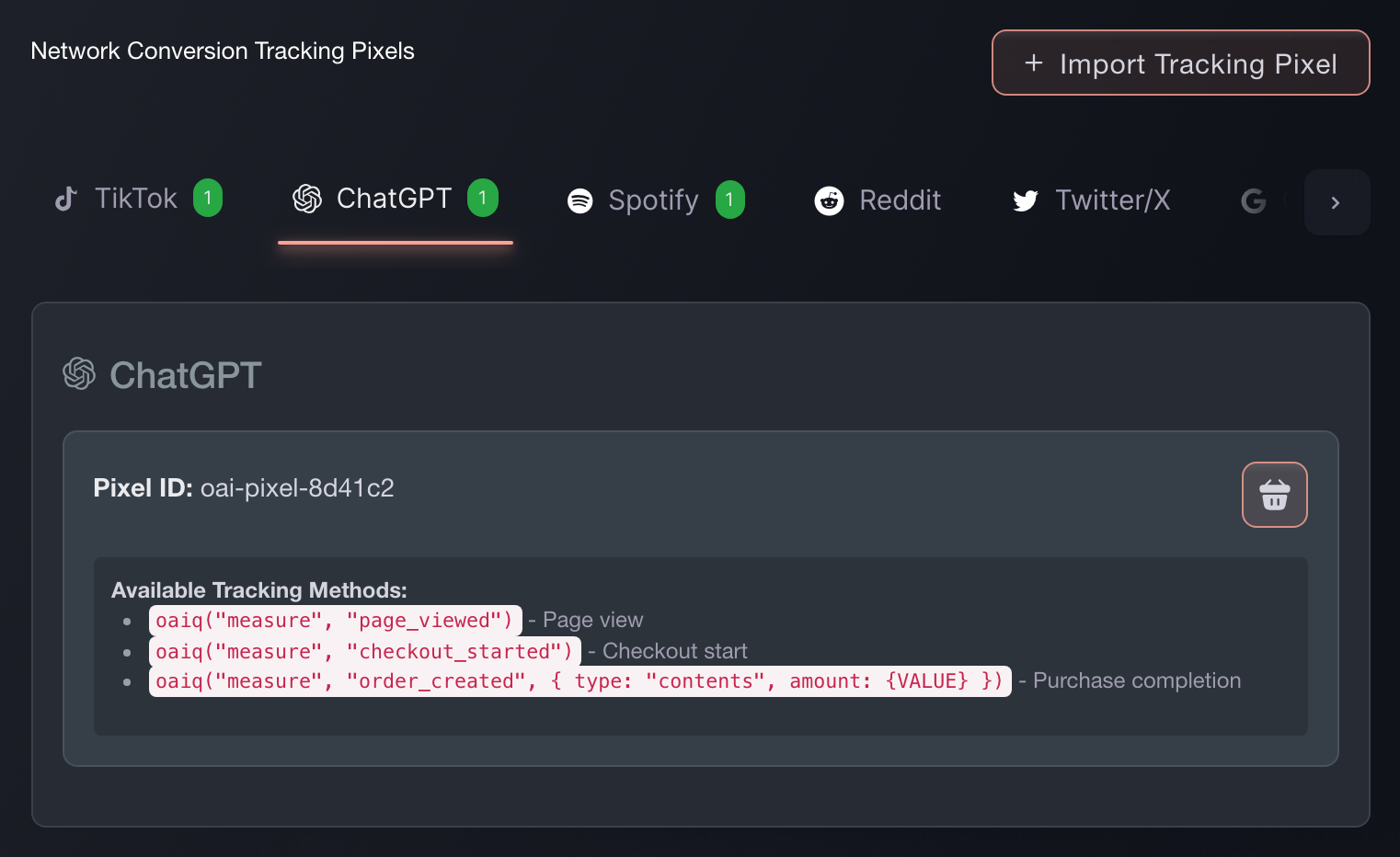
Brand settings, Integrations, Tracking pixels. -
Paste the snippet instead, if that's what you have
(Optional) Import Tracking Pixel takes the snippet exactly as ChatGPT gave it to you, recognises the network, and pulls the ID out. It's the faster route when you have the code in front of you rather than the number.
-
Check a sale reports back
Buy a ticket on your own event, or use a test order. Look for the purchase event in ChatGPT.
If it arrives with the order value on it, the pixel is wired correctly and your campaign reporting will match your ticket sales.

O deja que lo hagan por ti
Fai, the assistant inside your dashboard, can add this pixel for you, and asks you to approve the change before it makes it. You still need the pixel ID from ChatGPT. Your own AI assistant over our MCP server cannot add one: that server has no pixel tool, so this is Fai's work or your own on this screen.
En tu panel, con Fai
Add a ChatGPT tracking pixel to this brand. The ID is <your ChatGPT pixel ID>.
Preguntas que puedes tener
- How do I add a ChatGPT pixel to my event page?
- Open the ChatGPT tab in Network Conversion Tracking Pixels and paste the pixel ID. It then fires on every event page under that brand and through checkout, so you set it up once rather than per event.
- Which ChatGPT events does Ticket Fairy fire?
- Your ChatGPT tag runs the ChatGPT tag when it loads. Ticket Fairy then sends contents_viewed when someone opens your event page, checkout_started when they begin buying, and order_created when the sale completes. That last one carries the order value and currency, so your ChatGPT reporting matches your ticket sales.
- Can I paste the whole ChatGPT snippet instead of finding the ID?
- Yes. Use Import Tracking Pixel and paste the snippet as ChatGPT gave it to you. Ticket Fairy works out which network it belongs to and pulls the ID out.
- Will my ChatGPT pixel fire if buyers check out on my own website?
- Yes. The embedded checkout fires the same events at the same points as the hosted checkout, so ChatGPT attributes a sale on your own site the same way.
Adónde ir después
Hazlo en tu propio evento
Crea tu cuenta, monta tu evento y sigue estos pasos en tu propio panel. Sin llamada de ventas primero.