
Fragen von Veranstaltern
How do you stop a high-demand on-sale from falling over?
A queue that holds the rush before it reaches the checkout, releases that meter it, and a way back to everybody who did not get a ticket.
- Für
- Anyone putting an event on sale that will sell faster than it can be bought
- Dauer
- 6 Minuten
Everybody arrives in the same second, so something has to hold the crowd. The people who get through need a checkout that still takes payments at normal speed. And the people who miss out are the ones most likely to buy your next release, if you can reach them.
You do not have to do anything about the crowd. A waiting room sits in front of Ticket Fairy and turns itself on when arrivals climb, so your buyers see their place in the queue and roughly how long they have to wait. It moves them through in turn. The queue never reaches the checkout, so payments keep going through at the speed they do on an ordinary day.
The third one is yours, and it comes down to spreading the demand out. Sell your tickets in releases and one rush becomes several smaller ones. Invite your own list or open pre-registration, then let those people buy first, and you sell part of the event before the public on-sale. Anyone who arrives after the last ticket has gone can join your waiting list, which gives you somebody to write to when you add a release.
Wie Ticket Fairy das löst
-
A waiting room in front of the checkout
It sits in front of Ticket Fairy rather than inside it, and it turns itself on when arrivals climb. You don't switch it on before an on-sale, and nothing you change on your event turns it off.
-
Releases that break the rush up
Each release is its own batch, at its own price, opening at its own moment. Sell in tiers and one crowd becomes several smaller ones, and the people who miss the first release have something to come back for.
-
Invitations before the public on-sale
Sell part of the event early: invite your own list, or take pre-registrations and let those people in first. Every ticket you sell before the on-sale is one fewer person in the queue on the day.
-
A waiting list, and a way back to it
People who arrive after the tickets have gone can join your waiting list. Write to them when you add a release, or when tickets come back through resale.
So richten Sie es ein
Was Sie brauchen, bevor Sie anfangen
- You're an owner or an admin on the event.
- You know your on-sale time, and roughly how many people will be waiting for it. Those two decide how many releases are worth setting up.
-
Schedule your on-sale rather than publishing by hand
Set the date and time your event goes live and let it publish itself. Publish by hand and the on-sale starts when somebody presses the button, so the minute you announced needs a person at a desk.
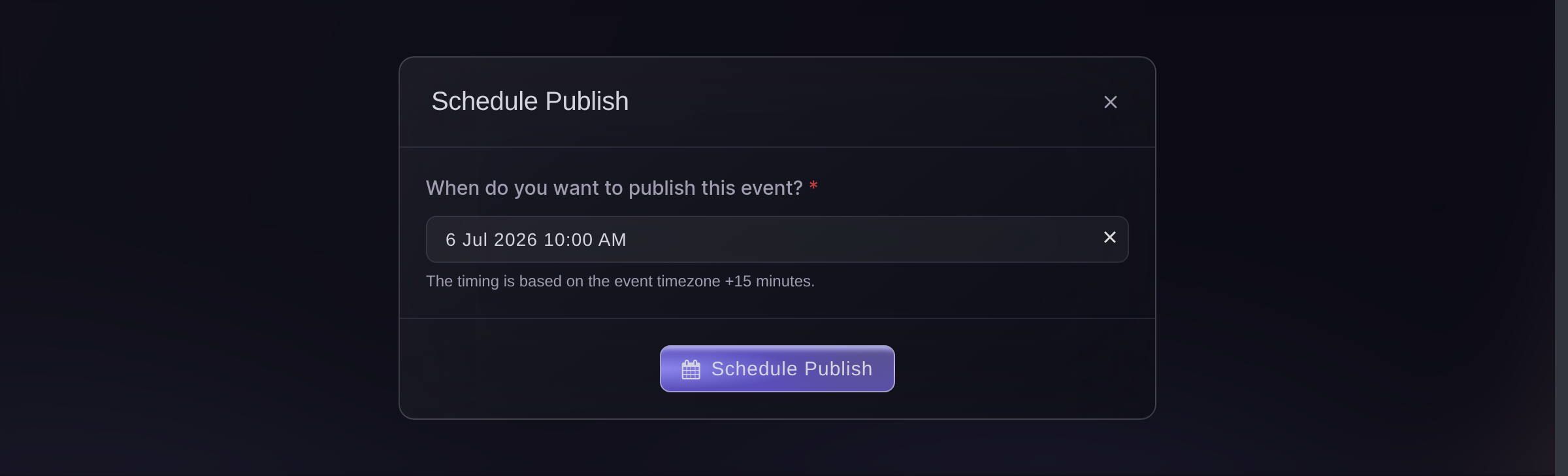
Publish, Payment/Support, Schedule Publish. -
Split your tickets into releases
Give each release its own allocation and its own moment. Set the later ones to appear when the one before sells out or at a set time, whichever comes first.
Two releases turn one rush into two smaller ones. They also give the people who missed the first one something to come back for instead of a sold-out page.
-
Move part of the crowd earlier
Send invitations to your own list, or open pre-registration. The people most likely to buy are then not queuing with everybody else on the day.
-
Tell people what to expect
Say in your announcement that there is a queue, that it shows their place, and that refreshing will not move them up it. Buyers who were not told about a queue often decide the site has broken.
-
Come back to the people who missed out
After the on-sale, write to your waiting list and to anyone who left a basket behind. One group asked to hear when tickets come back and the other got as far as the checkout, so both are the easiest people to sell your next release to.

Fragen, die Sie haben könnten
- Is there a queue for a busy on-sale?
- Yes. A waiting room sits in front of the platform and turns itself on when arrivals climb. Your buyers see their place and roughly how long they have to wait, and it moves them through in turn.
- Do I have to turn the waiting room on?
- No. It is in front of every on-sale and only comes on when the traffic needs it, so there is nothing to switch on and nothing to forget.
- Why do checkouts time out on other on-sales?
- Because the crowd lands on the same machines that are taking the payments. Holding the queue in front of them leaves the checkout doing only checkout work.
- Does refreshing the page move somebody up the queue?
- No. Say so in your announcement, because a buyer who refreshes and does not move can read that as a broken site rather than a queue.
- What happens to the people who do not get a ticket?
- They can join your waiting list. Write to them when you add a release, or when tickets come back through resale.
Wie es weitergeht
Machen Sie das bei Ihrer eigenen Veranstaltung
Erstellen Sie Ihr Konto, legen Sie Ihre Veranstaltung an und folgen Sie diesen Schritten in Ihrem eigenen Dashboard. Ohne vorheriges Verkaufsgespräch.