
Tapahtumasi mainostaminen
Set up Google Analytics to see the ticket sales behind your traffic
Put your Google Analytics tag on your Ticket Fairy event pages and checkout, so Google Analytics reports the ticket sales behind your traffic.
- Kenelle
- Anyone measuring event traffic in Google Analytics
- Kestää
- 5 minuuttia
Mitä tarvitset ennen aloitusta
- You're an owner, an admin or on the marketing team for this brand. If you can't open Integrations, ask an owner or an admin to do this part or to give you access.
- You have your Google Analytics measurement ID, or the tracking snippet Google Analytics gave you.
-
Copy your Google Analytics measurement ID
In Google Analytics, open Admin > Data streams and select the stream for your website. Copy the measurement ID at the top, which starts with G-.
It belongs to the website you're measuring, not to an ads account.
-
Add it in your brand settings
Open the Google Analytics tab in Network Conversion Tracking Pixels and paste the pixel ID.
You can add more than one, so an agency running two Google Analytics accounts against the same event can add both.
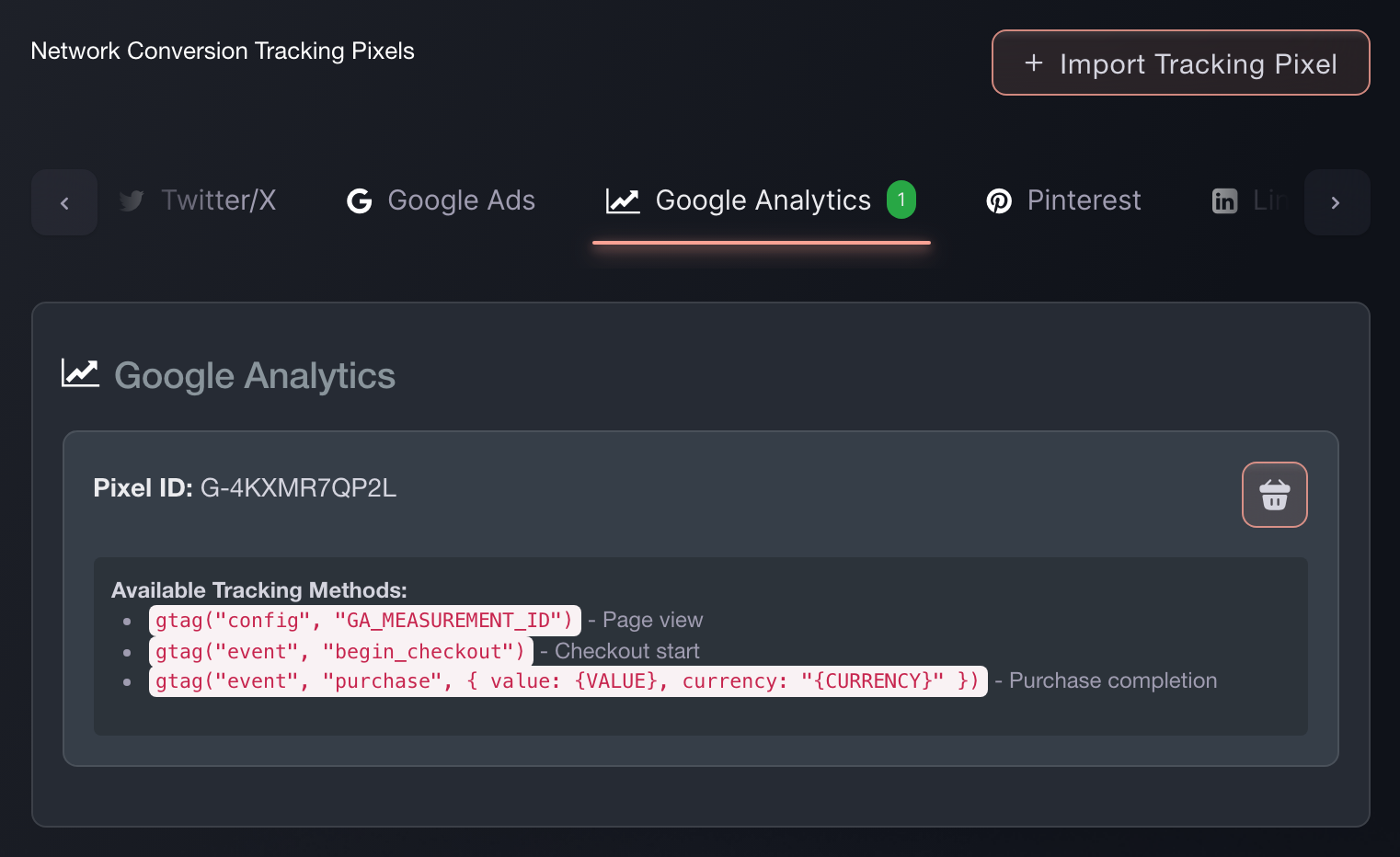
Brand settings, Integrations, Tracking pixels. -
Paste the snippet instead, if that's what you have
(Optional) Import Tracking Pixel takes the snippet exactly as Google Analytics gave it to you, recognises the network, and pulls the ID out. It's the faster route when you have the code in front of you rather than the number.
-
Check a sale reports back
Buy a ticket on your own event, or use a test order. Look for the purchase event in Google Analytics.
If it arrives with the order value on it, the pixel is wired correctly and your campaign reporting will match your ticket sales.

Tai anna sen hoitua puolestasi
Fai, the assistant inside your dashboard, can add this pixel for you, and asks you to approve the change before it makes it. You still need the pixel ID from Google Analytics. Your own AI assistant over our MCP server cannot add one: that server has no pixel tool, so this is Fai's work or your own on this screen.
Hallintapaneelissasi, Fain kanssa
Add a Google Analytics tracking pixel to this brand. The ID is <your Google Analytics pixel ID>.
Kysymyksiä joita sinulla voi olla
- How do I add a Google Analytics pixel to my event page?
- Open the Google Analytics tab in Network Conversion Tracking Pixels and paste the pixel ID. It then fires on every event page under that brand and through checkout, so you set it up once rather than per event.
- Which Google Analytics events does Ticket Fairy fire?
- Your Google Analytics tag runs gtag('config', 'YOUR-ID') when it loads. Ticket Fairy then sends ViewContent when someone opens your event page, InitiateCheckout when they begin buying, and Purchase when the sale completes. That last one carries the order value and currency, so your Google Analytics reporting matches your ticket sales.
- Why does each event arrive twice?
- We send each one under the name above and again under Google Analytics's own standard name for it: view_item, begin_checkout and purchase. The pair is one action, not two orders: the standard name is there so the built-in ecommerce reports recognise the sale, and the first stays stable for anything you have built on it. Mark only the standard name as a key event, because marking both counts the sale twice.
- Can I paste the whole Google Analytics snippet instead of finding the ID?
- Yes. Use Import Tracking Pixel and paste the snippet as Google Analytics gave it to you. Ticket Fairy works out which network it belongs to and pulls the ID out.
- Will my Google Analytics pixel fire if buyers check out on my own website?
- Yes. The embedded checkout fires the same events at the same points as the hosted checkout, so Google Analytics attributes a sale on your own site the same way.
Mihin seuraavaksi
Tee tämä omassa tapahtumassasi
Luo tili, rakenna tapahtumasi ja seuraa näitä vaiheita omassa hallintapaneelissasi. Ilman myyntipuhelua.