
Forstå dine arrangementsrapporter
Understand who buys tickets across your events
Use Customers to see who bought across your brand, which events and tickets they ordered, what they spent and which sales their referrals brought in.
- Til
- Finding repeat customers for your next event
- Tager
- 6 minutter
Din Customers-side
Det skal du have, før du går i gang
- You're an owner or an admin on this brand, or you have a Stats login for it. Customers shows in the menu for the whole team, so if the list won't load for you, ask an owner or an admin to open it or to give you access.
- You have at least one paid, payment-plan or resale order under this brand, or a refund from a cancelled event. Complimentary tickets do not add the recipient to Customers.
-
Customers
Open your brand and go to Customers. Each row shows a customer who placed a paid, payment-plan or resale ticket order, or a refund after an event was cancelled. The list starts with the biggest Revenue Impact first. Above the table, you can see the customer total and search every column.
Compare the two halves of a row. Revenue, Visits and Tickets are what they bought; Referred Revenue, Tickets Referred and Clicks Generated are what they brought you. Hundreds of clicks with no referred tickets means the link is reaching people who are not buying.
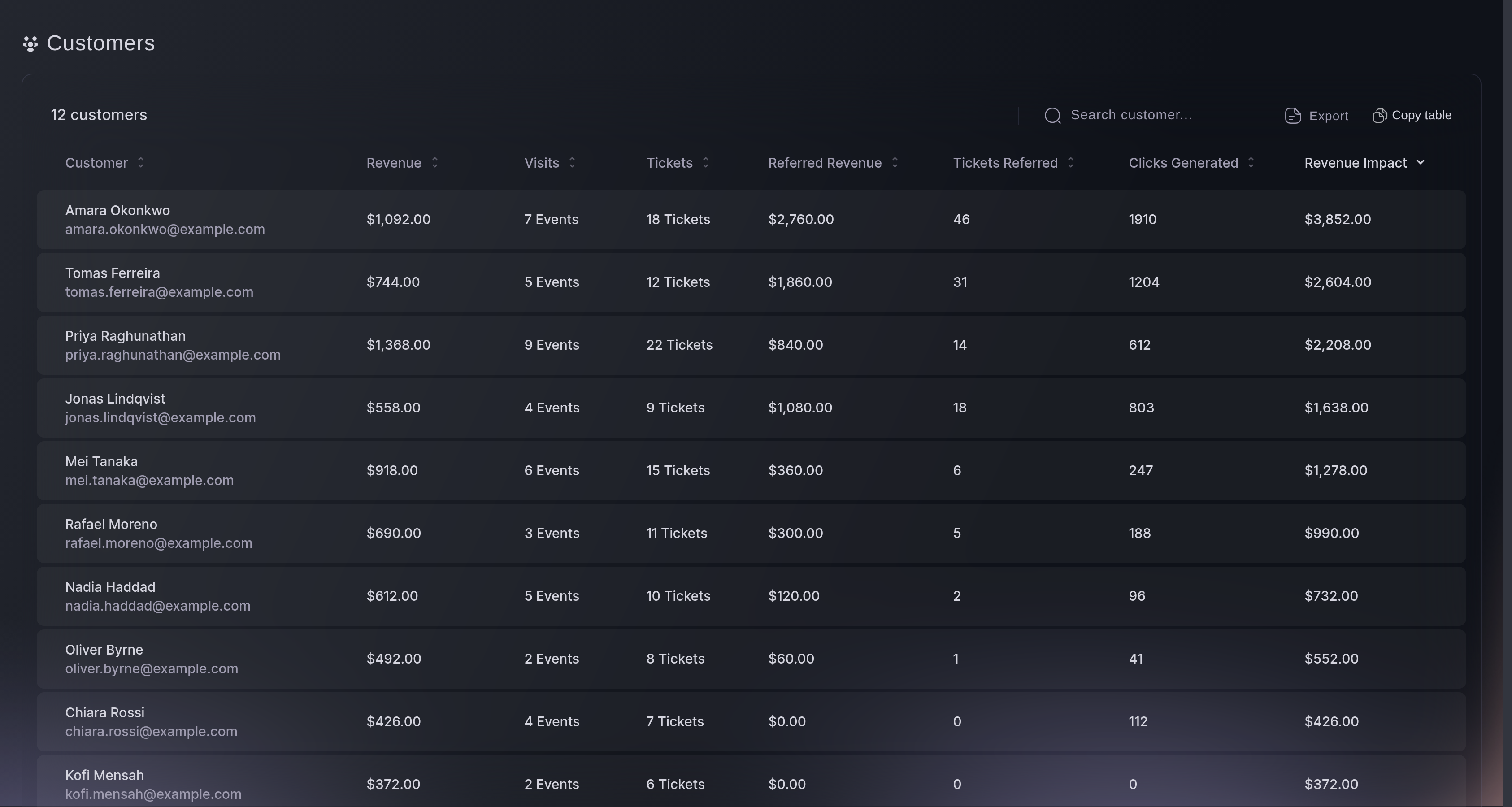
Customers, the list. -
Customer Details
Select any row to open Customer Details, with contact details and social links on the left and Orders on the right. If a customer is already listed because of an earlier qualifying order, Orders can also show a checkout whose card payment is authorised but not yet taken. Customer Details does not include every type of order, so it can show fewer orders than the number of tickets the customer holds. Select an order to see the tickets in it.
The arrows beside the name step through the list in the order you sorted it, so you can work down the largest order totals without closing the window. Net revenue is the order before fees, not what you charged their card.
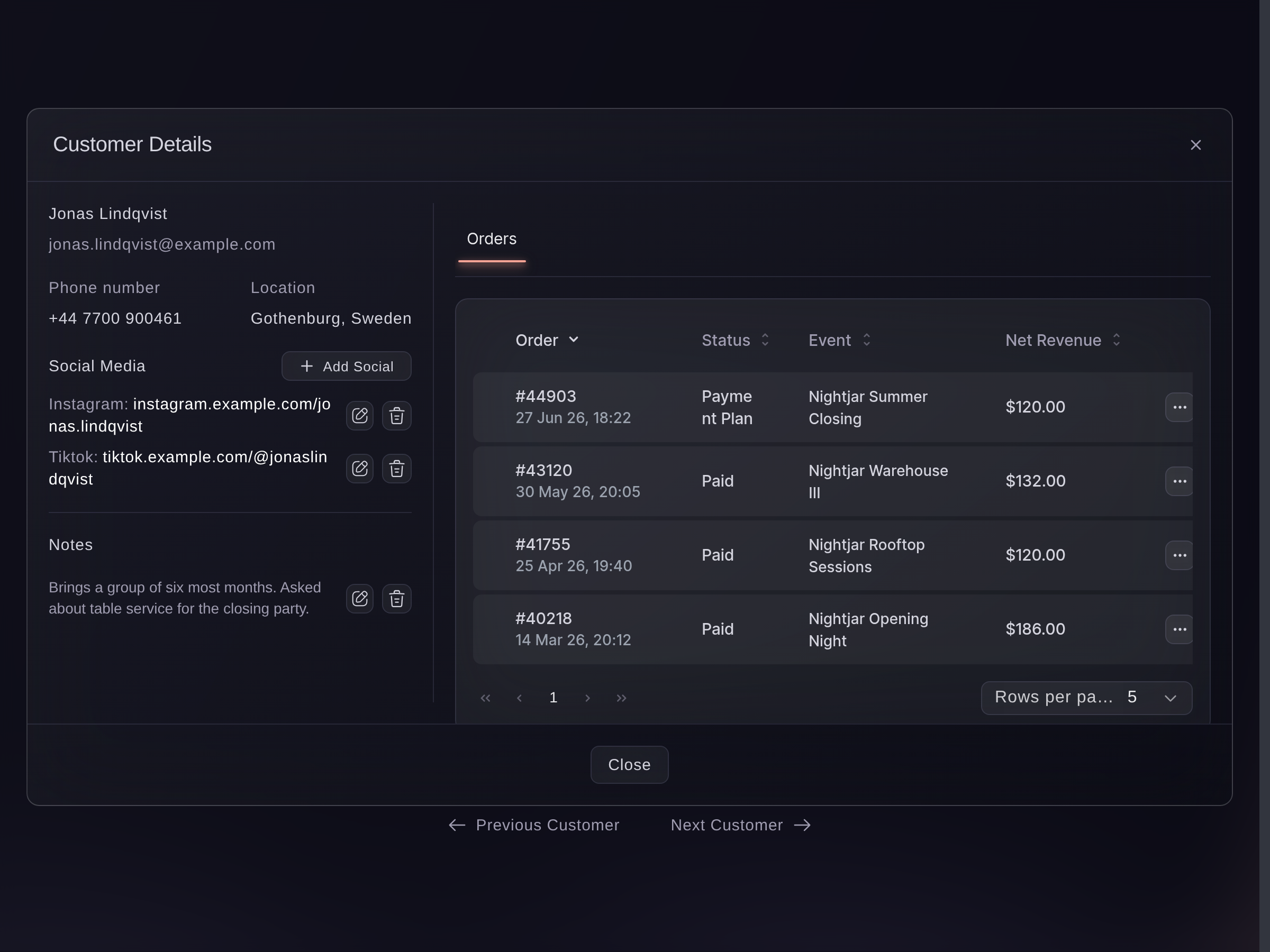
Customers, Customer Details.
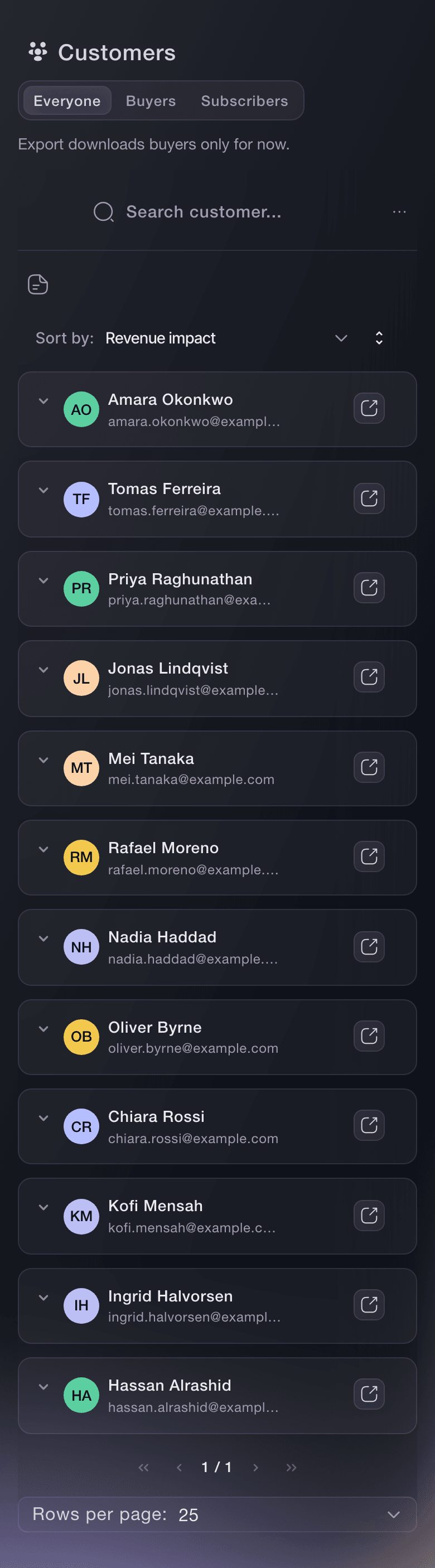

Eller få det gjort for dig
In the dashboard, Fai can rank repeat customers and the customers whose referral links drove the most ticket purchases.
I dit dashboard, med Fai
Show me the customers who have ordered tickets for more than one of my events, then separately show the customers whose referral links drove the most ticket purchases
Fra din terminal
Installér CLI fra vores CLI-side, log ind med ticketfairy auth login, og vælg det brand, du arbejder på, med ticketfairy brand use <BRAND_ID>. ticketfairy brand list og ticketfairy event list viser de ID'er, som de andre kommandoer bruger.
Sign in as an owner, admin or Stats team member, then select the brand with ticketfairy brand use. The command returns customers 50 at a time.
Your customers, fifty at a time
ticketfairy customer list
Spørgsmål du måske har
- Who counts as a customer here?
- A customer appears after placing a paid, payment-plan or resale order; refunded orders remain when the event was cancelled. It is the customer rather than the person on the ticket, so a buyer who ordered five and gave four away is one row with five tickets and the friends are not on this list at all. To find an attendee by name, use the event's own ticket list.
- Does an unpaid order show here?
- A checkout whose card payment is authorised but not yet taken does not put someone on the Customers list by itself. If that person is already listed because of an earlier included order, Customer Details can show that checkout alongside it when the tickets do not require an ID check.
- Which orders are left out?
- The Customers list leaves out complimentary orders, deleted orders and checkouts whose card payments are authorised but not yet taken. Customer Details still leaves out complimentary and deleted orders, but can show one of those current checkouts for someone already listed. A payment plan counts from its first payment rather than its last.
- When does a payment-plan buyer join the list?
- From the first payment. You can start recognising and supporting that buyer while they continue paying the remaining instalments.
- Where do I find someone who received a complimentary ticket?
- Use that event's ticket list. Customers is organised around people who bought, while the ticket list is organised around everyone who can attend.
- Why is my list empty when I have sold tickets?
- Customers builds the list from orders on events under this brand and the brands beneath it. An event that belongs to a different brand shows on that brand's list instead, so check which one you have open. If the event has only issued complimentary tickets, use its ticket list instead.
- What does the Visits column count?
- How many of this brand's events that person has bought a ticket to, shown as 6 Events in the cell. It is not attendance: an unscanned ticket counts the same as one scanned at the door, and a ticket they bought for another person counts for the buyer rather than the attendee.
- What is the difference between Revenue, Referred Revenue and Revenue Impact?
- Revenue is what their own orders came to, and Referred Revenue is the ticket money from sales other people made through that person's referral link. Revenue Impact adds the two together, and the list opens sorted by it. If a customer's purchases and referrals use different currencies, Revenue Impact can mix currencies and is not reliable. Compare Revenue within one currency and the ticket counts instead.
- What does Clicks Generated count?
- Times one of your event pages recorded an arrival through that person's referral link, counted each time rather than once per person. Compare it with Tickets Referred rather than on its own.
- Where do I analyse refunds?
- Use the event's sales and refund reports. Customers is where you compare purchasing and referral value across the brand.
- Why don't these totals match my event reports?
- They cover different parts of your account. Customers brings the brand's events together and counts a payment-plan buyer from the first instalment, while an event report covers that event alone.
- Why does a buyer show 0.00 next to tickets they bought?
- The money columns show one currency at a time. If your events sell in more than one, a currency selector appears at the top right, and a buyer who paid in a different one shows 0.00 until you switch to theirs.
- What does Export include?
- Names, email addresses, the money columns in your selected currency, how many of your events they bought from, tickets bought, the referral figures, city, country and the two opt-in columns. A phone number is included only for buyers who agreed to receive texts from you, and everybody else gets a dash. Search and sort the list before you select Export to make the file easy to work with.
- Is the export file safe to email around?
- It contains buyer contact details. Store and share it as personal data; after download, the dashboard cannot recall or revoke the file.
- Who on my team can open Customers?
- Owners, admins and Stats logins can open Customers. Ask someone with one of those roles if you need figures from Customers.
- Can I sort and search the whole list?
- You can search by event, name, email, phone and ticket, and sort by name, email, events, tickets, referred tickets, impressions and any of the three revenue columns, both across the whole list rather than the ten rows in front of you. A city or country is neither searchable nor sortable. You can check those after you find the row.
Hvor du går hen herfra
Gør det på dit eget arrangement
Opret din konto, byg dit arrangement, og følg trinnene i dit eget dashboard. Du behøver ikke booke et salgsmøde.