Why Mobile Ordering is a Game Changer for Festivals
Shorter Queues, Happier Guests
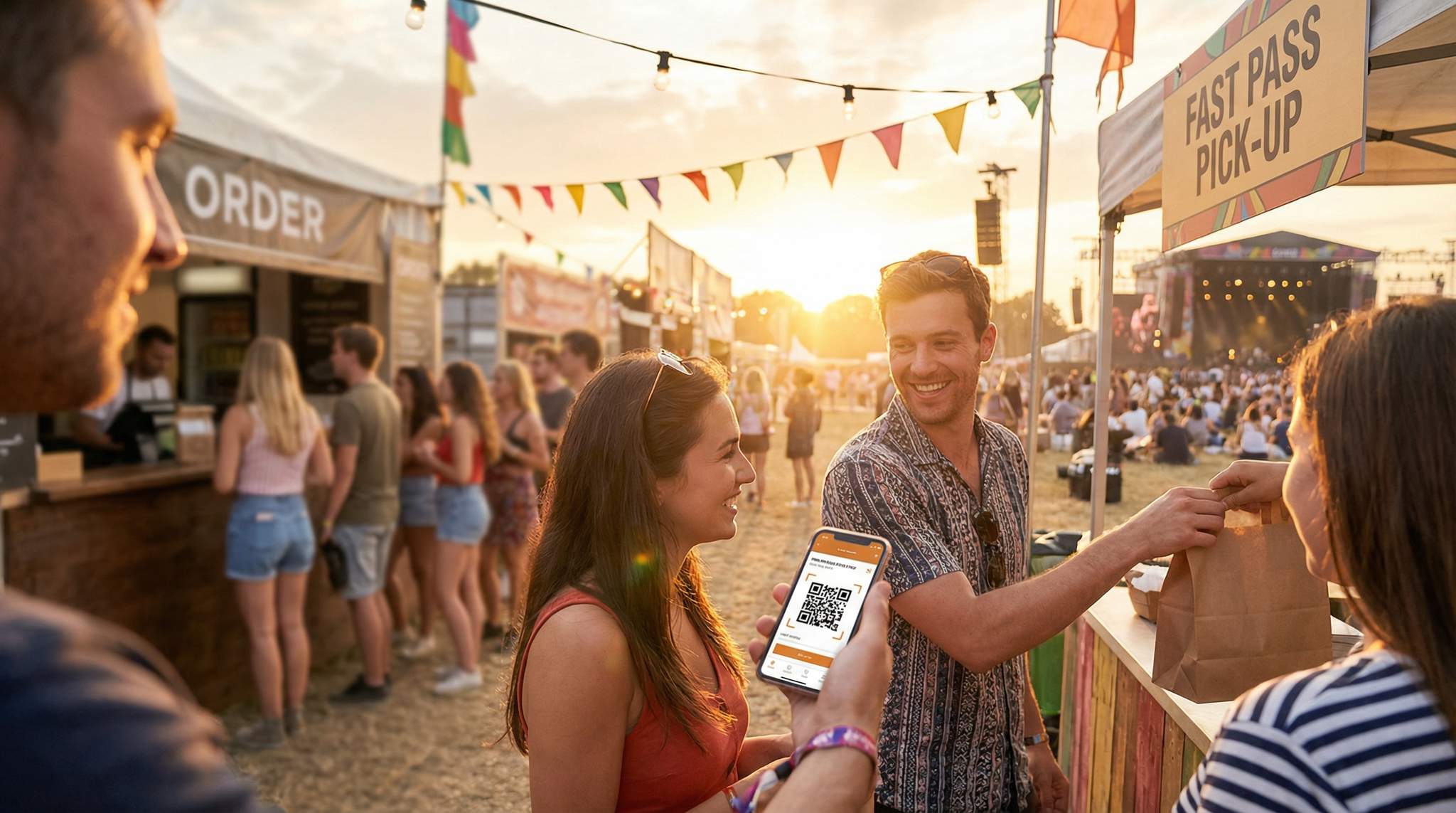
Nobody attends a festival hoping to spend half the time standing in line for a burger or beer. Long queues at food and beverage stalls are a top reason attendees avoid making purchases at events. Mobile ordering and pick-up systems directly tackle this pain point by allowing fans to order remotely from their phones and simply collect when ready. The result? Dramatically shorter wait times and a smoother experience. Studies show that up to 73% of customers prefer mobile ordering specifically because it cuts down waiting – they’d much rather tap an app than stand in a 30-minute queue. And when lines move faster, it’s not just the buyers who are happier; everyone enjoys a less congested, more relaxed festival atmosphere overall.
Higher Spending and Revenue Boost
Convenience isn’t just a nicety – it’s profitable. When ordering food or drinks becomes easier, attendees tend to buy more. Freed from the friction of long lines or the fear of missing a performance, people are more inclined to place that extra order of fries or try a second craft beer. In fact, event organisers who’ve implemented mobile pre-order systems have reported 20% or more increase in revenue per customer. One reason is psychological: without a queue of impatient people behind them, attendees take their time to browse and often upsize their orders (extra toppings, combo deals, dessert on a whim). Additionally, a 2023 industry study found 60% of fans would spend more if they never had to stand in line. By cutting queues, festivals open the door to higher per-capita spending – a boost for vendors and the event’s bottom line.
This revenue uplift isn’t limited to traditional outdoor festivals. We are increasingly seeing indoor venues and record stores adopting these systems. When looking at best practices for music retailers expanding into food sales or live music venues adding robust culinary programs, mobile ordering is a critical bridge. It allows music-first operators to introduce food offerings without requiring a massive overhaul of their existing floor plan or hiring extensive waitstaff. By implementing a simple QR-code ordering system at listening stations or viewing areas, music retailers can seamlessly capture secondary spend while keeping the primary focus on the music.
Adapting to Modern Attendee Expectations
Today’s festival-goers – especially younger crowds – have grown up with smartphones and on-demand apps. They expect a seamless digital experience. The pandemic has further accelerated demand for contactless service. Mobile order-and-pay solutions meet these expectations by offering a safe, touch-free way to get food and drinks. At major events like Coachella, for example, attendees can use an official app to order from food stalls across the grounds without physical contact. Not only does this promote hygiene and safety, it aligns with the “instant gratification” culture of modern consumers. Festivals that embrace tech innovations signal to fans that they’re forward-thinking and attentive to guest comfort. On the flip side, events that stick to only old-school queues may start to feel outdated. Embracing mobile ordering keeps a festival competitive and relevant in a tech-driven world.
Go Cashless With RFID Technology
Enable contactless payments, faster entry, and real-time spending analytics with RFID wristbands and NFC-enabled ticketing for your events.
Safety, Accessibility, and Crowd Flow
Mobile ordering doesn’t just save time – it can make the venue safer and more accessible. By reducing crowding at concession stands, you minimize cross-traffic congestion, lowering the risk of accidents or tension in tightly packed areas. People aren’t jostling in dense lines, which means safer walkways and fewer trip hazards. It also aids accessibility: attendees with mobility challenges or those who struggle with long periods on their feet benefit immensely from order-ahead services. They can wait comfortably at a picnic table or viewing area until notified that their order is ready, rather than pushing through a crowd. Overall, shifting ordering to mobile creates a more inclusive environment, where every guest – not just the tech-savvy – experiences shorter waits and less stress. (Of course, festivals should still provide friendly alternatives for those without smartphones – more on that in the risk management section.)
When organizers evaluate how to reduce queues at festivals, the conversation usually centers on food and beverage speed, but the operational benefits extend deeply into overall crowd dynamics. By dispersing attendees who would otherwise be standing in static lines, promoters free up critical thoroughfares. This proactive approach to queue management prevents bottlenecking near high-traffic areas like restrooms, merchandise tents, and stage entrances, ultimately creating a much smoother and safer site flow.
Planning a Festival?
Ticket Fairy's festival ticketing platform handles multi-day passes, RFID wristbands, and complex festival operations.
Beyond just food and beverage, implementing a comprehensive music festival queue system can transform how attendees interact with every touchpoint on site. Modern queue management software allows organizers to create virtual lines for merchandise tents, VIP experiential activations, and even high-demand restroom facilities. By integrating these virtual queues with your mobile F&B ordering app, you create a unified digital ecosystem where fans spend their time enjoying the music rather than standing in physical lines, drastically reducing crowd density in high-traffic corridors.
Choosing the Right Mobile Ordering Platform
Key Features to Look For
Selecting an app or platform for mobile ordering is a critical decision. Festival organisers should start by listing out the features that are non-negotiable for their event. Real-time menu updates, for instance, are essential – vendors need to mark items as sold out or add a special of the day. Order status notifications (like text or app alerts when an order is ready) are equally important to prevent throngs of people waiting around the pick-up point. A good platform should also handle cashless payments securely, ideally supporting credit/debit cards, mobile wallets, and even festival RFID/NFC wristbands if you use them. Another key feature is analytics and reporting – knowing what sells when can help you and your vendors optimise inventory and staffing in real time. Finally, offline functionality or queue caching can be a lifesaver if connectivity on site is spotty (the system might take orders even if temporarily offline and sync them when back online).
When evaluating these features, throughput speed should be your ultimate metric. The fastest mobile ordering system for events isn’t just about how quickly the app loads on a fan’s phone; it’s about the entire transaction lifecycle. High-speed platforms minimize the number of taps required to complete a purchase, utilize one-click digital wallet payments (like Apple Pay or Google Pay), and instantly transmit tickets to kitchen display screens with zero latency. For high-volume mega-festivals, shaving just ten seconds off the average order process can translate to thousands of additional transactions per hour, drastically reducing kitchen bottlenecks and maximizing your peak-period revenue.
White-Label vs Third-Party Solutions
When it comes to implementing mobile ordering, organisers have two main routes: use a third-party app or build it into a white-label festival app. Third-party event ordering platforms (like specialist festival food-order apps) offer a ready-made solution you can deploy quickly. For example, in the UK, platforms such as NOQ and Butlr were built with festivals in mind – NOQ allows attendees to scan a QR code with no app download required, and Butlr’s queue-busting system even provides vendors with tablets and printers to manage incoming orders. These solutions come with the benefit of prior testing at other events and often a support team to help during your festival. On the other hand, some large festivals integrate ordering into their own branded apps. A custom or white-label solution can offer a more seamless brand experience (fans use the official festival app for schedules, maps and food ordering in one place). It can also give you more control over data and features. However, building your own app or customizing one can be time-consuming and costly – and you’ll need significant adoption to justify it. A middle-ground some events use is a web-based ordering system: attendees just visit a mobile web page (or scan a QR code) to access the menu and order, which avoids any app store downloads while still being branded for the event. The best choice depends on your festival’s size, budget, and tech-savvy level of your audience.
Boost Revenue With Smart Upsells
Sell merchandise, VIP upgrades, parking passes, and add-ons during checkout and via post-purchase emails. Increase average order value by up to 220%.
For organizers specifically focused on culinary events, investing in dedicated food fairs software can offer distinct advantages over generic event apps. These specialized platforms are built from the ground up to handle complex vendor matrices, diverse menu categorizations, and high-volume, multi-stall ticketing. When evaluating software for a food fair, look for features like allergen filtering, integrated health permit tracking for vendors, and dynamic map routing that guides attendees on a logical tasting journey. By utilizing purpose-built food fair management tools, promoters can streamline both the back-of-house vendor logistics and the front-of-house attendee tasting experience.
Integration with Ticketing and Payments
Whichever platform you choose, ensure it plays nicely with your existing systems. Ideally, the mobile ordering system should integrate with your ticketing or festival management app. For example, if your ticketing provider (such as Ticket Fairy) offers an API or in-app addon, you could tie food ordering into the same festival app used for tickets – so attendees don’t have to juggle multiple apps. Integration with payment systems is crucial as well. Check if the platform supports your preferred payment gateway or if it can use the cashless payment tech you already have on-site (like RFID wristband credits or festival “tokens”). Some festivals run entirely cashless by loading value onto wristbands; in such cases, your mobile order app should be able to deduct from those balances or at least work in parallel without confusing users. It’s also worth looking at Point-of-Sale (POS) integration: does the vendor’s POS automatically get the mobile orders, or will staff need a separate device? The smoother the integration, the less chance for errors or delays. Finally, make sure the platform complies with PCI DSS and local data protection laws so that transactions and personal data are secure – a breach or payment meltdown is the last thing you want in the middle of an event.
Need Festival Funding?
Get the capital you need to book headliners, secure venues, and scale your festival production.
For multi-day destination events, F&B ordering shouldn’t exist in a vacuum. A comprehensive mobile app development plan for a campsite booking and management system often incorporates food and beverage ordering as a core module alongside other essential features. When mapping out this development plan, organizers should ensure the architecture supports seamless search and booking, mobile check-in, digital keys for glamping units, push notifications for stage times, and a unified loyalty program. Allowing attendees to purchase day passes, book their campsite, and pre-order their weekend meals within a single, unified ecosystem dramatically reduces friction and maximizes per-head revenue across the entire event lifecycle.
When evaluating your overarching tech stack, partnering with a leading music and food festival ticketing platform can eliminate the need for disjointed third-party apps. The most effective food festival ticketing platforms natively combine admission, VIP upgrades, and mobile F&B ordering into a single attendee wallet. For hybrid events that blend headline musical acts with massive culinary villages, this unified approach means promoters can track a guest’s entire spending journey—from the moment they buy an entry pass to their final late-night food order—yielding invaluable data for future event planning and vendor curation.
For organizers curating specialized culinary events, deploying a purpose-built food festival ticketing solution is often the most effective route. Unlike generic event registration software, a dedicated culinary ticketing system handles the nuances of multi-vendor revenue splits, tasting token redemptions, and VIP pairing sessions. By centralizing these features, promoters can offer a frictionless guest experience where a single QR code serves as both the entry ticket and the digital wallet for mobile food orders.
When scaling these culinary experiences, deploying specialized event ticketing for food courts becomes essential. Unlike standard admission platforms, a dedicated food court ticketing system allows organizers to centralize payments across dozens of independent vendors, manage complex revenue-sharing agreements, and issue digital tasting tokens. By unifying the point-of-sale and mobile ordering infrastructure, promoters can eliminate cash handling entirely, speed up vendor service times, and gain granular insights into which stalls are driving the highest per-head spending.
Cost, Fees and ROI Considerations
Mobile ordering platforms have various pricing models – some charge a flat setup fee or monthly subscription, others take a small commission per transaction. When evaluating options, take into account how many orders you expect. A per-transaction fee can be cost-effective for small events but might add up for a massive festival processing tens of thousands of orders. Conversely, a fixed license fee might make sense for a big festival but be overkill for a one-day food fair. Also, clarify who pays any service fees – are they absorbed by the organiser, the vendor, or passed to the customer as a small convenience fee? Many events choose to subsidise or split fees so that customers aren’t deterred by extra charges. In terms of ROI, consider the potential increase in sales. If lines are shorter and ordering is easier, more attendees will make purchases – boosting your overall food & beverage revenue. You might create a simple projected ROI table (like the one below) to inform your decision:
| Scenario | Avg Spend per Attendee | Total F&B Sales (10,000 attendees) |
|---|---|---|
| Traditional ordering (no app) | $25 | $250,000 |
| With mobile order & pick-up | $30 (+20%) | $300,000 |
In the example above, a 20% higher spend per head yields an extra $50,000 in revenue for a 10k-person event. Even after accounting for platform fees or staffing the pick-up zones, the uplift in sales and customer satisfaction makes a compelling case. The bottom line: choose a solution that fits your scale and budget, but don’t underestimate the pay-off of happier, higher-spending attendees.
Building the Technology Infrastructure
Connectivity and Bandwidth Planning
A mobile ordering system is only as good as the network that connects it. Stable internet connectivity across your venue is crucial – both for attendees using the ordering app and for vendors receiving orders. Start by evaluating your venue’s cell coverage and Wi-Fi. Large greenfield festival sites (like farms or parks) might require temporary cell towers (COWs – “Cells on Wheels”) or a dedicated Wi-Fi mesh, often provided by event IT specialists. Aim to provide public Wi-Fi hotspots in concession areas specifically, so that even attendees with poor cell service can place orders. Work with your tech team to estimate bandwidth: each order is small data, but thousands of users simultaneously during a dinner rush can strain a network. Plan for peak concurrent users and have backup connectivity, such as a secondary internet line or mobile hotspots, in case the main network has issues. Prioritise traffic for payment and order data over less critical traffic to ensure orders go through quickly. Essentially, treat your food ordering like mission-critical infrastructure – because when it crashes, hungry festival-goers won’t be forgiving!
Hardware and Devices for Order Management
On the vendor side, you’ll need to equip stalls to handle incoming mobile orders. At minimum, each vendor should have a dedicated device – usually a tablet or smartphone – that runs the order management app (or a web dashboard). Ensure these devices are weather-protected (waterproof cases for rainy UK festivals, sun-shades for tablets in an outdoor California rave) and have a reliable power source. Nothing kills the system faster than a tablet dying due to battery loss, so set up charging stations or provide power banks at each booth. Many vendors also opt for a small thermal printer to print order tickets or labels as orders come in – this helps the kitchen staff prep the right items for the right customer. If your platform supports it, consider a kitchen display screen instead, which can show a queue of orders digitally. The hardware setup can be as simple or advanced as budget allows: for a small food fair, one tablet per vendor might suffice. For a large music festival with dozens of vendors, you might invest in multi-device setups (one in the kitchen, one at the pickup counter) and possibly even large digital screens at pickup zones displaying order numbers that are ready. Make a checklist of equipment for each vendor well ahead of time and possibly keep spares (extra tablets, chargers, paper rolls) on site.
For mobile vendors operating within a larger event footprint, deploying a dedicated food truck ticket system is highly recommended. Unlike traditional cash registers, these specialized setups instantly convert digital app purchases into physical or digital prep chits for the kitchen line. When attendees pre-purchase a ticket for food via the festival app, the system automatically routes that order to the specific truck’s display screen or thermal printer. This eliminates the need for fans to carry physical food tickets or tokens, while giving truck operators a streamlined, chronological queue of orders that prevents the kitchen from becoming overwhelmed during peak meal rushes.
POS and Inventory Integration
To really streamline operations, integrate the mobile ordering with vendors’ existing Point-of-Sale systems. Many modern POS have modules or APIs for online orders – check if your chosen platform can feed orders directly into the same interface the vendor uses for walk-up sales. This prevents staff from having to monitor two separate systems, reducing errors like missing an order. Integration can also automatically deduct inventory so you don’t sell 100 tacos on the app when only 50 were prepped. If a full integration isn’t possible, establish a workflow where staff swiftly transcribe mobile orders into their POS or at least into the kitchen’s order queue. Also ensure pricing and menu items match exactly between the app and on-site menus to avoid confusion (someone shouldn’t see $10 on the app but $9 at the stall). Inventory coordination is key: if a vendor runs out of an item, the app menu should update immediately to prevent orders for it. Assign someone (maybe a roaming “vendor tech support” staffer) to assist vendors with quick menu updates during the event. The more in-sync your systems, the smoother the whole process will run for both staff and customers.
Security and Reliability Measures
Reliability and security are paramount when you’re handling thousands of real-time transactions in a field of festival-goers. Work with your platform provider to perform load testing in advance – you need to know the system can handle the volume (orders per minute) expected at peak meal times. Also inquire about uptime guarantees or any offline mode: for example, can the app still take orders if connectivity blips, queuing them until reconnection? Put a support plan in place with the provider – a hotline or on-site technician presence – so any critical issues get immediate attention. On the security side, ensure all transactions are encrypted and that no sensitive payment info is stored insecurely. Use secure networks for vendor devices (you might put vendor tablets on a separate closed Wi-Fi network from public Wi-Fi, to prioritize their traffic and protect data). Regularly update all devices and apps to the latest versions before the festival to patch vulnerabilities. Finally, consider data privacy: you may be collecting emails or phone numbers through the app for order confirmations – handle this data in compliance with GDPR or relevant laws, and include a privacy notice in the app or website so attendees know their data is respected.
Setting Up Efficient Pick-Up Zones
Optimal Pick-Up Zone Locations
Designing the physical layout for order pickup is just as important as the digital ordering flow. You want pick-up zones that are convenient but don’t create new crowding problems. One model is to have each vendor handle their own pick-ups at their stall via a separate window or counter. For instance, a food truck could take walk-up orders at the front window but dedicate a side window exclusively for app order pick-ups. Another model, often used in large festivals, is to establish centralised pick-up tents or counters grouped by food type or vendor cluster. For example, five vendors in a food court might all send their completed orders to a single tent staffed by runners who hand out orders to customers (this requires coordination, but can massively streamline congested areas). Whichever approach, choose locations that have ample space for a queue to form and for people to wait off to the side. Pick-up areas should ideally be a short distance from the vendor kitchens but slightly removed from main foot traffic thoroughfares to avoid blocking passerby flow. Map out these spots during your site planning – many experienced festival site managers even create a to-scale map plotting where lines will form, ensuring they don’t intersect with other attractions or exits.
Layout and Signage for Clarity
Clarity is king when it comes to pickup zones. The last thing you want is confusion about where to go – that can lead to the very crowding and delays you’re trying to eliminate. Use large, visible signage that is consistent across the festival. If you have multiple pickup points, give them distinct names or colour codes (e.g., “Zone A – App Pick-Up (A-M)” for vendors/food items starting with A-M, etc., or “Red Tent Pick-Up” with a red flag/banner visibly marking it). At individual vendor booths doing their own pick-up, signs should clearly separate “Order Here” vs “Pick-Up Here.” Many festivals use physical barriers like tensator stanchions or fencing to delineate separate lines – one for walk-ups and one for app pick-ups. Within the pick-up area, have a simple system to identify orders: common methods include order number displays, LED screens or whiteboards listing ready order numbers, or staff with a loudspeaker calling out names/numbers. The signage should also include an estimated waiting time (“Approx. 5-10 minutes wait once you get here”) if possible, to set expectations. Consider multi-lingual signage if you have an international audience. And don’t forget digital signage: your app can show a map or list of pick-up zone locations, and you might push notifications like “Head to the Blue Tent near Stage 2 for your food pick-up”.
Workflow: From Order Placement to Retrieval
Establish a tight workflow so that every order moves smoothly from customer submission to hand-off. Here’s a typical order lifecycle:
1. Order Placed – Attendee browses the menu, selects items, pays in the app. They receive an order number (and perhaps an initial estimate, like “Ready in ~15 minutes”).
2. Vendor Preparation – The order pops up on the vendor’s device or printer. Staff confirm it and start preparing. In the app, consider showing a status like “Being prepared” so the customer knows it’s in progress.
3. Order Ready Notification – Once the kitchen finishes the order, they mark it ready in the system. The customer instantly gets a push notification or SMS: “Your order #1234 is ready for pick-up at [Zone Name].” They might also receive specifics like which counter or a QR code to present.
4. Pick-Up Verification – At the pick-up counter, staff (or volunteers) verify the order. This could be as simple as asking for the order number or scanning the QR code on the attendee’s phone. Make sure the staff have a quick way to retrieve what each order is (e.g., orders sorted on a shelf or a warming oven labeled by number).
5. Hand-Off and Feedback – The order is handed to the attendee – ideally in a separate area away from new incoming pickups to keep flow one-directional. Some festivals ask the attendee to tap “Order Received” in the app, or the staff marks it picked up in the system, which helps track fulfillment times. This is also a chance to prompt a quick feedback (“How was your experience?”) or encourage them to order again later.
Training everyone on this workflow is key (more on training in the next section). The goal is one-way traffic: customers move from ordering to a waiting area to picking up and then leave the pickup zone, without mingling back into the queue forming.
Scaling Up for Large Crowds
At a small 1,000-person community festival, one pickup counter per vendor might be plenty. But at a mega-festival with 50,000 attendees, you’ll need to scale up. This could mean multiple pickup counters for a single popular vendor or splitting the fulfillment by alphabet or order number ranges. Big festivals like Coachella or Glastonbury sometimes have dozens of food vendors – not all will have their own separate pickup booth, so cluster solutions matter. Consider assigning additional staff or even volunteer “runners” to help deliver orders from vendor kitchens to a common pick-up point. For example, a large Indian street food festival in Singapore noticed their busiest stall was causing a crowd, so they had runners ferry finished dishes to a side pick-up tent, keeping the main stall front clear, a strategy often seen in queue design at festival food stalls. Another tactic for scale is leveraging technology: some events set up text message queues (the attendee texts “HERE” when they arrive at the pickup zone to avoid preparing orders too early), or use LED boards that can show dozens of order numbers at once when ready. The larger the crowd, the more you should test throughput: how many orders can each pickup point handle per minute? Balance your resources to avoid bottle-necks; sometimes having a few well-staffed centralized pickup zones works better than too many under-staffed points.
Training Vendors and Staff for Mobile Orders
Vendor Onboarding and Menu Setup
A fancy ordering app is useless if vendors don’t use it correctly. Onboard your food and beverage vendors early. As soon as you’ve chosen the platform, get each vendor signed up and trained on how to upload their menu, set prices, and indicate when items are unavailable. It’s wise to hold a vendor orientation meeting (virtually or in person) a month or two before the festival. During onboarding, clarify the service workflow: for example, instruct vendors whether they should prepare orders as they come in or if there’s an ability to throttle incoming orders when they’re swamped (some apps let them pause new orders briefly). Emphasise the benefits to vendors: they will likely see more orders and higher spend if they embrace this, and possibly even get data on their top-selling items. Share any success stories from past vendors (“Vendor X sold 30% more by using pre-orders during off-peak times” etc.) to get them motivated. Make sure menus are locked and loaded well before the festival, and do a content check – are the item names clear? Photos uploaded if the app supports images? The smoother the menu experience, the fewer questions and delays later.
Staff Roles and Responsibilities
You will need to assign dedicated staff both at vendor booths and at the festival operations level to manage the mobile ordering service. Each vendor should designate at least one team member for handling app orders – this person monitors the device for new orders and ensures the kitchen prioritises them appropriately (either in a separate queue or alongside walk-up orders). For busy vendors, they might even split roles: some staff focus only on app orders, while others handle the walk-up line, especially during peak rushes. At the festival management level, consider having a Mobile Order Manager or a small team in charge of overseeing the whole system. Their job is to coordinate between vendors, tech support, and customer service. For example, if a vendor falls behind on orders, the mobile order manager can temporarily throttle that vendor’s in-app orders or push a message out to buyers (“Orders at Taco Tent are slightly delayed”). This team also keeps an eye on the overall dashboard – e.g., seeing if certain pick-up zones are getting slammed with wait times and reallocating resources if needed. Don’t forget runners if using centralized pickup: train a crew of runner staff or volunteers to swiftly move items from vendor stalls to pick-up counters in those models. By clearly defining who is responsible for each part of the process, you avoid confusion on the ground when thousands of orders start flying in.
Running Tests and Simulations
Before the big day, simulate the mobile ordering process in a low-stakes environment. This could be as simple as an all-staff rehearsal where team members act as festival-goers placing orders on their phones, or a “friends & family” soft launch at a smaller event. If your festival is part of a larger series or you have smaller lead-up events, try rolling out the app there first. Simulations help you identify bottlenecks: maybe the Wi-Fi in the vendor zone is patchy, or vendors find the order notification sound is not loud enough on the tablet. By doing a trial run, staff also get hands-on practice – the first real orders that come in on festival day won’t be the first they’ve ever seen. Encourage vendors to practice a few scenarios: e.g., five orders come in at once – how do they manage? Show them tips like prepping popular items in advance if possible when a surge is expected (based on data or schedule triggers like main stage break times). It’s also worth testing the failure scenarios: what if the internet drops for 5 minutes? Does the system queue orders? What if a customer never comes to pick up their order – how long do you wait and how do you handle discarding it or refunding? Create a simple SOP (Standard Operating Procedure) for such cases and include it in training.
Troubleshooting and Support Protocols
Even with preparation, things can go wrong – and when they do, your team needs to respond fast. Set up a support protocol for the festival days. This might include a help desk in the vendor area (where vendors can walk over if their device is glitching or they have a question) and an attendee support channel (like a dedicated customer service number or a help booth for order issues). Train support staff on the common problems: e.g., “I didn’t get my confirmation email/SMS”, “My app crashed mid-order – was I charged?”, “The vendor can’t see incoming orders”, or “Order #1010 is 20 minutes late, what now?”. Equip support staff with the tools to check order statuses in the system and authority to issue fixes like refunds or vouchers if needed to appease upset customers. It’s also prudent to have a few backup devices ready: if a vendor’s tablet fails, you can swap in a spare quickly. Make sure all staff know how to reach the mobile ordering support lead (via radio or phone) at any time. A quick-response approach can turn a potential failure into just a minor hiccup in the eyes of attendees and vendors alike. After all, tech issues are possible, but it’s how swiftly and smoothly you handle them that will be remembered.
Promoting Mobile Ordering to Attendees
Pre-Event Attendee Education
To maximise adoption, start promoting the mobile ordering option well before the festival gates open. Use all your channels to educate ticket-holders on how it works and why they’ll love it. For example, send an email newsletter a couple of weeks out: “Skip the Queues at This Year’s Festival – Introducing Our Mobile Order & Pick-Up Service.” In that email (and on your website’s FAQ section), explain step-by-step how attendees can order food via their phone, and what the pick-up process looks like. Highlight the benefits from their perspective: no waiting in long lines, not missing any of their favourite band’s set, and perhaps exclusive app-only deals. If an app download is required, encourage attendees to download it in advance (provide the App Store/Play Store links) so they aren’t fumbling with installation on site. Some festivals create a short tutorial video demonstrating someone placing an order and grabbing it from a pick-up point – a visual walkthrough can be very effective. The key is to make sure by the time attendees arrive, they’re at least aware that this service exists and have hopefully even set it up (maybe even pre-added a payment method) for convenience.
On-Site Marketing and Signage
Once people are on the grounds, you want to convert that awareness into action. Plaster the venue with signage promoting mobile ordering. At entrance points, you might have banners or posters: “Hungry or Thirsty? Skip the Line – Order from Your Phone!” with a QR code to scan for the menu app. Include instructions on any festival info boards and in the printed program (if you have one). Train your entrance staff or volunteers to mention it as they scan tickets: a simple “Don’t forget you can order food on the app and pick it up without waiting in line – see the signs inside.” At food courts and bar areas, the messaging should be impossible to miss. Use digital screens if available to demo the process in a loop. Also consider announcements from stage or MC shoutouts: e.g. midday reminders like “Remember, you don’t have to wait for your burger – use our festival app to order now and pick it up at the Orange Tent near Stage 2!” Repetition helps, as attendees might be too distracted initially to absorb it. You could even have roaming “ambassador” staff who help people on the spot – for example, scanning a QR code, showing them how to add an item and place an order on the app. These ambassadors can target long queues, telling those waiting: “Hey, did you know you could order from your phone and get a notification when it’s ready? Here, let me show you.”
Incentives to Drive Adoption
Just like any new service, a little nudge can accelerate adoption. Think about offering incentives for attendees to try mobile ordering. This could be a small discount or bonus: “$2 off your first mobile order” or a free soft drink with any app order over $15. Many festivals partner with a sponsor to cover the cost of a promotion – for instance, a payment provider might sponsor a “No Fees on mobile orders, courtesy of [Sponsor Name]” or similar. If your budget allows, you could also do a gamified reward: every mobile order gives an entry into a raffle for an upgrade or some festival merch. Another approach is to tie it into your sustainability or charity goals: “Skip the line and save time – and for every 100th mobile order, we donate $50 to [charity].” When people see a clear benefit to themselves (and maybe a feel-good element), they’re more likely to take the initial step of trying the new system. Don’t forget to involve the vendors in incentives too – perhaps a vendor can run an app-exclusive special (like a secret menu item only visible on the mobile ordering platform, which creates a buzz). Make sure to promote these perks heavily in your communications. Even push notifications during the event can help: “Thirsty? Order a drink on the app in the next 30 minutes and get 1/2 off snacks at pick-up!”
Real-Time Engagement During the Festival
Using mobile ordering opens up new opportunities for real-time marketing during the festival. Because you have a direct line to attendees’ phones (through the app or SMS), you can be agile with communications. For example, if you notice the dinner rush is fading by 8 PM, you could send a push: “Late-Night Cravings? Order now and get 10% off all food items until 9 PM!” This can spread out demand and help vendors sell more during off-peak times. You can also use it to manage crowds: if one area is getting overcrowded, promote vendors in a quieter zone via the app (“No wait at the Food Truck Alley right now – order your tacos and pick up in 5 minutes flat!”). Social media can play a role too – have your team or influencers on site create stories or posts showing how they easily grabbed a coffee or beer through the app, making it look fun and modern. Display live stats (“Over 5,000 orders placed via phone today – that’s hours of waiting time saved!”) on screens or mention it on stage to reinforce the usage. Moreover, encourage satisfied users to tell their friends at the festival (“Did you just skip that huge line? Yep, it’s awesome – here’s how…” word-of-mouth). A critical tip: don’t spam attendees – be mindful with push notifications, timing them well and not too frequently, so people see value and not annoyance.
Managing Risks and Challenges
Connectivity Issues and Offline Plans
No technology is foolproof, and a festival field can be a challenging environment for connectivity. Have a backup plan for network outages. Despite best efforts, if the Wi-Fi goes down or cell service falters, you need a way to keep serving people. One strategy is to fall back to old-school methods temporarily: equip vendors with paper order pads or numbered tickets that they can use if the digital system is offline. This could mean a staff member at the pickup zone acting as a manual dispatcher – receiving phoned-in or radioed orders from vendors if the app can’t transmit. It’s not ideal, but it ensures service continuity. Communicate clearly if an outage occurs: use a public announcement or signage to say “We’re experiencing technical difficulties with mobile ordering. Please order in person for now” – and once resolved, “Mobile ordering is back online”. If the platform has an offline mode (where orders queue and later sync), make sure vendors know how it behaves so they can’t accept and make duplicate orders when connectivity returns. Additionally, monitor network health proactively; your IT team should get alerts at the first sign of slowing traffic so they can reboot a router or call the provider before a collapse. Contractually, if using a third-party service, understand their uptime guarantees and support response times. Planning for the worst ensures that a tech hiccup doesn’t snowball into a full-blown PR issue on the day.
Handling Non-Tech-Savvy Attendees
Even in 2024 and beyond, not every festival-goer will use a smartphone or feel comfortable with mobile ordering. It’s important to not alienate those who prefer analog ways. Always maintain a few traditional ordering points per vendor or per zone for those who insist on paying cash or just don’t want to use the app. You might designate one window “App Orders” and another “Cash/Simple Orders”. Train staff to be patient and helpful with folks who may struggle – perhaps set up a “mobile order help desk” at the info booth or roaming helpers as mentioned, to assist anyone who wants to use the app but is unsure how. Make sure your communications never imply that mobile ordering is the only way (unless your festival truly is making that mandatory, which is rare and could upset attendees without smartphones). Instead, frame it as an added convenience. Also consider accessibility: ensure the app or site meets basic accessibility standards (readable fonts, works with screen readers for visually impaired, etc.). For those without modern phones, a simple SMS-based ordering could be a workaround if the platform allows (text your order to a number and get confirmation by text). In short, inclusivity matters – the goal is to enhance the experience for everyone, not to create a tech divide. Keep an eye on the uptake; if only, say, 30% are using mobile orders and the rest still queue up, be ready to flex more staff to the traditional lines so no one waits excessively.
Overwhelming Demand and Throttling
What if mobile ordering is too successful? It’s possible that a surge in orders could overwhelm a vendor’s capacity. If every attendee decides to order pizza from the same stall at 7 PM, the kitchen might get 100 orders in a few minutes – far beyond what they can produce promptly. To manage this, work with your app provider or have rules in place for order throttling. Many systems allow you to cap the number of orders per 5-minute window per vendor, or temporarily mark a vendor as “busy” which adds wait time estimates or pauses new orders. It’s better to slightly delay acceptance of new orders than to have dozens of people angry that their “ready in 10 min” has turned into 30 min. Also use the data – if you see backlog building (the completion times are lagging), proactively step in. The festival’s central mobile order manager can coordinate with vendors to possibly redirect some orders: e.g., if one burger stand is slammed, maybe pause it in the app and promote another nearby burger vendor that’s less busy. During training, emphasize to vendors that it’s okay to briefly disable their mobile ordering if they are drowning – but they must inform the central team so it can be reflected on the attendee side (nothing worse than an order going into a black hole). This is where having prep-time settings in the app is useful: vendors should update realistic prep times as they change, so the app can show accurate estimates or even stagger pickup times available to new customers. By actively managing demand peaks, you keep the system sustainable throughout the event.
Customer Service and Refunds
Inevitably, there will be some hiccups – maybe an order gets mixed up, or someone couldn’t find the pick-up tent and their food got cold. Have a clear refund and issue-resolution policy and make sure your staff (and vendors) are aware of it. Decide ahead: if an order isn’t picked up after a certain time, do you auto-refund it or not? Generally, if the fault is on the festival side (e.g., app error or excessive delay), you’ll want to compensate the attendee – either with a refund, a replacement meal, or a voucher for later. Empower your customer service reps to make these calls quickly; a $10 refund given promptly can save a lot of social media negativity later. It’s also helpful to have a way for attendees to flag issues in the app (“Report a problem with this order”) which goes to a monitoring team. Work closely with vendors on this too – if a vendor runs out of something and an order can’t be fulfilled, how will they notify the customer and process a refund or swap? The mobile ordering manager should keep a log of issues as they occur during the festival so you can follow up with vendors or the platform provider later to prevent repeats. Most attendees will be understanding if you communicate transparently (“We’re sorry, that order took longer than expected due to a technical glitch; here’s a coupon for a free drink”). Plan for customer service much like you plan the tech – quick, fair resolutions will turn a frustrated customer into a happy one again.
Implementation Timeline & Best Practices
Pre-Festival Timeline and Milestones
Implementing mobile ordering requires coordination across tech, operations, vendors, and marketing. Here’s a rough timeline of key milestones to ensure a smooth rollout:
| Timeline (Before Event) | Key Milestones & Tasks |
|---|---|
| 3-6 months out | Platform selection (demo different apps, negotiate contracts). Begin IT infrastructure planning (Wi-Fi/cell coverage needs). Initial vendor buy-in – introduce the concept to food vendors. |
| 2-3 months out | Finalise platform choice. Set up the system backend (create event in the app, vendor accounts). Start designing pick-up zone layout in site plan. Announce the service in pre-event marketing teasers. |
| 1-2 months out | Vendor training sessions; upload menus and pricing. Test run the ordering system internally. Recruit or assign additional staff (runners, support) for pick-up zones. |
| 2-4 weeks out | Ramp up attendee communications (social media posts, emails with download instructions). Final site walk-through focusing on pick-up zone setup. Confirm all equipment (tablets, printers, signage) is procured and tested. |
| 1 week out | Full system test with vendors – trial orders placed and fulfilled on-site if possible. Print signage and place QR codes around venue. Brief all festival staff on how mobile ordering works (so they can guide attendees). |
| Festival days | Launch time! Monitor system performance closely. Have daily briefings with vendor managers to address any issues. Adjust on the fly: e.g., redeploy staff to busy zones, tweak notification settings. Keep the promotions rolling to drive adoption each day. |
| Post-event | Gather feedback from attendees and vendors (surveys, sales data). Meet with the platform provider to review analytics: peak order times, popular items, etc. Calculate ROI (did per-head spending rise? How were queue lengths?). Document lessons learned for next year’s improvement. |
As with any innovation, preparation is everything. Hitting these milestones will greatly reduce last-minute surprises.
On-Site Execution and Monitoring
During the event, assign team members to specifically monitor the mobile ordering operations. This includes watching the order volumes and pick-up zone queues in real time. Have someone at the main operations centre keeping an eye on the digital dashboard (most platforms provide a live dashboard of orders and statuses). If they see any red flags – like a particular vendor accumulating a large backlog – they can alert ground staff to intervene. Communication is key: equip the mobile order manager, pick-up zone leads, and vendor leads with radios or a dedicated chat channel. They should be in constant touch, especially during peak meal times. It’s wise to schedule check-ins (maybe every hour) where zone leaders report: e.g., “Zone B is all clear, average pickup wait ~5min” or “Zone A is seeing about 15 people waiting, vendor X is 10 min behind on orders.” These micro-reports help decide if you need to, say, send an extra runner to Zone A or temporarily pause orders for vendor X. Also monitor attendee sentiment on social media or in-person comments – are people aware of the system? Are they happy with it? Deploy your on-site comms accordingly (if many people still don’t know about it by day 2, double down on signage or stage announcements). Essentially, treat the mobile ordering like its own mini-event happening within the event – actively manage it, rather than a “set and forget” approach.
Post-Event Analysis and Next Steps
After the festival, it’s crucial to evaluate how the mobile ordering initiative performed. Dive into the data: What percentage of attendees used it? How many total orders were placed? Identify peak ordering times and whether they matched expectations (perhaps intermissions or right after the headliner’s set began). Check the average spend per order and per user – did those who used the app spend more than those who didn’t (you might gather that from a survey or comparing to past cash sales)? Also gather qualitative feedback: survey attendees with questions like “How easy was it to use? Did it reduce your waiting? What would you improve?” and similarly ask vendors “Did the system help you sell more? Were the notifications and interface clear?” Look at any issues that occurred: e.g., if there were many refund requests or complaints, categorize them (was it specific vendors or times that had trouble?). From all this, compile a report with lessons learned. Perhaps you found that pickup zone A was under-utilised while B was too busy – you can adjust layout next time. Or maybe an app feature caused confusion (say, the wording of notifications) – feed that back to the provider to improve. If the trial was a success and you plan to continue, think about how to expand or refine it: maybe next year you add more vendors, or you introduce in-app upselling, or integrate loyalty points. The post-mortem analysis ensures that mobile ordering and pick-up becomes not just a one-time experiment but an evolving strength of your festival’s operations.
Real-World Examples and Success Stories
Coachella’s App-Powered Food Ordering
One high-profile example of mobile ordering in action is the Coachella Valley Music and Arts Festival in California. Known for embracing tech innovations, Coachella introduced mobile ordering for food and beverages via its official festival app. Attendees could browse all the various food vendors on the app, place an order from anywhere on the grounds, and then receive an alert when it was ready to collect. By centralising this through the Coachella app, they ensured widespread awareness – nearly everyone already had the app for lineup info, so using it to also get your lunch was a natural next step. Reports from Coachella’s trials indicated significantly reduced wait times at popular vendors, and many guests loved being able to grab a bite without missing concert sets. The festival organisers noted that mobile orders tended to spike right after big performances, as people ordered during the walk from stage to vendor, timing it perfectly to pick up on arrival. This behavioural insight – that fans will order en route if given the tool – shows how integrating ordering can spread out demand and prevent giant rushes all at once. Coachella’s success has inspired other U.S. festivals to follow suit in partnering with app developers or adding ordering to their own apps.
UK Festivals Embracing Order-Ahead
In the UK and Europe, several festivals and live events have rolled out similar systems, especially post-pandemic. For instance, Download Festival (a large rock festival in England) piloted a scheme where attendees could scan a QR code at the campsite and have food ready for pickup at a nearby hub, rather than queue at the busy main arena vendors. Smaller boutique events like food & drink festivals have also benefited. The Great British Beer Festival in London, faced with notoriously long beer queues, used a mobile web ordering platform in 2022 that let visitors order pints from their phone and get a notification to collect when the beer was poured. They reported shorter lines and more attendee satisfaction (nobody wants to spend half the festival waiting for a pint!). Another example comes from an outdoor cinema festival in France, where organisers provided table service ordering via an app – attendees lounging on the grass could order wine and cheese and simply grab it from a collection point when notified. These international cases show that whether it’s a massive music festival or a niche culinary event, the principles of mobile order & pick-up can be adapted to local needs. Each found success by clearly communicating the service and tailoring it (e.g., multi-language menus for international crowds, or offering on-site top-up kiosks for those without smartphones to participate).
Lessons from Early Adopters
Early adopters of festival mobile ordering have learned valuable lessons, sometimes the hard way. One lesson is to manage expectations: a festival in Australia rolled out app ordering but didn’t adequately tell attendees that it wasn’t an on-demand Uber Eats style instant delivery – some users expected their order to be ready immediately and were frustrated to still wait 5-10 minutes at pick-up. The fix: make sure the messaging clearly explains the process and typical wait times (and that those are still much shorter than normal queues!). Another lesson is ensuring vendors stay on top of the tech – at a large EDM festival in Asia, a few vendors forgot to toggle “accepting orders” on their devices during a busy rush, which meant orders built up unacknowledged. That festival’s organisers quickly intervened with on-site vendor support to get everyone back on track, but it highlighted the importance of training and monitoring. On the flip side, some failures turned into successes: a food festival in Chicago once had huge lines (before mobile ordering) that caused many people to leave empty-handed. When they introduced a mobile ordering option the next year, they saw not only shorter lines but also an increase in total sales – people who previously would give up in line now completed their purchases happily. The organiser of that event commented that the combination of frustration and walk-aways caused fewer sales and the app pick-up system “saved the festival” in terms of crowd flow and revenue. The overarching theme from pioneers is that preparation, flexibility, and listening to feedback are key. Mobile ordering at festivals is still a relatively new frontier, and each event that tries it contributes to refining best practices for the next.
Looking at the broader industry landscape, the most impactful events related to the term “mobile ordering” share a common trait: they treat digital F&B fulfillment as a core pillar of their site operations rather than a mere add-on. Mega-festivals, massive culinary fairs, and hybrid music-food gatherings that have successfully integrated these platforms report not only higher gross revenues but also a fundamental shift in how attendees navigate the venue. By studying these trailblazing events, organizers can adopt proven frameworks for queue mitigation, vendor onboarding, and real-time crowd control.
Frequently Asked Questions
What features should a leading music and food festival ticketing platform offer?
A top-tier solution should seamlessly integrate admission ticketing with mobile F&B ordering, cashless payments, and real-time vendor inventory management. This unified approach allows organizers to track the complete attendee spending journey and reduces the friction of using multiple disjointed apps.
How does a dedicated food festival ticketing platform differ from standard event ticketing?
Platforms built specifically for culinary events or hybrid music/food festivals typically include specialized features like multi-stall tasting matrices, integrated health permit tracking for vendors, allergen filtering, and dynamic map routing to guide attendees through tasting journeys.
What makes the fastest mobile ordering system for events stand out?
The fastest mobile ordering system for events combines a frictionless user interface with ultra-low latency backend processing. Top-tier solutions feature one-tap digital wallet integrations, offline queue caching to prevent network-related drops, and instant synchronization with kitchen display screens (KDS). For organizers, this rapid throughput maximizes peak-hour sales and eliminates the digital bottlenecks that can slow down vendor fulfillment.
What are the best operational strategies on how to reduce queues at festivals?
To effectively minimize wait times, organizers should combine mobile F&B ordering with decentralized vendor placements, dynamic digital signage to redirect foot traffic, and optimized site layouts that prevent overlapping lines. Encouraging off-peak dining through push notifications and utilizing split pick-up windows also drastically cut down on congestion.
What are the core components of an effective music festival queue system?
A robust music festival queue system goes beyond simple stanchions and physical barriers. It incorporates virtual queuing technology, allowing attendees to reserve spots for merchandise, experiential activations, or food pick-ups via their smartphones. Key components include real-time SMS or push notifications, dynamic wait-time estimations, and seamless integration with the event’s primary ticketing and mobile ordering platforms to keep crowd flow moving efficiently.
Why is a specialized food festival ticketing solution important for culinary events?
A dedicated food festival ticketing solution streamlines complex operations that generic platforms cannot handle. It natively integrates admission with tasting token management, vendor revenue splitting, and mobile order-ahead capabilities, ensuring attendees enjoy a frictionless tasting experience while organizers gain accurate, real-time data on vendor performance.
What should a mobile app development plan for a campsite booking platform include?
A comprehensive mobile app development plan for a campsite booking platform with features like search, booking, mobile check-in, digital keys, push notifications, F&B ordering, and a loyalty program requires a phased approach. Festival organizers should prioritize core ticketing and mobile check-in first, followed by integrating digital keys for glamping units and seamless food and beverage pre-ordering to maximize on-site revenue and guest convenience.
How does event ticketing for food courts improve multi-vendor operations?
Implementing specialized event ticketing for food courts allows organizers to centralize transactions across numerous independent stalls. This unified approach simplifies vendor payouts, supports digital tasting tokens, and provides real-time sales data, ultimately reducing queue times and eliminating the friction of cash handling.
What are the best practices for music retailers expanding into food sales?
For music venues and retailers adding culinary programs, the most effective strategy is to implement mobile ordering via QR codes at listening stations or viewing areas. This allows operators to capture secondary food and beverage spend without requiring a massive floor plan overhaul or hiring extensive traditional waitstaff, keeping the primary focus on the music.
How does a food truck ticket system integrate with festival mobile ordering?
A modern food truck ticket system connects directly to the festival’s central mobile ordering app or POS network. When an attendee purchases a digital ticket for food, the system instantly transmits the order to the truck’s kitchen display or receipt printer. This replaces outdated physical food tickets or tokens, streamlining the vendor’s prep queue and allowing attendees to pick up their meals without waiting in a secondary payment line.