Introduction
Switching your festival’s ticketing system can feel daunting, especially if you’ve used a mainstream platform like Eventbrite for years. But with the right plan, making the leap to a fan-first festival ticketing platform is not only feasible – it’s often game-changing. This festival ticketing system migration guide provides a step-by-step roadmap for festival producers ready to embrace an Eventbrite alternative for festivals without disrupting ticket sales or alienating fans. You’ll learn how to transfer crucial data, communicate the change to attendees, configure new features that boost sales, and avoid common pitfalls. Backed by real festival examples and veteran advice, this guide demystifies the process so you can confidently upgrade your ticketing technology and unlock better fan engagement and revenue.
Why Look for an Eventbrite Alternative for Festivals
Modern festivals have evolved unique needs that one-size-fits-all ticketing tools often struggle to meet. It’s no surprise that many producers today are seeking a dedicated Eventbrite alternative for festivals that puts fans first. Understanding why to switch is the first step in planning a successful migration.
Limitations of Mainstream Ticketing Tools
General-purpose ticket platforms (like Eventbrite) can hinder festival growth in subtle ways. They may restrict access to customer data, making it hard to truly know your audience and ultimately proving why data ownership matters for festival producers. Many offer limited fraud protection, allowing scalpers and bots to scoop up tickets that later resell at markups of 200–500% on the unregulated secondary ticket resale market – pricing out loyal fans. Basic marketing functions mean you miss out on peer-to-peer promotion and upsells. The result is often stunted sales and frustrated attendees. In fact, veteran organizers have seen how outdated ticketing systems quietly stunt festival growth through poor data visibility, clunky checkout flows, and rampant scalping. Staying on an inflexible platform also has hidden costs: abandoned carts due to surprise fees, fans lost to secondary markets, and slower growth because you can’t leverage your own attendee insights.
Festival Needs and Fan-First Platform Benefits
Festivals thrive on community and fan engagement, so a fan-first festival ticketing platform is built with those priorities. What does that mean in practice? For one, you should have full ownership of your attendee data – who bought tickets, when, how, and even who referred them. With complete data access, festivals can analyze purchase patterns and marketing ROI to make smarter data-driven event decisions. Fan-first platforms also tackle scalping head-on. Features like built-in fan-to-fan resale (at face value) and bot detection ensure real fans get the tickets, not touts. This keeps prices fair and fans happy. Additionally, specialized festival ticketing systems pack in the marketing tools that drive word-of-mouth sales. Integrated referral programs turn your attendees into ambassadors, incentivizing them to invite friends. (It works – events of all sizes have seen 20–30% ticket revenue boosts directly from referrals, with ROI often reaching a 20:1 ratio on rewards.) Fans trust recommendations from friends more than any ad – with 92% trusting friends’ suggestions over other marketing – so enabling and tracking those referrals is key.
Fan-first means transparent, fan-friendly pricing as well. Many mainstream ticketing giants experiment with surge or dynamic pricing, which has sparked controversy and eroded fan trust in live event pricing. By contrast, leading festival platforms promise no surprise fees or price gouging, so buyers feel respected. There are financial perks for organizers too: for instance, Ticket Fairy offers daily payouts through your own merchant account (no waiting until after the event to get your funds) and even advance funding (Ticket Fairy Capital) to cover upfront festival costs. The table below sums up some differences festival producers often see when comparing a generic ticketing tool to a fan-first solution:
| Factor | Generic Ticket Platform (e.g. Eventbrite) | Fan-First Festival Platform (e.g. Ticket Fairy) |
|---|---|---|
| Customer Data Access | Limited exports; platform often retains marketing control. May not share full attendee details. | Full data ownership – 100% access to buyer info in real time, integration with your CRM for deeper insights. |
| Ticket Resale & Scalping | Minimal protections; tickets easily resold on secondary sites at huge markups. | Built-in fan-to-fan resale marketplace at face value and anti-bot measures to eliminate scalpers. |
| Marketing Tools | Basic email invites, promo codes. Little support for word-of-mouth campaigns. | Referral programs and social sharing incentives built in – delivering 15–25% sales growth by mobilizing fan networks and achieving high ROI compared to traditional paid advertising. Loyalty rewards, upsells, and viral contest tools included. |
| Pricing & Fees | Service fees added on top; some platforms experiment with dynamic pricing during high demand. Fans often complain about lack of transparency. | Transparent pricing (no hidden or dynamic fees) to keep fan trust high. You set the ticket price and fans pay what you advertise. |
| Payouts & Cash Flow | Funds typically remitted after the event (or periodically, with delays). Limited financial support. | Instant/daily payouts to your own account – improve cash flow. Option for advance funding on tickets (e.g. Ticket Fairy Capital) to cover upfront costs. |
| Support & Branding | Self-service support; generic ticket pages on the provider’s domain. | Dedicated account manager and 24/7 support. Fully branded event pages (white-label on your domain) for a seamless fan experience. |
As the table shows, a modern festival-focused platform isn’t just a sales tool – it’s a growth engine that aligns with your festival’s community ethos. It provides the professional-grade infrastructure that top festivals are switching to in 2026 to boost sales and fan satisfaction. Once you recognize these advantages, the next step is planning a smooth migration to seize them.
Planning a Festival?
Ticket Fairy's festival ticketing platform handles multi-day passes, RFID wristbands, and complex festival operations.
Planning the Migration from Eventbrite to a New Platform
A successful ticketing platform migration starts long before you “flip the switch.” Careful planning will ensure you migrate with minimal disruption. In this phase, you’ll audit your current setup, define requirements for your new festival ticketing platform, and map out the transition timeline.
Audit Your Current System and Data
Begin by taking stock of your existing ticketing system (e.g. Eventbrite) and how it’s configured for your festival. Ask critical questions:
– What data do you have? Export your attendee lists, past order history, email subscribers, promo code usage, and any analytics from your current platform. This data is gold for your festival’s marketing and should be safeguarded. Make sure you can pull CSV or Excel reports of all orders and attendee info – you’ll need these to import into the new system or for record-keeping. Identify any data that might be trapped or not easily exported (for example, some platforms may not give you purchasers’ full contact details if they opted out of communication). It’s crucial to retain whatever attendee information you’re entitled to; if necessary, reach out to the provider’s support for assistance on data export.
– What integrations and tools are in use? List everything connected to your ticketing. Do you embed ticket purchase widgets on your festival website? Are you using an RFID wristband system or access control that pulls data from Eventbrite? Do you have an email marketing or CRM tool (like Mailchimp or HubSpot) syncing with your ticket buyer list? Catalog all these, because they’ll need to be reconnected or replaced in the new platform.
– What are your current pain points? Pinpoint the specific limitations you face with the old system. For instance, perhaps you lack the ability to create multi-day passes or bundle add-ons like camping and parking in one transaction. Or maybe you’ve had issues with fake tickets due to lack of secure QR codes. Knowing exactly what problems to solve helps you configure the new platform correctly.
– Review contractual obligations: If you have a contract with your existing ticketing provider (common if you’re a larger festival), check the term and any notice period for termination. Plan the timing so you don’t breach a contract or incur penalties. Many independent festivals on self-serve platforms like Eventbrite won’t have long-term contracts, but it’s worth confirming.
By auditing these areas, you create a checklist of everything that must transition. For example, if you discover that 20% of your sales came from embedded widgets on partner sites, you’ll ensure the new platform provides similar widgets and that those partners update the embed codes. The goal is to leave no element of your ticketing ecosystem overlooked. This upfront diligence prevents nasty surprises later (like discovering on launch day that your new ticket pages aren’t properly linked on your homepage).
Set Requirements and Choose Your Festival Ticketing Platform
With a clear understanding of your current setup and pain points, define what you need from a new solution. This essentially becomes your shopping list for an ideal festival ticketing platform:
– Must-have features: Prioritize features that will resolve your pain points or unlock new revenue. For instance, if data ownership was an issue, require that the new platform offers full buyer data access (if a provider only gives aggregated stats, that’s a red flag). If scalping plagued your event, look for an integrated resale feature or anti-bot measures. List out everything: referral programs, VIP tiered ticket options, payment plan support (Buy Now, Pay Later for high-price tickets), RFID integration, mobile app for door scanning, custom branding, etc. Many festivals in 2026 specifically seek out tools like built-in referral marketing and flexible ticket bundles to boost overall sales. Refer to guides on must-have ticketing platform features for festivals to ensure you’re aware of what modern systems offer.
– Budget and pricing model: Compare the fee structure of potential platforms. Some charge a per-ticket fee (passed to buyer or absorbed by you), others a flat fee or percentage. Calculate what you’d pay in fees based on last year’s ticket volume. Also note if the platform offers absorbing fees in the ticket price vs. adding on top – fan-first platforms often let you decide to keep pricing transparent. Watch out for any setup costs or monthly minimums. The good news is many Eventbrite alternatives for festivals have competitive fees and no upfront costs, making switching cost-effective. For instance, if you’ve been paying 2-3% plus $1 on each ticket with your old provider, look for similar or better rates and better service in return.
– Technical and on-site needs: Ensure the new system can handle your on-site operations. This includes the ability to handle large on-sales without crashing (nothing’s worse than a site failure during a big sale), robust mobile scanning apps for entry management, and offline mode or backup for entry if internet fails. If you use access control hardware (scanners, wristband RFID portals), verify compatibility or available integrations. Also check if the platform supports seating charts (if you have seated VIP areas) or only general admission.
– Support and account management: Migrating is smoother with responsive support. Opt for a provider known for hands-on help – ideally, an account manager assigned to your festival. During your evaluation, note how quickly and thoroughly each platform’s team answers your questions. This is a good proxy for the support you’ll get as a client. Industry veterans recommend talking to references – other festivals who have used that platform – to ask about their support experience and any hiccups in switching.
Keep Tickets in Fans' Hands
Our secure resale marketplace lets attendees exchange tickets at face value, eliminating scalping while keeping you in control of the secondary market.
Once you have your requirements, research and demo the platforms that fit the bill. Get proposals or trial accounts from your short-listed providers. Involve key members of your team (ticketing manager, IT lead, marketing) in demos to gather their input. By the end of this stage, you should choose the ticketing platform that best aligns with your festival’s needs. For example, if data, fan engagement, and anti-scalping were top priorities, a fan-first platform like Ticket Fairy – with full data access, built-in referral and resale tools – will likely stand out. Ensure you also understand the provider’s migration support: Do they offer help bulk importing your events and past orders? Will they assist in setup and testing? The more help available, the easier your transition will be.
Finally, sketch a migration timeline. Pinpoint a target date for going live on the new system – often this is your next ticket on-sale or the date your current contract ends. Working backward, plan for data transfer, building your events on the new platform, and a period of testing before launch. Many festivals allow 8–12 weeks for a full platform migration, though it can be done faster with expert help. If you have an off-season, that’s the ideal window to switch, so you’re not changing systems in the middle of an active sales cycle unless absolutely necessary.
Need Festival Funding?
Get the capital you need to book headliners, secure venues, and scale your festival production.
Data Transfer and System Setup
With planning done, it’s time to execute the nuts and bolts of migration: moving your data and setting up your festival on the new platform. A meticulous approach here ensures no attendee is left behind and your new ticketing system is ready to perform from day one.
Migrating Your Ticketing Data
Data migration is the heart of the transition. Start by importing your past event data into the new platform if needed. Some festivals choose not to import historical sales (especially if switching providers between annual editions), but having past data in one place can be useful for reporting and CRM purposes. Consult with your new provider on options: some offer to import previous events and orders into their dashboard for continuity. If that’s not available or necessary, at minimum you’ll keep the historical files safe on your end.
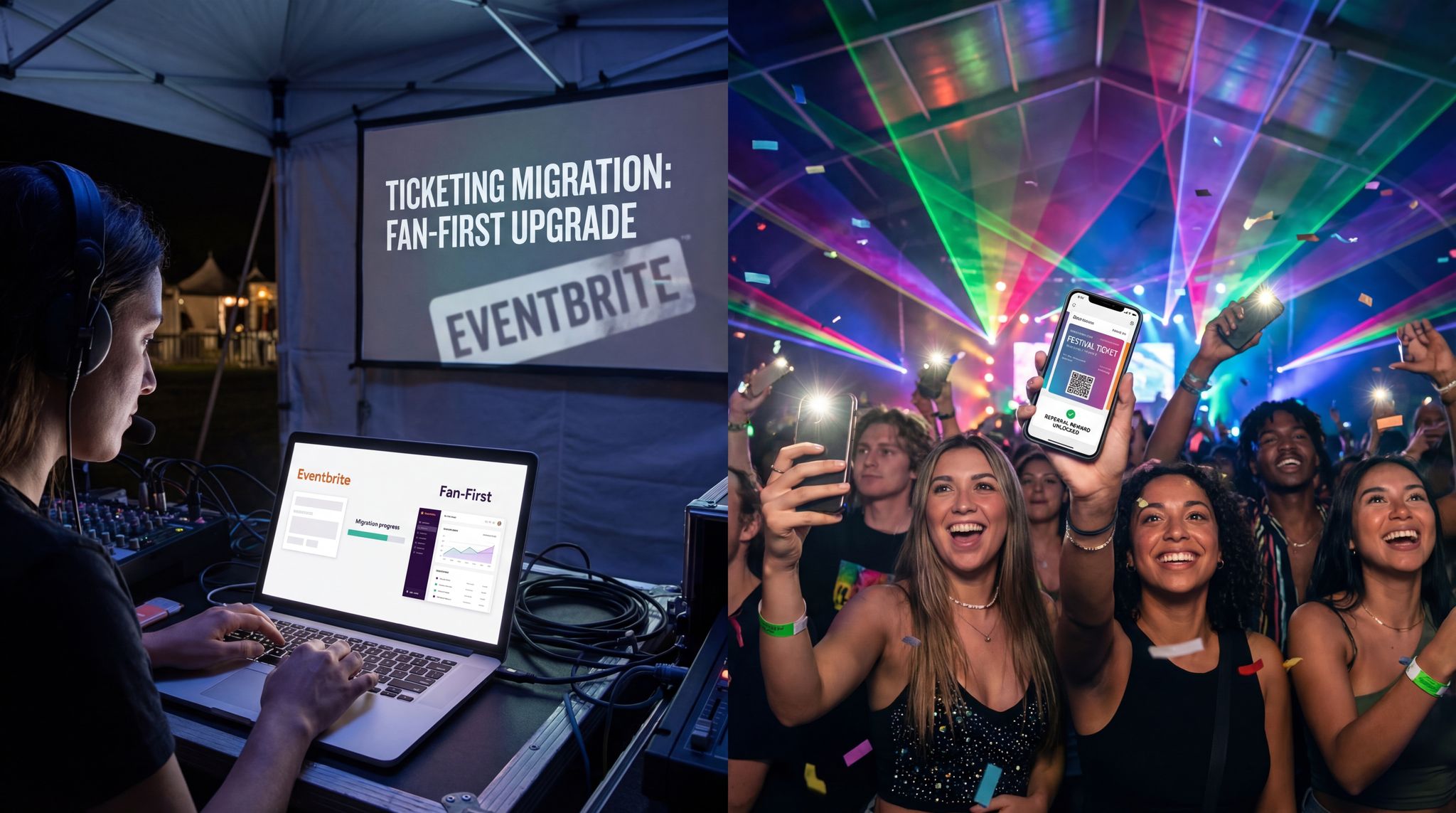
More critically, migrate future event data. If you are switching platforms in the middle of a festival’s sales cycle (e.g., tickets already on sale on Eventbrite), you have a decision to make: either continue selling the remaining tickets on the old system and just use the new one for the next event, or transfer the current event over. Many producers avoid mid-sale transfers for large festivals to prevent confusion – it might be cleaner to let the current event finish on Eventbrite while you set up all new events on the fan-first platform. However, if your timeline demands switching now, you can coordinate a seamless cutover. This involves: disabling new sales on the old platform at a chosen time, exporting the up-to-date list of sold tickets, importing those ticket holders into the new system, and then directing all ticket buyers going forward to the new platform’s event page. In this scenario, ticket holders might receive new electronic tickets from the new system (or you honor the old tickets at the gate). Carefully communicate with any transferred ticket holders so they know their purchase is valid and recognize the new ticket format.
For each upcoming event you’re moving, recreate the event in the new platform before you shut off the old one. That means setting up the event name, dates, location, description, ticket tiers, prices, allotment counts, promo codes, etc., to mirror what was on Eventbrite. Double-check details like ticket start/end sale times, capacity limits, and any customer-facing text (like terms and conditions or FAQ sections) to ensure nothing is lost in translation. This is effectively rebuilding your festival’s ticketing storefront on the new system. Depending on your new provider, you might not have to do it all manually – for example, Ticket Fairy provides white-glove migration service, where an account manager assists in bulk importing events and ticket types. Take advantage of any help offered to speed things up.
Turn Fans Into Your Marketing Team
Ticket Fairy's built-in referral rewards system incentivizes attendees to share your event, delivering 15-25% sales boosts and 30x ROI vs paid ads.
Don’t forget customer accounts and loyalty data. If your attendees had user accounts on the old platform (for example, buyers could log into Eventbrite to view their tickets), recognize that those accounts won’t carry over. Your new platform might have its own account system wherein previous buyers will be first-time users. Plan a gentle explanation to ticket buyers that they may need to create a new password or account when purchasing on the new system. If you have a loyalty program or ticket buyer history that affects offers (like discount codes for returning VIPs), export that info and be ready to implement it anew.
Before considering the data transfer complete, reconcile everything: Do the number of orders and tickets in the new system match the exports from the old system? Are all VIPs, sponsors, and guest list entries accounted for? It’s wise to run test reports on both systems and compare totals. If something is off, investigate immediately. It could be as simple as an order from this morning wasn’t in last night’s export. Getting 100% data consistency is crucial so that on event day you’re not dealing with missing ticket records.
Integrating Payments and External Tools
Switching ticketing platforms also means switching how you handle payments and any integrated services. One of the early steps once you have your new account is to configure payment processing. Many modern ticketing systems use payment gateways like Stripe or Adyen, meaning you (the organizer) have more control over the funds flow. For example, Ticket Fairy lets you connect your own Stripe account in minutes. By linking your Stripe, you ensure that money from ticket sales goes directly to you (minus fees) on a rolling basis. This is a stark upgrade from platforms that hold your funds until after the show – it improves your cash flow and financial security.
If you don’t already have a payment gateway account, set one up as recommended by the new provider. This might vary by region; e.g., Stripe for North America/Europe, Xendit or Razorpay for Asia-Pacific, etc. The new platform’s support can usually guide you. Test the connection by running a small transaction (some platforms let you do a $1 test ticket or use a sandbox mode) to verify payments are processing correctly.
Next, integrate your other tools and systems:
– Website and ticket links: Update your festival’s official website to replace any Eventbrite widgets or “Buy Tickets” links with the new platform’s embedded buttons or links. Most fan-first platforms offer customizable embedded checkout or at least a branded event page URL. Make sure all public-facing touchpoints (your site, Facebook page ticket button, Instagram bio link, Bandsintown listing, etc.) now direct to the new ticket source. It’s helpful to create a 301 redirect if you have a custom URL (like tickets.yourfestival.com) that pointed to Eventbrite – point it to the new system so fans automatically end up in the right place.
– Email marketing/CRM: Connect the new ticketing platform to your email marketing software. If previously you relied on Eventbrite’s built-in emails, now might be the time to upgrade to a dedicated email tool. Export your buyer list and import into your mailing list, or better yet, use an integration (Ticket Fairy, for instance, can auto-sync attendees to Mailchimp). The sooner your new ticket buyers flow into your marketing funnels, the better you can communicate with them. Also integrate any CRM or analytics tools – many festival ticketing platforms have APIs or built-in integrations for Google Analytics, Facebook Pixel, conversion tracking, and more. Verify data privacy compliance in the process (for example, ensure GDPR consents carry over if you email European attendees, as you’ll be messaging them from a new system now).
– Access control and scanning: Plan out how you will handle scanning tickets at the event with the new platform. Download the provider’s scanning app on all devices that will be used by your door staff. If you have rugged scanners (hardware), ensure they are compatible or that there’s a solution (perhaps using those devices in kiosk mode with the app). Conduct a test by generating some sample tickets and scanning them to familiarize the team with the interface. If your festival uses RFID wristbands, coordinate with the RFID vendor and the new ticketing provider to integrate attendee data. Some festival platforms directly integrate with RFID companies or even provide their own RFID solutions. This might require additional lead time to map ticket IDs to wristband IDs, etc. Tackling it well in advance avoids on-site delays.
– Other services: If you offered payment plans, merchandise pre-sales, or on-site add-ons through your old system, set those up anew. For instance, if attendees could pay a deposit and installments for tickets, ensure the new platform’s payment plan feature is configured similarly (inform any current installment customers how their remaining payments will be handled if switching mid-stream). If you had merchandise for pre-order, recreate those as add-on products in the new system’s checkout. The goal is feature parity on all the extras that are part of your festival package.
Throughout this setup phase, lean on the documentation and support of your new provider. Many have step-by-step migration checklists – use them. It’s common for a dedicated account manager to be assigned when a large festival comes on board; schedule regular check-ins with them. Treat them as part of your extended team for this period. After all, they have done migrations before, whereas it might be your first time switching ticketing in years. A good provider will help “project manage” the transition by guiding you on best practices, much like an event tech consultant. For example, they might suggest keeping your old ticketing portal open in a limited capacity as a backup during the first on-sale, just in case – even if you never need to use it.
Communicating the Change to Attendees
Any platform migration isn’t complete until you’ve successfully brought your customers – the ticket buyers – along on the journey. Clear and proactive communication is vital to prevent confusion, preserve trust, and even use the change as a marketing opportunity. You’ll want to announce the switch in a positive light, emphasizing how it benefits festival fans (your attendees).
Announce with a Fan-First Message
When you’re ready to go public, craft an announcement that tells ticket buyers what’s changing and why. The tone should be excited and reassuring. Key points to cover:
– What is changing: Explain that you’ve moved to a new ticketing platform for upcoming events. Name the platform (especially if it’s less known than Eventbrite – e.g., “We’re now ticketing with Ticket Fairy”). Let them know when this takes effect (for example, “Starting with our 2027 festival on-sale next month, all tickets will be sold via [New Platform].” If any events are still on the old system, clarify that too: “Tickets already bought via Eventbrite are still valid – no need to repurchase.”).
– Why it’s good for fans: Emphasize the fan-first benefits of the new system. Perhaps highlight lower fees or more transparent pricing (“you’ll pay no extra fees beyond the listed ticket price”), a more user-friendly purchase experience, or new perks like a secured resale marketplace (“so you can safely sell or buy spare tickets at face value, fighting scalpers”). If your festival will use the new referral program, mention that fans can earn rewards for bringing friends. Frame the change as an upgrade for the community. For example: “We’re making this switch to improve your experience – from a smoother checkout to exciting features like friend referral rewards and easier ticket resales. We believe this will make getting tickets fairer and more enjoyable for you.” When fans understand that the change is for their benefit – not just some behind-the-scenes tech swap – they’ll be more supportive.
– How to buy and get support: Provide a clear call to action for purchasing via the new platform (e.g., a link to your festival’s new ticket page or website). Also, let them know where to get help if needed. For instance, “If you have any questions about the new ticket system or how to purchase, please reach out to us at [support email]or contact [New Platform] support.” This reassures less tech-savvy buyers that help is at hand. The new ticketing provider may have a knowledge base or FAQ for ticket buyers; consider linking to a “How to Buy Tickets” guide if it exists.
Use multiple communication channels for this announcement. A dedicated email to your past ticket buyers is essential – these are the people most likely to be affected and who will appreciate a direct update. In the email, include screenshots of the new ticket page or any new process (for example, if fans will now have the option to join a waitlist or use payment plans, point that out visually). Also post on your social media accounts about the switch. Highlight the fan benefits in social posts (“We’re upgrading our ticketing to give YOU a better experience!”) and be ready to answer questions in comments. Update your website’s news section or blog with a post about the change. Essentially, make the message unmissable for anyone following your festival.
Timing-wise, try to announce before tickets go on sale on the new platform, ideally a couple of weeks out. If you have a specific on-sale launch date, you might tie the announcement to that: “On June 1, tickets go live on our new ticketing platform.” This builds awareness so that when the on-sale day arrives, fans aren’t caught off guard by a new interface. They may have even had time to create an account on the new system if you suggested it. For example, you can encourage eager buyers to sign up early on the new platform so they’re ready when sales start. That way, heavy users might test the waters beforehand.
Handling Attendee Questions and Concerns
Be prepared to handle a wave of questions once you announce. Common questions might include: “Why did you leave Eventbrite?” “Is this new site secure?” “Will I get my tickets the same way?” “I bought a ticket last month on Eventbrite – is it still valid?” Have clear answers ready for each.
It’s wise to create a simple FAQ section in your announcement or on your website. For instance:
– Q: Are my previously purchased tickets still valid? A: Yes! Any tickets you already bought for our upcoming festival via Eventbrite remain 100% valid. You should have received them by email when you purchased. Simply bring that ticket (printed or on your phone) to the festival as usual. We have your order on file.
– Q: Do I need a new account to buy tickets? A: The new ticketing platform is separate from Eventbrite, so you’ll need to create a quick free account during checkout. It’s a fast process, and you can still purchase as a guest if you prefer not to register.
– Q: Is the new payment process secure? A: Absolutely – [New Platform] uses secure encryption and is a trusted ticket provider for major events worldwide. Your payment and personal data are safe. In fact, we chose this platform in part for its strong security and fraud prevention.
– Q: What’s different when I go to resell or transfer a ticket? A: Our new system has a built-in resale marketplace. If you can’t attend, you’ll be able to list your ticket for face value to other fans. No more price gouging or risky third-party sites. We’ll share details on how to use this feature soon – it’s designed to protect you as a fan.
– Q: Will ticket prices or fees change? A: Ticket prices for our festival remain the same, but the fees you pay will actually be lower (and fully transparent) on the new platform. We know surprise fees were frustrating – now you’ll see exactly what you’re paying, with no last-minute markups.
Addressing these concerns upfront will build trust. It shows that you’ve done your homework and that the migration is being done with fans in mind. During this period, monitor your social media and support email closely. Aim to respond faster than usual for the first few days after the announcement, as that’s when confusion or issues are most likely. Even consider having someone from the new ticketing provider on call or in a shared Slack channel to help answer technical questions that you might not know off-hand.
One smart tactic is to leverage your community advocates. If you have a street team, fan ambassadors, or simply long-time attendees who are vocal in your community (like a Facebook fan group), inform them ahead of the public announcement. Give them a heads-up that you’re switching ticketing platforms and why it’s going to be great. These folks often help diffuse concerns by chiming in with positivity (“I hear the new system will save us money on fees!” or “The fest is doing this to stop scalpers—good move!”). Peer reassurance supplements your official messaging and can turn the narrative from “change = scary” into “change = exciting improvement.”
Finally, consider a mini-incentive to encourage early adoption. For example, you might say that the first 100 people to create an account and join the new platform’s pre-sale will be entered to win a merch pack. This nudges fans to engage with the new system and builds a bit of hype around the switch. It’s not required, but some festivals find that celebrating the move with a fun incentive helps redirect any anxiety into enthusiasm.
Setting Up New Features to Boost Sales and Engagement
One of the most rewarding aspects of migrating to a fan-first platform is unlocking features that weren’t available before. Once basic ticket sales are running smoothly on the new system, festival organizers can start dialing up the fan engagement and marketing horsepower. Here are key features to set up (or switch on) to get the most out of your upgraded ticketing technology:
Referral and Ambassador Programs
If your new ticketing platform includes a referral marketing system, make it one of the first things you configure post-migration. Referral programs turn your fans into marketers by giving them a unique link or code to share – when their friends buy tickets using it, the referrer gets a reward (like a discount, cashback, merch, or VIP perks). This kind of program was likely impossible or very clunky on your old platform, but now it’s integrated and easy to manage.
Set clear goals for the referral program: do you want to increase overall sales by a certain percent? Attract new attendees from untapped demographics? Perhaps boost group attendance (friends bringing friends)? The beauty is you can track all of this in real time with a built-in system. When configuring, choose an incentive structure that fits your festival’s audience. Some festivals offer $10 off for every friend referred; others stack rewards (e.g. refer 3 friends and get a free upgrade to VIP). The ROI of festival referral programs has been remarkable – many events see 15–25% of their tickets sold via these fan referrals, yielding 20:1 ROI on the small rewards given, outperforming traditional paid advertising campaigns. It’s essentially high-trust, low-cost marketing. For example, when Camp Bestival launched a new edition in Shropshire, they put referrals at the heart of their strategy. About 18,000 people signed up for the presale and 30% of them came via friend referrals, jump-starting a local fan base. When tickets went on sale, that buzz translated to 33% of the entire ticket allocation selling in the first week at virtually no acquisition cost – a testament to how referrals can supercharge an on-sale.
Once live, promote your referral program alongside ticket sales. Use your marketing channels to remind fans that they can earn rewards for inviting friends. On the new ticket purchase confirmation page, include a call-to-action like “Invite your friends – get $X back for each friend who buys!” with the sharing link readily available in the purchase flow. Many platforms will automate this placement for you, but it never hurts to mention it in emails and posts too. Keep an eye on the referral dashboard during your sales cycle and be ready to celebrate successes (“Over 500 tickets sold via our fan referral program!”) which further encourages participation.
VIP, Upsells, and Add-Ons
Fan-first ticketing platforms typically let you get creative with ticket types and add-ons, so take advantage of that flexibility. Revisit your ticket tiers and consider if you can introduce new options that enhance revenue or fan experience:
– VIP and tiers: If your old platform limited you to a few ticket types, you might now have freedom to add more tiers (e.g., different levels of VIP, early entry passes, etc.) Experiment with offerings like a VIP upgrade that includes a meet-and-greet or special viewing area. Ensure these options are clearly explained and distinguishable on the new ticketing page. The new system might also allow hidden ticket classes – for example, special discounted tickets only accessible via a certain link (handy for sponsors or alumni fans). Use this to your advantage for targeted promotions without cluttering the main page.
– Add-ons at checkout: A big benefit of modern platforms is the ability to offer merchandise or add-ons during the ticket purchase flow. Right after a buyer selects tickets, you can prompt them to add a camping pass, parking pass, shuttle bus ticket, pre-show concert ticket, or even merch vouchers. Since the hardest part is getting a fan to buy a ticket at all, upselling during that purchase is far easier than selling to them later. Identify what add-ons make sense for your festival – perhaps a bundle of 5 drink tokens at a slight discount, or a festival t-shirt pre-order for pickup on site. Configure these in the new system and track uptake. It’s common to see a nice bump in per-customer revenue when add-ons are available. Just be careful not to overwhelm buyers with too many extras; pick the most valuable ones.
– Payment plans and high-value tickets: If your festival ticket price is on the expensive side (e.g., multi-day EDM festivals, destination festivals), enabling payment plans (installment tickets) can be a game-changer for sales. Many fan-first platforms let you offer a pay-in-installments option with automatic billing, something that wasn’t simple on older tools. Decide on the schedule (50% now, 50% later, or 4 equal monthly payments, etc.) and set it up. Clearly communicate this option on the ticket page (“Pay just $50 now and the rest later!”) to reduce sticker shock for fans. Also confirm how the system handles defaults or failed payments (and make sure customers know the terms) to avoid confusion.
The new platform’s analytics will help you refine these offerings. For instance, if you see very few people are adding camping passes at checkout, perhaps the wording needs improvement or the offer isn’t compelling. A/B testing different upsell messages is something some advanced platforms support – check if yours does, and experiment to maximize conversion.
Fan Data Insights and Marketing Automation
Now that you have full access to your ticketing data, put it to work to enhance fan engagement. Dive into the analytics dashboard of your new platform. Look at geographic data – where are your ticket buyers coming from? This could inform your advertising spends (maybe you need more outreach in a region that’s lagging). Check the timestamps of sales surges – did a particular artist announcement or lineup drop correlate with a spike? These insights help you plan marketing timing better in future.
Most importantly, use the newfound data for direct fan communication. Build targeted lists: for example, identify all purchasers who bought VIP tickets last year but haven’t yet for this year – send them a personalized offer to upsell them to VIP for the upcoming fest. Or, find all first-time attendees and send a “Welcome, here’s what to expect at your first [Festival Name]!” email that includes maybe a discount on merch or early entry perk to make them feel special. Because you own the data and the relationship now, these kinds of micro-segmentation marketing tactics are at your fingertips. It’s a stark contrast to older systems where you might get just a generic list of emails with no behavioral data.
Automation is another capability to explore. If your ticketing platform integrates with tools like Mailchimp, set up automated sequences: e.g., immediately after purchase, an email series triggers (Day 1: Thank you and join our community group; Day 3: Here are some tips for attending; Day 7: Invite your friends via referral link, etc.). Many festivals find that engaging ticket buyers right after they commit increases their excitement and likelihood to promote the event to friends. Use your platform’s API or Zapier integrations to connect with other apps – perhaps auto-create a Slack channel post when VIP tickets are low, or update a Google Sheet that tracks sales pace vs last year. The possibilities are endless now that you aren’t stuck in a walled garden.
One more fan-centric feature to set up is the official resale waitlist, if available. Some platforms allow fans who missed out on sold-out tickets to join a waitlist, and if others return tickets for resale, the waitlisted fans get first dibs (often in order). If your festival tends to sell out or certain tiers do, enabling this feature can keep fans hopeful and prevent them from turning to scalpers. It also signals your commitment to fair ticket access. Make sure to promote how your resale/waitlist works in your ticket FAQ so fans use it rather than going to unregulated resale sites.
Executing a Smooth Cutover
With preparation complete, it’s show time – moving from the old system to the new one “for real.” The execution phase can be nerve-wracking, but if you’ve tested thoroughly and communicated widely, it should be a non-event for attendees. Here’s how to ensure the actual cutover goes smoothly:
Parallel Run vs. Immediate Cutover
Decide whether you will run the old and new systems in parallel for a time or switch completely at once. A parallel run means you might keep selling tickets on Eventbrite for an overlapping period while the new platform is also live (perhaps for different audiences or channels). This is rare and usually unnecessary for festivals – it’s more common when a company switches internal software. In most festival cases, you’ll do a full cutover: all new sales go through the new platform as of a certain date/time.
However, there is a form of parallel strategy that is useful: if you have multiple upcoming events (say smaller lead-up shows or side events) you could try the new platform on one of them first, while others remain on the old system. This pilot approach lets you iron out kinks on a low-stakes event before the main festival on-sale. For example, a festival producer might quietly ticket a 500-capacity launch party using Ticket Fairy to test purchase flow and entry management, while the main 50,000-cap festival is still selling on Eventbrite. After the test event goes well, they fully switch over for the big one. If your timeline allows for a trial run event, it’s an excellent confidence booster.
Assuming a direct cutover for the main event, pick a low-traffic moment to do it. Avoid switching during a peak sales day or right before a major announcement. Ideally, switch when sales are naturally slower (e.g., late at night or early morning). You’ll “unpublish” or close ticket sales on the old platform and bring them live on the new. Immediately check that all your links are working and that the new platform is accepting orders properly. It might help to have a dummy on-sale just prior – for example, open a tiny allocation of tickets (or even a free test “event”) on the new system an hour before the actual launch, just to ensure everything is firing (then close it and proceed with the real sale). Some organizers even do a silent soft launch: make the event live but not publicly announced, have a few team members complete test orders, then officially announce to the public a short while later once confirmed.
Training Your Team and Vendors
Ensure that everyone involved in ticketing operations is trained on the new platform by the time of cutover. This includes your internal staff and any external partners who might need access. For instance, if you have a customer support team that handles ticket inquiries, walk them through the new system’s interface so they know how to look up orders, resend confirmation emails, issue refunds or voucher codes, etc. Provide them with a cheat sheet of the most common tasks in the new admin dashboard. The differences from Eventbrite will likely be significant – but often in a good way, like more search options or direct refund buttons.
Likewise, brief your on-site operations team. If your security or gate crew was used to Eventbrite’s scanner app, make sure they practice with the new one. Consider running a short orientation session or webinar with the new provider’s team for all your staff/volunteers who will use the system. They can demo how scanning works, how to troubleshoot ticket issues on-site (like what to do if a ticket shows as already scanned, etc.), and answer questions. Knowing that your team is comfortable with the tools will reduce on-site stress.
If you use any third-party ticket vendors or retail outlets (less common now but some festivals partner with local record stores or promo teams to sell physical tickets), transition them as well. They might need training on a portal to sell tickets or a set of complimentary tickets to replace old stock. The same goes for VIP client management – if your sponsor partners had access to pull their guest list tickets on Eventbrite, set them up with accounts on the new system and show them how to do it there.
Monitoring the Launch
When you officially go live on the new platform – whether that’s launching ticket sales for next year, or simply restarting sales after migrating mid-event – treat that launch as an “all hands on deck” situation. Monitor the system closely. Keep the old platform accessible (in case you need to quickly reference an order that didn’t transfer, etc., you might not shut down your Eventbrite organizer view right away). But ideally, you won’t need it.
Watch incoming orders on the new dashboard. Check that confirmations are being sent out (perhaps have a colleague buy a ticket and verify the email comes through and looks correct). If you integrated analytics like Google Analytics or Facebook Pixel, confirm that events (like ‘Purchase’) are firing so your conversion tracking isn’t broken.
It’s wise to have a direct line open to your new ticketing provider during the launch – many will offer to have tech support or your account manager on standby. If anything abnormal arises (e.g., a payment gateway setting causing declines or a sudden slowdown in page loading if traffic is high), you can immediately collaborate to fix it. That said, if you chose a robust platform and did your testing, issues should be minimal. Major festivals have successfully gone on sale on new systems without fans even realizing a change happened, which is the ultimate sign of a smooth migration.
Do keep an eye on social media and support channels post-launch. Some users might still go to the old Eventbrite page out of habit or old bookmarks – you could put a notice there (“We’ve moved! Go to X for tickets.”) or have a redirect if possible. If anyone voices confusion (“I went to Eventbrite and tickets aren’t there”), quickly reply with the new link and politely remind them of the switch announced earlier. Within a short time, your audience will acclimate and the new platform becomes the new normal.
Lastly, as sales progress on the new system, celebrate the wins. Share updates like “10,000 tickets sold via our new ticket hub in the first week!” This not only boosts confidence internally, but it also signals to any stakeholders (media, sponsors, etc.) that the new tech is working great. It turns the narrative from risky change to successful upgrade.
Avoiding Common Pitfalls
Switching ticketing platforms can involve some traps if not handled carefully. Here are common pitfalls festival producers face during migrations – and how to avoid them:
- Data Discrepancies: A frequent pitfall is discovering mismatched data (e.g., 50 people bought VIP but only 48 VIP entries appear in the new system). To avoid this, reconcile exports and imports meticulously. It helps to have two people verify critical numbers like total tickets sold per tier. Also, don’t cut off access to the old platform until you’re absolutely sure all required data is secured. One trick: keep a backup of the raw data (spreadsheets of orders) so even if something doesn’t display correctly in the new system, you have the source to cross-check. If you do find a discrepancy, investigate immediately – it could be an import script that skipped some entries or a manual input error. Better to fix it now than have a ticket buyer arrive at the festival and not be on the list.
- Attendee Confusion: Even with good communication, some fans may get confused or suspicious about the change (“Is this the same festival or a scam site?”). To prevent this, double down on branding and messaging. Make sure your festival name and logo are clearly present on the new ticketing pages (most platforms allow event branding). This reassures buyers they’re in the right place. Also, as mentioned, use redirects from old links and a prominent website update to funnel people correctly. Post-migration, keep an eye on Google search results – sometimes fans search “
tickets” and might see an outdated Eventbrite page or third-party reseller. You might want to run a quick Google Ads campaign for your keywords to ensure the top result is your official new ticket page, especially right after switching. - Team Adaptation Challenges: Internally, switching systems means a learning curve. A pitfall is underestimating the time staff need to adapt, leading to slower operations or mistakes in the early days. Mitigate this by training well before go-live (as discussed) and by creating quick-reference guides. For the first event on the new system, perhaps assign a tech-savvy team member or a representative from the ticketing provider to be on-site or on-call specifically to handle any system questions from staff. That safety net boosts everyone’s confidence.
- Overcomplicating the Transition: Sometimes organizers attempt a big bang migration with too many changes at once – for example, switching ticketing platforms and rolling out a new RFID access system and revamping their entire website, all for the same event. That can overwhelm the team and increase risk. It’s often wiser to phase changes. Focus first on migrating the core ticket sales platform smoothly. Once stable, then layer on additional innovations (unless they’re tightly integrated). The roadmap could span multiple years: Year 1, switch ticketing provider; Year 2, introduce new RFID cashless system; etc., rather than everything simultaneously. If you must do multiple big changes together (due to a new venue or other circumstances), make sure each has a point person and that the providers coordinate with each other (for example, loop in the RFID vendor about the ticketing change early on so they integrate their systems properly).
- Not Leveraging New Features Fully: A subtler pitfall is moving to a powerful fan-first platform but then using it barely differently than the old one – essentially treating it like a souped-up Eventbrite. This squanders potential ROI. Avoid this by taking the time to learn and utilize key features (referrals, analytics, resale, etc.). Many providers offer free training resources or account reviews; take them up on these offers. Set KPIs to track success of new features (e.g., “referrals will account for 10% of sales this year” or “aim to resell 100% of refunded tickets through the official resale tool”). This keeps you focused on making the most of your investment in switching.
By anticipating these pitfalls, you can steer clear of them. Remember, thousands of events have successfully switched ticketing platforms – any problems you encounter are likely solvable with known solutions. And your new provider has a vested interest in your success, so partner with them to navigate challenges. The result will be a robust ticketing foundation for your festival’s future.
Conclusion: Embrace the Upgrade
Migrating from a familiar system like Eventbrite to a new, fan-first platform is a significant step – but as we’ve seen, the rewards are well worth it. With careful planning and a focus on your fans, you can execute a smooth transition that unlocks major benefits for both your festival and its attendees. From gaining full control of your data, to boosting sales through innovative tools, to making ticket buying fairer and more engaging, the advantages of a modern festival ticketing platform position your event for long-term success.
The key is to approach the switch strategically: do your homework on what your festival needs, communicate openly with your audience, and take full advantage of the resources offered by your new ticketing partner. Many top festivals have already made the leap and are enjoying higher revenue, stronger fan loyalty, and stress-free on-sales as a result. By following this migration roadmap, you can confidently join their ranks.
In the end, a ticketing platform is more than just a place to sell tickets – it’s the digital front gate to your festival community. Choosing one that is fan-first and festival-focused means that front gate is welcoming, efficient, and primed to grow your event’s reach. So don’t let the fear of change hold your festival back. Embrace the upgrade, knowing that with each step – from data transfer to launch day – you are building a better experience for your team and your fans.
Call to Action: If you’re ready to explore a festival ticketing platform built for fan engagement and sales growth, consider reaching out to Ticket Fairy. As a proven Eventbrite alternative for music festivals, Ticket Fairy offers referral marketing, anti-scalping resale, full data access, and reliable support to make your migration easy. Visit our Festival Ticketing Platform page to learn more or request a demo to see how these features can elevate your festival. It’s time to ticket smarter and put your fans first!
Frequently Asked Questions
Why do music festivals switch from Eventbrite to alternative ticketing platforms?
Festival producers switch from mainstream platforms like Eventbrite to gain full ownership of attendee data and eliminate scalping. Generic tools often restrict customer insights and lack built-in fraud protection, allowing secondary market markups of 200 to 500 percent, which prices out loyal fans and stunts event growth.
What is a fan-first festival ticketing platform?
A fan-first festival ticketing platform is a specialized system prioritizing community engagement, transparent pricing, and secure access. These platforms feature built-in face-value ticket resale to block scalpers, integrated referral reward programs, and complete data ownership for organizers, ensuring fans pay fair prices without hidden dynamic fees.
How long does it take to migrate to a new festival ticketing system?
A full ticketing platform migration typically takes 8 to 12 weeks to complete. This timeline allows organizers to audit existing data, recreate event pages, configure payment gateways, and thoroughly test the new system. Switching during the festival off-season is highly recommended to minimize sales disruptions.
How do you transfer attendee data between ticketing platforms?
Transferring attendee data requires exporting all past order history, email subscribers, and promo codes from your current system into CSV or Excel files. You then import this data into the new platform, ensuring you meticulously reconcile the total ticket counts and VIP lists to prevent missing records.
What is the ROI of festival ticketing referral programs?
Built-in referral programs generate a 20:1 return on investment by turning attendees into brand ambassadors. Festivals offering rewards for friend referrals frequently see a 15 to 25 percent increase in total ticket sales. This word-of-mouth marketing strategy effectively outperforms traditional paid advertising campaigns at virtually no acquisition cost.
How should festival organizers announce a new ticketing platform to attendees?
Organizers should announce the platform switch via email and social media a couple of weeks before tickets go on sale. The messaging must highlight fan benefits, such as lower fees or secure resale options, and include a clear FAQ section addressing ticket validity and account creation.
Can you switch ticketing platforms while festival tickets are already on sale?
While possible, switching platforms mid-sale requires a coordinated cutover to avoid attendee confusion. Organizers must disable sales on the old platform, export the current list of sold tickets, import those buyers into the new system, and redirect all future website traffic to the new checkout page.
What are common mistakes when changing event ticketing software?
Common migration mistakes include failing to reconcile data discrepancies, causing attendee confusion with poor branding, and attempting to change too many technologies simultaneously. Organizers should phase their upgrades, thoroughly train staff on new scanning apps, and set up 301 redirects to ensure fans find the correct ticket page.