As festival planning increasingly goes global, core crew members might be spread across different cities, countries, and time zones. Managing a dispersed festival production team presents unique challenges – but also some surprising advantages. A 2021 survey found 70% of remote workers felt virtual meetings were less stressful and the majority now favour a hybrid approach. Veteran festival producers assert that with the right tools, communication habits, and culture, a remote team can be just as tight-knit and effective as one working under the same roof. This guide shares practical strategies honed by experienced organisers to keep everyone aligned and accountable from afar, ensuring no detail slips through the cracks.
Embracing Digital Collaboration Tools
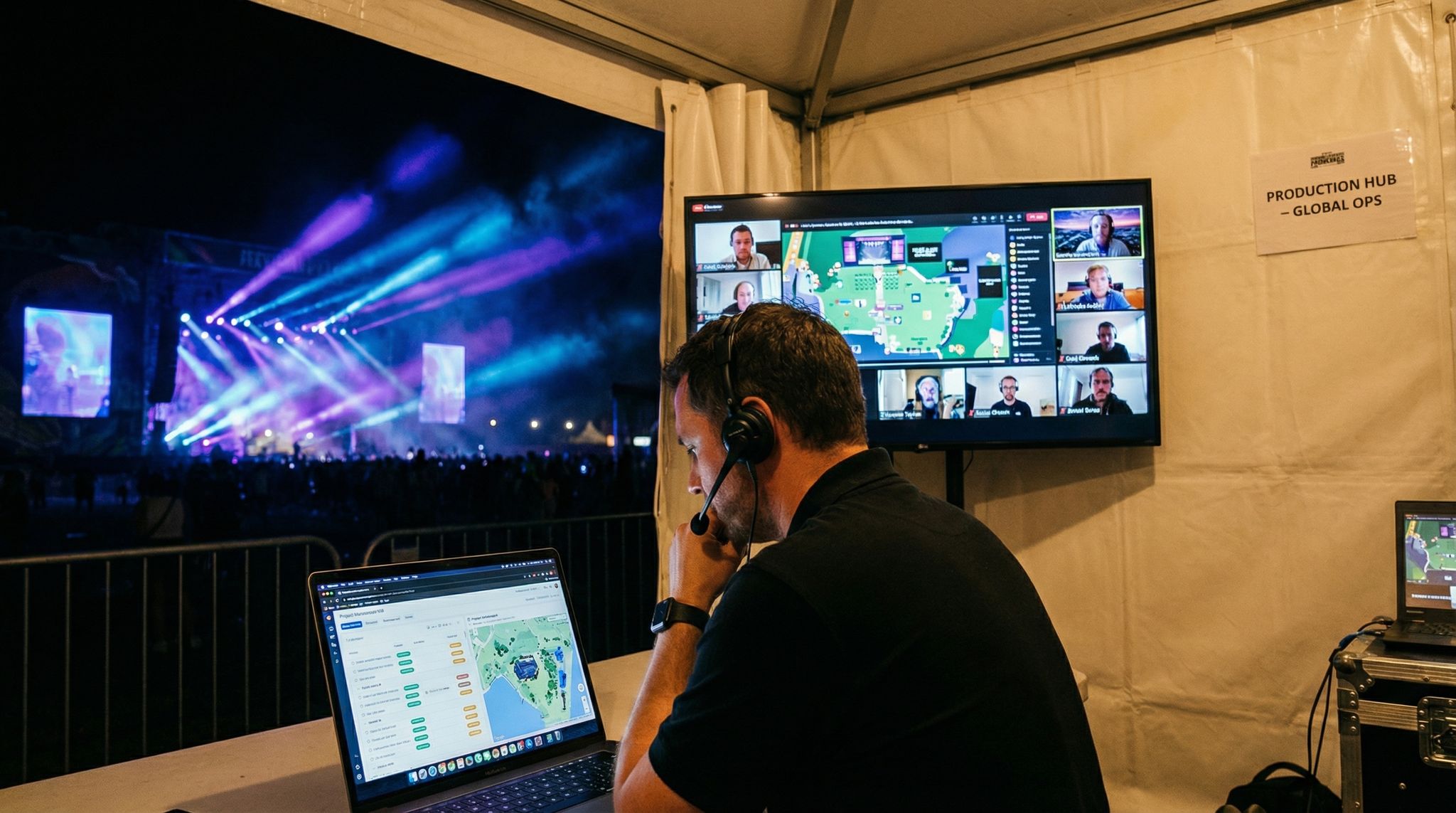
Effective remote collaboration starts with the right digital toolkit. Modern festival teams rely on an ecosystem of online platforms to simulate the physical war room of an event office. By selecting tools for project management, document sharing, and real-time communication, festival organisers create a virtual command centre where the whole crew can collaborate seamlessly. The key is choosing a minimal, integrated set of platforms that everyone commits to using – rather than a scattershot of apps that create confusion. Furthermore, managing multiple event tech vendors requires seamless integration to avoid operational headaches. By investing in training and consistency on these tools, dispersed teams can maintain a single source of truth and ensure nothing falls through the cracks.
Centralised Project Management Software
A robust project management platform is the backbone of remote festival ops. Tools like Asana, Monday.com, Trello, or Smartsheet allow organisers to break the massive festival plan into assigned tasks with deadlines using specialized project management tools for festival operations. For example, a large New Zealand music festival team used Trello boards to map out every department’s to-dos – from artist liaison schedules to vendor load-in timelines – giving all members 24/7 visibility into progress. Industry veterans recommend mapping each task, owner, and due date in one shared system rather than juggling spreadsheets via email, a crucial step in how to plan an event with a remote team. Visual Gantt charts or kanban boards help illustrate the critical path, so even a producer logging in from 10 time zones away can instantly see upcoming milestones. Make sure the software sends notifications or reminders for approaching deadlines, keeping remote staff accountable without constant supervisor check-ins. And critically, ensure everyone actually uses it – a tool is only as good as the team’s adoption and discipline in keeping it updated.
However, not every platform fits every workflow. If your festival teams find themselves disappointed with standard options, exploring Asana or Trello alternatives is a valid next step. Some organizers recommend switching to specialized event management software or highly customizable databases like Airtable or Notion when generic task boards fall short of handling complex artist advancing or multi-stage logistics.
Free Tool: Size Your Festival Site
Zoned capacity planning for arena, campsite, parking and entry lanes — against UK Purple Guide and NFPA density standards. Finds your bottleneck zone.
Remote Collaboration Toolkit
| Collaboration Need | Recommended Tools (Examples) | Purpose & Benefits |
|---|---|---|
| Project & Task Management | Asana, Trello, Monday.com | Track tasks, assign owners, set deadlines; provides dashboard of festival timeline |
| Shared Documents & Calendars | Google Drive/Docs, Dropbox, Google Calendar | Central repository for schedules, contracts, budgets; real-time collaborative editing ensures one source of truth |
| Real-Time Communication | Slack, Microsoft Teams, WhatsApp | Instant messaging organised by channels (e.g. #production, #marketing) for quick updates; reduces email overload |
| Video Meetings | Zoom, Google Meet, Microsoft Teams Meetings | Face-to-face virtual interaction for team calls, screen sharing for presentations or site plans |
| Design & Site Planning | CAD Tools (AutoCAD, Vectorworks), Google Earth | Collaborative site map design and review; ensure remote team can visualize layouts accurately using site mapping and CAD tools |
| Ticketing & Event Platform | Ticket Fairy (multi-user access) | Centralises ticket sales, attendee data, and even volunteer management; remote team members can access live event data anytime |
As the table above shows, each tool serves a distinct purpose. Centralisation is crucial – seasoned producers stress that information must live in an accessible, shared location, noting that effective communication is the backbone of operations. For instance, cloud-based documents allow a budget spreadsheet or production schedule to be updated in real time and consulted by everyone. No matter where team members are logging in from, they should be referencing the same up-to-date documents rather than stale email attachments. Similarly, shared calendars with all major deadlines, show days, and permit dates help align a dispersed crew. Many festival teams set up a master calendar with editing rights for department heads, so the marketing lead in London and the site operations lead in Melbourne can both add key milestones.
Real-Time Communication Platforms
Without the luxury of shouting across an office or convening in-person huddles, remote crews rely heavily on digital communication channels. Slack and Microsoft Teams have become ubiquitous for festival production teams, effectively replacing the onsite production trailer’s whiteboard and radios (at least during planning). These platforms let you organise discussions into channels – e.g. #site-ops, #ticketing, #volunteers – to keep conversations focused on communication platforms for real-time updates. A best practice is to establish norms for these chats: for example, urgent issues get tagged, decisions are documented in writing, and sensitive topics go to private channels or direct messages. This prevents important requests from getting lost in the scrollback. Additionally, encourage liberal use of status indicators (like Slack’s away/online markers or Teams statuses) so that colleagues can know when someone is offline (perhaps sleeping off their time zone) and adjust expectations accordingly.
Regular video conferences are equally vital. While constant meetings can be draining, a rhythm of virtual face-to-face sessions helps put voices to names and maintain human connection. Many veteran producers schedule a quick weekly all-hands video call to recap progress and set priorities, akin to a Monday morning in-office kickoff. Tools like Zoom or Google Meet enable these check-ins with screen sharing for reviewing site maps, run-of-show documents, or marketing materials together. To avoid “Zoom fatigue,” keep video meetings purposeful – circulate an agenda, limit meetings to the necessary stakeholders, and rotate meeting times if the team spans numerous time zones. Some festivals even designate one day a week as “meeting-free” to encourage offline work and let people focus on deep tasks.
Integrating and Streamlining Your Tech Stack
One trap remote teams must avoid is the tool overload paradox – using too many disconnected apps can create silos and confusion. For instance, if the technical director updates a production schedule in Airtable, but the operations chief only checks an Excel sheet on Google Drive, details will slip through the cracks. Integration is essential: choose platforms that can connect or consolidate data, and minimise duplicate entry. As one technology planner warns, an overgrown stack leads to inefficiencies, higher costs, and a fragmented workflow. Instead of juggling separate systems for ticketing, RFID, volunteer sign-ups, and email marketing, consider an all-in-one solution or ensure these systems share data via APIs. For example, using Ticket Fairy’s festival management platform can centralise ticketing, marketing add-ons, and attendee analytics in one place, so remote team members aren’t logging into five different dashboards. If multiple specialised tools are needed, set up integrations (through Zapier or built-in connectors) so updates in one system (like a new ticket buyer in the database) automatically reflect in others (like the volunteer check-in list). By streamlining the tech stack, a dispersed crew works from a unified playbook rather than chasing information across numerous sources by scaling the tech stack to the size of the team. The mantra here is “less is more” – adopt high-impact tools that cover your needs, and skip the shiny extras that add complexity without clear benefit, focusing instead on tools that offer a high return on investment.
Beyond software, physical hardware consistency is a critical factor for larger organizations. An operations director managing 50 remote workers might debate whether to standardize on basic USB hubs or full docking stations for their staff’s home offices. The goal is to deploy reliable, uniform equipment that won’t flood your IT support queue with troubleshooting requests during critical planning phases. Standardizing the physical tech setup ensures that festival teams can focus entirely on event logistics rather than fighting with dual-monitor connectivity issues.
Reducing On-Site Crew Size and Equipment Footprint
Another compelling reason to embrace a dispersed workflow is the direct impact on physical logistics. Many organizers are discovering how remote production reduces crew size and equipment at live venues. By shifting heavy-lift tasks—such as broadcast mixing, video editing, digital marketing, and even some ticketing support—to off-site locations, you drastically shrink the backstage footprint. This operational shift means fewer flights, reduced catering and accommodation costs, and less need for temporary infrastructure like massive production trailers. Ultimately, keeping non-essential personnel off-site frees up valuable venue space and streamlines the physical load-in process.
Communication and Coordination Across Time Zones
One of the toughest aspects of a dispersed production crew is coordinating across multiple time zones. Even a few hours’ difference can complicate real-time collaboration, and research shows that mismatched working hours hurt communication and introduce complexity. For global festival teams – say a core team in Los Angeles, a stage designer in Berlin, and a marketing lead in Singapore – careful planning is needed to bridge the gaps. The goal is to ensure critical discussions have overlap, while also leveraging asynchronous communication so work continues around the clock without anyone burning out. Here’s how experienced festival teams manage it.
Planning a Festival?
Ticket Fairy's festival ticketing platform handles multi-day passes, RFID wristbands, and complex festival operations.
Structured Virtual Meetings & Check-Ins
When you can’t gather everyone in the same room, creating a structured meeting cadence becomes invaluable. A common framework borrowed from the Agile project management world is the daily stand-up or scrum meeting. Seasoned production managers recommend a brief (~15 minute) daily check-in where each team lead shares what they’re working on, any roadblocks, and what’s next during regular team check-ins. This habit keeps remote crew members accountable and aware of each other’s focus, much like a morning toolbox talk on a festival site. Depending on time zones, “daily” might actually mean twice-daily stand-ups split by region – for instance, Europe-based staff join one call and US-based staff another – with notes quickly circulated so everyone stays in sync. In addition to stand-ups, schedule a longer weekly sync meeting for big-picture status updates, and monthly deep-dive meetings for major planning phases (talent booking, production design reviews, etc.). The table below illustrates an example meeting schedule for a globally dispersed festival crew:
Sample Remote Team Meeting Cadence
| Meeting Type | Frequency & Timing | Participants | Purpose |
|---|---|---|---|
| Daily Stand-Up (Scrum) | Every workday, 9:00 AM GMT (alternating 9:00 AM ET) | Department leads (15 min) | Quick status updates, share progress & roadblocks; keeps team aligned day-to-day |
| Weekly Planning Sync | Every Tuesday, 5:00 PM GMT (overlapping US/EU work hours) | Core production team (1 hr) | Review weekly goals, update master timeline, identify any schedule risks or resource needs |
| Bi-Weekly All-Hands | Every other Thursday, 8:00 AM PT / 4:00 PM UK | Full festival staff and key vendors (1–1.5 hr) | Broader updates across all departments; ensure everyone hears the big announcements, guest speakers (e.g. safety officer briefing) |
| Ad Hoc Emergency Huddle | As needed (time varies by incident) | Relevant team leaders | Rapid-response team call for urgent issues (e.g. headliner cancellation, permit issue) to decide action plan |
| Monthly Strategy Review | Last Friday of month, 4:00 PM GMT | Directors/Producers (1 hr) | High-level check on festival vision, budget status, and cross-department coordination; adjust strategy if needed |
This cadence is just an example – the key is to have predictable, regular touchpoints so remote staff know when real-time discussions will happen. Equally important is enforcing agendas and outcomes for each meeting: remote teams don’t have time to waste on rambling calls. Start on time (despite the missing folks who might be asleep in another time zone), recap decisions at the end, and log action items in the project management system for follow-up. With everyone dialling in, strong facilitation matters – rotate the chairing of meetings if helpful to keep people engaged.
Bridging Time Zone Gaps with Flexibility
Even with a solid meeting schedule, time zone differences mean someone is often working early or late. Sharing that burden fairly can go a long way in keeping morale up. A best practice is to rotate meeting times (as seen above) so the same team isn’t always stuck calling in at 11 PM local time – spread the inconvenience around. Also encourage a culture of flexible work hours when possible: if your marketing manager in California has to be on a 6 AM call for Europe, perhaps they log off earlier that afternoon to compensate.
Free Tool: Project Your Bar Revenue
Per-head spend benchmarks by event type turned into projected bar and food revenue, with a stock-mix estimate and gross-margin line. Free calculator.
For truly distributed teams, asynchronous communication becomes a lifeline. Use collaborative documents, message boards, or project tools to allow people to contribute on their own schedule. For example, instead of forcing a 10-person meeting across 5 time zones for input on the festival site map, the production director could circulate a shared online map where each department head drops comments or pins at their convenience. When live meetings are necessary but someone can’t attend, record the call (with everyone’s consent) or assign a colleague to take detailed notes. Storing these recordings and notes in a common folder ensures non-attendees can catch up. This way, no one feels pressure to shift their entire life around constant odd-hour meetings, which can quickly lead to remote-work burnout.
It’s also crucial to be mindful of cultural differences that may coincide with geography. Festival teams often span continents, meaning crew members might have different holidays, communication styles, or decision-making norms. A production crew that includes members from the UK, India, and Japan, for instance, may need to acknowledge different public holidays or day-of-rest norms in scheduling. Encourage open dialogue about these needs – a simple shared calendar of team holidays can prevent accidental scheduling mishaps. Moreover, promote an environment where asking clarifying questions is welcome, as idioms or assumptions in one culture might not translate to another over email or text. As one Harvard Business School expert notes, embracing “work-from-anywhere” yields many benefits, but requires actively addressing the time zone and communication challenges that come with it.
Need Festival Funding?
Get the capital you need to book headliners, secure venues, and scale your festival production.
Cultivating Remote Team Morale and Culture
Beyond the logistics of tasks and meetings, managing a dispersed crew means tending to team morale, trust, and company culture from afar. Without office lunches, happy hours, or casual backstage banter, remote teams risk feeling isolated or siloed. In fact, remote workers often log longer hours (one study found they worked ~10% more than office peers) yet they can feel “invisible” or unappreciated, a challenge discussed in tips for managing a fully remote event planning team. Veteran festival organisers emphasise that a happy team produces better festivals – so it’s worth investing time in remote team building and support. Here are strategies to keep your crew motivated and unified when you’re not all in one place.
Building Trust and Team Culture Online
Trust is the foundation of any festival crew, and it’s especially crucial when managers can’t physically see what everyone is doing. The first step is hiring and empowering self-starters. Effective remote team members are those who can manage their own time, troubleshoot issues independently, and know when to ask for help. Research published in MIT Sloan notes that virtual workers need to be more self-sufficient, promoting self-reliance in dispersed teams. With the right people in place, leadership should then focus on creating a culture of trust rather than micromanagement. Set clear expectations and deliverables for each role, then give staff autonomy in how they meet them. Avoid the temptation to monitor every mouse movement or constantly check in – instead, measure success by outcomes (did the task get done well by the deadline?). When remote crew feel trusted, they reciprocate with accountability.
Fostering team culture remotely might require new approaches, but it’s absolutely possible. Encourage social interaction in the virtual sphere: for example, some festivals run a persistent “#watercooler” channel in Slack for off-topic chat, memes, and weekend stories, giving that casual break-room vibe online. Others organise optional virtual hangouts – a Friday video call where the team can bring a beverage and just talk music or share highlights of the week, much like a pub catch-up. Little rituals help too: one production team begins each weekly meeting by having one person share a favourite festival memory or a new song they’re enjoying. This kind of personal sharing can humanise colleagues you only see on screen and strengthen interpersonal bonds.
It’s also important to bridge any generational or background differences on a remote team. Festivals often have a mix of veteran crew (with decades of experience) and younger new hires brimming with digital savvy. Remote work can exacerbate these gaps – for instance, a veteran lighting director might not be as comfortable with a new project-management app, while a younger coordinator might be less experienced in formal communication. Smart producers address this by pairing up team members for mentorship (so veterans and newcomers learn from each other) and by establishing an inclusive communication style. That may mean explicitly encouraging questions and knowledge-sharing, or even hosting brief “lunch and learn” video sessions where crew members explain their area of expertise. By proactively integrating seasoned wisdom with new energy and vice versa, remote festival teams can ensure everyone feels valued and learns from one another.
Free Tool: How Many Tickets to Break Even?
Enter your venue, artist, production and marketing costs with your ticket price. See how many tickets cover your costs and how many you still need to sell.
Furthermore, diversity in a dispersed team is a strength to celebrate. When you’re not bound by geography, you can assemble a crew that’s diverse in nationality, ethnicity, and perspective – potentially as varied as your audience. But inclusion doesn’t happen automatically; you need to nurture it. Make sure remote team members in the minority (whether that’s in terms of location, language or any demographic) have equal voice in discussions. Use round-robin approaches in calls (so everyone speaks), and be mindful of colloquialisms or slang that might exclude those less fluent. Many top festivals have made a point to build a production team as diverse as their audience to bring in fresh ideas and better cultural understanding. An inclusive, respectful team culture – where differences are seen as assets – boosts morale and collaboration, no matter the distance between crew members.
Recognition, Feedback, and Social Connection
In a remote setup, celebrating wins and giving feedback require extra intentionality. In an office or on-site, it’s easy to high-five a colleague or publicly thank the team after a successful artist booking or a sold-out ticket milestone. With a dispersed crew, those moments can get lost – so create them. Something as simple as starting a meeting by acknowledging a team member’s hard work (“Let’s all give a hand to Priya for securing that last-minute food truck vendor – well done!”) contributes to positive team spirit. Some festival directors send out a weekly shout-out email or Slack message highlighting accomplishments of the week, naming names of those who went above and beyond. This not only motivates the recognised individuals but also keeps everyone informed about what others are doing (mitigating the silo effect). For remote employees who may worry their efforts go unseen, recognition is validating.
Feedback loops need to stay tight as well. Remote teams can’t rely on noticing someone’s furrowed brow at their desk to sense an issue – managers have to ask. Seasoned producers recommend scheduling periodic one-on-one check-ins by video or phone with each key team member. In these conversations, encourage open feedback: What challenges are they facing? Do they feel overloaded or disconnected? This allows you to catch and address problems early – maybe a coordinator is quietly struggling with the new budgeting software, or a volunteer manager is feeling out of the loop on the safety plan. By surfacing these, you can provide support (additional training, clarity, or just a listening ear) before small issues become big failures.
Don’t forget to have fun and camaraderie remotely. Shared humour and informal interactions are the glue that often holds intense festival projects together. Consider occasional non-work initiatives: for example, start a Spotify playlist where team members add their favourite pump-up song for late-night work sessions; host a casual virtual trivia game night; or celebrate team members’ birthdays over a video call with a delivered cake. One festival team spread across Australia and Southeast Asia held a “remote Christmas party” via Zoom, complete with ugly sweater contest and a mailed gift exchange, which did wonders for team morale during a long planning winter. These efforts might feel “extra,” but they pay off by energising your crew – a team that genuinely likes working together will communicate better and go the extra mile when showtime arrives.
Keeping Everyone Aligned and Accountable
When you aren’t physically together, maintaining alignment on the plan and accountability on deliverables becomes even more critical. In the absence of hallway reminders or a supervisor dropping by a desk, remote festival teams need clear structures to ensure every detail is covered and each person owns their responsibilities. This is where meticulous documentation, defined roles, and proactive follow-ups come into play. As one veteran production manager puts it, “remote or not, details make or break festivals” – the difference is that remotely you must double-check that those details aren’t lost in communication gaps.
Clear Roles, Documentation, and Follow-Up
Start by defining who is responsible for what in unequivocal terms. Many successful festival crews create a RACI chart (Responsible, Accountable, Consulted, Informed) for key work streams – for example, who is Responsible for securing permits (perhaps the operations manager) and who needs to be Consulted (legal advisor, local liaison) etc. This level of clarity prevents the “I thought you were handling that” misunderstandings that can happen when emails and chats are flying among a remote group. Once roles and task owners are set, document them in a shared space (such as the project management tool or a team wiki). That way if there’s turnover or new team members join, they can quickly grasp “who does what” on the production.
Free Tool: Will the Money Be There in Time?
Map your deposits and balances against when ticket money reaches you. See your lowest balance and how much you need to find before it arrives.
Next, emphasise documentation for all plans and decisions. In an office, a quick hallway discussion might resolve something – but remotely, that needs to be captured so others aren’t left in the dark. If the technical director and site manager hash out the power distribution plan over a late-night call, they should write it up in the production Google Doc or email a summary to the team. Use checklists for repetitive processes (like artist advancing or vendor load-in steps) and store them where everyone can access. Some crews even maintain an ongoing “decision log” document recording major decisions (e.g., “March 14: Decided to add second stage on Sunday – A. Producer to source stage rental by April 1”). This creates accountability and a reference if confusion arises later. As mundane as it sounds, version control is a saviour: clearly mark documents with dates or version numbers so the remote team isn’t working off different drafts. There’s nothing worse than discovering two people have been updating separate copies of the site map – avoidable by centralising files and agreeing on nomenclature like “v2.1 FINAL”.
Specialized departments require even more precise documentation. For instance, when coordinating a remote crew for artist services or launching a new VIP hospitality initiative, the margin for error is razor-thin. Artist liaisons and helpers operating remotely must have instant access to updated riders, ground transport manifests, and hotel confirmations. A successful artist services launch relies on these remote crew members being perfectly synced with the on-site team, ensuring talent arrives and performs without ever sensing the geographical distance of the planning staff.
Regular follow-up and check-ins on tasks are a must to hold people accountable without micromanaging. Rather than constantly asking “Did you do X?”, build follow-ups into your workflow. For example, in your weekly sync call, review the status of action items from the last meeting – if someone committed to price out additional fencing or to finalize the running order, that’s their cue to report back. Similarly, use the project management tool’s dashboard to flag overdue tasks, and have project coordinators gently remind assignees in the team chat when something’s coming due. Many remote festival directors treat their project plan as a live document and will do a “line-by-line” review of the main timeline with all department heads every two weeks to ensure nothing is slipping. This mimics the thoroughness of an in-person production meeting where you’d physically walk through each item. If someone is continually missing deadlines or going quiet, address it directly and supportively – find out if they’re stuck, and reallocate resources if needed. In a dispersed team, silence can be dangerous, so leaders must proactively seek updates.
Of course, occasionally more serious personnel issues arise – remote work doesn’t eliminate the possibility of a team member underperforming or behaving inappropriately. Without face-to-face oversight, misconduct or lack of effort may not be immediately obvious. That’s why establishing clear codes of conduct and performance expectations at the start is important. If despite this a problem emerges (e.g. a staffer repeatedly fails to show up for virtual meetings or an off-site volunteer coordinator is caught falsifying reports), festival management needs to act quickly. Having a protocol for investigations and consequences is wise, just as you would on-site. Experienced organisers who’ve dealt with rogue staff advise addressing issues head-on and documenting everything, noting that you can’t have a solid team without accountability – a private call to discuss the concern, a written warning if applicable, and replacement plans if necessary. Protecting the festival’s integrity and timeline comes first. The bottom line is that accountability culture in a remote team isn’t about Big Brother-style surveillance – it’s about every crew member understanding their importance to the mission and leaders enabling them to deliver, while not shying away from corrective action when required.
Best Practices for Managing Festival Staff Remotely
Understanding how to manage festival staff effectively is the cornerstone of any successful event, but doing so with a dispersed workforce requires a shift from traditional oversight to outcome-based leadership. Experienced organizers know that managing event personnel from afar means prioritizing clear onboarding, transparent scheduling, and robust support systems. When bringing on new remote coordinators or off-site support workers, start with a comprehensive digital orientation. Provide them with a centralized handbook that outlines communication protocols, emergency escalation paths, and their specific deliverables. Furthermore, utilizing specialized workforce management software allows producers to track hours, assign shift responsibilities, and monitor task completion without micromanaging. By setting explicit expectations early and equipping your workforce with the right digital resources, you empower your team to operate autonomously while remaining fully aligned with the broader production goals.
When to Meet Face-to-Face (and How to Make It Count)
Even with all the technology and best practices, there are times when nothing beats having the team in the same physical space. The biggest festivals in the world often budget for at least a few in-person gatherings of key staff throughout the planning cycle. While remote collaboration is incredibly effective, research confirms that periodic face-to-face meetings provide for face-to-face contact which sparks stronger informal communication, team cohesion, and trust. The question is when to bring a dispersed crew together – and how to maximise the benefit when you do, given the costs and logistics involved.
Free Tool: How Many Staff Do You Need?
Get a starting headcount for security, stewards, scanners, bar staff and first aid from your crowd size, event type and risk level.
Key Moments to Bring the Team Together
Consider holding an in-person meeting at the project kick-off or early in the planning phase. For example, if you’ve just gotten the green light for a new festival edition, flying the core team to the festival site (or a central location) for a 2-3 day kickoff workshop can pay huge dividends. In those sessions, you might do a site visit, meet local officials, brainstorm creative concepts, and hash out the high-level plan. The social interaction – sharing meals, touring the grounds – helps remote colleagues form personal connections that will make later virtual interactions smoother. Global festival brands often invest in yearly summits where producers, stage managers, and marketing leads from various countries convene to align on vision and share lessons learned. These summits not only produce concrete action plans but also forge personal bonds; someone who’s had a beer with a colleague is more likely to pick up the phone and communicate openly later.
Another critical moment is a few weeks before the festival, during the final prep stage. At this point, detailed execution plans come together, and any lingering miscommunications must be ironed out. Bringing the crew on-site ahead of the event (or at least the department heads) allows for a full-team walkthrough: you can physically mark out stages and booths, test equipment and tech systems together, and conduct live drills for safety or technical procedures. Many experienced producers insist on an on-site “all crew” meeting the day before gates open at multi-day festivals – even if much of the team met only online prior. This ensures everyone is literally on the same page (often huddled around a giant site map) and reinforces a chain of command for show days. It’s also a morale booster; remote staff finally see the fruits of their labour in person and share in the pre-show excitement as a group.
An often overlooked but valuable time to gather is post-event for a debrief. After everyone has recovered a bit, if resources allow, get the core team together for an after-action review in person. There’s a certain candour and camaraderie that emerges when swapping war stories over coffee or beers after the show that a Zoom call can’t replicate. You can celebrate successes and candidly dissect what went wrong, capturing lessons for next time. However, if travel or timing makes an immediate post-event meetup impractical, consider at least bringing the team together in person for the kickoff of the next year’s festival, when memories are still fresh.
Maximising the Impact of In-Person Meetups
When you do invest in face-to-face gatherings, plan them deliberately. It can be tempting to fill every minute with work, but remember part of the value is social. The MIT Sloan study on virtual teams emphasizes that in-person sessions strengthen informal communication and identification among team members. So include a purely social activity – a dinner, a local fun outing, or team-building exercise – to let relationships develop. These human bonds will improve remote collaboration later by increasing trust and empathy. Also, if the whole crew rarely meets, consider using the time for any training that’s hard to do remotely. For instance, hands-on safety workshops or an emergency response simulation can be run during an in-person meetup. (In cases where bringing everyone together isn’t possible, some festivals are now leveraging VR-based simulation exercises for staff training to prepare crew members for critical scenarios, bridging the gap between remote and on-site preparation.)
Another tip: involve external stakeholders during in-person meetings if it will help remote collaboration later. For example, invite your key vendors, local officials, or venue managers to join a session during the in-person kickoff. Meeting face-to-face with the fire marshal or the lead sound engineer now means that later email exchanges or Zoom calls with them go more smoothly since you’ve established rapport. It essentially extends the benefit of the in-person connection beyond just your internal team to the wider circle that makes the festival happen.
Finally, be mindful of knowledge transfer after an in-person meet. Not all team members may be able to attend every gathering (someone might be remote for budget or personal reasons). So treat the output of an in-person summit just as you would any meeting: document decisions, update master plans, and share recaps. Don’t let those who couldn’t travel feel (or be) left out of new developments. If you had a breakthrough staging idea or changed the site layout during the meetup, loop everyone in via the usual remote channels afterward. This way the benefits of that face-to-face time ripple out to the entire dispersed crew.
In summary, strategically timed in-person meetups act as the keystone moments anchoring a remote collaboration. They inject energy, clarify complex issues, and reinforce the team spirit that fuels great festivals. As one veteran producer said, “We work remotely 90% of the time, but that 10% in person makes the 90% so much more effective.” The trick is knowing when to deploy that 10% and making it count.
Frequently Asked Questions
What are the best tools for remote festival production?
Remote festival production relies on a centralized ecosystem including project management platforms like Asana, Trello, or Monday.com for task tracking. Teams utilize real-time communication apps like Slack or Microsoft Teams for updates, while cloud-based repositories like Google Drive ensure a single source of truth for documents, budgets, and schedules.
How do festival teams coordinate across different time zones?
Coordinating global crews requires rotating meeting times to share the burden of odd hours and leveraging asynchronous communication tools. Teams utilize shared online maps and documents for contributions on individual schedules, while implementing flexible work hours allows staff to adjust their availability based on their specific time zone requirements.
What is the ideal meeting schedule for a dispersed event crew?
Effective remote crews establish a structured cadence featuring brief daily stand-up meetings (15 minutes) for status updates and roadblocks. This is complemented by weekly syncs for big-picture planning and bi-weekly all-hands calls. Regular, predictable touchpoints keep dispersed members aligned and accountable without constant micromanagement.
How can organizers build team culture with a remote festival crew?
Building culture remotely involves hiring self-starters and fostering trust through outcome-based management rather than surveillance. Organizers encourage social interaction via virtual hangouts or casual chat channels and implement recognition programs, such as weekly shout-outs, to combat isolation and ensure team members feel valued despite physical distance.
How do producers ensure accountability in remote event planning?
Producers ensure accountability by defining clear roles using frameworks like RACI charts and documenting all decisions in a shared system. Regular follow-ups on action items during weekly syncs and line-by-line timeline reviews help track deliverables. This structure prevents details from slipping through cracks in a dispersed environment.
When should remote festival teams meet face-to-face?
Remote teams should gather face-to-face during critical project phases, specifically the project kickoff, final pre-event preparation, and post-event debriefs. These in-person sessions are vital for site walkthroughs, safety drills, and building the interpersonal trust that strengthens informal communication and collaboration during the remote planning months.
Why is integrated software important for festival operations?
Integrated software prevents data silos and operational confusion by connecting disparate systems like ticketing, RFID, and volunteer management. Consolidating tools or using APIs ensures updates in one platform automatically reflect in others, creating a unified workflow that minimizes duplicate data entry and reduces the risk of errors.
How should remote teams manage communication channels?
Teams optimize communication by assigning specific purposes to different channels: instant messaging apps like Slack handle quick updates, while video conferencing is reserved for complex discussions and site plan reviews. Establishing norms, such as documenting decisions and respecting offline status indicators, prevents information overload and maintains focus.
What is the meaning of a dispersed meeting in event production?
In event production, the meaning of a dispersed meeting refers to a synchronized gathering where festival teams and crew members participate from multiple, geographically separated locations. Rather than gathering in a single production office, stakeholders use digital conferencing tools to collaborate, review site maps, and finalize logistics in real-time.
How do technical crews support multi-day trade shows and festivals remotely?
Technical crews support multi-day trade shows and festivals by utilizing cloud-based show control systems, remote network monitoring, and centralized communication platforms. While a lean physical team manages the hardware on-site, remote technicians can handle lighting programming, digital signage updates, and IT troubleshooting from off-site locations, ensuring seamless operations across the entire event duration.
How does remote production reduce crew size and equipment at live venues?
Remote production reduces crew size and equipment at live venues by shifting tasks like broadcast mixing, video editing, and digital marketing to off-site studios. This decreases the need for large production trailers, heavy on-site broadcast gear, and extensive backstage catering, ultimately lowering logistical costs and freeing up valuable venue space.
How do you manage festival staff effectively in a remote or hybrid setup?
To manage festival staff effectively in a remote or hybrid environment, organizers should focus on outcome-based leadership rather than micromanagement. Best practices include implementing comprehensive digital onboarding, utilizing centralized workforce management software for scheduling and task tracking, and establishing clear communication protocols. Empowering personnel with the right tools and explicit expectations ensures they can operate autonomously while staying aligned with the event’s overall production goals.