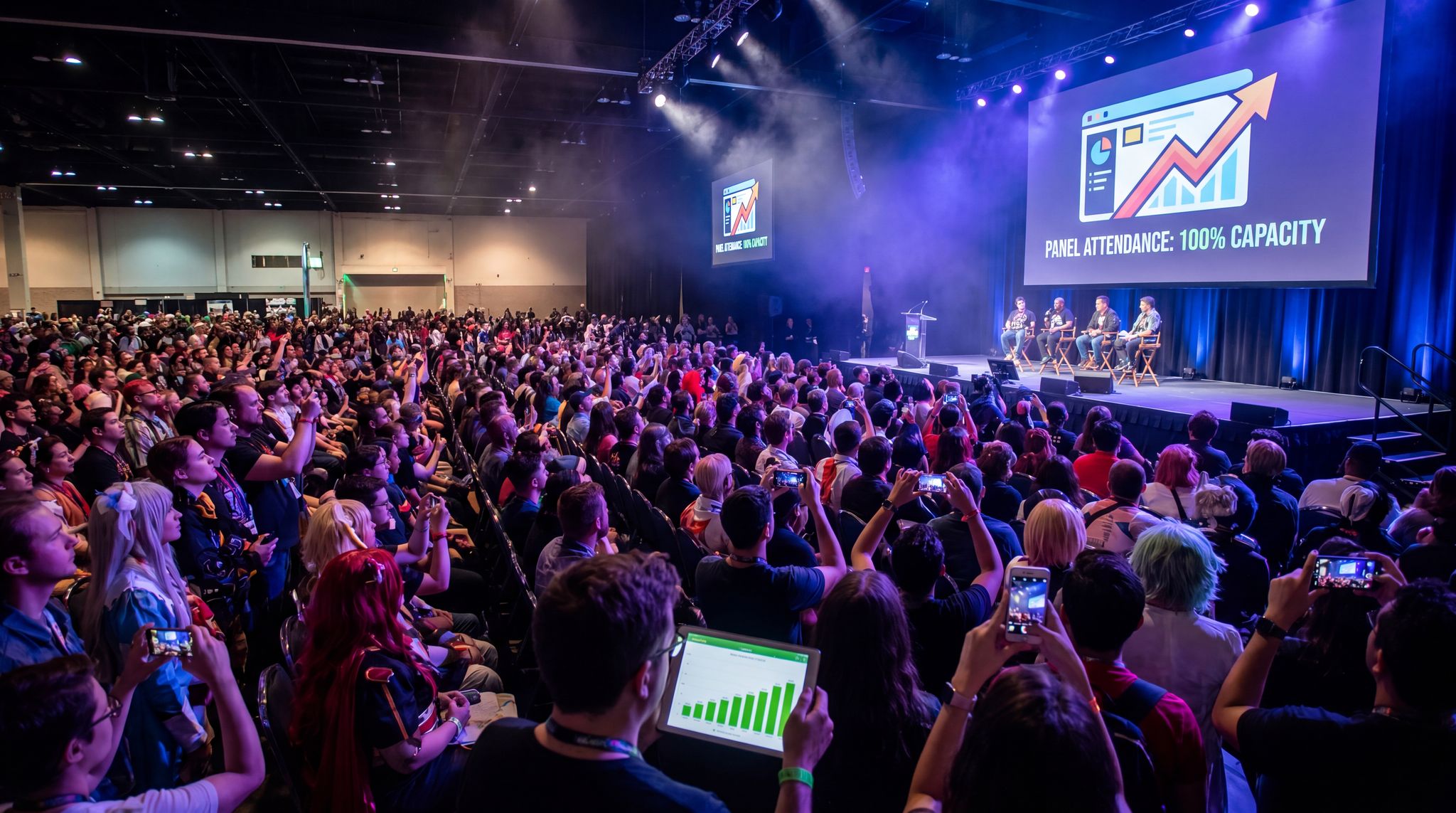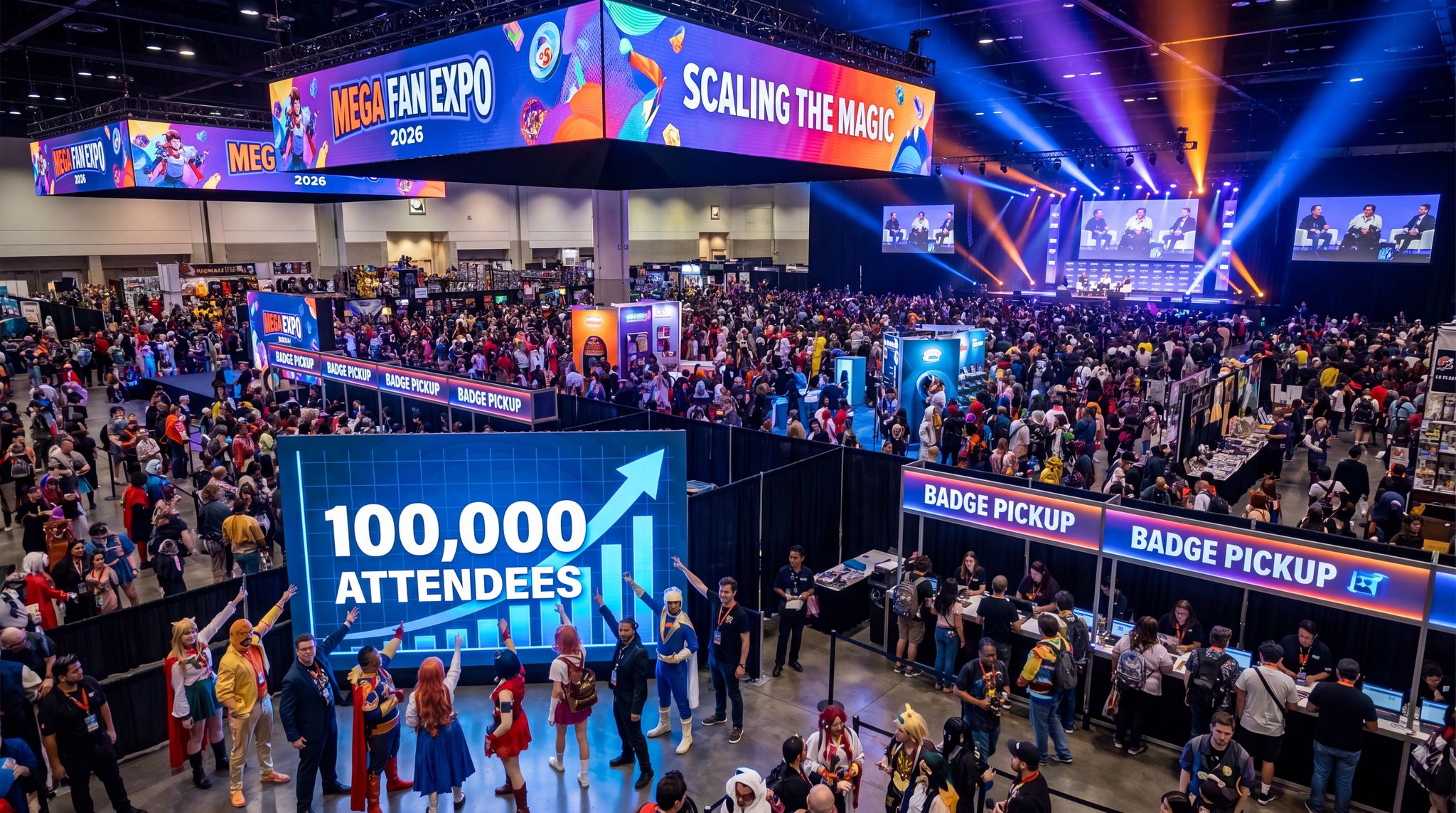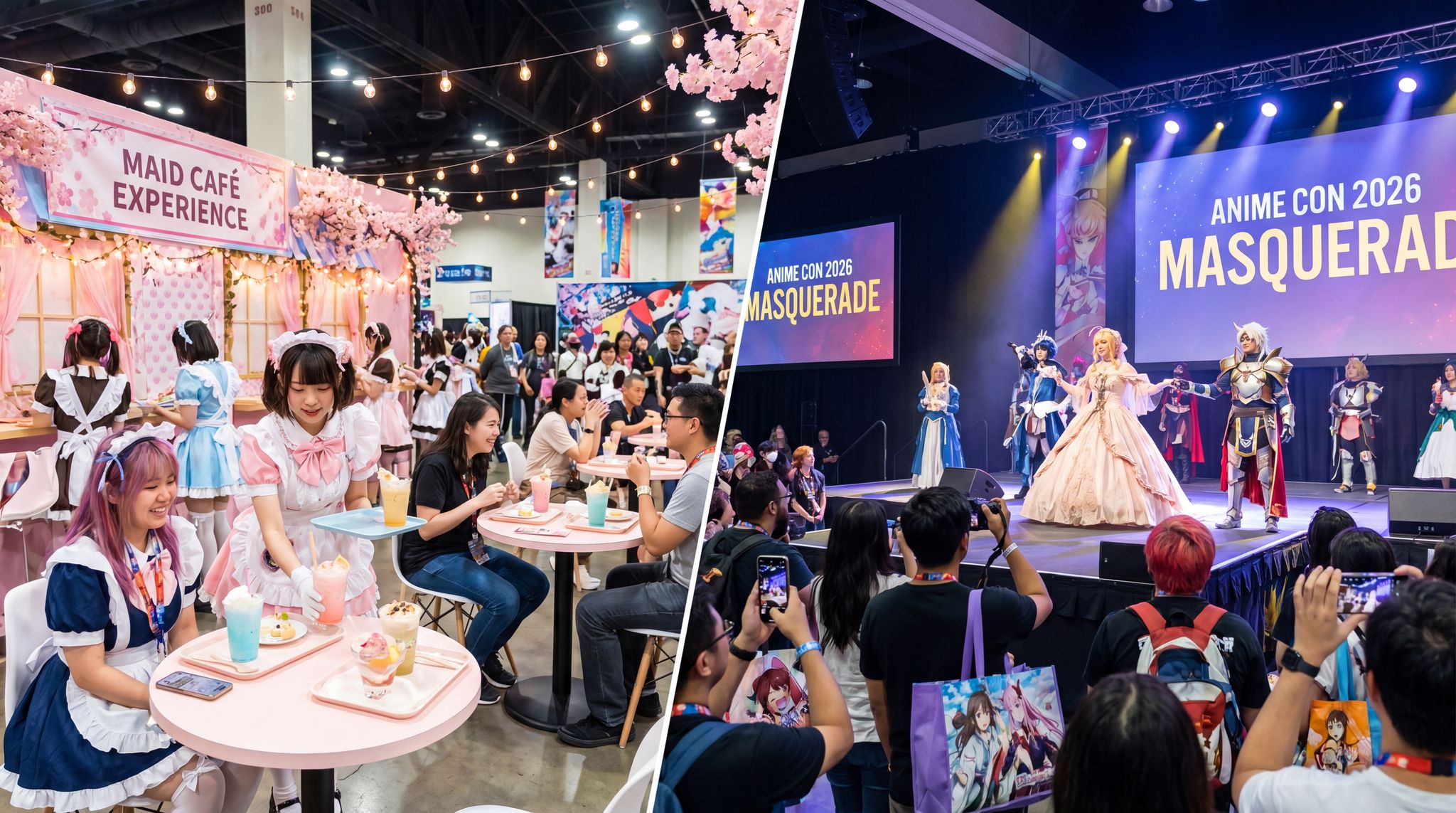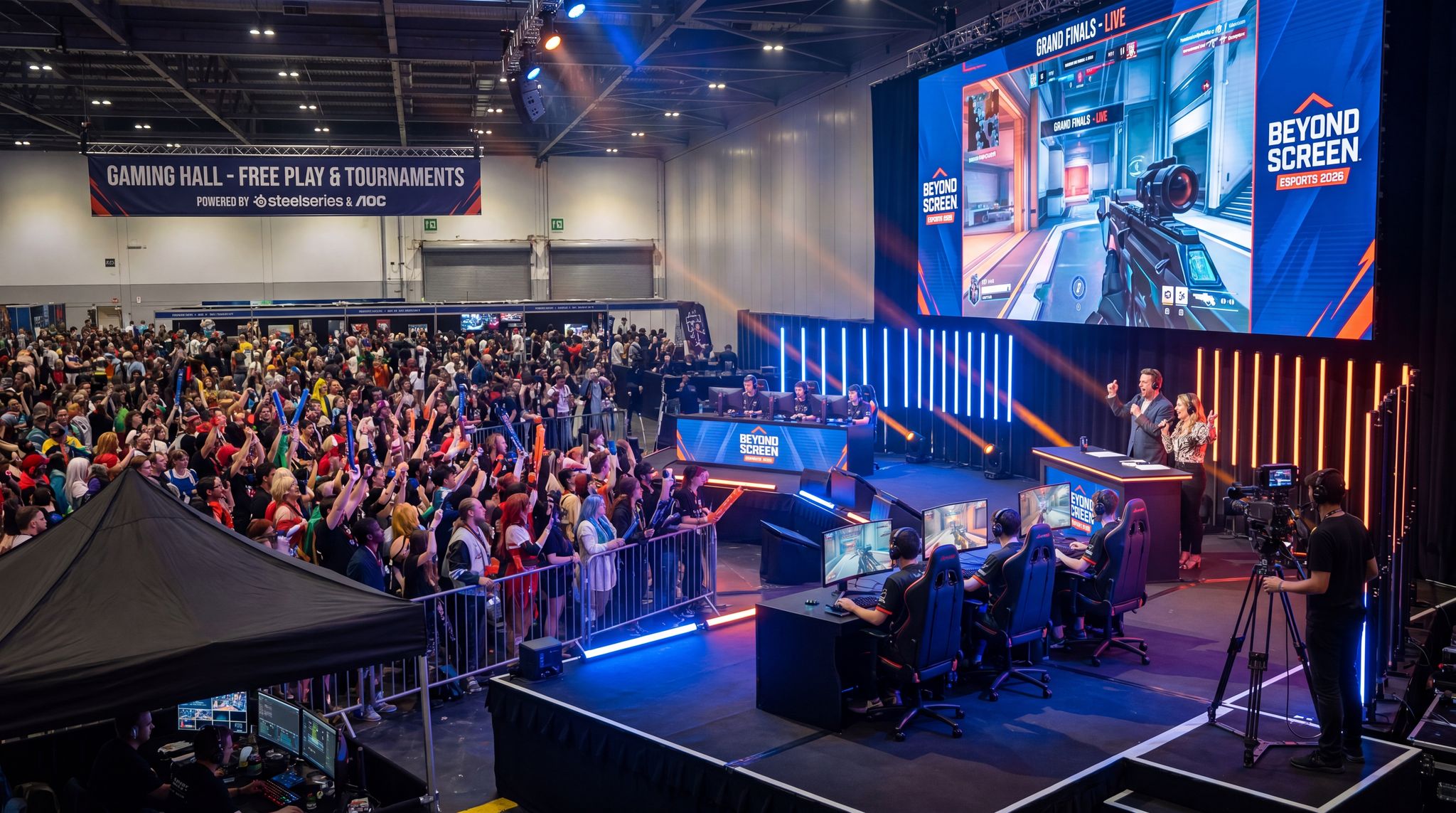
Hosting an esports tournament at a fan convention can elevate your event from great to unforgettable. As esports event planning becomes a mainstream part of conventions, organisers worldwide are blending competitive gaming into comic cons, anime expos, gaming festivals, and pop culture events. This guide offers veteran insights into how to organize esports tournaments at conventions of any size – from ensuring lag-free matches and engaging shoutcasters to partnering with game publishers and creating an atmosphere that thrills hardcore gamers and casual fans alike. Real examples from conventions and esports festivals around the globe illustrate what it takes to successfully go beyond the screen and turn digital competition into a live spectacle.
Why Add Esports Tournaments to Your 2026 Convention?
Integrating esports into fan conventions isn’t just a trend – it’s a powerful way to boost excitement, attendance, and engagement. Modern convention-goers crave interactive entertainment. Traditional events where attendees only browse booths or watch panels are evolving into immersive and hands-on interactive experiences. Competitive gaming delivers exactly that: an interactive, high-energy attraction where fans become part of the action as players or enthusiastic spectators.
The Esports Boom Meets Fan Conventions
By 2026, the esports industry’s boom makes it a natural fit for conventions. Major tournaments draw millions of online viewers and fill stadiums, demonstrating massive audience interest in competitive gaming events. Fan expos worldwide have taken notice. Comic conventions and fan events are dedicating entire halls to gaming – for example, L.A. Comic Con 2025 introduced a “Gaming Hall” with free-play zones, indie demos, and live tournaments to meet attendee demand, establishing a hub for all things gaming that has become a major attraction at L.A. Comic Con. At pop culture expos like PAX, the official PAX Arena hosts high-profile competitions; PAX West 2024’s fighting game tournament even featured a $10,000 Tekken 8 prize pool to attract top players to the arena. These additions aren’t just side-shows – they’ve become headline attractions that can boost attendance 15–20% when promoted well.
Real-World Example: DreamHack, one of the largest gaming festivals, shows the drawing power of blending esports with a convention vibe. DreamHack’s events in Valencia grew from 10,000 visitors in 2010 to 65,000 by 2019, and in 2022 its summer and winter editions combined drew over 135,000 attendees to the festival. By mixing pro tournaments, casual LAN parties, expo booths, and cosplay, DreamHack created a must-see experience that fills venues and even generates €20 million+ in local economic impact. For fan convention organisers, this success highlights the potential – adding esports can transform your event into an all-day attraction that fans plan trips around.
Benefits for Conventions and Attendees
Why incorporate esports tournaments at your convention? There are compelling benefits:
– Broader Audience Appeal: You’ll attract gaming enthusiasts who might not attend solely for panels or autographs. At the same time, your existing attendees get an exciting new facet to enjoy. A well-run gaming tournament can keep attendees on-site longer and encourage multi-day visits, increasing concession and merchandise revenue.
– Sponsorship and Partner Opportunities: Gaming hardware brands, energy drink companies, and even telecom providers seek exposure at esports events. Introducing a tournament gives you sponsor inventory – from presenting rights to PC hardware showcases – that can bring in new funding. For instance, The Game Expo 2025 in Australia partnered with brands like SteelSeries, AOC, and AMD to supply high-end PCs and prizing for its convention PC gaming tournaments, offsetting equipment costs while boosting the festival’s prestige.
– Community Engagement: Tournaments turn attendees from passive observers into active participants. Fans cheer on favourites, share plays on social media, and form bonds in the heat of competition. This sense of community can increase loyalty – attendees who compete or even just rally together in a nail-biting final are more likely to return next year. In fact, interactive experiences at conventions (like gaming contests) dramatically increase social sharing and attendee satisfaction.
– Revenue Potential: Beyond indirect boosts (attendance and sponsors), esports can be monetised directly. You might sell special competitor passes, offer VIP seating for finals, or stream the event online with sponsorships and ads. Some conventions also see tournament-driven ticket sales – fans will buy a day pass just to watch a championship match or play in a qualifier.
In short, bringing esports into your convention adds a dynamic, youthful energy to the event. It’s a way to keep your programming fresh in 2026 and meet the expectations of a generation that grew up on interactive entertainment. However, success requires careful planning and execution. The rest of this guide dives into how to do it right, from the technical foundations to the fan experience.
Planning Your Tournament: Games, Formats, and Schedules
Good esports integration starts with smart planning and format design. You’ll need to choose the right game(s) for your audience, define a tournament structure that fits your convention schedule, and handle player registrations and brackets seamlessly. Unlike standalone esports events that revolve solely around the competition, on a convention timetable your tournament must fit in alongside panels, autograph sessions, and other activities, so planning is key.
Choosing Games that Fit Your Convention
Selecting which games to feature will impact everything from the type of crowd you draw to the technical setup you need. Start by considering your convention’s theme and attendee demographics:
– Match the Fandom: If you run an anime convention, a popular fighting game like Street Fighter or an anime-themed game could resonate well. Comic con audiences might love mainstream titles like Super Smash Bros. or Fortnite, whereas a tech/gaming expo could support a more competitive MOBA or FPS like League of Legends or CS:GO. Choose games that align with your fans’ interests – you’ll get more sign-ups and natural excitement.
– Accessibility: Balance competitive depth with spectator appeal. Titles with straightforward action and visual flair play well to general audiences. For example, a Rocket League match (rocket-powered car soccer) or a Street Fighter bout is easy to follow and hype up in a convention hall. In contrast, an intense strategy game might confuse casual onlookers. It can work if a good shoutcaster explains the action (more on shoutcasters soon), but be mindful of complexity.
– Publisher Support & Licensing: Research whether the game’s publisher has any requirements for tournament organisers. Some game publishers actively encourage fan-run tournaments and may even help promote or provide prize support. Others have strict rules or licensing fees once prize pools exceed a threshold. Early in planning, reach out to publishers’ esports/community teams to inform them of your event. Securing a partnership or at least permission ensures you won’t hit last-minute snags. It also opens doors – for example, a publisher might list your convention tournament on their official event schedule or send swag for participants, adding prestige.
– Multiple Games vs. Main Event: Decide if you’ll run one flagship tournament or several smaller ones. Larger conventions may have entire gaming areas with multiple games running (e.g. a fighting game corner, an FPS arena, a retro games free-play section). If you have the space and staff, offering a variety can engage different fan segments. However, if resources are limited, focusing on one well-produced tournament, such as a marquee Overwatch 2 or Valorant showdown, might create a bigger impact. You can still have casual free-play stations for other games without formal tournaments.
Once you have a candidate game list, confirm the hardware requirements and age appropriateness. Ensure you can provide the right gaming systems (high-end PCs, consoles, VR setups) and that the game’s content suits your age ratings for the event. For example, a family-friendly comic con might stick to Teen-rated games or have separate areas for mature titles.
Defining the Tournament Format and Scale
Choosing a format for your tournament goes hand-in-hand with understanding your convention schedule constraints. How many players or teams can you accommodate, and how long can matches run without disrupting the rest of the show? Here’s how to nail down a format:
– Estimate Participation: Gauge interest through pre-event sign-ups or community polls. If you anticipate dozens of teams or hundreds of players (as large expos might), you’ll need an efficient format. Single-elimination brackets are quick but send half the players home after one game. Double-elimination is popular in esports (giving players a second chance in a “losers bracket”), yet it roughly doubles the number of matches. Round-robin groups guarantee more play time for each participant but can drag on if the groups are big. Match the format to how many rounds you can realistically run during the convention. For a one-day tournament with, say, 32 players, a double-elimination bracket might be the upper limit to finish on time. Over a three-day con, you could spread out group stages on Day 1–2 and a top-8 bracket on Day 3, similar to how fighting game majors run pools then finals.
– Time per Match: Research the typical duration of one game or match in your chosen title. Some games have fixed lengths (e.g. a Rocket League game is 5 minutes, a League of Legends match can run 30–40+ minutes). Factor in setup time, possible overtime, and breaks. Create a schedule template – for instance, block out 15 minutes per Smash Bros. set or 1 hour for a CS:GO best-of-three. Don’t forget buffer time for technical delays or overrunning matches; it’s safer to schedule slightly fewer matches than to promise more than you can deliver live.
– Convention Schedule Integration: Work with your programming team to slot the tournament in without cannibalising other marquee events. One proven approach is to treat the esports finals as a headline event – perhaps on the last afternoon or evening of the convention when other programming is lighter. That way, you can build up hype (“Grand Finals at 5 PM on the Main Stage!”) and avoid overlap with big celebrity panels or keynotes. During preliminary rounds, try not to pull attendees away from major attractions; scheduling early rounds in the morning or in a side area can help. Also consider noise and crowd flow – a roaring audience at the gaming stage shouldn’t drown out panel discussions next door. If possible, position your esports arena in an expo hall or a ballroom slightly away from quiet programming rooms, or stagger the schedule so that intense matches don’t directly clash with quiet content.
– Bracket Management: To handle the complexity, use a reliable tournament management software or platform. Popular solutions include Challonge, Toornament, Battlefy, and smash.gg (now part of Start.gg). These tools can generate brackets, publish match results in real-time, and even allow players to report scores via mobile. Some convention organisers integrate the bracket display with the event app or website so attendees can follow along. For example, integrating your tournament platform with your ticketing system can let you display brackets on event screens or push notifications to fans when their next match is up. (Many modern ticketing platforms, including the Ticket Fairy’s esports tournament system, offer API integrations or built-in modules to merge ticketing and tournament management.)
If this is your first time running a competitive gaming event, it’s worth reviewing a comprehensive checklist of tournament planning basics. You can consult resources like an ultimate guide to organizing a ticketed esports tournament for deeper insights on setting rules, fair seeding, and handling disputes. In a convention setting, those fundamentals still apply – but you’ll be juggling them alongside all your other event logistics. The key is meticulous scheduling and clear communication. Publish the tournament schedule in your convention programme (and app) so everyone knows when to be where. Announce upcoming matches over the PA or push notifications. By laying out a solid plan upfront, you set expectations for players and ensure the competition enhances the overall convention rather than causing confusion.
Registration and Player Management
Conventions have to manage attendees, exhibitors, guests, and now players. Streamline how gamers sign up and participate to avoid chaos on the day:
– Advance Registration: If possible, have competitors register online before the event. This gives you a handle on numbers and skill levels. Offer a way to register through your main ticketing page or a special form. For example, you might add a “Tournament Entrant” ticket (free or paid) as an add-on during badge checkout, or use a pop-culture convention ticketing system that supports different attendee types (general attendee vs. competitor). Early sign-ups let you seed brackets and perhaps cap the entries if space is limited. It also helps you collect contact info to send players event instructions and rulebooks ahead of time.
– On-Site Sign-Ups: Many conventions also allow walk-up tournament registration for flexibility, especially for smaller casual competitions. If doing this, clearly communicate the cut-off time (e.g. “Sign-ups for the Mario Kart tournament close at noon on Saturday at the gaming hall info desk”). Use volunteers or staff to manage a sign-up table with a digital form or a laptop running your bracket software to add last-minute entries. Line management is critical – you don’t want huge queues of people clogging your expo floor just to register. Consider using a ticketed queue system or handing out numbered tickets so registrants can come back when called, similar to how cons manage autograph lines and event queues. Efficient on-site sign-ups ensure the process itself doesn’t detract from attendee experience.
– Player Badges or Credentials: Decide how players will be identified and called for matches. Some conventions issue a special badge or wristband to tournament participants in addition to their normal attendee badge. This can grant them access to competitor-only areas like practice lounges or simply help staff recognise them. It’s also an opportunity for branding (e.g. a wristband with “Tournament Competitor” and a sponsor logo). If you have a large pool, printing a simple badge with the player’s name/gamertag can make coordination easier. Ensure your registration form collects both real name and in-game name so you can accurately prepare any credentials and announcements.
– Rules and Code of Conduct: Just as you would share cosplay rules or panel guidelines, distribute the tournament rulebook to all players. Include game settings, tournament format details, and sportsmanship policies. Outline what happens if someone is late or if there’s a technical issue mid-match. Having rules acknowledged upfront (you can require players to sign or check a box agreeing to rules during registration) will save you from disputes later. Prominently post key rules near the competition area as reminders (e.g. “No outside controllers without inspection” or “All players must check in 15 minutes before their match”). This transparency keeps things fair and professional.
– Scheduling Matches: Provide players with their match times in advance when possible. If you’re running on a tight schedule, a player check-in at the start of each day or tournament phase helps. For example, ask all entered teams to check in each morning to confirm they’re present – this way you can quickly handle any no-shows by adjusting brackets or calling alternates before holding up the bracket for a missing team. During the event, use text alerts, push notifications via an app, or old-fashioned loudspeaker calls to gather players when their match is up. A “player pit” area with a staffer or volunteer acting as a match coordinator works well: players report there, then are escorted to the appropriate station or stage when ready.
One more tip: Cater to different skill levels. Not everyone at your con will be a pro player – some just want the fun of competing on a big stage. Where practical, offer pathways for various levels. You could have a casual bracket or free-for-all contest aside from the main tournament, or side challenges like high-score competitions (as The Game Expo did with its High Score Arcade challenge for prizes on classic arcade games). This inclusive approach ensures hardcore competitors get their serious tournament, while casual fans can still participate in gaming activities without feeling outmatched. It’s all about making the gaming area welcoming to all attendees, not just the esports elite.
Building a Lag-Free and Spectator-Friendly Infrastructure
Transforming a section of your convention into an esports arena means paying close attention to the technical backbone and physical setup. Nothing will sour an esports debut faster than unstable internet or power failures mid-match. On the flip side, a well-executed stage with smooth gameplay and crisp visuals will turn heads and create “wow” moments on site. Here’s how to get your infrastructure right.
Reliable Internet and Network Setup
Connectivity is king in esports. A great tournament can grind to a halt with a single network outage or high ping spike that causes lag. To prevent that, plan your event’s internet like a mission-critical system:
– Dedicated Bandwidth: Do not rely on the venue’s general Wi-Fi or shared connection for tournament gameplay. Invest in a dedicated wired internet line (or two) exclusively for the esports area. Work with the venue’s IT or an external provider to install a high-bandwidth, low-latency connection – typically fiber with at least 1 Gbps symmetrical speeds. If your convention centre already has robust connectivity, arrange for a dedicated VLAN or subnet carved out for your use, separate from public attendee Wi-Fi. Many top events bring in dual independent internet lines and dedicated infrastructure, so if one fails, the other takes over instantly. This redundancy might sound extreme, but when thousands are watching a match, you cannot afford a dropped connection.
– Local LAN and Servers: Wherever possible, keep gameplay on a Local Area Network. This means connecting all tournament PCs or consoles to a switch and, ideally, running a local game server in the same network. For titles that allow private servers or “LAN mode,” coordinate with the game publisher to set that up on-site. Local servers eliminate internet lag altogether – the game continues even if the external internet blips. For online-only games, reduce ping by choosing the nearest server region and use your fat internet pipe to minimise round-trip time. Configure quality-of-service (QoS) rules to prioritise game traffic above all else on the network. Seasoned esports techs “segment the network” so gameplay data, streaming data, and public Wi-Fi each have their own lane. This way a surge in someone’s YouTube upload at the con doesn’t ruin a tournament match. If networking isn’t your forte, hire a network engineer with event experience or consult with specialist vendors – it’s that important.
– Wired Everything: Use wired ethernet connections for every tournament machine – no exceptions. Also wire in the casting desk PC, stream encoders, and any other critical devices. Avoid Wi-Fi for anything mission-critical, as it’s prone to interference (especially in crowded cons with thousands of smartphones around). Running Cat6 cables might be a pain, but it guarantees low latency. If you have spectator areas that need internet, provide a separate Wi-Fi access point for them on a throttled or isolated network. Some events even disable public Wi-Fi during crucial matches to free up spectrum and prevent interference. Communicate to attendees when you’ll do this (e.g. announce “for the next 30 minutes, we’re pausing public Wi-Fi to ensure a flawless championship match experience”). Most fans understand, especially if you frame it as helping the competition run smoothly.
– Real-Time Monitoring: Have an IT staffer or volunteer actively monitor the network during the event. Tools that display live ping, packet loss, and bandwidth usage for each node are invaluable. That way, if the ping to game servers starts creeping up or a suspicious traffic spike occurs, you can intervene before players complain. For instance, if one PC shows latency issues, you might discover a Windows update suddenly eating bandwidth – your network admin can spot it and pause the update. The best esports events treat their network operation center like an air traffic control tower, with constant vigilance. Aim for that standard on a scale appropriate to your event size.
– Backup Plans: Despite all precautions, plan for the worst-case scenario. Keep a backup 5G/4G LTE hotspot or a bonded cellular router ready as a tertiary internet source. It won’t handle 100 PC gaming sessions, but if one critical match needs to be finished, an emergency hotspot could allow a few machines to connect and conclude the tournament (albeit with higher ping). More commonly, have a non-network backup: if a match disconnects due to internet, you might replay the round or move affected matches to a later time once resolved. Include such procedures in your rules. Essentially, know ahead of time how you’ll respond to a network outage – don’t improvise under pressure.
Staging a tournament with zero lag is challenging but doable with planning and the right expertise. As one Forbes analysis bluntly put it, relying on ordinary venue internet for a high-stakes esports match is “a recipe for disaster” because zero latency is critical for seamless gameplay. On the upside, achieving stable, lag-free gameplay at your convention will earn huge credibility with gamers. Players and fans will notice that the event “feels pro” if everything runs without a hitch. This tech excellence builds trust – they’ll know your con can handle serious esports, and word will spread in the community.
Grow Your Social Following With Every Sale
Require social media follows, shares, or playlist adds to unlock presale access or special pricing. Turn every ticket purchase into audience growth.
Equipment, Power, and Stage Logistics
Beyond internet, think through all the hardware and staging elements required to turn a corner of your convention into an esports showdown:
– Gaming Hardware: Decide whether you’ll use PCs, consoles, or both, and ensure you have enough identical setups. Cons often partner with a local LAN center, university, or sponsor to source machines. For a top-tier competition, high-performance rigs are a must (imagine running League of Legends finals on PCs that drop frames – not acceptable). The standard is 144+ Hz monitors for any competitive title, low-latency peripherals, and comfortable seating for players. If you must have players bring their own peripherals (keyboards, controllers), have a check-in process to test and approve them (no modified controllers, etc.) and spares in case someone’s gear fails. Also, don’t forget things like lag-free adapters if using console controllers on PC or vice versa, and game accounts or licenses for each station (some games need individual accounts unlocked with all characters, etc., which publishers can sometimes provide).
– Audio-Visual Setup: Treat the esports area like an entertainment stage. That means a PA system for the shoutcasters and MC to be heard by the audience, a big screen or projection showing the game feed, and possibly stage lighting to add drama. Many conventions rent an LED video wall or large projector so even people at the back of a crowd can see the action clearly. Aim for at least one large display (e.g. a 5m LED screen) plus some TVs or secondary screens if the space is wide or has viewing from multiple angles. Ensure the shoutcasters have quality headsets or mics, and that their audio is mixed both into the live venue speakers and the streaming output (with separate mixes so online viewers don’t hear echo). If budget allows, dynamic lighting that reacts to big moments (flashing team colours or strobes when a victory happens) can really boost the “arena” vibe. Even without fancy tech, simple touches like a spotlight on the players and dimmed ambient lighting can set the stage for excitement.
– Power Supply: Gaming PCs and AV gear draw a lot of power, so confirm that your venue’s electrical circuits can handle your setup. Nothing’s worse than blowing a fuse when you boot up 10 PCs simultaneously. Work with the venue to distribute the power load across circuits. Use uninterruptible power supplies (UPS) on critical equipment – at least for the game servers, networking gear, and one of the stage PCs – to ride out any brief power fluctuation. Generators are overkill for most indoor cons, but if you’re doing an outdoor festival or any scenario where power is uncertain, have one on standby. Also, manage cable runs safely: tape down or cover ethernet and power cables that snake across walkways, both for protection and safety to avoid trips.
– Stage Layout and Seating: Design the physical layout for optimal viewing and flow. Commonly, you’ll put the players on a raised stage or platform facing the audience, with one or two large screens behind or above them showing the game view. Shoutcasters can be on stage at a side desk or off to the side on ground level (placing them on stage is more engaging for the crowd, but some prefer off-stage to concentrate). Provide some spectator seating or standing room. Depending on space, you might set up a few rows of chairs, or just leave an open area where people can stand and watch. Anticipate crowd size for big matches – if you only draw 30 people, standing is fine; if a few hundred might show up (as often happens for a hyped final), try to arrange stanchions or a defined viewing area so people don’t block aisles or fire exits. Line management may come into play if the area reaches capacity – you can use staff to enforce one-in-one-out if needed, or issue wristbands for final matches to guarantee entry for some fans. These are the same crowd tactics used for managing popular convention panels and events, now applied to an esports stage.
– Practice & Free-Play Areas: If space permits, set aside a small area for players to warm up and attendees to play casually. A few extra stations behind the main stage can serve as practice setups – great for players waiting for their match or for ongoing BYOC (bring your own computer/console) casual gaming that builds community. It keeps players from wanting to jump on the main stage PCs for practise (which could interrupt the flow). The free-play area can be sponsored or themed, and it’s a nice touch for attendee engagement. For example, you could have a retro gaming corner, a VR demo station, or a tabletop gaming zone adjacent to the esports stage to complement the digital competition.
– Technical Team and Rehearsal: Just as you’d rehearse a big cosplay masquerade or opening ceremony, do a full tech rehearsal for your tournament setup. Bring in your shoutcasters, run through the audio/video feeds, simulate a match, and test all equipment the day before if possible. This is when you catch issues like a faulty HDMI cable, misconfigured stream settings, or lighting glare on players’ screens. Have a technical checklist for the morning of each tournament day: test internet pings, audio levels, game settings, and so on. Assign specific tech roles to your crew – at minimum, you want a dedicated stream producer (managing cameras, graphics, stream start/stop), a stage tech (handling any AV or PC troubleshooting on stage), and a floor manager (coordinating players and calling matches). In a pinch one person might cover multiple roles, but make sure all these responsibilities are covered. When everyone knows their job and the gear has been tested, you’re well on your way to a smooth show.
Building robust infrastructure does require investment, but you don’t have to do it alone. Look for partners to ease the burden. Internet providers might sponsor your bandwidth in exchange for branding (e.g. “Fibre powered by X Company”). PC manufacturers or local gaming cafés might loan equipment and get a booth presence. At big events like IEM or DreamHack, it’s common that the PCs and monitors are provided by a sponsor, which saves cost and also ensures top-notch specs. Even at smaller cons, a local computer shop might welcome the exposure. Just be sure to vet the quality – you’re still responsible for performance, even if hardware is sponsored. Lastly, if budget is tight, scale appropriately: you don’t need a gigantic stage and dozen screens to start. A modest setup with a few good PCs, a decent projector, and sound system can still create an amazing experience if it’s technically solid and well-run.
Ready to Sell Tickets?
Create professional event pages with built-in payment processing, marketing tools, and real-time analytics.
Securing Partners: Game Publishers, Sponsors, and Community
One of the unique aspects of esports event planning in a convention context is the array of stakeholders you can involve. From game publishers who own the titles you’ll feature, to corporate sponsors and local community groups – forging the right partnerships can amplify your tournament’s success. It can also offset costs and lend credibility, turning your convention’s gaming corner into a professionally backed spectacle.
Working with Game Publishers and Leagues
Start by treating game publishers as essential partners, not distant suppliers of a product. Early communication is important for a few reasons:
– Licensing and Approvals: Ensure you have permission to run the tournament, especially if you plan to market it heavily or offer significant prize money. Many game companies have official guidelines (usually on their websites under esports or community tournament policies). For instance, Nintendo historically has guidelines for Smash Bros. community events, and some companies require approval for prize pools above a certain amount. Send a polite proposal or request outlining your event, expected participants, and prizes. Getting the green light officially can protect you legally and prevent awkward scenarios (like a publisher asking you to cancel an unauthorized tourney last-minute).
– Promotion and Support: Publishers might help promote your event if it aligns with their community growth goals. They could tweet about your convention tournament, list it on an official calendar, or even push an in-game notification (“Don’t miss [Your Con]’s tournament this weekend on Twitch!”). This kind of co-promotion can massively boost visibility and attendance. Additionally, ask if they can support with assets or services: perhaps a custom game server for your event (ensuring top performance), or a dev team member to attend/present the trophy (at big cons, Riot or Valve have sent reps to support community-run finals). While not guaranteed, the upside of a publisher partnership is huge – it can turn a fan-run competition into part of the official esports ecosystem.
– Prizing and Swag: Game companies often have promo merchandise, digital currency codes, or swag that they give to community events. You might secure prizing that saves you money on rewards (free game keys, figurines, t-shirts for participants). Some publishers even sponsor prize pools for notable grassroots events – for example, Capcom or Bandai Namco have been known to contribute to fighting game tournament prizes. It never hurts to ask if there’s any way they can support your prize pool or giveaways. Mention the expected size and enthusiasm of your audience; they’re more inclined to help if they see value in reaching your attendees.
– Official Circuit Tie-Ins: In some cases, your convention tournament could become an official qualifier or part of a larger league. For example, if your timing and location align, perhaps the winners at your con get a slot or seeding points in a regional esports circuit. The Halo Championship or Pokémon World Championships historically have had local feeder tournaments. Integrating with a known circuit can elevate the seriousness of your competition – hardcore players will attend if they can progress to bigger stages. Even if not an official qualifier, simply advertising it as part of the season’s competitive calendar (with the publisher’s blessing) lends authenticity.
Cultivating a relationship with game publishers is also a long-term play. If you run the tournament annually, you want them to see your convention as a reliable partner that promotes their game. That reputation can lead to even bigger collaborations down the line (exclusive game demos at your con, developer panels, etc.). Approach the partnership professionally: provide a short summary after the event to the publisher with results, attendance numbers, stream viewers, and any media coverage. This shows the impact and keeps the door open for next time.
Attracting Sponsors and Equipment Partners
Sponsorships can significantly defray the costs of running an esports feature at your convention. Identify companies that target the gamer demographic or have local ties:
– Tech and Gaming Brands: Obvious picks are makers of PCs, laptops, monitors, peripherals (mice, keyboards, controllers, headsets), console manufacturers, and gaming chairs. These brands often have marketing budgets for on-site event sponsorships. For instance, a chair sponsor might outfit your stage with their branded esports chairs (so players sit in them, visible on stream and to spectators). A monitor sponsor might provide high-end screens in exchange for signage and shoutouts. The Game Expo example showed multiple tech sponsors contributing gear for PC tournaments. Pitch it as a demo opportunity – attendees can see and try their products in action. If you have an expo hall, include a small booth or table for the sponsor to engage attendees (common at PAX Arena or DreamHack tournaments).
– Energy Drinks and Snacks: It’s a cliché, but gamers love energy drinks. Brands like Red Bull, Monster, G Fuel, or local beverage companies frequently sponsor esports events. They might not supply equipment, but they could provide cash sponsorship or free product for participants and audience. Picture a branded fridge by the gaming area, keeping players refreshed. Snack brands or quick bites (pizza chains, etc.) can also be relevant – consider an on-site concession tie-in (“powered by [PizzaCo], grab a slice while you watch the finals!”). These lifestyle sponsors bring funding and help create a fun environment.
– Telecom and Internet Providers: Since internet is vital, sometimes ISPs or 5G network providers sponsor esports events to showcase their speed. A local broadband company might sponsor your tournament and even supply that dedicated fiber line at low or no cost (as it doubles as a demo of their service reliability). In return, they get branding (“Official Connectivity Sponsor”) and maybe a presence at the con to sell gamer internet packages. The extremely high-speed lines used in top events have drawn interest – for example, at an Asian esports expo, 10 Gbps fibre was a sponsor-highlighted feature for high-speed connectivity. While 10 Gbps is overkill for most, the concept of “fast internet for gamers” is marketable.
– Local Businesses and Schools: Look beyond typical gamer brands. A local university with a game design program might sponsor to recruit students or showcase student projects. A computer store could chip in parts. Even non-gaming brands might want to reach your audience (we’ve seen car brands sponsor esports to appear cool to youth, or insurance companies doing lighthearted gaming ads). If your con has an existing sponsor roster, see if those sponsors also value the esports segment. They might extend their package to cover the gaming area as well.
– Structuring Sponsorship Deals: Be creative with what you can offer. Branding on the stage (banners, logos on the big screen between matches), naming rights (“The [SponsorName] Esports Arena”), sponsored segments (“replay powered by X”), social media mentions, inclusion in the live stream (logo overlays or the caster verbally thanking sponsors), and product showcases (booth or table space) are all common assets. Also, consider sponsor-provided staff or activations – for example, a sponsor might run a small giveaway on stage (“tossing swag to the crowd!”) which boosts engagement and gives them extra shine. Always balance sponsor messages with attendee experience – it should feel supportive, not intrusive or overly commercial. Keep the focus on enhancing the event.
Make sure to coordinate with your overall convention sponsorship team, so efforts aren’t duplicated or conflicts created. If your main event already has a title sponsor, ensure adding an esports sponsor doesn’t violate any category exclusivity. Ideally, fold it into your sponsorship prospectus: an esports tournament can be a premium add-on opportunity for brands, with the value of both in-person impressions and online via streaming.
Engaging Communities and Influencers
Beyond corporate partners, tap into the gaming community itself to strengthen your event:
– Local Esports Groups: Identify if there are existing esports or gaming clubs in your region. University esports teams, fighting game community (FGC) meetups, or LAN party organisers might be thrilled to be involved. You can collaborate by having them co-host or manage parts of the tournament (many communities have experienced tournament organisers who run weekly events – they could bring that expertise to help run your brackets smoothly). In return, offer them a booth or the opportunity to promote their club at your con. This grassroot involvement not only brings skilled manpower, but also their network of players and fans. A local FGC group, for example, will spread the word among fighting game enthusiasts to attend your event. As noted in industry trends, partnering with established gaming communities lends credibility and taps into a built-in audience of core fans.
– Influencer Appearances: Consider inviting a popular streamer, YouTuber, or pro player as a guest. Just like comic cons book TV or anime stars, an esports personality can draw their fanbase to your con. Perhaps a well-known commentator or former champion could do a meet-and-greet and also cast an exhibition match. When influencers co-create content or appear at your event, they’ll often promote the event to their loyal followers. For example, if you secure a famous cosplayer who also streams games, they might host a casual showcase match in costume – that’s a cross-promotion goldmine. Budget accordingly; some may come for a simple appearance fee or travel coverage, others might appear if they can sell merch or boost their profile. Even mid-tier local streamers can help – invite them to do live commentary or a live stream from the show floor. They get content, you get exposure. It’s about creating a win-win where influencers feel part of the event.
– Press and Media: Treat the esports tournament as a newsworthy part of your convention. Engage gaming press and local media to cover it. Send press releases highlighting any unique angle (e.g. “Comic-Con to host its first-ever $5,000 Street Fighter tournament” or “Local University esports finals to be held on comic con stage”). On-site, have a small press area or reserve seats for media during finals. Also consider streaming platforms as media – reach out to Twitch and YouTube Gaming’s community teams; if your event is sizable, they might feature it on their front pages or social channels. The more eyeballs you attract, the more everyone – sponsors, attendees, and partners – benefits. To get those eyeballs, you need to proactively engage media and influencers with proven marketing tactics. (For more strategies on this, see guides on engaging media and influencers for event coverage.)
Overall, think of your esports tournament not as a standalone element, but as an ecosystem of participants: the players, the fans, the sponsors, the publishers, and the content creators all intersect at your event. Nurturing each relationship builds a foundation that can make your convention’s esports offering self-sustaining. By year two or three, you may find companies approaching you to get on board, and players considering your con’s tournament a must-attend event on the calendar. That’s the goal – to create an esports experience that amplifies your convention’s appeal and fosters a community that keeps coming back.
Shoutcasters, Hosts, and the Art of Hype
In competitive gaming, shoutcasters (commentators) and hosts play a pivotal role in transforming matches into a thrilling spectator experience. At a convention, where your audience includes both die-hard gamers and newcomers wandering in out of curiosity, having engaging talent on the mic is even more important. They provide context, build storylines, and generate energy that pulls people into the moment. Let’s break down how to leverage on-air talent and hosts to make your tournament truly spectacular.
Finding and Managing Shoutcasters
A good shoutcaster can make a modest match feel like a championship bout. When selecting casters:
– Look for Game Expertise + Showmanship: The ideal shoutcaster knows the game inside-out and knows how to entertain a crowd. If the game has a pro circuit, see if any well-known casters are available to hire for a day – their presence can be a draw in itself. If budget is an issue, tap local talent: many communities have volunteer casters who stream smaller tournaments on Twitch. Audition a few by watching their past VODs or even asking for a demo reel. You want someone who can explain gameplay clearly, keep up with the action, and inject excitement during big plays. Since you’ll likely have a mix of hardcore fans and casual attendees, instruct casters to balance insight with accessible commentary (“play-by-play” caster for broad narration teamed with a “colour” caster for deep insights is a common duo format). This way newcomers aren’t lost, and experts still get analysis to appreciate, fostering engagement and community at the event. Keeping the commentary inclusive will make both gamers and general audience feel welcome.
– Brief Them on the Event: Convention tournaments have nuances – possibly shorter matches, maybe cosplay around, perhaps tech constraints. Brief your casters on the schedule, when breaks are, any sponsor shoutouts they need to do, and the key storylines (e.g. “player X is the hometown hero, player Y came from a far country”). If your con has a theme or the game ties into other programming (say a Halo tournament when you have Halo voice actors as guests), mention it so casters can cross-promote or make fun references. Essentially, integrate them into the event narrative. Also ensure they know the rules and format of your tournament cold – any confusion on their part will transfer to the audience.
– Technical Setup: Provide a comfortable casting station. This could be a desk on stage or a control booth off stage. They’ll need live game feeds (on monitors) and headsets/microphones with a mix-minus setup (meaning they hear the game and each other, but not an echo of themselves or the full venue PA). If they are on stage and the PA is projecting their voice, invest in a quality audio mixer and noise-cancelling headsets so the casters aren’t thrown off by hearing themselves echo. Test the audio levels – casters tend to get loud during hype moments, so leave headroom to avoid distortion. You might consider a small “caster cam” for the stream (audiences love seeing casters react), which means having decent lighting on them and a backdrop, even if simple. Don’t forget practical needs too: some water, maybe a snack, and chairs. They might be talking for hours, so creature comforts help them keep energy up.
– Back-up Plans for Casters: People can lose their voice or fall ill – have a backup caster or host who can fill in if needed. Possibly an extra member of their team or a knowledgeable volunteer who can step up for a match or two if one caster needs a break. Continuous talking is taxing, so schedule breaks for them (e.g. rotate casters every few hours if you have more than two, or pause between bracket stages). If the tournament spans multiple days, definitely arrange a rotation – don’t fry your talent on Day 1. Take care of them and they’ll take care of your audience’s experience.
Hosts, MCs and Audience Engagement
In addition to play-by-play commentators, consider an MC (Master of Ceremonies) or stage host to keep the live audience engaged, especially during downtime:
– Role of the Host: The host can welcome the crowd, introduce the tournament at the start, and hype up upcoming matches. They are the face of the show for attendees on-site (and possibly on stream between games). A host’s job is part entertainer, part traffic controller – they fill any dead air with banter, conduct short interviews, announce giveaways, and generally make sure the energy in the room stays high. For example, if there’s a technical delay, a quick-witted host can jump on the mic to crack a joke, run a quick trivia question for the audience, or interview a cosplayer in the crowd while things get fixed. This keeps the audience from getting restless and turns potential hiccups into memorable moments.
– Choosing a Host: Sometimes your shoutcasters can double as hosts, but juggling both can be tough. If possible, have a separate host. Look within the convention community – perhaps an experienced panel moderator, a local YouTuber, or even a comedian who is gaming-savvy. At anime cons, DJs or cosplay judges often have hosting chops; at gaming cons, there might be a noted personality who isn’t casting but can MC. The host doesn’t need deep game knowledge (that’s the casters’ domain), but they should understand the basics to not say something out-of-place (“So, was that a touchdown or what?!” – avoid that scenario!). What they absolutely need is charisma and adaptability – they’ll be energising a crowd one minute and solving a schedule snafu the next.
– Planned Segments: Work with your host on some planned content to sprinkle through the event. Ideas include mini-game contests for the audience (bring two audience members on stage for a quick round of something silly with a prize), Q&A with players (short interviews with finalists or eliminated fan-favourites to add narrative), or cosplay showcases (invite any game-related cosplayers in the audience up for a quick costume show between brackets). These kinds of segments break up the monotony of back-to-back matches and reward the live audience with unique experiences they wouldn’t get just watching the stream at home. Even something as small as a chant initiation (“Let’s hear it for finalist A – crowd yells – now for finalist B!”) can boost the atmosphere. The goal is to keep energy flowing at all times.
– Crowd Control and Safety: A good MC also subtly helps manage the crowd. They can remind people to make space, keep aisles clear, and exit in an orderly fashion after the event. If people are standing on chairs or doing something unsafe, the MC can gently call it out (“I see you up there on the chair – careful my friend, we want you to stick the landing when your player wins!”). Use them to communicate any instructions (“Don’t forget to pick up your free swag at the exit, courtesy of our sponsor”) and timing (“Finals start in 10 minutes, grab your popcorn now!”). They are essentially an extension of your event staff, just with a very upbeat tone and stage presence.
Smooth Entry With Mobile Check-In
Scan tickets and manage entry with our mobile check-in app. Supports photo ID verification, real-time capacity tracking, and multi-gate coordination.
When done well, the combination of skilled shoutcasters and a charismatic host will elevate your esports tournament into a true show. Think of it like any sports broadcast – the commentators narrate the game, and the sideline reporter or studio host engages viewers during half-time. In a convention, those roles blend a bit, but together they ensure both the hardcore gamers and the general attendees in the audience are entertained from start to finish. By investing in the right people for these roles, you turn what could have been just a series of matches into a memorable theatrical experience that attendees will rave about.
Engaging Both Hardcore Gamers and Casual Attendees
One of the biggest challenges in adding esports to a fan convention is catering to two very different audiences at once. You’ll have hardcore gamers who follow the competitive scene closely, and you’ll have general pop culture fans who might be only vaguely familiar with the game – or even totally new to esports. The success of your event depends on winning over both groups. Here’s how to create an atmosphere that appeals to the gaming aficionados and welcomes the uninitiated.
Grow Your Events
Leverage referral marketing, social sharing incentives, and audience insights to sell more tickets.
Making the Experience Accessible
For newcomers or casual attendees, walking into an esports tournament can be overwhelming. They might not know the game or its terminology. To keep them engaged:
– Educate Gently: Leverage your shoutcasters and on-screen graphics to explain what’s happening. A great caster will sprinkle in quick explainers (“For those new to Valorant, each team is trying to plant or defuse a Spike – kind of like capture the flag with explosives – while using unique character abilities”). A brief “how this game works” intro at the start of the tournament or before the finals can orient newbies. Some events even produce a short video or slideshow of rules and objectives to play on the big screen ahead of matches. Also, use your host: they can ask casters or players short explanatory questions in interviews, essentially prompting them to clarify for the audience’s benefit without sounding pedantic.
– Combining Fandoms: Find crossover elements between general fan interests and the game. If it’s a Street Fighter tournament at a comic con, highlight the characters’ pop culture appeal (“Who here recognises Ryu and Chun-Li?!”). If you have cosplayers of the game characters, feature them – it instantly connects cosplay fans to the esports action through beloved characters. At anime conventions, it’s common to see gaming tournaments for titles like Naruto: Ultimate Ninja Storm or Dragon Ball FighterZ where anime fans invest in the outcome because they know the characters, even if they’ve never seen a fighting game competition. Use those connections. Even anecdotes like “the artist of this game is also a famous manga creator” or “this game’s soundtrack is by the same composer as that popular film” can spark interest from non-gamers.
– Spectacle and Showmanship: Big LED screens, loud cheering, dramatic entrances – they captivate everyone, not just esports fans. By emphasising the spectacle side of the event, you give casual attendees something to enjoy regardless of their game knowledge. Think of a pro wrestling match: you don’t need to know all the lore to get excited when the lights dim and music hits as the contenders enter. Introduce finalists with flair (unique music, short player intro video, or even simple fun facts announced by the MC). Use lighting and sound effects to signal key moments (a kill streak, a match point). These theatrical touches draw in passersby at the con: they’ll wander over out of curiosity when they hear a crowd roaring or see flashy visuals, and then they might stay once they’re hooked by the ambience.
– Inclusive Activities: Provide an entry point for casual gamers to participate in the fun without being in the tournament. That could be free-play stations, as mentioned, but also interactive bits for the audience. Many events do things like audience prediction polls (“Which team will take the next round? Cheer for Team A or Team B!”) or simple giveaways (“Everyone check under your seat – someone has a winning code for a free game”). If your ticketing platform or event app supports it, you can even ask live poll questions or trivia that people respond to on their phones, and show results on screen. It’s about making even the non-players feel involved. At BlizzCon, for example, during StarCraft matches they’ve done “noise meter” contests between sides of the arena. Get creative with ways to turn onlookers into active contributors to the moment.
Satisfying the Avid Esports Fans
Now, for the hardcore gamers in attendance (and watching online), you need to ensure the competition itself meets their expectations:
– Skilled Play and Fair Competition: Serious fans want to see high-level matches or at least fair, intense competition. Attract skilled players by offering decent prizes, or just by building a reputation for a well-run event. If your convention is in its first esports year, you might not get top-ranked pros flying in, but showcase the talent you do have. Perhaps invite a known regional team or a popular high Elo player to attend (cover their badge or travel if feasible – it can raise the bar for competition). Make sure rules enforce fair play (no cheating, standardized gear, referees to resolve disputes). When hardcore fans see that you’re treating the tournament with the seriousness of a professional event, they’ll respect it. Even little touches like displaying a bracket live on a screen or online so nerds can follow the progress is appreciated.
– Advanced Commentary & Analysis: While we advocate caster balance for newcomers, don’t dumb it down too much either. The gaming aficionados in the crowd relish the technical analysis – give it to them especially during big moments or between games. A good approach: during the action, keep commentary a bit more play-by-play for everyone’s sake; during slow periods or downtime, let the colour commentator dig into strategy (“Team A kept using a split-push strategy, forcing Team B to spread thin – that’s why Team A kept winning objectives”). Also consider a post-match analysis segment if time permits – breaking down a highlight or a decisive play on the big screen (like a mini “instant replay”). This mirrors what professional esports broadcasts do and signals to knowledgeable fans that this event is on par with what they watch at home. Some conventions even host a short workshop or panel with pro players or coaches after the tournament – a chance for hardcore fans to dive deeper and ask questions. If your schedule allows, this can be a great bonus (e.g. “Strategy panel with the finalists – 30 minutes after the championship, in the gaming hall”).
– Community Recognition: Hardcore attendees likely belong to the game’s community (Reddit, Discord, local meetups). Recognise and respect that. For example, use the community’s in-jokes or memes appropriately – a well-timed meme reference from the caster can send the gamer crowd into laughter, making them feel seen. If a particularly famous player or community figure is in the house, let them take a bow or maybe involve them (maybe they present the trophy, or do a guest commentary for one match). The general audience won’t mind or notice, but the core fans will love it. In summary, be authentic: show that your convention isn’t just jumping on a bandwagon, but genuinely appreciates the esports and its culture. Something as simple as printing the winner’s name on a big check or trophy and doing a photo op – just like major tournaments do – gives the community a lasting image to share and cherish.
– Online Integration: Many hardcore fans who can’t attend in person will watch the stream. Cater to them too: ensure your live streaming is high-quality (1080p, good audio, proper game capture). Use platforms popular with gamers (Twitch, YouTube). Assign a moderator to any chat to keep it welcoming. Consider enabling co-streaming if you want to broaden reach (allow other content creators to stream your event on their channels, which some events do to leverage influencers). Also, after the event, upload VODs or highlights. The competitive community often rehashes exciting moments on social media or YouTube – make it easy for them to get clips. Not only does this appease avid fans, it also promotes your convention to thousands more potential attendees who will see those highlights and think, “Wow, that looked epic, maybe I’ll go next year.”
The table below summarises how you can cater to the different expectations of hardcore gamers and general attendees at a convention esports tournament:
| Aspect | Hardcore Gamers Expect | General Attendees Enjoy |
|---|---|---|
| Game Selection | Top competitive titles; skilled players showcasing high-level play. E.g. Dota 2, Street Fighter with expert competitors. | Recognisable or fun games; popular characters and easy-to-follow action. E.g. seeing a Mario Kart or Street Fighter match with favourite characters. |
| Commentary Style | In-depth analysis, game jargon, and insight into strategies. They appreciate technical breakdowns of plays. | Clear explanations and excitement. They prefer plain language analogies (“the final boss of the tournament”) and enthusiastic play-by-play to understand the stakes. |
| Activities & Extras | A serious competition environment; minimal distractions during matches. Opportunities to meet players or engage in detailed discussions. | Interactive fun: cheering, participating in polls or mini-games, cosplay tie-ins. They love hype moments, giveaways, and feeling the communal excitement even if they aren’t experts. |
| Production Quality | Professional esports standards – zero lag, high-quality stream, instant replays, and fair rules enforcement. It should feel like a “real” tournament. | Spectacle and theatricality – big screens, loud sound, dramatic lighting. They may not notice technical perfection, but they’ll remember the show and atmosphere. |
| Cultural Touchpoints | Respect for community norms, memes, and key personalities in the competitive scene. Celebrating the skill of players as heroes. | Cross-over with their fandoms – references to familiar pop culture, charismatic hosts who make them laugh, and the story of the competition (underdog wins, etc.) they can latch onto. |
By addressing both columns when designing your event, you create a bridge between gaming enthusiasts and the broader fan base. Many casual attendees will walk away newly inspired by esports, and hardcore fans will leave impressed that your convention treated their passion with the respect it deserves. This blend is how you grow a sustainable esports feature year after year – you’ll cultivate new fans from your general audience while building credibility in the eyes of seasoned gamers.
Broadcasting the Action: Live Streams and On-Site Viewing
In 2026, any decent esports event extends beyond the venue via live streaming. At the same time, you want to maximize the in-person viewing experience for those at your convention. Achieving a seamless hybrid approach – where on-site fans and online viewers both feel engaged – will amplify the reach and impact of your tournament.
Setting Up a Quality Live Stream
Streaming your convention’s tournament serves multiple purposes: it increases accessibility, promotes your event to online audiences, and provides a professional touch that sponsors and publishers appreciate. Here’s how to do it right:
– Platform Choice: Twitch remains the go-to for gaming, with YouTube Gaming as another strong option (some events stream to both). Choose based on where your target community hangs out – for most, that’s Twitch due to its interactive chat culture. You can embed the Twitch player on your convention or event website as well, so people not on Twitch can still find it. Ensure the stream is easy to locate: announce the channel name in all promo materials and on-site (“Watch live at twitch.tv/YourConTournament”).
– Technical Streaming Setup: Use a robust PC (or two) for encoding the stream. Ideally, one PC could be dedicated to capturing the game feed and encoding, while another manages the camera shots and overlays (this is the two-PC streaming setup many tournaments use for stability). However, a single strong machine can do the job if needed – just test it thoroughly. Utilize broadcast software like OBS or XSplit. Set your resolution and bitrate to balance quality and reliability; e.g. 1080p at 60fps and ~6 Mbps bitrate gives a crisp image, but ensure your internet can handle upload with headroom. Thanks to your dedicated line, this should be fine – still, consider using a second, separate internet connection for stream uplink if possible, to truly isolate game traffic from stream traffic, a practice veteran tournament directors recommend for managing network capacity and isolating critical infrastructure inside the venue. Many pro events actually stream via a secondary line or 4G bonding as a backup.
– Cameras and Layouts: Incorporate a few camera angles to emulate professional broadcasts. One camera on the casters, one or two on the players (even a static wide shot of the stage is fine), and possibly an audience reaction camera. You can start with just one cam (casters) if budget is minimal, but player reactions add a lot of flavour for viewers at home. Switch between the game feed and these camera shots especially between rounds or during downtime. If you lack a dedicated producer to do manual switching, at least plan your OBS scenes to automate some of it (e.g. have a hotkey to swap to caster cam scene during breaks). Use graphic overlays: scoreboards, player names, bracket info – these can be as simple as text and images, or more advanced with tools like Scoreboard Assistant or in-game API data. Clearly show the tournament name and your convention branding somewhere (a corner bug or rotating banner) so that anyone tuning in knows what event this is. Also, don’t forget a stream starting soon slate and a be-right-back screen for when breaks happen, to keep things looking pro instead of a random idle camera shot.
– Interactive Elements: Leverage what streaming offers: viewer engagement. Assign a moderator to watch the chat and answer basic questions (“This is live from MegaCon – yes it’s a fan event in Melbourne,” etc.). If you have the bandwidth, get casters or the host to peek at chat occasionally and respond. Online polls or predictions (Twitch has a built-in predictions feature for points) can mirror what on-site audience is doing. And definitely enable highlight creation and clips – online fans will share those hype moments, which becomes free marketing for you. If your tournament has a hashtag or social media presence, mention it so remote viewers can join the conversation on Twitter or elsewhere.
– Archiving and Post-Event: Ensure the stream VOD is saved, and ideally export it to a platform like YouTube for longevity. Some folks who missed the con might watch it later – or your own team may want to review footage to improve next time. You can also cut together a highlight reel afterward (“Top 5 plays from the convention tournament”) to share on social media and in next year’s promotions. These VODs and clips continue the engagement well after the event and validate the success of the tournament to stakeholders (sponsors, publishers – you can show them view counts, etc.).
By treating the broadcast with as much care as the on-site production, you signal to the community that your convention is serious about esports. And from a numbers perspective, remember that for every person watching on-site, potentially tenfold are tuning in online – especially if a notable player or a rare game is featured. For example, a mid-size convention’s finals might have a few hundred in the audience but could garner tens of thousands of unique online viewers if marketed on Reddit, Discord, and via the game’s official channels. Embrace that hybrid reality: in 2026, esports events are by default global via streaming, complementing on-site activities for attendees, so a convention tournament can put your event’s name on the map far beyond your local attendee reach.
Enhancing On-Site Viewing
While streaming extends your reach, you also want the live viewers at your convention to have an unbeatable experience – after all, they bought tickets to be there in person. Here are strategies for an electrifying on-site atmosphere:
– Audio Balance: One tricky part is balancing the needs of the live audience and the stream. In the venue, your audience ideally hears the shoutcasters and the game sounds clearly through the PA. Use a competent audio engineer or DJ to mix the sound. Game audio (effects, etc.) should be loud enough for impact but not so loud it drowns commentary or blows out eardrums. Also be mindful of adjacent areas; if your tournament is near other attractions, try to contain sound (directional speakers, drapes, etc., can help). Some events provide headset stations for serious fans – e.g. a small section where attendees can listen to commentary via headphone jacks or an app, which can be cool but usually only needed in large arenas. Most fan cons can do fine with a well-mixed PA.
– Use the Big Screen Smartly: The main screen should show the game by default – that’s what people came to see. But don’t leave it static on a game feed during breaks or downtime. This is prime real estate for engagement: play hype videos, display upcoming match schedules, show a humorous “meme reel” of gaming jokes, or run sponsor highlight clips (sparingly, so it doesn’t become ads overload). Showing the bracket progression graphic occasionally helps the crowd follow the tournament’s progress. If you have crowd cameras, throw those up for fun (attendees love seeing themselves on the big screen doing silly dances or holding signs). During really key moments, you might even experiment with augmented reality overlays on the screen if you have tech – some advanced events display giant character avatars or live stats on the arena screen to keep audiences invested during key moments, which requires early coordination to integrate systems for the spectator experience. Even if you can’t do AR, simply having a live score and timer visible on-screen is important for everyone to track the state of the game.
– Encourage Cheers and Participation: The energy of a live esports crowd is unique – they react in real-time to every twist. Embrace that and encourage it. Have your host lead chants (“Let’s go team A!” / “Defense!” etc. when appropriate). Some events hand out cheer props like thundersticks, light-up bracelets, or even just printed signs with slogans. If you can, at least provide blank signs or a “cheer kit” table with markers so fans can make their own posters to support players or teams. It adds colour (literally) to the audience and gives that sports event feel. Another fun tactic is a “bonus” for crowd noise: for example, the host could say if the crowd hits a certain decibel level (you can have a fake meter on screen), everyone gets some small swag (sticker, etc.) – courtesy of a sponsor. It’s gimmicky but undeniably pumps up volume. And as the event goes on, attendees often don’t need prompting – they get invested and organic chants emerge. Let the crowd have its personality (so long as it stays positive/sportsmanlike; shut down any overly toxic heckling early by setting expectations of respectful fandom in your opening announcements).
– Integrate Convention Themes: Since this is part of a larger event, find ways to tie the tournament back into the overall convention experience. For example, if your con has a mascot or theme (say, steampunk), have the trophy reflect that (a gear-laden cup?). Or if it’s a comic con, maybe the trophy is presented by a costumed character presenter. During breaks, mention other con happenings (“After the finals, don’t forget the afterparty concert at 9 PM!”). You can even collaborate across events – maybe the winning team is invited to do a short victory lap on the main stage of the con later, or with your media partners. At BlizzCon, the winners of esports tournaments often appear at closing ceremonies. In your case, maybe they get a shout-out during the cosplay masquerade or a photo op with a celebrity guest. These crossovers make the esports segment feel like a fully integrated part of the convention, not an isolated side event.
– Safety and Comfort: When drawing a crowd, keep safety in mind. As mentioned, control entry if venue capacity is an issue; station volunteers to ensure aisles/exits are clear. If the area gets packed, monitor temperature and ventilation (hundreds of excited people plus running PCs can heat a room fast!). Have water available or at least encourage attendees to stay hydrated (maybe a water sponsor ties in nicely here). Also consider accessibility – ensure there’s space for wheelchair users or shorter attendees to see (maybe a reserved front area for those who need it). Small touches like a few bean bags or bleachers can go a long way if folks are going to stand for long periods. Your goal is for attendees to feel the electricity of the competition without discomfort or safety issues spoiling it.
Finally, think about the emotional arc for on-site viewers. A convention esports tournament can be a marathon and a rollercoaster. It builds from casual interest in early rounds to fervent excitement in finals. Plan for a climax: maybe dim lights and play an intro video before the grand final to refocus everyone’s attention, or have the host get the loudest cheer of the day going as players walk on for the last match. These techniques are borrowed from major esports arenas and even traditional sports – and they work. Even fans who walked in mid-day with no clue might find themselves on their feet, heart pounding in the final moments, screaming for a player they hadn’t heard of an hour before. That transformation of passive attendees into invested fans is the magic you’re trying to create. If you succeed, the roar of the crowd on-site combined with thousands tuning in online will firmly establish your convention as a home for spectacular esports action.
Frequently Asked Questions
Why should conventions host esports tournaments?
Integrating esports tournaments into fan conventions can boost overall event attendance by 15 to 20 percent. Competitive gaming provides interactive, high-energy entertainment that attracts broader audiences, keeps attendees on-site longer, and creates lucrative sponsorship and direct revenue opportunities for organizers.
How do you choose the right esports games for a convention?
Select esports games that align directly with your convention’s specific fandom and demographic. Anime conventions thrive with fighting games like Street Fighter, while comic cons suit mainstream titles like Super Smash Bros. Always balance competitive depth with spectator accessibility to engage casual onlookers.
What is a shoutcaster in esports?
A shoutcaster is an esports commentator who provides live narration, strategic analysis, and entertainment during competitive gaming matches. They typically work in pairs, featuring a play-by-play caster for broad action narration and a color caster who delivers deep insights to engage both casual and hardcore fans.
What internet speed is required for a live esports tournament?
A live esports tournament requires a dedicated, wired internet connection with at least 1 Gbps symmetrical speeds. Organizers must avoid shared public Wi-Fi and utilize local area networks (LAN) or dedicated VLANs with quality-of-service rules to guarantee zero latency and prevent match-disrupting lag spikes.
Which tournament format is best for a convention esports event?
The best tournament format depends entirely on your convention’s schedule and participant volume. Single-elimination brackets work best for quick, one-day events, while double-elimination formats are highly popular for multi-day schedules. Round-robin groups offer more playtime but require significantly more time to complete.
How do you get sponsors for an esports tournament?
Secure tournament sponsors by pitching to tech brands, energy drink companies, and local internet providers seeking exposure to gamer demographics. Offer creative branding assets like stage naming rights, branded gaming chairs, product showcases, and live stream logo overlays to offset equipment and production costs.
What gaming equipment is needed to host an esports tournament?
Hosting a professional esports tournament requires high-performance gaming PCs or consoles, monitors with 144Hz or higher refresh rates, and low-latency peripherals. The setup also demands uninterruptible power supplies (UPS) for critical servers, an audio mixer, and large LED video walls for spectator viewing.
How do you live stream a convention esports tournament?
Stream convention tournaments on platforms like Twitch or YouTube using a robust two-PC setup running OBS or XSplit. Broadcast at 1080p resolution and 60fps with a 6 Mbps bitrate, incorporating multiple camera angles of the casters, players, and in-game action to engage remote viewers.
Do you need permission from game publishers to host an esports tournament?
Organizers must secure permission from game publishers to run official tournaments, especially when offering significant prize money. Many publishers have specific community tournament guidelines and licensing requirements, but securing approval can also unlock official promotion, custom servers, and promotional merchandise for your event.
How can you make esports tournaments engaging for casual fans?
Engage casual fans by emphasizing theatrical spectacle through dramatic lighting, loud cheering, and large LED screens. Utilize accessible commentary that explains game mechanics simply, and integrate interactive elements like audience prediction polls, giveaways, and cosplay tie-ins to make newcomers feel involved in the action.
What is the best backup plan for internet failure at an esports event?
The most reliable backup plan for internet failure is maintaining a secondary 5G/4G LTE hotspot or a bonded cellular router on standby. Additionally, running gameplay on a Local Area Network (LAN) ensures matches continue seamlessly even if the venue’s external internet connection drops completely.
How should organizers manage player registration for convention tournaments?
Organizers should utilize advance online registration through their ticketing platform to gauge participant numbers and seed brackets early. For on-site walk-ups, establish clear cut-off times and use digital bracket software like Challonge or Start.gg to seamlessly manage player check-ins and real-time match scheduling.