
Probleme beim Ticketverkauf für Veranstaltungen lösen
What marketing tools should a ticketing platform give you?
Look for buyer segments and messaging, campaign tracking, ad-network connections and a way to contact people who abandoned checkout.
- Für
- Marketing an event as well as selling tickets
- Dauer
- 6 Minuten
Ask three things of a platform before you run any marketing through it. Can you email one group of your own buyers rather than all of them? Can you see which sales came from each campaign? Can you reach the people who came close and did not buy?
The most useful marketing tools work from your order and audience data. They can distinguish waiting-list members, abandoned checkouts, previous buyers and refunded customers, so each group receives a relevant message.
Wie Ticket Fairy das löst
-
Email and SMS, by segment
Email all your ticket holders, holders of one ticket type or one add-on, waiting list members, pre-registered customers, people who checked in, refunded holders, your influencers, or the ones who left an abandoned cart. Schedule it, save it as a template, and send a test to yourself first. SMS supports ticket and add-on holders, people who checked in, people you refunded, anyone who opted in, your influencers and your team. After you finish the message, select Send SMS. It sends straight away, with no schedule, template or test send.
-
Pixels for the networks you advertise on
Connect the networks you buy ads on. The pixel guide lists the networks available for sales tracking and shows how to connect and test each one before you use its figures to guide your ad spend.
-
A link per channel, and the orders behind each one
Create a separate tracking link for every post, newsletter and partner. Tracking Links shows Number of Clicks and Orders for each link.
-
Your own fans as a channel
The influencers report names the people who are already selling tickets for you to their own friends. Take that list to Messaging and message them there.
So richten Sie es ein
Was Sie brauchen, bevor Sie anfangen
- You need an owner or admin login to send email or SMS. If you work in Marketing, ask an owner or admin to send the campaign after you prepare it.
- Your event is on sale and has recorded buyer activity.
-
Connect the networks you advertise on
Before the campaign starts, open Integrations and connect each ad network you plan to use. Sales from before the connection cannot be added later.
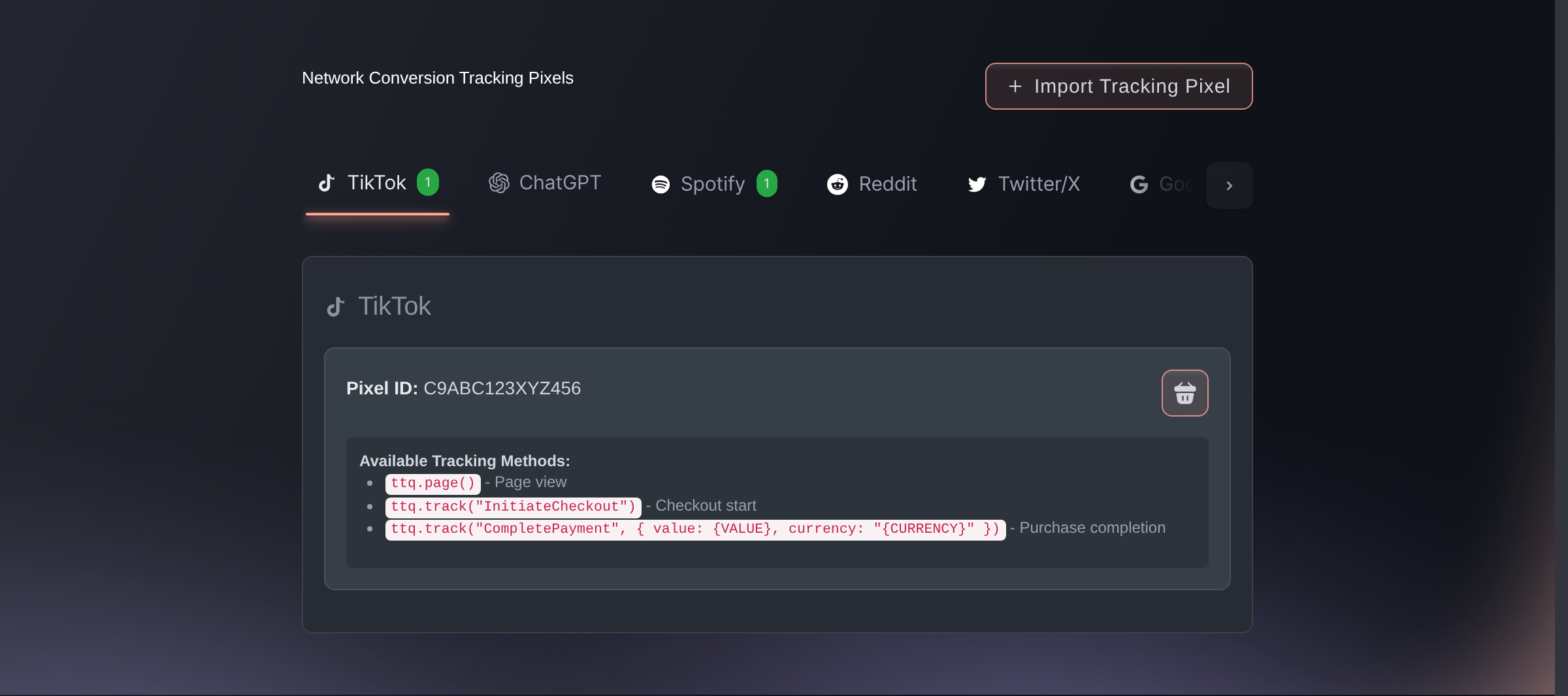
Brand settings, Integrations, Tracking pixels. -
Give every campaign its own tracking link
Open Tracking Links on your event and create one link for each channel: one for the newsletter, one for the Instagram post and one for every partner.
A click counts once per visitor while they keep opening the same link, for up to 30 days, and opening a different link on this event starts their count again. Compare Orders and revenue to understand the amount of buying activity and value attributed to each link.
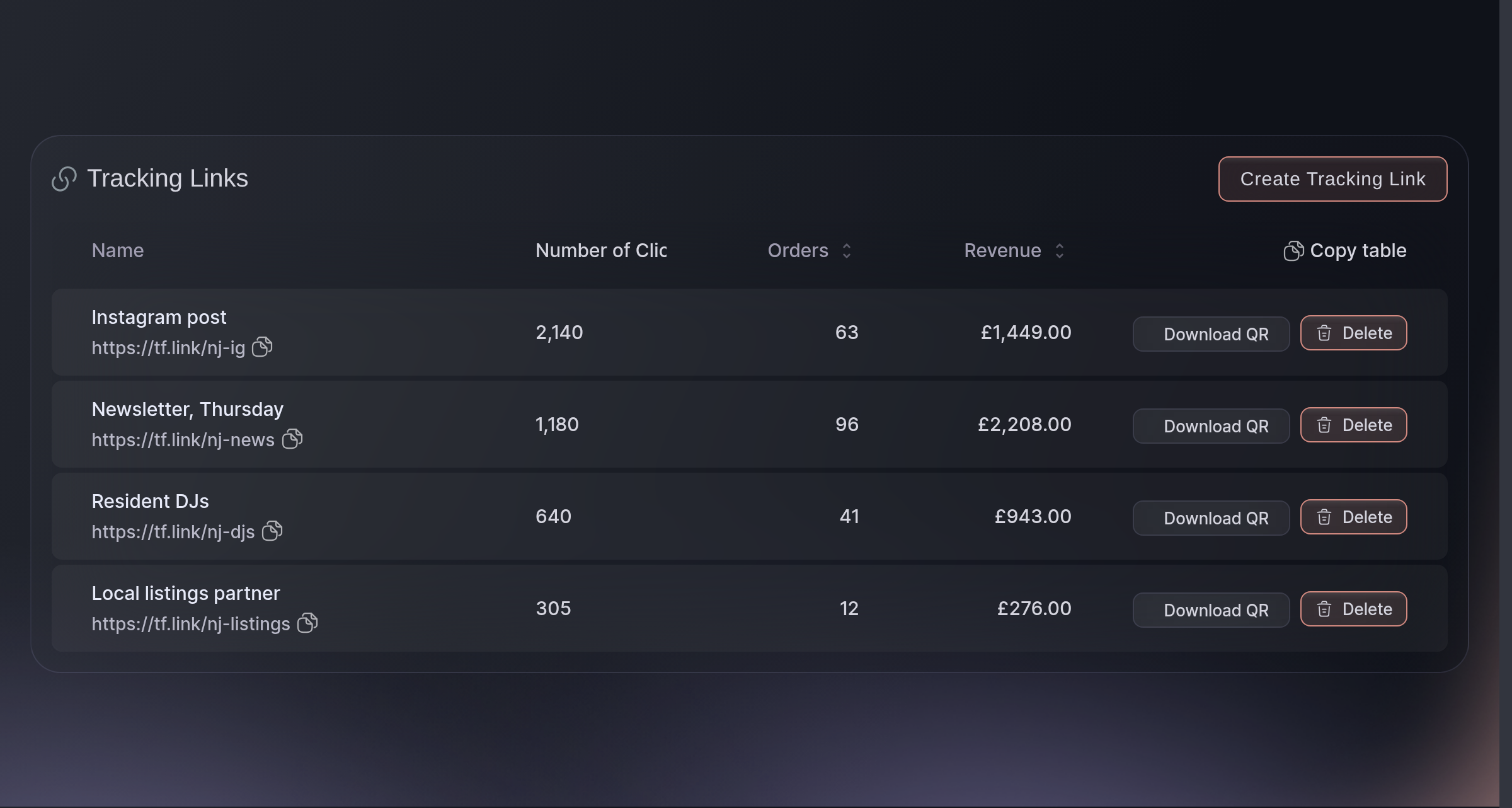
Event, Tracking Links. -
Message the segment, not the whole list
Open Messaging, select Send Email, and pick the audience before you enter the message. What you say to somebody on the waiting list is not what you say to somebody who already has a ticket.
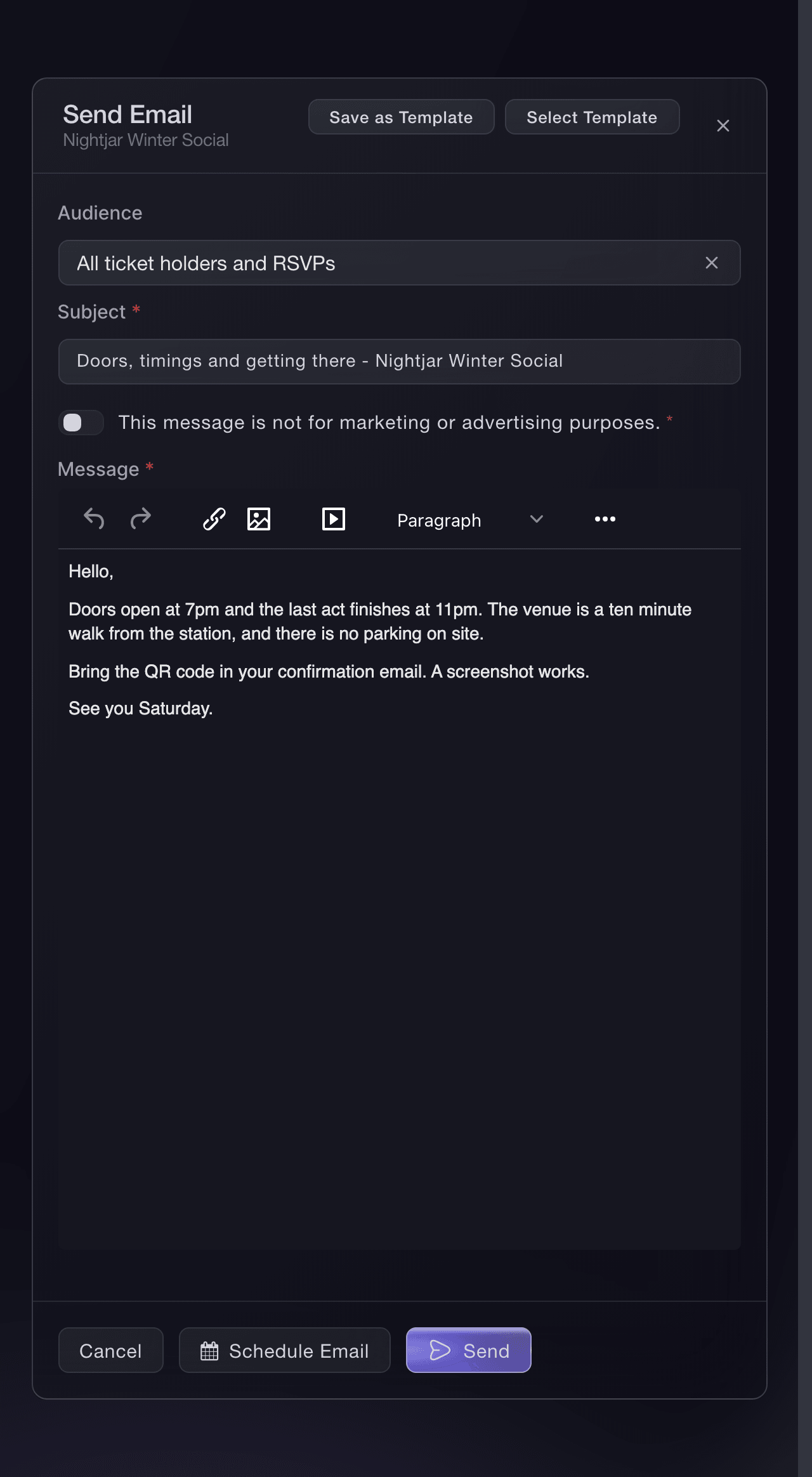
Event, Messaging, Send Email. -
Message buyers who nearly completed a purchase
Send separate messages to Abandoned carts and your waiting list.
Choose Waiting list to reach everyone who put their name down. Use a different audience when you need to exclude people who already placed an order.
-
Check what worked before you spend again
Open Traffic after the first week. Converted counts reaches of your order confirmation page, once an hour per signed-in browser session, and Not Converted the rest, which is your event page's hit rate across every source at once. Use Traffic for the event-wide conversion view and Tracking Links to compare individual campaign links.
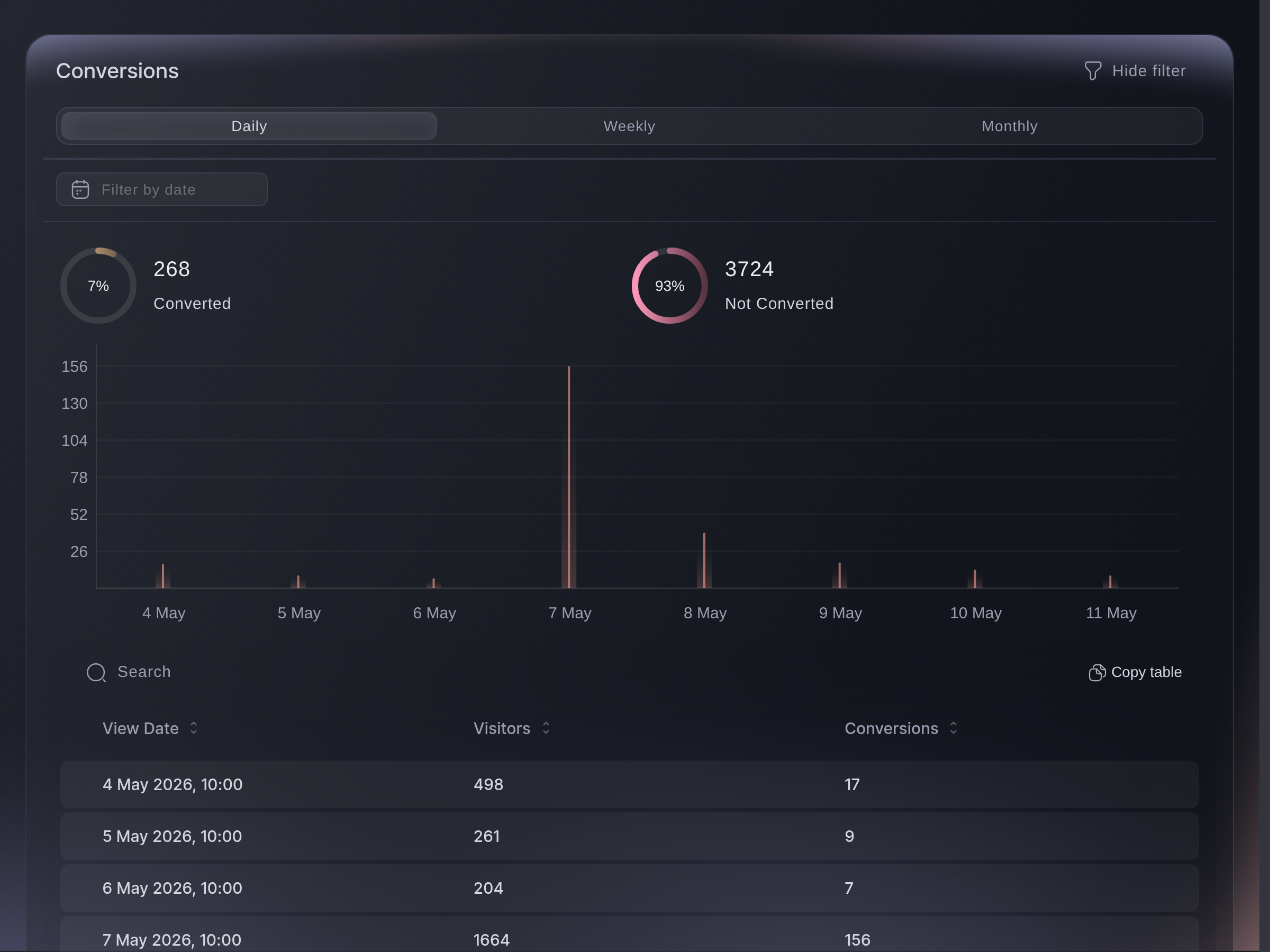
Traffic, Conversions.
Fragen, die Sie haben könnten
- Can I email only the people who bought one ticket type?
- Yes. Specific ticket type holders is one of the audiences on the composer, and so is Specific add-on holders for the people who bought camping or parking.
- Can I reach people who started buying and stopped?
- Yes. Abandoned carts is an audience in its own right, alongside waiting list members and pre-registered customers who never ordered.
- Do I need a separate email tool?
- Not for messaging your own buyers. You can send your message to a segment of your event audience, save it as a template, schedule it, and send a test copy to yourself first.
- How do I know which ad sold tickets?
- Connect a supported network's pixel and give the campaign its own tracking link so Tracking Links puts Number of Clicks and Orders beside it. Confirm that a purchase appears in the network's reporting before you rely on it. The pixel gives the network its view; the link gives you your own.
- Can I send an SMS rather than an email?
- Yes. Messaging has an SMS tab beside the email one for short, time-sensitive updates.
Wie es weitergeht
Machen Sie das bei Ihrer eigenen Veranstaltung
Erstellen Sie Ihr Konto, legen Sie Ihr Event an und folgen Sie den Schritten in Ihrem eigenen Dashboard. Sie müssen kein Verkaufsgespräch buchen.