
Resuelve problemas de venta de entradas
How do you manage event accreditation with your tickets?
Issue named staff, crew and press passes from the same event as your tickets, then scan both in one door app and keep an approval note with each pass.
- Para
- Managing staff, crew, press or partner accreditation for a venue or stadium
- Dura
- 6 minutos
Create a pass type for each accredited group, issue a named pass to each person and set how many times it can be used. The same door app scans passes and tickets, while the pass record keeps the holder, approval note and scan history.
Managing accreditation with your tickets means one guest list, one scanning app and one set of entry records.
Cómo lo resuelve Ticket Fairy
-
Accreditation linked to the event
Issue accreditation from the event it is for, or from the brand above it when the pass needs to work across a season or tour. You export nothing to a second system and import nothing back.
-
Pass holders and ticket buyers kept with the event
Passes and ticket sales belong to the same event. The pass list shows who you issued access to and any approval note you recorded.
-
One scanner on the gate
The door app scans both passes and tickets and tells them apart by the code, so every gate team can use the same scanning workflow.
-
A record tied to each pass
Each pass records who you issued it to and any note you left about who approved it. Every scan also records when it happened and who scanned the pass.
Cómo configurarlo
Lo que necesitas antes de empezar
- You're an owner or an admin on the event or the brand.
- Multi-Entry Passes is in your menu. It appears once we turn passes on for your brand or your event. Ask us if you cannot see it.
-
List the groups you accredit
Create a pass type for each group that needs different access rules, such as staff, crew, production, security, press, partners or contractors.
-
Create a pass type for each group
On Multi-Entry Passes, select Manage types, then Create Pass Type. The name is what your gate staff will see on the night, so use the word they use.
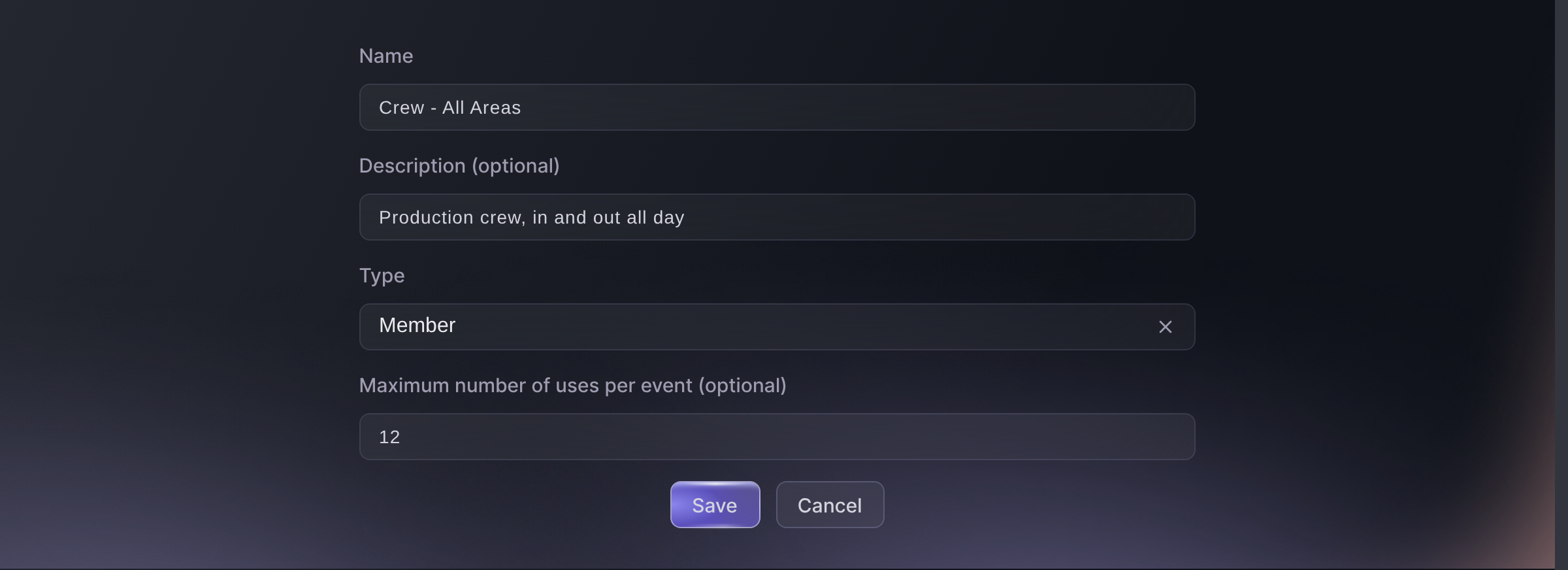
Multi-Entry Passes, Create Pass Type. -
Decide how often each group may enter
Set the limit to cover the expected entries and exits for that group. Allow extra uses only where their work may require another trip through the gate.
-
Upload the accreditation list
Take the list each department sends you and add it under Upload Recipients as a CSV of first name, last name and email address with no header row. Record who approved it in Notes.

Multi-Entry Passes, Create New Pass. -
Brief the gates that will see passes
Tell the staff entrance what a valid pass looks like on the scanner and what to do with a refusal. The app takes both kinds of code, so the difference is in what your team expects rather than in the setup.
The app checks the event, brand or venue the pass belongs to and the number of uses you allowed. Brief each entrance on the pass types it should accept.
Preguntas que puedes tener
- Do we have to run accreditation and ticketing as two systems?
- No. Issue passes from the event and scan them with the same app as tickets. Pass holders and ticket buyers remain in separate lists under that event.
- Can accreditation run across a whole season?
- Yes. A brand-level pass works across that brand's events. A venue-level pass works only at events linked to that saved venue; typing the venue address instead does not create that link.
- What record is kept for each pass?
- Each pass keeps the name you issued it to and any note about who approved it. Every scan records the pass, when it was scanned and who scanned it.
Adónde ir después
Hazlo en tu propio evento
Crea tu cuenta, monta tu evento y sigue los pasos en tu propio panel. No necesitas reservar una llamada comercial.