
Montar un evento
Run ticketing for a nightclub
Build a repeatable setup for every night, give your venue team the right access, and use sales and entry data to plan what comes next.
- Para
- Nightclub owners and venue teams running a regular programme of ticketed nights
- Dura
- 18 minutos
Lo que necesitas antes de empezar
- You're a brand owner or admin. You can manage the permanent team, create and duplicate events, change tickets and publish.
- You know each room's safe capacity and which entrances your door team will use.
- You have agreed your usual ticket releases, guest-list policy, table packages and last entry.
- You know who needs access across the venue and who only needs access to particular events.
-
Set up your permanent venue team
Open Brand, then Team. Invite the people who work across your programme and give each person the role that matches their job, such as admin, stats, door staff or promoter.
Brand-team access carries across your events. Add visiting promoters and temporary door staff to an individual event when they only need access to that night.
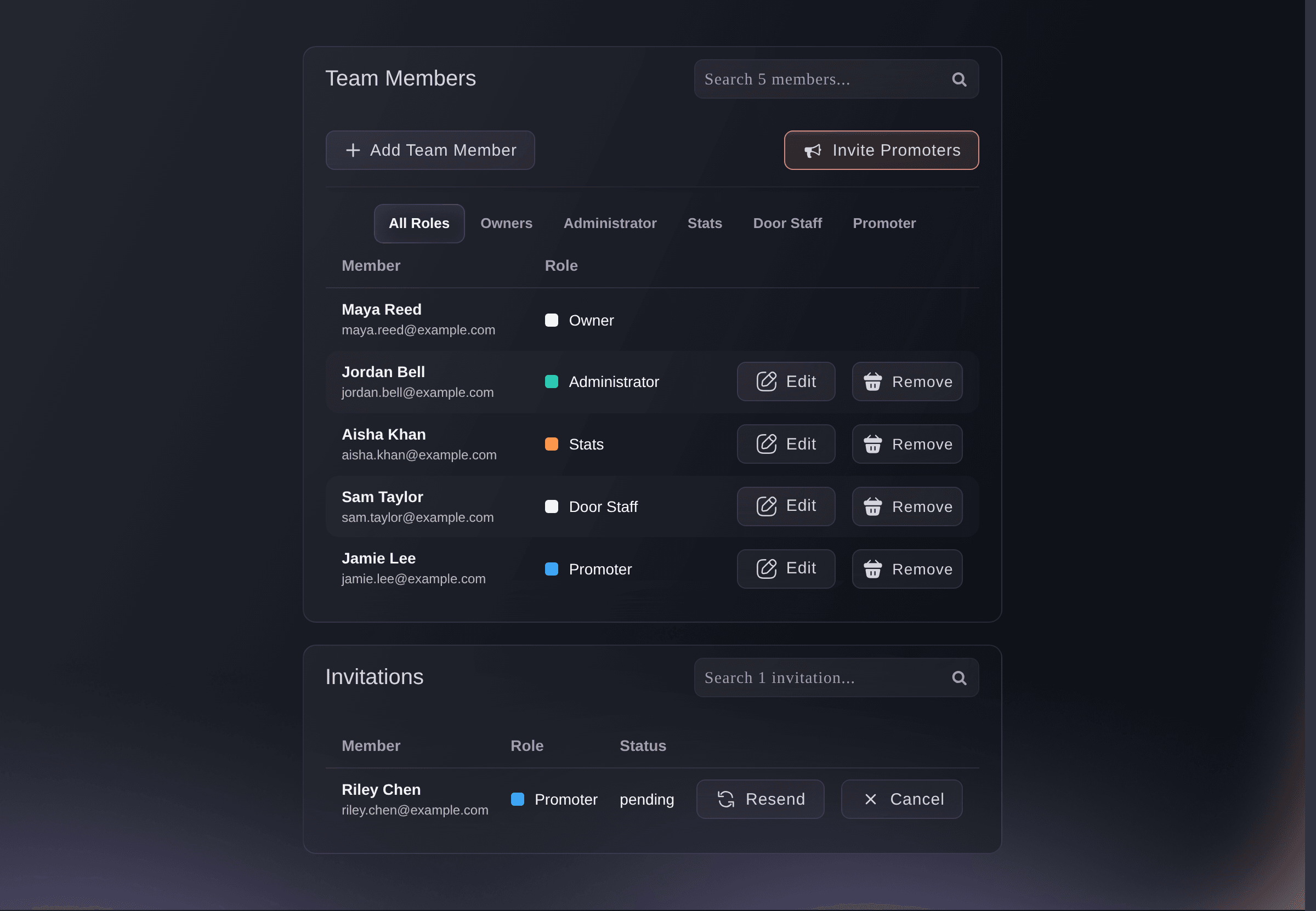
Brand, Team. -
Build the setup you want to repeat
Create your first night with the Club show template. Set the early bird, advance and on the door releases. Add guest-list tickets and VIP booths when you offer them, then check the capacity, age limit, ID policy, door time and last entry.
Finish the ticket names, allocations, sale windows, table packages and buyer information before you use this event as the starting point for later dates.
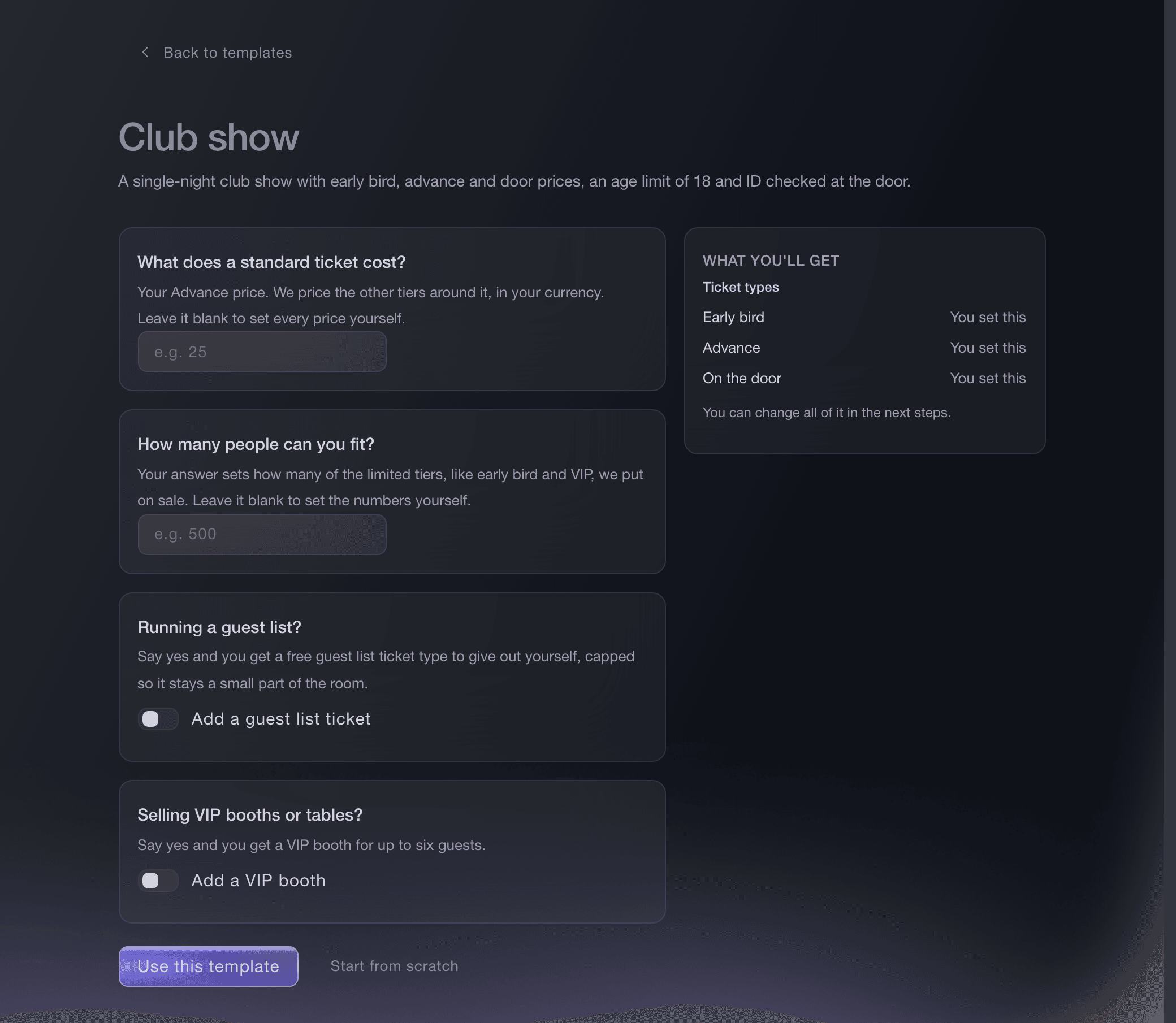
Create event, Club show template. -
Prepare each new night from the reference event
Duplicate the reference event and include the parts you want to reuse. Enter the new event name, URL and dates. Check every allocation, sale window, door time and last-entry time before publishing because those details can change from one night to the next.
The duplicate form shows exactly which event details and optional features will carry into the new night.
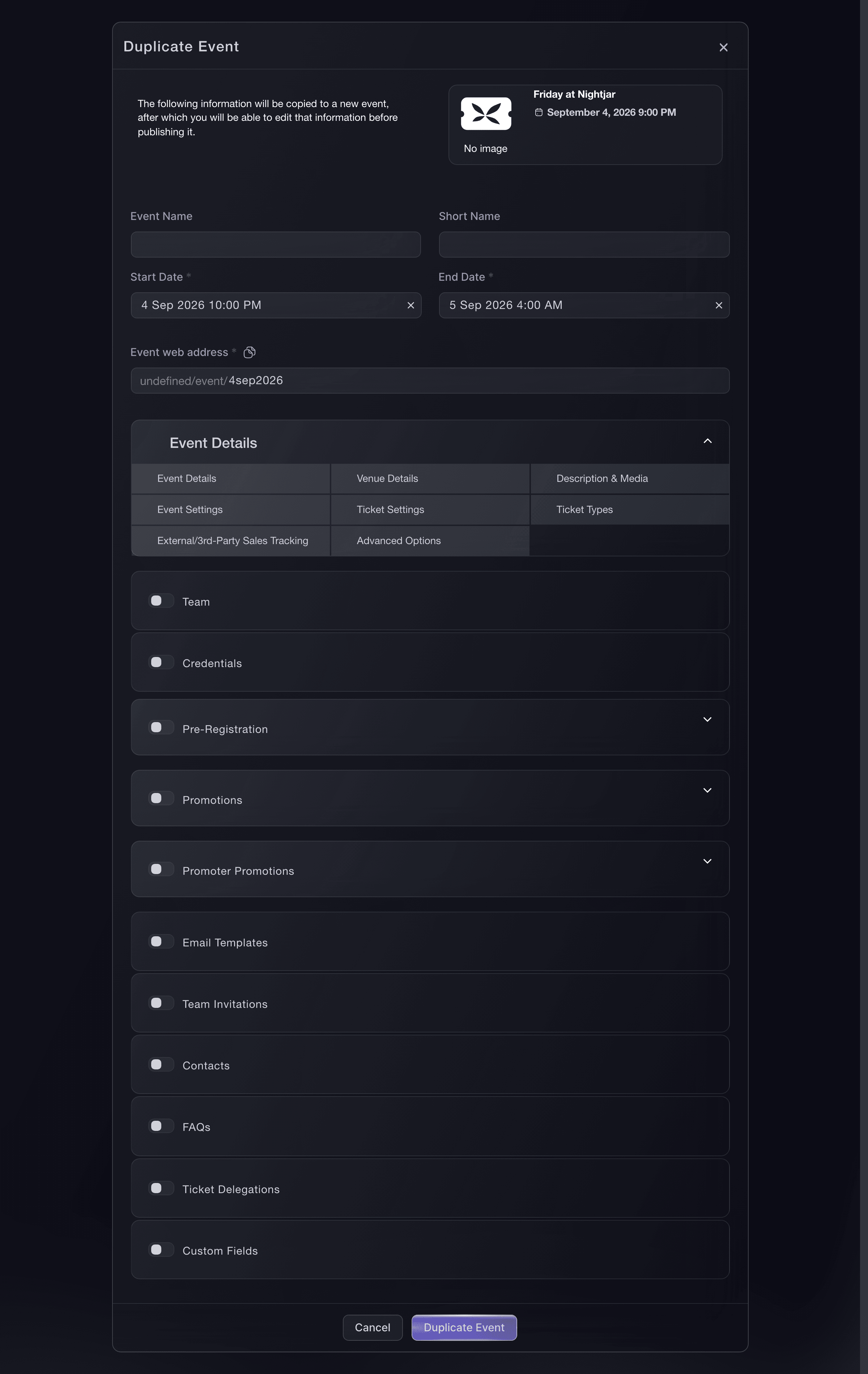
Events, Duplicate event. -
Create a public series for recurring nights
Open Event Series and create a series for the recurring night. Enter its name and description, turn on the public series page, choose its URL and add each event date.
The public page lets buyers browse the dates together. The series stays private until you turn on its public page and give it a URL.
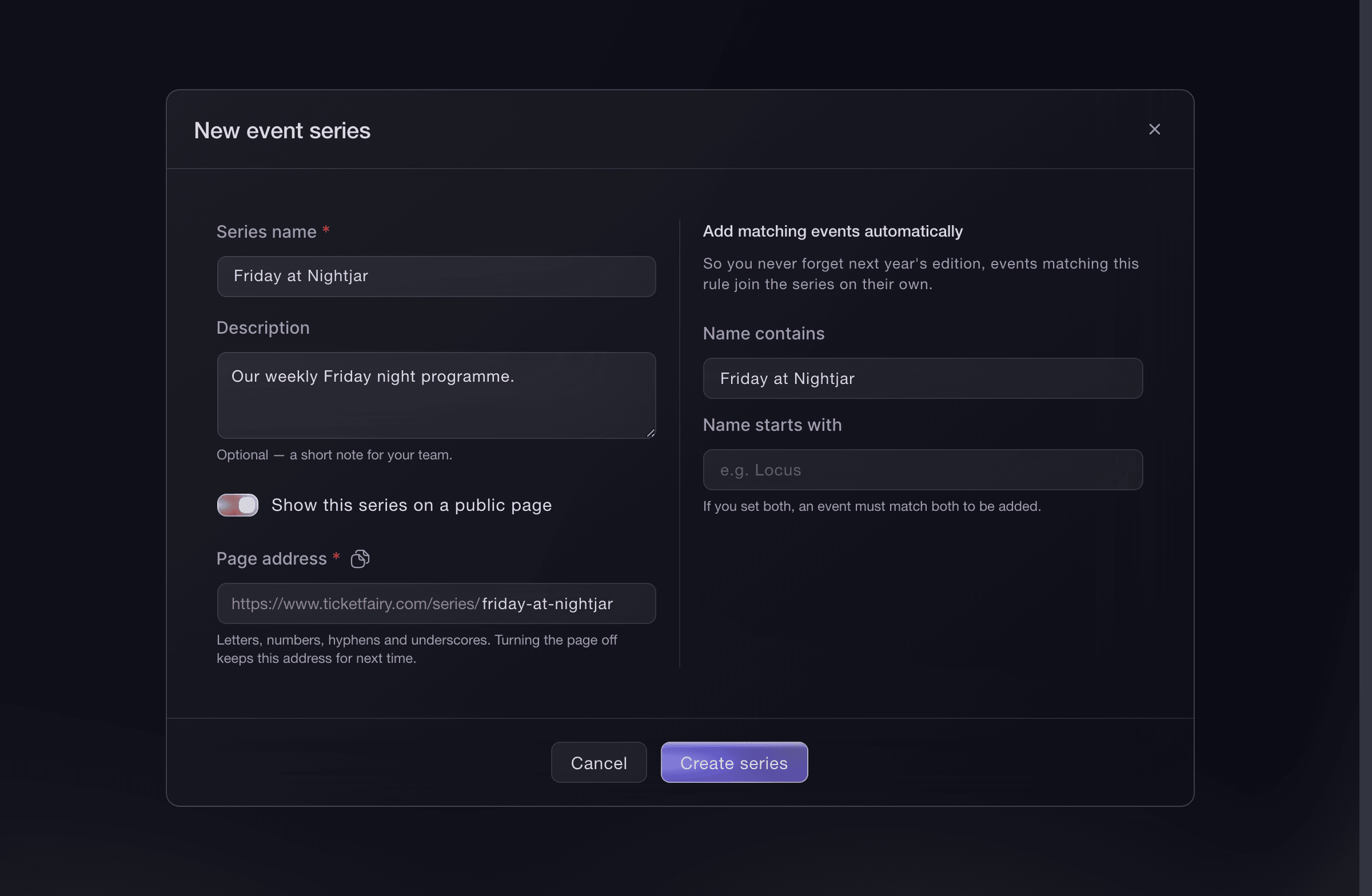
Brand, Event Series, Create Event Series. -
Invite visiting promoters to the event
Keep resident promoters on the brand team. For a visiting promoter, open Event Team, select Invite Team Member, enter their email address and choose the promoter role.
Event-team access limits the visiting promoter to the night they are working on.
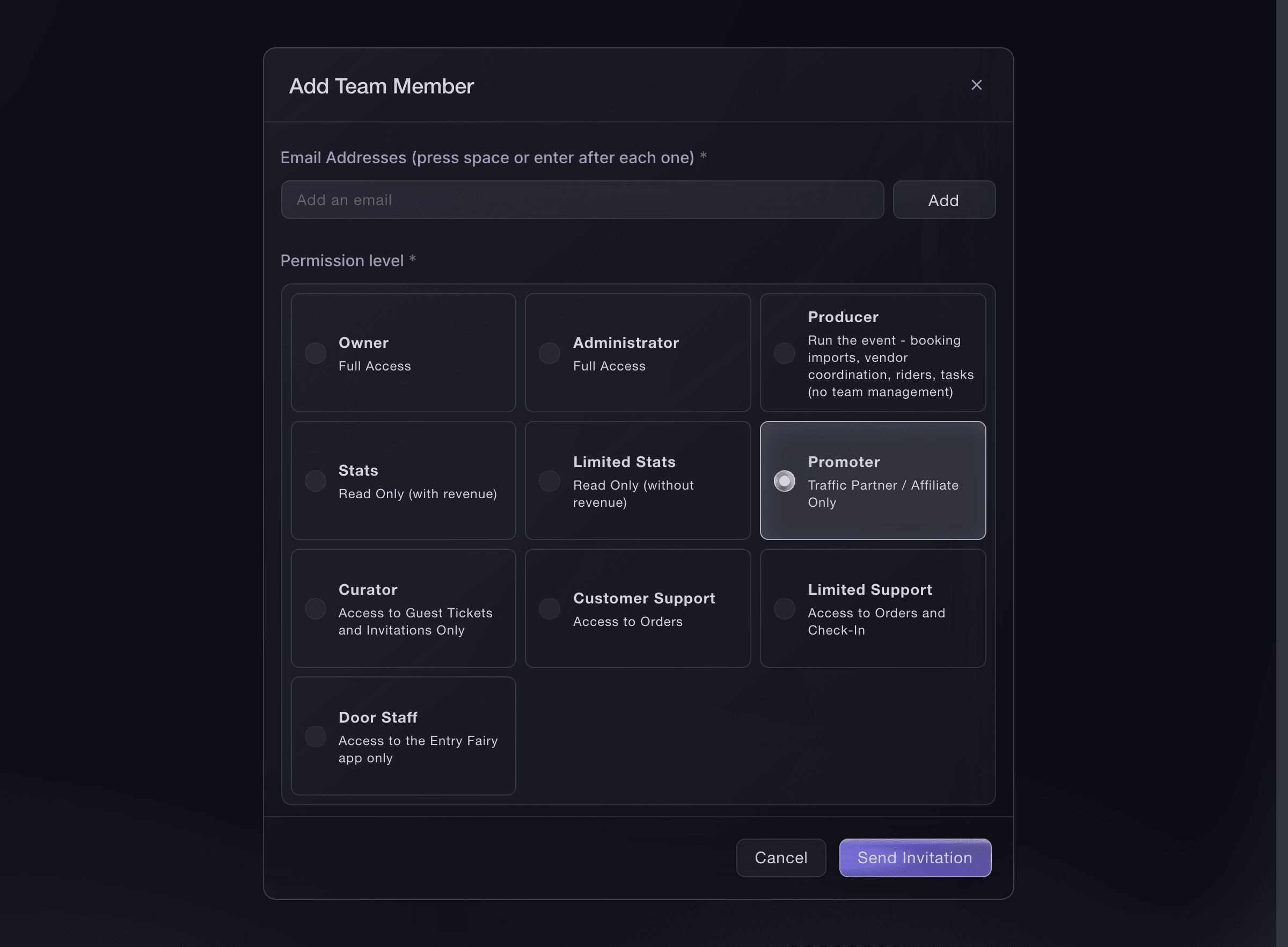
Event, Event Team, Invite Team Member. -
Send each promoter their own link
When you publish, select Send Promoter Links. Ticket sales from each link appear under Sales by Promoter.
Scheduled publishing does not send promoter links. Send them separately after the event is public.
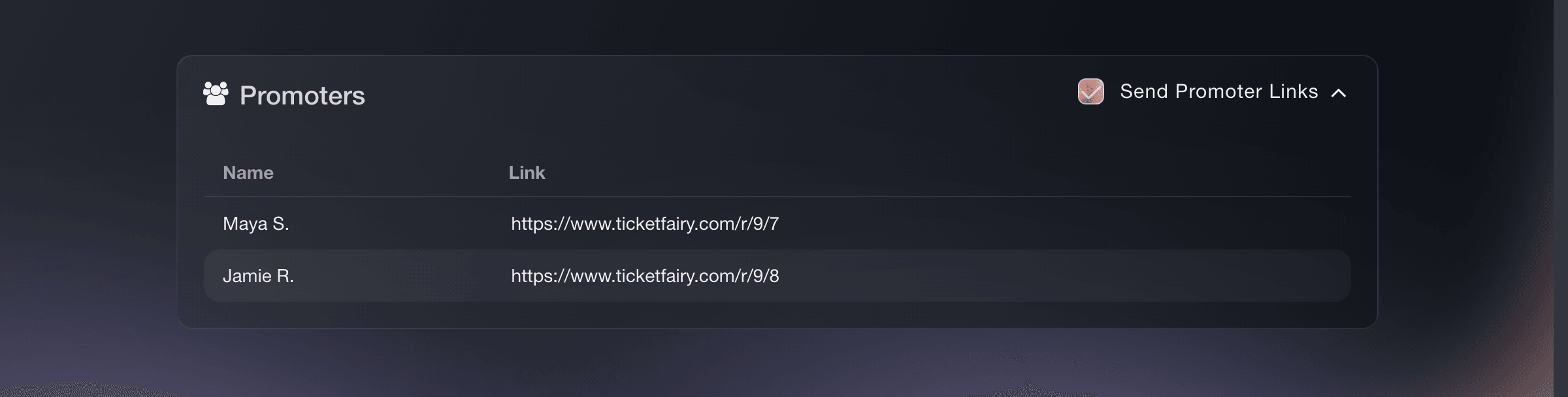
Event, Publish, Send Promoter Links. -
Measure each campaign and partner
Under Marketing, open Tracking Links. Create a named link for each channel, campaign and partner. Use the clicks, orders and ticket revenue to decide where to put the next night's promotion.
Use promoter links for team-member sales credit. Use tracking links for placements such as your Instagram bio, an email campaign, a partner page or a printed flyer.
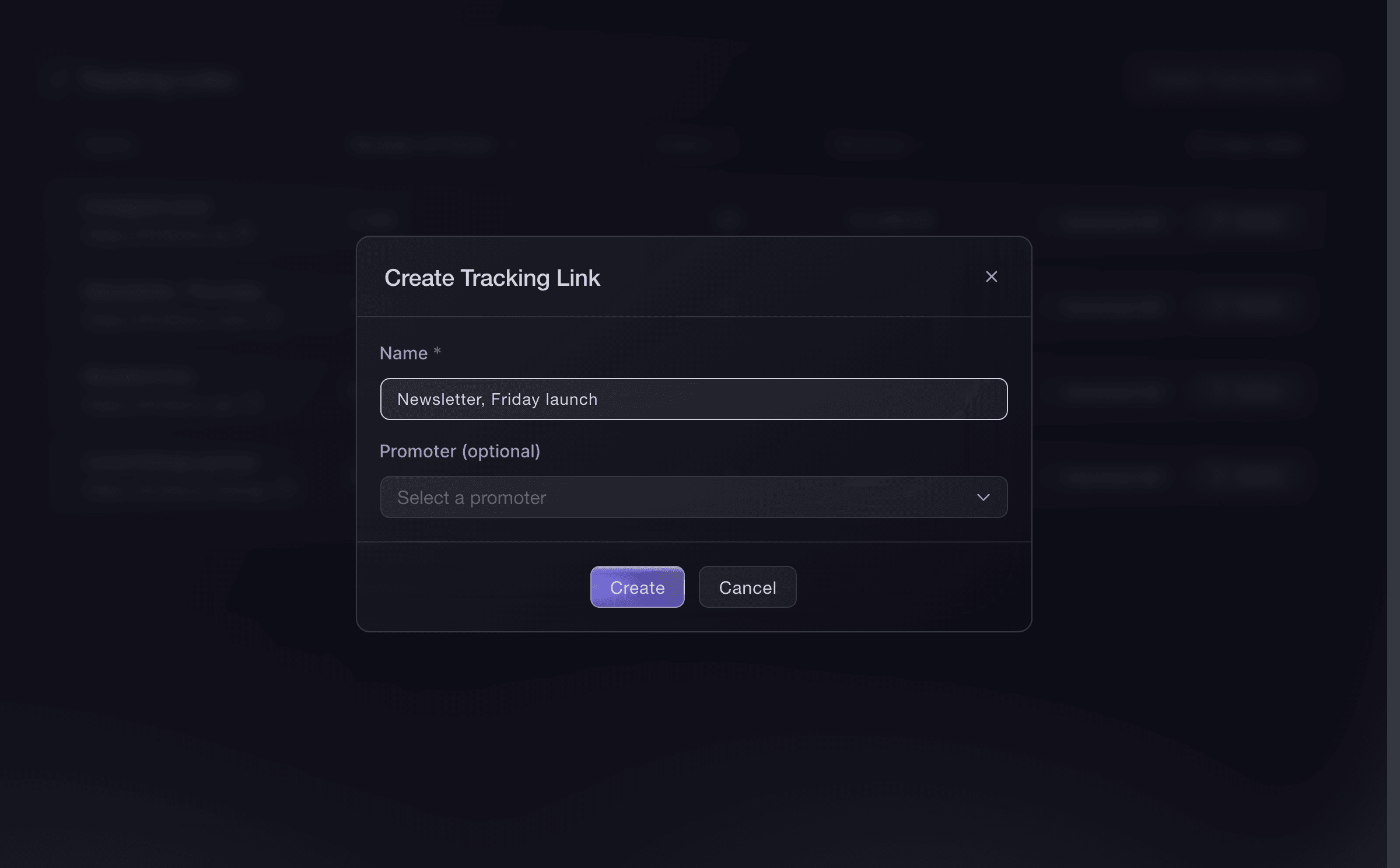
Event, Marketing, Tracking Links. -
Follow arrivals during the night
Open Check-In and view Hourly while the door team scans. Watch arrivals by hour and the running Checked In total so you can respond when queues build and confirm how the night is filling.
Use Individual Tickets to find a guest or review a scan. Agree who handles scanner handover, guest-list questions and entry decisions before doors open.
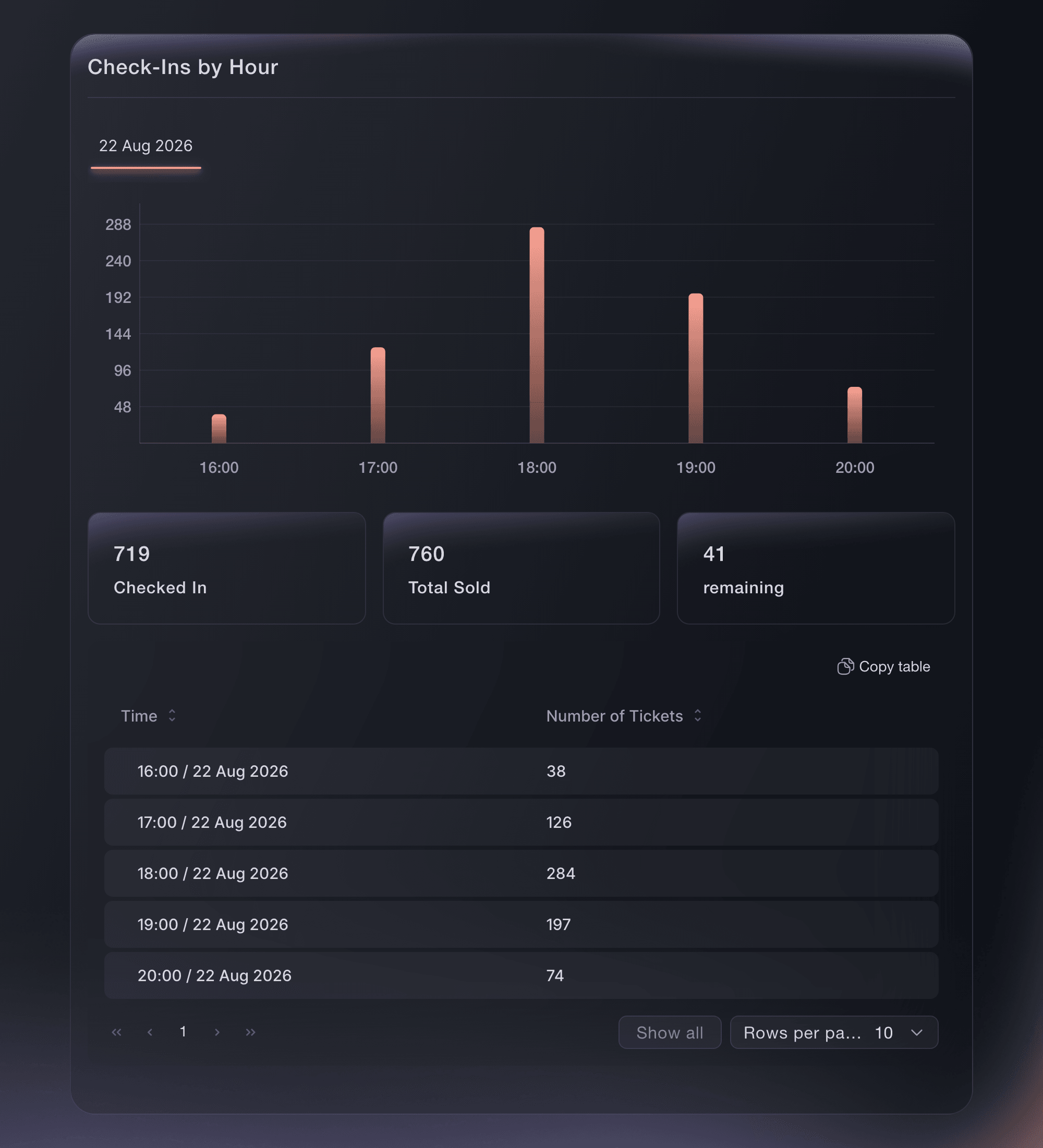
Event, Check-In, Hourly.


O deja que lo hagan por ti
Fai can create each night, manage tickets and tables, invite team members, issue guest tickets, send promoter links, publish and report on check-ins.
En tu panel, con Fai
Help me prepare our nightclub ticketing plan; ask about our rooms, capacities, ticket releases, tables, guest-list rules, promoters, venue team and door times; show me the proposed setup before changing anything
Desde tu terminal
Instala la CLI desde nuestra página de la CLI, inicia sesión con ticketfairy auth login y elige la marca con la que trabajas usando ticketfairy brand use <BRAND_ID>. ticketfairy brand list y ticketfairy event list muestran los ID que usan los demás comandos.
Use the CLI to create ticket releases, publish a prepared night and check entry figures. Set up tables, guest lists and team access in the dashboard.
Create an early bird release.
ticketfairy ticket create <EVENT_ID> --name "Early Bird" --price 18 --max-inventory 150
Publish the event and send promoter links.
ticketfairy event publish <EVENT_ID> --send-promoter-links
Check entry figures.
ticketfairy checkin status <EVENT_ID> --output json
Preguntas que puedes tener
- Should every night use the same ticket setup?
- Use your reference event for the details that stay consistent, then tailor the new date to its expected demand, lineup, rooms, table packages, guest list and entry policy.
- How should I handle an outside promoter hiring the venue?
- Add them to that event with the promoter role so they receive their own link and only see the event they are working on. Agree who controls tickets, guest lists and the door before the event goes on sale.
Adónde ir después
Hazlo en tu propio evento
Crea tu cuenta, monta tu evento y sigue los pasos en tu propio panel. No necesitas reservar una llamada comercial.