
Ваш бренд и команда
Invite your team to your events and choose what each person can do
Promoters, venue teams and agencies rarely run an event alone: an accountant needs the figures, a door manager needs the scanning app, a partner promoter needs their own link and nothing else. One Team page gives each person exactly that, across every event under the brand or for a single night, and shows who has accepted and who is still to join.
Give each person on your team the access their job needs, across the brand or for one event, and see who has accepted.
- Для кого
- Sharing the work of an event with the people who do it
- Займёт
- 6 минут
Перед началом
- You're an owner or admin of the brand. Only an owner can make someone else an owner or an administrator.
- You have the email address each person signs in to Ticket Fairy with, or will use to create their account.
-
Open Team and select Add Team Member
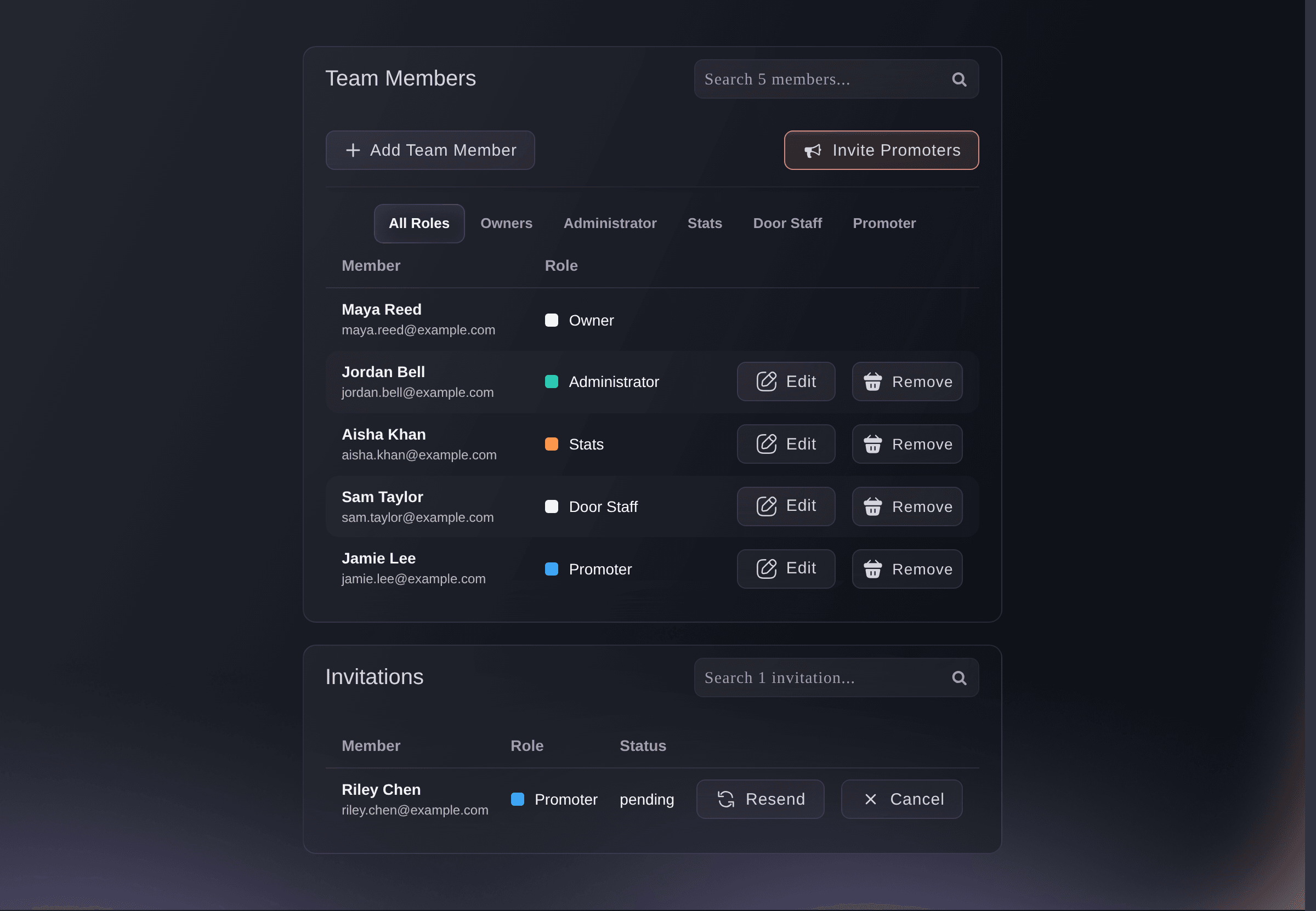
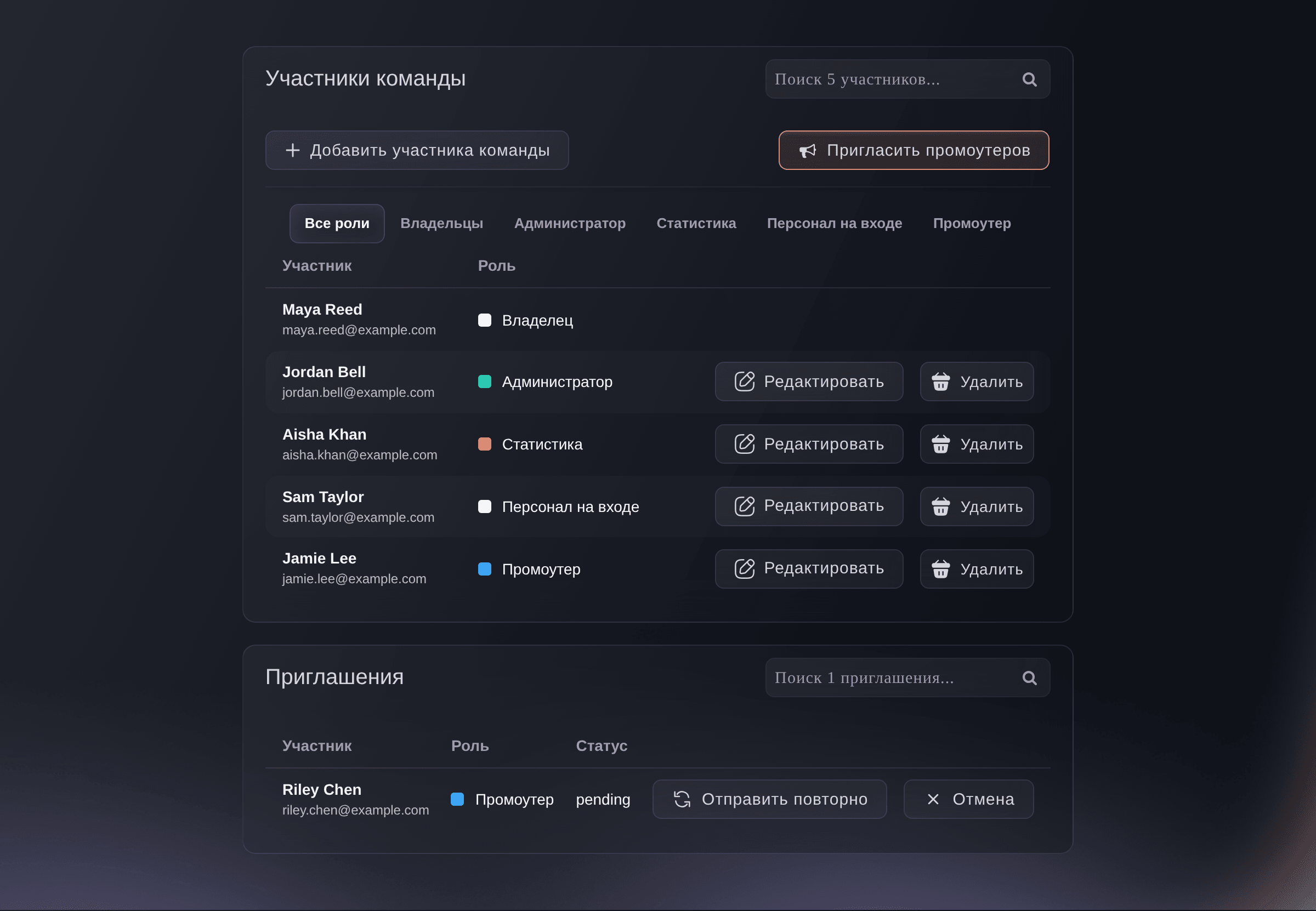
Open your brand, select Team, then Add Team Member. The page lists everyone with access to the brand and their role, with any invitation still waiting to be accepted underneath.
Brand, Team. -
Enter the addresses and choose the permission level
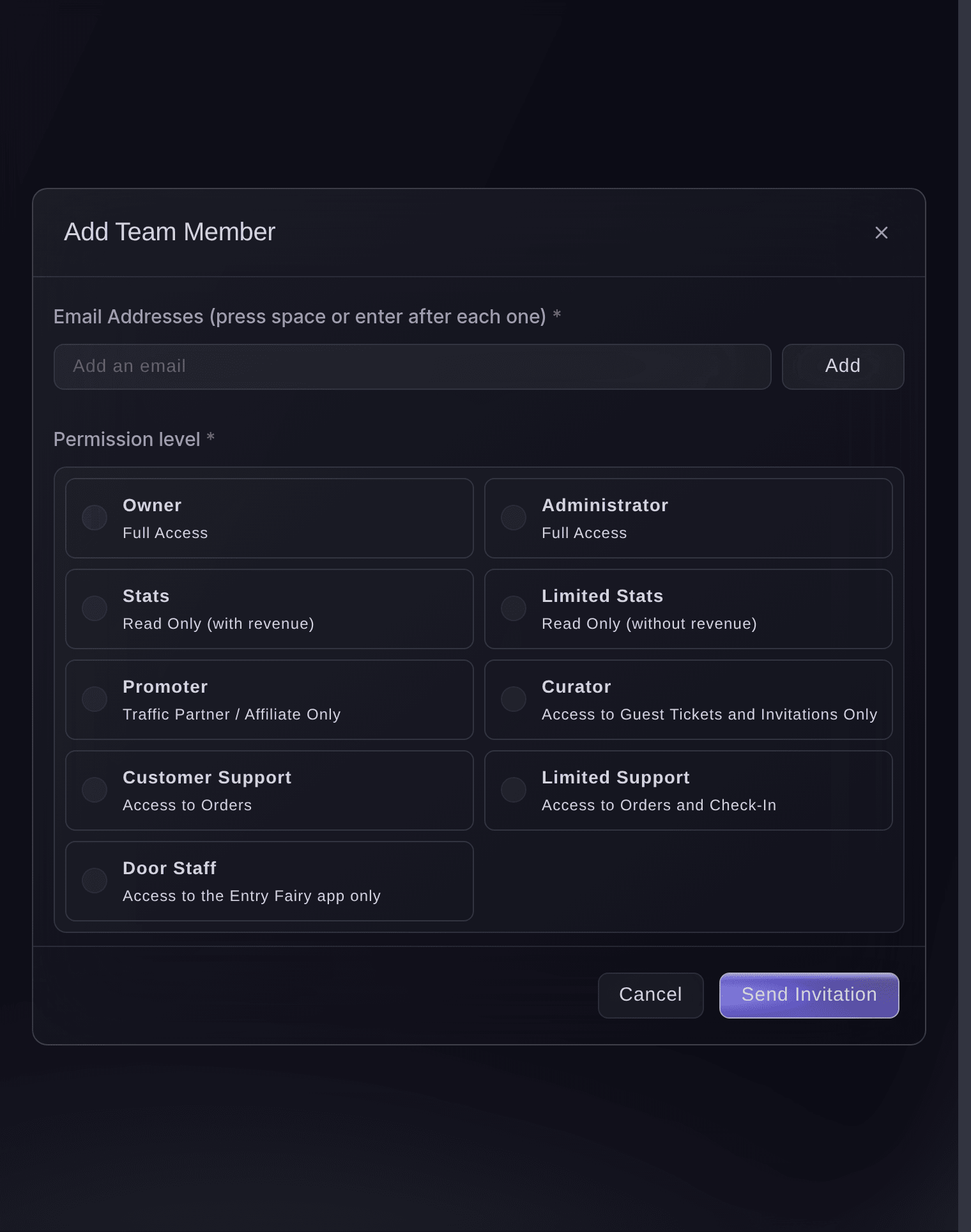
Enter each address under Email Addresses (press space or enter after each one), choose the Permission level they all get, and select Send Invitation. Everyone in one invitation gets the same role, so you need a separate invitation for each role.
Примечание: An address that already has a Ticket Fairy account joins your brand under that account. A new person creates theirs when they accept.
Brand, Team, Add Team Member.
The permission levels
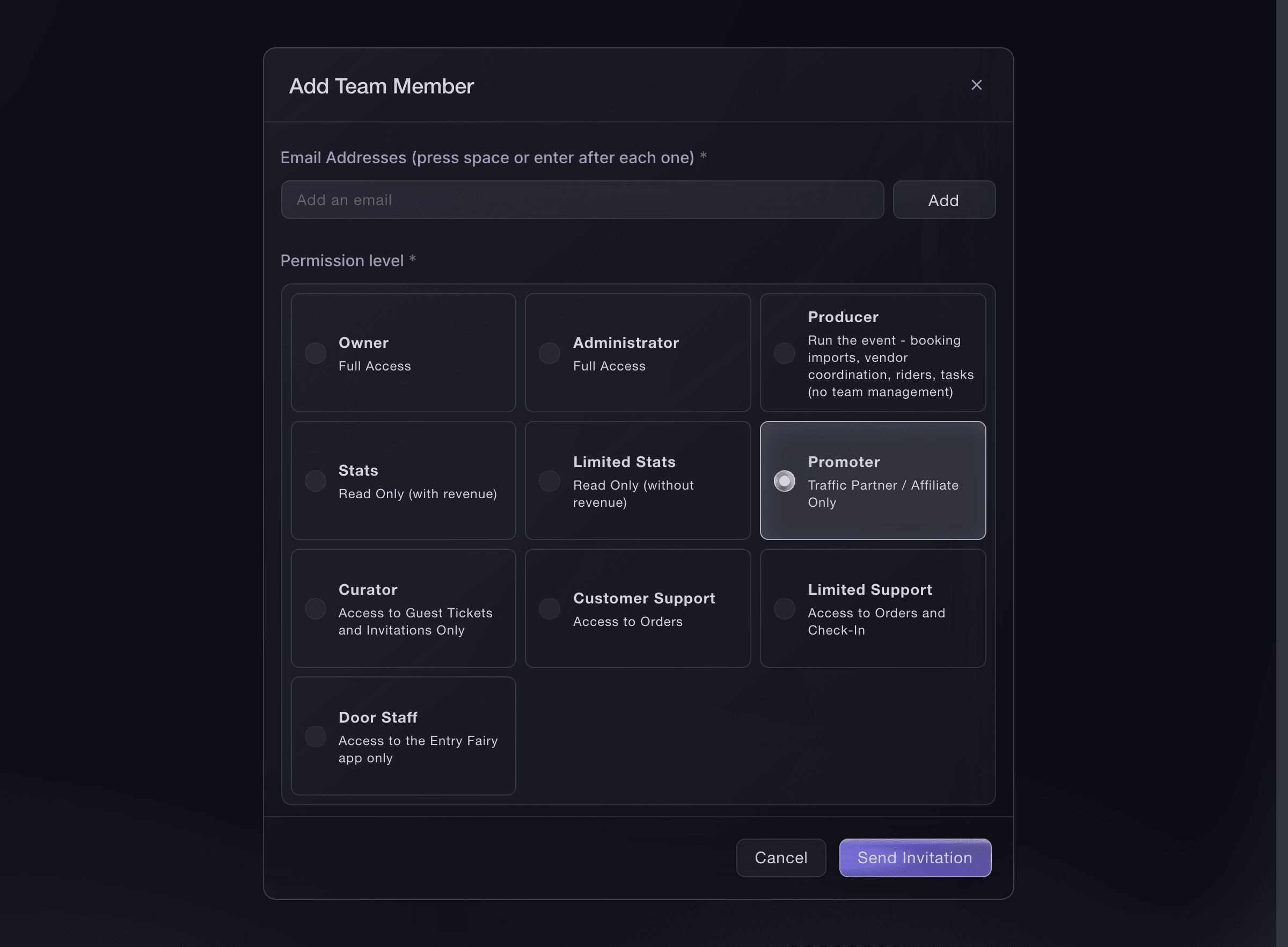
Owner and Administrator have full access, and only an owner can grant either. Stats reads every report including revenue and Limited Stats the same without revenue. Promoter gets their own link and sees their own sales. Curator handles guest tickets and invitations. Customer Support works orders, and Limited Support orders and check-in. Door Staff uses the Entry Fairy scanning app and nothing else. Producer runs the production work on a brand with Event Management, without managing the team.
-
Give someone access to one event only
For a visiting promoter or door staff who work one night, open that event, select Event Team and Invite Team Member, and choose their role there instead. Brand access carries to every event under the brand; event access ends with that event.
Примечание: A member who needs the whole programme belongs on the brand team once, not on each event.
Event, Event Team, Invite Team Member. -
Check who has accepted
Ask each person to open the email and accept the invitation, signing in or creating their account on the way. Until they do, they appear under Invitations on the Team page, and the invitation stays open until it is accepted or you cancel it.

Или поручите это помощнику
Fai, the assistant inside your dashboard, can invite people to the brand or to one event with any role except owner, send an invitation again, change a role and remove someone, after showing you the change and asking you to approve it. Making someone an owner is done in the dashboard.
В вашей панели, с Fai
Invite <EMAIL ADDRESSES> to <BRAND OR EVENT NAME> as <ROLE>, then show me the team and who has not accepted yet
Из терминала
Установите CLI по ссылке нашей страницы CLI, войдите командой ticketfairy auth login и выберите бренд, с которым работаете, командой ticketfairy brand use <BRAND_ID>. ticketfairy brand list и ticketfairy event list выводят идентификаторы, которые используют другие команды.
Use the CLI to invite someone to the brand or to one event, list the team, change a role and revoke access. Cancelling a pending invitation and the promoter join link are in the dashboard.
Invite someone to the whole brand.
ticketfairy team invite <EMAIL> --role <ROLE>
Invite a promoter to one event only.
ticketfairy team invite <EMAIL> --role promoter --event-id <EVENT_ID>
List the team and the id of each membership.
ticketfairy team list
Change someone's role.
ticketfairy team update <ID> --role <ROLE>
Take someone's access away.
ticketfairy team revoke <ID> --force
Send an invitation again
Under Invitations, select Resend beside the person. The same invitation goes to the same address, so a link already in their inbox keeps working.
Примечание: Check the address for a typo first: sending again cannot reach an address you never had. A brand-new invitation to the same address replaces the earlier link.
Fai can send the brand's invitation email again. It reaches every address on the invitation list, people who already accepted included, so use Resend beside one person to reach that person. MCP and the CLI do not resend an invitation.
В вашей панели, с Fai
Show me who I invited to <BRAND NAME> and who has accepted, then send the invitation email again to the whole list
Cancel an invitation
Under Invitations, select Cancel beside the person, then Cancel Invitation in the confirmation. Their link stops working at once.
Cancelling a pending invitation is done in the dashboard. Fai, MCP and the CLI can list the invitations but not cancel one.
В вашей панели, с Fai
Show me the pending invitations on <BRAND NAME> with the address and role of each
Change someone's role
On the Team page, select Edit beside the person, choose the new role and select Save. The change applies the next time they open the dashboard.
Примечание: An administrator can change any role except owner and administrator; an owner can change every role.
Fai can change a member's role to anything except owner, after showing you the change. The CLI updates a role by the membership id from the team list.
В вашей панели, с Fai
On <BRAND NAME>, change <NAME OR EMAIL> from <CURRENT ROLE> to <NEW ROLE> and ask me to approve it first
Из терминала
The CLI changes a role by the membership id shown in the team list.
Change a role.
ticketfairy team update <ID> --role <ROLE>
Remove someone from the team
On the Team page, select Remove beside the person and confirm. They lose access to the brand and every event under it at once.
Примечание: On a plan with paid seats, removing a brand team member frees their seat. Event-only access never takes a seat.
Fai can remove a member after showing you who they are and what they lose. The CLI revokes access by the membership id.
В вашей панели, с Fai
Remove <NAME OR EMAIL> from <BRAND NAME> and ask me to confirm before you do
Из терминала
The CLI revokes a membership or a pending invitation by its id.
Revoke access.
ticketfairy team revoke <ID> --force
Let promoters join with one link
Select Invite Promoters, copy the link and send it to the group. Everyone who opens it joins the brand as a promoter with their own link.
Примечание: Regenerate replaces the link and the old one stops working; Deactivate closes it without a replacement.
The promoter join link is managed in the dashboard. Fai invites promoters by address instead.
В вашей панели, с Fai
Invite <EMAIL ADDRESSES> to <BRAND NAME> as promoters and show me the team afterwards
Вопросы, которые могут возникнуть
- Who can invite people and change roles?
- An owner or an administrator of the brand. Only an owner can make someone an owner or an administrator, and an administrator cannot change an owner's or another administrator's role.
- Can a brand have more than one owner?
- Yes. Invite a second owner the same way, or change an administrator's role to owner. Every owner has the same access, including inviting and removing other owners.
- Someone says they never received the invitation. What do I check?
- Open Invitations and read the address it went to. A typo is the usual cause, and sending again does not fix one. If the address is right, ask them to check their spam folder, then select Resend.
- Does a team member need a Ticket Fairy account before I invite them?
- No. Accepting the invitation creates the account under the address you sent it to, or signs them in to the one they already have.
- What is the difference between the brand team and an event team?
- The brand team reaches every event under the brand, now and later, and is where your permanent people belong. An event team covers one event and ends with it, which suits a visiting promoter or door staff for one night.
- Does adding people cost anything?
- On a plan with paid seats, each brand team member takes a seat and removing them frees it. Event-only access does not take a seat.
Похожие руководства
Сделайте это на своём мероприятии
Создайте аккаунт, соберите мероприятие и выполните шаги в своей панели управления. Звонок в отдел продаж не нужен.